
KX1800 - Heat gun BLACK & DECKER - Free user manual and instructions
Find the device manual for free KX1800 BLACK & DECKER in PDF.



| Product type | Heat gun |
| Brand | Black & Decker |
| Model | KX1800 |
| Rated voltage | 230 V |
| Power consumption | 1800 W |
| Temperature range | 50 °C to 600 °C |
| Weight | 0.85 kg |
| Construction class | I (with grounding) |
| Switch | On/Off (positions I/O) |
| Temperature adjustment | Progressive rotary knob |
| Support for hands-free use | Yes, integrated vertical stand |
| Available accessories (not included) | Cone nozzle, wide nozzle, reflector nozzle, glass protection, scraper |
| Sound pressure level | 75 dB(A) |
| Hand/arm vibration | < 2.5 m/s² |
| Thermal protection device | Yes (overheat protection) |
| Intended use | Paint stripping, drying, plastic welding, pipe bending, thawing |
| Maintenance | Clean ventilation slots with a dry brush |
| Warranty | 24 months |
| Compliance standards | CE (98/37/CEE, 89/336/CEE, 73/23/CEE, EN 50144, EN 55014, EN 60335, EN 61000) |
| Storage | Allow to cool for at least 30 minutes before storage, nozzle facing up |
Frequently Asked Questions - KX1800 BLACK & DECKER
User questions about KX1800 BLACK & DECKER
0 question about this device. Answer the ones you know or ask your own.
Ask a new question about this device
Download the instructions for your Heat gun in PDF format for free! Find your manual KX1800 - BLACK & DECKER and take your electronic device back in hand. On this page are published all the documents necessary for the use of your device. KX1800 by BLACK & DECKER.
USER MANUAL KX1800 BLACK & DECKER
This tool has been designed for various heating applications (e.g. paint stripping). This tool is intended for consumer use only.
General safety rules
Warning! Read all instructions. Failure to follow all instructions listed below may result in electric shock, fire and/or serious injury. The term "power tool" in all of the warnings listed below refers to your mains operated (cored) power tool or battery operated (cordless) power tool. SAVE THESE INSTRUCTIONS.
1. Work area
a. Keep work area clean and well lit. Cluttered and dark areas invite accidents.
b. Do not operate power tools in explosive atmospheres, such as in the presence of flammable liquids, gases or dust. Power tools create sparks which may ignite the dust or fumes.
c. Keep childre tool. Distractions can cause you to lose control.
2. Electrical safety
a. Power tool plugs must match the outlet. Never modify the plug in any way. Do not use any adapter plugs with earthed (grounded) power tools. Unmodified plugs and matching outlets will reduce risk of electric shock.
b. Avoid body contact with earthed or grounded surfaces such as pipes, radiators, ranges and refrigerators. There is an increased risk of electric shock if your body is earthed or grounded.
c. Do not expose power tools to rain or wet conditions. Water entering a power tool will increase the risk of electric shock.
d. Do not abuse the cord. Never use the cord for carrying, pulling or unplugging the power tool. Keep cord away from heat, oil, sharp edges or moving parts. Damaged or entangled cords increase the risk of electric shock.
e. When operating a power tool outdoors, use an extension cord suitable for outdoor use. Use of a cord suitable for outdoor use reduces the risk of electric shock.
3. Personal safety
a. Stay alert, watch what you are doing and use common sense when operating a power tool. Do not use a power tool while you are tired or under the influence of drugs, alcohol or medication. A moment of inattention while operating power tools may result in serious personal injury.
b. Use safety equipment. Always wear eye protection. Safety equipment such as dust mask, non-skid safety shoes, hard hat, or hearing protection used for appropriate conditions will reduce personal injuries.
c. Avoid accidental starting. Ensure the switch is in the off position before plugging in. Carrying power tools with your finger on the switch or plugging in power tools that have the switch on invites accidents.
d. Remove any adjusting key or wrench before turning the power tool on. A wrench or a key left attached to a rotating part of the power tool may result in personal injury.
e. Do not overreach. Keep proper footing and balance at all times. This enables better control of the power tool in unexpected situations.
f. Dress properly. Do not wear loose clothing or jewellery. Keep your hair, clothing and gloves away from moving parts. Loose clothes, jewellery or long hair can be caught in moving parts.
g. If devices are provided for the connection of dust extraction and collection facilities, ensure these are connected and properly used. Use of these devices can reduce dust related hazards.
4. Power tool use and care
a. Do not force the power tool. Use the correct power tool for your application. The correct power tool will do the job better and safer at the rate for which it was designed.
b. Do not use the power tool if the switch does not turn it on and off. Any power tool that cannot be controlled with the switch is dangerous and must be repaired.
c. Disconnect the plug from the power source before making any adjustments, changing accessories, or storing power tools. Such preventive safety measures reduce the risk of starting the power tool accidentally.
d. Store idle power tools out of the reach of children and do not allow persons unfamiliar with the power tool or these instructions to operate the power tool. Power tools are dangerous in the hands of untrained users.
e. Maintain power tools. Check for misalignment or binding of moving parts, breakage of parts and any other condition that may affect the power tools operation. If damaged, have the power tool repaired before use. Many accidents are caused by poorly maintained power tools.
f. Keep cutting tools sharp and clean. Properly maintained cutting tools with sharp cutting edges are less likely to bind a nd are easier to control.
ENGLISH
g. Use the power tool, accessories and tool bits etc., in accordance with these instructions and in the manner intended for the particular type of power tool, taking into account the working conditions and the work to be performed. Use of the power tool for operations different from those intended could result in a hazardous situation.
5. Service
a. Have your power tool serviced by a qualified repair person using only identical replacement parts. This will ensure that the safety of the power tool is maintained.
Electrical safety

This product must be earthed. Always check that the power supply corresponds to the voltage on the rating plate.
Extension cables & class 1 product
A 3 core cable must be used as your tool is earthed and of class 1 construction.
Up to 30m (100 ft) can be used without loss of power.
Voltage drops
Inrush currents cause short-time voltage drops. Under unfavourable power supply conditions, other equipment may be affected. For example, artificial lighting will show a temporary drop in magnitude when the machine is switched on. If the system impedance of the power supply is lower than 0.19 disturbances are unlikely to occur.
This appliance is not intended for use by young or infirm persons without supervision. Children must be supervised to ensure they do not play with the appliance.
- If the supply cord is damaged, it must be replaced by the manufacturer or an authorised Black & Decker Service Centre in order to avoid a hazard.
Additional safety instructions for heatguns
Warning! This tool is not intended for use by young or infirm persons. Children must be supervised to ensure they do not touch the tool.
Warning! Always place the tool in the stand position when not in use.
A fire may result if the tool is not operated carefully, therefore always use the tool with care and attention.
Do not obstruct either the air intake slots or the nozzle outlet as this may cause excessive heat build up resulting in damage to the tool.
Be careful when using the appliance in places where there are combustable materials.
Do not direct the hot air flow at other people or animals.
Do not touch the nozzle as it becomes very hot during use and remains hot for up to 30 minutes after use.
Do not place the nozzle against any object during or immediately after use.
Do not poke anything down the nozzle as it could give you an electric shock.
Do not look down the nozzle while the tool is switched on.
Do not use the tool as a hairdryer! The air temperature is far higher than a hairdryer.
Ensure adequate ventilation during use as toxic fumes may be produced.
Do not use the tool in a damp atmosphere.
Be aware that heat may be conducted to combustible materials that are out of sight. Spaces behind boards, ceilings and floors and wall cavities in timber frame constructed houses can contain flammable materials. Check before starting work.
Do not use in presence of an explosive atmosphere; i.e. Do not use the tool where flammable gases, liquids or materials may be present.
- When stripping paint, ensure that the work area is enclosed. Wear a dust mask specifically designed for protection against lead paint dust and fumes and ensure that persons within or entering the work area are also protected.
Do not burn paint. as it could cause a fire hazard.
Do not allow paint to adhere to the nozzle as it could ignite after some time.
Do not apply heat to the same place for a long time.
Do not leave the appliance unattended when it is switched on or when cooling down.
Switch off he tool and allow it to cool before fitting any accessory.
Allow the tool to cool down fully before storing.
Stripping lead-based paint
Extreme care should be taken when stripping paint.
The peelings, residue and vapours of paint may contain lead, which is poisonous. Any pre-1960 building may in the past have been painted with paint containing lead. This paint may be covered with additional layers of paint. Once deposited on surfaces, hand to mouth contact can result in the ingestion of lead. Exposures to even low levels of lead can cause irreversible brain and nervous system damage. The greatest danger of lead poisoning is to children and pregnant women. Before starting work, it is important to determine whether the paint to be stripped contains lead. This can be done using a test kit or by a professional decorator. Do not smoke, eat or drink in a work area that could or may be contaminated by lead. Lead based paints should only be removed by a professional and should not be removed using a heatgun.
Features
- On/off switch
- Heat control knob
- Nozzle
Assembly
Warning! Before assembly, make sure that the tool is switched off and unplugged.
Fitting an accessory
A selected range of accessories can be obtained from your local retailer.
Cone nozzle Concentrates the air stream on a smaller area
- Fish tail Spreads the air stream over a wider area
- Spoon reflector For soldering pipes
- Glass protector For the protection of glass during paint stripping
- Scaper For the removal of stripping paint and varnish
Fit the connecting piece of the accessory over the nozzle (3).
Warning! Ensure the tool is switched off and cooled before fitting any accessory.
Use
Warning! Let the tool work at its own pace. Do not overload.
Setting the temperature (fig. A)
To increase the temperature setting, turn the heat control knob (2) clockwise.
To reduce the temperature setting, turn the heat control knob anti-clockwise.
Switching on and off
To switch the tool on, set the on/off switch (1) to position I.
To switch the tool off, set the on/off switch to position 0.
Using the tool
Allow the tool to heat up for a few seconds before use.
At first use some smoke may emit from the nozzle. This is normal and will soon decrease.
Use a low temperature setting for drying paint and varnish, removing stickers, shrinking insulation tubes, and thawing frozen pipes.
Use a medium temperature setting for welding plastics, bending plastic pipes, and loosening tight nuts and screws.
Use a high temperature setting for removing paints and lacquers, and soldering plumbing joints.
If you are unsure about using this tool on a particular material, start with a low temperature setting and perform a test on scrap material.
Handsfree use (fig. B)
The tool has stand locations (4) to facilitate handsfree use.
Place the tool with the nozzle up on a surface where it cannot be tipped over.
Secure the cable to prevent pulling the tool out of the stand.
Warning! Always point the tool away from yourself or other persons. Do not touch the nozzle. Take care that no material drops into the nozzle.
Paint stripping
Direct the hot air at the working area to heat up the paint.
Do not burn the paint. Keep the nozzle at least 25mm (1") from the surface.
When the paint softens, remove the paint using a scraper. Scrape the softened paint immediately or it will harden again.
Scrape with the grain of the wood wherever possible.
Do not allow paint and debris collecting on the scraper.
- When scraping from a vertical position, scrape downwards to prevent the paint from falling back into the nozzle.
When stripping paint from a surface next to glass, take the necessary measures to protect the glass from the heat.
Warning! Do not attempt to strip paint from metal framed windows.
Dispose of all paint debris safely and ensure that the work area is thoroughly cleaned after use.
Cooling down
During use, the nozzle of the tool becomes extremely hot. After switching off, leave the tool to cool down for at least 30 minutes.
Place the tool with the nozzle up on a surface where it cannot be tipped over.
To speed up the cooling time, run the tool on a low minimum temperature setting for a few minutes before switching off.
Maintenance
The tool has been designed to operate over a long period of time with a minimum of maintenance. Continuous satisfactorily operation depends upon proper tool care and regular cleaning.
Regularly clean the ventilation slots with a clean, dry paint brush.
ENGLISH
To clean the tool, use only mild soap and a damp cloth. Never let any liquid get inside the tool and never immerse any part of the tool into liquid.
Mains plug replacement (U.K. & Ireland only)
If a new mains plug needs to be fitted:
Safely dispose of the old plug.
Connect the brown lead to the live terminal in the new plug.
Connect the blue lead to the neutral terminal.
Connect the green/yellow lead to the earth terminal.
Warning! Follow the fitting instructions supplied with good quality plugs. Recommended fuse: 13 A.
Protecting the environment
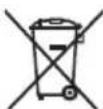
Separate collection. This product must not be disposed of with normal household waste.
Should you find one day that your Black & Decker product needs replacement, or if it is of no further use to you, do not dispose of it with household waste. Make this product available for separate collection.

Separate collection of used products and packaging allows materials to be recycled and used again. Re-use of recycled materials helps prevent environmental pollution and reduces the demand for raw materials.
Local regulations may provide for separate collection of electrical products from the household, at municipal waste sites or by the retailer when you purchase a new product.
Black & Decker provides a facility for the collection and recycling of Black & Decker products once they have reached the end of their working life. To take advantage of this service please return your product to any authorised repair agent who will collect them on our behalf.
You can check the location of your nearest authorised repair agent by contacting your local Black & Decker office at the address indicated in this manual. Alternatively, a list of authorised Black & Decker repair agents and full details of our after-sales service and contacts are available on the Internet at: www.2helpU.com
Technical data
| KX1800 KX2000 | |
| Voltage V | AC 230 230 |
| Construction Class I Class I | |
| Power input W 1,800 2,000 |
Temperature range ^ C50 - 60050 - 600 Weight kg 0.85 0.85
EC declaration of conformity
KX1800 TYPE 2/KX2000 TYPE 2
Black & Decker declares that these products conform to: 98/37/EC, 89/336/EEC, 73/23/EEC, EN 50144, EN 55014, EN 60335, EN 61000 L_pA (sound pressure) 75 dB(A), hand/arm weighted vibration < 2.5m / s^2
Kevin Hewitt
Director of Consumer Engineering Spennymoor, County Durham DL16 6JG, United Kingdom 1-10-2005
Guarantee
Black & Decker is confident of the quality of its products and offers an outstanding guarantee. This guarantee statement is in addition to and in no way prejudices your statutory rights. The guarantee is valid within the territories of the Member States of the European Union and the European Free Trade Area.
If a Black & Decker product becomes defective due to faulty materials, workmanship or lack of conformity, within 24 months from the date of purchase, Black & Decker guarantees to replace defective parts, repair products subjected to fair wear and tear or replace such products to ensure minimum inconvenience to the customer unless:
The product has been used for trade, professional or hire purposes;
The product has been subjected to misuse or neglect;
The product has sustained damage through foreign objects, substances or accidents;
Repairs have been attempted by persons other than authorised repair agents or Black & Decker service staff.
To claim on the guarantee, you will need to submit proof of purchase to the seller or an authorised repair agent. You can check the location of your nearest authorised repair agent by contacting your local Black & Decker office at the address indicated in this manual. Alternatively, a list of authorised Black & Decker repair agents and full details of our after-sales service and contacts are available on the Internet at:
www.2helpU.com
Please visit our website www.blackanddecker.co.uk to register your new Black & Decker product and to be kept up to date on new products and special offers. Further information on the Black & Decker brand and our range of products is available at www.blackanddecker.co.uk
Director of Consumer Engineering
Spennymoor, County Durham DL16 6JG
Spennymoor, County Durham DL16 6JG
Royaume Uni
1-10-2005
Garantie
Spennymoor, County Durham DL16 6JG
Regno Unito
1-10-2005
Garanzia
Director of Consumer Engineering
Spennymoor, County Durham DL16 6JG
Reino Unido
1-10-2005
Garantía
Director de Engenharia do Consumo
Spennymoor, County Durham DL16 6JG
Reino Unido
1-10-2005
Garantia
Stalla in temperature (fig. A)
Director of Consumer Engineering
Spennymoor, County Durham DL16 6JG
Storbrittannien
1-10-2005
Reservdar / reparationer
Stille inn temperature (fig. A)
For a oke temperaturinstillingen ma du skru varmekontrollnappen (2) med klokken.
For a redusere temperaturinstillingen ma du skru varmekontrollknappen mot klokken.
Start og stopp
Spennymoor, County Durham DL16 6JG
Storbritannia
1-10-2005
Director of Consumer Engineering
Spennymoor, County Durham DL16 6JG
Storbritannien
1-10-2005
Reservedele / reparationer
Director of Consumer Engineering
Spennymoor, County Durham DL16 6JG
Iso-Britannia
1-10-2005
Spennymoor, County Durham DL16 6JG
AyyAia
1-10-2005
Eyyunon
H Black & Decker éival oiyoupn yia thy noiotnta twv npoiovtwv tnc kai napexei onmuavtkn eyyunon. H napouoa ypantn eyyunon anotele i npootheo dikaiwa aac kai dev zniwvei ta ouvtayatika oac dikaiomega. H eyyunon toxuei evtoc m c nikpateiaq towkpatwV Meawv nC Eupwnaikc Evwons kal nC Eupwnaikc Zwnc EeUeepwv Suvaalaywv.
επeipintwnnou kanoio npoiov Tc Black & Decker napouiaαe i bαβη εaiaac eaaattwataikov uikov, nioiŋtaεpyaoic n eaaieunc oupwviae ie npodaypapec evtoc 24 unv w ano tv nuepounvia ayopac, n Black & Decker eyyuatai nvy avtikataoanow eaaattwataikov tunmuatwy, nvy eniokean npoiovtwv nou exouv unootei uoloyn φθopa λoynxonns nvy avtikataoanow npoiovtwv npokéevou va egaopaloei tv eλaxiotn evoxnon otous neLATECS Tc, EKTOS av:
To npoiov exxipnmoonthei eepyaiako, enayylambdaikoppiabaaov n av exevoikcaotci
Exivexpaalveynxpontou npoiovtoc n av exi npauean
To npoiov exe unootei ano daaa avtkeieva, ano ouoe n loyw atuxmuato
Exyivei npoanaeia eniokeunc ano n Eouoiobotmeva Kevtpa eikewv n ano npoownk nou dev avnkei oTo npoownko Tnc Black & Decker
Ia va loxuae i nevunon, npenei va unoalae anodesi en ayopac oTov nawntn to eouoloohtmevo kevtro EIOKEUw. Evnpewte yia to naoiotepo kevtpo EIOKEUw vnc npioxnc oas, ENIKOIVWvovtae u ta ypapeia tc Black & Decker ot thuovn nou avypapetai oTo EYXepidio. Enionc, ia va nnpoopopneite yia ta ELOUIOtoMVA Kevtpa EIOKEUw Tc Black & Decker, tC AENTOppeickai Touc apuodiouc twv umpeovn PAPEXovtai meta thnv wanon, mopeiteva avatpeEte 0T OiaoktuO tn diovuvon: www.2helpU.com
Napakaoue va eiokeptte Tny io0eia mac
www.blackanddecker.com yia va kataxwpnoet To voe oac
npoiov Black & Decker kalva evnepwveote yia ta vea
npoiovta kalicipc npoopoc. Nepiootepc
pnpopopiec oxetka me n npapka Black & Decker kal n oipa
npoiovtwuac 8a bpelt ot diovuvon
www.blackanddecker.com
| Australia Black & Decker (Australia) Pty. Ltd. Tel. 03-8720 510020 Fletcher Road, Mooroolbark, Victoria, 3138 Fax 03-9727 5940 | |
| België/Belgique Black & Decker (Belgium) N.V. Tel. 015 - 47 92 11Campus Noord, Schaliënhoevedreef 20E Fax 015 - 47 92 102800 Mechelen | |
| Danmark Black & Decker Tel. 70 20 15 30Sluseholmen 2-4, 2450 København SV Fax 36 94 49 01Internet: www.blackanddecker.dk | |
| Deutschland Black & Decker GmbH Tel. 06126/21 - 0Black & Decker Str. 40, D - 65510 Idstein Fax 06126/21 29 80 | |
| Ελλάδα Black & Decker (Ελλάς) A.E. Tnλ. 210 8981616Στράβωνος 7 & Αεωφ. Bουλιαγμένης 159 Tnλ. 210 8982630166 74 Γλυράδα - Αθήνα Φας Service 210 8983285 | |
| Espana | Black & Decker Ibérica, S.C.A. |
| Parque de Negocios "Mas Blau" | |
| Edificio Muntadas, c/Bergadá, 1, Of. A608820 El Prat de Llobregat (Barcelona) | |
| France | Black & Decker (France) S.A.S.B.P. 21, 69571 Dardilly Cedex |
| Helvetia | ROFO AGGewerbezone Seeblick3213 Kleinbosingen |
| Italia | Black & Decker Italia SpAViale Elvezia 220052 Monza (MI) |
| Nederland | Black & Decker BeneluxJoulehof 12, 4622 RG Bergen op Zoom |
| New Zealand | Black & Decker Tel. 09 579 760081 Hugo Johnston DrivePenrose, Auckland, New Zealand |
| Norge | Black & Decker (Norge) A/SPostboks 4814, Nydalen, 0422 OsloInternet: www.blackanddecker.no |
| Österreich | Black & Decker Vertriebsges.m.b.HErlaerstraße 165, 1231 Wien |
| Portugal | Black & Decker Tel. 214667500Rua Egas Moniz 173S. João do Estoril2766-651 Estoril |
| Suomi | Black & Decker OyKeilasatama 3, 02150 Espoo |
| Black & Decker Oy,Kägelhamnen 3, 02150 Esbo | |
| Sverige | Black & Decker ABFabriksg. 7, 412 50 Göteborg |
| Türkije | İntratek Mühendislik ve Dɪs Tic. A.S.Ortaklar Cad. No:19/280290 Mecidiyeköy / Istanbul |
| United Kingdom | Black & Decker Tel. 01753 511234210 Bath RoadSlough, Berkshire SL1 3YD |
| Middle East & Africa | Black & Decker (Overseas) A.G.PB 5420, Dubai, United Arab Emirates Fax +971 4 2826466 |
an avtipnooou Hmuopounvia ayopac
Dealer address Date of purchase
Händleradresse Kaufdatum
Cachet du revendeur Date d'achat
Indirizzo del rivenditore Data d'acquisto
Adres van de dealer Aankoondatum
DIRECCION del detallista.Fecha de compras
Mora da revendor Data de comprna
Aterforsäjarens adress Inkönsdatum
Ferhandlaree adress Inkigmodate
Bomandulereus aresse Inkjpsc Forhandladeredrss Indlcbatede
Romanier auresse imkobsuato Jalleenmyyjan osoite Ostopaiv
Name Name Nom Nome
Naam Nombre Nome Namn
Navn Navn Nimi Ovoqa:
this is the first number 2 , starting
Is this tool your first purchase? 1st dies


- General safety rules
- Work area
- Electrical safety
- Personal safety
- Power tool use and care
- ENGLISH
- Service
- Electrical safety
- Extension cables & class 1 product
- Voltage drops
- Additional safety instructions for heatguns
- Stripping lead-based paint
- Features
- Assembly
- Fitting an accessory
- Use
- Setting the temperature (fig. A)
- Switching on and off
- Using the tool
- Handsfree use (fig. B)
- Paint stripping
- Cooling down
- Maintenance
- Mains plug replacement (U.K. & Ireland only)
- Protecting the environment
- EC declaration of conformity
- Guarantee
- www.2helpU.com
- Garantie
- Garanzia
- Garantía
- Garantia
- Stalla in temperature (fig. A)
- Reservdar / reparationer
- Stille inn temperature (fig. A)
- Start og stopp
- Reservedele / reparationer
- Eyyunon
Brand : BLACK & DECKER
Model : KX1800
Category : Heat gun