EA 3050 - Weather Station TECHNOLINE - Free user manual and instructions
Find the device manual for free EA 3050 TECHNOLINE in PDF.



Frequently Asked Questions - EA 3050 TECHNOLINE
User questions about EA 3050 TECHNOLINE
0 question about this device. Answer the ones you know or ask your own.
Ask a new question about this device
Download the instructions for your Weather Station in PDF format for free! Find your manual EA 3050 - TECHNOLINE and take your electronic device back in hand. On this page are published all the documents necessary for the use of your device. EA 3050 by TECHNOLINE.
USER MANUAL EA 3050 TECHNOLINE
text_image
5.5W :19.8° ALTI :12mZEITMODUS
text_image
N NW NE W N S° E SW SE SNoz:
- Digital compass funcon provides degree, north point arrow and cardinal point readings. Compass Range - 0° To 359°, 1-16 pointers (graphical)
- Declinaon angle adjustable for regions with magnec variaon
- Almeter: measures in either meter or feet
- Barometer pressure and sea level pressure measurement in hpa, mmHG or inHG.
- Weather forecast Icons: Sunny, Slightly Cloudy, Cloudy and Rainy
- Time and Date
- Daily Alarm
• Temperature reading with unit °C or °F - Water resistant
• Lanyard included for easy carrying.
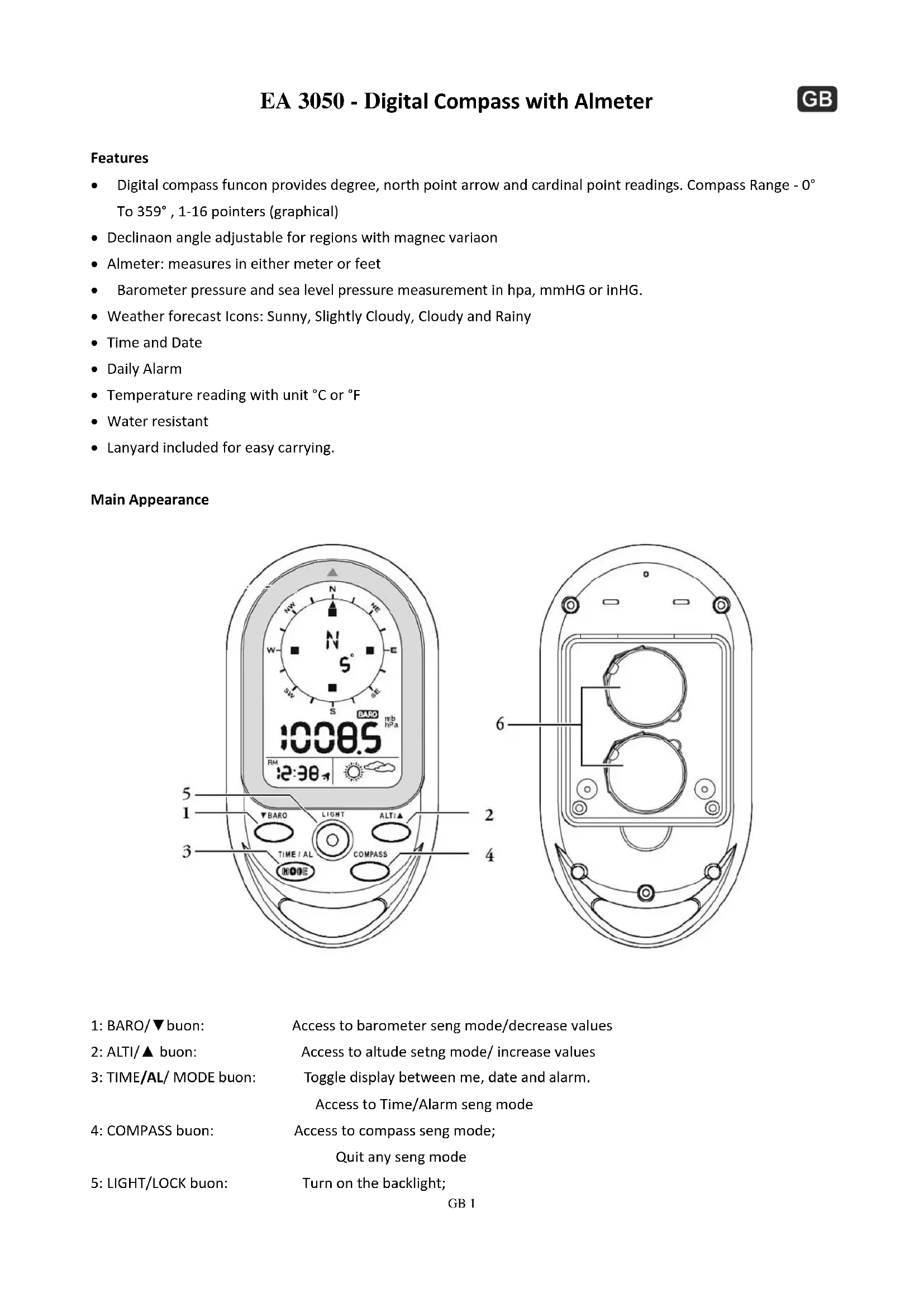
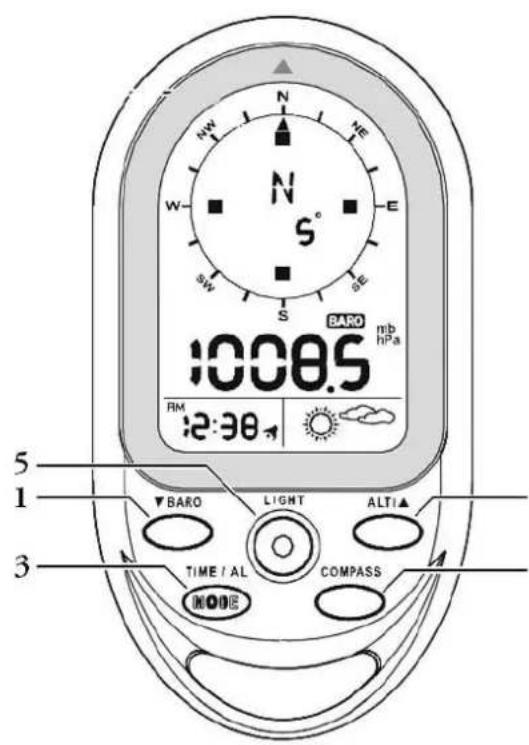
Main Appearance
text_image
N W S E SE SW S 1008.5 BARO mb hPa RM 2:30 5 1 3 ▼ BARO LIGHT ALTI▲ TIME / AL COMPASS MODE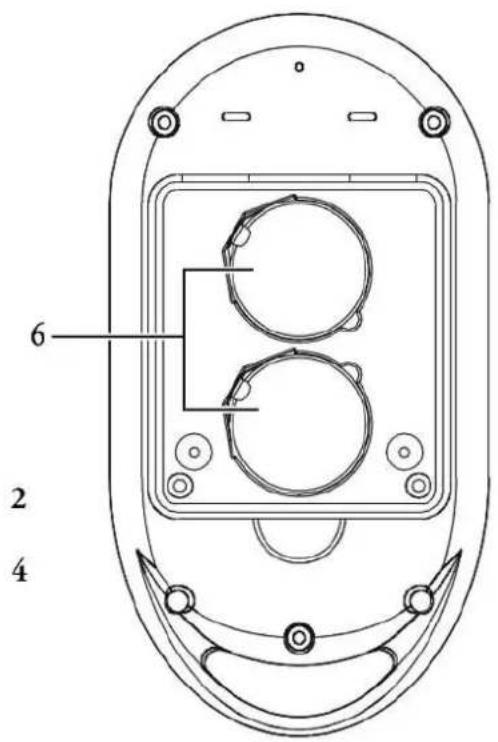
text_image
6 2 41: BARO/▼buon: Access to barometer seng mode/decrease values
2: ALTI/▲ buon: Access to altitude setng mode/ increase values
3: TIME/AL/ MODE buon: Toggle display between me, date and alarm.
Access to Time/Alarm seng mode
4: COMPASS buon: Access to compass seng mode;
Quit any seng mode
5: LIGHT/LOCK buon: Turn on the backlight;
6: BATTERY COMPARTMENT
LCD DISPLAY
text_image
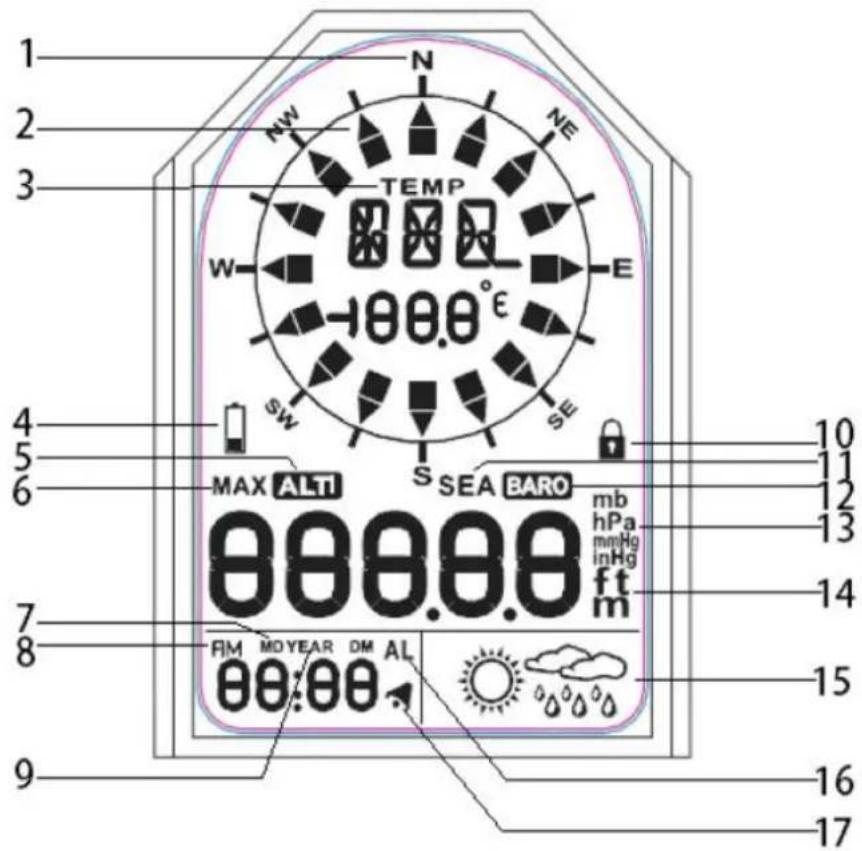
1 2 3 NW N NE TEMP W E -00.0° SW SE 4 5 6 MAX ALT SEA BARO mb hPa mmHg inHg ft m 88888 7 8 9 10 11 12 13 14 15 16 171: Cardinal point when the compass in the north direcon
2: Direcon arrow
3: Temperature: appears if not in compass mode
4: Low baery Indicator
5: Appears when in Almeter mode
6: Indicates maximum altitude
7: Indicates the display format of Day and Month
8: AM / PM
9: Year
10: Keypad is locked
11: Appears when sea level pressure is shown
12: Appears when in Barometer mode
13: Units of air pressure.
14: Units of altitude, appear in altitude mode
15: Weather forecast
16: Appears when in Alarm mode
17: Appears when alarm is acvated
Set Up:
- Use a small screwdriver to remove the screw on the baery cover, take the battery out with a thin sick, inserted 2 PCS CR2032 lithium baeries, and place the positive side of the baery upward. Then ghten the screw on the baery screw.
When battery is low, the baery low icon ( ) will be on. The batteries should be replaced.
Main Funcon and Operaon
- Press MODE key to switch mode between Clock, Date, Year and Alarm Clock
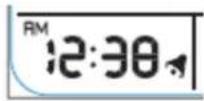
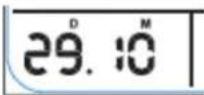
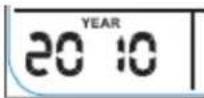
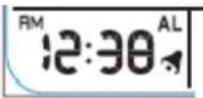
- Press ALTI/▲, BARO/▼, COMPASS buttons to switch between
ALTIMETER MODE ---
BAROMETER MODE
COMPASS MODE
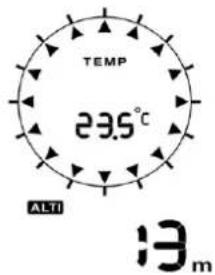
text_image
TEMP 23.5° ALTI 13 m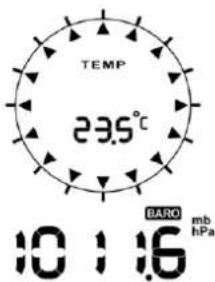
text_image
TEMP 23.5°C 10 : 16 BARO mb hPa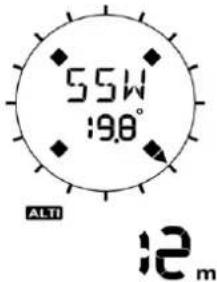
text_image
55W 19.8° ALTI 12mTIME MODE
(1) Manual Time Seng
- Press and hold "MODE" key for 3 seconds to enter settings. Press "▼" or "▲" to change seng, and press "MODE" buon to conrm and move to next seng.
- Seng sequence are as follow: 12/24 hour format, Hour, Minute, Second, Year, Month/Day sequence, Month, Day, Temperature unit, Pressure unit, and Altude unit.
- If no buon is pressed for 15 seconds, the display will return to previous mode.
- Press "COMPASS" buon to exit the Time Seng Mode
(2) Daily Alarm Seng
- Press "TIME/AL" buon to navigate to Alarm Time Display. ("AL" icon display on the LCD
Hold "TIME/AL" buon for 3 seconds to enter alarm clock seng mode. Press "▼" or "▲" to change seng, and press "TIME/AL" buon to conrm and move to next setng.
- The setng sequence are as follow: Hour, Minute and Alarm ON (NO ^AL ) /OFF
( OFF ^AL )
- When alarm is on, the symbol “↗” appears and when it is off, the symbol “↗” disappears.
- When alarming, “,” will ash, press any buon to stop alarming. If no buon pressed for 15 seconds, the alarm will auto stop aer 2 minutes.
ALTIMETER AND BAROMETER
Aer baery inserted, the device will automatically measure the barometer readings as well as the maximum sea level pressure reading.
(1) To Set and Reset Almeter:
Almeter: measures in either meters or feet, range:-400 \~ 9000 meters. The device provide both current altitude and maximum altitude
(i) Current Altude display
(ii) Maximum Altude display 2068 _m . ("MAX" icon display on the LCD)
- Press "ALT" buon to enter almeter mode. Press "ALT" buon again to display the maximum altitude.
- When LCD display current altitude, press and hold "ALT" buon for 3 seconds to enter setng. Press "▼" or "▲" to adjust altitude, and press "MODE" button to conrm and quite the seng. Press "▼" and "▲" at the same me, current altitude value will be reset to 0.
- When LCD display maximum altitude, press “▼” and “▲” at the same me, maximum altitude record will be cleared, and reset to 0.
(2) To Set Sea Level Pressure and Weather Forecast Icons
(i) Current barometric pressure: 1008.5 MB
(ii) Sea level pressure 1008.5 mb hPa ("SEA" icon display on the LCD)
- Press "BARO" buon to enter Barometer mode, LCD will display the current barometric pressure, press "BARO" buon again to display the sea level pressure.
- In Sea Level pressure display, hold "BARO" buon for 3 seconds to enter setng. Press "▼" or "▲" to change seng, and press "MODE" button to conrm and move to next seng.
- The setng sequences are as follow: sea level pressure, toggle weather forecast icons. (Weather Forecast have four animaon as below)

text_image
Weather icons showing sun, cloud, rain, and sun with corresponding weather illustrations- The weather forecast will start the rst forecast at 6 hours later aer the current weather status is entered.
Note:
(1) Barometric pressure and sea level pressure measurement in hpa, mmHG or inHG. When sea level pressure is changed, the altitude will adjust itself accordingly.
(2) The range of sea leave pressure is 900mbar \~1100mbar.
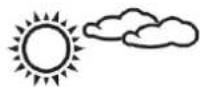
means Slight Cloudy
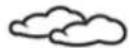
means Cloudy
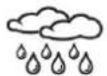
means Rainy

means Sunny
COMPASS
The compass shows the bearing in degrees due North together with 16 cardinal points
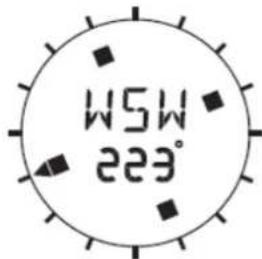
- Press COMPASS button, the unit will enter Compass mode, Hold the unit horizontal. Point the 12 o'clock posion of the unit in the direcon you want to measure. As below graph shown, the direcon you are measuring now is WSW 223°.The arrow “▲” always point to North.
text_image
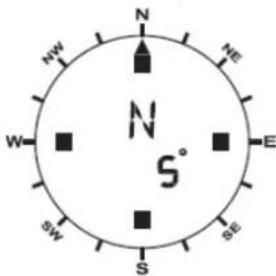
W5W 223°- When the direcon of compass is point to North (degree for -12.5 to +12.5), the direcon icon outside will be shown. If no key press for 30 seconds, the unit will auto o the compass and return to temperature mode.
text_image
N NW NE W N S° E SW SE SNote:
-
The compass must be kept in a level position when in use. Taking a measurement while the unit is not horizontal (in relation to the horizon) can result in large measurement error
-
Always take bearings in the open air, because it is easily aected by disturbing sources of magnesm.
| Direcon | Meaning | Direcon | Meaning | Direcon | Meaning | Direcon | Meaning |
| N | North | NNE | North-northeast | NE | Northeast | ENE | East-northeast |
| E | East | ESE | East-Southeast | SE | Southeast | SSE | South-Southeast |
| S | South | SSW | South-Southwest | SW | Southwest | WSW | West-Southwest |
| W | West | WNW | West-Northwest | NW | Northwest | NNW | North-northwest |
(1) Compass Sensor Calibraon
The compass should be calibrated before use OR when the baery is replaced.
- In COMPASS mode, hold "COMPASS" buon for 3 seconds to enter the compass sensor calibraon mode, press COMPASS buon to start the calibraon
- Keep the unit in a level posion or on top of a non-metallic table/desk, reference to the arrow showing in LCD, rotate the compass clockwise for one full rotaon slowly.
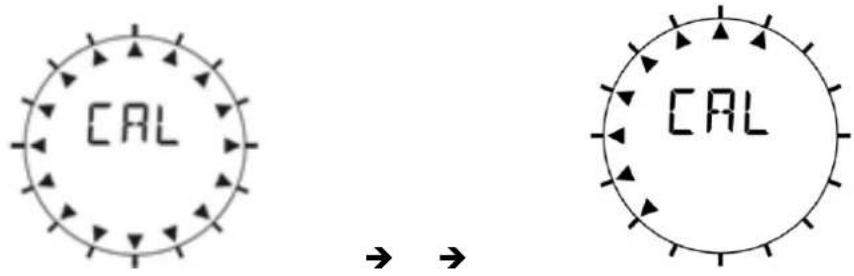
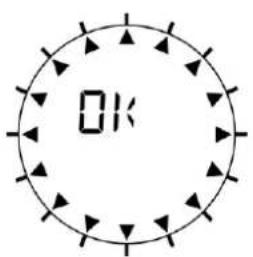
- When nished, LCD will display "OK" if the calibraon is successful or display "Fail" if it is failed as below.
text_image
OK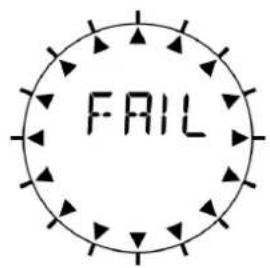
text_image
FAIL(2) Set the Declinaon Angle
The angle between magnec north and the true north direcon is called magnec declinaon. The earth's magnec poles actuate over me, and it also varies from place to place. Finding the declinaon on the map or website, then set the declinaon on this unit to oset the dierence between magnec north and true north. Please note that if you fail to do this, the readings you get from the compass could be in error.
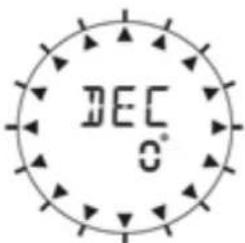
- In COMPASS mode, hold "COMPASS" button for 3 seconds to enter the compass sensor calibraon mode, press "MODE" buon to enter setng of declinaon angle. The angle would ash on the LCD. (for example, as below, "0°" will ash on the LCD)
text_image
DEC 0°- Press “▼” or “▲” to change the angle value, range from -90° to 90°, and press “MODE” button to conrm and exit the seng.
TEMPERATURE
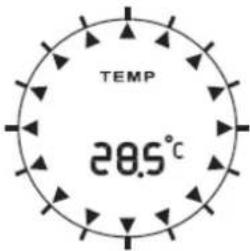
- When compass mode is o, the top 2 row LCD display will provide the reading of temperature with unit of °C or °F, the range from -20°C to 60°C.
text_image
TEMP 28.5°C- When Temperature is lower than -20^ , LCD display will show LL.L°C. When temperature is higher than 60^ , LCD display will show HH.H°C.
- Press LIGHT buon to turn backlight on for 5 seconds.
- Press and hold LIGHT buon for 3 seconds, keyboard will be locked and icon will be shown in LCD display. Hold the LIGHT buon for 3 seconds to unlock the keyboard.
SWITCHING OFF THE METER
- Remove the baeries.
or
- Halten Press and hold the "▼"& "▲" buons at the same me and use a needle to press the "reset" buon once. As soon as the meter displays "VER", the "▼"& "▲" buttons can be released.
- The unit prepares to switch o. When the LCD displays "t tESt", shake the unit brief within 30 seconds and the LCD will display "tPass" and "Pass".
- The unit displays "SLEEP" and is switched o, including LCD and all funcons, when the countdown of 60 seconds reaches 0.
- Aer switching o, all recordings and sengs are reset.
SWITCHING ON THE METER
- Insert the baeries again.
or
- Press and hold the "LIGHT" & "COMPASS" buons to start the meter.
MOVEMENT MODE
When the device detects that you are moving or you press the "ALTI" buon, you enter the movement mode. The change in air pressure is used to calculate the almeter.
QUIESCENT MODE
If the device is stationary for 5 minutes and the "ALTI" button has not been pressed, you enter the sleep mode. The change in air pressure is used for weather forecasts.
Specicaons:
Thermometer measuring range: -20^ +60^ C (-4^ F to +140^ F)
Almeter measuring range: -400 \~ 9000 meter
Barometer measuring range: 300mbar \~ 1100 mbar
Precautions
- Do not subject the unit to excessive force or shock.
- Do not expose the unit to extreme temperatures, direct sunlight, dust or humidity.
- Do not immerse in water.
- Avoid contact with any corrosive materials.
- Do not dispose this unit in a fire as it may explode.
- Do not open the inner back case or tamper with any components of this unit.
Batteries safety warnings
- Use only alkaline batteries, not rechargeable batteries.
• Install batteries correctly by matching the polarities (+/-).
• Always replace a complete set of batteries. - Never mix used and new batteries.
- Remove exhausted batteries immediately.
- Remove batteries when not in use.
- Do not recharge and do not dispose of batteries in fire as the batteries may explode.
- Ensure batteries are stored away from metal objects as contact may cause a short circuit.
- Avoid exposing batteries to extreme temperature or humidity or direct sunlight.
- Keep all batteries out of reach from children. They are a choking hazard.
Use the product only for its intended purpose!
Consideration of duty according to the battery law
Old batteries do not belong to domestic waste because they could cause damages of health and environment. You can return used batteries free of charge to your dealer and collection points. As end-user you are committed by law to bring back needed batteries to distributors and other collecting points!
Consideration of duty according to the law of electrical devices
This symbol means that you must dispose of electrical devices separated from the General household waste when it reaches the end of its useful life. Take your unit to your local waste collection point or recycling centre. This applies to all countries of the European Union, and to other European countries with a separate waste collection system.
Foncons
text_image
55W 19.8° ALTI 12 mL'HEURE
text_image
Weather icons showing sun, cloud, rain, and moon symbols with corresponding weather direction arrowstext_image
N NW NE W N S° E SW SE SNote:
natural_image
Technical line drawing of a mechanical component with circular features and mounting holes (no text or symbols)text_image
5.5W :9.8°ALTI
12m
MODO HORA
(1) Ajuste manual de la hora
text_image
Weather icons showing sun, cloud, rain, and sun with corresponding weather illustrationstext_image
N NW NE W N S° E SW SE SNota:
text_image
5.5W :19.8° ALTI 12mTIJDMODUS
(1) Handmage Tijdinstelling
natural_image
Weather icons showing sun, cloud, rain, and moon (no text or symbols)text_image
N NW NE W N S° E SW SE SOpmerking:
text_image
CAL → → CALnatural_image
Technical line drawing of a mechanical component with circular features and mounting holes (no text or symbols)text_image
5.5W :19.8° ALTI 12mMODALITÀ ORA
natural_image
Weather icons showing sun, cloud, rain, and moon (no text or symbols)text_image
N NW NE W N S° E SW SE SNota:
natural_image
Simple line drawings of weather icons: sun, cloud, raindrops, and sun (no text or symbols)text_image
N NW NE W N S° E SW SE SPoznámka:
text_image
5.5W :9.8°