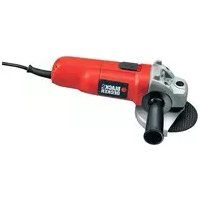
CD105 - Grinder BLACK & DECKER - Free user manual and instructions
Find the device manual for free CD105 BLACK & DECKER in PDF.



| Product type | Angle grinder |
| Brand | Black & Decker |
| Model | CD105 |
| Voltage | 230 V |
| Power consumption | 701 W |
| No-load speed | 10,000 min⁻¹ |
| Disc diameter | 115 mm |
| Disc bore | 22 mm |
| Max. grinding disc thickness | 6 mm |
| Max. cutting disc thickness | 3.5 mm |
| Shaft size | M14 |
| Weight | 2.1 kg |
| Sound pressure level | 91 dB(A) |
| Sound power level | 102 dB(A) |
| Vibration (surface grinding) | 7 m/s² |
| Vibration (cutting) | 2.5 m/s² |
| Insulation | Double insulation |
| Protection | Adjustable guard |
| Side handle | Yes, mountable on either side |
| Shaft lock | Yes |
| Switch | Slide on/off |
| Applications | Grinding, cutting, sanding, brushing, polishing |
| Power supply | Mains, power cable |
| Warranty | 2 years |
Frequently Asked Questions - CD105 BLACK & DECKER
User questions about CD105 BLACK & DECKER
0 question about this device. Answer the ones you know or ask your own.
Ask a new question about this device
Download the instructions for your Grinder in PDF format for free! Find your manual CD105 - BLACK & DECKER and take your electronic device back in hand. On this page are published all the documents necessary for the use of your device. CD105 by BLACK & DECKER.
USER MANUAL CD105 BLACK & DECKER
English (Original instructions) 5
Your Black & Decker angle grinder has been designed for grinding and cutting metal and masonry using the appropriate type of cutting or grinding disc. When fitted with the appropriate guard, this tool is intended for consumer use only.
Safety instructions
General power tool safety warnings

Warning! Read all safety warnings and all instructions. Failure to follow all instructions may result in electric shock, fire and/or serious injury.
Save all warnings and instructions for future reference.
The term "power tool" in all of the warnings listed below refers to your mains operated (corded) power tool or battery operated (cordless) power tool.
1. Work area safety
a. Keep work area clean and well lit. Cluttered and dark areas invite accidents.
b. Do not operate power tools in explosive atmospheres, such as in the present flammable liquids, gases or dust. Power tools create sparks which may ignite the dust or fumes.
c. Keep children and bystanders away while operating a power tool. Distractions can cause you to lose control.
2. Electrical safety
a. Power tool plugs must match the outlet. Never modify the plug in any way. Do not use any adapter plugs with earthed (grounded) power tools. Unmodified plugs and matching outlets will reduce risk of electric shock.
b. Avoid body contact with earthed or ground- ed surfaces such as pipes, radiators, ranges and refrigerators. There is an increased risk of electric shock if your body is earthed grounded.
c. Do not expose power tools to rain or wet conditions.
Water entering a power tool will increase the risk of electric shock.
d. Do not abuse the cord. Never use the cord for carrying, pulling or unplugging the power tool. Keep cord away from heat, oil, sharp edges or moving parts. Damaged or entangled cords increase the risk of electric shock.
e. When operating a power tool outdoors, use an extension cord suitable for outdoor use. Use of a cord suitable for outdoor use reduces the risk of electric shock.
f. If operating a power tool in a damp location is unavoidable, use a residual current device (RCD) protected supply. Use of an RCD reduces the risk of electric shock.
3. Personal safety
a. Stay alert, watch what you are doing and use common sense when operating a power tool. Do not use a power tool while you are tired or under the influence of drugs, alcohol or medication. A moment of inattention while operating power tools may result in serious personal injury.
b. Use personal protective equipment. Always wear eye protection. Protective equipment such as dust mask, non-skid safety shoes, hard hat, or hearing protection used for appropriate conditions will reduce personal injuries.
c. Prevent unintentional starting. Ensure the switch is in the off-position before connecting to power source and/or battery pack, picking up or carrying the tool.
Carrying power tools with your finger on switch or energising power tools that have the switch on invites accidents.
d. Remove any adjusting key or wrench before turning the power tool on. A wrench or a key left attached to a rotating part of the power tool may result in personal injury.
e. Do not overreach. Keep proper footing and balance at all times. This enables better control of the power tool in unexpected situations.
f. Dress properly. Do not wear loose clothing or jewellery. Keep your hair, clothing and gloves away from moving parts. Loose clothes, jewellery or long hair can be caught in moving parts.
g. If devices are provided for the connection of dust extraction and collection facilities, ensure these are connected and properly used. Use of these devices can reduce dust related hazards.
4. Power tool use and care
a. Do not force the power tool. Use the correct power tool for your application. The c correct power tool will do the job better and safer at the rate for which it was designed.
b. Do not use the power tool if the switch does not turn it on and off. Any power tool that cannot be controlled with the switch is dangerous and must be repaired.
ENGLISH
c. Disconnect the plug from the power source and/or the battery pack from the power tool before making any adjustments, changing accessories, or storing power tools. Such preventive safety measures reduce the risk starting the power tool accidentally.
d. Store idle power tools out of the reach of children and do not allow persons unfamiliar with the power tool or these instructions to operate the power tool. Power tools are dangerous in the hands of untrained users.
e. Maintain power tools. Check for misalignment or binding of moving parts, breakage of parts and any other condition that may affect the power tools operation. If damaged, have the power tool repaired before use. Many accidents are caused by poorly maintained power tools.
f. Keep cutting tools sharp and clean. Properly maintained cutting tools with sharp cutting edges are less likely to bind and are easier to control.
g. Use the power tool, accessories and tool bits etc. in accordance with these instructions, taking into account the working conditions and the work to be performed. Use o power tool for operations different from those intended could result in a hazardous situation.
5. Service
a. Have your power tool serviced by a quali ed repair person using only identical replacement parts. This will make sure that the safety of the power tool is maintained.
Additional power tool safety warnings

Warning! Additional safety warnings for grinding, sanding, wire brushing, polishing or abrasive cutting-off operations
This power tool is intended to function a grinder, sander, wire brush, polisher or cut-off tool. Read all safety warnings, instructions, illustrations and specifi cations provided with this power tool. Failure to follow all instructions listed below may result in electric shock, fire and/or serious injury.
Operations for which the power tool was not designed may create a hazard and cause personal injury.
Do not use accessories which are not speci-cally designed and recommended by the tool manufacturer.
Just because the accessory can be attached to
your power tool, it does not assure safe operation.
The rated speed of the accessory must be at least equal to the maximum speed marked on the power tool. Accessories running faster than their rated speed can break and fly apart.
- The outside diameter and the thickness of your accessory must be within the capacity rating of your power tool. Incorrectly sized accessories cannot be adequately guarded or controlled.
The arbour size of wheels, flanges, backing pads or any other accessory must properly fit the spindle of the power tool. Accessories with arbour holes that do not match the mounting hardware of the power tool will run out of balance, vibrate excessively and may cause loss of control.
Do not use a damaged accessory. Before each use inspect the accessory such as abrasive wheels for chips and cracks, backing pad for cracks, tear or excess wear, wire brush for loose or cracked wires. If power tool or accessory is dropped, inspect for the damage or install an undamaged accessory. After inspecting and installing an accessory and run the power tool at maximum no-load speed for one minute. Damaged accessories will normally break apart during this test time.
Wear personal protective equipment. Depending on application, use face shield, safety goggles or safety glasses. As appropriate, wear dust mask, hearing protectors, gloves and workshop apron capable of stopping small abrasive or workpiece fragments.
The eye protection must be capable of stopping fly ging debris generated by various operations. The dust mask or respirator must be capable of fi ltering particles generated by your operation. Prolonged exposure to high intensity noise may cause hearing loss.
- Keep bystanders a safe distance away from work area. Anyone entering the work area must wear personal protective equipment. Fragments of workpiece or of a broken accessory may fly away and cause injury beyond immediate area of operation.
Hold the power tool by insulated gripping surfaces, because the sanding belt / sanding base may contact its own cord. Cutting a "live" wire may make exposed metal parts of the power tool "live" could give the operator an electric shock.
Position the cord clear of the spinning accessory. If you lose control, the cord may be cut or snagged and your hand or arm may be pulled into the spinning accessory.
Never lay the power tool down until the accessory has come to a complete stop. The spinning accessory may grab the surface and pull the power tool out of your control.
Do not run the power tool while carrying it at your side. Accidental contact with the spinning accessory could snag your clothing, pulling the accessory into your body.
Regularly clean the power tool's air vents. The motor's fan will draw the dust inside the housing and excessive accumulation of powdered metal may cause electrical hazards.
Do not operate the power tool near flammable materials. Sparks could ignite these materials.
Do not use accessories that require liquid coolants.
Using water or other liquid coolants may result in electrocution or shock.
Note: The above warning does not apply for power tools specifically designed for use with a liquid system.
Kickback and related warnings
Kickback is a sudden reaction to a pinched or snagged rotating wheel, backing pad, brush or any other accessory.
Pinching or snagging causes rapid stalling of the rotating accessory which in turn causes the uncontrolled power tool to be forced in the direction opposite of the accessory's rotation at the point of the binding.
For example, if an abrasive wheel is snagged or pinched by the workpiece, the edge of the wheel that is entering into the pinch point can dig into the surface of the material causing the wheel to climb out or kick out. The wheel may either jump toward or away from the operator, depending on direction of the wheel's movement at the point of pinching. Abrasive wheels may also break under these conditions.
Kickback is the result of power tool misuse and/or incorrect operating procedures or conditions and can be avoided by taking proper precautions as given below.
Maintain a firm grip on the power tool and position your body and arm to allow you to resist kickback forces. Always use auxiliary
handle, if provided, for maximum control over kickback or torque reaction during start-up. The operator can control torque reactions or kickback forces, if proper precautions are taken.
Never place your hand near the rotating accessory.
Accessory may kickback over your hand.
Do not position your body in the area where power tool will move if kickback occurs. Kickback will propel the tool in direction opposite to the wheel's movement at the point of snagging.
Use special care when working corners, sharp edges etc. Avoid bouncing and snagging the accessory.
Corners, sharp edges or bouncing have a tendency to snag the rotating accessory and cause loss of control or kickback.
Do not attach a saw chain woodcarving blade or toothed saw blade. Such blades create frequent kickback and loss of control.
Additional safety instructions for grinding and cutting-off operations
Safety warnings specific for grinding and abrasive cutting-off operations
Use only wheel types that are recommended for your power tool and the specific guard designed for the selected wheel. Wheels for which the power tool was not designed cannot be adequately guarded and are unsafe.
The guard must be securely attached to the power tool and positioned for maximum safety, so the least amount of wheel is exposed towards the operator. The guard helps to protect operator from broken wheel fragments and accidental contact with wheel.
Wheels must be used only for recommended applications. For example: do not grind with the side of cut-off wheel. Abrasive cut-off wheels are intended for peripheral grinding, side forces applied to these wheels may cause them to shatter.
Always use undamaged wheel flanges that are of correct size and shape for your selected wheel. Proper wheel flanges support the wheel thus reducing the possibility of wheel breakage. Flanges for cut-off wheels may be different from grinding wheel flanges.
Do not use worn down wheels from larger power tools. Wheel intended for larger power tool is not suitable for the higher speed of a smaller tool and may burst.
ENGLISH
Additional safety warnings specific for abrasive cutting-off operations
- Do not "jam" the cut-off wheel or apply excessive pressure. Do not attempt to make an excessive depth of cut. Over stressing the wheel increases the loading and susceptibility to twisting or binding of the wheel in the cut and the possibility of kickback or wheel breakage.
Do not position your body in line with behind the rotating wheel. When the wheel, at the point of operation, is moving away from your body, the possible kickback may propel the spinning wheel and the power tool directly at you.
When wheel is binding or when interrupting a cut for any reason, switch off the power tool and hold the power tool motionless until the wheel comes to a complete stop. Never attempt to remove the cut-off wheel from the cut while the wheel is in motion otherwise kickback may occur. Investigate and take corrective action to eliminate the cause of wheel binding.
Do not restart the cutting operation in the workpiece. Let the wheel reach full speed and carefully re-enter the cut. The wheel may bind, walk up or kickback if the power tool is restarted in the workpiece.
Support panels or any oversized workpiece to minimize the risk of wheel pinching and kickback. Large workpieces tend to sag under their own weight. Supports must be placed under the workpiece near the line of cut and near the edge of the workpiece on both sides of the wheel.
Use extra caution when making a "pocket cut" into existing walls or other blind areas. The protruding wheel may cut gas or water pipes, electrical wiring or objects that can cause kickback.
Safety warnings specific for sanding operations
Do not use excessively oversized sanding disc paper.
Follow manufacturers recommendations, when selecting sanding paper. Larger sanding paper extending beyond the sanding pad presents a laceration hazard and may cause snagging, tearing of the disc or kickback.
Safety warnings specific for polishing operations
Do not allow any loose portion of the polishing bonnet or its attachment strings to spin freely. Tuck away or trim any loose attach
ment strings. Loose and spinning attachment strings can entangle your fingers or snag on the workpiece.
Safety warnings specific for wire brushing operations
Be aware that wire bristles are thrown by the brush even during ordinary operation.
nd Do not overstress the wires by applying excessive load to the brush. The wire bristles can easily penetrate light clothing and/or skin.
- If the use of a guard is recommended for wire brushing, do not allow any interference of the wire wheel or brush with the guard. Wire wheel or brush may expand in diameter due to work load and centrifugal forces.
Safety of others
This appliance is not intended for use by persons (including children) with reduced physical, sensory or mental capabilities, or lack of experience and knowledge, unless they have been given supervision or instruction concerning use of the appliance by a person responsible for their safety.
Children should be supervised to ensure that they do not play with the appliance.
Vibration
The declared vibration emission values stated in the technical data and the declaration of conformity have been measured in accordance with a standard test method provided by EN 60745 and may be used for comparing one tool with another. The declared vibration emission value may also be used in a preliminary assessment of exposure.
Warning! The vibration emission value during actual use of the power tool can differ from the declared value depending on the ways in which the tool is used. The vibration level may increase above the level stated.
When assessing vibration exposure to determine safety measures required by 2002/44/EC to protect persons regularly using power tools in employment, an estimation of vibration exposure should consider, the actual conditions of use and the way the tool is used, including taking account of all parts of the operating cycle such as the times when the tool is switched off and when it is running idle in addition to the trigger time.
Labels on tool

Warning! To reduce the risk of injury, the user must read the instruction manual.
Place the fl ange (8) over the spindle with the protruding pips towards the guard. Make sure that the holes in the fl ange align with the screw holes.
Secure the flange with the screws (9). Make sure that the screws are fully tight and that the guard can be rotated.

Wear safety glasses or goggles when using the tool.
Removing

Wear ear protection when using this tool.
Use a screwdriver to remove the screws (9).
Remove the fl ange (8), guard (4) and spring washer (7).
Store these parts carefully.
Warning! Never use the tool without the guard.

This tool is double insulated;therefo earth wire is required. Always check that the power supply corresponds to the voltage on the rating plate.
Fitting the side handle
Screw the side handle (2) into one of the mounting holes in the tool.
Warning! Always use the side handle.
- If the supply cord is damaged, it must be placed by the manufacturer or an auth Black & Decker Service Centre in order to avoid a hazard.
Fitting and removing grinding or cutting discs (fig. C-E)
Always use the correct type of disc for your application.
Always use discs with the correct diameter and bore size (see technical data).
Features
Your tool has some or all of the following features:
- On/off switch
- Side handle
- Spindle lock
- Guard
Assembly
Warning! Before assembly, make sure that the tool is switched off and unplugged.
Fitting and removing the guard (fi g. A & B)
The tool is supplied with a guard intended for grinding purposes only. If the unit is in perform cutting off operations, a guard specific for this operation must be fitted. A suitable guard for cutting off operations part number 1004484-00 is available and can be obtained from Black & Decker service centres.
Fitting
Place the tool on a table, with the spindle (5) facing up.
Place the spring washer (6) over the spindle and locate it on the shoulder (7).
Place the guard (4) onto the tool as shown.
Fitting
Fit the guard as described above.
Place the inner flange (10) onto the spindle (5) as shown (fi g. C). Make sure that the fl ange is correctly located on the fl at sides of the spindle.
Place the disc (11) onto the spindle (5) as shown (fig. C). If the disc has a raised centre (12), make sure that the raised centre faces the inner flange.
Make sure that the disc locates correctly on the inner flange.
Place the outer flange (13) onto the spindle. When ftting a grinding disc, the raised centre on the outer flange must face towards the disc (A in fig. D). When ftting a cutting disc, the raised centre on the outer flange must face away from the disc (B in fig. D).
Keep the spindle lock (3) depressed and tighten the outer flange using the two-pin spanner (14) (fig. E).
Removing
Keep the spindle lock (3) depressed and loosen the outer flange (13) using the two-pin spanner (14) (fig. E).
Remove the outer flange (13) and the disc (11).
ENGLISH
Fitting and removing sanding discs (fig. E & F)
For sanding, a backing pad is required. The backing pad is available from your Black & Decker dealer as an accessory.
Fitting
Place the inner flange (10) onto the spindle (5) as shown (fig. F). Make sure that the flange is correctly located on the fl at sides of the spindle.
Place the backing pad (15) onto the spindle.
Place the sanding disc (16) onto the backing pad.
Place the outer flange (13) onto the spindle with the raised centre facing away from the disc.
- Keep the spindle lock (3) depressed and tighten the outer flange using the two-pin spanner (14) (fig. E). Make sure that the outer flange is fitted correctly and that the disc is clamped tightly.
grinding or cutting disc touches the workpiece.
Always position the tool in such a way that the guard provides optimum protection from the grinding or cutting disc.
Switching on and off
To switch on, slide the on/off switch (1) forward. Note that the tool will continue running when you release the switch.
To switch off, press the rear part of the on/off switch.
Warning! Do not switch the tool off while under load.
Hints for optimum use
Firmly hold the tool with one hand around the side handle and the other hand around the main handle.
- When grinding, always maintain an angle of aped prox. 15^ between the disc and the workpiece surface.
Removing
- Keep the spindle lock (3) depressed and loosen the outer flange (13) using the two-pin spanner (14) (fig. E).
Remove the outer flange (13), the sanding disc (16) and the backing pad (15).
Residual risks
Additional residual risks may arise when using the tool which may not be included in the enclosed safety warnings. These risks can arise from misuse, prolonged use etc. Even with the application of the relevant safety regulations and the implementation of safety devices, certain residual risks cannot be avoided. These include:
Injuries caused by touching any rotating/moving parts.
Injuries caused when changing any parts, blades or accessories.
Injuries caused by prolonged use of a tool. When using any tool for prolonged periods make sure you take regular breaks.
Impairment of hearing.
Health hazards caused by breathing dust developed when using your tool (example: - working with wood, especially oak, beech and MDF).
Use
Warning! Let the tool work at its own pace. Do not overload.
Carefully guide the cable in order to avoid accidentally cutting it.
Be prepared for a stream of sparks when the
Maintenance
Your Black & Decker tool has been designed to operate over a long period of time with a minimum of maintenance. Continuous satisfactory operation depends upon proper tool care and regular cleaning.
Warning! Before performing any maintenance on corded/cordless power tools:
Switch off and unplug the appliance/tool.
Or switch off and remove the battery from the appliance/tool if the appliance/tool has a separate battery pack.
Or run the battery down completely if it is integral and then switch off.
Unplug the charger before cleaning it. Your charger does not require any maintenance apart from regular cleaning.
Regularly clean the ventilation slots in your appliance/tool/charger using a soft brush or dry cloth.
Regularly clean the motor housing using a damp cloth. Do not use any abrasive or solvent-based cleaner.
Regularly open the chuck and tap it to remove any dust from the interior (when fitted).
Mains plug replacement (U.K. & Ireland only)
If a new mains plug needs to be fitted:
- Safely dispose of the old plug.
Connect the brown lead to the live terminal in the new plug.
Connect the blue lead to the neutral terminal.
Warning! No connection is to be made to the earth terminal. Follow the fitting instructions supplied with good quality plugs.Recommended fuse: 13 A.
Protecting the environment
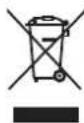
Separate collection. This product must not be disposed of with normal household waste.
Should you find one day that your Black & Decker product needs replacement, or if it is of no further use to you, do not dispose of it with household waste.
Make this product available for separate collection.

Separate collection of used products packaging allows materials to be recycled and used again. Re-use of recycled materials helps prevent environmental pollution and reduces the demand for raw materials.
Local regulations may provide for separate collection of electrical products from the hous municipal waste sites or by the retailer when you purchase a new product.
Black & Decker provides a facility for the collection and recycling of Black & Decker products once they have reached the end of their working life. To take advantage of this service please return your product to any authorised repair agent who will collect them on our behalf.
You can check the location of your nearest authorised repair agent by contacting you Black & Decker office at the address indicated in this manual. Alternatively, a list of a Black & Decker repair agents and full details of our after-sales service and contacts are available on the Internet at: www.2helpU.com
Technical data
| AST6 TYPE 4 | CD105 TYPE 4 | ||
| Voltage V | AC | 230 230 | |
| Power input W 701 701 | |||
| No-load speed | min-1 | 10,000 | 10,000 |
| Disc diameter | mm | 115 | 115 |
| Disc bore | mm | 22 | 22 |
| Max disc | |||
| thickness | |||
| grinding discs | mm | 6 | 6 |
| cutting discs | mm | 3.5 | 3.5 |
| Spindle size | mm | M14 | M14 |
| Weight | kg | 2.1 2.1 |
| CD110 TYPE 4 | CD115 TYPE 4 | ||
| Voltage V | AC | 230 230 | |
| Power input W 701 710 | |||
| No-load speed | min-1 | 10,000 | 10,000 |
| Disc diameter | mm | 100 115 | |
| Disc bore | mm | 16 | 22 |
| Max disc thickness | |||
| grinding discs | mm | 6 | 6 |
| cutting discs | mm | 3.5 | 3.5 |
| Spindle size | mm | M10 | M14 |
| Weight | kg | 2.1 2.1 |
Level of sound pressure according to EN60745:
Sound pressure (L_pA) 91 dB(A), uncertainty (K) 3 dB(A)
Sound power (L_WA) 102 dB(A), uncertainty (K) 3 dB(A)
Vibration total values (triax vector sum) according to EN 60745:
Surface grinding (a_h,AG)7m / s^2 uncertainty (K) 1.5m / s^2
Cutting-off (a_h) 2.5 m/s², uncertainty (K) 1.5 m/s²
EC declaration of conformity
MACHINERY DIRECTIVE

AST6, CD105, CD110, CD115
r 1 Black & Decker declares that these products described under "technical data" are in h o r i s e d compliance with:
2006/42/EC, EN60745-1, EN60745-2-3
For more information, please contact Black & Decker at the following address or refer to the back of the manual.
The undersigned is responsible for compilation of the technical file and makes this declaration on behalf of Black & Decker.
Kevin Hewitt
Vice-President Global Engineering
Black & Decker Europe, 210 Bath Road, Slough,
Berkshire, SL1 3YD
United Kingdom
29.07.2010
ENGLISH
Guarantee
Black & Decker is confidant of the quality of its products and offers an outstanding guarantee. This guarantee statement is in addition to and in no way prejudices your statutory rights.
The guarantee is valid within the territories of the Member States of the European Union and the European Free Trade Area.
If a Black & Decker product becomes defective due to faulty materials, workmanship or lack of conformity, within 24 months from the date of purchase, Black & Decker guarantees to replace defective parts, repair products subjected to fair wear and tear or replace such products to make sure of the minimum inconvenience to the customer unless:
The product has been used for trade, professional or hire purposes.
The product has been subjected to misuse or neglect.
The product has sustained damage through foreign objects, substances or accidents.
Repairs have been attempted by persons other than authorised repair agents or Black & Decker service staff.
To claim on the guarantee, you will need to submit proof of purchase to the seller or an authorised repair agent. You can check the location of your nearest authorised repair agent by contacting your local Black & Decker office at the address indicated in this manual. Alternatively, a list of authorised Black & Decker repair agents and full details of our after-sales service and contacts are available on the Internet at: www.2helpU.com
Vice-President Global Engineering Black & Decker Europe, 210 Bath Road, Slough,
Berkshire, SL1 3YD
Black & Decker Europe, 210 Bath Road, Slough,
Berkshire, SL1 3YD
Royaume Uni
29.07.2010
Garantie
Alelnok, Global Engineering
Black & Decker Europe, 210 Bath Road, Slough,
Berkshire, SL1 3YD
Egyesult Kiralyssag
29.07.2010
Garancia határozat
Vice-President Global Engineering
Black & Decker Europe, 210 Bath Road, Slough,
Berkshire, SL1 3YD
Wielka Brytania
29.07.2010
POLSKI
Black & Decker
Warunki gwarancji:
BHeuHn DnaMeTp n ToJUHa HacaKn DOJXHbI COOTBeTCTBOBaT b DaNa3OHy MOuHocTH 3JeKtpOnHCTpyMeHTa. HacaKa He npabunbHoro pa3Mepa He 3akpbBaetc HAdJexKaUM O6pa3OM OrpaxDeHnEM H He o6ecneuHbae T KOHTpOJI npu ynpabJeHHN HCHtpymENTom.
Nocaochhe OTBepTna 6pa3nBbIX DC-KOB, fnaHceB, uNFOBaNbHbIX NOoWB n npoux CMeHHbIX o6pa6aTbIBaIOuNX npHaadJeXHOCTe DOnKbI npaBnIbHO cnTe b Ha UINHeJe 3NeKtpOHcTpyMeHTa. HacaKn c NocaochbIMN OTBepCTnAIMn, He COOTBeTCTByIOUIMM KpeNEXHBIM DeTaJIAMn 3NeKTPOHcTpyMeHTa, MOrY CTaTb npuHoi pa36aJahCnpOBaHHOCTn, NOBbIseHHo Bn6pa-
IIN I NOTepn KOHTpOJa Hau 3JIeKTPoHcTpyMeHTOM.
He nCnoIb3yIte NOBpeXdeHHbIe HacaDN. Npeed KaKdbIM nCNoIb3OBAHnem npoBepaIte a6pa3NBbIe DNCKn Ha HauNue cKOIOB I TpeuHN, DnCKN-NOOWBbl - Ha HauNue HaApbIBOB I TpeuHN, pOBOIoHbIe 9ETKN -Ha HauNue Ocna6JeHHoHn IIN cLOMAHHO npoBOLOkN. B Cnyae naDeHn3NeKTpOHnHCTpyMeHTa IIH HacaDN. npoBepbTe Ix Ha HauNue NOBpeXdeHNn IIN yCTaHOBtE HenoBpeXdeHHyo HacaDN. Nocne npoBepKn U yCTaHOBKn HacaDN. 3anyCTInTE HHCTpyMeHT Ha MaKcImaJIbHOckopocTn 6e3 Harpy3Kn B TeueHne 1 MmHyTbI. NoBpeXdeHHbIe HacaDN OTIeTAT B CTOpOHy B TeueHne DaHHOrTo TectOBoro nepnoDa.
HcnoJb3yIte CpeDCTBa HndnBnuDyaJIbHO 3aunTbI. B 3aBncmocTN OT Tnna BblOnHaeMbIX pa6oT HaedeBaIe Te UNTOK Dnla 3aunTbI Iuua nI 3aunTHbIe OUKn. B COOTBETCTBN C Heo6xOIMOCtBO HaedeBaIe peCnPapOp, 3aunTHbIe HayuHnK, nepaTkn Ipa6ouHnΦapTyK, cnocobhI 3auNTbOT MeKN a6pa3NBbIX YactNU NΦparmENTOB 6pa6aTBiBaemOn Detann. CpeDCTBA 3auTI bI dIra Tna3 DoJXHbI OCTaHaBnBaTb YactNUbl, BbletaUOUIne Pn BblIOJIHeHN pa3NJUHbIX BIDOB pa6ot. IpOTNbONblEBAJ MACKa IINPecnnpaTO pOJXHbI ObecneuNBaTb ΦNlTpauHIO TBepdbix YactNU, 6pa3yUOuxc npN BblONHeHN pa6ot.ДIInTeJIbHOE Bo3DeIcTBNe Wyma BlicOKO MOUHOCTN MOXET INPBECTN K HapyueHnM clyxa.
He noDnyckaIte nocToPOHHx Iu6 6JN3Ko K pa6OeH 30He. IIO6oe IuO, BXOJaee B pa6OyU 3OHy, OJXHO NcNoJb3OBaTb CpeCDtBa HNDNBnDaYalbHOJ 3aUnTbI. FpaarmEtbl O6pa6aTbIBaEMo JDeTaJI NJIpa3pyeHHo HacaIK MOrTy BblTeTb IN CTaTB npuHHo TpaBMnpOBaHn DaKe 3a npedeJamn pa6Oey 3OHbl.
Depxknte 3neKtpoHcTpyment 3a n30nipoBaHHbIe pykoTkn, nockoJIbky wInΦoBaJbHa JENTa / WInΦoBaJbHa NDoWbAmoXet 3aTeB Ka6Enb NOkNIOUeHnK 3neKtpocEt. Pa3pe3aHHe HaxOJaIero nOHa npJxKeHem npOBoDa DeIaE T He NOKpbITbIe n3OJIuIeM metaJIINueCKne qACTn 3neKtpoHcTpymEnta «XINBbIMN», YTO CO3JaE TONaCHOCTb NopaxeHn 3neKtpuYeCKm TOKOM.
Pacnojaraite shyp nHTaHnHa ydaJIeHNOT Bpaauouecna HacaKn. B cnyae notepnKOHTPOJIA uHyp nHTaHn MOKeT 6bITb pa3pe-3aH nn o6OpaH, a Ba7a pyka MoKeT 6bITb3aTHyTa Bpaauouecna HacaKoN.
HnKOrda He KlaIaNte 3JeKtpoHcTpymeHT, noka hacaKa nonHOCTbIO He octaHOBNTc. Bpaauozaer HacaKa MoKeT 3aTeB 3a noBepxHoCTb, N3-3a Yero 3JeKtpoHcTpymeHT MOKeT BbIPBaTcR N3 pyK.
He BkIouaTe 3NeKtpOnHCTpyMeHT,ecn HacaKa HnpaBneHa BaC.CnyaHbIKoHTaKT C BpaAuaOuSeiCra HacaKo MoKeT npBeCTN K 3axBaTy HacaKo OeJkbI N KOHTaKTy HacaKn C Baunm TeJOM.
Perynpho Ounuatae BeHTnlaOnHbIe OTBepCTna 3NeKtpOHcTpymEHa. BeHTnlaTOp 3NeKtpoDBuratena 3aTgNBaeT nbIn BHyTpB Kopnyca, a ckONJIeHne 6OJbWoro KOINueCTBa nbIn Ha MetaJIne 3NeKtpoDBuratena NOBbIaAet PnCK NopaxHnra 3NeKtpOTOKOM.
He nCnoJb3yIte 3JeKtpoHcTpymeHT pAOM C rOpOuHM MaTePnAanM. NCKpbI MOrYT pINBecTNI K NX BOCNJaMaHEHNU.
He nCnoB3yIte HacaKn, Tpe6yUoJne XnKocTHoro OxJaXeHna. IcNoB3ObaHne BObl NIN dpyrNx XnDkNx OxJaXaHOuX CpeCTB MoKeT npNBecTN K nopaxKeHIO 3JeK-TPnueCKM TOKOM BnNOTb Do CMEpTeNbHOrO NCxOda.
PIMMEUAHNE: PpeBdyuaa Mepa npedoctoPOXHOCTn He OTHOCNTcK 3JIeKTponHCTpymENTam, CneunaIbHo pa3pa6oTaHHbIM dIy IcNoJb3OBaHnC CNTcEMOJ XNkOCTn.
IpruHbIO6paTHoro yda paN DeiCTBnaNoero npedynpeKdEHHIO
O6paTbI yIap YBJIeTcB He3aHOn peakue H a 3aemHne nIIN 3acTeBaHne BpaauoIeOcra DNCKa, DnCKa-nOoWBbl, UeTKN IIN KAKoJ-Ni6o DpyroH hAcADKn. 3aemHne nIIN 3acTeBaHne MOryt CTaTb npuHOn MRHOBeHHOn OCTaHOBKn BpaauoIeCn HacAdKn, YTO B CBOU OuepeDb npINBOdIT K NOTepe KOHTpONHaD 3JeKTPoHNCTpyMeHTOM N OH BHe3aHNO IOnaETcH Ha3ad B HAnpaBJIeHN, IpOTNbONIOXHom BpaSeHNo HacAdKn.
Haepnmepe,ecnaab3nbHbI dNck 6bl 3aueemJe Hnn 3actpB B 3arotOBKe, KpaN Dncka B MOMHT 3aueMJIeHn MOxET Bpe3aTbcra NOBepxHOCTb 3arotOBKn,B pe3yIbTaTe Yero DNCK NODHMaeTcR Hn NODaeTcRaHa3ad.B 3abncmoctn OT HaNPaBHeHn DBNXeHn Dncka B MOMHT 3aueMJIeHn, DNCK MOxET pe3KO NODHrTbcra B CTOPOHy nNt OTepaTopa.B 3OT MOMHT abpa3NBhble DNCK MOryt TaKke cNoMaTbcra.
O6paThb ynap aBnreTcpe3yIbTaTOM nCNoB-3OBaHn HhCTpyMeHTa He No Ha3HaueHIO n/NJN
HeppaBnIbHbIX DeiCTBn OepaTopa N yCIOBn pa6oTbI, I erO moXHO n36eXkaTb, co6JIouDa cJeDyUcne MepbI 6e3OnaNcoCTn:
Kpenko Depxknte 3neKtpOnHCTpyMeHT DByMRAyKAMN CnEInTe 3a NIOJoxHeM TeMaN pyK, YTO6bI 3ΦΦeKTHBNO nPOTNBOCToT B03dEiCTBnIO o6paTHoro yDapa.ДЯ MaKcMmaJIbHOro KOHTpONn CnIbI O6paTHoro yDapa nn peakun OT KpyTJeRO MOMeTA BCERda NCNoJIb3yIte BCNOMOraTeNbHyo pyKoRTky, ecn OHa npeducmOtpena. OnePaTOP MOKeT KOHTPOINPOBaTb CnIy O6paTHoro yDapa, ecn OH CO6JIIOJaET COOTBeTCTBYIOUne MEPbl PpeIOCTOPOXHOCTn.
HnkOrda He depxnte pykn no6n30ctn ot Bpaauozeroc dacka. 3TO MOKeT npBecTN K o6paTHOMy ynapy.
He cToIe B 3OHe DeIcTBnI O6paTHOro ydapa 3neKtpOnHcTpymEHTa. B MOMENT 3aeJaHHn Cnla o6paTHORo ydapa OTbPoCnT INHCTpymEHT B HApBaJIeHN, O6paTHOM DBNJXKeHIO DNCKA.
BydbTe ocObeHNO octOpoxHbI npn o6paBaTbIBaHN yrIOB,ocTpBX KpOMOK np. N36eRaHTe OTCKaKNBaHne n 3aeDaHne HacaDN. IMeHHo npn o6pa6OTke yrIOB,ocTpBX KpOMOK nn npn OTcKaKNBaHN BbICOK BepoTHOCtB 3aeDaHnBbPaUoUeCnHaCAdKn, YTO MOKeT NocJyKNTb npuHnOH nOtePn KOHTPOJa HaN HCTpyMeHToM nn O6pa3OBaHN O6paTHOrO yDapa.
He yctaHaBnBaIte Ha 7mHMaunHy dNCK Dnpe3b6bl no depeBy nnn 3y6uatbn peKxyn nnck. Ndo6hble nickyBEJIuHBAOT BepoTHOCTb BO3HKnHOBeHnO bpaTHOrO yda paNnotepn KOHTpOJn Hnd IHCTpyMeHTOM.
6.1.2.MexaHnueckoro NOBpeKdEHHRA, BbI3BaHHOROBHeuHM yDapHbIM NJIIN JIO6bIM INHbIMBO3JeCTBnEM.
6.1.3.Использоваян ИделЯВ В пофесно HaJIbHbIX ueJx N obБeMax, B KOMМерчecKnx ZeJrx.
6.1.4. PpimHeHHnI3dennH He no Ha3HaueHIO.
6.1.5.CTnxHOro 6eDCTBnA
6.1.6.He6laoropnraTHbIX aTMocΦepHbIX INHbIX BHeuHX BO3dEJCTBn Ha N3deJIne, TaKNX KaK DoXDb, CHER, NOBbIeHHa BJaXHOCTb, HarpeB, arpeccNBbIe cpebl, HeCOOTBeTCTBne napamETpOB NiTaIOUe 3JIeKTpOCEtN yKa3aHHbIM Ha IHCTpyMeHTe.
6.1.7. NcnoB3OBaHn npHaJnEJXHOCTe, pacxOndbIX MaTePnaIOB 3aNacte, He peKOMeHDoBaHHbIX IJI H OOn6peHHbIX pON3BOIDNTeJIem.
6.1.8.IpoHnKHOBeHnBHyTpB n3dEInn NOcTOPOHHnx npedMeTob,HaceKOMbIX,MaTePnaJIOB HnBeUeCTB,He YBaJIaOuXxCr OTxOdaMn COIPOBOxJaIOUIMn pnpmeHHeNoHa3HaueHIO, TaKIMN KAK CTpykKa ONNJKN Ip..
6.2.Ha INHCTpyMeHTbI, NOBBeprabWinecR BCKpbITnIO, peMOHTy INN MOINΦKauIN BHe yNtHOMOeHHoI cepBnCHOH CTAHUIN.
6.3.Ha npHaIeXHOCn, 3aYactn, BbIeDmne n3 cTPOB BCNEIDCTBNE HOpMaJIbHO rHOc a, npacxoHbIe MaTePnaIbI, TaKne KaK pInBOJHbIe peMHN, yroJIbHbIe IeTKN, AKKyMyJrTOpHbIE 6aTapen, HOxN, NIIJKN, abpa3uBBbl, NIIbHbIe DnCKN, CBePNa, 6ypbl N.
6.4.Ha HeNCpabHocTn,BO3NkUHe Bpe3yIbTaTe neperpy3Kn HnCTpyMeHTa,NOBJeKWei BbIXoD n3 CTPOAJIeKTPOdBnraTeJnIIN Dpyrnx y3IOB IN DeTaeJ.K 6e3ycNoBhIM npu3HaKaM neperpy3Kn N3DeJnOTHocrTc, NOMMO npOuyX: NOABHeHne CBetOB NO6exKaIoCTn,deΦopMaunr nn ONnABLeHne DeTaeJn Y3IOB N3DeJnR, NOTemHeHne IIN O6yrrNaHne N30Jrnn PPOBOOB 3NEKTOpDBnraTeJnOd BO3DeIcTBnEM BBICOKO TEMnpaTypbl.

b. He BnKOpNCToBMyTe iHCTpyMeHT, BMnKaayKOHO HE BMnKae TaHe BmNkAc Noro.
He BnKopncToBnyTe nanip nnHaKaIOBnx Kpyrib HaMIPHoro po3Mipy.
BnKohyTe peKomeHdaui Bnpo6Hnka npn Bn6opi HaxdaKOBoro panepy. HaxdaKOBni nanip 6inbIomega po3mipy, uO BVCTynae 3a oCHOBy dIra nonipyBaHHra, ppeiCTabJIe He6e3neky Ta MoKe cpiuHHTN OdbpaHHra, po3pNBaHHra DnCKy a6o BiDauy.
PonepeJxHn3Texhikn6e3neKnIyBnKoHaHHnoIpyBaHH
He do3boJnTe BInbHO o6epTaTncyacTHnKam, 0o yTBOpOToBc npn nonipyBaHHi, a6o fikcyuHm npxunHam. CxobaiTe a6o 6pIXe Bci BInbHi fikcyuOi npxunHn. BinbHi fikcyuOi npxunHn MoKyTB 3aNpyTaN Baani naIbci a6o 3actpTn Ha 3arotOBci.
PonepeJxHn 3Texhikn6e3neKn dIy BnKoHaHH OunuEHHn ApOTOBOIO tIKoIO
He 3a6yBaIte, 10 5eTNHKn 3 DpOry BiDnIaTOb BID uTKn HABITb 3a yMOBn 3BnuAHOi pO6OtN. He 3actocobYte HaMipHoro MoRaBaHTaXeHHra HApOTOBy 1tKy. YIamKn CTU 5eTNHOK MOxTyb NERKO npOHnKHytN B TOHKn OJrTa/a6o Wkipy.
RaKuo 3axnCHn npncTpi peKOMeHdoBaHn DnBnKOpNCtAHn 3DpOTOBOo 0itKOHO, He DO3BOJnIe KOHTaKTIB DpOTOBORO DnCKy a6o 0iTKn i3 3axnCHm npncTPOcM. DpoTOBn DNCK a6o 0iTKa MoKe 36Inbuntnc B DiAmETpi Upe3 HAdmipHe HabaHTaXeHHra Ta BiDcHTPOBi CnII.
Be3neka cToPOHHix IIOdei
Ппст pi He po3paxOBaHn IЯ BnKOpNCTaHH o6amn (BKnIouaOuyn dTei) i3 3HnxEHN mIoHm, ceHCOPHMn a6o PO3yMOBmM MoJInBOcTMy a6o HeIOCTaTHIM DOCBiOM Ta 3HaHHaMn, 3a BuHrTKOM BUnaDkIB, KOJI BOHn npaTOb NiD HargJaDM a6o OTpMaHn NeBHi IHCTpyKci II Bd JHOdei, BiINOBiJaIbHnx 3a iX 6e3neKy.
Heo6xioHaHraaTn3aIITbMn,HeO3BOJauKoun im rpatnc 3 iHCTpyMeHTom.
Bibpaia
3haeHHB i6paui, Bka3aHb TexHcHx DaHx Ta B deKnapaip npo BiIDnoBIDHcTB BMIpHa 3doTpMaHHm CTAHdapTHnx MeToDIB TcTeyBaHHa HANXbEN60745,TaIXMOHbBnKOpNCTOByBatn IJr nopIBHHHOndHO IHcTpMy3IHWM. 3aeknapoBahi 3haeHHB i6paui MoxHa Takox BnKOpNCTOByBatn dIyNONepdHbOIOcIKn BnJIbBy Bi6paui.
NonepexeHn! 3naehnB i6paui niq yac BnKOpncTaHH iHcTpymEnTy MoKe BiDpi3HrTnCBAi 3aeknapoBaHoro B 3anExHoCTi BiD cnocO6IB BnKOpncTaHH iHcTpymEnTy. PBeHb Bi6paui MoKe nepeBnUyBatn Bka3ahi 3naehnn.
Ipn ouinBnInBy Bi6pauii IJn Bn3NaueHn 3axoib 6e3neKn 3a BmOramn 2002/44/EC, 0o6 3axnCTnTn IIOJe, 1O peYyraHPO BnKOpNCTOBYOTb IHcTpymEnBpo6Ot, Heo6XiHO BpaxOByBatn peaJIbHI yMOBn Ta cnocobn BnKOpNCtAHn IHcTpymEny, BKIOUaOHu BpaxyBaHHBcIX nepioDIB po6Ouro cIKny, HanpNKnaD, Yacy, KOIN IHcTpymENT BmKHeHO Ta KOIN BIh 3HaXODITbcB pexkmi OuyKaBHHa, a TAKoX uacy peaIbHOIpo6Ot IHcTpymEny.
HannsHa iHcTpymeHTi
Ha iHcTpymeHTi e HacTynHi nikTORpamN:

PonepeJxHn! 3MeHHTn pN3NK TpaBM, KopNCyBaH NOBHeH npOHTaH KepiBHNtBO 3 ekCnnyatauii.

BukopncToByte 3axnChi okyIpynp np npo60ti 3 IHcTpymeHtOM.

BukopncToByte 3acobn 3axncty Byx npn BnkOpncTaHHi cboRo IHcTpymEnTy.
EneKtpnHa 6e3neKa

IeHCTpymeHT Mae NOBbHy i30JnIIO;Tomy 3a3emJIeHH He E Heo6XiHNM.3aBXn nepeBipAte,IoDxkepeNo XnBHeHH BIDNOBiae HAnpy3i,O BkAsHa Ha Ta6nUci 3 nacnpTHmNDaHIMN.
RaKoO shHyp XnBJIeHHa NoWKoJXeHn, Heo6XiIHO 3amIHnTu y Bnpo6HnKa a6o B ophiuHOMy cepBichHomy ceHTpi Black & Decker dIra YnHKHeHHa He6e3neKn.
Detani
LeyinhtpymeHTMaEJeKiYNCIDeTJI3HnXue Bka3aHx:
TpmaTe 3aTnCKaU WnHdeJIa (3) HaxaTM Ta 3aTgHITb 3OBHIuHi NpHeu, BnKOpNCTOBvOuN DBOoHTnpbKOu RaKOBu KluOy (14) (pc.E).
3HimaHHa
TpmaTe 3aTnckay WnHdJe (3) Haxatm Ta po3cna6Te 3OBHIshHi FNaHeCb (13), BHKOPNCTOBHyOuN DBOUHTnpbKOBn RaIKOBn KIOU (14)(pnc.E).
3HIMITb 3OBHIuHiI ΦJIaHeUb (13) Ta DNCK (11).
YcTaHOBka Ta 3HimaHHaXdaKOBOROKpyrMaI.EiF)
Дя ВИКОпстання НждakOBOrO kpyra Heo6xIDHa onopna npokladka. Onopny npokladky можна npind6atn cepe akcecyapib chepeДипepiB komnahii Black & Decker рп Heo6xIDnocti.
YctaHOBka
Po3taWyIte BHyTpIiWiHII IaHeu (10) Ha 7nnHdJI (5), k noka3aHo (MaBnKOpNCTaHH. IpekoHaTecb, 0o IaHeu BCTaHO npabINbHO Ta 0o BiH po3TaOBAHn Ha IIIOCKOMy 6oCi IINHdeJI.
Po3aUyIe onOpHy npoknady (15) Ha shnnH deJI.
Po3aUyIe HAK daKOBn IIOCK (16) Ha onOpHIn npokna.i.
Po3taWynte 3OBHiwHnI ΦnaHeCb (13) Ha WnHdJI TAK, Oo6 NiHrTn UeHTp HAnpaBHeHn BiD Kpyra.
TpmaTe 3aTnckau WnnHdJIe (3) Haxatm Ta 3aTarHITb 3OBHIshHi naHeCb, BnKOpNCTOByOuN DBOoTnPbKBOBn RaKOBn KIOUc (14)(MaN.E).IpekoHaTecb, 0o 3OBHIshHi naHeCb BCTaHOBJeHo KopeKTHO Ta Kpyrdo6pe 3akpinneHo.
3HimaHHa
TpmaTe 3aTnCKaU WnHdJeA (3) HaxaTM Ta po3cna6Te 3OBHIuHi NpHaHeCb (13), BHKOPNCTOBHyOuN DBOUHTnpbKOBNu RaIKOBNu KInou (14)(pc.C.E).
3HIMITb 3OBHIHIN ΦnaHeCb (13), HaxJaKOBn Kpyr (16) Ta onOpHy npokNaIky (15).
3aannskoBi pnu3nK
IodatKobizalnskobipn3nKMOyTB BHNKHHTnpBnKOpNCtahHi IHCTpymeHTy,KnHbKIOueHO Do HabedeHnx PonepeJxHe 3TexHk6e3neKn. Li np3nK MoKyTB BHNKHHTu Cheep3 HeBipHe BnKOpNCtAHHa, TpNBaJe BnKOpNCtAHHa, Too. He3BaKaOuHa BnKoHaHHBcix BiIDNOiDHX npabNl TexHikn 6e3neKn Ta BnKOpNCtAHH
npiocpoB 6e3neKn, HEMOxJINBO yHnKHyTu DeaKnx 3aJIuIKOBNX pn3NKIB. CIOI HAnEkaTb:
TpaBMnYepe3 KOHTaKT 3 DeTaJIaMn, OpyxaOTbca/O6ePaIOTbcra.
TpaBMn npn 3amiHi DeTanei, nInbHnx nONoTeH a6o akcecyapib.
TpaBMnYepe33aHaTo TpNBaJIe BnKOpNCtAHHn IHcTpymEnTy. Pn BnKOpncTaHHi 6yNb-koHO IHcTpymEnTy npOTarOM TpNBaIoro nepioDy Yacy He 3a6yBaIte poBntu peYJApHni nepePbN.
NopyuweHHcnyxy.
He6e3neKa JIJI 3IOPOB'Yepe3 BINXaHHI INny, IO yTBOpHOETbcr npn BnKOpNCtAHHi IHCTpymEtY (HApnKJa,Inpn pO6Ot I DepeBOM,OCo6NBO 3 dy6om,6epe30TO Ta DBI.)
BukopncTaHHa
PonepeJxehn! IHCTpyMeHT MaE npaIOBaTu 3 nepeI6aueHO uBnKicTIO. He nepeBaHTaxyIte Ioro.
6eepxno npaoute 3 ka6eJem, o6 BnnaI-KOBO NOro He npi3aTu.
BydbTe roTobi do noBn icKop, kOnn wNip BaNbHn Ta pixyyn Kpyr Topkaetbcn Detani.
3abxdi po3miuyte iHctpymeHT taKHM uHHOM, 3axnchKOxyHaabaB ONTmAbhN 3axnCT BiD nIpyBaBbHoro Ta pixyoro kpyrib.
BMnKaHH Ta BMnKaHHa
6yBIMKHyTN iHCTpyMeHT, nepemictb nepeMnKaU BkI./BnkI. (1) BnpeJ. Nam'raTae, IIO iHCTpyMeHT npoOBoKyE npaioBaTu, KOJI Bn ONyckaTe BmNKaU.
Ⅲo6 BmKHyTu iHCTpyMeHT, HATnCHiTb Ha 3a- DHHO qACTnHy BmNKkaHa.
NonepeJxHn! He BmKaiTe iHcTpymeHT nIHaBaHTaXeHHaM.
Ppimitkn dny ontmaNbHorOBuKOpncTaHHa
Do6pe ytpmyTe iHcTpymeHT OndHiCIO pyKOIO 3a 60KOBy pyKy Ta iHsOIO pyKOIO 3a roJIOBHy pyKy.
ПишлійфуванніЗавждзбepiraNTe KUT npn6n3.15° mix kpyrom Ta nobepxHcHcTeTani.
Texhihe 06cIyroByBaHHa
Baw iHctpymeHT Bnpo6nucTba KOMnaii Black & Decker npn3naeHn dny po60Tu npotraom DObroro yacy 3 MinimabHm O6CnyroByBaHHa. NocTiHa 3aOBIbHa po6ota 3aJexKt b Bi npabInbHoro DOrJaDy 3a iHcTpymeHToM Ta perynpHOI OuNCTKn.
NonepdxeHn!peB BnKoHaHHm 6yDb- koro TexHiHOrO o6cnyroByBaHH iHCTpyMeHTy 3i shypom XNBHeHH a6o 6e3 HbOrO:
BumKHiTb IHcTpymeHT Ta BiKnHoyiTb NOrO BiMepexi XNVBHeHH.
A6o BmKHiTb Ta BnTgHiTb 6aTaapeo 3 iHCTpyMeHTy, kUO iHCTpMEnT OChaueHn OKpeMM aKymyIANTOpOM.
A6o nobHicTo po3pndItb akymyIaTOp, kUO bIH He BNTraTbcra, a NOTIM BUMKHITb IHCTPYMeHT.
BntraHtB 3apnncpi 3 po3eKn pepeoocctko. Baw 3apnncpi He Bumarae texhiHoro o6cnyroBaHHa, NHeO6xIDHO npOBODHT peryJnphy ouNCTky.
Perynpho ouuynte BeHTnlaui Hi OTbOpn npncptpoio/InctpymeHTy/3apdHoro npncptpoIO, BHKOPNCTOBvOou M'ky uK ty a60 cyxy raHupKy.
Perynpho ouuuyte Kopnyc DBNyHa, BIKOPNCTOByoN BOJORY raHcy. He BkOpncTOByTe a6pa3NBHi OUYBaCi a60 OUYBaHi Ha OCHOBI PO3YHHNKiB.
PeryraHOBiKpBauTe 3aTnCKnI naTPOH Ta ctpuyte no,io6 BnAHTn nI3 cepen Hn (rKIO TAKN e).
3axnCT HABKOINHbOro cepeobua
OkpeMe 36npaHna. Cei npOyKT He MoXHa BnKnDaTn pa3OM i3 3BnuaHnM DomaHIM CMITTAM.
JaKIO kOcB Bu BnPiHNe, 0o BaW Bnpi6 fipmN Black & Decker Mae 6ytn 3amHeHO, a6o Bin Bam 6Ibwe He Notpi6Hn, He BnKnDaIte n CMITHNK NObyTOBOrO CmTTra. 3po6iT b eJ Bnpi6 DOCTynHM dnn CneuaJIbHO rO 36OpY.

Okpemn 36ip BnKOpncTaHnx Bnpo6iB Ta yIaKOBmIOBcBOJcNobTOPOnepepObTn Ta BnKOpNCToByBaTu MaTepiAn. Npepeo6ka IOBTOPHo BnKOpNCToByBaHNx MaTepiAnIB OOnomarae nonepeINTn 3a6pydHeHHr HABKOJIuHbOrO cepEOBUNa Ta 3MeHwEc NOTpe6y BCPOBHi.
MicuBi 3aKoHODaBcI aKTn MoKyt b nepeD6aTu n Okpemn 36ip eJIeKtpnHOrO o6NaHaHHa B MyHiCunnaBnHex Micx dnn 36OpCy cmTTa a6o npOabZyMn npNokyni HOBOrO o6NaHaHHa.
Komnaiia Black & Decker Mae MoxNbiCtB dny 360py Ta nepepo6kn npOyKTIB BnaCHoro Bnpo6HNTBa nic7aKInueHHY IXHbOro TepMHy cny6bn. 6ckopncTatncra ciEIO nocnyro, noBepHiB Bnpi6 Komnaii B ophiuiHn cepBicn HcHTp, kI 36npaHOb BiDnpaCbOBaHI npOdykTn 3a HaW paxyHok.
Bn moxete 3haTn Micce3haxodxhenHaN6nK- yoro Do Bac cepbichoro ceHTpy, 3B'3aBunc b 3 micuebIM opicom Komnaii Black & Decker 3a aDpecoo, Bka3aHO BO Lnx iHCTpykuaX. Kpim TOrO, cnCOK ophiuiHnx cepbichnx ceHTpiB Komnaii Black & Decker 3 ycima noDpoBnmaH haworo nicJnpodaXHoro 06cnyroByBaHHra KAHTAKTHOIO IHOpMaIciO MICTNbCB IHTepHeti 3a aDpecoo:
www.2helpU.com
TexhiHdahi
Black & Decker Europe, 210 Bath Road, Slough,
Berkshire, SL1 3YD
Benvko6pntaHia
29.07.2010
БЛЕКЕнДДЕКKEP
rapaHTiHi yMOBn
UaHOBnI nokunio!
- BitaeMo Bac 3 nokytnkoB BuCOKoRikChoro Bnpo6y KOMnahii Black & Decker Ta BuCNoBnHoMo BaM CBOU BdYHicTb 3a BaW Bn6ip.
1.1.HaHnHa pO6oTa cBOrO BnO6y Ha npot3i BCb0r TopeMHy eKcnnyataui E npedMeTOM oc6nBoi Typ60tn Haux cepBicnX cnx6.Y BnAnky BnHKHeHH 6yDb-ynx np6Ie M Bnpouci eKcnnyataui BnO6y Mn peKomeHdycMo Bam 3Beptatncr Iuwe Do aBtOpN3OBAHnx cepBicnX opraHiaazi, aDpeCn Ta TeNefoHn JkNx Bn 3MOxTe 3HaHTn B TapaHTiHOMy TaHOHi a6o Di3HaTnC B MaRa3nHi.
Haichi cepbi ci eHTpn -e He tibkn KbaiipikobAHn peMOHT,ane n Wnpokn Bn6ip 3anuactn Ta akcecyapib.
1.2. Ipn kynibI Bnpo6y BmaraTe nepeBipKn Ioro KOMNtKTHOCTi Ta cnpabHocTi 3a Baooi npCytHOCTi, HABHOCti IHCTpykui 3 ekcnnyatauII Ta 3anOBHeHOro TapaHTINHoro TaNoHy Ha ykpaIHcbki MOBI. 3a yMOBN BIDcyTHOCTi y Bac npabNbHo 3anOBHeHOro TapaHTINHoro TaNoHy M6ydeMo BmUyWeHi BiIxNITn Baoi npTeH3ii 50do KaOCTi ZbORo Bnpo6y.
1.3. 06 yHnKHyTn Bcix HENOpO3yMiHb HAnoJIeRnBO npocmBo Bac nepei noaTkom pO6ToN 3 Bnp6oM yBaXHO O3HaNoMOnTncb 3 IHCTpyKciEIO Odo Noro ekCnIpyataii.
1.4. 3BepTaEmo BaSy yBary Ha BnKJIIOH No6yTOBe npn3NaueHHa bOro Bnpo6y.
2. Правою ос霍ю даннх rapаHTiHnX yMOB eДIOue 3akOHoJaBCTBO Ta, 3OKpeMa, 3akOH "Ipo 3axNCT npaB cNoKbauib".
3.「IapaHTiHn TepMin Ha daHn Bupi6 cKnadae 24 mciu ta nounHaetbcra 3 Dn npodaKy uepe3 po3dp6Hy ToproBy Mepexy. Y BnpaKy ycHeHH HeoJIikB BnpOby rapaHTiHn TepMin NOOBxkyETcRa Ha nepioD, npotrrom Jkoro Bupi6 He BNkOpNCTOByBaBCra.
4. Tepmin Cnyx6n Bnp6y - 5 pokiv (miHimaihni, BCTaHOBHeHn y BiINOBiHocTi Do 3akohy "PpO 3axnCT npab cnoKnbayib").
5. Haji rapaHTiHi 306OB'3aHH noWnPHTbcTinbKn Ha HecnpabHocTi, BnBJIeHi npotraRom rapaHTiHorO TepmiHy Ta o6yMoBJIeHi Bnpo6HNmTa KOHCTpyKTHBHMnФaKTopamN.
6. rapaHTiHi 306OB'raHH He nouHIOJTOBc:
6.1.Ha HecnpabHocTi Bnpo6y, 0o BnHnKnB pe3yIbTaTi:
6.1.1. HeoTpMaHnKopNcTyBaHem Bka3iBok IHcTpkykii 3 ekCnnyataui Bnpo6y.
6.1.2. MexaHuiHIN NOIkoJKeHb, BnKNIkaHIN 3OBHiHIM ydapHIM a6o IHuM BNJIHBOM.
6.1.3. BnKOpncTaHHBnpo6y B npocecinHx ciJax Ta 06'Emax, B KOMepuiHnx ciJax.
6.1.4. 3actocvbaHHBnpo6y He 3a npn3haeHHM
6.1.5.CtnxHOro Jnxa
6.1.6. HecpnyTINBOMy atmocephomy Ta iHux 3OBHIHIX BnIbax Ha Bnpi6, TaKx JaDouc, CHir, NIDBnueHa BONorictb, Harpib, arpecnBhi cepeObou, HeBiNobiHicTh npaMeTpib eJektpomepej npaMeTpam, BkazAHm Ha IHCTpyMeHTi.
6.1.7. BnKOpNCTaHHaKCEcyapib, BnTPaTHnx MaTepiJIB Ta 3anYactH, aKi He peKOMeHdoBaHi a6o He CXBaJIeHi BnPo6HkOM.
6.1.8. IpoHnKHeHHBcepeDHy IHCTpymeHTy CTOpOHHX npedMeTIB, KOMax, MaTepiAJIb a6o peOvBN, 0 He e BiXoDAMN, Aki CynpoBOJxUToB BnKOpNCtAHH HCTpymeHTy 3a npu3HaueHNm, HAnpNKJaD, CTpyKKn, OOnIKn Ta iH.
6.2.Ha iHCTpyMeHTn, 6o 6yIn BIKpnti, ndiHaI peMOHTy a6o MoNΦikaui No3a yNOBHOaKeHM cepBICHM ueHtPOM.
6.3.Ha npHaIeKHOCTi, 3anuactHNI, 10 BuNl3 NaDy BHaCNIIDOK HopMaIbHORO 3HOCy, Ta BnTpAHI MaTepiAn, Taki K, npNBODHi peMeHi, ByrJIbHi 1tKN, HOKi, Ta IH.
6.4.Ha HecnpabHocTi, kki BnHKnB pe3yIbTati nepeBaHTaxeHH iNCTpyMeHTy, 0o npn3BeNo DO BnXOy 3 NaDy eJektpoDbNryHa a6o IHnx By3iB Ta Detanei. Do 6ezymOBnHex O3HaK nepeBaHTaxeHH BnOpy HaNExKaTb, 3OKpema: NOBa KOJIbOpIB MInHIOBCtI, DeOpmaia abo ONnABHeHH dTeane Ta By3iB BnOpy, NOTemHiHra 6o6ByrIbOBaHH i3OJaii dpOTiB eJektpoDbNryHa nD BnINBOM BnCOKOIT TEMnepaTyPi.

Блек end Dekep ГбX,
BnekeH DKeep Wtpace, 40,
65510 IdStaH, HimeyuHa.
007
03 chepbna 1999 p.
TÜRKÇE
Kullanim amaci





- Safety instructions
- General power tool safety warnings
- Save all warnings and instructions for future reference.
- Work area safety
- Electrical safety
- c. Do not expose power tools to rain or wet conditions.
- Personal safety
- Power tool use and care
- ENGLISH
- Service
- Additional power tool safety warnings
- Kickback and related warnings
- Additional safety warnings specific for abrasive cutting-off operations
- Safety warnings specific for sanding operations
- Safety warnings specific for polishing operations
- Safety warnings specific for wire brushing operations
- Safety of others
- Vibration
- Labels on tool
- Removing
- Fitting the side handle
- Fitting and removing grinding or cutting discs (fig. C-E)
- Features
- Assembly
- Fitting and removing the guard (fi g. A & B)
- Fitting
- Fitting and removing sanding discs (fig. E & F)
- Switching on and off
- Hints for optimum use
- Residual risks
- Use
- Maintenance
- Mains plug replacement (U.K. & Ireland only)
- Protecting the environment
- EC declaration of conformity
- Guarantee
- Garantie
- Garancia határozat
- POLSKI
- Black & Decker
- Warunki gwarancji:
- IpruHbIO6paTHoro yda paN DeiCTBnaNoero npedynpeKdEHHIO
- PonepeJxHn3Texhikn6e3neKnIyBnKoHaHHnoIpyBaHH
- PonepeJxHn 3Texhikn6e3neKn dIy BnKoHaHH OunuEHHn ApOTOBOIO tIKoIO
- Be3neka cToPOHHix IIOdei
- Bibpaia
- HannsHa iHcTpymeHTi
- EneKtpnHa 6e3neKa
- Detani
- 3HimaHHa
- YcTaHOBka Ta 3HimaHHaXdaKOBOROKpyrMaI.EiF)
- YctaHOBka
- 3aannskoBi pnu3nK
- BukopncTaHHa
- BMnKaHH Ta BMnKaHHa
- Ppimitkn dny ontmaNbHorOBuKOpncTaHHa
- Texhihe 06cIyroByBaHHa
- 3axnCT HABKOINHbOro cepeobua
- БЛЕКЕнДДЕКKEP
- TÜRKÇE
- Kullanim amaci
Brand : BLACK & DECKER
Model : CD105
Category : Grinder