MTX CONNECT - Blood pressure monitor MEDISANA - Free user manual and instructions

Find the device manual for free MTX CONNECT MEDISANA in PDF.

📄 110 pages English EN 💬 AI Question ⚙️ Specs
Notice MEDISANA MTX CONNECT - page 24
Manual assistant
Powered by ChatGPT
Waiting for your message
Product information

Brand : MEDISANA

Model : MTX CONNECT

Category : Blood pressure monitor

SKIP

Frequently Asked Questions - MTX CONNECT MEDISANA

Download the instructions for your Blood pressure monitor in PDF format for free! Find your manual MTX CONNECT - MEDISANA and take your electronic device back in hand. On this page are published all the documents necessary for the use of your device. MTX CONNECT by MEDISANA.

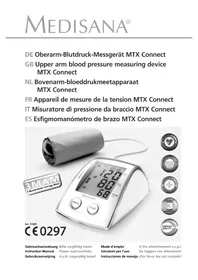
USER MANUAL MTX CONNECT MEDISANA

Upper arm cuff with hose

Connector for the hose

Display of systolic pressure

Display of diastolic pressure

Display of pulse rate

Data transfer symbol

Batteries low Please replace batteries.

Symbol for 3MAM mode

Unit has detected an arrhythmia

IMPORTANT INFORMATION! RETAIN FOR FUTURE USE! Explanation of symbols This instruction manual belongs to this device. It contains important information about starting up and operation. Read the instruction manual thoroughly. Non-observance of these instructions can result in serious injury or damage to the device. WARNING These warning notes must be observed to prevent any injury to the user. CAUTION These notes must be observed to prevent any damage to the device. NOTE These notes give you useful additional information on the installation or operation. Classification: type BF applied part Lot number Manufacturer Date of manufacture Read the instruction manual carefully before using this device, especially thesafety instructions, and keep the instruction manual for future use.Should you give this device to another person, it is vital that you also pass onthese instructions for use.

1 Safety Information WARNINGDo not take any therapeutic measures based on your own measurements! Never change the quantity of medication prescribed by your doctor!• Irregularity of pulse or arrhythmia can lead to difficulties in recording acorrect reading when measurements are taken using oscillometric bloodpressure devices. This device is elec tronically equipped to detect over 20 ofthe most commonly occurring types of arrhythmia and movement artifactsand indicates this with a symbol in the display.• If you should suffer from conditions such as arterial occlusive disease, pleaseconsult your doctor before using the unit.• The unit may not be used to check the heart rate of patients with apacemaker.• Pregnant patients should take their own personal state of health intoconsideration and take all necessary precautions before using the unit. If indoubt, consult your doctor.• Should you experience discomfort or other complaints during measurement,for example pain in the upper arm, please take the following action: Press theSTART button to deflate the cuff immediately. Loosen the cuff andremove it from your arm. Please contact either your dealer or MEDISANAdirectly. • Patients with a weak pulse wave should raise their arm and open and closetheir hand around 10 times before taking a reading. This exercise optimizesthe pulse wave and the measuring process.• The unit is only to be used for the specific purpose described in thisinstruction manual. • Any misuse will void the warranty.• On the rare occasion of a fault causing the cuff to remain fully inflatedduring measurement, open the cuff immediately. • Do not use the unit near to equipment emitting a strong electric ormagnetic field (such as radios). This may impair the correct functioning of theunit. Keep a distance of at least 3,3 m to such devices during the measurement.• This device is not designed to be used by persons (including children) withlimited physical, sensory or mental abilities, or by persons with insufficientexperience and/or knowledge, unless under observation by a personresponsible for their safety, or unless they have been instructed in the use ofthe device. The tube may present the risk of strangulation. • Children must be supervised to ensure that they do not play with the device.• If a fault occurs, do not try to repair the unit yourself. Attempts to do so willvoid the warranty. Refer all servicing to authorized service personnel.• Protect the unit from moisture. Should moisture enter the unit, remove thebatteries and stop using it immediately. In this case, please contact eitheryour dealer or MEDISANA directly. You can find details of how to contactus on the address page. Safety Information 51085_MTX_connect_DE_GB_NL_FR_ IT_ES_17042015.qxd:Blutdruckmessgerät 17.04.2015 10:17 U20 2 Useful Information

Thank you for your confidence in us and congratulations on your purchase! You have acquired a quality product with your purchase of the MEDISANAMTX Connect upper arm blood pressure monitor. To ensure the best results and long-term satisfaction with your MEDISANAMTX Connect with bluetooth, we recommend that you read the followingoperating and maintenance instructions carefully.Please check first of all that the device is complete and is not damaged in anyway. In case of doubt, do not use it and contact your dealer or your servicecentre.The following parts are included:• 1 MEDISANA MTX Connect with bluetooth • 1 Preformed sleeve with air pipe• 4 Batteries (AA type, LR 6) 1,5V• 1 Storage bag• 1 Instruction manualThe packaging can be reused or recycled. Please dispose properly of anypackaging material no longer required. If you notice any transport damageduring unpacking, please contact your dealer without delay.WARNINGPlease ensure that the polythene packing is kept away from the reach of children! Risk of suffocation! Blood pressure is the pressure created in the blood vessels by each heart beat.When the heart contracts (= systole) and pumps blood into the arteries, itbrings about a rise in pressure. The highest value is known as the systolicpressure and is the first value to be measured. When the cardiac musclerelaxes to take in fresh blood, the pressure in the arteries also falls. Once thearteries are relaxed, a second reading is taken – the diastolic pressure. The MTX Connect is a blood pressure unit which is used to measure blood pressure at the upper arm. The measurement is carried out by amicroprocessor, which, via a pressure sensor, measures the vibrations resultingfrom the inflation and deflation of the cuff over the artery.MEDISANA has had many years of experience in the field of blood pressuremeasurement. The high precision of MEDISANA devices has been confirmedby extensive clinical tests, carried out according to strict internationalstandards. One strong argument in favour of taking blood pressure at home isthe fact that the readings are taken in familiar surroundings under relaxedconditions. The most important reading is the socalled „baseline value“, the

What is blood pressure?

Items supplied and packaging

How is blood pressure measured?

Why should you take your blood pressure at home? Thank you very much 51085_MTX_connect_DE_GB_NL_FR_ IT_ES_17042015.qxd:Blutdruckmessgerät 17.04.2015 10:17 U21

Blood pressure classification one taken before breakfast, directly after getting up in the morning. As far asit is possible, you should always try to take your blood pressure at the sametime and under the same conditions each day.This ensures comparable results and helps in detecting the first signs of highblood pressure. If high blood pressure remains undetected, it increases the riskof further cardiovascular diseases.THEREFORE WE RECOMMEND: Take a blood pressure reading daily and on a regular basis, even if you are experiencing no apparent complaints.The following table shows the classification of high and low blood pressure,without taking age into consideration. This blood pressure assessment scalecorresponds to the guidelines of the World Health Organisation (WHO).Low blood pressure systolic below <100 diastolic below <60 Normal blood pressure (green display area

systolic 140 – 159 systolic 160 – 179 systolic>_ diastolic 90 – 99 diastolic 100 – 109 diastolic>_ WARNINGBlood pressure that is too low represents just as great a health risk as blood pressure that is too high! Fits of dizziness may lead to dangerous situations arising (e.g. on stairs or in traffic)! 51085_MTX_connect_DE_GB_NL_FR_ IT_ES_17042015.qxd:Blutdruckmessgerät 17.04.2015 10:17 U22 2 Useful Information / 3 Getting Started

Fluctuations in blood pressure

Influencing and evaluating readings

Inserting / removing batteries There are many factors that can influence blood pressure. Readings can beaffected seriously by stress, fear, heavy physical exertion or the time of day atwhich the measurements are taken. Your personal blood pressure values aresubject to considerable fluctuation during the course of the day and the year.These fluctuations are particularly pronounced in the case of patients sufferingfrom hypertension. Blood pressure is usually at its highest during physicalexertion and at its lowest at night when you are asleep.• Measure your blood pressure several times, then record and compare theresults. Do not draw any conclusions from a single reading.• Your blood pressure readings should always be evaluated by a doctor who isalso familiar with your personal medical history. When using the unitregularly and recording the values for your doctor, you should visit thedoctor from time to time to keep him updated.• When taking readings, remember that the daily values are influenced byseveral factors. Smoking, consumption of alcohol, drugs and physicalexertion influence the measured values in various ways.• Measure your blood pressure before meals.• Before taking readings, allow yourself at least five minutes rest.• If the systolic and diastolic readings seem unusual (too high or too low) onseveral occasions, despite correct use of the unit, please inform your doctor.This also applies to the rare occasions when an irregular or very weak pulseprevents you from taking readings.Insertion: Open the battery compartment on the underside of the unit byexerting gentle pressure in the direction indicated by the arrow, and insert thefour batteries included with the unit (alkaline batteries, AA type, LR 6).Remember to insert the batteries as indicated in the diagram in the batterycompartment. Once the batteries are inserted correctly (or once the power unitis plugged in), you should hear 2 beeps. When the ON/OFF switch is activated , you will hear 2 beeps and all thesymbols appear on the display for one second. Then the following appears:

“. Replace the lid, pressing it until it snaps into place.Removal:If the voltage in the batteries drops below 5 - 4.5 V, the display shows thebattery symbol . Switch the device off using the ON/OFF switch and insert new batteries. Should the used batteries be jammed in thecompartment, use a pointed instrument, such as a ballpoint pen, to carefullyprise them out.As soon as the voltage in the batteries drops below 4.25 - 0.25 V, the displayshows the battery symbol . The device automatically switches offimmediately after this symbol appears. The device will not function until newbatteries are inserted. 3 Getting Started 51085_MTX_connect_DE_GB_NL_FR_ IT_ES_17042015.qxd:Blutdruckmessgerät 17.04.2015 10:17 U23

Using a mains adaptor Note that you have to reset the date and time each time you replace thebatteries, unless this is set automatically via the radio clock when the deviceis switched on using the ON/OFF switch . The previous measuring resultsare saved.WARNING BATTERY SAFETY INFORMATION Do not disassemble batteries!• Clean the battery and device contacts if necessary before putting in the batteries!• Remove discharged batteries from the device immediately! • Increased risk of leakage, avoid contact with skin, eyes and mucous membranes! If battery acid comes in contact with any of this parts, rinse the affected area with copious amounts of fresh water and seek medical attention immediately! • If a battery has been swallowed seek medical attention immediately! • Replace all of the batteries simultaneously! • Only replace with batteries of the same type, never use different types of batteries together or used batteries with new ones! • Insert the batteries correctly, observing the polarity!• Keep the battery compartment well sealed!• Remove the batteries from the device if it is not going to be used for an extended period! • Keep batteries out of children's reach! • Do not attempt to recharge these batteries! There is a danger of explosion! • Do not short circuit! There is a danger of explosion! • Do not throw into a fire! There is a danger of explosion!• Keep unused batteries in their packaging away from metal objectsin order to prevent short circuiting!• Do not throw used batteries into the household refuse; put them in a hazardous waste container or take them to a battery collection point, at the shop where they were purchased!Alternatively, you can also run the device using a special power supply unit(MEDISANA item no. 51036 not supplied). Connect it to on the back ofthe device. In this case the batteries remain in the unit.Inserting the connector into the back of the blood pressure monitor switchesthe batteries off mechanically. It is necessary, therefore, to plug the mainsadaptor into the mains socket first of all and then to connect it to the blood 51085_MTX_connect_DE_GB_NL_FR_ IT_ES_17042015.qxd:Blutdruckmessgerät 17.04.2015 10:17 U24 3 Getting Started

Setting time and date pressure monitor. If the blood pressure monitor is no longer being used, firstremove the connector from the blood pressure monitor and then pull the mainsadaptor out of the mains socket. Doing this means that the date and time willnot have to be reset each time.

1. You can set the date and time by pressing down the TIMER button

for several seconds until appears on the display. 2. The selected user memory appears on the display together with theflashing year.- Press the TIMER button again to display the date; the month startsto flash.- Press the TIMER button again and the day starts to flash.- Press the TIMER button again to display the time. The hour starts toflash.- Press the TIMER button again and the minutes start to flash.- You can set the current date and time (year, month, day, hours andminutes) by pressing the MEMO button and confirm the date andtime with the TIMER button . Then the date and time you set areshown twice each in succession before the device returns to standbymode. In standby mode, the time is displayed permanently. NOTE If you do not wish to set the time or you want to take ameasurement immediately, exit the time setting mode bypressing the START button

Your MEDISANA MTX Connect blood pressure meter is equipped with an alarm function, with which the two users can set two alarm times each, inorder to take medication are regular intervals, for example.Make sure that the device is in standby mode and your own user memory has been selected.1. Press the TIMERbutton followed by the MEMO button . Hold downboth buttons until the alarm symbol appears on the display.

2. Release both buttons. “ 1 “ flashes at the bottom right of the display for

Alarm 1. You can use the MEMO button

and the alarm symbol flashes. Use the MEMObutton to switch between alarm on and alarm off ( ) To confirm your entries, press the TIMER button .

3 Getting Started NOTE If you have correctly entered an alarm time and the alarm is active, the alarm symbol appears in standby mode. If no alarm is active for either of the user memories, no symbol appears in standby mode.

Setting up the user memory The MTX gives you the opportunity to assign readings to one of two user memories, each of which provides 99 memory slots. Switch the device to standbymode. Press the TIMER button to select either user memory 1 or usermemory 2

With the MTX, you can choose between two measuring modes. • Single reading 3 consecutive readings ( Measurement Average Mode = 3/MAM-mode )In the case of a single reading, just one blood pressure reading is taken andstored.The 3/MAM-mode is to be recommended if you suffer from severelyfluctuating blood pressure. 3 successive readings are taken at 15 secondintervals, thus eliminating widely varying readings. In the case of seriousdeviations, a 4th reading may be taken.From these three measurements, a weighted average value is calculated,displayed and stored in the selected memory. A reading taken in this way isindicated in the memory by an

The 3/MAM procedure greatly minimizes the risk of an incorrect reading.1. To switch between single measurement and 3 consecutive measurements(3MAM procedure), press and hold the TIMER button until the symbolfor 3MAM mode and “ “ appear flashing in the display.

2. Press the MEMO button

to select either “ “ or “ “; “ “for the 3MAM measuring method and “ “ for single measurement. 3. Confirm your selection by pressing the START button (or press theTIMER button

to make the next setting: “ Date time setting “).

Fitting the cuff Correct positionfor taking readings Taking blood pressure readingsFirst attach the free end of the cuff’s air tube to the designated connector on the unit. Open up the preformed cuff and slip it over the bare left upperarm just above the elbow region. If wearing tight clothing, ensure that thecirculation in the arm is not impaired when rolling up the sleeve. The tube should run along the centre of the inner arm towards the palm of thehand. Ensure that the cuff itself is not twisted in any way.Fasten the pressure cuff in such a way that it fits tightly but does not constrictthe arm.• Take readings while in a seated position.• Relax your arm and rest it lightly on a surface such as a table. Relax duringthe measuring process: do not move or talk, as this can affect the results.Single reading1. Press the START button . The device carries out a self test. Once this iscomplete, “ “ appears on the display. 5 short beeps sound during theprocedure.

automatically inflates until the pressure required for ameasurement has been reached. Alternatively, you can create this pressuremanually by pressing and holding the START button after the devicehas automatically reached a pressure of at least 30 mmHg. When you thinkthat the device has reached the ideal starting pressure for a measurement,release the START button . The increasing pressure is displayednumerically.3. The measuring process begins automatically when inflation is complete byreleasing the pressure built up in the cuff. The display shows the currentpressure in the cuff. NOTE If you press the START button when the device is inflating, the inflation process stops. The device switches off and the air escapes from the sleeve.4. Initially, deflation occurs at a constant speed. The pulse symbol appears on the display. As soon as the pulse can be determined, deflationis synchronised with the beating of the heart until the measurement ends.The device beeps for each heartbeat during this procedure. At the sametime, the pulse symbol flashes.5. Once the measurement has been taken, the sleeve suddenly deflatesand a longer beep sounds. 6. The measured values

are shown on the display, togetherwith the WHO blood pressure bar display . At the same time, a longerbeep sounds.7. If the unit detects an arrhythmia during the measuring process, thearrhythmia symbol will flash eight times while the reading isdisplayed. You may also hear 8 short beeps; these warn the user of anirregular heartbeat.8. If you do not press any buttons for approx. 1 minute, the deviceautomatically switches to standby mode.3MAM measuring method (3 consecutive measurements to calculate an average value)You have selected the 3MAM measuring method (see section 3, subsection3.6). You first have to complete any settings you require as per section 3,subsections 3.3, 3.5 and 3.7.1. Press the START button . The device carries out a self test. Once this iscomplete, “ “ appears on the display. 5 short beeps sound during theprocedure. 51085_MTX_connect_DE_GB_NL_FR_ IT_ES_17042015.qxd:Blutdruckmessgerät 17.04.2015 10:17 U28 4 Operation

On the display, you can see (average) and “ 1 “ for the firstmeasurement.2. Next, the sleeve automatically inflates until the pressure required for ameasurement has been reached. Alternatively, you can create this pressuremanually by pressing and holding the START button after the devicehas automatically reached a pressure of at least 30 mmHg. When you thinkthat the device has reached the ideal starting pressure for a measurement,release the START button . The increasing pressure is displayed numeri-cally.3. The measuring process begins automatically when inflation is complete byreleasing the pressure built up in the cuff. The display shows the currentpressure in the cuff.4. Initially, deflation occurs at a constant speed. The pulse symbol appears on the display. As soon as the pulse can be determined, deflationis synchronised with the beating of the heart until the measurement ends.The device beeps for each heartbeat during this procedure, if you did notswitch off the beep function beforehand. At the same time, the pulsesymbol flashes.5. The first measurement ends when the pressure has been completelydischarged from the sleeve during a 15 second countdown. The count-down symbol flashes during this process. Beeps sound during the last 5seconds.

6. Instead of “ 1 “, the display now shows “ 2 “ for the second measurement.

The second measurement proceeds in the same way as the first (see points2 - 5).

7. Instead of “ 2 “, the display now shows “ 3 “ for the third measurement.

The third measurement proceeds in the same way as the first (see points2 - 4).8. Once the 3MAM measurement has been taken, the sleeve suddenlyde-flates and a longer beep sounds. 9. The measured values

are shown on the display, togetherwith the WHO blood pressure bar display . At the same time, a longerbeep sounds.

10. If the unit detects an arrhythmia during the measuring process, the

arrhythmia symbol will flash eight times while the reading isdisplayed. You may also hear 8 short beeps; these warn the user of anirregular heartbeat.

11. If you do not press any buttons for approx. 1 minute, the device

automatically switches to standby mode.NOTE When the device is used, the errors Err 1, 2, 3, 5, 6 can occur in the integrated circuit. Err 6 can only occur in 3MAM mode.In 3MAM mode, errors Err 1, 2, 3, 5 do not cause the measurement to be cancelled, unless they occur twice in succession. The error display is always accompanied by 3 short beeps. 51085_MTX_connect_DE_GB_NL_FR_ IT_ES_17042015.qxd:Blutdruckmessgerät 17.04.2015 10:17 U29

4 Operation Pairing the MTX Connect with your smartphone.1. Download the free-of-charge VitaDock App from the Apple App Storeor Google Play store.2. Slide the BLUETOOTH switch on the reverse of the MTX Connect to"On" to switch on Bluetooth.3. Hold down the START button for 5 seconds to activate the pairing modeof the MTX Connect. The time and the flashing Bluetooth symbol is shownon the display. The Bluetooth interface is in pairing mode for the next 60seconds and enables you to connect your smartphone to the MTX Connectwithin this time.4. Activate the Bluetooth interface of your smartphone. Select "MTX-BT"(Fig. D.) from the list of found Bluetoothdevices and enter the pairing code "0000"depending on the smartphone to connectthe devices (Fig. D.).5. Press the START button to switch offthe MTX Connect again. If you do notpress any buttons for approx. 1 minute, thedevice automatically switches to standbymode.Note: Pairing the MTX Connect with your smartphone only needs to be done once, before the first measurement.Measure and transfer the measurement results to your smartphone.1. Slide the BLUETOOTH switch on the reverse of the MTX Connect to"On" to switch on Bluetooth.

2. Start the VitaDock App (blood pressure) and tap "new" (Fig. A).

3. Tap "connect Bluetooth device", the VitaDock App waits for the MTXConnect to connect.4. Press the START button

on MTX Connect to start a new measurement.5. After measuring blood pressure the result is shown on the MTX Connect, please press in the VitaDock App on MTX BT - screen C, to connect the two devices. The MTX Connect display shows the measurement results, theselected user memory, the time and the Bluetooth symbol. The data transfersymbolflashes.6. Once the MTX Connect has transfers the current measurement values by Bluetooth to the VitaDock App, press the START button

to switch off theMTX Connect again. If you do not press any buttons for approx. 1 minute,the device automatically switches to standby mode.7. After successfully connecting the MTX Connect to your smartphone the dateand time are automatically synchronised.Transfer the measurement results to your smartphone.

1. Start the VitaDock App and tap "new" (Fig. A).

2. Tap "Connect Bluetooth Device", the VitaDock App waits for the MTXConnect to connect (Fig. B)

Troubleshooting Error messagesPossible causes and solutionsErr 1Measurement of the systolic blood pressure was completed. Either the connection with the hose has been interrupted or no pulse could be determined. Check the connections between the cuff and the main unit.Err 2 Non-physiological pressure has been detected.Cause: the arm was moved during the measurement.Repeat the measurement, keeping your arm still.Err 3 If the cuff takes too long to inflate, it is possible that the cuff is incorrectly positioned or that the connection with the hose is not airtight.Check the connections and repeat the measurement.Err 5 An average value could not be calculated due to unstable conditions while the readings were being taken. Repeat the measuring process, keeping your arm still and not speaking.Err 6 There were too many errors during the measurement in MAM mode, making it impossible to obtain a final result. Read through the checklist for performing reliable measurements and then repeat the measurement.HI The pressure in the cuff is too high (over 300 mmHg) or the pulse is toohigh (over 200 beats per minute). Relax for 5 minutes and repeat the measurement.LO The pulse is too low (less than 40 beats per minute). Repeat the measurement.If no buttons are pressed for approx. 1 minute, the device automatically switch-es to standby mode. You can also switch to standby mode by pressing theSTART button . The blood pressure meter functions are now switched off.The time and the selected user memory are continuously shown on the display.The alarm function remains active.If you do not want to use the time display and the alarm function, you can also completely switch off the device by sliding the ON/OFF switch

on the backof the device into the “ OFF ” position.

Switching off the unit

3. First hold down the START button

and then the MEMO button together for more than 5 seconds, the MTX Connect switches to transfermode. The display shows the selected user memory, the time and theBluetooth symbol.

4. In the VitaDock App press on MTX BT - screen C to connect the two devices

and transfer the stored measurement values. The MTX Connect connectswith your smartphone and starts to transfer the stored measurement values.The data transfer symbol flashes.5. Once the measurement values have been transferred to the VitaDock App,press the START button to switch off the MTX Connect again. If you donot press any buttons for approx. 1 minute, the device automatically switchesto standby mode. 51085_MTX_connect_DE_GB_NL_FR_ IT_ES_17042015.qxd:Blutdruckmessgerät 17.04.2015 10:17 U31

Deleting memory This unit features 2 separate memories, each with a capacity of 99 memoryslots. Results are automatically stored in the memory selected by the user.When the memory is full, the oldest reading is always the first to be deleted.Press the MEMORY button to display the stored readings. After all the seg-ments in the display have been shown, an average value of all the measure-ments in the selected memory is displayed. This average is indicated by “ ”. When the MEMORY button is pressed again, the individual readings(switching between systolic, diastolic, pulse and date/time) of the last mea-surement stored are displayed. If this measurement was taken in the 3MAMprocedure, is displayed. If an arrhythmia was detected duringthe measuring process, the arrhythmia symbol will be displayed, but notflashing.Press the MEMORY button again to move backwards through the storedreadings.If you do not press any buttons for approx. 1 minute, the device automaticallyswitches back to standby mode.Select the entry for the measurement you want to delete. Press and holdthe START button for approx. 10 seconds until the memory symbol

flashes. Confirm your deletion request by pressing the MEMO button

“ ” appears briefly on the display and 2 short beeps sound. The entryyou selected has been deleted. The display returns to standby mode.The data can be deleted from the memory selected by pressing and holding theMEMORY button for about 7 seconds. After 7 seconds, the display shows “ ” ( CLEAR ) which indicates that all data will be deleted. Confirm your deletion request by pressing the MEMO button

again. Threeshort beeps sound during the procedure.

Displaying stored results

Deleting a measurement

Care and maintenance

  • Remove the batteries before cleaning the unit.• Never use strong detergents or hard brushes.• Clean the unit with a soft cloth, moistened with mild soapy water. Do not letwater enter the unit. After cleaning, only use the unit when completely dry.• Remove the batteries from the unit if you do not wish to use it for anextended period of time, otherwise there is a risk of battery leakage.• Do not expose the unit to direct sunlight, and protect it from dust andmoisture.• Only inflate the cuff when it is in position around the upper arm.• Servicing and calibrationThe unit has been calibrated by the manufacturer for a period of two years’ use. In the case of commercial use, the unit must be serviced and recali- brated at least once every two years. This calibration will be charged for and can be carried out by an appropriate authority or an authorised servicecentre - in accordance with the regulations for users of medical equipment.This product must not be disposed of together with domestic waste.All users are obliged to hand in all electrical or electronic devices, regardlessof whether or not they contain toxic substances, at a municipal or commer-cial collection point so that they can be disposed of in an environmentallyacceptable manner.Please remove the batteries before disposing of the device / unit. Do not dis-pose of old batteries with your household waste, but at a battery collectionstation at a recycling site or in a shop.Consult your municipal authority or your dealer for information about disposal.This blood pressure monitor meets the requirements of the EU standard fornon-invasive blood pressure monitors. It is certified in accordance with ECGuidelines and carries the CE symbol (conformity symbol) “CE 0297”.The blood pressure monitor corresponds to European standards EN 60601-1, EN60601-1-11 and EN 1060-3. The specifications of EU Guideline “93/42/EEC ofthe Council Directive dated 14 June 1993 concerning medical devices” are met,along with those of the Radio and Telecommunications Terminal Equipment Directive 1999/5/EC. You can request the declaration of conformity from Medisana AG, Jagenbergstraße 1, 41468 Neuss, Germany or download it fromthe Medisana homepage (www.medisana.de). Clinical trial results: Clinical trials for this unit were carried out in the USA and Germany accordingto EN 1060-1 /-3 and according to the AAMI – Standard (US). Electromagnetic compatibility: (see attached leaflet) Intended use: This unit is suitable for non-invasive blood pressure measurement in adults(i.e., suitable for external use).

Please contact your dealer or the service centre in case of a claim under thewarranty. If you have to return the unit, please enclose a copy of yourreceipt and state what the defect is.The following warranty terms apply:

1. The warranty period for MEDISANA products is three years from date of

purchase. In case of a warranty claim, the date of purchase has to beproven by means of the sales receipt or invoice.2. Defects in material or workmanship will be removed free of chargewithin the warranty period.

3. Repairs under warranty do not extend the warranty period either for the

unit or for the replacement parts.4. The following is excluded under the warranty:a. All damage which has arisen due to improper treatment, e.g. non-observance of the user instructions.b. All damage which is due to repairs or tampering by the customer orunauthorised third parties.c. Damage which has arisen during transport from the manufacturer tothe consumer or during transport to the service centre.d. Accessories which are subject to normal wear and tear (cuff, batteriesetc.).5. Liability for direct or indirect consequential losses caused by the unit areexcluded even if the damage to the unit is accepted as a warranty claim.MEDISANA AGJagenbergstraße 1941468 NEUSSGERMANYE-Mail: info@medisana.deInternet: www.medisana.deThe service centre address is shown on the attached leaflet