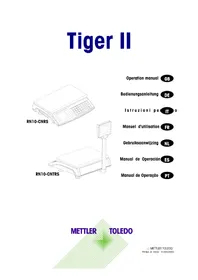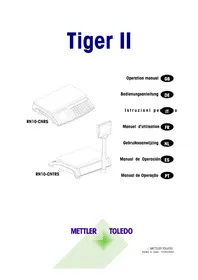
Tiger II RN10CNTRS - Scale Mettler Toledo - Free user manual and instructions
Find the device manual for free Tiger II RN10CNTRS Mettler Toledo in PDF.



| Product type | Compact digital weight/price scale |
| Brand and model | Mettler Toledo Tiger II RN10CNTRS |
| Range (capacity) | 3 kg / 6 kg / 15 kg / 30 kg depending on version |
| Display accuracy | 1 g / 2 g / 5 g / 10 g depending on version |
| Displays | Weight: 6 digits, Unit price: 6 digits, Total: 6 digits |
| Power supply | 12 VDC ~ 14 VDC; mains adapter 230 VAC / 50 Hz / 12 VDC 800 mA |
| Current consumption | 20 mA (no load), charging current 500 mA |
| Battery/rechargeable battery alternative | 6 D-type batteries or NiMH UM1 rechargeable batteries |
| Operating temperature | -10 °C to +40 °C |
| Storage temperature | -25 °C to +50 °C |
| Main functions | Weighing, taring, zeroing, PLU (up to 100 codes), 16 direct keys (32 PLU with double-click), backlight, FIX function, standby mode and automatic shutdown |
| Settings | Sound signal, standby/off duration, automatic clear, FIX mode, automatic PLU, double-click, digital filtering, communication |
| Care and cleaning | Clean with absorbent paper; avoid water inside the housing; removable pan washable with household product |
| Maintenance | Regular cleaning; contact METTLER TOLEDO customer service in case of error |
| Safety | Mandatory metrological verification for commercial use; use only specified batteries/rechargeable batteries; do not exceed the range |
| Spare parts and repairability | Contact METTLER TOLEDO after-sales service; do not open the housing yourself |
| General information | Scale verified at factory or in two steps depending on country; comply with local metrological regulations |
Frequently Asked Questions - Tiger II RN10CNTRS Mettler Toledo
User questions about Tiger II RN10CNTRS Mettler Toledo
0 question about this device. Answer the ones you know or ask your own.
Ask a new question about this device
Download the instructions for your Scale in PDF format for free! Find your manual Tiger II RN10CNTRS - Mettler Toledo and take your electronic device back in hand. On this page are published all the documents necessary for the use of your device. Tiger II RN10CNTRS by Mettler Toledo.
USER MANUAL Tiger II RN10CNTRS Mettler Toledo
Printed in China 01/05/2003

Dimensions

Abmessungen

Dimensioni

Dimensionen

Afmetingen

Dimentiones

Dimensoes
RN:
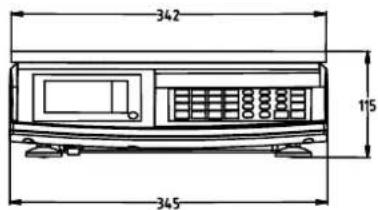
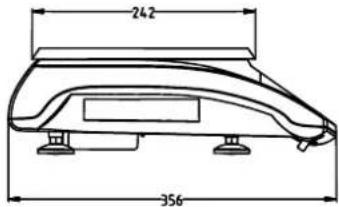
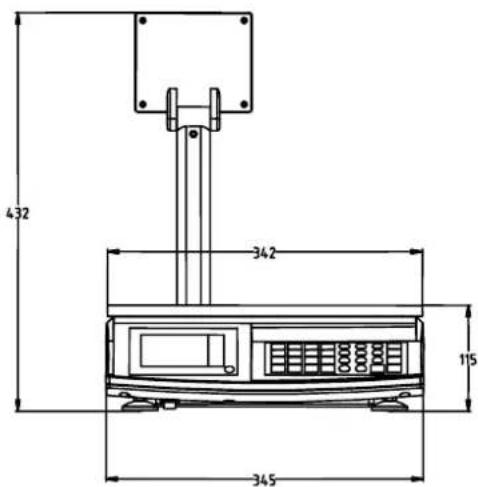
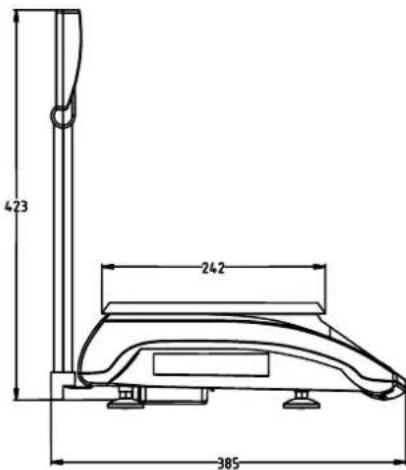
| GEO-Value | The GEO-Value of verified balances explains for which location of use the balance has been verified. This GEO-Value is shown on the balance weight display shortly after switch on the balance. Further details see „GEO-Value table". |
| DE GEO-Wert | Der GEO-Wert gibt bei vom Hersteller geeichen Waagen an, für welchen Aufstellungsord die Waage geeicht ist. Dieser GEO-Wert wird kurz nach dem Einsatz der Waage im Gewichtsfeld des Display angezeigt. Genaueres ist der folgenden Tabelle „GEO-Value Table" zu entnahmen. |
| FR Valeur GEO | La valeur GEO de balances poinconnées indique pour chaque localisation la balance a été approvée. Cette valeur GEO est indiquée sur l'afficheur de poids de la balance peu de temps après sa mise en marche. Pour de plus amples détails, consultez le tableau des valeurs GEO (GEO-VALUE TABLE). |
| IT Valore-GEO | Il valor di GEO delle bilance omologate, identifica per quale area le bilance sono state verificate all'uso. All'accensione dello strumento quello valore viene molto mostrato brevamente sul display del peso. Per ulteriori informazioni vedere la tabella „GEO-Value Table". |
| NL GEO-waarde | De GEO-waarde geegt aan voor alles lokatie de weegschaal door de fabrikant geleikt is. De GEO-waarde worden kort na het aanzetten van de weegschaal in de gewichtsuitlezing zichtaar. Meer informatie over de Geo-waarde kan in de bijgevoegde tabel „GEO-Value Table" worden gelezen. |
| ES Valor GEO | El valor GEO indica, para las balanzas verificables, lasubicaciones para las cuales han sido verificadas por el fabricante. Este valor GEO aparece brevamente en el Campo de peso del display tras la conexión de la balanza. Para más detalles, ver tabla de values GEO (GEO-VALUE TABLE). |
| PT VALOR GEO | O valor GEO de balañas verificadas explicá que cada local de utilização destas foi verificado. Este valor GEO aparecerá no display de peso da balança durante o arranque da mesma. Para mais detalles consulutar „A TABELA DE VALORES GEO" (GEO-VALUE TABLE). |
GEO-Value table
| Country | Geo-Width | Geo-Value |
| Austria 46°22' - 49°01' 18 | ||
| Belgium 49°30' - 51°30' 20 | ||
| Bulgaria 41°41' - 44°13' 16 | ||
| Croatia | 42°24' - 46°32' 18 | |
| Czechia | 48°34' - 51°03' 20 | |
| Denmark | 54°34' - 57°45' 23 | |
| France 41°20' - 51°00' 19 | ||
| Finland | 59°48' - 70°05' 25 | |
| Germany | 47°00' - 55°00' 20 | |
| Greece | 34°48' - 41°45' 15 | |
| Hungary | 45°45' - 48°35' 19 | |
| Ireland | 51°05' - 55°05' | 22 |
| Iceland | 63°17' - 67°09' 26 | |
| Italy | 35°47' - 47°05' 17 | |
| Latvia | 55°30' - 58°04' | 23 |
| Luxembourg | 49°27' - 50°11' 20 | |
| Liechtenstein | 47°03' - 47°14' 18 | |
| Lithuania | 53°54' - 56°24' 22 | |
| Netherland | 50°46' - 53°32' 20 | |
| Norway | 57°57' - 71°11' | 24 |
| Poland | 49°00' - 54°30' 21 | |
| Portugal 36°58' - 42°10' 15 | ||
| Romania | 43°37' - 48°15' 18 | |
| Sweden | 55°20' - 69°04' 24 | |
| Switzerland | 45°49' - 47°49' 18 | |
| Slovakia | 47°44' - 49°46' 19 | |
| Slovenia | 45°26' - 46°35' 18 | |
| Spain | 36°00' - 43°47' 15 | |
| Turkey | 35°51' - 42°06' 16 | |
| United Kingdom | 49°00' - 62°00' 21 |
(default)
Introduction
The Tiger II scale is a compact digital price computing scale with many features.
All our equipment is assembled, tested and packed with great care, if you might find something which is not according to your expectations, please contact us immediately.
The Tiger II scale is a high precision weighing instrument, which has to be approved and stamped by Weights and Measures. This scale is stamped in our production plant or by your local Weights & Measures office. Please check the stamping stickers on the scale before use.
Please read this instruction manual carefully.
Properly used and maintained, this scale will provide years of accurate weighing. Please handle it as you would any piece of fine electronic equipment.
Metrological instructions

Important note on legal-for-trade scales in EEC countries

Factory verified scales carry this identification on the label applied on the package.

Scales identified by the green "M" label applied on the identification plate, can be operated immediately.

Scales calibrated in two stages carry the opposite identification on the label applied on the package
These scales have already been verified in the first step (declaration of conformity according to EN 45501-8.2) and should receive the second step at their working place. This second step must be performed by the certified METTLER TOLEDO after-sales service.
Please contact your local METTLER TOLEDO agency.
Retail scales, used for legal trade, must be submitted for calibration and verification. Do respect the current metrological directives in your country.
Contents
Installation 5
Precautions 5
Environment 5
Unpacking and inspection 5
Setup 5
Power up sequence 5
Display and keyboard 6
Operator display 6
Keyboard 6
Customer display 6
Operations 7
Straight weighing 7
Backlight function 7
Re-zero function 7
Tare function 7
PLU (Price Look Up) function 8
Preset key function 8
Fix key function 8
Set-up 9
Battery maintenance 10
Maintenance 11
Error message 11
Specification 11
Installation
Precautions
This chapter gives detailed instructions and important information to install the Tiger II scale successfully.
Environment
Before you install the scale, identify the best location for the equipment. The proper environment enhances its operation and longevity. Keep in mind the following factors, which might have a negative influence on the scale's operation:
Vibration
Vibration diminishes the scale's ability to measure accurately. Electrical machinery such as conveyors and drill presses can cause inaccurate and non-re repeatable readings. The scale may also read inaccurately if it is not leveled properly.
Air current
Moving air can cause the scale to read an additional force (add. weight) and have the same effect as vibration.
Friction
A scale cannot measure accurately if an object is rubbing or pressing against the platter.
Unpacking and inspection
Please inspect the package as it is delivered by the carrier. If the shipping container is damaged, check for internal damage and file a freight claim with the carrier if necessary. If the container is undamaged, open the box, remove the scale and place it on a solid, flat surface. Please keep the packing material and shipping insert in case you need to return the scale to METTLER TOLEDO. The Tiger II is a precision instrument and may be permanently damaged if not shipped in factory approved packaging.
Package contents for all Tiger II units include:
Tiger II scale
platter AC-DC power adapter
operation manual
tower incl. fixation material (tower version only)
Setup
Open the box and pull up the scale, including the packing material, then remove the packing material.
Tower versions (e.g. RN10-CNT) only:
Plug in the tower connector into the socket on bottom of the scale. Fix the cover of the chassis
Set the unit on a stable, level surface. Level the scale by turning the adjustable feet on the bottom of the unit. When the bubble indicator is in the centre of the circle, TIGER II is leveled correctly.
Bubble indicator:
Good


All four feet must touch the surface to make sure that TIGER II does not rock.
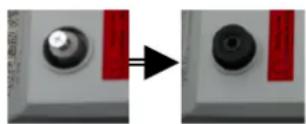
Remove the transportation lock (3kg scale only) by:
1) removing the 2 screws;
2) putting the 2 rubber mats back.
Put the platter on top of TIGER II.
Unpack the power adapter and plug it into the bottom of the scale. Plug the line cord into a properly grounded AC power outlet.
Power up sequence and turn off scale
Press the power key fix ONOFF to turn on the Scale. The Tiger II goes through a series of self-tests when it is turned on. The scale performs a diagnostic test on its ROM and RAM, then proceeds to normal operating mode. The power-up sequence is as follows:
- All segments of the display characters are lighted. This verifies operation of all segments.
The scale displays country code, GEO value, the software part number and revision number. - The scale displays "----", and captures zero and is ready for normal operation.
Note: Before switching on the Tiger II scale, always make sure there is nothing on the platter.
Press the power key fix ON/OFF until weigh display window shows "oFF" to turn off the scale.
Display and keyboard
Operator display
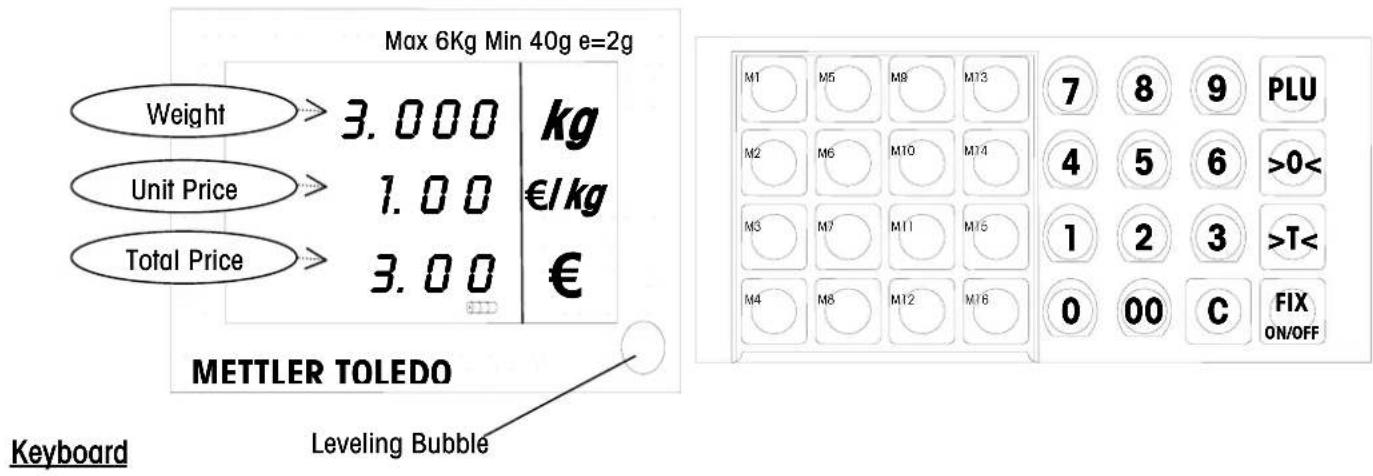
*Not all scales have those functions.
| Key | Name | Function | |
| 0~9,00 | Numeric keys | Enter unit price, PLU number or preset tare* | |
| >0< | Zero key | Return the scale to gross zero if drifting occurs | |
| >T< | Tare key | Tare the container weight. | |
| C | Clear key | Clear the input via keyboard or accumulation* | |
| PLU | PLU key | Store or recall a PLU | |
| M1~M16 | Preset key Sore | or recall a PLU | |
| FIX ON/OFF | Fix key Fix tare gnd unit price | ||
| Power key Turn on or turn off scale | |||
| Enter key Confirm data entry | |||
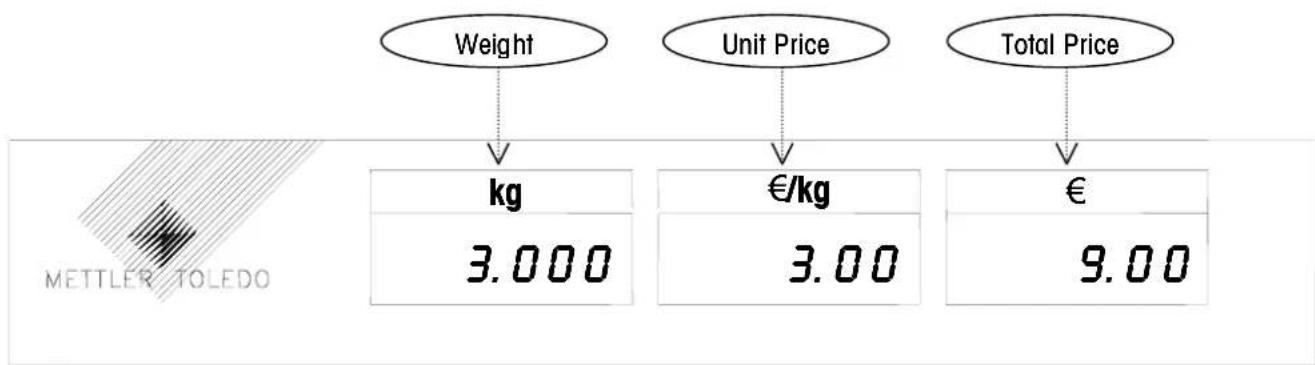
Customer display
Operations
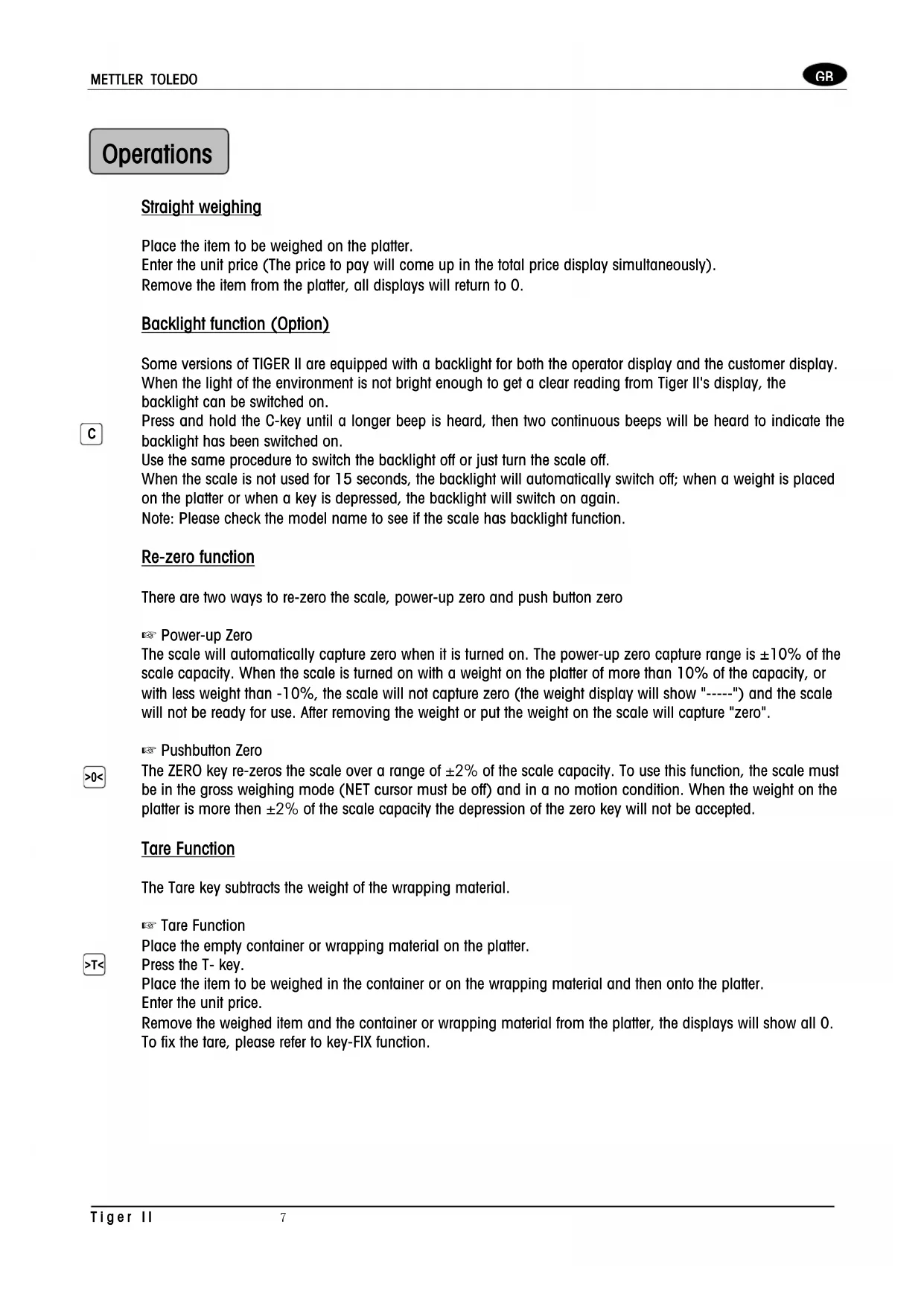
Straight weighing
Place the item to be weighed on the platter.
Enter the unit price (The price to pay will come up in the total price display simultaneously).
Remove the item from the platter, all displays will return to 0.
Backlight function (Option)

Some versions of TIGER II are equipped with a backlight for both the operator display and the customer display. When the light of the environment is not bright enough to get a clear reading from Tiger II's display, the backlight can be switched on.
Press and hold the C-key until a longer beep is heard, then two continuous beeps will be heard to indicate the backlight has been switched on.
Use the same procedure to switch the backlight off or just turn the scale off.
When the scale is not used for 15 seconds, the backlight will automatically switch off; when a weight is placed on the platter or when a key is depressed, the backlight will switch on again.
Note: Please check the model name to see if the scale has backlight function.
Re-zero function
There are two ways to re-zero the scale, power-up zero and push button zero
Power-up Zero
The scale will automatically capture zero when it is turned on. The power-up zero capture range is ± 10% of the scale capacity. When the scale is turned on with a weight on the platter of more than 10% of the capacity, or with less weight than -10% , the scale will not capture zero (the weight display will show "----") and the scale will not be ready for use. After removing the weight or put the weight on the scale will capture "zero".
Pushbutton Zero

The ZERO key re-zeros the scale over a range of ± 2% of the scale capacity. To use this function, the scale must be in the gross weighing mode (NET cursor must be off) and in a no motion condition. When the weight on the platter is more than ± 2% of the scale capacity the depression of the zero key will not be accepted.
Tare Function
The Tare key subtracts the weight of the wrapping material.
Tare Function
Place the empty container or wrapping material on the platter.
Press the T- key.
Place the item to be weighed in the container or on the wrapping material and then onto the platter.
Enter the unit price.
Remove the weighed item and the container or wrapping material from the platter, the displays will show all 0.
To fix the tare, please refer to key-FIX function.
PLU (Price Look Up) Function
The PLU function can store 100 PLU. They can be used for frequently sold goods, where the data (prices or/and tare* depending on the setting in factory) can be looked up by simply entering the PLU number. The default is price only.
*Preset tare is not permitted in EU countries.
Store a PLU (unit price or/and tare)

Enter the required unit price or/and fare.
Press and hold the PLU key until a long beep is heard. In the weight display appears: "PLu".
Enter the PLU number (between 1 and 100) and wait for approx. 2 seconds, until the scale beeps twice.
Recall a PLU (automatic search function off, refer to SET-UP, step 5)
Input the required PLU number, then press the PLU key. The stored data will appear in the display.
Recall a PLU (automatic search function on, refer to SET-UP, step 5)
Input the required PLU number, the stored data will appear in the display.
Notice: To call PLU 12, press 1 and 2 within 2 seconds, if the 2 is not pressed within 2 seconds, the PLU number 1 will be called up.
Preset Key Function
The scale has 16 preset keys, which can store another 16 or 32 PLU and recall theses PLU directly.
Store a PLU in a preset key
Enter the required unit price or/and fare.
Press and hold the required M-key until a long beep is heared, then two continuous beeps will be heard to indicate the data have been stored.
Recall a PLU in a preset key
Press the required M-key, the data stored will appear in the display.
When double click function is on, referring to SET-UP, step 6, one preset key can store and recall 2 PLU. The way to store and recall the first PLU is same as the operation in "Store a PLU in a preset key" and "Recall a PLU in a preset key".
Store the second PLU in a preset key (double click function is on, refer to SET-UP, step 6)
Enter the required unit price or/and fare.
Press and hold the required M-key until a long beep is heard, then press this M-key again and release it within 1 second, "L 2" will appear to show this data is stored by double-clicking M-key, and two beeps will finish the storage.
Recall the second PLU in a Preset (double click function is on, refer to SET-UP, step 6)
Double click the required M-key within 1 second, the "L 2" will be shown in the weight display for 1 second, then the data stored by double-clicking this M-key will appear in the display.
Fix Key Function
Normally the tare and unit price will be cleared after each weighing, with key-FIX the tare and unit price can be fixed.
Press the key-FIX and cursor FIX will be lit, the hare and unit price will remain until new value is entered.
Press the key- -FIX again to switch off the fix function.

Set-up
Several parameters in the scale can be changed to enable you to set-up the scale to your individual needs.
In set-up mode, the follows keys have new functions.
_T^< : to toggle between available parameters.
0 < : to step back to the last step.
Fix ON/OFF: to step to the next step.
PLU: to end the set-up mode.
Selection of operator set-up mode
Press key-PLU and press key-4 4 times.
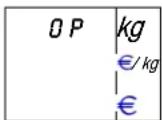
Fix to enter step 1.
With step 1 The Beep can be switched on or off.
ON = The scale will beep when a key is pressed.
OFF = No sound is made when a key is pressed.
Press >T< key to toggle between on and off.
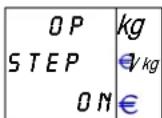
Fix ON/OFF key to step to next step.
With step 2 Automatic Sleep and Total Power-off Time can be selected.
0 = Disable both sleep mode and power-off function.
1 = No sleep mode, auto power-off after 30 minutes.
2 = Sleep mode after 5 minutes, no auto power-off.
3 = Sleep mode after 5 min., power-off after 30 minutes.
4 = Sleep mode after 15 min., no auto power-off.
5 = Sleep mode after 15min power off after 30min
Fix to step to the next step.
With step 3 Auto-clear of Tare and Unit Price can be set.
ON = Clear unit price and tare after each weighing.
OFF = Don't clear unit price and fare after each weighing.
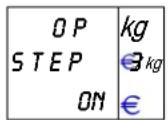
Fix ONOFF key to step to the next step.
With step 4 Fix Mode can be switched on or off.
ON = Enables fix mode.
OFF = Disables fix mode.

Fix ON/OFF key to step to the next step. With step 5 Auto PLU can be switched on or off.
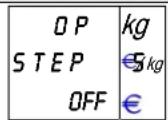
ON = Search PLU automatically, like L2/LP scales.
OFF = Search PLU after depressing the PLU key.
Fix key to step to the next step. With step 6 Double Click Preset Key Function can be switched on or off.
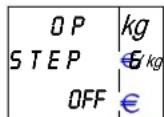
ON = Two plu can be preset in one preset key. OFF = Only one plu can be preset in one preset key.
Press FIX ON/OFF key to step to the next step. With step 7 Digital Filter Selection can be selected.
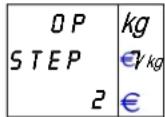
0 = No digital filtering.
1 = Light digital filtering.
2 = Medium digital filtering.
3 = Heavy digital filtering.
Fix ON/OFF key to step to the next step. With step 8 Communication Function can be selected.
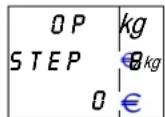
0 = Remote ^ Command output.
1 = Command output.
2 = Stable output.
3 = Continuous output.
Fix key to step to the next step.
ON/OFF
Now select if you want to save the
previous setting. If yes depress FIX ON/OFF key.
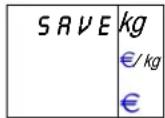
If not, press >T< key.
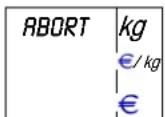
Press ON/OFF to abort the settings.
Battery Maintenance
Battery type
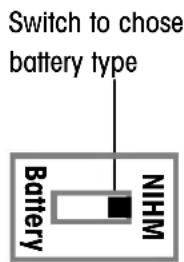
Tiger II provides alternative to use battery. You can see the left sticker in the battery holder. The default status is that the switch is covered by the sticker, and default location of the switch is on the NIHM side, it means to only use rechargeable NIHM batteries of size UM1.
If you would like to use D-cell, please break the box in the middle of the sticker, and push the switch to the D-cell side, in this status, charging function is disabled automatically.
Always make sure that all six batteries have the same capacity. Please contact your authorized dealer for more information.
Notice:
Whenever you change the battery, please check the switch location to be sure that you chose the right battery type.
Installation
Before you install the batteries, make sure that the external power supply is disconnected. Turn the scale upside down and lay the scale carefully on the platter. Open the battery cover by pressing the two buttons, and then install the batteries as shown on the battery holder. Close the cover by just putting it back and pressing it to the right location.
Operation
When the scale is running on the battery power, the functionality will be same as when it is running on external power. Additionally, the so called "Sleep" function can be used, please refers to the step-up step 2. When the scale has activated the "Sleep" mode, simply depress any key to wake the scale.
When the power of the batteries is used, the battery cursor will light up to indicate the state of the battery.
: The battery is full or fully charged.
: Only about 2/3 power of the battery left
: Only about 1/3 power of the battery left
□: The power of the battery is at a critical level. The scale will be automatically turned off when the voltage of the battery is lower than 6V to prevent any wrong weight display.
Charging (automatically)
The automatic charging will only start when the battery capacity has dropped below approx. 5% of its capacity.
The scale allows recharging the NIHM batteries automatically and easily. To charge new NIHM batteries, please allow between 10~15 hours, depending on the battery type selected. To charge the batteries, simply connect the scale to the external power supply and switch the scale on.
During the charging, the battery cursor will blink. The quantity of the blocks inside the outline indicates how much power the battery now has. When blinking stop, the batteries are fully charged.
Manually Charging
To enable you to charge the batteries at any time at your convenience, even when they are not yet below approx. 5% of their capacity, the charging can be started manually. If the scale is connected to the external power supply and is switched on. Simply press the key-00 and keep it depressed for approx. 3 seconds, until the battery cursor's outline starts blinking. When the cursor has stopped blinking, the batteries are fully charged. Assuming the power is not interrupted during recharging.
Note
The total operation time of the scale on fully charged batteries depends on the basic capacity (mAh) of the batteries. The capacity of the NIHM batteries will reduce over the years and therefore also the total operation time of the scale. This is not an error of the scale, but it is normal behavior of the NIHM batteries.
Maintenance
Clean the scale regularly with a towel, making sure that no water comes into the housing. The platter can be removed and washed down, with normal household cleaning fluid.
Error Message
When the scale shows an error message, always first turn off the scale, wait for approx. 5 seconds and turn on the scale. Refer to the error message list, when the error message is still in the display. Error message list:
| E11 | RAM | error |
| E16 | ROM | TOLEDO service error |
| E18 | EEPROM | |
| E34 PLU No. too big PLU No. 1~100 | ||
| No PLU PLU not found Program PLU | ||
| nnnnnnn in weight display | Over capacity | Remove weight from Platter |
| uuuuuu Negative weight Re-zero the scale | ||
Specification
Capacity: 3kg or 6kg or 15kg or 30kg
Division: 1g or 2g or 5g or 10g
Weight display: 6 digits
Unit display: 6 digits
Total price display: 6 digits
Operating temperature: -10^ +40^
Storage temperature: -25°C~+50°C
Power supply: 12VDC~14VDC
Power consumption: 20mA
Charging current: 500mA
Plug in adapter: I/P: 230VAC 50HZ
O/P:12VDC/800mA
Specifications are subject to change without notice.
Einführung
Type accumulator/pile
ON = Schakel Fix-modus in
OFF = Schakel Fix-modusuit.
Verdeling: 1g, 2g, 5g of 10g
Voeding: 12VDC~14VDC
1) T6234 EC Type approval certificate
Changzhou, Jan, 2003 METTLER TOLEDO (CHANGZHOU) SCALE & SYSTEM LTD.

David Zheng President
Chu Jinlan Quality Assurance Manager
Mettler-Toledo
P/N:71207234
Printed in China 01/05/2003
AT Mettler-Toledo Gesellschaft mbH., Favoritner Gewerbering 17, 1100 Wien, Tel. (0222) 604 19 80, Telefax (0222) 604 28 80, Telex 111302
BE Mettler-Toledo S. A., Frans Walravenstraat 84, 1651 Lot (Beersel), Tel. (2) 334 02 11, Fax (2) 378 16 65
CH Mettler-Toledo (Schweiz) AG, Im Langacher, 8606 Greifensee, Tel. (01) 944 45 45, Telefax (01) 944 45 10
DE Mettler-Toledo GmbH, Postfach 110840, 35353 Giessen, Tel. (0641) 507-555, Telefax (0641) 507-218, Telex 482912
ES Mettler-Toledo S.A.E., Avda. San Pablo 28, 28820 Coslada (Madrid), Tel. (91) 674.89.30, Fax (91) 669 33 47
FR Mettler-Toledo S.A., 18/20 Avenue de la Pepinière, 78222 Viroflay Cedex, Tél. 01 30 97 17 17, Fax 01 30 97 16 16
IT Mettler-Toledo S.p.A., Via Vialba 42, 20026 Novate Milanese, Tel. (02) 33 332.1, Telefax (02) 35 62 973
NL Mettler-Toledo B.V., Postbus 6006, 4000 HA Tiel, Tel. (0344) 63 83 63, Telefax (0344) 63 83 90
PT Biporto, Lda, Rua da Industria Lote 13 4760-758 Vila Nova, Famalicao, PORTOTel.252 330 840 Fax. 252 330 843 Tecnica n°. Unico 707 200 141
GB Mettler-Toledo Ltd.,64 Boston Road,Beaumont Leys,Leicester LE4 1AW, Tel.0116 235 7070