TTSK09 - Speaker TaoTronics - Free user manual and instructions
Find the device manual for free TTSK09 TaoTronics in PDF.
Download the instructions for your Speaker in PDF format for free! Find your manual TTSK09 - TaoTronics and take your electronic device back in hand. On this page are published all the documents necessary for the use of your device. TTSK09 by TaoTronics.
USER MANUAL TTSK09 TaoTronics
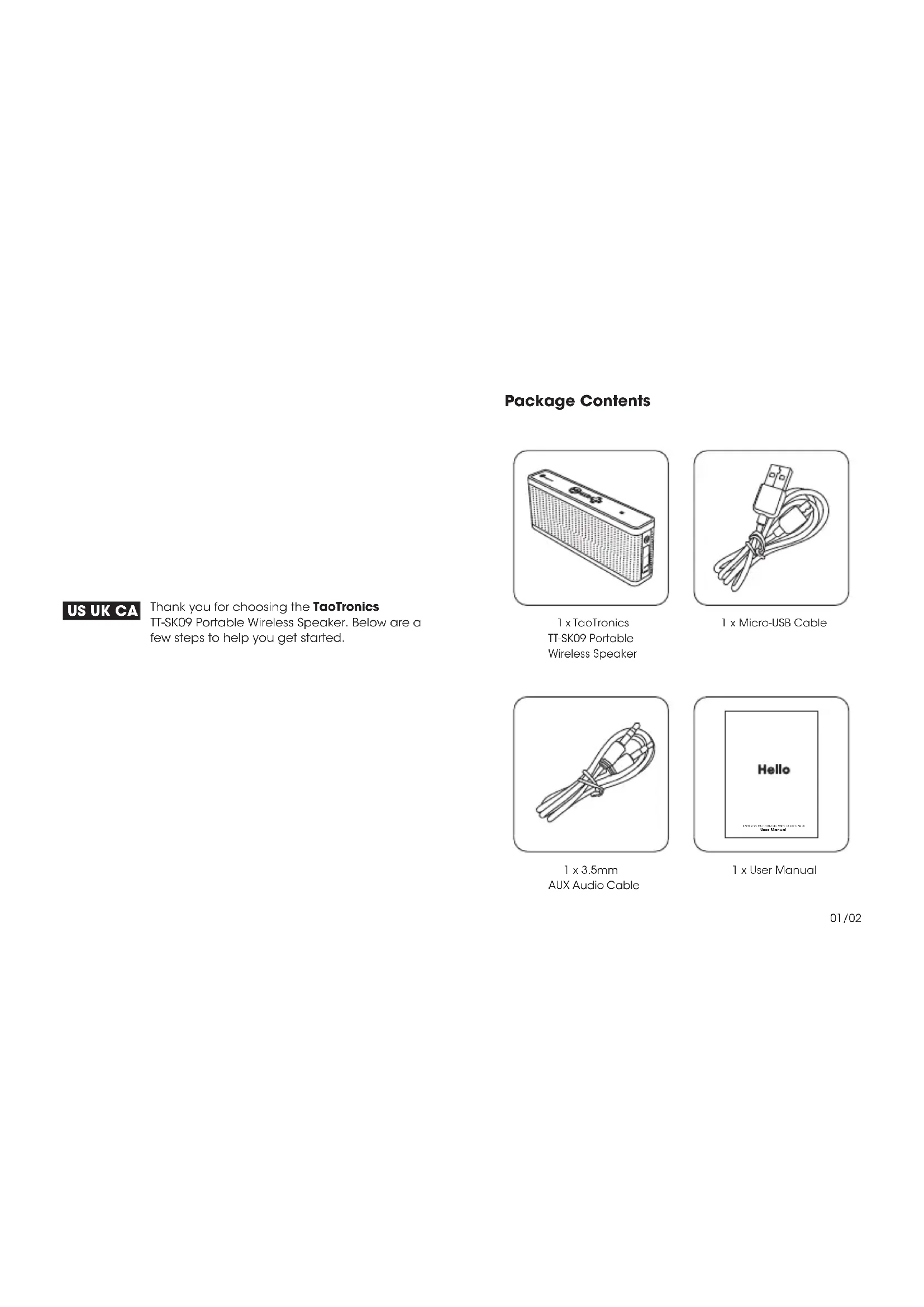
CONTENTS 01/10 11/20 21/31 32/41 42/51 52/62Package Contents Thank you for choosing the TaoTronics TT-SK09 Portable Wireless Speaker. Below are a few steps to help you get started. US UK CA
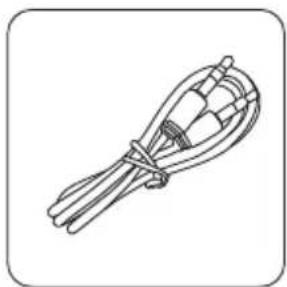
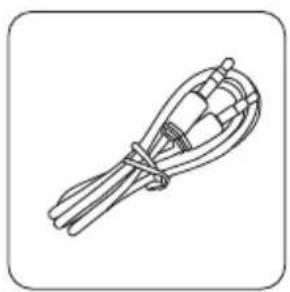
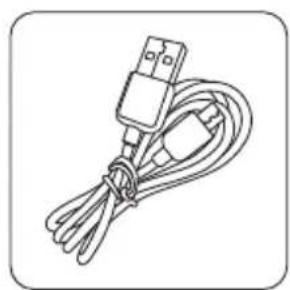
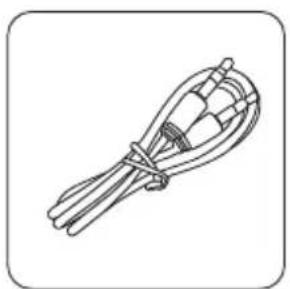
User Manual 1 x TaoTronics TT-SK09 Portable Wireless Speaker 1 x Micro-USB Cable 1 x 3.5mm AUX Audio Cable 1 x User Manual 01/02Product Diagram Specications Bluetooth Prole Audio output Input Battery Range Working Time Charging Time Dimension Weight

A2DP, AVRCP, HSP, HFP
lithium battery 33 feet (10 m) 8 hours 3 hours
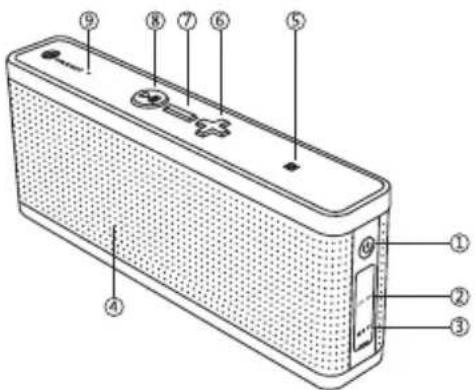
Button Control Function Power ON/OFF Play/Pause Volume + / - Play Next/Previous Answer Phone Call Hang up Reject phone call Re-dial Reset Operation Press and hold the Power button for 2 seconds Press the Multifunction button Press the Volume + / - button Press and hold the + / - button for 1 second Press the Multifunction button Press the Multifunction button Press and hold the Multifunction button for 1 second Press the Multifunction button t wice to re-dial the latest phone number Press and hold the Multifunction button for 5 seconds until the LED indicator ashes red once ① Power Button ③ 3.5 mm AUX port ⑤ NFC ⑦ Volume - / Previous track ⑨ Microphone ② Micro-USB Charging port ④ LED indicator ⑥ Volume + / Next track ⑧ Multifunction Button 03/04LED Indicators LED Indicator Flashes blue rapidly Flashes blue once every 5 seconds Flashes red slowly Solid red Red off Status Disconnected with Bluetooth device Paired / playing music / on phone call Low battery Charging Fully charged ▲Note:
- The unit will not automatically connect to a Bluetooth device when switched on; please read the next section on how to connect to your Bluetooth device.
- The unit will power off automatically if no connection is made within 10 minutes. How to Use Charging
1) Connect the charging port with any USB charging
adapter or active computer USB port.
2) Charging will start automatically with LED indicator
3) The speaker is fully charged when LED indicator turns off.
1. Turn on the speaker by pressing and holding the Power
button for 2 seconds.
2. Once the speaker is on, it will go into pairing mode
automatically, the blue indicator will ash rapidly.
3. Activate the Bluetooth function on your device and
search for nearby Bluetooth connections. For iPhone: Settings > General > Bluetooth > On For Android: Settings > Bluetooth > On > Scan for devices
4. Select “TaoTronics TT-SK09” from the search results,
5. The LED indicator will be solid blue and a beep sound will
be triggered to indicate a successful connection. Note:
- Please make sure no other open Bluetooth device is within range, and the speaker is within 3 feet of your device.
- The speaker will attempt to pair with the last paired device when powered on. If you have previously paired the speaker with a device, simply turn on your device and the speaker (by pressing the Power button for 2 seconds to turn on), they will pair automatically without going into pairing mode.
- If a PIN code is required for pairing, please try “0000” or “8888” (4 zeroes or 4 eights). NFC Connection For NFC-enabled devices, simply turn on the NFC and gently bump your device against the NFC logo (on the top of the speaker). When successfully connected, the LED indicator will be solid blue and a beep sound will be triggered to indicate a successful connection. Note: Due to compatibility issue, some NFC-enabled devices may not work with the speaker. AUX Mode Connect any device with the TT-SK09 speaker using the 3.5 mm AUX cable. Turn on the speaker and play music through the AUX mode. Note: When AUX cable is connected to the speaker, Bluetooth and NFC functions will be disabled. Troubleshooting Q: My speaker will not switch on. A: Please recharge it and make sure it has enough power. Plug the unit into a charger and see if the LED indicator becomes solid red. Q: Why can’t I pair this speaker with other Bluetooth devices? A: Please check the following:
- Your Bluetooth device supports A2DP prole.
- The speaker and your device are next to each other (or up to 3 feet away).
- The speaker is in pairing mode (the LED indicator will ash blue quickly).
- Reboot your Bluetooth device. Q: After connecting and pairing my Bluetooth device, I cannot hear any music from the speaker. A: Please check the following:
- Your sound system is connected to the speaker (If the LED indicator is solid blue then it is connected).
- The music volume is at audible level on both your Bluetooth device and speaker.
- Your Bluetooth device is playing music. Care and Maintenance
- Do not put the product under direct sunlight or hot areas. High temperatures will shorten lifespan of the speaker, battery, and/or the internal circuit board
- Do not try to take the product apart. It may cause serious damage
- Do not drop or knock your speaker on hard surfaces as it damages the interior circuit
- Do not use chemicals or detergents to clean the product
- Do not scrape the surface with sharp objects Support and Assistance If you need any further assistance with this speaker, please email us with your purchase order number and a detailed description of your issue. Email: support@taotronics.com (US) support.ca@taotronics.com (CA) support.uk@taotronics.com (UK) For more information, please visit www.taotronics.com. Warranty This product is covered with TaoTronics parts and labor warranty for 12 months from date of the original purchase from authorized retailer and distributor. If the device fails due to a manufacturing defect, please contact TaoTronics Support (support@taotronics.com) immediately to launch a warranty claim. We will instruct you on how to return the defective unit back to us for repair and replacement. The following are excluded from TaoTronics warranty cover:
- Device purchased as 2nd hand, used or from unauthorized sellers
- Damage resulted from misuse and abusive action
- Damage resulted from chemical, re, radioactive substance, poison, liquid
- Damage resulted from natural disaster
- Damage caused to any 3rd party / person / object and beyond No return will be accepted without seller authorization. Statement We can only provide after sale services for products that are sold by TaoTronics or TaoTronics authorized retailer and distributor. If you have purchased your unit from a different place, please contact the seller for return and warranty issues. 05/06How to Use Charging
1) Connect the charging port with any USB charging
adapter or active computer USB port.
2) Charging will start automatically with LED indicator
3) The speaker is fully charged when LED indicator turns off.
1. Turn on the speaker by pressing and holding the Power
button for 2 seconds.
2. Once the speaker is on, it will go into pairing mode
automatically, the blue indicator will ash rapidly.
3. Activate the Bluetooth function on your device and
search for nearby Bluetooth connections. For iPhone: Settings > General > Bluetooth > On For Android: Settings > Bluetooth > On > Scan for devices
4. Select “TaoTronics TT-SK09” from the search results,
5. The LED indicator will be solid blue and a beep sound will
be triggered to indicate a successful connection. Note:
- Please make sure no other open Bluetooth device is within range, and the speaker is within 3 feet of your device.
- The speaker will attempt to pair with the last paired device when powered on. If you have previously paired the speaker with a device, simply turn on your device and the speaker (by pressing the Power button for 2 seconds to turn on), they will pair automatically without going into pairing mode.
- If a PIN code is required for pairing, please try “0000” or “8888” (4 zeroes or 4 eights). NFC Connection For NFC-enabled devices, simply turn on the NFC and gently bump your device against the NFC logo (on the top of the speaker). When successfully connected, the LED indicator will be solid blue and a beep sound will be triggered to indicate a successful connection. Note: Due to compatibility issue, some NFC-enabled devices may not work with the speaker. AUX Mode Connect any device with the TT-SK09 speaker using the 3.5 mm AUX cable. Turn on the speaker and play music through the AUX mode. Note: When AUX cable is connected to the speaker, Bluetooth and NFC functions will be disabled. Troubleshooting Q: My speaker will not switch on. A: Please recharge it and make sure it has enough power. Plug the unit into a charger and see if the LED indicator becomes solid red. Q: Why can’t I pair this speaker with other Bluetooth devices? A: Please check the following:
- Your Bluetooth device supports A2DP prole.
- The speaker and your device are next to each other (or up to 3 feet away).
- The speaker is in pairing mode (the LED indicator will ash blue quickly).
- Reboot your Bluetooth device. Q: After connecting and pairing my Bluetooth device, I cannot hear any music from the speaker. A: Please check the following:
- Your sound system is connected to the speaker (If the LED indicator is solid blue then it is connected).
- The music volume is at audible level on both your Bluetooth device and speaker.
- Your Bluetooth device is playing music. Care and Maintenance
- Do not put the product under direct sunlight or hot areas. High temperatures will shorten lifespan of the speaker, battery, and/or the internal circuit board
- Do not try to take the product apart. It may cause serious damage
- Do not drop or knock your speaker on hard surfaces as it damages the interior circuit
- Do not use chemicals or detergents to clean the product
- Do not scrape the surface with sharp objects Support and Assistance If you need any further assistance with this speaker, please email us with your purchase order number and a detailed description of your issue. Email: support@taotronics.com (US) support.ca@taotronics.com (CA) support.uk@taotronics.com (UK) For more information, please visit www.taotronics.com. Warranty This product is covered with TaoTronics parts and labor warranty for 12 months from date of the original purchase from authorized retailer and distributor. If the device fails due to a manufacturing defect, please contact TaoTronics Support (support@taotronics.com) immediately to launch a warranty claim. We will instruct you on how to return the defective unit back to us for repair and replacement. The following are excluded from TaoTronics warranty cover:
- Device purchased as 2nd hand, used or from unauthorized sellers
- Damage resulted from misuse and abusive action
- Damage resulted from chemical, re, radioactive substance, poison, liquid
- Damage resulted from natural disaster
- Damage caused to any 3rd party / person / object and beyond No return will be accepted without seller authorization. Statement We can only provide after sale services for products that are sold by TaoTronics or TaoTronics authorized retailer and distributor. If you have purchased your unit from a different place, please contact the seller for return and warranty issues. 07/08How to Use Charging
1) Connect the charging port with any USB charging
adapter or active computer USB port.
2) Charging will start automatically with LED indicator
3) The speaker is fully charged when LED indicator turns off.
1. Turn on the speaker by pressing and holding the Power
button for 2 seconds.
2. Once the speaker is on, it will go into pairing mode
automatically, the blue indicator will ash rapidly.
3. Activate the Bluetooth function on your device and
search for nearby Bluetooth connections. For iPhone: Settings > General > Bluetooth > On For Android: Settings > Bluetooth > On > Scan for devices
4. Select “TaoTronics TT-SK09” from the search results,
5. The LED indicator will be solid blue and a beep sound will
be triggered to indicate a successful connection. Note:
- Please make sure no other open Bluetooth device is within range, and the speaker is within 3 feet of your device.
- The speaker will attempt to pair with the last paired device when powered on. If you have previously paired the speaker with a device, simply turn on your device and the speaker (by pressing the Power button for 2 seconds to turn on), they will pair automatically without going into pairing mode.
- If a PIN code is required for pairing, please try “0000” or “8888” (4 zeroes or 4 eights). NFC Connection For NFC-enabled devices, simply turn on the NFC and gently bump your device against the NFC logo (on the top of the speaker). When successfully connected, the LED indicator will be solid blue and a beep sound will be triggered to indicate a successful connection. Note: Due to compatibility issue, some NFC-enabled devices may not work with the speaker. AUX Mode Connect any device with the TT-SK09 speaker using the 3.5 mm AUX cable. Turn on the speaker and play music through the AUX mode. Note: When AUX cable is connected to the speaker, Bluetooth and NFC functions will be disabled. Troubleshooting Q: My speaker will not switch on. A: Please recharge it and make sure it has enough power. Plug the unit into a charger and see if the LED indicator becomes solid red. Q: Why can’t I pair this speaker with other Bluetooth devices? A: Please check the following:
- Your Bluetooth device supports A2DP prole.
- The speaker and your device are next to each other (or up to 3 feet away).
- The speaker is in pairing mode (the LED indicator will ash blue quickly).
- Reboot your Bluetooth device. Q: After connecting and pairing my Bluetooth device, I cannot hear any music from the speaker. A: Please check the following:
- Your sound system is connected to the speaker (If the LED indicator is solid blue then it is connected).
- The music volume is at audible level on both your Bluetooth device and speaker.
- Your Bluetooth device is playing music. Care and Maintenance
- Do not put the product under direct sunlight or hot areas. High temperatures will shorten lifespan of the speaker, battery, and/or the internal circuit board
- Do not try to take the product apart. It may cause serious damage
- Do not drop or knock your speaker on hard surfaces as it damages the interior circuit
- Do not use chemicals or detergents to clean the product
- Do not scrape the surface with sharp objects Support and Assistance If you need any further assistance with this speaker, please email us with your purchase order number and a detailed description of your issue. Email: support@taotronics.com (US) support.ca@taotronics.com (CA) support.uk@taotronics.com (UK) For more information, please visit www.taotronics.com. Warranty This product is covered with TaoTronics parts and labor warranty for 12 months from date of the original purchase from authorized retailer and distributor. If the device fails due to a manufacturing defect, please contact TaoTronics Support (support@taotronics.com) immediately to launch a warranty claim. We will instruct you on how to return the defective unit back to us for repair and replacement. The following are excluded from TaoTronics warranty cover:
- Device purchased as 2nd hand, used or from unauthorized sellers
- Damage resulted from misuse and abusive action
- Damage resulted from chemical, re, radioactive substance, poison, liquid
- Damage resulted from natural disaster
ManualGo.com