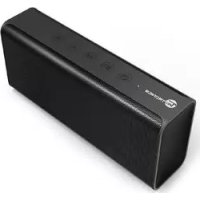
Pulse X TTSK10 - Loudspeaker TaoTronics - Free user manual and instructions
Find the device manual for free Pulse X TTSK10 TaoTronics in PDF.



| Brand | TaoTronics |
| Model | Pulse X TTSK10 |
| Product Type | Portable Bluetooth Speaker |
| Dimensions (L x W x H) | 19.5 x 8.05 x 4.9 cm |
| Weight | 539.6 g (1.19 lb) |
| Battery | 2 x 2000 mAh (total 4000 mAh) |
| Battery Life | Up to 7 hours |
| Charging Voltage | DC 5V / 1.5A |
| Charging Time | 4 hours |
| Bluetooth Range | Up to 10 m (33 ft) |
| Bluetooth Profiles | A2DP, AVRCP, HSP, HFP |
| Output Power | 7 W x 2 (stereo) |
| Ports | 3.5mm Aux input, Micro-USB charging port |
| Main Functions | Play/Pause, volume, next/previous track, hands-free calling, redial |
| Box Contents | Speaker, 3.5mm audio cable, user guide |
| Warranty | 12 months parts and labor |
| Care | Clean with a soft, dry cloth. Avoid heat, humidity, and direct sunlight. |
| Safety | Do not disassemble, do not drop, do not use chemical products. |
| Repairability | Contact customer support at support.fr@taotronics.com for any repairs. |
Frequently Asked Questions - Pulse X TTSK10 TaoTronics
User questions about Pulse X TTSK10 TaoTronics
0 question about this device. Answer the ones you know or ask your own.
Ask a new question about this device
Download the instructions for your Loudspeaker in PDF format for free! Find your manual Pulse X TTSK10 - TaoTronics and take your electronic device back in hand. On this page are published all the documents necessary for the use of your device. Pulse X TTSK10 by TaoTronics.
USER MANUAL Pulse X TTSK10 TaoTronics
(Monday-Friday: 9:00 - 17:00 PST)
Address: 46724 Lakeview Blvd, Fremont, CA 94538
EUROPE
E-mail:
support.uk@taotronics.com(UK)
support.de@taotronics.com(DE)
support.fr@taotronics.com(FR)
support.es@laotronics.com(ES)
support.it@taotronics.com(IT)
EU Importer: ZBT International Trading GmbH, Lederstr 21a,
Manufacturer: Shenzhen Nearby Express Technology
Development Company Limited
Address: Block D, Minle Industrial Park, Meiban
Road, Longhua District, Shenzhen, China. 518131
Hello
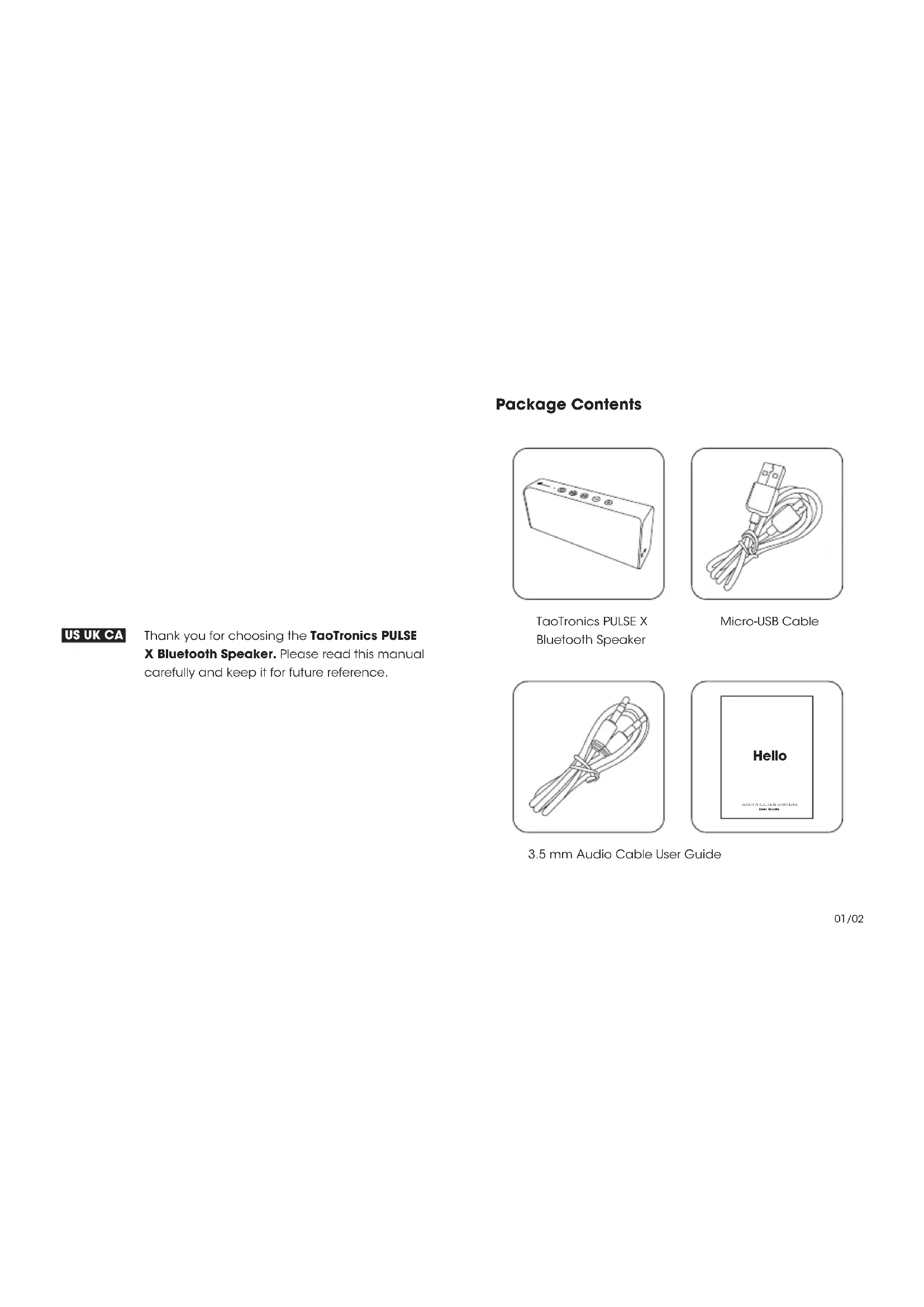
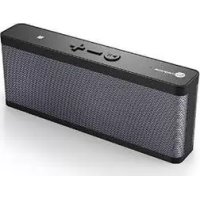
TaoTronics PULSE X Bluetooth Speaker
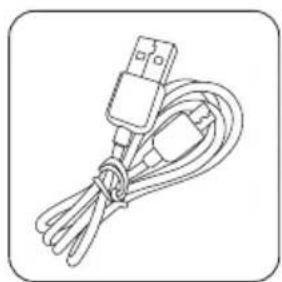
Micro-USB Cable
US UK CA
Thank you for choosing the TaoTronics PULSE X Bluetooth Speaker. Please read this manual carefully and keep it for future reference.
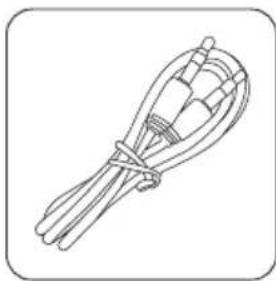
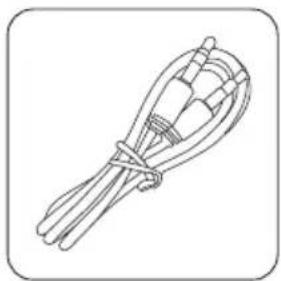
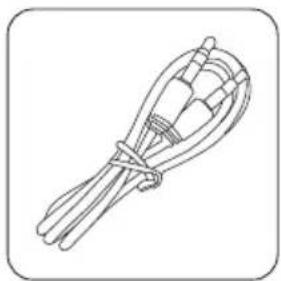
3.5 mm Audio Cable User Guide
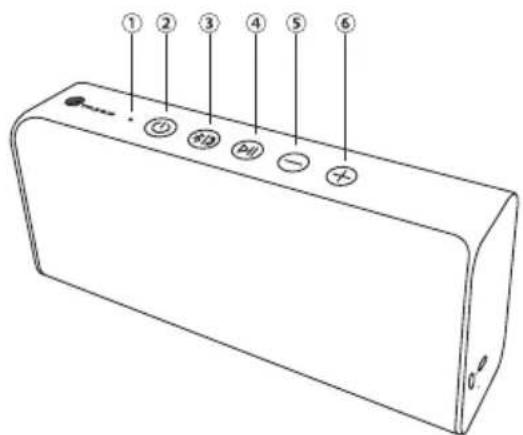
Product Diagram
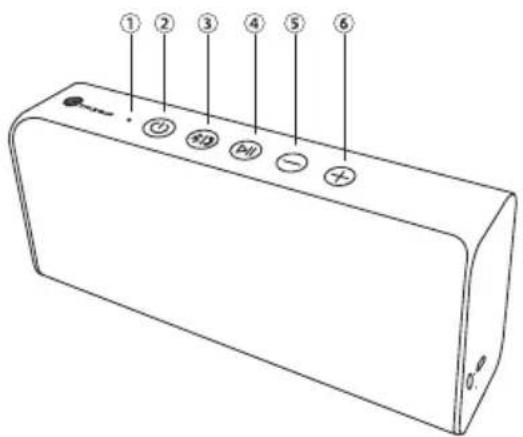
① Bluetooth Indicator
② Power Button
③ Bluetooth/Hands-free Button
④ Play/Pause Button
⑤ Volume - / Previous Track
⑥ Volume + / Next Track
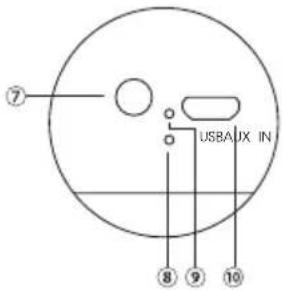
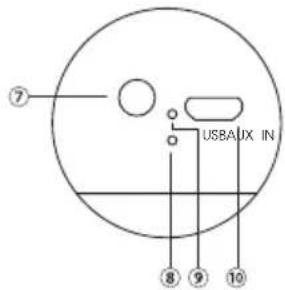
⑦ 3.5mm AUX Port
⑧ Forced Shutdown Hole
⑨ Charging Indicator
⑩ Micro-USB Charging Port
Specifications
| Bluetooth Profile | A2DP, AVRCP, HSP, HFP |
| Audio Output | 7W x 2 |
| Operating Range | Up to 33ft / 10m |
| Battery | 2000mAh x 2 |
| Music Time | Up to 7 hours |
| Charging Power | DC 5V/1.5A |
| Charging Time | 4 hours |
| Weight | 1.19 lb / 539.6 g |
| Dimensions | 7.68 x 3.17 x 1.93 in19.5 x 8.05 x 4.9 cm |
Button/Function Control
| Power ON/OFF | Press and hold the Power Button for 2 seconds. |
| Play/Pause | Press the Play/Pause Button |
| Volume + / - | Press the Volume + / - Button |
| Play Next / Previous | Press and hold the Volume + / - button for 1 second |
| Answer Phone Call / Hang Up | Press the Bluetooth/ Hands-free Button |
| Reject Phone Call | Press and hold the Bluetooth/ Hands-free Button for 1 second |
| Re-dial | Double press the Bluetooth /Hands-free Button |
| Disconnect from Bluetooth | Press and hold the Bluetooth/ Hands-free button for 2 seconds |
| Forced Shutdown | Insert a slender object into the hole and press down on the button inside |
LED Indicator
| Bluetooth Indicator Fast Flash | Not connected to any Bluetooth device |
| Bluetooth Indicator Slow Flash | Playing music / on a phone call / in AUX mode |
| Bluetooth Indicator Solid Light | Paired |
| Charging Indicator On | Charging |
| Charging Indicator Off | Fully charged |
Note:
- There will be a beeping sound when battery is low.
- The unit will power off automatically if no connection is made within 10 minutes.
- The unit will not automatically connect to a new Bluetooth device when switched on; please read the next section on how to connect to your Bluetooth device.
How To Use
Charging
- Connect the charging port with any USB charging adapter or active computer USB port.
- Charging will start automatically with the charging indicator turning red.
- The speaker is fully charged when the charging indicator turns off.
Pairing
- Turn on the speaker by pressing and holding the Power Button for 2 seconds.
- Once the speaker is on, it will go into pairing mode automatically and the Bluetooth indicator will flash rapidly.
- Activate the Bluetooth function on your device and search for nearby Bluetooth connections.
For iOS: Settings > General > Bluetooth > On For Android: Settings > Bluetooth > On > Scan for devices - Select "PULSE X" from search results and tap to connect.
- The Bluetooth indicator will turn solid blue and there will be a beep sound to indicate a successful connection.
Note:
- Please make sure no other open Bluetooth devices are within range, and that the speaker is within 3 feet of your device.
- The speaker will attempt to pair with the last paired device when powered on. If you have previously paired the speaker with a device, simply turn on your device and the speaker, they will pair automatically without going into pairing mode.
- If a PIN code is required for pairing, please try "0000" or "8888" (4 zeroes or 4 eights).
AUX Mode
Connect any device to the PULSE X using a 3.5mm AUX cable. Turn on the speaker and play music through AUX mode.
Note:
- When an AUX cable is connected to the speaker, Bluetooth will be disabled.
- There will be a beep sound when a cable is inserted/removed.
Troubleshooting
Q: My speaker will not switch on.
A: Please recharge it and make sure it has enough power. Plug the unit into a charger and see if the LED indicator becomes solid red.
Q: Why can't I pair this speaker with other Bluetooth devices?
A: Please check the following:
- Your Bluetooth device supports the A2DP profile.
-
The speaker and your device are next to each other (within 3 feet).
-
The speaker is in pairing mode (the Bluetooth indicator will rapidly flash blue).
- Reboot your Bluetooth device or the speaker.
Q: After connecting and pairing my Bluetooth device, I cannot hear any music from the speaker.
A: Please check the following:
- Your sound system is connected to the speaker (If the Bluetooth indicator is solid blue then it is connected).
- The music volume is at audible level on both your Bluetooth device and speaker.
- Your Bluetooth device is playing music.
Care and Maintenance
- Keep the speaker away from heat and humidity. Do not put the product under direct sunlight or hot areas. High temperatures will shorten lifespan of the speaker, battery, and/or the internal circuit board.
- Do not try to take the product apart. It may cause serious damage.
- Do not drop or knock your speaker on hard surfaces as it damages the interior circuit.
- Do not use chemicals or detergents to clean the product.
- Do not scrape the surface with sharp objects.
Warranty
This product is covered by the TaoTronics Parts and Labor Warranty for 12 months from date of the original purchase.
If the device fails due to a manufacturing defect, please contact TaoTronics Support immediately to launch a warranty claim. We will instruct you on how to return the defective unit back to us for repair and replacement.
The following are excluded from the TaoTronics warranty coverage:
• Device purchased as 2nd hand, used, or from unauthorized sellers.
• Damage resulted from misuse and abusive action.
- Damage resulted from chemical, fire, radioactive substance, and poison, liquid.
• Damage resulted from natural disaster.
- Damage caused to any 3rd party / person /object and beyond.
No return will be accepted without seller authorization.
Statement
We can only provide after sale services for products that are sold by TaoTronics or TaoTronics authorized retailer and distributor. If you have purchased your unit from a different place, please contact the seller for return and warranty issues.
Lieferumfang
Micro-USB-Kabel
① Bluetoothanzeige
② Stromtaste
Haut-parleur Bluetooth TaoTronics PULSE X
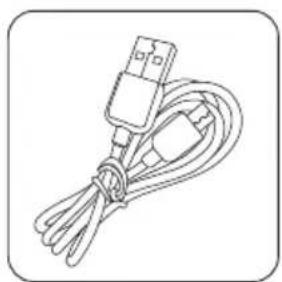
Câble Micro-USB
Support et assistance
Altavoz Bluetooth impulso X de TaoTronics
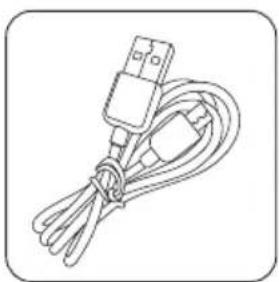
Cable micro-USB
Email: support.es@taotronics.com (ES)
TaoTronics Altoparlante Bluetooth PULSE X
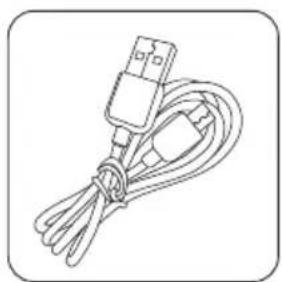
Cavo Micro-USB
Schema del Prodotto
Specifiche Tecniche
マイクロUSBケーブル
JP
3.5 mm オーディオケーブル
取扱説明書
製品図
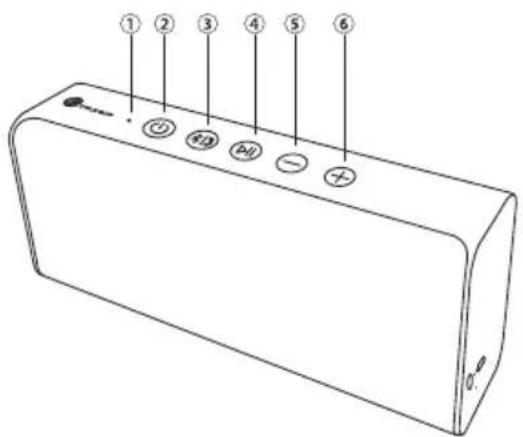
① ブルートゥースインジケーター
② 電源ボタン
③ ブルートウースハンズフリーボタン
④ 再生/ポーズボタン
⑤ ボリューム-/曲戻し
⑥ ボリューム+/ 曲送り
⑦ 3.5mm AUX ポート
⑧ 強制シャットダウンホール
⑨ 充電ランプ
⑩ マイクロUSB充電ポート
製品仕様
This device complies with Part 15 of the FCC Rules. Operation is subject to the following two conditions: (1) This device may not cause harmful interference, and (2) this device must withstand any interference received, including interference that may cause undesired operation.

- EUROPE
- HELLO
- US UK CA
- NOTE
- HOW TO USE
- CHARGING
- PAIRING
- AUX MODE
- TROUBLESHOOTING
- Q: AFTER CONNECTING AND PAIRING MY BLUETOOTH DEVICE, I CANNOT HEAR ANY MUSIC FROM THE SPEAKER
- CARE AND MAINTENANCE
- WARRANTY
- NO RETURN WILL BE ACCEPTED WITHOUT SELLER AUTHORIZATION
- STATEMENT
- LIEFERUMFANG
- SUPPORT ET ASSISTANCE
- SCHEMA DEL PRODOTTO
Brand : TaoTronics
Model : Pulse X TTSK10
Category : Loudspeaker