SFR 3.7 A1 - Steam cleaner SILVERCREST - Free user manual and instructions
Find the device manual for free SFR 3.7 A1 SILVERCREST in PDF.



| Product type | Electric shaver |
| Brand | SilverCrest |
| Model | SFR 3.7 A1 |
| Power supply | Mains (100-240 V~, 50/60 Hz) or rechargeable battery |
| Battery | Lithium-ion 3.7 V, 800 mAh |
| Battery life | Up to 90 minutes (fully charged) |
| Charging time | Approximately 60 minutes (quick charge: 5 minutes for one shave) |
| Protection rating | IPX6 (protection against powerful water jets) |
| Shaving functions | Dry shaving (on mains or battery), wet shaving (battery only) |
| Integrated trimmer | Yes, for long hair and sideburns |
| Beard guard (protective cap) | Allows "3-day beard" shaving |
| Display | Screen with battery charge indicator (%), charging symbol, cleaning symbol, transport lock |
| Transport lock | Activatable/deactivatable (press and hold power button for 3 seconds) |
| Cleaning | Dry (brush) or wet (shaving head under water, battery only) |
| Cleaning reminder | After 30 minutes of shaving (flashing symbol) |
| Wear parts | Shaving foil holder and cutting unit (replacement recommended after 1 year) |
| Included accessories | Power supply, protective cap, cleaning brush, storage bag |
| Warranty | 3 years |
Frequently Asked Questions - SFR 3.7 A1 SILVERCREST
User questions about SFR 3.7 A1 SILVERCREST
0 question about this device. Answer the ones you know or ask your own.
Ask a new question about this device
Download the instructions for your Steam cleaner in PDF format for free! Find your manual SFR 3.7 A1 - SILVERCREST and take your electronic device back in hand. On this page are published all the documents necessary for the use of your device. SFR 3.7 A1 by SILVERCREST.
USER MANUAL SFR 3.7 A1 SILVERCREST
natural_image
Black self-righter with digital display showing 100% power rating (no text or symbols on device body)ELEKTRORASIERER / ELECTRIC SHAVER / RASOIR ÉLECTRIQUE SFR 3.7 A1
DE AT CH
ELEKTRORASIERER
Operation and safety notes
NL BE
ELEKTRISCHSCHEERAPPARAAT
GB / IE Operation and safety notes Page 27
Intended use Page 29
Parts description......Page 29
Technical data Page 30
Scope of delivery....Page 31
Safety notes ...... Page 31
Safety instructions for batteries/rechargeable batteries......Page 35
Charging the product......Page 37
Use......Page 38
Transport lock Page 38
Shaving Page 39
Dry shaving (corded or cordless use) Page 39
Wet shaving (cordless use only)......Page 39
Cutting longer hair....Page 40
Shaving a three-day beard....Page 40
Cleaning and care......Page 41
Dry cleaning......Page 41
Wet cleaning Page 42
Replacing the shaving foil frame and the cutter block....Page 42
Troubleshooting......Page 43
Warranty claim procedure Page 46
Service......Page 46
| List of pictograms used | |
 | Read the instruction manual |
 | Observe the warnings and safety information! |
 | Volt |
 | Alternating current/voltage |
 | Direct current/voltage |
 | Protection class II |
 | Protection against powerful water jets |
 | IP44 - Protection against harmful ingress of water (for power adapter) |
 | On/Off switch |
 | Polarity of the output terminal |
 | Use indoors |
Electric shaver
- Introduction
We congratulate you on the purchase of your new product. You have chosen a high quality product. The instructions for use are part of the product. They contain important information concerning safety, use and disposal. Before using the product, please familiarise yourself with all of the safety information and instructions for use. Only use the product as described and for the specified applications. If you pass the product on to anyone else, please ensure that you also pass on all the documentation with it.
Intendeduse
This product is a electric shaver solely intended for cutting human hair. This product is only intended for private household use and must not be used for commercial purposes. The product may only be used indoors.
Partsdescription
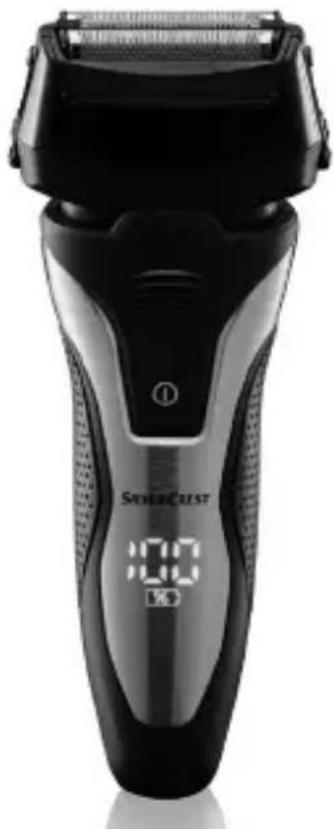
Electric shaver (Fig. A)
1 Shaving foil
2 Release buttons for shaving foil frame (on both sides)
3 Shaving foil frame
4 Shavinghead
5 Release buttons for shaving head (on both sides)
6 ON/OFF button
7 Grips (Soft touch)
8 Display
9 Powersocket
10 Power adapter
11 Connectorplug
Display (Fig. B)
12 Battery indicator
13 Battery symbol
14 Plug symbol
15 Cleaning symbol
16 Lock symbol
Accessories (Fig. C)
17 Guard
18 Cleaning brush
19 Storage bag
20 Cutter block
21 Cutter block amount (Fig. G)
22 Hair clippers (Fig. H)
- Technicaldata
Electric shaver: HG06654
Input: 5V === 1A
Battery: 1 x 3.7 V Li-Ion, 800 mAh
Operating temperature: -10 °C to +40 °C
Protection type: IPX6 (Protection against powerful water jets)
Only charge the product with the following charger:
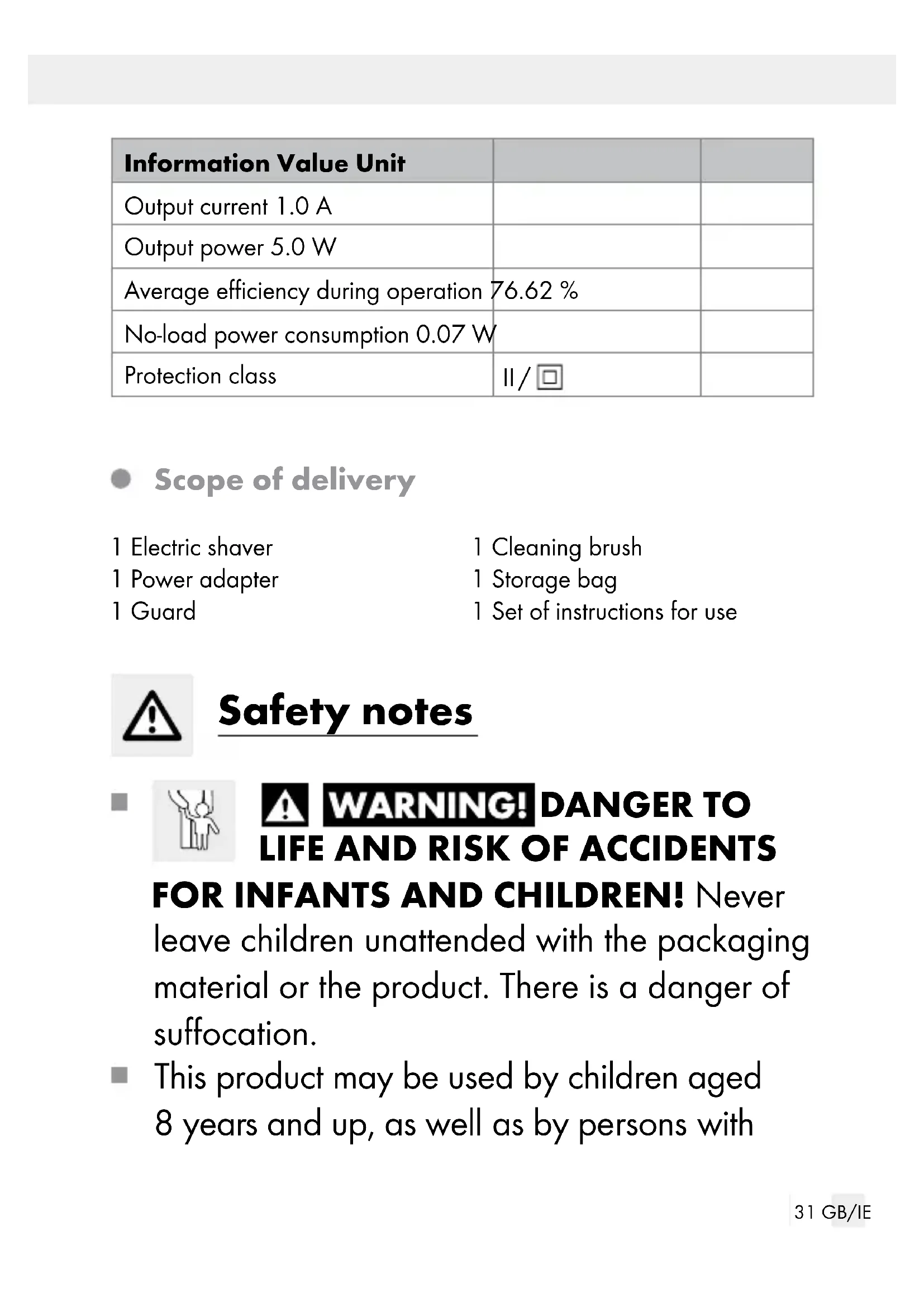
| Information Value Unit | ||
| Manufacturer name or brand, commercial registry number and address | OWIM GmbH & Co. KG Stiftsbergstraße 174167 Neckarsulm GERMANY | |
| Model code HG07359-VDE | ||
| Input voltage 100-240 V~ | ||
| Input alternating current frequency | 50/60 | Hz |
| Output voltage | 5.0 | V |
| Output current 1.0 A | ||
| Output power 5.0 W | ||
| Average efficiency during operation 76.62 % | ||
| No-load power consumption 0.07 W | ||
| Protection class | II/☐ | |
- Scope of delivery
1 Electric shaver
1 Power adapter
1 Guard
1 Cleaning brush
1 Storage bag
1 Set of instructions for use

Safety notes



DANGER TO
LIFE AND RISK OF ACCIDENTS
FOR INFANTS AND CHILDREN! Never
leave children unattended with the packaging material or the product. There is a danger of suffocation.
This product may be used by children aged 8 years and up, as well as by persons with
reduced physical, sensory or mental capacities, or those lacking experience and / or knowledge, as long as they are supervised or instructed in the safe use of the product and they understand the associated risks. Do not allow children to play with the product. Never allow children to clean or maintain this product unsupervised.

⚠️DANGER! This symbol indicates the product can be cleaned under running water. First disconnect the product from the connector plug. Only use the included original power adapter for corded use.
- WARNING!
Keep the power adapter
and the cable dry!
■ Disconnect the shaver from the power adapter before cleaning it with water. - Keep this product away from baths, showers, wash basins or other vessels containing water during corded use.
-
Warning! Defect the hard-held part from the supply cord before cleaning it in water.
-
Protect the product from moisture, drips of water and splashes of water during corded use.
- Do not use the product with wet hands when connected to power.
■ Never immerse the product, cable or power adapter in water or other liquids or rinse under running water when connected to power.
If the product falls into water, immediately disconnect from power, then take the product out of the water. In this case, so not use the product again and have it inspected by a professional.
If liquid enters the product, have the product inspected before using it again. -
When using the product in the bathroom, unplug after use, as the proximity of water poses a hazard even if the product is switched off.
For added protection we recommend installing a residual current operated device (RCD) with a rated trigger current not to exceed 30 mA in the electrical circuit. Consult an electrician. The RCD must be installed by an electrician. -
Do not use the product if the product, the power adapter or the cable shows damage or if the product has been dropped.
- Do not plug in the power adapter until the connector plug is connected to the product.
- Only plug the power adapter into a properly installed, easily accessible mains socket with a voltage that corresponds to the information on the type plate. The mains socket must also be easily accessible after the product has been plugged in.
■ Ensure the power cable will not be damaged by sharp edges or hot surfaces.
■ Ensure the power cable will not be pinched or crushed.
■ Always unplug the product by the power adapter, never the cable.
■ Unplug the power adapter from the mains socket after every use, after charging, if a fault occurs, before connect the product to the connector plug, before cleaning the product, and during storms.
To prevent hazards, do not modify the product. Repairs should only be carried out by a specialist workshop or by the service centre.
- Do not use the product if the attachment is damaged.
■ Switch off the product before attaching or switching attachments and before cleaning.
■ Ensure the cable does not pose a tripping hazard and cannot be stepped on.
- Do not use the product on open wounds, cuts, sunburns or blisters.
■ Only use the original accessories.
■ Never place the product on hot surfaces (e.g. hobs) or near heat sources or open fire.
■ To avoid overheating, never cover the power adapter.

Safety instructions for batteries / rechargeable batteries
■ For the purposes of re- charging the battery, only use the detachable
supply unit (HG07359-VDE) provided with this product.
■ DANGER TO LIFE! Keep batteries/re-chargeable batteries out of reach of children. If accidentally swallowed seek immediate medical attention.
DANGER OF EXPLOSION! Never recharge non-rechargeable batteries.
Do not short-circuit batteries / rechargeable batteries and / or open them. Overheating, fire or bursting can be the result.
■ Never throw batteries / rechargeable batteries into fire or water.
- Do not exert mechanical loads to batteries / rechargeable batteries.
Risk of leakage of batteries / rechargeable batteries
- Avoid extreme environmental conditions and temperatures, which could affect batteries / rechargeable batteries, e.g. radiators / direct sunlight.
If batteries / rechargeable batteries have leaked, avoid contact with skin, eyes and mucous membranes with the chemicals! Flush immediately the affected areas with fresh water and seek medical attention!
WEAR PROTECTIVE GLOVES!

Leaked or damaged batteries / rechargeable batteries can cause burns on contact with the skin. Wear suitable protective gloves at all times if such an event occurs.
This product has a built-in rechargeable battery which cannot be replaced by the user. This product contains a battery which is non-replaceable. When disposing of the product, it should be noted that this product contains a rechargeable battery.
- Charging the product
Note: Charge the product for 60 minutes before using it for the first time and subsequent charging.
Note: The display 8 shows the battery level 12 in percent (01, 02, 03, ..., 100 % - in 1 % increments).
Note: The plug symbol 14 lights up continuously when the battery is almost empty. The product can then only be used cordless briefly.
Note: A quick charge for one shave takes about 5 minutes.
Note: A fully charged battery provides approx. 90 minutes of cordless use.
☐ Switch off the product using the ON / OFF switch 6.
□ Connect the connector plug 11 to the power socket 9 on the product.
☐ Plug the power adapter 10 into an easy to access mains socket with the voltage indicated in the type plate.
☐ The plug symbol 14 in the display 8 lights up red and the battery is being charged. When the battery is fully charged, the display 8 will show 100%.
Use
CAUTION! Some oil residue may remain on the shaving head 4 after unpacking. Clean this off with an absorbent, lint-free cloth before using the product.
☐ Use the guard 17 for the respective attachment when the product is not being used. Carefully slide the guard 17 over the shaving head 4 (see Fig. D).
☐ To remove the guard 17, carefully pull it off the shaving head 4.
Transportlock
The lock symbol 16 lights up continuously for a few seconds if a key is pressed when the transport lock is activated.
☐ Press and hold the ON / OFF button 6 for approx. 3 seconds to activate / deactivate the transport lock.
☐ Connecting the power adapter 10 deactivates the transport lock. It cannot be activated during corded use.
Shaving
The product and the power adapter 10 are not waterproof and therefore must not be used in a shower / bath.
Do not apply excessive pressure to the shaving head 4 It is thin and can easily become damaged.
■ The shaver can be used both corded and cordless.
■ After the first uses you may notice temporary reddening or irritation of the skin, as the skin first needs to become used to shaving. This is normal and generally lasts between 2 and 4 weeks.
Dry shaving (corded or cordless use)
□ Remove the guard 17.
☐ Press the ON / OFF button 6.
☐ Hold the product at a right angle to the surface of the skin and guide it gently across your face.
☐ Shave against the growth.
☐ In difficult areas, e.g. the chin, tauten the skin for better results.
☐ Switch off the product after use by pressing the ON / OFF button 6.
- Wet shaving (cordless use only)
The product and the power adapter 10 are not waterproof. Wet shaving is only permissible in cordless operation.
■ Only wet shave with shaving foam or soapsuds, never use shaving gel or shaving cream. These can build up on the shaving head 4
□ Apply a thin layer of shaving foam to the skin before shaving.
☐ Shave your face as described in section "Dry shaving".
☐ If shaving foam clogs the shaving unit with the shaving head whilst shaving, clean the shaving unit under running water (see section "Cleaning and care").
• Cutting longer hair
Use the hair clippers 22 on the product to cut longer beard hair and side burns (see Fig. J).
☐ Remove the guard 17 and slide the hair clippers 22 upwards (see Fig. D + H).
☐ Press the ON / OFF button 6.
☐ Position the hair clipper 22 on the skin as shown in figure J and shave.
☐ Switch off the product after use by pressing the ON / OFF button 6
☐ Slide the hair clippers 22 back into their original position.
• Shaving a three-day beard
Note: Depending on individual beard growth and shaving habits, the appearance of a three-day beard can vary greatly.
☐ To maintain the appearance of your three-day beard, regularly carry out a dry shave with the guard 17 in place. The guard 17 functions as a stubble attachment.
☐ Shave your face as described in the chapter "Dry shaving" (see Fig. K).
- Cleaning and care
A timer built into the product adds the shaving times. After 30 minutes of shaving the cleaning symbol 15 will start flashing in the display 8. This reminds you to thoroughly clean the product, which is required regularly. When switching off the product with the cleaning symbol 15 flashing, the shaving timer will restart.
■ Never immerse the product, the cable and the power adapter in water or other liquids during corded use or rinse under running water.
■ Always switch off the product before cleaning it.
- Do not use aggressive or abrasive cleaning agents.
☐ Store the product in the protective pouch 19 if it will not be used for extended periods.
□ Clean the product's housing using a damp cloth. When doing so, miss out the shaving foil 1.
Do not apply excessive pressure to the shaving foil 1. It is very thin and can easily become damaged.
■ Only use the cleaning brush 18 for the cutter block 20 and never for the shaving foil 1. Otherwise it may become damaged.
- Clean the shaving foil 1 by using the water and dry the shaving foil in normal environment.
Dry cleaning
□ Clean the shaving head 4 using the enclosed cleaning brush 18 after every use.
□ Press the release buttons 2 and remove the shaving foil frame 3
□ Carefully tap the shaving foil frame 3 to clean it.
Remove any leftover hair trimmings using the cleaning brush 18
☐ Re-attach the shaving foil frame 3 to the product so that it clicks into place (see Fig. F).
- Wet cleaning
☐ Press the release buttons 2 and pull off the shaving head 4
□ Clean the shaving head 4 under running water. Allow the water to flow through the shaving head 4 from the inside to the outside.
☐ Allow the shaving head 4 to dry completely.
☐ Re-attach the shaving head 4 to the product so that it clicks into place (see Fig. E).
● Replacing the shaving foil frame and the cutter block
Note: You can place a repeat order online for the shaving foil frame 3 and the cutter block 20 under the item number 355164_2004 on the website www.optimex-shop.com.
WARNING! Do not use the product if the shaving foil 1 is damaged. If
- you notice any damage,
- your skin hurts when shaving,
- you do not get a clean shave,
and this cannot be remedied by oiling the shaving foil 1 and the cutter block 20 (see chapter "Cleaning and care"), then the shaving foil 1 and the cutter block 20 must be replaced.
The amount of wear and tear depends on the usage intensity, but in general the components must be replaced after approximately one year.
☐ Press both release buttons for the shaving head 5 and pull off the shaving head 4 (see Fig. 1).
☐ Press both release buttons for the shaving foil frame 2 and pull the shaving foil frame 3 off the product (see Fig. I).
- Replace the shaving foil frame 3 with a new one.
☐ Press both release buttons for the shaving head 5 (see Fig. I).
☐ Hold the cutter block 20 between your thumb and forefinger and pull it carefully off the razor (see Fig. G). Make sure that the spring that is located between the cutter block 20 and the white bracket does not fall out.
☐ Hold the new cutter block 20 between your thumb and forefinger and guide it carefully into the white bracket. Push it down as far as it will go, until it audibly clicks into place on the cutter block mount 21.
☐ First put the new shaving foil frame 3 back on the product, followed by the shaving head 4.
- Troubleshooting
| Fault Possible causes Action | ||
| No function. The battery may not be charged. | Recharge the product. | |
| Cutting performance is deteriorating. | Hair may be stuck inside the cutter block 20 or hair clipper 22. | Clean the product, as described in the corresponding chapter. |
| Fault Possible causes Action | ||
| Battery cannot be charged or the battery performance is very low. | The battery have reached the end of its service life. | The product must be disposed properly as described in the corresponding chapter. |
●Disposal
The packaging is made entirely of recyclable materials, which you may dispose of at local recycling facilities.
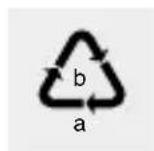
Observe the marking of the packaging materials for waste separation, which are marked with abbreviations (a) and numbers (b) with following meaning: 1-7: plastics / 20-22: paper and fibreboard / 80-98: composite materials.

The product and packaging materials are recyclable, dispose of it separately for better waste treatment. The Triman logo is valid in France only.

Contact your local refuse disposal authority for more details of how to dispose of your worn-out product.
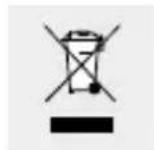
To help protect the environment, please dispose of the product properly when it has reached the end of its useful life and not in the household waste. Information on collection points and their opening hours can be obtained from your local authority.
Faulty or used batteries / rechargeable batteries must be recycled in accordance with Directive 2006/66/EC and its amendments. Please return the batteries / rechargeable batteries and / or the product to the available collection points.
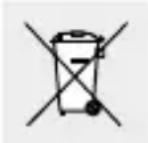
Environmental damage through incorrect disposal of the batteries / rechargeable batteries!
Batteries / rechargeable batteries may not be disposed of with the usual domestic waste. They may contain toxic heavy metals and are subject to hazardous waste treatment rules and regulations. The chemical symbols for heavy metals are as follows: Cd = cadmium, Hg = mercury, Pb = lead. That is why you should dispose of used batteries / rechargeable batteries at a local collection point.
Warranty
The product has been manufactured to strict quality guidelines and meticulously examined before delivery. In the event of product defects you have legal rights against the retailer of this product. Your legal rights are not limited in any way by our warranty detailed below.
The warranty for this product is 3 years from the date of purchase. The warranty period begins on the date of purchase. Please keep the original sales receipt in a safe location. This document is required as your proof of purchase.
Should this product show any fault in materials or manufacture within 3 years from the date of purchase, we will repair or replace it – at our choice – free of charge to you. This warranty becomes void if the product has been damaged, or used or maintained improperly.
The warranty applies to defects in material or manufacture. This warranty does not cover product parts subject to normal wear, thus possibly considered consumables (e.g. batteries) or for damage to fragile parts, e.g. switches, rechargeable batteries or glass parts.
- Warranty claim procedure
To ensure quick processing of your case, please observe the following instructions:
Please have the till receipt and the item number (e.g. IAN 123456_7890) available as proof of purchase.
You will find the item number on the rating plate, an engraving on the front page of the instructions for use (bottom left), or as a sticker on the rear or bottom of the product.
If functional or other defects occur, please contact the service department listed either by telephone or by e-mail.
You can return a defective product to us free of charge to the service address that will be provided to you. Ensure that you enclose the proof of purchase (till receipt) and information about what the defect is and when it occurred.
Service
GB Service Great Britain
Tel.: 08000569216
E-Mail: owim@lidl.co.uk

Service Ireland
Tel.:1800200736
E-Mail: owim@lidl.ie

Accessoires (afb. C)
17 Beschermkap
18 Reinigingsborstel
19 Opbergtas
20 Messenblok
21 Messenblok-bevestiging (afb. G)
NOSTE OCHRANNÉ RUKAVICE!
NOSTE OCHRANNÉ RUKAVICE!
natural_image
Illustration of a tooth with a magnified inset showing dental anatomy (no text or symbols)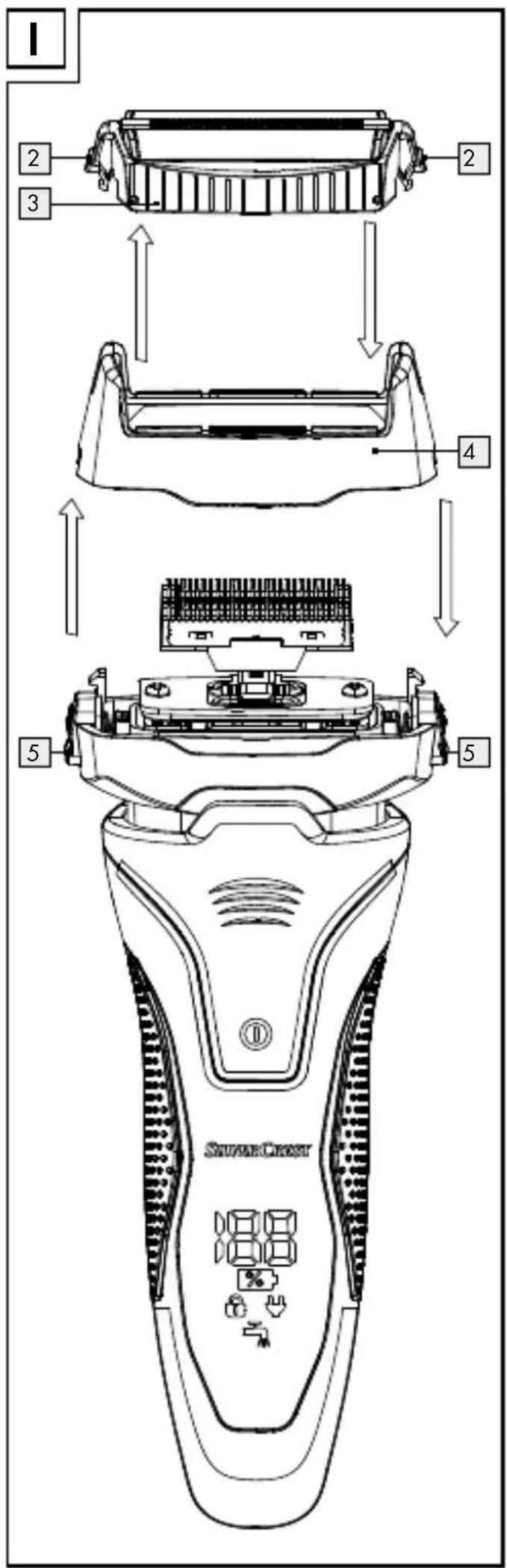
OWIM GmbH & Co. KG
Stiftsbergstraße 1
74167 Neckarsulm
GERMANY
Model-No.: HG06654
Version: 11/2020


- ELEKTRORASIERER / ELECTRIC SHAVER / RASOIR ÉLECTRIQUE SFR 3.7 A1
- ELEKTRORASIERER
- ELEKTRISCHSCHEERAPPARAAT
- Safety notes ...... Page 31
- Charging the product......Page 37
- Use......Page 38
- Shaving Page 39
- Cleaning and care......Page 41
- Troubleshooting......Page 43
- Electric shaver
- - Introduction
- Intendeduse
- Partsdescription
- Electric shaver (Fig. A)
- Display (Fig. B)
- Accessories (Fig. C)
- - Technicaldata
- Electric shaver: HG06654
- - Scope of delivery
- Safety notes
- DANGER TO
- LIFE AND RISK OF ACCIDENTS
- FOR INFANTS AND CHILDREN! Never
- Safety instructions for batteries / rechargeable batteries
- Risk of leakage of batteries / rechargeable batteries
- WEAR PROTECTIVE GLOVES!
- - Charging the product
- Use
- Transportlock
- Shaving
- Dry shaving (corded or cordless use)
- - Wet shaving (cordless use only)
- • Cutting longer hair
- • Shaving a three-day beard
- - Cleaning and care
- Dry cleaning
- - Wet cleaning
- ● Replacing the shaving foil frame and the cutter block
- - Troubleshooting
- ●Disposal
- Environmental damage through incorrect disposal of the batteries / rechargeable batteries!
- Warranty
- - Warranty claim procedure
- Service
- GB Service Great Britain
- Service Ireland
- Accessoires (afb. C)
- NOSTE OCHRANNÉ RUKAVICE!
- OWIM GmbH & Co. KG
Brand : SILVERCREST
Model : SFR 3.7 A1
Category : Steam cleaner