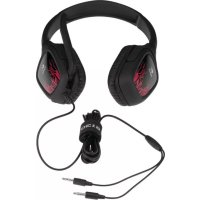
G130 - Headphones LOGITECH - Free user manual and instructions
Find the device manual for free G130 LOGITECH in PDF.



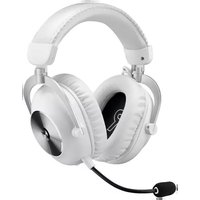
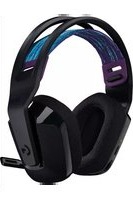
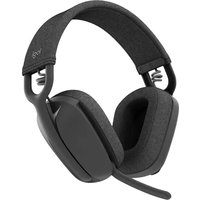
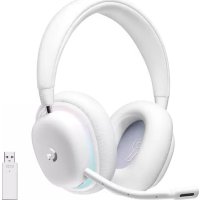
| Product Type | Wired gaming audio headset |
| Brand | Logitech |
| Model | G130 |
| Connectivity | 3.5 mm stereo and microphone jack |
| Weight | Approximately 200 g |
| Cable Length | Approximately 2 m |
| Headband | Adjustable |
| Microphone | Rotatable with noise reduction |
| Mute Button | Yes, on the cable |
| Volume Control | Wheel on the cable |
| Cable Management System | Yes, integrated |
| Color | Black |
| Compatibility | PC, Mac, consoles with 3.5 mm jack |
| Maintenance | Clean with a soft dry cloth |
| Safety | Do not expose to moisture or extreme temperatures |
| Spare Parts | Not provided, headset not disassemblable |
Frequently Asked Questions - G130 LOGITECH
User questions about G130 LOGITECH
0 question about this device. Answer the ones you know or ask your own.
Ask a new question about this device
Download the instructions for your Headphones in PDF format for free! Find your manual G130 - LOGITECH and take your electronic device back in hand. On this page are published all the documents necessary for the use of your device. G130 by LOGITECH.
USER MANUAL G130 LOGITECH
Getting started with
Logitech® Gaming Headset G130
natural_image
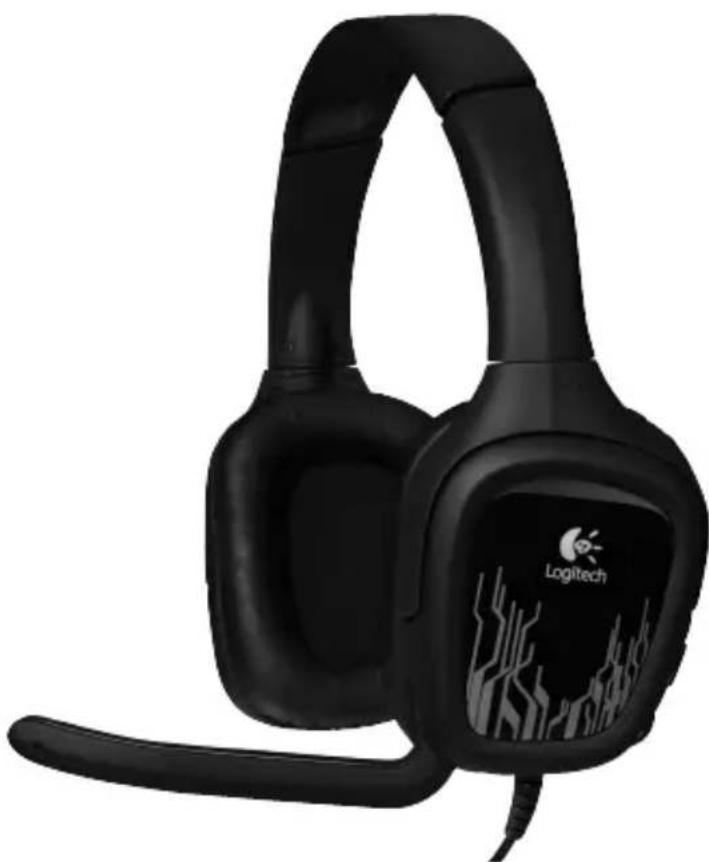
Black Logitech head with visible branding and microphone grille (no text or symbols on the headset itself)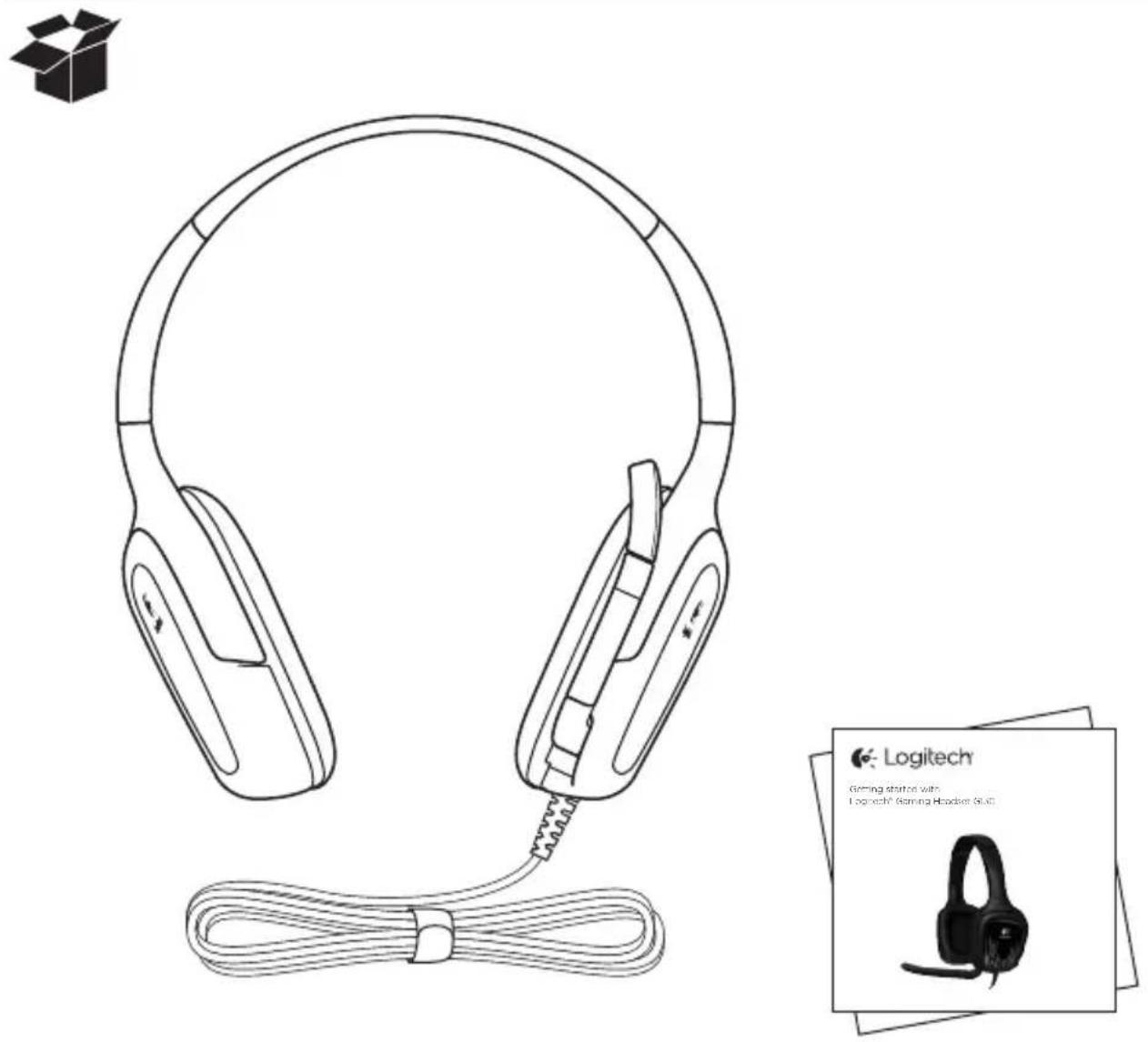
Contents
English. 4
Deutsch 8
Français ..... 12
Italiano. 16
Español .....20
Português .....24
Nederlands .....28
Svenska 32
Dansk 36
Norsk 40
Suomi 44
Ελληνικά. . . . . . . . . . . . . . . . . . . 48
По-русски....52
Magyar 56
Česká verze....60
Po polsku . . . . . . . . . . . . . . . . . . . 64
Eesti 68
Latviski 72
Lietuvių .....76
Hrvatski 80
Srpski 84
Slovenščina .....88
Slovenčina. 92
Română 96
Български....100
www.logitech.com/support

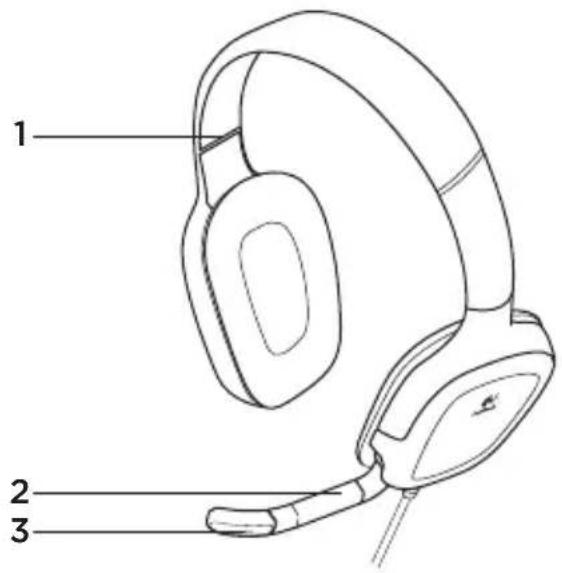
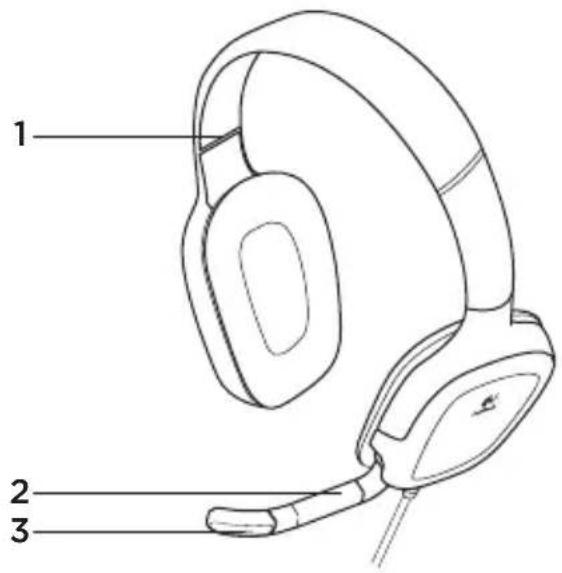
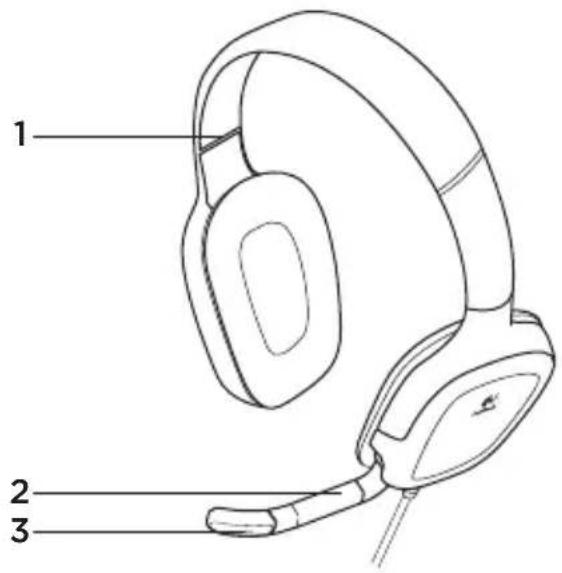
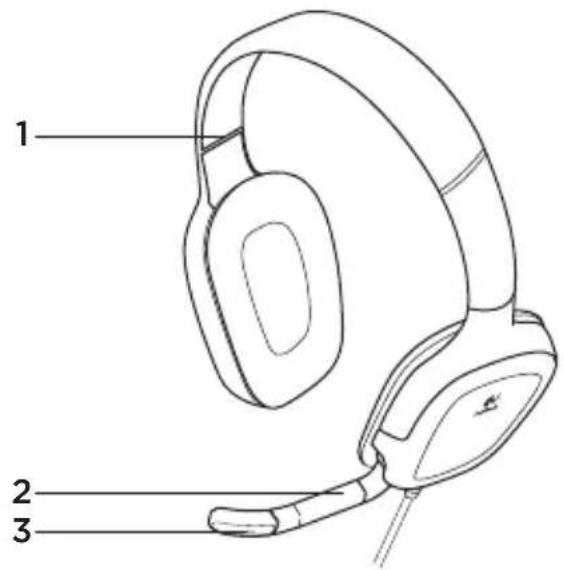
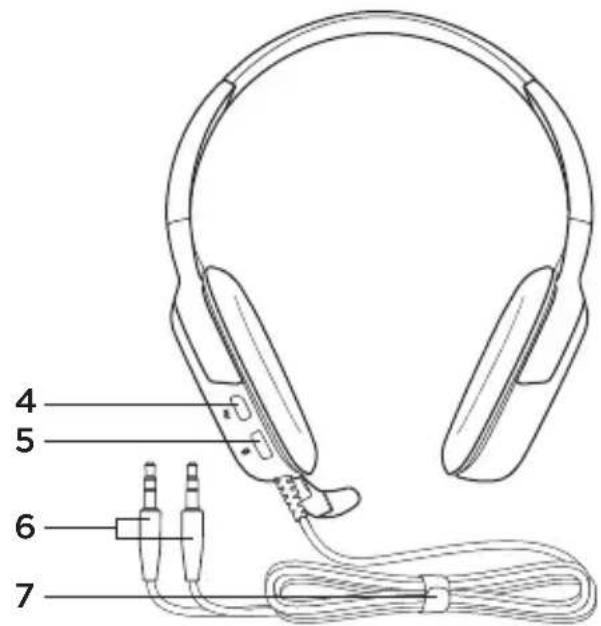
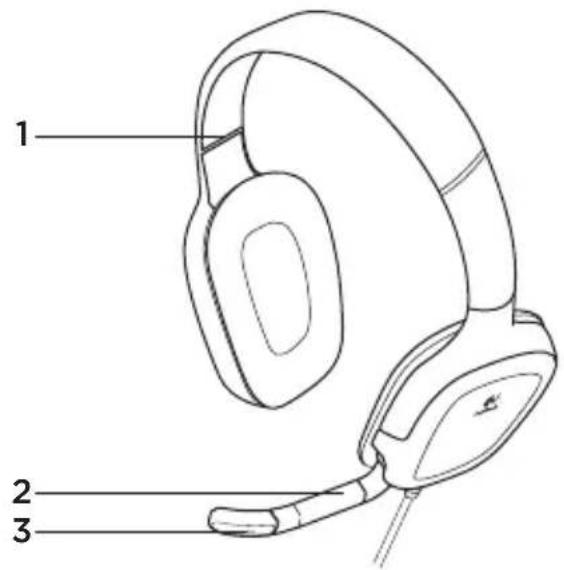
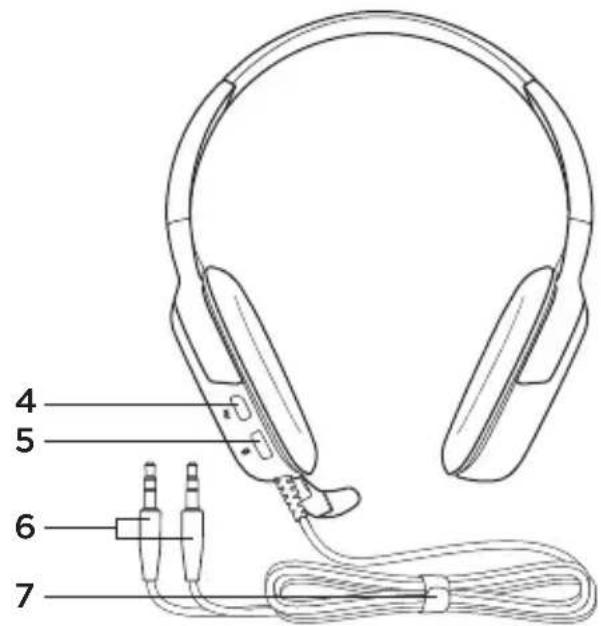
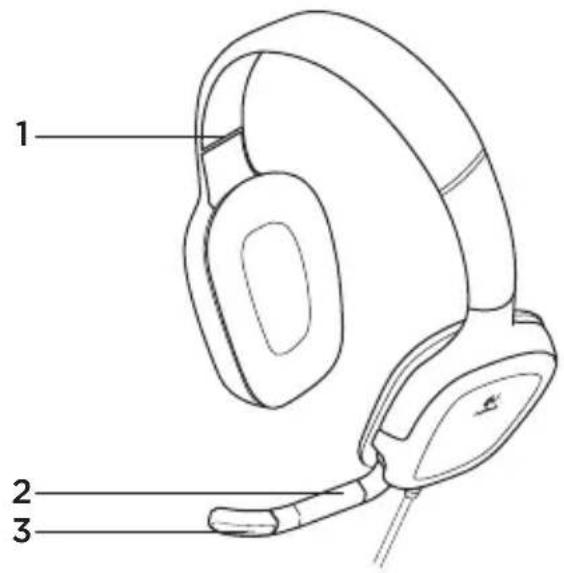
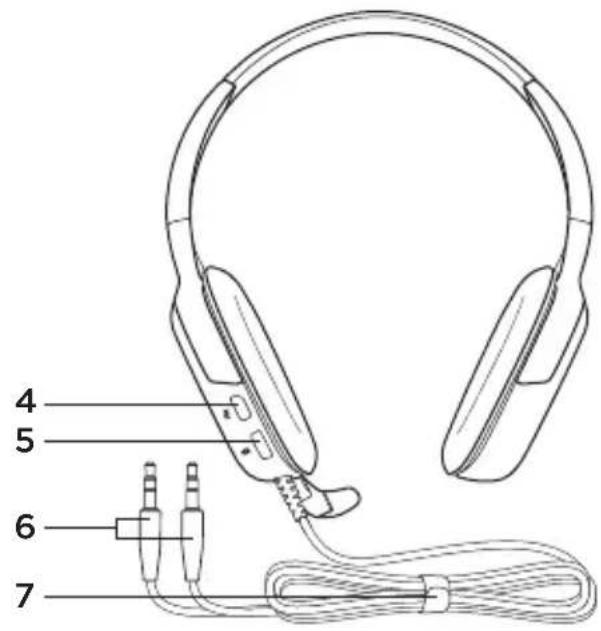
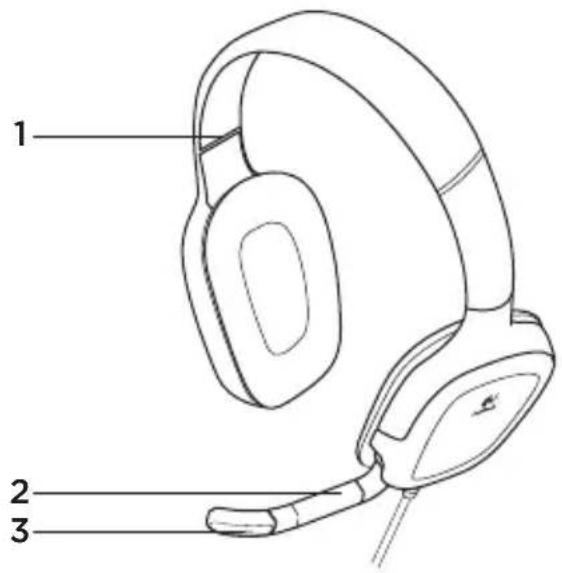
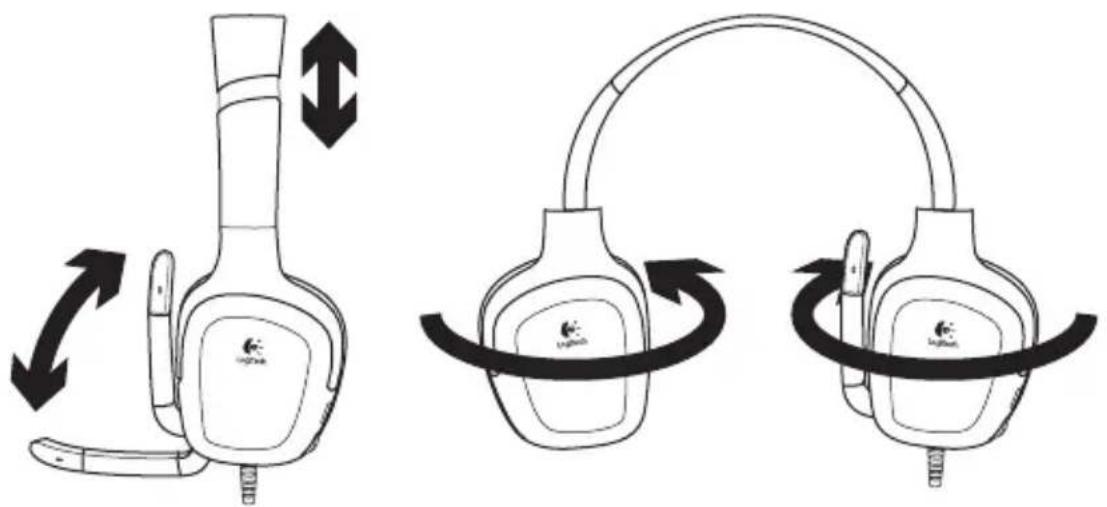
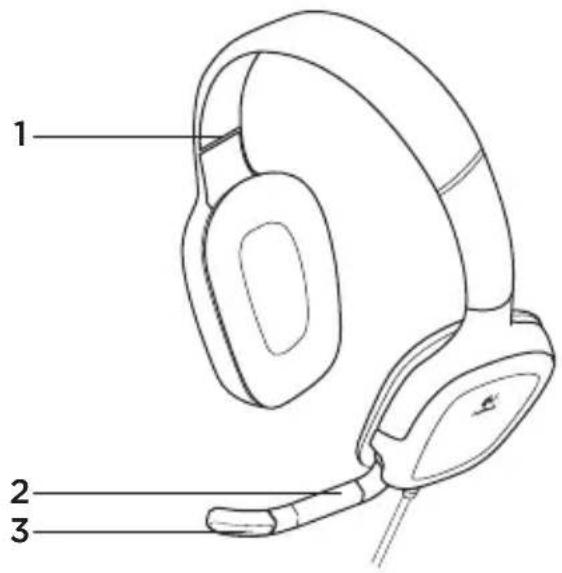
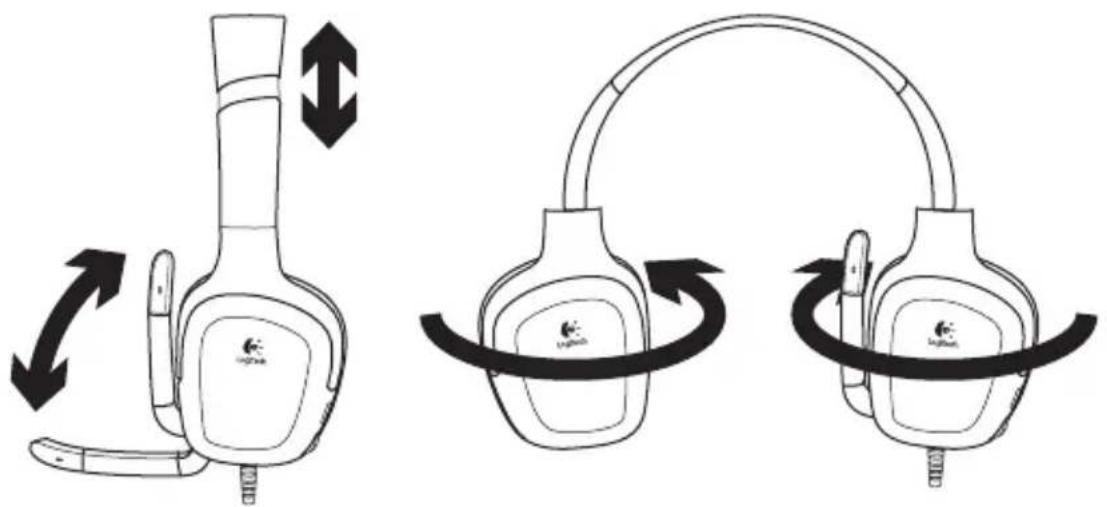
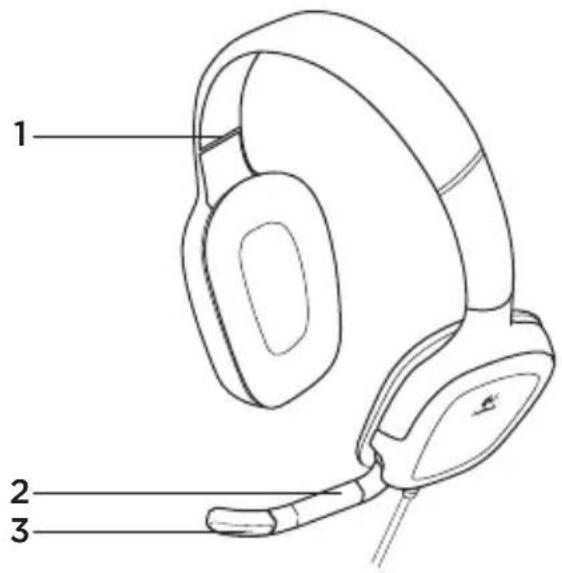
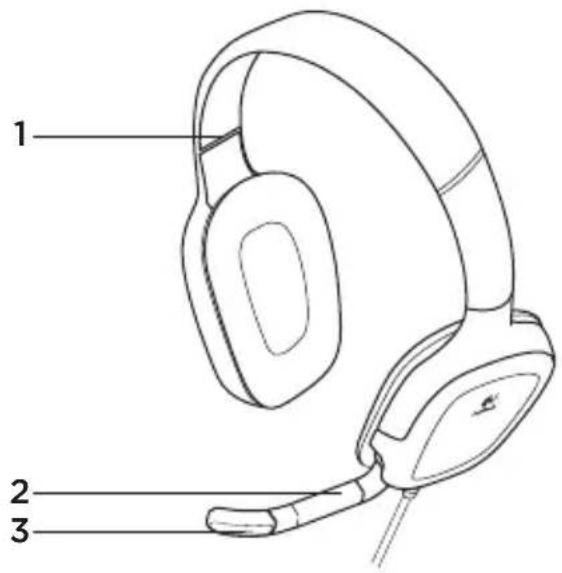
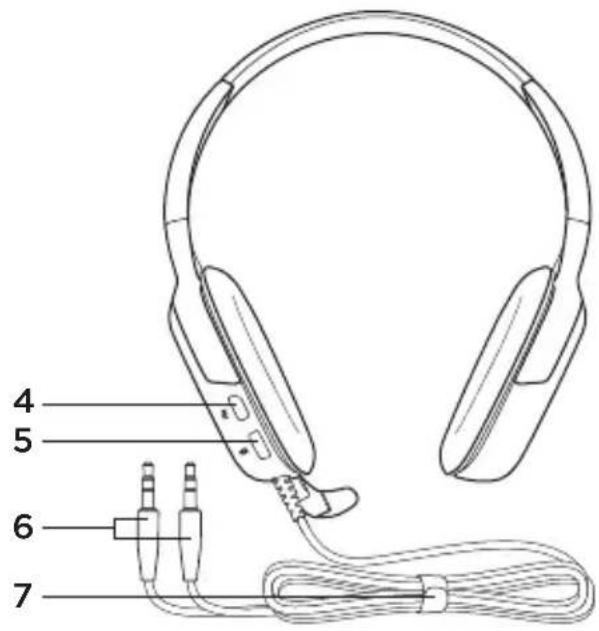
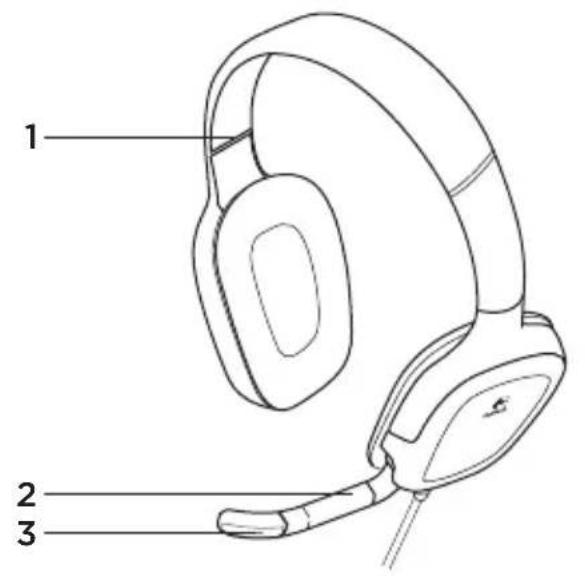
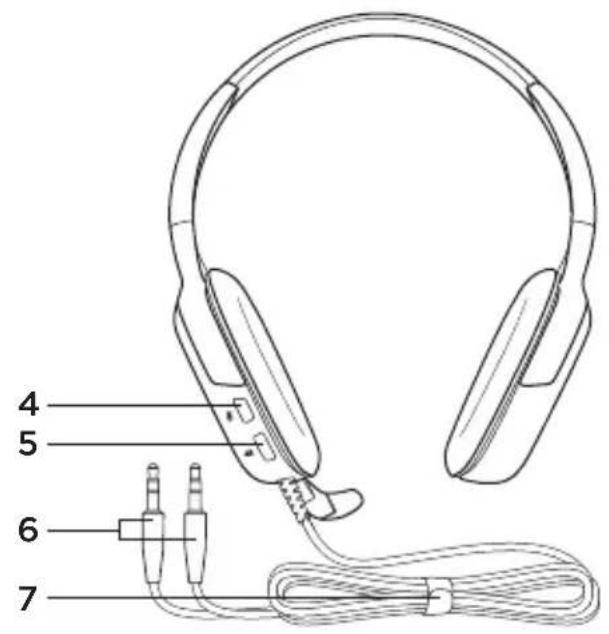
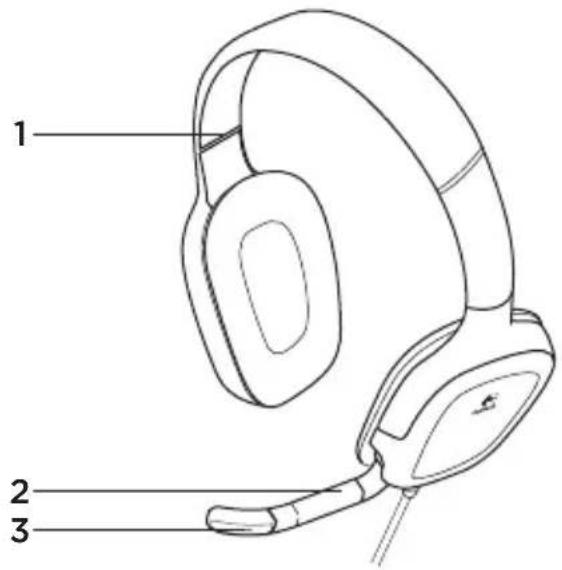
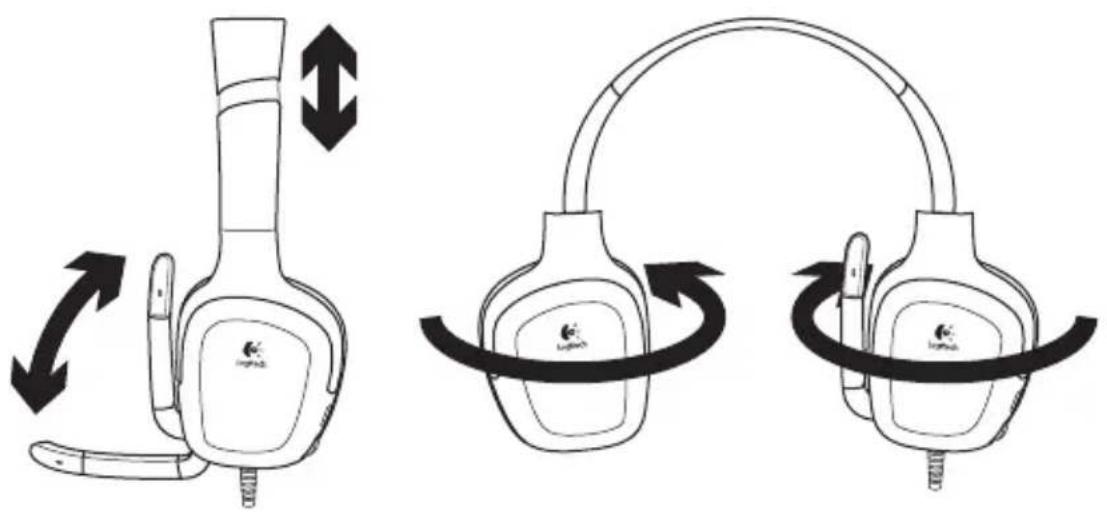
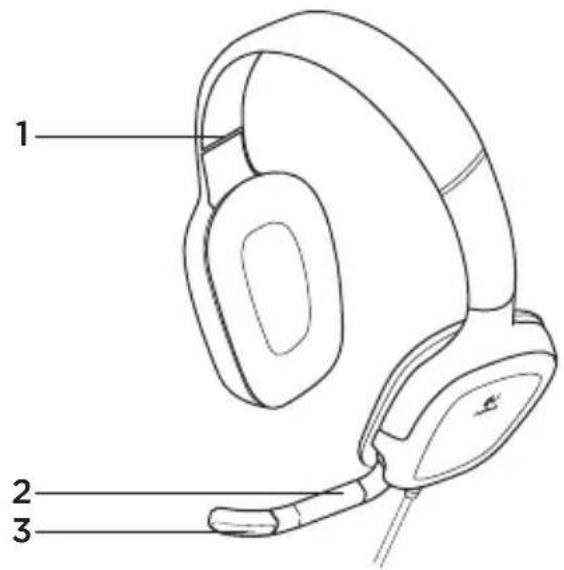
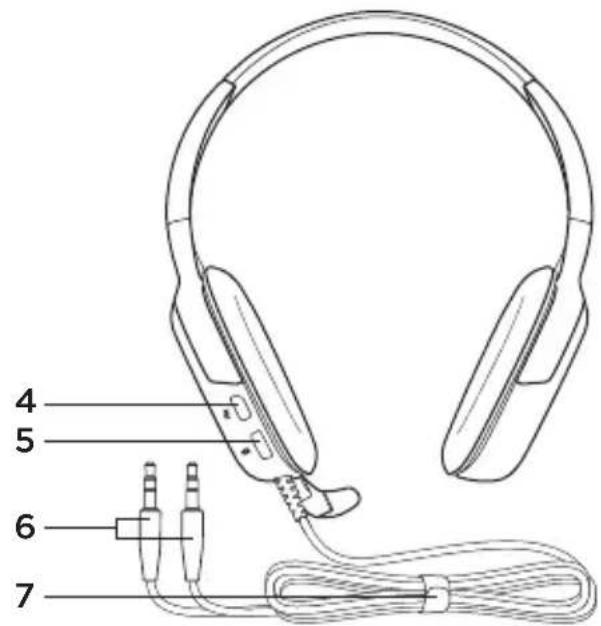
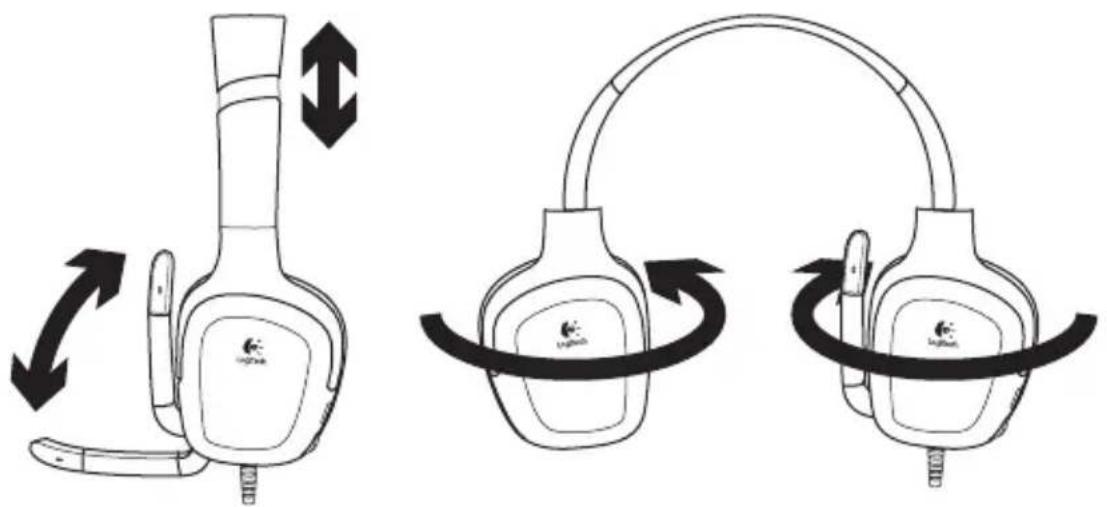
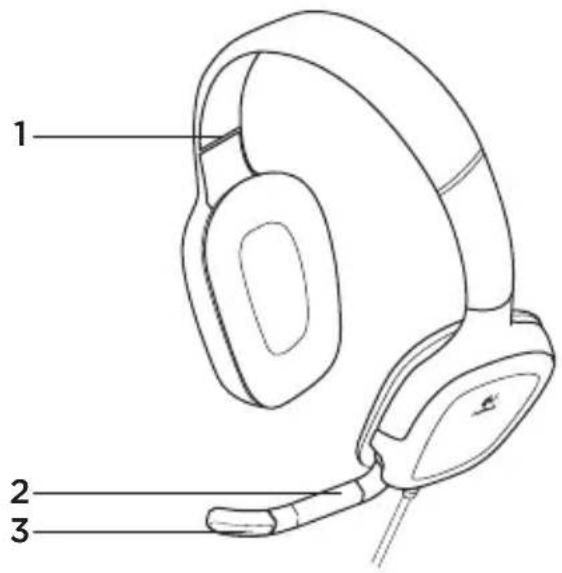
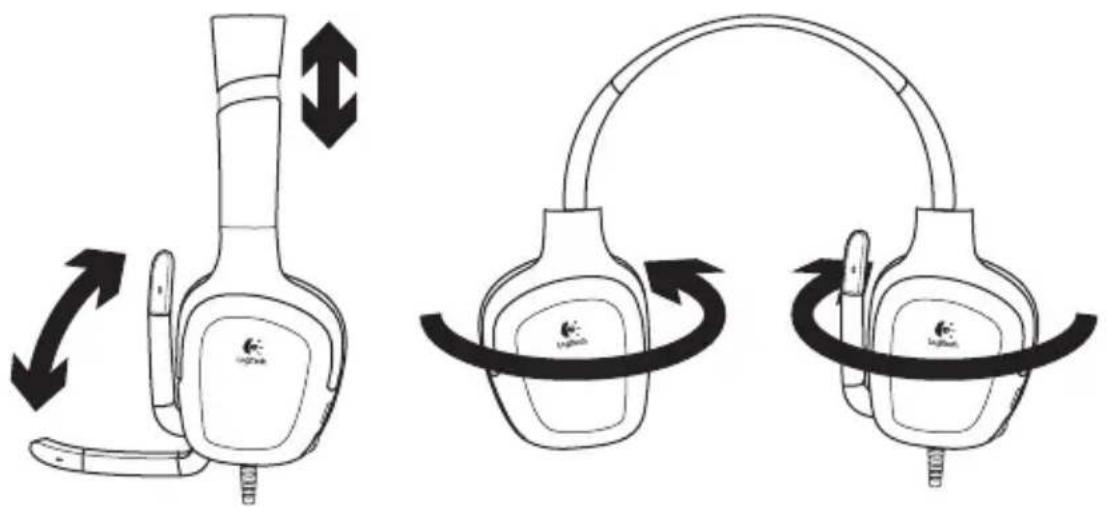
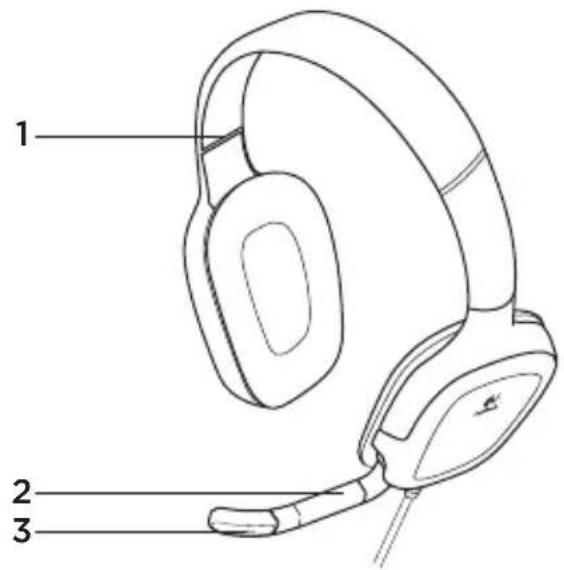
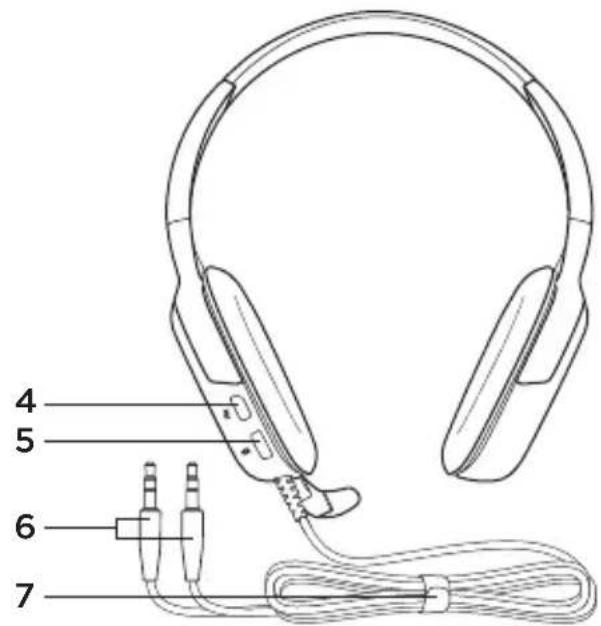
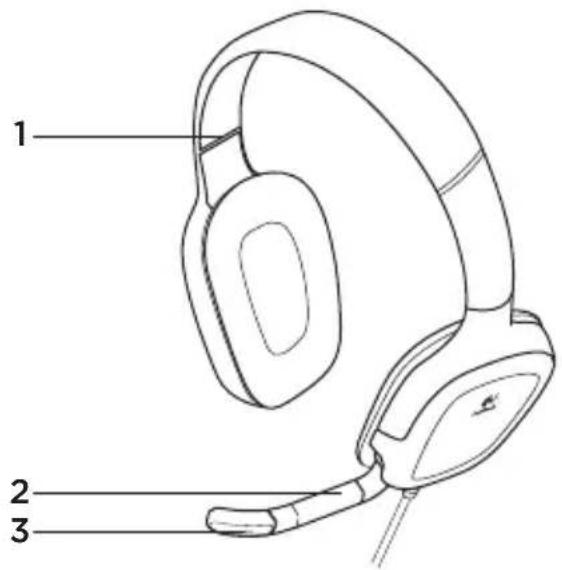
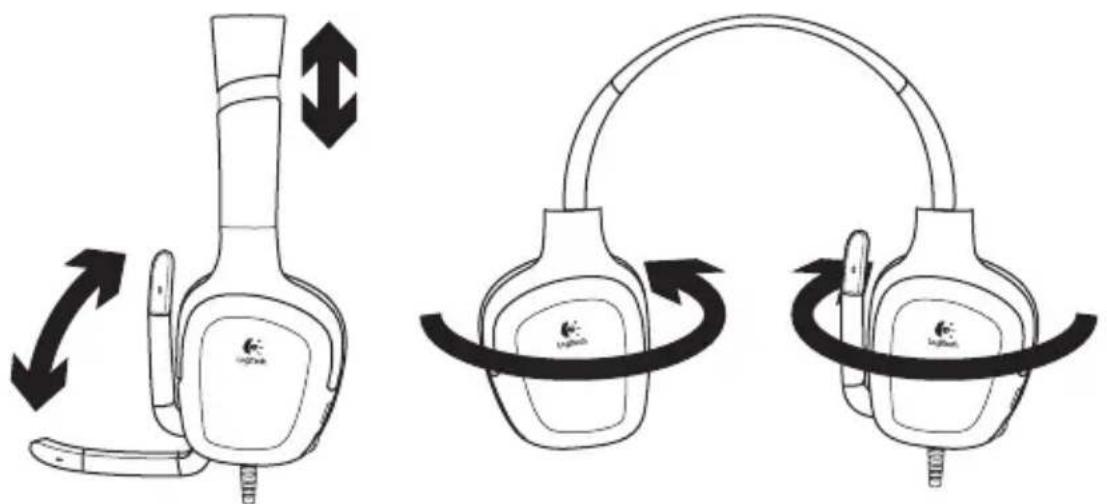
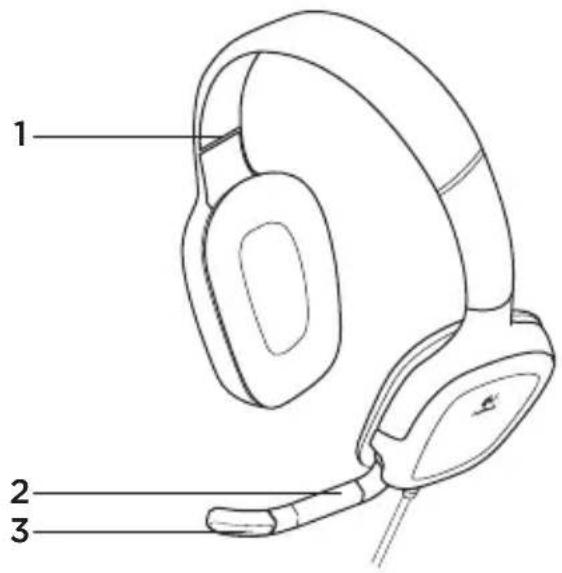
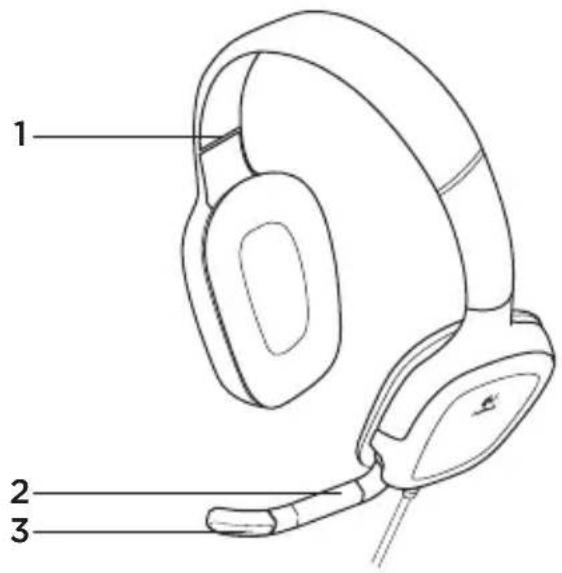
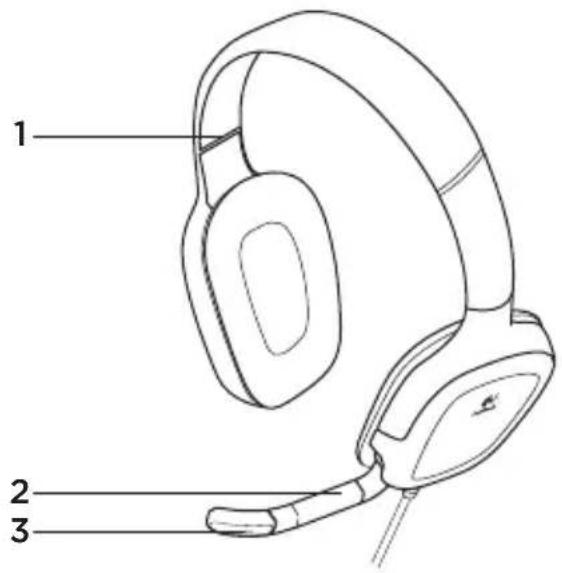
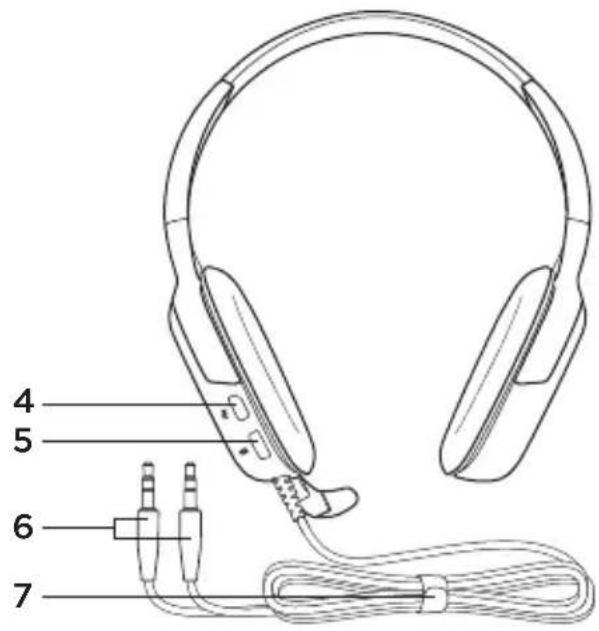
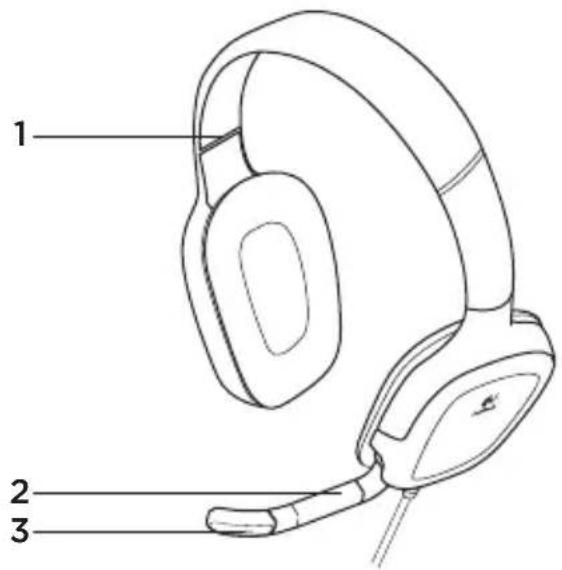
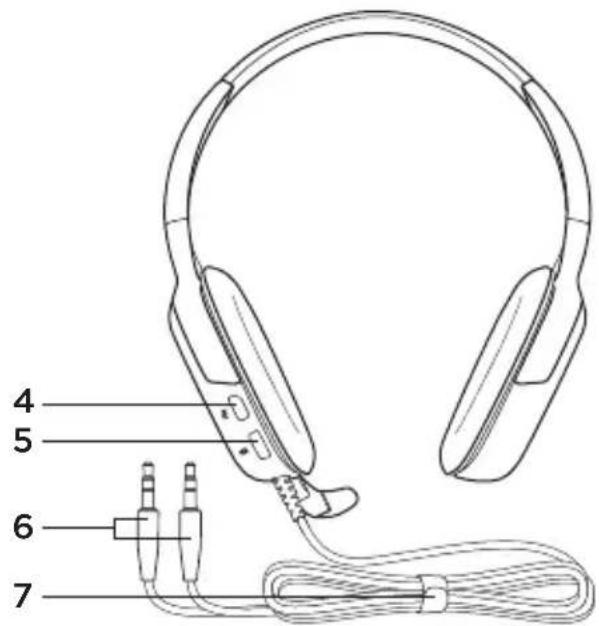
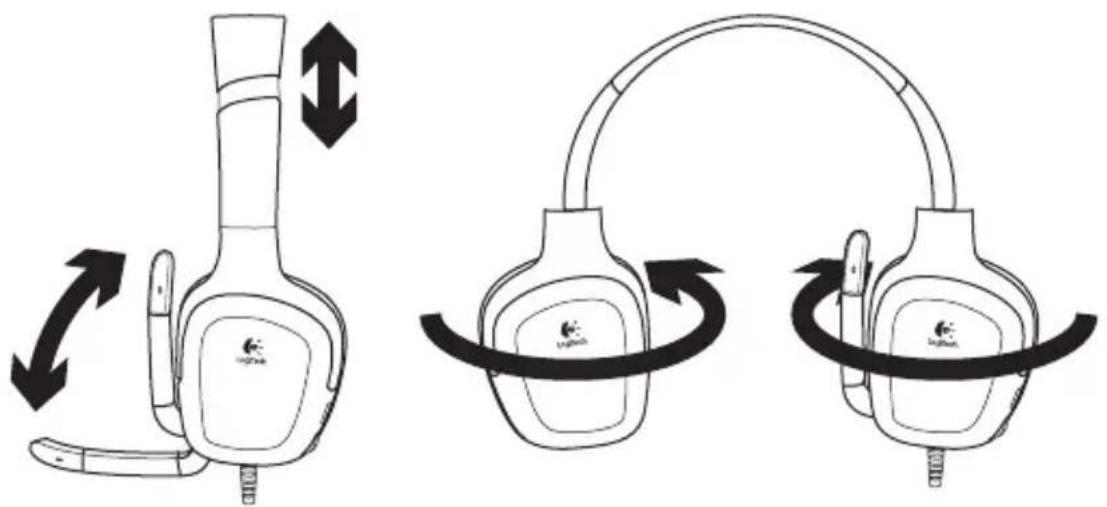
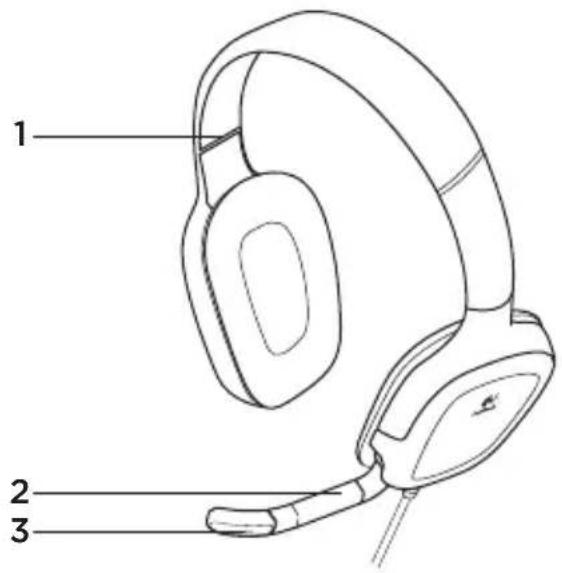
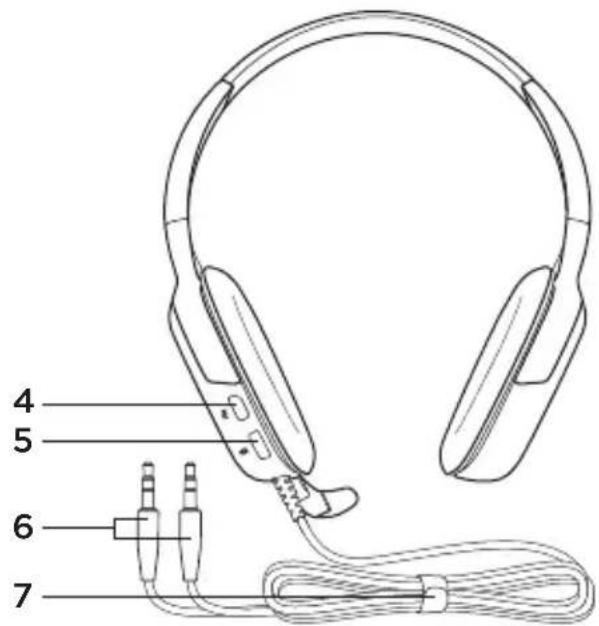
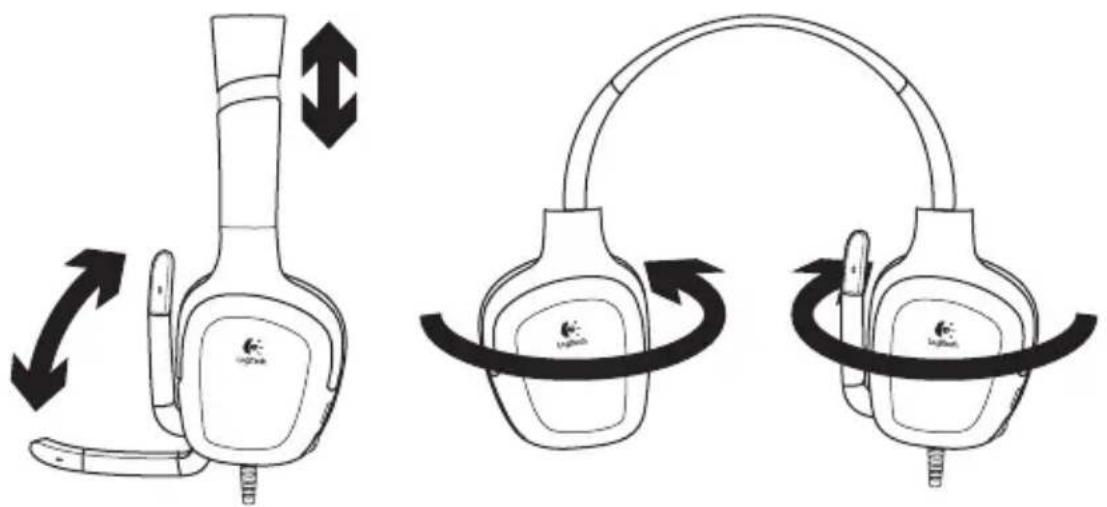
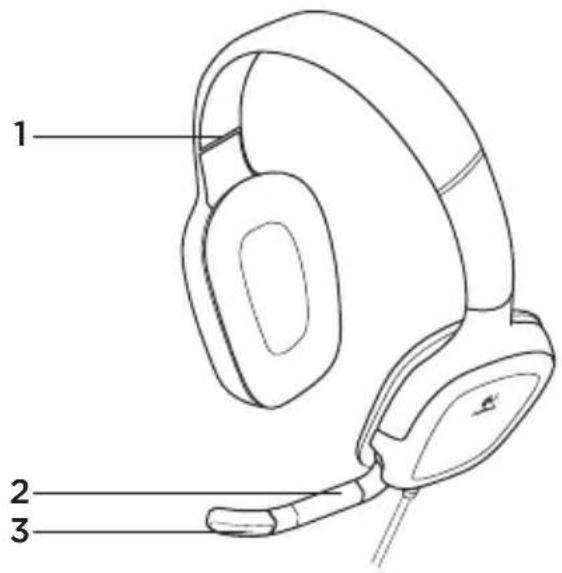
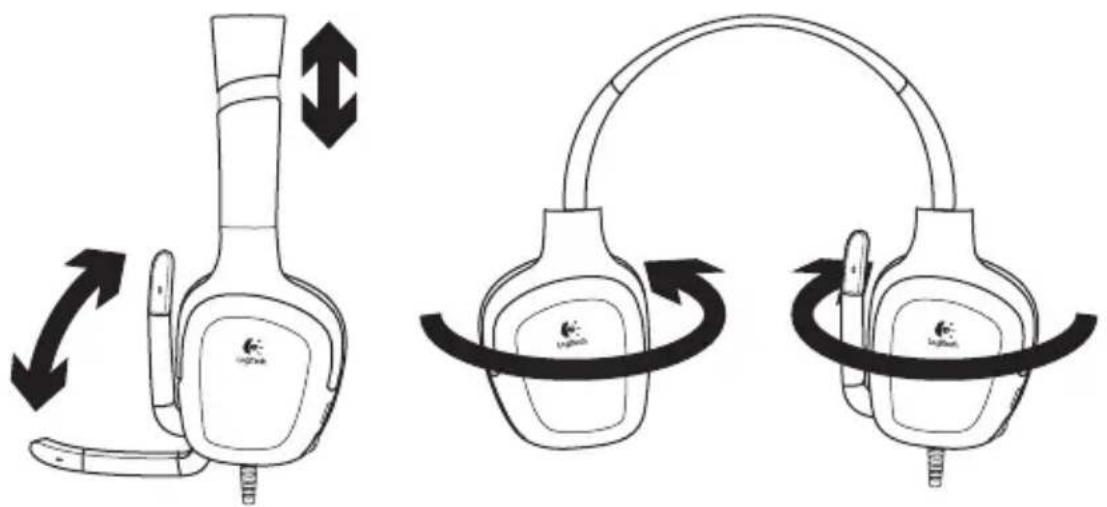
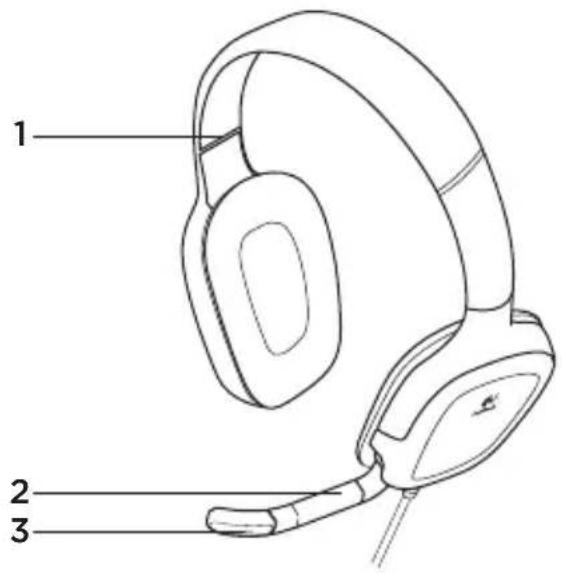
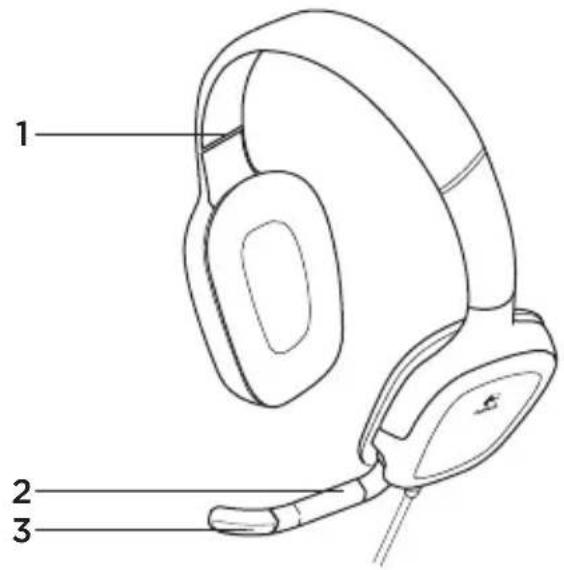
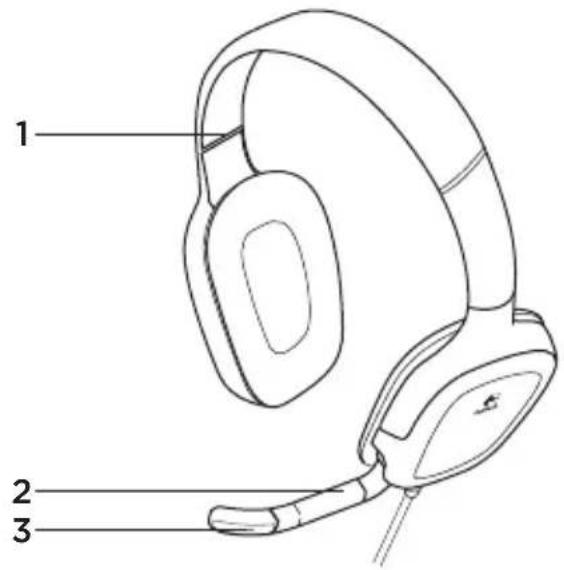
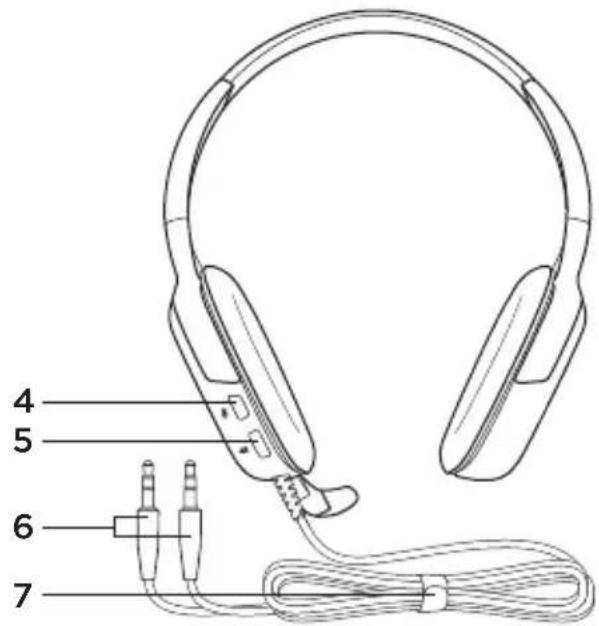
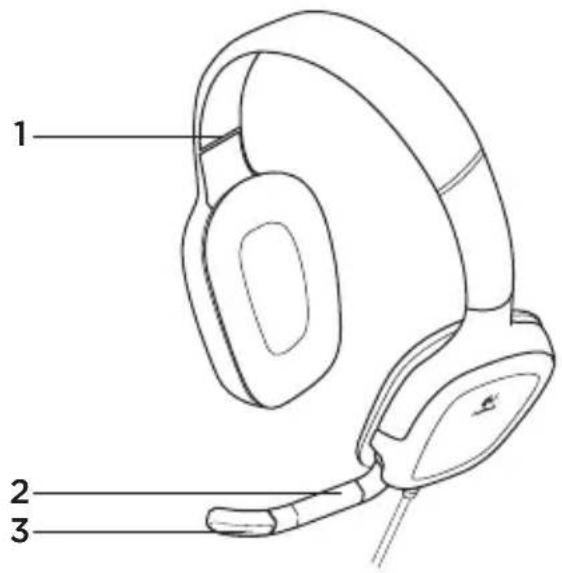
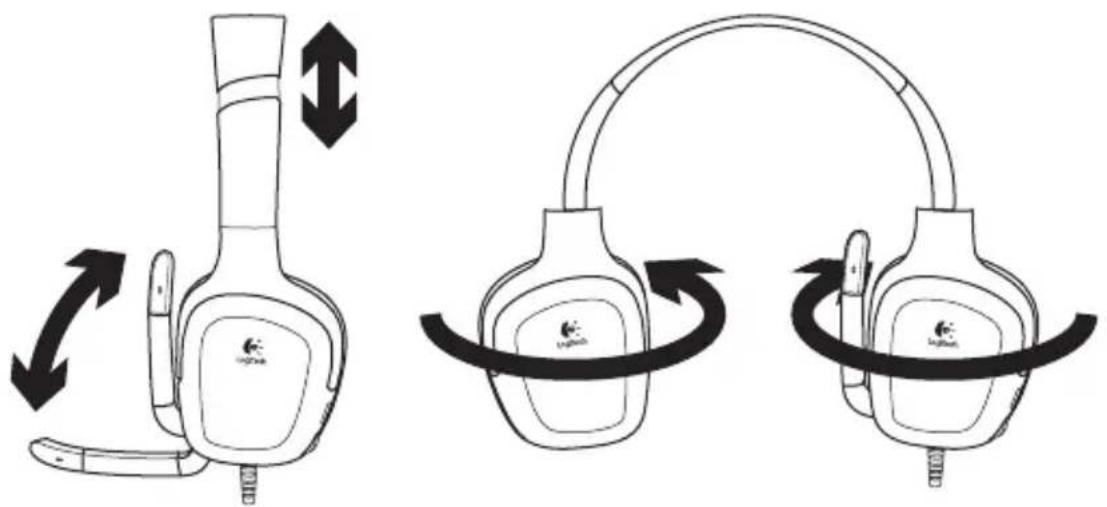
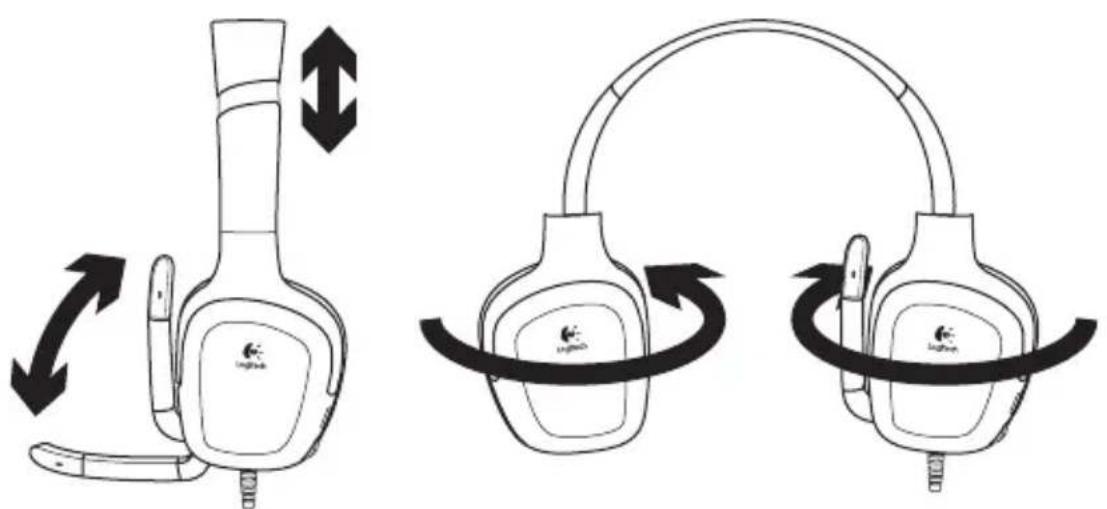
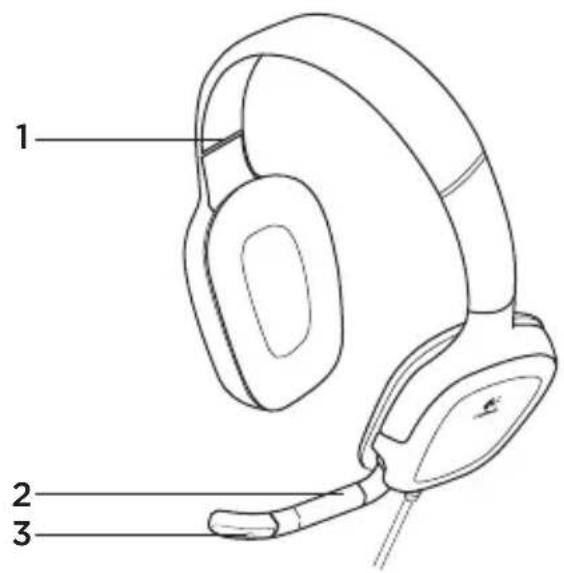
Headset features
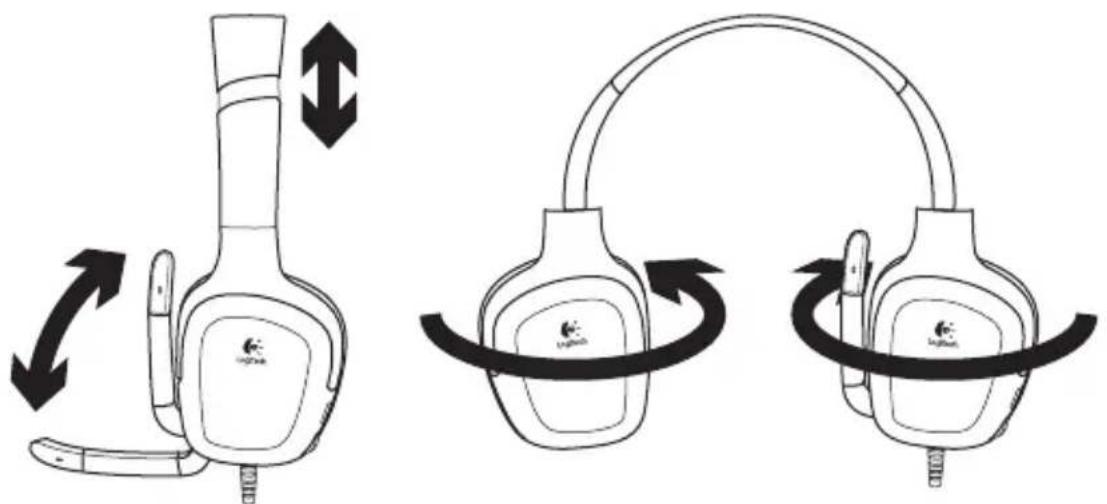
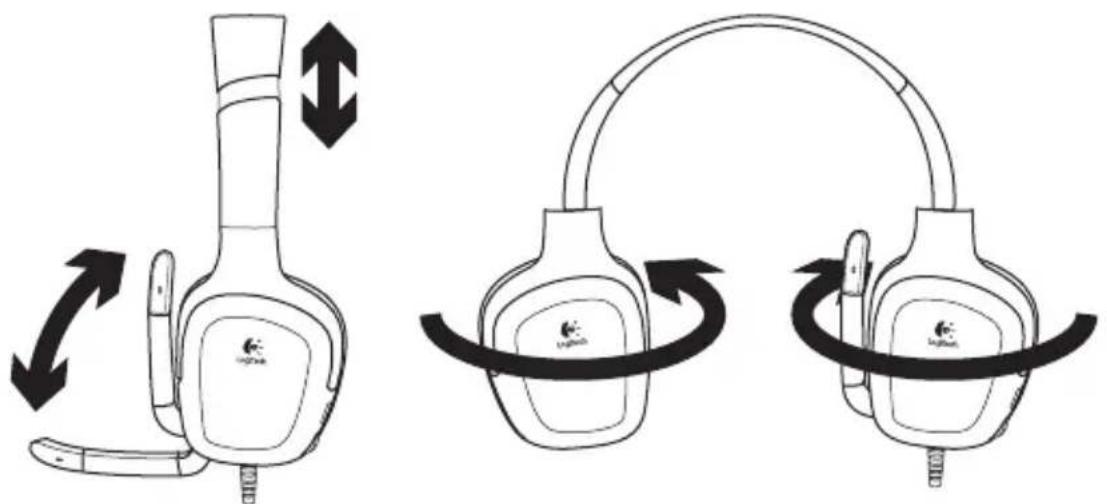
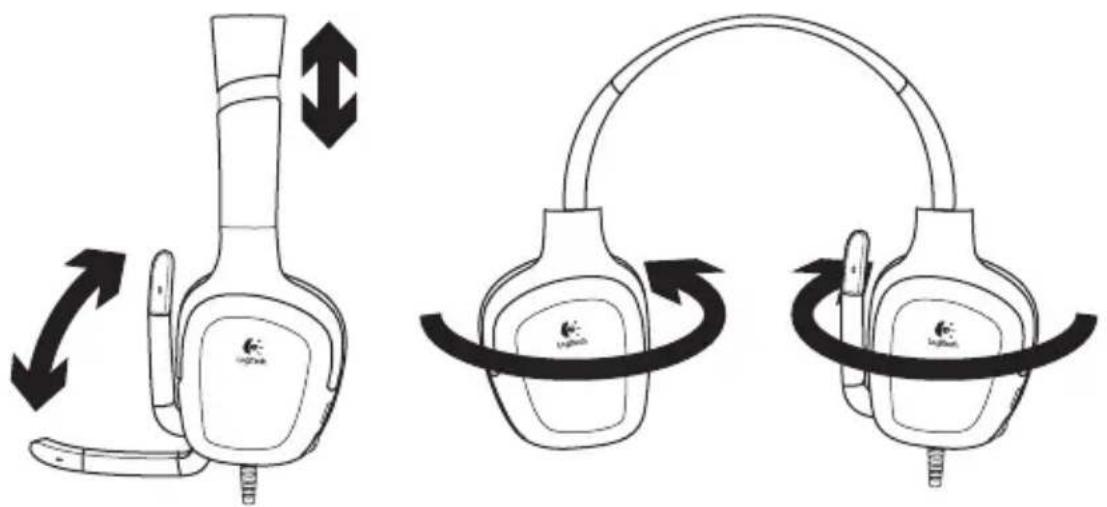
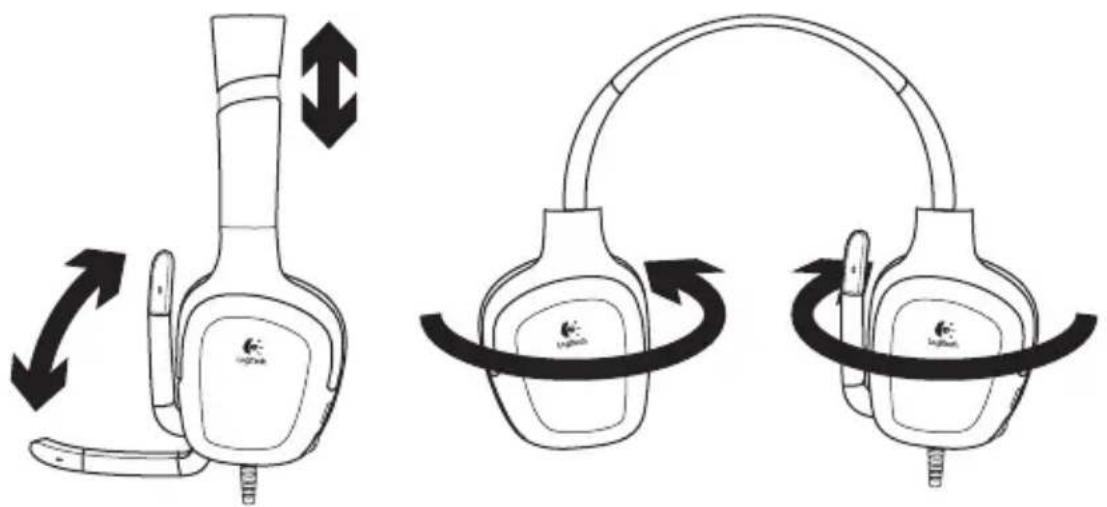
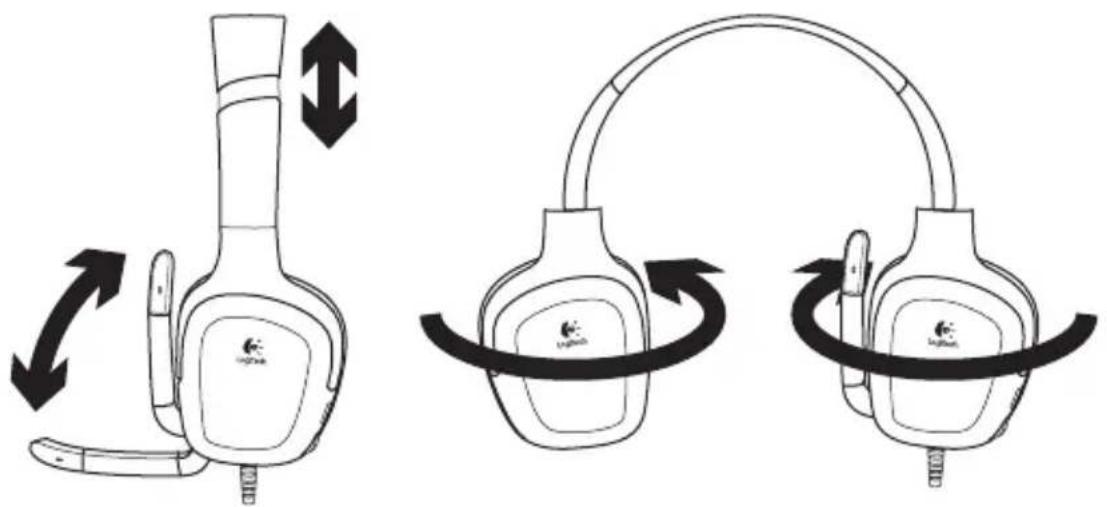
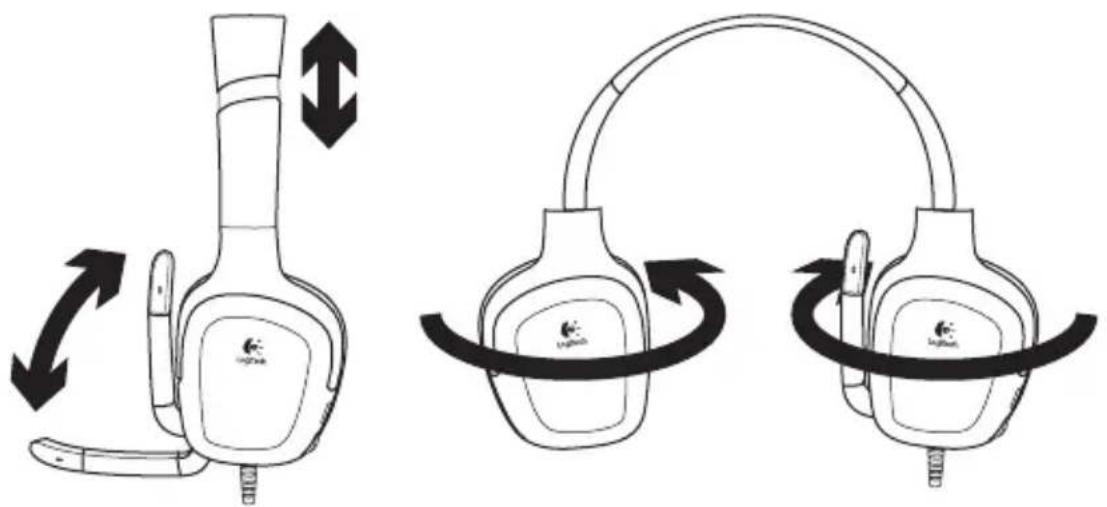
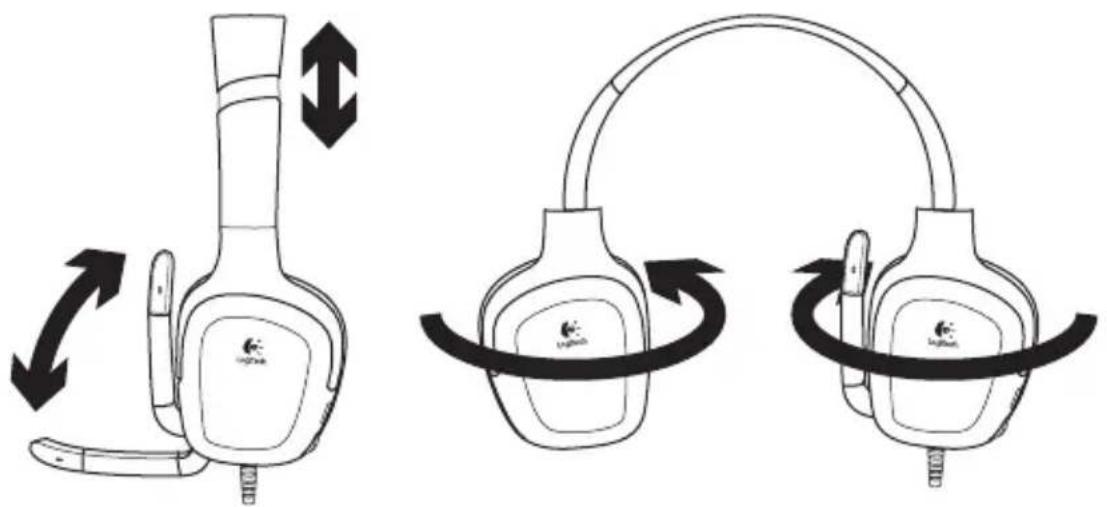
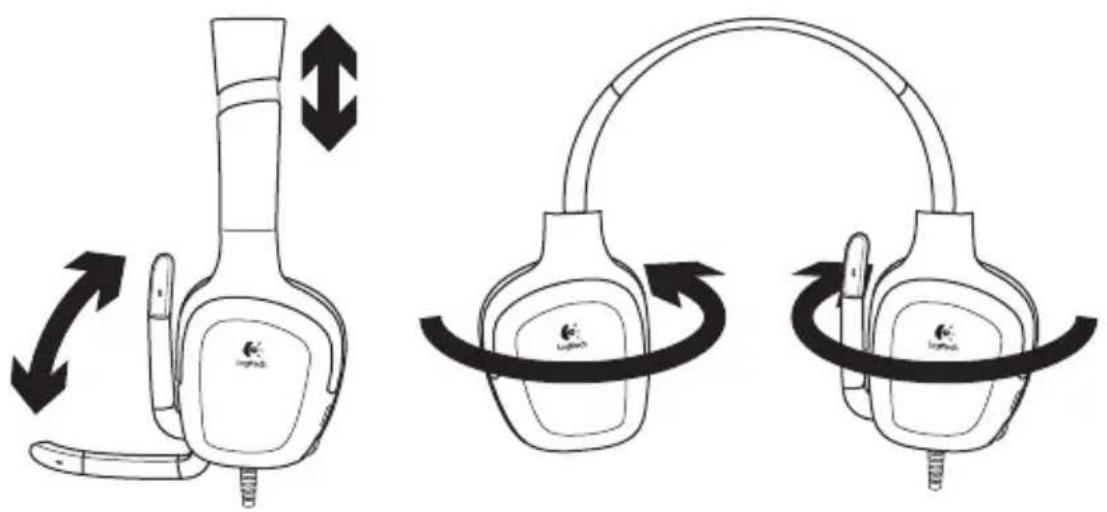
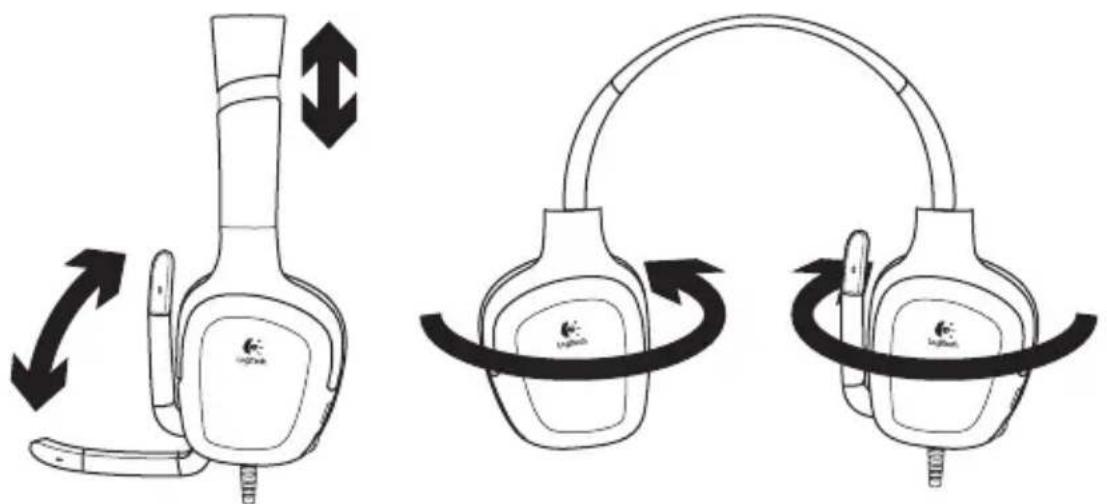
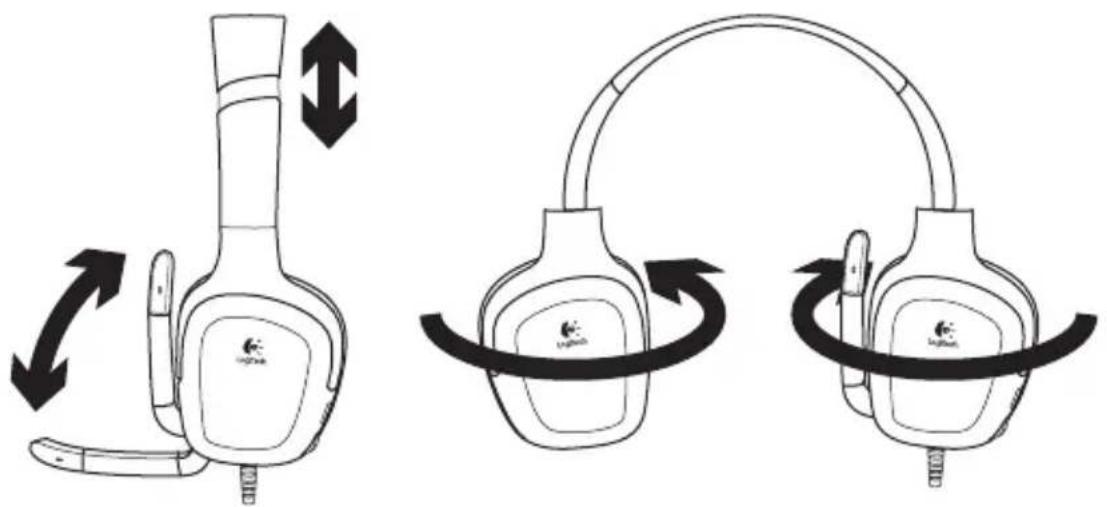
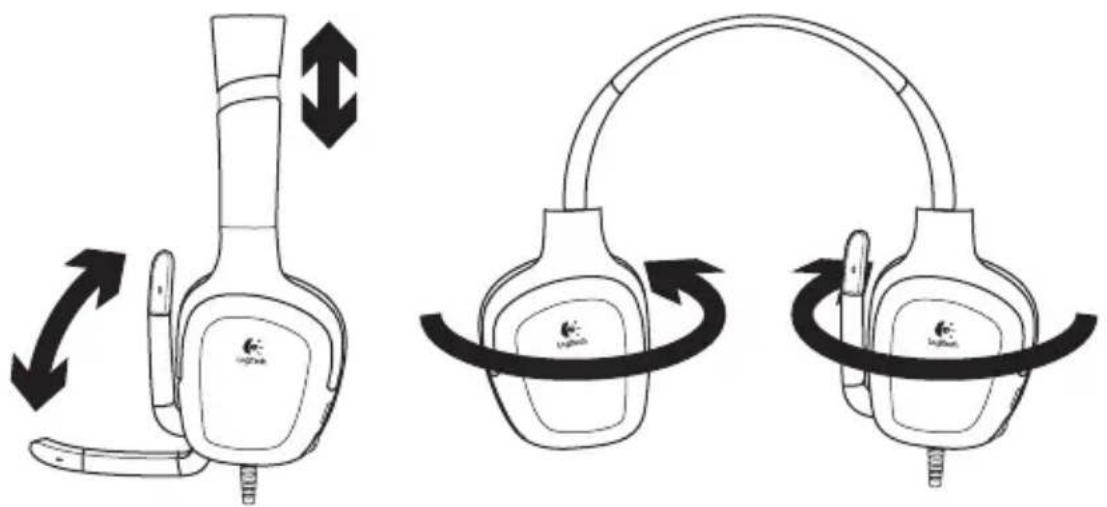
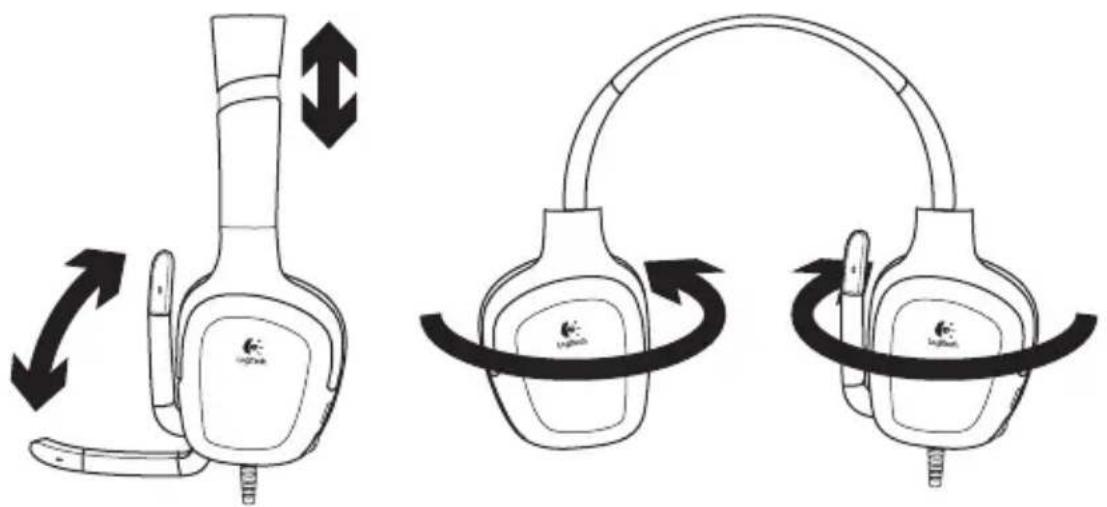
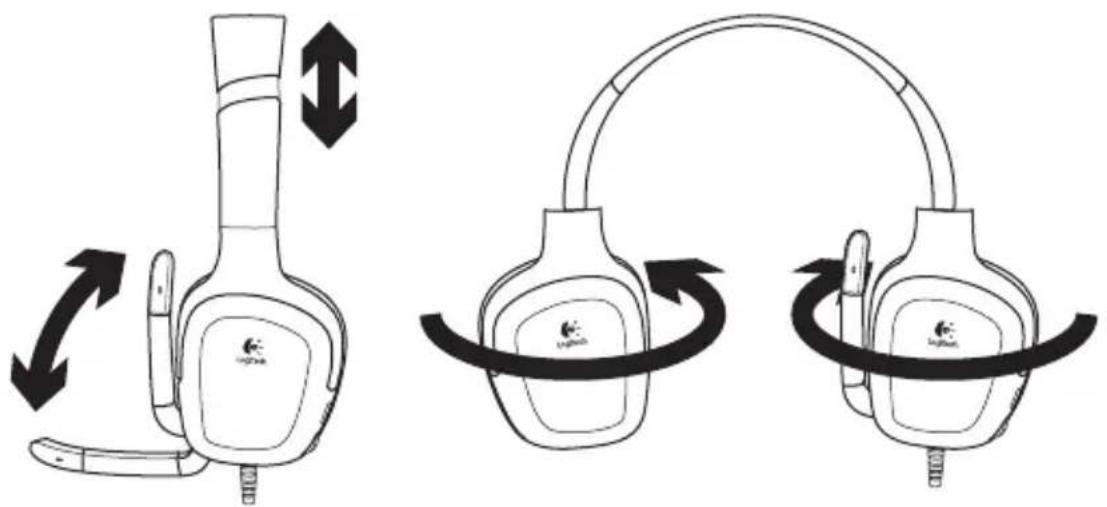
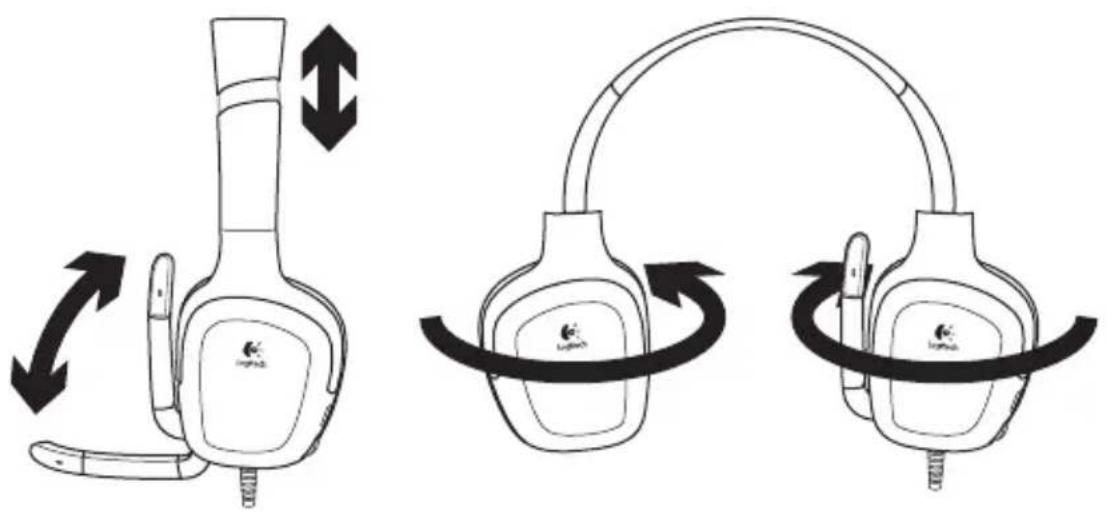
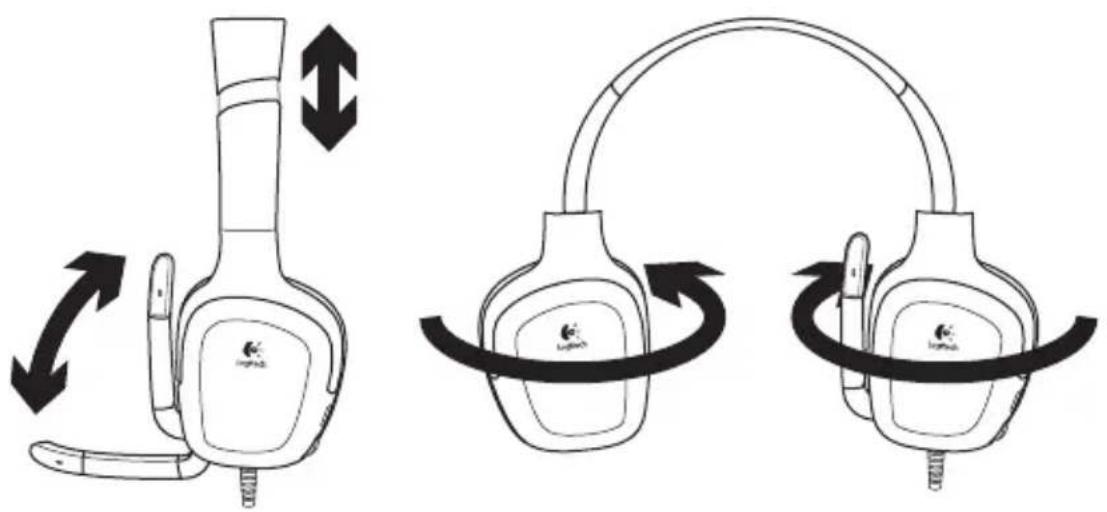
- Adjustable headband
- Rotating microphone boom
- Noise-canceling microphone
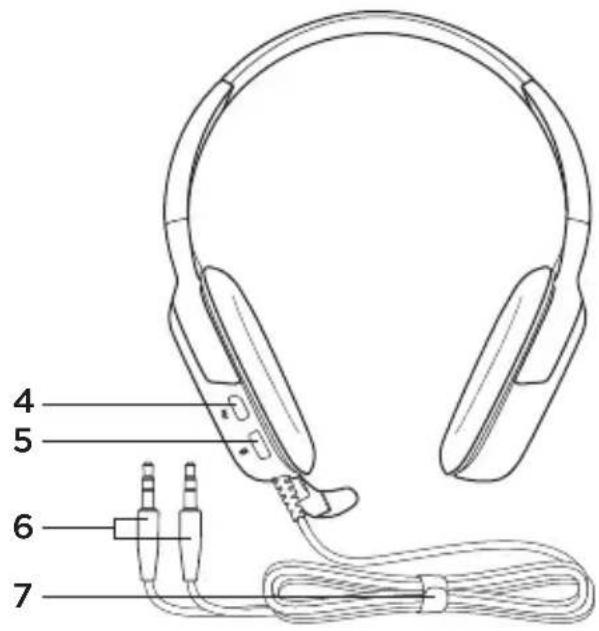
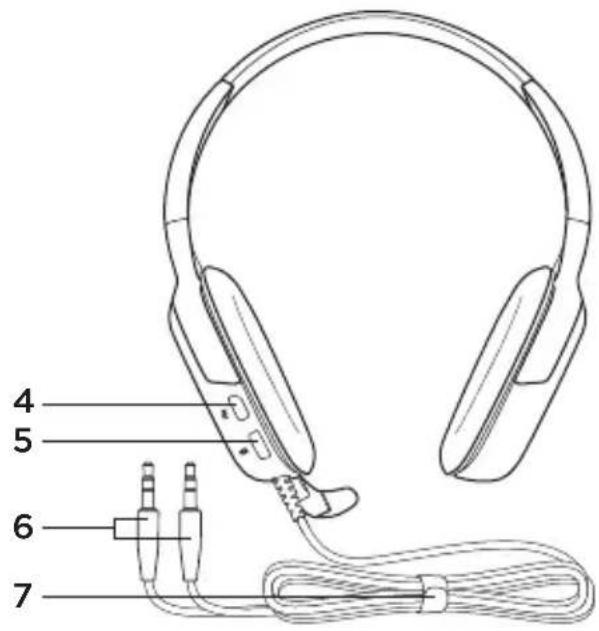
- Mute button (Press in to mute. Press again to unmute.)
- Volume control
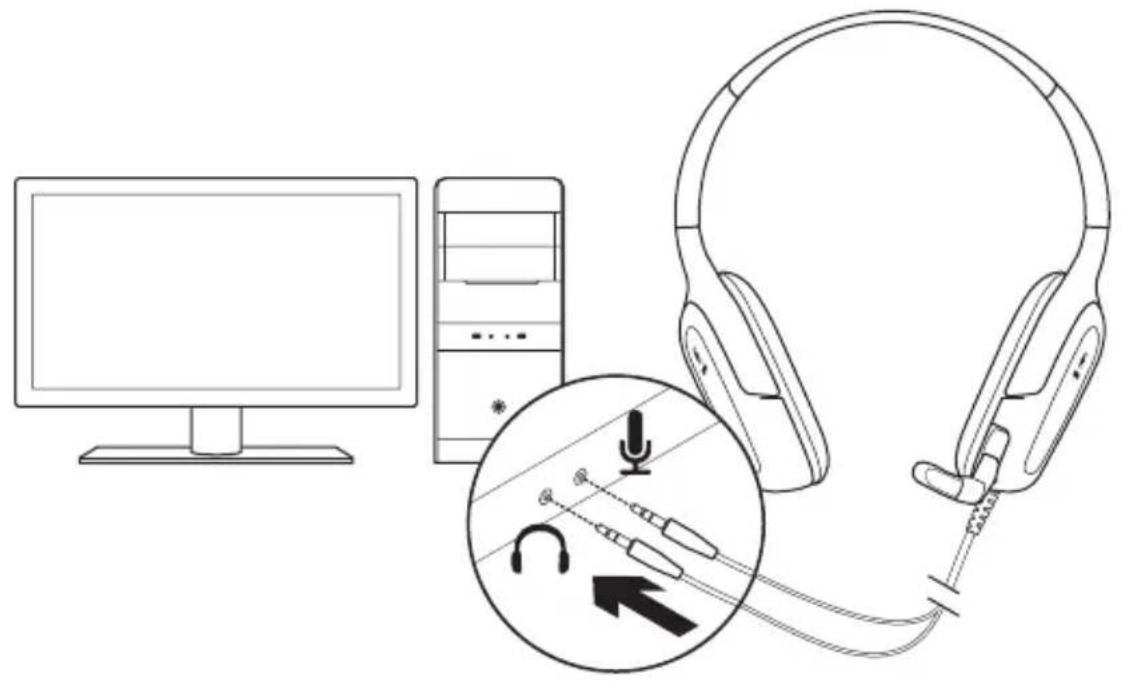
- Headset connectors
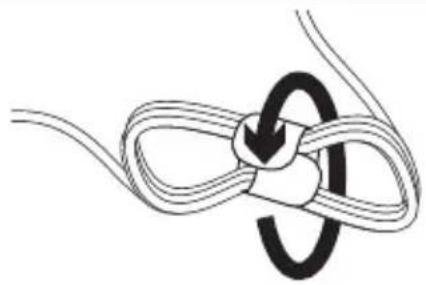
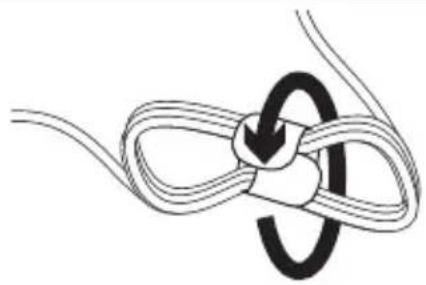
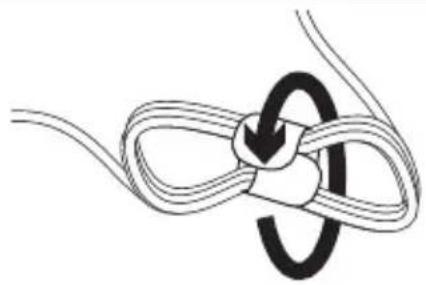
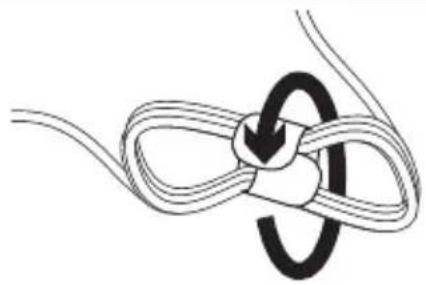
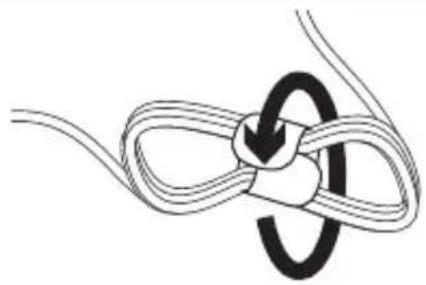
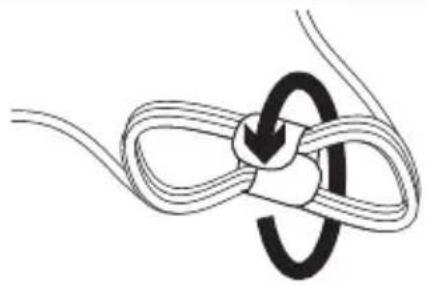
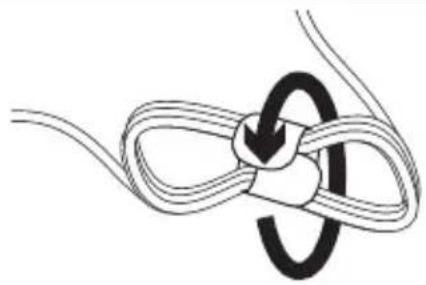
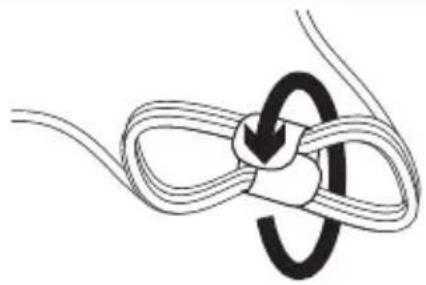
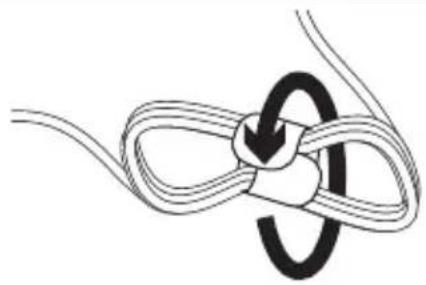
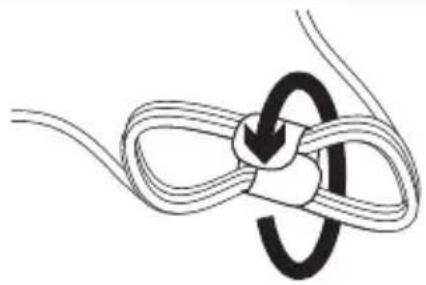
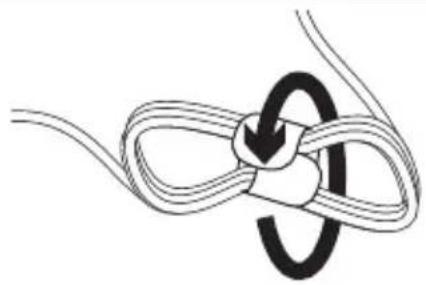
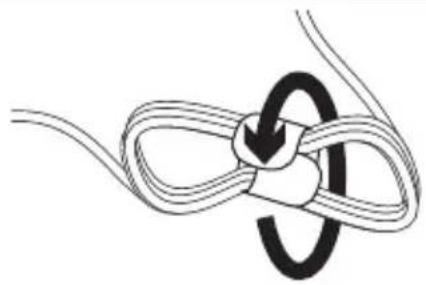
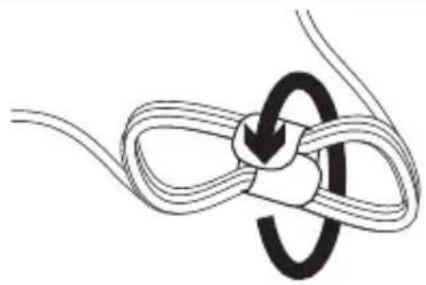
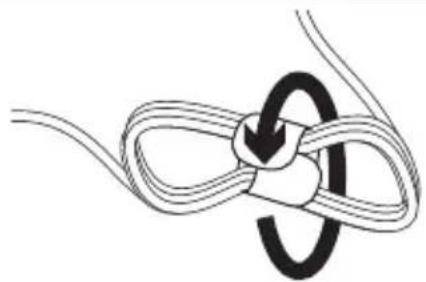
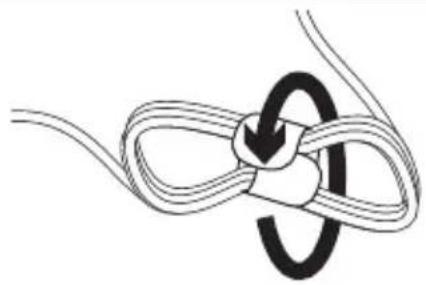
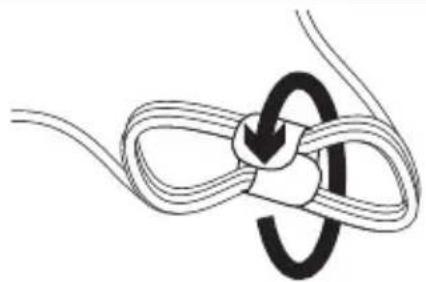
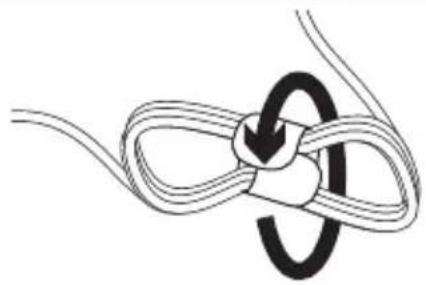
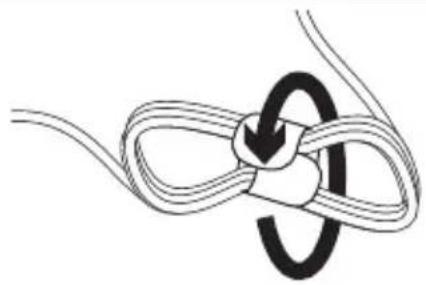
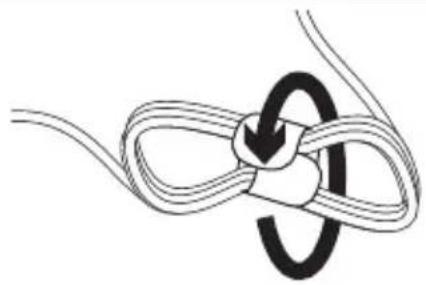
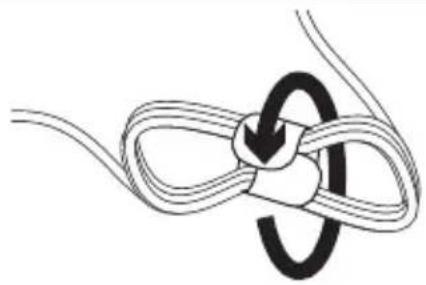
- Cable management system
1
2
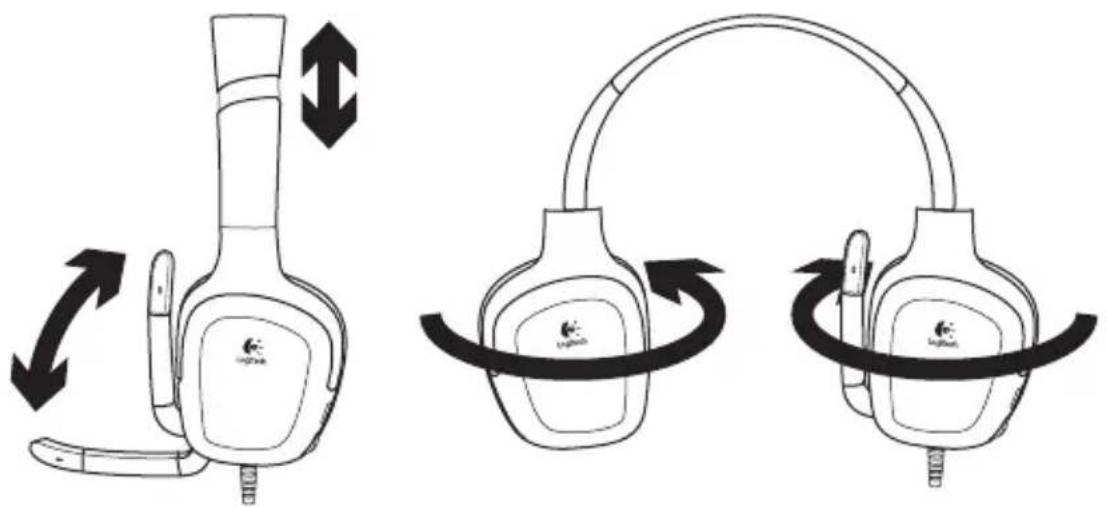
natural_image
Diagram showing two types of headsets with directional arrows indicating motion or rotation (no text or symbols present)3
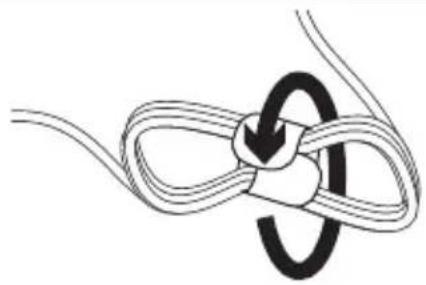
natural_image
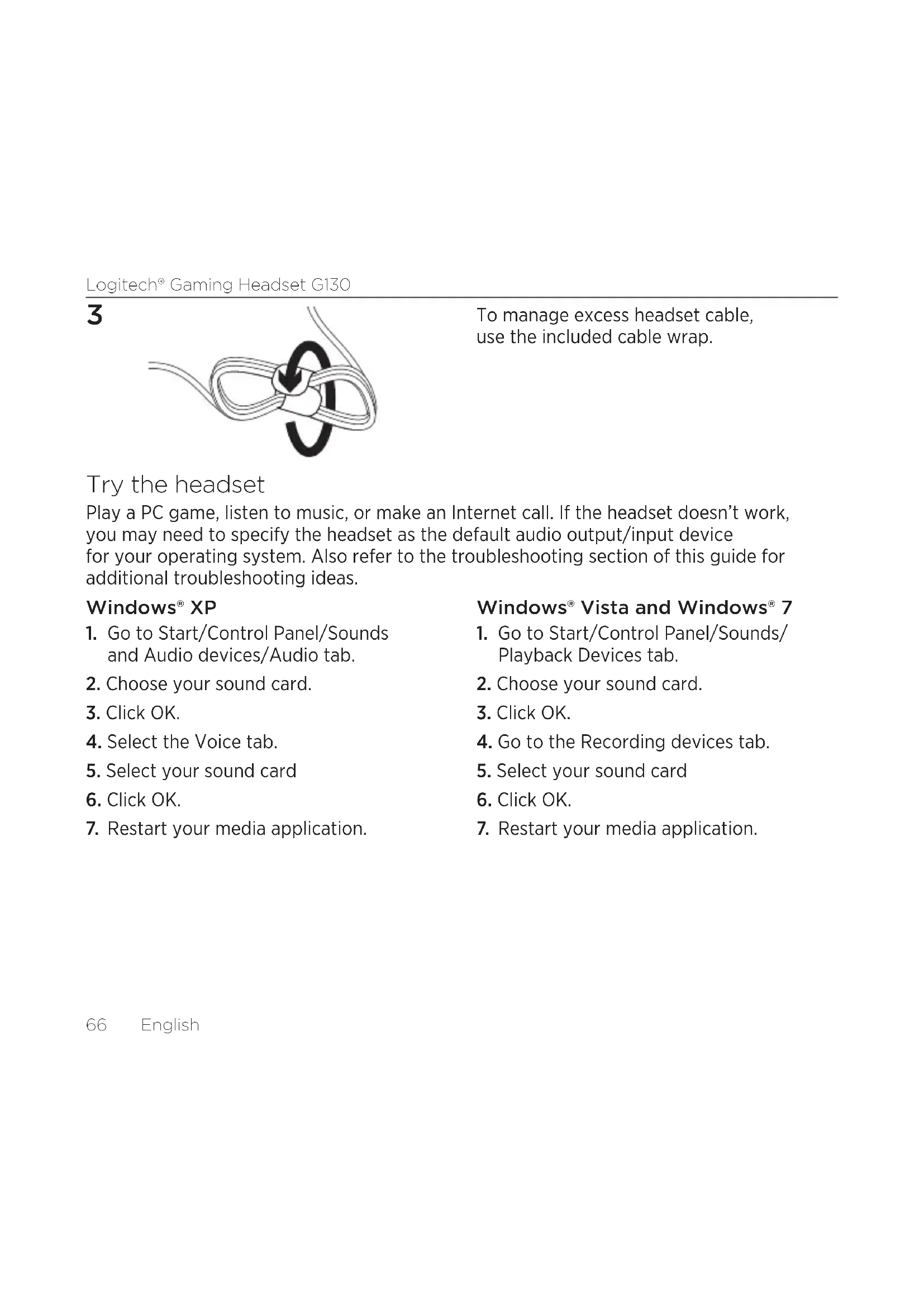
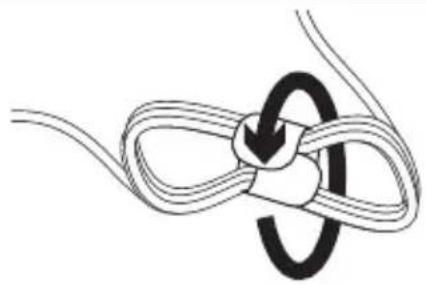
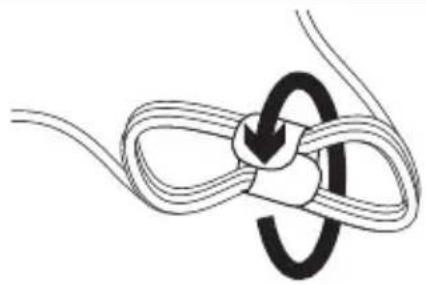
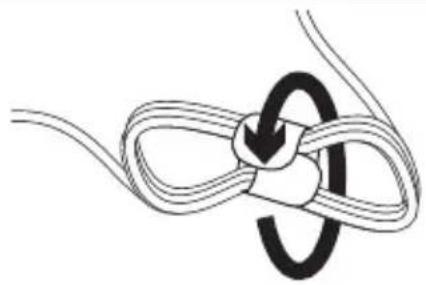
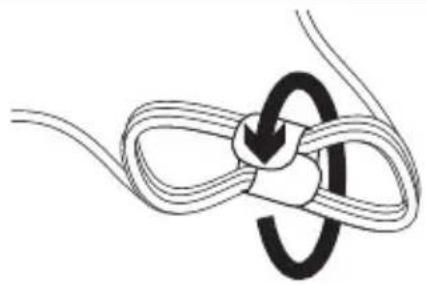
Diagram of a rope knot with a loop and central knot (no text or symbols)To manage excess headset cable, use the included cable wrap.
Try the headset
Play a PC game, listen to music, or make an Internet call. If the headset doesn't work, you may need to specify the headset as the default audio output/input device for your operating system. Also refer to the troubleshooting section of this guide for additional troubleshooting ideas.
Windows® XP
- Go to Start/Control Panel/Sounds and Audio devices/Audio tab.
- Choose your sound card.
- Click OK.
- Select the Voice tab.
- Select your sound card
- Click OK.
- Restart your media application.
Windows® Vista and Windows® 7
- Go to Start/Control Panel/Sounds/Playback Devices tab.
- Choose your sound card.
- Click OK.
- Go to the Recording devices tab.
- Select your sound card
- Click OK.
- Restart your media application.
Troubleshooting
Something not sound right? No sound at all? Microphone not working?
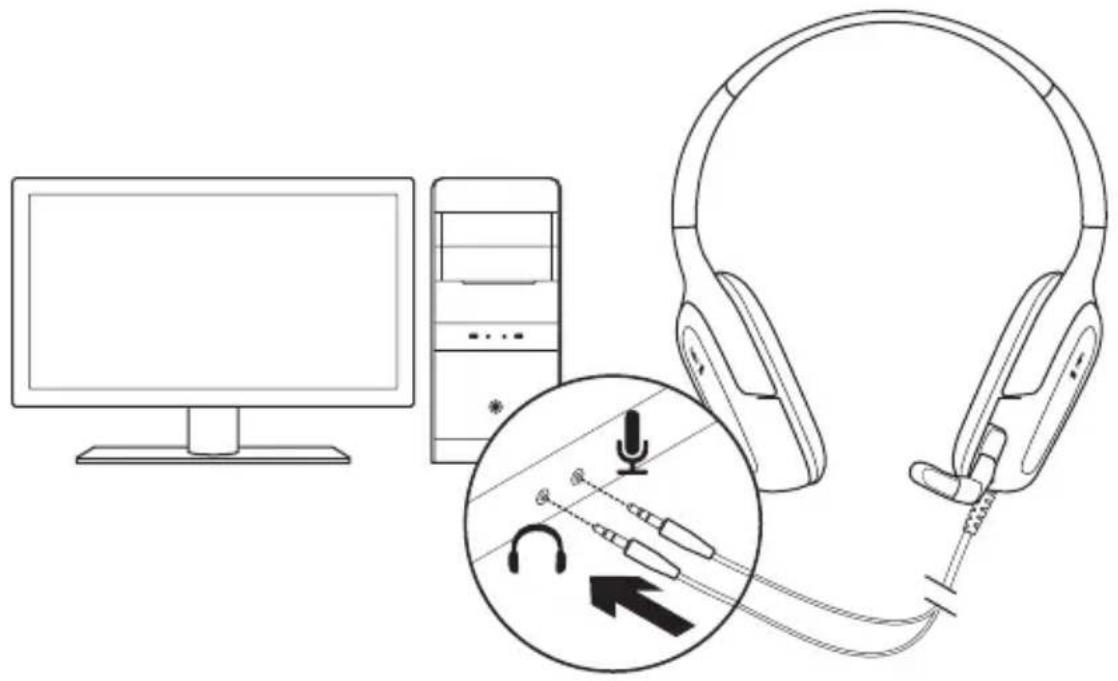
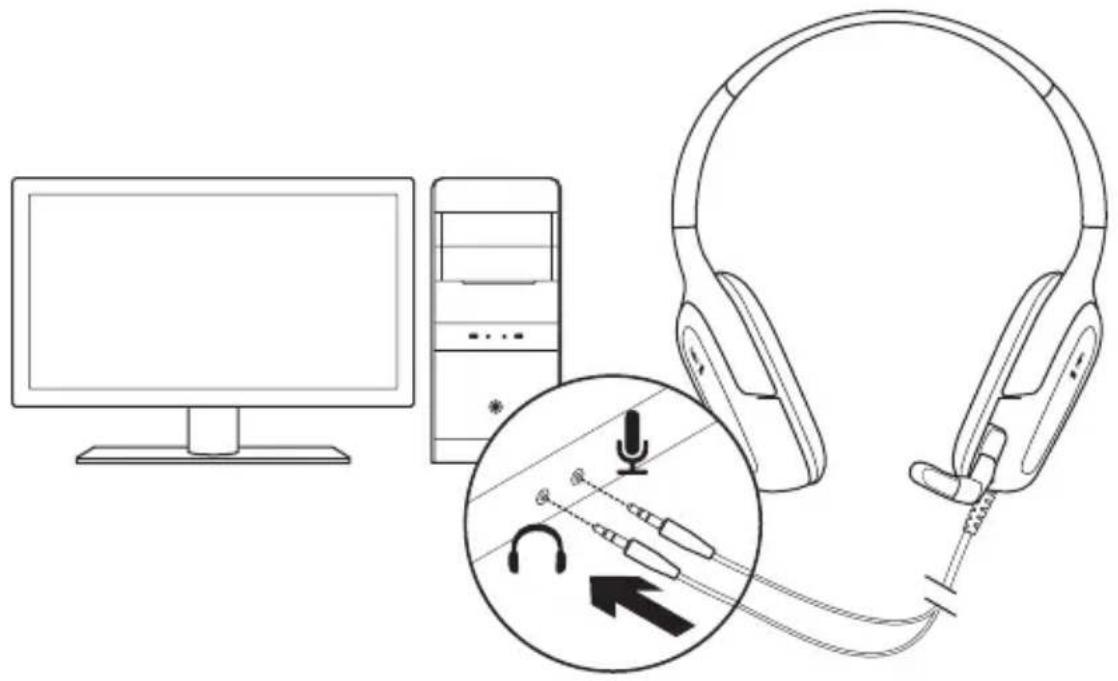
- Check the headset cable connection. The 3.5 mm headset connectors plug into the headphone jack and microphone jack on your computer.
- Adjust the volume and microphone settings to an audible level in both your application and operating system.
-
Quit and restart your PC game or media application.
-
Make sure the headset is the active input/output audio device in both your application and operating system. For more information, see Try the headset.
- Try using the headset with another computer, or try connecting the headset to a portable music player to make sure the ear cups are working.
If you have more questions about your Logitech Gaming Headset G130, visit www.logitech.com/support/G130.
What do you think?
Please take a minute to tell us.
Thank you for purchasing our product.
www.logitech.com/ithink
Headset-Funktionen
2
natural_image
Diagram showing two types of headsets with directional arrows indicating motion or rotation (no text or symbols present)3
natural_image
Diagram of a rope knot with a loop and central knot (no text or symbols)www.logitech.com/ithink
2
3
natural_image
Diagram of a rope knot with a loop and central knot (no text or symbols)www.logitech.com/ithink
2
17Italiano
3
natural_image
Diagram of a rope knot with a loop and central knot (no text or symbols)www.logitech.com/ithink
natural_image
Line drawing of a desktop computer setup with headphones, tower, and earplifier (no text or symbols)2
natural_image
Diagram showing two types of headsets with directional arrows indicating motion or rotation (no text or symbols present)3
natural_image
Diagram of a rope knot with a loop and central knot (no text or symbols)www.logitech.com/ithink
natural_image
Line drawing of a desktop computer setup with headphones, tower, and earplifier (no text or symbols)2
3
natural_image
Diagram of a rope knot with a loop and central knot (no text or symbols)www.logitech.com/ithink
2
3
natural_image
Diagram of a rope knot with a loop and central knot (no text or symbols)www.logitech.com/ithink
Headsetfunktioner
- Ställbar bygel
- Vridbar mikrofonarm
- Brusreducerande mikrofon
2
3
natural_image
Diagram of a rope knot with a loop and central knot (no text or symbols)www.logitech.com/ithink
Headsettets funktioner
2

natural_image
Diagram showing two types of headsets with directional arrows indicating motion or rotation (no text or symbols present)3
natural_image
Diagram of a rope knot with a loop and central knot (no text or symbols)www.logitech.com/ithink
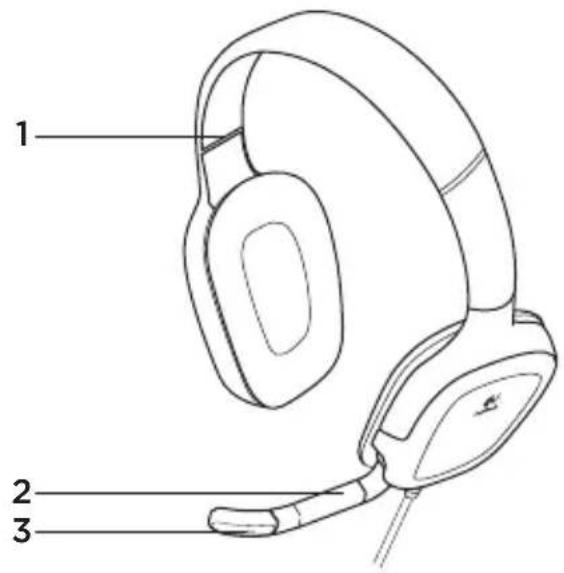
Headsetfunksjoner
natural_image
Line drawing of a desktop computer setup with headphones, tower, and earplifier (no text or symbols)2
3
natural_image
Diagram of a rope knot with a loop and central knot (no text or symbols)Bruk ledningsklemmen til å få orden på overflødige ledningslengder.
Test headsettet
www.logitech.com/ithink
2
3
natural_image
Diagram of a rope knot with a loop and central knot (no text or symbols)www.logitech.com/ithink
natural_image
Line drawing of a desktop computer setup with headphones, tower, and earplifier (no text or symbols)2
natural_image
Diagram showing two types of headsets with directional arrows indicating motion or rotation (no text or symbols present)3
natural_image
Diagram of a rope knot with a loop and central knot (no text or symbols)www.logitech.com/ithink
natural_image
Line drawing of a desktop computer setup with headphones, tower, and earplifier (no text or symbols)2
natural_image
Diagram showing two types of headsets with directional arrows indicating motion or rotation (no text or symbols present)3
natural_image
Diagram of a rope knot with a loop and central knot (no text or symbols)www.logitech.com/ithink
2
www.logitech.com/ithink
natural_image
Line drawing of a desktop computer setup with headphones, tower, and earplifier (no text or symbols)2
3

natural_image
Diagram of a rope knot with a central loop and directional arrow (no text or symbols)www.logitech.com/ithink
2
natural_image
Diagram showing two types of headsets with directional arrows indicating motion or rotation (no text or symbols present)3
natural_image
Diagram of a rope knot with a loop and central knot (no text or symbols)www.logitech.com/ithink
Peakomplekti osad
2
natural_image
Diagram showing two types of headsets with directional arrows indicating motion or rotation (no text or symbols present)3
natural_image
Diagram of a rope knot with a loop and central knot (no text or symbols)www.logitech.com/ithink
Austinu apraksts
natural_image
Line drawing of a desktop computer setup with headphones, tower, and earplifier (no text or symbols)2
3
natural_image
Diagram of a rope knot with a loop and central knot (no text or symbols)www.logitech.com/ithink
Ausinių funkcijos
natural_image
Line drawing of a desktop computer setup with headphones, tower, and earplifier (no text or symbols)2
3
natural_image
Diagram of a rope knot with a loop and central knot (no text or symbols)www.logitech.com/ithink
Značajke slušalica
- Prilagodljiva traka za glavu
- Rotirajući nosač mikrofona
- Mikrofon s prigušivačem šuma
- Gumb za isključivanje zvuka (Pritisnite za isključivanje. Pritisnite ponovo za uključivanje.)
- Kontrola glasnoće
- Priključci za slušalice
- Sustav za upravljanje kabelom
1
2
natural_image
Diagram showing two types of headsets with directional arrows indicating motion or rotation (no text or symbols present)3
natural_image
Diagram of a rope knot with a central loop and directional arrow (no text or symbols)www.logitech.com/ithink
Funkcije slušalica s mikrofonom
- Prilagodljiva traka
- Rotirajući držač mikrofona
- Mikrofon sa uklanjanjem šuma
- Dugme za isključivanje zvuka (Pritisnite ga da biste isključili zvuk. Pritisnite ga ponovo da biste uključili zvuk.)
- Kontrola jačine zvuka
- Konektori slušalica sa mikrofonom
- Sistem upravljanja kablovima
1
natural_image
Line drawing of a desktop computer setup with headphones, tower, and earplifier (no text or symbols)2
3
natural_image
Diagram of a rope knot with a loop and central knot (no text or symbols)Da biste rešili problem viška kabla, upotrebite uključeni alatku za umotavanje kabla.
www.logitech.com/ithink
Funkcije slušalk
- Prilagodljiv naglavni nastavek
- Vrtljivo držalo mikrofona
- Mikrofon z omejevanjem šuma
natural_image
Line drawing of a desktop computer setup with headphones, tower, and earplifier (no text or symbols)2
3
natural_image
Diagram of a rope knot with a loop and central knot (no text or symbols)www.logitech.com/ithink
natural_image
Line drawing of a desktop computer setup with headphones, tower, and earplifier (no text or symbols)2
3
natural_image
Diagram of a rope knot with a central loop and directional arrow (no text or symbols)www.logitech.com/ithink
natural_image
Line drawing of a desktop computer setup with headphones, tower, and earplifier (no text or symbols)2
3
natural_image
Diagram of a rope knot with a loop and central knot (no text or symbols)www.logitech.com/ithink
natural_image
Line drawing of a desktop computer setup with headphones, tower, and earplifier (no text or symbols)2
natural_image
Diagram showing two types of headsets with directional arrows indicating motion or rotation (no text or symbols present)3
natural_image
Diagram of a rope knot with a loop and central knot (no text or symbols)www.logitech.com/ithink
Функції гарнітури
natural_image
Line drawing of a desktop computer setup with headphones, tower, and earplifier (no text or symbols)2
natural_image
Diagram showing two types of headsets with directional arrows indicating motion or rotation (no text or symbols present)3
natural_image
Diagram of a rope knot with a loop and central knot (no text or symbols)www.logitech.com/ithink
natural_image
Line drawing of a desktop computer setup with headphones, tower, and earplifier (no text or symbols)2
3
natural_image
Diagram of a rope knot with a loop and central knot (no text or symbols)www.logitech.com/ithink
www.logitech.com/ithink
natural_image
Diagram of a rope knot with a circular loop, no text or symbols present3
.(Recording devices)
جزّب سماعة الرأس
natural_image
Line drawing of a desktop computer setup with headphones, tower, and earplifier (no text or symbols)1
2
114114

French: +32-(0)2 200 64 40
Česká Republika +420 239 000 335
© 2012 Logitech. All rights reserved. Logitech, the Logitech logo, and other Logitech marks are owned by Logitech and may be registered. Microsoft, Windows Vista, Windows, and the Windows logo are trademarks of the Microsoft group of companies. All other trademarks are the property of their respective owners. Logitech assumes no responsibility for any errors that may appear in this manual. Information contained herein is subject to change without notice.
620-003897.003

- Contents
- Headset features
- Try the headset
- Windows® XP
- Windows® Vista and Windows® 7
- Troubleshooting
- Something not sound right? No sound at all? Microphone not working?
- Headset-Funktionen
- Headsetfunktioner
- Headsettets funktioner
- Headsetfunksjoner
- Test headsettet
- Peakomplekti osad
- Austinu apraksts
- Ausinių funkcijos
- Značajke slušalica
- Funkcije slušalica s mikrofonom
- Funkcije slušalk
- Функції гарнітури
Brand : LOGITECH
Model : G130
Category : Headphones