KBSound iSelect DAB+ - Radio Eissound - Free user manual and instructions
Find the device manual for free KBSound iSelect DAB+ Eissound in PDF.


| Product type | FM / DAB+ alarm clock radio |
| Brand | Eissound |
| Model | KBSound iSelect DAB+ |
| Dimensions (main unit) | 200 x 25 x 356 mm |
| Power supply | 165-265 V~, 50 Hz |
| Power consumption | 10 W |
| Audio output power | 2 x 1.5 W (6 ohms) |
| FM frequency band | 87.5 - 108 MHz |
| DAB+ frequency band | 174 - 240 MHz (Band III) |
| FM sensitivity | 1.7 - 3.5 µV |
| FM distortion | 0.1 - 0.5 % |
| Number of presets | 30 FM stations |
| Display | LCD screen on the remote control |
| Remote control | Wireless, range 5 m (line of sight) |
| Audio functions | Volume, bass, treble, balance, loudness, mono/stereo |
| Ideal mode | Programmable (station, volume, tone) |
| Wireless connectivity | KB DOCKSUND accessory (2.4 GHz) for iPod/iPhone and 3.5 mm audio input |
| Battery type (remote control) | 2 x AA 1.5 V |
| Country of manufacture | Not specified |
| Warranty | Check with the retailer |
Frequently Asked Questions - KBSound iSelect DAB+ Eissound
User questions about KBSound iSelect DAB+ Eissound
0 question about this device. Answer the ones you know or ask your own.
Ask a new question about this device
Download the instructions for your Radio in PDF format for free! Find your manual KBSound iSelect DAB+ - Eissound and take your electronic device back in hand. On this page are published all the documents necessary for the use of your device. KBSound iSelect DAB+ by Eissound.
USER MANUAL KBSound iSelect DAB+ Eissound
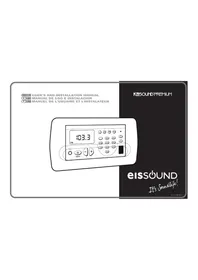
ENG 1 USER'S MANUAL
11 BENUTZERHANDBUCH
F 21 MANUEL DE L'USUAIRE
NL 31 GEBRUIKERSHANDLEIDING
41 MANUALE DELL'UTENTE
51 BRUKERHANDBOK
KBSOUND®
iSelect
eISSOUND
It's soundlife!

eISSOUND
Important Safety Instructions
Before installing the unit, please read and follow the instructions provided in the Installation Manual included in this kit.
Before operating the unit, please read and follow the instructions provided in this User's Manual thoroughly and save it for future reference.
WARNING- To reduce the risk of fire or electric shock:
install in accordance with the manufacturer's instructions do not expose this apparatus to water dripping or splashd do not use this product near water
do not attempt to disassemble this undo not block any ventilation openings

do not install near any heat sources such as radiators, stoves or other equipment that produce heat.
You are cautioned that any changes or modifications not expressly mentioned in this manual could affect the normal operation of this equipment.
This product has been designed and tested to provide reasonable protection against harmful interference in residential installation. However there is no guarantee that interference will not affect in a particular installation. In these cases, reorient the receiving antenna, try to increase the separation between the equipment and the source of interference and/or connect the equipment into an outlet on a circuit different from that to which the source of interference is connected.
The entire risk of the installation, use, results and performance are borne by you.
When a socket plug, or a device connector is used as a mechanism to disconnect from the electrical mains, the mechanism must be easily accessible at all times. Protect the power cord from being walked on or pinched particularly at plugs and the point where they exit from the apparatus.
Only use attachments/accessories specified by the manufacturer.
Use a certified technician for installation, repair and/or maintenance of this equipment and comply with all the regulations in force in each country. Servicing maybe required when the apparatus has been damaged in any way, such as power-supply cord or plug is damaged, liquid has been spilled or objects have fallen into the apparatus, the apparatus has been exposed to water dripping or splashing, does not operate normally, or has been dropped.
To change the batteries remove the cover by pressing on the tab while lifting the cover. Use batteries type AA 1,5V. Do not discard used batteries with household waste.
Table of Contents
ENG
Quick Reference Guide 2
- Introduction 3
- General Operating Notes 4
3.Operating Audio Functions 5 - Operating the FM Tuner 6
- Operating the Wireless ACD8D DOCK 9
- Selecting Turn-On Mode 10
Technical Specifications
| 52391 | MIN | NORMAL | MAX | COMMENTS |
| Measurements | Voltage | 200±33±56 | 245 | mm |
| Var. 50Hz, terminal FN | ||||
| Consumption demand | 10 | W terminals FN | ||
| Output signal (18 chms) | 1.5 | W terminals LR | ||
| Passband | 45 | 20.000 | Hz | |
| Distortion | 0.1 | % | ||
| Left/right channel separation | 58 | dB | ||
| FM Frequency range | 87.5 | 108 | MHz | |
| FM antenna impedance | 75 | chms RF connector | ||
| FM antenna sensitivity | 1.7 | 3.5 | uV | |
| FM tumor distortion | 0.1 | 0.5 | % | |
| Number of FM isolation pre-sets | 30 |
| 525x1, 52592 | MIN | NORMAL | MAX | NOTAS |
| Measurements | 110x27.75x10 | ref:525x1 (width x height x depth) | ||
| 54.8x37x20 | mm | |||
| Voltage | 5 | ref:52592 (width x height x depth) | ||
| Consumption demand | 10 | Vdc | ref:525x1 | |
| Input signal | 350 | mVrms | pack 3.5mm | |
| Input impedance | 50 | Kohms | pack 3.5mm | |
| Wireless transmitter RF | 2.4 | GHz | ||
| Power RF | 10 mWep | |||
| Antenna RF | integral | ref: 525x1 | ||
| 2.5 | ref:52592 (SMA connector) |
Quick Reference Guide
Automatic FM station search sensitivity


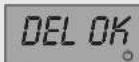
Delete all FM tuning pre-sets

Store all FM stations detected

Delete individual FM tuning pre-sets

Store individual FM station pre-set

Store "IDEAL" setting

Store turn-on mode (on/off)

KB DOCKSDUND


Program MONO for all sound sources

To illustrate that an operation requires holding down a key on the remote control for a specific amount of time, the symbol will appear in the manual next to the key. The screen will display the symbol.
1. Introduction
eISSOUND

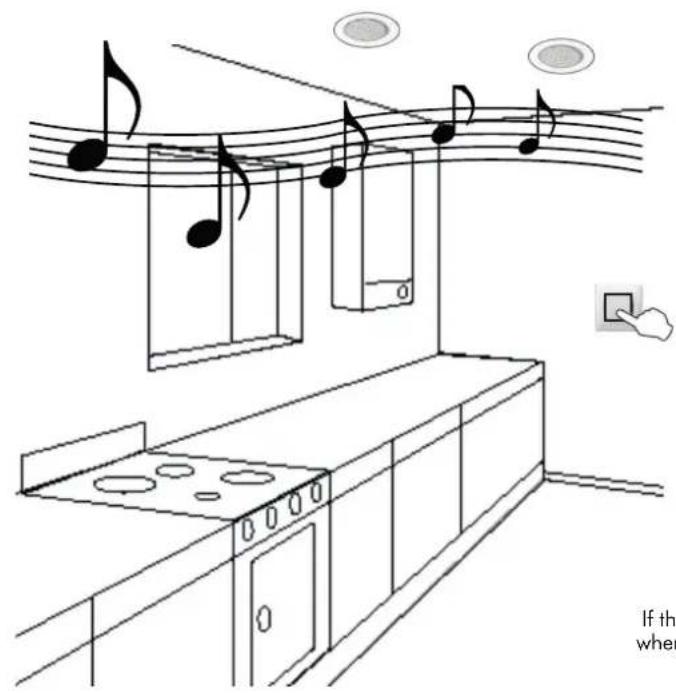
KBSOUND® iSelect is a sound device specially designed for quick and easy installation. It fits discreetly into the decor of your kitchen, bathroom or anywhere in your home.
The KBSOUND® iSelect Kit comprises:
Electronic module with built-in FM tuner and power supply.
1,5W + 1,5W stereo audio output.
- Two 2.5'' or two 5'' loudspeakers.
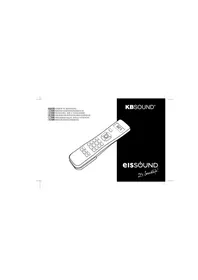
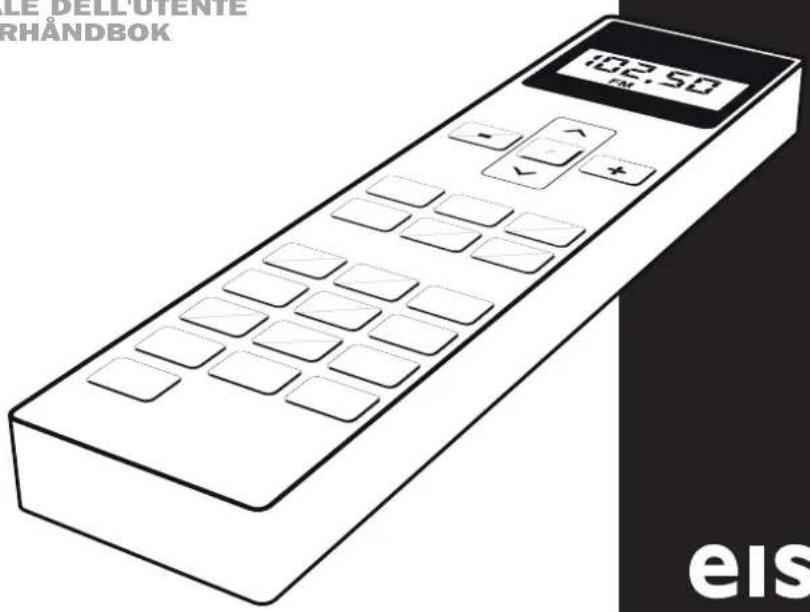
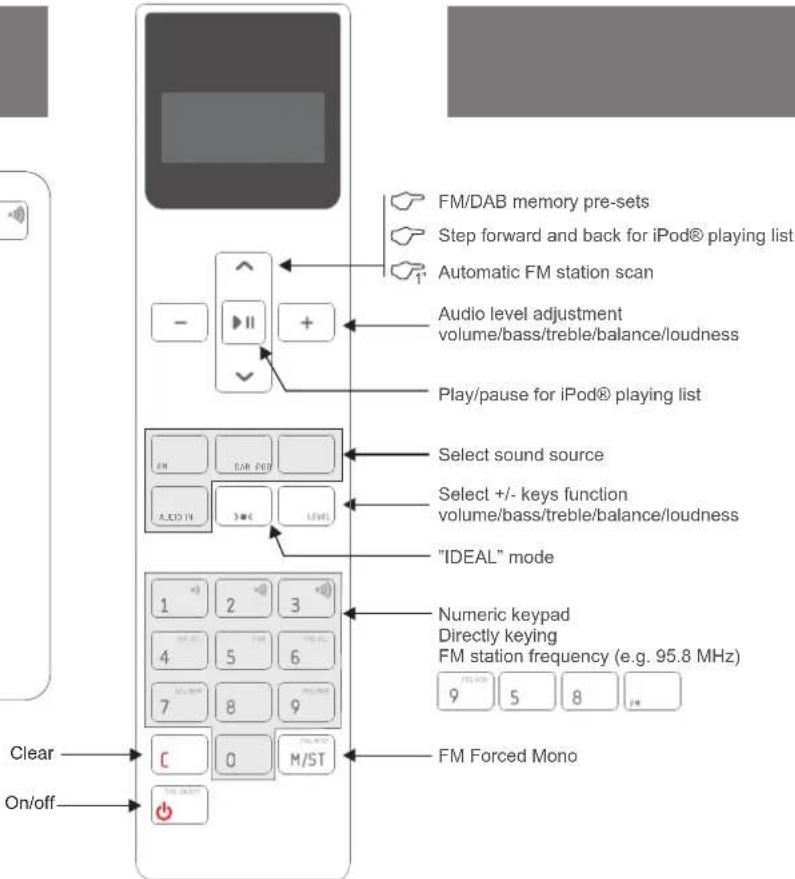
Remote control with the following functions:
Volume, bass, treble and balance control.
Forced Mono' function.
FM and RDS information.
Ability to directly key-in desired station frequency.
Ability to automatically store into memory stations received with the best reception.
30 memory pre-sets.
"Intelligent" loudness: automatic adjustment to the volume level.
When connected with the wireless KBSQND (D)cked in this kit), the user has two additional sound sources: the iPod/iPhone and an external sound source using a 3,5mm jack input.
The components supplied in this kit are for installation and use in the manner and for the purpose described in the Installation Manual and the User Manual. The installation must also comply with each country's current regulations. This manual assumes that the UK/SAE/SAE/SAE/SAE/SAE/SAE/SAE/SAE/SAE/SAE/SAE/SAE/SAE/SAE/SAE/SAE/SAE/SAE/SAE/SAE/SAE/SAE/SAE/SAE/SAE/SAE/SAE/SAE/SAE/SAE/SAE/SAE/SAE/SAE
2. General Operating Notes

-
- None of the functions (except ON/OFF) work unless the remote control is in "on" mode.
Once the KBSTHNEHs chains, it will remain powered even it is in OFF state. That means that the OFF state (as indicated in this manual) really means a "standby" state.
3.- A short BEEP sound signal indicates that the data has been received
4.- The remote control unit exchanges information (transmits and receives data) by means of the transmission-reception capsule. If at any time there is a failure in the communication, the screen will display the symbol. In the event of this occurring, point the remote control to the transmission-reception capsule at a straight-line distance of no greater than 5 meters.
5.- The remote control display will automatically turn off when there has been no keying activity for more than a few seconds, ensuring more efficient battery usage. To view the display information at any time, point the remote control to the transmission-reception capsule and press the key.
- None of the functions (except ON/OFF) work unless the remote control is in "on" mode.
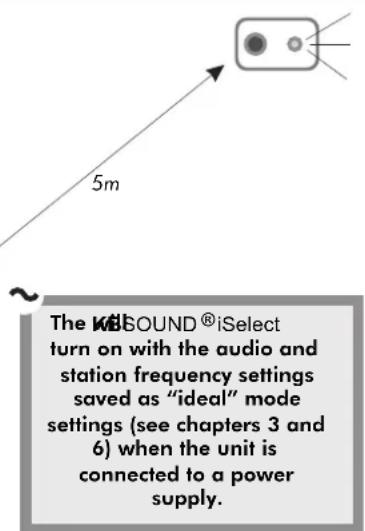
When switched off and on while connected to the power supply, the audio and station frequency settings will be as when the unit was switched off with the remote control ON/OFF key
3. Operating Audio Functions
eISSOUND
ENG
If the electronic module is off, a brief press on the ON/OFF key turn on the unit
between 1 and 2 seconds).
The LED will display the word "ON"
When the electronic module is off, the LED will be OFF.
Increase/decrease in the volume level: The LED will flash
to indicate the desired change in volume.
Increase/decrease in bass/treble levels: The LED will flash
to indicate the desired change in the bass/treble levels.
Loudness: It reinforces the bass level in terms of the volume level, assuming a greater backing at a lower volume and a lesser backing at a higher volume.
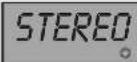
Mono/stereo reception: When activated, this feature allows the FM stations to be received in stereo.
When deleted this feature only allows for mono reception.
Note: If the electronic module's configuration is mono, the signal will always be received in mono
even if the signal received by the antenna is in stereo.
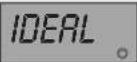
"IDEAL" mode of operation can be instantly accessed by pressing the IDEAL key on the remote
control. In this mode, a specific station is played at selected levels of volume, bass, treble and
loudness.
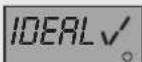
To program your "IDEAL" mode of operation, select the desired levels of volume, bass, treble and
loudness, as well as the station frequency. Then press the IDEAL key for 2^
Key Sequence Display



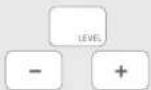
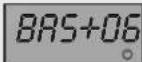
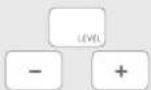
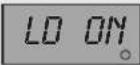




4. Operating the FM Tuner
4.1 Station Scan
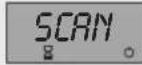
While the search is taking place, the word "SCAN" will appear on the display screen. The screen will duly display the station frequency of the next station found
4.2 Direct Key-in of Station Frequency
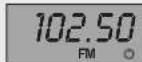
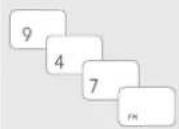
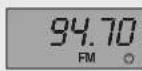
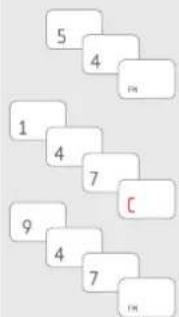
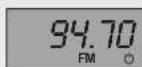
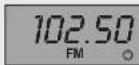
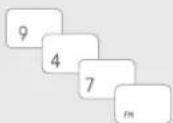
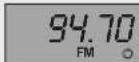
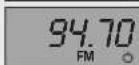
To directly key-in an FM station frequency, sequentially dial the numeric keys of the station frequency then press the FM key. For example, to select 94.7, press 9 4 7 FM.
Note: A station frequency can be keyed-in as either 94.7 (9 4 7 FM) or as 94.70 (9 4 7 0 FM)
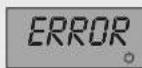
If the frequency is not correct or if more digits than necessary are keyed-in, the screen will display the word "ERROR"
To clear a digit and start a different frequency, press the C key
and then begin keying-in of the desired frequency
Key Sequence Display

ENG
4.3 Tuning to FM Memory Pre-Sets
The SCAN keys allow you to scroll through the stations stored in the memory (see Chapters 4.4 and 4.5, Storing and Clearing Stations in Memory).
When stations are stored in the memory they are sorted in ascending order; that is, beginning with 87.5 and ending with 108.0.
The screen will display the frequency of the station stored in that memory pre-set. If there are no stations stored, the screen will display the word "NO MEM"
4.4 Storing and Clearing Station Frequencies Manually
To starechstieeation (see Chapters 4.1. Station Search and 4.2. Direct key-in of Station
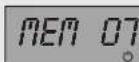
Hold down the 9 key for 2^ .
The station tuned at that time will be stored in the memory.
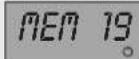
If all the memory slots have been assigned, the current station will not be able to be stored and the screen will display the word "NO MEM"
To get the information on the whole country the 7 key for 2". The
station will be deleted from the memory.
Key Sequence Display

4.5 Storing and Clearing Station Frequencies Automatically
To activate the spocies/boid thcneosjcs foat sthically
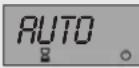
When the automatic programming begins the screen will display the word "AUTO"
The electronic module will store into the memory the stations that are received with the best reception, sequentially from lowest frequency (87.5 MHz) to highest frequency (108.0 MHz).
The system will use all the memory slots available, reaching a maximum of 30.
The process can take a few moments. Once the scan has been completed or once the maximum number of memory slots has been used, the process ends and a BEEP signal sounds.
To activate the clearing function sequences automatically
memory slots, hold down 4 key for 5^
4.6 Adjusting Station Search Sensitivity
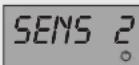
To adjust the automatic station search sensitivity (see 4.1. Station Search), press the 1,2 or 3 keys (1=minimum, 3=maximum) for 5^
Key Sequence Display






5. Operating the Wireless KB DOCKSOUND Accessory
The wireless KBSOUND@DOCK
Accessory for use with the
KBSOUND Select 2,5 or 5" allows you to enjoy and listen to your music from all models of iPhone and iPod, and any other external sound source that can be connected to the Dock using a 3.5mm jack input.
When the Dock is powered from the external power supply, it recharges the iPod/iPhone.
IMPORTANT: use only the power supply supplied with the KBSOUND®DOCK
When the Dock is not connected to an external power supply it will be powered from the connected iPod/iPhone. In this case, the external audio source AUDIO IN is not available.

iPod nano
1st generation 4GB 2GB 4GB

iPod nan
5th generation (video camera)
8GB 16GB

iPod
5th generation (video) 30GB

iPhone
4GB 8GB 16GB

IPod nano
3rd generation (video)
4GB KBG

iPod touch
1st generation 8GB 36GB 32GB

iPhone 3GS
8GB 16GB 32GB

Pod nano
4th generation (video)
RGB 16GB

iPod classic
80GB

iPhone 4
16GB 32GB
These functions are available only when accessory is@ed.KBSOUND
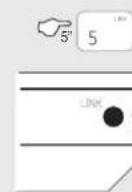
Press key 5 for 5" . Speaker led will flash in blue.
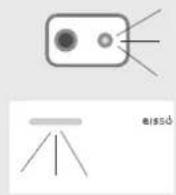
Power the Dock. Press the LINK key at the back of the Dock for 5^ . The Dock led will flash in blue.
After a few seconds both leads will stop flashing and the Dock and the KBSOUND Select are linked.
The iPOD key on the remote control selects the iPod® from the Wireless Dock as the audio source input. When playing the Dock led will be green.
To play/pause the iPod®, use the key:
To step forward or back the iPod's playing list, use the keys:
The Audio-in key on the remote control allows you to select the external audio source that is connected by a 3,5mm jack to the Dock. When playing the Dock led will be blue.
Made for

iPhone
eISSOUND
9
ENG
Key Sequence Display
the KEBK
ONLY WITH ONE KBSOUND Select at any one time




6. Selecting Turn-On Mode
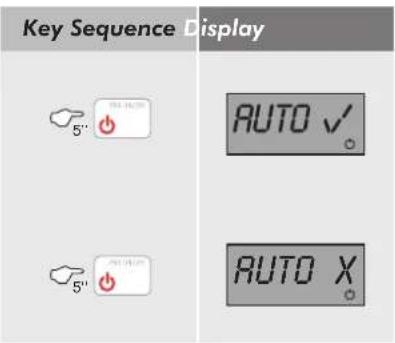
This function is designed for use in the event that the KBSOUND iSelect power supply is fed by a specifically designated switch. In this case, the automatic activation mode must be programmed in order to automatically turn onKBSOUND Select is activated. These steps must be followed:
- Supply power to the uKBSQUNIDgSelect the switch. The KBSQUNIDgSelectple of times and turn off.
- Turn on the UKB GoldNixSelenium control (ON/OFF key).
- With the uKBOSIOIN, is the ON/OFF key pressed down for 5^
If the Turn-On mode is set to "on" in this state, when power is fed to the unit, it will turn on in "ideal" mode (see Chapter 3).
If the Turn-On mode is set to "off", when power is fed to the unit, it will turn on in "off" mode.
eISSOUND
iPod nano
1st generation 4GB 2GB 4GB

iPod nano
5th generation (video camera)
8GB 16GB

IPod 5th generation (video) 30GB

iPhone 4GB 8GB 16GB

ipod nano 3rd generation (video) 4GB 8GB

iPod touch 1st generation 8GB 16GB 32GB

iPhone 3GS 8GB 16GB 32GB

Pod nano
1h generation (video)
GB 16GB

iPod touch 4th generation 8GB 32GB 64GB

iPhone 4 16GB 32GB
1st generation 2GB 2GB 4GB

iPod nano
5th generation (video camera)
GBB 16GB

iPod
5th generation (video) 30GB

iPhone
4GB 8GB 16GB

iPod nano
3rd generation (video)
4GB 8GB

iPod nano
5th generation: 3GB 16GB

iPod Touch
1st generation 8GB 36GB 32GB

iPhone 3GS
8GB 16GB 32GB

Pod nano
4th generation (video)
8GB 16GB

时
IPod classic 80GB

iPod touch
4th generation 8G32GB64GB

2 : x^ ( x) = y^ ( x) : 2 : x^ ( x) = y^ ( x) : y = 10( x)
iPhone 4 16GB 32GB
th generation (video camera) G8 16GB

IPod
5th generation (video) 30GB

iPhone
4GB 8GB 16GB

iPod nano
3rd generation (video) 4GB 8GB
iPod nano
6th generation 8G/16GB

iPod touch
1st generation 8GB 16GB 32GB

iPhone 3GS
8GB 16GB 32GB

iPod nano
4th generation (video)
8GB 16GB

1
iPod classic 80GB

iPod touch
4th generation 8G32GB4C8

iPhone 4
16GB 32GB
1st generation 2GB 2GB 4GB

Pod nan
6th generation (video camera)
3GB 16GB

iPod
5th generation (video) 30GB

iPhone
4GB 8GB 16GB

iPod nano
3rd generation (Video) 4GB RGB
iPod nano
6th generation 8G16GB

iPod touch
1st generation 8GB 36GB 32GB

iPhone 3GS
8GB 16GB 32GB

iPod nano
4th generation (Video)
1GB 16GB


iPod touch
4th generation 8G 32GB 64GB

iPhone4
16GB 32GB
commercial@eissounda.com
MADRID
Poeta Rafael Morales 2, of.2°B
eissound It's soundlife!