Color Cube L - Speaker BIGBEN INTERACTIVE - Free user manual and instructions
Find the device manual for free Color Cube L BIGBEN INTERACTIVE in PDF.



| Product type | Bluetooth speaker with LED lighting |
| Brand | Bigben Interactive |
| Model | Color Cube L |
| Category | Portable speaker |
| Power supply | AC adapter 85-240 V AC / output 5V, 1-2 A |
| Battery type | Built-in rechargeable lithium-ion |
| Battery life | 4 to 6 hours after full charge |
| Charging time | 6 to 8 hours |
| Bluetooth connection | Bluetooth 5.0 (estimated) |
| Bluetooth name | COLOR CUBE |
| Bluetooth range | 10 meters (decreases if battery low) |
| Bluetooth password | 0000 (if requested) |
| Water resistance rating | IP44 (splash resistant) |
| Lighting | RGB LED with multiple modes (fixed, smooth, flash, etc.) |
| Remote control | Infrared, with button cell |
| Remote control functions | Light on/off, color selection, modes, timer, music control (previous, next, pause, volume) |
| Timer | From 30 to 180 minutes, with automatic shut-off |
| Color memory | Remembers the last lighting mode (except if battery empty) |
| Maintenance | Clean with a soft, clean, slightly damp cloth |
| Recycling | Do not dispose of with household waste; take to a recycling center |
Frequently Asked Questions - Color Cube L BIGBEN INTERACTIVE
User questions about Color Cube L BIGBEN INTERACTIVE
0 question about this device. Answer the ones you know or ask your own.
Ask a new question about this device
Download the instructions for your Speaker in PDF format for free! Find your manual Color Cube L - BIGBEN INTERACTIVE and take your electronic device back in hand. On this page are published all the documents necessary for the use of your device. Color Cube L by BIGBEN INTERACTIVE.
USER MANUAL Color Cube L BIGBEN INTERACTIVE
natural_image
Line drawing of a cube with an oval recess and a grid-patterned inner circle, no text or symbols present.
text_image
COLOR BLOCK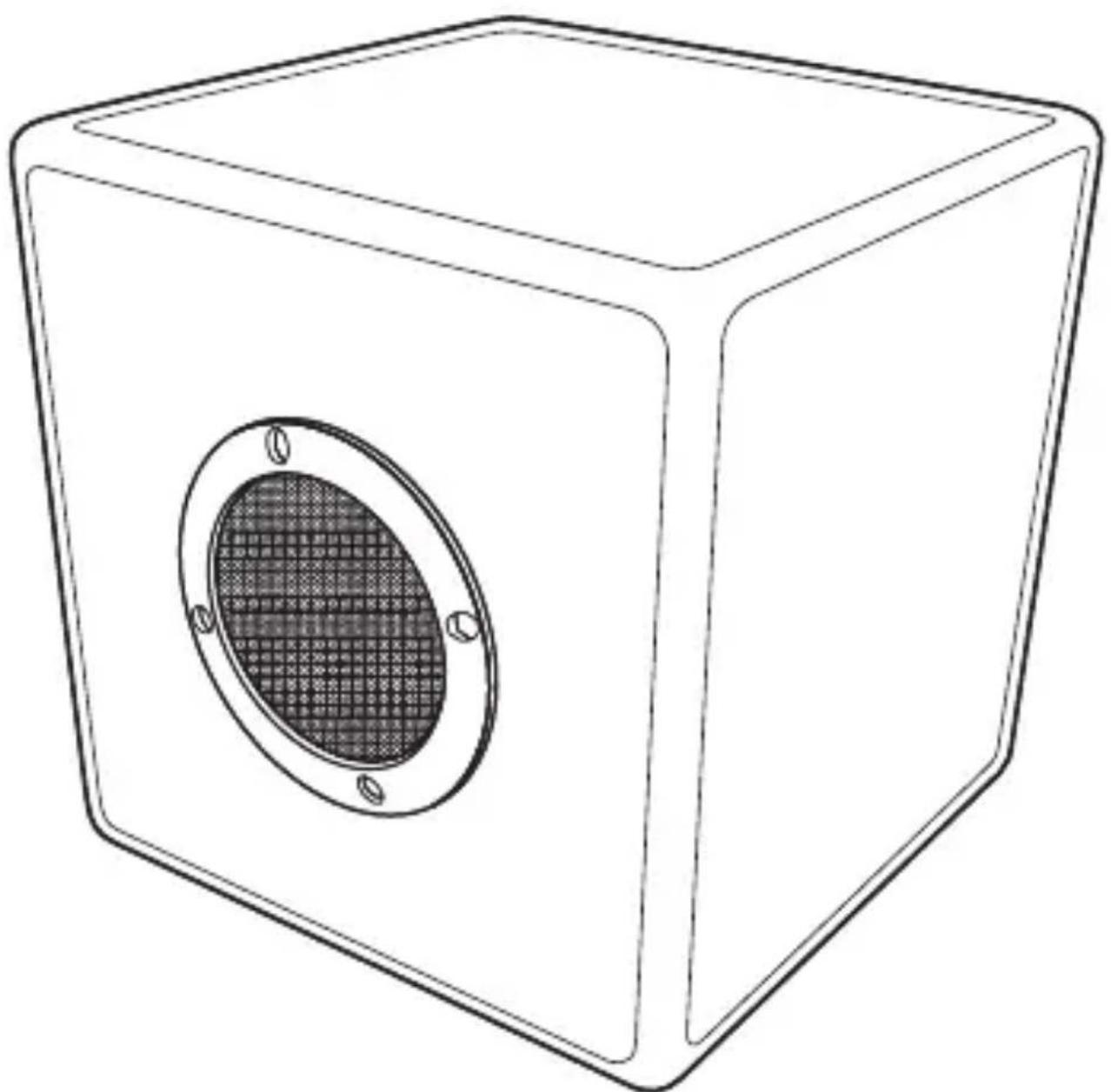
natural_image
Line drawing of a cube with an oval recess and a grid-patterned inner circle, no text or symbols present.EN
SPECIFICATION :
- Adapter : Input 85-240AC Output 5V/1\~2A
- RGB LEDS
- Charging time : 6-8H
- Working time : After full charge, Lighting could work 4-6H
- Bluetooth name : COLOR CUBE
- No need Password normally, But some mobile phone maybe need, the password is : 0000
- Bluetooth range 10M. receive range will be reduced as the battery voltage decrease
- Water resistance : IP44
OPERATION
Charge the light—First step.
WARNING! Never charge the product in a pool, water, or in rain.
Charge in a dry, indoor
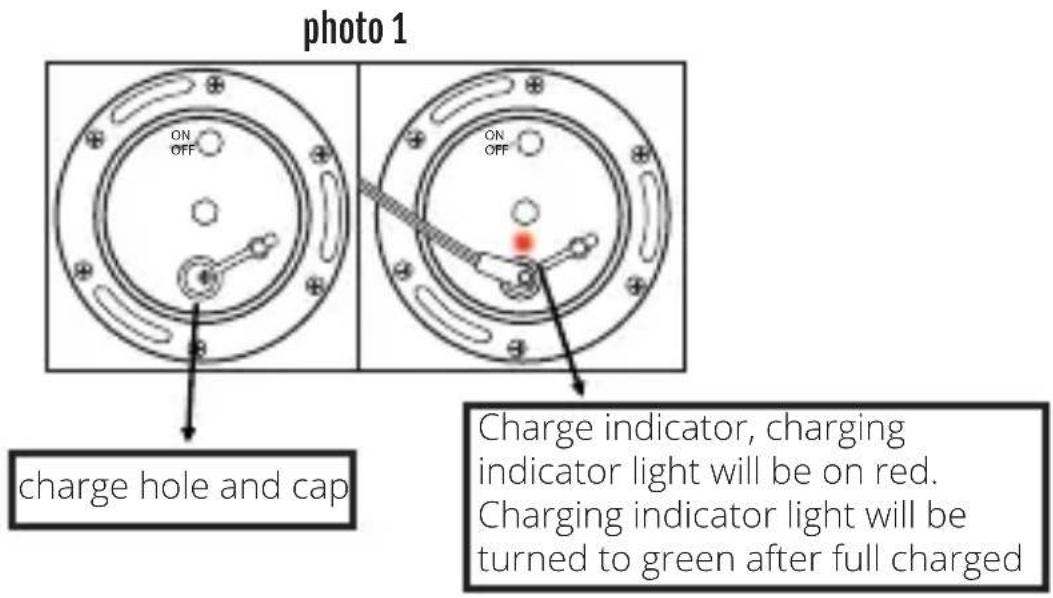
Insert the adaptor plug into the socket, (Photo 1)
Connect the external adapter to the electrical outlet.
It will begin to charge and charging indicator light will be on red.
Charging indicator light will be turn to green after full charged, Please cover the charge cap after fully charged.
Bluetooth light will keep the same working mode you are operating when charge in the case of electricity is not exhausted.
Bluetooth light will flash when charge in the case of electricity is exhausted. (Photo 1)
the external adapter should not be used outdoor, not exposed to rain, humidity, and liquid, or heat.
text_image
photo 1 ON OFF ON OFF charge hole and cap Charge indicator, charging indicator light will be on red. Charging indicator light will be turned to green after full chargedNOTE: First remove the small plastic sheet from the battery cover before below operation
-
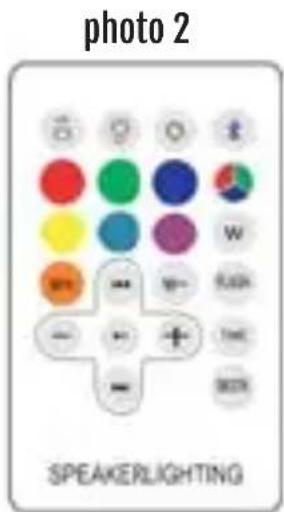
☐ ☐ Brightness intensity and speed button: Adjust the speed under smooth modes. Change brightness intensity when the light is fixed on one single color.
-
Light ON/OFF button: Press this button to power the light on and off. Power on is the first step for all functions on remote control. Once the color cube is power on, press ON/OFF button again is only to turn on or off the
lighting, If theBluetooth is connected, Press ON/OFF button does no has effect to Bluetooth. This color cube has memory storage function when electricity is not exhausted.
The light could keep the same lighting working mode or color which you turned off last time. For example, last time you turned off the light on "RED" mode, this time you press the button, the mode will still be on "RED" mode.
When electricity is used exhausted last time, there will be no memory storage function. After fully charged, you press the ON/OFF button, the initial mode is on "SMOOTH" mode.
text_image
photo 2 SPEAKERLIGHTING- Press this button to turn on and turn off Bluetooth. after press the button, once the Bluetooth is on, The Bluetooth indicator light will start to flash in Blue color and a voice "power on" come out, then use your mobile phone Bluetooth to match the "COLOR CUBE" Bluetooth. Once the Bluetooth is connected with your mobile phone, Bluetooth indicator light will be kept on blue color but not flash and a voice "Speaker connected" come out, (Photo 2);
While connected, If you go away more than 10 Meters, The Bluetooth indicator light will return to flash in Blue color and a voice "speaker disconnected" come out, your mobile phone will be disconnected with the speaker;
If you go back to the speaker less than 10 Meters, Bluetooth indicator light will be kept on blue color but not flash and a voice "Speaker connected" come out again and your Mobile phone will connected the speaker automatically;
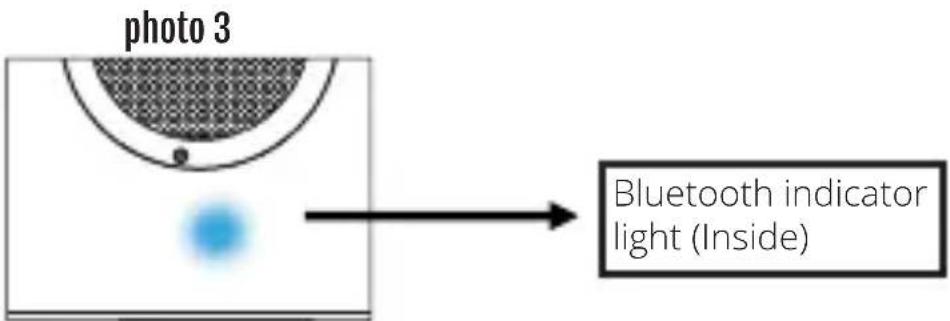
Bluetooth indicator light is inside the cube and could looks below the speaker;
Once the Bluetooth is connected, Press the button again the Bluetooth will be off.
The Bluetooth indicator light will be off once the Bluetooth is off (After Bluetooth is off and then
press ✦ and power on the BlueTooth again, you must manual connect the speaker);
One mobile phone only could match with one Bluetooth to play music at the same time.
text_image
photo 3 Bluetooth indicator light (Inside)-
Color selection button: When the light is on Press this button to choose your favorite color as shows on remote control (Six colors).
-
w + White color warm increase button: When the light is on, Press this button to change the white color to more warm. Total 11 stages;
-
w - White color warm decrease button: When the light is on, Press this button to change the white color to more cold. Total 11 stages;
-
Color selection button : When the light is on, Press this button to choose your favorite colors (Total 7 colors)
-
Music Flash Button: the light will flash with the music automatically.
-
Smooth Button: 7colors scrolling automatically.
-
"time": Once you power on the light, the counter down is not acted and it will work
- Continuously. If you press the time Button once, the counter down is acted and the light mode will be "Red" Mode, and it will work 30 minutes and then shut off the light and Bluetooth automatically after 30 minutes;
- If you press the time Button 2 times, the counter down is acted and the light mode will be "Green" Mode, and it will work 60 minutes and then shut off the light and Bluetooth automatically after 60 minutes;
- If you press the time Button 3 times, the counter down is acted and the light mode will be "Blue" Mode, and it will work 90 minutes and then shut off the light and Bluetooth automatically after 90 minutes;
- If you press the time Button 4 times, the counter down is acted and the light mode will be "Yellow" Mode, and it will work 120 minutes and then shut off the light and Bluetooth automatically after 120 minutes;
- If you press the time Button 5 times, the counter down is acted and the light mode will be "Qing" Mode, and it will work 150 minutes and then shut off the light and Bluetooth automatically after 150 minutes;
- If you press the time Button 6 times, the counter down is acted and the light mode will be "Violet" Mode, and it will work 180 minutes and then shut off the light and Bluetooth automatically after 180 minutes;
-
If you press the time Button 7 times, the counter down is not acted and the light mode will be "White" Mode, and it will work continuously.
-
Previous Button: When the Bluetooth is connected and music is on, Press this button to select previous music.
- Next Button: When the Bluetooth is connected and music is on, Press this button to select next music.
- 🚗 Pause and Play: When the Bluetooth is connected and music is on, Press this button to play or pause the music.
- (- +) Voice- and +: When the Bluetooth is connected and music is on, Press the "-" to reduce volume, Press "+" to increase volume.
BATTERY REPLACEMENT (FOR REMOTE CONTROL)
If remote control fails to activate the light, replace the battery.
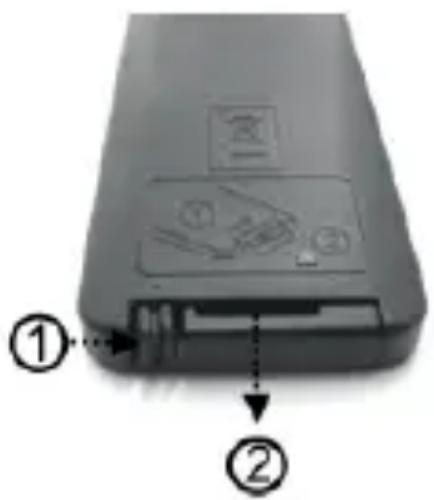
- Press the tab on side of battery cover and then slide off the cover from the remote control - Take out the battery and replace a new one. Pay attention to the polarity of battery on the cover and cover direction when installing them back to the remote control.
Warning!
- Make sure that battery is inserted the right way around and with the correct polarity
- Remove exhausted battery from the product
- The supply terminals are not to be short-circuited
- Dispose of battery safely.
text_image
Diagram of a device rear panel with labeled parts and warning symbols, showing internal components and directional arrows.CARING FOR YOUR LIGHT
- Always POWER OFF the light after use.
- Use clean water to rinse the light after use, and dry with a clean cloth.
- Store the light out of reach of children
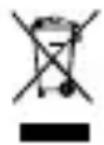
DISPOSAL OF OLD ELECTRICAL & ELECTRONIC EQUIPMENT
This symbol on the product or on its packaging indicates that this product shall not be treated as household waste. Instead it should be taken to an applicable collection point for the recycling of electrical and electronic equipment. By ensuring that this equipment is disposed of correctly you will help prevent potential negative consequences for the environment and human health, which could otherwise be caused by inappropriate waste handling of this product. The recycling of materials will help to conserve natural resources. For more information please contact your local council or waste disposal service
IMPORTANT SAFEGUARDS & PRECAUTIONS
-
Do not disassemble; there are no serviceable parts inside.
-
Do not use if the equipment is damaged.
-
For external cleaning, use a soft, clean, damp cloth only.
-
Use of detergents may damage the cabinet finish.
-
Only use the cables that are supplied with this equipment.
-
This device is not designed to be used by anyone (including children) with impaired physical, sensory or mental capacity, or by anyone without appropriate experience or knowledge unless they have received prior guidance or instructions related to the use of this device from someone who is responsible for their safety. Children should be supervised to ensure that they do not play with the device.
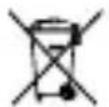
IMPORTANT SAFEGUARDS & PRECAUTIONS
Environmental information (Applicable in the European Union and other European countries with separate collection systems). Disposal of waste batteries. This product may contain batteries. If so, this symbol on the batteries means that they shall not be disposed with other household waste. Instead they shall be handed over to the appropriate collection point for the recycling of batteries. The batteries do not contain either Mercury, Cadmium or lead above the levels defined by the directive 2006/66/EC. For your safety, please view the product manual how to remove the batteries from the product safely. For integrated battery This product contains a Lithium ion/polymer battery that should only be removed by an authorised recycling centre. By recycling this product at your local authorised recycling centre, or the place of purchase, the battery will be removed and recycled separately.
RTTE : Hereby, Bigben Interactive SA, declares that the CBLIGHT-SPK device complies with the essential requirements of the directive 1995/5/EC of the European Parliament and of the Council of 9 March 1999 on radio equipment and telecommunications terminal equipment and the mutual recognition of their conformity. To download the full statement, please visit our website: http://www.bigben.eu/support and the section `declaration of conformity'.
ba