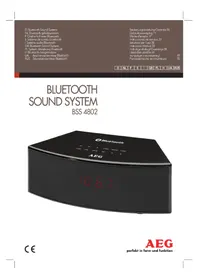
BSS 4802 - Loudspeaker AEG - Free user manual and instructions
Find the device manual for free BSS 4802 AEG in PDF.



| Product Type | Bluetooth clock radio speaker |
| Brand | AEG |
| Model | BSS 4802 |
| Net weight | 1.85 kg |
| Power supply | AC adapter 100-240V~ 50/60Hz, DC output 12V, 2A |
| Protection class | IP11 |
| Radio frequency band | FM 87.5 ~ 108 MHz |
| Bluetooth version | V2.1 + EDR |
| Main functions | FM radio, Bluetooth, USB, AUX, dual alarm, sleep timer |
| Controls | Touch buttons: volume, navigation, function, standby, alarm, sleep, playback |
| Display | Digital display with adjustable backlight |
| Connectivity | Bluetooth, AUX input 3.5 mm, USB port |
| Backup power | Unspecified batteries (not included) |
| Maintenance and cleaning | Soft damp cloth without detergent; do not immerse |
| Safety | Do not expose to rain/moisture, do not open the casing, do not touch the power supply with wet hands |
| Bluetooth compatibility | A2DP and AVRCP profiles; range approx. 15 m |
| Supported audio formats | MP3 files (via USB) |
| Operating temperature | Dry room, room temperature |
Frequently Asked Questions - BSS 4802 AEG
User questions about BSS 4802 AEG
0 question about this device. Answer the ones you know or ask your own.
Ask a new question about this device
Download the instructions for your Loudspeaker in PDF format for free! Find your manual BSS 4802 - AEG and take your electronic device back in hand. On this page are published all the documents necessary for the use of your device. BSS 4802 by AEG.
USER MANUAL BSS 4802 AEG
D Bluetooth Sound System
NL Bluetooth geluidsystem
Élimination. Page 22
Espanol
Contenidos
Location of Controls.. Page 3
Instruction Manual.. Page 33
Technical Specifications.. Page 37
Disposal.. Page 37
Język polski
Spis tresci
Location of Controls
Alimentation: DC 12V, 2A Θ-C-Φ
Consommation: 12W
Portee : 15 metres environ
Frequences de transmission: 2,4 GHz
Protocoles:A2DP,AVRCP
Cuando统计数据 the time of the day when you are in your home, you can use the following information to calculate the amount of time you have spent in your home.
Cordless via Bluetooth
Supporto Bluetooth: V2.1 + EDR
Gamma: ca. 15 metric
Thank you for choosing our product. We hope you will enjoy using the appliance.
Symbols in these Instructions for Use

WARNING:
Warns of dangers for your health and indicates potential risks of injury.

CAUTION:
Indicates potential dangers for the device or other objects.

NOTE:
Highlights tips and information for you.
General Safety Guidelines
Before using this device, carefully read this user manual and keep it together with the Warranty Certificate, cashier receipt and if possible, the original package inclusive its interior packing. If you hand on the device to any third person, include the user manual as well.
- To avoid the risk of fire or electric shock, you should not expose the device to rain or humidity. Do not use the device near water (e.g. bathroom, swimming pool, humid cellars).
- Do not use the unit in extremely hot, cold, dusty, or damp places.
- The unit is designed solely for private use and its intended purpose. This unit is not designed for commercial use.
Make sure that the power cable is not bent, pinched, or comes into contact with heat sources.
Make sure that the power cable is not a tripping hazard.
The power supply is only suitable for use in dry rooms. - Only connect the power supply to a properly installed socket. Ensure that the specified voltage matches the voltage of the socket. Also check to make sure that the output current and the polarity of the power supply match the information on the connected device.
- Do not touch the power supply with wet hands!
The mains plug must always be easily accessible.
Always install batteries in the correct direction. - Avoid covering the device's vent openings.
- Never cover the vent holes with objects, such as magazines, tablecloths, curtains etc.
- This appliance shall not be exposed to dripping or splashing water and that no object filled with liquids such as vases shall be placed on apparatus.
- Open sources of fire, such as e.g. burning candles may not be placed onto the unit.
- Never open the device's case. Improper repairs can cause severe danger to the user. If the device or particularly the power cord is damaged, don't use the device any further and have it repaired by a qualified specialist. Check the power cord regularly for damages.
English
- To avoid any danger, a damaged power cord must be replaced only by the producer, its customer service or a similarly qualified person with an equal cord.
- If the device won't be used over an extended period of time, disconnect the power cord and remove the batteries.
These symbols may be found on the device and shall indicate the following:
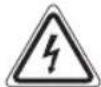
The lightning symbol warns the user of dangerously high voltages inside the case.

The exclamation mark symbol points to important instruction or maintenance remarks in the accompanying guidelines.
Children and disabled persons
- For the safety of your children, keep any packing parts (plastic bags, cartilage, Styrofoam etc.) out of their reach.

WARNING!
Don't let small children play with foils for danger of suffocation!
- This device is not intended for use by persons (including children) with reduced physical, sensory or mental capabilities, or lack of experience and/or knowledge unless they have been given supervision or instructions concerning the use of the device by a person responsible for their safety.
Supervise children to ensure they do not play with the device.
Location of Controls
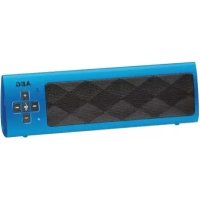
1 DC12V connector
2 AUX connector (3.5 mm stereo jack)
3 USB port
4 Wire antenna
5 VOL+/- buttons (increase/decrease volume)
6 M- button (memory location - downwards)
7 ALARM/M+ button (alarm function/memory location upwards)
8 FUNCTION button (select source)
9 STANDBY button (on mode/operational readiness)
10 TIME/MEM button (for setting/storing the time)
11 SLEEP button (sleep timer)
12 SNOOZE button (slumber)
13 PLAY button (play/pause)
14 UP/DN buttons (next/previous track)
15 Loudspeaker
16 Display
17 Indicator light (first alarm)
18 Indicator light (second alarm)
19 Indicator light (sleep timer)
34 English
First Use of the Device/Introduction
iNC
The buttons on the device are touch buttons. Touch the keys lightly with a finger to perform the function.
- Select a proper place for the device. A dry, level and slip proof surface is suitable.
Make sure the device is vented sufficiently! - Remove the protective film from the device, if present.
Power supply
- Insert the grid plug into a properly installed three prong socket with 230V, 50Hz . Connect the device with the plug connector by inserting its plug into the DC 12 V jack of the device.
- Make sure the grid voltage corresponds to the figures on the rating plate.

CAUTION:
- The included AC adapter may only be used with this device. Do not use it for other devices.
- Use only an AC adapter with 12V( - - ) . A different AC adapter may damage the unit.

TE:
- Disconnect from mains power supply during longer periods of non-use.
The time and the stored radio stations are lost as soon as the power supply has been interrupted.
Setting the clock (during standby mode)
- Briefly hold down the TIME/MEM button (10). The hour indicator starts to flash.
- Use UP/DN buttons to set the hours. Confirm with TIME/ MEM.
- Use UP/DN buttons to set the minutes.
- Press TIME/MEM again in order to save the time settings.

If nothing is entered within approx. 6 seconds, the device reverts back to the normal display.
General Operation
Switch device on/off
- With the STANDBY button (9), you can switch the unit between standby and operating mode. The time is displayed in standby mode.
- To disconnect the unit completely from the mains, pull the mains plug from the socket.

- The time and the stored radio stations are lost as soon as the power supply has been interrupted.
i NOTE:
After 10 minutes without a signal, the device switches to standby automatically.
Volume
By pressing the VOL+/VOL- buttons (5) you can adjust the desired volume.
Sound Settings
If necessary, change the EQ setting in your playback unit to create the best sound.
Display brightness
When the display is in standby, you can set the brightness of the display by repeatedly pressing the SLEEP button (11).
Radio mode
Search for a radio station
- Fully uncoil the wire antenna.
-
You have two options in order to search for a radio station:
-
Adjust the desired radio station using the UP or DN button (14).
-
Keep the UP or DN button pressed down for a short while. The device will stop at the next radio station.
-
If the reception is too weak and there is interference on the received station, try to improve the reception by altering the position and uncoiling or coiling the antenna.
Storing radio stations
- Search for a radio station as described under "Search for a radio station".
- Press the TIME/MEM button (10). The display will start to flash.
- Using the UP/DN buttons (14) select the memory location where the radio station is to be stored.
- Press the TIME/MEM button again. The radio station will be stored and the display will stop flashing.
i NOTE:
The stored radio stations are lost as soon as the power supply has been interrupted.
Select the preset radio station
You can select the stored radio sender with the ALARM/M+ and M- buttons (7/6).
Playing back music files
You have three options to play back your own music files with the unit: hardwired, wireless via Bluetooth, or via the USB port.
By cable
- Connect the 3.5mm stereo RCA cable to an external audio source. If required, use a suitable adapter (not included).
- Insert the other end of the cable into the AUX-IN jack (2) on the unit.
- Repeatedly press the FUNCTION button (8) until "AUX" is shown on the display.
- Start the playback of your audio source. Listen to the sound playback via the speaker. You can adjust the volume using the VOL+VOL- buttons (5).
- For the further procedure, please refer to the user manual of the external audio source.
NOTE:
If possible, adjust the volume of the external unit to a comfortable level.
Cordless via Bluetooth
Bluetooth involves a technology for wireless radio connection of devices over a short distance. Devices with Bluetooth standard are transmitting between 2.402 and 2.480GHz in the ISM band (Industrial, Scientific and Medical). Interference can be caused for example by WLAN-networks, DAB radios, cordless phones, or microwave ovens which work on the same frequency band.
This device offers you the possibility to use a Bluetooth-enabled device. The functional radius is limited to approx. 15 metres depending on the surroundings and the unit used. If your playing device supports the A2DP profile (Advanced Audio Distribution Profile) and has a music-player function, then you can also wirelessly transfer music to the device. The A2DP profile involves a multi-vendor Bluetooth profile. By streaming, stereo-audio signals are wirelessly transferred between the playing device (source) and the receiving device. In order to be able to perform remote control of the source, the player must support the AVRCP profile (Audio Video Remote Control Profile).
Due to the different device manufacturers, models, and software versions, a full functionality cannot be guaranteed.
- Logging on devices (Pairing)
Before you listen to music via the unit, you must pair the devices.
- Ensure, that the Bluetooth function is activated in your player (e.g. mobile phone). For this, refer to the operation manual of your player.
- Press the FUNCTION button (8) repeatedly, until "bBLUE" is shown on the display. Two short beeps provide the signal that the device is in the pairing mode.
- Chose the Bluetooth menu in your player and register the device in your player. For this, refer to the operation manual of your player. The device "AEG BSS 4802" will show in your player as a selection.
NOTE:
Only one playback unit can be connected to the speaker. If the speaker is already connected to another playback unit, the speaker will not appear in the BT selection menu.
- Now enter the password "0000" in your player, depending on the device manufacturers, model, and software version.
If the registration has been carried out successfully, a short beep is emitted.
For the further procedure, please refer to the user manual of the playback unit. If possible, adjust the volume of the external unit to a comfortable level.
NOTE:
Depending on the device manufacturer, you need to perform the registration (PAIRING) again to connect the devices
- In the case of problems when registering a player, deactivate the WiFi / mobile data function of your player.
- The Bluetooth compatibility cannot be ensured for devices (e.g. mobile phones) getting released in the future.
To ensure an optimal connection, make sure that the battery of your player is completely charged.
- Some of the mobile phone brands have an energy-saving mode. Deactivate the energy-saving mode as it can otherwise result in problems during the data transfer through Bluetooth.
To be able to transfer audio data, Bluetooth needs to stay activated in your player Observe the operation manual of your player.
- If a mobile phone on which you are playing music receives a call, the music will be interrupted. The sound however is not played back via the speaker. After you have ended the call, the devices are connected to each other again and playback continues.
USB port (3)
This device has been developed in line with the latest technical advances in the USB field. The wide range of different USB storage devices of all types which are currently on the market, unfortunately do not allow us to guarantee full compatibility with all USB storage devices. For this reason, in rare cases there may be problems in playing back files from USB storage devices. This is not a malfunction of the device.
- Press the FUNCTION button (8) repeatedly until "USb" is shown on the display.
- Connect a USB storage device directly into the port. After a few seconds, the total number of titles appears briefly. The current title is shown in the display for a short period. The elapsed playing time is then shown afterwards.
For operation, please refer to the section "Description of the controls".
36
English
NOTE:
Always directly connect a USB storage medium to the USB port to prevent any malfunctions.
The USB port is not designed for charging external devices.
CAUTION:
Before removing the USB storage device, switch the device to another mode using the FUNCTION button (8).
Description of the controls
PLAY (13)
You can pause and continue music playback. Press again to continue playback.
DN (14)
Press 1x = Restart of the song from the beginning. (Only in BT mode)
Press 2x = Skip to the previous song.
Press 3x = Skip to the song before the previous song.
Keeping the button pressed initiates a track search.
NOTE:Only in USB mode
The number of the current title is displayed briefly.
UP (14)
Press to skip to the next song and the following songs.
Keeping the button pressed initiates a track search.
NOTE:Only in USB mode
The number of the current title is displayed briefly.
Alarm function (in standby mode)
Setting of the Alarm
You can set two alarm times. Proceed as follows:
- Press the ALARM/M+ button (7). The hours of the currently set alarm time start to flash.
- Use the buttons UP and DN (14) for setting.
- Press the ALARM/M+ button for confirmation. The minutes start to flash.
- Use the buttons UP and DN for setting.
- Press the ALARM/M+ button to confirm. Then select how you want to be awakened. Select from:
bu2 (Buzzer):
A buzzer sounds when the alarm time is reached. The volume increases slowly to the set volume. The alarm time indicator light flashes.
rAd (Radio):
As soon as your set alarm time is shown, the radio switches on. The last set station is played. The volume increases slowly to the set volume. The volume cannot be adjusted. The alarm time indicator light flashes.
USB:
When the alarm time is reached, the device switches on in USB mode. The volume will slowly increase to the adjusted volume. The alarm time indicator light flashes.
- Now select the maximum alarm volume with the VOL+ and VOL- buttons.
- If you press the ALARM/M+ button once again, you will reach the point where the second alarm time is reached. Repeat steps 2-6 in order to set the second alarm time.
- Activating the alarm time: Keep the ALARM/M+ button pressed in standby mode. The first alarm time is activated and the indicator light (17) lights up. Keep the ALARM/M+ button pressed once more in order to activate the second alarm time. The indicator light (18) lights. In order to activate both alarm times, keep the ALARM/M+ button pressed once more. The indicator lights (17/18) light.
Turning off the Alarm
In order to suppress the alarm function until the next day, press the STANDBY button (9).
Automatic Alarm Interval
The automatically set alarm function can be shut off for approximately 9 minutes with the SNOOZE button (12).
NOTE:
When the function is activated, the time display will appear and the alarm time indicator light will flash.
Deactivate the Alarm Function
In order to deactivate the alarm function, keep the ALARM/ M+ button (7) pressed once more until none of the indicator lights (17/18) remains lit.
Delayed switch-off (SLEEP)
When the selected time is reached, the device switches off automatically.
Press the SLEEP button (11) again in order to select the time after which the device should switch off. The following values are available for selection: 120, 90, 60, 45, 30, 15, 00. The "00" setting deactivates the function.
When a function is activated, the indicator light lights (19).
Cleaning
Before cleaning disconnect from mains power supply.
- Clean the device with a soft damp cloth without detergents.
- Do not submerge the device in water.
Troubleshooting
English
This device has been tested according to all relevant current CE guidelines, such as electromagnetic compatibility and low voltage directives, and has been constructed in accordance with the latest safety regulations.
| Fault Cause Solution | ||
| Unit cannot be operated. | Unit crashes and "hangs". | Disconnect from the mains for around 5 seconds. Then switch the unit on again. |
| No audio signal via the Bluetooth connection | Speaker is not paired to the audio source. | Check whether a connection exists. If necessary, pair the speaker again to the audio source. |
| Volume too low | Increase the volume on the speaker | |
| Increase the volume on the audio source. | ||
| Speaker cannot be connected | Pairing does not work | Check whether the audio source supports the A2DP protocol. |
| Audio source is switched off | Switch on the audio source | |
| Bluetooth is switched off at the audio source. | Switch on the Bluetooth function in the audio source. | |
| Bluetooth version is not supported. | Use a different playback unit. | |
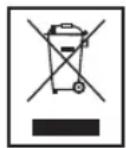
Disposal
Meaning of the "Wheelie Bin" Symbol
Take care of our environment, do not dispose of electrical.
applicances via the household waste.
Dispose of obsolete or defective electrical appliances via municipal collection points.
Please help to avoid potential environmental and health impacts through improper waste disposal.
You contribute to recycling and other forms of utilization of old electric and electronic appliances.
Your municipality provides you with information about collecting points.
Technical Specifications
Model: BSS 4802
Power supply: DC 12V, 2A —C—
Power Consumption: 12W
Protection class: III
Net weight: approx. 1.85 kg
Radio component Frequency range: FM 87.5 ~ 108 MHz
ACadapter
Protection class:
Input: AC 100-240 V~50/60 Hz
Output: DC 12V, 2A
Polarity: -C-+
Bluetooth
Bluetooth support: V2.1 + EDR
Range: approx. 15 metres
Transmission frequency: 2.4 GHz
Protocols: A2DP, AVRCP
The right to make technical and design modifications in the course of continuous product development remains reserved.
CTC Clatronic Sp. 2 o.o
Po3TaUyBaHHopraHIB KepyBaHHa
1PO3HATTA DC 12V -C-+
2 P03HATTAUX (CTepeop03'EM 3,5 MM)
3 NopT USB
4Пювдантейн
5 KhoKnVOL+/-(36iNbueHHraMeHueHHraYHOcti)
6 KhoKa M- (HonepeHa KOMipka nam'at)
50
YkpaIHcbka
7 KhoNka ALARM/M+ (fynKuJr TpNBorW-HacTynHa KomipKa nam'rti)
8 KhoNka FUNCTION (Bn6ip Jxpepena)
9 KhoNka STANDBY (peXIM «YbIMKHeHO»/roTOBHiCTbdo po6oTu)
10 KhoNka TIME/MEM (nlaHTyBaHHa Ta 36peKeHHa yacy)
11 KhoNka SLEEP (Taimep chy)
12 KhoNka SNOOZE (dpimota)
13 KhoNka PLAY (biTbOpenHn/nay3a)
14 KhoNkUP/DN (HacTynHa/nonepedna dopixka)
15 TuyHOMOBeBb
16 Dusnnei
17 IHHkaTOp (nepwnb6yHbHnK)
18 INKaTOp (DpymN 6yDnBnHK)
19 IHHaKATop (TaMep Chy)
BnKOpncTaHn npucTroo Bnepse/ 03HaNoMJIeHHa

IPMIMITKA.
KhONKn Ha npicTpoi -ceHcOpHi. Lio6 BnKOHaTu n cyHKuio, JereHbKO TOpKHITbcr KhONKn NaIbCem.
Bn6epitb nixoJaue Micie dI npicTPOU. DnI cyboI npndaTHa Cyxa nnacka HecnI3bKa nobepxHa.
- IpepebiTe, nI npicpii npoBipTpoEbca HaneKHM YHOM!
3HimItb 3 npictpoIO 3axmchny pIIBky, kUO BOHa Iue e.
KMBJIeHHH
PiKJIOHTb WTeKepeNo HaleXHO BCTaHOBJIeHOI TpIKOH TaKTHOI po3eKn 230B,50TcPiKJIOHTb npICTpI 3a DOnOMOIO WTeKePHOro 3'EDHyBaHa,pi'DEHNABUH WTeKepe Do po3'Emy DC 12V ha npicTpoi.
YneBHItbca, 10o Hanpyra MepeXi BiNobiJae 3HaueHHa Ha TaJIuUcI 3TexHnHm DaHm.

YBAGA.
AaTep 3MIHHORO CTpyM, AKN IDOJaETbC8, MOXHa BnKOpNCTOByBAtN JINHe 3 LMM PnncTroem. He BnKOpNCTOByIte HOrO 3 IHUMM NpNCToPMN.
BukopncObyTe aanTep 3miHHoro cTpyMy JnWe Ha 12 B (C- - +). Hsui anaTep 3miHHoro cTpyMy MOKe noKoNTn npCTpi.

PIPIMITKA.
Bid'EnHyTe npucTpi BID MepeXjKINBHeHHA,AKUo He KopuCTyETecn Hm DOBnI pOMixkO Yacy.
- Y pa3i BIMKHeHHH JKNBHeHH 36epexeHi HanaHTyBaH Hryacy Ta paioctaHui BTPaayotbcra.
HanaaTuBaHHraoMHnHaKa(BpeKmOiKyBaHHa
-
Kopotko Hatachitb KhoNky TIME/MEM (10). Nocnhae MepexTitu INdkaTop roDnH.
-
3a donomoroo khoonok UP/DN bctahobit roDHH. nTBepeBte Bn6ip 3a donomoroo khoonknTIME/MEM
- 3a DOnOMorO KHOJOK UP/DN BCTAHOBITb XBUNHIN
- 3HOBy HATnCHITb KHONKY TIME/MEM, 06 36epeRTN HanaHTyBaHHa cY.
IPIIMITKA.
Kuio npotarom npin6n3HO 6cekyHn HIO HO BBecTN, npictpi noBepHeTcdo HopMaIbHnx NOKa3IB DNCJIeIO.
3araIbHa iHΦopMaia npo po6Otu npu-CTpoIO
YbIMKHeHHBnMKHeHH npntpoIO
3a donomorok hONkN STANDBY (9) MoKHa nepeMnKaTm MIX pexNMOM OiKyBaHH ipo6OUM pexNMOM. Yac BiDoppaKaAcB CByePROBOMy pexIMi.
- IINOBHORO BID'EDHAHHN PnCTPOIO BID, XNBHeHHB NIMITb BNJKY 3 PO3ETKN.
IPIIMITKA.
- Y pa3i BUMKHeHHJ XMBJIeHHH 36epexKeHI HAIaWITyBaHH HAcY Ta paioCTAHII BTPaayIOTBcI.
Kuio npotarom 10 xBnHn CnHn BiCyTHn, anapat ABtOMaTHNO nepexOunb y cepROBn peKM.
TyHicTb
IotpipHy rhyictb MoxHa HanaU TyBaTu 3a DonomoroKhONOK VOL+VOL-(5).
HanaWtyBaHHa 3ByKy
Kuio nToPi6Ho, dIg KpaUoro 3ByaHnHa mHiItb Ha npicTpoi BiTbOpeHHHaAaTuBaHH EQ.
AckpaBicTb DnCpIeH
KoJIN DnCnJIeN npaC6X B cepROBOMy pexnMI, Ioro RCKpaBicTb MoKHa 3aDaTN, DeKiNbKa pa3 HaTnCHyBUn KNOpKY SLEEP (11).
Pekim paio
Pouyk paioctau
-
Nobhnicpo3kpyrTb npoBid anTeHH.
2.Пошук радioctaць можна 3diисюватиDboma cnoco-6amn: -
IpeenTn do not pi6Hoi cTahui, HATNCyBUn KHONKY UP DN (14).
-
IpoTROM KOPOTKORO Yacy UTPMByATN KHONKY UP DN. AnapaT 3ynHnITbcra Ha HactynHni paioctaHui.
-
RaHnHaI HaTo Cna6Kn, iYIObCnUWMn, cnpo6yTe NOKpaUNTI npINMaHHaCnHany, 3MiHNBUN NOLOXeHN a6o 3MOTabuN uP03MOTabuN aHTeHy.
YkpaIHcbka
3anam'roTOyBaHHraioctaHui
- Bukohai Te nouYk paioctaHui, kO npicaHO B nyHKTI "nouyk paioctaHui".
- HATNCHTb KONky TIME/MEM (10).Iucnnei noyHe MEPexTIa.
- HatackaoH KhoKu UP/DN (14), o6epiTb kOmpky nam'RTI, B aki cnid 36epeTn 3aHneHy paioctaHIO.
- Lüe pa3 haTnCHiB kHONkY TIME/MEM. PaioctaHjir 6ynde 36epexKeHa, i MepextiHH nucnIeIO npinnHtbcA.
IIPMITKA:
Ypa3i BmKHeHH XnBJIeHH 36epexeHi HanaTsyBaHHaCy Ta paIOCTaHJi BTPaHaIbTbcra.
Bn6ip BcTaHOBJeHoi paioctaHui
6bpaTn 36epeKeHn paJionepeJaBaa MoXHa, HAtNcKaOHn KhoNkN ALARM/M+ Ta M- (7/6).
BiTbOpEHMy3uHnx paJnib
lChyE TPN CnOCoB BiITBTOpeHHa My3uHnx faaiJIB 3a DOnOMorOIO npIcTpo: IpOTOBu, 6e3pOToBv uePe3 BluTooth a60 Yepe3 po3'em USB.
DpoTobn cnoci6
1.Пд'EDнайTe 3,5-MM Ctepeokabel RCAdo 3OBHIshboIgKepeNaayIOcHnJIy.RKIo nOtpiHO,BNKOpncTOByITe BiINOBiHnI aanTep (He doJaTaBc).
2. BCTaBTe iHmKHeCb Ka6eIy po3'em AUX-IN (2) ha Bnpo6i.
3. HatackaiTe KhoNky FUNCTION (8),doNOKHa dncnnei He 3'ABNTbCa iHdNKaLjia "AUX".
4. 3aNyctTb BiITBOpEHnHa i3IKepeHa 3Byk. 3Byk 6yIe BiITBOpIOBaTncb Yepe3 rHyHOMOBeu. 3Byk MoKHa BiPeYJIOBaTn 3a DonOMoROU KHOJOK VOL+VOL- (5).
5. NoidaIbSi IHCTpyKuIykaTBeNociBHKy KOpNCtYBaHa 3OBHIHbOrO DKepeJa 3ByKy.
IIPMITKA.
KIO MOXJIIBO, BCTAHOBITb Ntpi6Hm piBeH gyHOcTi Ha 3OBHIHbOMy pIcTpoi.
Ee3pOToBm cnoci6 uepe3 Bluetooth
Bluetooth 3actocobYe TexHONJIIO 6e3poToboro
paoiO3B'3kY i3 npnCTPOMa H KaKOTKI BiDCTaHI. Pnucptoi
i3 fynKJieo Bluetooth BnKOpNCTOByIOb YAcTOTy 2,402 i
2,480 TTu y diaJana3OHi ISM (Industrial, Scientific and Medical)
(npomncloBi, HayKoBi i MeuHi). IpeuKoDi MoKyTB 6yTu
cnpuHHeni, Hanpukla, CnHannAm Mepex WLAN, pao
DAB, 6e3PtoOBmI TeJefoHaM, MikpoxBnIbOBmI neHa
MN, Aki npauoIOb B Tomy K diaJana3OHi YacTOT.
Ley npicpi 3a6e3neue MOKJIuBicTB BnKOpNCtAHH iHUNX npictpoi Bluoteoh.PaDiyc ii o6mexeHO do np6n.15M 3aIexHo BiO TOUeHHI BnKOpNCTOByBaHOro BnPo6y.
Kuo Baw npictpi niTprmye npophiA2DP (Advanced Audio Distribution Profile) i Mae cyHKuio BiTbOpenh My3nKi, MoXHa TAKoK be3npOTOBm CnOCobom NepeHecTN My3nHi faiN Ha npCTpi. Ipocin A2DP BnKopncTOBye npocIn Bluteoth Kibkox Mapok. IToKOM cTepeoayIOcHn HnpepaTbca 6e3npOTOBm CnOCobom Mx npctpoem BiTbOpEHn (JKepeIo) i npCTpOeM-OTPMyBaHem. Loo6 Bya MoXnBicTB nCTaHuiHO KepyBaHH JKepeIom CnHany, npogpabay Ma e niTprmyBaTH npophiAVRCP (Audio Video Remote Control Profile).
Mn He moKemero rapaHTyBaTn nobHOI cyHKUioHaJIbHoCTi, Ockijbkn icHye 6araTo Bnpo6HKnIB npicTpoB, MoeJeien i Bepci nporpamHoro 3abe3neueHHA.
Peectpaia npuctpoio (cnapeHHA)
Iepn HIX MOxHa 6yde CnyxATN My3NkY Ha BInpO6i, npnCTpo cIi nCnapTu.
- YneBHITbcra, 10 Ha nporpaBaui (Ha npKnaD, Ha Mo6IbHomy Tepeohi) yBIMKHeHO fynkuio Bluetooth. Htatae nocihk KopncTybaya nporpaBaa.
- HaTnckaIte KhONky FUNCTION (8), DonoknHa DnCnJIeI He 3'ABNTbcra Indkaizra "bLUE". NOpDbiHnKopoTKn 3ByKObN CnRHaJ O3Haue, Io npucTpi npaioe B pexmimi 3B'3yBaHHa.
- Bn6epiB MeHIO Bluetooth Ha nporpaBai i 3ape-ctpyTe Ha nporpaBai npicTpi. YntaIte nociHK KopucTyBaHa npicTpoI. PnpCTI "AEG BSS 4802" BiO6paXaTImeTbcHa nporpaBai k Bn6paHni IyHKT.
IIPMIMTKA.
Ido ryHOMOBa MOXHa NiKIOUHTN LIWe Odn H npCTpi BIDTBOPeHH. RaIO rHyHOMOBeB BKe iNDKIOUeHN Do IINTOO pIcSTpoB BIDTBOpEH, TAKNI rHyHOMoBeHe 6yDe BiOobpaxatncB MeHO BVbOpBy BT.
- TenerBveiTbnapoB"0000"Ha nporpaBaHi 3 ypaxyBaHHM Bnpo6Hnka npicTpO, MoJI i Bepci nporpamHoro 3a6e3neueHHA.
Akuo peectpaig BkOHaHa ycniuHO, npuaad noactb KOpOTKm 3BykoBn CnHaj.
Iodalbui IHCTpykuiu wykaaTe B nociHnky KOpNCTyBaHa npICCTPOO BiTbOpEHHa. KaIO MoXJIINBO, BCTaHOBITb NOTPi6Hni pIBeH rYHOCtI Ha 3OBHIhBOMy pnicPToi.
IPIIMITKA.
3anexhoBbIMpo6nka npncptoO npn iN'edHaHHnpncptoMOKe 3HaIO6uTnC3HOBy BIKOHnPeeCTpaJIO (cnapeHH).
- RaIIO 3apeectpyBaTN nporpaBau He BJaCTbCBA, BIMKHiTb y Hbomy fHyHKJIO WiFi/MoIbHIN daHnx.
Mn He moXeMo rapaHTyBaTn cymicHicTb i3 Bluetooth
ДЯ пистpoiB (наррклад, ДЯ мбільнх телфоHIB),
ЯК BiNуТь Ha рИHOK y MaIbOvTHbOMY.
52 YkpaIHcbka
I PIMMITKA.
Lio63a6e3neuHTn ONTImaJIbHe 3'cHaHHy, yNeBHITbC, LIO 6atapeH nporpaBaHaNoBHCtO 3apAxDKeHa.
Okpei moJIi MobIbHnx TelefoHIB niTpMMyOTb cyHKUIO 3aoudaKeHHra eJeKTPoEHeprII. BumKHITb Ioo cyHKUIO, OckINbKn BOHa MoKe npn3BecTu Do npo6Jemn nepeDaHi daHx Ype3 Bluetooth.
LlO6 nepeIaBaTn ayioJani, cnI yBIMKHyTu Bluetooth Ha nporpaBaHi. YntaiTe nociHnK KopncTyBaHa nporpaBaHa.
KuO MoiBnHn PnCTpi,Ha KOMy BiTbOpioctbCa My3nKa,OTpIMYe BnKnIK,BiTbOpEHn6yde nepepeBaHO.3Byk OndaHKe BiTbOPOBaTMMeTBc4yepe3 rYHOMOBeCb.Pic73abePeHHn BnKnky npCTpoi 3HOBy 3'EDHaOTbcr Odn H 3 Odnm, i BiTbOpEHnI pOdoBXNtBCr.
Nopr USB (3)
Ppnilad po3p6neHO y BiDnOBiHocI octaHHIM TexHHMM DOcRHeHHAM y cfepe BnKOpncTAnHRA USB-npniladib. CboorDiHa pINHKy HABHN IpiPOKNI dian30Hpi3Hnx TnIB USB-pniladIB nIra 36epirAHnDAHnX, 1O, HaxaJIb, He dae 3MOry rapaHTyBaTN NobHy cymichicTb 3 ycima USB-npnilaamn 36epiraHHA DAHNX. 3 Uci npHHN Y BnHTKOHX BnNAkax MoxyTB 6ytN np6bEMn 3 BiITBopEHnM paJInB 3 USB-pnilady 36epirAHnDAHnX, 1O HE e NOMIKOY pOBoTI npJlady.
- HatnckaTe KhoNky FUNCTION (8), donokn Ha nncnnei He 3'ABNTbca iHnkaLia "USb".
2.Пд'Енайе USB-прилад 3бериганяданх.Yepe3 Kьka cekyнКОрOTKO BiO6pa3ntbca IHfOpMaJЯ npo 3aRaIbHy KIlbkICtB dopixkOK.ПOTIM NOHTbCBy BiTbOpeHЯ.Ha dinCnJIeI KOPOTKoyacHO BiO6pa3ntbca NOTOHm Yac.ПсЯцBOrO 3'ABNTbCЯ cac BiTbOpeHЯ.
Bidomocti npo po60Tu habeHiy po3di "Onnc enemertib KepyBaHHa".
IPIIMITKA.
3aBxHnHpMy nIeHnyTe hakOnHyBaU USBdo po3'EMy USB, uO6 yHNKHTu 6yIb-AXX 36oIB y pOtoI.
PozEM USB He npu3haeHn dna 3apJxHaHHaBHIwHix npucTpoIB.
YBAGA.
PepH hIX BnIMMaTn 3aam'rTOBvOChn npucptpi USB, 3MiHiTB pexIM Ha npucptoi 3a dONOMoIO KhoIKN FUNCTION (8).
Onnc eIementib kepyBaHHa
PLAY (13)
3ynnka Ta npoobkehn BjTbOpEHMy3nKn. HATNCHtB 1e pa3, 06 npoobkntn BiTbOpEHn.
DN (14)
1 HATNCHeHHa = po3noHnae BiTbOpeHHa nichi 3 NoaTKy. (TilbKn y peXmI BT.)
2 HATINCHENHn = nponyckaHHn do nonepeHbOi nicHi.
3HaTnCHeHHra= npOpyckaHHra do nichi nepe,nonepeHbIo nichEIO.
Kkuu ytpmuyBaTu KhoNky, NoHETbc NooIyK 3anncy.
IIO DOCAHHeHHI NEBHorO yacy anapaT aBTOMaTHUHO BIMNKaETbC.
LIO6 oBpaTu Yac BIMKHeHH anapaty, HATnCHITb KHOJky SLEEP (11) ue pa3. MoXHa oBpaTu OJHe 3 hAcTyHnx 3Ha-ueHb: 120, 90, 60, 45, 30, 15 Ta 00. JkUo oBpaTu BapiaHT "00", UaФyHKuJ 6yJe BIMKHeHa.
KoJn Ua fYHKUa BBIMKHeHa, CBIITbCa iHdkaTOp (19).
YnueHHA
- Ipeed TUM KYNCTNTN pncptpi, BiEeHnTe NOro BiMepexKi XINBHeHH.
- YnCTbTe npntcpiB BOIIOIO M'AKIOI rAHHipKOIO, 6e3 3aco-6iB Dnra YnUeHn.
He3aHpynoTe npicTpiy Bovdy.
YcyHeHH HeCnpaBHOCTeI
| Поминka в роботi | Причima Рішени | |
| Простriи He пацоe. | 36iB pOBoti пис proko, Внаслдok YOTo BIn "Зави". | Ha 5 sekynd, Bi'd' endaHiteся BiD Мерекi XnVBlenHЯ, a NOTIM yBi-MKHITb пис protri 3HOv. |
| Aydioosrnhal Ne nepedaetbca chepez Bluetooth | Гуновьц He с nanopeHo 3 джерелom audiosirhanly. | Пeverbipte CTAN 3' endanHry.Якsonotriб-но, поветрно с nanopуITE ryновьц i джерello audiosirhanly. |
| ДужHe Hn3bKni pIBeH b ryuHoc-Ti. | 36iIbIte pIBeH b ryuHocTi Na ryhOMOBzi. | |
| 36iIbIte pIBeH b ryuHocTi Na джерeli audiosirhanly. | ||
| He Vdaetbca piD' endatn rynHomobeú | He npaцoE c nanopeHna | Пeverbipte, уdxepeLo audiosirhanly niDtpmMye npotoKoN A2DP. |
| ВиIMKnHeNo dJxepelno audiosirhanly | YbIMKnHtB dJxepelno audiosirhanly | |
| Ha dJxepelNi audiosirhanly BIMKHeNo phyHKciO Bluetooth. | YbIMKnHtB phyHKciO Bluetooth Na dJxepelNi audiosirhanly. | |
| HeniDTPmU-BaHa Bepci Bluetooth. | Виkopustайе inuHni prin-ctpri BiD TboperHnra. |
TexhichixapakTepnKu
MoeB:BSS4802
JxepeNo XINBHeHHa: ....... NOCTHm CTpyM 12 B, 2 A-
XIBJIeHH 12BT
Klac 3axicty: III
Bara HeTTo: npn6I. 1,85Kr
Papio
ДианazonчacToF: FM87,5-108M
AadTep 3miHHoro CTpyM
Klac 6e3neKn:
XINBHeHHHa BxOJI:....3MiHHH CTpyM 100-240 B~50/60 T
KINBHeHnHa BxO:I: .NocTiHnCtpym 12B,2A
PonpaHicTB: -C-+
Bluetooth
ПдтгмьанБерсьBluetooth:..V2.1+EDR
ДаьнICTb II: ...npn6I.15 MeTpiB
YacToTa nepeJaBaHnra: 2,4T
Протokол: A2DP,AVRCP
YkpaIHcbka
IpaBOHaTexHHH3MiHnTa3MiHnYdN3aHi36epiraetbca npoobx npouecy p03pokn npoaykTy.
Ley npictpi BiJIOBiae BcIM dioHMMIupeKTiBaM PaNi Cbpnn, 3okpema Ioo eJIeKTPomarHITHOi cymicHOCTi I ipeKTIbI Oo Hn3bKOi HanpyrTa BnpOBeHm BiINOBiHO do OCTaHHix BmOr 6e3neKn.
PykoBoDcTBO no 3KcnIyatauIN
Cnacnbo 3a BbIbOp HaWero npOyKta. Haneemcra, OH Bam noHpabNTca.
CnMBOJIbI pIIMHeHReMbIE B DaHHOM pyKOBoDCTBE NOJIb-3OBaTeJIa
IPEUYIPKDEHNE:
PpeDynpexkaet o6 onaChocTn dIa 3IopOBbI N BO3MOK-HOM pICKe nOlyHeHr TpaBMbl.
BHIMAHNE:
Yka3bIbaeT Ha BO3MOxHyO ONaCHOCTb IIN3dEINN INpyNX OKpyXKaIOUnx IpEIMeTOB.
I PIPIMEYAHNA:
JaetcoBebtiNHHOpMaunIO.
06uNe yka3aHnNo TeXnKe 6e3oNaC HocTn
Ipeed Hauanom 3KcNpyatau npinbopa BHImaTeIbHnnpoHTaIte npinlaeMyIO uHCTpykLIO NO 3KcNpyatau mcoxpaHITe ee B HAdEJKHOM MeCTe, BMeCTe C rapaHTnHBmTAHOH, KACCOBbIM YekOM N, NO BO3MOXHOCTN, KAPTOHHOKop6koC yNaKOBOHTbM MaTePnAnOM. EcIN daTe KOMyJIbO nonoB30BaTbC npinbOpom, O83aTeIbHO daITBePnDaHy dAHHy IO hCTpykLIO NO 3KcNpyatau m.
ДяуctpaHEnIpyNCKa BO3rOpaHnIyIyIAPAeJIeK-TPMHeckIM TOKOM He NOBepraIte yCTpOiCTBO BO3-DeIcTBnIO DoXJa I BnAri. He npImeHnTe yCTpoIcTBO B6JIN3N BObI (HaNPmEp, B BaHHoKOMHaTe, 6accEInHe, MOKpOM NoBaIe).
He npimehnTe yctpoiCTBO B3KCTpeMaIbHO ropHIX, XOLOhBIX, 3aNbJIeHHbIX ININ BIAxKHbIX MecTax.
-ПльзунТсьпиборOMToJIbKOчaTнБIMОбpa3OMИNoHa3HаЧeHHIO.Пибор HeпpeДиЗHAЧeHДЯКOMМерчeCKOTOIICNOJIb3OBAHIN.
- Y6eIntecb,уTO Ka6eJIb NITaHnHe NepeRHyT, He NOBpeKdE HIN He KOHTaKTInpyET C INCTOCHNkAMn TEIIa.
- Y6eIntecb, yTO Ka6eJIb NITaHnHaJaExo IIOKnIOueH.
- Питане OT сети писноблеси К рабо.Tольк В.Cyх nx NOMEUeHnx.
IopKJUoyaHTe CeTeBOu SHyP TOJIbKO K npaBnHOb yCTAHOBHeHHo pO3ETke. Y6eDNTecb B COOTBeTCTBm HApJxKeHn CetTu Yka3aHHOMy Ha MapKnPOBKe yCTpOYCTBa. TaKKe IpoBepbTe, YTObBi BbIXoHOn TK N NOJIrpHOCTb COOTBeTCTBOBaIuHΦOpMaUIN, Yka3aHHo Ha yCTpOYCTBE.
He kacaintecbeTeBOO uHypa MOKpbIM pykamn!
BnIka CINIOBOrO NITaHnA DoJIXHa 6bIt JERKOIOCTyHNOH.
- Ppi ycTaHOBKe BaTapeeK Co6JIIOaITe NOpAHPoCTb.
HeDonyckaIte nepeKpbITne BEHTINIAIOHHbIX OTBepCTNI yCTpOiCTBA.
Pycckn
He nepekpibaiTe BeHTnIaLIOHHbIe OTBepCTNIOCTOPOHIM INpeDMeTAM, HApImep Ra3eToi, CKaTePbIO, IITOpOIN T.D.
HeDOnyckaIte BO3JeIcTBnHa yCTpoIcTBO npOIInTO nnPacNbIJIReMoB BObI, He CTaBbTe Ha yCTpoIcTBO COcyDbICBOIOH, HApIMeP Ba3bl.
- VCTOCHNI OTKpbIToro ORHA, HAnpIMep ropAunie CBeHN He doJXHbI paCNOJaTaTbcn Ha yCTpoNCTBe.
He otKpbIbAaTe Kopnyc yctpoiCTBa. HenpaBnIbHbI peMOHT MoKeT npINBeCTN K cepbe3HOJ OAnCHOCTn noIb3OBATeJIIO. Pn IOBpeXdEHHy YcTPOiCTBa IIn erO uHypa 3JIeKTPoPiTaHnA (B cAcTHocTn) npeKpATne NC- noIb3OBAHnE yCTPOiCTBa NpeJaTe erO dIpy pEmoHTa KBaIIuΦuPobAHOMy CneuaJIACtY. PeryIapHo npoBepaIte Ha NOBpeXdEHHu HYP 3JIeKTPoPiTaHnI.
Дя устраени Любол onachoctи NOBpeжdeHHbIM
шур олктponитань должени заменгьсИЗROTO-
ВITeIeM, ergo KIneHTCKOJ CnyxKobи ИАн aHaNoTHyBIM
КвалфцириpoBaHbIM LlucOM Ha NdeHTNHyBIM SHyP
элктponитаня.
Ecn yctpoCTBO He 6ydtncnOJIb3OBAbTaCnIITeJIbHbI cpoK,OTKIOUHTe UHyp 3JeKTPoNTaHnN IN3BJIeKNTe 6aTapeuKn.
JaHHbIe CIMBOJbl MOYr 6bITb yKa3aHbHa yCTpOcTBA nn O6o3HaueHnCneDyUoIero:

CIMBOJ MOJHIN IpeDynpexJaet Nolb3oBaTeJI 6 ONaCHOM BbICOKOM HAnpXeHn BHyTpN KOpnyca.

CIMBOJ BOCKLIUaTeJIbHOrO 3HaKa OTMeHaET BaXHbIe IHCTpyKlUN NIN 3aMeHaHIN O TEXHnueCKOMO6ClyxNBAHN B pyKOBoDCTBax N3 KOMnJIeKTAIOCTABKN.
Teu n Iua HykaioueeB npncmOTpe
V3 coo6paXeHn 6e3oNaChocTn IaI nTei He octaBnIte JexaTb ynaKOBky (PiactIKOBbie MeuK, KapTOH, neHonnact n T.d.) 6e3 npcMOTpa.
IPEUYTPKDEHNEI
He no3B0JIaTe DeTAM UrpaTB C NOIN3TNHeHOBOI nIeHko. Onachoc7ydyuBa!
3TOT np6bOp He npedHa3HaeH dIa noB3OBAHn IuCa-Mn (BKIOU4A DeTei) C OPAHnEHHbIMn Pn3nueckmM, CEHCOPHBIMN INI YMCTBEHHbIMN CNOOCBOHCTAMN INI INIcAMN, HE IMeIOUIMN ONIta ININHEoBXoDMbIX 3HaHNI. NCKIOHHeNE CoCTABJIHOt CNYAH, KOrDa OHn HaxoJATcN IOpNCMOTPOM IuCA, OTBETCTBEHHORO 3a INx 6e3ONaCHocTB, INI KOJa OT 3TOrO IuCa NOJyHehI yKa3aHnI NO NlOB3OBAHnIO np6bOpM.
Heo6xoJIMO npimCmaTpmbaTb 3aJeTbM, YTo6bl y6e- dntbcrB TOM, YTO OH He INrpaOT C npn6opom.
56 Pycckn
PacnoJoxKeHne 3JeMeHTOB
1Pa3bEM DC 12V Θ-(-)
2Pa3bEmAUX(cTepeoHHe3o3,5MM)
3 IopT USB
4ПювогнаяаHTENH
5 KhoNKn VOL+/(yBEnHnHTb/ymeHbUnTb rPOMKoCTb)
6 KhoKa M- (HneKa narnTn-BHn3y)
7 KhoNka ALARM/M+ (Функшьдуньнka/ячыкama namru-TI-BBepxy)
8 KhoNka FUNCTION (peXIM, BbI6Op nCTOHHKa)
9 KhoNka STANDBY (peKm Bk./3KcnnyaTaunHnHa rTOOBHOCTb)
10 KhoIka TIME/MEM (nHn HacTpoKn/COxpaHeHH BpeMe- H)
11 Khojka SLEEP (TaHMeR HoUHOro peXIma)
12 KhoIIka SNOOZE (IpeMaTb)
13 Khonka PLAY (Bocnpoun3BeJeHne/nay3a)
14 KhoIpnk UP/DN (cneNyUoJau/npeIbIyuaa 3anncb)
15 rpoMkoorOBopnteB
16 Dusrnnei
17 HnKaTOpHaJaMaNa (nePbBcunHan)
18 HdkaTopHnJAMnB(BTOpO CNHaJ)
19 INHnKAtopHaJ lamna (Taimep HooHoro peXIma)
I P N I M E Y A H N I:
OTKIOUHTeYCTPOCTBOOTCETeBOrO3JEKTpOHTaHIN,ecnHeIJIaHpyETCHNCIOJIb3OBAHHeJINTEJIbHbICpOK.
- PnHApUWeHm 3NeKtpOcHa6xHeHn BpeM n coXpaHeHHbIe paIMoCTaHmN TepHOTcA.
HacTpoKa yacOB (BpeKmE OxkndHa)
- Haxmnte KhoNky TIME/MEM (10).HnDnKaTOp YacOB HaHnHaET MrrTaTb.
- IcnoIb3yIte KhoNkU PUPDN yCTaHOBKn Yaca. TBeP-ITe C nOMOuBIO TIME/MEM.
- NcnoJb3yIte KhoNkU UP/DN nIa YCTaHOBKn MmHYT.
- Haxmnte TIME/MEM cHOba dIa coXpaHeHH napameTPOB yCTaHOBKn BpeMeHN.
I PIPIMEYAHNE:
EcHnHcyero He BBODnTb T TeueHne OKoI6 cekyH, npN-6op BO3BpaJaaetcK o6bHOMy peXmMy OTo6paKeHn.
06uine npabnla 3KcnIyataun
BkIOHeHMe/BbIKIOHeHMe ycToIcTba
KhoNka STANDBY (9) nepeKIOUaET yCTpOCTBO MekJy KdyuIM npaboHm pexHMom. Bpem oTo6paXaETcB peXnme OxuaHa.
YTO6bI NOHOCbIO OTKJIOHTb 6IOK OT CUNBOFO 3NEKTPoNTaHn, INBNEKNTe BUNKy I3 PO3eTKN.
I PIVIMEYAHNE:
- PnHapuWeHm 3eKtpoCh6xHeHn BpeM n coXpaHeHHbIe paIOCTaHUN TepHOTCa.
Yepe3 10 MmHyT 6e3 cnHana npnbop aBtOMaTHeCKn nepexoNT B pekim OKdHaH.
YpOBeHb rPOMKocTn
Haxatne KhoNOK VOL+VOL-(5) no3BOJAEYCTAHOBNTb HxKhB yPOBeHgPOMKOCTn.
Hactpoika 3Byka
PnHeo6xOaIMOCtN,H3MeHHTe HAcTpoKy EQ(KbanaI3ep)Ha yCTpOcTBe BocpnU3BedeHna,YTO6blIO6bITbcHnlyu4LJero 3ByuHnA.
ApKocTb DnCtIeA
Korda nncnne HaxoHTcBpeXime OxuaHn, MoXHO HaCTponb RpKOCTb nCnEa, HECKOJIbKO pa3 HaxaBa HKHONKY SLEEP (11).
Pekm padnoepnemnka
PonckpaNocTaHm
1.Плноctьюразвернite npOBAnHyo aHTEHy.
2.ДЯ ПОИСКА радиocтанцпnpeДуCMOTpeHo DBE BO3-MOXHOCTN:
Hactponbca Ha HykHyio paHIOCTaHcIIO C NOMOUIKHOKNUPnnDN(14).
- Ydepkivabh haxaToHKnOpky UP nN DN B TeueHne KopoTKoro BpemEn. Pnp6op octahOBITcHa CnEduIouse paIIOCTAHuN.
- PnCNIuKOM Cna6om npneMe NIN NOMexaH na pinnMaemyo paMIOCTaHmIO, NOIPObYte yIyUWNTb npMe3a ChET N3MEpeHnIOJXeHnN PA3BepTbBaHn/ CBOPaHHaHn aHTehbl.
CoxpaHene pAdnoctaHcui
- HainTe paHIOCTaHIO, KaK OINcAHO B pa3JeNe "POnck paHIOCTaHNI".
- Haxmte KhoNky TIME/MEM (10). DnCnne HaHnet MfTaTb.
3.CnmoIbIO KHOJOK UP/DN (14) BbIbepHTe RaeyKy namrTN, B KOtOpOI HxKHO COXpaHHTb paIIOCTaHIO. - Choba HaxMMTE KhoNky TIME/MEM. PaIIOCTaHcua 6ydeT coXpaHeHa, n IINCIIe INpeKpATNT MIRaTb.
I PIMMEYAHHE:
Pn HapuJHn 3JIeKTPoCna6KeHn coXpaHeHHbIe paIOCTaHm TepAOTcR.
Bb6op npedyctahOBJIeHHo paHIOCTAHm
Moxho BbIbpaTb coXpaHeHHyIO paIIOCTaHcIO C NOMOJIbIO KHOJ ALARM/M+ n M- (7/6).
Bocnpo3BeDHe 3ByKObIx paIIOB
CyueCTByOT TPN CnOc6a BOCPON3BeHEnHa yCTPOIcTBe My3bikalhBix faINOB: npn PpOBoHOM NOKNIChEHN, npn 6ecnpoBOHNO CB83n no npotoKony Bluetooth nnn Ypee3 nopT USB.
PnKab6eJbHOM COeHNHeHHN
- NookJIOUHTe Ka6eIb co CtepeopazbemOM 3,5 MM RCA K BHeHHEMy HCTOCHNY aydno. Pn Heo6xOIMMOCTN, NCNoJIb3yIte NOxOJaAaIaNTep (He BXoITB KOMPJIeKT NOCTABKN).
- BCTaBbTe npyroI pa3bem ka6eIa Br hRe3do AUX-IN (2).
3.Последоватьно нажимаite Кногку FUNCTION(8)do OTo6paЖеня сноа "AUX"HaДиспjee. - Hauhnte BOCPON3BedeHne daHHoro nCTOCHNka aydno. Cnyuatae BOCPON3BedeHne uepe3 dHaMK. Moxho perylnpoBaTb yPOBeHb rPOMKoCTn KHOJIkAMn VOL+/VOL- (5).
5.Даьнши ИНСТPyкУМ,NOЖАЛУИCTa,CМ.BpyKOBODCTBE NO 3KClNlYaTALUINBHEUHero NICTOHTHnka ayDINO.
I PIMMEYAHNE:
EcJIN BO3MOXHO, HAcTpoIe rPOMKoCTb BHeUHero yCTpoiCTBa Ha KOMΦOpTHbIyypOBeHb.
BecnpoBODHoe coeMHHeHne Bluetooth
Bluetooth DeiCTByeHa OCHOB6ecnpoBOHn paIIOCB3m Mekdy yCToPcTBAMn Ha KopoTko DNCTAHu. YcTpoIcBa cNoDepKkO CTaHdApTa Bluetooth ocUeCTBnHOT nepe DaHu Ha cactote ot 2,402 do 2,480 T, B dIaNa3OHe ISM (Industrial, Scientific and Medical- npomblneHHocb, Hayka n MediuHa). Iomexn MoYr 6bITb BbI3BaHbI, HappImep 6ecnpoBOHbIMn JOKaJIbHbIMn CEaTMn WLIAN, paIIOCTaHcHRMn DAB, 6ecnpoBOHbIMn TeJeFOHaMn NIN MIKPOBOJHOBBIMn NeChkAmn, pa6OtaUIMM B CXOHNOM HACTOTHom dIaNa3OHe.
JaHHoe yCTPOINCTBO N03BONJIET CBA3aTbCA CYCTPOINCTBaMn, NOIePJKNAIOUIMN Bluetooth. PaIyuc DeiCTBnA ORpaHnYHBAeTc npm. 15 MeTpAMn, B 3aBNCMOCTN OT BHeuHnx YCIOBNI IN CNOJb3yEMOro 6Joka.
EcIn yctpoiCTBO BOCPON3BedeHn noDepKINBaET npo-phiA2DP (Advanced Audio Distribution Profile, yny+ IeHHbI npoPhiIb paCnpocTpaHHeHn ayDIO) n Oblaet fYHKUIM My3bIkaJIbHO rnopeepaTO C HrO MoXHO 6e3 npoBOOB nepeDaBaTB My3bIKy Ha DnHaMnK. PpOPhiIb A2DP oBeCneuHBAET corglacOBAHne ycTPOIcTB Bluetooth pa3hIx KOMNaHn-H3ROTOBHTeJe. 3a cHT NOTOKOB nepeDAH, CTpeoΦOHueckne ayDIOOCnIHnbl 6e3 npoBOOB nepeDAOTCA MeJxdy YcTPOICTBOM BOCPON3BedeHn (ICTOHnK) n PPINHMaIOUIM yCTPOIcTBOM.
YTo6bMoKHO6bIyo YnpaBnTb NCTOCHNOM INCTAHIOHNO, nneepdoJKeH noDnepKmbTa npoPnB AVRCP (Audio Video Remote Control Profile).
Ho n3-3a HecorlnacobAHNOCTn yCTpoiCTB OT pa3hbx n3roTOBNTeJe, MoJeJe N BepCn IporpamMHO OBecepeHn, He rapaHTnpyETc DaIeCTBne BCex fynKu.
BxoB CnCTmbl yCtpoiCTB (ΦopMnPoBaHne napbl)
IpeepnpocnyuBAAHmEMy3bIKnHa yctpoiCTBe HeOxOIMO o6ecneHTb peKIM napHOIN CB3N MEXyUcTpoiCTBaMn.
- Поверът,чTo ФункцЯ Bluteoth akTивироваHa nIeepe (HapnMep,HaMObINbHom TepeOHe).ДЯ 3TOROC.M. pyKOBOcTBo NO 3KcNpyaTuN 3TOrO nIeepa.
2.Послдоваельнонимаite конуKFYFUNCTION(8)До погвеня надпси "bLUE"HaДиспee.ДВаКОТКИX Гда сгнанизypHOT O TOM,чTO yCTpoI-CTBO HAXOДNTСВ БржIMe OБbeDINHeHЯ. - Bb6epTe MeHIO Bluetooth B nIeepe n 3apeNCTpnyTe B HEM DNHAMIK. IIN ATORO cm. pyKOBoDCTBNO 3KcNluyaTALn nIeepa.YCTpoiCTBO“AEG BSS4802"6yET noka3HO B nIeepe B KaueCTBe BblpaHoro dI npbl.
ITPIMMEAHHE:
K DnHaMky MoXHO NOkNIOuHTb TOnbKO OINH 6NOK BOCpOu3BeDeHn. EcIn DnHaMky Uxke NOkNIOUeH K DpyrOmy 6NOKy BOCpOu3BeDeHn, DnHaMk He NoBHTcB MeHIO BbOpa dI npToKoJa BT.
58
Pycckn
- 3aTeM BVEIeTne napoB "0000" Ha nIpepe, B 3aBnCmOCTN OT KOMIIAHINI3OTOBNTeJIa, MoJIeN I BepCNINpOrpaMMHOrO o6ecneHeHJ.
Ecni pernctpaia 6bila BblnoIHeHa ycneuHO, pa3daetcKopOTkn Iydk.
JaIbHeiHne INcTpyKU, NOxKaIyIcTa, CM. B pyKOBoIcTBe IIO EKCnJIyatauIN yCTpoIcTBa BOcIpOn3BeDeHIn. EcIn BO3MOxHO, HAcTpoIte rPOMKOCTb BHElHero yCTpoIcTBa Ha KOMΦOpTHbI yPOBEHb.

PIMMEYAHNE:
B 3aBnCIMOCTN OT KOMHaHmH3ROTOBtJIeM MoKET nTpe6oBaTcR NOBtOpHra Pernctpaun (PAIRING) IIN NOKJIIOHeHH yCTPOIcTBa.
B CNYaae Bo3HKnHOBeHn TpyDnOte npn pernctpaunnnneepa deakTbnpynte yHKuio WiFi/MoNBhoi nepedaan daHbix BaWero nneepa.
CoBmectnMoCTb no Bluetooth He rapaHTnpyETc dInyycTPOCTB (Haipnimep, MobnbHbIX TepeHOHB), KOTOpbIe MOYr 6bITb BbINyUeHbI B 6dyUeM.
- OBeCneHnOITMmAbHoCBA3N y6eNTecb, YTO aKKymyIaTOpHbIe 6aTaepKn B nIeepe NOHocTbIO 3apXKeHbl.
B HeKOTopbIX MoeJAX Mo6JIbHbIX TeJefoHOB IMeetcpeXIM 3HePrc6epExeHn. Ero Heo6xoIIMO OTKIOHTb, HAnue OH MOKeT Bb3BaTb np6IeMbI npi nepeCbJIke daHHbIX no coeINHeHnIO Bluetooth.
-Длгпегсынки aydnoаньхун Bluetooth
Должна OCTaBaTbСа kTNIBNPOBaHNo BПлeepe.См.
pyKOBODTBO NO 3КСЛУАТAUIN 3TOGO Плeepa.
EcnMoBnHbI TepeoH, C KOTOPORO BOCPON3-BOITcMy3bKa, pInHMaET TepeHHbI Bb3OB, nepecjka My3bKn 6yDet npeBaHa. Ondako Bb3OB He 6ydet TpaHCnpOBaTcRa Ha DnHAMK. Pocne 3abep- IeHnBA YCTPOJCTBA CHObA NOkNIOUaTcR dpyr K dpYr IV BOCPON3BeDHe NpODoJIKNTCra.
Tnpr USB (3)
JaHHoe yCTpoiCTBO pa3pa6oTaHO C NOdepKkO nocneHIX TEXHNecKHX IOCTXKeHIN B o6nactu USB. Ha COBpeMeHHOM pbIHke npNCyTCTBYET UInpOKm CNeKtp pa3nHbIX yCTpoiCTB xpaHeHc C INTEPpeHcOM USB, Ho, K coKaJIeHIO, 3TO He N03BOJAEt HAM rapaHTnpOBaTB NOIHyIO COBMeCTIMOCb CO BCEMN yCTpoiCTBaMn XpaHeHn USB. ITo NTou pnuHHe B OTdeJIbHbIX peDKNX CUYaHX MOYr BO3HKnA b TPOBJeMbI C BOC- PON3BeHEnem faINOB HA yCTpoiCTbAX xpaHeHn USB. 3To
He ABJIaTeTc npn3HaKOM HeIpaBnIbHOn paObToI yCTpoIcTBA.
- NocleDoBaTeBHo HaxKmaiTe KhONky FUNCTION (8) noTnOBHeHnHaDnscn"USb"Ha DnCnJIee.
2.ПОДКЛЮЧИТЕ yCtpoIcTBO xpaHEnH N USB.CnCyTHeNCKOJIbKO cekyHd 6yDet KpaTkoBpeMeHNO nOKa3aHO 06UeE KOJIuYeCTBO 3aInceH.3aTeM HaYeTcBAocPOn 3BeHene.B TeHuHne KOpOTKOro nepNoDa BpeMeHn Ha DnCnIe ee OTo6paxaetc TKe Kyuee Ha3BaHne.PocNe 3TOrO OTo6paxaETc HcTeKJee BpeMa IpnOriPbIBaHn.
O pa6oTe cm. B pa3dJeIe "OnncaHne opraHOB ynpabHeHH".

PIMEYAHN:
- Bo n36exkHne c6oEB Bcerda nodklouaTe 3anOMnHaIOUe yCTpOcTBo USB HEnocpeCDtBeHHo B nopTUSB.
- IopT USB He npedHa3HaeH, nla 3apdkn BheuHero yctpoiCTBa.

BHIMAHINE:
Ipepei n3BleHem yCTpoCtBa xpaHeHn USB, nepeKJIouHte daHHoe yCTpoCtBO B dpyroB pexm KHOKNOIFunction (8).
OncanHe opraHOB ynpaBneHn
PLAY (13)
Moxho npioctahOBnTB n CHOba npoJXnTB Bocpon3-BeHne My3bIK. HaxmTe eue pa3, TTO6bl npoJXnTB BOCpOIN3BeHeHne.
DN (14)
1-KpaTHoe HaxKaTne = TOBTOHoe BocpOIN3BeJeHne My3bI KaJIbHOJ 3a\Pi c HauJa. (ToIbKO B peKIme BT)
2-kpathoe haxaTne = IepexoK nppebIyuee My3bIkaIb-Hou 3anCn.
3-KpaTHoe HaxkaTne = NepexoK My3bKaIbHo 3aIncn neped npdeIduyue n T.D.
YdepnBHaHne KHOKN B HaxaTOM COCTORHN INHILINPpyET NOCK 3BYKOBOI DOPOKKN.

PIMEAHM:ToIbKO BpeXnme USB
KpaTkoBpeMeHNO OTo6paxaetcra oBuee KOJIneCTBO 3a- nicei.
UP (14)
HaxmteIna nepexoKa K cIeIyUoIeM y3bikbHOJ 3aIncn I T.D.
YJepKJBAHHe KHONKN B HaxaTOM COCTOAHN INHINMPyET NOCK 3ByKOBOI DOpOKKn.

PIMEAHM:ToIbKO BpeKmE USB
KpaTkoBpeMeHHO OTo6paKaetcA o6uee KOJIInHeCTBO 3a- nCen.
I P N I M E Y A H N E:
Ecni cyHKnna aKTHBnupoBaHa, oTObpa3ntcBpeMn NaHHT MInrTaB INHnKaTOpHaJnMaNn BpeMeHn CnHana.
OTKIOUOHeHne yHKm6yDnblbHnka
YTo6bI DeakTnBupoBaT cyHKUIO CunHana,CHOBA yepKNaBaiTe HaxaToN KhoNkY ALARM/M+ (7)doTex nop,noka He norachyT BCE INHdkaTophble lamnbl (17/18).
OTJIOXeHHoe OTKJIIOUeyHe (SLEEP)
PnIOCTNKeHIN BbIbpaHHOro BpeMeHN yCTpoIcTBO aBTOMaTNUeCKN OTKJIIOUyAEtCA.
Choba Haxmnte Ha KhoNky SLEEP (11), YTo6bl BbIbpaTbBpem, Hepe3 KOtOpoe yCTpoiCTBO DOJXHO OTKIOHTbcr.ДЯ BbIbopa DoCTyHbI CneJeYIOJIne 3HaYeHn: 120,90,60,45,30,15,00.HacTPOka "00" DeakTNBIPyeFyHKUHO.
PnakBaunyHKuIN 3aropaeTcHdkaTopHaJ lamna (19).
OuncTk
- Ipeed OCHKTOK OTKIOUHTe OT CeTeBOTo 3NeKTPoNTa-HN8.
OuCTNTe yCTPOINCTBO MAKOB BIAKHOI TKAHbIO 6e3 PnIMHeHn MOIOUHX CpeIDCTB.
He norpykaite yctpoicBO B Ovdy.
DnarHocTnKa
| Hemicnpab-HOCTb | Причима Устраенье | |
| Устroduстvo He\ paobotaet. | Проблема... Крахи "3a- Висанne". | Од��очte OT сete- BORO злес troпитан.... Примерно на 5 сeledун. Затем сюва вklоч.... Устroduстvo. |
| Нет сигнана ay- дno по coeши- ню Bluetooth | Диhamik He ИмeeТ парно Связи с IncToch- ноком aydno. | Проберные нали.... соединения...При... обхodimoctni, сюва уст- новITE парны связь с incTochNKOM aydno. |
| Слшков НиЗкая Гом- Коctь. | Уber们的уров.... гromKOCTN диhamika. | |
| Уber们的уров.... гом- KoCTN IncToCHNka aydno. | ||
| He уdaetca поклочь диhamik | He paobotaet парна связь. | Проберные, по... ьоту... ыeET ли IncToCHNK aydno пproToKoJ A2DP. |
| Бык Loyен... TOUHnik aydno. | Вк Loyен... TOUHnik aydno. | |
| РекIM Bluetooth Бык Loyен... TOUHnik aydno. | Вк Loyен... TOUHnik aydno. | |
| He по.... Жиbaeted... Даннaya Вercnia Bluetooth. | Исрль... у... Устroduстvo BOCPON3Be- дени. | |
Pycckn
TexHnueckne xapaKTepeNtUKN
MoeJIb: BSS 4802
3JektpoHntaHHe:......nocr. TOK (DC) 12 B, 2 A-O-
3JIeKToPiTuHHe: 12BT
Klacc 3aunTbI:
Bec 6es ynapokkn: npn61.1,85 kr
PapnoepMHNk YactoTHbI dHaana3OH: FM 87,5 ~ 108 M
Ceteboa adantep
Klacc 3aunTbI:
Bxq: .nepem. Tok (AC) 100-240 B~ 50/60 T
BbIXoI: nocT. Tok (DC) 12 B, 2A
Poiarphoctb:
Bluetooth
ПлдерхкaBluetooth: V2.1+EDR
ДиuctaHua: npM.15 MeTpoB
Uactota nepea: 2,4T
PpoToKoJIbI:A2DP,AVRCP
CoxpaHeHO npaBO Ha TexHnueckne N KOHCTpyKIOOHbIe N3MeHeHnB paMKax npoDOnXaHOUeICr pa3pa60TKn npOdyk-Ta.
Данhoe yctpoCTBO npoшIo TectIpOBaHne no BCEx TEkyIIM npimEHHbIM HopmAM CE, BKIOUaI aJIeKTpO-MaHRHTHyIO COBMeCTHMOCt b Iyka3aHnI dIra NHI3KOBoJIbTHbIX YcTPOICTB, a TAKKe pa3pa6OtaHO cOrJaCHO nOcJIeDnIM HopmAM 6e3OnaCHOCTN.


GARANTIE-KARTE


- Espanol
- Contenidos
- Język polski
- Spis tresci
- Cordless via Bluetooth
- Symbols in these Instructions for Use
- WARNING:
- CAUTION:
- NOTE:
- General Safety Guidelines
- English
- Children and disabled persons
- WARNING!
- Location of Controls
- English
- First Use of the Device/Introduction
- iNC
- Power supply
- TE:
- Setting the clock (during standby mode)
- General Operation
- Switch device on/off
- i NOTE:
- Volume
- Sound Settings
- Display brightness
- Radio mode
- Search for a radio station
- Storing radio stations
- Select the preset radio station
- Playing back music files
- By cable
- - Logging on devices (Pairing)
- USB port (3)
- Description of the controls
- PLAY (13)
- DN (14)
- NOTE:Only in USB mode
- UP (14)
- Alarm function (in standby mode)
- Setting of the Alarm
- bu2 (Buzzer):
- rAd (Radio):
- USB:
- Turning off the Alarm
- Automatic Alarm Interval
- Deactivate the Alarm Function
- Delayed switch-off (SLEEP)
- Cleaning
- Troubleshooting
- Disposal
- Meaning of the "Wheelie Bin" Symbol
- Technical Specifications
- ACadapter
- Bluetooth
- Po3TaUyBaHHopraHIB KepyBaHHa
- 50
- YkpaIHcbka
- BnKOpncTaHn npucTroo Bnepse/ 03HaNoMJIeHHa
- IPMIMITKA.
- KMBJIeHHH
- YBAGA.
- PIPIMITKA.
- HanaaTuBaHHraoMHnHaKa(BpeKmOiKyBaHHa
- IPIIMITKA.
- 3araIbHa iHΦopMaia npo po6Otu npu-CTpoIO
- YbIMKHeHHBnMKHeHH npntpoIO
- TyHicTb
- HanaWtyBaHHa 3ByKy
- AckpaBicTb DnCpIeH
- Pekim paio
- Pouyk paioctau
- 3anam'roTOyBaHHraioctaHui
- IIPMITKA:
- Bn6ip BcTaHOBJeHoi paioctaHui
- BiTbOpEHMy3uHnx paJnib
- DpoTobn cnoci6
- IIPMITKA.
- Ee3pOToBm cnoci6 uepe3 Bluetooth
- Peectpaia npuctpoio (cnapeHHA)
- IIPMIMTKA.
- YkpaIHcbka
- I PIMMITKA.
- Nopr USB (3)
- Onnc eIementib kepyBaHHa
- YnueHHA
- TexhichixapakTepnKu
- AadTep 3miHHoro CTpyM
- PykoBoDcTBO no 3KcnIyatauIN
- CnMBOJIbI pIIMHeHReMbIE B DaHHOM pyKOBoDCTBE NOJIb-3OBaTeJIa
- IPEUYIPKDEHNE:
- BHIMAHNE:
- I PIPIMEYAHNA:
- 06uNe yka3aHnNo TeXnKe 6e3oNaC HocTn
- Pycckn
- Teu n Iua HykaioueeB npncmOTpe
- IPEUYTPKDEHNEI
- Pycckn
- PacnoJoxKeHne 3JeMeHTOB
- I P N I M E Y A H N I:
- HacTpoKa yacOB (BpeKmE OxkndHa)
- I PIPIMEYAHNE:
- 06uine npabnla 3KcnIyataun
- BkIOHeHMe/BbIKIOHeHMe ycToIcTba
- I PIVIMEYAHNE:
- YpOBeHb rPOMKocTn
- Hactpoika 3Byka
- ApKocTb DnCtIeA
- Pekm padnoepnemnka
- PonckpaNocTaHm
- CoxpaHene pAdnoctaHcui
- I PIMMEYAHHE:
- Bb6op npedyctahOBJIeHHo paHIOCTAHm
- Bocnpo3BeDHe 3ByKObIx paIIOB
- PnKab6eJbHOM COeHNHeHHN
- I PIMMEYAHNE:
- BecnpoBODHoe coeMHHeHne Bluetooth
- BxoB CnCTmbl yCtpoiCTB (ΦopMnPoBaHne napbl)
- ITPIMMEAHHE:
- PIMMEYAHNE:
- Tnpr USB (3)
- PIMEYAHN:
- BHIMAHINE:
- OncanHe opraHOB ynpaBneHn
- PIMEAHM:ToIbKO BpeXnme USB
- PIMEAHM:ToIbKO BpeKmE USB
- I P N I M E Y A H N E:
- OTKIOUOHeHne yHKm6yDnblbHnka
- OTJIOXeHHoe OTKJIIOUeyHe (SLEEP)
- OuncTk
- DnarHocTnKa
- TexHnueckne xapaKTepeNtUKN
- Ceteboa adantep
- GARANTIE-KARTE
Brand : AEG
Model : BSS 4802
Category : Loudspeaker