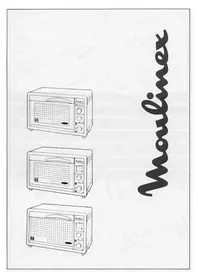
Compact Turbo Program A AP5 - Convection Oven MOULINEX - Free user manual and instructions
Find the device manual for free Compact Turbo Program A AP5 MOULINEX in PDF.



| Brand | Moulinex |
| Model | Compact Turbo Program A AP5 |
| Product type | Programmable convection oven |
| Capacity | 26 liters |
| Total power | 1700 W |
| Convection heat power | 1475 W |
| Grill and rotisserie power | 1700 W |
| Energy consumption (rise to 200°C) | 0.17 kWh |
| Energy consumption (maintain 1h at 200°C) | 0.62 kWh |
| Power supply | 230 V, 10 A minimum, grounded outlet |
| Cooking functions | Convection, grill, rotisserie, accelerated defrost |
| Timer | Timer 0 to 120 min, delayed start up to 12 h |
| Interior light | Yes (E14-15W-220V/230V bulb) |
| Number of cooking levels | 3 |
| Supplied accessories | 2 reversible grids, drip pan, rotisserie set (rod, forks, supports) |
| Interior coating | Self-cleaning enamel |
| Cleaning | Soapy damp sponge; foldable upper heating element |
| Safety | Hot surface warnings, heating element lock, automatic shut-off |
| Spare parts available | Bulb, power cord, wall mount (optional) |
| Repairability | Moulinex authorized service centers |
Frequently Asked Questions - Compact Turbo Program A AP5 MOULINEX
User questions about Compact Turbo Program A AP5 MOULINEX
0 question about this device. Answer the ones you know or ask your own.
Ask a new question about this device
Download the instructions for your Convection Oven in PDF format for free! Find your manual Compact Turbo Program A AP5 - MOULINEX and take your electronic device back in hand. On this page are published all the documents necessary for the use of your device. Compact Turbo Program A AP5 by MOULINEX.
USER MANUAL Compact Turbo Program A AP5 MOULINEX
Thank you for choosing this Moulinex oven.
AP3: Fan-assisted oven
AP5: Fan-assisted oven with rotisserie, preprogramme facility and interior light.
Description
Familiarise yourself with the various parts of your Compact Turbo oven and its accessories. Open out the diagram sheets inside the cover. The red numbers correspond to the diagrams of the various parts of your oven and are used throughout the following pages.
1/ The Oven
A Door
A1 Door handle
B Top element
C Three cooking levels
S Bottom element
D Rotisserie drive (AP4/DQ4/AP5 models)
E Interior light (AP5 only)
R Air vents
V Locking device for heating element
② 2/ Control Panel
F Thermostat dial
G Temperature control light
H Timer (0-120 min)
Defrost position(AP3/AP4/DQ4 models) Defrost button (AP5 only)
J Pre-programme cooking button, from 0-12 hours
K Interior light button (AP5 only)
L Cooking guide for 1 kg of food
- Walls lined with a self-cleaning enamel
- 26-litre capacity
- Total power 1700 Watts
- Oven power: 1475 Watts
- Grill + Roast power: 1700 Watts
- Power consumption:
. Heating up to 175^ 0.17 Kwh - Maintain at 175^ C for 1 h 0.62Kwh
TOTAL 0.79 Kwh
Safety Recommendations
1/ Connection
Check that the voltage on the appliance rating plate corresponds to the voltage on your mains supply meter. For safety reasons it is essential to connect your appliance to an earthed socket which complies with electrical standards. Avoid any electrical installation which does not comply with them.
Any error in connecting the appliance invalidates the guarantee.
Make sure your electric meter and fuse box are marked 10 Amps. or more.
Wiring instructions for U.K and Ireland only :
APPLIANCES WITH FITTED PLUG
Important: For your convenience this appliance is supplied complete with a plug incorporating a 13 amp fuse.
In the event of replacing a fuse in the plug supplied, a 13 amp fuse approved by ASTA to BS1362 must be used.
If the socket outlets are not of the 13A BS 1363 type, and therefore do not accept the plug connected to this appliance, cut off the plug. When cut off, this plug is a shock hazard if inserted into a socket outlet and must therefore be disposed of safely.
Fit the appropriate plug according to the instructions in paragraph "Fitting a plug". With alternative plugs a 15 amp fuse must be fitted either in the plug or adaptor or at the main fuse box.
FITTING A PLUG - IMPORTANT
The wires in the mains lead are coloured in accordance with the following code:
GREEN & YELLOW : EARTH
BLUE:NEUTRAL-BROWN:LIVE
As the colours in the mains lead of this appliance may not correspond with the coloured markings identifying the terminals in your plug, proceed as follows:
The wire which is coloured GREEN & YELLOW must be connected to the terminal in the plug which is marked with the letter 'E' or by the earth symbol 12 or coloured green or green and yellow. The wire which is coloured BLUE must be connected to the terminal which is marked with the letter 'N' or coloured black. The wire which is coloured BROWN must be connected to the terminal which is marked with the letter 'L' or coloured red.
This appliance is manufactured to conform to
the Low Voltage Electrical Equipment (Safety) Regulations 1989 and is designed to comply with BS 3456. It complies with the EEC Directive (89/336 EEC).
2/ Installation
Depending on the layout of your kitchen, you can:
- Place your oven on a kitchen unit or work surface capable of withstanding temperatures of at least 90^ without causing any damage.
or
- You can attach your oven to the wall. In this case, obtain wall bracket reference 5-852-130 from a Moulinex approved service agent. Never build it in or place it in a fitted unit.
Always ensure that there is nothing blocking the air vents (R) of the appliance. Do not lay teatowels or plates on your oven.
3/ Safety Recommendations
This is a domestic appliance designed for cooking food only.
-
Do not touch the hot surfaces of your oven while the oven is on, in particular the glass panel in the door
-
For safety reasons, keep children well away from the oven
-
Never rest dishes etc. on the oven door when it is open, unless it is supported by a worktop underneath.
- Do not line the oven with aluminium foil. This may interfere with the thermostat and could seriously damage your oven.
Before using your Oven for the First Time
- Unpack, wash and carefully dry all accessories
- Turn the thermostat dial (F) to 220^ and operate the oven with nothing inside it and the door open for 15 minutes. This will get rid of the "new" smell.
Using your Oven
(5)1/ Cooking using the Rotisserie (AP4/DQ4/AP5 Models)
The rotisserie is for evenly roasting meat and poultry.
Set the thermostat dial (F) to the grill-rotisserie position.
- Set the timer (H) to the desired cooking time. Add about 4 minutes pre-heating time.
The indicator light (G) will come on.
-
Pierce the joint for roasting with the spit (Q1).
-
Hold the joint on with the forks, and tighten the locking screws (Q2)
-
Place the brackets (Q3) on the tray (P) in the slots provided.
-
Place the spit on the brackets. Ensure that the tip of the spit follows the arrow on the tray (drip pan)
-
Place the tray/drip pan (P) with the joint in the oven at level 1, tipping the brackets towards you
5f - Engage the spit in the drive (D) by moving the brackets towards the back of the oven.
- Check that the spit turns. If it does not, make sure you have engaged it in the drive properly.
- Leave the door ajar to allow the air to circulate properly. This is important for this type of cooking.
When the cooking time has elapsed, the oven will stop automatically.
-
Open the door, disengage the spit with an oven glove and take out the dripping tray.
-
Remove your roast using oven gloves.
⑥ 2/Oven Cooking
The convection system ensures that the temperature is evenly distributed and cooks your food evenly at different levels, without mixing odours.
- Select the cooking temperature using the thermostat dial (F). Do not exceed 220^ or you will be in the "grill" function.
- Set the timer (H) to the cooking time you want plus an additional few minutes preheating time.
The indicator light (G) will come on. The light will go off again when the oven reaches the temperature you have chosen
- Place the dish in the oven on the shelf (O) at the appropriate level (see cooking tables).
- Shut the door.
When the cooking time has elapsed the oven will automatically stop.
- Open the door and remove your dish.
- Never use the tray/drip pan when using the "oven" function. It would stop the heat circulating properly.
To help you select the correct cooking time, refer to the cooking tables which can be found at the end of this instruction leaflet. For certain dishes, they suggest a recommended cooking time, temperature and shelf level.
3/ Preprogrammed cooking using the oven and rotisserie function only (AP5 model) Important: To use the delayed automatic start, in rotisserie mode, check beforehand that the rotisserie unit is turning as explained in paragraph 1/.
- Use the programmer dial (J) to select the time (number of hours) between the actual time you are programming your oven and the time you want the cooking to start. For cooking times that are to start in less than 5 hours time, turn the dial beyond this point and then turn it back to the position you want. (E.g. If it is 09.00 hours at the time you are programming your oven and you want your cooking to start at 12.00 hours, i.e. 3 hours later. Turn the programmer dial (J) to the 3 hour position.)
- You then select your cooking function as before (oven or rotisserie) and proceed in exactly the same way. If necessary increase the preheating time and cooking time using the timer.
The cooking process will start automatically, and the oven will stop by itself when the cooking time has elapsed.
⑦ 4 / Grilling
The grill can be used for cooking and grilling meat and fish and browning gratins.
- Turn the thermostat dial to the GRILL position.
- Set the cooking time you want using the timer dial (H) plus an additional preheating time of approximately 4 minutes.
The indicator light (G) will come on. - Place your food on the shelf at level 2 or 3. The grill shelf can be positioned facing up or downwards, depending on the size of the dish you want to grill.
- When grilling, place the food at least 2cm away from the upper heating element.
- Place the tray/drip pan underneath the grill at level 1 to catch splashes of grease or fat.
- Leave the door ajar to allow the air to circulate properly.
- Keep an eye on the food/dish you are grilling, and turn half-way through.
When the cooking time has elapsed, the oven will stop automatically.
- Open the door and remove your grilled dish. When cooking fatty meat, grease may splash on the upper heating element (grill) and can catch fire during the cooking process. It will go out by itself and will not damage the oven in any way.
5/Quick Defrosting
This facility enables you to defrost food
approximately twice as fast as if you were defrosting at room temperature
- Place the food to be defrosted on the grill shelf inside the oven.
- Place the tray/drip pan in the oven at the lower position (level 1) to catch any water/ juices that are released from the food during the defrosting process.
- Shut the door
- For models AP3/AP4 and DQ4, set the thermostat dial to the defrost position (I) and select the defrosting time you want using the timer dial (H). Repeat if necessary after 2 hours.
- For model AP5, press the defrost button (I).
- When you are happy that your food is defrosted properly, press the defrost button again. It is imperative that this button (I) goes back to its original position before you start using the other oven functions after defrosting. Remove the defrosted food.
Practical Hints
Steam and sometimes smoke is released during the cooking process. This will escape at the front of the oven.
You can reduce the quantity of smoke and odours by keeping the oven walls clean.
You can also reduce it by:
- Adding a little water to the base of your dish or the tray before starting to cook.
- Using (or slightly lowering) the recommended cooking temperatures.
- Preferably using earthenware dishes.
Cleaning
- Always disconnect your oven and leave it to cool before cleaning it
- Wipe down the oven body using a damp soapy sponge while it is still warm. It will clean more easily. Wipe it thoroughly dry.
The inside walls are lined with self-cleaning enamel. To ensure a long efficient life, as soon as grease or smoke marks appear, we recommend cleaning most of the grease marks with a sponge dipped in soapy water. Then turn the oven on for 30 minutes with the thermostat at 220^ .
To clean the roof thoroughly (inside the top of oven), swivel the locking device (V) 90^ from its original position.
- Pull down the upper heating element and clean thoroughly with a sponge dipped in hot soapy water.
- Replace the element and lock into its original
position. Make sure the lock correctly supports the 2 arms of the element.
. The enamelled base (bottom of oven) can be cleaned with washing-up liquid.
. The drip tray, grill shelf, spit (rotisserie) and forks can be cleaned with hot water and washing up liquid.
- Never use scouring pads, steel wool, scouring powders or special oven cleaners.
Maintenance
If your oven does not work, contact a Moulinex approved service agent (see list in the «Moulinex Service» booklet).
Changing the Mains Lead
If the mains lead or the plug are damaged, do not use your appliance. In order to avoid any accident, they must be replaced by an approved Moulinex Centre (see list in the leaflet «Moulinex Service»).
⑨. To change the bulb (E) in the oven (model AP5):
- Unscrew the cover.
- Remove the bulb and replace it. Replace the cover. (Reference: Spherical 300^ oven light - clear E14 - 15 Watts - 220-230 V). If the light does not work the first time you use your oven, gently tighten the bulb.
Cooking Tables
. Conversion Table:
Conversion table between thermostat temperatures in some recipe books and your Compact Chef oven.
| 100° | 1 | 160° | 4 | 200° | 7 |
| 120° | 2 | 180° | 5 | 210° | 8 |
| 140° | 3 | 190° | 6 | 220° | 9-10 |
All the times and temperatures stated are only to be used as a guideline. They can vary depending on which recipe or dish is being prepared.
(Preheat for approx. 4 minutes)
Roasting (Models AP4/DQ4-AP5)
| Dish Thermostat Cooking Tray/drip time pan (min) level |
| Meat (500 g) Beef 12-15 1 Lamb (shoulder, leg) 1 Pork, veal 30 1 5 1 |
| Poultry Chicken (500 g) Game 20-30 1 | 25 |
Oven Cooking
| Preparations | Thermostat ℃ time | Cooking Shelf position (min) | |
| Starters | |||
| Pizza | 180 25 | 30 | 2 High |
| Quiche | 220 40 | 45 | 2 Low |
| Cheese souffle | 160 35 | 40 | 2 Low |
| Croque-monsieur | |||
| 1-layer | 220 | 10 | |
| 2-layers | 220 | 20 1+2 | |
| Gratin | 210 30 | 35 | 2 Low |
| Stuffed tomatoes | 190 30- | 50 | 2 Low |
| Meat (500 g) | |||
| Beef, leg | 220 | 15 1 low | |
| Pork, veal | 190 | 30 1 low | |
| Duck | 200 | 30 1 low | |
| Chicken | 220 | 30 1 low | |
| Rabbit | 190 25- | 30 | 1 low |
| Fish (500 g) | |||
| Cod | 180 | 25 1 low | |
| Bream | 190 | 20 1 low | |
| Pastries | |||
| Biscuits | 150 45 | 50 | 2 low |
| Cake | 180 | 15 2 low | |
| then | 160 | 50 | |
| Pie | 180 45 | 50 | 2 low |
Grilling
(Oven door ajar)
(Preheating approx. 4 minutes)
| Dish | Cooking times | Shelf position | |
| Side 1 | Side 2 | ||
| Steaks | 7 min | 5 min | 3 High |
| Lamb chops 8 min | 6 min | 3 High | |
| Entrecotes | 10 min | 6 min | 3 High |
| Beef chops 15 min | 15 min | 3 Low | |
| Pork chops | 9 min | 7 min | 3 High |
| Sausages | 9 min | 6 min | 3 High |
| Black pudding | 12 min | 10 min 3 | High |
| Cod steaks 10 min | 8 min | 3 High | |
| Veal chops | 8 min | 6 min | 3 High |
ontdooi-toets (alleen model AP5)
Evite as instalacoes electrolyicas nao conformes.
- Description
- Safety Recommendations
- 1/ Connection
- Any error in connecting the appliance invalidates the guarantee.
- Wiring instructions for U.K and Ireland only :
- APPLIANCES WITH FITTED PLUG
- FITTING A PLUG - IMPORTANT
- Before using your Oven for the First Time
- Using your Oven
- Practical Hints
- Cleaning
- Maintenance
- Changing the Mains Lead
- ⑨. To change the bulb (E) in the oven (model AP5):
- Cooking Tables
- Conversion Table:
- Grilling
Brand : MOULINEX
Model : Compact Turbo Program A AP5
Category : Convection Oven