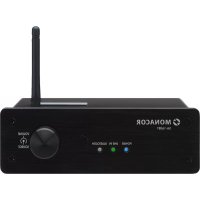
SA160BT - Receiver Monacor - Free user manual and instructions
Find the device manual for free SA160BT Monacor in PDF.

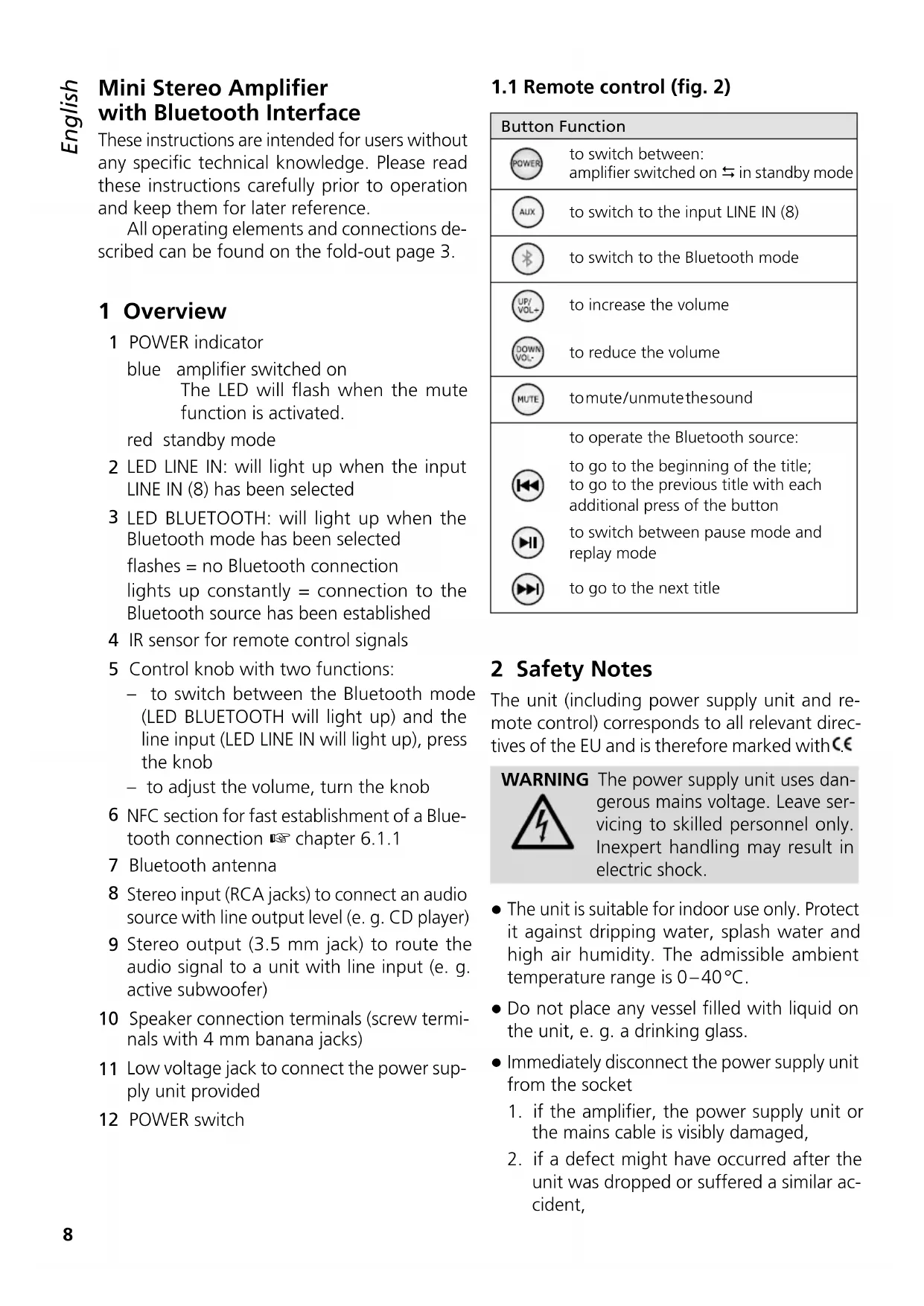


| Product type | Stereo receiver / amplifier |
| Brand | Monacor |
| Model | SA160BT |
| RMS output power | 2 × 30 W / 8 Ω |
| Frequency range | 20 – 20,000 Hz |
| Distortion rate | < 1 % |
| Signal-to-noise ratio | > 99 dB (A-weighted) |
| Stereo line input | Impedance: 10 kΩ, sensitivity: 660 mV, RCA connectors |
| Stereo line output | Max. level 1200 mV, 3.5 mm jack socket |
| Speaker output | Screw terminals with 4 mm banana plugs, min. impedance 8 Ω per channel |
| Power supply | 24 V via supplied power adapter (230 V / 50 Hz) |
| Operating temperature | 0 – 40 °C |
| Bluetooth | Version with A2DP profile, aptX® support |
| NFC | For quick pairing (distance < 3 cm) |
| Remote control | Infrared, works with CR2025 button cell battery (included) |
| LED indicators | POWER (blue/red), LINE IN (green), BLUETOOTH (flashing green/continuous) |
| Functions | Line input / Bluetooth switching, volume, mute, auto standby (15 min without signal) |
| Care and cleaning | Soft dry cloth, no chemicals or water |
| Safety | Indoor use only, protect from water splashes, disconnect if damaged |
| Spare parts and repairability | Repair by a specialized technician; remote control battery replaceable (CR2025) |
Frequently Asked Questions - SA160BT Monacor
User questions about SA160BT Monacor
0 question about this device. Answer the ones you know or ask your own.
Ask a new question about this device
Download the instructions for your Receiver in PDF format for free! Find your manual SA160BT - Monacor and take your electronic device back in hand. On this page are published all the documents necessary for the use of your device. SA160BT by Monacor.
USER MANUAL SA160BT Monacor
with Bluetooth Interface

MONACOR
WWW.MONACOR.COM
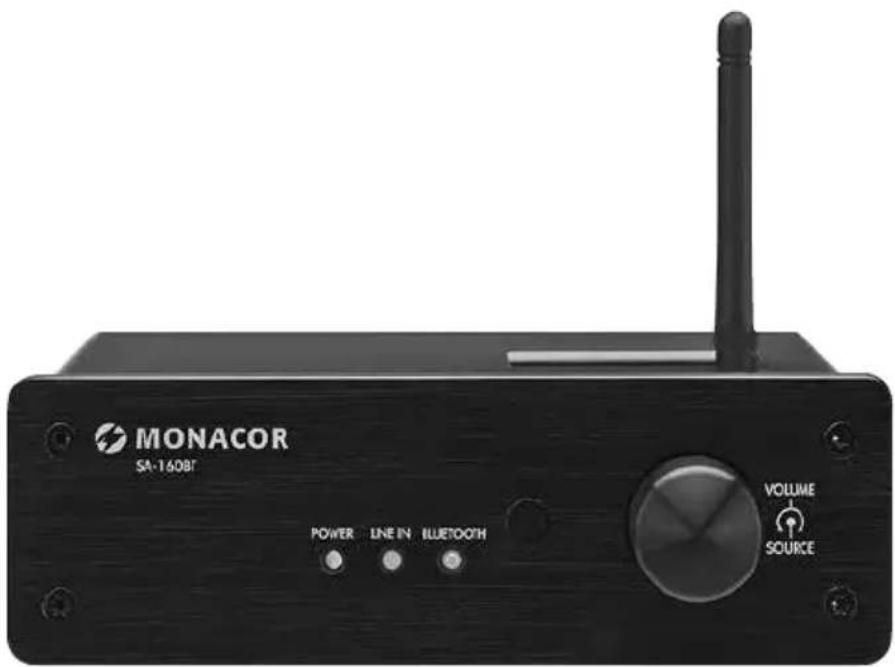
SA-160BT
Mini Stereo Amplifier with Bluetooth Interface
These instructions are intended for users without any specific technical knowledge. Please read these instructions carefully prior to operation and keep them for later reference.
All operating elements and connections described can be found on the fold-out page 3.
1 Overview
1 POWER indicator
blue amplifier switched on
The LED will flash when the mute function is activated.
red standby mode
2 LED LINE IN: will light up when the input LINE IN (8) has been selected
3 LED BLUETOOTH: will light up when the Bluetooth mode has been selected
flashes = no Bluetooth connection
lights up constantly = connection to the Bluetooth source has been established
4 IR sensor for remote control signals
5 Control knob with two functions:
to switch between the Bluetooth mode (LED BLUETOOTH will light up) and the line input (LED LINE IN will light up), press the knob
to adjust the volume, turn the knob
6 NFC section for fast establishment of a Bluetooth connection chapter 6.1.1
7 Bluetooth antenna
8 Stereo input (RCA jacks) to connect an audio source with line output level (e.g. CD player)
9 Stereo output (3.5 mm jack) to route the audio signal to a unit with line input (e.g. active subwoofer)
10 Speaker connection terminals (screw terminals with 4 mm banana jacks)
11 Low voltage jack to connect the power supply unit provided
12 POWER switch
1.1 Remote control (fig. 2)
| Button Function | |
| POWER | to switch between: amplifier switched on ⇌ in standby mode |
| ALIX | to switch to the input LINE IN (8) |
| B | to switch to the Bluetooth mode |
| UP/VOL+ | to increase the volume |
| DOWN/VOL- | to reduce the volume |
| MUTE | tomute/unmutethesound |
| to operate the Bluetooth source: | |
| to go to the beginning of the title; to go to the previous title with each additional press of the button | |
| to switch between pause mode and replay mode | |
| to go to the next title | |
2 Safety Notes
The unit (including power supply unit and remote control) corresponds to all relevant directives of the EU and is therefore marked with C.
WARNING
The power supply unit uses dangerous mains voltage. Leave servicing to skilled personnel only. Inexpert handling may result in electric shock.
- The unit is suitable for indoor use only. Protect it against dripping water, splash water and high air humidity. The admissible ambient temperature range is 0 - 40^ .
- Do not place any vessel filled with liquid on the unit, e. g. a drinking glass.
-
Immediately disconnect the power supply unit from the socket
-
if the amplifier, the power supply unit or the mains cable is visibly damaged,
-
if a defect might have occurred after the unit was dropped or suffered a similar accident,
-
if malfunctions occur.
In any case the unit must be repaired by skilled personnel.
- Never pull the mains cable to disconnect the power supply unit from the socket; always seize the plug.
- For cleaning only use a dry, soft cloth; never use water or chemicals.
- No guarantee claims for the unit and no liability for any resulting personal damage or material damage will be accepted if the unit is used for other purposes than originally intended, if it is not correctly connected or operated, or if it is not repaired in an expert way.

If the unit is to be put out of operation definitively, dispose of the unit in accordance with local regulations.
3 Applications
The mini stereo amplifier SA-160BT with infrared remote control is suitable for a wide range of applications (e.g. for home applications). It can either be switched to the reproduction of a connected audio source with line signal level (e.g. CD player, DVD player, PC) or to the reproduction of a Bluetooth source (e.g. smartphone, tablet PC, notebook). The Bluetooth connection can most conveniently be established via NFC (Near Field Communication) provided that the Bluetooth source supports this technology.
3.1 Conformity and approval
Herewith, MONACOR INTERNATIONAL declare that the unit SA-160BT complies with the directive 2014/53/EU. The EU declaration of conformity is available on the Internet:
www.monacor.com
The unit is generally approved for operation in EU and EFTA countries; it is licence-free and requires no registration.
4 Setup/Connection
Set up the amplifier on an even, solid surface and align the antenna (7) vertically.
Always switch off the amplifier prior to connection/disconnection.
1) For an audio source with line signal level (e.g. CD player, DVD player, tuner, mixer, PC), use the stereo input LINE IN (8). Make the connections via the RCA jacks (L = left channel, R = right channel).
2) To route the audio signal to a subsequent unit with line input (e. g. active subwoofer, recorder), connect the unit to the 3.5mm stereo jack LINE OUT (9).
3) Connect the two speakers (minimum impedance: 8 to the speaker terminals (10): L = left channel, R = right channel; observe the polarity + / - . The connection can be made via the screw terminals or via the banana jacks of the terminals.
If multiple speakers are connected to a single channel, the total speaker impedance per channel must be at least 8 ; otherwise, the amplifier may be damaged. Contact skilled personnel if you are not familiar with how to connect multiple speakers.
4) For power supply, connect the power supply unit provided to the low voltage jack "24V" (11) and then, using the mains cable, to a mains socket (230V/50Hz).
5 Remote Control
The remote control is operated with a battery. If the remote control is supplied with a battery inserted, remove the insulating film (to protect the battery from being discharged) from the battery holder. After that, the remote control is ready for operation. When pressing a button, always point the remote control to the IR sensor (4). Make sure that there are no obstacles between the sensor and the remote control.
If the remote control is not used for a longer time, remove the battery as a precaution so that the remote control will not be damaged in case the battery should leak.
5.1 Inserting/Replacing the battery
1) Push the latch of the battery support to the right (first arrow in figure 5) and pull out the support (second arrow).
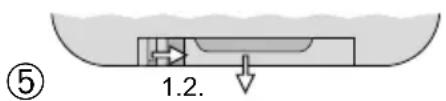
2) To replace a battery, remove the discharged battery.
3) Insert a new battery (3 V button cell of the type CR 2025) into the support, positive pole facing up. Push the support back into the remote control.

Never put batteries in the household waste. Always dispose of the batteries in accordance with local regulations.
6 Operating the Amplifier
1) To switch on the amplifier, use the POWER switch (12). The LED POWER (1) will light up in blue. The operating mode will be indicated by the corresponding LED, lighting up in green:
- LED LINE IN (2) lights up: The audio source at the input LINE IN (8) has been selected.
- LED BLUETOOTH (3) lights up: The Bluetooth mode has been selected. Information on operation with a Bluetooth source can be found in chapter 6.1.
To switch between the operating modes, press the control knob (5) at the amplifier or use the corresponding button on the remote control (button AUX = source at the line input, button 串 = Bluetooth mode).
2) To adjust the volume, turn the control knob (5) at the amplifier or use the buttons VOL+ and VOL- on the remote control.

Never adjust a very high volume. Permanent high volumes may damage your hearing! Your ear will get accustomed to high volumes which do not seem to be that high after some time. Therefore, do not further increase a high volume after getting used to it.
3) To mute the sound, press the button MUTE on the remote control. The LED POWER (1) will flash while the sound is muted. To unmute the sound, press the button again.
4) To switch to the standby mode, press the button POWER on the remote control. The LED POWER (1) will light up in red. To switch
on the amplifier, press the button POWER again.
Auto standby:
- in the operating mode "LINE IN": If the amplifier does not receive any audio signal via the line input, the amplifier will automatically switch to the standby mode after 15 minutes. As soon as a signal is available at the input, the amplifier will be switched on again.
- in the operating mode "Bluetooth": If the amplifier does not receive any audio signal from a Bluetooth source, the amplifier will automatically switch to the standby mode after 15 minutes. If the Bluetooth connection is still available (e.g. because the source has not been switched off but set to pause), the amplifier can be switched on again by starting the replay at the source.
5) To switch off the amplifier, use the POWER switch (12).
If the amplifier is not used for a longer time, disconnect the power supply unit from the mains socket. The power supply unit has a low power consumption even when the amplifier is switched off.
6.1 Operation with a Bluetooth source
1) The amplifier must be in the operating mode "Bluetooth", indicated by the LED BLUE-TOOTH (3). The LED will flash if no Bluetooth connection has been established.
2) At the Bluetooth source, switch on the Bluetooth function. On the display of the Bluetooth source, the SA-160BT will be indicated by "BT Speaker". Pair the source with the SA-160BT (please refer to the instruction manual of the Bluetooth source, if required).
Once the pairing has been made, the LED BLUETOOTH will light up constantly.
3) Start the audio replay at the Bluetooth source and operate the Bluetooth source as desired.
The buttons , and on the remote control may also be used to operate the Bluetooth source (chapter 1.1).
Notes:
- To allow signal transmission, the source must use the A2DP profile.
- To ensure the best audio quality, the source should support the aptX® technology.
6.1.1 Establishing the Bluetooth connection via NFC
If the Bluetooth source supports NFC (Near Field Communication), the Bluetooth connection can be most conveniently established by holding the respective units close together.
Note: It cannot be guaranteed that NFC pairing will work properly with all sources.
1) Switch on the NFC function at the Bluetooth source.
2) If the Bluetooth source is in a protective sleeve or protective bag, remove the sleeve / bag; otherwise, it may prevent data transmission.
3) Hold the section of the Bluetooth source with the NFC antenna (usually on the rear side of smartphones / tablet PCs) very close to the NFC section (6) on the upper side of the amplifier (max. distance: 3 cm). NFC pairing will automatically switch on the Bluetooth function of the Bluetooth source (if it was switched off).
When NFC pairing is made for the first time, a message will appear on the display of the Bluetooth source asking whether the connection with the "BT Speaker" shall be established. Confirm this message to pair the units (LED BLUETOOTH will light up constantly). Future NFC pairings will not require any confirmation.
Note: When the units have been paired and when their NFC sections are held close together again, the units may be disconnected and the Bluetooth function at the Bluetooth source may be switched off.
7 Specifications
RMS output power: . . . 2 × 30W/8Ω
Frequency range: 20-20000 Hz
THD: < 1%
S/N ratio: .99 dB (A weighted)
Line input, stereo
Impedance: 10kΩ
Sensitivity: 660mV
Connection: .RCA jacks
Line output, stereo
Level: 1200 mV max.
Connection: 3.5mm jack
Bluetooth
Version: 4.0
Range: 10m
Power supply: 24 V via power supply unit provided and connected to 230V/50Hz
Ambient temperature: 0 - 40^
Dimensions: 150 × 49 × 122 mm (W × H × D)
Weight: 610g
Subject to technical modification.
Bluetooth Version: 4.0 Portee: 10m
Dimensions: 150 × 49 × 122 mm (L × H × P)
Poids: 610g