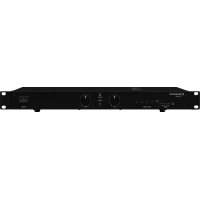
STA200D - Receiver Monacor - Free user manual and instructions
Find the device manual for free STA200D Monacor in PDF.



| Product type | Professional digital stereo amplifier |
| Brand | Monacor |
| Model | STA200D |
| Dimensions (W × H × D) | 482 × 44 × 268 mm (1 rack unit) |
| Weight | 5 kg |
| Power supply | 230 V / 50 Hz, max consumption 350 VA |
| RMS output power | 2 × 125 W (4 Ω), 2 × 75 W (8 Ω) |
| Max output power | 300 W |
| Audio inputs | 4 × RCA (INPUT 1-4), 1 × 3.5 mm jack (PLAYER) |
| Frequency response | 20 – 20,000 Hz |
| Signal-to-noise ratio | > 100 dB (A-weighted) |
| Distortion rate | < 0.05 % |
| Attenuation (crosstalk) | > 56 dB |
| Recommended speaker impedance | 4 Ω (min 4 Ω in parallel) |
| LED indicators | ON, PROTECT, OVERHEAT, CLIP |
| Protection | Protection circuit (short circuit, overheating, overvoltage) |
| Operating temperature | 0 – 40 °C |
| Mounting | 19" rack (1U) or tabletop |
| Maintenance and cleaning | Dry soft cloth, no chemicals |
| Safety | Do not open, avoid water and excessive heat, unplug if damaged |
| Repairability | Repair by specialized technician; replace with identical fuse |
| Included accessories | Power cord, rack mounting brackets |
Frequently Asked Questions - STA200D Monacor
User questions about STA200D Monacor
0 question about this device. Answer the ones you know or ask your own.
Ask a new question about this device
Download the instructions for your Receiver in PDF format for free! Find your manual STA200D - Monacor and take your electronic device back in hand. On this page are published all the documents necessary for the use of your device. STA200D by Monacor.
USER MANUAL STA200D Monacor
INPUT 1-4:....1V/23kΩ,Cinch
These instructions are intended for users without any specific technical knowledge. Please read these instructions carefully prior to operating the unit and keep them for later reference.
All operating elements and connections described can be found on the fold-out page 3.
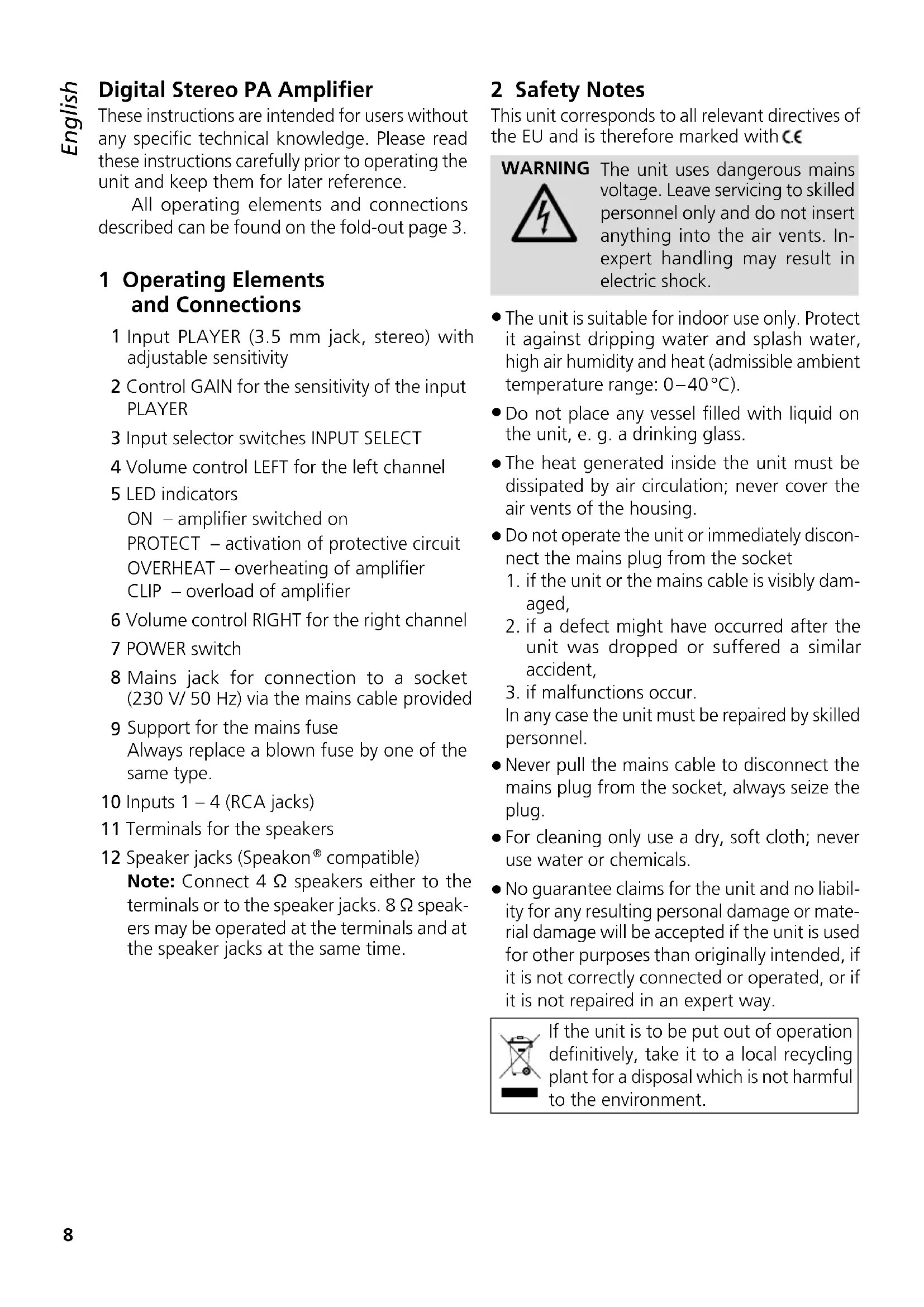
1 Operating Elements and Connections
1 Input PLAYER (3.5 mm jack, stereo) with adjustable sensitivity
2 Control GAIN for the sensitivity of the input PLAYER
3 Input selector switches INPUT SELECT
4 Volume control LEFT for the left channel
5 LED indicators
ON – amplifier switched on
PROTECT – activation of protective circuit
OVERHEAT – overheating of amplifier
CLIP – overload of amplifier
6 Volume control RIGHT for the right channel
7 POWER switch
8 Mains jack for connection to a socket (230 V/ 50 Hz) via the mains cable provided
9 Support for the mains fuse Always replace a blown fuse by one of the same type.
10 Inputs 1 - 4 (RCA jacks)
11 Terminals for the speakers
12 Speaker jacks (Speakon ^® compatible)
Note: Connect 4 Ω speakers either to the terminals or to the speaker jacks. 8 Ω speakers may be operated at the terminals and at the speaker jacks at the same time.
2 Safety Notes
This unit corresponds to all relevant directives of the EU and is therefore marked with C.€
WARNING

The unit uses dangerous mains voltage. Leave servicing to skilled personnel only and do not insert anything into the air vents. In-expert handling may result in electric shock.
- The unit is suitable for indoor use only. Protect it against dripping water and splash water, high air humidity and heat (admissible ambient temperature range: 0–40°C).
- Do not place any vessel filled with liquid on the unit, e. g. a drinking glass.
- The heat generated inside the unit must be dissipated by air circulation; never cover the air vents of the housing.
- Do not operate the unit or immediately disconnect the mains plug from the socket
- if the unit or the mains cable is visibly damaged,
- if a defect might have occurred after the unit was dropped or suffered a similar accident,
- if malfunctions occur.
In any case the unit must be repaired by skilled personnel. - Never pull the mains cable to disconnect the mains plug from the socket, always seize the plug.
- For cleaning only use a dry, soft cloth; never use water or chemicals.
- No guarantee claims for the unit and no liability for any resulting personal damage or material damage will be accepted if the unit is used for other purposes than originally intended, if it is not correctly connected or operated, or if it is not repaired in an expert way.

If the unit is to be put out of operation definitively, take it to a local recycling plant for a disposal which is not harmful to the environment.
3 Applications
This digital stereo PA amplifier with a peak power of 300 W is specially designed, for example, for applications on stage and in discothèques. It allows connection of up to five audio units to be selected via input switches.
4 SettingUp/Installation
The amplifier is designed for installation into a rack (482 mm / 19"); however, it can also be used as a table-top unit. In order to ensure sufficient cooling, air must always be able to flow freely through all air vents.
4.1 Rack installation
For installation into a rack, screw the two mounting brackets provided to the left and right sides of the housing (fig. 3). In the rack, the amplifier requires a height of 1 RS (rack space = 44.45 mm).
The hot air given off by the amplifier must be dissipated from the rack; otherwise heat will accumulate in the rack which may not only damage the amplifier but also other units in the rack. In case of insufficient heat dissipation, install a ventilation unit (e.g. DPVEN-03) into the rack.
5 Connecting the Amplifier
Prior to making or changing any connections, switch off the amplifier and the units to be connected.
1) Connect the audio units (e.g. CD / MP3 player, mixer, radio) to the input jacks (1, 10). When using the RCA jacks (10), always connect the left channel to the white jack and the right channel to the red jack. The 3.5 mm jack (1) should be used for a unit with low output level or for units not permanently operated with the amplifier.
2) The highest output power is obtained when 4 speakers are connected. However, it is also possible to connect 8 speakers which will slightly reduce the output power. The
minimum RMS power capability of the speakers must be as follows:
4Ω speaker 125W
8 Ω speaker 75 W
Connect the speakers to the speaker jacks* (12) or to the terminals (11). When operating speakers at the speaker jacks and at the terminals at the same time, only use speakers with a minimum impedance of 8 Ω to prevent overload of the amplifier.
* Contact configuration of a plug, see fig. 2 After inserting a plug into the jack, turn it clockwise until it engages. To remove the plug, pull back the latch on the plug and turn the plug counter-clockwise.
When using the terminals, always connect the marked core of the speaker cables to a red terminal.
Different possibilities for connecting multiple speakers to one channel are shown in fig. 4 which also shows the minimum load of the speakers. When interconnecting multiple speakers, always observe the correct positive and negative connections and make sure that the total impedance is at least 4 .
3) Via the mains jack (8), connect the amplifier to a socket (230 V/ 50 Hz) using the mains cable provided.
6 Operation
Hint: To prevent switching noise, switch on the units connected to the amplifier before switching on the amplifier. After operation, switch off the amplifier before switching off the units connected.
1) Before switching on the amplifier for the first time, set the volume controls LEFT (4) and RIGHT (6) to zero to make sure that the volume will not be too high. Then switch on the amplifier with the POWER switch (7). The power LED ON (5) will light up.
2) Use the switches INPUT SELECT (3) to select the desired unit for reproduction. To prevent loud switching noise, turn down the volume when operating the switches.
3) Set the desired volume with the controls LEFT and RIGHT. In case of overload of the amplifier, the red LED CLIP (5) will light up. Turn back the control accordingly.
CAUTION

Never adjust the amplifier to a very high volume. Permanent high volumes may damage your hearing! Your ear will get accustomed to high volumes which do not seem to be that high after some time. Therefore, do not further increase a high volume after getting used to it.
4) If a unit has been connected to the 3.5 mm jack PLAYER (1), use the control GAIN (2) to set the input sensitivity. Thus, differences in volume will be balanced when switching over to a unit connected to the jacks INPUT 1 – 4 (10). When a unit with low output level is connected, the control can also be used to increase the input sensitivity in order to obtain the maximum output power.
7 Protective Circuit
To prevent damage to the amplifier, a protective circuit has been integrated. When the protective circuit has been activated, the amplifier will be muted and the LED PROTECT (5) will light up:
- in case of a short circuit at a speaker output
- in case of overheating of the amplifier (The LED OVERHEAT will also light up.)
When the LED PROTECT lights up, always switch off the amplifier and eliminate the fault.
Another protective circuit will switch off the amplifier when there is overvoltage in the mains voltage. When the mains voltage has returned to its standard value, the amplifier will be switched on again.
8 Specifications
RMS output power
Stereo 4Ω:....2 × 125 W
Stereo 8Ω:....2 × 75 W
Maximum output power: .. 300W
Inputs
INPUT 1-4:....1V/23 kΩ, RCA
PLAYER: 90 mV-1 V/46 kΩ, 3.5 mm jack
Frequency range: ..... 20 – 20 000 Hz
S/N ratio: .... > 100 dB (A-weighted)
Crosstalk attenuation: .... > 56 dB
THD: .... < 0.05 %
Power supply: 230V/50Hz
Power consumption: ..... 350VA max.
Ambient temperature: .... 0–40°C
Dimensions (W × H × D): . 482 × 44 × 268 mm, 1 RS (rack space)
Weight: 5 kg
Subject to technical modification.