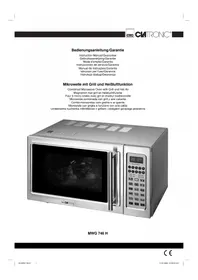
MWG 746 H - Microwaves CLATRONIC - Free user manual and instructions
Find the device manual for free MWG 746 H CLATRONIC in PDF.


| Product type | Microwave with grill and traditional heat |
| Brand | Clatronic |
| Model | MWG 746 H |
| Microwave power | 900 W (10 adjustable levels) |
| Grill power | 1200 W |
| Traditional heat power | 1400 W |
| Total power (consumption) | 1400 W |
| Power supply | 230 V ~ 50 Hz |
| Oven capacity | 25 liters |
| Main functions | Microwave, grill, traditional heat, combination modes, defrost, express cooking, 7 automatic programs (potatoes, popcorn, pizza, skewers, drinks, reheat, cake), timer, clock, child lock |
| Cooking types | Microwave only, grill only, convection heat, microwave/grill combination (30/70 or 55/45), microwave/traditional heat combination (4 temperatures: 150, 180, 200, 230 °C) |
| Included accessories | Glass turntable, grill rack, guide ring |
| Allowed dish materials | Glass, porcelain, ceramic, heat-resistant plastic, microwave-safe dishes (no metal in microwave or combination mode) |
| Care and cleaning | Clean the interior with a damp cloth after use. Wash accessories with soapy water. Do not immerse the appliance in water. Clean the door seal and walls regularly |
| Safety | Automatic shut-off when door opens, child lock (Stop button 3 seconds), overheat protection, instructions to avoid burns and liquid explosions |
| Warranty | 24 months from date of purchase |
Frequently Asked Questions - MWG 746 H CLATRONIC
User questions about MWG 746 H CLATRONIC
0 question about this device. Answer the ones you know or ask your own.
Ask a new question about this device
Download the instructions for your Microwaves in PDF format for free! Find your manual MWG 746 H - CLATRONIC and take your electronic device back in hand. On this page are published all the documents necessary for the use of your device. MWG 746 H by CLATRONIC.
USER MANUAL MWG 746 H CLATRONIC
Instruction Manual/Guarantee
Combined Microwave Oven with Grill and Hot Air
Controls. Page 14, 78
Technical Data.. Page 20
Guarantee..
Índice
D-47906 Kempen/Germany
General Safety Instructions
- Read the operating instructions carefully before putting the appliance into operation and keep the instructions including the warranty, the receipt and, if possible, the box with the internal packing.
- The appliance is designed exclusively for private use and for the envisaged purpose. This appliance is not fit for commercial use. Do not use it outdoors (except if it is designed to be used outdoors). Keep it away from sources of heat, direct sunlight, humidity (never dip it into any liquid) and sharp edges. Do not use the appliance with wet hands. If the appliance is humid or wet, unplug it immediately. Do not put it in water.
- When cleaning or putting it away, switch off the appliance and always pull out the plug from the socket (pull on the plug, not the cable) if the appliance is not being used and remove the attached accessories.
- Do not operate the machine without supervision. If you should leave the workplace, always switch the machine off or remove the plug from the socket (pull the plug itself, not the lead).
- To protect children from the dangers posed by electrical appliances, make sure that the cable is hanging low and that children do not have access to the appliance.
- Check the appliance and the cable for damage on a regular basis. Do not use the appliance if it is damaged.
- Do not try to repair the appliance on your own. Always contact an authorized technician. To avoid the exposure to danger, always have a faulty cable be replaced only by the manufacturer, by our customer service or by a qualified person and with a cable of the same type.
- Use only original spare parts.
- Pay careful attention to the following "Special Safety Instructions".
Important Safety Information! Please read carefully and keep for future use.
- Warning: When the door or the door seals are damaged, the microwave oven must not be used until it has been repaired by a qualified specialist.
- Warning: Please do not repair the device yourself, but have it repaired by an authorised specialist. Carrying out maintenance or repair work which involves removal of the cover that protects the surroundings from microwave radiation is dangerous unless carried out by an expert.
- Warning: Do not heat liquids in closed containers. Danger of explosion!
- Warning: If the device is operated using combined mode children may use the device only when supervised by adults due to the temperatures that are produced.
Note: The microwave oven is not suitable for warming/heating up living animals. -
Warning: Children and frail individuals may only use the oven without supervision if they have been instructed in its use in such a way that they are able to use the device safely and understand the dangers of incorrect operation.
-
If you would like to use your microwave in a cupboard, on a shelf or similar item, please ensure that you maintain a space of at least 10cm to cupboards, walls etc for ventilation purposes on all sides of the machine.
- Only suitable tableware should be used such as: glass, porcelain, ceramics, heat-resistant plastic or special microwave tableware.
If food is being heated or cooked in combustible materials, such as plastic or paper containers, the microwave oven should be checked frequently due to the risk of fire. - If smoke is produced, turn the device off and remove the plug. Keep the door closed in order to suffocate any fl ames.
- Delay in boiling: During boiling, particularly during the reheating of liquids (water), it may happen that the boiling temperature has been reached but the typical bubbles have not yet started to rise. The liquid does not boil evenly. When the vessel is removed this so-called delay in boiling may result in the sudden formation of bubbles when the vessel is knocked, causing the water to boil over. There is a serious danger of burns! In order to achieve even boiling, please place a glass rod or similar item, but nothing metallic, in the vessel.
- The contents of babies' bottles and jars of baby food must be stirred or shaken and the temperature checked before use. There is a danger of burns.
- Food with a shell or skin, such as eggs, sausages, sealed jars etc. must not be heated up in the microwave as they may explode even when heating by the microwaves is finished.
- Any dirt on the door frame/door seal and neighbouring parts must be carefully cleaned with a damp cloth.
- Clean the microwave oven regularly and remove any food residues from the interior.
- If the machine is not clean the surface may be damaged, affecting its serviceable life and possibly resulting in hazardous situations.
Description of the Operating Controls
lock wind axle ring plate par heating grid
Caution: Do not remove any installed parts from inside the oven or anything from the inside of the door! The foils on the inside of the door must not be removed!
ENGLISH
Controls
| 123456789 | Number Buttons For setting the clock, cooking time, temperature and weight |
| Microwave Button For selecting the power level | |
| WW | Grill Button For grilling and browning |
| Hot Air Button Hot air operation, thermostat controlled | |
| +WW | Microwave/Grill Combined Operation Button Microwave and grill alternate |
| +Y | Microwave/Hot Air Combined Operation Button Microwave and hot air alternate |
| Defrost Button Activates the defrost function in conjunction with a time setting | |
| Clock Button For setting the clock in conjunction with the number buttons | |
| Cake Programme Button | |
| Timer Button (Countdown) | |
| Potato Programme Button | |
| Popcorn Programme Button | |
| Drinks Programme Button | |
| Pizza Programme Button | |
| Meat Spit Programme Button | |
| Warming Programme Button | |
| Start Button Start of the programme | |
| Express Button Start of the express programme – setting the express cooking time | |
| Stop Button • Press once to stop the cooking process or cancel an incorrect entry. • Press twice to delete the programme. • Hold down for three seconds to block/unblock the device. |
Information on Grilling and Combined Operation
- As heat radiation is used during grilling and combined operation, please use only heat-resistant tableware.
- When food is only being grilled, metal or aluminium tableware may also be used -but not during combined or microwave operation.
- For grilling, pizza, baking and combined operation only the grilling grid is suitable.
- Do not place anything on top of the housing as this becomes hot. Always leave the ventilation slits uncovered.
- Please use the grilling grid to move the food to be cooked nearer to the heating element.
Initial Operation
After removing all the accessories from inside the oven, unpack them and place the sliding ring in the middle. Position the glass plate on the drive axle in such a way that it locks into the dents of the drive shafts and is lying fl at.
- Check the device for any visible damage, particularly in the area of the door. If any damage is found, the machine must not be used.
- In order to avoid interference to other machines when the microwave oven is operated, do not place it in the direct vicinity of other electronic devices.
- Remove any protective foils that may be adhered to the housing.
- The foils on the inside of the door must not be removed!
- Insert the mains plug into a properly installed 230V,50Hz power socket.
- Do not remove any installed parts from inside the oven or from inside the door!
Using the Device
What you should know about microwave operation:
- Your device works with microwave radiation, which heats up water particles in food in a very short time. There is no heat radiation and therefore hardly any browning.
- Only food should be heated up with this device.
- The device is not suitable for baking in flating fat.
- Only 1-2 portions should be heated up at the same time. Otherwise the microwave will become less efficient.
- If you want to interrupt the cooking process, press the Stop button.
- Microwaves provide their full energy levels immediately. Pre-heating is therefore not necessary.
- Never operate the machine in microwave or combined mode if it is empty.
- The microwave oven does not replace your traditional cooker. It is used mainly for:
defrosting deep-frozen food
- rapid warming/heating of food or drinks
- cooking meals
- Please do not use any plastic or paper tableware.
Confirmation Signal
The information you put into the device is confirmed by an audible signal.
One beep after a button has been pressed: the information entered has been accepted.
- Two beeps after a button has been pressed: the information has been refused. Please correct the information you have entered.
Setting the Time
Note: When the device is switched on for the first time a fl ashing colon appears.
- Press the clock button. The display changes to "."
- Enter the desired hours and minutes using the number buttons.
- Press the clock button again. The new time is activated.
Operating the Microwave
Place the food to be heated up into suitable tableware. Open the door and place the vessel in the middle of the glass plate. Then close the door. (For safety reasons the device only works when the door is firmly closed.)
- Press the Stop button.
- Select the desired microwave power by pressing the microwave button once or several times.
| Press the microwave button to select the percentage values | ||
| Press: Power Description | ||
| 1x 100% (P-HI) Full power | ||
| 2x 90% (F-90) | ||
| 3x 80% (F-80) | ||
| 4x 70% (F-70) High | ||
| 5x 60% (F-60) | ||
| 6x 50% (F-50) Medium | ||
| 7x 40% (F-40) | ||
| 8x 30% (F-30) Low | ||
| 9x 20% (P-20) | ||
| 10x | 10% (P-10) | Very low |
| 11x 0% (P-00) | ||
100% corresponds to 900 W
- Enter the desired cooking time using the number buttons.
For example: 10:30min cooking time at 100% power
| Step | Button | Display |
| 1 | Stop | |
| 2 | Microwave | P- HI |
| 3 | 1 0 3 0 | 10:30 |
| 4 | Start |
- Press the Start button to start the machine. The length of cooking depends on the quantity and consistency of the contents. With a little practice you will soon learn to estimate the cooking time.
Please note: cooking in the microwave oven is very much faster than in a standard cooker. If you are not sure, set the cooking time to low and continue cooking afterwards if necessary. After the time has elapsed, the device switches off and the word "END" appears in the display. Then you can remove the food.
Rapid Defrosting of Frozen Food
Please note:
- As a rule of thumb, 500g of frozen food needs approx. five minutes to defrost.
- If the frozen food has not fully defrosted within this time, set the time in 1-minute steps.
Assuming you would like to defrost frozen food and set the time to five minutes:
- Press the Stop button.
- Press the Defrosting button.
- Enter the desired cooking time using the number buttons.
| Step | Button | Display |
| 1 | Stop | |
| 2 | Defrosting | : |
| 3 | 500 | 5:00 |
| 4 | Start |
- Press the Start button to start the machine.
If the food was frozen in a plastic container, we recommend that it be briefly defrosted and then transferred to a vessel that is suitable for placing in the microwave oven.
A time of up to 99 minutes and 99 seconds can be set for defrosting. After the time has elapsed beeps are heard and the word "END" appears in the display. Press the stop button or open the door. The word "END" goes off.
The following table provides information on manual defrosting.
Defrosting Table
| Food/dish | Quantity | Power in watts | Approx. time in minutes | Additional thawing time in minutes |
| Meat, Sausages | ||||
| Meat (beef, veal, pork) in pieces | 500 g | 180 | 14 - 18 | 10 - 15 |
| 1000 g | 180 | 25 - 30 | 20 - 25 | |
| Schnitzel, cutlet | 200 g | 180 | 4 - 6 | 5 - 10 |
| Minced meat | 250 g | 180 | 6 - 8 | 5 - 10 |
| Frying sausage, Frankfurter | 200 g | 180 | 4 - 6 | 5 - 10 |
| Slices of cold meat | 300 g | 180 | 4 - 6 | 5 - 10 |
| Tip: turn the meat halfway through and cover sensitive pieces; break up the minced meat and remove pieces that have already thawed; separate sausage slices. | ||||
| Poultry | ||||
| Chicken | 1000 g | 180 | 20 - 25 | 10 - 15 |
| Chicken pieces | 500 g | 180 | 12 - 15 | 5 - 10 |
| Duck | 1700 g | 180 | 25 - 40 | 20 - 25 |
| Goose and turkey pieces | 500 g | 180 | 12 - 18 | 10 - 15 |
| Tip: turn poultry halfway through, cover wings and legs, throw away thawed liquid and do not allow to come into contact with other foods. | ||||
| Game | ||||
| Saddle of venison | 1000 g | 180 | 20 - 35 | 20 - 30 |
| Saddle of hare | 500 g | 180 | 12 - 13 | 10 - 20 |
| Tip: turn once and cover edges. | ||||
| Fish | ||||
| Prawns, shrimps | 250 g | 180 | 5 - 7 | 5 - 10 |
| Trout | 340 g | 180 | 4 - 6 | 5 - 10 |
| Whole fish | 500 g | 180 | 7 - 10 | 10 - 15 |
ENGLISH
| Food/dish Quantity | Power in watts | Approx. time in minutes | Additional thawing time in minutes | |
| Fish fillet 250 g 180 5 - 7 5 - 10 | ||||
| Tip: stir several times and turn frequently. | ||||
| Fruit | ||||
| Raspberries, strawberries 250 g 180 4 - 6 5 - 10 | ||||
| Cherries, plums 250 g 180 5 - 7 5 - 10 | ||||
| Stewed apple 500 g 180 9 12 5 - 10 | ||||
| Tip: stir carefully or break up into pieces. | ||||
| Vegetables: see „Cooking Table“, „Defrosting and Cooking Vegetables“Bread and Pastries | ||||
| Rolls | 4 pieces | 180 | ca. 1-3 | 5 |
| Bread | 1000 g | 180 | 13 - 15 | 8 - 10 |
| Bread for toasting | 500 g 180 0 5 - 6 5 - 10 | |||
| Stirred cake | 500 g 180 0 6 - 8 5 - 10 | |||
| Fruit cake | 1 piece | 180 2 - 3 | 2 - 3 | |
| Flan | 1 piece | 180 | 0,5 - 1 | 3 - 5 |
| 1200 g | 180 | 10 - 12 | 30 - 60 | |
| Tip: place the bread and pastries on kitchen crepe paper to take up the moisture; only defrost sensitive pastry slightly. | ||||
| Milk Products | ||||
| Butter | 250 g 180 0 5 - 7 10 - 15 | |||
| Curds | 250 g 180 0 6 - 8 5 - 10 | |||
| Cream | 200 g 180 0 3 - 5 | 2 - 3 | ||
| Tip: remove the aluminium foil and stir halfway through; whip the cream until it is semisolid. | ||||
Warming
The warming and heating of food is a particular strength of the microwave. Liquids and foods that are in the refrigerator can be easily brought up to room temperature or the right temperature for consumption without the need for many pots.
The heating times contained in the following table are only rough guides as the time depends very much on the starting temperature and the composition of the food. You are therefore advised to check from time to time whether the dish is already hot enough.
Heating Table
| Food/dish Quantity | Power in watts | Approx. time in minutes | Cover | |
| Liquids | ||||
| Water, 1 cup 150 g 900 | 0,5 - 1 | no | ||
| Water, 0.5 l | 500 g 900 | 3,5 | - 5 | no |
| Water, 0.75 l 750 g 900 5 - 7 | no | |||
| Coffee, 1 cup | 150 g 900 | 0,5 | - 1 | no |
| Milk, 1 cup | 150 g 900 | 0,5 | - 1 | no |
| Note: Place a glass rod or similar item (nothing metal) into the vessel in order to prevent delayed boiling. Stir well before drinking. | ||||
| One-Course Meals | ||||
| Schnitzel, potatoes and vegetables | 450 g 900 | 2,5 | - 3,5 | yes |
| Goulash with noodles | 450 g | 900 | 2 - 2,5 | yes |
| Meat, dumpling and sauce | 450 g 900 | 2,5 | - 3,5 | yes |
| Tip: moisten slightly beforehand, stir from time to time. | ||||
| Food/dish Quantity | Power in watts | Approx. time in minutes | Cover | |
| Meat | ||||
| Schnitzel, coated with crumbs | 200 g 900 | 1 - 2 | no | |
| Meatballs, 4 in total | 500 g 900 | 3 - 4 | no | |
| Joint | 250 g 900 | 2 - 3 | no | |
| Tip: brush with oil so that the crumbs or crust do not become soft. | ||||
| Poultry | ||||
| Half a chicken | 450 g 900 | 3,5 | - 5 | nd |
| Chicken fricassee | 400 g 900 | 3 - 4,5 | yes | |
| Tip: brush with oil, stir from time to time. | ||||
| Extras | ||||
| Noodles, rice 1 portion | 150 g 900 | 1 - 2 | yes | |
| 2 portions | 300 g 900 | 2,5 | 3,5 | yes |
| Potatoes 500 g 900 3 - 4 | yes | |||
| Tip: moisten slightly beforehand. | ||||
| Soups/Sauces | ||||
| Clear soup, 1 plate | 250 g | 900 | 1 - 1,5 | yes |
| Soup with garnish | 250 g 900 | 1,5 | 2 | yes |
| Sauce | 250 g 900 | 1 - 2 | yes | |
| Baby Food | ||||
| Milk | 100 ml | 540 | 0,5 - 1 | no |
| Mash | 200 g 540 | 1 - 1,5 | nd | |
| Tip: shake well or stir. Check the temperature! | ||||
Cooking
Practical Cooking Tips
Please keep to the recommended values in the cooking table and the recipes. Keep an eye on the cooking process until you have more experience.
The door of the microwave can be opened at any time. The machine switches off automatically.
It starts again when the door is closed.
Foods taken directly from the refrigerator require a slightly longer cooking time than those at room temperature.
The more compact a food is, the longer is the cooking time. For example, a large piece of meat has to be cooked longer than the same quantity of sliced meat. It is advisable to start cooking sizeable quantities on maximum power and then to continue cooking evenly on medium power.
Flat dishes cook faster than thick ones. Therefore it is advisable to spread the food as thinly as possible. Thinner pieces, e.g. chicken legs or fi sh fillets should be placed towards the inside or allowed to overlap.
The following rule of thumb applies:
Double the quantity = almost double the time Half the quantity = half the time
If you are not able to find a suitable time for a dish, the following rule applies:
approx. 1 minute cooking time for each 100g
All dishes which are covered up on a normal cooker should also be covered in the microwave oven.
A lid prevents the food from drying out. Suitable covers are an inverted plate, parchment paper or microwave foil. Dishes which are to be given a crust should not be covered when cooked.
Cooking Table
| Food/dish Quantity | Power in watts | Approx. time in minutes | Cover | |
| Vegetables | ||||
| Aubergines 500 g 720 7 - 10 yes | ||||
| Cauliflower 500 g 720 8 - 11 yes | ||||
| Broccoli 500 g 720 6 - 9 yes | ||||
| Chicory 500 g 720 6 - 7 yes | ||||
| Peas 500 g 720 6 - 7 yes | ||||
| Fennel 500 g 720 8 - 11 yes | ||||
| Green beans | 300 g 720 | 13 - | 15 | yes |
| Potatoes | 500 g 720 | 9 - 12 yes | ||
| Turnip cabbage | 500 g 720 | 8 - 10 yes | ||
| Leek | 500 g 720 | 7 - 9 yes | ||
| Maize cob | 250 g 720 | 7 - 9 yes | ||
| Carrots | 500 g 720 | 8 - 10 yes | ||
| Paprika | 500 g 720 | 6 - 9 yes | ||
| Sprouts | 300 g 720 | 7 - 10 yes | ||
| Asparagus | 300 g 720 | 6 - 9 yes | ||
| Tomatoes | 500 g 720 | 6 - 7 yes | ||
| Courgettes | 500 g 720 | 9 - 10 yes | ||
| Tip: Cut the vegetables into small pieces and cook with 2 - 3 tablespoons of liquid, stir from time to time, continue cooking for 3 - 5 minutes, season just before serving. | ||||
| Fruit | ||||
| Stewed apple, pear | 500 g 720 | 5 - 8 yes | ||
| Plum jam | 250 g 720 | 4 - 6 | no | |
| Stewed rhubarb | 250 g 720 | 5 - 8 yes | ||
| 4 baked apples | 500 g 720 | 7 - 9 yes | ||
| Tip: add 125 ml water. Lemon juice prevents the fruit from changing colour. Cook for a further 3 - 5 minutes. | ||||
| Meat (Ready-made meals) | ||||
| Meat with sauce | 400 g 720 | 10 - | 12 | yes |
| Goulash, stewed strips of meat | 500 g 720 | 10 - | 15 | yes |
| Roulade of beef | 250 g 720 | 7 - 8 yes | ||
| Tip: stir from time to time, allow to stand for 3 - 5 minutes. | ||||
| Poultry (Ready-made meals) | ||||
| Chicken fricassee | 250 g 720 | 6 - 7 yes | ||
| Poultry soup 200 g 720 5 - 6 yes | ||||
| Tip: stir from time to time, allow to stand for 3 - 5 minutes. | ||||
| Fish | ||||
| Fish fillet | 300 g 720 | 7 - 8 yes | ||
| 400 g 720 | 8 - 9 yes | |||
| Tip: turn halfway through, continue cooking for 3 - 5 minutes. | ||||
| Defrosting and Cooking Vegetables | ||||
| Apple and red cabbage | 450 g | 720 | 14 -16 | yes |
| Leaf spinach | 300 g 720 | 11 - | 13 | yes |
| Cauliflower over 200 g 720 7 - 9 yes | ||||
| French beans | 200 g 720 | 8 - 10 yes | ||
| Broccoli 300 g 720 8 - 9 yes | ||||
| Peas 300 g 720 7 - 8 yes | ||||
| Turnip cabbage | 300 g 720 | 13 - | 15 | yes |
| Leek | 200 g 720 | 10 - | 11 | yes |
| Corn | 200 g 720 | 4 - 6 yes | ||
| Carrots | 200 g 720 | 5 - 6 yes | ||
| Sprouts | 300 g 720 | 7 - 8 yes | ||
| Spinach | 450 g 720 | 12 - | 13 | yes |
| 600 g 720 | 15 - | 17 | yes | |
| Tip: cook in 1 - 2 tablespoons of liquid, stir from time to time or divide carefully into pieces. Continue cooking for 2 - 3 minutes and season just before serving. | ||||
ENGLISH
| Food/dish Quantity | Power in watts | Approx. time in minutes | Cover | |
| Soups / Stews (Ready-made meals) | ||||
| Stew | 500 g 720 | 13 - | 15 | yes |
| Soup with garnish | 300 g 720 | 7 - 8 yes | ||
| Crème soup | 500 g 720 | 13 - | 15 | yes |
| Tip: stir from time to time and continue cooking for 3 - 5 minutes. | ||||
Express Cooking
To start express cooking press the express button repeatedly. The cooking process begins immediately, with each press of the button increasing the cooking time by 30 seconds. From a time of one minute and up the cooking time is prolonged by one minute in each case.
The power of the microwave is then 100% .
Automatic-Programmes
With the help of the automatic control it is possible to cook defi red quantities of food automatically. The cooking time and microwave power level are stored in the programme.
Please proceed as follows:
a) Potatoes
- Press the Stop button.
- Press the "Potato" button once for preparing 120-170g for press the "Potato" button twice for the preparation of 140-200g.
- Press a number button between 1 and 4 to select a cooking time.
| Button “Potatoes” | Number Button | Cooking Time |
| 1x | 1 | 3min 50sek. |
| 1x | 2 | 7min 10sek |
| 1x | 3 | 11min |
| 1x | 4 | 14min |
| Button “Potatoes” | Number Button | Cooking Time |
| 2x | 1 | 5min 40sek. |
| 2x | 2 | 9min |
| 2x | 3 | 13min |
| 2x | 4 | 17min |
- Press the Start button to start the machine.
After the time has elapsed, the device switches off and the word "END" appears in the display.
Tip: Leave the food in the oven to continue cooking for 5-10 min.
b) Popcorn
Please only use microwave popcorn in a bag!
- Press the Stop button.
- Press the „Popcorn“ button. „2:30“ appears in the display.
- Press the Start button to start the machine.
After the time has elapsed, the device switches off and the word "END" appears in the display. Then you can remove the food.
Note: It is possible to change the cooking time.
ENGLISH
- Press the „Popcorn" button twice.
- Enter the new cooking time with the number buttons.
- Press the Start button.
The new cooking time remains stored in the memory until it is changed.
c) Pizza
- Press the Stop button.
- Press the „Pizza“ button once to heat up a piece of 120-140g, or press the „Pizza“ button twice to heat up a larger piece.
- Press the Start button to start the machine.
After the time has elapsed, the device switches off and the word "END" appears in the display. Then you can remove the food.
d) Meat Spit
- Press the Stop button.
- Press the "Meat Spit" button once to prepare small quantities, or press it twice for the preparation of larger quantities.
- Press a number button from 1 to 4 to select a cooking time.
"Meat Spit" button pressed once)
"Meat Spit" button pressed twice
| Number Button Weight Cooking Time | |
| 1 170g 12min | |
| 2 310g 15min | |
| 3 540g 23min | |
| 4 800g 30min | |
- Press the Start button to start the machine.
After the time has elapsed, the device switches off and the word "END" appears in the display. Then you can remove the food.
e) Drinks
- Press the Stop button.
- Press the „Drinks" button once for heating up 140-200g. Press the „Drinks" button twice for heating up 250-310g.
- Press a number button from 1 to 4 to select a warming-up time.
| Button "Drinks" | Number Button | Warming-up Time |
| 1x 1 1min | 20sek | |
| 1x 2 2min | 30sek | |
| 1x 3 3min | 40sek | |
| 1x 4 4min | 50sek |
| Button “Drinks” | Number Button | Warming-up Time |
| 2x 1 2min | 20sek. | |
| 2x 2 4min | ||
| 2x 3 5min | 40sek | |
| 2x 4 7min | 20sek |
- Press the Start button to start the machine.
After the time has elapsed, the device switches off and the word "END" appears in the display. Then you can remove the food.
f) Warming up
- Press the Stop button.
- Press the "Warming" button. 3:40 appears in the display.
- Press the Start button to start the machine.
After the time has elapsed, the device switches off and the word "END" appears in the display. Then you can remove the food.
g) Cake
- Press the Stop button.
- Press the „Cake“ button. „40:00“ appears in the display.
- Press the Start button to start the machine.
After the time has elapsed, the device switches off and the word "END" appears in the display. Then you can remove the food.
Note: The cooking time can be changed.
- Press the "Cake" button twice.
- Enter the new cooking time (up to 99:99) using the number buttons.
- Press the start button.
The new cooking time remains in the memory until it is changed.
Grill
Please use the grilling grid for grilling in order to achieve rapid and even browning. Please use suitable heat-resistant crockery or place the food to be grilled directly on the grid.
Large or thick pieces of food are grilled directly on the rotating plate!
To grill and gratinate food, proceed as follows:
- Press the Stop button.
- Press the grill button once.
- Enter the desired grilling time using the number buttons.
- Press the Start button to start the machine.
After the time has elapsed, the device switches off and the word "END" appears in the display. Then you can remove the food.
Combined Microwave/Grill Operation
When these settings are used the microwave and grill alternate within the preselected time in the ratio:
| Combination1 | 30% of the cooking time is with the microwave | 70% of the cooking time is with the grill |
| Combination2 | 55% of the cooking time is with the microwave | 45% of the cooking time is with the grill |
If you prepare food using the combined microwave-grill functions you should note the following:
For large, thick foods such as roast pork the microwave time is correspondingly longer than for small, fl at foods. However, in the case of the grill it is the other way round. The closer the food is to the grill, the faster it turns brown. This means that when large joints are prepared using combined operation the grilling time may be shorter than for smaller joints.
Please proceed as follows:
- Press the Stop button.
- Press the "Microwave/Grill" button once for combined operation 1. Press the "Microwave/Grill" twice for combined operation 2.
- Enter the desired cooking time using the number buttons.
- Press the Start button to start the machine.
After the time has elapsed, the device switches off and the word "END" appears in the display. Then you can remove the food.
Microwave/Grill Combined Operation Table
| Food/dish Quantity | Approx. time in minutes | Cover | |
| Meat, Sausages | |||
| Beef, pork or veal in pieces | 500 g | 10 - 12 | no |
| 750 g | 12 - 15 | no | |
| Smoked pork loin 500 g 12 - 14 no | |||
| Meat loaf 500 g 13 - 15 no | |||
| Wienerwurst 200 g 2 - 3 no | |||
| Frankfurter 200 g 2 - 3 no | |||
| Tip: turn the meat halfway through and continue cooking for 3 - 5 minutes;coat the meat loaf with egg white; prick the sausages with a fork. | |||
| Poultry | |||
| Boiling fowl | 1000 g | 13 - 15 no | |
| Chicken pieces | 250 g 4 | 5 no | |
| Tip: allow to cook without liquid in its own juice, turn once and continuecooking for 4 - 5 minutes. | |||
| Fish | |||
| Trout, blue | 300 g 5 | 6 no | |
| Fish fillet | 300 g 3 | 4 no | |
| Tip: turn halfway through and continue cooking for 3 - 5 minutes. | |||
Hot Air Only Operation
During cooking with hot air the hot air circulates inside the oven. This makes the food brown and crispy faster. In hot air operation it is possible to select 10 different temperatures.
Cooking with Hot Air
Assuming you would like to cook at a temperature of 180^ for 40 minutes, please proceed as follows:
- Press the Stop button.
- Press the "Hot Air" button.
- Select the desired cooking temperature with one of the number buttons (e.g. 8).
- Enter the desired cooking time (e.g. 40 min) using the number buttons.
ENGLISH
| Step | Button | Display |
| 1 | Stop | |
| 2 | Hot Air | |
| 3 | 8 | 1 80 |
| 4 | 4 0 | H:40 |
| 5 | Start |
- Press the Start button to start the machine.
Please note:
A maximum of 9 hours and 99 minutes can be programmed. After the time has elapsed beeps are heard and the word "END" appears in the display. Press the stop button or open the door. The word "END" goes off.
- When cooking with hot air it is possible to check the temperature by pressing the hot air button.
Preheating and Cooking with Hot Air
It is possible to preheat the microwave oven using hot air operation and then use hot air to cook with.
Assuming you would like to preheat the device to 170^ and then cook for 35 minutes:
- Press the Stop button.
- Press the "Hot Air" button.
- Select the desired preheating temperature using one of the number buttons (e.g. 7).
- Press the start button. The word "PREH" (preheat) fl ashes in the display. Once the oven has reached the pre-programmed temperature the "PREH" symbols stops fl ashing and appears continuously.
- Please open the door and place the food to be cooked on the middle of the rotating plate.
- Enter the desired cooking time (e.g. 35 min.) using the number buttons.
- Press the Start button to start the machine.
After the time has elapsed, the device switches off and the word "END" appears in the display. Then you can remove the food.
Combined Use of Hot Air and Microwave
For this the device has four pre-programmed settings, making it easier for you to work with both the hot air and the microwave function.
Please press the microwave/hot air button and then one of the number buttons from 1 to 4 to select the hot air temperature.
| Button | Number Button | Temperature(°C) |
| Microwave/Hot Air | 1 | 150 |
| Microwave/Hot Air | 2 | 180 |
| Microwave/Hot Air | 3 | 200 |
| Microwave/Hot Air | 4 | 230 |
If you would like to set a time of 25 minutes, for example to bake a cake at 200^ :
- Press the Stop button.
- Please press the microwave/hot air button.
- Select the desired temperature (200^) with one of the number buttons (e.g. 3).
- Enter the desired cooking time (e.g. 25 min) using the number buttons.
- Press the Start button to start the machine.
ENGLISH
Please note:
A maximum of 9 hours and 99 minutes can be programmed. After the time has elapsed beeps are heard and the word "END" appears in the display. Press the stop button or open the door. The word "END" goes off.
When cooking with hot air it is possible to check the temperature by pressing the microwave/hot air button.
Cooking in Several Steps
It is possible to set the programmes in such a way that three different functions can be selected.
Assuming you select the following programme for cooking:
Rapid Defrosting
Cooking with Hot Air (without Preheating)
- Press the Stop button.
- Press the defrost button.
- Enter the desired defrost time using the number buttons.
- Press the microwave button.
- Enter the desired microwave cooking time using the number buttons.
- Press the hot air button.
- Select the desired cooking temperature using the number buttons.
- Enter the desired hot air cooking time with the number buttons.
- Press the Start button to start the machine.
After the time has elapsed, the device switches off and the word "END" appears in the display. Then you can remove the food.
Special Functions
Automatic Reminder:
After cooking has fi nished you are reminded every 2 minutes by a beep to remove the food.
This reminder is switched off by opening the door or pressing the Stop button.
Disabling:
Press the Stop button for more than 3 seconds to disable the machine. The fact that the machine is disabled is then shown in the display. The function of the operating controls is now blocked. Press the Stop button again for more than 3 seconds to reactivate the machine.
Timer (Countdown)
The device has a timer function:
- Press the Stop button.
- Press the timer button.
- Enter the desired time using the number buttons.
- Press the Start button to start the machine.
The set time is counted backwards. When the time has elapsed a beep is heard.
Note: This function can also be used during operation of the device.
Cleaning
Always remove the mains plug before cleaning the machine.
- Clean the inside of the oven after use with a slightly damp cloth.
- Please clean the microwave from the outside with a slightly damp cloth.
- Clean the accessories in the usual manner in soapy water.
- The door frame/door seal and neighbouring parts must be carefully cleaned when dirty with a damp cloth.
Technical Data
Model: MWG 746 H
Power supply: 230 V, 50 Hz
Power consumption: 1400 W
Power consumption - hot air: 1400 W
Power consumption - grill: 1200 W
Rated microwave power output: 900 W
Cavity volume: 25 Liter
Protection class: I
This device has been tested according to all relevant current CE guidelines, such as electromagnetic compatibility and low voltage directives, and has been constructed in accordance with the latest safety regulations.
Subject to technical changes without prior notice!
Guarantee
The device supplied by our Company is covered by a 24 month guarantee starting on the date of purchase (receipt).
During the life of the guarantee any fault of the device or its accessories ascribable to material or manufacturing defects will be eliminated free of charge by repairing or, at our discretion, by replacing it. The guarantee services do not entail an extension of the life of the guarantee nor do they give rise to any right to a new guarantee!
Proof of the guarantee is provided by the proof of purchase. Without proof of purchase no free replacement or repair will be carried out.
If you wish to make a claim under the guarantee please return the entire machine in the original packaging to your dealer together with the receipt.
Defects to consumables or parts subject to wearing as
well as cleaning, maintenance or the replacement of said parts are not covered by the guarantee and hence are to be paid!
The guarantee lapses in case of unauthorized tampering.
After the expiry of the guarantee
After the expiry of the guarantee repairs can be carried by the competent dealer or repair service against the payment of the ensuing costs.
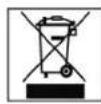
Meaning of the "Dustbin" Symbol
Protect our environment: do not dispose of electrical equipment in the domestic waste.
Please return any electrical equipment that you will no longer use to the collection points provided for their disposal.
This helps avoid the potential effects of incorrect disposal on the environment and human health.
This will contribute to the recycling and other forms of reutilisation of electrical and electronic equipment.
Information concerning where the equipment can be disposed of can be obtained from your local authority.
| Number Buttons For setting the clock, cooking time, temperature and weight | |
| Microwave Button For selecting the power level | |
| Grill Button For grilling and browning | |
| Hot Air Button Hot air operation, thermostat controlled | |
| Microwave/Grill Combined Operation Button Microwave and grill alternate | |
| Microwave/Hot Air Combined Operation Button Microwave and hot air alternate | |
| Defrost Button Activates the defrost function in conjunction with a time setting | |
| Clock Button For setting the clock in conjunction with the number buttons | |
| Cake Programme Button | |
| Timer Button (Countdown) | |
| Potato Programme Button | |
| Popcorn Programme Button | |
| Drinks Programme Button | |
| Pizza Programme Button | |
| Meat Spit Programme Button | |
| Warming Programme Button | |
| Start Button Start of the programme | |
| Express Button Start of the express programme – setting the express cooking time | |
| Stop Button • Press once to stop the cooking process or cancel an incorrect entry. • Press twice to delete the programme. • Hold down for three seconds to block/unblock the device. |

- Índice
- General Safety Instructions
- Important Safety Information! Please read carefully and keep for future use.
- Description of the Operating Controls
- Information on Grilling and Combined Operation
- Initial Operation
- Using the Device
- What you should know about microwave operation:
- Confirmation Signal
- Setting the Time
- Operating the Microwave
- Rapid Defrosting of Frozen Food
- Please note:
- Defrosting Table
- Warming
- Cooking
- Practical Cooking Tips
- Double the quantity = almost double the time Half the quantity = half the time
- approx. 1 minute cooking time for each 100g
- Express Cooking
- Automatic-Programmes
- a) Potatoes
- b) Popcorn
- ENGLISH
- c) Pizza
- d) Meat Spit
- e) Drinks
- f) Warming up
- g) Cake
- Grill
- Combined Microwave/Grill Operation
- Hot Air Only Operation
- Cooking with Hot Air
- Preheating and Cooking with Hot Air
- Combined Use of Hot Air and Microwave
- Cooking in Several Steps
- Rapid Defrosting
- Cooking with Hot Air (without Preheating)
- Special Functions
- Automatic Reminder:
- Disabling:
- Timer (Countdown)
- Cleaning
- Technical Data
- Guarantee
- After the expiry of the guarantee
- Meaning of the "Dustbin" Symbol
Brand : CLATRONIC
Model : MWG 746 H
Category : Microwaves