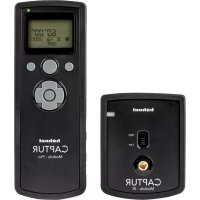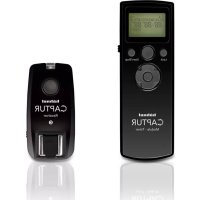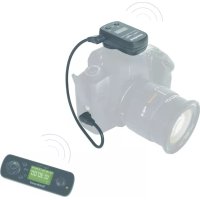
Giga T Pro II - Remote control Hähnel - Free user manual and instructions
Find the device manual for free Giga T Pro II Hähnel in PDF.
User questions about Giga T Pro II Hähnel
0 question about this device. Answer the ones you know or ask your own.
Ask a new question about this device
Download the instructions for your Remote control in PDF format for free! Find your manual Giga T Pro II - Hähnel and take your electronic device back in hand. On this page are published all the documents necessary for the use of your device. Giga T Pro II by Hähnel.
USER MANUAL Giga T Pro II Hähnel
Rev 02/11Receiver Transmitter
Note:3 black lines on contactNote:3 black lines on contact Wireless Remote Control Wired Remote Control
= Number of Repeats of Basic Programme = Number of shots / burstsInterval 1 Long DelayInterval 1Long LongBasic Programme = Number of shots / burstsInterval 1 Long Delay Interval 1Long LongBasic Programme = Number of shots / burstsInterval 1 Long Interval 1Long LongBasic Programme 22: Channel Selector 23: Basic Timer Mode 24: Bulb Mode 25: Continuous Shooting Mode 26: Single Shot Mode 10: Centre button to confirm and accept settings 11: Arrow buttons. To select the Mode Settings, eg. Single Shooting, Continuous Shooting, Delay, Long, Timer, use left and right directional arrows To adjust the values for the timer, exposure count & intervals or channels, use the up and down directional arrows. Transmitter 4-Way Joypad
Transmitter LCD Screen Transmitter LCD Screen 13: Delay Setting 14: Long Setting 15: Interval 1 Setting 16: N1 Number of Exposures 17: Interval 2 Setting 18: N2 Number of Repeats 19: Seconds 20: Minutes 21: Hours
Setting up Giga T Pro II Switching on your Giga T Pro II Wireless Remote Control Ensure the camera and remote controlreceiver are turned off before connecting.Attach the receiver to the hot shoe on thecamera.Connect Giga T Pro II to the remotecontrol socket of the Camera, using thecorrect connector cable included.To switch On/Off the Receiver, press andhold the Power Button. Switch on thecamera.To switch On/Off the Transmitter, pressand hold the Power Button. Note: Thetransmitter automatically powers off after60 seconds of inactivity. LCD Backlight On Receiver: Press and hold backlightButton On Transmitter: Press and hold backlightButton Channel Selection To communicate between the transmitterand receiver, both units must be on thesame channel.The default on both LCD screens displaysthe active channel (sample: CH02). Tochange channel on the receiver, press andhold BOTH Channel selector buttons untilthe LCD screen flashes. Use individualchannel buttons to change the channelsetting. To set and confirm the channel,press BOTH channel selector buttons.To change channel on the transmitter, usethe 4-way joypad to go to ChannelSelector mode and press the centrebutton. Adjust using the 4-way joypad, setand confirm using the centre button.Refer to FAQ for benefits of additionalchannels
IRL/GBStandard Wireless Remote Functions Single Shot ModeEnsure camera is in single shot mode.Refer to camera manual.Using the 4-way joypad, put Transmitterinto Single Shot Mode.To autofocus Ensure camera hasautofocus enabled.Half press the transmitter button. Greenlight on transmitter and receiver indicatesautofocus is activated.To release the shutter full press on theTransmitter button. Red light ontransmitter and receiver indicates a singleshot has been taken.Continuous Shooting ModeEnsure camera is in continuous shootingmode.Put transmitter into continuous shootingmode.Half press the transmitter button toautofocus.Full press and HOLD transmitter button.Camera shoots continuously for as longas transmitter button is held down.Bulb Mode - Long ExposuresEnsure camera is in Bulb mode.Put transmitter into Bulb Mode.Half press the transmitter button toautofocus.Full press the transmitter button to openthe shutter. Display starts counting theperiod of time the shutter is open. Presstransmitter button again to close theshutter and stop the display. Basic Timer Modes To set a specific number of shots and toset a specific timed delay before takingthe first shot.Ensure camera is in single shot mode.Set the transmitter to Basic Timer Mode.Press centre button. Use 4-way joypad toselect the number of shots, then the timedelay to first shot. Press centre button toconfirm and save setting.Half press the transmitter button.Full press Transmitter button.Camera will autofocus between eachshot. Refer to FAQ to turn autofocus off. Interval Timer Programmable Functions To programme the Giga T Pro II intervaltimer, you must set the values for the“Basic Programme” by inputting thevalues into each of the Delay, Long,Interval 1, N1 parameters.To set the repeats of the “BasicProgramme”, set the values for frequencyand interval using the Interval 2 and N2parameters.Camera settings affect each of thesefunctions. For series of Timed single shots, ensure camera is inSingle Shot mode.Continuous shooting bursts, ensurecamera is in Continuous Shooting mode.Long expsoures, ensure camera is inContinuous Bulb mode. Delay: Time in hours, minutes and seconds before wholeinterval shootingprogramme starts.Use 4-way joypad to set the desired timedelay before programme begins. Presscentre button to accept setting.
3To set parameters for Basic Programme Long: A: For Single Shot Set to 00 00 00 values B: For Continuous Shooting Sets the length of the contiuous shooting burst. C: Bulb Exposure - Sets the length of time the shutter is open Interval 1: Time interval between shooting or, if in continuous shooting mode, between bursts of shooting. Must be set higher than camera shutter speed N1: A: For Single Shot Sets the Number of shot taken B: For Continuous Shooting Number of bursts of Continuous Shooting. C: Bulb Exposure - Number of shots taken To set parameters for Repeating of Programme Interval2: Time interval between each repeat of “Basic Programme” N2: Number of times the above “Basic Programme” is repeated. The programme is now set. Press (play/stop) to activate or stop the programme. Note: Double green flash on receiver indicates an interval timer programme is in operation. To Run Basic Programme one time only Set parameters for Basic Programme as normal. Ignore Interval 2 setting and set N2 = 1 See www.hahnel.ie for examples FAQ's To turn off the autofocus in between shots of sequential shooting or the Basic Timer Function, ensure Autofocus is disabled on your camera. A number of channels are available on your remote control to allow you to use several receivers, each set to a different channel, activated by one single transmitter. Simply change the channel on the transmitter as desired to activate each seperate receiver. To calculate the number of shots taken, multiply N1 x N2. If using bursts of continuous shooting, to calculate the number of shots taken, multiply 'frames per second' setting of the camera x Long x N1 x N2. Caution
- Do not modify product
- Keep receiver and transmitter dry at all times
- Do not use in the presence of flamable gas
- Keep out of the reach of children
- Do not expose to excessive temperatures or strong direct sunlight
- Do not leave the unit in the trunk or on the dashboard of a vehicle. Overheating can result in leaking, fire or explosion
- Observe correct polarity
- Dispose in accordance with appropriate environmental regulations
- Take battery out of unit if stored for an extended period of time. R&TTE Directive Declaration Hähnel Industries hereby declares that the Giga T Pro II is in compliance with the essential requirements and other relevant provisions of the R&TTE Directive 1999/5/EC. A copy of the Declaration of Conformity can be viewed at www.hahnle.ie
EasyManual