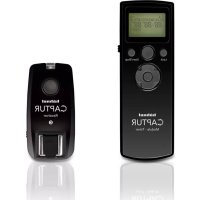
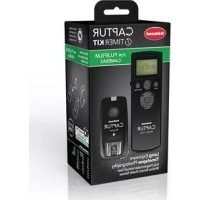
Captur Timer Kit - Remote control Hähnel - Free user manual and instructions
Find the device manual for free Captur Timer Kit Hähnel in PDF.



| Product Type | Remote control with timer module for camera |
| Brand | Hähnel |
| Model | Captur Timer Kit |
| Compatibility | Captur transmitter (sold separately) or DSLR camera via cable (sold separately) |
| Power Supply | Batteries (not included) |
| Main Functions | Remote release, self-timer (DELAY), exposure time (LONG), intervals (INTVL1, INTVL2), burst mode, adjustable number of shots |
| Display | LED indicator (green/red) and digital display of settings (hours, minutes, seconds) |
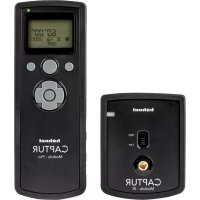
| Buttons | Release button, SET, Control button (navigation), ON/OFF switch, lock |
| DELAY Setting Range | 0s to 99h 59min 59s (in 1s steps) |
| LONG Setting Range | Adjustable exposure time (not specified) |
| INTVL1 Setting Range | 1s to 99h 59min 59s (in 1s steps) |
| INTVL1 N Setting Range | 1 to 999 or unlimited |
| INTVL2 Setting Range | 1s to 99h 59min 59s (in 1s steps) |
| INTVL2 N Setting Range | Number of repetitions of INTVL1 program (not specified) |
| Maintenance and Cleaning | Clean with a soft, dry cloth. Avoid water and humidity. |
| Safety | Keep out of reach of children. Do not expose to extreme temperatures. Remove batteries if not used for a long time. |
| General Information | Manual available in multiple languages. Use with Captur transmitter recommended. |
Frequently Asked Questions - Captur Timer Kit Hähnel
User questions about Captur Timer Kit Hähnel
0 question about this device. Answer the ones you know or ask your own.
Ask a new question about this device
Download the instructions for your Remote control in PDF format for free! Find your manual Captur Timer Kit - Hähnel and take your electronic device back in hand. On this page are published all the documents necessary for the use of your device. Captur Timer Kit by Hähnel.
USER MANUAL Captur Timer Kit Hähnel
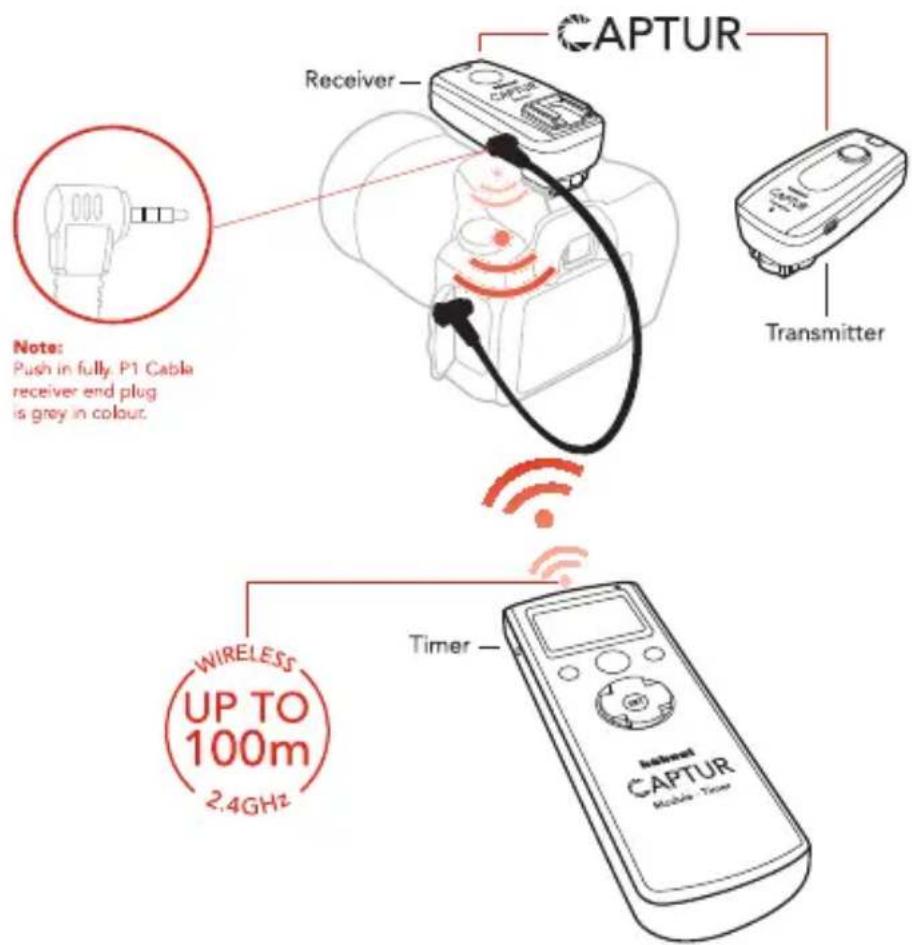
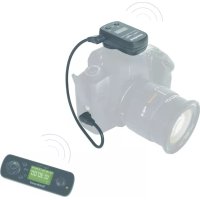
Wireless: Requires Captur (Sold Separately)
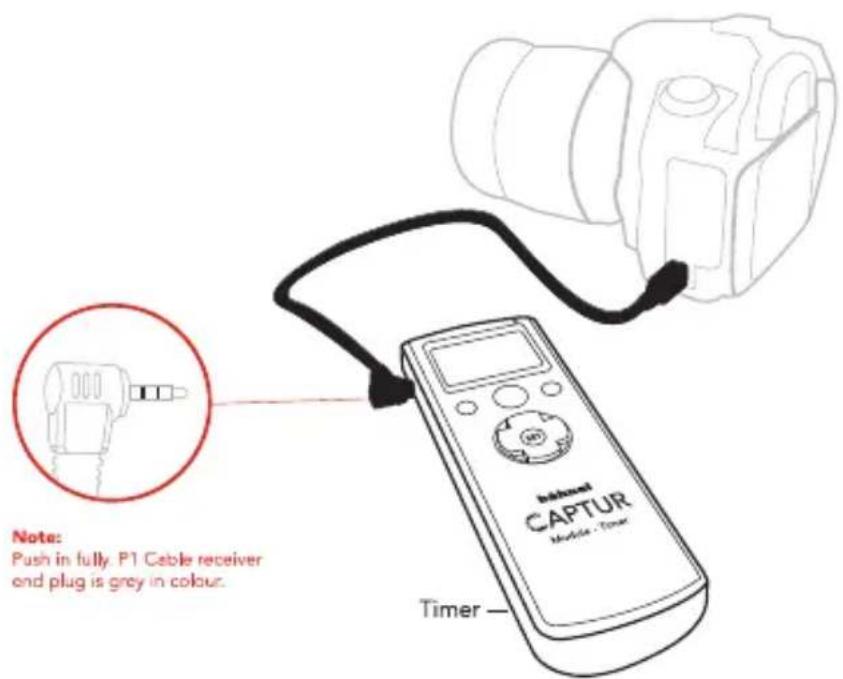
Wired: Requires Camera Cable (Sold Separately)
![1 2 3 4 5 6 DELAY LONG INTVL1 INTVL2 N 00:00'00" [---]](/content/2026/03/447566/images/bb8f71ad23b9530c6d688305ce2e75738e9f7928f37054facae53261e22f7dc0.jpg)
![Cable DELAYLONGINTVL1INTVL2N 88:88'88" [888] Release Button Lock Off/On Start/Stop Lock Start/Stop SET 13 14 15 hähnel CAPTUR Module - Timer](/content/2026/03/447566/images/6285851e23ba9ab0b76dfeb9f2a1663f3d63fc063d04a5f6425c0a03cf76e80d.jpg)
flowchart
graph TD
    A["N2=3 x INTVL1"] --> B["N1=3 shots"]
    B --> C["SHOOT"]
    B --> D["SHOOT"]
    B --> E["SHOOT"]
    C --> F["INTVL1"]
    D --> G["INTVL1"]
    E --> H["INTVL1"]
    F --> I["1Hr"]
    G --> J["10Sec"]
    H --> K["1min"]
    I --> L["10Sec"]
    J --> M["10Sec"]
    K --> N["1min"]
    L --> O["10Sec"]
    M --> P["1min"]
    N --> Q["10Sec"]
    O --> R["10Sec"]
    P --> S["10Sec"]
    Q --> T["10Sec"]
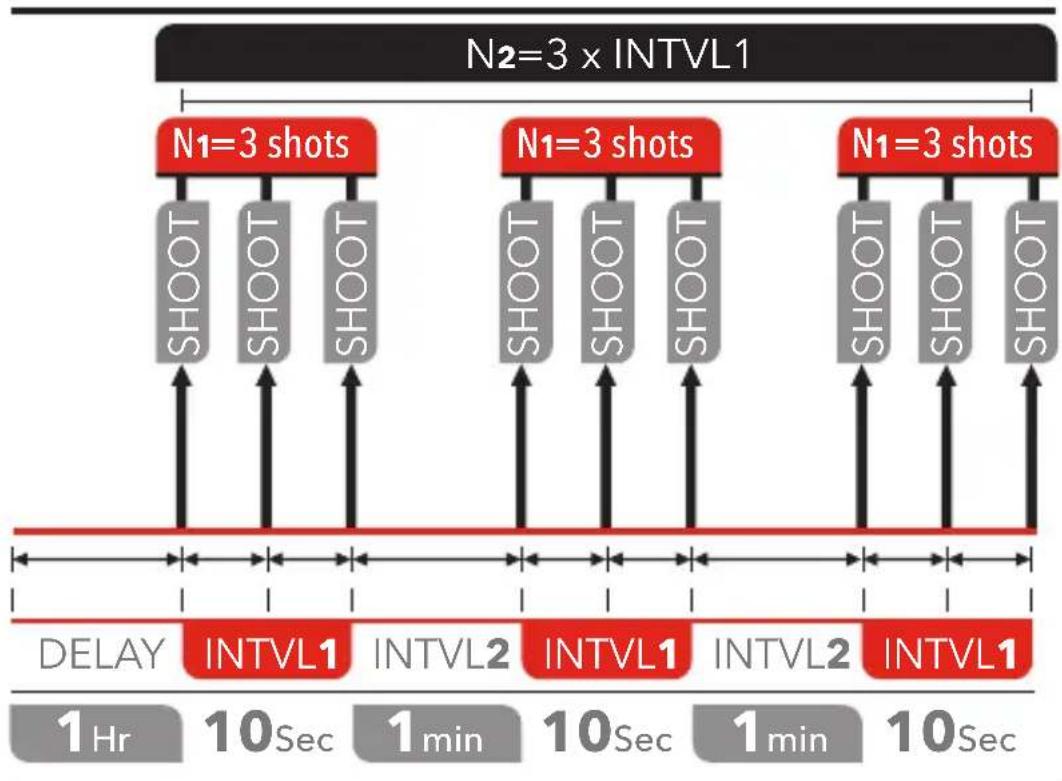
Example:
3 DELAY 01:00'00" Delay 1 hour
4 LONG 00:00'00" No long
5 INTVL1 00:00' 10" 10 sec interval 1
6 N1 = [003]
7 INTVL2 = 00:01'00" 1 min interval 2
6 N2 = [003] Repeat 3 x interval 1
Manual Remote Control
flowchart
graph TD
    A["SET"] --> B["DELAY 00:00' 00" [---"]]
    B --> C["LONG 00:00' 00" [---"]]
    C --> D["INTVL1"]
    D --> E["SET"]
    E --> F["00:00' 01" [---"]]
    F --> G["INTVL1 N [---"]]
    G --> H["SET"]
    H --> I["00:00' 01" [---"]]
    I --> J["INTVL2"]
    J --> K["SET"]
    K --> L["00:00' 00" [---"]]
    L --> M["INTVL2 N [---"]]
    M --> N["SET"]
    N --> O["00:00' 00" [---"]]
    O --> P["INTVL2"]
Page
English 5
German 8
French 11
Polish 14
Dutch 17
Spanish 20
Czech 23
Portugese 26
Swedish 29
Italian 32
Hebrew 35
program is repeated
![INTVL2 2nd Interval time Low battery indicator Hours 00 00' Minutes 00" Seconds [---] Shot count 0 to 999, --- (unlimited) Shutter release LED SET button Toggle Button](/content/2026/03/447566/images/b2f9f7791511e90a4f6601995c4a171acfb1a4ac542dc993f4427916419048e9.jpg)
Setting up Captur Module - Timer
The Captur Module - Timer is used as an accessory with the Captur (sold separately) to control the camera wirelessly. The Captur and the Captur Module - Timer must be channel matched using DCM. Alternatively you can also connect the Captur Module - Timer directly to a DSLR camera with a camera cable (sold separately).
Digital Channel Matching - DCM (Requires Captur Transmitter)
a. Transmitter - Press and hold button + Turn 'ON'. LED will flash green rapidly
b. Timer - Press and hold SET button 14 + Turn 'ON'. LED will show steady red
c. Receiver - Press and hold button + Turn 'ON'. LED will show
steady red d. DCM is complete. Turn both Timer, Receiver and Transmitter 'OFF' and 'ON' to reboot
Note: For multiple Receivers repeat step 'c' for all receivers without turning off transmitter
Manual Remote Control
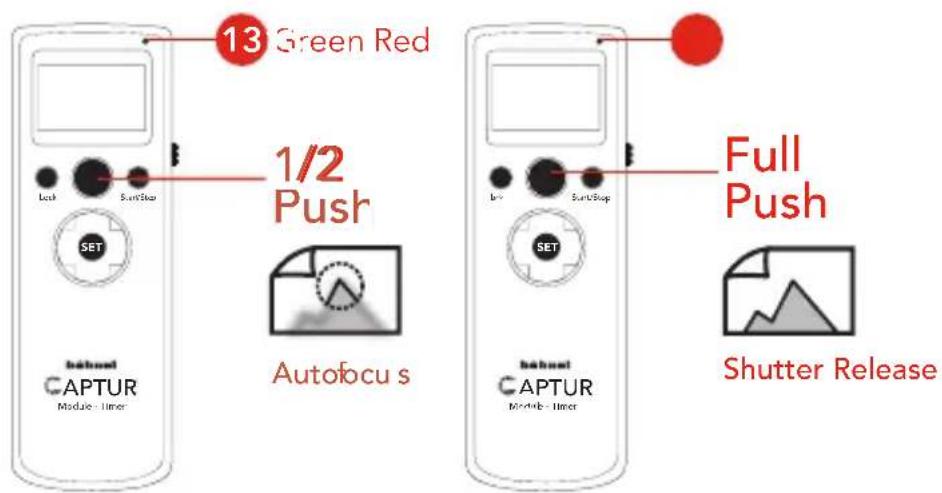
The Release Button works similarly to the camera shutter release. 1/2 push = Autofocus, LED 13 shows steady green. Full push = Shutter release, LED 13 shows red. To 'HOLD' the shutter release for bulb photography, press down Release Button for more than 3 seconds and LED 13 will flash red. Press Release Button again to release the hold.
Interval Timer Programmable Functions
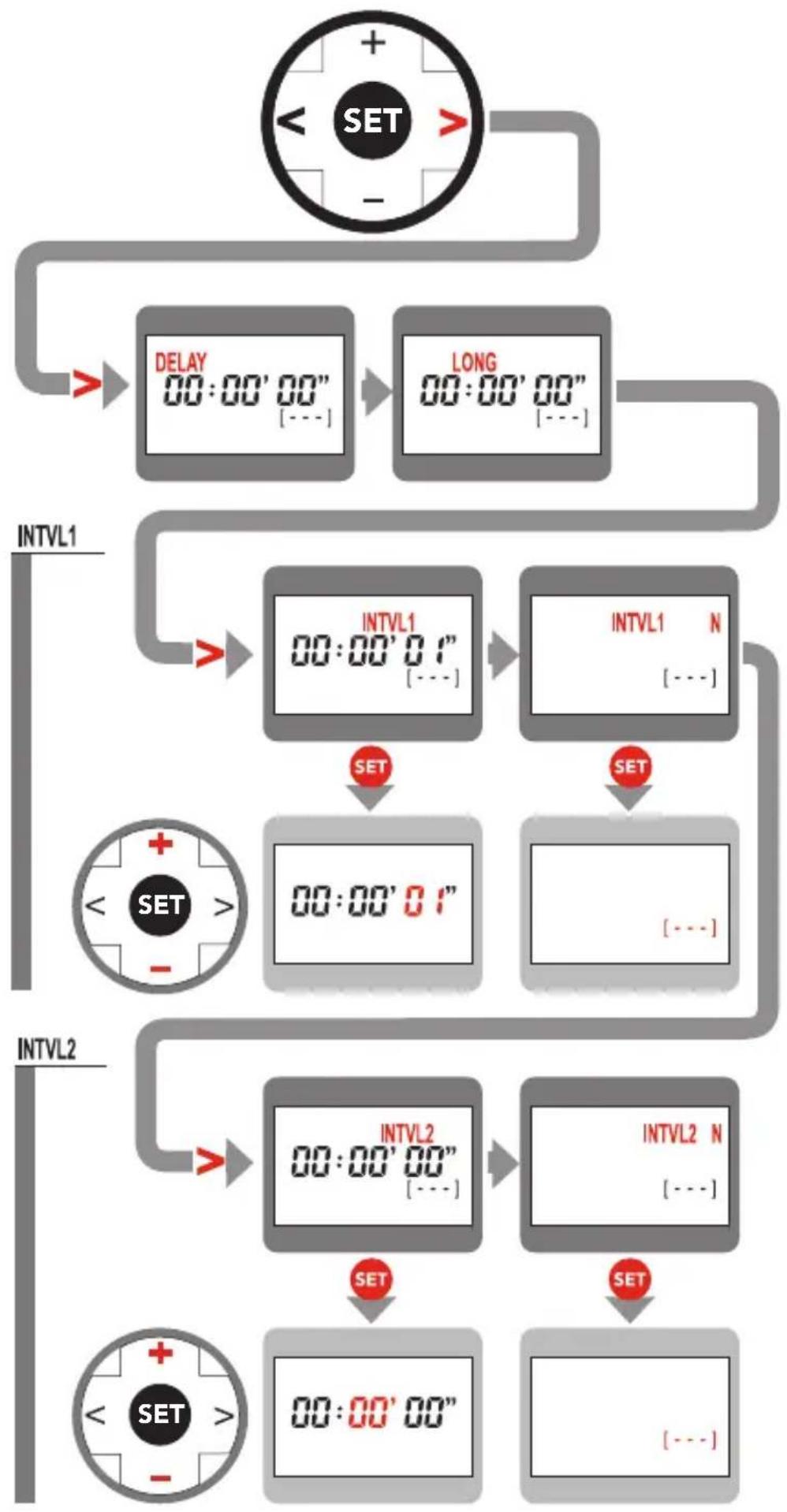
Press Start/Stop button to 'Start' the 'Interval Timed Photography'. The Captur Module - Timer will now take a photo continuously at the factory set interval time. Press Start/Stop again to 'Stop' the interval timed photography. The values of the following parameters can be adjusted as required. Use Toggle Button 15 < or > to move between the parameters which need to be adjusted. Press SET button 14 to adjusted parameters. Toggle Button 15 + or - is used to adjust the value of the parameters. Press SET button 14 again to confirm adjustment.
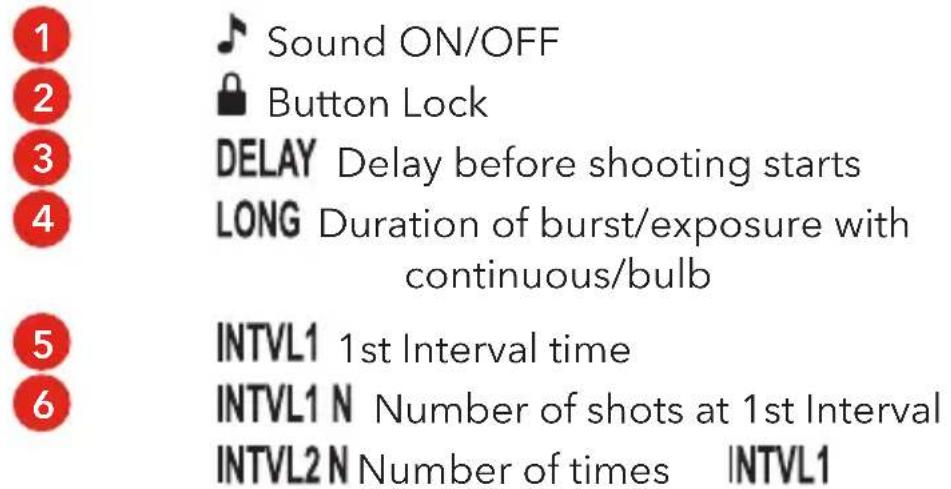
| Parameters | Description | Setting |
| 3 DELAY | Delay before 1st shutter is released | 0s to max 99hrs 59'min 59"s (in 1s increments) |
| 4 LONG | Burst/Bulb time | |
| 5 INTVL1 | 1st Interval Time | 1s to max 99hrs 59'min 59"s (in 1s increments) |
| 6 N | INTVL1 N = Number of shots for 1st Interval | 1 to 999 and --- (unlimited) |
| INTVL2 N = Number of times INTVL1 program is repeated | ||
| 7 INTVL2 | 2nd Interval Time | 1s to max 99hrs 59'min 59"s (in 1s increments) |
- Do not modify product
- Keep Captur Module - Timer dry at all times
- Do not use in the presence of flammable gas
- Keep out of the reach of children
- Do not expose to excessive temperatures or strong direct sunlight
- Do not leave the unit in the trunk or on the dashboard of a vehicle.
• Overheating can result in leaking, fire or explosion - Observe correct battery polarity
- Dispose in accordance with appropriate environmental regulations
- Take battery out of unit if stored for an extended period of time
.הכלההוּרָהוּרָהוּרָהוּרָהוּרָהוּרָהוּרָהוּרָהוּרָהוּרָהוּרָהוּרָהוּרָהוּרָהוּרָה
14 (SET)
All product specifications subject to change without notice E.&O.E.
All brands, trademarks and registered trademarks are the property of their respective holders. Copyright © hähnel industries Ltd, Ireland.
www.hähnel.ie
A product of hähnel industries ltd., Ireland. Made in China
Rev 02/15


Brand : Hähnel
Model : Captur Timer Kit
Category : Remote control