
HRN 80 - Remote control Hähnel - Free user manual and instructions
Find the device manual for free HRN 80 Hähnel in PDF.


Pick your language and provide your email: we'll send you a specifically translated version.
| Product Type | Wireless Remote Shutter Release |
| Brand | Hähnel |
| Model | HRN 80 |
| Functions | Shutter Release, Autofocus, Continuous Shooting, Bulb Mode |
| Power Source | 1x CR2032 3V Lithium Battery |
| Wireless Range | Up to 100 meters (approx.) |
| Dimensions | 60 x 30 x 15 mm (approx.) |
| Weight | 30 grams (including battery) |
| Material | Plastic with rubberized coating |
| Compatibility | Most DSLR and mirrorless cameras (check camera compatibility) |
| Standby Time | Up to 2 years (in standby) |
| Operating Temperature | 0°C to 40°C |
| Included Accessories | Wrist strap, battery |
| Cleaning | Wipe with a soft, dry cloth. Do not use solvents. |
| Battery Replacement | CR2032: slide battery compartment open, replace with new battery, close |
| Repairability | Battery replacement only; no other user-serviceable parts |
| Safety | Keep away from water and extreme heat. Dispose of battery properly. |
Frequently Asked Questions - HRN 80 Hähnel
How do I pair the Hähnel HRN 80 with my camera?
The HRN 80 is a wireless remote that works with most cameras via infrared or radio frequency. No pairing is required; simply point the remote towards the camera's receiver and press the button. Ensure the camera's remote mode is activated.
What battery does the HRN 80 use and how do I replace it?
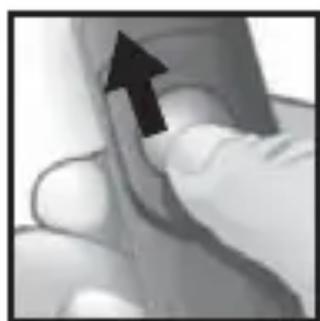
The HRN 80 uses a CR2032 3V lithium battery. To replace it, slide the battery compartment open, insert a new battery with the positive side facing up, and close the compartment securely.
How far does the HRN 80 remote work?
The wireless range is approximately 100 meters (330 feet) in open line of sight. Obstacles like walls or foliage may reduce effective range.
Can I use the HRN 80 for bulb mode photography?
Yes, the HRN 80 supports bulb mode. Press and hold the shutter button on the remote to keep the shutter open; release to close the shutter. Check your camera's settings for bulb mode compatibility.
Is the HRN 80 compatible with my Canon/Nikon/Sony camera?
The HRN 80 is designed for most DSLR and mirrorless cameras that have a built-in infrared receiver or a 2.5mm/3.5mm remote port (adapter may be needed). Check your camera manual or Hähnel's compatibility list for specific models.
How do I use the autofocus function on the HRN 80?
Press the autofocus button (usually half-press) on the remote to activate autofocus. The camera will lock focus on the subject. Then press the shutter button to capture the image.
What does the continuous shooting mode do?
In continuous shooting mode, press and hold the shutter button on the remote to take a rapid sequence of photos. Release to stop. The camera must be set to continuous drive mode for this to work.
The remote is not working. What should I check?
First, ensure the battery is installed correctly and has charge. Check that the camera's remote control function is enabled (see camera manual). Make sure there are no obstructions between remote and camera receiver, and try replacing the battery.
How do I clean the HRN 80 remote?
Use a soft, dry cloth to wipe the exterior. Do not use water, solvents, or abrasive cleaners, as they may damage the plastic or electronic components.
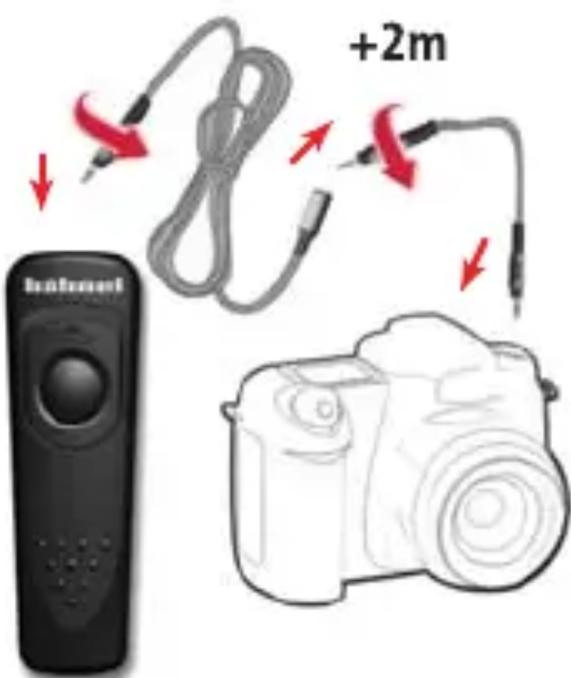
Can I use the HRN 80 as a wired remote?
The HRN 80 is a wireless remote only. It does not have a cable or wired connection option. For a wired remote, consider Hähnel's other models like the HRN 70.
User questions about HRN 80 Hähnel
0 question about this device. Answer the ones you know or ask your own.
Ask a new question about this device
No questions yet. Be the first to ask one.
Download the instructions for your Remote control in PDF format for free! Find your manual HRN 80 - Hähnel and take your electronic device back in hand. On this page are published all the documents necessary for the use of your device. HRN 80 by Hähnel.
USER MANUAL HRN 80 Hähnel
Remote Shutter Release


Autofocus


Shutter Release

Continuous Shoot


Bulb Function

Manual assistant
Powered by Anthropic
Waiting for your message
Product information
Brand : Hähnel
Model : HRN 80
Category : Remote control