ManualGo.com
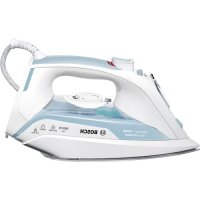
Sensixx'x DA50 ProEnergy TDA502412E - Iron BOSCH - Free user manual and instructions
Find the device manual for free Sensixx'x DA50 ProEnergy TDA502412E BOSCH in PDF.



Download the instructions for your Iron in PDF format for free! Find your manual Sensixx'x DA50 ProEnergy TDA502412E - BOSCH and take your electronic device back in hand. On this page are published all the documents necessary for the use of your device. Sensixx'x DA50 ProEnergy TDA502412E by BOSCH.
USER MANUAL Sensixx'x DA50 ProEnergy TDA502412E BOSCH
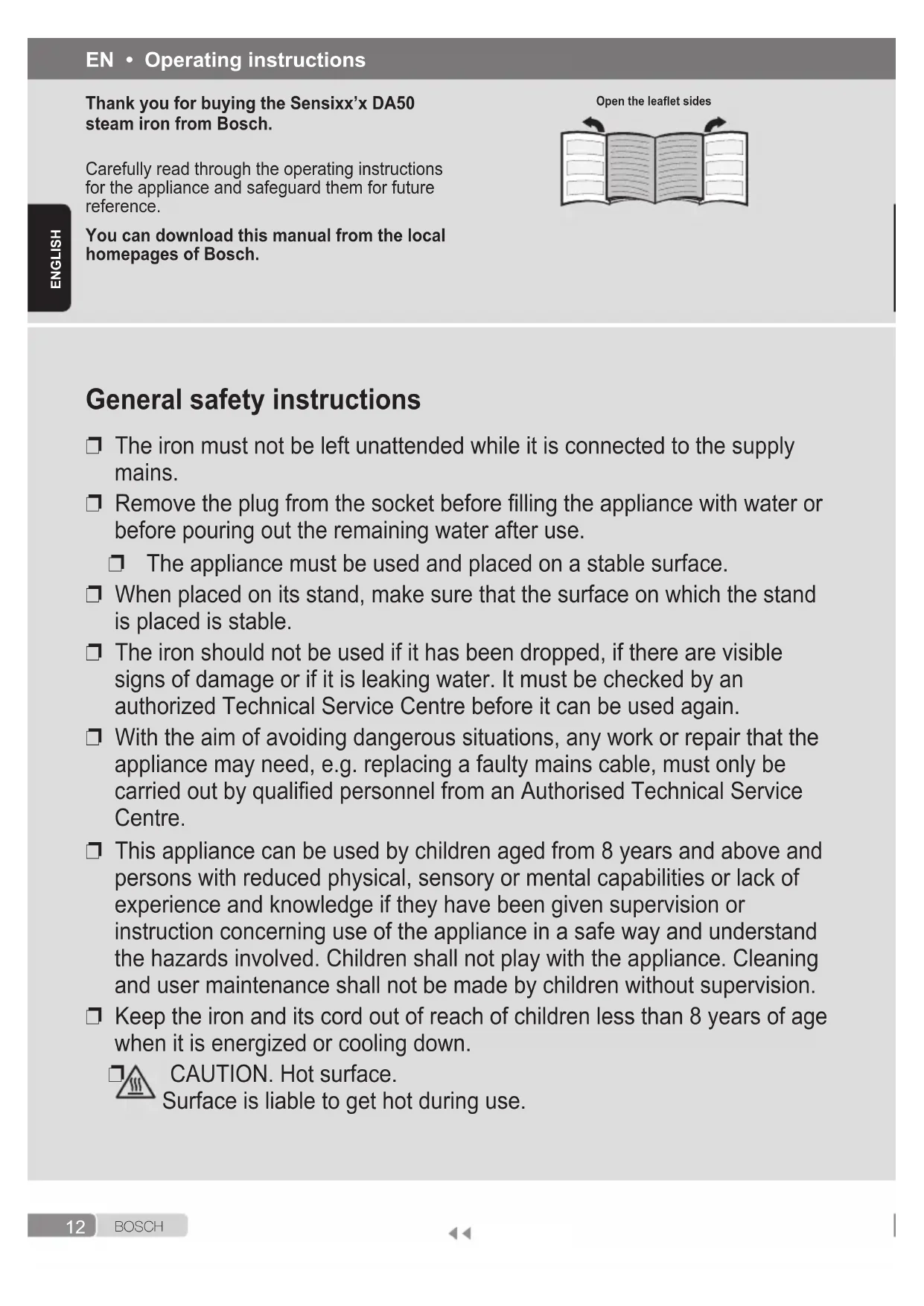
durch (siehe Abschnitt „Calc’nClean“). Wenn das Problem durch keine der obigen Angaben gelöst wird, setzen Sie sich bitte mit einem zugelassenen technischen Kundendienst in Verbindung.12 B O S C H ENglISH General safety instructions ❐ The iron must not be left unattended while it is connected to the supply mains. ❐ Remove the plug from the socket before lling the appliance with water or before pouring out the remaining water after use. ❐ The appliance must be used and placed on a stable surface. ❐ When placed on its stand, make sure that the surface on which the stand is placed is stable. ❐ The iron should not be used if it has been dropped, if there are visible signs of damage or if it is leaking water. It must be checked by an authorized Technical Service Centre before it can be used again. ❐ With the aim of avoiding dangerous situations, any work or repair that the appliance may need, e.g. replacing a faulty mains cable, must only be carried out by qualied personnel from an Authorised Technical Service Centre. ❐ This appliance can be used by children aged from 8 years and above and persons with reduced physical, sensory or mental capabilities or lack of experience and knowledge if they have been given supervision or instruction concerning use of the appliance in a safe way and understand the hazards involved. Children shall not play with the appliance. Cleaning and user maintenance shall not be made by children without supervision. ❐ Keep the iron and its cord out of reach of children less than 8 years of age when it is energized or cooling down.
CAUTION. Hot surface. Surface is liable to get hot during use. EN • Operating instructions Thank you for buying the Sensixx’x DA50 steam iron from Bosch. Carefully read through the operating instructions for the appliance and safeguard them for future reference. You can download this manual from the local homepages of Bosch. Open the leaet sides13 B O S C H
- Model dependent ENglISH Important notices
- This appliance has been designed exclusively for domestic use and must not be used for industrial purposes.
- This appliance must be used only for the purposes for which it was designed, i.e. as an iron. Any other use will be considered improper and consequently dangerous.
- The manufacturer will not be held responsible for any damage arising from misuse or improper use.
- This appliance reaches high temperatures and produces steam during use, this could cause scalds or burns in case of improper use. - Do not touch the soleplate! Hold the iron by its handle. - Do not leave the supply cord hanging over the table or ironing board, to prevent the appliance from falling. - Do not iron clothing while it is being worn! - Never spray or aim the steam at persons or animals!
- Do not allow the power cable to come into contact with sharp edges or with the soleplate when it is hot.
- Never rest the iron in a horizontal position when the soleplate is hot. Rest it on its heel.
- Do not touch the appliance with wet hands when in operation.
- This appliance is to be connected and used in accordance with the information stated on its characteristics plate.
- This appliance must be connected to an earthed socket. If it is absolutely necessary to use an extension cable, make sure that it is suitable for 16A and has a socket with an earth connection.
- The appliance must never be placed directly under the tap to ll the water tank.
- Unplug the appliance from the mains supply after each use, or if a fault is suspected.
- The electrical plug must not be removed from the socket by pulling the cable.
- Never immerse the iron in water or any other uid.
- Do not leave the appliance exposed to weather conditions (rain, sun, frost, etc.). Advice on disposal Our goods come in optimized packaging. This basically consists in using non-contaminating materials which should be handed over to the local waste disposal service as secondary raw materials. Your local town council can give you information about how to dispose of obsolete appliances. This appliance is labelled in accordance with European Directive 2012/19/EU concerning used electrical and electronic appliances (waste electrical and electronic equipment – WEEE). The guideline determines the framework for the return and recycling of used appliances as applicable throughout the EU. Description
2. Shot of steam button
B O S C H* Model dependentENglISH Before using your appliance for the rst time Remove any label or protective cover from the soleplate (7). During it rst use the iron may produce certain vapours and odours that will die away after a few minutes. Using your appliance
1. Filling the water tank
See the leaet sides This appliance has been designed to use normal tap water.
- The addition of other liquids, (unless recommended by Bosch) such as perfume, will damage the appliance.
- Do not use condensation water from tumble dryers, air conditioning systems or similar. Any damage caused by the use of the aforementioned products will make the guarantee void.
Set the steam regulator (3) to the position and unplug the iron from the mains!
1. Open the water inlet lid (5).
2. Fill the water tank (11). Never ll beyond the
Tip: To prolong the optimum steam function, you may mix tap water with distilled water 1:1. If the tap water in your district is very hard, mix tap water with distilled water 1:2. You can inquire about the water hardness with your local water supplier.
2. Setting the temperature
See the leaet sides The temperature control (12) adjusts the temperature of the soleplate (7). Set the temperature control to the corresponding position by lining it up with the temperature index (9) on the iron. Temperature Suitable for: ● Synthetics ●● Silk – Wool ●●● Cotton max Linen The light (13) switches on while the appliance is heating up and switches off as soon as the set temperature is reached. If the temperature of the hot iron drops, you can continue ironing while the iron heats up again to the set temperature.
3. Ironing with steam
See the leaet sides The steam regulator (3) is used to adjust the amount of steam produced when ironing. Temperature control (12) Recommended position of the steam regulator (3) *
Tip: For better ironing results, iron the last strokes without steam to dry the garment. shot
See the leaet sides This can be used to remove stubborn wrinkles or to press in a sharp crease or pleat.
1. Set the temperature control (12) to “max”.
2. Press the shot of steam button
(2) repeatedly with intervals of at least 5 seconds.
See the leaet sides This can be used to remove creases from hanging clothes, curtains etc.
1. Set the temperature control (12) to “max”.
2. Hang article of clothing on a clothes hanger.15
B O S C H* Model dependentENglISH
3. Operate the iron in a vertical position at a
distance of 10 cm / 4 in, and press the shot of steam button (2) repeatedly with pauses of at least 5 seconds.
6. Ironing without steam
See the leaet sides This enables the iron to be used for dry ironing. Set steam regulator (3) to the position. DripStop
7. Drip protection *
See the leaet sides lf the temperature is set too low, the steam is automatically switched off to avoid dripping. There may be an audible click when this occurs.
See the leaet sides This can be used to remove stubborn wrinkles. Do not use the spray function with silk. secure
9. “secure” auto shut-off
function * See the leaet sides The “secure” auto shut-off function switches off the iron when it is left unattended, thus increasing security and saving energy. If your iron is equipped with “secure” function, you can nd the text “auto off” on handle.
1. Plug in the iron.
2. Initial heating up process: this function will
be inactive for the rst two minutes in order to give the appliance time to reach the set temperature.
3. The safety circuit will switch the appliance off
automatically and the indicator light (15*) will start ashing in the following cases:
If the iron is not moved for 30 seconds while resting on its soleplate or on its side.
If the iron is not moved for 8 minutes while in the upright position.
4. To reconnect the iron, just move it about
1. Switch the steam regulator (3) from to “max”
and back again several times (self- cleaning).
2. Empty the tank. Hold the iron with the point
down and shake lightly.
3. Store standing on the rear, not on the base.
4. Do not wrap the power cord (14) too tight!
Tips to help you save energy Steam production consumes the most energy. To help minimise the energy used, follow the advice below:
1. Start by ironing the fabrics that require
the lowest ironing temperature. Check the recommended ironing temperature in the label on the garment.
2. Regulate the steam according to the selected
ironing temperature, following the instructions in this manual. 3 Only use steam if necessary. If possible, use the spray function instead. Try to iron the fabrics while they are still damp and reduce the steam setting. Steam will be generated from the fabrics rather than the iron. If you tumble dry your fabrics before ironing them, set the tumble drier on the ‘iron dry’ program.
4. If the fabrics are damp enough, turn off the
steam regulator (3) completely.
5. Stand the iron upright during pauses. Resting
it horizontally with the steam regulator on generates wasted steam. Cleaning & Maintenance
Attention! Risk of burns! Always unplug the appliance from the mains supply before carrying out any cleaning or maintenance operation on it.
1. If the iron is only slightly soiled, pull out the
plug and allow the soleplate (7) to cool down. Wipe the housing and the soleplate with a damp cotton cloth only.16 B O S C H
- Model dependent ENglISH
2. If the cloth is synthetic, it may melt due to the
high temperature on the soleplate, switch off the steam and rub off any residue immediately with a thickly folded, damp cotton cloth.
3. To keep the soleplate smooth, you should
avoid hard contact with metal objects. Never use a scouring pad, or chemicals to clean the soleplate. AntiCalc Multiple descaling system
See the leaet sides a self-clean Each time you use the steam regulator (3), the “self-clean” system cleans the mechanism of scale deposits. B Calc’nClean The “Calc’nClean” function helps to remove scale particles out of the steam chamber. Use this function approximately every 2 weeks if the water in your area is very hard.
Unplug the iron from the mains socket, set the steam regulator (3) to the position and ll the water tank (11) with water.
Set the temperature control (12) to the “max” position and plug in the iron.
After the necessary warm-up period, the light (13) goes out. Then, unplug the iron (very important!).
Set steam regulator to the “max” position.
Hold the iron over a sink. Press the “clean” button (10) and shake the iron until approximately one third of the water capacity of the tank is evaporated. Boiling water and steam will come out, carrying scale or deposits that might be there.
Release the “clean” button, and gently shake the iron for some seconds.
Repeat the steps 5 and 6 three times until the tank is empty.
Then plug the iron in and heat it up again until the remaining water has evaporated. Push the “clean” button a few times more to clean the valve.
Unplug the iron and let the soleplate (7) cool down. Wipe the soleplate with a damp cotton cloth only. C “Calc’nClean” with descaling liquid * For deep descaling, it is recommended to use the descaling liquid especially developed by Bosch. This procedure should be carried out every 3 months.
1. Fill the water tank (11) with tap water mixed
with a measure (25 ml) of the descaling liquid (17 *).
2. Then follow the procedure described above in
section “Calc’nClean” (steps 2 to 9). The descaling liquid may be purchased from our after-sales service or specialist shops. Name of accessory: TDZ1101 D anti-calc* The “anti-calc” cartridge has been designed to reduce the build-up of scale produced during steam ironing, helping to extend the useful life of your iron. Nevertheless the “anti-calc” cartridge cannot remove all of the scale that is produced naturally over time. TextileProtect “TextileProtect” fabric protector *
See the leaet sides The fabric protector (16 *) is used for steam-ironing delicate garments at maximum temperature without damaging them. The fabric protector may be purchased from our after-sales service or specialist shops. Name of accessory: TDZ1550 StoreProtect “StoreProtect” * The “StoreProtect” accessory (18 *) enables an immediate and safe storage of the iron, even with a hot soleplate (7). This accessory may be purchased from our after-sales service or specialist shops. Name of accessory: TDZ175017 B O S C H
- Model dependent ENglISH Trouble shooting Problem Probable cause Solution The iron does not heat up.
1. Temperature control (12) set to
2. The “secure”* system has been
activated (“auto off” indicator lamp 15* ashes). The iron is set to stand-by.
1. Turn to a higher position.
2. To reconnect the iron, just move it about
gently. The clothes tend to stick
1. The temperature is too high. 1. Turn the temperature control (12) down
and wait until the iron has cooled down. Water drips out of the soleplate (7) together with steam.
2. Steam regulator (3) is set too
high in conjunction with a low temperature.
3. You have pressed the shot of
steam button (2) repeatedly without waiting for 5 seconds between each press.
1. Turn the temperature control to a higher
setting (between “••” and “max”) and wait until the light (13) goes out.
2. Set the steam regulator (3) to a lower
3. Wait 5 seconds between each press of
the shot of steam button. Steam does not come out.
1. Steam regulator (3) is set to
2. The temperature is too low.
Anti-drip system is activated.
1. Set the steam regulator to a higher
with the fabric. Smoke comes out when connecting the iron for the rst time.
1. This may be caused by the
lubrication of some of the internal parts.
1. This is normal and will stop after a few
minutes. Excessive dripping or steaming.
1. No proper closing of
“Calc’nClean” system.
1. Actuate a few times the “clean” button
(10). Deposits come out through the holes in the soleplate (7).
1. Traces of lime scale are coming
out of the steam chamber.