ManualGo.com
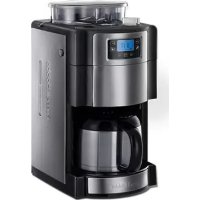
Allure Grind & Brew - Machine à café RUSSELL HOBBS - Free user manual and instructions
Find the device manual for free Allure Grind & Brew RUSSELL HOBBS in PDF.


Download the instructions for your Machine à café in PDF format for free! Find your manual Allure Grind & Brew - RUSSELL HOBBS and take your electronic device back in hand. On this page are published all the documents necessary for the use of your device. Allure Grind & Brew by RUSSELL HOBBS.
USER MANUAL Allure Grind & Brew RUSSELL HOBBS
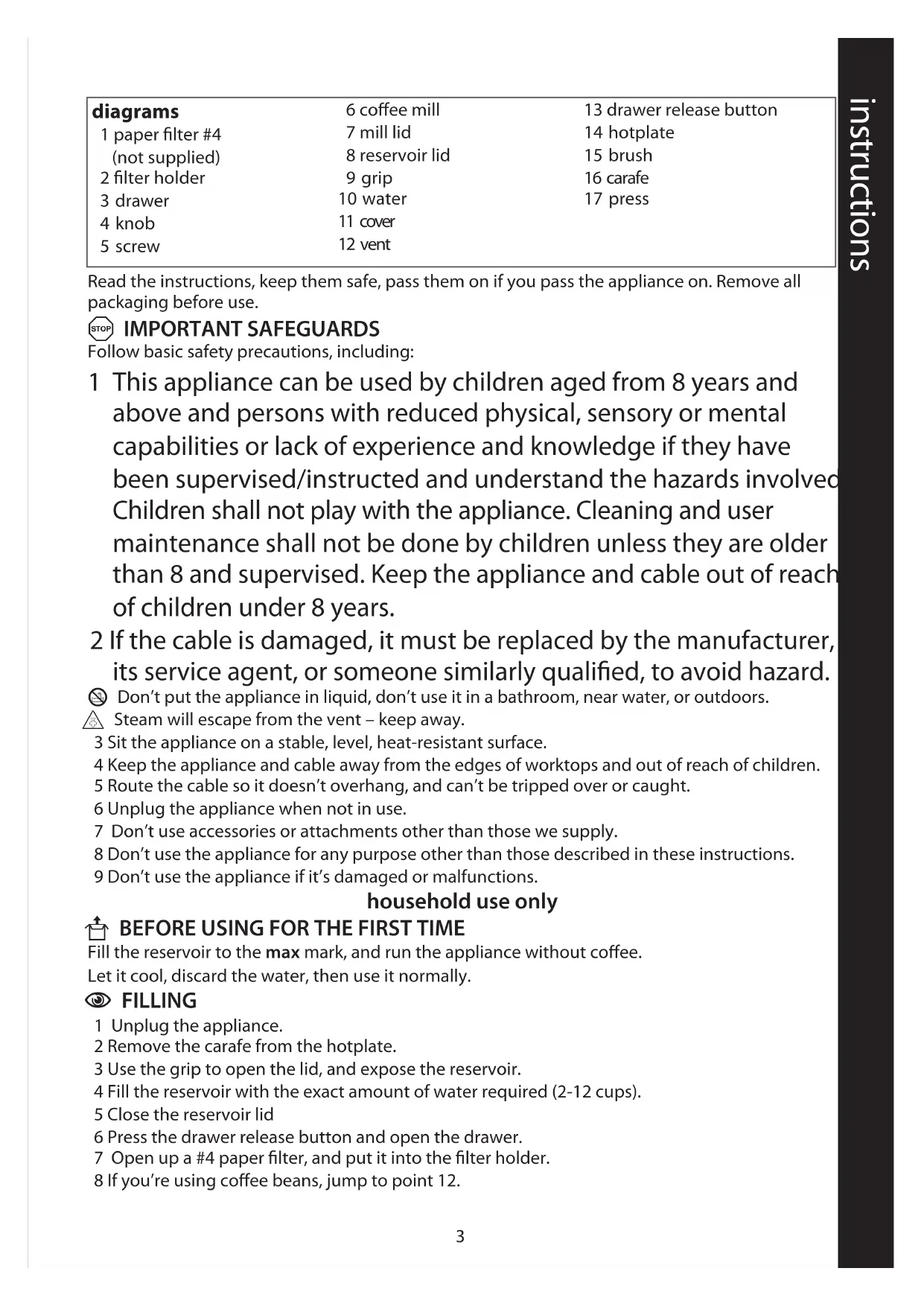
Read the instructions, keep them safe, pass them on if you pass the appliance on. Remove all
packaging before use.
A IMPORTANT SAFEGUARDS Follow basic safety precautions, including:
1 This appliance can be used by children aged from 8 years and
above and persons with reduced physical, sensory or mental
capabilities or lack of experience and knowledge if they have
been supervised/instructed and understand the hazards involved.
Children shall not play with the appliance. Cleaning and user
maintenance shall not be done by children unless they are older
than 8 and supervised. Keep the appliance and cable out of reach
of children under 8 years.
2 If the cable is damaged, it must be replaced by the manufacturer,
its service agent, or someone similarly qualified, to avoid hazard.
H Don’t put the appliance in liquid, don’t use it in a bathroom, near water, or outdoors.
o Steam will escape from the vent – keep away.
3 Sit the appliance on a stable, level, heat-resistant surface.
4 Keep the appliance and cable away from the edges of worktops and out of reach of children.
5 Route the cable so it doesn’t overhang, and can’t be tripped over or caught.
6 Unplug the appliance when not in use.
7 Don’t use accessories or attachments other than those we supply.
8 Don’t use the appliance for any purpose other than those described in these instructions.
9 Don’t use the appliance if it’s damaged or malfunctions.
U BEFORE USING FOR THE FIRST TIME Fill the reservoir to the max mark, and run the appliance without coffee.
Let it cool, discard the water, then use it normally.
1 Unplug the appliance.
2 Remove the carafe from the hotplate.
3 Use the grip to open the lid, and expose the reservoir.
4 Fill the reservoir with the exact amount of water required (2-12 cups).
5 Close the reservoir lid
6 Press the drawer release button and open the drawer.
7 Open up a #4 paper filter, and put it into the filter holder.
8 If you’re using coffee beans, jump to point 12.
13 drawer release button
9 Put filter-ground coffee into the filter. The amount will vary with the type of coffee and
individual taste, but we suggest two rounded teaspoons per cup of water.
10 Close the drawer, then replace the carafe on the hotplate.
11 Jump to point 17.
12 Remove the lid from the coffee mill.
13 Fill the mill with coffee beans.
15 Turn the knob till the • is next to the setting you require – fine h coarse.
16 Close the drawer, then replace the carafe on the hotplate.
, Don't use the appliance just as a coffee grinder. If you don't let it run its full cycle from
grinding to coffee making, you'll break it.
17 Put the plug into the power socket. The display will light up.
18 If you don’t touch the controls for 1 minute, the lights will go out, to save electricity.
19 Press any button to wake the appliance.
20 Ignore the clock.
21 If you’re using coffee beans, use the 2-12 button to set the number of cups you want. This
determines the length of time the mill operates.
22 If you’re using coffee beans, use the ggg button to select the coffee strength g = mild, gg
= medium, ggg = strong.
23 Press the 0 button if you’re using ground coffee.
24 Press and release the i button. “i“ will show on the display.
25 If you’re using coffee beans, the mill will operate.
26 Shortly afterwards, coffee will start to drip into the carafe.
27 When it’s done, the hotplate will keep the carafe warm. “i” will blink on the display.
28 About 2 hours after brewing, the coffee maker will shut down “12 gg“ will show on the
29 Unplug, and let the appliance and carafe cool down fully before cleaning, or for about 10
minutes before refilling.
, If left for much more than an hour, chemical changes in the coffee liquor start to affect the
flavour. It’s best to pour it away and make a fresh pot.
30 Set the clock to the correct time.
, It’s a 24 hour clock.
31 Use the h and min buttons to set the correct hour and minute.
32 The clock will retain its settings until the coffee maker is unplugged.
33 Set the timer to the time you want to start brewing.
a) Press the T button and hold it for 3 seconds.
b) “T” will blink on the display.
c) If you’re using coffee beans, use the 2-12 button to set the number of cups you want. This
determines the length of time the mill operates.
d) If you’re using coffee beans, use the ggg button to select the coffee strength g = mild,
gg = medium, ggg = strong.
e) Press the 0 button if you’re using ground coffee.5
f) Use the h and min buttons to set the correct hour and minute.
g) If you don’t press all the buttons within 10 seconds, the coffee maker will revert to
“normal”, and the time will show.
h) You’ll have to press the T button, and start again.
34 Press and release the T button. The T light will stop flashing, and glow steadily.
35 If you want to cancel the timer before brewing has started, press the T button.
36 That’s it – leave it alone till the preset time comes round, and it makes your coffee – don’t
fiddle with it, you might upset it.
37 Check that neither “T” nor “i” are showing on the display.
38 If either is showing, press and release the T or i button to remove it.
39 You can remove the carafe at any time. To prevent the filter holder overflowing, replace the
carafe on the hotplate within about 20 seconds.
C CARE AND MAINTENANCE
40 Unplug the appliance when not in use, before moving and before cleaning.
41 Tip the contents of the filter holder into the bin.
42 You may clean the carafe and filter holder in warm soapy water. Rinse thoroughly afterwards,
to remove all traces of soap.
43 Press the lever at the rear of the carafe lid, above the handle, to open the carafe lid.
44 Clean the outside surfaces of the appliance with a damp cloth.
45 Clean the inside of the coffee mill with the brush.
46 Use the sharp end of the brush to turn the screw to U, to unlock in front of the coffee mill, and
47 Clean the inside with the brush, then press the cover down and turn the screw to L to lock it
48 Don’t put any part of the appliance in a dishwasher.
L If you see this icon on the display, unplug the appliance, check it, then try again.
E01 If you see this message on the display, unplug the appliance, open the cover, clean out any
coffee that may have backed up, close the cover, and try again.
K If you leave the appliance plugged in, it will count 70 brewing cycles, then show K in the
display to show that it wants descaling.
K Press the 2-12 button and the ggg buttons together, to remove K from the display.
49 Descale regularly. Use a proprietary brand of descaler suitable for use in plastic-bodied
products. Follow the instructions on the package of descaler.
, Products returned under guarantee with faults due to scale will be subject to a repair charge.
W ENVIRONMENTAL PROTECTION To avoid environmental and health problems due to hazardous substances in electrical and
electronic goods, appliances marked with this symbol mustn’t be disposed of with unsorted
municipal waste, but recovered, reused, or recycled.
instructions – more detailed instructions are available on our website:
medium, ggg = sterk.
= medium, ggg = sterk.
C BEHANDLING OG VEDLIKEHOLD