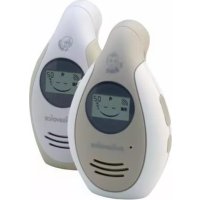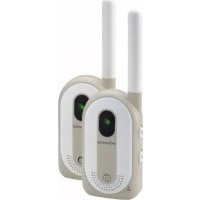
Babycom 143 - Baby monitors SWISSVOICE - Free user manual and instructions
Find the device manual for free Babycom 143 SWISSVOICE in PDF.



User questions about Babycom 143 SWISSVOICE
0 question about this device. Answer the ones you know or ask your own.
Ask a new question about this device
Download the instructions for your Baby monitors in PDF format for free! Find your manual Babycom 143 - SWISSVOICE and take your electronic device back in hand. On this page are published all the documents necessary for the use of your device. Babycom 143 by SWISSVOICE.
USER MANUAL Babycom 143 SWISSVOICE
Batteries rechargeable.
fournies (x 4)
Welcome to Swissvoice
Set aside some time to read this user manual carefully and get to know and use the functions offered by your Babycom 143.
Safety notes
- This product is not a substitute for responsible parental supervision.
- This baby monitor is intended as an aid and is not suitable for medical supervision.
- Electrical equipment and cables must always be kept out of children's reach, and never placed in the cot or playpen!
- Never place the device in bathrooms or showers, and make sure it is protected from damp.
- The device will not work during a power cut, if the adapter is not plugged in or if the batteries are discharged.
- Do not attempt to remove the antenna or modify the device in any way!
Contents
Contents of the package 41
Keys and switches 42
Baby unit 42
Parental unit 42
Connecting your Babycom 143 .43
Inserting the batteries (parental and baby unit) 43
Information on using the batteries 43
Charging the batteries initially / connecting the adapter 44
Colour codes for power display 44
Charging the batteries 45
Test before use 45
Transmission from baby unit / reception on parental unit 45
Test transmission from baby unit 46
Test reception on parental unit 46
Settings 47
On/off 47
Setting the volume 47
Setting the channel 47
Setting the CTCSS code 47
Setting the sensitivity (baby unit only) 48
Faults and trouble-shooting 49
Appendix 50
Care 50
Recycling (environmental protection) 50
Disposing of the rechargeable battery . 50
Warranty conditions 51
Approval and conformity 51
Contents of the package
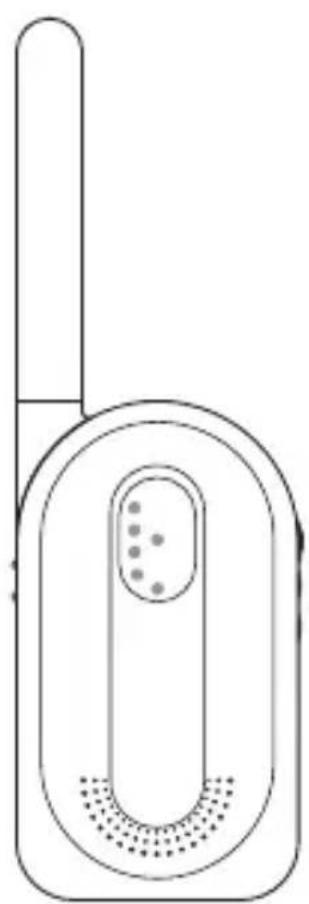
Parental unit
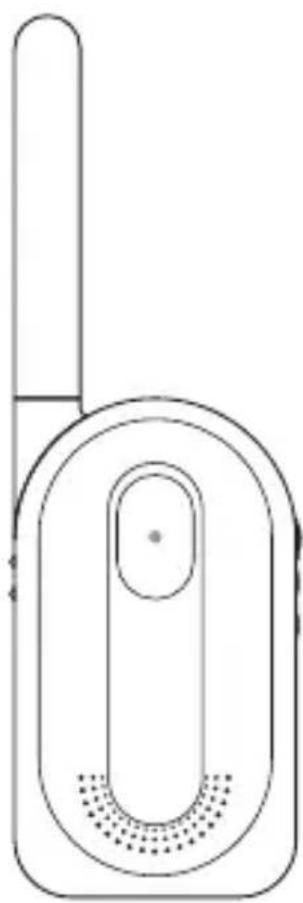
Baby unit
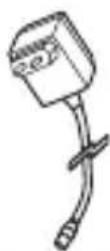
AC mains adapter (for parental unit)
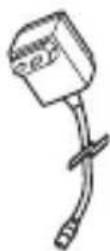
AC mains adapter (for baby unit)
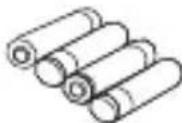
Rechargeable batteries (x 4)
Keys and switches Baby unit
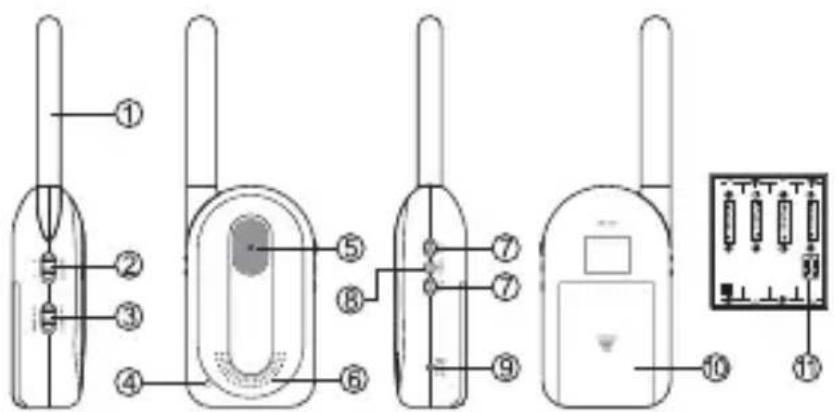
1 antenna 7 volume adjuster
2 channel switch 8 Power (on/off)
3 sensitivity switch 9 AC/DC socket
4 microphone 10 battery compartment
5 power display 11 microswitch
6 loudspeaker
Parental unit
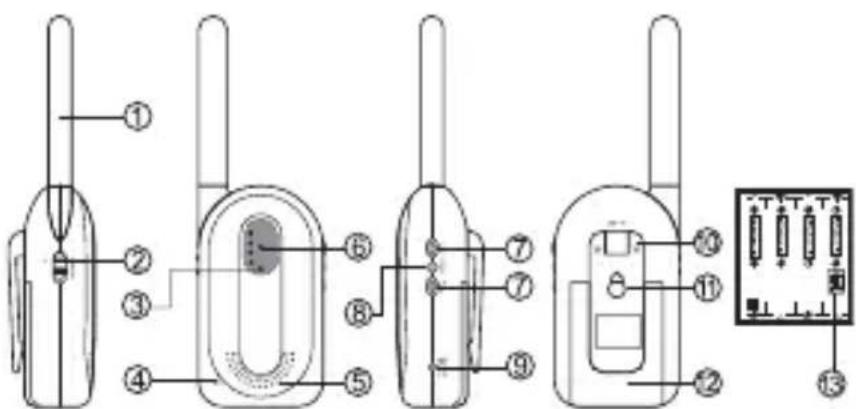
1 antenna 8 Power (on/off)
2 channel switch 9 AC/DC socket
3 volume display 10 belt clip
4 microphone 11 wall mount
6 loudspeaker 12 battery compartment
7 power display 13 microswitch
8 volume adjuster
Connecting your Babycom 143
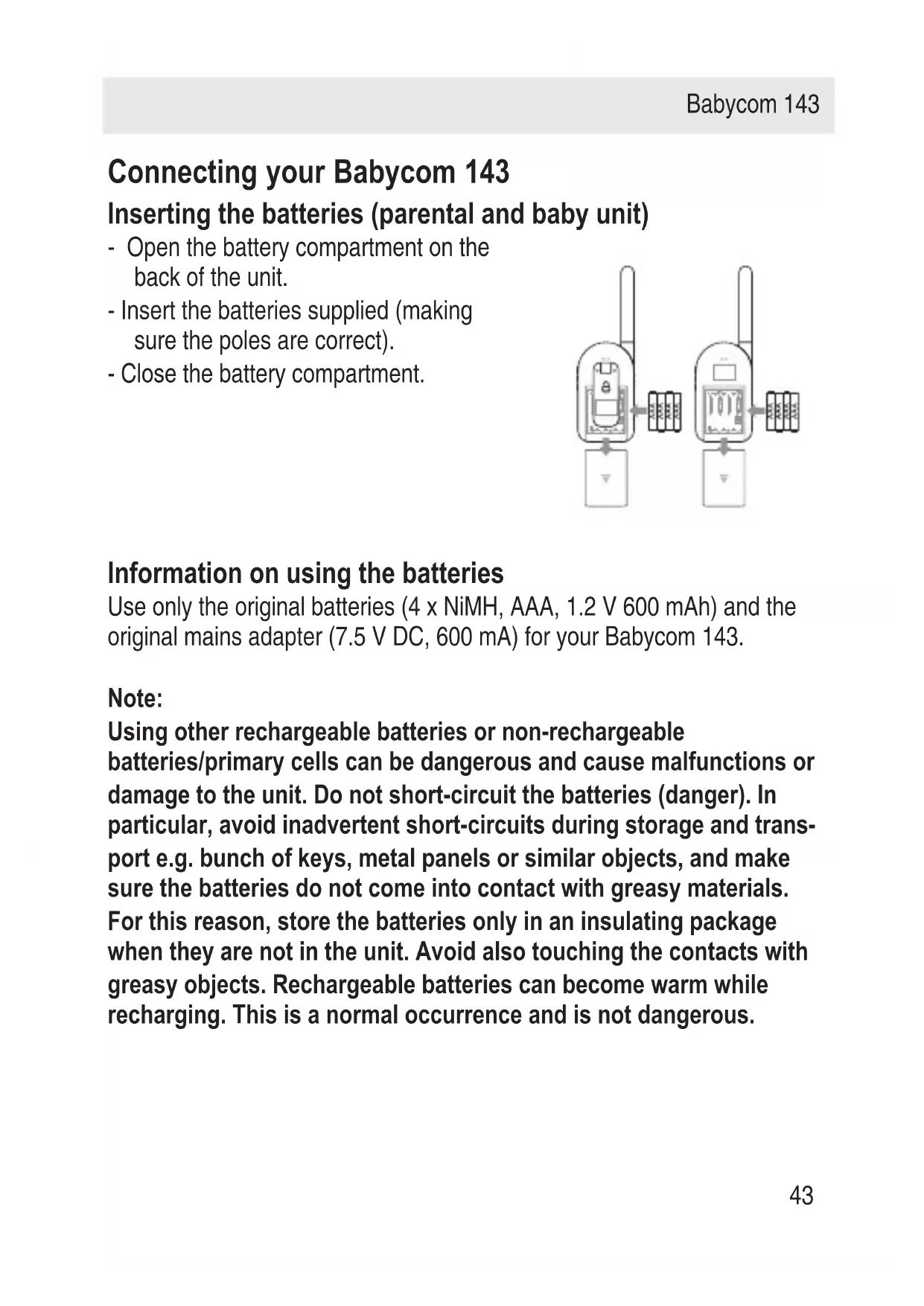
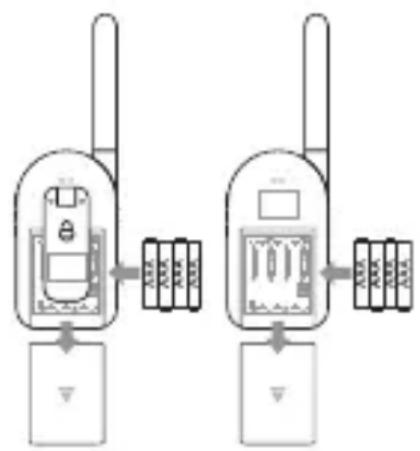
Inserting the batteries (parental and baby unit)
- Open the battery compartment on the back of the unit.
- Insert the batteries supplied (making sure the poles are correct).
- Close the battery compartment.
Information on using the batteries
Use only the original batteries (4 x NiMH, AAA, 1.2 V 600 mAh) and the original mains adapter (7.5 V DC, 600 mA) for your Babycom 143.
Note:
Using other rechargeable batteries or non-rechargeable batteries/primary cells can be dangerous and cause malfunctions or damage to the unit. Do not short-circuit the batteries (danger). In particular, avoid inadvertent short-circuits during storage and transport e.g. bunch of keys, metal panels or similar objects, and make sure the batteries do not come into contact with greasy materials. For this reason, store the batteries only in an insulating package when they are not in the unit. Avoid also touching the contacts with greasy objects. Rechargeable batteries can become warm while recharging. This is a normal occurrence and is not dangerous.
Charging the batteries initially / connecting the adapter
- Before using the device for the first time, the batteries need to be charged.
- To charge the batteries, plug the adapter into the AC/DC sockets on the parental and baby units.
- Plug the adapter into an electrical socket. The batteries will then start to charge up and will take around 8 hours to fully charge (initially).
Note:
- The adapters supplied were developed specifically for this device. Do not use them for any other device. Never use another adapter for your Babycom 143.
- Non-rechargeable batteries must not be charged up.
- We recommend that you switch off the units before plugging in or unplugging the adapters.
- If the units are not to be used for some time, unplug the adapters.
Colour codes for power display
| Power supply Red | Green | Amber | |
| Battery operation (batteries weak) X (flashing) | |||
| Battery operation (batteries full) X | |||
| Out of range X | |||
| Device OFF X (flashing) | |||
| Device ON Flashing intermittently | |||
Charging the batteries
If the batteries are almost discharged, the power display on the parental unit flashes red and an alarm signal (3 short beeps) is emitted every 3 seconds. You must charge the batteries within the next 5 minutes; otherwise the device will automatically switch off.
Note:
- Non-rechargeable batteries must not be charged up.
- Remove discharged batteries as they can leak and damage the unit.
- No alarm signal is emitted on the baby unit when the batteries are discharged!
Test before use
Transmission from baby unit / reception on parental unit
- Place the units in the rooms where you want them to operate.
- Switch the units on: Press and hold the Power key for approx. 2 seconds. An acknowledgement signal is emitted and the power display lights up (green = batteries charged).
- Use the channel switch to switch the two units (parental/baby unit) to the same channel (Channel 1 or 2).
- Set the same CTCSS code for both units: Use a pointed object (e.g. pencil) to activate the microswitch and set the CTCSS codes (CTCSS-Code = system for creating user groups on the same frequency). There are 4 CTCSS combinations available, see "Table of CTCSS Codes".
Test transmission from baby unit
- Use the sensitivity switch to set the preferred sensitivity level on the baby unit. The volume display is activated (1 or 2 bars = low noise, 3 bars = loud noise). The baby unit is ready to transmit.
- As soon as the baby unit sends a signal, the green display is activated and remains permanently lit. If the baby unit is not sending out a signal, the green display flashes and the unit is on standby.
Test reception on parental unit
- Use the VOL+/VOL- keys to set the preferred volume on the parental unit. The parental unit is ready to receive.
- As soon as the parental unit receives a signal, the green display is activated and remains permanently lit. If the parental unit is not receiving a signal, the green display flashes and the unit is on standby.
Note:
- If you hear any disturbance on the units due to interference (hissing, buzzing), change the CTCSS code on the parental and baby units. See "Table of CTCSS Codes".
- Test reception on the parental unit before use and whenever you reposition the baby unit.
- Position the baby unit at least one meter away from the baby.
- The maximum range between the parental and baby units is 300 meters.
Settings
On/off
- To switch the units on: Press and hold the Power key for approx. 2 seconds. An acknowledgement signal (2 short beeps) is emitted and the power display lights up (green = batteries charged).
- To switch the units off: Press and hold the Power key for approx. 2 seconds. An acknowledgement signal (1 short beep) is emitted and the unit is switched off.
Setting the volume
Use the VOL+/VOL- keys to set the preferred volume. You have the choice of 3 volumes. A control signal to check the set volume is emitted when the device receives a signal.
Setting the channel
Use the channel switch on the left of the parental/baby unit to set the preferred channel (Channel 1 or 2).
Note:
The parental and baby unit must be set to the same channel in order to interconnect the units!
Setting the CTCSS code
Four CTCSS subchannels are available for a protected private sphere: The receiver (parental unit) is activated only when it receives a signal from its own transmitter (baby unit). It is therefore essential for the same CTSS code to be set on the parental and baby unit so that they can communicate.
Babycom 143
Set the CTSS codes using the microswitch (red) in the battery compartment.
Use a pointed object (e.g. pencil) to set the codes.
Table of CTCSS Codes
| CTCSS Codes Switch 1 Switch 2 | |
| Code 1 On On | |
| Code 2 On Off | |
| Code 3 Off On | |
| Code 4 Off Off | |
Setting the sensitivity (baby unit only)
Set the preferred sensitivity level by sliding the switch on the right of the baby unit:
- Up: (HIGH) = high sensitivity (responds to noises within a range of 2-6 meters)
- Down: (NORMAL) = medium sensitivity (responds to noises within a range of 1-2 meters)
Faults and trouble-shooting
Not every malfunction results from a defect in your Babycom 143.
No power
- Unit is switched off. Switch the unit on.
- Check to ensure the batteries are correctly inserted.
- If you are using the adapters for power, check to ensure they are switched on and correctly connected.
- The batteries are discharged. Recharge them.
No tone signal, power display off
- Volume on parental unit too weak. Increase the volume.
- Sensitivity on baby unit too weak. Increase the sensitivity level.
- The units are out of range. Reduce the distance between them.
- Unit is switched off. Switch the unit on.
- Check to ensure that the parental and baby units are on the same channel and set to the same CTCSS subchannel.
Interference (hissing, buzzing)
- Check to ensure that the parental and baby units are on the same channel and set to the same CTCSS subchannel.
- The units are out of range (the maximum range may be less than 300 meters depending on the surroundings). Reduce the distance between the parental and baby unit.
- The batteries are discharged. Recharge them.
Reception of calls/interference from neighbours
- Signal interference due to another baby monitor or cordless telephone on the same channel/subchannel. Set the parental and baby units to another channel/subchannel.
High-pitched shrill
- Parental and baby unit are too close. Place them further apart.
- Volume too loud. Reduce the volume.
Appendix
Care
Your baby monitor is a sophisticated product in terms of design and construction, and should therefore be handled with care.
To clean the baby monitor, wipe first with an antistatic cloth or a damp, soft leather cloth and then dry using a dry cloth.
Recycling (environmental protection)
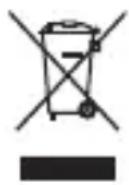
At the end of the product's life cycle, the unit must not be disposed of in normal domestic waste. Please take it to a collection point for processing electrical and electronic equipment: see symbol on the product, in the user manual and/or packaging.
Some materials used in this product can be recycled if you take it to a recycling depot. By recycling parts or raw materials from used products you will be making an important contribution to environmental protection. Please contact your local authority if you require information about collection points in your neighbourhood.
Disposing of the rechargeable battery
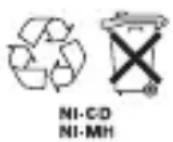
By law, all used batteries and accumulators must be recycled and not disposed of in domestic waste. Please dispose of them according to the official regulations. Take them to a recycling depot. The batteries/accumulators will be recycled since they may, for example, contain nickel cadmium (Ni - Cd), lead (Pb), cadmium (Cd) or mercury (Hg). The batteries and accumulators are labelled with symbols and information on their contents,
e.g.:
Warranty conditions
Your baby monitor is subject to a guarantee from the date of purchase in accordance with the legal provisions of the country in which the unit was purchased. As evidence of the date of purchase, please keep the receipt or the warranty card completed by the retailer. All defects attributable to material and manufacturing faults will be corrected free of charge within the warranty period, either by repairing or replacing the defective equipment.
The warranty does not cover expendable materials (battery cells), defects which affect the value or use of the equipment only insignificantly, and damage caused by incorrect use, ordinary wear and tear, or manipulation by third parties.
This warranty does not cover consequential damage caused by the use, failure or defectiveness of the product. In particular, no liability whatsoever is accepted for damage to property and pecuniary loss.
To claim under this warranty, please contact the retailer where you purchased your baby monitor.
Approval and conformity
This baby monitor complies with the basic requirements contained in the R&TTE Directive 1999/5/EC on radio equipment and telecommunications terminal equipment and is suitable for connection and operation in the member state indicated on the base station and/or packaging.
The declaration of conformity may be viewed at: www.swissvoice.net.

The CE symbol confirms the conformity of the baby monitor with the above directive.
Bienvenido a Swissvoice
Witamy w Swissvoice!
Warranty Certificate
swissvoice Warranty Certificate
Garantieschein, Bon de garantie, Certificato di garanzia, Garantiebewijs, Takuutodistus, Garantibevis, Garantisedel, Garantibevis, Certificado de Garantia, Talao de garantia
| device type: | (Geräte typ, type d'appareil, tipo di apparecchio, toesteltype, laitetyppi, maskintype, apparattyp, apparattype, modelo del aparato, modelo do aparelho): |
| serial number: (Seriennummer, numero de série, numero di serie, serialnumber, sarjanumero, serialnumber, serialnumber, serialnumber, numero de series, numero de série): | |
| dealer's stamp: | (Händlerstempel, sceau du vendeur, timbro del rivenditore, stempel van de dealer, kauppiaan leima, forhandlerens stempel, försäljarens stämpel, forhandlerstempel, sello del commerciante. carimbo do vendedor): |
| dealer's signature: | (Unterschrift des Händlers, signature du vendeur,irma del rivenditore, handtekening van de dealer, kauppiaan allekirjoitus, forhandlerens underskrift, försäljarens underskrift, forhandlers underskrift,irma del commerciante, assinatura do vendedor): |
| date of purchase: | (Kaufdatum, date d'achat, data d'acquisto, datum van aankoop, OSTPääiväys, kjøpsdato, datum für köpet, salgsdato, fecha de adquisión, data de compra): |
Internet:
www.swissvoice.net
© Swissvoice SA 2009
20405469xx_ba_a0
SV 20405469