ZoneGuard Plus - Radio ETON - Free user manual and instructions
Find the device manual for free ZoneGuard Plus ETON in PDF.


| Product Type | Radio with NOAA weather receiver and S.A.M.E. alerts |
| Brand | Eton |
| Model | ZoneGuard Plus |
| Main Power Supply | DC 5V AC adapter (included) or 3 AA batteries |
| Battery Life | Approximately 2 minutes (power indicator); total battery life not specified |
| Display | LCD digital with backlight |
| Radio Bands | AM, FM, NOAA Weather (7 channels) |
| Main Functions | AM/FM radio, NOAA weather reception, S.A.M.E. alerts, clock, alarm, snooze, alert light bar (red/orange/green), alarm test |
| Station Memory | 6 presets (buttons 1-6) |
| Antenna | Telescopic antenna for FM, ferrite bar for AM |
| S.A.M.E. Compatibility | Yes, 6-digit codes (USA/Canada); modes Single, Multiple (up to 25 zones), All |
| Alert Types | Warning (red), Watch (orange), Advisory (green) |
| Alert Sound Mode | Siren or Voice (configurable) |
| Dimensions | Not specified; estimated approx. 20 x 15 x 8 cm |
| Weight | Not specified; estimated approx. 800 g (with batteries) |
| Warranty | Limited warranty, registration required at etoncorp.com |
| Maintenance and Cleaning | Clean with a soft, dry cloth; avoid liquids |
| Spare Parts and Repairability | Contact Eton customer service (USA/Canada) or an authorized repair center |
| Included Accessories | DC 5V AC adapter, adjustable stand |
Frequently Asked Questions - ZoneGuard Plus ETON
User questions about ZoneGuard Plus ETON
0 question about this device. Answer the ones you know or ask your own.
Ask a new question about this device
Download the instructions for your Radio in PDF format for free! Find your manual ZoneGuard Plus - ETON and take your electronic device back in hand. On this page are published all the documents necessary for the use of your device. ZoneGuard Plus by ETON.
USER MANUAL ZoneGuard Plus ETON
Thank you for purchasing the Etón ZoneGuard+. We want you to thoroughly enjoy the use of this product. To take advantage of its many excellent and unique features, we urge you to carefully read the Owner's Manual.
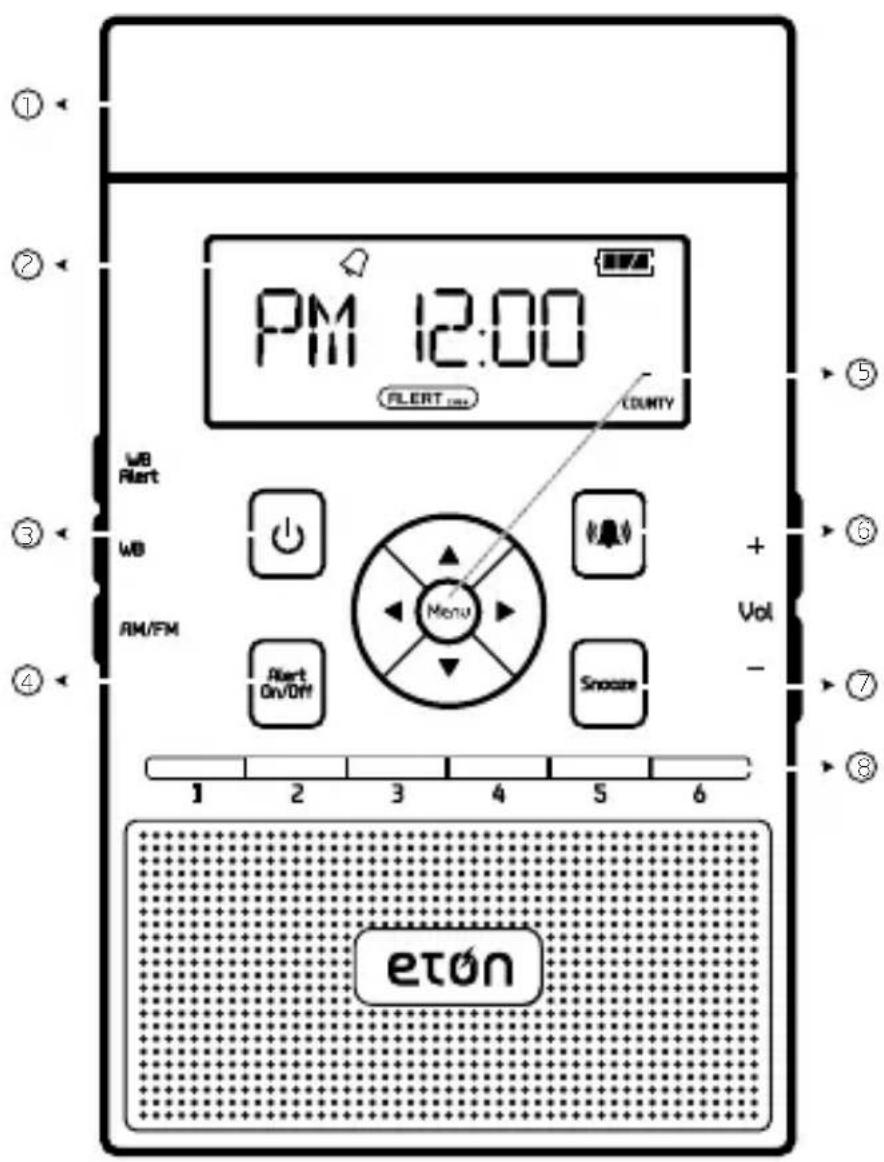
FRONT
Alert Light Bar
Digital Display
③ Power ON/OFF
Alert ON/OFF
5 Menu and Scroll
Alarm ON/OFF
Snooze
Memory Buttons
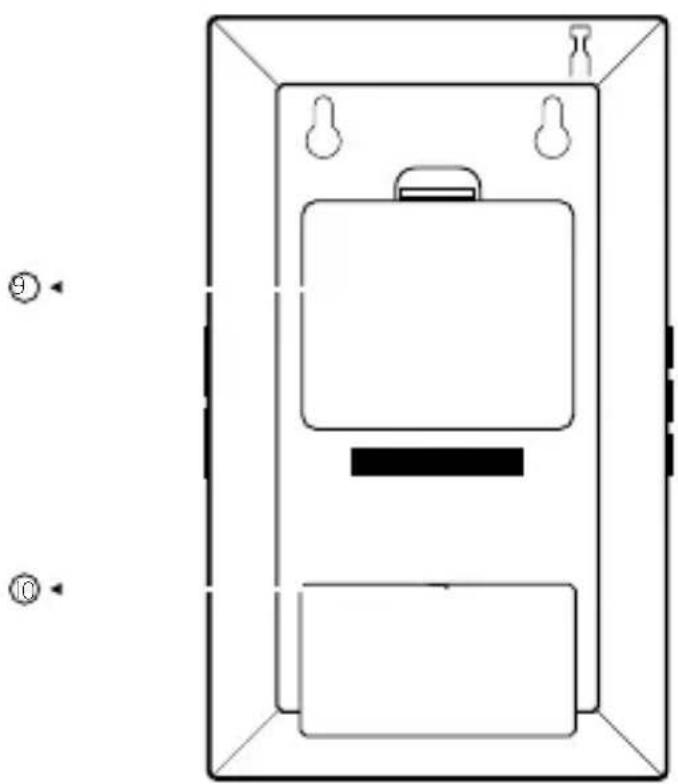
Battery Compartment
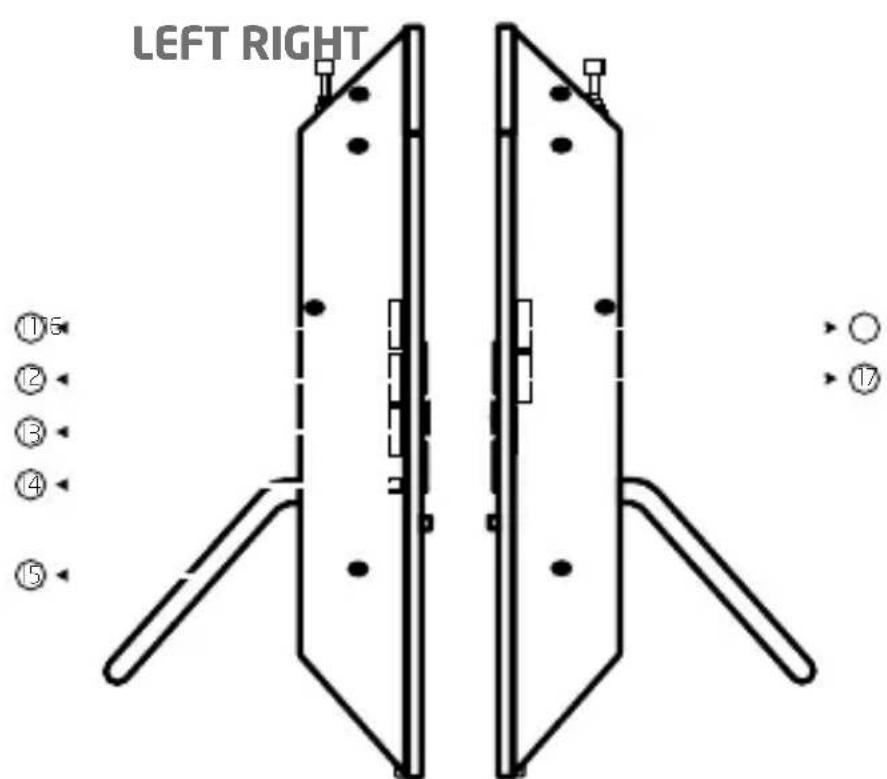
DC in
Weatherband Alert Button
Weatherband Button
AM/FM Button
Test Button
Adjustable Stand
Volume Increase
Volume Increase
MODULE
POWER SUPPLY
Battery Power (3 AA Batteries)
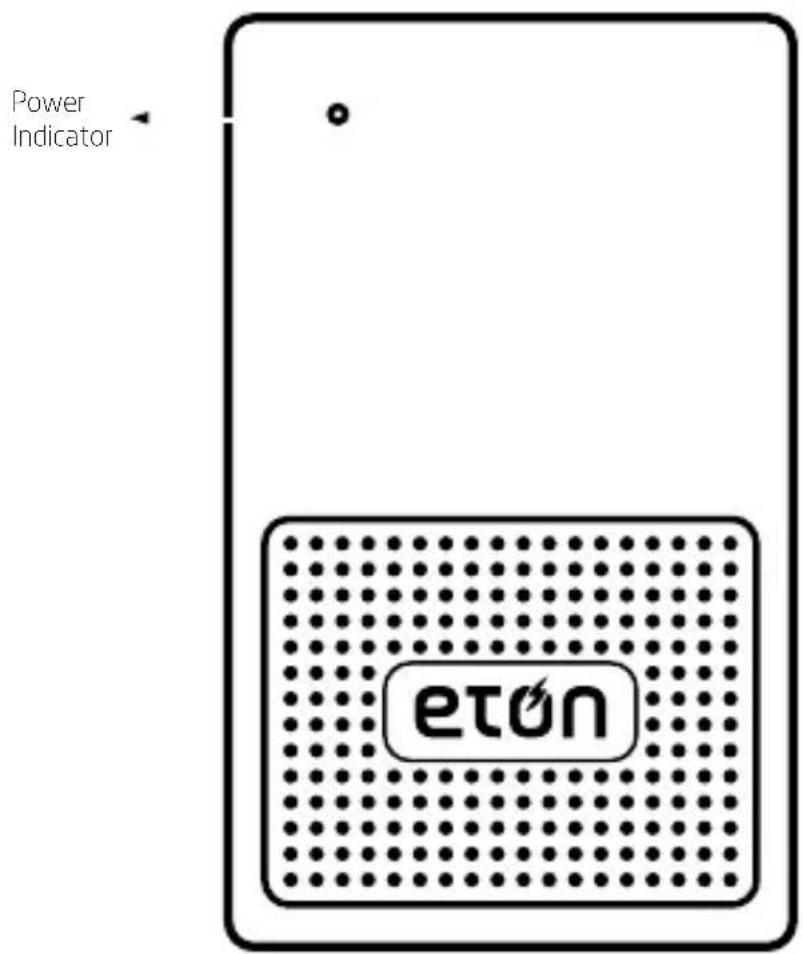
Install 3 AA batteries with correct polarity shown in the compartment (on the back of the radio). The < POWER
INDICATOR ≥ will be on for about 2 minutes.
NOTE: The power indicator starts to blink, when the battery power is too low.
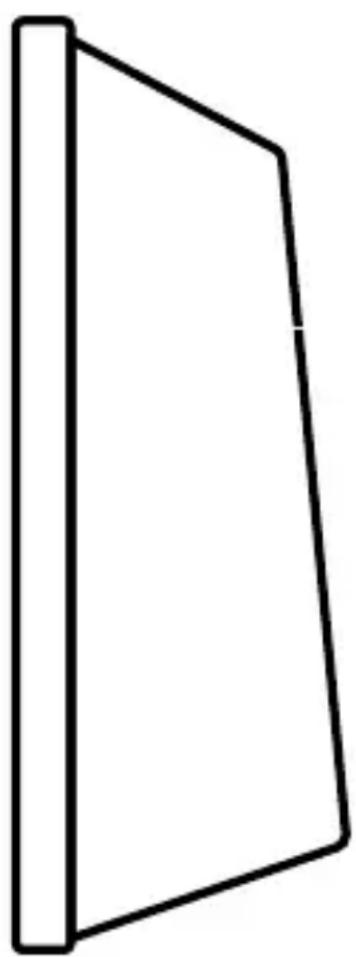
Battery Compartment
RECEPTION TEST
After powering the module, press the
NOTE: 1. The test alarm beep will last only for 3 seconds.
- When receiving a message, the alarm beep will last for 5 minutes. You can turn off the beep by pressing the
button of the base unit after 10 seconds. - The base unit must be in <VOICE> or <SIREN> mode in order for the modules to receive a signal and set off the alarm beep.
SET IT UP PLUG IT IN
- Use the enclosed DC-IN 5V AC adapter. Plug one end into the socket on the back of the radio and the other into the outlet.
- For emergency backup, pop in three AA batteries
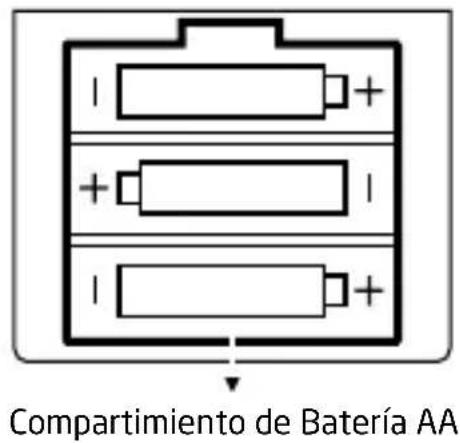
into the battery compartment on the back of the ZoneGuard+. Be sure to follow the polarity diagrams.
SET THE CLOCK
- Press
- Press the <> or <> button. When the hour flashes, press the <> or <> button to adjust. (Watch for the AM/FM indicator).
- Press < > or < > . When the minute flashes, press < > or < to adjust.
- Press the
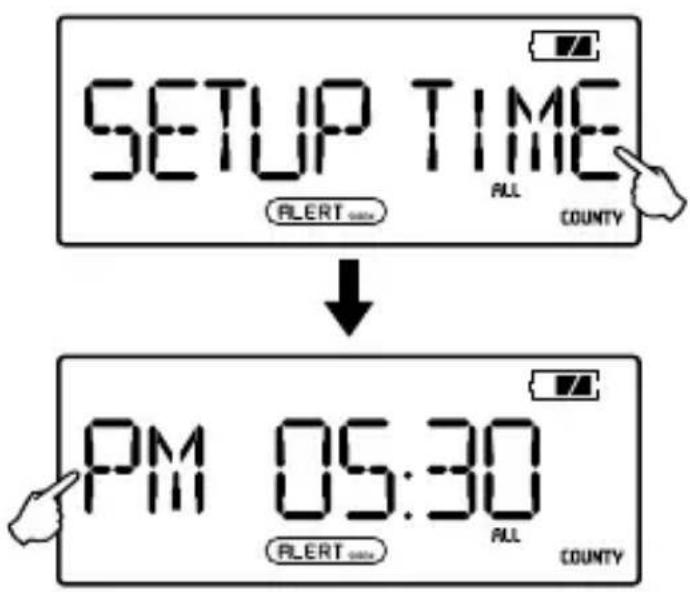
NOTE: The clock mode is 12-hour mode; <AM> displays in the morning and <PM> displays in the afternoon and night.
SET THE ALARM
- With radio OFF, press
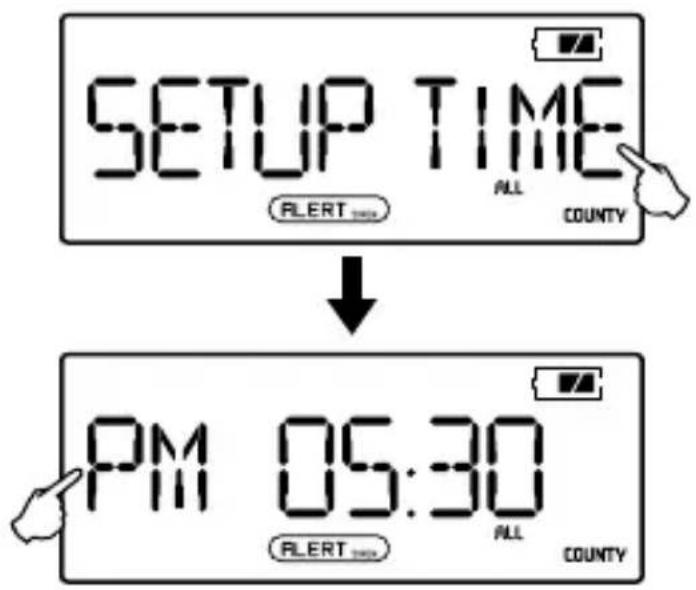
- Press <> or <> . When the hour flashes, press UP or DOWN to adjust. (Watch for the AM/PM indicator).
- Press < > or < > . When the minute flashes, press < > or < > to adjust.
- Press
TURN THE ALARM ON/OFF
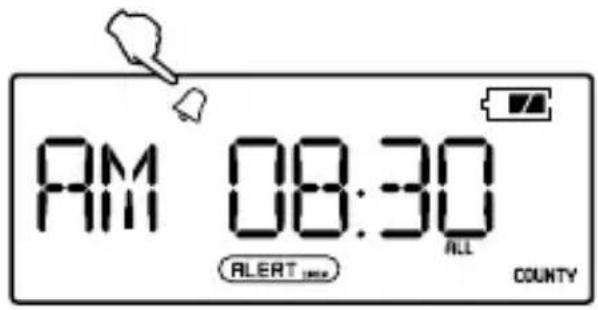
- Press < to turn the alarm on or off.
- When the bell appears in the upper left of the display, it will beep at the designated time.
- Press < to turn the alarm off.
HIT SNOOZE
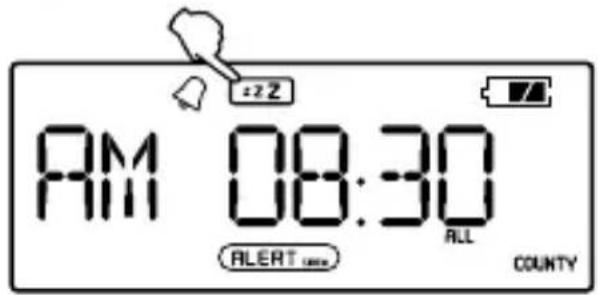
- When the alarm beeps, press
to sleep for 5 more minutes. - Alarm automatically resumes after 5 minutes.
- Press < to turn the alarm off.
STAY ALERT
The ZoneGuard+ sends you S.A.M.E. (Specific Area Message Encoding) notifications for your area. When alerts occur, lights flash, sirens beep and messages are displayed on the ZoneGuard+ to make sure everyone's in the know and prepared. Follow all the steps below to stay alert.
For a full explanation of S.A.M.E. go to:
http://www.nws.noaa.gov/nwr/nwrsame.htm
FIND YOUR S.A.M.E.CODE
To receive S.A.M.E. notifications for your area, you'll first need to get your six digit code(s).
In the US:
- Visit the National Weather Service Website at www.nws.noaa.gov/nwr/indexnw.htm
- Call the National Weather Service Toll-Free Number at 1-888-NWS-SAME (1-888-697-7263)
In Canada:
- Visit Environment Canada's Meteorological Service Website at http://ec.gc.ca/meteo-weather/default.asp?lang=En&n=1 CD5BDF2-1
Call Environment Canada's Meteorological Service Toll-Free Number at 1-877-789-7733 (Canada Only)
SELECT YOUR COUNTY
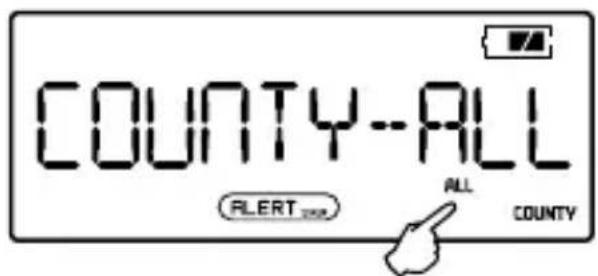
ZoneGuard+ lets you choose which alerts to receive—SINGLE for one area; MULTIPLE for up to 25 areas; ALL for everywhere...or in case you don't know your code.
-
With radio OFF, press
-
Press < > or < > , when mode flashes, press < > or < > to select.
ENTER YOUR CODE
Just a word of warning, you'll need to work kind of fast on the instructions below. Sometimes the display will return to the main menu and you'll have to start from the beginning.
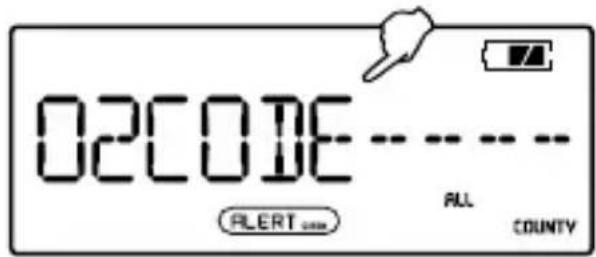
For a SINGLE code:
- With selected mode still flashing, press < or > to begin.
- Press <> or <> to set first code digit. Press <> or <> to adjust. Repeat for all other digits.
- Press
For MULTIPLE codes:
- With selected mode still flashing, press < or < to make "01" flash. This is your first county/province code.
- Press < > or < > to set first code digit. Press < > to adjust. Repeat for all other digits.
- Press < > or < > to return to flashing "01", press < or < > to adjust to next county/province code. Press < > or < > to set first code digit. Press < or < > to adjust. Repeat for all other digits. Repeat for all county/ province codes.
- Press
SET ALERT MODE
- Press
[SIREN]: The alarm will beep for about 5 minutes and the LCD will display the message.
[VOICE]: The alarm will beep for a few seconds and the LCD will display the message.
- Press <> or <> , when the
flashes, press <> or < to select. - Press
When the alert sounds:
- Press
to turn off the beep. - Press <> or <> to read the alert message in the display. If there is no weather information, the LCD will display NO-MMESSAGE.
KNOW YOUR LIGHTS
When you receive a S.A.M.E. notification, a red, orange or green light appears on the ZoneGuard+, representing a WARNING, WATCH or ADVISORY alert. The alert message will simultaneously scroll across the display.
WARNING (Red Light)
A WARNING is issued when a hazardous weather or hydrologic event is occurring, imminent or likely. A WARNING means weather conditions pose a threat to life or property. People in the path of the storm need to take protective action.
WATCH (Orange Light)
A WATCH is used when the risk of a hazardous weather or hydrologic event has increased significantly, but its occurrence, location or timing is still uncertain. It is intended to provide enough lead time so those who need to set their plans in motion can do so. A WATCH means that hazardous weather is possible. People should have a plan of action in case a storm threatens and they should listen for later information and possible warnings especially when planning travel or outdoor activities.
ADVISORY (Green Light)
An ADVISORY is issued when a hazardous weather or hydrologic event is occurring, imminent or likely. ADVISORIES are for less serious conditions than WARNINGS, that cause significant inconvenience and if caution is not exercised, could lead to situations that may threaten life or property.
ENABLE/DISABLE S.A.M.E. AUDIO ALERTS
S.A.M.E. provides many types of alerts—from tornadoes and hurricanes to flash floods and tsunami warnings. ZoneGuard+ gives you the option to selectively enable/ disable the audio (siren/voice) that accompanies these alerts, with the exception of tornado and hurricane warnings. Please do so at your own risk/discretion. When disabled, ZoneGuard+ will still display alert messages.
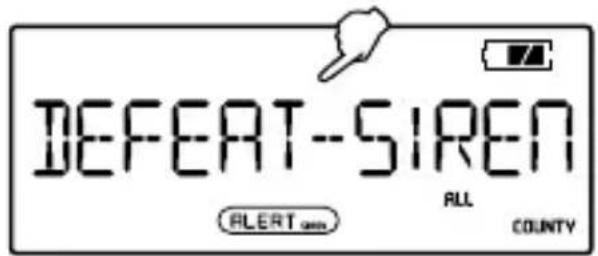
- With radio OFF, press
- Press <> or <> to see sample message scroll in the display.
- Press < > or < to carefully read each alert type, then press < > or < > to enable or disable. Repeat for all alert types.
- Press
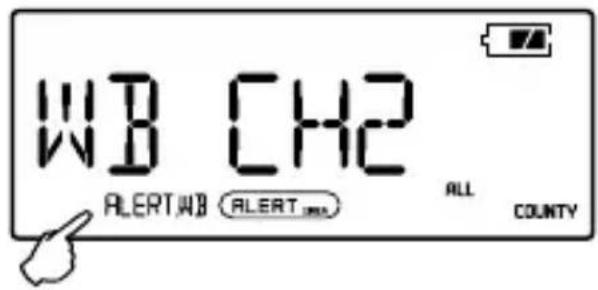
GET THE WEATHER CHOOSE YOUR CHANNEL
ZoneGuard+ provides weather reports and advisories direct from the National Oceanic and Atmospheric Association (NOAA) weather band (WB) channels.
- Press
to turn radio ON, then press (on left side). - Press < > or < to scroll through NOAA weather channels 1-7. The clearest is your local NOAA channel.
- Once your channel is set, you can listen to the weather anytime by simply pressing <ON> to turn radio ON, and selecting <WB> (on left side).
The 7 NOAA weather channels are on the following frequencies:
- Channel 1 162.400 MHz
- Channel 2 162.425 MHz
- Channel 3 162.450 MHz
- Channel 4 162.475 MHz
- Channel 5 162.500 MHz
- Channel 6 162.525 MHz
- Channel 7 162.550 MHz
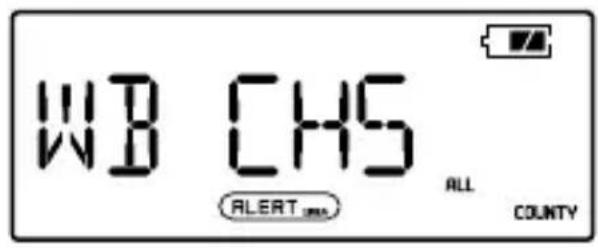
SET UP NOAA WEATHER ALERTS
-
Press
to turn radio ON, then press (on left side). -
Press
(on left side). This turns off the audio and puts ZoneGuard+ in standby mode, so the radio will automatically turn back on when an alert message is received.
TUNE IN TO AM/FM RADIO
- Press
to turn radio ON, then press (on left side). - Adjust volume with < +1/-> (on right side).
- Tune stations with < > or < . Manually tune with short press. Auto tune with two-second press.
- To store a station, press
(on left side) and any of the buttons marked 1-6. To retrieve a station, press one of buttons 1-6.
NOTE: When listening to FM stations, we suggest pulling up the telescopic antenna for better reception.
LISTEN TO AM/FM
Select Band
Press the
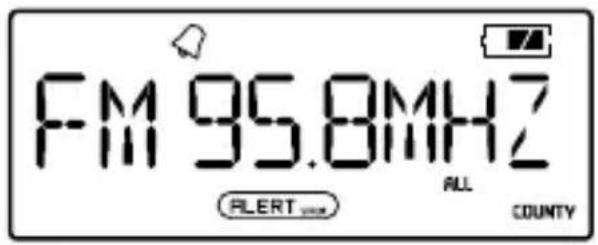
Tuning in Stations
-
Manual Tuning: Press the < or < button repeatedly to tune into your desired station.
-
Auto Scan Tuning: Press and hold the < or < button until frequency starts scanning to auto tune into the next available station. If the signal is not strong enough, you can tune manually to get a better reception.
Storing Stations
When listening to AM/FM band, tune into your desired station, press the
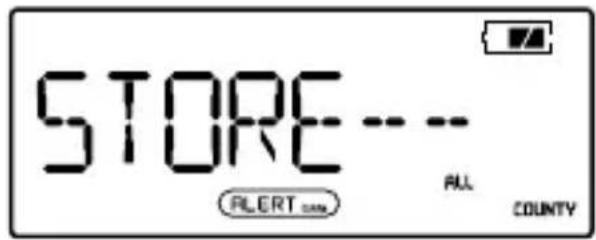
To retrieve better reception when listening to the FM station, adjust the length of the antenna and place near a window. When listening to the AM station, rotate the unit to retrieve a signal.
WARRANTY REGISTRATION
To ensure full warranty coverage or product updates, registration of your product should be completed as soon as possible after purchase or receipt.
Please go to http://www.etoncorp.com/productregistration to register your product.
LIMITED WARRANTY
Retain the warranty information from your warranty card with your proof of purchase or the Limited Warranty information can also be viewed at www.etoncorp.com.
SERVICE FOR YOUR PRODUCT
To obtain service for your product, we recommend first contacting an Etón service representative at 800-872-2228 US, 800-637-1648 Canada or (650) 903-3866 for problem determination and troubleshooting. If further service is required, the technical staff will instruct how to proceed based on whether the radio is still under warranty or needs non-warranty service.
PRODUCT WARRANTY
Visit http://www.etoncorp.com/productregistration to register your product and get warranty information.
WARRANTY
If your product is still in warranty and the Etón service representative determines that warranty service is needed, a return authorization will be issued and instructions for shipment to an authorized warranty repair facility. Do not ship your radio back without obtaining the return authorization number.
NON-WARRANTY
If your product is no longer under warranty and requires service our technical staff will refer you to the nearest repair facility that will be able to best handle the repair.
For service outside of North America, please refer to the distributor information included at time of purchase/receipt.
DECOUVREZ LE ZONEGUARD+
Compartment des piles
TEST DE RÉCEPTION
- Chaine 1 162,400 MHz
- Chaine 2 162,425 MHz
- Chaine 3 162,450 MHz
- Chaine 4 162,475 MHz
- Chaine 5 162,500 MHz
- Chaine 6 162,525 MHz
- Chaine 7 162,550 MHz
RÉGLER LES ALERTES METEO NOAA


- MODULE
- POWER SUPPLY
- Battery Power (3 AA Batteries)
- RECEPTION TEST
- SET IT UP PLUG IT IN
- SET THE CLOCK
- SET THE ALARM
- TURN THE ALARM ON/OFF
- HIT SNOOZE
- STAY ALERT
- FIND YOUR S.A.M.E.CODE
- In the US:
- In Canada:
- SELECT YOUR COUNTY
- ENTER YOUR CODE
- For a SINGLE code:
- For MULTIPLE codes:
- SET ALERT MODE
- KNOW YOUR LIGHTS
- WARNING (Red Light)
- WATCH (Orange Light)
- ADVISORY (Green Light)
- ENABLE/DISABLE S.A.M.E. AUDIO ALERTS
- GET THE WEATHER CHOOSE YOUR CHANNEL
- SET UP NOAA WEATHER ALERTS
- TUNE IN TO AM/FM RADIO
- LISTEN TO AM/FM
- Select Band
- Tuning in Stations
- Storing Stations
- WARRANTY REGISTRATION
- LIMITED WARRANTY
- SERVICE FOR YOUR PRODUCT
- PRODUCT WARRANTY
- WARRANTY
- NON-WARRANTY
- DECOUVREZ LE ZONEGUARD+
- TEST DE RÉCEPTION
- RÉGLER LES ALERTES METEO NOAA
Brand : ETON
Model : ZoneGuard Plus
Category : Radio