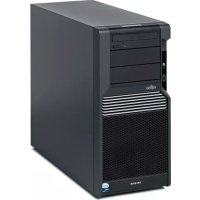
CELSIUS M470 - Desktop computer FUJITSU - Free user manual and instructions
Find the device manual for free CELSIUS M470 FUJITSU in PDF.



| Brand | Fujitsu |
| Model | CELSIUS M470 |
| Product type | Desktop computer |
| Recommended use | Medical environment (compliant with EN 60601-1-2) |
| Power supply | 100-240 V, 50/60 Hz |
| Dimensions (approx.) | 400 x 200 x 400 mm (W x D x H) |
| Weight (approx.) | 15 kg |
| Electromagnetic compatibility | Compliant with EC 2004/108/EC and 2006/95/EC |
| Safety standards | EN 60601-1-2 (EMC), EN 60601-1-1 (medical devices) |
| Ventilation | Maintenance-free fans, do not block vents |
| Cables | Must be shielded (data, signaling, LAN according to EN 50173/50174) |
| System expansions | Must meet safety and EMC requirements for medical devices |
| Cleaning | Follow the instructions in the user manual |
| Radio safety distance | Observe the distances in Table 4 (e.g., 1.17 m for 1 W at 800 MHz) |
| Radio components | Bluetooth, WLAN - observe safety distances |
| Connecting peripherals | Use the supplied cables, only one monitor allowed |
| Electrostatic discharge protection | Discharge yourself before touching contacts or wear a grounding wrist strap |
| Use as life-support | Not designed as a life-support device |
| Operating temperature | Not specified, typically 10-35°C |
| Relative humidity | Wood/concrete floors, otherwise relative humidity ≥30% to avoid ESD |
Frequently Asked Questions - CELSIUS M470 FUJITSU
User questions about CELSIUS M470 FUJITSU
0 question about this device. Answer the ones you know or ask your own.
Ask a new question about this device
Download the instructions for your Desktop computer in PDF format for free! Find your manual CELSIUS M470 - FUJITSU and take your electronic device back in hand. On this page are published all the documents necessary for the use of your device. CELSIUS M470 by FUJITSU.
USER MANUAL CELSIUS M470 FUJITSU
CELSIUS (Med) ESPRIMO (Med)
Operating Manual

Sie haben...
... any technical questions or problems?
Please contact:
our Help Desk
- your sales partner
- your sales office
The latest information about our products, useful tips, updates etc. is available from our website: http://ts.fujitsu.com
You can find further information in the help desk list: http://ts.fujitsu.com/helpdesk
FUJITSU
CELSIUS (Med)
M460 / M470 / R550 / R570 / R650 / R670 / V840 / W370
ESPRIMO (Med)
C5730 / E5730 / E7935 / P5730 / P7935 / Q5030
Operating Manual
| Deutsch |
| English |
| Français |
| Nederlands |
| Svenska |
| Norsk |
| Suomi |
| Italiano |
Copyright © Fujitsu Technology Solutions GmbH 2009
CELSIUS and ESPRIMO are trademarks of Fujitsu Technology Solutions.
All rights, including rights of translation, reproduction by printing, copying or similar methods, even of parts are reserved.
Offenders will be liable for damages.
All rights, including rights created by patent grant or registration of a utility model or design, are reserved.
Delivery subject to availability. Right of technical modification reserved.
Inhalt / Contents
Instructions for Use 1
Guidelines for electromagnetic compatibility 1
Environment and permissible applications 1
General safety precautions in environment with medical application 1
Information for ensuring electromagnetic compatibility 2
Guidelines and manufacturer's declaration 3
Mode d'emploi 1
Instructions for Use
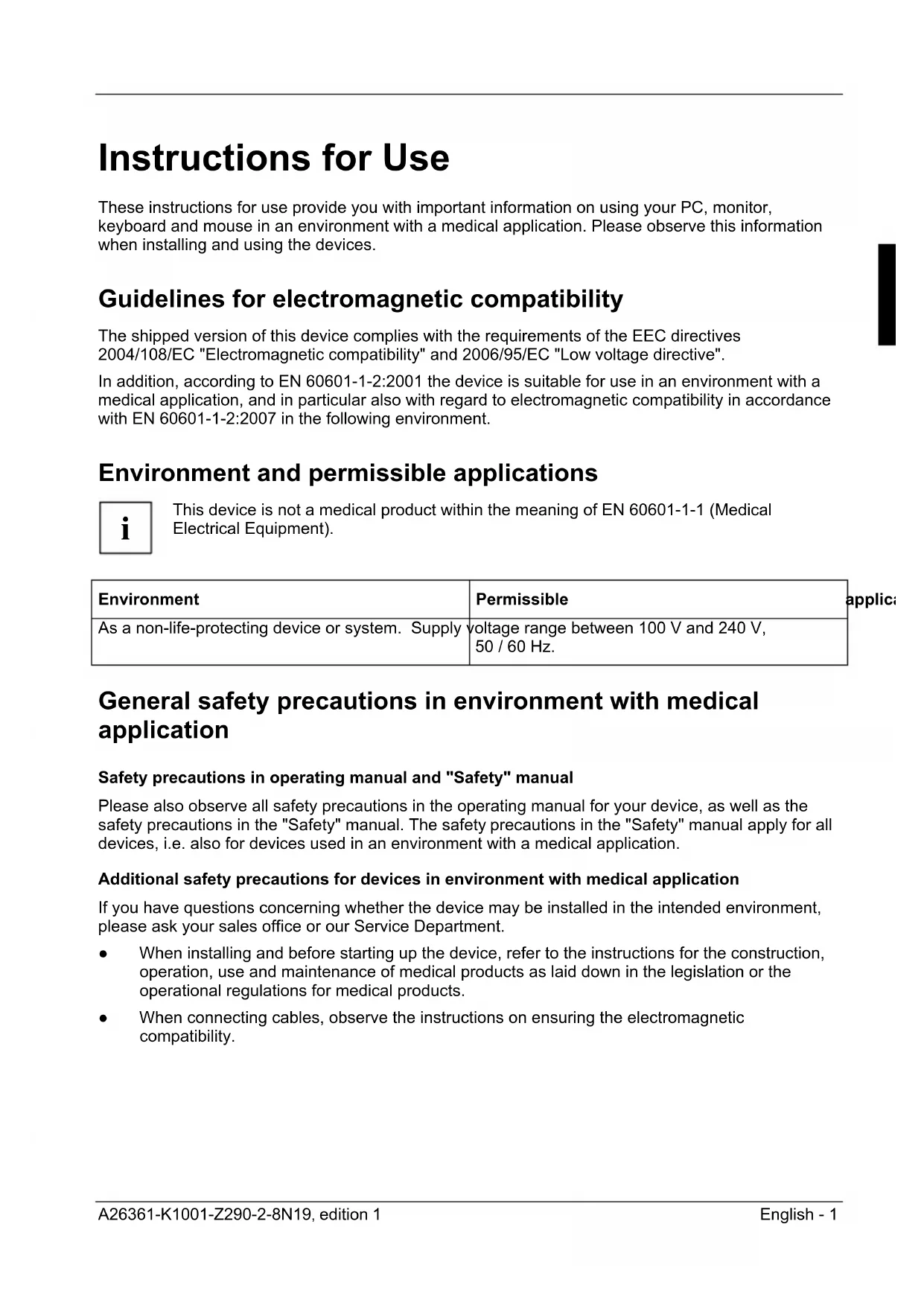
These instructions for use provide you with important information on using your PC, monitor, keyboard and mouse in an environment with a medical application. Please observe this information when installing and using the devices.
Guidelines for electromagnetic compatibility
The shipped version of this device complies with the requirements of the EEC directives 2004/108/EC "Electromagnetic compatibility" and 2006/95/EC "Low voltage directive".
In addition, according to EN 60601-1-2:2001 the device is suitable for use in an environment with a medical application, and in particular also with regard to electromagnetic compatibility in accordance with EN 60601-1-2:2007 in the following environment.
Environment and permissible applications

This device is not a medical product within the meaning of EN 60601-1-1 (Medical Electrical Equipment).
| Environment | Permissible |
| As a non-life-protecting device or system. Supply voltage range between 100 V and 240 V, 50 / 60 Hz. | |
General safety precautions in environment with medical application
Safety precautions in operating manual and "Safety" manual
Please also observe all safety precautions in the operating manual for your device, as well as the safety precautions in the "Safety" manual. The safety precautions in the "Safety" manual apply for all devices, i.e. also for devices used in an environment with a medical application.
Additional safety precautions for devices in environment with medical application
If you have questions concerning whether the device may be installed in the intended environment, please ask your sales office or our Service Department.
- When installing and before starting up the device, refer to the instructions for the construction, operation, use and maintenance of medical products as laid down in the legislation or the operational regulations for medical products.
-
When connecting cables, observe the instructions on ensuring the electromagnetic compatibility.
-
Only install system extensions that comply with the requirements and regulations on safety and electromagnetic compatibility of your country's legislation on medical products.
- The fans of the device are maintenance-free. In case of fan failure or reduced fan performance, a warning symbol appears on the LCD (differs between devices - see operating manual for device).
- Should the device be used in a patient environment, or if electrically conductive connections are provided between the product and a patient, additional measures must be carried out on the product in accordance with EN 60601-1-1:2001.
The ventilation slots of the device may not be covered to prevent overheating. - If you operate a radio component (BLUETOOTH, wireless LAN) on your device, maintain the necessary safety distances to other electrical and electronic devices. The radio waves transmitted by the radio components can impair the operation of medical devices. Other radio devices can in turn interfere with the operation of the radio components of your device.

To clean the device, please observe the corresponding instructions in the respective operating manual.
Information for ensuring electromagnetic compatibility
- All data and signal cables must have sufficient shielding. Requirements EN 50173 and EN 50174-1/2 apply to LAN cabling. Use of unshielded or badly shielded cables may lead to increased emission of interference and/or reduced fault-tolerance of the device.
- All housing covers (side panels, blind covers) must be installed as described in the operating manual.
- When installing the device, make sure there is adequate ventilation by providing sufficient clearance around the device, as indicated in the "Technical data" section of the operating manual. In order to avoid overheating, do not cover the ventilation surfaces on the monitor or the device. Do not stack multiple devices on top of each other.
- Portable and mobile wireless communications devices such as mobile phones may influence medical electrical devices. It is imperative that you observe the safety distances given in table 4.
Use only the cables supplied when connecting peripheral devices, such as monitors. - Use the supplied cable to connect the keyboard.
Each peripheral device you want to connect must comply with the requirements for use in an environment with a medical application. - Only connect a single monitor to the device. An additional monitor is not permitted.

Protect the contacts of all sockets and plugs of the device against static electricity. Avoid touching the contacts. Should touching be unavoidable, take the following safety measures:
- Touch an earthed object before touching the contacts. This discharges static charges.
or
- Wear an earthing strap.

If static electricity discharges on the device, or if rapid transients or strong electromagnetic fields affect the device, the audio quality on the PC and the picture quality on the monitor may be reduced for the duration of the interference.
Guidelines and manufacturer's declaration
| Table 1:Guidelines and manufacturer's declaration - Electromagnetic emissions | ||
| The systems discussed in this manual are intended for use in the type of environment specified below. The customer or user of the device or system should insure that it is operated in such an environment. | ||
| Emitted interference measurements | Compliance Electromagnetic environment - guidelines | |
| RF-emission as per CISPR 22 | Class B The device or systeem uses RF-energy exclusively for its internal functions. Therefore its RF-emissions are very low and it is unlikely that surrounding electrical devices would be disrupted. | |
| Emission of harmonics IEC 61000-3-2 | Class D The device or the system is suited for use in all facilities including those in living quarters and those directly connected to public infrastructure, which supplies buildings used for residential purposes. | |
| Emission of voltage fluctuations/Flicker IEC 61000-3-3 | Compliant | The device or the system is suited for use in all facilities including those in living quarters and those directly connected to public infrastructure, which supplies buildings used for residential purposes. |
| Table 2:Guidelines and manufacturer's declaration - Electromagnetic fault tolerance | |||
| The systems discussed in this manual are intended for use in the type of electromagnetic environment specified below. The customer or user of the device or system should insure that it is operated in such an environment. | |||
| Interference immunity tests | IEC 60601 test level | conformance level | Electromagnetic environment - guidelines |
| Discharge of static electricity (ESD) as per IEC 61000-4-2 | +/- 6 kV Discharge on contact+/- 8 kV Aerial discharge | +/-6 kV+/-8 kV | Floors should consist of wood or concrete or be furnished with ceramic tiles. If the floor is furnished with synthetic material the relative humidity must not be less than 30%. |
| Fast transient electrical disturbances (Bursts) as per IEC 61000-4-4 | +/- 2 kV for power cables+/- 1 kV for Input- and output wires | +/- 2 kV+/- 1 kV | The quality of the supply voltage should be up to that of a typical business or hospital environment. |
| Surges as per IEC 61000-4-5 | +/- 1 kV normal-mode voltage+/- 2 kV common-mode voltage | +/- 1 kV+/- 2 kV | The quality of the supply voltage should be up to that of a typical business or hospital environment. |
| Voltage drops, temporary interruptions and fluctuations of the supply voltage as per IEC 61000-4-11 | <5% UT(>95% collapse of UT) for 1/2 period | passed, A | The quality of the supply voltage should be up to that of a typical business or hospital environment. If the user of the device or system requires continued function during interruptions of the power supply it is recommended to supply the device or system from an uninterruptible power supply or a battery. |
| <40% UT(>60% collapse of UT) for 5 periods<70% UT(>30% collapse of UT) for 25 periods | passed, A supply voltage range 200 V - 240 V/50/60Hz passed, C supply voltage range 100 V - 200 V/50/60Hz | ||
| <5% UT(>95% collapse of UT) for 5 s | passed C | ||
| Table 2 – continued | |||
| Interference immunity tests | IEC 60601 test level | conformance level | Electromagnetic environment - guidelines |
| Magnetic field at the mains frequency (50/60 Hz) as per IEC 61000-4-8 | 3 A/m 3 A/m Magnetic fields | at the mains | frequency should conform to typical values, as found in business and hospital environments. |
| NOTE: UT is the AC supply voltage before application of the test level. | |||
| Table 3:Guidelines and manufacturer's declaration - Electromagnetic fault tolerance | |||
| The systems discussed in this manual are intended for use in the type of electromagnetic environment specified below. The customer or user of the device or system should insure that it is used in such an environment. | |||
| Interference immunity tests | IEC 60601 test level | Conformance level | Electromagnetic environment - guidelines |
| Portable and mobile wireless equipment should not be used at a distance to the device or to the system that is less than the recommended safe distance. This is calculated according to the equation dependent on the broadcast frequency. Recommended safe distance: | |||
| Conducted RF interference as per IEC 61000-4-6 Radiated RF interference as per IEC 61000-4-3 | 3 Vrms 150 kHz to 80 MHz 3 V/m 80 MHz to 2.5 GHz | 3 V 3 V/m 3 V/m | d 3.5 √P d 3.5 √P for 80 MHz to 800 MHz d 7 √P for 800 MHz to 2.5 GHz with P as the maximum nominal power output of the sender in watt (W) according to specifications of the manufacturer of the sender and d as the recommended safe distance in meters (m). The field strength of stationary radio transmitters should be less than the conformance levelb for all frequencies in accordance with on-sitea testing. In the vicinity of devices that bear following symbol interferences are possible. |
NOTE 1:
For 80 MHz and 800 MHz the higher frequency range applies.
NOTE 2:
These guidelines may not be applicable in all cases. The propagation of electromagnetic variables is affected by adsorption and reflections of buildings, objects and people.
a The field strength of stationary transmitters such as base stations of wireless telephones and mobile radio units, amateur radio stations, AM and FM radio stations and tv stations cannot be predetermined theoretically. To determine the electromagnetic environment in regard to stationary transmitters a study of the location should be considered. If the measured field streght at the location the device or system is used exceeds the above compliant levels the device or system should be observed to verify that it functions as intended. If unusual performance characteristics are observed additional measures such as a change of alignment or a different location for the device or system may be necessary.
b Above the frequency range from 150kHz to 80MHz the field strength should be below 3V / m
| Table 4: Recommended safety distances between portable and mobile HF telecommunications devices and the non life-sustaining device or system | |||
| The systems discussed in this manual are intended for use in the type of electromagnetic environment specified below that have controlled RF interference levels. The customer or user of the device or system can help avoiding electromagnetic disturbances by observing the minimum distance - which depends on the power output of the communication device, as given below - between mobile RF communication devices (senders) and the device or system. | |||
| Rated power of the transmitter W | Safety distance, dependent on the transmission frequency [m] | ||
| 150 kHz to 80 MHzd=[3.5/3]√P | 80 MHz to 800 MHzd=[3.5/3]√P | 800 MHz to 2.5 GHzd=[7/3]√P | |
| 0.01 | 0.12 | 0.12 | 0.23 |
| 0.1 | 0.37 | 0.37 | 0.742.333.3833 |
| 1 | 1.17 | 1.17 | |
| 10 | 3.69 | 3.69 | 7.38 |
| 100 | 11.70 | 11.70 | 23.3 |
| For transmitters which have a maximum rated power which is not indicated in the above table, the recommended safety distance d in metres (m) can be determined using the equation belonging to the respective column, whereby P is the maximum rated power of the transmitter in Watts (W) according to the transmitter manufacturer's specifications. NOTE 1:The higher frequency range applies at 80 MHz and 800 MHz. NOTE 2:These guidelines may not necessarily be applicable in all cases. The propagation of electromagnetic variables is influenced by absorption and reflection values associated with the buildings, objects and people around. | |||
Mode d'emploi
- Bärett handledsband.
i

- CELSIUS (Med) ESPRIMO (Med)
- Sie haben...
- FUJITSU
- Inhalt / Contents
- Instructions for Use 1
- Mode d'emploi 1
- Instructions for Use
- Guidelines for electromagnetic compatibility
- Environment and permissible applications
- General safety precautions in environment with medical application
- Information for ensuring electromagnetic compatibility
- Guidelines and manufacturer's declaration
- Mode d'emploi
Brand : FUJITSU
Model : CELSIUS M470
Category : Desktop computer