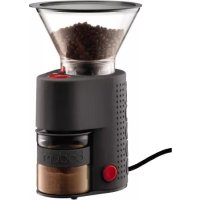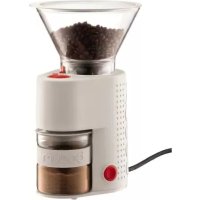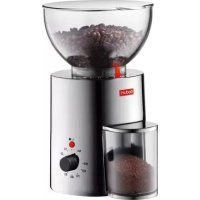
Antigua 10539 - Coffee grinder BODUM - Free user manual and instructions
Find the device manual for free Antigua 10539 BODUM in PDF.



| Product type | Electric coffee grinder |
| Brand | Bodum |
| Model | Antigua 10539 |
| Bean hopper capacity | 250 g maximum |
| Burr type | Conical burrs |
| Power | 160 watts |
| Rated voltage (EU) | 220-240 V / 50 Hz |
| Power cord length | Approx. 80 cm |
| Materials | Plastic, rubber, steel, stainless steel |
| Grind adjustment | 3 positions: fine, medium, coarse + intermediate settings |
| Time/quantity control | Yes, with automatic shut-off |
| Maximum recommended grinding time | 40 seconds per operation |
| Anti-stone safety clutch | Yes (friction clutch) |
| Care and cleaning | Soft bristle brush for burrs; damp cloth for housing |
| Safety | Polarized plug, automatic shut-off, do not immerse in water |
| Warranty | 2 years |
| Use | Household use only |
Frequently Asked Questions - Antigua 10539 BODUM
User questions about Antigua 10539 BODUM
0 question about this device. Answer the ones you know or ask your own.
Ask a new question about this device
Download the instructions for your Coffee grinder in PDF format for free! Find your manual Antigua 10539 - BODUM and take your electronic device back in hand. On this page are published all the documents necessary for the use of your device. Antigua 10539 by BODUM.
USER MANUAL Antigua 10539 BODUM
Congratulations! You are the proud owner of an ANTIGUA, the electric coffee grinder from BODUM. Before using the coffee grinder read these instructions carefully.
IMPORTANT SAFEGUARDS
- Before operating this appliance for the first time, read all instructions. Failure to observe the instructions and safety notes may result in hazardous conditions.
- After unpacking the appliance, check it for damage. If in doubt, do not use it, contact your dealer.
- Keep the packaging materials (cardboard, plastic bags etc.) out of reach of children (danger of suffocation or injury).
- This appliance is designed for household use only. Do not use outdoors. Do not place on or near a hot gas or electric burner, or in a heated oven.
- The manufacturer rejects any liability for damage or injury caused by improper or unreasonable use. Do not use appliance for other then intended use.
- Do not allow children to play with the appliance.
- Close supervision is necessary when any appliance is used by or near children or not familiar persons.
- This appliance is not intended for use by young children or infirm person unless they have been adequately supervised by a responsible person to ensure that they can use the appliance safely.
- Never touch the appliance with damp or wet hands. Do not touch the mains cable or plug with wet hands. Always unplug the appliance by holding the plug, not the cord. Do not let cord hang over edge of table or counter, or touch hot surfaces. Do not operate any appliance with a damaged cord or plug or after the appliance malfunctions, or has been damaged in any manner.
- The use of any accessory attachment, not recommended by the appliance manufacturer, may result in fire, electric shock or injury to persons.
-
In the case of a fault or malfunction occurring, switch the appliance off; do not attempt to repair it yourself. Have repairs to the appliance carried out only by a customer service workshop that is authorised by the manufacturer. Failure to comply with the above safety notes can compromise the safety of the appliance.
-
Never attempt to exchange the mains cable of the appliance as special tools are required for this. To ensure continued safety of the appliance, if the cable needs to be repaired or exchanged, have this carried out exclusively by a customer service workshop authorised by the manufacturer.
- Unplug from outlet when not in use and before cleaning. Never immerse the item in water: remember this is an electrical appliance.
- Only clean the appliance using a brush or damp cloth.
- To protect against fire, electric shock and injury to persons do not immerse cord, plugs in water or other liquid.
- Avoid contacting moving parts.
INSTALLATION
- Place the appliance on a stable flat surface which is neither hot nor near a heat source. The surface must be dry. Keep the appliance and its mains cable out of reach of children.
- Ensure that the voltage indicated on the rating plate of the appliance agrees with the mains voltage in your area. Connect the appliance only to a properly earthed power point with a minimum output of 6A. (Use a residual current device (RCD) seek the advice of an electrician.) While the appliance is in use, the mains plug must be accessible in case of an emergency. The manufacturer declines any liability for accidents caused by faulty or non-existing earthing of the appliance.
- If the power point is unsuitable for accommodating the plug of your appliance, have the power point changed by a licensed electrician.
SAVE THESE INSTRUCTIONS
COMPONENTS AT A GLANCE
- Lid
- Bean container
- Grinding control
- Bean container release
- Inlet cover
- Ground coffee container
- Time /quantity control
- Power cord inlet
- Cord-tidy
- Stand by Mode - ON/OFF Button
- Main Power - ON/OFF Switch
INITIAL OPERATION
Place the appliance on a level surface. Unreel the required length of cord.
It is important to keep the cord short. Insert the cord into the power cord inlet provided so that it is clamped and insert the plug into the socket outlet. Pack the excess cord length in the cord-tidy (fig.12). Open the lid (fig.13) of the bean container, fill the bean container with the desired quantity of coffee beans (250g max.) (fig.14) and close the lid (fig.15). The appliance is then ready to operate.
SETTING THE GRINDING CONTROL
The main adjustment positions stated on the control for the degree of grinding are normally sufficient. The degree of grinding can be adjusted by twisting the bean container (fig.16).
= fine grinding
(e.g. for BODUM® Granos espresso coffee machine)

= medium grinding
(e.g. for BODUM Kona filter coffee machine)

= coarse grinding
(e.g. for BODUM® French Press® coffee maker)
If the three adjustment positions do not precisely match your personal taste you can also grind your coffee by choosing any intermediate position.
If the appliance has been filled with coffee beans, the grinding control must only be operated when the motor is running.
IMPORTANT INSTRUCTIONS
- The BODUM coffee grinder is preset to position (medium grinding).
- Only adjust the grinding control while the motor is running.
- Always keep the lid (fig.1) of the bean container tightly shut in order to enjoy the full taste and aroma of your coffee beans. Never grind more coffee than you actually need.
QUANTITY CONTROL
The BODUM® coffee grinder is equipped with a time/quantity control (fig.7).
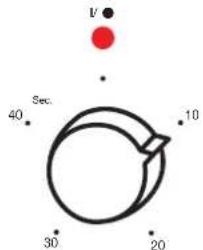
Use it to set the coffee grinder to the desired grinding time and quantity. The appliance switches off automatically once the preset time has elapsed. If you want to interrupt grinding before the preset time has elapsed. Push the I/O button (fig.10).
The quantity of ground coffee you need to make your coffee depends on the type of bean, the degree of grinding and your personal taste.
Warning: In order to prevent the motor from overheating, do not grind more than 1 complete unit (1x40 seconds) in succession. After wait 10 Min. to let the motor cool down before restart.
After each grinded unit (40 seconds), empty the coffee container. This prevents the motor overheating.
ANTIGUA
GRINDER
The BODUM® coffee grinder uses conical burr grinder, which are the best grinders you can get. The burr spins slower than the wheel model, which makes them quieter and less messy. You can use a conical burr grinder for oily or flavoured coffees and it is not likely to clog, like the other kinds of grinders. These are the best.
STONE SAFETY CUT-OUT FEATURE
Given the huge quantities of coffee that are packed every day, very small stones may accidentally find their way into even the finest coffee beans. The appliance is equipped with a stone safety cut-out - or «friction clutch» - in order to prevent damage to the grinding gear. A stone in the grinding gear will cause a loud rattling noise. Switch the appliance off immediately, remove plug from wall outlet, open it as described in the section entitled «Maintenance» and remove the stone.
MAINTENANCE
Cleaning the grinding gear.
Disconnect the mains plug from the socket outlet. Remove any remaining beans in the bean container (fig.17) and take the latter off by twisting it in an anticlock-wise direction as far as the release area stop (fig.18). Lift the bean hopper from the housing (fig.19). The grinding ring can then be lifted out of the machine.
A soft-bristle brush is ideal for cleaning the grinding gear. Reassemble the Machine by performing the above operation in reverse order. Housing and transparent parts can be cleaned easily using a damp cloth.
POLARIZATION
For US Customers only
This appliance has a polarized plug (one blade is wider than the other).
To reduce the risk of electric shock, this plug will fit in appolarized outlet only one way. If the plug does not fit fully in the outlet, reverse the plug. If it still does not fit, contact a qualified electrician. Do not modify the plug in any way.
TECHNICAL DATA
Rated voltage EU 220-240V/50Hz
Rated voltage US 120V/60Hz
Rated output 160 Watt
Grinding system Conical burr
Cable length Approx. 80cm
Capacity Max. 250g coffee beans
Safety on/off switch Provided
Approval EU & US GS, CE, UL, CUL
MATERIALS
Model 10462 - Plastic, Rubber, Steel
Model 10463 - Plastic, Rubber, Steel, Chrome plated casted aluminium
Model 10539 - Plastic, Rubber, Steel, Stainless steel
SERVICE & GUARANTEE CONDITIONS
All BODUM® products are made of high-quality, durable materials. However, should parts require replacement, please contact one of the following: your BODUM® dealer - the BODUM® SHOP - the BODUM® representative in your country, or our homepage at www.bodum.com
Guarantee. BODUM® guarantees the «ANTIGUA» electric coffee grinder for 2 years from date of purchase against material defects or malfunctions which can be traced back to defects in manufacturing or design. Repair is free of charge provided all guarantee requirements are fulfilled. No refunds can be made.
Guarantee requirements. The guarantee certificate must be completely filled out by the seller at the time of purchase. Only agents authorized by BODUM may perform guarantee services.
BODUM® makes no guarantee for damage which can be attributed to use for unintended purposes, incorrect handling, normal wear and tear, defective or incorrect maintenance or service work, incorrect operation or manipulation by unauthorized persons.
ANTIGUA
= medium (biji, yoor)
= qrof
Kabellength ca. 80cm