RIVER 2 PRO - Portable power station ECOFLOW - Free user manual and instructions
Find the device manual for free RIVER 2 PRO ECOFLOW in PDF.



User questions about RIVER 2 PRO ECOFLOW
0 question about this device. Answer the ones you know or ask your own.
Ask a new question about this device
Download the instructions for your Portable power station in PDF format for free! Find your manual RIVER 2 PRO - ECOFLOW and take your electronic device back in hand. On this page are published all the documents necessary for the use of your device. RIVER 2 PRO by ECOFLOW.
USER MANUAL RIVER 2 PRO ECOFLOW
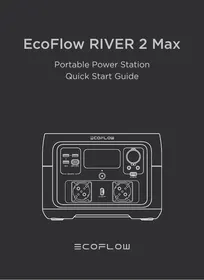
Portable Power Station
Quick Start Guide
DISCLAIMER
Read all safety tips, warning messages, terms of use, and disclaimers carefully. Refer to the terms of use and disclaimer at https://ecoflow.com/pages/terms-of-use and stickers on the product before use. Users take full responsibility for all usage and operations. Familiarize yourself with the related regulations in your area. You are solely responsible for being aware of all relevant regulations and using EcoFlow products in a way that is compliant.
ECOFLOW APP
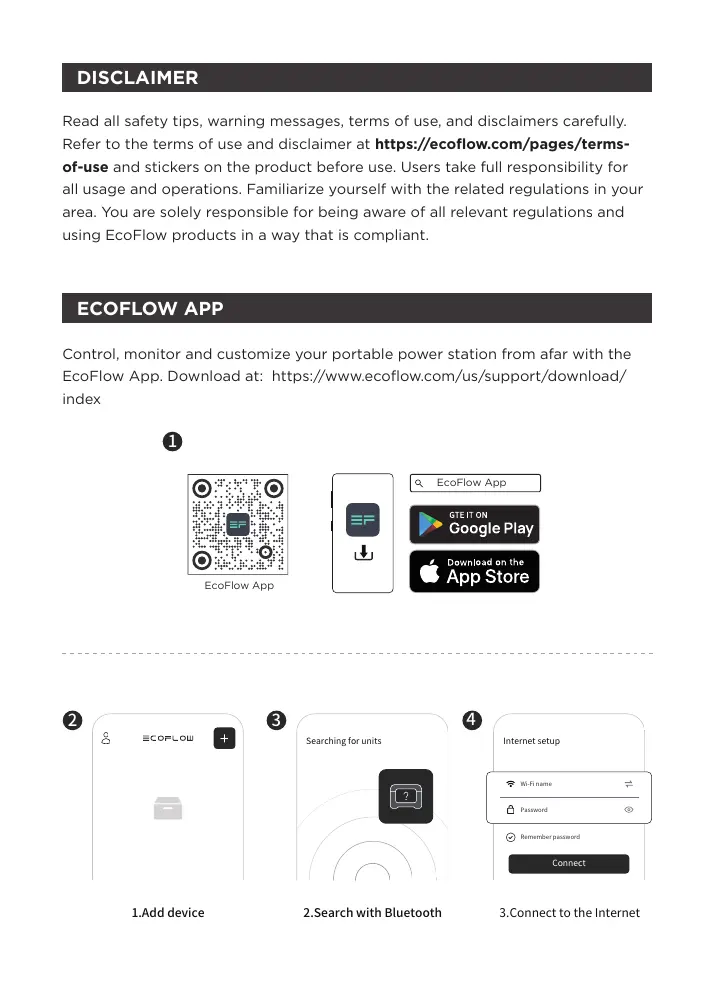
Control, monitor and customize your portable power station from afar with the EcoFlow App. Download at: https://www.ecoflow.com/us/support/download/index

1
EcoFlow App
2
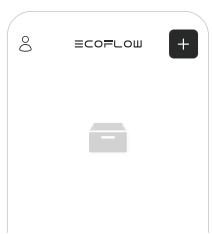
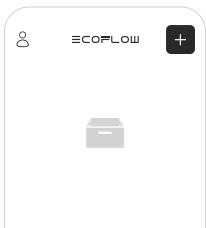
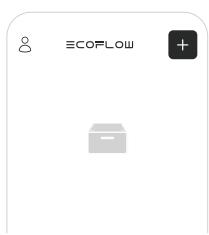
1.Add device
3
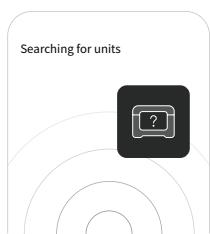
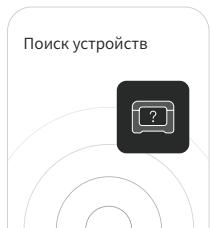
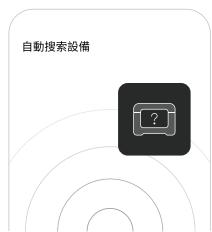
2. Search with Bluetooth
4
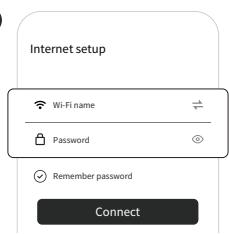
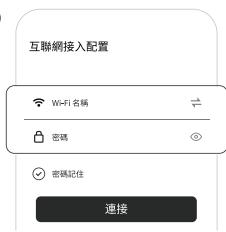
3. Connect to the Internet
Privacy Policy
By using EcoFlow Products, Applications and Services, you consent to the EcoFlow Term of Use and Privacy Policy, which you can access via the "About" section of the "User" page on the EcoFlow App or on the official EcoFlow website at https://www.ecoflow.com/policy/terms-of-use and https://www.ecoflow.com/policy/privacy-policy.
For more information, Please go to EcoFlow Official Website to get the Complete Version of the User Manual.
www.ecoflow.com/pages/download
In compliance with laws and regulations, the company has the final right to interpret this document and all related documents of this product. If there is any update, revision or termination without notice, please visit EcoFlow official website for the latest product information.
GETTING STARTED
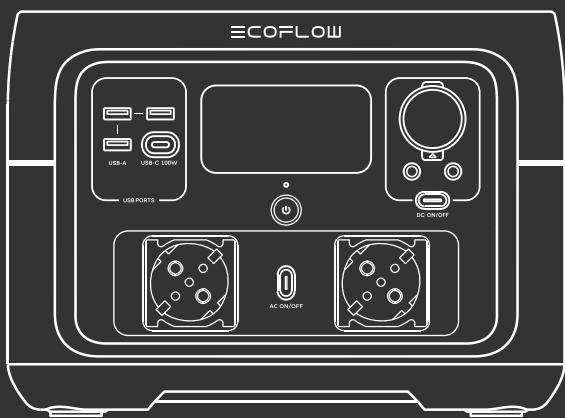
- Product On
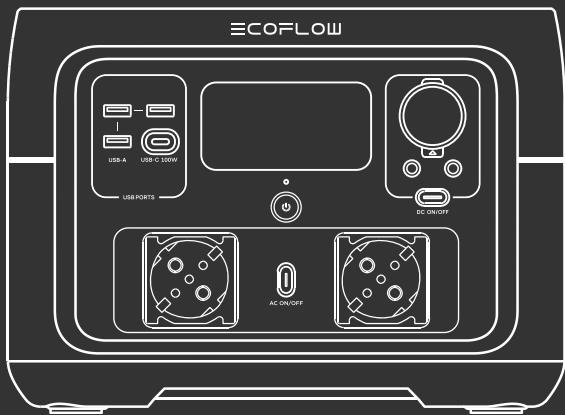
When switched off, press the main power switch briefly to turn on the power.
- Product Off
Press and hold the main power switch to turn off the product. When there is a charging input source, the product will not be the turn off.
- USB Output Port
The USB outlet (USB-A output/USB-C output) can be used after making sure that the main power is on.
- 12V Car Output Port
After ensuring that the main power is turned on, press the DC output switch briefly to use the 12V DC output port. Press the DC output switch briefly again to turn it off.
- AC Output Sockets
After ensuring that the main power is turned on, press the AC output switch briefly to use the AC output port. Press the AC output switch briefly again to turn it off(Switching frequency: With AC power on, press and hold the AC power button for 10 seconds to switch the frequency, or use the APP to switch the frequency).
- APP Control
When the main power is switched on, the Wi-Fi module and Bluetooth module are turned on by default. The user can connect the product to the app through Bluetooth. If you want to use the app from a long distance and you have a router, you may choose Wi-Fi for network distribution.
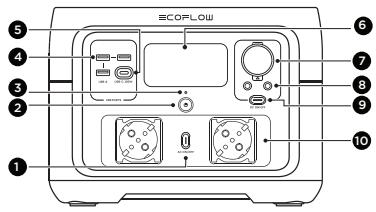
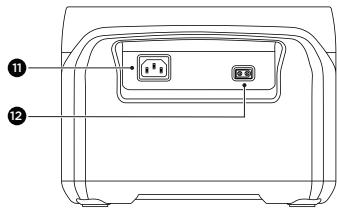
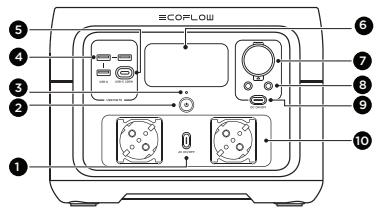
-
AC output switch
-
LCD
-
X-Stream AC Charging
-
Main power switch
-
Car charger outlet (10A)
Input Port
-
Power Indicator
-
DC5521 output port (3Ax2)
-
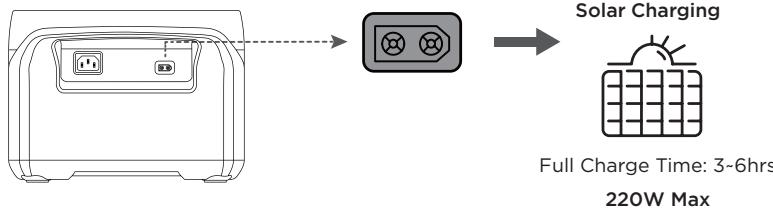
Solar/Car Charging
-
USB-A port
-
DC output switch
Input Port
- USB-C port
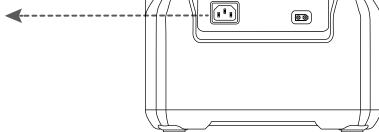
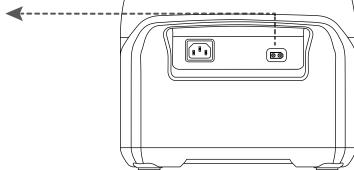
10^* . AC output socket
*Note:The type of AC socket varies in different countries or regions, the picture above is for illustration only, please refer to the actual product.
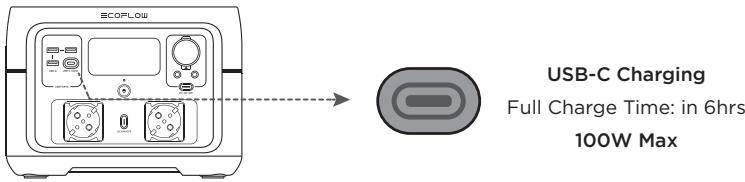
HOW TO CHARGE
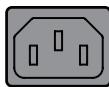
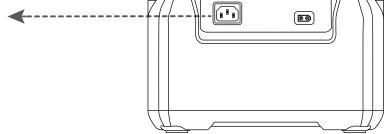
AC Charging
Charge Time:
100% in 1hr
660W Max
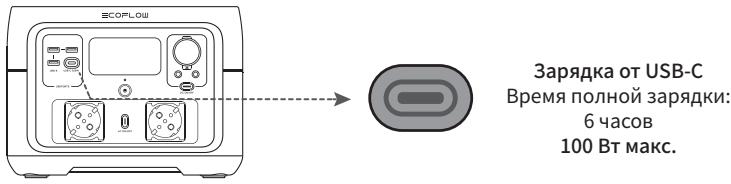
Car Charging


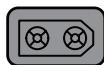
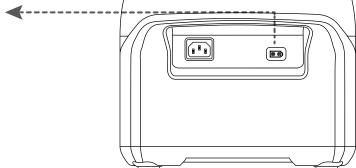
Full Charge Time: in 6hrs
100W Max
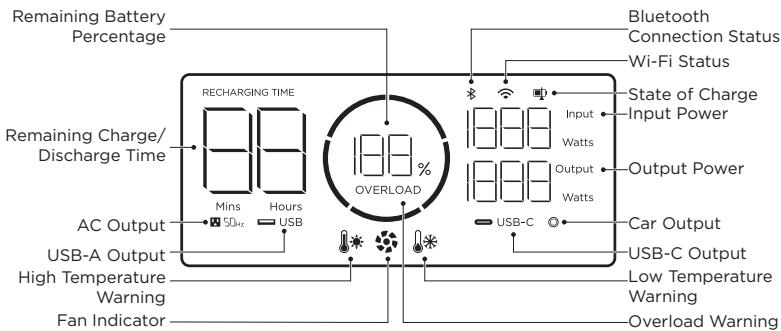
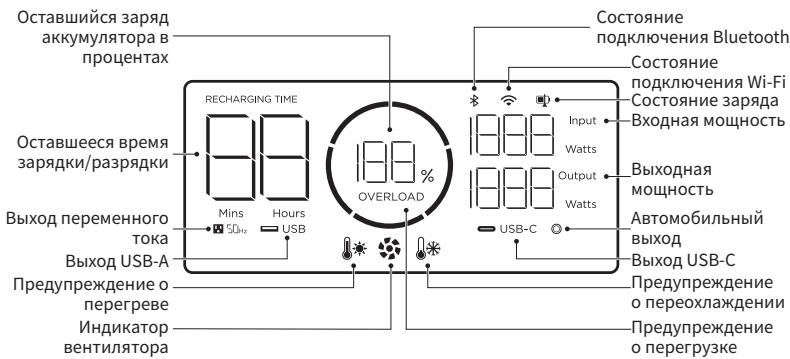
| Details of Error Icons | Error Type | Recovery Methods | |
| * icon flashes | Battery discharge low temperature protection | Normal operation will resume automatically when the battery warms up. | |
| * icon flashes | Battery discharge high temperature protection | Normal operation will resume automatically after the battery cools down. | |
| RECHARGING TIME * icon flashes | Battery charging low temperature protection | Normal operation will resume automatically after the battery temperature is restored to above 3°C (37.4°F). | |
| RECHARGING TIME * icon flashes | Battery charging high temperature protection | Normal operation will resume automatically after the battery cools down. | |
| SOHz icon flashes | AC output low-temperature protection | Normal operation will resume automatically after the ambient temperature is restored. | |
| SOHz icon flashes | AC output over-temperature protection | Please confirm that the air inlet and outlet of the product are unobstructed. Normal operation will resume automatically once the cause is eliminated and the temperature decreases. | |
| OVERLOAD icon flashes | USB-C or car charging overload protection | Normal operation will resume after removing the over-powered device and restarting the machine. | |
| OVERLOAD icon flashes | |||
| SOHz icon flashes | AC output overload protection | Normal operation will resume after removing the over-powered device and restarting the machine. Electrical appliances must be used within the rated power (for the power limit of electrical appliances in the X-Boost mode, please refer to the X-Boost function introduction) | |
| RECHARGING TIME OVERLOAD icon flashes | Charging overload protection | Remove the charger and normal operation will resume automatically after being restarted. | |
| icon flashes | Fan blocking | Please check whether the fan is blocked by foreign objects and remove the cause of the error. | |
| SOHz icon flashes | Failure of communication between main control board and AC | Normal operation will resume automatically after being restarted. | |

If any alert occurs during the use of this product and the alert icon does not disappear after the product is restarted, please stop using the product immediately (do not attempt to charge or discharge).
If the above information fails to resolve your problem, please contact customer service for further support.
SAFETY INSTRUCTIONS
- Do not use the product near a heat source, such as a fire source or a heating furnace.
- Avoid contact with any liquid. Do not immerse the product in water or get it wet. Do not use the product in rain or humid environments.
- Do not use the product in an environment with strong static electricity/magnetic fields.
- Do not disassemble the product in any way or pierce the product with sharp objects.
- Avoid using wires or other metal objects that may result in a short circuit.
- Do not use unofficial components or accessories. If you need to replace any components or accessories, please visit official EcoFlow channels to check relevant information.
- When using the product, please strictly follow the operating environment temperature specified in this user manual. If the temperature is too high, it may result in a fire or explosion; if the temperature is too low, the product performance may be severely reduced, or the product may cease to work.
- Do not stack any heavy objects on the product.
- Do not lock the fan forcibly during use or place the product in an unventilated or dusty area.
- Please avoid impact, falls, or severe vibrations when using the product. In case of a severe external impact, turn off the power supply immediately and stop using the product. Ensure the product is well fastened during transportation to avoid vibrations and impacts.
- If you accidentally drop the product into water during use, please place it in a safe open area, and stay away from it until it is completely dry. The dried product should not be used again, and should be properly disposed of according to the disposal guide in the user manual. If the product catches fire, we recommend that you use the fire extinguishers in the following order: water or water mist, sand, fire blanket, dry powder, and finally a carbon dioxide fire extinguisher.
- Use a dry cloth to clean off dirt on the product ports.
- Do Not put into the Microwave.
14replacement of a battery with an incorrect type that can defeat a safeguard.
15. disposal of a battery into fire or a hot oven, or mechanically crushing or cutting of a battery, that can result in an explosion.
16. leaving a battery in an extremely high temperature surrounding environment that can result in an explosion or the leakage of flammable liquid or gas.
17. a battery subjected to extremely low air pressure that may result in an explosion or the leakage of flammable liquid or gas.
FAQ
- What battery does the product use?
It uses high-quality lithium-ion battery.
- What devices can the product's AC output port power?
With 500W rated power and 1000W peak power, most consumer electronics. Before you use it, we recommend that you confirm the power of the appliances first and ensure the power sum of all loaded appliances is lower than the rated power.
- How long can the product charge my devices?
The charging time is shown on the product's LCD Screen, which can be used to estimate the charging time of most appliances with stable power usage.
- How can I know if the product is charging?
When it's charging, the remaining charging time will be shown on the LCD Screen. Meanwhile, the charging indicator icon begins to rotate with the remaining battery percentage and the input power shown on the right of the circle.
- Can I bring the product on a plane?
No.
General Info
| Capacity | 512Wh (20Ah 25.6V=) |
| Net Weight | Approximately 13.4lbs |
| Dimensions | 10.6 x 10.2 x 7.7inches |
| Model | EFR610 |
Output/Input Ports
| AC Input | 220-240V~50Hz/60Hz, 10A Max |
| DC Input | 11-50V=13A, 220W Max |
| USB-C Input/Output | 5/9/12/15/20V=5A, 100W Max |
| USB-A Output | 5V=2.4A 12W Max per port (total 24W) |
| DC Output | 12.6V=10A/3A/3A, 126W Max |
| AC Output | Pure Sine Wave, 500W total (surge 1000W), 230V ~ 50Hz/60Hz |
Battery Info
| Cell Chemistry | LFP |
| Cycle Life | 80%+ capacity after 3000 cycles |
Environmental Operating Temperature
| Discharge Temperature | -10°C to 45°C (14°F to 113°F) |
| Charge Temperature | 0°C to 45°C (32°F to 113°F) |
| Optimal Operating Temperature | 20°C to 30°C (68°F to 86°F) |
| Storage Temperature | -10°C to 45°C (20°C to 30°C is best)/14°F to 113°F (68°F to 86°F is best) |
- Please use or store the product in an environment temperature between 20^ to 30^ , away from water, heat, and other metal objects.
- For long-term storage, please recharge it to 60% every three months; If the product is left idle for a long time with severely low battery, irreversible damages may be caused to the battery cell and the product service life will be shortened. The product will not be covered by the warranty if it is not charged or discharged for more than 6 months.
- For safety, please do not store the product in an environment temperature higher than 45^ or lower than -10^ for a long time.
- If the product has been idle for too long and the battery is severely low, it will enter a deep sleep protection mode. In such case, please charge the product before using it again.
WHAT'S IN THE BOX
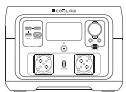
RIVER 2 Max
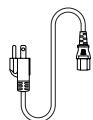
AC Charging Cable
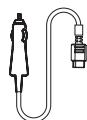
Car Charging Cable
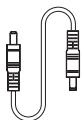
DC5521 Connection Cable

Quick Start Guide
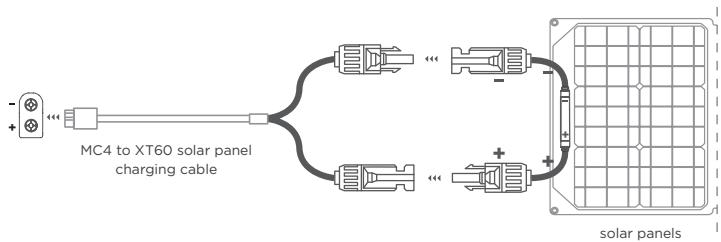
Users who use their universal solar panels with non-MC4 connector to power the equipment, please note: the solar panel should be in the voltage and current range (please find more information about the requirement in the User Guide). Connecting the wrong MC4 interface may damage the device. EcoFlow does not guarantee equipment failure caused by improper personal operation(For example, the open circuit voltage exceeds 60V).

We recommend that you use the EcoFlow solar panels.
Please confirm the positive and negative direction of your solar panel(as shown in the figure below).
Please connect the positive pole of your solar panel to the MC4 Male head and the negative pole to the MC4 Female head(as shown in the figure below).
1 MC4 Port

MC4 Male connector

MC4 Female connector
2 Please connect the positive pole to the MC4 Male head and the negative pole to the MC4 Female head.

Solar Panel positive pole +

Solar Panel negative pole -
3 Connect your solar panel to the MC4 to XT60 solar panel charging cable
Before connecting the solar panel, please make sure the positive pole of the solar panel connects to the MC4 Male head and negative pole to the MC4 Female head (as demonstrate in the figure below).
EcoFlow RIVER 2 Max
Download unter: https://download.ecoflow.com/app.

1
EcoFlow App

EcoFlow App

2
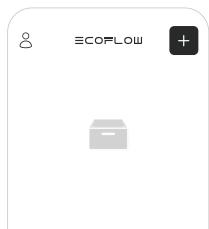
1.Gerat hinzufugen
www.ecoflow.com/pages/download
www.ecoflow.com/pages/download
www.ecoflow.com/pages/download
www.ecoflow.com/pages/download
- ¿Qué dispositivosSEOSEOSEOSEOSEOSEOSEOSEOSEOSEOSEOSEOSEOSEOSEOSEOSEOSEOSEOSEOSEOSEOSEOSEOSEOSEOSEOSEOSEOSEOSEOSEOSEOSEOSEOSEOSEOSEOSEOSEOSEOSEOSEOSEOSEOSEOSEOSEOSEOSEOSEOSEOSEOSEOSEOSEOSEOSEOSEOSEOSEOSEOSEOSEOSEOSEOSEOSEOSEOSEOSEOSEOSEOSEOSEOSEOSEOSEOSEOSEOSEOSEOSEOSEOSEOSEOSEOSEOSEOSEOSEOSEOSEOSEOSEOSEOSEOSEOSEOSEO SEO
www.ecoflow.com/pages/download
OTKA3 OT OTBETCTBEHHOCTN
BHNMaTeNbHnIpoUHTaIte Bce CoBeTbI NO 6e3ONaChOCTN, npedynpeKdaIoUne COo6SeHNA, yCIOBnIcNoJIb3OBaHnI IN3AIBeHnIg O6 OTKa3eOT OTBETCTBEHNOCTN. IpeE nCNoJIb3OBaHnEM O3HaKOMbTeCb C yCLOBnIM NcNoJIb3OBaHnI IN3AIBeHnEM O6 OTKa3eOT OTBETCTBEHNOCTN Ha CTpaHnIe https://ecoflow.com/pages/terms-of-use nЯрblkAmn HA n3deJIuN. BcO OTBETCTBEHNOCTb 3a nCNoJIb3OBaHnE nOJIb3OBaTeJIIN 6epyT nOHOCTbI Ho HA c6I. O3HaKOMbTeCb C COOTBETCTBYUoiUMn HOpMaTINBbIMn AKTAMn DEiCTByUoiUMn B BaWem peRnoHe. Bbl HeceTe nOJIHyO OTBETCTBEHNOCTb 3a O3HaKOMMeHne CO BCEMn COOTBETCTBYUoiUMn HopMaTINBbIMn AKTAMn IN cNoJIb3OBaHnIe n3dJIeNl ECOFlow B COOTBETCTBN i PpeJbABJeBMIm K Hm Tpe6OBaHnIMn.
PPIIOXEHNE ECOFLOW
OcuyeTbIe ynpabLeHne,MOHTOpuHnHa HacTpoKy nopTaTubHOJ 3JIeKTPocTaHUn Ha pacCToHmC nomoBIO npINOKeHnE EcoFlow. CkaaTe ha caIte https://www.ecoflow.com/us/support/download/index

1
EcoFlow App

EcoFlow App

GTEITON
Google Play

Download on the
App Store
2
1.Do6aBntb yctpoNCTBO
3
2.ПОИСК ПОМОЦБЮBluetooth
4
HactpoKa nHTepHeTa
www.ecoflow.com/pages/download
B COOTBECTBNN C cyueCTBvIOUIM 3aKoHOaTeNbCTBOM OKOHaTeNbHoe npABo HA INHTepnpeTaeuIO DaHHORO DOKUMeHTa N BceI cOnyTCTBvIOUeI DOKUMeHTaUIN NO DAHHOMY n3dJIENo OaETcra 3a KOMpaHne. EcnI KaKaJ-Ln6o INHΦOpMaUN 6blA o6HOBHeNA, nepcMOtpeNa IIN n3bTa 6e3 npedBaPteNbHoro yBeDoMJeHnN, nocetute OphiMaJIbHbN Be6-caIT EcoFlow dJa NOnLyehn O6HOBNeHNO HΦOpMaUN 6b3dJIEN.
HAUAPAOPABOTbl
1.BkIIOUeHne n3dennr
B BbIKIIOUeHHOM COCTOHN KpATKOBpeMeHNO HaXMMTe Ha BbIKIIOUaTeJIb OCHOBHOrO IITAHN, YTO6bl BKIIIOUYtB IITaHne.
- BbiklouheHne n3delen
HaxMMte n ydepKJBnBaiTe BbIKIouaTeJIb OCHOBHOrO PITAHJN, YTObI BbIKIOuHTb n3dJeNe. Prn HauHnN IcTouHnKa BxOJHO rCnHaJa IaIz 3aprKn N3dJeIne He bEydt BbIKIOUeHo.
- BbIXoHoi nopT USB
Po3eTky USB (BbIXoD USB-A/BbIXoD USB-C) MoXHo NcNoIb3OBaTb, y6eINBUnCb BO BKJIUOeHm OCHOBHO rNtAHn.
- BixoHoi nopT abTomO6nIbHoi 3apJkn 12B
Y6eBbWcB Bo KKnOChENn OCHOBHOro NITaHN, KpKaTKBpeMeHHo HaXmTe Ha BixOHOH bKIIIOUaTeNb NOCTOHNO TOKa IINCNOB3OBAHHa BixOHOrO npTa 12 B NoCTOHNO TOKa. CHOba KpKaTKBpeMeHHo HA XmTe Ha BixOHOH bKIIIOuAteNb NOCTOHNO TOKa, YTO6bl BixKIOUChNtB eTo.
- BixoHbIe rHe3da IepemEnHOro Toka
Y6eBnBnCb BO BkIIOUeHnO OCHOBHO rNtAHn, KpaTkoBpeMeHHo HaxKMnTe Ha BbIXoHn BbIKJIOuTaJIb NpeMeHHORo TOKa, YTObI bNCNoJIb3OBAbT bBixOHD NpOrt peMeHHORo TOKa. ChOb KaPtKOBpeMeHHo HAXMnTe HxADHOB BbIKJIOuTaJIb NpeMeHHORo TOKa, YTObI bBkIHouHTb erO.(PeKeBHIOueHne yactOTbl: PnI BkIOUeHHOM NtAHn NpeMeHHORo TOKa hXAKMITE u UdepXINBaITe KhoIKNy NtAHn NpeMeHHORo TOKa B TceHnE 10 cekynd IyrapeKIIIOUeHn yactOTbl, INI NCNoJIb3yIte CneuaJIbHOe npInloXeHne IyrapeKIIIOUeHn yactOTbl).
- YnpabBHeHne npInloXeHNem
PnBkIoUeHOM OCHOBHOM NtAHNN Wi-Fi-MoDyNb I Bluetooth-MoDyNb no yMOnuHaHNO BKIOUeHb.IIpb3OBAteNb MoKeT NOkKnOuHTb N3dEInne K npINOJKeHnIO Upe3 Bluetooth. PnI Heo6xOaIMocTn NcNoJIb3OBAHH naPinoKHeHnHa 6BohOM paCCTOAHnn H NaIIChN MapWpyTN3aTopa MOKHO Bbl6paTB Wi-Fi dJa pa3daun cetN.
- BixoHoi BbIKNoaTeIb nepeMeHHOrTo ToKa
- Bыклочаел
Освовно патону.
3.Инданкаторптуань - NopT USB-A
-
NopT USB-C
6.ЖК-Зкран -
Pótečka dlya
aBtOMo6bIbHoro
3aPádHoro yctpoIcTBA
(10A) - BbIXoHNoI npOr DC5521 (3Ax2)
- BbIXoHNoB BbIKNoUaTeJIb NOCTOaHHOro TOKa
10*. BbIXOHDHe rHEn3o nepeMeHHoro TOKa
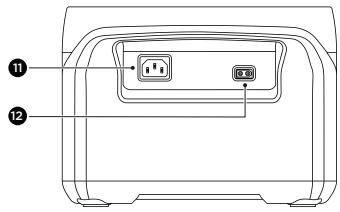
11.BxoHNoI npT X-StreamДлЯЗарДКИ OTИСТОУнКAnepemeHHOROTOKA
12. BxOngHnI npT dIa 3apdKn OT cJHeuHn IaHeN/abTomo6nla
*PpMueaHHe:Ha pncyHke BblIe NOKa3aHbI pa3NnUHbI Tnbl po3eTOK B pa3HbIX CTpaHax I pernohax. DaHHoe n3o6paXeHne npNBedeHO B cnpBaOuHbIX cIeJx, CM. fakTnueckm npOdyKT.
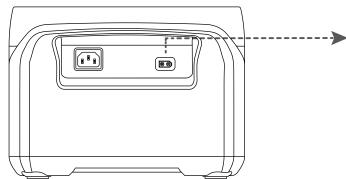
3apka ot cetn nepemehhoro TOka
Bpemzapdkn:
100% 3a 1 yaca
660BTMAKC.

3apka
OT COJIHeHON NaHeJIIN

Bpemn pnoHn3apdKn:
3~6 yacob
220 BT MaKc.
3apkaot ABTOMOUI


BpemnnoHnO3aPAn:6YacOB 100BTmKc.
Pa6ooua TeMnepaTpya OkpykaIooe cpebl

KpaTkoepykoOboCTBO nIb3OBaTeIa
EcoFlow RIVER 2 Max
移動儲能站快速入門指南
免責聲明
https://www.ecoflow.com/us/support/download/index

1
EcoFlow App

EcoFlow App

2
1. 添加設備
3
2. 使用蓝牙搜索
4
3.連接網絡
隐私政策
https://cn.ecoflow.com/downloads
https://warranty.ecoflow.com/
Why register?
- Serve as proof for an insurance loss claim
- Get instant EcoFlow product support
- Get instant access to product release news
Contact us
+1 (800)-368-8604 Mon-Fri 9 am-9 pm (EST)
https://ecoflow.com/pages/contact-us

NA/LA/APAC/MEA: support@ecoflow.com,
EU: support.eu@ecoflow.com, AU: support.au@ecoflow.com
ECOFLOW