
AP2040 - Air purifier TAURUS - Free user manual and instructions
Find the device manual for free AP2040 TAURUS in PDF.
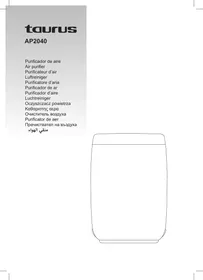



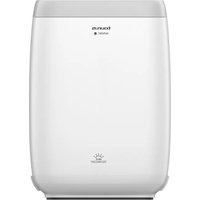
| Product type | Air purifier |
| Brand | Taurus |
| Model | AP2040 |
| Weight | 6.139 kg |
| Acoustic pressure level | < 60 dB(A) |
| Operating temperature | 0 °C ~ 35 °C |
| Storage temperature | -15 °C ~ 45 °C |
| Air quality indicator | Yes (PM2.5, 4 colors) |
| Number of speeds | 4 speeds + automatic mode |
| Sleep mode | Yes, with lights off |
| Child lock | Yes, activation by long press |
| Filter life indicator | Yes, approximately 2500 hours |
| Filter type | Replaceable filter (non-washable) |
| Filter maintenance | Sterilize in sunlight, do not wash or vacuum |
| Device cleaning | Damp cloth, do not immerse |
| Minimum distance around the device | 15 cm on sides, 30 cm above |
| Power supply | Mains (power cord) |
| Protection rating | IPX0 |
| Available accessories | Replacement filters |
Frequently Asked Questions - AP2040 TAURUS
User questions about AP2040 TAURUS
0 question about this device. Answer the ones you know or ask your own.
Ask a new question about this device
Download the instructions for your Air purifier in PDF format for free! Find your manual AP2040 - TAURUS and take your electronic device back in hand. On this page are published all the documents necessary for the use of your device. AP2040 by TAURUS.
USER MANUAL AP2040 TAURUS
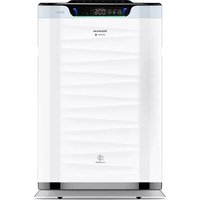
1 Panel control 2 Air outlet 3 Air inlet 4 PM2.5 indicator 5 Front panel
CONTROL PANEL
A Sleep button and indicator B Fan speed indicator C On-off / fan speed / child lock D Child lock indicator F Filter button and indicator
USE AND CARE:
- Do not operate the appliance in a very dusty and/or humid place or in a location with fire hazards.
- Never insert objects into the appliance. Never place anything on the appliance or insert anything into it.
- Do not cover the air inlets or the outlet grid.
- Never allow any liquid to enter the appliance.
- Do not touch the appliance with wet hands.
- Never use the appliance in a humid place.
- Never use the appliance close to a heat source.
- Do not use the appliance close to flammable objects or products (curtains, aerosols, solvents, etc.).
- Do not spray any flammable material such as insecticides or fragrance around the appliance. It may cause explosion or fire.
- This appliance cannot replace normal ventilation, daily dust collection, or oil pumping when cooking.
- Ensure that the appliance is used on a stable and horizontal surface.
- Leave at least 15 cm of space on the back and sides of the appliance, and at least 30 cm of space above the product when using.
- Fully extend the appliance's power cable before each use.
- Do not use the appliance without its filter(s) correctly in place.
- Do not use the appliance if the on/off switch does not work.
- Do not move the appliance while in use.
- Do not turn the appliance over while it is in use or connected to the mains.
- Disconnect the appliance from the mains when not in use and before undertaking any cleaning task.
- Unplug the appliance from the mains before replacing any accessory.
- Unplug the appliance from the mains when not in use and before undertaking any cleaning task.
- Store this appliance out of reach of children and/or persons with physical, sensory or reduced mental or lack of experience and knowledge.
- Do not expose the appliance to extreme temperatures.
- Do not expose to extreme temperatures or strong magnetism.
- Keep the appliance in a dry, dust-free place, out of direct sunlight.
- Make sure that dust, dirt or other foreign objects do not block the fan grill on the appliance.
- Keep the appliance in good condition. Check that the moving parts are not misaligned or jammed and make sure there are no broken parts or anomalies that may prevent the appliance from operating correctly.
- Never leave the appliance unattended while in use.
- Never leave the appliance connected and unattended if it is not in use. This saves energy and prolongs the life of the appliance.
- Do not use the appliance to dry textiles of any kind.
INSTALLATION
- Be sure to remove all packaging material from inside the appliance.
- Ensure that the appliance is level with respect to the floor.
- Do not cover or obstruct any of the openings of the appliance.
- The plug must be easily accessible so it can be disconnected in an emergency.
INSTRUCTIONS FOR USE
BEFORE USE:
- Make sure that all the product's packaging has been removed.
- Remove the appliance's protective film and follow figures 1, 2, 3, 4.
- To eliminate the smell given off by the appliance when used for the first time, it is recommended to have it on at full power for 2 hours in a well-ventilated room.
- Prepare the appliance according to the function you wish to use:
USE:
- Extend the cable completely before plugging it in.
- Attach the appliance to its base / connector making sure that it is correctly fitted into place.
- Attach the appliance to its base making sure that it is correctly fitted into place.
- Ensure that the electronic connector is properly attached to the appliance.
- Connect the appliance to the mains.
- Guide the appliance to direct the flow of air in the desired direction.
- Turn the appliance on, by using the on/off button.
- Press the "ON button", the machine will enter the auto mode (all fan speed LED lights on); in the auto mode, the machine determines the running wind speed according to the air quality.
- Press two times to enter the first fan speed, and the first indicator is on.
- Press three times to enter the second speed, and the second indicator is on.
- Press four times to enter the third speed operation, and the third indicator is turned on.
- Press five times to enter the fourth speed and light the fourth indicator;
- Press six times to turn off;
CHILD LOCK:
- Long press the "Switch button" for 3 seconds to enter the child lock mode,
- the child lock indicator light will show blue. In the child lock mode, other buttons will be locked.
- Hold the "Switch button" for 3 seconds again, the child lock indicator light would be off with this function.
FILTER BUTTON:
- When the filter life expires (about 2500hr), the filter replacement indicator will flash to remind you, it is high time to change the filter.
- Please replace the filter consulting figures 1,2,3,4.
- After changing the filter, hold the "Filter button" down for 5 seconds to reset
SLEEP BUTTON:
- In the state of power-on, press the "Sleep button" briefly, the purifier enters the sleep mode, and all the lights except the sleep status indicator are off. If any key is pressed, the display will resume for 30 seconds, and then press any key again within 30 seconds to exit sleep and enter the automatic mode. After 30 seconds without button operation, the display will be off.
AIR QUALITY DISPLAY
Excellent: Blue - Good: Green - Mild: Yellow - Bad: Red
ONCE YOU HAVE FINISHED USING THE APPLIANCE:
- Turn the appliance off, using the on/off button.
- Unplug the appliance from the mains.
CLEANING
- Disconnect the appliance from the mains and allow it to cool before undertaking any cleaning task.
- Clean the electrical equipment and the mains connection with a damp cloth and dry. DO NOT IMMERSE IN WATER OR ANY OTHER LIQUID.
- Clean the equipment with a damp cloth with a few drops of washing-up liquid and then dry.
- Do not use solvents, or products with an acid or base pH such as bleach, or abrasive products, for cleaning the appliance.
- Do not let water or any other liquid get into the air vents to avoid damage to the inner parts of the appliance.
- Never submerge the appliance in water or any other liquid or place it under running water.
- Do not wash the filter.
- Do not use a vacuum cleaner to clean the filter.
- Sterilize the filter under sunlight regulatory.
- If the appliance is not in good condition of cleanliness, its surface may degrade and inexorably affect the duration of the appliance's useful life and could become unsafe to use.
SUPPLIES
- Supplies can be acquired from distributors and authorised establishments (such as filters, etc.) for your appliance model.
SPECIFICATIONS:
- Protection degree: IPX0
- Applied part type: BF
- Weight: 6,139 Kg
- Acoustic pressure level < 60 dB (A)
- Vibration < N/A m/s2
- Operating temperature: 0°C ~ 35°C
- Storage temperature: -15°C ~ 45°C
NB: These specifications are subject to change without notice of purpose of improvement.
AP2040
DESCRIPTION
INTENDED USE:
- Make sure you have completely unpacked the device. Remove the protective film from the device and follow figures 1,2,3,4. -When first turned on, the device emits a smell. It is recommended to let it run at full capacity for 2 hours in a well-ventilated room. -Prepare the appliance for operation.
- USE
-Fully unwind the cable before connecting to the mains. -Correctly install the electrodes on their stand. -Correctly install the shutter on its stand. -Make sure the electrical cord is properly connected to the device. -Connect the device to the mains. -Set the device for the desired air flow direction. -Turn on the device using the switch; -Press the "ON" button, the device will enter automatic mode (all speed indicator lights will be lit); in automatic mode, the device determines the wind speed depending on the air quality.
-Press twice for the first fan speed, the first indicator lights up; -Press three times for the second speed, the second indicator lights up; -Press four times for the third speed, the third indicator lights up; -Press five times for the fourth speed, the fourth indicator lights up; -Press six times to turn off the device.
CHILD LOCK:
-Press and hold the switch for 3 seconds to enter child lock mode, the child lock indicator lights up blue. In child lock mode, other buttons will be locked. -Press and hold the switch again for 3 seconds, the indicator for this function goes out.
FILTER BUTTON:
-When the filter service life expires (about 2500 hours), the filter replacement indicator lights up, reminding you to replace the filter. -Please replace the filter as shown in figures 1,2,3,4. -After replacing the filter, press and hold the "Filter button" for 5 seconds to reset.
SLEEP MODE BUTTON:
-When the device is on, briefly press the "Sleep button", the appliance switches to sleep mode, and all indicators except the sleep mode indicator go out. If you press the button again, the appliance resumes operation for 30 seconds; press the button again within these 30 seconds to exit sleep mode and return to automatic mode. If no button is pressed within 30 seconds, the appliance goes out.
AIR QUALITY DISPLAY
AIR DISPLAY
- Excellent: Blue - Good: Green - Moderate: Yellow - Poor: Red
INSTRUCTIONS FOR USE:
- Turn off the appliance using the switch.
- Unplug the appliance from the mains.
CLEANING
- Disconnect the appliance from the mains after use, so that it cools down before cleaning.
- Clean the housing of the electric appliance with a damp cloth, then dry it. DO NOT IMMERSE IN WATER OR ANY OTHER LIQUID.
- Clean the appliance using a damp cloth with a few drops of cleaning liquid, then wipe it dry.
- Do not use solvents or products with high pH levels, such as descaling agents, or abrasive cleaning substances. -Do not allow water or any other liquid to enter through the air vents, to avoid damaging the internal parts. -Do not place the electric appliance in water or any other liquid, nor under a stream of water. -Do not wash the filter.
- Do not use a vacuum cleaner to clean the filter. -Regularly dry the filter in the sun.
- If the appliance is not kept in a clean condition, its surface may be damaged, its service life shortened, or even its use may become unsafe.
CONSUMABLE PARTS
- Consumable parts (e.g., filters, etc.) for your model can be ordered from retailers and authorized representatives.
TECHNICAL SPECIFICATIONS:
-Protection class: IPX0 -Applicable parts: BF - Weight: 6.139 kg - Acoustic pressure level: < 60 dB(A) - Vibration: < 2.5 m/s² - Operating temperature: 0°C to 35°C - Storage temperature: -15°C to 45°C
Note: The characteristics may be changed without prior notice for the purpose of improving the device.
Romanian
AIR PURIFIER
AP2040
DESCRIPTION
1 Control panel 2 Air outlet 3 Air inlet 4 PM2.5 indicator 5 Front panel
CONTROL PANEL
A Standby button and indicator B Fan speed indicator C On/off/fan speed/child lock D Child lock indicator E Filter indicator button
USE AND CARE:
AP2040
ρ ( 0,1)
= α < 0 or = - α
∴ · = 0
PM 2.5
Spanish
WARRANTY AND TECHNICAL ASSISTANCE
This product enjoys the recognition and protection of the legal guarantee in accordance with current legislation. To enforce your rights or interests you must go to any of our official technical assistance services.
You can find the closest one by accessing the following web link: http://taurus-home.com/
You can also request related information by contacting us.
You can download this instruction manual and its updates at http://taurus-home.com/
French
WARRANTY AND TECHNICAL ASSISTANCE
WARRANTY AND TECHNICAL ASSISTANCE
This product enjoys the recognition and protection of the legal guarantee in accordance with current legislation.
To enforce your rights or interests you must go to any of our official technical assistance services.
You can open the service manual at the following link: http://taurus-home.com/
You can also request related information by contacting us (see the last page of the manual).
A booklet with instructions and current information can be downloaded from the website http://taurus-home.com/
http://taurus-home.com
http://taurus-home.com
| COUNTRY | ADDRESS | PHONE |
| Algeria | Zone d'Activite, N° 62, Constantine | 213770777756 |
| Argentina | Av. del Libertador 1298,(B1638BEY), Vicente López (Pcia. Buenos Aires) | 541153685223 |
| Belgium | Mariëndonstraße 5, 5154 EG, Elshout | 31620401500 |
| Benin | 359 Av. Steinmetz, 1930, Cotonou | 0299-21313798 |
| Bulgaria | 265,Okolovrasten Pat, Mladost 4, 1766, Sofia | 35929211120 / 35929211193 |
| Burkina Faso | Avenue Bassawarga, 01 BP915, Ouagadougou | 226 25301038 |
| Congo (Republic of) | 98 Blvd General Charles de Gaulle, Pointe Noire | 242066776656 |
| Cyprus | 20, Bethlehem Str. / P.O.Box 20430, 2033, Strovolos | 35722711300 |
| Czech Republic | Milady Horakove 357/4, 568 02, Svitavy | 420 461 540 130 |
| Democratic Republic of the Congo | AV. Pont Canale N° 3440, Kinshasa | 00243-991223232 |
| Equatorial Guinea | SN Av Patricio Lumumba y C/ Jesus B, Bata | 00240 333 082958 / 00240 333 082453 |
| Equatorial Guinea | Calle de las Naciones Unidas, PO box 762, Malabo | 240333082958 / 240333082453 |
| Espana | Avda Barcelona, S/N, 25790 Oliana (Lleida) atencioncliente@taurus.es | 902 118 050 |
| Ethiopia | Lideta Sub City Kebele 10 H.NO 124, Addis Ababa | +251 11 5518300 |
| France | Za les bas musats 18, 89100, Malay-le-Grand | 03 86 83 90 90 |
| Gabon | BP 574, Port-Gentil Centre-ville | 24101552689 / 24101560698 |
| Ghana | Ederick Place, Accra-Ghana | 302682448 / 302682404 |
| Gibraltar | 11 Horse Barrack Lane, 54000, Gibraltar | 00350 200 75397 / 00350 200 41023 |
| Greece | Sapfous 7-9, 10553, Athens | +30 21 0373 7000 |
| Guinea | BP 206, GN, Conakry | (224) 622204545 |
| Hong Kong | Unit H,13/F., World Tech Centre, Hong kong | (852) 2448 0116 / 9197 3519 |
| Hungary | Késmárk utca 11-13, 1158, Budapest | +36 1 370 4519 |
| India | C-175, Sector-63, Noida, Gautam Budh Nagar - 201301, Delhi | (+91) 120 4016200 |
| Ivory Coast | 01 Rue Des Carrossiers-Zone 3, B.P 3747, Abidjan 01 (RCI) | 22521251820 / 225 21 353494 |
| Jordan | 28 Basman St Down town, Amman | +962 6 46 222 68 |
| Kuwait | P.O. BOX 3379 hawally, 32034, Hawally | +965 2200 1010 |
| Lebanon | Damascus Highway; Sciale Building, Jamhour | 9615922963 |
| Luxembourg | Mariëndonstraße 5, 5154 EG, Elshout | 31620401500 |
| Mali | BP E2900, Dravela Bolibana | 223227216 / 223227259 |
| Marruecos | Big distribution society 4 Rue 13 Lot. Smara Oulfa, Casablanca | (+212) 522 89 40 21 |
| Mauritania | 134 Avenue Gamal Abdener Ilot D, Nouakhott | 2225254469 / 2225251258 |
| Mexico | Rosas Moreno N° 4-203 Colonia de San Rafael C.P. 06470 – Delegación Cuauhtémoc, Ciudad de México | (+52) 55 55468162 |
| Montenegro | Rastovac bb, 81400, Niksic | +382 40 217 055 |
| Netherlands | Mariëndonstraße 5, 5154 EG, Elshout | 31620401500 |
| Nigeria | 8, Isaac; John Str,G.R.A Ikeja Lagos | 23408023360099 |
| Paraguay | Denis Roa 155 c/ Guido Spano, Asunción | 21665100 |
| Peru | Calle los Negocios 428, Surquillo, Lima | (511) 421 6047 |
| Portugal | Avenida Rainha D. Amélia, n°12-B, 1600-677, Lisboa | +351 210966324 |
| Romania | Dudesti Pantelimon 23, 410554, Bucharest | 031.805.49.58 |
| Serbia | Rastovac bb, 81400, Niksic | +382 40 217 055 |
| Slovakia | Milady Horakove 357/4, 568 02, Svitavy | 420 461 540 130 |
| Southafrica | Unit 25 & 26, San Croy Office Park, Die Agora Road, Croydon, Kempton Park, 1619, Johannesburg | (+27) 011 392 5652 |
| Tunisia | 2, Rue de Turquie, Tunis | 21671333066 |
| Ukraine | Block 6, Ap Housing Estate Topol-2, B, 49000, Dnepropetrovsk | 380563704161 / 380563704161 |
| United Arab Emirates | P.O.BOX 8543, Dubai | 14506246200 |
| Uruguay | Luis Alberto de Herrera 3468, 11600, Montevideo | 598 2209 28 00 |
| Vietnam | Lot 7 Ind. Zone for, Ha Noi | 84437658111 / 84437658110 |



- CONTROL PANEL
- USE AND CARE
- INSTALLATION
- INSTRUCTIONS FOR USE
- BEFORE USE
- USE
- CHILD LOCK
- FILTER BUTTON
- SLEEP BUTTON
- AIR QUALITY DISPLAY
- ONCE YOU HAVE FINISHED USING THE APPLIANCE
- CLEANING
- SUPPLIES
- SPECIFICATIONS
- AP
- DESCRIPTION
- INTENDED USE
- FULLY UNWIND THE CABLE BEFORE CONNECTING TO THE MAINS. -CORRECTLY INSTALL THE ELECTRODES ON THEIR STAND. -CORRECTLY INSTALL THE SHUTTER ON ITS STAND. -MAKE SURE THE ELECTRICAL CORD IS PROPERLY CONNECTED TO THE DEVICE. -CONNECT THE DEVICE TO THE MAINS. -SET THE DEVICE FOR THE DESIRED AIR FLOW DIRECTION. -TURN ON THE DEVICE USING THE SWITCH; -PRESS THE "ON" BUTTON, THE DEVICE WILL ENTER AUTOMATIC MODE (ALL SPEED INDICATOR LIGHTS WILL BE LIT); IN AUTOMATIC MODE, THE DEVICE DETERMINES THE WIND SPEED DEPENDING ON THE AIR QUALITY
- PRESS AND HOLD THE SWITCH FOR 3 SECONDS TO ENTER CHILD LOCK MODE, THE CHILD LOCK INDICATOR LIGHTS UP BLUE. IN CHILD LOCK MODE, OTHER BUTTONS WILL BE LOCKED. -PRESS AND HOLD THE SWITCH AGAIN FOR 3 SECONDS, THE INDICATOR FOR THIS FUNCTION GOES OUT
- WHEN THE FILTER SERVICE LIFE EXPIRES (ABOUT 2500 HOURS), THE FILTER REPLACEMENT INDICATOR LIGHTS UP, REMINDING YOU TO REPLACE THE FILTER. -PLEASE REPLACE THE FILTER AS SHOWN IN FIGURES 1,2,3,4. -AFTER REPLACING THE FILTER, PRESS AND HOLD THE "FILTER BUTTON" FOR 5 SECONDS TO RESET
- WHEN THE DEVICE IS ON, BRIEFLY PRESS THE "SLEEP BUTTON", THE APPLIANCE SWITCHES TO SLEEP MODE, AND ALL INDICATORS EXCEPT THE SLEEP MODE INDICATOR GO OUT. IF YOU PRESS THE BUTTON AGAIN, THE APPLIANCE RESUMES OPERATION FOR 30 SECONDS; PRESS THE BUTTON AGAIN WITHIN THESE 30 SECONDS TO EXIT SLEEP MODE AND RETURN TO AUTOMATIC MODE. IF NO BUTTON IS PRESSED WITHIN 30 SECONDS, THE APPLIANCE GOES OUT
- AIR DISPLAY
- CONSUMABLE PARTS
- TECHNICAL SPECIFICATIONS
- ROMANIAN
- AIR PURIFIER
- SPANISH
- WARRANTY AND TECHNICAL ASSISTANCE
- FRENCH
Brand : TAURUS
Model : AP2040
Category : Air purifier