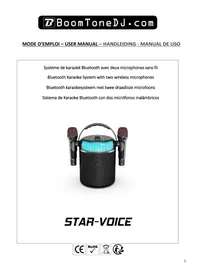
STAR-VOICE - Microphone BOOMTONEDJ - Free user manual and instructions
Find the device manual for free STAR-VOICE BOOMTONEDJ in PDF.


| Product Type | Bluetooth Karaoke System with Two Wireless Microphones |
| Brand | BoomtoneDJ |
| Model | STAR-VOICE |
| Dimensions | 275 x 170 x 170 mm |
| Net Weight | 0.28 kg |
| Speaker Power Supply | Lithium battery 3000 mAh |
| Microphone Power Supply | Lithium battery 800 mAh (rechargeable via USB) |
| Charging | USB Type-C 5V DC 1A |
| Battery Life | 3 to 4 hours |
| Frequency Response | 70 Hz – 18 kHz |
| Max Bluetooth Transmission Power | 2.18 dBm |
| Bluetooth Frequency Range | 2402 – 2480 MHz |
| Main Functions | Bluetooth playback, USB, AUX, wireless microphones, echo effects, tone change (original, high, low, robot), built-in LED lights |
| Care and Cleaning | Clean with a soft, dry cloth. Recharge the battery every 3 months when not in use. |
| Safety | Do not open the casing. Do not expose to water or moisture. Keep out of reach of children. Use only indoors. Unplug if not used for an extended period. |
| Spare Parts and Repairability | No user-serviceable parts. Contact customer service for repairs. |
| General Information | Imported by BoomtoneDJ - MSC, 9 Avenue Camille Flammarion, 91630 Avrainville, France. |
Frequently Asked Questions - STAR-VOICE BOOMTONEDJ
User questions about STAR-VOICE BOOMTONEDJ
0 question about this device. Answer the ones you know or ask your own.
Ask a new question about this device
Download the instructions for your Microphone in PDF format for free! Find your manual STAR-VOICE - BOOMTONEDJ and take your electronic device back in hand. On this page are published all the documents necessary for the use of your device. STAR-VOICE by BOOMTONEDJ.
USER MANUAL STAR-VOICE BOOMTONEDJ
MODE D'EMPLOI - USER MANUAL - HANDLEIDING - MANUAL DE USO
Bluetooth Karaoke System with two wireless microphones
Read the manual carefully and keep it for future reference.
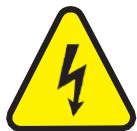
The lightning bolt in the triangle draws attention to a physical danger (e.g. due to electrocution).
The exclamation makin the triangle indicates a risk when handling or

ATTENTION
DO NOT OPEN THE CASE RISK OF ELECTRIC SHOCK
using the appliance.
CAUTION:
Do not place small objects such as coins or paper clips on the appliance, as they may fall inside. This could cause a fire or electric shock. If any liquid or object enters the appliance, unplug it from the mains immediately and contact your dealer.
To disconnect the mains plug, always pull on the plug, never on the cord.
Never connect or disconnect the mains plug with wet hands.
Keep electrical appliances out of the reach of children. Be particularly careful around children. Children are not aware of the dangers of an electrical appliance. They could try to insert an object inside the appliance, which represents a serious risk of electrocution.
Never place the appliance on an unstable or moving surface. The appliance could injure someone or be damaged if it falls.
All persons involved in the use, installation and maintenance of this appliance must be trained and qualified and must comply with these instructions.
Defective mains cables should only be replaced by a specialist. Risk of electric shock!
If you are unsure of the correct connection, or if you have any questions that are not answered in the instructions for use, don't hesitate to ask a specialist or your retailer for advice.
To avoid damage caused by power surges, unplug the adaptor and switch off the appliance if it is not to be used for a long time.
The device in operation must not be exposed to extreme temperatures (not below 5^ and not above 35^ ).
The appliance may only be used indoors
Do not place an open flame such as a candle on or near the appliance.
Do not expose batteries to excessive heat such as sunshine, fire or the like.
Where the power cord or an appliance coupler is used as a disconnection device,
this device must remain easily accessible.

IMPORTANT NOTE: Electrical products must not be disposed of with household waste.
Please recycle them where recycling centres exist. Consult your local authority or dealer about how to recycle them.
CE In compliance with CE standard requirements

Recycled products are recyclable

For indoor use only
RECOMMENDATIONS FOR BATTERIES
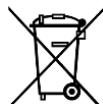
This pictogram indicates that used batteries should not be disposed of with household waste, but should be taken to separate collection points for recycling.
Keep batteries away from excessive heat such as sunshine, fire or the like.
When the batteries are not in use, remove them to avoid damage caused by leakage or battery corrosion.
ATTENTION
Danger of explosion if battery is incorrectly replaced. Replace only with the same or equivalent type.
WARNING
Do not swallow the battery. Danger of chemical burns. If you are in any doubt as to whether the batteries have been swallowed or inserted in any part of the body, consult a doctor immediately. Keep new and used batteries out of the reach of children.
If the battery compartment does not close properly, stop using the product and keep it out of the reach of children.
CONTROL PANEL
- Speaker ON/OFF - MODE button
Long press: to switch the device on or off
Short press: to change USB - Bluetooth - AUX mode - Light button
Long press: to switch the speaker lights on/off
Short press: to switch between the different lights - TONE button
Enables you to change the microphone voice: original, high, low, robot - Volume button
To adjust the music volume - PLAY/PAUSE button
-
Previous song button (in USB/TF mode). Long press to decrease the volume of the 2 wireless microphones.
-
Next song button (in USB/TF mode). Long press to increase the volume of the 2 wireless microphones.
- ECHO - button: to reduce the echo effect on the microphones
- ECHO + button: to increase the echo effect on the microphones
- Wireless microphone.
Recharge the microphones using the forunit USB cable on a USB adapter (not supplied)
- Microphone grille. Do not speak too close or too far from the microphone (between 5 and 10cm ).
- Microphone ON/OFF button
Press the button at the base of the microphone to switch on/off. A green LED lights up or goes out.
- Handle
- Colour speaker lighting
- Coaxial input.
To connect a TV or set-top box.
- AUX IN for connecting a device with a 3.5 mm jack audio output (tablet, laptop, etc.)
- USB for connecting a USB stick for music playback
- TF to connect a TF card for music playback
- 5VDC - 1A type-c power supply input. To connect the cable supplied to recharge the speaker. Use a USB adapter (not supplied)
CONNECTING AND USING BLUETOOTH
- Switch the device on. It defaults to the BLUETOOTH function and switches to search mode.
- Activate the Bluetooth function on the external device you wish to synchronise.
- Start the device search. The oven is displayed under the name "STAR-VOICE".
- Select it and enter the password "0000" if necessary.
- Press the play button on the device on the remote control to start playback.
Select the titles with the NEXT and PREV keys and the Volume with the rotary knob, making sure that the volume of the Bluetooth source (mobile phone, tablet) is active.
CHARGING THE BUILT-IN BATTERY
Before 1^ère use, charge the device and the 2 microphones.
To do this, connect the USB type-c cable supplied to the speaker to type-a on a 5V adaptor (not supplied).
A red battery indicator lights up.
Make sure you charge the batteries every 3 months if the product is not in use, to preserve battery life.
LINE IN MODE
To use this mode, press the mode button (1) until the AUX
Then connect a compatible device using a mini-jack cable to the AUX IN input (16) and adjust the volume using (4).
USING THE USB READER
Compatible music files: MP3, WMA
Press MODE (1) to switch audio sources to USB.
Play/pause: Press to play, pause and resume playback.
Back/next: During playback, press once to return to the beginning of the current or next title.
USE OF MICROPHONES
Switch on the microphones using the button on each microphone.
Adjust the volume with buttons 6 and 7 (long press)
Adjust the desired tone with the TONE button (3)
TECHNICAL SPECIFICATIONS
| Power supply | Microphones: 800mAh lithium battery Speaker: Lithium 3000mAh battery |
| Load | Type-C USB 5VDC - 1A / 5W |
| Frequency response | 70Hz - 18kHz |
| Battery life | 3 - 4H |
| Max Bluetooth transmitting power | 2.18dBm |
| Bluetooth frequency range | 2402 - 2480MHz |
| Product dimensions | 275 x 170 x 170 mm |
| Net weight | 0.28 Kg |
The EU Declaration of Conformity is available on our website www.msc-distribution.om