
MIphotoprinter - Printer Xiaomi - Free user manual and instructions
Find the device manual for free MIphotoprinter Xiaomi in PDF.



| Product Type | Portable Photo Printer |
| Brand | Xiaomi |
| Model | XMKDDYJ01HT |
| Dimensions (L × W × H) | 124 × 85 × 24.6 mm |
| Net Weight | Approximately 181 g |
| Power Supply | 5 V ⎓ 1 A via USB cable |
| Connectivity | Bluetooth 5.0 |
| Operating Frequency | 2402–2480 MHz |
| Maximum Output Power | 10 dBm |
| Paper Type | Photo paper with calibration card (glossy side up) |
| Paper Tray Capacity | 5 sheets (one stack) |
| Operating Temperature | 15 °C to 35 °C |
| Operating Humidity | 40 % to 60 % RH |
| Battery | Built-in rechargeable lithium-ion |
| Indicators | Status indicator, Bluetooth indicator, battery level indicator |
| Included Accessories | USB charging cable, 5 sheets of photo paper, calibration card |
| App | Mi Home / Xiaomi Home |
| Main Features | Wireless photo printing, reset, firmware update |
| Reset | Press the Power button 6 times or use the reset pin |
| Compliance | CE, Directive 2014/53/EU |
Frequently Asked Questions - MIphotoprinter Xiaomi
User questions about MIphotoprinter Xiaomi
0 question about this device. Answer the ones you know or ask your own.
Ask a new question about this device
Download the instructions for your Printer in PDF format for free! Find your manual MIphotoprinter - Xiaomi and take your electronic device back in hand. On this page are published all the documents necessary for the use of your device. MIphotoprinter by Xiaomi.
USER MANUAL MIphotoprinter Xiaomi
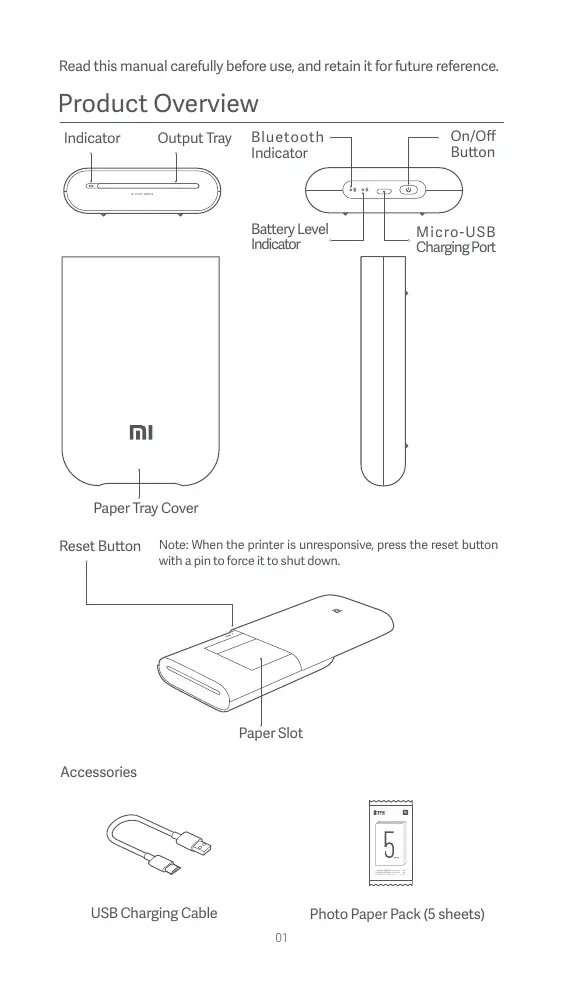
Read this manual carefully before use, and retain it for future reference.
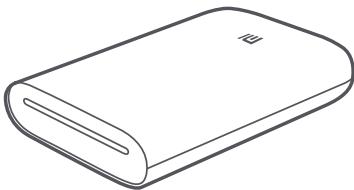
Product Overview
Indicator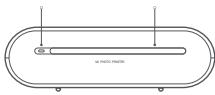
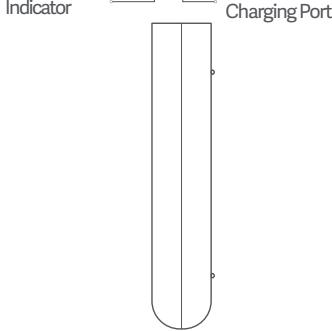
Paper Tray Cover Reset Button
Note: When the printer is unresponsive, press the reset button with a pin to force it to shut down.
Paper Slot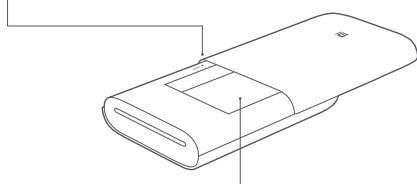
Accessories USB Charging Cable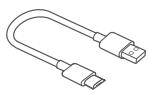
Photo Paper Pack (5 sheets)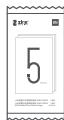
Powering On
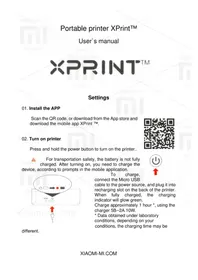
To turn on the printer, press and hold the power button for 2 seconds until the status indicator turns white. The printer will then wait for a pairing with a Bluetooth device, and the Bluetooth indicator is turning into orange.

On/Off Button Instruction
| 2 seconds | Press and hold | Turning On/Off |
| 6 times | Continuously press 6 times | Restoring factory settings |
Note: Pressing or pressing and holding the on/off button will not interrupt a firmware update.
Connect with Mi Home / Xiaomi Home App
This product works with Mi Home / Xiaomi Home app*. Control your device with Mi Home / Xiaomi Home app.
Scan the QR code to download and install the app. You will be directed to the connection setup page if the app is installed already. Or search "Mi Home / Xiaomi Home" in the app Store to download and install it.
Open the Mi Home / Xiaomi Home app, tap "+" in the upper right corner, and then follow the prompts to add your device.
Once the printer is successfully connected to your phone, you can use the Mi Home/Xiaomi Home app to print photos.
- The app is referred to as the Xiaomi Home app in Europe (except for Russia). The name of the app displayed on your device should be taken as the default.

Note:
The version of the app might have been updated, so please follow the instructions based on the current app version.
1. Open the printer paper tray cover.
Firmly press the paper tray cover until it clicks into place.
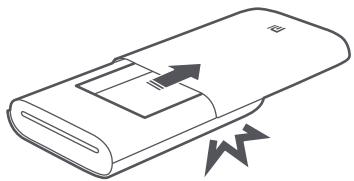
2. Load Photo Paper
Remove the photo paper from its packaging and load the entire stack of paper into the printer with the glossy side up. Make sure the Smart Sheet is placed at the very bottom with its barcode facing down.
Note: Make sure the Smart Sheet is placed at the very bottom.
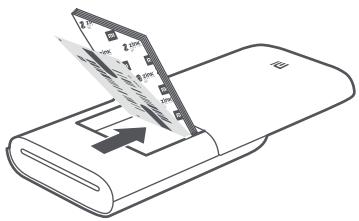
3. Close the paper tray cover.
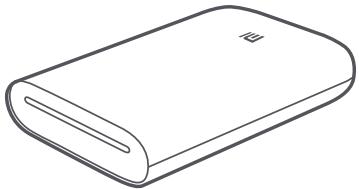
Indicator Instructions
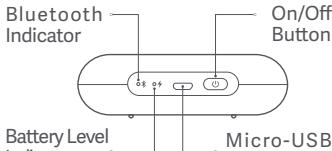
Battery Level Indicator
| Pulsating white | Low battery level |
| White | Charging |
| Off | Battery is sufficient/Fully charged |
Bluetooth Indicator
| Orange | Ready to pair |
| Blue | Successfully paired |
Indicator
| Off | The printer is off |
| White | The printer is standing by |
| Blinking white | Printing/Updating firmware |
| Blinking orange | Printer error |
Precautions
- The printer's optimal operating temperature is 15°C to 35°C at a relative humidity of 40% to 60%. Improper temperature or humidity levels may adversely affect print quality, including causing paper jams or incomplete printing.
- To ensure print quality, only use genuine photo paper and the included Smart Sheet.
- Do not mix photo paper and Smart Sheet from different packages, as this may impact print quality. For best results, load an entire pack of photo paper each time the printer is out of paper and use the Smart Sheet included with each new paper pack to recalibrate the printer.
- When loading paper, do not touch the glossy side, as this can leave fingerprints and impact print quality. Add paper glossy side up and place the Smart Sheet on the bottom of the stack with its barcode facing down.
- To ensure proper printer function and print quality, do not block the output tray or touch the paper during printing. Do not attempt to force paper out of the printer, as this can damage the printer.
- Do not store photo paper at high temperatures or in direct sunlight, as this can cause the paper to become discolored. Do not expose to humid environments, water, and other liquids so as not to cause the paper to become discolored and wrinkled. Avoid any dust as it can cause scratches on the paper and damage the printer.
- When pasting a photo, choose a smooth, flat surface. Do not expose the paper to high humidity or moisture to avoid it curling up or losing its adhesive properties.
- The printer has a built-in lithium battery and should not be stored in a hot or humid environment. Charge the printer at least once every 3 months. Do not attempt to disassemble, repair or replace the battery. Never use the printer if it is exposed to water.
Specifications
Name: Mi Portable Photo Printer
Model: XMKDDYJ01HT
Item Dimensions: 124 × 85 × 24.6 mm
RF Specification: Bluetooth LE/BR/EDR
Maximum Output Power: 10 dBm
Net Weight: Approx. 181 g
Operating Temperature: 15°C to 35°C
Input: 5V = 1A
Wireless Connectivity: Bluetooth 5.0
Working Frequency: 2402-2480 MHz
Regulatory Compliance Information

Hereby, Xiaomi Communications Co., Ltd. declares that the radio equipment type XMKDDYJ01HT is in compliance with Directive 2014/53/EU. The full text of the EU declaration of conformity is available at the following internet address: http://www.mi.com/global/service/support/declaration.html

All products bearing this symbol are waste electrical and electronic equipment (WEEE as in directive 2012/19/EU) which should not be mixed with unsorted household waste. Instead, you should protect human health and the environment by handing over your waste equipment to a designated collection point for the recycling of waste electrical and electronic equipment, appointed by the government or local authorities. Correct disposal and recycling will help prevent potential negative consequences to the environment and human health. Please contact the installer or local authorities for more information about the location as well as terms and conditions of such collection points.
- The operation temperature range of the battery is 0°C - 45°C.
- Replacement of a battery with an incorrect type that can defeat a safeguard (for example, in the case of some lithium battery types);
- Disposal of a battery into fire or a hot oven, or mechanically crushing or cutting of a battery, that can result in an explosion;
- Leaving a battery in an extremely high temperature surrounding environment that can result in an explosion or the leakage of flammable liquid or gas;
- A battery subjected to extremely low air pressure that may result in an explosion or the leakage of flammable liquid or gas.
Illustrations of product, accessories, and user interface in the user manual are for reference purposes only. Actual product and functions may vary due to product enhancements.
The Bluetooth® word mark and logos are registered trademarks owned by Bluetooth SIG, Inc. and any use of such marks by Xiaomi Inc. is under license. Other trademarks and trade names are those of their respective owners.
For detailed e-manual, please go to www.mi.com/global/service/userguide
http://www.mi.com/global/service/support/declaration.html

Keep the device away from water until it is fully in place.
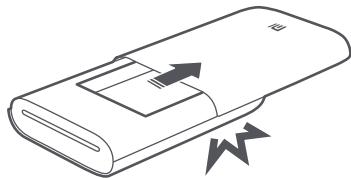
Load the paper tray
Pull out the paper tray from the packaging and load the entire stack into the printer face down. Make sure the calibration card is at the very bottom, with the barcode facing down.
Note: Make sure the calibration card is at the very bottom.
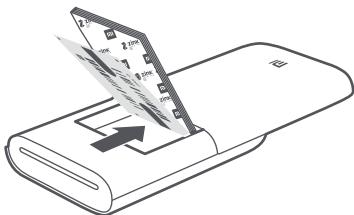
Close the paper tray.
Input: 5V, 1A
Wireless connection: Bluetooth 5.0
The pages of this document are intended exclusively for the user's personal acquaintance. The actual characteristics of the product may change in connection with product improvements.
For detailed e-manual, please go to www.mi.com/global/service/userguide
RF Specifications: Bluetooth LE/BR/EDR
http://www.mi.com/global/service/support/declaration.html.

Wireless connectivity: Bluetooth 5.0
http://www.mi.com/global/service/support/declaration.html

Xiaomi Communications Co., Ltd. Address:
XU101653-20006
[1985] 106
J
Xiaomi Communications Co., Ltd.
J
Dongguan Kaifa Technology Co., Ltd.
Xiaomi Communications Co., Ltd.
Address: No.019, floor 9, building 6, yard 33, middle Xierqi Road, Haidian District, Beijing, China, 100085
For further information, please go to www.mi.com
Xiaomi Communications Co., Ltd.
Manufactured by: No.019, floor 9, building 6, yard 33, middle Xierqi Road, Haidian District, Beijing, China, 100085
Xiaomi Communications Co., Ltd.
Manufacturer: No.019, floor 9, building 6, yard 33, middle Xierqi
Road, Haidian District, Beijing, China, 100085
Additional information can be found on the website www.mi.com
Xiaomi Communications Co., Ltd.
Manufactured by: No.019, floor 9, building 6, yard 33, middle Xierqi
Road, Haidian District, Beijing, China, 100085
Xiaomi Communications Co., Ltd.
Manufactured by: No.019, floor 9, building 6, yard 33, middle Xierqi
Road, Haidian District, Beijing, China, 100085
Xiaomi Communications Co., Ltd.
Address: No.019, floor 9, building 6, yard 33, middle Xierqi
Road, Haidian District, Beijing, China, 100085
Xiaomi Communications Co., Ltd.
No.019, floor 9, building 6, yard 33, middle Xierqi Road
Haidian District, Beijing, China, 100085
Xiaomi Communications Co., Ltd.
Address: No.019, floor 9, building 6, yard 33, middle Xierqi
Road, Haidian District, Beijing, China, 100085
Brand : Xiaomi
Model : MIphotoprinter
Category : Printer