USER MANUAL CE 5484 - ergomètre connecté CARE FITNESS
Programme Contrôle de fréquence cardiaque : 55% H.R.C., 65% H.R.C., 75% H.R.C., 85% H.R.C., Target (cible) H.R.C.
Programme 18 : 55% Max H.R.C. - - Target H.R. = (220 - AGE) x 55%
Programme 19 : 65% Max H.R.C. - - Target H.R. = (220 – AGE) x 65%
Programme 20 : 75% Max H.R.C. - - Target H.R. = (220 - AGE) x 75%
Programme 21 : 85% Max H.R.C. - - Target H.R. = (220 - AGE) x 85%
Programme 22 : Target H.R.C. - - Entrainnement à votre valeur de fréquence cardiaque ciblée.
C. connection bluetooth & application
E mail: sav@carefitness.com
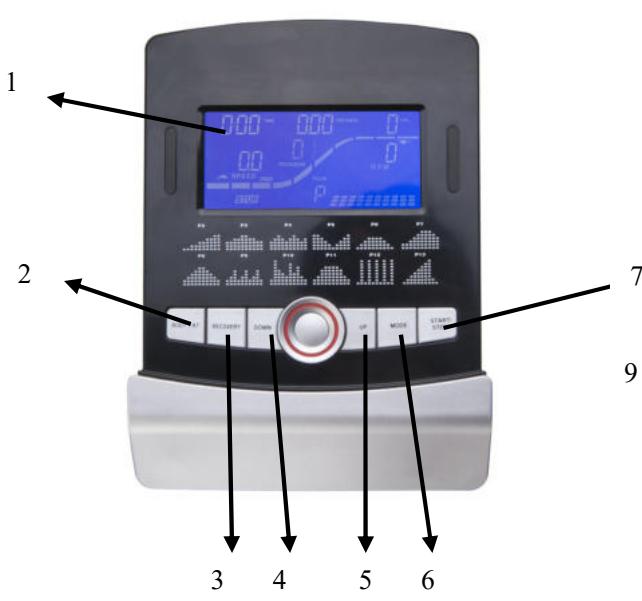
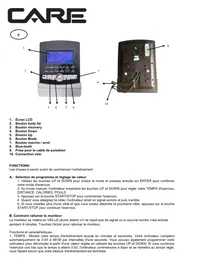
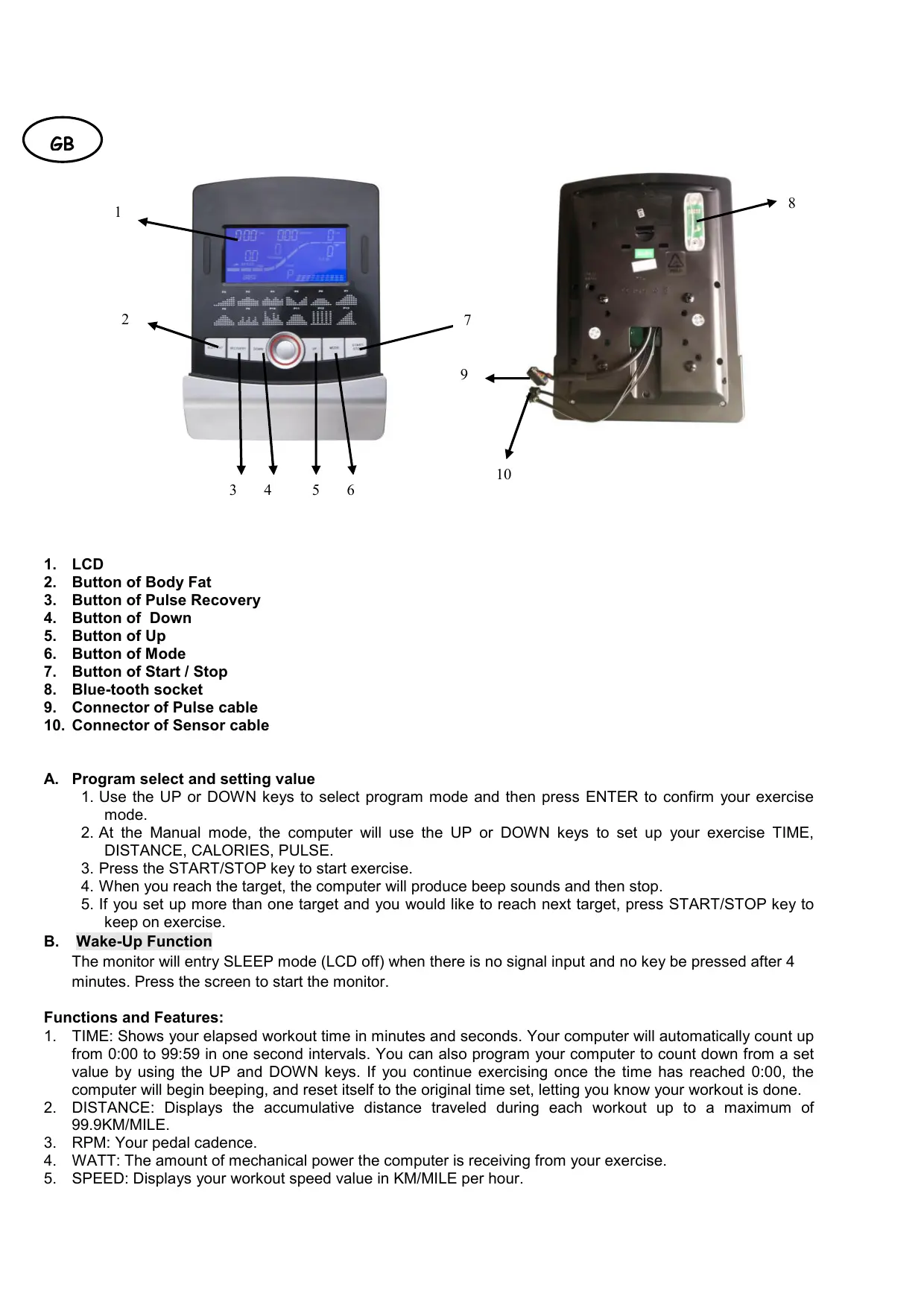
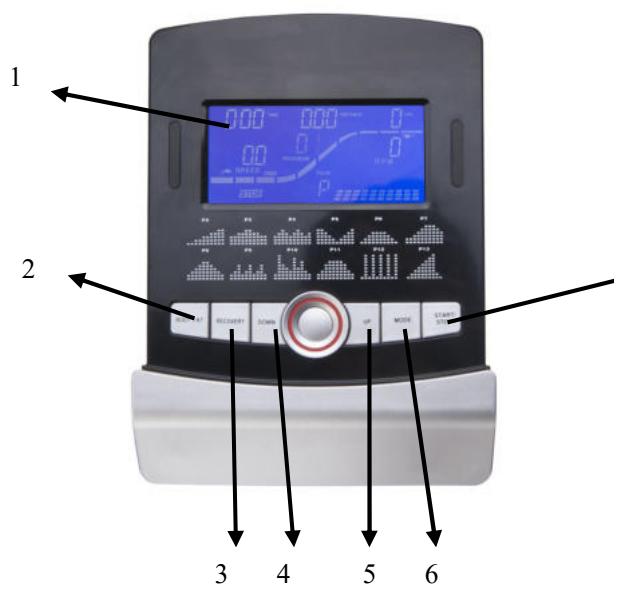
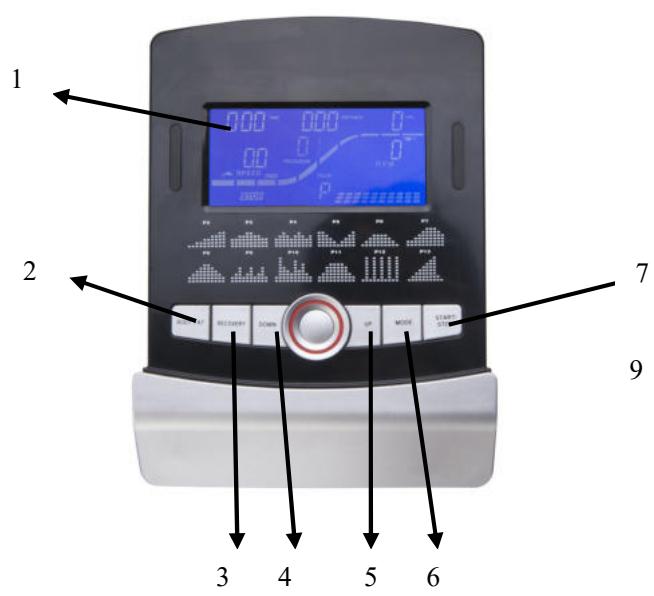
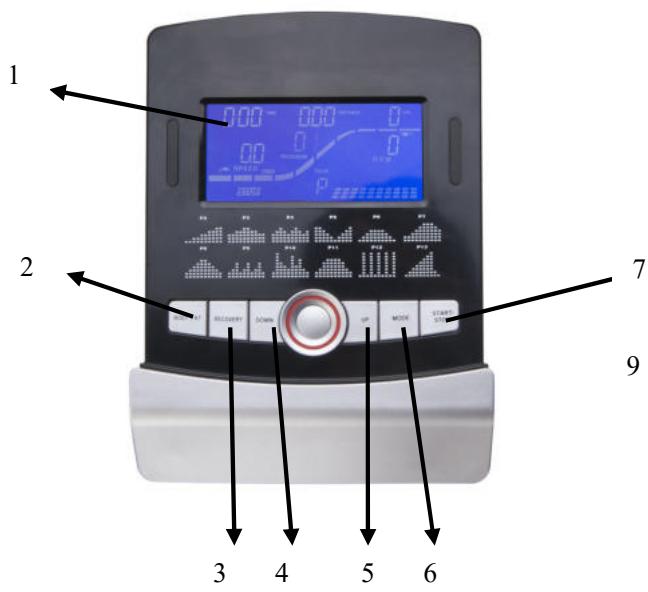
- LCD
- Button of Body Fat
- Button of Pulse Recovery
- Button of Down
- Button of Up
- Button of Mode
- Button of Start / Stop
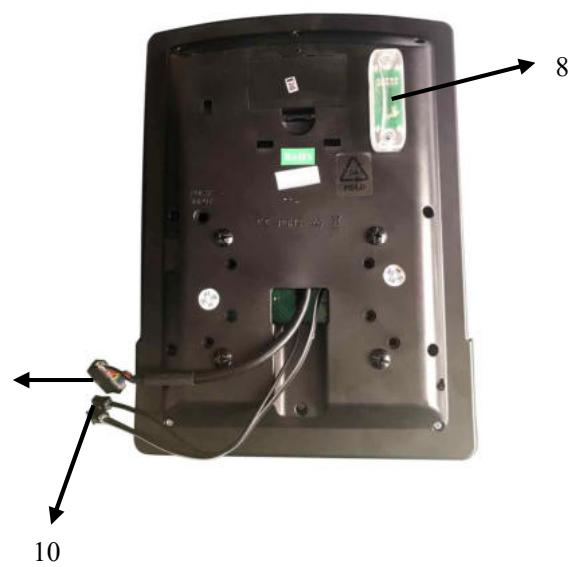
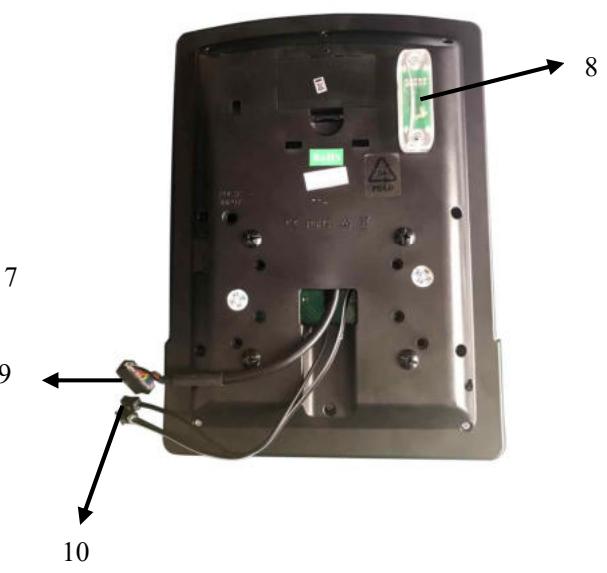
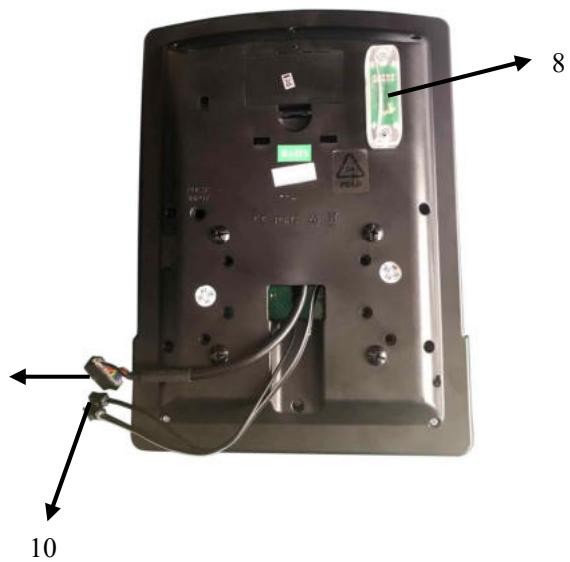
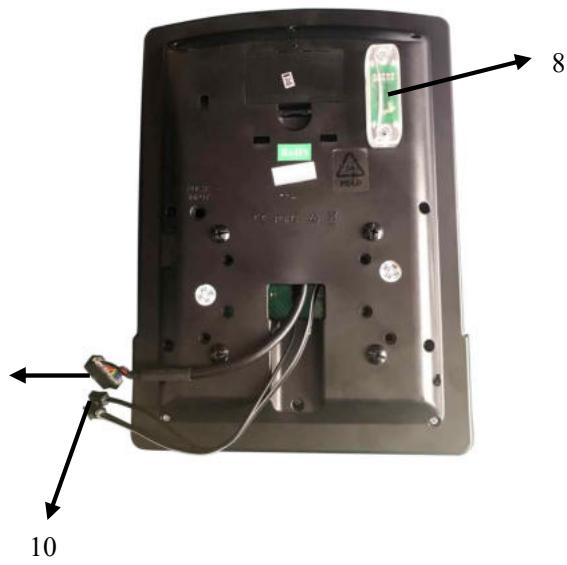
- Blue-tooth socket
- Connector of Pulse cable
- Connector of Sensor cable
A. Program select and setting value
- Use the UP or DOWN keys to select program mode and then press ENTER to confirm your exercise mode.
- At the Manual mode, the computer will use the UP or DOWN keys to set up your exercise TIME, DISTANCE, CALORIES, PULSE.
- Press the START/STOP key to start exercise.
- When you reach the target, the computer will produce beep sounds and then stop.
- If you set up more than one target and you would like to reach next target, press START/STOP key to keep on exercise.
B. Wake-Up Function
The monitor will entry SLEEP mode (LCD off) when there is no signal input and no key be pressed after 4 minutes. Press the screen to start the monitor.
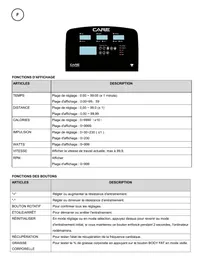
Functions and Features:
- TIME: Shows your elapsed workout time in minutes and seconds. Your computer will automatically count up from 0:00 to 99:59 in one second intervals. You can also program your computer to count down from a set value by using the UP and DOWN keys. If you continue exercising once the time has reached 0:00, the computer will begin beeping, and reset itself to the original time set, letting you know your workout is done.
- DISTANCE: Displays the accumulative distance traveled during each workout up to a maximum of 99.9KM/MILE.
- RPM: Your pedal cadence.
- WATT: The amount of mechanical power the computer is receiving from your exercise.
-
SPEED: Displays your workout speed value in KM/MILE per hour.
-
CALORIES: Your computer will estimate the cumulative calories burned at any given time during your workout.
- PULSE: Your computer displays your pulse rate in beats per minute during your workout.
- AGE: Your computer is age-programmable from 10 to 99 years. If you do not set an age, this function will always default to age 35.
- TARGET HEART RATE (TARGET PULSE): The heart rate you should maintain is called your Target Heart Rate in beats per minute.
- PULSE RECOVERY: During the START stage, leave the hands holding on grips or leave the chest transmitter attached and then press "PULSE RECOVERY" key, all function displays will stop except "TIME". Time starts counting from 00:60 - 00:59 -- to 00:00. As soon as 00:00 is reached, the computer will show your heart rate recovery status with the grade F1.0 to F6.0.
1.0 means OUTSTANDING
1.0 2.0 means EXCELLENT
2.0≤2.9 means GOOD
3.0≤F≤3.9 means FAIR
4.0≤5.9 means BELOW AVERAGE
6.0 means POOR
Note: If no pulse signal input then the computer will show "P" on the PULSE window. If the computer shows "ERR" on the message window, please re-press the PULSE RECOVERY key and please make sure your hands are keeping well on the grips or the chest transmitter is attached well.
Key function:
There are 6 button keys and the function description as follows:
- START/STOP key:
a. Quick Start function: Allows you to start the computer without selecting a program. Manual .workout only. Time automatically begins to count up from zero
b. During the exercise mode, press the key to STOP exercise.
c. During the stop mode, press the key to START exercise.
- UP key:
a. Turn the toggle wheel to increase the resistance during exercise mode.
b. During the setting mode, turn the toggle wheel to increase the value of Time, Distance, Calories, Age and select Gender and Program.
- DOWN key:
a. Press the key to decrease the resistance during exercise mode.
b. During the setting mode, press the key to decrease the value of Time, Distance, Calories, Age and select Gender and Program.
- ENTER key:
a. During the setting mode, press the key to accept the current data entry.
b. At the stop mode, by holding this key for over two seconds the user can reset all values to zero or default value.
c. During setting the Clock, press this key can accept the setting hour and setting minute.
-
BODY FAT key: Press the key to input your HEIGHT, WEKGHT, GENDER and AGE then to measure your body fat ratio,
-
PULSE RECOVERY key: Press the key to activate heart rate recovery function.
Program Introduction & Operation:
Manual Program: Manual
P1 is a manual program. User can start exercise by pressing START/STOP key. The default resistance level is
5. Users may exercise in any desirous of resistance level (Adjusting by UP/DOWN keys during the workout) with a period of time or a number of calories or a certain distance.
Operations:
- Use UP/DOWN keys to select the MANUAL (P1) program.
- Press the ENTER key to enter MANUAL program.
- The TIME will flash and you can press UP or DOWN keys to set your exercise TIME. Press ENTER key to confirm your desired TIME.
- The DISTANCE will flash and you can press UP or DOWN keys to set your target DISTANCE. Press ENTER key to confirm your desired DISTANCE.
- The CALORIES will flash and you can press UP or DOWN keys to set your exercise CALORIES. Press ENTER key to confirm your desired CALORIES.
-
The PULSE will flash and then you can press UP or DOWN keys to set your exercise PULSE. Press ENTER key to confirm your desired Pulse.
-
Press the START/STOP key to begin exercise.
Preset Program: Steps, Hill, Rolling, Valley, Fat Burn, Ramp, Mountain, Intervals, Random, Plateau, Fartlek, Precipice Program
PROGRAM 2 to PROGRAM 13 is the preset programs. Users can exercise with different level of loading in different intervals as the profiles show. Users may exercise in any desirous of resistance level (Adjusting by UP/DOWN keys during the workout) with a period of time or a number of calories or a certain distance.
Operations:
- Use UP/DOWN keys to select one of the above programs from P2 to P13.
- Press the ENTER key to enter your workout program.
- The TIME will flash and you can press UP or DOWN keys to setting your exercise TIME. Press ENTER key to confirm your desired TIME.
- The DISTANCE will flash and you can press UP or DOWN keys to setting your target DISTANCE. Press ENTER key to confirm your desired DISTANCE.
- The CALORIES will flash and you can press UP or DOWN keys to setting your exercise CALORIES. Press ENTER key to confirm your desired CALORIES.
- The PULSE will flash and then you can press UP or DOWN keys to set your exercise PULSE. Press ENTER key to confirm your desired Pulse.
- Press the START/STOP key to begin exercise.
User Setting Program: User 1, User 2, User 3 and User 4
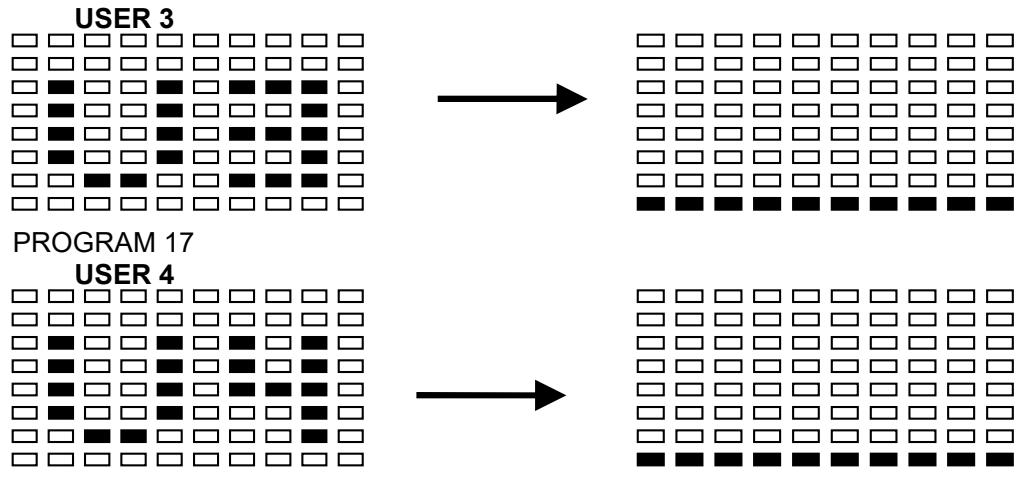
Program 14 to 17 is the user setting program. Users are free to create the values in the order of TIME, DISTANCE, CALORIES and the resistance level in 10 columns. The values and profiles will be stored in the memory after setup. Users may also change the ongoing loading in each column by UP/DOWN keys, and they will not change the resistance level stored in the memory.
Operations:
- Use UP/DOWN keys to select the USER program from P14 to P17.
- Press the ENTER key to enter your workout program.
- The column 1 will flash, and then use the UP/DOWN keys to create your personal exercise profile. Press ENTER to confirm your first column of exercise profile. The default level is load 1.
- The column 2 will flash, and then use the UP/DOWN keys to create your personal exercise profile. Press ENTER to confirm your second column of exercise profile.
- Follow the above description 5 and 6 to finish your personal exercise profiles. Press ENTER to confirm your desired exercise profile.
- The TIME will flash and you can press UP or DOWN keys to setting your exercise TIME. Press ENTER key to confirm your desired TIME.
- The DISTANCE will flash and you can press UP or DOWN keys to setting your target DISTANCE. Press ENTER key to confirm your desired DISTANCE.
- The CALORIES will flash and you can press UP or DOWN keys to setting your exercise CALORIES. Press ENTER key to confirm your desired CALORIES.
- The PULSE will flash and then you can press UP or DOWN keys to set your exercise PULSE. Press ENTER key to confirm your desired Pulse.
- Press the START/STOP key to begin exercise.
Heart Rate Control Program: 55% H.R.C., 65% H.R.C., 75% H.R.C., 85% H.R.C., Target H.R.C.
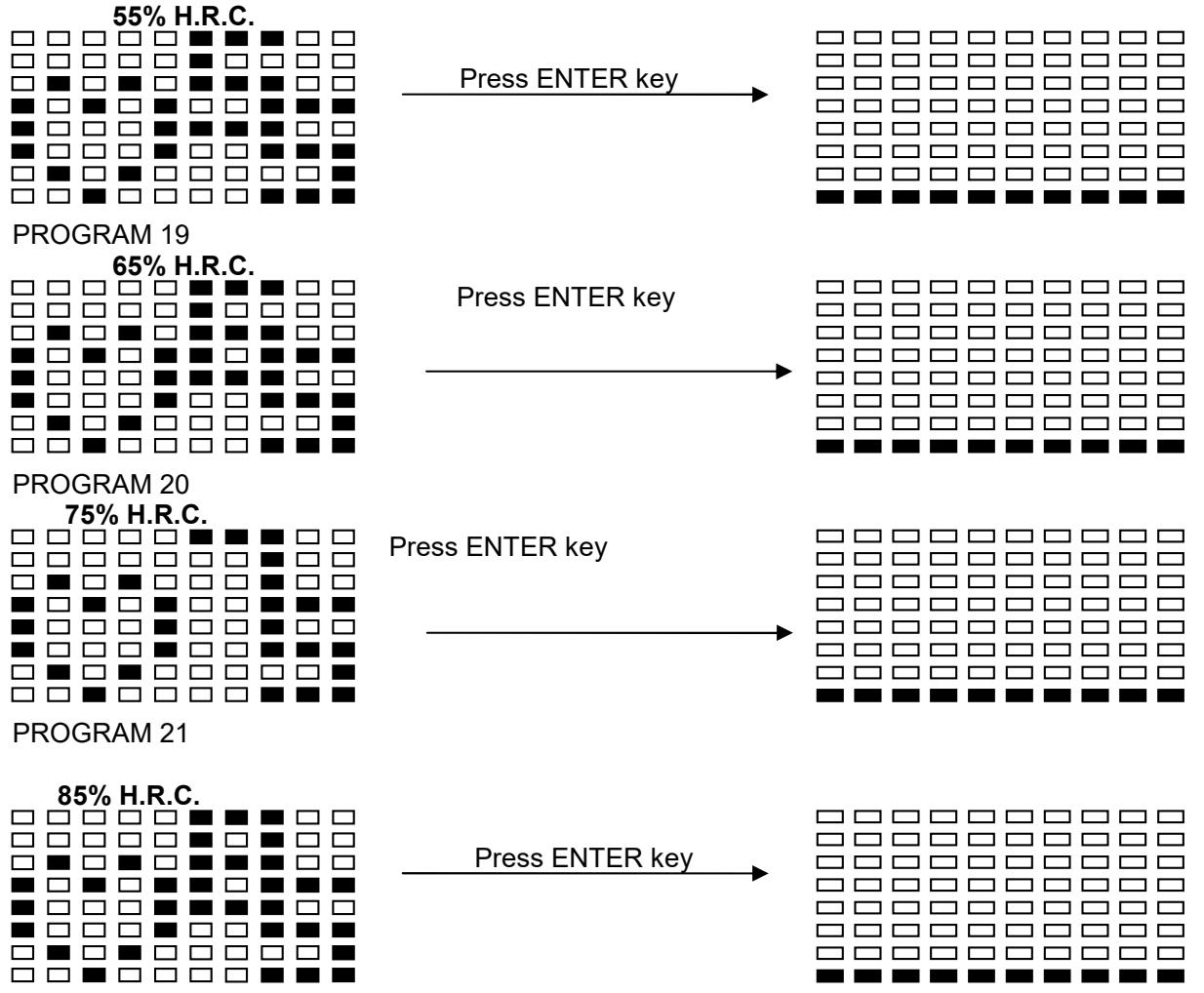
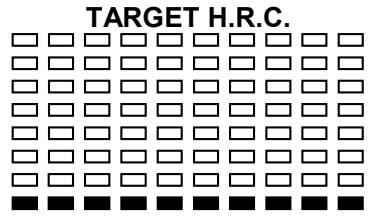
Program 18 to Program 22 is the Heart Rate Control Programs and Program 22 is the Target Heart Rate Control program.
Program 18 is the 55% Max H.R.C. -- Target H.R. = (220 - AGE) x 55%
Program 19 is the 65% Max H.R.C. -- Target H.R. = (220 - AGE) x 65%
Program 20 is the 75% Max H.R.C. -- Target H.R. = (220 - AGE) x 75%
Program 21 is the 85% Max H.R.C. -- Target H.R. = (220 - AGE) x 85%
Program 22 is the Target H.R.C. - - Workout by your target heart rate value.
Users can exercise according to your desired Heart Rate program by setting your AGE, TIME, DISTANCE, CALORIES or TARGET PULSE. In these programs, the computer will adjust the resistance level according to the heart rate detected. For example, the resistance level may increase every 20 seconds while the heart rate detected is lower than the TARGET H.R and then the computer will show "SLOW DOWN" on the message window. Also the resistance level may decrease every 20 seconds while the heart rate detected is higher than the TARGET H.R and then the computer will show "HURRY UP" on the message window. As a result, the user's heart rate will be adjusted to close the TARGET H.R. between the range of TARGET H.R. +5 and TARGET H.R. -5 and then the computer will show "KEEP GOING" on the message window.
Operations:
-
Use UP/DOWN keys to select one of the heart rate control program from P18 to P22.
-
Press the ENTER key to enter your workout program
- The AGE will flash at P18 to P21 programs and you can press UP or DOWN keys to set your AGE. The default age is 35.
- At program 22, the TARGET PULSE will flash and you can press UP or DOWN keys to set your TARGET PULSE between 80 to 180. The default TARGET PULSE is 120.
- The TIME will flash and you can press UP or DOWN keys to set your exercise TIME. Press ENTER key to confirm your desired TIME.
- The DISTANCE will flash and you can press UP or DOWN keys to set your target DISTANCE. Press ENTER key to confirm your desired DISTANCE.
- The CALORIES will flash and you can press UP or DOWN keys to set your exercise CALORIES. Press ENTER key to confirm your desired CALORIES.
- Press the START/STOP key to begin exercise.
Watt Control Program: Watt Control
Program 23 is a Speed Independent Program. Press ENTER key to set up the values of TARGET WATT, TIME, DISTANCE and CALORIES. During the exercise mode, the level of resistance is not adjustable. For example, the level of resistance may increase while the speed is too slow. Also the level of resistance may decrease while the speed is too fast. As a result, the calculated value of WATT will close to the value of TARGET WATT setup by users.
Operations:
- Use UP or DOWN key to select the WATT CONTROL (P23) program.
- Press ENTER key to enter your workout program.
- The TIME will flash and you can press UP or DOWN key to set your exercise TIME. Press ENTER key to confirm your desired TIME.
- The DISTANCE will flash and you can press UP or DOWN key to set your target DISTANCE. Press ENTER key to confirm your desired DISTANCE.
- The WATT will flash and you can press UP or DOWN key to set your target WATT value. Press ENTER key to confirm your target WATT. The default WATT value is 100.
- The CALORIES will flash and you can press UP or DOWN key to set your exercise CALORIES. Press ENTER key to confirm your desired CALORIES.
- The PULSE will flash and then you can press UP or DOWN keys to set your exercise PULSE. Press ENTER key to confirm your desired Pulse.
- Press the START/STOP key to begin exercise.
NOTE:
- WATT = TORQUE (KGM) * RPM * 1.03
- In this program, the WATT value will keep constant value. It means that if you peddle quickly, the resistance level will decrease and if you peddle slowly, the resistance level will increase. Always try to keep you in the same watt value.
C. Bluetooth & application connection
Copy the link here under to your brower (Edge, Firefox, Chrome, Safari etc)
https://cloud.carefitness.com/index.php/s/E2WD22KMNBQzERL
And Followw the detailed instruction
Error Message:
E1 (ERROR 1):
Normal state: During workout, when the monitor did not get the count signal from the gear motor more than 4 seconds and check under successive 3 times then the LCD will show E1.
Power on state: The gear motor will return to zero automatically, when the signal of motor cannot be detected for more than 4 seconds then the gear motor's driver will be cut off immediately and show the E1 on the LCD display. All the other digital and function mark are blank, and the output signals are cut off also.
E2 (ERROR 2): When the monitor read the memory data, if the I.D. code is not correct or the memory IC damages then the monitor will show E2 immediately at power on.
E3 (ERROR 3): After 4 seconds by start mode, the computer detects the faulty motor did not leave the zero point then the LCD bar displays "E3".
Error message: When you press "Pulse Recovery"Key but don't hold on hand grips, the computer will show "Err".
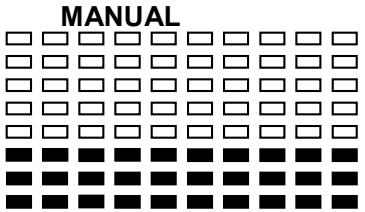
PRESET PROGRAM PROFILES:
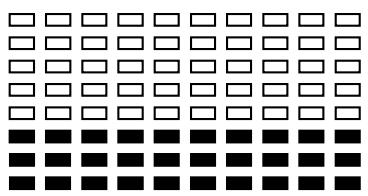
PROGRAM 1
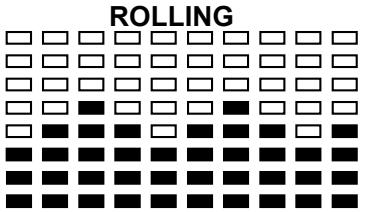
PROGRAM 4
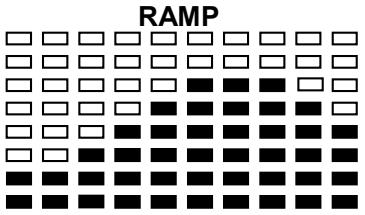
PROGRAM 7
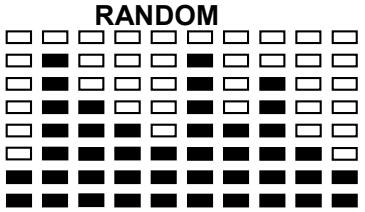
PROGRAM 10
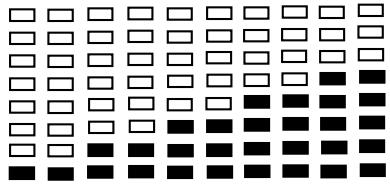
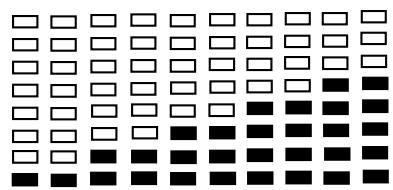
PROGRAM 2
STEPS
PROGRAM 5
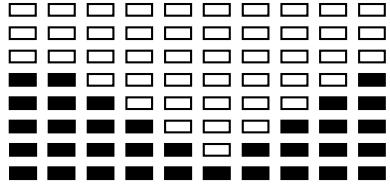
VALLEY
PROGRAM 8
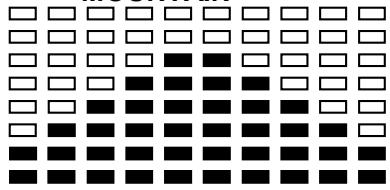
MOUNTAIN
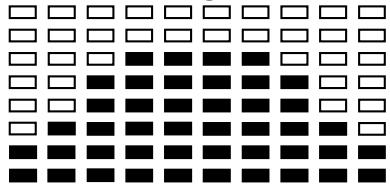
PROGRAM 11
PLATEAU
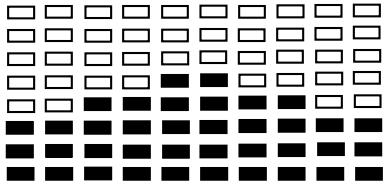
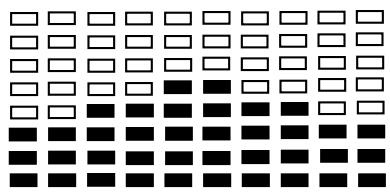
PROGRAM 3
HILL
PROGRAM 6
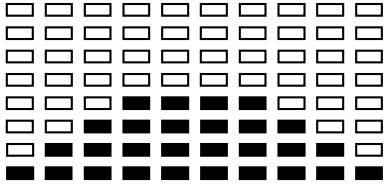
FAT BURN
PROGRAM 9
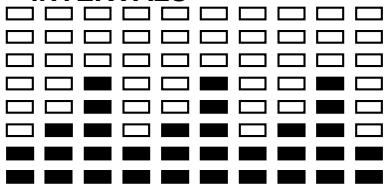
INTERVALS
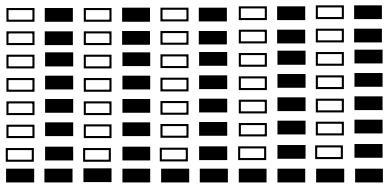
PROGRAM 12
FARTLEK
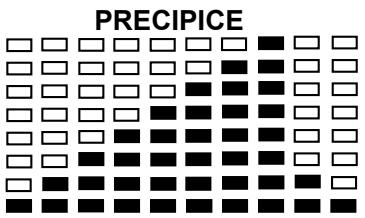
PROGRAM 13
USER SETTING PROGRAM
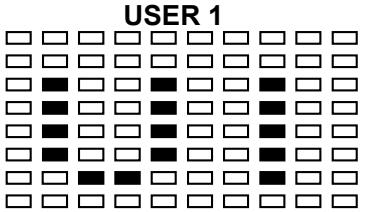
PROGRAM 14
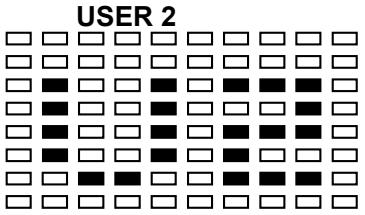
PROGRAM 15
PROGRAM 16
HEART RATE PROGRAM PROFILES:
PROGRAM 18
PROGRAM 22

WATT CONTROL PROGRAM
PROGRAM 23
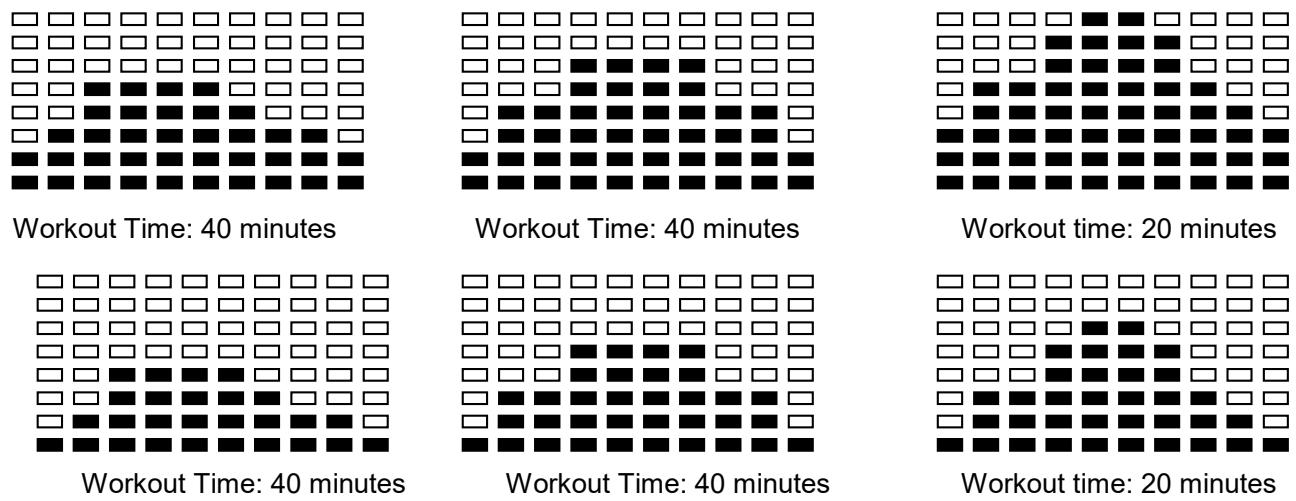
One of the Following Six Profiles Will Display Automatically after Measuring Your BODY FAT:
Cardio - Training:
Before programming your training, it is essential to take account of your age, particularly for people of more than 35 years of age, as well as your physical condition. If you have a sedentary lifestyle without regular physical activity, it is vital that you consult your doctor to determine the level of intensity of your training. Once determined, do not attempt to achieve your maximum during the first training sessions. Be patient; your performance will quickly improve.
Cardio - Training:
This enables you to develop your cardiovascular system (fitness of the heart / blood vessels). During Cardio-Training, the muscles need a supply of oxygen and nutritive substances. They also need to eliminate waste. Our heart increases its rhythm and sends a larger amount of oxygen to the body by means of the cardiovascular system. The more often you exercise regularly and repetitively, the more your heart will develop, just like any other muscle. In daily life, this translates into the ability to bear greater physical effort and improve your intellectual faculties.
Definition of your work Zone:
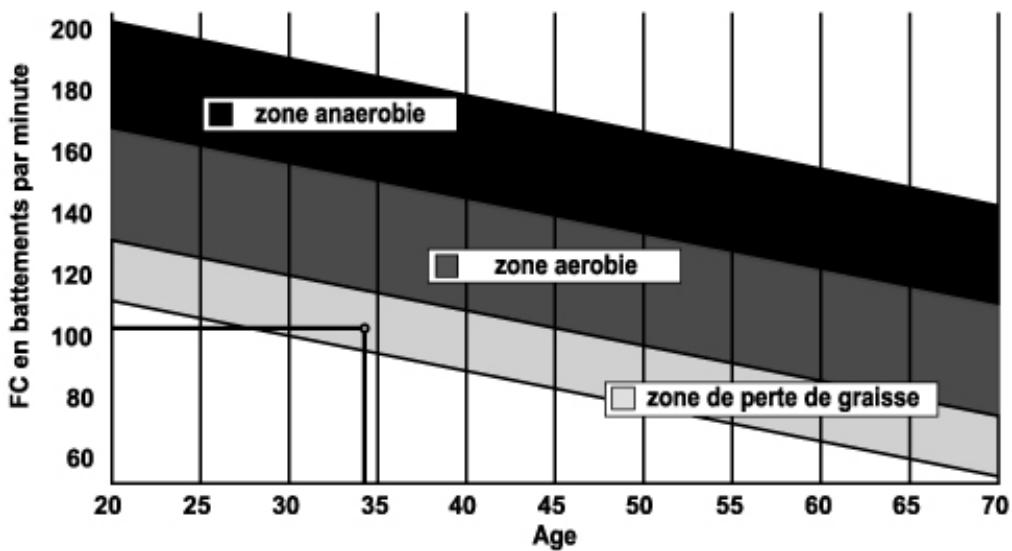
The Maximum Heart Rate (MHR) = 220 - age (180 - age for sedentary people).
The Warming Up Zone and Cooling Down Zone are equal to 55% of your MHR.
The Fat Loss Zone is between 55 / 65% of your MHR.
The Aerobic Zone is between 65 / 85% of your MHR.
The Anaerobic Zone is between 85% of your MHR and your MHR.
Make a diagram of the target zones
The progressive training stages:
1) A warming up phase:
Start each training session by warming up progressively (10-20 min, more if you are over 50) which will put your muscles on standby and gently increase your heart rate. Gently increase your pulse to 55% of your MHR (Maximum Heart Rate).
Keep your Heart Rate at this level for the duration of the warming up time. If you begin your training too quickly, you are in danger of increasing the risk of tendon or muscle injury.
2) A work phase:
This is the main part of the training session. Depending on your specific goals and your initial physical condition, weight loss, improvement of cardiovascular resistance (aerobic work), development of stamina (anaerobic work), it is possible to choose the appropriate target zone.
The Fat Loss Zone, 55 - 65%
The heart rate must be low and the duration of the exercise quite long. This zone is advised for people resuming physical activity after a long period of idleness, who are trying to eliminate excess weight or are susceptible to cardiac problems. Do not forget that for this type of training the duration of the exercise must be at least 30 minutes and the Heart Rate (HR) between 55 and 65% of the MHR.
Gradually increase from 30 to 60 minutes per session.
Exercise 3 or 4 times a week.
The Aerobic Zone, 65 - 85%
This zone is recommended for those who are in good physical condition who train regularly. By training in this zone, you will improve your physical condition but avoid overworking.
Duration: 20 to 30 minutes per session.
- Frequency: At least 3 or 4 times a week.
The Anaerobic Zone, 85% - MHR
This zone is exclusively for experienced athletes and is never recommended without medical approval and supervision. This zone is designed only for very fit people. It is used for interval training (or for short sprints) to help you to improve or measure your level of stamina. The time spent in this zone must be brief to avoid the risk of accident.
3) A cooling down phase:
This entails a reduction of exertion (10 to 20 min). It enables you to return your cardiovascular system to normal (55% of your MHR) and prevent or reduce muscular pain such as cramp and stiffness. You must follow the training with a session of stretching exercises while your joints are still warm. This relaxes the muscles and helps to prevent stiffness. Stretch slowly and gently. You must never stretch until you reach the pain threshold. Hold each stretch for 30 to 60 seconds while breathing out.
Check your progress
As it improves, your cardiovascular system will have an HR which will be lower when at rest. You will take longer to reach your target zone and it will be easier for you to maintain it. Sessions will seem easier and easier and you will have more stamina in your daily life.
If, on the other hand, your HR is higher than usual when at rest, you will have to rest or reduce the intensity of your training.
Do not be discouraged by the initial sessions. Motivate yourself by scheduling specific training times. Work hard!
All defective materials or parts can only be exchanged once we have received them. Shipping is at the sender's expense. No returns of goods will be accepted without our prior approval.
To order spare parts
To guarantee an efficient service, make sure you have the following items before you contact our After Sales Service:
The name or reference of the product.
The manufacturing number shown on the main chassis and on the packing box.
The number of the missing or faulty part shown on the exploded view of the product described in this manual.
After Sales Service
Email: service-uk@carefitness.com
https://cloud-carefitness.com/index.php/s/E2WD22KMNBQzERL
E mail: service-de@carefitness.com
FUNCTIONES:
1.0 F <2.0 means EXCELENTE
2.0≤F≤2.9 means BUENO
3.0≤3.9 means REGULAR
4.0≤F≤5.9 means POR DEBAJO DEL PROMEDIO
6.0 means MALO
Prográmas de control de pulso del corazón (H.R.C): 55% H.R.C., 65% H.R.C., 75% H.R.C., 85% H.R.C., Objetivo H.R.C.
https://cloud.carefitness.com/index.php/s/E2WD22KMNBQzERL
Programma 18: 55% Max H.R.C. -- Target H.R. = (220 - ETA') x 55%
Programma 19: 65% Max H.R.C. -- Target H.R. = (220 - ETA') x 65%
Programma 20: 75% Max H.R.C. -- Target H.R. = (220 - ETA') x 75%
Programma 21: 85% Max H.R.C. -- Target H.R. = (220 - ETA') x 85%
https://cloud-carefitness.com/index.php/s/E2WD22KMNBQzERL
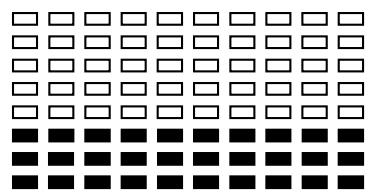
PROGRAMMA 1
MANUALE
PROGRAMMA 4
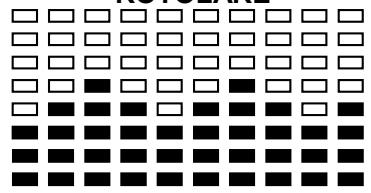
ROTOLARE
PROGRAMMA 7
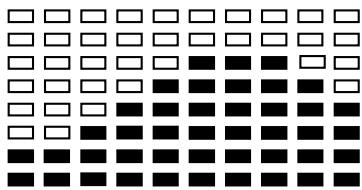
RAMPA
PROGRAMMA 10
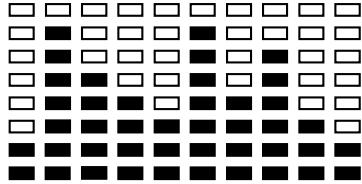
RANDOM
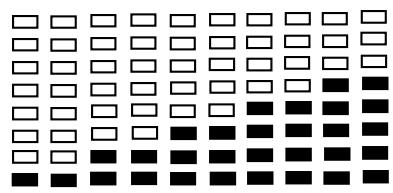
PROGRAMMA 2
PASSI
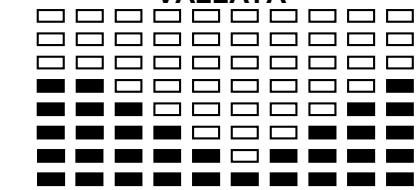
PROGRAMMA 5 VALLATA
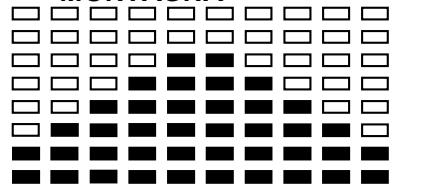
PROGRAMMA 81
ONTAGNA
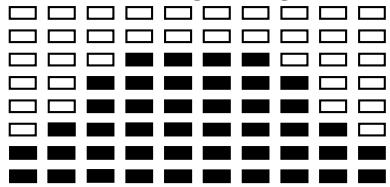
PROGRAMMA 11 ALTOPIANC
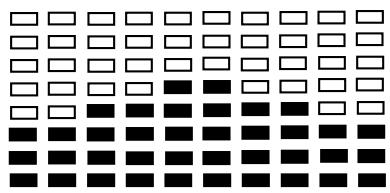
PROGRAMMA 3 COLLINA
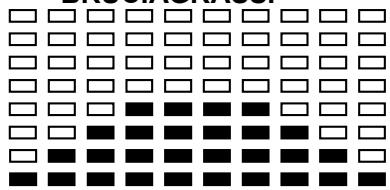
PROGRAMMA 6 BRUCIAGRASSI
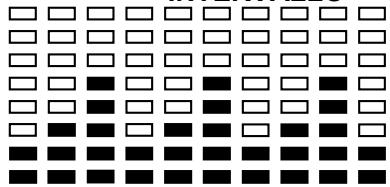
PROGRAMMA 9 INTERVALL
PROGRAMMA 12
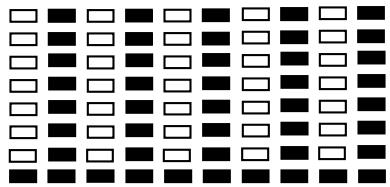
FARTLEK
PROGRAMMA 13
PRECIPIZIO
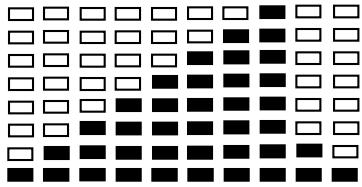
PROGRAMMA DA IMPOSTARE DALL'UTENTE
PROGRAMMA 14
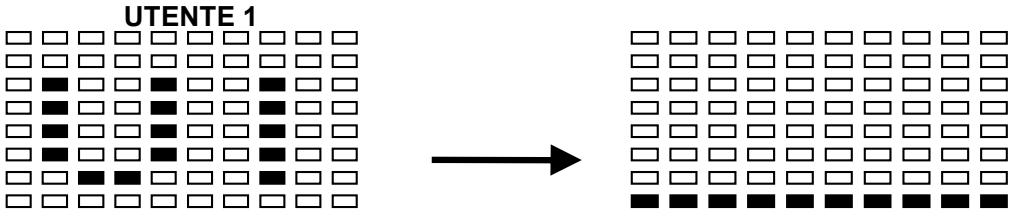
PROGRAMMA 15
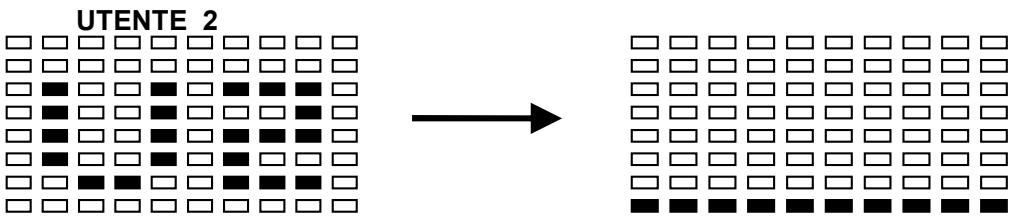
PROGRAMMA 16
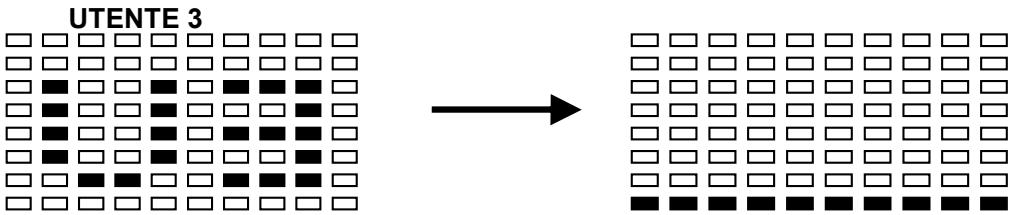
PROGRAMMA 17
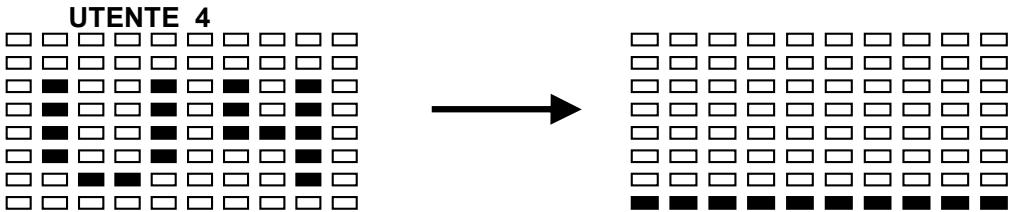
PROFILI DELLA FREQUENZA CARDIACA (H.C.R)
PROGRAMMA 18

PROGRAMMA 19


PROGRAMMA 20
75% H.R.C.
PROGRAMMA 21

85% H.R.C.

PROGRAMMA 22
TARGET H.R.C.
PROGRAMMA PER IL CONTROLLO DEI WATT

PROGRAMMA 23
CONTROLLO WATT
E mail: service-it@carefitness.com
FUNCTIONS:
Programma 18: 55% Max H.R.C. -- Target H.R. = (220 - LEEFTIJD) x 55%
Programma 19: 65% Max H.R.C. -- Target H.R. = (220 - LEEFTIJD) x 65%
Programma 20: 75% Max H.R.C. -- Target H.R. = (220 - LEEFTIJD) x 75%
Programma 21: 85% Max H.R.C. -- Target H.R. = (220 - LEEFTIJD) x 85%
https://cloud.carefitness.com/index.php/s/E2WD22KMNBQzERL
PROGRAMMA 1 MANUAL
PROGRAMMA 4
PROGRAMMA 2 STAPPEN
PROGRAMMA 5
PROGRAMMA 3 HEUVEL
PROGRAMMA 6
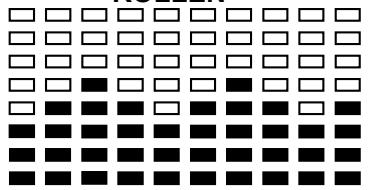
ROLLEN
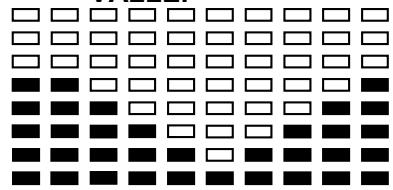
VALLEI
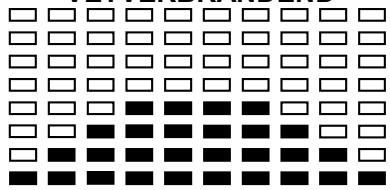
VETVERBRANDEND
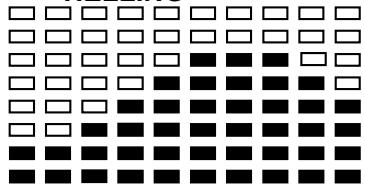
PROGRAMMA 7 HELLING
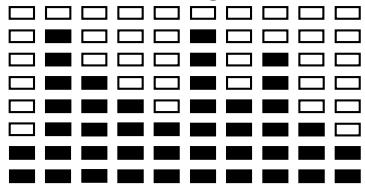
PROGRAMMA 10 RANDOM
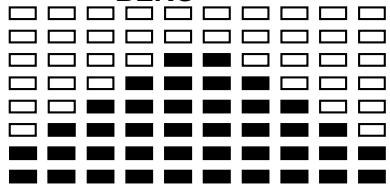
PROGRAMMA 8 BERG
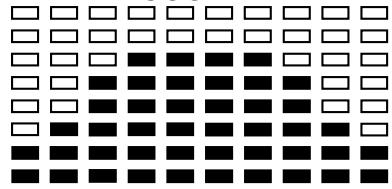
PROGRAMMA 11
HOOGVLAKTE
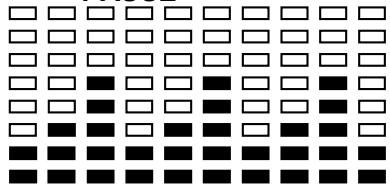
PROGRAMMA 9 PAUSE
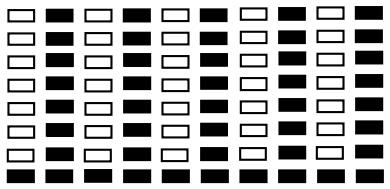
PROGRAMMA 12 TLEK
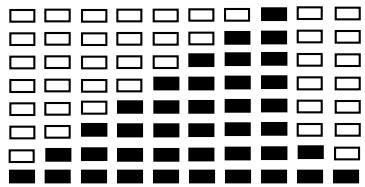
PROGRAMMA 13
AFGROND
PROGRAMMA IN TE STEllen DOOR GEBRUiker
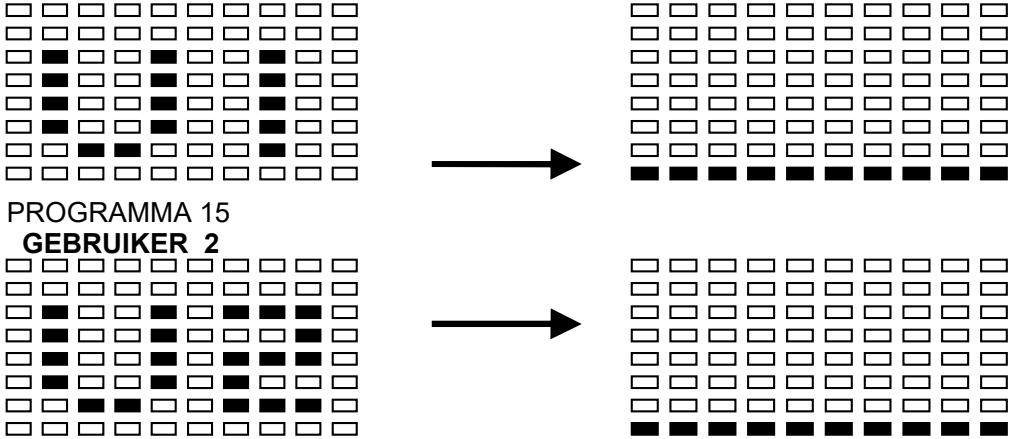
PROGRAMMA 14
GEBRUIKER 1
PROGRAMMA 16

GEBRUIKER 3
PROGRAMMA 17

GEBRUIKER 4
De harttraining (cardiotraining):
Dagelijke training = circa 10 minutes per keer.
2 tot 3 trainingen per week = circa 30 minutes per keer.
1 tot 2 trainingen per week = circa 50 minutes per keer.
E-mail: service-nl@carefitness.com
CARE
FITNESS