CT-900 - Treadmills CARE FITNESS - Free user manual and instructions
Find the device manual for free CT-900 CARE FITNESS in PDF.


| Brand | CARE FITNESS |
| Model | CT-900 |
| Product type | Treadmill |
| Usage | Home (standard EN-957 class HB) |
| Maximum user weight | 90 kg |
| Speed range | 1 to 6 km/h (increments of 0.1 km/h) |
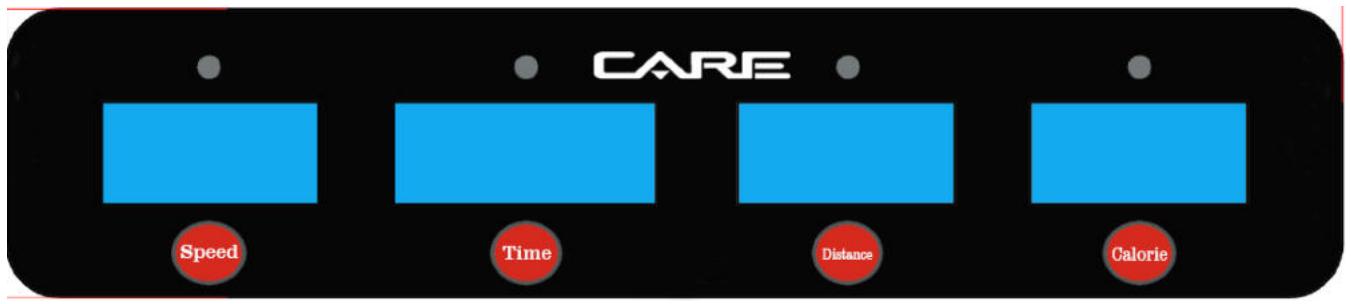
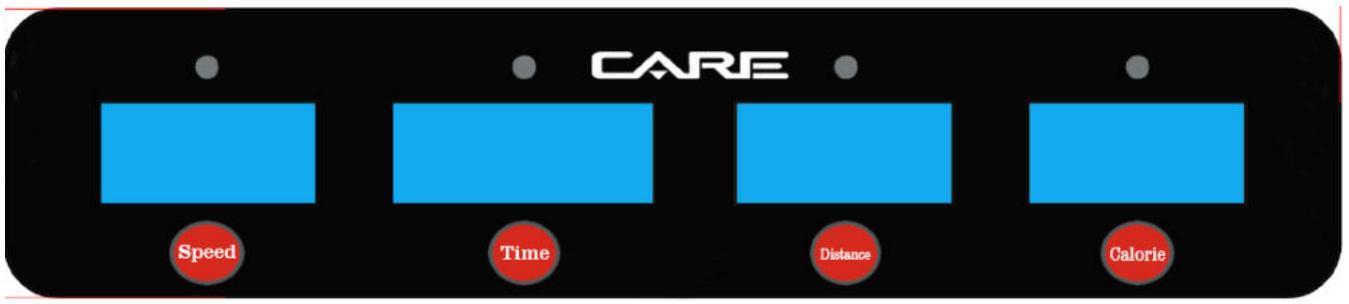
| Display | LED: speed, time, distance, calories |
| Control | Infrared remote control (start/stop, speed adjustment) |
| Operating mode | Manual |
| Power supply | Mains 220-240 V (estimated) |
| Frame warranty | 5 years |
| Wear parts warranty | 2 years |
| Platform lubrication | Periodic (depending on frequency of use) |
| Cleaning | Soft damp cloth, disconnect power |
| Safety | Safety lock, emergency stop |
| Error codes | E1 to E7 (communication, speed, overcurrent, etc.) |
| Repairability | Reserved for a specialized technician |
Frequently Asked Questions - CT-900 CARE FITNESS
User questions about CT-900 CARE FITNESS
0 question about this device. Answer the ones you know or ask your own.
Ask a new question about this device
Download the instructions for your Treadmills in PDF format for free! Find your manual CT-900 - CARE FITNESS and take your electronic device back in hand. On this page are published all the documents necessary for the use of your device. CT-900 by CARE FITNESS.
USER MANUAL CT-900 CARE FITNESS
Important: Read these instructions before using the equipment!
Safety
- Read this user manual and keep it in a safe place. Use this product exclusively in the manner indicated.
- This equipment must be assembled and used by adults.
- The equipment complies with the EN-957 standard, classification HB for use in the home. It must not be used in a sports center or any other public, associative or rented space.
- For totally safe use, a stable, level surface is required. Protect your floor covering with a mat. Do not use the equipment in damp areas (swimming pool, sauna, etc.).
- Do not allow children to play with this equipment. CARE declines all responsibility for any injuries they may incur. Do not allow children close to this equipment when you are training.
- CARE declines all responsibility if technical modifications are made to any of its products by the user.
Maximum weight of user: 90 kg. - Before you start training, it is essential that you consult your doctor to determine the intensity level of the program you use.
- Excessive or badly programmed training can damage your health.
- Keep your back straight when exercising.
- It is strongly recommended that your wear suitable clothing and footwear.
- For adjustable parts, bear the maximum positions in mind.
Maintenance
- Regularly check that elements fastened with nuts and bolts are correctly tightened.
- To maintain the level of safety, the equipment must be regularly checked. It is vital that any faulty parts are replaced and that it is not used until completely repaired. Remember regularly to grease moving parts.
- As sweat is very corrosive, do not allow it to come into contact with the enameled or chromed parts of the equipment, particularly the computer. Immediately wipe the equipment after training. The enameled parts can be cleaned using a damp sponge. All aggressive or corrosive products should be avoided.
Guarantee: the chassis is guaranteed for 5 years. Moving parts are guaranteed for 2 years. The guarantee applies to normal use by a private individual in his home. Validate your product warranty on line www.carefitness.com
Recycling : The « crossed out dustbin » sign means that this product and its batteries cannot be thrown out whit domestic waste. They should be treated apart. When you have finished with them, drop them at an authorised collection point so they can be recycled. This gesture will go towards protecting the environment and your health.
| NO. | DESCRIPTION | SPEC. | Q'TY |
| 5# Allen Wrench | 5mm | 1 |
Télécommande
1 PC CR2025
F
MANUEL D'UTILISATION
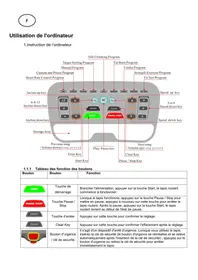
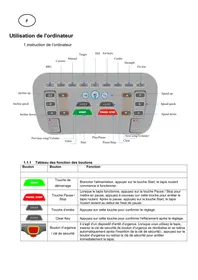
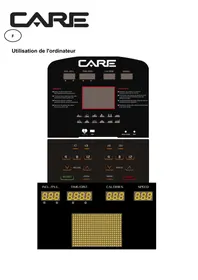
PRESENTATION DES FENETRES
Fonction :
E mail: sav@carefitness.com
GB
OPERATION GUIDE
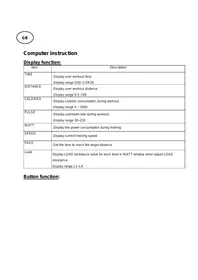
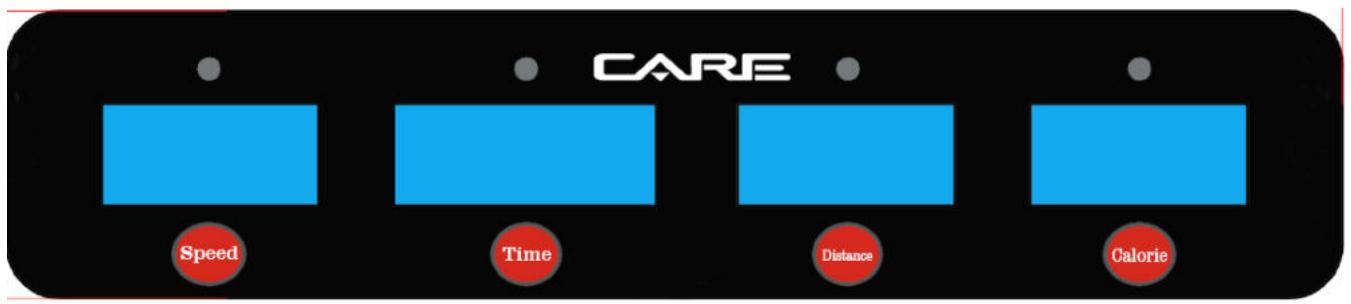
WINDOW DISPLAY
Function :
Infrared remote control function
The specification USES conventions for nouns :
Manual motion mode : Sports mode without setting the amount of exercise.
Parameter Description
Motion parameters in various sports modes :
Minimum display speed of 1km / h
Maximum display speed of 6km / h
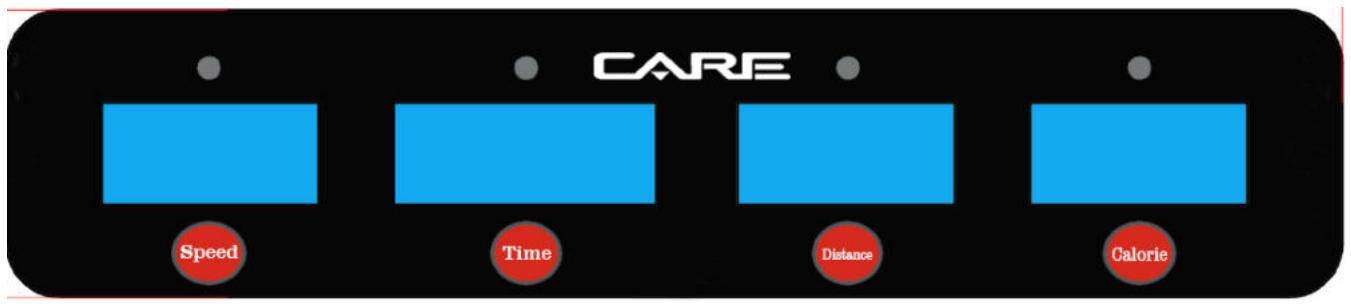
LED display description
LED display :
- Speed display
Time display
Distance display
Calorie display
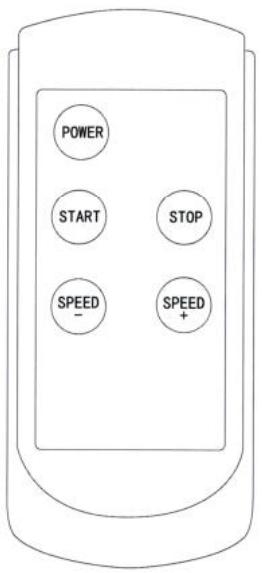
Remote control button description:
1. Button function:
Start and Stop
·Speed“+”/“-”
·Power button
Remote control button function and operation instructions
- Start---Function : Start the treadmill
Operation instruction : The computer in standby mode,press the button to start the treadmill.
- Stop---Function: Stop the treadmill
Operation instruction:Press this button at any time to stop the treadmill
·Speed“+"/"--" buttons---Function:Speed value adjustment at run time
Operation instruction: When start the treadmill, press the "+" , " - " buttons to adjust the speed by 0.1km each time.
·Power button--- Function : Turn off/on display in standby mode
Operation instruction: In standby mode,press the button to turn off the display and enter the sleep mode,then press the button to turn on the display.
Description of movement mode
A、Manual mode function
Enter manual mode : When computer is fully powered on, it enters the initial standby mode, then press start button to enter the manual mode.
Operation instructions: The initial running speed is 0.8KM/H, time, distance window is counting from zero, pressing speed
Adjust button, Adjustable running speed value.
Notice: The exercise time is more than 100 minutes, the system will not automatically stop
Sleep function description:
When the treadmill stops running, it will go to sleep without any operation for more than 10 minutes., LED window and corresponding indicator off display, press power button to wake up the computer, and then re-enter the initial standby mode after full display.
RUNNING BELT AND DECK LUBRICATION
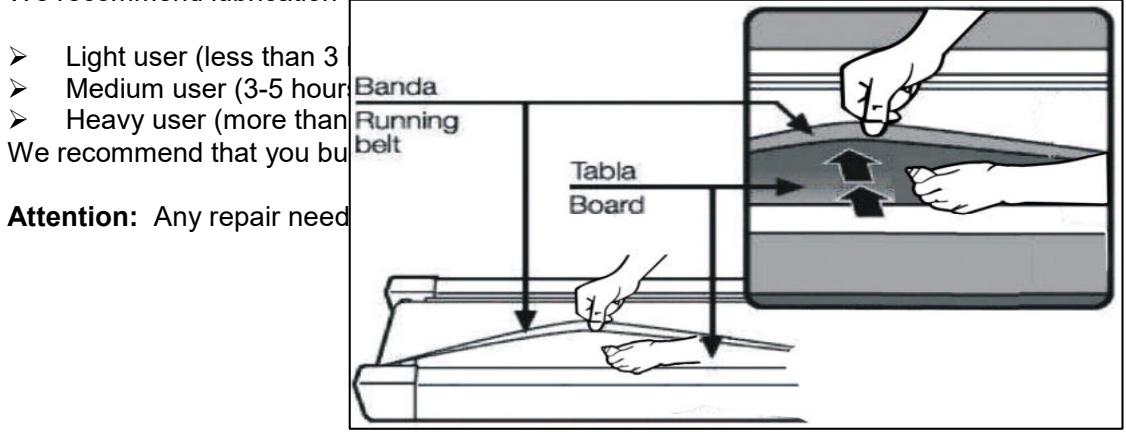
This treadmill is equipped with a pre-lubricated, low maintenance deck system. The belt/ deck friction may play a major role in the function and life of your treadmill, thus requiring periodic lubrication. We recommend a periodic inspection of the deck. You need contact with our service center if you find the damage of the deck.
We recommend lubrication of the deck according to the following timetable:
- We suggest that you should cut off the power for 10Mints after keep running 2HS, so that it's good for maintain the treadmill.
- The belt would slip if too loose during using; if the belt is too tight, it would affect the performance of motor and increase the abrasion of roller and belt. The belt can be lift away from the deck for around 50 — 75mm if the degree of tightness is just well.
Maintenance and Malfunction Treatment
1) The surface of the treadmill should be kept clean, pull out the power line before cleaning. You can clean the running belt and the surface of the treadmill with a soft and wet cloth.
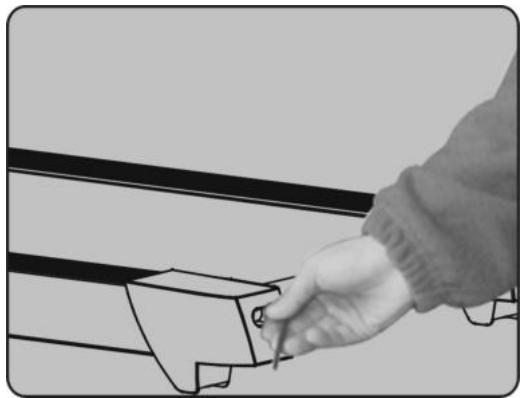
2) The running belt is adjusted at factory; it may runs defectively after transportation and use. Turn off the treadmill before adjusting, pull the belt in the center, and then adjust the left and right bolts in rear roller with hex spanner (See figure ) it is better to adjust 1/2 circle once. Then turn on the switch, check if the belt
10 runs defectively when the running speed is 4 5km / h
12.Meanings of error message codes
| Error code | Failure description | Solutions |
| E1 | Communication abnormality: abnormal communication between the controller and the electronic meter after powering on | Stop the controller to enter failure state. It can not be started up. The electronic meter displays the error code and the buzzer sounds for 3 times.Possible reasons: The communication between the controller and the electronic meter is blocked; check each section of connection of the communication wires from the electronic meter to the controller and ensure that all core wires are well connected. Check whether wireings between the electronic meter and the controller are damaged; if yes, replace the damaged wire. |
| E2 | Controller cannot detect the voltage of motorNo speed sensor signal: while there is voltage output from the controller to the DC motor, speed feedback can not be received from the motor for more than 3s. | 1.check if the motor wire is well connected to the controller.2_Stop and enter the failure state. The electronic meter buzzer sounds for 9 times and the error code is displayed. No display at other areas. If the system enters into standby state after about 10s of failure state, restart can be conducted.Possible reasons: If speed sensor signal is not received for more than 3s, check whether the sensor connector is well plugged or whether it is damaged; plug it well or replace the sensor.3_Stop and enter the failure state. The electronic meter buzzer sounds for 9 times and the error code is displayed. No display at other areas. If recovering to the normal state and enter into the standby state after stop, normal startup can be implemented.Possible reasons: Check whether motor wires are well connected; re-connect motor wires. Check whether the controller emits abnormal odor; replace it if yes. |
| E4 | Incline motor correction failure or error | re-check incline motor after power on;Check the connection;Change inverter and re-check it;Change the incline motor and re-check; |
| E5 | Over-current protection: in the operation state, the controller continuously detects DC motor current of more than the value of rated current + 6A for more than 3s. | Stop and enter the failure state. The electronic meter buzzer sounds for 9 times and the error code is displayed. No display at other areas. If the system enters into standby state after about 10s of failure state, restart can be conducted.Possible reasons: System self-protection is triggered under excessive current caused by the excessive load more than the rated value, or some place of the treadmill is jammed so that the motor can not rotate; thus, the system start up self-protection against excessive current under excessive load; adjust the treadmill and restart it. Besides, check whether there is over-current sound or burning odor when the motor is running; replace the motor; check whether the controller emits abnormal odor; replace it if yes; check whether power supply voltage specifications is inconsistent or too low and use correct voltage specifications for re-test. |
| E6 | Explosion-proof protection: abnormal power voltage or motor abnormality leads to the damage of driving motor circuit | Stop and enter the failure state. The electronic meter buzzer sounds for 9 times and the error code is displayed. No display at other areas. If recovering to the normal state and enter into the standby state after stop, normal startup can be implemented.Possible reasons: Check whether the power supply voltage is less than 50% of the normal value; please ensure correct voltage and test again; check whether the controller emits the odor of burning; if yes, replace the controller; check whether motor wires are well connected; reconnect motor wires. |
| E7 | Safety lock not in position | put Safety lock in position;change Safety lock switch;reconnect Safety lock line |
To order spare parts
To guarantee an efficient service, make sure you have the following items before you contact our After Sales Service:
The name or reference of the product.
The manufacturing number shown on the main chassis and on the packing box.
The number of the missing or faulty part shown on the exploded view of the product described in this manual.
After Sales Service
Email: service-uk@carefitness.com
D
BETRIEBSANLEITUNG
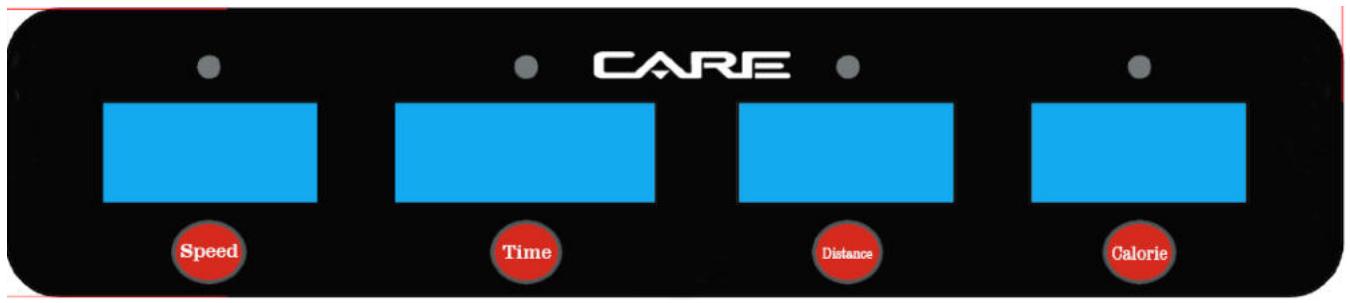
ANZEIGEFENSTER
Funktion:
E mail: service-de@carefitness.com
E
MANUAL DE USO
E mail : service-it@carefitness.com
BEDIENINGSHANDLEIDING
TELLERSDISPLAY
Werking:
infrarood afstandsbediening
E-mail: service-nl@carefitness.com