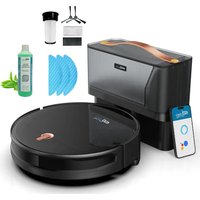
EZICLEAN AQUA CONNECT X550 - Cleaning robot

AQUA CONNECT X550 - Cleaning robot EZICLEAN - Free user manual and instructions

Find the device manual for free AQUA CONNECT X550 EZICLEAN in PDF.

📄 21 pages English EN Download 💬 AI Question 11 questions ⚙️ Specs
Notice EZICLEAN AQUA CONNECT X550 - page 12
View the manual : Français FR English EN
Pick your language and provide your email: we'll send you a specifically translated version.
Product TypeRobot vacuum
Brand and modelEZICLEAN AQUA CONNECT X550
Dimensions (mm)330 × 76
Weight (kg)2,800
Navigation technologyNAVIG+™ with mapping
BatteryLithium-ion, 2000 mAh
Runtime120 minutes
Charging time4 hours (first charge 6 hours)
Auto-return to baseYes
Max noise level55 dB
Dustbin capacity~600 mL
HEPA filterYes, anti-allergen
Remote controlYes
Smartphone appYes (EZClean Connect)
Water tankYes, with microfiber mop
Corner detectionCORNER™ Technology
Max recommended area120 m²
Cleaning modesAuto, spiral, wall, manual
SchedulingYes, via app (days/times)
Breakpoint™ function (resume after recharging)Not available on this model (only x600/x650/x850)
Obstacle Insist™ function (obstacle crossing)Not available on this model (only x600/x650/x850)
Power supplyOriginal power adapter included
MaintenanceClean bin, HEPA filter, brushes, sensors
PrecautionsUse on dry indoor floors; do not use on carpets in mopping mode; keep away from curtains

Frequently Asked Questions - AQUA CONNECT X550 EZICLEAN

How to connect the robot to WiFi?
Make sure your router is set to 2.4 GHz (not 5 GHz). Disable the router firewall, check the password, then follow the instructions in the EZClean Connect app.
What to do if the robot cannot connect to the app?
Check that your phone is connected to the 2.4 GHz network. Try sharing the connection from another phone to isolate a router issue. Make sure the robot is powered on (switch set to I).
How to schedule automatic cleaning?
In the EZClean Connect app, click 'Add', select the desired time and day, then save. You can repeat the operation for multiple slots per day or per week.
The robot does not return to its charging base, what to do?
Check that the charging base is not placed in a highly reflective area (direct sunlight, mirror). Make sure the switch is on I and the robot is not blocked. The robot automatically returns to base when battery is low.
How to clean the HEPA filter?
Remove the dustbin, open the HEPA filter cover, take out the pre-filter and the HEPA filter. Gently clean them with water, then let them dry completely before putting them back. The filters should not be washed in the dishwasher.
Can I use the water tank on carpets?
No, the water tank is intended for hard floors. Do not use it on carpets or rugs. After each use, clean the tank and the mop cloth and let them dry.
How to manually control the robot?
Use the directional arrows on the remote control or the EZClean Connect app to move the robot manually. Manual control is accessible from the app interface.
What does the blinking light on the robot mean?
A light may indicate low battery, a connection error, or a blockage. Refer to the 'Troubleshooting' section in the manual. If the problem persists, reset the robot by turning the switch off and then back on.
How to share the robot with other family members?
In the EZClean Connect app, click 'Share' or 'Add' and enter the person's ID. They will be able to control the robot from their own phone.
The robot is not charging anymore, what to do?
Check that the switch is on I. Make sure the charging base is plugged in and the contacts are clean (wipe with a dry cloth). If the problem persists, it may be a deeply discharged battery; let it charge for several hours. If that fails, contact customer service.

User questions about AQUA CONNECT X550 EZICLEAN

1 question about this device. Answer the ones you know or ask your own.

Ask a new question about this device

The email remains private: it is only used to notify you if someone responds to your question.

How to reset the EZICLEAN AQUA CONNECT X550 cleaning robot when the reset function does not work?
Frequently Asked Questions - 18/01/2026
Response Notice-Facile

If the reset function of your EZICLEAN AQUA CONNECT X550 cleaning robot is not working, here are several steps to follow to try to resolve this issue:

1. Check the power supply

  • Make sure your robot is sufficiently charged. Place it on its charging station and let it charge for at least 30 minutes before attempting a new reset.

2. Use the reset button correctly

  • If your model has a reset button, press and hold it for about 10 to 15 seconds until the robot restarts or the lights flash.

3. Unplug and replug the charging station

  • Disconnect the charging station from the electrical outlet, wait about 30 seconds, then plug it back in. Place the robot on it and try to reset it again.

4. Remove and reinsert the battery (if accessible)

  • If you are comfortable with this operation and the battery is accessible, carefully remove it, wait a minute, then reinsert it before attempting a new reset.

5. Clean the charging contacts

  • Check that the metal contacts of the robot and the charging station are clean and free of dust or dirt, which could prevent a good connection.

If after all these steps the reset still does not work, it is possible that the problem is related to a more complex hardware or software malfunction. In this case, contacting EZICLEAN customer service for in-depth technical assistance is recommended.

Respond (be the first)

Download the instructions for your Cleaning robot in PDF format for free! Find your manual AQUA CONNECT X550 - EZICLEAN and take your electronic device back in hand. On this page are published all the documents necessary for the use of your device. AQUA CONNECT X550 by EZICLEAN.

USER MANUAL AQUA CONNECT X550 EZICLEAN

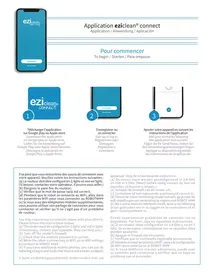
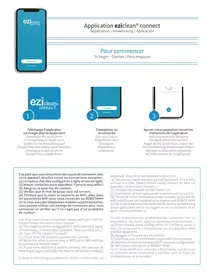
Application eziclean connect

You may experience connection issues with your device. Please follow the instructions below:

a) The router must be configured in 2.4GHz and not in 5GHz. (If necessary, contact your operator, they can help you.)
[b] Turn off the router's firewall;
[c] Check that the entered password is correct;
[d] While the robot is connecting to WIFI, go to WIFI settings to connect to ROBOT ###
e) If you have additional mobile phones, you can use its tethering to log in and verify that there is not a router problem;

Rechner (application "EZIcone" Connect)

Search for the application "EZClean Connect" /
Suchen Sie nach der Anwendung «EZClean Connect»/
Busque la aplicacion «EZClean Connect»

6

EZICLEAN AQUA CONNECT X550 - Application eziclean connect - 1

Entrez les identifiants de votre application «EZiclean® Connect»

Enter the identifiers of your "EZClean Connect" app / Geben Sie die Kennungen Ihr's App «EZclean» Connect/ Introduzca los identificadores de su Aplicacion «EZclean» Connect

Fonctionnalités

Features / Funktionen / Characteristicas

EZICLEAN AQUA CONNECT X550 - Features / Funktionen / Characteristicas - 1

Control the level of humidification of the mop(1)

Cleaning along the walls (2)

Intensive cleaninga defined area

Define areas not to be cleaned (4)

Define specific areas to clean (3)

Return to charging base

Ask the robot to go to a specific point (3)

connect x500 et aqua connect x550

EZICLEAN AQUA CONNECT X550 - connect x500 et aqua connect x550 - 1

EZICLEAN AQUA CONNECT X550 - connect x500 et aqua connect x550 - 2

eziclean connect x500:

Dimensions (mm): 330 × 76

Poids (kg):2,800

Surface Max.: 120m^2

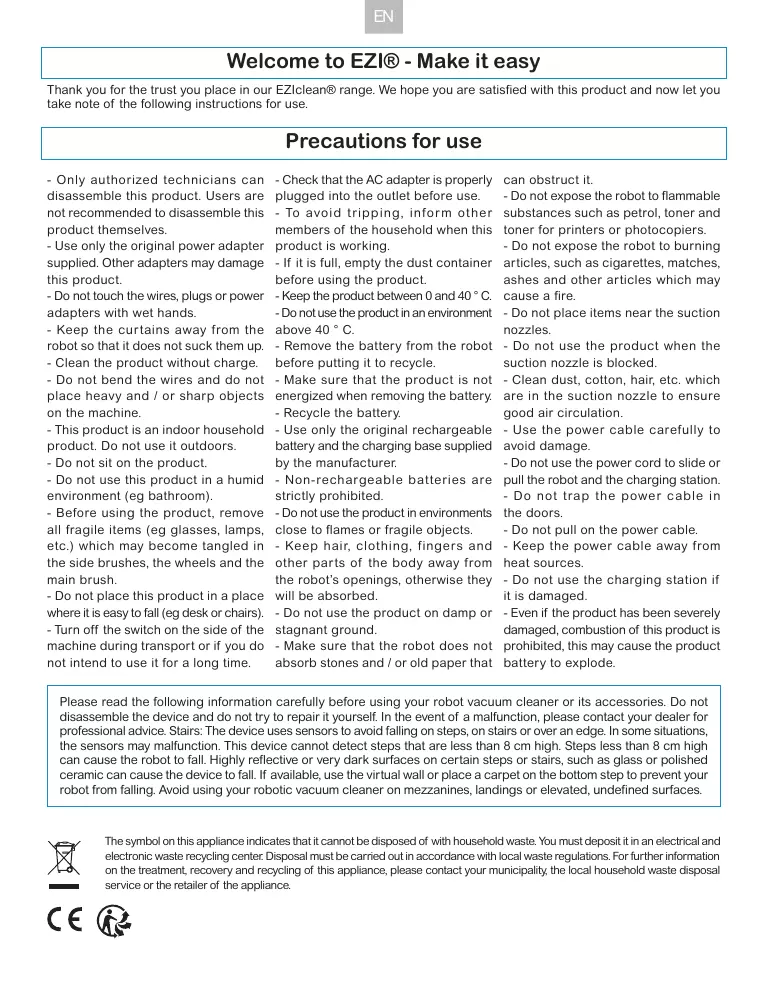
Welcome to EZI® - Make it easy

Thank you for the trust you place in our EZIclean® range. We hope you are satisfied with this product and now let you take note of the following instructions for use.

Precautions for use

  • Only authorized technicians can disassemble this product. Users are not recommended to disassemble this product themselves.
  • Use only the original power adapter supplied. Other adapters may damage this product.
  • Do not touch the wires, plugs or power adapters with wet hands.
    Keep the curtains away from the robot so that it does not suck them up.
  • Clean the product without charge.
  • Do not bend the wires and do not place heavy and / or sharp objects on the machine.
  • This product is an indoor household product. Do not use it outdoors.
  • Do not sit on the product.
  • Do not use this product in a humid environment (eg bathroom).
  • Before using the product, remove all fragile items (eg glasses, lamps, etc.) which may become tangled in the side brushes, the wheels and the main brush.
  • Do not place this product in a place where it is easy to fall (eg desk or chairs).
  • Turn off the switch on the side of the machine during transport or if you do not intend to use it for a long time.

  • Check that the AC adapter is properly plugged into the outlet before use.

  • To avoid tripping, inform other members of the household when this product is working.
  • If it is full, empty the dust container before using the product.
  • Keep the product between 0 and 40^ .
  • Do not use the product in an environment above 40^ C.
  • Remove the battery from the robot before putting it to recycle.
  • Make sure that the product is not energized when removing the battery.
  • Recycle the battery.
  • Use only the original rechargeable battery and the charging base supplied by the manufacturer.
  • Non-rechargeable batteries are strictly prohibited.
  • Do not use the product in environments close to flames or fragile objects.
  • Keep hair, clothing, fingers and other parts of the body away from the robot's openings, otherwise they will be absorbed.
  • Do not use the product on damp or stagnant ground.
    Make sure that the robot does not absorb stones and / or old paper that

can obstruct it.
- Do not expose the robot to flammable substances such as petrol, toner and toner for printers or photocopiers.
- Do not expose the robot to burning articles, such as cigarettes, matches, ashes and other articles which may cause a fire.
- Do not place items near the suction nozzles.
- Do not use the product when the suction nozzle is blocked.
- Clean dust, cotton, hair, etc. which are in the suction nozzle to ensure good air circulation.
- Use the power cable carefully to avoid damage.
- Do not use the power cord to slide or pull the robot and the charging station.
- Do not trap the power cable in the doors.
- Do not pull on the power cable.
- Keep the power cable away from heat sources.
- Do not use the charging station if it is damaged.
- Even if the product has been severely damaged, combustion of this product is prohibited, this may cause the product battery to explode.

Please read the following information carefully before using your robot vacuum cleaner or its accessories. Do not disassemble the device and do not try to repair it yourself. In the event of a malfunction, please contact your dealer for professional advice. Stairs: The device uses sensors to avoid falling on steps, on stairs or over an edge. In some situations, the sensors may malfunction. This device cannot detect steps that are less than 8cm high. Steps less than 8cm high can cause the robot to fall. Highly reflective or very dark surfaces on certain steps or stairs, such as glass or polished ceramic can cause the device to fall. If available, use the virtual wall or place a carpet on the bottom step to prevent your robot from falling. Avoid using your robotic vacuum cleaner on mezzanines, landings or elevated, undefined surfaces.

EZICLEAN AQUA CONNECT X550 - Precautions for use - 1

C E

The symbol on this appliance indicates that it cannot be disposed of with household waste. You must deposit it in an electrical and electronic waste recycling center. Disposal must be carried out in accordance with local waste regulations. For further information on the treatment, recovery and recycling of this appliance, please contact your municipality, the local household waste disposal service or the retailer of the appliance.

EZICLEAN AQUA CONNECT X550 - Precautions for use - 2

Your device

EZICLEAN AQUA CONNECT X550 - Your device - 1

EZICLEAN AQUA CONNECT X550 - Your device - 2

EZICLEAN AQUA CONNECT X550 - Your device - 3

EZICLEAN AQUA CONNECT X550 - Your device - 4

Installing your device

To install your device, follow these instructions :

EZICLEAN AQUA CONNECT X550 - Installing your device - 1
1. Assemble the dust bin cover by pressing firmly
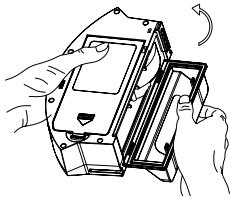
EZICLEAN AQUA CONNECT X550 - Installing your device - 2
2. Close the lid dust bin

EZICLEAN AQUA CONNECT X550 - Installing your device - 3
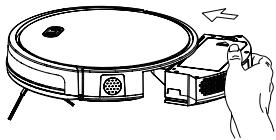
3. Insert the dust container in the robot
EZICLEAN AQUA CONNECT X550 - Installing your device - 4
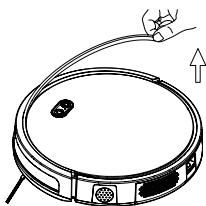
4. Remove all protections of the robot

EZICLEAN AQUA CONNECT X550 - Installing your device - 5
5. Place the charging base at 50~cm from any obstacle and connect it

EZICLEAN AQUA CONNECT X550 - Installing your device - 6
6. Install the side brushes according to the L & R instructions

EZICLEAN AQUA CONNECT X550 - Installing your device - 7
7. Set the switch to «I» To switch off the robot, set the switch to «O»

EZICLEAN AQUA CONNECT X550 - Installing your device - 8
8. Place the robot to be charged by placing it on the charging base

Note:

  • It is also possible to recharge the robot by directly connecting the power cable to the robot.

  • Make sure that the switch is on «I» before recharging the robot. If the switch is on «O», the robot cannot be recharged.

  • During cleaning, the robot may feel that its battery is insufficient and automatically return to its charging base.

  • You can also ask it to return to its charging base by pressing the robot button or from your application.

Pay attention to the charge:

  1. The charging base should not be placed in highly reflective environments such as direct sunlight or near mirrors. This could distort the robot's navigation and it could get lost.
  2. In order to ensure the proper functioning of the robot, it is advisable to recharge it for 6 hours the first time.

Start cleaning

The different cleaning modes:

EZICLEAN AQUA CONNECT X550 - Start cleaning - 1

The robot performs the planned cleaning by automatically adapting to its environment.
- Turn on the main switch, when the light is on, it means that the robot is on.
- Then briefly press the robot button, the button on the remote control or from the application.

EZICLEAN AQUA CONNECT X550 - Start cleaning - 2

Adapted to the soil where the garbage is concentrated, the robot cleans the soil "spirally" and intensively.

  • Then briefly press the robot button, the button on the remote control or from the application.

EZICLEAN AQUA CONNECT X550 - Start cleaning - 3

Control the robot by hand by selecting the directional arrows.
- Press the directional arrows on the remote control or the application.

Suction power control

EZICLEAN AQUA CONNECT X550 - Suction power control - 1

Adjust the suction power according to the different types of soil.
- Press the buttons on the remote control or from the application.
Please note: The suction power can only be adjusted in auto mode.

Stop cleaning

Standby

While the appliance is running, press the «Start / pause» button on the robot or the pause button on the remote control or the application to stop cleaning.

Start-up

The robot goes into standby mode after 10 minutes of inactivity and all the lights go out.

Use any button on the robot or application to restart the robot.

Switch off

Once the device has stopped working, press the «start» button for a few seconds and all the indicators will go out.

If you no longer wish to use your robot for an extended period of time, set the switch to «O».

If you want to use it regularly, leave the switch on «I» so it can charge properly.

Caring for your device

To clean the dust container, follow the instructions below :

EZICLEAN AQUA CONNECT X550 - Caring for your device - 1
1. Press the dust bin button to remove it from the robot.

EZICLEAN AQUA CONNECT X550 - Caring for your device - 2
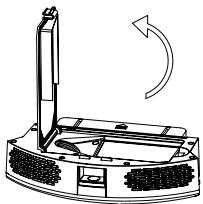
2. Open the dust container.

EZICLEAN AQUA CONNECT X550 - Caring for your device - 3

EZICLEAN AQUA CONNECT X550 - Caring for your device - 4
3. Remove the dirt.

EZICLEAN AQUA CONNECT X550 - Caring for your device - 5
4. Open the cover of the HEPA filter

EZICLEAN AQUA CONNECT X550 - Caring for your device - 6
5. Remove the pre-filter and the robot's HEPA filter.

EZICLEAN AQUA CONNECT X550 - Caring for your device - 7
6. Gently clean the HEPA filter and the pre-filter with water.

EZICLEAN AQUA CONNECT X550 - Caring for your device - 8

EZICLEAN AQUA CONNECT X550 - Caring for your device - 9
7. Clean the dust container with a cloth or brush. Do not put it in the water.

EZICLEAN AQUA CONNECT X550 - Caring for your device - 10
8. Let the various elements dry before reinserting them.

EZICLEAN AQUA CONNECT X550 - Caring for your device - 11

EZICLEAN AQUA CONNECT X550 - Caring for your device - 12

EZICLEAN AQUA CONNECT X550 - Caring for your device - 13

  1. Replace the pre-filter and the HEPA filter in the dust container

Notes:

  • Before installing the filters, make sure that the HEPA filter and the pre-filter are completely dry.

  • Do not expose the filters to the sun.

  • Close the dust bin cover and install the dust bin in the robot.

Please note: the dust container and the HEPA filter must not be washed with water.

To clean the main brush, follow the instructions below :

EZICLEAN AQUA CONNECT X550 - Caring for your device - 14
1. Open the passenger compartment the main brush

EZICLEAN AQUA CONNECT X550 - Caring for your device - 15
2. Remove the main brush

EZICLEAN AQUA CONNECT X550 - Caring for your device - 16

3. Use the cleaning brush to remove dirt.

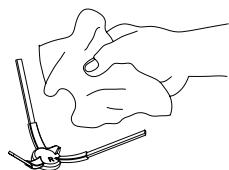
To clean the side brushes, run them under water or clean them with a cloth
EZICLEAN AQUA CONNECT X550 - Caring for your device - 17

To clean the sensors, follow the instructions below:

The charging base, robot and bumper sensors contain sensitive electronic components. Use a dry cloth to clean them and be careful not to moisten them as this may cause damage.

EZICLEAN AQUA CONNECT X550 - Caring for your device - 18
1. Clean the sensors loading

EZICLEAN AQUA CONNECT X550 - Caring for your device - 19
2. Clean the robot sensors

EZICLEAN AQUA CONNECT X550 - Caring for your device - 20
3. Clean the central wheel

  • If you do not use the product for a long time, charge it fully before storing it.
  • Turn off the device and continue to charge it every 3 months to prevent the battery from fully discharging.
  • If the battery is too discharged or not used for a long time, the product may not be able to be recharged. Contact our company for after-sales service. Do not disassemble the product yourself.

Technical characteristics

eziclean connect x500:

Dimensions (mm): 330 × 76

Weight (kg): 2,800

Max area: 120m^2

Navigation technology: NAVIG+TM - Mapped

Max decibels : 55dB

Battery: Lithium-ion - 2000 mAh

Autonomy: 120 min

Charging time: 4 hours

Automatic return to base: Yes

Technology Corner Detection: CORNER™

Capacity: 600~mL

Anti-Allergen: HEPA filter

Remote control: Yes

Connected via app: Yes

Water tank: No

ezclean 品 aquacennectx550:

Dimensions (mm): 330 × 76

Weight (kg): 2,800

Max area: 120m^2

Navigation technology: NAVIG+TM - Mapped

Max decibels : 55dB

Battery: Lithium-ion - 2000 mAh

Autonomy: 120 min

Charging time: 4 hours

Automatic return to base: Yes

Technology Corner Detection: CORNER™

Capacity: 600~mL

Anti-Allergen: HEPA filter

Remote control: Yes

Connected via app: Yes

Water tank: Yes

To download this manual in multilingual, go to our website.

46/48, rue Gay Lussac

94430 Chennevières-sur-Marne

www.e-zicom.com

Do not use on rugs and carpets.

After cleaning the floor, properly clean the water tank. Remove the mop, clean it and dry it flat.

Depending on the type of soil you will clean, you can manage the water flow of your water tank from the e2clearer connect application.
Manual assistant
Powered by Anthropic
Waiting for your message
Product information

Brand : EZICLEAN

Model : AQUA CONNECT X550

Category : Cleaning robot