
PC-KA1191 - Electric coffee maker PROFICOOK - Free user manual and instructions
Find the device manual for free PC-KA1191 PROFICOOK in PDF.

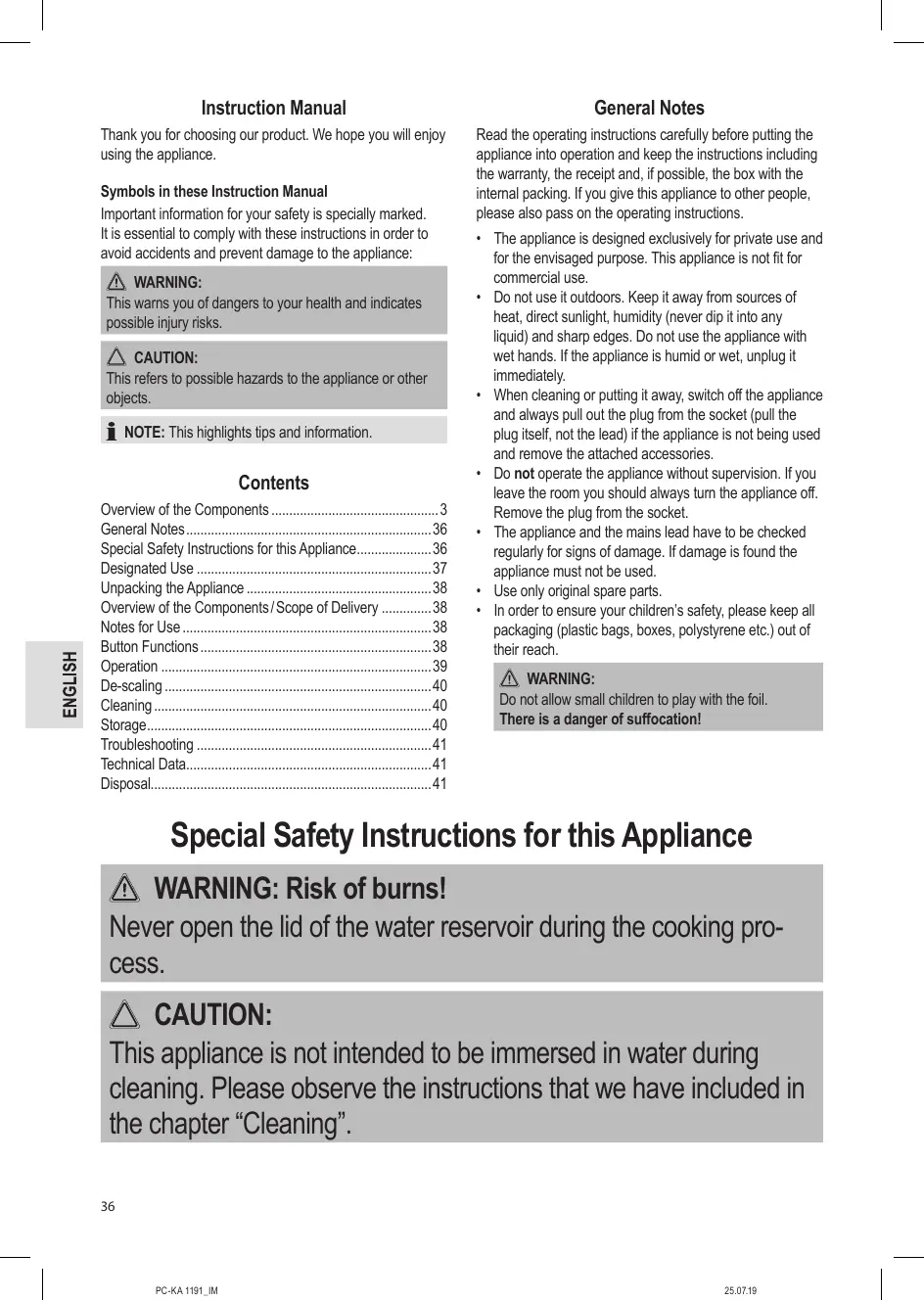


| Product Type | Filter coffee maker |
| Model | PC-KA 1191 |
| Brand | PROFICOOK |
| Power Supply | 220-240 V ~, 50/60 Hz |
| Protection Class | I |
| Maximum Capacity | 1.2 L (approx. 10 cups) |
| Net Weight | Approx. 2.5 kg |
| Coffee Type | Ground |
| Filter | Paper size 1x4 |
| Carafe | Thermal carafe with lid |
| Main Functions | Immediate brewing, delayed programming (Timer), aroma strength selection (mild/medium/strong) |
| Display | LED clock, mode indicators |
| Safety | Automatic shutdown after 5 min (Eco-design directive), anti-drip device, overheat protection |
| Cleaning | Exterior: damp cloth; filter and carafe: soapy water; descaling necessary with citric acid |
| Descaling | Use exclusively a descaling agent based on citric acid, then rinse 3-4 times with fresh water |
| Storage | In a dry, ventilated place, out of reach of children |
| Package Contents | Coffee maker, thermal carafe, filter holder, instruction manual |
| Warranty | In accordance with applicable legislation |
| Usage | Domestic and indoor use only |
Frequently Asked Questions - PC-KA1191 PROFICOOK
User questions about PC-KA1191 PROFICOOK
0 question about this device. Answer the ones you know or ask your own.
Ask a new question about this device
Download the instructions for your Electric coffee maker in PDF format for free! Find your manual PC-KA1191 - PROFICOOK and take your electronic device back in hand. On this page are published all the documents necessary for the use of your device. PC-KA1191 by PROFICOOK.
USER MANUAL PC-KA1191 PROFICOOK
ATTENTION: Anti-goutte
Consummation : .800W
Thank you for choosing our product. We hope you will enjoy using the appliance.
Symbols in these Instruction Manual
Important information for your safety is specially marked. It is essential to comply with these instructions in order to avoid accidents and prevent damage to the appliance:

WARNING:
This warns you of dangers to your health and indicates possible injury risks.

CAUTION:
This refers to possible hazards to the appliance or other objects.

NOTE: This highlights tips and information.
Contents
Overview of the Components 3
General Notes 36
Special Safety Instructions for this Appliance. 36
Designated Use 37
Unpacking the Appliance 38
Overview of the Components/ Scope of Delivery 38
Notes for Use 38
Button Functions 38
Operation 39
De-scaling 40
Cleaning 40
Storage 40
Troubleshooting 41
Technical Data. 41
Disposal 41
General Notes
Read the operating instructions carefully before putting the appliance into operation and keep the instructions including the warranty, the receipt and, if possible, the box with the internal packing. If you give this appliance to other people, please also pass on the operating instructions.
- The appliance is designed exclusively for private use and for the envisaged purpose. This appliance is not fit for commercial use.
- Do not use it outdoors. Keep it away from sources of heat, direct sunlight, humidity (never dip it into any liquid) and sharp edges. Do not use the appliance with wet hands. If the appliance is humid or wet, unplug it immediately.
- When cleaning or putting it away, switch off the appliance and always pull out the plug from the socket (pull the plug itself, not the lead) if the appliance is not being used and remove the attached accessories.
- Do not operate the appliance without supervision. If you leave the room you should always turn the appliance off. Remove the plug from the socket.
- The appliance and the mains lead have to be checked regularly for signs of damage. If damage is found the appliance must not be used.
- Use only original spare parts.
- In order to ensure your children's safety, please keep all packaging (plastic bags, boxes, polystyrene etc.) out of their reach.

WARNING:
Do not allow small children to play with the foil.
There is a danger of suffocation!
Special Safety Instructions for this Appliance

WARNING: Risk of burns!
Never open the lid of the water reservoir during the cooking process.

CAUTION:
This appliance is not intended to be immersed in water during cleaning. Please observe the instructions that we have included in the chapter "Cleaning".
- Use the appliance only on a level work surface.
- Only use the appliance when water is filled into the water container.
- Do not move the appliance when it is in operation.
- This appliance can be used by children aged from 8 years and above if they have been given supervision or instruction concerning the safe use of the appliance understand the hazards involved.
- Cleaning and maintenance by the user shall not be made by children unless they are older 8 years and supervised.
- Keep the appliance and its cord out of reach of children less than 8 years.
- Children shall not play with the appliance.
- Appliances can be used by persons with reduced physical, sensory or mental capabilities or lack of experience and knowledge if they have been given supervision or instruction concerning use of the appliance in a safe way and if they understand the hazards involved.
- Do not repair the appliance by yourself. Please contact authorized personnel. If the supply cord is damaged, it must be replaced by the manufacturer, its service agent or similarly qualified persons in order to avoid a hazard.
- Please see the following chapter "Designated Use". The abuse for any other purposes may result in injury.
Designated Use
- This appliance serves for brewing of ground coffee.
- Only use the appliance in a dry, indoor area.
- It is intended for domestic use and similar areas of use such as e.g.: - In staff kitchens in shops, offices and other commercial areas; - By guests in hotels, motels and other accommodation facilities. It is not intended for use in farm accommodation or Bed & Breakfast establishments.
Unpacking the Appliance
- Remove the appliance from its packaging.
- Remove all packaging material such as plastic films, filler material, cable ties and cardboard packaging.
- Sensitive surfaces are possibly protected with foil. Remove these foils.
- Check the content for any missing parts.
- In the event that the packaging content should be incomplete or if damages are noticeable, do not operate the appliance. Return it to the dealer immediately.

NOTE:
There may be dust and production residue on the appliance. We recommend cleaning the appliance as described under "Cleaning".
Overview of the Components/ Scope of Delivery
1 Filter holder
2 Water tank lid
3 Tab to open the water tank lid
4 Water tank
5 Thermos jug with lid
6 Storage surface
7 Water level indicator
8 Function buttons
HOUR
Hour
MIN
Minute
ON/OFF
Turn appliance on and off
PROG
Set current time
Program TIMER operation
MODE
Adjusting aromatic strength
9 Display
Notes for Use
Placement
- Place the automatic coffee maker on a stable and level surface. Place the appliance in such way that it cannot tip over.
- Do not place the appliance in close proximity to a gas or electric stove or any other heat source.
Note About the Brewing Process
During the brewing process and depending on the degree of grinding and the used amount, the coffee powder absorbs a certain amount of water. That is why the quantity of coffee might diverge from the quantity of water in the water tank.
European Regulations on Energy Saving

NOTE:
The European Directive 2009/125/EC (Ecodesign Directive) incorporates measurements for energy saving.
The following applies to coffee makers: The keep-warm period is limited to max. 5 minutes after which the appliance turns off automatically.
You benefit from better safety and lower energy consumption.
Electric Connection
- Ensure that your mains power corresponds with the specifications of the appliance. The specifications are printed on the type label.
- Connect the mains cable to a properly installed and earthed wall outlet. The appliance is in standby mode. The time on the display is signalizing that the appliance is on stand by mode.
Initial Operation
Before making coffee for the first time operate the appliance twice with clean water only and without paper filter. This removes dust, which may have collected during transport.
Follow the instructions given under "Switching on the Coffee Machine Directly".
Button Functions
ON/OFF
Pressing once:
Turn on the appliance, immediate brewing process (The indicator light shines red.)
Pressing twice:
TIMER mode, brewing process will start at the programmed time (The indicator light shines blue.)
Pressing 3 times:
Turning off appliance. (The control lamp goes out.)
PROG
Pressing once:
Setting of the current time;
Pressing twice:
Adjusting the timer; query of the adjusted start time.
HOUR
Hour
MIN
Minute
MODE
Adjusting aromatic strength
= mild
0 0
= medium
= strong
Operation
Set the Time
The appliance works in the 24-hour mode. The time "12:00" is preset.
Press the PROG button one time. "CLOCK" will appear above the time in the display.
- Set hours:
Press the HOUR button.
- Set minutes:
Press the MIN button.
Leaving the setting mode:
Wait ca. 5 seconds after the last push of a button.
"CLOCK" in the display goes out.
Preparing the Coffee Machine
- Open the lid of the water tank.
- Fill cold water according to the desired amount of cups of coffee into the rear water tank. The water level is displayed on the indicator.

NOTE:
You can use the jug to fill the water tank.

CAUTION:
Do not overfill the tank! Do not fill it above the "max" mark.
- Ensure that the filter holder is properly attached.
- Turn over the lower fold of the paper filter (size 1x4) and place it in the filter funnel. Then fill it with coffee powder.

NOTE:
Do not put too much coffee powder into the filter to avoid spillage.
- Now close the lid of the water tank. It must snap into place.
- Screw the lid onto the jug in such a way that the button on the lid is pointing to the handle. Note the recesses on the opening of the jug and the latching lugs on the lid.
- Place the jug onto the storage surface.

CAUTION: Drip stop
Your appliance comes with a drip stop. It closes when removing the coffee jug. This prevents the coffee from dripping onto the storage surface if there is still water in the filter.
- Ensure that the lid is attached to the coffee jug. It opens the drip stop.
- If there is still water in the tank, place the jug underneath as soon as possible. Otherwise the filter might overflow.
Selection of Aroma Strength
Filter coffee develops more aroma if it swells prior to brewing. This means: The longer the swelling time, the stronger the aroma.
The appliance allows you to choose from three different aroma strengths: mild, medium and strong. Swelling time is increased or decreased in accordance with the brewing procedure.
- Press the MODE button once. "O" appears above the time, in the display.
- Increase aroma strength by pressing the MODE button several times.
Leaving the setting mode:
Wait ca. 5 seconds after the last push of a button. The aroma strength notification in the display will go out.

NOTE:
The adjusted aroma strength will be saved for future brewing operations.
Switching on the Coffee Machine Directly
Please follow the instructions under points "Preparing the Coffee Machine".
- Press the ON/OFF button once. The appliance commences operation immediately using the previously selected aroma strength. The indicator light shines red.

NOTE:
- The appliance switches off automatically about 2 minutes after the brewing. The control lamp goes out. The appliance is once again in standby mode.
- If you yourself would like to shut off the appliance beforehand, press the ON/OFF button twice.
Automatic Operation
Please follow the instructions under points "Preparing the Coffee Machine".
- Press the PROG button twice. "TIMER" will appear above the time in the display.
-
Set start time:
-
Set hours:
Press the HOUR button. - Set minutes:
Press the MIN button. -
Leaving the setting mode:
Wait ca. 5 seconds after the last push of a button. "TIMER" in the display goes out. -
Press the ON/OFF button twice to start the TIMER operation. The indicator light shines blue.

NOTE:
- The appliance switches on automatically at the present time. The indicator light shines red.
- Press the ON/OFF button once to deactivate TIMER operation. The control lamp goes out.
- If you would like to start the brewing process sooner, press the ON/OFF button twice. The indicator light shines red.
The Coffee is Ready
- When no more coffee is flowing through the filter you can remove the jug.
- Press the button on the lid, if you wish to pour coffee from the jug.

WARNING:
If you would like to prepare another jug of coffee right away, wait about 5 minutes after the brewing process has been completed. Allow the appliance to cool down, with its water tank open, to prevent hot splashes of water when filling up the water.

NOTE:
The filter holder can be removed from the machine by its handle.
This makes it easier to dispose of the old coffee filter, for example.
De-scaling
De-scaling is necessary when the brewing time increases substantially.
- Use only commercially available citrus acid-based descaler.
- Dose as indicated on packaging or instruction leaflet.

WARNING:
- Afterwards you should boil fresh water in the jug three or four times in order to rinse out residues of the de-scaling agent.
- Do not use any coffee powder!
- Do not use this water for consumption.
Cleaning

WARNING:
- Before cleaning, always remove the mains plug and wait until the appliance has cooled down.
- Do not immerse the appliance in water. Otherwise this might result in an electric shock or fire.

CAUTION:
- Do not use a wire brush or any abrasive items.
-
Do not use any acidic or abrasive detergents.
-
The exterior of the appliance should be cleaned as necessary with a slightly damp cloth - without any additives.
- Remove spilled coffee grounds with a paper towel from the inner casing. Afterwards wipe with a damp cloth.
- The coffee jug and the filter pad should be cleaned by rinsing in warm water. Use a soft brush if necessary.
Storage
- Clean the appliance as described and let it dry completely.
We recommend that you store the appliance in its original packaging when it is not to be used for a longer period.
Always store the appliance at a well ventilated and dry place outside the reach of children.
Troubleshooting
| Problem | Possible cause | Solution |
| The appliance does not work. | The appliance is not connected to mains power. | Check the wall outlet with a different appliance. |
| Insert the plug properly in the wall outlet. | ||
| Check the fuse. | ||
| The appliance is defective. | Contact our service or a repair centre. | |
| Filter blockage: coffee grounds spill over the edge of the filter. | The drip stop is closed: The jug is not placed on the storage surface or there is no lid on the jug. | 1. Switch the appliance off. Disconnect from mains power supply. 2. Place the jug with its lid onto the storage surface so that the filter can be emptied. 3. Dispense of the paper filter. 4. Clean the appliance as described. |
| Too much coffee powder in the filter. | ||
| Coffee grounds in the coffee. | The paper filter is too small. | Use a paper filter size “1 x 4”. |
| Too much coffee powder in the filter. | Use less coffee powder. | |
| The brewing process takes too long. | Lime-scale deposits in the appliance. | De-calcify the appliance as described. |
| The appliance turns off automatically. | This is not a malfunction of the appliance. In order to comply with the Ecodesign Directive (2009/ 125/EC), the appliance turns off automatically after max. 5 minutes after the brewing process has finished. |
Technical Data
Model: PC-KA 1191
Power supply: 220-240V\~, 50/60Hz
Power consumption: 800W
Filling quantity: 1.2 litre
Protection class: I
Net weight: approx. 2.5kg
The right to make technical and design modifications in the course of continuous product development remains reserved.
This appliance has been tested according to all relevant current CE guidelines, such as electromagnetic compatibility and low voltage directives, and has been constructed in accordance with the latest safety regulations.
Disposal
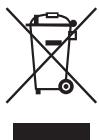
Meaning of the "Dustbin" Symbol
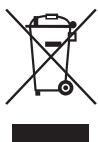
Protect our environment: do not dispose of electrical equipment in the domestic waste.
Please return any electrical equipment that you will no longer use to the collection points provided for their disposal.
This helps avoid the potential effects of incorrect disposal on the environment and human health.
This will contribute to the recycling and other forms of re-utilisation of electrical and electronic equipment.
Information concerning where the equipment can be disposed of can be obtained from your local authority.
Instrukcja obslugi
CIMBOJIpiMHeAeMbIeBdaHOMpyKOBoDCTBe NOJb3OBaTeJIa
BaxKbIe peKoMeHdaaunI dna ObScneueHnBaSeIbe3- onaHocTn 063NaueHbI IO O6oBeHHOMy.Obra3aTeJbHO cNeDyIte 3TNM peKoMeHdaaunIa, YTObI pPeOToBpaTntb HeCuaCTbI CUYau INI NIOLOMKY I3dJIIN:
IPEyIPEXJEHNE:
Ipeynpexkaet o6 onachoctn Ipn3doopobby n BO3MOK-HOM pncke npnyeHn TpaBMbl.
BHIMAHNE:
Yka3bIbAeHT Ha BO3MOXHyO NaCHOCTb DnI N3JeNnI INpyTnx OKpyKaIOuIX NpeMeTOB.
I I P N I M E U A H N I: J a e T C O B E T b I N H F O P M A L I N I O.
Copepkanie
O63op detae npibopa 3
Obuine 3aemuehna 55
CneuNbIe yka3aHnI no 6e3oNaChOCTn
Ira 3ToI npi6opa. .55
Ha3naueHne 57
PacnaKOBka yctpoiCTBa. 57
O63op detane npnbopa/KomnneKT noCTabkn 57
PpIMeuaHnI IO NcIOJIb3OBAHnI 57
Функции Kнорok. 58
Pabota 58
UdaneHne Hakninn 59
Ynctka. 60
Xpahene 60
UcTaPHeHne HEnCnPaBHOCTe 60
TexHHueckne daHHbIe. 61
Ytuln3aun 61
Osbüne 3ameyanra
Ipeed nauanom 3KcNpyataunn npinbopa BNMaTeNbHO npouHTaTne npinaraemyIO nHCTpykUIO NO 3KcNpyataunn COxpaHNTe ee B HadeXHom MeCTe, BMeCTe C rapaHTnHBIM TaONOH, KaccOBbIM YekOM N, NO BO3MOXHOCTN, KAPTOHN KOpO6KO cynakobOuHbIM MaTePnAiom. Ecn daTe KOmy-1nooNoJIb3ObaTc npInbOpom, O6raTeNbHO daTBe B npndaCy dAnHyIO nHCTpykUIO NO 3KcNpyataunn.
Пльзутесь пиборМToIbКоЧаТьМобраЗМИпНаЗнayehи.Пибор He npedHa3HaeNдя KMМерчe-CKOTOICNoIb3OBAHIN.
He noIb3yIeTcB npn6bOp moI OTkpbITbIM He6om. Ipe- doXpaHnTe npn6bOpOTKapbl, npmBIX COJIneHcybIX nyuei, BnAaXHOCTN (HIn B KOem clyae He nOpykaTe erO B BoD) uYapOB 06 octpIbe yrbl. He npnkacaiTeck npn6bOp Bnaxhblm pykam. Ecn npn6bOp yBaXHHncnCn HnHAMOK, Tyt Je BbIbTe BNlky n3 pO3eTKn.
Iocne3KcPiyatauM,MOHTaxe pInHaJdEKeHCTeY HCTKE INIINIOLOMEKpN6bopaBCeTaBbHMMaTe BnIKy N3PO3ETKN(TAHNTe 3a BNkY,aHe 3a Ka6Bel).
He octabJrTe yctpoCTBO 6e3 Ha3Opa BO Bpemra6oTbI.Ob3aTeBnHO BbIKIOuAteYe yctpoCTBO,ecnINOKndaete NOMEUeHne.N3BNEkaTe BNky n3 po3eTKn.
Пибови Кабелсетево рптаня Heo6xodmopeулгнОобсlogenobatнHaнчime сlogenob nobpek-деня.Пи obnapужени nobpeckdenяпьзobatсяпиборmЗапшаць.
- Icnoj3yIte ToJIbKO opnIHAnHbIe 3aHaCTN.
- 13 coobpaeHn 6e3oNaChOCTn dIaTe He octabIyIe IeKAtb ynaKOBky (PiactNKOBbie MeuKn, KapTOH, NeHONJtAcT n T.D.) 6e3 npCmOTpa.
IPEyIpyEKeDEHNE:
He nO3BOJnIe TeTAM mIpaTb C nOIN3TNHeHOBIO nnEko. Onachoctb yduyba!
B npoucece npnroTOBneHn B 3aBNCIMOCtN OT CTeneHn NOMoI N ObIeMa MoIOnTb KOpe NorIoUaET HeKOTOpoe KOINcCTBO BObl. PO3TOMy KOInCCTBO KOpe MOKeT He COOTBeCTBOBaT KoINcCTBy BObl B EMKOCTn DnI BObl.
Ebponeckne Hopmbi 3heproscbepekeHn

ПИМЕЧАнЯ:
Ebrpeckay DnpekTnBa 209/125/EC (DnpekTnBa no 3KoJn3aHy) BKIOuHaET B c68 MepbI nO 3Heproc6epeKeHIO.
Cneyuooee nooKeHHe npmEmJeTcB O THOWeHn KoeBeAporK: IepnoD noDpejkaHnna KoFe B TeIIOm CoCTOHN OrpaHnUbaeTcMaKcMym 5 MNHyam, NocJeero np6bop ABtOMaTHueckN OTKJIOnuaeTcR.
BbI n3BJIeHete noIb3y I3 ycIIeHNo 6e3oNaChOCTn I noHKeHHOrO 3HeprOnOTpe6JIeHnI.
IopknIOueHne
- Ybeintecb, yto napametpbI 3JIeKTPoINITAHNA COOTBETCTBYOT CNEUΦNKAUH yCTPOINCTBA.CNEUΦNKAUHA HaneuataHa Ha 3TNKETke.
- Bctabte 1ttenceIb Ihypa 3nEklptonHAn H B nCpabHyIO h 3a3eMJIeHNyO po3ETKy. Pnp6bp HaxoNTcB RpeKIMe OxMDAHN.IHINkAuaN BpeMeHn Ha DnCpnee COo6uaeT O TOM, YTO np6bp HaxoNTcB RpeKIMe OxMDAHN.
BbOaBcTPOI
IpeTe TEM KAc Bapntb KoPeB nepBbI pa3,BKIOUHTe KoOeBapKy Dba p3a npocTo C uHCTo BOdo N 6e3 bMyXHOrO fInbTpa.3To ydaNTn3 UcTpoiCtBA nbIb, KOTOPaMOrIa cKoNtBcra Bo BpeM rTaHCnOpTnPoBKn.CneDyIte HnCTpykUmB pa3dene «HeNocepTeBHeHoe BKNUChHeMe KoOeBapKnI»
Функшин KHONOK
ON/OFF
Ondokpathoe haxkatae: BkHouThb npi6op, HemeDneHNO HauHetcra pOceCb BapKn KoFe (Topit KpaChbiny HnDkaTOp.)
HakIMTe KhoNky HOUR.
- YctaHOBka MHHyTbI:
Haxmnte KhoNkiy MIN.
BbIXoI n3 peKIma HacTpoIKn:
IpoJoxDnTe oko 5 cekyHn nocne nocNeHero haxaTn KhoNk. Haidnncb «CLOCK» Ha dinCnpee rachet.
IpoIroTOBka KoFeHOro ABToma Ka pa6ote
- OtkpoTe KpbIuKy EMcKoCTn Ira Bovbl.
- HanonHnIte EMKoCTb IIN BODbl, HaxOJaUIOcB 3aDHeN Yactn yCTPOJCTBA, XOJNOHOB IOBOIB COOTBETCTBNIC JeJaEMbIM KOJIueCTBOM YaIeK KoPe. YpoBeHb BObl 6yDet OTo6paKaTbCn HA INIkaKatope.
ITPIMEYAHNA:
ДяЗлпеняйсьгоьБы BoBb MoKeTe BOCIOJIb3OBaTbCЯ KOFeHINKOM.
BHIMAHHE:
He nepenolHnIe EMcOCTb IaBb! He 3aIbaiTe BDOy BbIe OTMeTkn «max»
- YbEaNTecB, YTO DepeKataTeB pfNtpa yctaHOBnien DOJIKHbIM 06pa3OM.
4.ПлдогнITE НИХнКрай 6умжного Фильтра (pa3mep 1x4)и улбхите erоВфильтрваьну Воронky. HanonHITe erO MONOTbIM KoPe.
ITPIMEACHIN:
TObbI36eXaTb pa36pbIaRmbHnA, He NOpMaIte B cnIbTp CnIuKOM MHOr MOIOTOro KoPe.
- 3aKpoIe KpbIuKy EMKoCTn Dnra BoIy. KpbIuKa DoNkHa UJIENKHYTb.
- 3akpytnte Kpbilky Koj6bI TaK, YTO6bI KHONka Ha Kpbilke yka3bIbana Ha pykY. O6paTne BHNMaHne, yIy6JIeHnHa HrOpNe KO16bI DOJIXbI COBnaJaTa b C fHKCpUIOUMN BbICTynAmn Ha KpbIKe.
7.Пом electe kon6у ha onopHyIO NOBepxHocTb.
BHIMAHHE:3aunitaOTnoTeKaHnA
UcpoCTBO CHa6KeH0 3aunTOI OT IOTeKaHnA.
OHO 3aKpbIbAeTc npn N3BLeUeHmN KoFeHnHa. 3To npEoTbPauaet IpoteKaHne KoFe Ha OOpHyu NOBepxHOCTb,ecJIN BΦInbTpE BCE eJe cEtB BOJa.
- YbEiNTecb, YTO KpbIuKa npCooeDInHeHa K KoPeHnKy. OHa oBeCneuBaet 3aunTy ot NpOteKaHn.
EcnB EMKoCTNeEeEcTB B0aT,TO CBOEBpeMeHNO CHOBA NODCTaBtTe KcpeHnK. HNaHe MoKeT nepePONHnTbCfHnTp.
BbIbOp INHTeHcNBHOCTn apomata
Фильт дя Кофе co3daet 60lee nHTeHcNHBi apomat, ecn ero npedbarntelbno 3amOHTb. 3TO O3haaET cIeDykoee: Yem 60lbse Bpema 3amauHbHa, yem CnIbHe apomat.
PnB6pno3oB0JrAeT Bb6paTb Tpu pa3JIuHbIX INHTehCNBHOCTn apomata: MrgkN, CpeHNI KpeKIN. Bpem 3aMaHBAHNyBEJIuHbAEET NmYMeHbIaETCB COOTBcETBNICnpOeDpyoPiNPOTOBHeHNOpe.
Hakmite Odni pa3 Khonky MODE. Ha dinpnee Hndnkaunei BpeMeHH OTobpaXaetc
- UTo6bI yBEniHTb INTEHcNBHOCTb apOMaTa, HAXIMaTe KHOINKy MODE HECKOJIbKO pa3.
- BbIXoI n3 peKIMa HacTPOKn: IIOxOJnTe OKOJI 5 cekyHd nocJe nocJeHrero haxaTNI KHOJKN. INHnIKAuYn HTEHCINBHOCTn apOMaTa Ha DnCnIe re cachET.
ITPIMEUYAHIA:
3aahanha INTeHCNBHOCTb apomata coxpaHaretc dIpy nprirotobnna KoeB 6yduem.
HenocpeedBHeHoe BKNIOUeHne KOFeBaPkn
IocTynaTe KaK OnicaHOB NpOndnykTax rnaBbI «IoproTOBka KooFeHOro ABTOMATA K pa6oTe»
- HaxMMte Ondn pa3 KhoNk ON/OFF. Pnp6op hauHnaeT nprirotobleni cpa3y Jc C nCIOJIb3OBAHnEM 3aDaHNo pahee INTeHCNBHOCT apomata. Tognt KpaChbI INdikatOp.
ITPIMUEAHNA:
UcTpaHEnHeNcnpaBHOCTe
aalabla aalagaaal jlll yjg oelabla gjy
J 100000000000000000000000000000000000000000000
jolalall jglll slally aabebl lclgbdl jlgaooll jse aabebl alalwul uio jlo ciab
J
PC-KA 1191
60/50 2040-220
- 8
U1,2 1
I.
25 2,5 yj.
jaiuui juyiail iJ 3 aaaag aiai yaua eJy J (gull baid
Jlbl Jn Jn Jn Jn Jn Jn Jn Jn
a1b1 a2b1
Lusuasullgoboljusagaoalasolulus
Lusu aolil cog bolj uas ago alas sbl uas allj alas yziz
gai, alu jus aiyj lyaj jagbi jaaa waa baa praiw
Lgogblalil
:
4ab = 5a
aLwJz aJb0allgall aJyJyJy
3 CogCtG"CLOCK" jzj.0g PROG j 1
.
:
.HOUR JJ Jd Jb
:
MINjjde
:duallgogjno
CLOCK 5
.
ogai aio
.1olub1 1j12 123
oagall aLgol golal oJyU ogolol 0j
:

a1 = 1,b1 = 2, a2 = 3,b2 = 4, a3 = 5, a4 = 6
:

max"doL jSsL y!jssll
aao aayy blaabu y no 3
.4
.ogaiil gaoaie aioi
4ab > 3a

L
aJyjLgJgJg. 0. 0. 0. 0. 0. 0. 0. 0. 0. 0. 0. 0. 0. 0. 0. 0. 0. 0. 0. 0. 0. 0. 0. 0. 0. 0. 0. 0. 0. 0. 0. 0. 0.
ab( a^2 + 1) = 0
Jaaa gjg jyaagjgljg jyaagjda jgaal y
.
jusill aulos jutabgulo
a a a a a a a a a a a a a a a a a a a a a a a a a a a a a a a a a a
111 111 111 111 111 111 111 1
aalglgglgglgglgglg
:la

Jyj (y) EC/125/2009 2009
aBb
a 1
- List all 152115 ab35 lo 152115 a45 5
ailll lglwol adg 1dyl aodlll no dai
aegdoo oololol. jololol oololgo g o yolol lollgolj 1
. gill
jla. jagag sag wiaa bla gaa ygssll J
jlll jll lalal algolal
.
山
clay y. laa dia oagabll jolul pala uua Jalil Iia .
olololololololololololololololololololololololololololololololololololololololololololololololololololololololololololololololololololololololololololololololololololololololololololololololololololol
aa aaal 2jg aai jgl jgal llaie .
11 (Jogll uag aai wll) Lts gll jll
aai ciuui Ujgl pauw y jgal
jglal jzaii y iy aaih cui o jg jglal jzaiy . gllsll jzlssao jn wllg eil. aegll odlao ic letl . agog gial ayuill aayuill cnuogbl dnuig jglal qauo . jglal plaowl je cagll y uayc glslslue . baa aolll jzlal gba p
aLl (la) JolJb. gall b a y dIab 100
1
#
jglall jzaiw zaij j 3 Jolio. lioo oJydy dJy
p1200001111111111111111
dlaL 1e biau L aagai aalgl clogl oia 1e cie gao p i gl! zao sIg> e g i ci aol lal oai jlll
:
jolao 09g jiauug diao jolabe aolil ao jolil ia joi
4
aai j 140114 140114 140114 aai i 140114 aai i 140114 aai i 140114 aai i 140114
Cagabg baill lge gall jll i a 1
Ug#
- 12
66 - 65
- 64
64
64
63
63
jlll lloololol
1
1
a:du
J 1
BAC = 90^ 等腰
.
.