
GRIND AROMA KM832810 - Coffee maker KRUPS - Free user manual and instructions
Find the device manual for free GRIND AROMA KM832810 KRUPS in PDF.


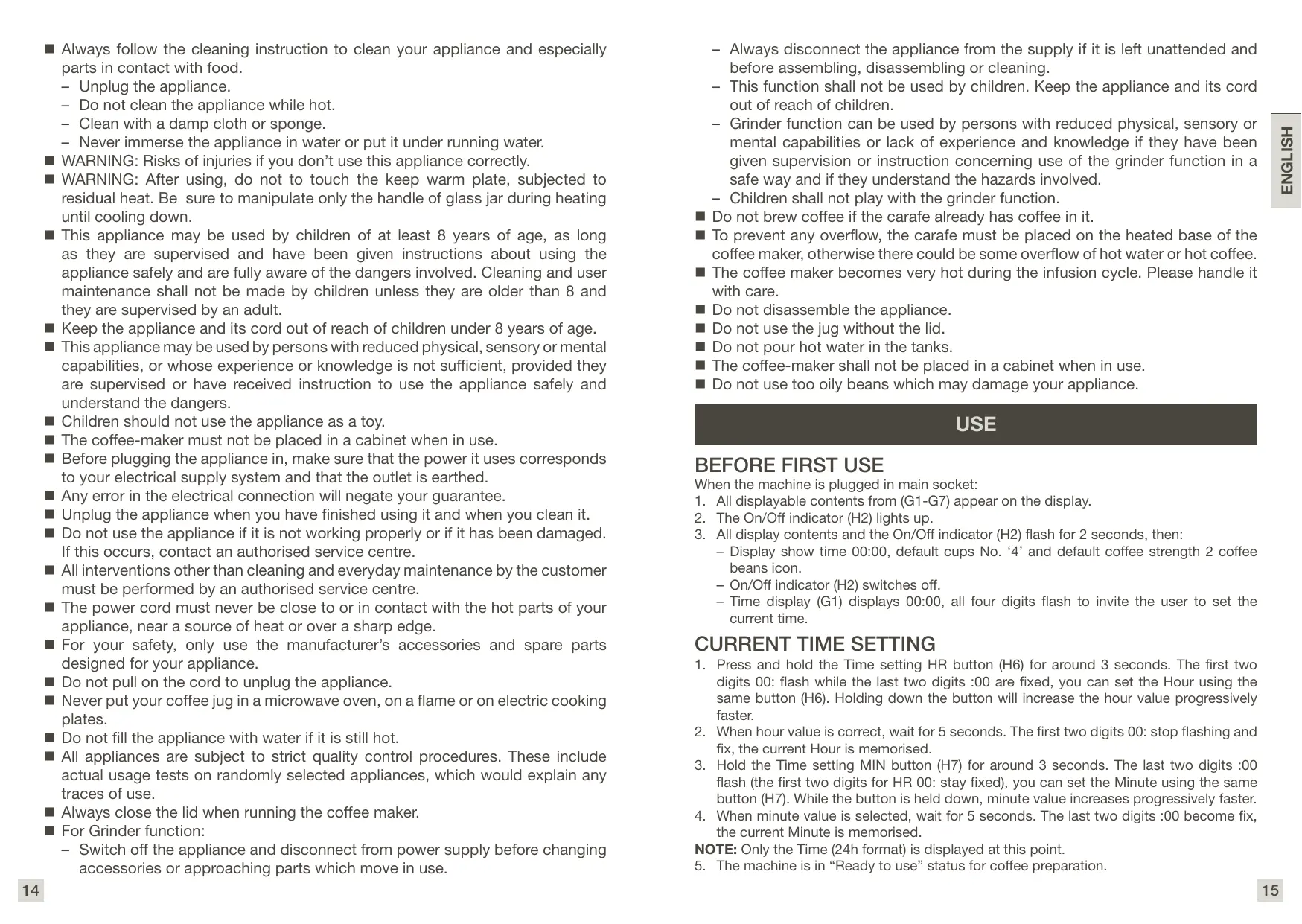


| Product Type | Coffee maker with integrated grinder |
| Brand | KRUPS |
| Model | GRIND AROMA KM832810 |
| Power | 220-240 V, 50-60 Hz |
| Water tank capacity | Up to 1.25 L (12 cups) |
| Bean hopper capacity | Approx. 250 g of coffee beans |
| Main functions | Whole bean or ground coffee, grind fineness adjustment (coarse to fine), delayed programming, keep warm 30 min, auto shut-off, LCD screen with clock |
| Grind adjustment | Continuous adjustment dial (large dot to small dot) |
| Programming | Programmable timer for delayed start up to 24 hours in advance |
| Safety | Auto shut-off after keep warm, overheat protection, lockable bean hopper lid, fixed power cord |
| Maintenance and cleaning | Integrated descaling cycle, cleaning of removable grinding shaft with brush, regular cleaning of filter holder and carafe |
| Spare parts and repairability | Glass carafe, paper filter (standard size), bean hopper, grinding shaft, seal and other parts available at www.krups.com. Repairable by KRUPS after warranty |
| Warranty | 2 years international warranty KRUPS |
| Dimensions (approx.) | 30 x 20 x 35 cm |
| Weight (approx.) | 3.5 kg |
Frequently Asked Questions - GRIND AROMA KM832810 KRUPS
User questions about GRIND AROMA KM832810 KRUPS
0 question about this device. Answer the ones you know or ask your own.
Ask a new question about this device
Download the instructions for your Coffee maker in PDF format for free! Find your manual GRIND AROMA KM832810 - KRUPS and take your electronic device back in hand. On this page are published all the documents necessary for the use of your device. GRIND AROMA KM832810 by KRUPS.
USER MANUAL GRIND AROMA KM832810 KRUPS
A Coffee bean box cover
B Coffee bean box
C Grind and brew basket
D Upper burr (grinder)
E Water tank cover
F Grind Adjust Knob
G Display
1 Time display
2 Coffee strength indicator
3 Ground coffee indicator
4 Operating indicator
5 Number of cups indicator
6 D escaling indicator
7 Preset time indicator
H Control Panel
1 On/Off button
2 On/Off indicator
3 Number of cups button
4 Coffee strength button
5 Preset time button
6 Time settings (Hour)
7 Time settings (Minute)
8 Ground coffee selection button
9 D escaling button
Water level indicator with the coffee cups' unit
J Carafe
K Heating Plate
IMPORTANT SAFEGUARDS
IMPORTANT SAFEGUARDS
Please read the instructions for use carefully before using your appliance for the first time to avoid potential injury from misuse and retain them for future reference: Manufacturer cannot accept any liability for non compliant appliance use.
This appliance is not intended for use by persons (including children) with reduced physical, sensory or mental capabilities, or lack of experience and knowledge, unless they have been given supervision or instruction concerning use of the appliance by a person responsible for their safety.
Children should be supervised to ensure that they do not play with the appliance.
- Do not use the appliance if the power cord or plug is damaged. The power cord must be replaced by the manufacturer, its after-sales service or similarly qualified persons in order to avoid danger.
■ Your appliance is intended for domestic use inside the home only at an altitude below 2000m.
- Do not immerse the appliance, power cord or plug in water or any other liquid.
■ Your appliance is designed for domestic use only.
It is not intended to be used in the following applications, and the guarantee will not apply for:
- staff kitchen areas in shops, offices and other working environments;
- farm houses;
- by clients in hotels, motels and other residential type environments;
-
bed and breakfast type environments.
-
Unplug the appliance.
- Do not clean the appliance while hot.
- Clean with a damp cloth or sponge.
- Never immerse the appliance in water or put it under running water.
Always follow the cleaning instruction to clean your appliance and especially parts in contact with food.
WARNING: Risks of injuries if you don't use this appliance correctly.
■ WARNING: After using, do not to touch the keep warm plate, subjected to residual heat. Be sure to manipulate only the handle of glass jar during heating until cooling down.
This appliance may be used by children of at least 8 years of age, as long as they are supervised and have been given instructions about using the appliance safely and are fully aware of the dangers involved. Cleaning and user maintenance shall not be made by children unless they are older than 8 and they are supervised by an adult.
- Keep the appliance and its cord out of reach of children under 8 years of age.
This appliance may be used by persons with reduced physical, sensory or mental capabilities, or whose experience or knowledge is not sufficient, provided they are supervised or have received instruction to use the appliance safely and understand the dangers.
Children should not use the appliance as a toy.
The coffee-maker must not be placed in a cabinet when in use.
Before plugging the appliance in, make sure that the power it uses corresponds to your electrical supply system and that the outlet is earthed.
Any error in the electrical connection will negate your guarantee.
Unplug the appliance when you have finished using it and when you clean it.
- Do not use the appliance if it is not working properly or if it has been damaged. If this occurs, contact an authorised service centre.
All interventions other than cleaning and everyday maintenance by the customer must be performed by an authorised service centre.
The power cord must never be close to or in contact with the hot parts of your appliance, near a source of heat or over a sharp edge.
■ For your safety, only use the manufacturer's accessories and spare parts designed for your appliance.
- Do not pull on the cord to unplug the appliance.
- Never put your coffee jug in a microwave oven, on a flame or on electric cooking plates.
- Do not fill the appliance with water if it is still hot.
All appliances are subject to strict quality control procedures. These include actual usage tests on randomly selected appliances, which would explain any traces of use.
Always close the lid when running the coffee maker.
For Grinding function:
- Switch off the appliance and disconnect from power supply before changing accessories or approaching parts which move in use.
- Always disconnect the appliance from the supply if it is left unattended and before assembling, disassembling or cleaning.
- This function shall not be used by children. Keep the appliance and its cord out of reach of children.
- Grinding function can be used by persons with reduced physical, sensory or mental capabilities or lack of experience and knowledge if they have been given supervision or instruction concerning use of the grinder function in a safe way and if they understand the hazards involved.
- Children shall not play with the grinder function.
Do not brew coffee if the carafe already has coffee in it.
To prevent any overflow, the carafe must be placed on the heated base of the coffee maker, otherwise there could be some overflow of hot water or hot coffee.
The coffee maker becomes very hot during the infusion cycle. Please handle it with care.
Do not disassemble the appliance.
Do not use the jug without the lid.
Do not pour hot water in the tanks.
The coffee-maker shall not be placed in a cabinet when in use.
Do not use too oily beans which may damage your appliance.
USE
BEFORE FIRST USE
When the machine is plugged in main socket:
- All displayable contents from (G1-G7) appear on the display.
- The On/Off indicator (H2) lights up.
-
All display contents and the On/Off indicator (H2) flash for 2 seconds, then:
-
Display show time 00:00, default cups No. '4' and default coffee strength 2 coffee beans icon.
- On/Off indicator (H2) switches off.
- Time display (G1) displays 00:00, all four digits flash to invite the user to set the current time.
CURRENT TIME SETTING
- Press and hold the Time setting HR button (H6) for around 3 seconds. The first two digits 00: flash while the last two digits :00 are fixed, you can set the Hour using the same button (H6). Holding down the button will increase the hour value progressively faster.
- When hour value is correct, wait for 5 seconds. The first two digits 00: stop flashing and fix, the current Hour is memorised.
- Hold the Time setting MIN button (H7) for around 3 seconds. The last two digits :00 flash (the first two digits for HR 00: stay fixed), you can set the Minute using the same button (H7). While the button is held down, minute value increases progressively faster.
- When minute value is selected, wait for 5 seconds. The last two digits :00 become fix, the current Minute is memorised.
NOTE: Only the Time (24h format) is displayed at this point.
- The machine is in "Ready to use" status for coffee preparation.
COFFEE PREPARATION WITH COFFEE BEANS
- Fill coffee bean box with coffee beans. (fig.1)
Beware! Do not use too oily beans which may damage your appliance.
-
Fill the water level that corresponds to the number of coffee cups you want to drink (fig.2)
-
Open the filter holder.
-
Insert the paper filter. (fig.4)
-
Close the filter holder. (fig.6.1)
-
Place coffee carafe on the keep warm plate. (fig.6.2)
-
Set desired grinding fineness using Grind adjust knob (F). (fig.3) Grind your coffee from coarse to fine by using Grind adjust knob (F) from big point to small point.
-
Set the desired number of cups using Number of cups button(H3). Number of cups (G5) displays the number chosen.
-
Set coffee strength using Coffee strength button (H4). Coffee strength indicator (G2) displays the strength chosen.
-
Press On/Off button (H1) to start the coffee preparation cycle:
-
On/Off indicator (H2) flashes.
Operation indicator (G4) flashes.
-
Grinding runs, then hot water goes across the ground coffee freshly prepared by the grinder.
-
When the coffee cycle is finished:
-
The appliance beeps 3 times when it is switched off.
- On/Off indicator (H2) changes from "flashes" to "lights up".
- Operation indicator (G4) stops and disappears.
- The appliance enters 30 minutes keep warm.
- On/Off indicator (H2) lights off after keep warm.
COFFEE PREPARATION WITH PRE-GROUND COFFEE
-
Open the filter holder.
-
Fill the water level that corresponds to the number of coffee cups you want to drink (fig.2)
-
Insert the paper filter.
-
Put desired quantity of coffee powder into the filter. (fig.5)
-
Close the filter holder.
-
Fill water tank with desired quantity of water. Beware! Do not put coffee powder in the bean container, only in the paper filter, or it may damage your appliance.
-
Place coffee carafe on the keep warm plate.
-
Press the Ground coffee selection button (H8). Ground coffee indicator (G3) appears on the display.
-
Press On/Off button (H1) button to start the coffee preparation cycle:
-
On/Off indicator (H2) flashes.
Operation indicator (G4) flashes.
Ground coffee indicator (G3) lights up. -
Hot water flows through the ground coffee into the carafe.
-
When the coffee cycle is finished:
-
On/Off indicator (H2) changes from "flashes" to "lights up".
Operation indicator (G4) stops and disappears.
Ground coffee indicator (G3) disappears.
Machine enters 30 minutes keep warm. - On/Off indicator (H2) switches off after keep warm.
COFFEE PREPARATION WITH PRESET TIME
- Fill the water level that corresponds to the number of coffee cups you want to drink (fig.2)
- Open the filter holder.
- Insert the paper filter.
- Close the filter holder.
- Set grinder parameters or Put desired quantity of coffee powder into the filter.
- Place coffee carafe (J) on the keep warm plate.
- Maintain the Preset time button (H5) pressed for 2 seconds. Preset time indicator (G7) appears on the display. Time display(G1) will show preset timer and flash, means enter into the preset state, will exit the preset time setting state if not pressing the button within 5 seconds.
- Set the time using the buttons of Time settings HR (H6) to select hour. Hour value is displayed on screen (when maintaining Time settings HR (H6) pressed, hour values go faster). It will exit the Time setting state (setting time has been saved) if the button is not pressed within 3 seconds, the Preset time indicator (G7) disappears, and the Time display (G1) shows the current time.
- In the Preset time setting state (Preset time indicator (G7) flashes), short press Preset time button (H5) to exit the Preset time setting state (the setting time has been saved when adjusting the HR (H6) and MIN (H7) buttons), the preset time indicator (G7) disappears, and the Time display (G1) shows Current Time.
- In the standby state, short press Preset time button (H5), the preset time indicator (G7) flashes, the Time display (G1) flashes to show the preset time for 3 seconds, the Time display (G1) shows the current time and the preset time indicator (G7) light up, indicating that the machine starts the preset time.
-
Once the preset time is reached, the coffee preparation cycle starts automatically:
-
Preset time indicator (G7) disappears.
- On/Off indicator (H2) flashes.
Operation indicator (G4) flashes. -
Hot water flows through the ground coffee into the carafe.
-
When the coffee cycle is finished:
-
On/Off indicator (H2) changes from "flashes" to "lights up"
- Operation indicator (G4) stops and disappears.
- Preset time indicator (G7) disappears.
- Machine enters 30 minutes keep warm.
- On/Off indicator (H2) switches off after after keep warm.
STANDBY MODE
- If no operation on the machine for 10 minutes, the appliance enters Standby mode for Energy saving. All display switch off.
-
To wake up the machine : Press any button on the front panel
-
The Time (24h format) is displayed.
- The machine enters "Ready to use" status for coffee preparation.
Cleaning and Care
NOTICES
-
Do not use any toxic, corrosive or abrasive cleaning agents or scouring sponges to clean the appliance. These can damage the surface.
-
Clean well the joint level which is locates at the inside of brew basket (C).
- If necessary, wipe down the coffee bean box (B) and the cover (A) with a damp cloth.
-
Wipe down the housing with a damp cloth. If necessary, use a little mild detergent if necessary.
-
Check the mains cable regularly for any damage.
Cleaning the Grinding Shaft
- Remove the coffee beans from the coffee bean box (B). (Apart from the few beans that you cannot reach by hand.)
- Re-put and lock the empty coffe bean box on the machine.
- Insert a basket filter paper into the filter insert.
- Press the button to switch on the appliance. The grinding process will start.
- Once the rest of the coffee beans have been ground - you can tell this from the change in the grinding noise - stop the grinding process by pressing the button again.
Unplug the Appliance
- Take out the coffee bean box: To do this, turn it a little anticlockwise until that the two axes align and it disengages. Lift it off.
- Move the grinding fineness dial to the "Open" position.
- Pull out the top part of the grinder (D).
- Clean the grinder shaft and the grinder with cleaning brush.
- Reinsert the top part of the grinder and press it down. Make sure it is in the correct position (arrow marking and line, these two axes are aligned). Then, turn it (D) a little anticlockwise until it engages. Attention: make sure the top part of grinder (D) is engaged mode when the coffe machine works.
- Adjust the grinding fineness dial back to a grinding fineness. The grinder is locked again.
- Re-put on the coffee bean box at an angle and turn it clockwise a little until it engages.
- Dispose the filter paper and clean Grind and brew basket (C).
DESCALING CYCLE
- Fill water tank with descending solution (or vinegar).
- Press Dscaling button (H9). Dscaling indicator (G6) appears on the display.
-
Press On/Off button (H1) to start the descending cycle:
-
On/Off indicator (H2) flashes
- Descaling indicator (G6) flashes
-
Hot descending solution goes across the empty filter holder
-
When the descending cycle is finished:
-
On/Off indicator (H2) switches off
- Dscaling indicator (G6) stops and disappears
Note:
Dscaling cycle can last longer.
■ After the descending cycle, launch 2 cycles using tankful clear water (10 cups) to rinse the machine.
TROUBLESHOOTING
| Problem | Solutions |
| The coffee does not brew or the appliance does not turn on. | ■ Make sure the appliance is well connected to a working outlet and that it is in the “ON” position. ■ The water tank is empty. ■ There is a power outage. ■ Unplug the machine, then plug it back in. ■ The clock should be reprogrammed after a power outage. |
| The appliance seems to leak. | ■ Make sure the water tank has not been filled beyond the maximum limit. ■ Make sure the water tank is not damaged. |
| Problem | Solutions |
| Brewing takes a long time. | ■ It may be time to descale the appliance. ■ Several minerals can accumulate in the coffee maker's circuitry. Regular descaling of the machine is recommended. This may need to be done more often depending on the hardness of your water. For more information, please consult the “Descaling” section. ■ CAUTION: do not take the appliance apart |
| The filter holder overflows or the coffee flows too slowly. | ■ The coffee maker needs cleaning. ■ There is too much coffee. We recommend using one measuring spoon or one soup spoon of ground coffee per cup. ■ The ground coffee is too fine (e.g., ground coffee for espresso won't work in a drip coffee maker). ■ There is ground coffee lodged between the paper filter and the filter holder. ■ The paper filter is not open properly or is not well placed. ■ Rinse the filter holder before inserting the paper filter so it will adhere to the damp walls of the filter basket. ■ Make sure you have not inserted a paper filter at the same time as the permanent filter. ■ There is more than one paper filter in the filter holder. ■ Make sure the filter holder is pushed down all the way. |
| You have used ground coffee instead of coffee beans. | ■ Use your vacuum cleaner to remove the pre-ground coffee from the coffee bean container. |
| You put water in the coffee bean compartment. | ■ Bring your coffee machine to the customer service. |
| Coffee grinder doesn't work | ■ You maybe have use oily coffee beans (if your coffee beans are very dark, it might be oily). This type of machine does not work with oily coffee beans. |
| The coffee tastes bad. | ■ Clean the coffee maker ■ The ground coffee is not right for your coffee maker. ■ The proportion of coffee and water is not sufficient. Adjust to suit your taste. ■ The quality and freshness of the coffee is not the best. ■ The water is of poor quality. |
| The coffee does not flow. | ■ See if there is water in the water tank. ■ The coffee flow system may be obstructed. You may clean it simply by rinsing with water. |
| The time is not correct (There is a time difference). | ■ The timer is synchronised and depends on your electrical network. If there is a time difference, we recommend that you program the time once a week to be sure it is correct. |
If your appliance does not always work properly, call customer service in your country.
European directive 2012/19/UE on Waste Electrical and Electronic Equipment (WEEE), requires that old household electrical appliances are not thrown into the normal flow of municipal waste. Old appliances must be collected separately in order to optimize the recovery and recycling of materials they contain and reduce the impact on human health and the environment.

Help protect the environment!
① Your machine contains many recoverable or recyclable materials.
⇔ Take these to a collection centre, or to an approved service centre for processing.
KRUPS INTERNATIONAL LIMITED GUARANTEE

www.krups.com
This product is repairable by KRUPS during and after the guarantee period
Accessories, consumables and end-user replaceable parts can be purchased, if locally available, as described on the
KRUPS internet site www.krups.com
The Guarantee :
This product is guaranteed by KRUPS (company address and details included in the country list of the KRUPS International Guarantee) against any manufacturing defect in materials or workmanship for a period of 2 years starting from the initial date of purchase or delivery date (restrictions on the number of cycles per year may be applicable and described, in this case, in the instruction manual supplied with the product or available on www.krups.com).
The international manufacturer's guarantee by KRUPS is an extra benefit which does not affect consumer's Statutory Rights. The international manufacturer's guarantee covers all costs related to restoring the proven defective product so that it conforms to its original specifications, through the repair or replacement of any defective part and the necessary labour. At KRUPS's choice, an equivalent or superior replacement product may be provided instead of repairing a defective product. KRUPS's sole obligation and your exclusive resolution under this guarantee are limited to such repair or replacement.
The international KRUPS guarantee only applies within the guarantee period and for those countries listed in the country list attached and is valid only on presentation of a proof of purchase. The product can be taken directly in person to an authorised service centre or must be adequately packaged and returned, by recorded delivery (or equivalent method of postage), to a KRUPS authorised service centre. Full address details for each country's authorised service centres are listed on KRUPS website (www.krups.com) or by calling the appropriate telephone number as set out in the country list to request the appropriate postal address.
KRUPS shall not be obliged to repair or replace any product which is not accompanied by a valid proof of purchase.
This guarantee will not cover any damage which occurs as a result of misuse, negligence, failure to follow KRUPS instructions, use on current or voltage other than as stamped on the product, or a modification or unauthorised repair of the product. It also does not cover normal wear and tear, maintenance or replacement of consumable parts, or the following:
-
using the wrong type of water or consumable
-
damage as a result of lightning or power surges
-
scaling (any de-scaling must be carried out according to the instructions for use)
-
damages or poor results due to wrong voltage or frequency
-
professional or commercial use
-
ingress of water, dust or insects into the product (excluding appliances with features specifically designed for insects)
-
mechanical damages, overloading
-
accidents including fire, flood, thunderbolt, etc
-
damage to any glass or porcelain ware in the product
This guarantee does not apply to any product that has been tampered with, or to damages incurred through improper use and care, faulty packaging by the owner or mishandling by any carrier.
In order to offer the best possible after-sales service and constantly improve customer satisfaction, KRUPS may send a satisfaction survey to all customers who have had their product repaired or exchanged in a KRUPS authorised service centre.
The international KRUPS guarantee applies only for products purchased in one of the countries listed, and used for domestic purposes only in one of the countries listed on the Country List. Where a product purchased in one listed country and then used in another listed country:
a. The international KRUPS guarantee does not apply in case of non-conformity of the purchased product with the local standards, such as voltage, frequency, power plugs, or non-conformity with other local legal requirements or other local technical specifications.
b. The repair process for products purchased outside the country of use may require a longer time if the product is not locally sold by KRUPS country of usage.
c. In cases where the product is not repairable in the new country of usage, the international KRUPS guarantee is limited to a replacement by a similar product or an alternative product at similar cost, where possible.
Consumer Statutory Rights :
This international KRUPS guarantee does not affect the statutory rights a consumer may have or those rights that cannot be excluded or limited, nor rights against the retailer from which the consumer purchased the product. This guarantee gives a consumer specific legal rights, and the consumer may also have other legal rights which vary from State to State or Country to Country. The consumer may assert any such rights at his sole discretion.
For Australia only:
Our goods come with guarantees that cannot be excluded under the Australian Consumer Law. You are entitled to a replacement or refund for a major failure and compensation for any other reasonably foreseeable loss or damage. You are also entitled to have the goods repaired or replaced if the goods fail to be of acceptable quality and the failure does not amount to a major failure.
*** Please keep this document for your reference should you wish to make a claim under the guarantee
PRODUKTBESCHREIBUNG
VOORZORGSGMAATREGELEN
IPIN ANO THN INQTH XPHSH
Makine ana prize takildiginda:
OuHennBaIyIyBaJIbHOI MaunHH
- BnMItb KaBOi 3epHa 3 KOpO6Kn dIy KaBOuX 3epeH (B). (Kpim KjIbKOx 6o6IB, do IaKnx Bu He MoXete DiCTaTncr pykoio.)
- Повторносятамафikсуне порожни Контейнеля кавobих заегп на машни.
- BCTaBte fInbtpyBaIbHn nnip KoOuKa B fInbtpyBaIbHn BklaDiuI.
- HatncihItb KhoNkU, yOOb yBimKHyTu npilaad. IouHeTbcrpouec sIiΦyBaHHa.
5.Пися того,як ршта кавових зерен 6уide порибега - Ze можна 3розуmitи 3a 3MiHOIO uMy nomenу - 3упніить пpoцес порибегнгя, 3HOBy HATNUCHYBUN KHONKY.
BmKhitb npila
- BntaHnItb KOHTeHepIg KaOBnx 3epen. IaI cybOro 3IeRka NOBepHtB NOro npOTuROdHHNKOBoi CTrpIKN, nOKn Dbi Oci He BnpiBnHryoTbcr I KOHTeHep He BiD'EnHaETcB. PIIHIMITb NOro.
- Nepemictitb peryjIaTOP ToHHoCTi NOMeNy B NoJIOXeHHN «BiDkpntO».
- BntaHitb BepxHIO uactInHy M'ocopy6Kn (D).
- Ouicitb BaI 7nIi7yBaIbHoi MaunHn Ta 7nIi7yBaIbHy MaunHy 3a DOnOMOIO 0tiTKn dny Hennr.
- 3HOBy BCTaBte BepxHIO qactHy KabOMolKn I npitncHITb II. IpekoHaITeCe, lo KOnTeHep BCTaHOBHeO B npabNtBHomY noLoXeHHI (no3haueHHc TcpiIKoTO Ta liHcIO, ci Di bO cM aHOTb 6ytu BupIBnHi). Notim 3JerKa nobepHITb (D) npotn roDunHHKOBoi cTpIKn, nOKn Noro noLoXeHH He 3aifKcyTbcy. Ybara!PiJ vac po60Tu KabOMaunHn nepekoHaITeCe, lo BepxHn qactHa KabOMolKn (D) BCTaHOBNeHa.
- Hanahtyte peryIaTOp TOHkOCTi NOMeNy Ha3aD IO TOHnOCTi NOMeNy. Ioppi6HHoBauch 3HOBy 3a6nokobAHn.
- Повторно поставе Контейнордя Кавови зеренпд Кутом i Злэрka поьрнійnotо за рогинникobioю ст pinekoio, nokn nooro poloxeHHNe He 3aФICyETbCra.
- BinknHbTe φ ilbtpyBaJIbHn napanip i oucnctiB KoWnk IJn noPi6HeHHa Ta 3aBaPioBaHHa (C).
ZUKJI BIVDAJAEHHRAHAKIpy
- HanobHbIb pe3epByap dIy BODn po3UnHom dIy BvDJIeHNHaKIny (a6O uTOM).
- Hatncihb KhoNky BuaIeHnHaKIny (H9). Ha dncnnei 3'raBnaTbcra iHdikatop BuaIaHeHHaKIny (G6).
-
HatncihItb KhoNkY BBIMKHeHrBumKHeHHa (H1), 06 noTuTn cIKn BuaJeHHa KaNpy:
-
lHdikKaTOp yBIMKHeHHa/BUMKHeHHa (H2) 6nMae
- lHdNkaTOp BvdaJIeHnHaKnIy (G6) 6JIIMaE
-
Tapayn p03uH nIy BvdaIeHHa HauNpy notpapanJe Upe3 npoJHi TpImaU fJIbTpa
-
Koln zukn BvdaneHHHaKIny 3akHHeHO:
-
IhДиКаTOp yBIMKHeHHa/BmMKHeHHa (H2) BmMnKaεTbca
- lHДиКaTOp BИДаJIeHHЯ HAKIу (G6) ЗУПИнЯ€ТьСЯТа 3Инkae
Pnumitka:
LcKl BvdaIeHnHaKIny MoKe TpNbAtn DoBHe.
■Псяцклу вдаленн haKnny 3anycitb 2цкlin, buKopncTObyuOn nuCTy BODy (10 cKlnHOK), 6 npomntu MaunHy.
UCYHEHHH HECNPABHOCTE
| Пюблеса | Способи усанения |
| Кава не нахочь, або прилад не вимкаétся. | ■ Пеконайся, до приладdoespe piДКЮчени до ровочи розтук i до вин зхочь се y поожени «ВКЛ».■ Решевар д借贷 Bodи поожни.■ Вidбуа咸阳 bIDКЮчениеелкто悔ергii.■ Вимкиты anapat, a notim piДКЮчiteь иого зновy.■ ГдиНнikспд поpenporpaMuBatni nicra bIDКЮчениеелкто悔ергii. |
| 3 пюлady витICALьда. | ■ Пеконайся, до решевард借贷 Bodи не пековени.■ Пеконайся, до решевард借贷 Bodи понichtу |
-MexaHHi N0sKoJKeHHn, nepeBaHTaKeHHn
-Heuachi BnnaKn, BkIouaOnuNoxKExy, noBih, yIap rPoma Too
- noiokdojekhena 6byb-koRcKlnHoro a6o npoeJauHOBO rocdy y BnOBI Ta rapaHTI He nooiipooCTBa HA 6ydb-akm BNpi6, kkiy 6yb 3mMehni, a6o ha noiokdojekhena, 3abDaIepez HnenpaBunbe BnKOpriCTAHN Ta DOrIaD, HnenpaBunbHy nyaKOBky BnaCHNKOM a60 hnenpaBunbHe NOBdojekhena 6byb-kaKMnepeB13NkOM.
3 MeTOO nOK paueHHeN NcIpaQdoaHOrO o6CnlyroBvBaHHa I noCTiHO rIO iDbuieHHeN 3aDOBolneHOCT cBOIX KNIeHTIB KOMnAHRI KRUPS MoKe HAcuNaTOn OInTuBaHHra Dn Bn3HaueHHe 3aDOBolneHOCT KIIeHTIB, Aki BiDpeMOHTyBaHH a60 o6MmHnBn BnpiB ABTOpni3oBAHOMy cepbICMHoy CEHTPI KRUPS.
Miknapodna rapahtni KOMnHII KRUPS noinipnoctbca tInBskn Ha BnO6m, kni npdi6hi B oOni i nepepaxobAHnx kpaH i kki BkOpNCBOyIObCnI DByBHTPIuHx iuei TInBk B oOni i3 kpaH, nepepaxobAHnx y cnpcky. kAIO npDyKT, npdiabH N OOni i 33aHaNHex KpaH, a notim BkOpNCtahn H B IHHI KpaHI:
a. MxHapOHaIra paharTt KRUPS He nooMIOeTbC y pa3i HeBIDNOBIDHOCTi PnD6baHORo PNOyDKTy MiCeBIM CTaHApTAM, TAKIM AK Hanyra, hactota, wtenecbHI bNkN, a6o HeBIDNobIDHOCTi IHWM BmORam MiCeBORo 3aKOHODABCTBA uHINM MiCeBIM TEXHUYHM xapaKTeprCTNkAM.
b. Ipoque emonty npoykntB, npjdiabnix 3a Mekami KpaIIH BIKOPNCTAHN, MOJE TpNBAti 6IbI TPNBJIH nac, JAKIO BPI6 HE pnoaJcB JOKAIIHO B KPAII H BIKOPNCTAHN KRUPS.
cBnAaHIOA HAnoIyHMN pOyoDyTOM a0bAtePHeTHAHINpOyoDTM2aHaONHOIOBAPTICIO, KIOUe IOMOXNIBO.
Ppaba cnoxubaya 3a 3aKOHOM
LJI MIXHAPoHa RapaHTI KRUPS HE BnINBaE Ha 3aKOHNI npBa, aKi MOxYb 6Ty n CnoXnBaUa, a60 ha Ti npBa, aKi He moxytB 6TyN BKNIOHEni YO6MeKeHJI, a TAKO HA npBa 3axNCTy Bi dJi npDabUa, y koro CNOXnBaU pniDABB BnIP6. LJI rapaHTI hAae CnoXnBaUeBI NEBH npBa 3aKOHOM, i CNOXnBAuT KOKe MoTe Matn Hsi3 zAOHNI npBa 3aJeXHO bID perioHy a60 KpaIHn Ioro npOxNBAHH. CNOXnBAuMoE BIDCTOIOBATn 6yBu-aki taKi npBa HcBip o3cyd.
** 36epekimb uei dookymemn ha 8unadok, kkuo bam 3naadoobmbcno damu zapaanmiuhy npemeh3io
FR. P. 4-12
EN. P. 13-20
DE. P: 21-29
NL. P. 30-38
IT. P. 39-47
ES. P. 48-56
PT. P. 57-65
EL. P. 66-74
TR. P. 75-82
RU .P.83-91
PL. 92-100
BG .P. 101-109
HR .110-117
RO 118-126
SL. 127-134
UK. 135-142


- IMPORTANT SAFEGUARDS
- USE
- BEFORE FIRST USE
- CURRENT TIME SETTING
- COFFEE PREPARATION WITH COFFEE BEANS
- COFFEE PREPARATION WITH PRE-GROUND COFFEE
- COFFEE PREPARATION WITH PRESET TIME
- STANDBY MODE
- CLEANING AND CARE
- NOTICES
- CLEANING THE GRINDING SHAFT
- UNPLUG THE APPLIANCE
- DESCALING CYCLE
- TROUBLESHOOTING
- HELP PROTECT THE ENVIRONMENT
- KRUPS INTERNATIONAL LIMITED GUARANTEE
- THE GUARANTEE
- CONSUMER STATUTORY RIGHTS
- FOR AUSTRALIA ONLY
- PRODUKTBESCHREIBUNG
- VOORZORGSGMAATREGELEN
- IPIN ANO THN INQTH XPHSH
- OUHENNBAIYIYBAJIBHOI MAUNHH
- BMKHITB NPILA
- ZUKJI BIVDAJAEHHRAHAKIPY
- UCYHEHHH HECNPABHOCTE
- PPABA CNOXUBAYA 3A 3AKOHOM
Brand : KRUPS
Model : GRIND AROMA KM832810
Category : Coffee maker