
XELSIS SM8780 - Automatic coffee machine SAECO - Free user manual and instructions
Find the device manual for free XELSIS SM8780 SAECO in PDF.
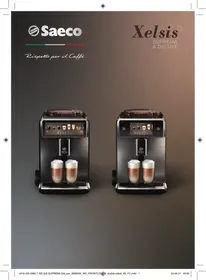



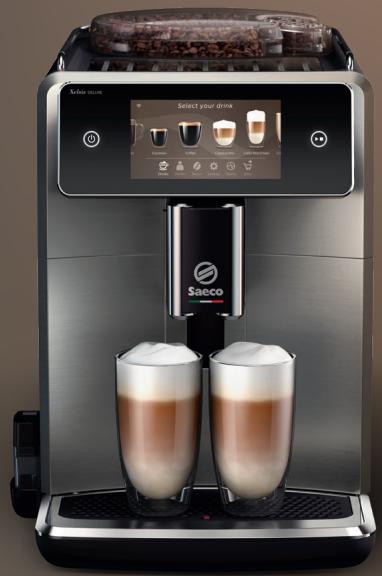
| Product Type | Automatic coffee machine |
| Brand | SAECO |
| Model | XELSIS SM8780 |
| Dimensions (W x H x D) | 287 x 396 x 487 mm |
| Weight | 11 - 12.4 kg |
| Power cord length | 1,200 mm |
| Water tank capacity | 1.7 L |
| Bean hopper capacity | 450 g |
| Coffee grounds container capacity | 15 portions |
| Milk container capacity | 600 ml |
| Adjustable dispensing spout height | 75 - 148 mm |
| Wi-Fi connection | Yes, 2.4 GHz 802.11 b/g/n |
| BeanMaestro function | Automatically adjusts brewing according to bean type |
| HygieSteam function | Automatic cleaning of the milk dispensing system |
| Ceramic grinder | 12 adjustable grind levels |
| Control panel | Touch screen with icons |
| AquaClean filter included | Yes, activation via the Status menu |
| Accessories supplied | AquaClean filter, cleaning brush, grease tube, measuring spoon, water hardness test strip |
| Safety | Automatic rinse on startup and shutdown after inactivity |
| Maintenance | Automatic descaling, cleaning of brewing unit, milk system cleaning |
Frequently Asked Questions - XELSIS SM8780 SAECO
User questions about XELSIS SM8780 SAECO
0 question about this device. Answer the ones you know or ask your own.
Ask a new question about this device
Download the instructions for your Automatic coffee machine in PDF format for free! Find your manual XELSIS SM8780 - SAECO and take your electronic device back in hand. On this page are published all the documents necessary for the use of your device. XELSIS SM8780 by SAECO.
USER MANUAL XELSIS SM8780 SAECO
EN USER MANUAL
CS USER MANUAL
CNR USER MANUAL
DA USER MANUAL
DE USER MANUAL
ET USER MANUAL
D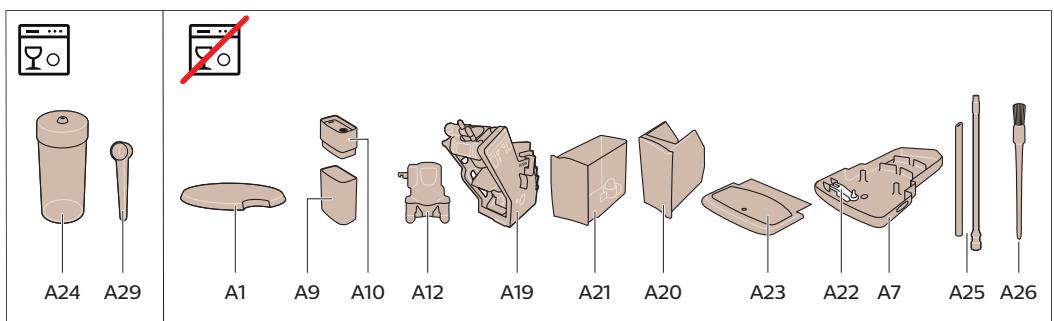
Contents
Machine overview (Fig. A) 5
Introduction 6
Switching on the machine when you have a Xelsis SUPREMA (SM8885, SM8889 only) ____ 6
Switching on the machine when you have a Xelsis DELUXE (SM8780, SM8782, SM8785 only) ____ 6
Connecting to Wi-Fi 7
Special functions 7
Support on drink parameters 7
Brewing drinks 8
Cleaning and maintenance 9
Troubleshooting 11
Technical specifications 11
Declaration of Conformity 12
Machine overview (Fig. A)
A1 Lid of bean hopper
A2 Lid of pre-ground coffee compartment
A3 Cup tray
A4 Control panel
A5 Socket for cord
A6 Main switch
A7 Drip tray
A8 Drip tray release grip
A9 HygieSteam container
A10 HygieSteam cover with milk tube holder
A11 Height-adjustable coffee and milk dispensing spout
A13 Power cord with plug
A14 Grind setting knob (to learn more, visit
www.saeco.com/care)
A15 Bean hopper
A16 Service door
A17 Coffee funnel
A18 Coffee residues drawer
A19 Brew group (to learn more, visit
www.saeco.com/care)
A20 Coffee grounds container
A21 Water tank
A22 'Drip tray full' indicator
A23 Drip tray cover
Accessories
A24 Milk container
A25 Milk tube
A26 Cleaning brush
A27 Grease tube
A28 AquaClean filter
A29 Measuring spoon
A30 Water hardness test strip
Control panel
There are two versions of this espresso machine. Their control panels look different, but all icons work the same way. Refer to figures B and C for an overview of all icons. Below you can find the descriptions.
B1 Off icon
C1 On/off icon
B2/C2 Drinks
B3/C3 Drinks menu
B4/C4 Personal profiles
B5/C5 Beans
B6/C6 Machine settings
B7/C7 Status menu
Introduction
Congratulations on your purchase of a Saeco full-automatic coffee machine! This compact user manual will help you get started quickly with your new coffee machine. To fully benefit from the online support that Saeco offers, you can use the control panel to register your machine via the built-in Wi-Fi connection, or go to www.saeco.com/MyCoffeeMachine and register your product there. There you can also find frequently asked questions and the extended version of the user manual.
Read the separate safety booklet carefully before you use the machine for the first time and save it for future reference.
Your Saeco full-automatic coffee machine allows you to connect to your Wi-Fi network to enhance your coffee experience.
By connecting your machine to your Wi-Fi network, you will be able to:
- receive personalized recommendations based on machine learning
- enjoy regular software updates to enhance your user experience
- make use of the shop functionality, if available in your country
- you can link your machine to your Amazon account for accessory replenishment, if this option is available in your country
- connect to your Alexa home device to make use of voice control, if available in your country
Note: This machine has been tested with coffee. Although it has been carefully cleaned, there may be some coffee residues left. We guarantee, however, that the machine is absolutely new.
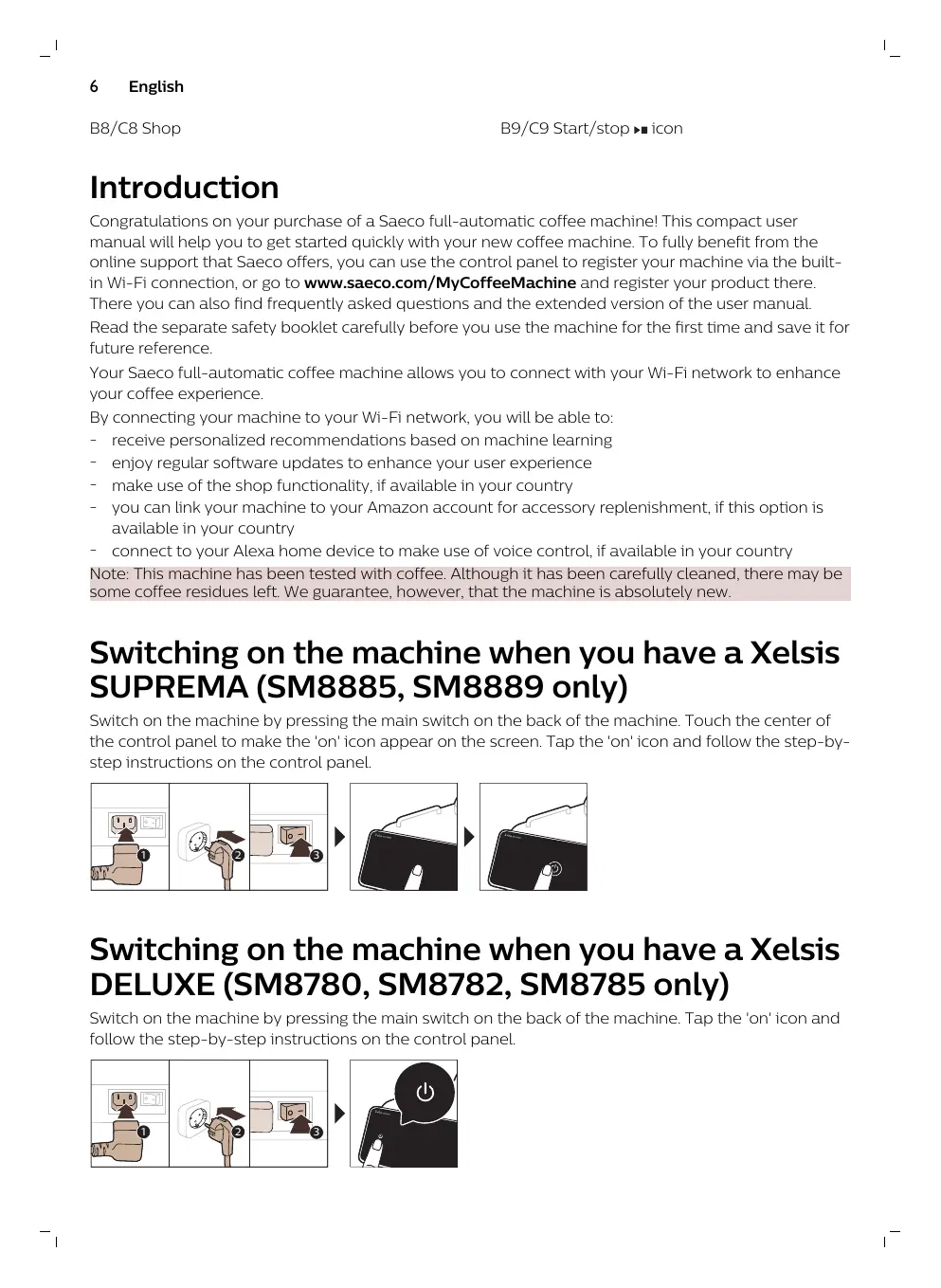
Switching on the machine when you have a Xelsis SUPREMA (SM8885, SM8889 only)
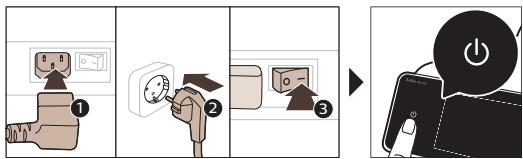
Switch on the machine by pressing the main switch on the back of the machine. Touch the center of the control panel to make the 'on' icon appear on the screen. Tap the 'on' icon and follow the step-by-step instructions on the control panel.
![graph LR A["Plug installation"] --> B["Switch with plug icon"] B --> C["Switch with plug icon and power plug icon"] C --> D["Screen usage screen with plug icon"] D --> E["Screen usage screen with plug icon and power plug icon"]](/content/2024/11/217267/images/2ff0a01ff41ae00d3e4d327732b44c7de74d17e339e3f1e0028c89c51d358e4c.jpg)
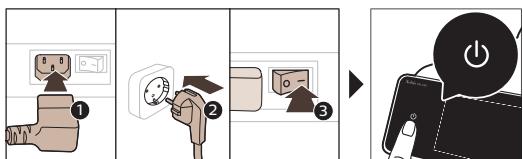
Switching on the machine when you have a Xelsis DELUXE (SM8780, SM8782, SM8785 only)
Switch on the machine by pressing the main switch on the back of the machine. Tap the 'on' icon and follow the step-by-step instructions on the control panel.
Connecting to Wi-Fi
For a connected experience, follow the instructions on the control panel to connect your coffee machine to your Wi-Fi network.

The machine will perform the automatic rinsing cycle when it is switched on and off via voice control and when the machine has been inactive for a while and switches off. Please make sure that the environment of the machine is safe.
Special functions
Special function Purpose
| Bean Maestro |

With BeanMaestro you are able to select the type and roast of your beans. It then optimizes the brewing settings automatically, to get the best out of your coffee beans.

HygieSteam function automatically cleans the milk system, removing microorganisms: use it after brewing cappuccino or other milk-based drinks.
Our durable grinder is made from 100% ceramic to be exceptionally hard and precise. It can be adjusted to your taste with 12-step levels.
The Maintenance Dashboard gives you a helpful overview and notifies you with status information on things like your water level or tell you that the AquaClean is running low.
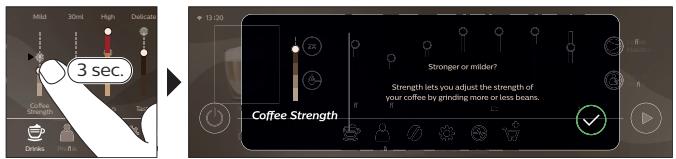
Support on drink parameters
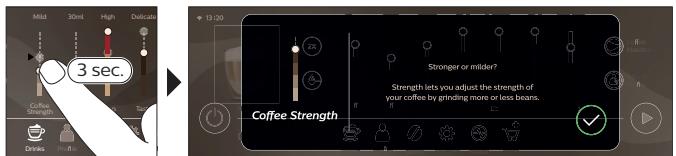
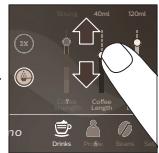
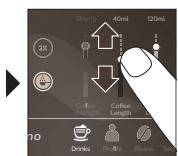
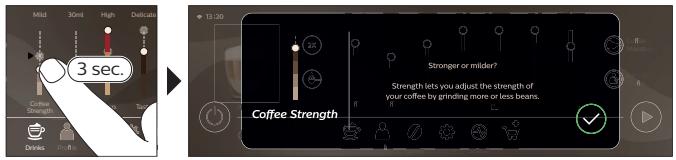
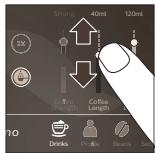
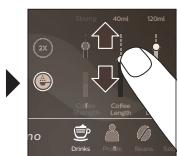
To get additional information about a specific drink parameter, press and hold an adjustable bar for 3 seconds.
Brewing drinks
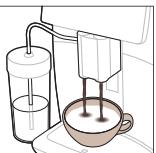
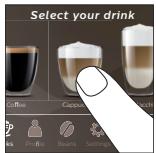
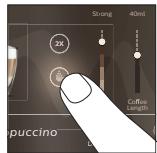
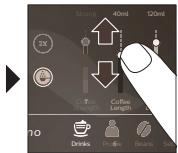
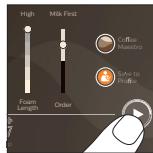
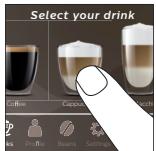
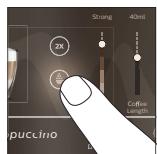
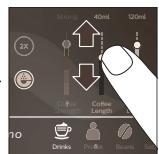
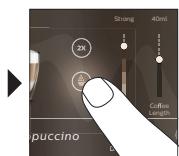
Brewing coffee with beans
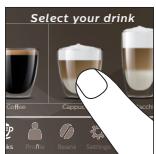
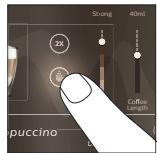
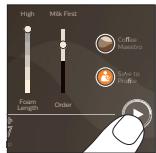
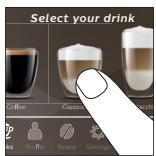
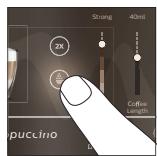
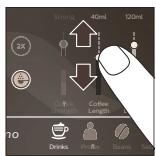
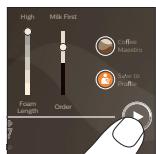
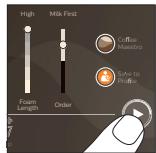
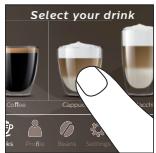
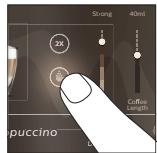
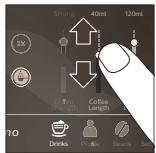
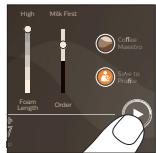
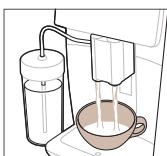
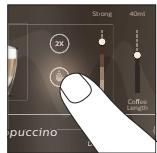
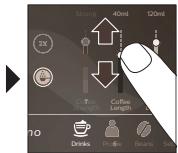
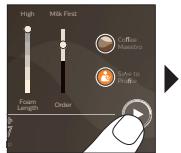
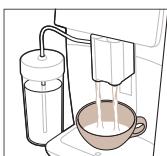
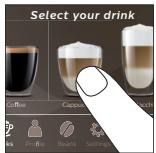
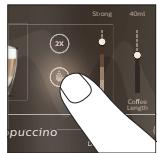
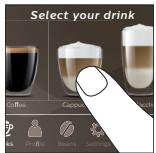
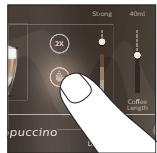
To brew a coffee, you need to follow a few simple steps.
![graph LR A["Start: Coffee in a coffee machine"] --> B["Select: Espresso & Crying"] B --> C["Add: 30ml / High volume"] C --> D["Close: 30ml / High volume"] D --> E["Final Product: Pressing with coffee can be added"]](/content/2024/11/217267/images/0878656faf8d16221c00195dc752d77674aada845d3c0f3ee3e92737fb85080c.jpg)
Do not use caramelized or flavored coffee beans. Turn the grind setting knob in small steps and brew 5 cups to taste the differences fully.
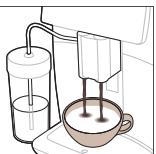
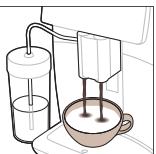
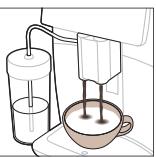
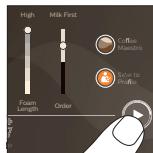
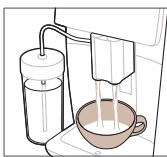
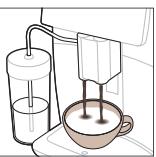
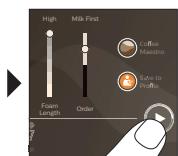
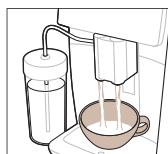
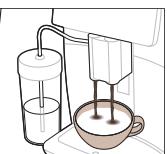
Brewing milk-based drinks
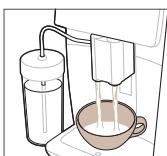
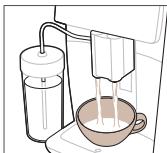
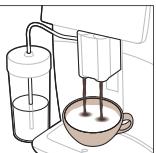
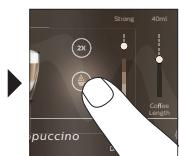
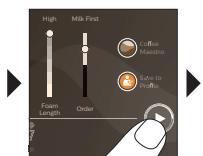
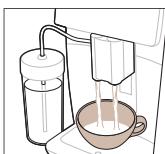
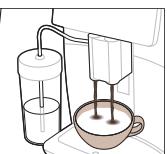
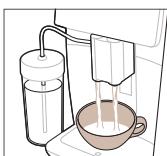
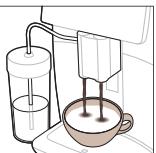
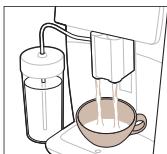
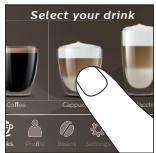
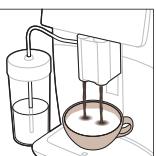
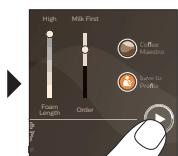
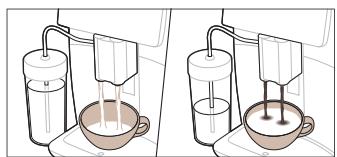
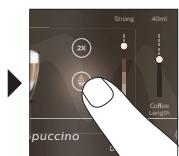
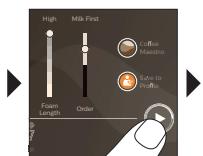
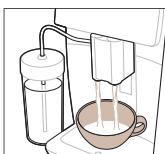
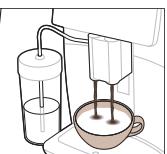
To brew milk-based drinks, you need to follow a few simple steps.
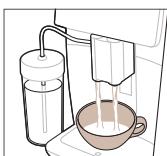
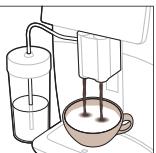
![graph TD A["1: Roundaker with 4°C mixture"] --> B["2: Stacking cup with 4°C mixture"] B --> C["3: Stacking cup with 4°C mixture"] C --> D["4: Stacking cup with 4°C mixture"] D --> E["5: Stacking cup with 4°C mixture"] E --> F["6: Stacking cup with 4°C mixture"] F --> G["7: Stacking cup with 4°C mixt…](/content/2024/11/217267/images/646feeb75b2fb77cf327c7550816dfabb231ff0113ba52d43f80deb8df6b7390.jpg)
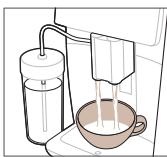
Directly after dispensing the milk, the 'HygieSteam Shot' is performed. The machine shoots steam through the internal milk system to rinse it quickly. The metal part of the milk tube may become hot. To avoid the risk of burns, let it cool down first.
Brewing coffee with pre-ground coffee
To brew coffee with pre-ground coffee, you need to follow a few simple steps.
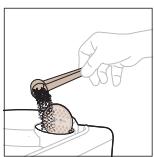
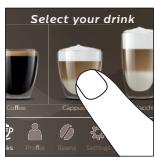
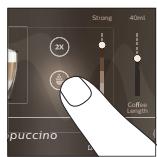
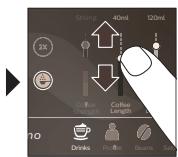
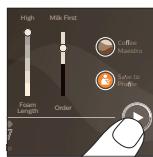
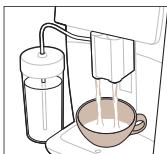
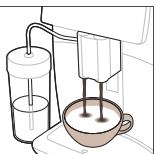
If you select pre-ground coffee, you cannot adjust the coffee strength or brew more than one drink at the same time.
Dispensing hot water
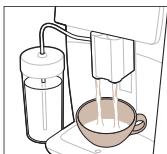
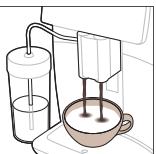
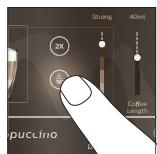
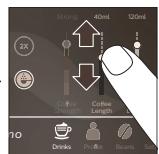
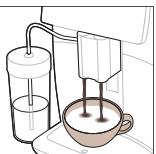
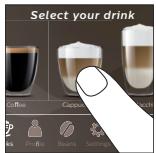
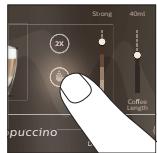
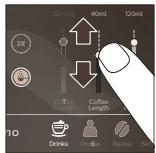
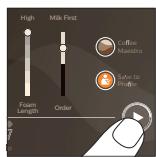
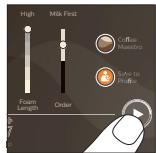
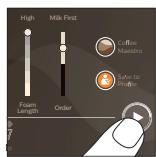
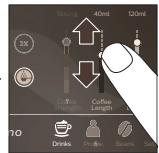
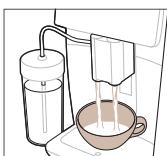
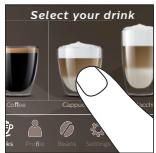
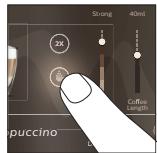
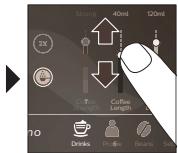
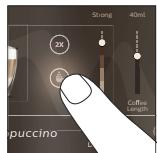
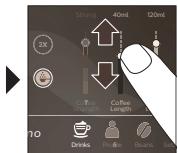
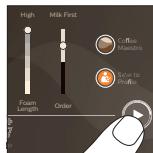
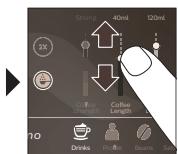
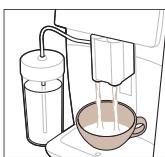
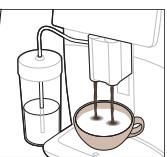
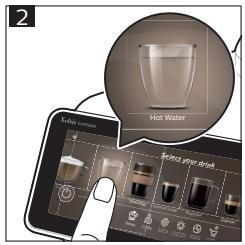
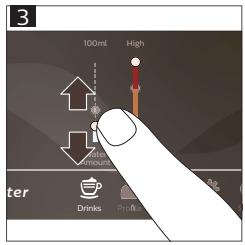
1. Make sure that the internal cappuccinatore is correctly attached to the machine (Fig. 1). 2. Place a cup under the spout. 3. Tap 'Hot Water' (Fig. 2). 4. Slide the adjustable bars up and down to adjust the hot water quantity or temperature to your preference (Fig. 3). 5. Press the start/stop ▶■ icon. 6. To stop dispensing hot water before the machine is finished, press the start/stop ▶■ icon again (SM8780, SM8782, SM8785 only) or press the stop icon again (SM8885, SM8889 only).
Cleaning and maintenance
| Item | When to clean | How to find in the control panel/ |
| What to do |
AquaClean filter
When the machine asks you or every three months.
STATUS->CLEANING->AQUACLEAN. Follow the steps to activate the AquaClean filter.
The machine does not automatically detect that a filter has been placed in the water tank. Therefore, you need to activate each new AquaClean filter that you install in the 'Status' menu.
Your machine has to be completely limescale-free before you start using the AquaClean filter.
Replace the AquaClean filter at least every 3 months, even if the machine does not yet indicate that replacement is required.
Brew group
Weekly
STATUS -> PERFORMANCE -> BREW GROUP CLEAN. Follow the steps to remove and clean the brew group.
Before you slide the brew group back into the machine, make sure it is in the correct position. The arrow on the yellow cylinder on the side of the brew group has to be aligned with the black arrow and N (Fig. 4).
10 English
| Item | When to clean | How to find in the control panel/What to do |
| Monthly | STATUS -> PERFORMANCE -> COFFEE OIL REMOVAL. Follow the steps of the self-cleaning process to automatically remove coffee oil residues from the brew group. | |
| Milk system/internal cappuccinatore | After every day of use | STATUS -> HYGIESTEAM. Follow the steps of the self-cleaning process to clean the milk system. Wipe the outside of the metal milk tube with a damp cloth before placing it into the milk tube holder. |
| Weekly | Remove and disassemble the internal cappuccinatore. Rinse all parts under the tap with some washing-up liquid. | |
| Monthly | STATUS -> HYGIESTEAM -> DEEP MILK CLEAN. Follow the steps of the self-cleaning process to clean the milk system. | |
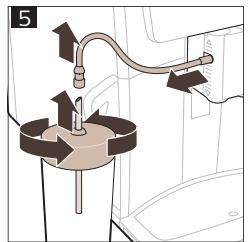
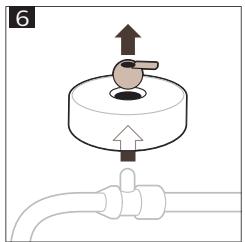
| Milk container | Weekly | Disassemble the milk container (Fig. 5) and push out the ball using the pin of the milk tube (Fig. 6). Clean all parts of the milk container under the tap or in the dishwasher. |
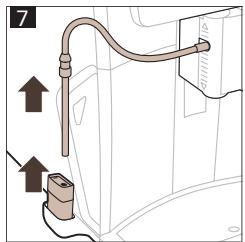
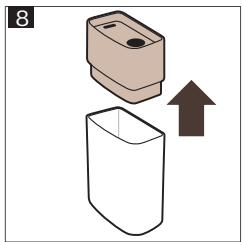
| HygieSteam container (milk tube holder) | Weekly or when the machine reminds you | Remove the HygieSteam container from the machine (Fig. 7) and remove the HygieSteam cover (Fig. 8). Clean the HygieSteam container and cover under the tap. |
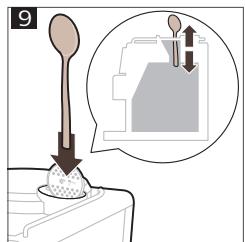
| Pre-ground coffee compartment | Check the pre-ground coffee compartment weekly to see if it is clogged | Unplug the machine and remove the brew group. Open the lid of the pre-ground coffee compartment and insert the spoon handle into it. Move the handle up and down until the clogged ground coffee falls down (Fig. 9). Go to www.saeco.com/care for detailed video instructions. |
| Coffee grounds container | Empty the coffee grounds container when prompted by the machine. Clean it weekly | Remove the coffee grounds container while the machine is switched on. Rinse it under the tap with some washing-up liquid. |
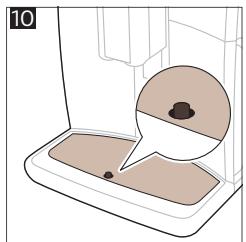
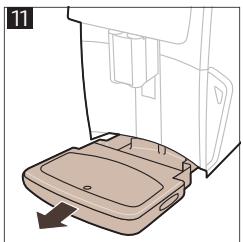
| Drip tray | Empty the drip tray daily or as soon as the red 'drip tray full' indicator pops up through the drip tray (Fig. 10). Clean the drip tray weekly | Remove the drip tray (Fig. 11) and rinse it under the tap with some washing-up liquid. |
| Lubrication of the brew group | Every 2 months | Lubricate the brew group with the by-packed grease. Go to www.saeco.com/care for detailed video instructions. |
| Water tank | Weekly | Rinse the water tank under the tap. |
| Machine front | Weekly | Clean with a non-abrasive cloth. |
| Descaling of the machine | When the machine asks you to descale | STATUS -> DESCALING. Follow the steps to descale the machine. When descaling is needed, the machine asks you to descale it, press the OK icon to start and follow the steps. |
What to do if the descaling procedure is interrupted
You can exit the descaling procedure by pressing the on/off icon on the control panel. If the descaling procedure is interrupted before it is completely finished, some descaling liquid may remain in the water tank or the water circuit. In that case, do the following:
1. Empty and rinse the water tank thoroughly. 2. Fill the water tank with fresh water up to the CALC CLEAN level indication and switch the machine back on. The machine will heat up and perform an automatic rinsing cycle. 3. Before brewing any drinks, perform a manual rinsing cycle. To perform a manual rinsing cycle, first dispense half a water tank of hot water and then brew 2 cups of pre-ground coffee without adding ground coffee.
Note: If the descaling procedure was not completed, the machine will require another descaling procedure as soon as possible.
Troubleshooting
To help you solve the most common problems that you could encounter when using the machine, Saeco offers support in multiple ways:
- You can find step-by-step videos on the control panel of the machine
- Support videos and a complete list of frequently asked questions are available on www.saeco.com/care
- On www.saeco.com/care, you can also find the extended version of the user manual
If you are unable to solve the problem, contact the Consumer Care Center in your country. The contact details can be found on the warranty leaflet and on the control panel of your machine.
Technical specifications
The manufacturer reserves the right to improve the technical specifications of the product. All the preset quantities are approximate.
| Description | Value |
| Size (w x h x d) | 287 x 396 x 487 mm |
| Weight | 11 - 12.4 kg |
| Power cord length | 1200 mm |
| Water tank | 1.7 liters, removable |
| Bean hopper capacity | 450 g |
| Coffee grounds container capacity | 15 pucks |
| Milk container capacity | 600 ml |
| Height-adjustable spout height | 75-148 mm |
| Nominal voltage - Power rating - Power supply | See data plate on the inside of service door |
| Wi-Fi frequency band | 2.4 GHz 802.11 b/g/n |
Declaration of Conformity
Hereby, DAP B.V. declares that the fully automatic espresso machines SM8780, SM8782, SM8785, SM8885 and SM8889 are in compliance with Directive 2014/53/EU.
The full text of the EU declaration of conformity is available at the following internet address:
https://www.saeco.com.
The fully automatic espresso machines SM8780, SM8782, SM8785, SM8885 and SM8889 are equipped with a Wi-Fi module, 2.4 GHz 802.11 b/g/n (channels 1..11). Maximum transmitting power <100 mW(20 dBm).
Contents
Preparing drinks
B2/C2 Drinks (B2/C2 Drinks)
B3/C3 Drinks menu (B3/C3 Drinks menu)
B4/C4 Personal profiles
B5/C5 Beans
B6/C6 Machine settings
B7/C7 Status menu
B8/C8 Shop
B9/C9 Start/stop icon
Turning on the machine if you have Xelsis DELUXE (only SM8780, SM8782, SM8785)
The machine will perform an automatic rinse cycle when it is turned on and off via voice control and if it has been inactive for some time, so it turns off. Make sure the surroundings of the machine are safe.
Special functions
The maintenance control panel provides a useful overview and notifications with information about the status of things such as the water level or informs you that the AquaClean level is low.
Beverage parameter support
To get additional information about a specific beverage parameter, press and hold the adjustable bar for 3 seconds.
Brewing beverages
Brewing coffee with beans
To brew coffee, you need to follow a few simple steps.
![graph LR A["Select"] --> B["Express"] B --> C["Red Chip"] C --> D["Mid 30ml High"] D --> E["Snacks"] E --> F["Take to Snacks"] F --> G["Drinkers & Funnel"]](/content/2024/11/217267/images/55b0ca372de2668141086adde0b7a44d0caa6f2e4ad8e3afdc9116b5916750ab.jpg)
Immediately after dispensing milk, the "HygieSteam Shot" procedure is performed. The machine expels steam through the internal milk system to quickly rinse it. The metal part of the milk tube can become very hot. To avoid the risk of burns, let it cool down first.
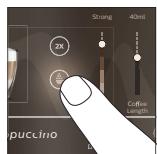
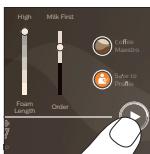
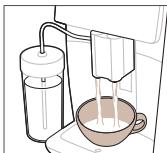
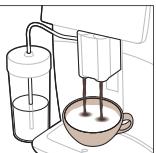
If you have selected pre-ground coffee, you cannot adjust the coffee strength or brew more than one drink at a time.
Brewing drinks
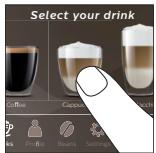
B6/C6 Machine settings


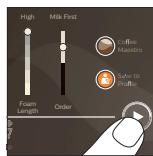
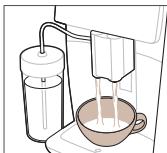
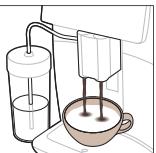
B9/C9 Start/stop icon
Turning on the machine if you have Xelsis DELUXE (only models SM8780, SM8782, SM8785)
Connecting to Wi-Fi
A6 Main switch
A7 Drip tray
Connecting to Wi-Fi

B2/C2 Drinks
B3/C3 Drinks menu
B4/C4 Personal profiles
B5/C5 Grains
B2/C2 Drinks
Turning on the Xelsis DELUXE appliance (models SM8780, SM8782, SM8785 only)
Our durable grinder is made entirely of 100% ceramic to be extremely strong and precise. You can adjust it to your taste using 12-step levels.
The maintenance dashboard provides a useful overview and gives you information about the status of individual items, e.g., it tells you how much water is left and whether the AquaClean filter needs to be replaced soon.
Drink settings support
To get additional information about a specific drink setting, press and hold the adjustable bar for 3 seconds.
Brewing drinks
Brewing coffee from coffee beans
To brew coffee, you need to follow a few simple steps.
![graph LR A["Start: Coffee feeding with a cup"] --> B["Select: Espresso into a glass bowl"] B --> C["Add: 30ml mixture, 3x mixing, 2x drying"] C --> D["Make a coffee mixer with 100% volume, 50% drop-off"] D --> E["Final: Final product inspection with coffee feeding and drying"]](/content/2024/11/217267/images/525a6c172eaac4d4179fe5239bc14335d621d63a5993611002804f0769542672.jpg)
Do not use caramelized or flavored coffee beans.
i Turn the grind adjustment knob in small steps and prepare 5 cups of different strengths to feel the difference.
Immediately after milk dispensing, the "HygieSteam Shot" program is executed. The appliance releases steam through the internal milk system for a quick rinse. The metal part of the milk tube can become very hot. To avoid the risk of burns, let it cool down first.
Brewing coffee from ground coffee
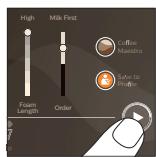
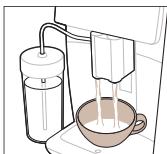
i If you select ground coffee, you cannot adjust the coffee strength and/or prepare more than one drink at the same time.
![graph LR A["Plug installation with power outlet"] --> B["Switch switch"] B --> C["Switch switch with power outlet"] C --> D["Switch switch with power outlet"] D --> E["Screen usage screen"]](/content/2024/11/217267/images/4d987acce2df123daec5b88e95d9723222993669df4adb36135bc60633d330aa.jpg)
Switch on the machine by pressing the main switch on the back of the machine. Tap the 'on' icon and follow the step-by-step instructions on the control panel.
Beverage preparation
B9/C9 Start/stop ▶ icon (Start/stop icon)
stop icon)
Introduction
Turning on the Xelsis DELUXE machine (only SM8780, SM8782, SM8785)
Connecting to Wi-Fi
Beverage preparation
![graph LR A["Plug installation with power outlet"] --> B["Switch switch"] B --> C["Switch switch with power outlet"] C --> D["Switch switch with power outlet"] D --> E["Screen usage screen"]](/content/2024/11/217267/images/63b13aa3cbc4f43f6c3396a42406b8d8a8da2b9f7ec4b183fdef8056f748d3e6.jpg)
Beverage preparation
B3/C3 Menu Drinks (Drinks)
Beverage preparation
B3/C3 Drinks menu (B3/C3 Drinks menu)
B4/C4 Personal profiles (B4/C4 Personal profiles)
B5/C5 Beans (Beans)
B6/C6 Machine settings (B6/C6
Machine settings)
B7/C7 Status menu (B7/C7 Status menu)
B8/C8 Store
B9/C9 Start/stop icon (B9/C9 ▶■ icon
Start/stop)
Introduction
Brew drinks
Coffee brewing with coffee beans
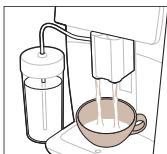
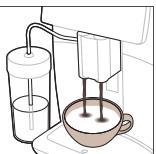
B3/C3 Drinks menu (B3/C3 Drinks menu (Drinks))
B4/C4 Personal profiles (B4/C4 Personal profiles)
B5/C5 Beans
B7/C7 Status menu
B8/C8 Shop
Brewing beverages
Brewing coffee from coffee beans
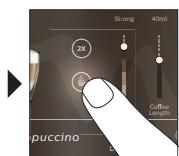
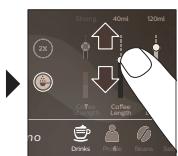
A6 Main switch
A9 HygieSteam container
Turning on the Xelsis DELUXE (only for SM8780, SM8782 and SM8785)
Preparing beverages
A9 HygieSteam container
B9/C9 Start/stop icon
start/stop ▶■)
Introduction
Connecting to Wi-Fi

Turning on the appliance when you have a "Xelsis DELUXE" (only SM8780, SM8782, SM8785)
Connecting to Wi-Fi
Preparing drinks
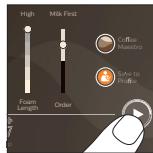
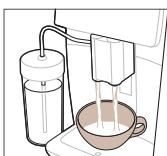

B7/C7 Status menu
B8/C8 Shop
B9/C9 Start/stop icon
Introduction
Switching on the Xelsis DELUXE machine (SM8780, SM8782 and SM8785 only)
Preparing drinks
Preparing coffee with beans
Do not use caramelized coffee beans or those with added flavor.
i Turn the grinding adjustment knob in small steps and prepare 5 cups to fully taste the differences.
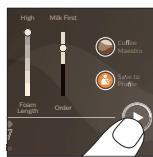
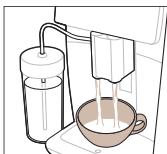
B3/C3 Drinks menu
B4/C4 Personal profiles B5/C5 Coffee beans B6/C6 Machine settings
B7/C7 Status menu B8/C8 Shop B9/C9 Start/stop icon
Introduction
Turning on the Xelsis DELUXE appliance (SM8780, SM8782, SM8785 only)
Preparing beverages
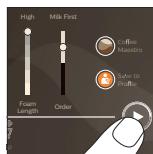
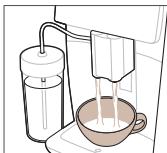
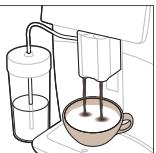
B2/C2 Drinks
B3/C3 Drinks menu
B4/C4 Personal profiles
B5/C5 Coffee beans
B6/C6 Machine settings
B7/C7 Status menu
B8/C8 Purchase
B9/C9 Start/stop icon
Turning on the appliance if you have Xelsis DELUXE (SM8780, SM8782, SM8785 only)
Turn on the appliance by pressing the main switch on its back. Touch the 'on' icon and follow the detailed instructions on the control panel.
![graph TD A["Switch"] --> B["Valve with 0.5"] B --> C["Switch with 0.2"] C --> D["Power Button with 0.1"] D --> E["Switch with 0.3"]](/content/2024/11/217267/images/5a8f4adc8e3bb1d968adecdf61e28b53699ce5de3fcce5a4fe880dd8b2f3565c.jpg)
The HygieSteam function automatically cleans the milk system, removing microorganisms: use it after making cappuccino or other milk-based drinks.

Making drinks
Brewing whole bean coffee
Do not use caramelized or flavored coffee beans.
i Turn the grind setting dial in small steps and brew 5 cups to fully taste the differences.
Immediately after dispensing milk, the "HygieSteam Shot" function is performed. The machine releases a jet through the internal milk system to quickly rinse it. The metal part of the milk tube can become hot. To avoid burns, let it cool down first.
Brewing coffee from pre-ground coffee
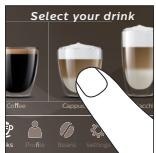
B3/C3 Drinks menu
B4/C4 Personal profiles
B5/C5 Beans
B6/C6 Machine settings
B9/C9 Start/stop icon
Introduction
Connecting to Wi-Fi
Brewing drinks
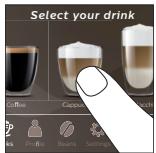
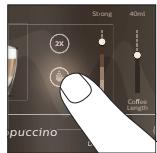
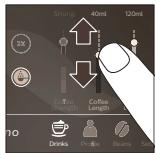
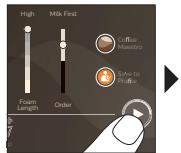
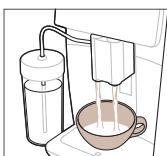
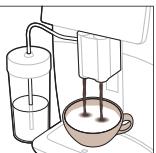
Brewing drinks
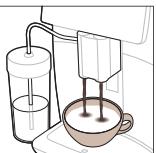
Connecting to Wi-Fi
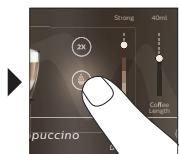

Connecting to Wi-Fi
Brewing beverages
Brewing coffee with beans
Preparing beverages


4219.450.2966.1 (10/2020) rev.00

www.saeco.com/care

FSC www.fsc.org
MIX
Paper from
responsible sources
FSC®C041324




- EN USER MANUAL
- CONTENTS
- MACHINE OVERVIEW (FIG. A)
- ACCESSORIES
- CONTROL PANEL
- INTRODUCTION
- SWITCHING ON THE MACHINE WHEN YOU HAVE A XELSIS SUPREMA (SM8885, SM8889 ONLY)
- SWITCHING ON THE MACHINE WHEN YOU HAVE A XELSIS DELUXE (SM8780, SM8782, SM8785 ONLY)
- CONNECTING TO WI-FI
- SPECIAL FUNCTIONS
- SUPPORT ON DRINK PARAMETERS
- BREWING DRINKS
- BREWING COFFEE WITH BEANS
- BREWING MILK-BASED DRINKS
- BREWING COFFEE WITH PRE-GROUND COFFEE
- DISPENSING HOT WATER
- CLEANING AND MAINTENANCE
- WHAT TO DO IF THE DESCALING PROCEDURE IS INTERRUPTED
- TROUBLESHOOTING
- TECHNICAL SPECIFICATIONS
- DECLARATION OF CONFORMITY
- HTTPS://WWW.SAECO.COM
- PREPARING DRINKS
- TURNING ON THE MACHINE IF YOU HAVE XELSIS DELUXE (ONLY SM8780, SM8782, SM8785)
- BEVERAGE PARAMETER SUPPORT
- BREWING BEVERAGES
- TURNING ON THE MACHINE IF YOU HAVE XELSIS DELUXE (ONLY MODELS SM8780, SM8782, SM8785)
- TURNING ON THE XELSIS DELUXE APPLIANCE (MODELS SM8780, SM8782, SM8785 ONLY)
- DRINK SETTINGS SUPPORT
- BREWING COFFEE FROM COFFEE BEANS
- BREWING COFFEE FROM GROUND COFFEE
- BEVERAGE PREPARATION
- TURNING ON THE XELSIS DELUXE MACHINE (ONLY SM8780, SM8782, SM8785)
- BREW DRINKS
- COFFEE BREWING WITH COFFEE BEANS
- TURNING ON THE XELSIS DELUXE (ONLY FOR SM8780, SM8782 AND SM8785)
- PREPARING BEVERAGES
- TURNING ON THE APPLIANCE WHEN YOU HAVE A "XELSIS DELUXE" (ONLY SM8780, SM8782, SM8785)
- SWITCHING ON THE XELSIS DELUXE MACHINE (SM8780, SM8782 AND SM8785 ONLY)
- PREPARING COFFEE WITH BEANS
- TURNING ON THE XELSIS DELUXE APPLIANCE (SM8780, SM8782, SM8785 ONLY)
- TURNING ON THE APPLIANCE IF YOU HAVE XELSIS DELUXE (SM8780, SM8782, SM8785 ONLY)
- MAKING DRINKS
- BREWING WHOLE BEAN COFFEE
- BREWING COFFEE FROM PRE-GROUND COFFEE
Brand : SAECO
Model : XELSIS SM8780
Category : Automatic coffee machine