
MWG 2270 CB - Microwave Oven BOMANN - Free user manual and instructions
Find the device manual for free MWG 2270 CB BOMANN in PDF.



| Product type | Microwave oven with grill |
| Brand | BOMANN |
| Model | MWG 2270 CB |
| Power supply | 230 V~, 50 Hz |
| Power consumption | Microwave: 1050 W, Grill: 1000 W |
| Microwave power | 700 W / 2450 MHz |
| Capacity | 20 liters |
| Net weight | 10.50 kg |
| Dimensions (W x D x H) | Approx. 45.2 x 34.5 x 26.2 cm |
| Control type | Touch buttons + rotary knob |
| Microwave power levels | 5 levels (P100, P80, P50, P30, P10) |
| Functions | Microwave, grill, combined, defrost (weight/time), automatic programs (8), multi-stage cooking, delayed start, quick start |
| Turntable | Yes, glass, diameter 25.5 cm (approx.) |
| Grill rack | Included, for grill and combined mode |
| Child safety lock | Yes, control panel lock |
| Interior light | Yes, lights up during operation |
| Recommended safety distance | Rear: 10 cm, sides: 20 cm, top: 30 cm |
| Microwave-safe dishes | Glass, ceramic, microwave-safe plastic, paper |
| Protection class | I (grounded) |
| Included accessories | Glass turntable, guide ring, metal rack |
| Maintenance and cleaning | Clean with a damp cloth and mild detergent; do not use abrasive cleaners |
| Repairability | Repair by qualified personnel only; power cord not replaceable by user |
Frequently Asked Questions - MWG 2270 CB BOMANN
User questions about MWG 2270 CB BOMANN
0 question about this device. Answer the ones you know or ask your own.
Ask a new question about this device
Download the instructions for your Microwave Oven in PDF format for free! Find your manual MWG 2270 CB - BOMANN and take your electronic device back in hand. On this page are published all the documents necessary for the use of your device. MWG 2270 CB by BOMANN.
USER MANUAL MWG 2270 CB BOMANN
MIKROWELLE MIT GRILL MWG 2270 CB
Magnetron met gril • Four à micro-ondes multifonctions avec gril • Microondas con parilla para asar
Microonde con funzione per griglia • Microwave with grill • Kuchenka mikrofalowa z grillem
- Do not remove any installed parts from inside the oven or anything from the inside of the door!
- The foils on the inside of the door must not be removed!
- The mica sheet is also part of the appliance and must not be removed. It protects the electronic component located behind it from dirt.
UWAGA:
m = 311 ;
WAARSCHUWING Kookvertraging:
WAARSCHUWING: Brandgevaar!
| Code | Micro-ondes | Grill |
| C-1 | 55% | 45% |
| C-2 | 36% | 64% |
Thank you for choosing our product. We hope you will enjoy using the appliance.
Symbols in these Instructions for Use
Important information for your safety is specially marked. It is essential to comply with these instructions in order to avoid accidents and prevent damage to the machine:

WARNING:
This warns you of dangers to your health and indicates possible injury risks.

CAUTION:
This refers to possible hazards to the machine or other objects.

NOTE: This highlights tips and information.
Contents
Overview of the Components. 3
General Notes 52
Important Safety Information! 52
Warning Labels on the Appliance 54
Overview of the Components. 54
Buttons and Controls on the Control Panel 54
Information on Grilling and Combined Operation 54
Suitable Microwave Tableware. 54
Notes on Operating and Using the Appliance. 55
What you Should Know about Microwave Operation 55
Notes on Operating the Appliance. 55
Initial Operation 55
Installation Instructions 55
Preparation 55
Setting the Clock. 55
Operating the Microwave. 55
Pause or Cancel Cooking. 56
Quick Start 56
Heating 56
Heating Table 56
Cooking 56
Hands-on Cooking Tips 56
Cooking Table 56
Grilling. 57
Microwave and Grill Combination Modes. 57
Tips for Combi Operation. 57
Auto Functions. 57
Automatic Program Table 58
Defrosting 58
Multi-stage Cooking 58
Special functions 58
Auto start (Timer-Function) 58
Locking (Child-proof lock) 59
Display Function 59
Cleaning 59
Interior 59
External Walls 59
Accessories. 59
Odours 59
Oven Light 59
Troubleshooting 59
Technical Data. 60
Disposal .60
Meaning of the "Wheelie Bin" Symbol 60
General Notes
Read the operating instructions carefully before putting the appliance into operation and keep the instructions including the warranty, the receipt and, if possible, the box with the internal packing. If you give this device to other people, please also pass on the operating instructions.
- The appliance is designed exclusively for private use and for the envisaged purpose. This appliance is not fit for commercial use.
- Do not use it outdoors. Keep it away from sources of heat, direct sunlight, humidity (never dip it into any liquid) and sharp edges. Do not use the appliance with wet hands. If the appliance is humid or wet, unplug it immediately.
- When cleaning or putting it away, switch off the appliance and always pull out the plug from the socket (pull the plug itself, not the lead) if the appliance is not being used and remove the attached accessories.
- Do not operate the machine without supervision. If you leave the room you should always turn the device off. Remove the plug from the socket.
- The device and the mains lead have to be checked regularly for signs of damage. If damage is found the device must not be used.
- Use only original spare parts.
- In order to ensure your children's safety, please keep all packaging (plastic bags, boxes, polystyrene etc.) out of their reach.

WARNING:
Don't let small children play with foils for danger of suffocation!
Important Safety Information!
Please read carefully and keep for future use.
WARNING:
- The microwave oven is intended for heating foods and drinks. Drying foods or clothes or heating electric pads, slippers, sponges, wet cleaning rags, or similar can cause injuries, combustion, or fire.
- The microwave oven is not suitable for warming/heating up living animals.
- When the door or the door seals are damaged, the microwave oven must not be used until it has been repaired by a qualified specialist.
- Please do not repair the device yourself, but have it repaired by an authorised specialist. Carrying out maintenance or repair work which involves removal of the cover that protects the surroundings from microwave radiation is dangerous unless carried out by an expert.
- If the supply cord is damaged, it must be replaced by the manufacturer, its service agent or similarly qualified persons in order to avoid a hazard.
WARNING:
- Do not heat liquids in closed containers. DANGER OF EXPLOSION!
- Do not place your microwave in a cupboard.
- The appliance requires sufficient space for air circulation in order to function properly. Leave a distance of 30cm above, of 10cm on the back, and of 20cm on both sides of the appliance. Do not cover the appliance. Never block the openings of the appliance. Do not remove the feet.
- Place the appliance with the back facing a wall.
- The appliance and its accessible parts become hot during use. Care should be taken to avoid touching heating elements. Children less than 8 years of age shall be kept away unless they are continuously supervised.
- Only suitable tableware should be used such as: glass, porcelain, ceramics, heat-resistant plastic or special microwave tableware.
- Metallic containers are not permitted for heating food and beverages in the microwave oven. Observe the notes in the chapter "Suitable Microwave Tableware".
- If food is being heated or cooked in combustible materials, such as plastic or paper containers, the microwave oven should be checked frequently due to the risk of fire.
- If smoke is produced, turn the device off and remove the plug. Keep the door closed in order to suffocate any flames.
- The contents of babies' bottles and jars of baby food must be stirred or shaken and the temperature checked before use. There is a danger of burns.
- Use oven cloths or kitchen gloves when removing the containers. DANGER OF BURNS!
- Food with a shell or skin, such as eggs, sausages, sealed jars etc. must not be heated up in the microwave as they may explode even when heating by the microwaves is finished.
WARNING Delay in boiling:
During boiling, particularly during the reheating of liquids (water), it may happen that the boiling temperature has been reached but the typical bubbles have not yet started to rise. The liquid does not boil evenly. When the vessel is removed this so-called delay in boiling may result in the sudden formation of bubbles when the vessel is knocked, causing the water to boil over. There is a serious danger of burns! In order to achieve even boiling, please place a glass rod or similar item, but nothing metallic, in the vessel.
- This appliance can be used by children aged from 8 years and above and persons with reduced physical, sensory or mental capabilities or lack of experience and knowledge if they have been given supervision or instruction concerning use of the appliance in a safe way and understand the hazards involved.
Children shall not play with the appliance. - Cleaning and user maintenance shall not be made by children unless they are older 8 years and supervised.
- Keep the appliance and its cord out of reach of children less than 8 years.
- Any dirt on the door frame/door seal and neighbouring parts must be carefully cleaned with a damp cloth.
- Clean the microwave oven regularly and remove any food residues from the interior.
- If the machine is not clean the surface may be damaged, affecting its serviceable life and possibly resulting in hazardous situations.
- Do not use any aggressive abrasive cleaners or sharp metal scrapers to clean the glass door. You could scratch the surface. This can destroy the glass.
- Steam cleaner is not to be used.
- Also follow the instructions which are given in the "Cleaning" chapter.
-
Do not operate the appliance with an external timer or separate remote control system.
This device is used -
for heating up and cooking solid or liquid foods
- for browning and grilling solid foods.
It is intended for the use in households and for similar applications, such as:
- in staff kitchens of stores, offices, and other industrial areas;
- by guests in hotels, motels, and other housing facilities;
- in agricultural estates;
- in bed and breakfasts.
Warning Labels on the Appliance
Please note the warning label on the back of the microwave oven:
WARNING
- MICROWAVE AND HIGH VOLTAGE INSIDE. BE SURE NOT TO REMOVE THE ENCLOSURE.
- THIS APPLIANCE IS EQUIPPED WITH A GROUNDED PLUG FOR YOUR PROTECTION AGAINST POSSIBLE SHOCK HAZARDS AND SHOULD BE CONNECTED TO A PROPERLY GROUNDED OUTLET.
- THIS DEVICE IS TO BE SERVICED ONLY BY PROPERLY QUALIFIED SERVICE PERSONNEL.
- DISCONNECT POWER PLUG BEFORE SERVICING. REMOVAL OF THE ENCLOSURE WITH PRODUCT ENERGIZED COULD EXPOSE SERVICEMEN TO HAZARDOUS HIGH VOLTAGE POTENTIAL.
Please note the label on the top of the microwave oven:
CAUTION:
Remove the protective covers from the microwave before first use.
Overview of the Components
1 Control Panel
2 Griller
3 Drive shaft
4 Guide ring
5 Glass rotating plate
6 Door latch
7 Viewing window
Buttons and Controls on the Control Panel
MICRO./GRILL/COMBI.
Microwave: Select microwave power setting
Grill: For grilling and scalloping
Combinations: Microwave and grill work alternately
DEFROST Defrosting by weight or time
CLOCK/TIMER
Clock: In conjunction with the turning knob for setting the clock
Timer: Presets for TIMER function
STOP/CLEAR
Reset: Press 1x to cancel programming
Stop: Press 1× to temporarily pause cooking
Cancel: Press 2x to stop an activated program early
Child safety lock: Press and hold for 3 seconds to lock or unlock the control panel respectively
START
Start the program
- Quick start of microwave operation (always +30 seconds at 100% power)
- Prolonging the cooking time by 30 seconds during operation (Except for defrosting program dEF1 and automatic programs)
- Confirm a selection
Turning Knob
For setting the clock time, cooking time, temperature, combinations, auto menu programs or weight settings
Information on Grilling and Combined Operation
- As heat radiation is used during grilling and combined operation, please use only heat-resistant tableware. Plastic containers are not suitable.
- When food is only being grilled, metal or aluminium tableware may also be used -but not during combined or microwave operation.
- Do not place anything on top of the housing as this becomes hot. Always leave the ventilation slits uncovered.
- Please use the grilling grid to move the food to be cooked nearer to the heating element.
Suitable Microwave Tableware
- The ideal material for use in a microwave is transparent and allows the microwave radiation to heat the food evenly.
- Round/oval dishes and plates are more suitable than rectangular ones as the food in the corners may overcook.
CAUTION:
Risk of explosion by sealed tableware.
- Open closed containers before cooking or heating.
- Pierce protective plastic foil several times using a fork.
CAUTION: Sparking and fire hazard!
- Microwaves cannot penetrate metal. Accordingly, no metal containers or plates may be used in microwave operation.
- Do not use any paper dishes made of recycled material as these may contain small amounts of metal, which may result in sparks or fires.
The list below is intended to help you select suitable microwave tableware:
| Material | Suitable for | ||
| Microwave | Grill | Combination* | |
| Heat-resistant glass vessel | yes | yes | yes |
| Non-heat-resistant glass vessel | no | no | no |
| Heat-resistant ceramic vessel/plate | yes | yes | yes |
| Plastic vessels suitable formicrowave use | yes | no | no |
| Kitchen roll | yes | no | no |
| Metal or aluminium ovenware | no | yes | no |
| Grilling grid | no | yes | no |
| Aluminium foil and foil containers | no | yes | no |
*) Combination of microwave with grill.
Notes on Operating and Using the Appliance
What you Should Know about Microwave Operation
- Your device works with microwave radiation, which heats up water particles in food in a very short time. There is no heat radiation and therefore hardly any browning.
Only food should be heated up with this device. - The device is not suitable for baking in floating fat.
- Only 1-2 portions should be heated up at the same time. Otherwise the microwave will become less efficient.
- Microwaves provide their full energy levels immediately. Pre-heating is therefore not necessary.
- Never operate the microwave function when the oven is empty.
- The microwave oven does not replace your traditional cooker. It is used mainly for:
defrosting deep-frozen food
- rapid warming/heating of food or drinks
- cooking meals.
Notes on Operating the Appliance
- A signal tone sounds when first turning the turning knob.
- Your selection by pressing buttons is confirmed by a signal tone. If not, you did not press properly.
- If you have selected a program and do not confirm it by pressing the "START" button within 1 minute, your selection will be canceled. The display will then show the current time again.
- After a program has started, the display will show a countdown timer indicating the remaining operating time.
- 5 signal tones will indicate the end of the program. After that the appliance turns off automatically.
- The illumination inside the microwave oven is on permanently. Close the door of the microwave oven to turn off the illumination.
Initial Operation
Installation Instructions
Install the appliance with the back of the appliance facing the wall.
- Maintain the following safety clearances:
- 10cm to the back
- 20 cm to both sides
-
30 cm to the top of the microwave.
-
In order to avoid interference with the operation of other devices, do not place your device near other electronic devices.
Preparation
- Use the handle to open the door.
- Remove any accessories from the cooking chamber and unpack.
- If not yet done: Place the drive shaft on the center of the bottom inside the oven.
Install the guide ring in the center.
- Position the glass rotating plate in such a way that its lower recesses lock onto the center of the drive shaft.
- Check the device for any visible damage, particularly in the area of the door. If any damage is found, the machine must not be used.
- Remove any protective foils that may be adhered to the housing.
- Make sure the mains voltage to be used corresponds to the voltage of the appliance. Check the rating label for specifications.
- Insert the mains plug into a properly installed power socket.
CAUTION:
- Do not remove any installed parts from inside the oven or from inside the door!
- The mica sheet is also part of the appliance and must not be removed. It protects the electronic component located behind it from dirt.
i NOTE:
If there are manufacturing or oil remains on the enclosure or heating element, smoke or odor might occur during the beginning operation.
This is normal and will cease after repeated use.
We strongly recommend proceeding as follows:
- Turn on the grill mode and let the device operate several times without food to be cooked.
- Ensure sufficient ventilation.
Setting the Clock
i NOTE:
When connecting the appliance to the mains, a signal will sound and "0:00" will appear in the display.
- Press the CLOCK/TIMER button once.
- Use the turning knob to set the desired hour.
- Press the CLOCK/TIMER button to confirm your settings.
- Use the turning knob to set the desired minutes.
- Press the CLOCK/TIMER button again to activate the new time. The delimiter symbol ".of the digital time will be flashing on the display.
Operating the Microwave
- Place the food to be heated in a suitable piece of tableware.
- Open the door and place the vessel in the middle of the glass plate. Then close the door. (For safety reasons the oven only operates when the door is tightly closed.)
- Press the MICRO./GRILL/COMBI. once/repeatedly to select the desired microwave power. After pressing the button once you may also use the turning knob.
| Power setting on the display as selected in % | Power in Watt (approx.) | Application |
| P 100 | 700 | Quick heating |
| P 80 | 560 | Cooking |
| P 50 | 350 | Simmering |
| P 30 | 210 | Defrosting frozen goods |
| P 10 | 70 | Melting butter etc. |
- Press the START button to confirm your settings.
- Use the dial control to select a cooking time between 5 seconds and 95 minutes.
- Press the START button. The cooking time depends on the quantity and constituency of the contents of the oven. With a little practice you will soon learn to estimate the cooking time.
i NOTE:
Each time pressing the START button will prolong the operating time by 30 seconds.
NOTE:
- Preparation of food in a microwave oven is very much faster than in a conventional cooker. Set the cooking time to a low level if you are not sure and continue cooking again if necessary.
- Please note: A cover should be placed over the food when operating the microwave.
Pause or Cancel Cooking
- To pause cooking, press STOP/CLEAR button once or open the door.
- To continue cooking, close the door and press START again.
- In order to fully stop the cooking process, press the STOP/CLEAR button twice, thereby resetting all program settings.
Quick Start
You wish to heat food or drinks shortly at the highest power setting? There are two possibilities:
- Quick-start the microwave by directly pressing the START button. The cooking process will start immediately, whereas each time pressing the button will prolong the cooking time by 30 seconds.
Or: - Turn the turning knob towards the left. A signal tone sounds and the display will show "95:00". Set the time by turning the knob left or right. Press the START button to start operation.
The power setting of the microwave is thereby 100% .
Heating
Warming and heating are special characteristics of microwaves. Refrigerated liquids and foods can be easily warmed up to room or eating temperature without having to use a lot of pots.
The heating times in the following table are for reference only, as the time depends very much on the original temperature and the texture of the food. It is therefore recommended to check once in a while whether the food is hot enough.
Heating Table
| Edibles/food | Quantity | Microwave power in % | Time approx. Min. | Cover |
| Liquids | ||||
| 1 cup | 150g | P 100 | 0.5-1 | no |
| 0.5 l | 500g | P 100 | 3.5-5 | no |
| 0.75 l | 750g | P 100 | 5-7 | no |
| Tip: Put a glass stick into the container to avoid superheating; stir well before drinking. | ||||
| Plated meals | ||||
| Cutlet + potatoes and vegetables | 450g | P 100 | 2.5-3.5 | yes |
| Goulash with noodles | 450g | P 100 | 2-2.5 | yes |
| Meat + lump + sauce | 450g | P 100 | 2.5-3.5 | yes |
| Tip: Slightly moisten before cooking; stir occasionally. | ||||
| Meat | ||||
| Cutlet, breaded | 200g | P 100 | 1-2 | no |
| Meatballs, 4 pieces | 500g | P 100 | 3-4 | no |
| Joint | 250g | P 100 | 2-3 | no |
| Tip: Coat with oil for the breading or crust not to soften. | ||||
| Poultry | ||||
| ½ chicken | 450g | P 100 | 3.5-5 | no |
| Chicken fricassee | 400g | P 100 | 3-4.5 | yes |
| Tip: Coat with oil; stir occasionally. | ||||
| Edibles / food | Quantity | Microwave power in % | Time approx. Min. | Cover |
| Side dish | ||||
| Noodles, rice, 1 serving.2 servings. | 150g | P 100 | 1-2 | yes |
| 300g | P 100 | 2.5-3.5 | yes | |
| Potatoes | 500g | P 100 | 3-4 | yes |
| Tip: Slightly moisten prior to cooking. | ||||
| Soups/sauce | ||||
| Broth, 1 plate | 250g | P 100 | 1-1.5 | yes |
| Soup with solids | 250g | P 100 | 1.5-2 | yes |
| Sauce | 250g | P 100 | 1-2 | yes |
| Infant food | ||||
| Milk | 100ml | P 50 | 0.5-1 | no |
| Mash | 200g | P 50 | 1-1.5 | no |
| Tip: Thoroughly shake or stir. Check temperature! | ||||
Cooking
Hands-on Cooking Tips
Follow the guidelines given in the cooking table and recipe. Monitor the cooking process if you do not yet have as much experience.
You may open the door of the device at any time. The device will turn off automatically.
It will only continue operation when the door is closed and the START button pressed again.
Refrigerated food needs a longer cooking time than that with room temperature.
The chunkier the food, the longer the cooking time. Meat cut in bigger pieces, for example, requires longer cooking than meat of the same quantity cut into strips. It is recommended cooking larger amounts of food at maximum power and having it simmer at medium power for a more evenly cooking.
Lower foodstuffs cook faster than higher ones; therefore distribute the food as low as possible. Place thinner parts such as chicken legs or fish files in the center or leave them overlapping.
Smaller amounts cook faster than bigger ones. The following rule of thumb applies:
Double amount = almost double time
Half amount = half time
If you cannot find the exact cooking time for a dish, you may apply the following rule:
Per 100g approx. 1 minute cooking
All foods that you cover on a common stove should be covered in the microwave as well.
A cover will prevent the food from running dry. An upside-down plate, greaseproof paper or microwave cooking foil are all suitable as covers. Cook food that should be getting a crust without cover.
Cooking Table
| Edibles /food | Quantity | Microwave power in % | Time approx. Min. | Cover |
| Vegetables | ||||
| Eggplant | 500g | P 80 | 7-10 | yes |
| Cauliflower | 500g | P 80 | 13-15 | yes |
| Broccoli | 500g | P 80 | 6-9 | yes |
| Chicory | 500g | P 80 | 6-7 | yes |
| Peas | 500g | P 80 | 6-7 | yes |
| Fennel | 500g | P 80 | 8-11 | yes |
| Green beans | 300g | P 80 | 13-15 | yes |
| Potatoes | 500g | P 80 | 9-12 | yes |
| Stem turnip | 500g | P 80 | 8-10 | yes |
| Leek | 500g | P 80 | 7-9 | yes |
| Corn on the cob | 250g | P 80 | 7-9 | yes |
| Carrot | 500g | P 80 | 8-10 | yes |
| Pepper | 500g | P 80 | 6-9 | yes |
| Brussels sprouts | 300g | P 80 | 7-10 | yes |
| Asparagus | 300g | P 80 | 6-9 | yes |
| Tomatoes | 500g | P 80 | 6-7 | yes |
| Zucchini | 500g | P 80 | 9-10 | yes |
Tip: Cut vegetables into small pieces and cook with 2-3 spoons of liquid; stir occasionally. Simmer 3-5 minutes; add seasoning just before eating.
| Fruits | ||||
| Apfel-, Birmenkompott | 500g | P 80 | 5-8 | yes |
| Pflaumenmus | 250g | P 80 | 4-6 | no |
| Bratäpfel, 4 Stück | 500g | P 80 | 7-9 | yes |
Tip: Add 125 ml of water; lemon juice will prevent the fruits from discoloring; simmer 3-5 minutes.
| Meat*) | ||||
| Meat with sauce | 400g | P 80 | 10-12 | yes |
| Goulash, veal strips | 500g | P 80 | 10-15 | yes |
| Beef roulades | 250g | P 80 | 7-8 | yes |
Tip: Stir occasionally; rest for 3-5 minutes.
| Poultry*) | ||||
| Chicken fricassee | 250g | P 80 | 6-7 | yes |
| Chicken soup | 200g | P 80 | 5-6 | yes |
Tip: Stir occasionally; rest 3-5 minutes.
| Fish | ||||
| Fish filet | 300g | P 80 | 7-8 | yes |
| 400g | P 80 | 8-9 | yes | |
Tip: Turn over after half the time has elapsed; simmer 3-5 minutes.
| Defrosting and cooking vegetables | ||||
| Red cabbage with apple | 450g | P 80 | 14-16 | yes |
| Spinach leaves | 300g | P 80 | 11-13 | yes |
| Cauliflower | 200g | P 80 | 7-9 | yes |
| String beans | 200g | P 80 | 8-10 | yes |
| Broccoli | 300g | P 80 | 8-9 | yes |
| Peas | 300g | P 80 | 7-8 | yes |
| Stem turnip | 300g | P 80 | 13-15 | yes |
| Leek | 200g | P 80 | 10-11 | yes |
| Com | 200g | P 80 | 4-6 | yes |
| Carrots | 200g | P 80 | 5-6 | yes |
| Brussels spout | 300g | P 80 | 7-8 | yes |
| Spinach | 450g | P 80 | 12-13 | yes |
| 600g | P 80 | 15-17 | yes | |
Tip: Cook with 1-2 spoons of liquid; stir occasionally or carefully cut. Simmer 2-3 minutes; add seasoning just before eating.
| Soups/stew*) | ||||
| Stew | 500g | P 80 | 13-15 | yes |
| Soup with solids | 300g | P 80 | 7-8 | yes |
| Crème soup | 500g | P 80 | 13-15 | yes |
Tip: Stir occasionally; simmer 3-5 minutes.
*) Ready-made food
Grilling
Place the grill rack onto the supplied glass plate. Use suitable heat-resistant tableware or directly put the food onto the grill.
It is not necessary to preheat the grill rack since the grill generates radiant heat immediately.
Proceed as follows for roasting and scalloping:
- Press the MICRO. / GRILL/ COMBI. button until "G" appears on the display. After pressing once, you can also use the knob.
- Press the START button to confirm your settings.
- Use the turning knob to set the desired roasting time between 5 seconds and 95 minutes.
- Press the START button to start.
i NOTE:
After half of the time has elapsed, several signal sounds will alert you to turn the grilled food such as meat or sausages.
| Edibles/food | Quantity | Time approx. min. | Cover |
| Scalloping toast with cheese | 2-3 slices | 3-4 | no |
| Scalloping soups, e.g. onion soup | 2-3 cups | 10-15 | no |
Microwave and Grill Combination Modes
During those modes the microwave and grill work alternately within a set time.
- Press the MICRO./GRILL/COMBI. button repeatedly to select the desired combination mode.
| Code | Microwave | Grill |
| C-1 | 55% | 45% |
| C-2 | 36% | 64% |
- Press the START button to confirm your settings.
- Use the dial control to select a cooking time between 5 seconds and 95 minutes.
- Press the START button.
Tips for Combi Operation
When cooking food with the combined setting of microwave-grill, you should adhere to the following:
The cooking time for big and thick food items, such as roast pork, is respectively longer than for small, lower food. Nevertheless, when roasting, the opposite rule applies. The closer the food is to the grill, the faster it will become brown. I.e., when preparing big joints during combi operation, the roasting time is possibly shorter than for smaller joints.
Auto Functions
Use the auto functions to cook certain amounts of foods automatically. Proceed as follows:
- Turn the turning knob clockwise and select the desired auto function. Choose one of the settings given in the table below.
- Press the START button to confirm your settings.
- Use the turning knob to set the desired weight.
- Press the START button to start operation.
Automatic Program Table
| Code | Function | Display/weight in gram | Power setting |
| A-1 | Heating | 200 | Microwave 100% |
| 400 | |||
| 600 | |||
| A-2 | Vegetables | 200 | Microwave 100% |
| 300 | |||
| 400 | |||
| A-3 | Fish | 250 | Microwave 80% |
| 350 | |||
| 450 | |||
| A-4 | Meat | 250 | Microwave 100% |
| 350 | |||
| 450 | |||
| A-5 | Noodles/pasta | 50 (with 450ml water) | Microwave 80% |
| 100 (with 800ml water) | |||
| A-6 | Potatoes | 200 | Microwave 100% |
| 400 | |||
| 600 | |||
| A-7 | Pizza (Warming up) | 200 | Microwave 100% |
| 400 | |||
| A-8 | Soup | 200 | Microwave 80% |
| 400 |
Defrosting
Using the defrost settings you may automatically defrost your food in two different ways. Select the defrost function by weight and time.
NOTE:
- Microwave power when defrosting is 30% (210 W).
- Since the microwaves always penetrate the food from the outside in, larger pieces may not be fully defrosted in their centre. The outer layers may already have started to cook.
- Turn foodstuff such as meat, sausages or bread once after approx. half of the defrost time has elapsed. Close the door and press the START button to continue.
- Factor in a compensation time after the defrost program. This is a standing period during which a temperature compensation takes place through conduction of heat from the outside (defrosted) to the inside (frozen). You can leave the food in the switched off appliance or outside the appliance during the compensation time. The compensation time should be at least as many minutes as the defrost time in the microwave. It depends on the condition of the food.
- The automatic weight setting is provided for food with a weight of 100g to 2000g .
If the weight of the food is less than 200g , do not place it in the middle but at the edge of the glass plate. - You can shorten the compensation times by e.g. separating small pieces of meat or crumbling the remaining frozen chunks of mince after the defrosting time. For sliced bread or sausage, separate the slices during the compensation time.
- Allow fruit to defrost in a bowl with a lid. After around half the defrost time, gently stir the fruit once.
- Cakes or tarts with chocolate icing should not be defrosted in the microwave.
To use the defrost program, proceed as follows:
- Determine the weight of the food.
-
Remove the food from its packaging. If it cannot be removed from the packaging, defrost for 30 seconds on maximum microwave power (see "Quick start").
-
Place the food to be defrosted onto the plate (fruit into a bowl). Also place meat onto a upturned saucer so that the meat juices can drain. This saucer should never be used for other foods or come into contact with them.
- Repeatedly press the DEFROST button to select one of the defrost functions:
dEF1 Defrosting by weight
btw 0,1-2,0kg
dEF2 Defrosting by time
btw 5 seconds - 95 minutes
- Use the turning knob to set the desired weight/time.
- Press the START button to start.
Multi-stage Cooking
You can set the programs in such a way that up to 2 different functions can be carried out in succession.
Assume you select the following programs:
Defrost

Grill
- Select the 1st function: Press the DEFROST button once or twice.
- Set the weight or the required time using the knob.
- Select the 2nd function: Press the MICRO./GRILL/COMBI button until "G" appears on the display.
- Press the START button to confirm your settings.
- Use the turning knob to set the desired cooking time between 5 seconds and 95 minutes.
- Press the START button to start operation.
i NOTE:
- The change of program is indicated by an acoustic signal.
- When grilling, several signal sounds will alert you to turn food such as meat or sausages after half of the time has elapsed.
Special Functions
Auto Start (Timer-Function)
The maximum time-delay is 23 hours and 59 minutes.
i NOTE:
- First set the clock! Otherwise you may not use this function.
- When using auto start, the defrost function is not available. This program setting does not support quick start cooking.
Example: It is 10:45 h. You want to program the microwave so that it operates at maximum power for 7 12 minutes at 14:20. Proceed as follows for automatically starting the microwave:
| Step | Button | Display | |
| 1 | MICRO./GRILL/COMBI. | P 100 | (Power) |
| 2 | START | P 100 | (Confirmation of microwave power) |
| 3 | 7:30 | (Cooking time) | |
| 4 | CLOCK/TIMER | 10:45 | (Current time) |
| 5 | 14:45 | (Setting the hours) | |
| 6 | CLOCK/TIMER | 14:45 | (Confirmation of hour) |
| 7 | 14:20 | (Setting the minutes) | |
| 8 | START | 10:45 | (Current time) |
i NOTE:
- For technical reasons the display cannot show the activated timer function.
NOTE:
- During this programmed setting the functions of the controls are blocked (except: CLOCK/TIMER and STOP/CLEAR).
- If you wish to display the start time again, press the CLOCK/TIMER button.
- In order to deactivate the automatic start time, press the STOP/CLEAR button.
- When the pre-set time has been reached, the microwave will start operation. A beep indicates the start.
WARNING: Risk of fire!
Always supervise the device during operation.
- When using the time-delay function, set the time in such a way that the device will be operating under proper supervision.
- Do not operate the microwave empty. If you want to take out the food before the program has finished, you have to cancel the program by pressing the STOP/CLEAR button.
Locking (Child-proof Lock)
- Press and hold the STOP/CLEAR button for 3 seconds to lock the appliance. You will hear a signal tone. The locked condition is shown in the display by "C - C - C". The control panel function is blocked.
- Press and hold the STOP/CLEAR button again for 3 seconds to unlock. You will hear a signal tone.
Display Function
- If you press the MICRO/GRILL/COMBI. button in microwave, grill, or combination mode, you will see the mode on the display for 2 to 3 seconds.
- In disregard to the operation mode, the display will be showing the current time for 2-3 seconds when pressing the CLOCK/TIMER button. This assumes that you have preset the time on the appliance.
Cleaning

WARNING:
Turn the microwave off and remove the mains plug.
CAUTION:
- Do not use any wire brush or other abrasive objects.
- Do not use any acidic or abrasive detergents.
- Do not use a metal scraper to clean the viewing window. The surface could be scratched and the glass could possibly break.
Interior
- Keep the interior of the oven clean. Splashes and overflowing liquids on the walls of the oven can be removed with a damp cloth. If the oven is very dirty a mild detergent can also be used.
- Wipe off the viewing window on the inside and outside with a damp cloth and remove splashes and stains from overflowing liquids regularly.
External Walls
- The external walls of the microwave should only be cleaned with a damp cloth. Please ensure that no water enters the openings in the housing and therefore inside the device.
- Open the microwave door before cleaning the control panel in order to avoid accidentally switching on the appliance.
Accessories
- Clean the glass plate in warm soapy water or in the dishwasher. Dry it before reinstalling it in the microwave.
- Regularly clean the guide ring and the inside of the bottom. You may remove the guide ring and manually clean it. Use a mild detergent or glass cleaner. Dry thoroughly. Make sure to position the ring properly afterwards.
- Clean the grill after each use with a dishwasher detergent or place it in a dishwasher for cleaning.
Odours
In order to remove any unpleasant odours that may emanate from the microwave, place a dish filled with water and lemon juice that is suitable for microwave use in the oven and heat it for approximately 5 minutes. Then wipe out the oven with a soft cloth.
Oven Light
If you need to replace the lighting in the oven, please contact a specialist workshop near you.
Troubleshooting
Malfunctions are often just caused due to minor problems. Before contacting our customer service, please check the table below:
| Problem | Possible cause | Notes/solution |
| Radio or TV reception is interrupted during microwave operation. | The electromagnetic fields of this device might interfere with the pictures and sound of special frequencies. | This is normal and not a malfunction. Position the devices further away from each other. |
| The device is not supplied with electricity; the display is black. | Defect wall socket. | Try another wall socket. |
| Check the main fuse in your household. | ||
| The display shows “0:00”. | There was a power failure. | Set the clock again. |
| The device does not start operation. The display shows a readout other than the current time. | The door is not properly closed. | Check if there are objects or food remains jammed in the door. |
| The START button was not pressed after selecting the function. | Press the START button to start or continue operation. Press the STOP/CLEAR button to cancel the program. | |
| All controls are locked. | The child-proof lock is activated. The display shows “C LOCK”. | Press and hold the STOP/CLEAR button for 3 seconds to unlock the appliance. You will hear a signal tone. |
| The turn-table causes a scratching or aberrant noise. | There are dirt or foreign objects in the area of the turntable shaft. | Remove possible objects and food remains as described under “Cleaning”. |
| The operation is terminated without any obvious reason. | The device is defect. | Please contact our customer service. |
Technical Data
Model: MWG 2270 CB
Power supply: 230V\~,50Hz
Power consumption: microwave: 1050W grill: 1000W
Rated microwave power output: 700W/2450 MHz
Cavity volume: 20 litres
Protection class: I
Net weight: approx. 10.50 kg
The right to make technical and design modifications in the course of continuous product development remains reserved.
This device has been tested according to all relevant current CE guidelines, such as electromagnetic compatibility and low voltage directives, and has been constructed in accordance with the latest safety regulations.
Disposal
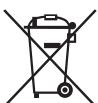
Meaning of the "Wheelie Bin" Symbol
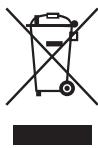
Take care of our environment; do not dispose of electrical appliances via the household waste.
Dispose of obsolete or defective electrical appliances via municipal collection points.
Please help to avoid potential environmental and health impacts through improper waste disposal.
You contribute to recycling and other forms of utilization of old electric and electronic appliances.
Your municipality provides you with information about collecting points.
Instrukcja obslugi
IpeDyIpeKjaet o6 OaCHOCTn IJIg 3dOpOBbI IN BO3MOXHOM PNCKe IOnyHeHn TpaMbbl.

BHIMAHINE:
Yka3bIbaeHa BO3MOxHyO ONaCHOCT bIЯ n3dJIyN I dpynIX OkpykaIO-uxPipeDMETOB.
I I P I M E U A H N I: Daet COBETbI IN HNΦOpMaUHIO.
CopepkanHe
O63op detanei npnbopa. 3
OmbaHOpmaia 80
Baxhble yka3aHnpo texHnke 6e3onachoctn! .80
PpeDynpexkaoune npbIKn Ha npnbope 82
O63op detanei npnbopa. 82
KhoNk n orpaHbI ynpaBneHna naHeN ynpaBneHn 82
PpmeaHnKpeKmMyrplnbNkomb. 83
Tocya dIy MmKpOBoJHOBoi neu 83
PpimmeuHnno 3Kcnpnyataunn
HcnoIb3OBAHHIO npnbopa. 83
I03HabatelbHoeK TeMe MmKpOBoJHOBa ney. 83
PpimmeaHnno 3Kcnpnyataun npnbopa .83
IoprotoBka K pa6oTe. 83
HCTpyKcnn no yctaHOBKe 83
IooTobka 84
YctahOBka Yacob. 84
3KcnpnyatauMnKpOBoNHOBoi neu.. 84
PpnoocTaHOBJIeHne IIN OTMeHa pnproTOBHeHn84
Bbictpbnynck. 84
Pa3orpeB. 84
Tabniupa paoorpeba 85
TOTOBka. 85
CobetbI npn roTOBKe 85
Ta6nua roTOBkn. 85
IcnoIb3OBAHne rPnJIa 86
KOMBnHnPoBaHHbIepeXIMblpnpTOrOBHeHnB
MnKpOBoJHax Ha rpnJe 86
CobetbI pIn nCIOJIb3OBAHN KOM6o-peKIMa. 86
ABTomatnueckne cyHKcun 86
Tabnca aBtOMaTnuecknx nporpaMM. 86
Pa3mopaxkBaHne 87
Mhoroctynenhyatoe npirotoBneHne. 87
CneuaNbIe yHKUIN. 87
ABTOCTapT (Timer-Функция).. 87
3aHpHHe (6JoknpoBka ot Tei) 88
YacbI: COBMeCTHO BpauaHouMcpeyIaTOpOMnHaCTPOnKYNacOB
Taimep: IpoIN3BODIT npedBaIPteIbHyIO hAcToPky fynKcIM TIMER
STOP/CLEAR
C6poc: Haxmte 1 pa3, yTo6bI OTMeHnTb npOrpaMMnpoBaHne
CtoI: HaxMMte 1 pa3, YTO6bI BpEmHo npnoctaHOBnTb npiroToBJeHne
OTMeHa: HaxMnte 2 pa3a, yTo6bI ocTaHOBt bakTNBnpoBaHHyIO npOrpamMy paHbSe BpeMeHi
pa3MOPaKaIBaHINI pOdyKTOB
- 6bICTPoro HarpBaHnra/pa3OrpeBaHnnaPiuNHaHNTKOB
TUSeHnI pOdyKTOB.
PpimmeuHn no 3Kcnnyataun npin6opa
Pa3daetc TaHaIbHbI CnHaJI pN nepBOM NOBOpTe BpaauoJeroocpeyIaTopa.
-Пин Нжати КНОК BAИ Bыбор NOДТВерЖдаЕСТСЗ 3БУКOBБIM CИгнадом.Еспс СИгнада HeT,Бы YTO-TO DeJaete He TAK.
- Ecni Bb6paTb npOrpAmMy nB TeueHne 1 MNHytBi He NoDTBePdntB bI6op c NOMOUsbKHOPIKIN START, Bbl6paHna npOrpAmMa 6yDet otMeHeHa. Ha DnCnIe e OJrTb 6yDet OTO6paKaTaB TekUeSe BpeM.
- Pocne 3aIycka nporpammbi Ha nCnIe neoBHTc TaMep o6paTHoro OTCeta, yka3bIbaOuHn Ha OCTabWueec BpeMa pa60tbl.
Ha OKOHuaHne nporpammby yka3bIaet 5 ToHaJIbHbIX CmHaiIOB. Iocne 3TOrO npi6ob OTKnUoaeTcABTomAtuYeckn.
ПоDCBETKa BHTPn MmKpOBJHOBOI Neu BKJIHcHa NOCTOJHNO.3a-KpoIe DBePcY MmKpOBJHOBOI Neu, YTObI BbIKHOnHTb NOCDBeTky.
Ioprotobka pa6ote
HnCTpyKunno yctaHOBKe
-
UctahabnBaIte NeYb 3aDHeN CTeHKO K CTeHe.
CobjoudaTe cneDyUOuIe 6e3oNaChbIe paCCToHnHa: -
10cm c3aui
- 20cm cneBa n cnpaBa
- 30cm OT Bepxa MinkpoBoNHOBOnIeH.
Bo n36eKaHne INTerpepeHcIIN B pa6Ote Dpyrnx yCTpoiCTB, He pa3MeuTe neYb OKoNo Dpyrnx 3JeKtPOHHbIX yCTpoiCTB.
IpoIroTobKa
- O TkpbIbaiTe DbePcU c NOMOu bHpyuKn.
BbItaIeTe Bce akceccyapbl n3 BHyTpeneHne EMKoctn neu npacnaKyIte nx. - Ecni Bbl eue 3ToIro He cdeIaII: YcTaHOBIne npIBoHoi BaI B ceHTp Ha dHe BHyTpNI MKNPOBOHOBIO neHn.
- YctaHOBHTB CHTp HappaHIOoee KOJIbO.
Pa3MeCTHe CTKJIHHHy BOpaAIOUOyOCA TapeIKy TaKIM Obpa3OM, UTo6bl HxHKnHE Na3bl NnTOH NoIerIn BcHTpe pINBOHO Bana. - PpokoHTpOIpnyTe neb Ha BnDnMbIe NOBpeXdEHNIA,OCO6eHNO B Oblactn DberpzI. Ppi HaNINN KAKNX-JInBO NOBpeXdEHN I neb HN B KOem CnyaHe He BKNIOUHaTb.
- YdaJInte c KOpnyca 3aunTHyU FOJIbIy.
- Y6eIITecb B TOM,ЧTO ИСПЛьЗУЕМО ПИТАНЕ OT CETN COOTBETCTBYET HANРЯЖЕЦЮ рибopa. Пюоверът ectхнческіе xapakterpuctknHa nacnopTHO tabnueke.
BCTaBbTe BnIky B 3a3eMJIeHHyIO po3Etky C hAnpJxKeHnEM cETn, yCTaHOBJIeHHyIO B COOTBeTcTBn C npEiINCAHnMI.

BHIMAHINE:
- Hn B Koem cnyuae He ydaanai Te kaKe-Im6o npKpyeHbIe Detanu n3 dYxOBKn nn C DBePcI neH!
JIICSTOBOM MINKAHIT TAKKHe YBIAE TCAuCTbIO npi6opaH erO HeIb3a y6npaTb. OHO 3aunuaeAJIeKtpoHHbIe KOMNoHEHTbI, paCNOJoxEH HbIE NOHMM,OT 3arpa3HeHIn.

ПОНМЕЧАЙ:
Ecnn Ha Kopnyce nHn HarpBeBaTeIbHom 3neMeHte OCTaIcB cIeDbI npOn3BOvDCTBa nJIn MaCna, MOKeT NpOBuTbcra DbIM nJIn 3aIax PnBkJIIOHeHn neyn.
3ToYBnETCaHOpMaIbHbIM,3aIax/DbIM NcYe3HyT npNIOcJeOBA-TeNbHOM NcNOJIb3OBAHIN.
MbHaCToTeJIbNo peKOMeHnyem NocTypaTb CJeDuIoum O6pa30m:
BknHouHTe peXm grnIaIe yCTpoiCTBy npa6oTaTb HeckonbKa pa3 6e3 nIu.
- Obecnehe Te DoCTaToHHy BeHTnIaLciH.
YctaHOBka YacOB

ПОНМЕЧАЙ:
- Tto6bI npnoctaHOBnTb npiroTOBHeHne, Odn Hpa3 HaxMnTe Ha KhoNkY STOP/CLEAR nIn OTkoPte DBepy.
- UTo6bl npOdoJnKInb npiroTOBnHe, 3akpoTe DBepy n ChOba haxmnte Ha KhoNkY START.
- UTo6bI pONHOCTbIO OCTaHOBnTb IpoUeCC npiroTOBHeHn, Dba pa3a haxMnte Ha KhoNky STOP/CLEAR, YTO npuBeTe K c6pocy Bcex nporpaMMhIX HacTpoE.
Быстрын.
BbXOTnTe pa3oRpeTb edy n HAnITKn 6bICTPO npn cAmOy BbICOKO MOUHOCTHn? ECTb DBe BO3MOxHOCTN:
1.БьICTPO BKNIOHTe MmKpOBoNHOByI NcYb, HaxaB Ha KhoNky START. Ipocecc npiroTOBJIeHnHaHuHETcH He3aMeDInTeJbHo, KaXdoe nocJeDuOuSeE HaKaTne KhoNk IpOdInT BpEm npiroTOBJIeHn Ha 30 cekyHd.
Unn:
2.Повернite Врацuaошся рergyларВБЕС.РаДАCTСТToHAJIbHbI cnHaJIи HaДИсплee OTOбрASTС coOБцEHNE“95:00”.HactpanBaIte BPEMЯ, NOBOPaUHBAЯ рergyларВБЕБОИN BnPabO.ДЯ NaHаJa pa6oTbI HAKMITE KHOJIKY START.
B 3TO BpEma MoUHocTb MmKpOBoJH yCTaHOBHeHa Ha 100%
Pa3orpeB
HarpeBaHHe n pa3oRpeB YBnIOTc CneuaJIbHbIMn XapaKTePncTnKaAMm MKNPOBOJH. 3aMOpOKeHHbIe JxNkOCTn N eJaJeTKO MOrYT 6bITb pa3oRpeTbI DO KOMHaTHOH IIN CepBnPoBOUHOI TempeaTpbl 6e3 NcNoJIb3OBaHnMHOXECTBa EMKCTeI.
BpMa pa30rpeBa BA6nue HNKe pInBeHeO IINbIg nCpABKn, OHO B 3NaHTeNbHcTcEnH 3aBcNT OT HaCaNbHcTempeaTpbl N CtpyKtpybl npOdykTa. Po3tOMy peKoMeHdyetcBpMaOT BpEmH npOBepaTb DoCTaTOUHOCTb pa30rpeBa.
Ta6nua pa3oRpeBa
Bce npdykTb, HakpbIaemble npn npiroTOBHeHm B dyXOBKe, DOnKhbl 6bItb HakpbITb I B MInKpOBoJHOBOI neH.
KpbIuKa 6ydt npenrTCTBOBaT bByCbIxAHNIO npOdyKTOB. IpeBepHyTa TaPeIka, 6ymara dIra IOTOBKn mIn foJbRa dIra MIKPOBOJHOBoI nei nooDyT dIra hakpbIBaHnEebl. IOTOBtBe 6bnOda c Kopooyko 6e3 HakpbIBaHnI.
Tabnua rotobkn
MhorocTyneHuaToe npuroToBJeHne
BbMOKeTe npOrpAMMnPoBaTb TaKIM o6pa3OM, YTO MOKeT BbINOJIHrTbCc nocJeDoBaTeJbHo Do 2 pa3NJuHbIX cyHKU.
Donyctm Bblb6papan cneyuonne nporpaMMbI:
Pa3MopaxnBaHne

Tpnilb
- Bыберпге 1-ую Функшю: HabKMITE KhoNky DEFROST odnn nln dBa pa3a.
- YctaHOBIne BeC nnn Tpe6yEmoe Bpemc nmooupo peryIaTopa.
- Bыберпe 2-ун Функцию: HabKimай Кногиу MICRO.//GRILL/ COMBI., noka на диспee He повпсг coошени "G".
4.Дия подевждань насторкйнху START. - Дян hactpoин HeobxOIMorO BpeMeHn npiroTOBJIeHn BbI6epNTc nOMoCbIO BpaaiaUoJeroCpeyIaTopa BpeM oT 5ceKHyIdo95 MmHyT.
6.Дяларуckaнхмпte кнійу START.
IIPIMEUYAHNA:
- 06 n3MeHeHn npOrpAmMbI Bam ykaKeT 3ByKOBo CnHaI.
BpeKIme npnroTOBHeHna Hrnnle HeckOJIbKO 3ByKObIX CNHaIOB npedynpeJrT BAC O Heo6XODIMOCn IpeBepHyTb MRCO JIN COcNCKN IO NCTeueHm NOJOBHNbI BpemeHn pa60tbl.
CneuaJIbHbIe yHkUIN
ABTOCTap(Timer-Функця)
MakcimmaJbna 3aepjka BpeMeHn coCTabIeT 23 yaca n 59 MmHyT.
IPIIMEUYAHNA:
- Chayana hactpoite yacbl! B npotnbHom cnyuae Bbl He cmoxkete BocnoIb30BaTbCryHKUnei.
Пи ИСПОЛБЗВАнИ АВTOCTAPТа ФУнКЦЯ pa3МOPАЖИВАнИ НEDOCТУНHA.ДaHHЯ HACTPOДа КрогамьI He ПОДЕРЖИBAeТnpriROTOBJIЕпЕ В ржIMе 6blcTporO 3anyca.
Ппмер:Сeичac 10:45.БыхOTITEЗAPORpAMMIPOBaTB neчдЯВКЛЮЧЕнHa NOJIHUY MOUHOCTb Ha 7½ MInHyT B 14:20.ДeИСТВИТЕ CLEДУЮШМОбразOM ДЯ abTomatueckoro3aIycka Neч:
a a a a a a a a a a a a a a a a a a a a a a a a a a a a a a a a a a a
g CLOCK/TIMER:12e) Socill Cglgcllglg 1. (STOP/CLEAR
CLOCK/TIMER jll 1234567890123456789012345678901234567890123456789012345678901234567890123456789012345678901234567890123456789
STOP/CLEAR JJ jL bJzj JJIJIJI JJJ
.111 111 111 111 111 111 111 111 111
1:
Jzaiwaii jzaij zai
i 1
coglllglolllglllglal
. START/CLEAR JJ Jb
(JablaJol Jda) Jaal
yblb0jgzzjg33 STOP/CLEAR jglg
aall aag aabg aalaa. " 3 Jn no aal all Jaall al
.01g ij gssw jglj glj 3 od STOP/CLEAR jj lc bdo all jaiwlg do
/0000 1
3gj 3y jyj
12 3 2 0 0 0 0 0 0 0 0 0 0 0 0 0 0 0 0 0 0 0 0
a a a a a a a a a a a a a a a a a a a a a a a a
Jauu Juaa aia jaii tai jaii gab jgj jSakn oao 551 gahal no Jolil
a a a a a a a a a a a a a a a a a a a a a a a a
Lg 10
.00g 800000000000000000000000000000000000000000000000000000000
aabol aolwol
.2
a95g 5 gglgglgglgglgglgglgglgglgglgglgglg
START 4

aull lglg gll pall ggl dgld glgdlgdlgdlg
.
aaggssb1s 1a aaae aee
g jll gabla gabla gglal glal glal glal glal glal glal glal glal glal glal glal glal glal glal glal glal glal glal glal glal glal glal glal glal glal glal glal glal glal glal glal glal glal glal glal glal glal glal glal glal glal glal glal glal glal glal glal glal glal glal
.1156 208 193 45 200 200 200 200 200 200 200
G
95:00 aalal alg yagogogol aalal gao
JSTARTJI JIJI 1
.100 1125954535b15u15u15
j
o aolal 100000000000000000000000000000000000000000000000
.4
000000000000000000000000000000000000000000000000000000000
ED = 2
i
j 1 j 1 j 1 j 1 j 1 j 1 j 1 j 1 j 1 j 1 j 1 j 1 j 1 j 1 j 1 j 1 j 1 j 1 j 1 j 1 j 1 j 1 j 1 j 1 j 1 j 1 j 1 j 1 j 1 j 1 j 1 j 1 j
ab = 1
i
a0000 000000000000000000000000000000000000
.00g 0CLOCK/TIMER jll bdo .1
a1gblalclwljgljgljgljgljglj
. 3
4
"": 1234567890123456789012345678901234567890123456789012345678901234567890123456789012345678901234567890123456789
.aaLalglgssy
g9gSb1
.1
Jaoa aalw y (jai w) Jy. jil g 1 2
(1) a < 0. ,则 a ≤ b 时, a ≤ b 时, a ≤ c 时, a ≤ c 时, a ≤ d 时, a ≤ e 时, a ≤ f .
yggjgjg jglg jg jgMICRO./GRILL/COMBI. jg jg
j 100000000000000000000000000000000000000000000
ab = 1
i
Jolll no jolll ebl aia 10jolll gae gao: uu uu uu uu uu uu uu uu uu uu uu uu
.
aJyIg aiai iiaaiiaaiiaaiiaaiiaaiiaaiiaaiiaaiiaaiiaaiiaaiiaaiiaaiiaaiiaaiiaaiiaaiiaaiiaaiiaaiiaaiiaaiiaaiiaaiiaaiiaaiiaaiiaaiiaaiiaaiiaaiiaaiiaaiiaaiiaaiiaaiiaaiiaaiiaaiiaaiiaaiiaaiiaaiiaaiiaaiiaaiiaaiiaaiiaaiiaaiia
.
Cullaa aalilo jgS uJ gJuJoo Jgl
gao jao jao jao jao jao jao jao jao jao jao jao jao jao jao jao jao jao jao jao jao
C. a b c d e f g h i j k l m n o p q r s t
.ogj 15gaiall jao 15s yll sllal
Cuglsblde aolojbi
Sawdoy 1
a|g2 2
3
JUULIa 4
5
uJl abla 6
2jJyJ 7
psoll aoglde oosgblsoll nolesg jj31
.MICRO./GRILL/COMBI
1 · 2 = 0
gJgJgJgJgJgJgJgJgJgJgJgJgJgJgJgJgJgJgJgJgJgJgJgJgJgJgJgJgJgJgJgJgJgJgJgJgJgJgJgJgJgJgJgJgJgJgJgJg
JdJIyIgJgJgJgJgJgJgJgJgJgJgJgJgJgJgJgJgJgJgJgJgJgJgJgJgJgJgJgJgJgJgJgJgJgJgJgJgJgJgJgJgJgJgJgJgJgJgJgJgJgJg
GgI gJgI GgIgIgIgIgIgIgIgIgIgIgIgIgIgIgIgIgIgIgIgIgIgIgIgIgIgIgIgIgIgIgIgIgIgIgIgIgIgIgIgIgIgIgIgIgIgIgIgIgIgIg
CLOCK/TIMER
acllll baiy j 1
TIMER aabglaa 1
STOP/CLEAR
a00jll 0dy dyolg 0y b00
golal 0jolg ydo
Jcgl Jg Jzgl Jg Jg Jg Jg Jg Jg Jg Jg
yglalde gaoaigaoai gao jia baoai jia yaojia
START
calul
(%100Ud350+)
aee aee aee aee aee aee aee aee aee
a a a a a a a a a a a a a a a a a a a a a a a a a a a
y 1 y
.000000000000000000000000000000000000000000
a a a a a a a a a a a a a a a a a a a a a a a a a a a a a a a a
aagaaabwgl
:山
g 1511111111111111111111111111111111111111
134 2000000000000000000000000000000000000000000000000000
aiaabblabslgjgaiTaaJbJglalwly aollll lalldg jy
jglzlligulablycpcu
Oglllglllgrrrnnnnae.
jaiylll calglall gao jolgfo
:
. 1000000000000000000000000000000000000000000
4w3
15.2015 15.2015
cagabg ciaaill 1e agaiy jll i aal
Lg261
- 96 105
96 2011 - 94 1
- 94 2
94 1
94 0alusuug jglauu Juaa Cllbdo - 94
94
94
93
93 99 - 93
93
93
93 - 92
92 5
!aolgl aolwul cloglszo
Jaaa 1 aJg Jg Jg Jg Jg Jg Jg
:
lo g a bll cdl lgl i 1lgl glgglggl gglgglggl gglgglggl gglgglg
.
a. a. all 111g2011/2354111111111111111
Jaaaia 1 aaii 1 1
gblil gill eal lgl jn jnlll gail nlll -nlll jnlln nn nnnn nnnn nnnn nnnn nnnn nnnn nnnn nnnn nnnn nnnn nnnn nnnn nnnn nnnn nnnn nnnn nnnn nnnn nnnn nnnn nnnn nnnn nnnn nnnn nnnn nnnn nnnn nnnn nnnn nnnn nnnn nnnn nnnn nnnn
- ià 12 ao jia 6 13! onb0 zao Lao 566 66
g 100000000000000000000000000000000000000000
jLaiy jbià.àIaJia aGg iδ JlgwJzwi
- MIKROWELLE MIT GRILL MWG 2270 CB
- UWAGA:
- WAARSCHUWING Kookvertraging:
- WAARSCHUWING: Brandgevaar!
- Symbols in these Instructions for Use
- WARNING:
- CAUTION:
- Contents
- General Notes
- Important Safety Information!
- WARNING Delay in boiling:
- Warning Labels on the Appliance
- WARNING
- Overview of the Components
- Buttons and Controls on the Control Panel
- MICRO./GRILL/COMBI.
- CLOCK/TIMER
- STOP/CLEAR
- START
- Turning Knob
- Information on Grilling and Combined Operation
- Suitable Microwave Tableware
- CAUTION: Sparking and fire hazard!
- Notes on Operating and Using the Appliance
- What you Should Know about Microwave Operation
- Notes on Operating the Appliance
- Initial Operation
- Installation Instructions
- Preparation
- i NOTE:
- Setting the Clock
- Operating the Microwave
- NOTE:
- Pause or Cancel Cooking
- Quick Start
- Heating
- Cooking
- Hands-on Cooking Tips
- Double amount = almost double time
- Half amount = half time
- Per 100g approx. 1 minute cooking
- Grilling
- Microwave and Grill Combination Modes
- Tips for Combi Operation
- Auto Functions
- Defrosting
- Multi-stage Cooking
- Special Functions
- Auto Start (Timer-Function)
- WARNING: Risk of fire!
- Locking (Child-proof Lock)
- Display Function
- Cleaning
- Interior
- External Walls
- Accessories
- Odours
- Oven Light
- Troubleshooting
- Technical Data
- Disposal
- Meaning of the "Wheelie Bin" Symbol
- Instrukcja obslugi
- BHIMAHINE:
- CopepkanHe
- PpimmeuHn no 3Kcnnyataun npin6opa
- Ioprotobka pa6ote
- HnCTpyKunno yctaHOBKe
- IpoIroTobKa
- ПОНМЕЧАЙ:
- YctaHOBka YacOB
- Быстрын.
- Pa3orpeB
- MhorocTyneHuaToe npuroToBJeHne
- IIPIMEUYAHNA:
- CneuaJIbHbIe yHkUIN
- ABTOCTap(Timer-Функця)
- IPIIMEUYAHNA:
- j
- g9gSb1
- Cuglsblde aolojbi
- psoll aoglde oosgblsoll nolesg jj31
- Lg261
- !aolgl aolwul cloglszo
Brand : BOMANN
Model : MWG 2270 CB
Category : Microwave Oven