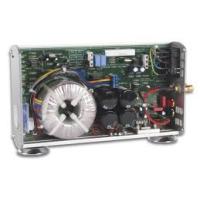
8040 - Audio Amplifier VELLEMAN - Free user manual and instructions
Find the device manual for free 8040 VELLEMAN in PDF.
Questions des utilisateurs sur 8040 VELLEMAN
0 question sur cet appareil. Repondez a celles que vous connaissez ou posez la votre.
Poser une nouvelle question sur cet appareil
Download the instructions for your Audio Amplifier in PDF format for free! Find your manual 8040 - VELLEMAN and take your electronic device back in hand. On this page are published all the documents necessary for the use of your device. 8040 by VELLEMAN.
USER MANUAL 8040 VELLEMAN
High-end mono mosfet power Amplifier
High-end mono mosfet vermogen versterker.
Operating instructions
Gebruiksaanwijzing
Mode d'emploi
Bedienungsanleitung
ENGLISH 4
NEDERLANDS 10
FRANCAIS 16
DEUTsCH. 22


Thank you for purchasing this Velleman High-end mono mosfet power amplifier. Please read the instructions carefully so that you can use the unit correctly.
WARNING NOTICESE
CHECK WHEATHER THE MAINS VOLTAGE IS CORRECT FOR THE UNIT.
IN ORDER TO AVOID ELECTRIC SHOCKS, THE POWER-CORD MUST BE REMOVED BEFORE OPENING THE UNIT.
THE STANDBY SWITCH IS IN THE SECONDARY POWER SUPPLY CIRCUIT. THIS MEANS THAT THE UNIT IS NOT COMPLETELY ISOLATED FROM MAINS WHEN THE UNIT IS IN STANBY.
About the power cord:
It is possible that in certain countries or regions, the mains plug is different to the one supplied. In such a case a different plug can be fitted, but be careful to ensure that the blue wire is connected to neutral, the brown to live, and the yellow/green to earth. Or ask your dealer for a suitable power cord.
AC Power :
Please check the AC Power indication at the back of the unit.
For 100Vac to 120Vac, use the 115Vac setting.
For 220Vac to 240Vac, use the 230Vac setting.
GUARANTEE
This product is guaranteed against defects in components and construction from the moment it is purchased and for a period of ONE YEAR starting from the date of sale.
This guarantee is only valid if the unit is submitted together with the original purchase invoice. VELLEMAN Ltd limits its responsibility to the reparation of defects or, as VELLEMAN Ltd deems necessary, to the replacement or reparation of defective components. Costs and risks connected to the transport, removal or placement of the product, or any other costs directly or indirectly connected to the repair, will not be reimbursed by VELLEMAN Ltd. VELLEMAN Ltd will not be held responsible for any damages caused by the malfunctioning of a unit.
IMPORTANT: Do not throw away the original packaging. Warranty will be void if the unit is returned in another packaging than the original.
CONTENTS
FEATURES 5
SPECIFICATIONS. 6
CONNECTION 7
OPERATION 8
TROUBLESHOOTING 9
FEATURES
No compromise high-end design.
l Ideal to place next to the speaker (short wires to the speaker).
Auto-power on possibility when input signal is sensed.
Auto-standby function when no input signal is present.
Exclusive, high finish, solid aluminum enclosure.
l High quality D-MOS output stage.
Total of 40.000 F power supply capacitors.
Relay-less speaker DC protection.
Real Clipping distortion indication.
l Power output level indication with backlight.
Pass through output to drive bi-wired speakers using separate amps.
Double overheating protection with LED indication.
High grade speaker and input connections.
Overload protection.
SPECIFICATIONS*
Inputs :
Input sensitivity for maximum output : 0dBm (0.775Vrms)
Input impedance : 15KO
Minimum auto switch on voltage : 5mVrms
Output :
Maximum RMS output power 4O : 90W
Maximum RMS output power 8O : 70W
Dynamic output power in 4O: 125W
Minimum load impedance : 40
Damping factor / ref. 8ohm 100Hz : > 1000
Audio specs :
Signal to noise ratio (A-weighted ref. max. out) : . >105dB
Total harmonic distortion : 0.003% @1KHz ref 1W
Frequency response : 9Hz to 120KHz (-3dB) in 50W
Power requirements (depends on version):
AC power : 115Vac (110V to 120V)
AC power : 230Vac (220V to 240V)
Consumption : 100W max.
Dimensions: 290x165x68mm (11.4"x6.5"x2.7")
Weight (net): 3.4Kg (7.5Lbs)
*Modifications and typographical errors reserved
Output graphs


CONNECTION
Place the amplifier in a well ventilated area. Never operate the amplifier inside a non ventilated area. Connect the amplifier input to the output of an appropriate pre-amplifier or control amplifier (e.g. our 4100, 8020, 8021). Use good quality audio leads. Respect the Left and Right channels in a stereo configuration. Connect the power-cord to the AC power connector. Check for correct mains voltage.

Turn off the Power before making any connection!
- Mains power switch. Use this switch if the unit is not used for a longer period.
- AC Power indication.
- AC Power and fuse holder, replace fuse only with indicated ratings!
- Speaker output connectors, use good quality speaker wires of 4mm or higher. Respect the speakers polarity.
- Signal input connector. Use good quality cords for connection with pre- or control amplifier.
- Signal bypass output. Use this output if separate amplifiers and speakers are used for low and high frequencies.
See setup examples pages 2 and 3
OPERATION
CAUTION: Before turning on the power amplifier(s) turn down the volume control.

- Standby/Auto button and indication. Press this button briefly to turn on the unit or to set the unit in standby. Keep this button pressed to set the unit in auto power mode (*). The Auto power LED will light up (see 4).
- On LED. Indicates when the unit is turned on.
- Temperature error indication. Lights up if the amplifiers temperature is too high. The sound will also be muted at that time. The sound will come back if the temperature has dropped to a suitable level.
- Real clipping indication when the unit is operating. For best sound quality observe that this LED is not constantly on. Auto power indication during standby.
- Output level indication with backlight.
TROUBLESHOOTING
Symptom
No sound coming from the speakers.
Auto power memory is erased.
Hum or noise is coming from the speaker.
Possible cause
The power amplifier is turned off.
Bypass is used as input.
A power failure has occurred. The power-cord has been disconnected. The amplifier has been turned off manually.
To make sure the amplifier is the source of hum, disconnect all input leads. Use good quality audio leads. Check the AC Power earth connection. The power amplifier is too close to other magnetic field like a power adapter or other AC operated unit.
The button is not reacting and/or no LED indication is functioning.
Static electricity or lightning can cause malfunction of the unit. Disconnect the power-cord for about 10 seconds, this will reset the internal processor. Check the mains fuse, replace only with indicated rating. A spare fuse is located in the fuse holder.
Poids (net): 3.4Kg (7.5Lbs)
EasyManual