EasyManual
YS1049 - Guitar amplifier TRAYNOR - Free user manual and instructions
Find the device manual for free YS1049 TRAYNOR in PDF.


User questions about YS1049 TRAYNOR
0 question about this device. Answer the ones you know or ask your own.
Ask a new question about this device
Download the instructions for your Guitar amplifier in PDF format for free! Find your manual YS1049 - TRAYNOR and take your electronic device back in hand. On this page are published all the documents necessary for the use of your device. YS1049 by TRAYNOR.
USER MANUAL YS1049 TRAYNOR
OWNER'S MANUAL GUIDE DE L'UTILISATEUR
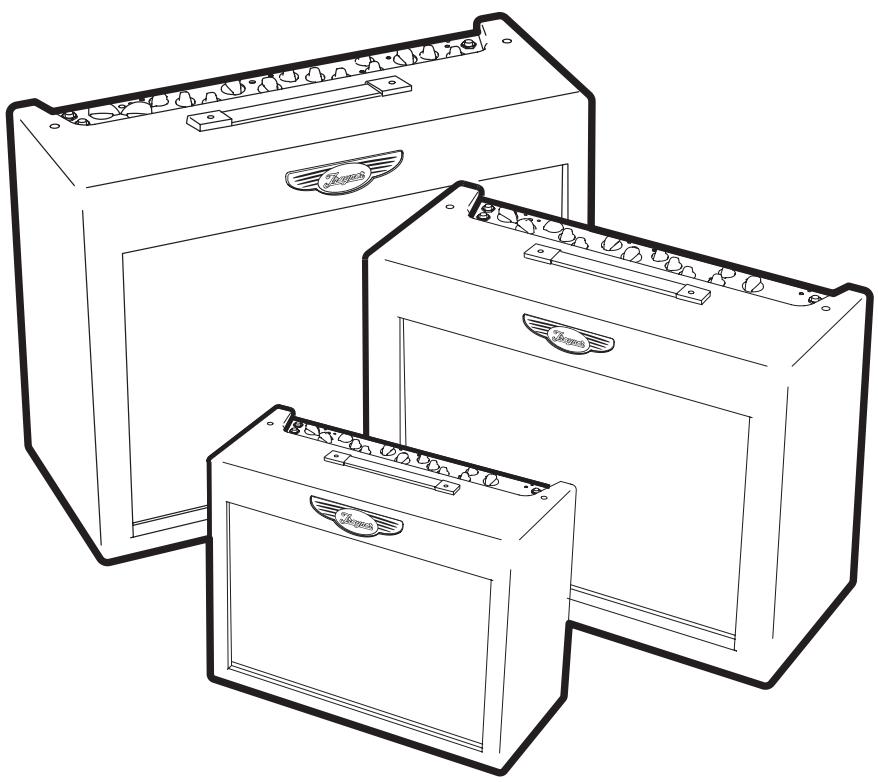
Traynor DG-Series
SOLID-STATE GUITAR AMPLIFIERS
DG10·DG15·DG15R·DG30D
DG10 MODEL TYPE:YS1049
DG15/DG15R MODEL TYPE:YS1050
DG30D MODEL TYPE:YS1051
IMPORTANT SAFETY INSTRUCTIONS


INSTRUCTIONS PERTAINING TO A RISK OF FIRE, ELECTRIC SHOCK, OR INJURY TO PERSONS
CAUTION:
TO REDUCE THE RISK OF ELECTRIC SHOCK, DO NOT REMOVE COVER (OR BACK).
NO USER SERVICEABLE PARTS INSIDE.
REFER SERVICING TO QUALIFIED SERVICE PERSONNEL.
Read Instructions
The Owner's Manuals should be read and understood before operation of your unit. Please, save these instructions for future reference.
Packaging
Keep the box and packaging materials, in case the unit needs to be returned for service.
Warning
When using electric products, basic precautions should always be followed, including the following:
Power Sources
Your unit should be connected to a power source only of the voltage specified in the owners manual or as marked on the unit. This unit has a polarized plug. Do not use with an extension cord or receptacle unless the plug can be fully inserted. Precautions should be taken so that the grounding scheme on the unit is not defeated.
Hazards
Do not place this product on an unstable cart, stand, tripod, bracket or table. The product may fall, causing serious personal injury and serious damage to the product. Use only with cart, stand, tripod, bracket, or table recommended by the manufacturer or sold with the product. Follow the manufacturer's instructions when installing the product and use mounting accessories recommended by the manufacturer.
The apparatus should not be exposed to dripping or splashing water; no objects filled with liquids should be placed on the apparatus.
Terminals marked with the "lightning bolt" are hazardous live; the external wiring connected to these terminals require installation by an instructed person or the use of ready made leads or cords.
Ensure that proper ventilation is provided around the appliance.
No naked flame sources, such as lighted candles, should be placed on the apparatus.
Power Cord
The AC supply cord should be routed so that it is unlikely that it will be damaged. If the AC supply cord is damaged DO NOT OPERATE THE UNIT.
Service
The unit should be serviced only by qualified service personnel.
INSTRUCTIONS RELATIVES AU RISQUE DE FEU, CHOC ÉLECTRIQUE, OU BLESSURES AUX PERSONNES
AVIS:
AFIN DE REDUIRE LES RISQUE DE CHOC ELECTRIQUE, N'ENLEVEZ PAS LE COUVERT (OU LE PANNEAU ARRIERE)
NE CONTIENT AUCUNE PIECE REPARABLE PAR L'UTILISATEUR.
CONSULTEZ UN TECHNICIEN QUALIFIE POUR L'ENTRETIENT
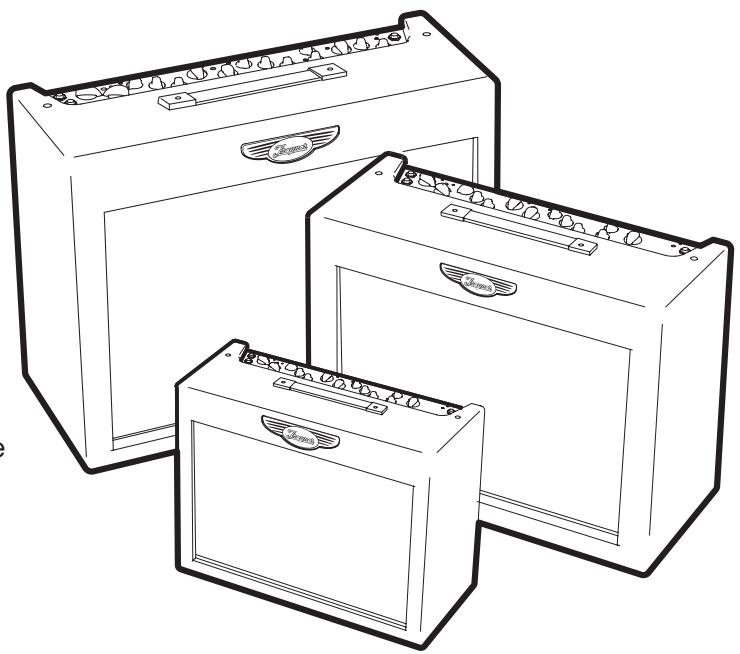
Tube-like tone is now available in solid-state guitar amplifiers. The Traynor DynaGain Series provides unparalleled tube-like tone from a solid-state amplifier by using unique three-stage dynamic tube-emulation circuitry.
It didn't stop there. Pushing the boundaries of modern technology, Yorkville discovered how to use dynamic-gain control in the preamp to ensure the best tube emulation possible (from an entirely solid-state circuit design). DynaGain amplifiers make the perfect guitar amplifier for the gigging and practicing musician.

INPUT
DG10 - 10w / 8-inch
The Traynor DynaGain DG10 delivers a full 10-watts through its high quality 8-inch Celestion™ speaker. Capable of delivering pristine clean tones or searing overdrive at the touch of a switch, the DG10 is ready for any style of music. Perfect for the budding guitarist. Playalong practicing has been made easier by including RCA line inputs to quickly connect a CD player, MP3 player or other audio device. A 1/4-inch headphone jack, with speaker defeat, makes the Traynor DynaGain DG10 an ideal amplifier for private practicing.
Features
10-Watts
8-inch Celestion™ Speaker
- Selectable Overdrive
- Bass / Mid / Treble Tone Controls
- Auxiliary Line Inputs for a CD, MP3 Player or another audio device.
1/4-inch TRS Headphone Jack, with speaker defeat.
1. Input
Connect your guitar using a shielded 1/4 -inch guitar cable to this jack.
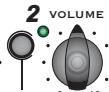
2. Volume
The Volume control determines how loud the amplifier will be.
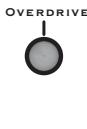
3. Overdrive Switch
Engaging this switch activates the amplifier's overdrive circuit.
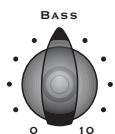
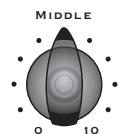
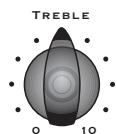
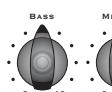
4. Tone Controls
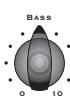
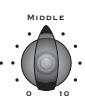
Bass/Middle/Treble Use these controls to shape your tone.
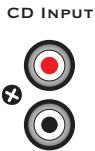
5. CD Input
This input can be used to connect a CD player, MP3 Player or other audio device enabling you to jam along with your favourite tunes.
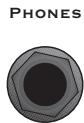
6. Phones
Connect a pair of 14 -inch stereo headphones to this jack; the internal speaker will automatically be defeated for practicing silently.
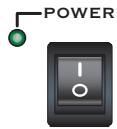
7. Power Switch
This switch turns your amplifier on or off. The green LED next to the switch illuminates when amplifier power is on.



DG15 - 15w / 10-inch
The Traynor DynaGain DG15 delivers a full 15-watts through its high quality 10-inch Celestion™ speaker. A two-channel design allows the player to switch between a pristine clean tone and searing overdrive (for awesome leads at the touch of a switch). Perfect for play-along practice, the Traynor DG15 includes RCA line inputs to quickly connect a CD, MP3 player or other audio device. A 1/4-inch headphone jack, with speaker defeat, makes the Traynor DynaGain DG15 an ideal amplifier for practicing privately.
Features
15-Watts
10-inch Celestion™ Speaker
- Clean and Overdrive Channels
- Bass / Mid / Treble Tone Controls
- Auxiliary Line Inputs for a CD, MP3 Player or another audio device.
1/4-inch TRS Headphone Jack, with speaker defeat.
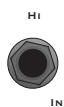
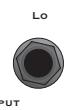
1. Hi and Lo Input Jacks
Connect your guitar using a shielded 1/4 -inch guitar cable to this jack. For a bright, high gain sound, use the jack labelled Hi. For a darker, lower gain sound use the jack labelled Lo. If you use both jacks simultaneously, both jacks will be high gain.
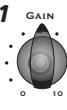
2. Gain
The Gain control varies the amount of overdrive for channel 1. Channel 1 uses the Gain control to allow more flexibility when trying to achieve the perfect amount of
distortion. For greater distortion turn the dial clockwise; for less distortion, dial the control counter-clockwise.
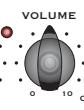
3. Channel 1 Volume
This controls the loudness of channel 1.
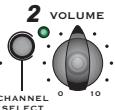
4. Channel Select Switch
This switch allows toggling between channels 1 and 2.
5. Channel 2 Volume
This controls the level of channel 2. A bluesy tone, with a bit of crunch, can be achieved by increasing this control's setting.
6. Tone Controls
Bass/Middle/Treble Use these controls to shape your tone
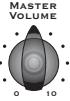
7. Master Volume
The Master control adjusts the overall loudness of the DG amplifier.
8. CD Input
This input can be used to connect a CD player, MP3 Player or other audio device enabling you to jam along with your favourite tunes.
9. Power Switch
This switch turns your amplifier on or off. The green LED next to the switch illuminates when amplifier power is on.
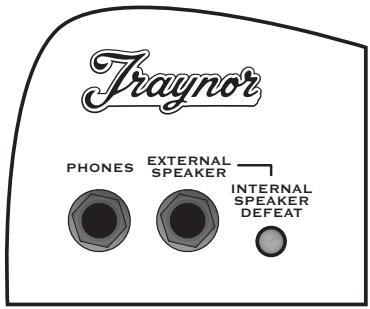
10. Phones
Connect a pair of 1/4 -inch stereo headphones to this jack.
11. External Speaker
Connect an extension speaker cabinet using this jack (8-ohms minimum).
12. Internal Speaker Defeat
This switch to turns off the DG amplifier's internal speaker. This enables the amplifier
to drive an extension speaker cabinet without using the DG's internal speaker or can be used for silent practice.






DG15R - 15w / 10-inch / Spring Reverb
The Traynor DynaGain DG15R delivers a full 15-watts through its high quality 10-inch Celestion™ speaker. A two-channel design allows the player to switch between a pristine clean tone and searing overdrive for awesome leads at the touch of a switch. The Traynor DG15R's real spring reverb adds an authentic vintage vibe to your tone pallet. Perfect for practice, the Traynor DG15R has RCA line inputs for quick connection of a CD, MP3 Player or other audio device, allowing any audio source to be mixed with the guitar for playalong practice. The 1/4-inch headphone jack, with speaker defeat, makes the Traynor DynaGain DG15R an ideal amplifier for practicing privately.
Features
15-Watts
10-inch Celestion™ Speaker
- Clean and Overdrive Channels
- Bass / Mid / Treble Tone Controls
- An authentic vintage-style Spring Reverb
- Auxiliary Line Inputs for a CD, MP3 Player or other audio device.
1/4-inch TRS Headphone Jack, with speaker defeat.
1. Hi and Lo Input Jacks
Connect your guitar using a shielded 1 / 4 -inch guitar cable to this jack. For a bright, high gain sound, use the jack labelled Hi. For a darker, lower gain sound use the jack labelled Lo. If you use both jacks simultaneously, both jacks will be high gain.
2. Gain
The Gain control varies the amount of overdrive for channel 1. Channel 1 uses the Gain control to allow more flexibility when trying to achieve
the perfect amount of distortion. For greater distortion turn the dial clockwise, for less, dial the control counter-clockwise.
3. Channel 1 Volume
This controls the loudness of channel 1.
4. Channel Select Switch
This switch allows toggling between channels 1 and 2.
5. Channel 2 Volume
This controls the level of channel 2. A bluesy tone, with a bit of crunch, can be achieved by increasing this control's setting.
6. Tone Controls
Bass/Middle/Treble Use these controls to shape your tone.
7. Master Volume
The Master control adjusts the overall loudness of the DG amplifier.
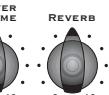
8. Reverb
The Reverb control sets the level of reverberation mixed with the guitar signal.
9. CD Input
This input can be used to connect a CD player, MP3 Player or other audio device enabling you to jam along with your favourite tunes.
10. Power Switch
This switch turns your amplifier on or off. The green LED next to the switch illuminates when amplifier power is on.
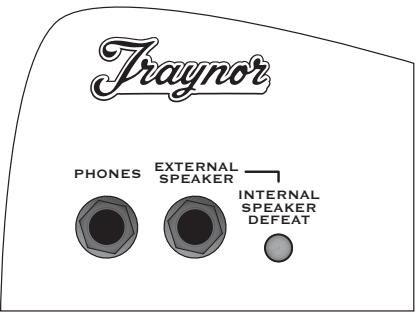
11. Phones
Connect a pair of 14 -inch stereo headphones to this jack.
12. External Speaker
Connect an extension speaker cabinet using this jack (8-ohms minimum).
13. Internal Speaker Defeat
This switch to turns off the DG amplifier's internal speaker. This enables the amplifier to drive an
extension speaker cabinet without using the DG's internal speaker or can be used for silent practice.

DG30D - 30w / 12-inch / Digital DSP and Digital Reverb
The Traynor DynaGain DG30D delivers a full 30-watts through its high quality 12-inch Celestion™ speaker, making it perfect for rehearsals with the band and personal practice. The two-channel design allows switching between a pristine clean tone and a searing lead tone; the optional AFS2 footswitch allows you to switch between channels on the fly or for remote effects defeat. You can also use the Channel Selector switch on the main panel. The Traynor DG30D's 24-bit digital multi-effects processor offers chorus, flange, vibrato and four special effects. The Traynor DG30D has RCA line inputs for quick connection of a CD, MP3 Player or other audio devices, allowing any audio source to be mixed with the guitar for playalong practice. The 1/4-inch headphone jack also makes the Traynor DynaGain DG30D an ideal amplifier for practicing privately.
Features
30-Watts
12-inch Celestion™ Speaker
Footswitchable Clean and Overdrive Channels
- Bass / Mid / Treble Tone Controls
- On-board 24-bit Digital Effects Processor (Chorus, Flange Vibrato and Special Effects) with footswitchable defeat
- 24-bit Digital Reverb with footswitchable defeat
- Auxiliary Line Inputs for a CD, MP3 Player or other audio devices.
1/4-inch TRS Headphone Jack that also doubles as a Line Out.
Using the optional AFS2 footswitch
1. Hi and Lo Input Jacks
Connect your guitar using a shielded 1 / 4 -inch guitar cable to this jack. For a bright, high gain sound, use the jack labelled Hi. For a darker, lower gain sound use the jack labelled Lo. If you use both jacks simultaneously, both jacks will be high gain.
2. Gain
The Gain control varies the amount of overdrive for channel 1. Channel 1 uses the Gain control to allow more flexibility when trying to achieve the perfect amount of distortion. For greater distortion turn the dial clockwise, for less, dial the control counter-clockwise.
3. Channel 1 Volume
This controls the loudness of channel 1.
4. Channel Select Switch
This switch allows toggling between channels 1 and 2.
5. Channel 2 Volume
This controls the level of channel 2. A bluesy tone, with a bit of crunch, can be achieved by increasing this control's setting.
6. Tone Controls
Bass/Middle/Treble Use these controls to shape your tone.
7. Master Volume
The Master control adjusts the overall loudness of the DG amplifier.
8. Digital Effects Section:
a. Reverb
The Reverb control sets the amount of reverberation mixed with the guitar signal.
b. Effects Select
This sixteen-position selector let's you choose from a variety of useful and interesting effects. The effect types are labelled on the chassis and include a variety of choruses, flangers, vibrato effects, and a selection of four special effects.
c. Effects Level
The Effect Level control adjusts the amount of the selected effect, mixed with the guitar's dry signal.
NOTE: The Red LED between the reverb control and the Effect Select control indicates that the digital effects section is functioning. If a footswitch is connected you can bypass the effects (including the reverb); this LED will turn off to indicate when the effects have been bypassed.
9. CD Input
This input can be used to connect a CD player, MP3 Player or other audio device enabling you to jam along with your favourite tunes.
10. Power Switch
This switch turns your amplifier on or off. The green LED next to the switch illuminates when amplifier power is on.
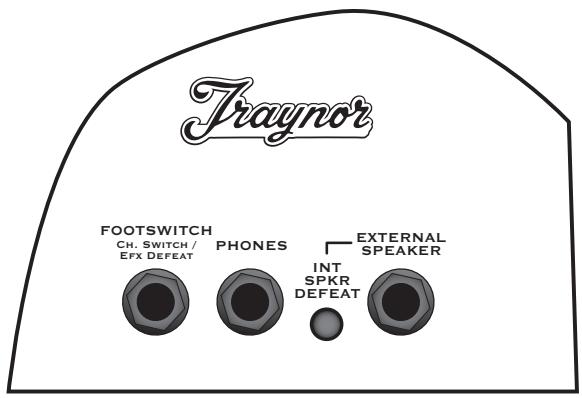
11. Footswitch
An optional two-button latching-type footswitch can be used for channel select and effects defeat. (Yorkville Sound Part AFS-2 recommended).
12. Phones
Connect a pair of 14 -inch stereo headphones to this jack. This jack also doubles as a Line Out. If you use the Traynor DynaGain amplifier as a preamp for recording or to drive another guitar amplifier and do not wish to use the internal speaker don't forget to depress the Internal Speaker Defeat to disable the DG's internal speaker (or you just want to use the headphones alone).
13. Internal Speaker Defeat
This switch to turns off the DG amplifier's internal speaker. This enables the amplifier to drive an
extension speaker cabinet without using the
DG's internal speaker or for silent practice.
14. External Speaker
Connect an extension speaker cabinet using this jack (8-ohms minimum).
DG10 - 10w / 8-pouces
m = 311 ;


Solid State Guitar Amplifier
Power @ min. impedance (Watts)
10
Speaker Configuration - LF (Size / Power)
8 inch / 10 Watts
Input Channels
1
Channel 1 - inputs
1/4 inch (x2), stereo RCA
Channel 1 - controls
Volume
Channel 1 - switches
Drive
Main Tone Controls
Bass, Mid, Treble
LED Indicators
Power, Drive
Headphone Jack
Yes
Other Features
DynaGain Solid State tube emulating preamp utilizes 100% analog circuitry for a truly warm and natural tone
Dimensions (DWH, inches)
7 × 15 × 13
Dimensions (DWH, cm)
18 × 38 × 33
Weight (Ibs / kg)
15/7
Spécifications
Type
FG (Dimension/Puissance)
Canaux d'Entree
1
Canal 1 - Entrées
Type Solid State Guitar Amplifier
Power @ min. impedance (Watts) 15
Speaker Configuration - LF (Size / Power) 10 inch / 15 Watts
Input Channels 2
Channel 1 - inputs 1/4 inch (x2), stereo RCA
Channel 1 - controls Gain, Volume
Channel 1 - switches Channel Select
Channel 2 - controls Volume
Channel 2 - switches Channel Select
Master Volume Control Yes
Main Tone Controls Bass, Mid, Treble
LED Indicators Power, Channel, Gain
Headphone Jack Yes
Other Features DynaGain Solid State tube emulating preamp utilizes 100% analog circuitry for a truly warm and natural tone
Dimensions (DWH, inches) 9 × 18.5 × 14
Dimensions (DWH, cm) 23 × 47 × 35.5
Weight (Ibs/kg) 22/10
Specifications
Puisance @ impedance minimum (Watts) 15
Solid State Guitar Amplifier
Power @ min. impedance (Watts) 15
Speaker Configuration - LF (Size / Power)
15
Input Channels
10 inch / 15 Watts
Channel 1 - inputs 1/4 inch (x2), stereo RCA
Channel 1 - controls Gain, Volume
Channel 1 - switches Channel Select
Channel 2 - controls Volume
Channel 2 - switches Channel Select
Master Volume Control Yes
Main Tone Controls Bass, Mid, Treble
Effects Volume Reverb Level
Internal Reverb / Effects Spring Reverb
LED Indicators Power, Channel, Gain
Headphone Jack Yes
Other Features DynaGain Solid State tube emulating preamp utilizes 100% analog circuitry for a truly warm and natural tone
Dimensions (DWH, inches) 9 × 18.5 × 14
Dimensions (DWH, cm) 23 × 47 × 35.5
Weight (Ibs / kg) 23 / 10.5
Specifications
Type
Puisance @ impedance minimum (Watts)
15
FG (Dimension/Puissance)
Canaux d'Entrée 2
Solid State Guitar Amplifier
Vatts)
Power @ min. impedance (Watts)
12 inch / 30 Watts
Speaker Configuration - LF (Size / Power)
Input Channels
Channel 1 - inputs
1/4 inch (x2), stereo RCA
Channel 1 - controls
Gain, Volume
Channel 1 - switches
Channel Select
Channel 2 - controls
Volume
Channel 2 - switches
Channel Select
Channel Switching
Footswitchable
Master Volume Control
Yes
Main Tone Controls
Bass, Mid, Treble
Effects Volume
Reverb Level, Effects Level
Effects Footswitch / Function
Yes / Bypass
Internal Reverb / Effects
24-bit Digital Multi Effects plus Reverb
LED Indicators
Power, Channel, Gain, Reverb Defeat
Headphone Jack
Yes
Other Features
DynaGain Solid State tube emulating preamp
utilizes 100% analog circuitry for a truly warm
and natural tone
Dimensions (DWH, inches)
10 × 21 × 17
Dimensions (DWH, cm)
25.5× 53× 43
Weight (lbs / kg)
30/13.5
Specifications
Type
Alimentation, Canal, Gain, Reverb
Traynor Two Year Warranty
Unlimited Warranty
Your Traynor two year unlimited warranty on this product is transferable and does not require registration with Yorkville Sound or your dealer. If this product should fail for any reason within two years of the original purchase date, simply return it to your Traynor dealer with original proof of purchase and it will be repaired free of charge.
Freight charges, consequential damages, weather damage, damage as a result of improper installation, damages due to exposure to extreme humidity, accident or natural disaster are excluded under the terms of this warranty. Warranty does not cover consumables such as vacuum tubes, bulbs or batteries beyond 90 days of original purchase. See your Yorkville dealer for more details. Warranty valid only in Canada and the United States.
Garantie Illimitée
Voice: (905) 837-8481 Voice: (716) 297-2920
Fax: (905) 837-8746 Fax: (716) 297-3689

550 Granite Court 4625 Witmer Industrial Estate
Pickering, Ontario Niagara Falls, New York
L1W-3Y8 CANADA 14305 USA

WEB: www.yorkville.com
Niagara Falls, New York
14305 USA
Voice: (716) 297-2920
Fax: (716) 297-3689