
T2000 - Temperature regulator CARLO GAVAZZI - Free user manual and instructions
Find the device manual for free T2000 CARLO GAVAZZI in PDF.



| Product type | Temperature controller |
| Brand | CARLO GAVAZZI |
| Model | T2000 |
| Front panel dimensions (model T2032) | 51.0 x 28.5 mm |
| Front panel dimensions (model T2016) | 51.0 x 51.0 mm |
| Dimensions behind the panel (T2032) | 44.8 x 22.0 mm; depth 106.7 mm |
| Dimensions behind the panel (T2016) | 44.8 x 44.8 mm; depth 106.7 mm |
| Weight | 130 g |
| Power supply | 100-240 V AC 50/60 Hz (±10%) or 12-24 V AC/DC (±20%) |
| Power consumption | 4.5 VA |
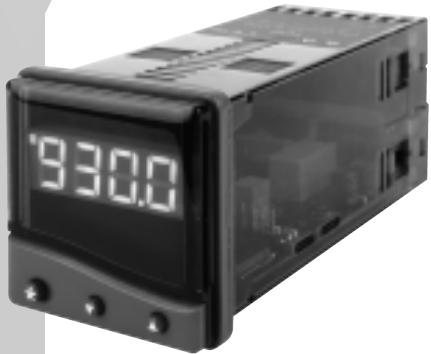
| Display | Green LED 4 digits (10 mm) for measurement; Orange LED 4 digits (9 mm) for setpoint (model T20162) |
| Probe types | Thermocouples (B, E, J, K, L, N, R, S, T) and Pt100 RTD |
| Main functions | Autotuning, ramp/soak programmer, dual setpoint SP1/SP2, alarms, PID control, manual mode |
| Outputs | SSD logic (5V DC 15 mA) or relay (2A/250V AC or 1A/250V AC) |
| Mounting | DIN panel, cutout 45x45 mm (T2032) or 22.2x45 mm (T2016), max. thickness 9.5 mm |
| Front panel protection | NEMA4 / IP66 |
| Cleaning | With a damp cloth (water only); galvanically isolate before disassembly |
| Safety | 3-year warranty; no user-serviceable parts; do not use SP2 as the only safety alarm |
| Ambient temperature | 0 to 50 °C (32 to 130 °F) |
| Max humidity | 80% |
| Standards | EN61010-1, CSA 22.2 No. 1010.1-92, UL873 |
Frequently Asked Questions - T2000 CARLO GAVAZZI
User questions about T2000 CARLO GAVAZZI
0 question about this device. Answer the ones you know or ask your own.
Ask a new question about this device
Download the instructions for your Temperature regulator in PDF format for free! Find your manual T2000 - CARLO GAVAZZI and take your electronic device back in hand. On this page are published all the documents necessary for the use of your device. T2000 by CARLO GAVAZZI.
USER MANUAL T2000 CARLO GAVAZZI
Tune or tune at setpoint program 5
PROPORTIONAL CYCLE-TIME 5
Cycle-time recommendations 5
PROGRAMMER 5
Ramp-Soak 5
SECOND SETPOINT (SP2) 6
Error messages 6
FUNCTION LIST 7
Level 1
Level 2
Level 3 8
Level 4 9
MECHANICAL INSTALLATION 9
DIN panel cut-out 9
Mounting 9
Cleaning 9
ELECTRICAL INSTALLATION 10
Sensor selection 11
SPECIFICATION 11
SAFETY AND WARRANTY 12
CARLO GAVAZZI
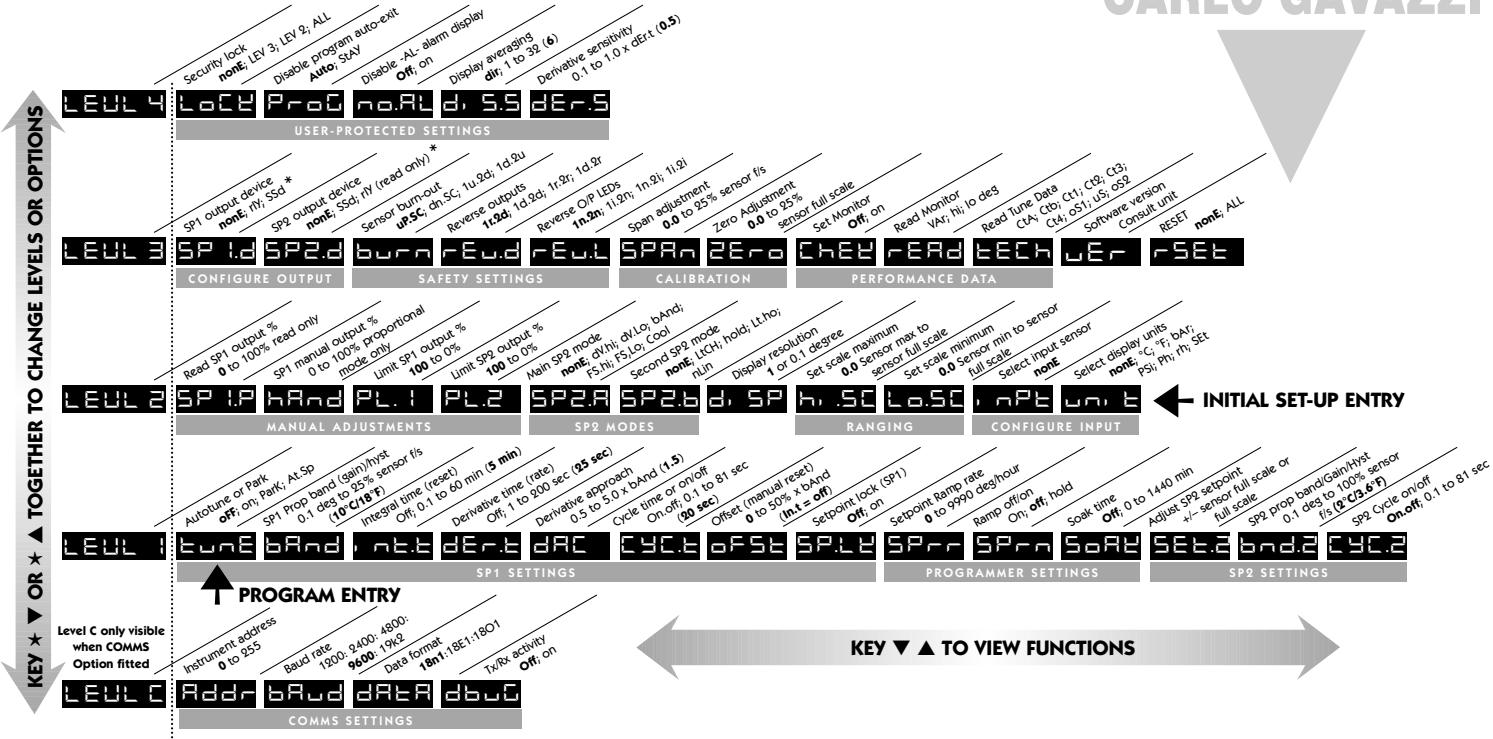
INSTRUMENT PANEL FEATURES

This page can be photocopied and used as a visual aid and bookmark when working in other parts of the manual.
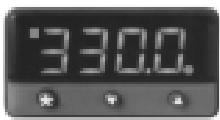
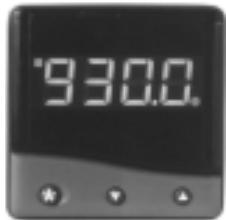
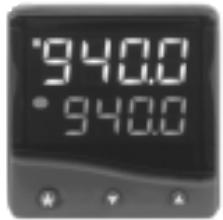
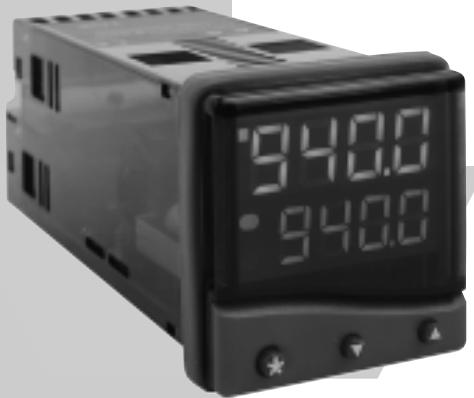
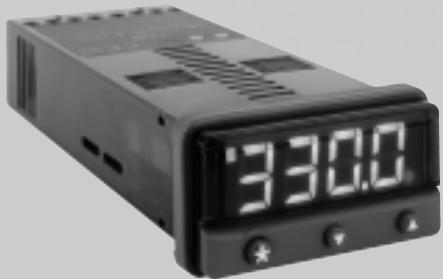
Green Display: Process temperature or program Function/Option
Orange Display: Setpoint temperature or program Option (T20162 only)
Green LED: Setpoint 1 output indicator
Red/Orange LED: Setpoint 2 output indicator
ADJUSTMENTS
To enter or exit program mode:
To scroll through functions:
To change levels or options:
To view setpoint:
To increase setpoint:
To decrease setpoint:
To reset an alarm or fault condition:
Press together for 3 seconds
Press ▲ or ▼
Press together or together
Press
Press together
Press together
Press ▲▼ together briefly
Notes: If in difficulty by becoming "lost" in program mode, press and together for 3 seconds to return to display mode, check the INSTRUMENT ADJUSTMENTS above and try again.
When in program mode, after 60 seconds of key inactivity the display will revert to either inPt : nonE or, if the initial configuration has been completed, the measured value. Any settings already completed will be retained.

This page can be photocopied and used as a visual aid and bookmark when working in other parts of the manual.
Range of Adjustment shown under description. If applicable, factory settings shown in bold.
Note: The letter K appears in the instrument display as the character
GETTING STARTED
After power-up the controller requires programming with the following information:
Type of Sensor (See list of temperature sensors p.11)
Operating unit (See list of units p.8)
Allocation of Output Device to SP1/SP2 (Relay or SSD)
Temperature Setpoint
When the above information has been programmed into the controller it will be operational with the following factory settings.
Proportional band/Gain 10^ / 18^
Integral time/Reset 5 mins
Derivative time/Rate 25 secs
Proportional cycle-time 20 secs
(Typical setting for relay output)
DAC Derivative approach control 1.5
(Average setting for minimum overshoot)
The instruments covered in this manual may be fitted with either a single or a dual display. Where a single display shows more than one reading, it will alternate between them.
INITIAL SET-UP
On power-up the controller will display the self test sequence followed by the initial display inPt : nonE
1 Select input sensor.
Press and hold and use the or buttons to scroll through the sensor selection list until the correct sensor is displayed. Release the buttons. The display will now read selected sensor type e.g. inPt : tCS
Press once The display will now read unit: nonE
2 Select unit.
Press and hold and use the or buttons to scroll through the unit selection list until the correct unit is displayed. Release the buttons. The display will read selected unit e.g. unit: °C
Press ▲ once The display will now read SP1.d : nonE
3 Select SP1 (Main setpoint output device)
Note: Dual Relay and Dual SSD Output Options Models have their outputs pre-configured. Move to Step 4.
Press and hold and use the or buttons to select SSD or rLY as required. The controller will now read selected output device e.g. SP1.d:SSd
To enter initial configuration into controller memory
Press and hold both and buttons for 3 seconds. The display will now read ParK and measured variable (temperature) (eg. 23) ParK is displayed because a setpoint has not yet been entered.
To display setpoint
Press and hold The displays will now read unit (eg. ^ C ) and 0
To enter setpoint
Press and hold and use button to increase or button to decrease the reading and scroll to required setpoint value. (The digit roll-over rate increases with time).
Note: For precise control of an application the controller may need to be TUNED. Please see the following section on AUTOTUNE
AUTOTUNE
This is a single shot procedure to match the controller to the process. Select either Tune or Tune at Setpoint from the criteria given below.
The Tune program should be used when the load temperature is at or near ambient. The procedure will apply disturbances when the temperature reaches 75% of the setpoint value, causing overshoot which is monitored in order to adjust the DAC overshoot inhibit feature. Care should be taken to ensure that any overshoot is safe for the process.
The Tune at Setpoint program is recommended when:
The process is already at setpoint and control is poor
The setpoint is less than 100^
- Re-tuning after a large setpoint change
- Tuning multi-zone and/or heat-cool applications.
Notes: DAC is not re-adjusted by Tune at setpoint.
Proportional Cycle Time can be pre-selected before running the Autotune program. (see p5)
Hereafter in the Manual the symbol ( ) signifies both buttons are held pressed for 3 seconds to ENTER or EXIT Program mode.
TUNE OR TUNE AT SETPOINT PROGRAM
Enter program ( ) and from the display tunE: oFF press and hold and press to display tunE: on or tunE: At.SP Exit program mode ( ) .
The TUNE program will now start. The display will show tunE as the process temperature climbs to setpoint.
Note: During tuning, the main setpoint (SP1) LED will flash.
When the TUNE or TUNE AT SETPOINT program is complete the PID values are entered automatically. The process temperature will rise to setpoint and control should be stable. If not, this may be because optimum cycle time is not automatically implemented. To set the cycle time see PROPORTIONAL CYCLE-TIME.
PROPORTIONAL CYCLE-TIME
The choice of cycle-time is influenced by the external switching device or load. eg. contactor, SSR, valve. A setting that is too long for the process will cause oscillation and a setting that is too short will cause unnecessary wear to an electro-mechanical switching device.
Factory set
To use the 20 sec factory set cycle-time no action is needed whether autotune is used or not.
To Manually Select AUTOTUNE Calculated CYCLE-TIME
When AUTOTUNE is completed, enter program (▲▼) and select CYC.t in Level 1. The display will read CYC.t : 20 (the factory setting).
To view the new calculated optimum value, press and hold both and buttons until indexing stops. The calculated value will be displayed eq. A16. If acceptable, exit program ( ) to implement this setting.
To Pre-select Automatic Acceptance of AUTOTUNE Calculated CYCLE-TIME
Before AUTOTUNE is initiated select CYC.t in Level1, press and hold both and buttons until indexing stops at A. Exit program (▲▼) to accept calculated value automatically.
To Manually Pre-select Preferred CYCLE-TIME
Before AUTOTUNE is initiated select CYC.t in Level 1, press and hold both and or buttons until indexing stops at preferred value then exit program ( ) to accept.
CYCLE-TIME RECOMMENDATIONS
| Output Device | Factory Setting | Recommended Minimum |
| Internal relay: rLY/rLY1/rLY2 | 20 seconds | 10 seconds |
| Solid state drives: SSD/SSd1/SSd2 | 20 seconds | 0.1 seconds |
PROGRAMMER
RAMP-SOAK
This feature enables the controller to ramp up or down from current temperature to a target setpoint at a pre-determined rate. It then controls at the target setpoint for an adjustable soak period before switching off the SP1 output.
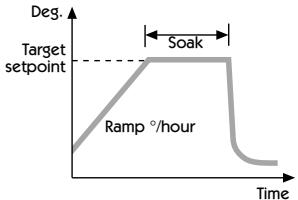
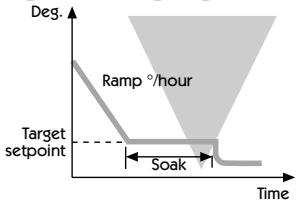
Set Setpoint ramp rate (0 to 9995 deg/hour)
From SPrr in Level 1, press and hold and or to scroll to required ramp rate.
Set Soak (if required) 0 to 1440 minutes
From SoAk in Level 1, press and hold and or to scroll to required Soak time.
Set Ramp on (Off: On: Hold)
From Sprn in Level 1, press and hold , then press to select On
Exit program ( ) to enter settings into memory and commence ramp to target setpoint.
Notes: In Ramp on configuration, if power is removed from the controller, the Ramp will re-start when power is restored.
The Ramp hold option suspends the ramp at its last value.
If no Soak period has been set, control at target setpoint continues indefinitely.
SP2 deviation alarms follow the ramp setpoint and can be used to alarm "out of limits" ramp rate.
WARNING
The Soak timer is triggered when the ramp setpoint reaches the target setpoint. If the ramp rate is set too fast for the process, the Soak timer will be triggered before the process temperature reaches the target setpoint.
SECOND SETPOINT (SP2)
SECOND SETPOINT (SP2) Alarm Output
Configure SP2 output to operate as an alarm from SP2.A in Level 2 and set the temperature alarm setting in SET.2 Level 1. The alarm will be triggered when the process temperature changes according to the options listed below.
dV.hi Rises above the main setpoint by the value inserted at SEt.2.
dV.Lo Falls below the main setpoint by the value inserted at SET.2.
BAnd Rises above or falls below the main setpoint by the value inserted at SEt.2.
FS.hi Rises above the main setpoint by a SEt.2 value that is greater than the setpoint.
FS.Lo Falls below the main setpoint by a SET.2 value that is smaller than the setpoint.
SUBSIDIARY SP2 MODE
The following additional alarm functions can be added to the above alarm configurations using the features found in SP2.b in Level 2.
LtCh Once activated, the alarms will latch and can be manually reset when the alarm condition has been removed.
Hold This prevents any alarm operation on power-up and is automatically disabled once the process reaches setpoint in order to allow normal alarm operation.
SECOND SETPOINT (SP2) Proportional control output
Configure in Level 1 using CyC.2 to select proportional cycle time and bnd.2 to adjust proportioning band. For Heat/Cool operation see Operating Manual.
In on/off mode, bnd.2 adjusts SP2 hysteresis.
SP2 OUTPUT AND LED INDICATION STATES - IN ALARM CONDITION
| Alarm type | ON-OFF operating mode | Proportional operating mode | ||
| Deviation duth. | SP2 Output state | SP2 LED state | SP2 Output state | SP2 LED state |
| dUTa | BRnd: on-off mode only | |||
| bRand | ||||
| Full scale FSH. | ||||
| PSTa | ||||
| Cool Strategy | Temperature above setpoint | |||
Legend
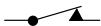
Output ON
(Relay or Ssd energised)
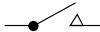
Output OFF
(Relay or SSd de-energised)

LED ON
SP2 ALARM ANNUNCIATOR
When an SP2 alarm mode is selected in SP2.A the alarm annunciator -AL- is displayed, alternating with the process temperature, during alarm condition.
Notes: The alarm will be automatically reset when the temperature returns within the bnd.2 setting in Level 1.
The annunciator may be disabled by selecting function no.AL : on in level 4.
SP2 in cool strategy
See Full Operating Manual (ADVANCED SETTINGS)
ERROR MESSAGES
SENSOR FAULT
Display flashes: inPt: FAiL
Indicates: thermocouple burnout RTD/Pt100 open or short circuit or negative over-range.
Action: Check sensor/wiring
NON-VOLATILE MEMORY ERROR
Display flashes: dAtA : FAiL
Action: De-power briefly. Replace unit if problem persists
MANUAL POWER ERROR
Display flashes: hAnd : FAiL
SP1 set to ON/OFF in CYC.t
Action: Select proportional mode
IMMEDIATE FAIL ON AUTOTUNE START
Display flashes: tunE:FAiL
Setpoint display 0
- No setpoint entered.
Action: Enter setpoint
- SP1 set to ON/OFF in CyC.t
Action: Select proportional mode
Note: To reset and clear error press together briefly to cancel message.
FAIL LATER DURING AUTOTUNE CYCLE
The thermal characteristics of the load exceed the Autotune algorithm limits. The failure point indicated by any display 0.0 in tech e.g. Ctb = 0.0
Action: 1. Change the conditions. eg. raise setpoint
-
Try tunE: At.SP
-
If the error message persists, call local CARLO GAVAZZI representative for advice.
FUNCTION LIST (LEVELS 1 TO 4)
Note: A Functions Menu is shown on page 3.
LEVEL 1 LEVEL 2
Function
Options
[Factory settings] shown in brackets
SELECT AUTOTUNE (see pages 4/5)
tune [oFF]
on ParK At.Sp
Used to switch the Autotune feature on and off, to select ParK or Autotune at setpoint. ParK temporarily turns the output(s) off. To use select ParK and exit program mode. To disable re-enter program at tunE and select OFF.
SP1 OPERATING PARAMETERS
bAnD
0.1 to * C/°F
[10^ / 18^]
SP1 proportional band/Gain or Hysteresis
- 25% sensor maximum Proportional control eliminates the cycling of on-off control. Heater power is reduced, by time proportioning action, across the proportional band.
int.t oFF
0.1 to 60 minutes [5.0]
SP1 integral time-reset
Auto-corrects proportional control offset error
dEr.t oFF
1 - 200 seconds [25]
SP1 derivate time/rate
Suppresses overshoot and speeds response to disturbances
dAC 0.5 - 5.0 x bAnd
[1.5]
SP1 derivative approach control dAC
Tunes warm-up characteristics, independent of normal operating conditions, by controlling when derivative action starts during warm-up (smaller dAC value = nearer setpoint).
CyC.t A _ on.oF
0.1 - 81 sec
[20]
SP1 proportional cycle-time (see pages 9/10)
Determines the cycle rate of the output device for proportional control. Select on.oF for ON/OFF mode.
oFSt [0] to *
^ C / ^ F
SP1 offset/manual reset
- ±50% bAnd. Applicable in proportional and ON/OFF mode with integral disable: Int.t : oFF.
SP.LK [oFF]
on
Lock main setpoint
Locks the setpoint preventing unauthorised adjustment.
PROGRAMMER SETTINGS (see page 5)
Function
Options
[Factory settings] shown in brackets
SPrr
[0] to 9995 deg/hour
Sets the ramp rate
SPrn on [oFF] hoLd
Switches the ramp on or off, or hold at last ramp value
SoAK_ _[oFF]
0 to 1440 min
Sets the soak time
SP2 OPERATING PARAMETERS (see page 6)
SEt.2
0to ^ C / ^ F [O]
Adjust SP2 setpoint
- Deviation Alarms DV.hi, DV.Lo, bAnd 25% sensor maximum.
- Full scale alarms FS.hi, FS.Lo sensor range f/s
bnd.2
0.1* ^ / ^
[2.0 °C/3.6°F]
Adjust SP2 hysteresis or proportional band/gain
(see CyC.2 setting)
- 25% sensor f/s
CyC.2 [on.oFF]
0.1-81 seconds
Select SP2 ON/OFF or proportional cycle-time
Select on/off for ON/OFF mode, or the cycle rate of SP2 output device for proportional mode.
LEVEL 2 LELU
MANUAL CONTROL MODES
SPI.P
0 to 100% 'read only'
Read SP1 output percentage power
hAnd [oFF]
1 to 100% (not in ON/OFF)
SP1 manual percentage power control
For manual control should a sensor fail. Record typical SP1.P values beforehand.
PL.1
100 to 0% duty cycle [100]
Set SP1 power limit percentage
Limits maximum SP1 heating power during warm-up and in proportional band.
PL.2
100 to 0% duty cycle [100]
Set SP2 percentage power limit (cooling)
SP2 OPERATING MODES (see page 6)
Function
Options
[Factory settings] shown in brackets
SP2.A [nonE]
dV.hidvLo bAnd
FS.hi FS.Lo Cool
Main SP2 operating mode
SP2.b [nonE]
LtCh hoLd nLin
Subsidiary SP2 mode: latch/sequence
Non-linear cool proportional band
INPUT SELECTION AND RANGING
dI.SP [1] 0.1
Select display resolution: for display of process temperature, setpoint, OFSt, Set2, hi.SC, LoSC.
hi.SC sensor minimum [sensor maximum]
^ / ^
Set full scale
Lo.SC [sensor minimum] sensor maximum
^ / ^
Set scale minimum (default 0^ or 32^ )
inPt Select input sensor [nonE]
(See SENSOR SELECTION table, page 11)
unit [nonE]
C F bAr
Psi Ph rh SET
Select ^ C / ^ or process units
LEVEL 3 L E L 3
Note: 'Read only' after initial configuration. rSET ALL full reset to factory settings required to change SP1.d subsequently.
SP1.d [nonE] rLY SSD
rLY1 rLY2 SSD1
Select SP1 output device
SP2.d [nonE] SSD rLY
rLY2 rLY1 SSD2
Read SP2 output device
(read only)
Dual Relay and Dual SSD output options are factory set.
Note: (when in initial configuration only)Hold and or for 10 seconds to move
to or from output devices in shaded portion.
burn Sensor burn-out/break protection
Caution: Settings affect fail safe state.
SP1
SP2
[uP.SC]
Upscale
Upscale
dn.SC
Downscale
Downscale
1u.2d
Upscale
Downscale
1d.2u
Downscale
Upscale
rEu.d Select output modes: Direct/Reverse
Caution: Settings affect fail safe state.
SP1
SP2
[1r.2d]
Reverse
Direct
1d.2d
Direct
Direct
1r.2r
Reverse
Reverse
1d.2r
Direct
Reverse
Select Reverse on SP1 for heating and Direct for cooling applications.
rEu.L Select SP1/2 LED indicator modes
SP1
SP2
[1n.2n]
Normal
Normal
1i.2n
Invert
Normal
1n.2i
Normal
Invert
1i.2i
Invert
Invert
SPAn [0.0] to ± 25% sensor maximum
Sensor span adjust
For recalibrating to align readings with another instrument e.g. External Meter, data logger.
See Full Operating Manual (ADVANCED SETTINGS).
ZEro [0.0] to ± 25% sensor f/s
Zero sensor error (see Sensor span adjust above).
ChEK [oFF] on
Select control accuracy monitor
rEAD [Var] hi Lo
Read control accuracy monitor
tECh [Ct A]
CTb
Ct 2
Ct3 Ct4
us
oS2
Read Autotune tuning cycle data (see Operating Manual)
UEr Software version number
rSET [nonE] ALL
Resetssallfunctionstofactory settings
Caution: This selection will lose all of the current settings.
LEVEL 4 LEVEL 4
Access to level 4 is gained through UEr in level 3. Press and hold and for 10 seconds.
Enter level 4 at Lock, release and together. Display reads LoCK nonE
Program security using Lock
Select from three Lock options: Press and hold , press to index.
LEV.3 locks level 3 and 4 only- Technical Functions.
LEV.2 locks levels 2, 3 and 4 only - Configuration and
Technical Functions.
ALL locks all functions LoCK ALL
Note: Locked functions and options may be read.
Press to access following functions
Function Options [Factory settings] shown in brackets
ProG [Auto] StAY
Program mode auto-exit switch
Auto-exit returns display to normal if 60 seconds of key inactivity, select StAY to disable
no.AL [oFF] on
Disable SP2 alarm annunciator -AL
Select on to disable -AL
di.Ss dir 1 to 32 [6]
Display sensitivity
dir = direct display of input 1 = maximum, 32 = minimum sensitivity
dEr.S 0.1 to 1.0 [0.5]
Derivative sensitivity
MECHANICAL INSTALLATION
The Controllers are designed to be mounted either in a 1/16 or a 1/32 DIN panel cutout. The units are sleeve mounted with the front bezel assembly rated NEMA4/IP66 provided that:
the panel is smooth and the panel cutout is accurate;
the mounting instructions are carefully followed.
DIN PANEL CUTOUT
1/16 DIN: 45.0mm + 0.6 / 0.0 wide, 45.0mm + 0.6 / 0.0 high
1/32 DIN: 45.0mm + 0.6 / -0 wide, 22.2mm + 0.3 / -0 high
Maximum panel thickness 9.5mm
Minimum spacing 20mm vertical, 10mm horizontal
MOUNTING
To mount a Controller proceed as follows:
1 Check that the controller is correctly orientated and then slide the unit into the cutout.
2 Slide the panel clamp over the controller sleeve pressing it firmly against the panel until the controller is held firmly.
3 The controller front bezel and circuit board assembly can be unplugged from the sleeve. Grasp the bezel firmly by the recesses on each side and pull. A screwdriver can be used as a lever if required.
4 When refitting the bezel assembly it is important to press it firmly into the sleeve until the latch clicks in order to compress the gasket and seal to NEMA4X/IP66.
CLEANING
Wipe down with damp cloth (water only)
Note: The controller should be isolated before removing or refitting it in the sleeve, and electrostatic precautions should be observed when handling the controller outside the sleeve.
DIMENSIONS: MODELS T2032 / T2016
| Model | Bezel* | Behind Panel | Overall Length | Behind panel Length* | ||
| Width | Height | Width | Height | |||
| T2032 | 51.0 | 28.5 | 44.8 | 22.0 | 116.2 | 106.7 |
| T2016 | 51.0 | 51.0 | 44.8 | 44.8 | 116.2 | 106.7 |
Dimensions in mm
- includes gasket
ELECTRICAL INSTALLATION
(See important Safety Information page 12)
OUTPUT DEVICES
Two of the following output devices are fitted to the controllers, depending on the model.
1 Solid state relay drive (SSd/SSd1/SSd2)
5Vdc +0/-15%, 15mA non isolating
To switch a remote SSR (or logic)
2 Miniature power relay (rLY/rLY1) 2A/250V AC resistive, Form A/SPST contacts.
3 Sub miniature power relay (rLY2) 1A/250V AC resistive, Form A/SPST contacts.
OUTPUT DEVICE ALLOCATION
Any of the available outputs may be chosen for the main setpoint (SP1), the remaining device being automatically allocated to the second setpoint (SP2).
Dual relay or dual SSD output models are available to order. Please contact your local CARLO GAVAZZI distributor for details.
Designed for use with the following supply voltages:
1). 100 - 240V 50-60 Hz 4.5 VA (nominal) +/-10% maximum permitted fluctuation
2). 12V - 24V (AC/DC) +/-20% 4.5 VA Polarity not required
WIRING THE CONNECTOR
Prepare the cable carefully, remove a maximum of 8mm insulation and ideally tin to avoid bridging. Prevent excessive cable strain. Maximum recommended wire size: 32/0.2mm 1.0mm^2 (18AWG).
INDUCTIVE LOADS
To prolong relay contact life and suppress interference it is recommended engineering practice to fit a snubber (0.1uf/100 ohms) between terminals 5 and 6.
CAUTION:
Snubber leakage current can cause some electro-mechanical devices to be held ON. Check with the manufacturers specifications.
EN61010 - /CSA 22.2 No 1010.1 92
Compliance shall not be impaired when fitted to the final installation.
Designed to offer a minimum of Basic Insulation only.
The body responsible for the installation is to ensure that supplementary insulation suitable for Installation Category II or III is achieved when fully installed.
To avoid possible hazards, accessible conductive parts of the final installation should be protectively earthed in accordance with EN6010 for Class 1 Equipment.
Output wiring should be within a Protectively Earthy cabinet.
Sensor sheaths should be bonded to protective earth or not be accessible.
Live parts should not be accessible without the use of a tool.
When fitted to the final installation, an IEC/CSA APPROVED disconnecting device should be used to disconnect both LINE and NEUTRAL conductors simultaneously.
A clear instruction shall be provided not to position the equipment so that it is difficult to operate the disconnecting device.
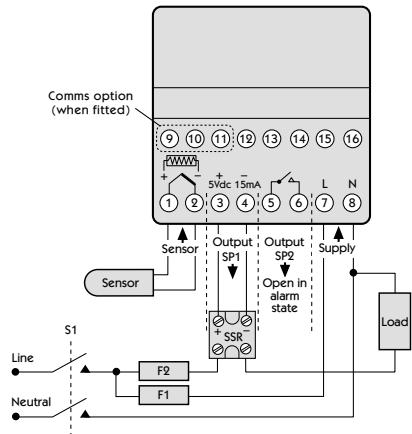
TYPICAL CONNECTION DIAGRAM
In this example the SSR driver output is allocated to SP1 and wired to switch the load (heater) using an SSR.
F1 Fuse: 1A time lag type to IEC127.CSA/UL rating 250Vac
F2 Fuse: High Rupture Capacity (HRC) Suitable for maximum rated load current
S1 Switch: IEC/CSA/UL Approved disconnecting device
SENSOR SELECTION
| Thermocouples | Description | Sensor range | Linearity |
| tC b | Pt-30%Rh/Pt-6%Rh | 0 to 1800 °C | 2.0 * |
| tC E | Chromel/Con | 0 to 600 °C | 0.5 |
| tC J | Iron/Constantan | 0 to 800 °C | 0.5 |
| tC K | Chromel/Alumel | -50 to 1200 °C | 0.25* |
| tC L | Fe/Konst | 0 to 800 °C | 0.5 |
| tC n | NiCrosil/NiSil | -50 to 1200 °C | 0.25* |
| tC r | Pt-13%Rh/Pt | 0 to 1600 °C | 2.0* |
| tC s | Pt-10%Rh/Pt | 0 to 1600 °C | 2.0* |
| tC t | Copper/Con | -200 / 250 °C | 0.25* |
| Resistance thermometer | |||
| rtd | Pt100/RTD-2 | 0.25* |
Linear process inputs (Input mV range: 0 to 50mV)
| Displays | 0 - 20mV | 4 - 20mV | setpoint limits | |
| Lin1 | 0 - 100 | 0 - 400 | ± 0.5% | |
| Lin2 | 0 - 100 | -25 - 400 | ± 0.5% | |
| Lin3 | 0 - 1000 | 0 - 3000 | ± 0.5% | |
| Lin4 | 0 - 1000 | -250 - 3000 | ± 0.5% | |
| Lin5 | 0 - 2000 | 0 - 3000 | ± 0.5% | |
Notes: 1 Linearity: 5 - 95% sensor range
2 * Linearity B:5° (70° - 500°C) K/N:1° >350°C
exceptions: R/S: 5^ < 300^ T: 1^ < -25^ > 150^
RTD/Pt100: 0.5^ < -100^
SPECIFICATION
Thermocouple
9 types
Standards: IPTS/68/DIN 43710
CJC rejection: 20:1 (0.05^ / ^) typical
External resistance: 100Ω maximum
Resistance thermometer
RTD-2/Pt100 2 wire
Standards: DIN 43760
(100Ω 0°C/138.5Ω 100°C Pt)
Bulbcurrent: 0.2mA maximum
Linear process inputs
mV range: 0 to 50mV
Applicable to all inputs SM = sensor maximum
Calibration accuracy: ±0.25%SM ±1°C
Sampling frequency: input 10Hz, CJC 2 sec.
Common mode rejection: Negligible effect up to 140dB,
240V, 50-60Hz
Series mode rejection: 60dB, 50-60Hz
Temperature coefficient: 150ppm/°C SM
Reference conditions: 22^± 2^, rated voltage after 15
minutes settling time.
Output devices
SSd/SSd1/SSd2: solid state relay driver: To switch a
remote SSR 5Vdc +0/-15% 15mA non-isolated
Miniature power relay: form A/SPST contacts (AgCdO)
rLY and rLY1: 2A/250ac resistive load
rLY2: 1A/250ac resistive load
General
Displays: Upper, 4 Digits, high brightness
green LED. 10mm (0.4") high.
Lower, 4 Digits, Orange LED. 9mm
(0.35") high (T20162 only)
Digital range -199 to 9999
Hi-res mode -199.9 to 999.9
Keypad: 3 elastomeric buttons
Environmental
Humidity: Max 80%
Altitude: up to 2000M
Installation: Categories II and III
Pollution: Degree II
Protection: NEMA 4X, IP66
EMC emission: EN50081-1 FCC Rules 15 subpart J
Class A
EMC immunity: EN50082-2
Ambient: 0-50°C (32-130°F)
Mouldings: flame retardant polycarbonate
Weight: 130g (4.2 oz)
SAFETY AND WARRANTY INFORMATION
INSTALLATION


Designed for use:
UL873 - only in products where the acceptability is determined by Underwriters Laboratories Inc.
EN61010-1/CSA22.2No1010.1-92
To offer a minimum of Basic Insulation only.
Suitable for installation within Catagory II and III and Pollution Degree 2.
SEE ELECTRICAL INSTALLATION Page 10
It is the responsibility of the installation engineer to ensure this equipment is installed as specified in this manual and is in compliance with appropriate wiring regulations.
CONFIGURATION
All functions are front selectable, it is the responsibility of the installing engineer to ensure that the configuration is safe. Use the program lock to protect critical functions from tampering.
ULTIMATE SAFETY ALARMS
Do not use SP2 as the sole alarm where personal injury or damage may be caused by equipment failure.
WARRANTY
CARLO GAVAZZI warrant this product free from defect in workmanship and materials for three (3) years from date of purchase.
1 Should the unit malfunction, return it to the factory. If defective it will be repaired or replaced at no charge.
2 There are no user-servisable parts in this unit. This warranty is void if the unit shows evidence of being tampered with or subjected to excessive heat, moisture, corrosion or other misuse.
3 Components which wear, or damage with misuse, are excluded e.g. relays.
4 CARLO GAVAZZI shall not be responsible for any damage or losses however caused, which may be experienced as a result of the installation or use of this product. CARLO GAVAZZI liability for any breach of this agreement shall not exceed the purchase price paid E. & O.E.
Copyright CARLO GAVAZZI 2000
Not to be reproduced without prior written permission from CARLO GAVAZZI. Whilst every effort has been made to ensure the accuracy of the specifications contained in this manual, due to our policy of continuous development, CARLO GAVAZZI reserves the right to make changes without prior notice.
AVAZZI
bAnD 0.1 to * C/°F [10°C/18°F]
oFSt [0] to * ^ C / ^
[1n.2n] Normal Normal
1i.2n Inverse Normal
1n.2i Normal Inverse
1i.2i Inverse Inverse
Protection: NEMA 4X, IP66
These Sections can be found in the book by Arbeiten in anderen Teilen des
[1n.2n] normal normal
1i.2n invertieren normal
1n.2i normal invertieren
1i.2i invertieren invertieren
tEch [Ct A] CTb Ct1 Ct2 Ct3 Ct4 oS 1 uS oS 2
Regola set-point 2 SP2
tECh [CtA] CTb Ct1 Ct2 Ct3 Ct4 oS 1 uS oS 2
1/16 DIN: 45,0 mm +0,6/0,0 larghezza, 45,0 mm +0,6/0,0 altezza
DISPOSITIVI DI USCITA
Normative: IPTS/68/DIN 43710
Reiezione CJC: 20:1 (0,05^ / ^) tipica
Resistenza esterna: 100Ω max.
Normative: DIN 43760
(100Ω 0°C/138,5Ω 100°C Pt)
Corrente del bulbo: 0,2 mA max.
tune [oFF] on ParK At.Sp
bAnD 0.1 to * C/°F [10°C/18°F]
Ganancia o Histérisis/banda proportional SP1
ZEro [0.0] a ± 25% sensor f/s
di.SS dir 1 to 32 [6]
dEr.S 0.1 to 1.0 [0.5]
Sensibilitad derivada
INSTALLACION MECANICA
DIMENSIONES: MODELOS T2032 / T2016
| Modelo | Bizel* | Detrás Panel | Longitud Total | Longitud* Detrás de Panel | ||
| Anchura | Altura | Anchura | Altura | |||
| T2032 | 51.0 | 28.5 | 44.8 | 22.0 | 116.2 | 106.7 |
| T2016 | 51.0 | 51.0 | 44.8 | 44.8 | 116.2 | 106.7 |
Dimensiones en mm
*incluye junta
INSTALACION ELECTRICA
Protection: NEMA 4X, IP66
A Global Force in Industrial Automation
Sense It
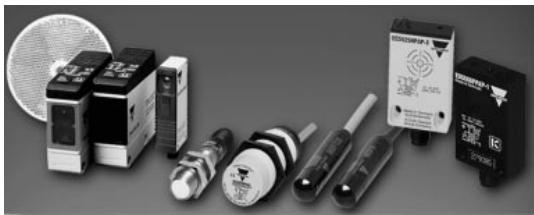
Capacitive Proximity Inductive Proximity · Level Controls Photoelectric
Contr
Current Monitors · Panel Meters Phase Monitors · Timers Transducers · Voltage Monitors
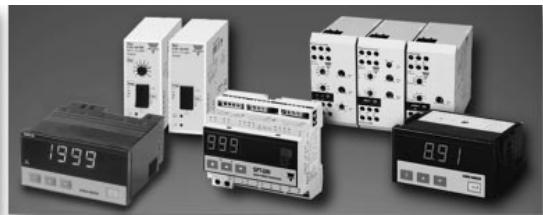
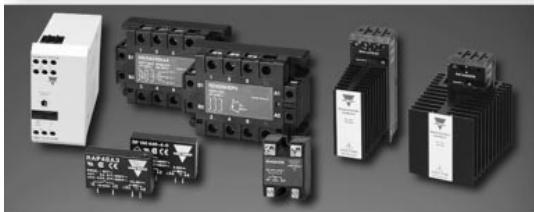
Electromechanical Relays · Integral DIN Mounted SSRs · Motor Controllers Solid State Relays
Switch It
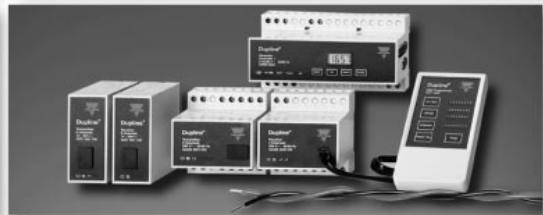
Distributed I/O\nDupline® Field and Installation Bus\nOver a Twisted Pair • Up to 6 Miles (10km)
Send It
CARLO GAVAZZI INC.
Automation Components
CARLO GAVAZZI
750 Hastings Lane, Buffalo Grove, IL 60089-6904
Phone 847.465.6100 Fax 847.465.7373
email: sales@carlogavazzi.com