PRO 4000 - Electronic thermometer KAZ - Free user manual and instructions
Find the device manual for free PRO 4000 KAZ in PDF.



| Product Type | Infrared ear electronic medical thermometer |
| Brand | KAZ |
| Model | PRO 4000 |
| Measurement method | Tympanic infrared |
| Display range | 20 °C – 42.2 °C (68 °F – 108 °F) |
| Resolution | 0.1 °C or °F |
| Accuracy | ±0.2 °C between 35.5 °C and 42 °C; ±0.3 °C outside |
| Clinical reproducibility | ±0.14 °C (±0.26 °F) |
| Power supply | 2 AA batteries (LR6) 1.5 V |
| Battery life | Approximately 2 years or 1000 measurements |
| Display | LCD with backlight |
| Main functions | Ear measurement, last measurement memory, ExacTemp indicator, scale change (°C/°F), auto shut-off, anti-theft security (optional) |
| Lens cleaning | Isopropyl alcohol and cotton swab; let dry 5 minutes |
| Housing cleaning | Soft cloth slightly moistened with alcohol; do not immerse |
| Operating conditions | Ambient temperature 10–40 °C, humidity ≤95% RH |
| Storage conditions | 10–40 °C, dry, protected from sunlight |
| Approximate weight | Approximately 100 g |
| Approximate dimensions | Approximately 15 x 4 x 4 cm |
| Electrical protection | Type BF (applied part) |
| Standards | DIN EN 60601-1, DIN EN 12470-5, directive 93/42/EEC |
| Warranty | 3 years |
| Accessories | Protective case, batteries; probe covers ThermoScan PC 20 (not included) |
| Repairability | Return to Welch Allyn after-sales service; verification required |
Frequently Asked Questions - PRO 4000 KAZ
User questions about PRO 4000 KAZ
0 question about this device. Answer the ones you know or ask your own.
Ask a new question about this device
Download the instructions for your Electronic thermometer in PDF format for free! Find your manual PRO 4000 - KAZ and take your electronic device back in hand. On this page are published all the documents necessary for the use of your device. PRO 4000 by KAZ.
USER MANUAL PRO 4000 KAZ
For all other European countries please call ++353 46 906 7790 for service in English
Espanol 31, 39
Portugues 40, 48
Italiano 49,57
Internet: www.welchallyn.com
Manufactured by:
Braun GmbH
Frankfurter Str. 145
D-61476 Kronberg / Germany
1
2
3
4
5
6

- Chamberlain, J.M., Terndrup, T.E., New Light on Ear Thermometer Readings, Contemporary Pediatrics, March 1994.
- Chamberlain, J.M., et al., Determination of Normal Ear Temperature with an Infrared Emission Detection Thermometer, Annals of Emergency Medicine, January 1995.
Gerätebeschreibung
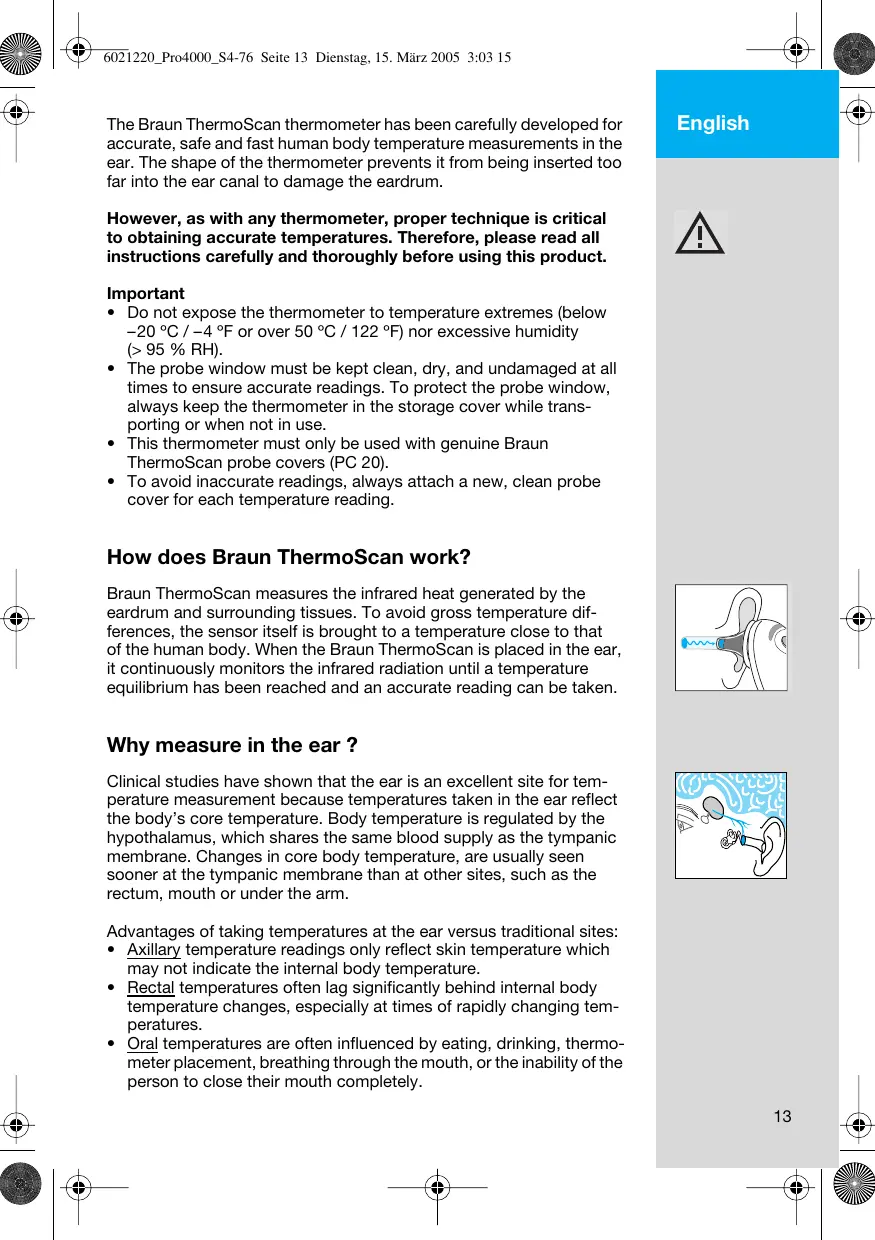
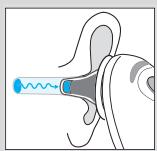
The Braun ThermoScan thermometer has been carefully developed for accurate, safe and fast human body temperature measurements in the ear. The shape of the thermometer prevents it from being inserted too far into the ear canal to damage the eardrum.
However, as with any thermometer, proper technique is critical to obtaining accurate temperatures. Therefore, please read all instructions carefully and thoroughly before using this product.
Important
- Do not expose the thermometer to temperature extremes (below -20^ / -4^ or over 50^ / 122^ ) nor excessive humidity ( >95% RH).
- The probe window must be kept clean, dry, and undamaged at all times to ensure accurate readings. To protect the probe window, always keep the thermometer in the storage cover while transporting or when not in use.
- This thermometer must only be used with genuine Braun ThermoScan probe covers (PC 20).
- To avoid inaccurate readings, always attach a new, clean probe cover for each temperature reading.
How does Braun ThermoScan work?
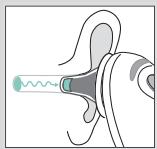
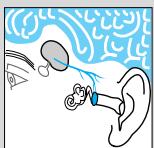
Braun ThermoScan measures the infrared heat generated by the eardrum and surrounding tissues. To avoid gross temperature differences, the sensor itself is brought to a temperature close to that of the human body. When the Braun ThermoScan is placed in the ear, it continuously monitors the infrared radiation until a temperature equilibrium has been reached and an accurate reading can be taken.
Why measure in the ear?
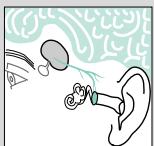
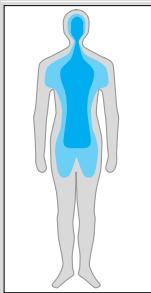
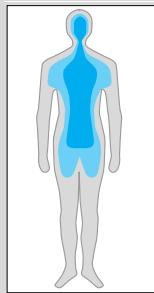
Clinical studies have shown that the ear is an excellent site for temperature measurement because temperatures taken in the ear reflect the body's core temperature. Body temperature is regulated by the hypothalamus, which shares the same blood supply as the tympanic membrane. Changes in core body temperature, are usually seen sooner at the tympanic membrane than at other sites, such as the rectum, mouth or under the arm.
Advantages of taking temperatures at the ear versus traditional sites:
- Axillary temperature readings only reflect skin temperature which may not indicate the internal body temperature.
- Rectal temperatures often lag significantly behind internal body temperature changes, especially at times of rapidly changing temperatures.
- Oral temperatures are often influenced by eating, drinking, thermometer placement, breathing through the mouth, or the inability of the person to close their mouth completely.
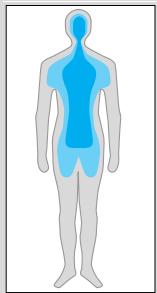
Body temperature
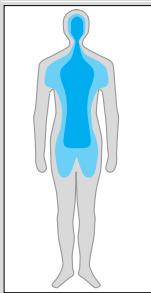
Normal body temperature is a range. The following table shows that ranges of normal also vary by site. Therefore, readings from different sites, even if taken at the same time, should not be directly compared.
Normal ranges by site:
Axillary1: 34.7 - 37.3 °C 94.5 - 99.1 °F
Oral: 35.5 - 37.5 °C 95.9 - 99.5 °F
Rectal: 36.6 - 38.0 °C 97.9 - 100.4 °F
ThermoScan2: 35.8 - 38.0 °C 96.4 - 100.4 °F
- Also, a person's normal temperature range tends to decrease with age. The following table shows normal ThermoScan ranges by age:
Normal ThermoScan ranges by age:
0-2 years 36.4-38.0°C 97.5-100.4°F
3-10 years 36.1-37.8°C 97.0-100.0°F
11-65 years 35.9-37.6°C 96.6-99.7°F
65 years 35.8-37.5°C 96.4-99.5°F
The range of normal varies from person to person and can be influenced by many factors such as time of day, level of activity, medications and gender.
- Chamberlain, J.M., Terndrup, T.E., New Light on Ear Thermometer Readings, Contemporary Pediatrics, March 1994.
- Chamberlain, J.M., et al., Determination of Normal Ear Temperature with an Infrared Emission Detection Thermometer, Annals of Emergency Medicine, January 1995.
Product description
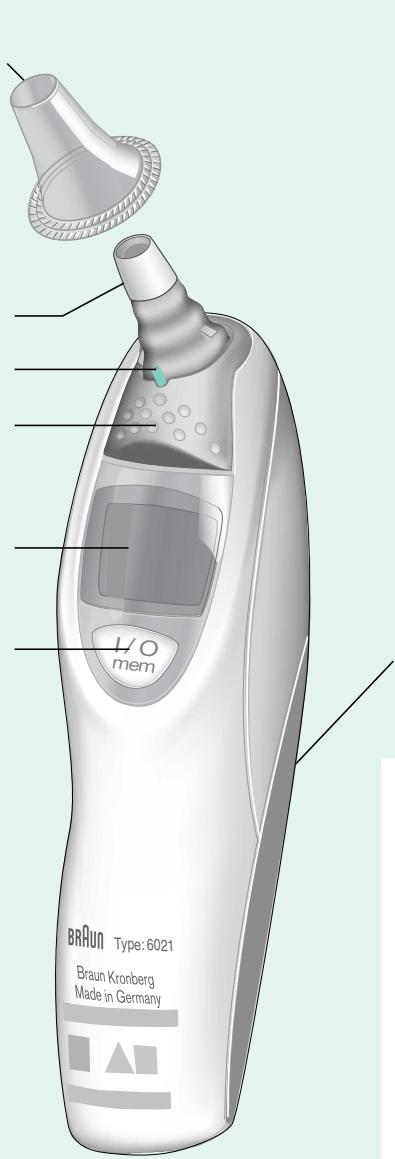
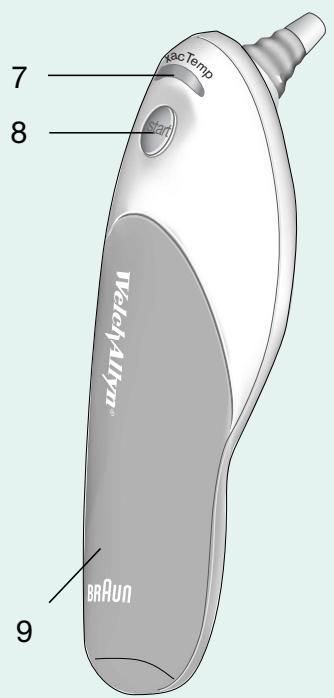
- Probe cover
- Probe
- Probe cover detector/automatic «on»
- Probe cover ejector
- Display
- «I/O» button (On/memory function)
- «ExacTemp» light
8.Start button - Battery door
- Protective cover
How to use your Braun ThermoScan
1.
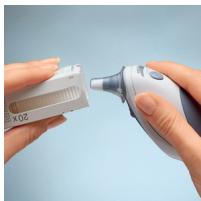
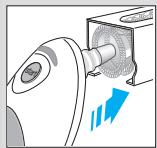
To achieve accurate readings, make sure a new, clean probe cover (1) is in place before each measurement.
2.
When the probe cover is in place, the thermometer turns on automatically. Wait for the ready signal beep.
3.
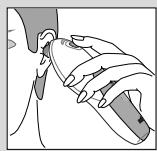
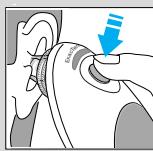
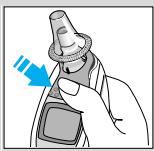
Fit the probe snuggly into the ear canal, then push the start button (8).
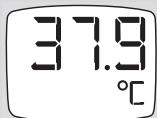
If the probe has been fitted correctly into the ear canal during the complete measuring process, a long beep will signal the end of the measuring process. You can be assured to have taken an accurate temperature reading. The result is shown on the display (5).
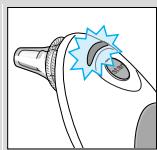
If you take the temperature of another person, the «ExacTemp» light (7) will be of help. It flashes during the measuring process as long as the probe is correctly positioned, and lights up continuously when an accurate reading has been taken.
4.
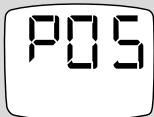
If the probe has not been positioned correctly in the ear canal or was moved during the measuring process, a sequence of short beeps will sound, the «ExacTemp» light will go out and the display will show an error message («POS» = position error).
DFF
5.
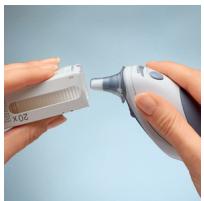
For the next measurement, eject the used probe cover (push ejector (4)) and put on a new, clean probe cover. The thermometer will turn on automatically.
Wait for the ready signal. Fit the probe snuggly into the ear canal, then push the Start button.
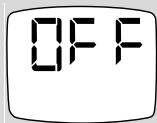
The Braun ThermoScan ear thermometer turns off automatically after 60 seconds of inactivity. It can also be turned off by pressing the «I/O» button for at least three seconds. The display will shortly flash «OFF» and after releasing the button it will light-up permanently.
Temperature taking hints
- The right ear reading may differ from the reading taken at the left ear. Therefore, always take the temperature in the same ear.
- The ear must be free from obstructions or excess earwax build-up to take an accurate reading.
-
External factors may influence ear temperatures, including when an individual has:
-
been lying on one ear or the other
- had their ears covered
- been exposed to very hot or very cold temperatures, or
- been recently swimming or bathing.
In these cases, remove the individual from the situation and wait 20 minutes prior to taking a temperature.
- For persons wearing hearing aids or ear plugs, remove the device and wait 20 minutes prior to taking a temperature.
- Use the untreated ear if prescription ear drops or other ear medications have been placed in the ear canal.
Memory mode
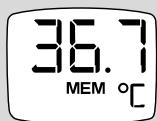
The last temperature taken before the Braun ThermoScan is turned off is stored in its memory and will be automatically displayed when it is turned on again. The display will show «MEM». For longer display of the stored reading, the thermometer must be turned on and the «I/O» button must be pressed for at least 1 second.
The memory mode is left automatically after pressing the «I/O» button for at least 1 second.
Changing the temperature scale
Your Braun ThermoScan is shipped with the Celsius temperature scale activated. If you wish to switch to Fahrenheit (^) , proceed as follows:
Make sure the thermometer is turned off.
Press and hold down the «I/O» button. After about 3 seconds the display will show this sequence:
C / SET / F / SET
Release the «I/O» button when «°F» is shown. There will be a short beep to confirm the new setting, then the thermometer is turned off automatically. When turned on again, temperatures will be shown in Fahrenheit, until the above procedure is repeated.
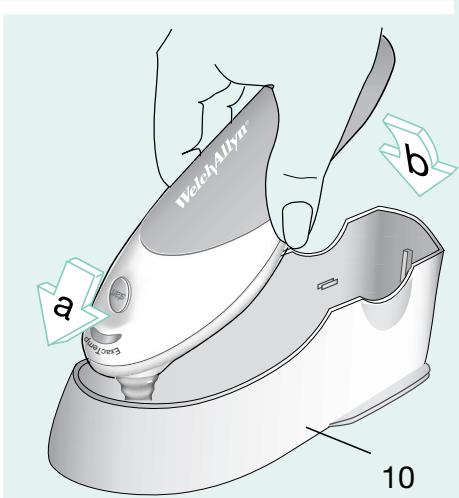
Base station for storage, charging, anti-theft function (optional)
For your Braun ThermoScan PRO 4000, there is a Base Station available. Contact your distributor for details (see page 2).
The station automatically recharges the thermometer (when using the rechargeable batteries supplied with the base station), and it has an electronic, individually adjustable anti-theft function. It also serves as a convenient storage base (can be wall mounted).
It requires returning the thermometer to the station within an individually pre-selected time. Otherwise the thermometer will be locked.
When leaving the factory, the anti-theft function of the PRO 4000 is turned off.
If the anti-theft function is enabled, and when not in the measuring process (stand-by mode) the thermometer will show the time remaining before it is locked.
For turning on the anti-theft function, please refer to the base station manual.
If the thermometer shows «RET» (without the battery symbol) on its display, the anti-theft time has elapsed and the thermometer must be returned to the station for unlocking.
If the anti-theft function is not enabled, the display will show «off» when in stand-by mode.
口
SET
H3.5
RETI
Care and cleaning
Braun ThermoScan probe covers are intended for single use only! To ensure accurate readings, always use Braun ThermoScan disposable probe covers with the Pro 4000 thermometer. Damaged, perforated, or soiled probe covers can lead to inaccurate temperature readings. Additionally, the accuracy of your temperature readings can be affected by damage to the probe window, or the presence of dirt and ear wax on the probe window.
Probe Window
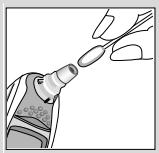
To assure a high level of accuracy, it is very important to keep this window clean, dry and undamaged. Fingerprints, earwax, dust and other soiling compounds reduce transparency of the window and result in lower temperature readings. If the thermometer is accidentally placed in the ear without a probe cover installed, the window must be cleaned immediately. Additionally, the window and/or probe tip area should never be modified, changed, or adjusted. These changes will affect calibration and accuracy of the thermometer.
To clean the window, gently wipe its surface with a cotton swab slightly moistened with alcohol and immediately wipe dry with a clean cotton swab. After cleaning, allow at least 5 minutes drying time before taking temperatures. Make sure probe window is clean and dry. Avoid touching the window except when cleaning is required. If the window is damaged, the thermometer must be returned to Welch Allyn for service.
Note: Do not use any chemical other than alcohol to clean the probe window.
Thermometer
Use a soft cloth slightly moistened with alcohol to clean the thermometer display and exterior. Do not use abrasive cleaners. Never submerge the thermometer in water or any other liquid.
Store thermometer and probe covers in a dry location free from dust and contamination and away from direct sunlight. The ambient temperature at the storage location should remain fairly constant and within the range of 10^ to 40^ (50°F to 104°F).
| Error message | Trouble-shooting | |
| Situation | Solution | |
| - - - - - - - - - - - - - - - - - - - - - - - - - - - - - - - - - - - - - - - - - - - - - - - - - - - - - - - - - - - - - - - - - - - - - - - - - - - - - - - - - - - - - - - - - - - - - - - - - - - - - | ||
| POS (FLASHING) | The infrared monitor cannot find a temperature equilibrium and allows no measuring. POS = position error | Clear the display by pushing the “I/O” button once. Take care that the positioning of the probe is correct and remains stable. |
| - - - - - - - - - - - - - - - - - - - - - - - - - - - - - - - - - - - - - - - - - - - - - - - - - - - - - - - - - - - - - - - - - - - - - - - - - - - - - - - - - - - - - - - - - - - - - - - - | ||
| - - - - - - - - - - - - - - - - - - - - - - - - - - - - - - - - - - - - - - - - - - - - - - - - - - - - - - - - - - - - - - - - - - - - - - - - - - - - - - - - - - - - - - - - - - - - - - - - | Ambient temperature is not within the allowed operating range (10 - 40 °C or 50 - 104 °F) or changing too rapidly. | Allow the thermometer to remain in a room for 30 minutes where the temperature is between 10 and 40 °C or 50 and 104 °F. |
| - - - - - - - - - - - - - - - - - - - - - - - - - - - - - - - - - - - - - - - - - - - - - - - - - - - - - - - - - - - - - - - - - - - - - - - - - - - - - - - - - - - - - - - - - - - - - - - | Temperature taken is not within typical human temperature range (34 - 42.2 °C or 93.2 - 108 °F). HI = too high LO = too low | Make sure a new, clean probe cover is attached and thermometer is properly inserted. Then, take a new temperature. |
| - - - - - - - - - - - - - - - - - - - - - - - - - - - - - - - - - - - - - - - - - - - - - - - - - - - - - - - - - - - - - - - - - - - - - - - - - - - - - - - - - - - - - - - - - - - - - - - | ||
| - - 88.88 | System error | Wait 1 minute until the thermometer turns off automatically, then turn on again. |
| - MEM | If error persists, | ... reset the thermometer by removing the batterie and putting them back in. |
| - | If error still persists, | ... have the thermometer checked at a Welch Allyn Customer Service Center. |
| Battery is low, but thermometer will still operate correctly. | Insert new batteries. | |
| Battery is too low to take correct temperature readings. | Insert new batteries. | |
| Do you have any further questions? | Call Welch Allyn Customer Service (see page 2). | |
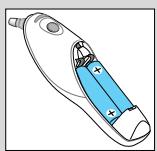
Replacing the batteries
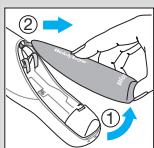
The thermometer is supplied with two 1.5 V type AA (LR 6). For best performance, we recommend Duracell® alkaline batteries. Insert new batteries when the battery symbol appears on the display.
Open the battery compartment. Remove the batteries and replace with new batteries, making sure the poles are in the right direction. Slide battery door back until it snaps in place.

To protect the environment, dispose of empty batteries at your retail store or at appropriate collection sites according to national or local regulations.
Calibration
The thermometer is initially calibrated at the time of manufacture. If this thermometer is used according to the use instructions, periodic re-adjustment is not required. If at any time you question the accuracy of measurement, please contact Welch Allyn Customer Service (see page 2).
Manufacturing date is given by the LOT number located in the battery compartment. The first number after LOT represents the last digit of the year of manufacture.
The next three digits give the day of the year of manufacture.
An example: LOT 0116 xx xx – this product has been manufactured on the 116th day of the year 2000.
Product specifications
Displayed temperature range:
20-42.2°C (68-108°F)
Operating ambient temperature range:
10 - 40^(50 - 104^)
Display resolution:
0.1°C or °F
Accuracy for displayed temperature range:
± 0.2^ (35.5 - 42°C) (95.9 - 107.6°F)
± 0.3^ (outside this temperature range)
Clinical repeatability:
± 0.14^(± 0.26^)
Battery life:
1/2 years / 1000 measurements

Type BF equipment.
Subject to change without notice.
This appliance conforms to the following standards:
DIN EN 60601-1:3/96 «Medical electrical equipment» -
Part 1: General requirements for safety
DIN EN 12470-5: 2003 «Clinical thermometers» -
Part 5: Performance of infrared ear thermometers (with maximum device)
This product conforms to the provisions of the EC directive 93/42/EEC (Medical Device Directive).

At the end of the product's useful life, please dispose of it at appropriate collection points provided in your country.

Guarantee
We grant 3 years guarantee on the product commencing on the date of purchase. Within the guarantee period we will eliminate, free of charge, any defects in the appliance resulting from faults in materials or workmanship, either by repairing or replacing the complete appliance as we may choose.
This guarantee extends to every country where this appliance is supplied by Braun or its appointed distributor.
This guarantee does not cover: damage due to improper use, normal wear or use as well as defects that have a negligible effect on the value or operation of the appliance. The guarantee becomes void if repairs are undertaken by unauthorised persons and if original Braun parts are not used.
To obtain service within the guarantee period, hand in or send the complete appliance with your sales receipt to an authorised Service Centre or the Welch Allyn Customer Service (see page 2).
For UK only:
This guarantee in no way affects your rights under statutory law.

- Chamberlain, J.M., Terndrup, T.E., New Light on Ear Thermometer Readings, Contemporary Pediatrics, March 1994.
- Chamberlain, J.M., et al., Determination of Normal Ear Temperature with an Infrared Emission Detection Thermometer, Annals of Emergency Medicine, January 1995.
- Chamberlain, J.M., Terndrup, T.E., New Light on Ear Thermometer Readings, Contemporary Pediatrics, March 1994.
- Chamberlain, J.M., et al., Determination of Normal Ear Temperature with an Infrared Emission Detection Thermometer, Annals of Emergency Medicine, January 1995.
- Chamberlain, J.M., Terndrup, T.E., New Light on Ear Thermometer Readings, Contemporary Pediatrics, March 1994.
- Chamberlain, J.M., et al., Determination of Normal Ear Temperature with an Infrared Emission Detection Thermometer, Annals of Emergency Medicine, January 1995.
- Chamberlain, J.M., Terndrup, T.E., New Light on Ear Thermometer Readings, Contemporary Pediatrics, March 1994.
- Chamberlain, J.M., et al., Determination of Normal Ear Temperature with an Infrared Emission Detection Thermometer, Annals of Emergency Medicine, January 1995.
Normal body temperature is a range. The following table1 shows that ranges of normal also vary by site. Therefore, readings from different sites, even if taken at the same time, should not be directly compared.
Axillary: 34.7°C - 37.3°C 94.5°F - 99.1°F
Oral: 35.5^ C - 37.5^ C 95.9^ F - 99.5^ F
Rectal: 36.6°C - 38.0°C 97.9°F - 100.4°F
ThermoScan2: 35.8^ C - 38.0^ C 96.4^ F - 100.4^ F
Also, a person's normal temperature range tends to decrease with age. The following table shows normal ThermoScan ranges by age.
Normal ThermoScan temperature ranges2:
0-2 years 36.4^ - 38.0^ 97.5°F-100.4°F
3-10 years 36.1^ - 37.8^ 97.0^ - 100.0^
11-65 years 35.9^ - 37.6^ 96.6^ - 99.7^
65 years 35.8°C - 37.5°C 96.4°F - 99.5°F
The range of normal varies from person to person and can be influenced by many factors such as time of day, level of activity, medications and gender.
- Chamberlain, J.M., Terndrup, T.E., New Light on Ear Thermometer Readings, Contemporary Pediatrics, March 1994.
- Chamberlain, J.M., et al., Determination of Normal Ear Temperature with an Infrared Emission Detection Thermometer, Annals of Emergency Medicine, January 1995.
How to use Braun ThermoScan
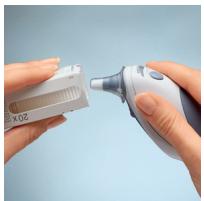
1.
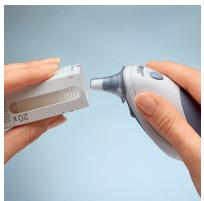
To achieve accurate readings, make sure a new, clean probe cover is in place before each measurement.
2.
When the probe cover is in place, the thermometer turns on automatically. Wait for the ready signal beep.
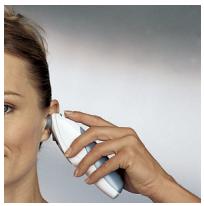
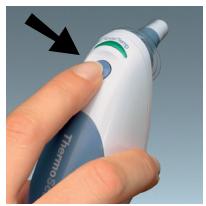
3.
Fit the probe snuggly into the ear canal, then push the start button.
4.
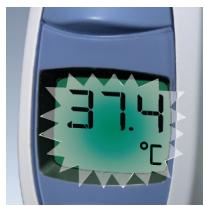
If the probe has been fitted correctly into the ear canal during the complete measuring process, a long beep will signal the end of the measuring process. You can be assured to have taken an accurate temperature reading. The result is shown on the display.

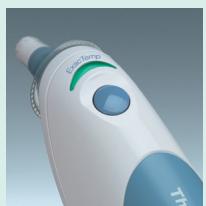
If you take the temperature of another person, the «ExacTemp» light will be of help. It flashes during the measuring process as long as the probe is correctly positioned, and lights up continuously when an accurate reading has been taken.
- Chamberlain, J.M., Terndrup, T.E., New Light on Ear Thermometer Readings, Contemporary Pediatrics, March 1994.
- Chamberlain, J.M., et al., Determination of Normal Ear Temperature with an Infrared Emission Detection Thermometer, Annals of Emergency Medicine, January 1995.
Cómo utiliser Braun ThermoScan
1.
- Chamberlain, J.M., Terndrup, T.E., New Light on Ear Thermometer Readings, Contemporary Pediatrics, March 1994.
- Chamberlain, J.M., et al., Determination of Normal Ear Temperature with an Infrared Emission Detection Thermometer, Annals of Emergency Medicine, January 1995.
Como utiliser o termómetro Braun ThermoScan
1.
- Chamberlain, J.M., Terndrup, T.E., New Light on Ear Thermometer Readings, Contemporary Pediatrics, March 1994.
- Chamberlain, J.M., et al., Determination of Normal Ear Temperature with an Infrared Emission Detection Thermometer, Annals of Emergency Medicine, January 1995.