
BIZHUB C20P - Printer KONICA - Free user manual and instructions
Find the device manual for free BIZHUB C20P KONICA in PDF.


| Product type | Color laser multifunction printer |
| Brand | Konica Minolta |
| Model | Bizhub C20P |
| Dimensions (W x D x H) | 469 x 536 x 385 mm |
| Weight | Approx. 34.5 kg |
| Power supply | 220-240 V, 50/60 Hz |
| Power consumption (printing) | 550 W or less |
| Power consumption (standby) | 140 W or less |
| Print speed (A4) | Up to 24 ppm (color and black) |
| Print resolution | PhotoART 9600 (600 x 600 x 4-bit contone) |
| Processor | 500 MHz |
| RAM (memory) | 256 MB standard, expandable to 768 MB |
| Print languages | PostScript 3, PCL 6, PCL 5e/c, XPS |
| Paper capacity (standard) | 350 sheets (250 + 100) |
| Paper capacity (max) | 850 sheets with optional feeder |
| Paper weight | 60 to 210 g/m² |
| Automatic duplex printing | Yes, A4, 60-90 g/m² |
| Connectivity | Gigabit Ethernet, USB 2.0, parallel IEEE 1284 |
| Supported operating systems | Windows 2000/XP/Vista (32/64-bit), Mac OS X 10.2-4, Linux, Windows Server 2003 |
| Main functions | Direct TIFF/JPEG/PDF/XPS printing, secure printing, watermark, toner save |
| Security | Secure printing, IP filtering, IPsec, IEEE 802.1x |
| Included software | PageScope NetCare, Data Administrator, Direct Print Utility, Network Setup |
| Maintenance and cleaning | Clean the exterior with a soft, dry cloth. Do not use solvents. Clean the rollers with a lint-free wipe. |
| Spare parts and repairability | Spare parts are available from authorized Konica Minolta dealers. Consult a qualified technician for any repairs. |
| Operating temperature | 10 to 35 °C |
| Operating humidity | 15 to 85% RH (non-condensing) |
Frequently Asked Questions - BIZHUB C20P KONICA
User questions about BIZHUB C20P KONICA
0 question about this device. Answer the ones you know or ask your own.
Ask a new question about this device
Download the instructions for your Printer in PDF format for free! Find your manual BIZHUB C20P - KONICA and take your electronic device back in hand. On this page are published all the documents necessary for the use of your device. BIZHUB C20P by KONICA.
USER MANUAL BIZHUB C20P KONICA
Smart and powerful in colour and b/w


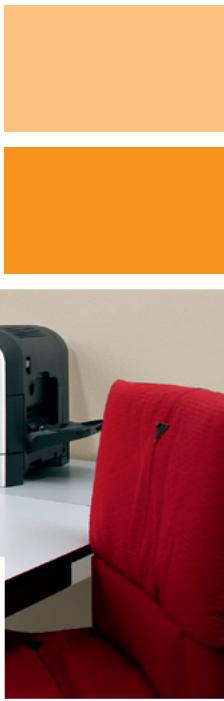
Fast, quiet, economic: quality in colour and b/w
Small teams, workgroups and single users will welcome the bizhub C20P as their perfect versatile printing partner. Featuring latest Emperor controller technology this compact printer leaves nothing to be desired when it comes to creating everyday office documents - especially as it's convincingly economic to use. Its stylish design, virtually silent operation and clever functionality make it an asset on everybody's desktop!
Thebizhub C20P is fast! It is ready to start after just 36 seconds warm-up and delivers 24 prints per minute in both colour and b/w. Via its built-in duplexer it produces immaculate double-sided prints at 100% productivity, saving on paper at the same time.
Thebizhub C20P delivers quality!Thanks to Simitri®HD toner its prints are beautifully sharp and crisp whether in colour or b/w. This makes it the ideal allrounder to produce any type of office document:coloured presentations,handbooks, illustrated reports and whatever else is needed.
The bizhub C20P is quiet! With its amazingly low operating noise, it can hardly be heard during production – paired with its small footprint that's ideal for a prominent desktop position. And its easy front access to paper trays and consumables means even more user convenience.

Configurations

Innovative technology, remarkable results
The bizhub C20P impresses its users with advanced technology and high flexibility. It integrates smoothly into existing setups anywhere, streamlining document output and enhancing the overall productivity of the team or workgroup.
Equipped with Kona Minolta's latest Emperor™ controller technology, the bizhub C20P features a 500 MHz page-processor plus standard 256 MB RAM. The Emperor™ system ensures compatibility with PostScript 3 and PCL 6 and enables seamless integration into virtually any network. Native support of XPS, Microsoft Vista's XML paper specification, is also provided2. With Gigabit Ethernet and high-speed USB 2.0 support connecting the bizhub C20P is straightforward and efficient.
Thanks to the advanced capabilities of Dimitri® HD, Konica Minolta's high definition polymerised toner, thebizhub C20P delivers better-than-average print quality and high durability. A unique edge enhancement process sharpens the contours of text and graphics – the result is a crisp and clear printed image, whether in colour or b/w.
Its versatile media handling capabilities make thebizhub C20P a true professional when it comes to creating high-impact presentations, convincing reports, comprehensive manuals, business cards and more. Its standard 250-sheet paper tray is enhanced with a flexible 100-sheet multi-purpose tray via which up to 210 gsm paper can be fed. Where required, an optional lower paper feeder can increase the overall paper capacity to generous 850 pages.
Access limitation and volume tracking ensure transparency of use and facilitate cost control. Colour printing for example can be limited to certain users, which can help keep print costs in check1. Secure printing is also available2, enabling users to delay printing by first setting a password on their computer, which they then need to enter in the printer display to release their job. Full confidentiality is thus guaranteed.
Web-based device management is provided with PageScope Web Connection, informing users on the status and settings of the bizhub C20P right on their PC monitor. PageScope NetCare enhances the administrator support, providing fast access and simple monitoring on the network.

Simitri HD
High Definition Polymerised Toner


Designed for
Microsoft Windows XP Windows 2000




Technical specifications
Printer specifications
Printing system
Electrostatic laser print
Tandem, indirect
Toner system
Simitri HD polymerised toner
Print speed
Colour up to 24 ppm (A4)
Mono up to 24 ppm (A4)
1st print time
Colour 13 sec.
Mono 13 sec.
Warm-up time
Approx. 36 sec.
Print resolution
PhotoART 9600
(600 x 600 x 4-bit contone)
Controller CPU
500MHz
Page description language
PostScript 3
PCL 6 (XL3.0)
PCL 5e/c
XPS
Operating systems
Windows 2000/XP/XP64
Windows VISTA 32/64
Macintosh OSX 10.2,3,4
Server 2003/2003 x64
Linux: Redhat v9.0, SUSE v8.2
Interface
10-Base-T/100-Base-T/
1,000-Base-T Ethernet
USB 2.0
Bidirectional IEEE 1284 parallel
System specifications
Memory
Standard: 256 MB
Max.: 768 MB
Hard disc (optional)
40 GE
Paper size
A6-A4
Custom paper sizes
(92-216 mm x 148-356 mm)
Paper weight
60-210 gsm
Paper input capacity
Standard: 350 sheets
Max.: 850 sheets
Paper output capacity
Max.: 200 sheets face down standard
Automatic duplexing
A4
60-90 gsm
Power consumption
220-240V/50/60Hz
550 Watts or less (average printing)
140 Watts or less (average standby)
1.2 KW or less (max.)
System dimensions (W x D x H, mm)
469× 536× 385
System weight
Approx. 34,5 kg
System features
Print Functions
ICC profile/Simulation support
Direct print of TIFF, JPEG, PDF, XPS
USB direct printing of
TIFF, JPEG, PDF, XPS
Job programming "Easy Set" - storable
print settings
Overlay, Watermark
Toner save mode
Security
Secure Print - code protected
(with optional hard disc)
IP filtering
Ipsec (IPv6) support
IEEE802.1x
Software
PageScope NetCare
PageScope Data Administrator
PageScope Direct Print Utility
PageScope Network Setup
PageScope EMS plug-i
PageScope Plug and Print
PageScope NDPS Gateway
1 Optional CF card enables storing fonts/forms/overlays/colour-profiles, direct printing (PDF, TIFF and JPEG), Collating, Job Accounting and User/Department authentication. More than 1GB CF card is required for Collating.
2 Optional hard disc kit enables Secure printing, Proof-then-Print, Print & Hold, Job storing and XPS emulation in addition to all extra functions with CF card.
All specifications relating to paper capacity refer to A4-size paper of 80 gsm quality.
All specifications relating to printing speeds refer to A4-size paper that is printed crosswise in multipage, simplex mode.
The support and availability of the listed specifications and functionalities varies depending on operating systems, applications, network protocols as well as network
and system configurations.
The stated life expectancy of each consumable is based on specific operating conditions such as page coverage for a particular page size (5 % coverage of A4). The
actual consumables life will vary depending on the use and other printing variables including page coverage, page size, media type, continuous or intermittent printing, ambient temperature and humidity.
Some of the product illustrations contain optional accessories.
- Specifications and accessories are based on the information available at the time of printing, and are subject to change without notice.
Konica Minolta does not warrant that any prices or specifications mentioned will be error-free.
Microsoft, Windows and the Windows logo are trademarks, or registered trademarks, of Microsoft Corporation in the United States and/or other countries.
All other brand and product names may be registered trademarks or trademarks of their respective holders and are hereby acknowledged.
Printed in Germany on chlorine-free bleached paper.
Your Konica Minolta Business Solutions Partner: