Arc Mini R2 - Computer Case Fractal Design - Free user manual and instructions
Find the device manual for free Arc Mini R2 Fractal Design in PDF.


User questions about Arc Mini R2 Fractal Design
0 question about this device. Answer the ones you know or ask your own.
Ask a new question about this device
Download the instructions for your Computer Case in PDF format for free! Find your manual Arc Mini R2 - Fractal Design and take your electronic device back in hand. On this page are published all the documents necessary for the use of your device. Arc Mini R2 by Fractal Design.
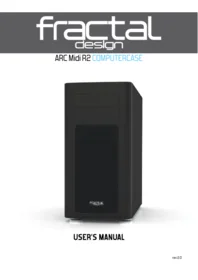
USER MANUAL Arc Mini R2 Fractal Design
USER'S MANUAL
About Fractal Design – our concept
Without a doubt, computers are more than just technology - they have become an integral part of our lives. Computers do more than make living easier, they often define the functionality and design of our homes, our offices and ourselves.
The products we choose represent how we want to describe the world around us and how we want others to perceive us. Many of us are drawn to designs from Scandinavia, which are organized, clean and functional while remaining stylish, sleek and elegant. We like these designs because they harmonize with our surroundings and become nearly transparent. Brands like Georg Jensen, Bang Olufsen, Skagen Watches and Ikea are just a few that represent this Scandinavian style and efficiency.
In the world of computer components, there is only one name you should know, Fractal Design.
For more information and product specifications, visit www.fractal-design.com

Support
Europe and Rest of World: support@fractal-design.com
North America: support.america@fractal-design.com
DACH: support.dach@fractal-design.com
China: support.china@fractal-design.com
Table of Contents:
Instructions for Arc Mini R2 computer case
ENGLISH....3
FRENCH....6
GERMAN 9
ITALIAN....12
CHINESE....15
JAPANESE 18
KOREAN....21
POLISH....24
RUSSIAN 27
SPANISH 30
SWEDISH 33
EXPLODED VIEW 36
Introduction
Congratulations and thank you for purchasing a Fractal Design computer case.
Please thoroughly read the following information and instructions before using your new case.
Arc Mini R2
The Arc Mini R2 micro ATX case combines excellent cooling potential and build configurability in a compact, minimalistic and elegant chassis design.
The Arc series of cases is dedicated to delivering optimized cooling solutions and the Arc Mini R2 is no exception. The adaptable hard drive cage design brings forth options for multiple cooling setups. For a case of this size, it offers unmatched possibilities for water cooling components with a choice to even fit a 360mm thick radiator in the roof. The three Silent Series R2 fans included in the case contribute to excellent cooling straight out of the box. The Arc Mini R2 is compact but the size does not compromise flexibility for component configuration and drive capacity. With room for up to six 3.5" drives plus an additional two 2.5" drives hidden behind the motherboard plate, you can build a well-cooled PC with ample storage space.
As in all our products, the Arc Mini R2 highlights ease of use alongside quality workmanship and materials, which is something Fractal Design takes pride in. The case is built to last and is filled with smart features such dust filters, integrated fan controller and plenty of space for tidy cable routing. To top it all off, the Arc Mini R2 comes with a beautiful, slightly tinted window side panel which allows you to show off your build from the outside.
Fan controller
To install the built-in fan controller you have four connectors, three of which you connect to your case fans and one Molex connector which you plug into your power supply unit. The speed of the fans can be regulated in three steps, low speed (5V), medium speed (7V) and high speed (12V).
Note: Some fans might not start in the low-speed position and require a higher setting. Check the Starting Voltage of non-Fractal Design fans for which setting should be used.

Cleaning the dust filters
The Arc Mini R2 comes with 3 separate dust filters:
- Front panel: Remove the front dust filter by pushing the upper part of the mesh; the
filter can be cleaned under running water or by using a vacuum cleaner. - Bottom filter: The filter located under the power supply is removable by pulling it straight out at the back of the case; it can be cleaned under running water.
- Top panel: This filter is easiest to clean by just using a vacuum cleaner, but can also be taken off by removing the two thumbscrews at the rear of the case.

Adaptable hard drive cages
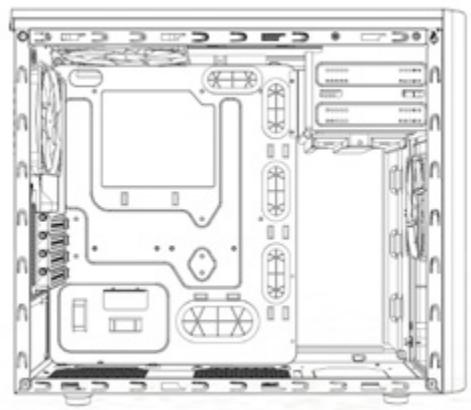
All drive cages in the Arc Mini R2 can be removed in order to fit bigger components or simply to optimize airflow throughout the case.
Removing or rotating the upper hard drive cage
In its original position, the upper HDD cage has been strategically placed to optimize a clean build with excellent HDD cooling and cable management. In order to fit graphics card(s) longer than 260mm you may need to remove the upper HDD cage. When the upper HDD cage is rotated, it acts as a guide for the front fan and directs airflow to the graphics card(s). To remove or rotate the upper HDD cage, the two thumbscrews securing it must be removed. Following rotation of the HDD cage, re-insert it in the desired position and secure the thumbscrews in the new position or remove it completely.
Removing the lower hard drive cage
In order to fit water cooling radiators to the front panel you will need to remove the lower HDD cage to make space for it. The cage is removed by unscrewing 4 screws at the bottom of the case.
Removing the optical drive bay
In order to install a 360mm radiator in the top panel you need to remove the optical drive bay from the front of the case. This is secured by 8 screws, two on each side connecting to the top panel and four in the front connected to the front metal panel. Simply unscrew the eight screws and remove the optical drive bay from the case.


Water cooling options
The Arc Mini R2 offers multiple options when it comes to installing water cooling components:
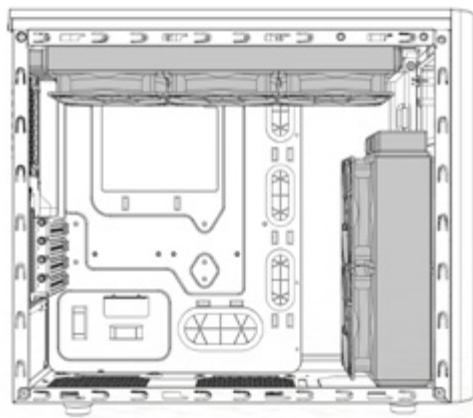
- Top panel: The fan positions in the top panel are positioned in such a way that installing thick water cooling radiators will not interfere with components on your motherboard such as memory or heatsinks. A 240mm radiator will fit in the top but you can also fit a 360mm radiator if you remove the optical drive bay from the front of the case. Instructions on how to remove the optical drive bay are outlined in the section Removing the optical drive bay.
- Front panel: A 240mm radiator fits in this position as long as the total length is no more than 272 mm and the bottom HDD cage is removed. If the radiator is longer than 272mm, if may still be installed however the optical bay will have to be removed. Instructions on how to remove the optical drive bay are outlined in the section Removing the optical drive bay.
- Rear panel: In this fan position you can fit a 120mm radiator.
- Bottom panel: In this fan position you can fit a 120mm radiator.


Motherboard plate SSD mounting options
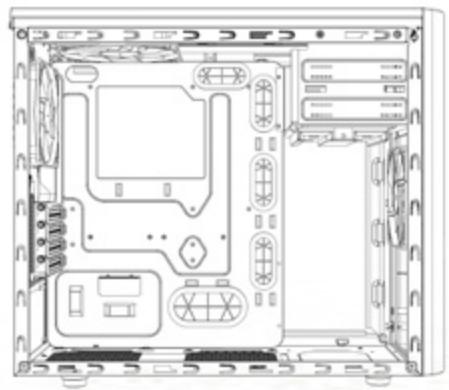
For maximum use of the space behind the motherboard plate and the side panel, the Arc Mini R2 computer case features an additional option for two solid state drives to be mounted
on the back of the motherboard plate. Please note that you can also mount SSD units in all of the regular hard drive trays.
To fasten your drive, simply unscrew the SSD bracket from the back of the motherboard, attach your SSD drive to the bracket with screws found in the accessory box, then reattach the bracket to the motherboard plate. It is recommended to use straight cables with straight SATA connectors; 90 degree cables are not supported.

Limited warranty and limitations of liability
Fractal Design Arc Mini R2 computer cases are guaranteed for twenty four (24) months from the date of delivery to end-user, against defects in materials and/or workmanship. Within this limited warranty period, products will either be repaired or replaced at Fractal Design's discretion. Warranty claims must be returned to the agent who sold the product, shipping prepaid.
The warranty does not cover:
- Products which have been used for rental purposes, misused, handled carelessly or applied in such a way that is not in accordance with its stated intended use.
- Products damaged from an Act of Nature including, but not limited to, lightning, fire, flood and earthquake.
- Products whose serial number and/or the warranty sticker have been tampered with or removed.
Product support
If you need to contact support please use following adresess:
In US and Canada:
support.america@fractal-design.com
In DACH (Germany, Switzerland, Austria):
support.dach@fractal-design.com
In China:
support.china@fractal-design.com
Rest of the world :
support@fractal-design.com
Arc Mini R2

Cages de disques durs modulables
support.america@fractal-design.com
support.dach@fractal-design.com
support.china@fractal-design.com
support@fractal-design.com
Arc Mini R2

Wasserkühloptionen

support.america@fractal-design.com
support.dach@fractal-design.com
support.china@fractal-design.com
support@fractal-design.com

Arc Mini R2
可调驱动器笼

水冷选项

母板SSD安装选项
有限质保及责任范围
適応できるドライブケージ

水冷オプション

限定保証と責任制限
먼지 필터 청소하기
적응형 드라이브 케이지

수냉 옵션
마더보드 플레이트 SSD 장착 옵션
제한된 보증 및 신뢰성


support.america@fractal-design.com
support.dach@fractal-design.com
support.china@fractal-design.com
support@fractal-design.com
Arc Mini R2
Водяное охлаждение

support.america@fractal-design.com
support.dach@fractal-design.com
support.china@fractal-design.com
support@fractal-design.com
Arc Mini R2


support.america@fractal-design.com
support.dach@fractal-design.com
support.china@fractal-design.com
support@fractal-design.com
Arc Mini R2
Flexibla hårddiskburar


support.america@fractal-design.com
support.dach@fractal-design.com
support.china@fractal-design.com
support@fractal-design.com
Exploded View Arc Mini R2
- Front fan filter
- Fan controller switch
- 2 x USB 3.0
- Removable/rotatable upper HDD cage
- Removable lower HDD cage
- HDD tray with silicone anti-vibration grommets
- Removable top panel with dust filter
- Top panel radiator mounting
- SSD mounts behind M/B plate
- Window side panel


fractal
design



- ABOUT FRACTAL DESIGN – OUR CONCEPT
- SUPPORT
- TABLE OF CONTENTS
- INSTRUCTIONS FOR ARC MINI R2 COMPUTER CASE
- INTRODUCTION
- ARC MINI R
- FAN CONTROLLER
- CLEANING THE DUST FILTERS
- ADAPTABLE HARD DRIVE CAGES
- REMOVING OR ROTATING THE UPPER HARD DRIVE CAGE
- REMOVING THE LOWER HARD DRIVE CAGE
- REMOVING THE OPTICAL DRIVE BAY
- WATER COOLING OPTIONS
- MOTHERBOARD PLATE SSD MOUNTING OPTIONS
- LIMITED WARRANTY AND LIMITATIONS OF LIABILITY
- THE WARRANTY DOES NOT COVER
- PRODUCT SUPPORT
- CAGES DE DISQUES DURS MODULABLES
- WASSERKÜHLOPTIONEN
- 可调驱动器笼
- 水冷选项
- 母板SSD安装选项
- 有限质保及责任范围
- 適応できるドライブケージ
- 水冷オプション
- 限定保証と責任制限
- 먼지 필터 청소하기
- 적응형 드라이브 케이지
- 수냉 옵션
- 마더보드 플레이트 SSD 장착 옵션
- 제한된 보증 및 신뢰성
- ВОДЯНОЕ ОХЛАЖДЕНИЕ
- FLEXIBLA HÅRDDISKBURAR
- EXPLODED VIEW ARC MINI R
- FRACTAL
- DESIGN
Brand : Fractal Design
Model : Arc Mini R2
Category : Computer Case