
AS3190 - Vacuum Cleaner SOLAC - Free user manual and instructions
Find the device manual for free AS3190 SOLAC in PDF.



| Brand | SOLAC |
| Model | AS3190 |
| Product type | Bagless vacuum cleaner with dust container |
| Power supply | Mains 230 V ~ 50 Hz |
| Power | Electronic and mechanical control |
| Dust container capacity | Approx. 2 L (max level indicator) |
| Filters | Cyclone metal filter (washable), Anti-allergen HEPA filter, Air outlet filter |
| Cord length | Approx. 5 m (with yellow and red marks) |
| Supplied accessories | Flexible hose, telescopic metal tube, multi-use brush, carpet nozzle, furniture nozzle, crevice nozzle |
| Power control | Electronic (rotary knob) and mechanical (device on handle) |
| Multi-use brush | Retractable for hard floors and carpets (foot control) |
| Visual indicator | Container filling light |
| Cord rewinder | Automatic by button |
| Carrying handle | Integrated |
| Wheels | Protective rubber |
| Storage position | Vertical with telescopic tube hook |
| Maintenance | Empty container after each use, clean cyclone filter and HEPA regularly |
| Safety | Unplug before maintenance, do not vacuum liquids/ashes/sharp objects, do not use without filter |
| Recommended use | Hard floors, carpets, rugs, furniture, crevices |
Frequently Asked Questions - AS3190 SOLAC
User questions about AS3190 SOLAC
0 question about this device. Answer the ones you know or ask your own.
Ask a new question about this device
Download the instructions for your Vacuum Cleaner in PDF format for free! Find your manual AS3190 - SOLAC and take your electronic device back in hand. On this page are published all the documents necessary for the use of your device. AS3190 by SOLAC.
USER MANUAL AS3190 SOLAC
- Read these instructions before switching on the appliance. Keep them safe for future reference.
- Check that the voltage in your home matches that stated on the appliance's specifications plate.
- IMPORTANT: Before switching on the vacuum cleaner, make sure the dust container (7) and the filters (5, 19, 21) are correctly in place.
- Never vacuum live ash, splinters, sharp objects, or liquids.
- Always unplug after use and before cleaning the appliance or changing the filters. Always pull on the plug, not on the cord.
- Keep the vacuum cleaner away from heat and damp.
- Keep it out of the reach of children.
- Do not pull hard on the cord, and never beyond the red mark indicating the end of the cable.
- If the flexible power cord is damaged, it must be replaced by a Technical Service shop authorized by the manufacturer, for safety reasons.
- Never handle the vacuum cleaner or the plug with wet hands. Do not wet the appliance or submerge it in water.
- In order to maintain constant suction power, we recommend that you empty the dust container (7) and clean the metallic cyclone filter (19) and the anti-allergic HEPA filter (21) after each use.

IMPORTANT: When you want to dispose of the appliance, NEVER throw it in the rubbish. Instead, go to your closest CLEAN POINT or waste collection centre for subsequent treatment. In this way, you will be contributing to looking after the environment.
MAIN COMPONENTS:
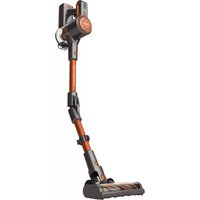
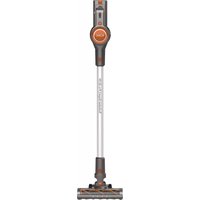
DESCRIPTION OF THE APPLIANCE
- Self-winding cable button.
- Electronic power regulator.
- Vacuum cleaner carrying handle.
- Air outlet filter grille.
- Air outlet filter.
-
ON/OFF button.
-
Dust container.
- Dust container handle.
- Air intake.
- Flexible tube.
- Mechanical power regulator.
- Telescopic metal tube.
- Telescopic metal tube connector.
- Multi-purpose brush.
- Multi-purpose brush button.
- Dust container removal button.
- Button for automatic opening of the dust container.
- Dust container cover.
- Metallic cyclone filter (located on the inside of the container).
- Maximum container filling level.
- HEPA filter.
- Container full pilot light.
- Upholstery brush.
- Furniture brush.
- Narrow head for grooves, corners, etc.
OPERATION:
- Check that the dust container (7) and filters (5, 19 and 21) are fitted correctly. To do so, see the sections on Cleaning the dust container and cleaning the filters.
- Insert the flexible tube (10) into the suction opening (9) and align the slots in the suction opening with the tabs on the flexible tube until you hear a click. To remove the tube, gently press the flexible tube buttons and pull it out.
- Before using the vacuum cleaner, prepare the accessories for the surface to be cleaned. They snap together with a gentle turn. The heads can be placed directly on the flexible tube (10) or, for out-of-reach surfaces, fit the telescopic metallic tube (12).
- The suction brush (14) on these models can be used for all types of floors, carpets, rugs, etc. Depending on the area to be vacuumed, the brush can be retracted, if necessary. To change the cleaning position of the brush, press the brush button (15) with your foot. We recommend cleaning hard floors, wood and parquet with the fibre brush activated, and cleaning carpets and rugs with the fibre brush hidden.
-
This model also includes a suction head for narrow spaces, grooves and corners (25), a head for upholstered surfaces (23) and a special furniture brush (24). These accessories fit directly onto the flexible tube (10) or onto the telescopic metal tube (12).
-
The vacuum cleaner can now be plugged in. To do so, pull out the cord and press the button (6) to switch it on. A yellow mark on the cable indicates the ideal length of the cable.
- The suction power can be adapted to the surface to be vacuumed. The suction power can be adjusted mechanically by opening or closing the mechanism on the handle (11) or by means of the electronic power regulator (2).
- Never wash the HEPA filter or any of the other filters in the washing machine.
- If you wish, use the handle (3) to carry the vacuum cleaner while using it to get into difficult places. The protective rubber wheels, the carrying handle and the vacuum cleaner's compact size make it extremely easy to move around.
- When finished, switch the appliance off by pressing button (6). Unplug it and press button (1) to wind up the cord. Hold the cord plug in your hand to prevent it from banging against the vacuum cleaner housing.
- For storage, place upright and insert the clip on the telescopic tube (13) into one of the slots on the bottom of the vacuum cleaner. (Fig. 1)
CLEANING THE DUST CONTAINER:
NOTE: Before starting to clean the container, make sure you have unplugged the appliance.
- Once you have finished using the appliance, we recommend cleaning the container (7), the metallic cyclone filter (19) and the HEPA filter (21).
- The dust container should be emptied when the dust collected in the container reaches maximum capacity level (20). The container full pilot light (22) may come on at times if something becomes lodged in the flexible tube, suction opening or accessory. To find out if that is the case, unplug the vacuum cleaner, remove the flexible tube, and turn the vacuum cleaner on again. If the pilot light does not come on, clean the flexible tube and its attachment.
- When you need to empty the dust container, disconnect the appliance and proceed as follows:
- To remove the dust container (7) pull up the container handle (8) while pressing the container removal button (16) (fig. 2)
- Place the container over the rubbish bin.
- To open the container, press the automatic opening button (17) and empty the dust into the rubbish bin (fig. 3).
- To close the container, move the bottom cover of the container (18) forward and press it upwards until you hear a click that indicates that the container cover is closed correctly (fig. 4).
- Place the dust container back in the vacuum cleaner and push the container flush against the bottom until you hear a click, which means it is in the correct position (fig. 5).
CLEANING THE CONTAINER'S METALLIC CYCLONE FILTER (19) AND ANTI-ALLERGIC HEPA FILTER (21)
Before starting to clean the filter, make sure you have unplugged the appliance.
- Empty the container before cleaning the HEPA filter (21).
- To clean the HEPA filter (21), remove the container and pull out the HEPA filter tab (fig. 6).
- Shake the HEPA protective filter (21) in the rubbish bin, banging it lightly against the sides of the bin until no more dust falls out.
- Remove the metallic cyclone filter (19) located at the back of the container, turn the wheel counter-clockwise until it stops turning and is aligned with the open lock sign (approx. 90^ ) and pull back on the wheel (fig. 7). You can wash the filter with water. Let the filter dry completely before placing it back in the container.
- To reinsert the filter, align the arrow with the open lock sign and turn clockwise, as shown in the drawing (fig. 8), while pushing the wheel inwards until the arrow is aligned with the closed lock sign. Once the filter is placed back in position, make sure it is securely fixed to the back of the vacuum cleaner container. Otherwise, incorrect placing of the filter will impede correct operation of the vacuum cleaner.
Important: Never use the vacuum cleaner if the metallic cyclone filter and HEPA filter are not correctly fitted in the container.
CLEANING THE AIR OUTLET FILTER (5)
- The air outlet filter (5) should also be cleaned once or twice a year. To do so, lift the carrying handle (3) and open the air outlet filter grille (4) by pulling the lower tab of the grille (4) upwards until you hear a click (fig. 9) and remove the filter. Shake the filter well, or wash it if very dirty, and allow it to dry completely.
- Important: Never use the vacuum cleaner without the air outlet filter.
- Put the filter and grille back in place. To do so, lift the carrying handle (3) and align the tabs on the air outlet filter cover with the holes located at the top of the vacuum cleaner; press down on the filter grille tab (4) until you hear a click (fig. 10).
ATTENTION
BESCHRIJVING VAN HET APPARAAT


- MAIN COMPONENTS:
- DESCRIPTION OF THE APPLIANCE
- OPERATION:
- CLEANING THE DUST CONTAINER:
- NOTE: Before starting to clean the container, make sure you have unplugged the appliance.
- CLEANING THE CONTAINER'S METALLIC CYCLONE FILTER (19) AND ANTI-ALLERGIC HEPA FILTER (21)
- CLEANING THE AIR OUTLET FILTER (5)
- ATTENTION
- BESCHRIJVING VAN HET APPARAAT
Brand : SOLAC
Model : AS3190
Category : Vacuum Cleaner