
WRT320N - Wireless Router LINKSYS - Free user manual and instructions
Find the device manual for free WRT320N LINKSYS in PDF.



| Product Type | Gigabit Dual-Band Wireless Router |
| Wireless Standard | IEEE 802.11n (compatible with 802.11b/g) |
| Frequency Band | 2.4 GHz and 5 GHz |
| Maximum Data Rate | Up to 300 Mbps per band |
| Ports | 1 Gigabit Internet port, 4 Gigabit LAN ports |
| Wireless Security | WPA2, WPA, WEP, MAC address filtering |
| Firewall | SPI (Stateful Packet Inspection), NAT, packet filtering |
| VPN Features | IPSec, PPTP, L2TP pass-through |
| Configuration | Web browser-based setup wizard, Wi-Fi Protected Setup (WPS) |
| Management | Web interface, firmware upgrade, logging |
| DDNS Support | DynDNS.org, TZO.com |
| QoS | Yes |
| Power | AC adapter (12V DC, 1A typical) |
| Antennas | Integrated (PIFA type), max gain 4.68 dBi at 5 GHz |
| Certifications | FCC, IC, CE, WEEE |
| Warranty | Limited warranty (see documentation) |
| Package Contents | Router, AC adapter, CD-ROM, Ethernet cable, documentation |
Frequently Asked Questions - WRT320N LINKSYS
User questions about WRT320N LINKSYS
0 question about this device. Answer the ones you know or ask your own.
Ask a new question about this device
Download the instructions for your Wireless Router in PDF format for free! Find your manual WRT320N - LINKSYS and take your electronic device back in hand. On this page are published all the documents necessary for the use of your device. WRT320N by LINKSYS.
USER MANUAL WRT320N LINKSYS
UK English
BR Portugues do Brasil
DE Deutschland
ES Espanol
FR Français
IT Italiano
NL Netherlands
RU Pycckn
USERGUIDE
Dual-Band Wireless-N Gigabit Router
Model: WRT320N
USERGUIDE
Dual-Band Wireless-N Gigabit Router
Model: WRT320N
About This Guide
Icon Descriptions
While reading through the User Guide you may see various icons that call attention to specific items. Below is a description of these icons:

NOTE: This tick indicates that there is a note of interest and is something that you should pay special attention to while using the product.

WARNING: This exclamation point indicates that there is a caution or warning and it is something that could damage your property or product.

WEB: This globe icon indicates a noteworthy website address or email address.
Online Resources
Website addresses in this document are listed without http:// in front of the address because most current web browsers do not require it. If you use an older web browser, you may have to add http:// in front of the web address.
| Resource | Website |
| Linksys | www.linksys.com |
| Linksys International | www.linksys.com/international |
| Glossary | www.linksys.com/glossary |
| Network Security | www.linksys.com/security |
Copyright and Trademarks

Linksys, Cisco and the Cisco Logo are registered trademarks or trademarks of Cisco Systems, Inc. and/or its affiliates in the U.S. and certain other countries. Copyright © 2009 Cisco Systems, Inc. All rights reserved. Other brands and product names are trademarks or registered trademarks of their respective holders.
Chapter 1: Product Overview 4
Front Panel. 4
Back Panel 4
Placement Positions. 4
Chapter 2: Wireless Security Checklist 6
General Network Security Guidelines 6
Additional Security Tips 6
Chapter 3: Advanced Configuration 7
Setup > Basic Setup 7
Setup>DDNS. 11
Setup > MAC Address Clone. 12
Setup > Advanced Routing 12
Wireless > Basic Wireless Settings 13
Wireless > Wireless Security 14
Wireless > Wireless MAC Filter. 16
Wireless > Advanced Wireless Settings 17
Security > Firewall 18
Security > VPN Passthrough. 19
Access Restrictions > Internet Access 19
Applications and Gaming > Single Port Forwarding. 20
Applications and Gaming > Port Range Forwarding 21
Applications & Gaming > Port Range Triggering 21
Applications and Gaming > DMZ 22
Applications and Gaming > QoS 22
Administration > Management. 24
Administration > Log 25
Administration > Diagnostics. 26
Administration > Factory Defaults. 26
Administration > Firmware Upgrade 27
Status >Router. 27
Status > Local Network. 27
Status > Wireless Network 28
Appendix A: Troubleshooting 29
Appendix B: Specifications 30
Appendix C: Warranty Information 31
Limited Warranty. 31
Exclusions and Limitations 31
Obtaining Warranty Service 31
Technical Support 32
Appendix D: Regulatory Information 33
FCC Statement 33
Safety Notices. 33
Industry Canada Statement 33
Declaration of Conformity with Regard to EU Directive 1999/5/EC (R&TTE Directive) .35
Wireless Equipment (Wireless-N/G/A/B Products) 36
CE Marking 36
National Restrictions 36
Product Usage Restrictions 37
Technical Documents on www.linksys.com/international 37
User Information for Consumer Products Covered by EU Directive 2002/96/EC on Waste Electric and Electronic Equipment (WEEE). .38
Appendix E: Software Licence Agreement 42
Software in Linksys Products 42
Software Licences 42
Chapter 1: Product Overview
Thank you for choosing the Linksys Dual-band Wireless-N Gigabit Router. The Router lets you access the Internet via a wireless connection or through one of its four switched ports. You can also use the Router to share resources, such as computers. A variety of security features help to protect your data and your privacy while online. Security features include WPA2 security, a Stateful Packet Inspection (SPI) firewall and NAT technology. Configuring the Router is easy using the provided browser-based utility.
Front Panel


1, 2, 3, 4 (Green/Blue) These numbered LEDs, corresponding with the numbered ports on the Router's back panel, serve two purposes. The LED is solidly lit when the Router is connected to a device through that port. It flashes to indicate network activity. Green indicates Gigabit speeds, and blue indicates 10/100 speeds.

Wi-Fi Protected Setup Button If you have client devices, such as wireless adapters, that support Wi-Fi Protected Setup, then you can use Wi-Fi Protected Setup to automatically configure wireless security for your wireless network(s).
To use Wi-Fi Protected Setup, run the Setup Wizard, or refer to the "Wireless > Basic Wireless Settings" section of "Chapter 3: Advanced Configuration".
Wi-Fi Protected Setup LED (Blue/Amber) It lights up blue when wireless security is enabled. The LED flashes blue for two minutes during Wi-Fi Protected Setup.
The LED lights up amber if there is an error during the Wi-Fi Protected Setup process. Make sure the client device supports Wi-Fi Protected Setup. Wait until the LED is off, and then try again.
The LED flashes amber when a Wi-Fi Protected Setup session is active, and a second session begins. The Router supports one session at a time. Wait until the LED is off before starting the next Wi-Fi Protected Setup session.

Wireless (Blue) The Wireless LED lights up when the wireless feature is enabled. If the LED is flashing, the Router is actively sending or receiving data over the network.

Internet (Blue) The Internet LED lights up when there is a connection made through the Internet port. A flashing LED indicates network activity over the Internet port.

Power (Blue) The Power LED lights up and will stay on while the Router is powered on. When the Router goes through its self-diagnostic mode during every boot-up, this LED will flash. When the diagnostic is complete, the LED will be solidly lit.
Back Panel


Internet This Gigabit port is where you will connect your cable or DSL Internet connection.

1,2,3,4 These Gigabit ports (1,2,3,4) connect the Router to computers and other Ethernet network devices on your wired network.

Reset There are two ways to reset the Router's factory defaults. Either press and hold the Reset Button for approximately five seconds, or restore the defaults from Administration > Factory Defaults in the Router's web-based utility.

Power The Power port is where you will connect the power adapter.
Placement Positions
There are two ways to physically install the Router. The first way is to place the Router horizontally on a surface. The second way is to mount theRouter on a wall.
Horizontal Placement
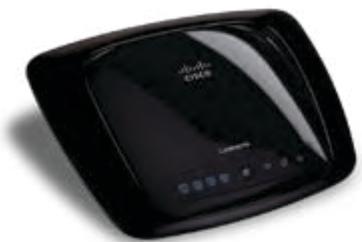
The Router has four rubber feet on its bottom panel. Place the Router on a level surface near an electrical socket.
Wall-Mounting Placement
The Router has two wall-mount slots on its bottom panel. The distance between the slots is 152 mm (6 inches).
Two screws are needed to mount the Router.
| Suggested Mounting Hardware | ||
| 4-5 mm | 1-1.5 mm | 2.5-3.0 mm |
†Note: Mounting hardware illustrations are not true to scale.

NOTE: Linksys is not responsible for damages incurred by insecure wall-mounting hardware.
Follow these instructions:
- Determine where you want to mount the Router. Make sure that the wall you use is smooth, flat, dry and sturdy. Also make sure the location is within reach of an electrical socket.
- Drill two holes into the wall. Make sure the holes are 152mm (6 inches) apart.
- Insert a screw into each hole and leave 3 mm (0.12 inches) of its head exposed.
- Manoeuvre the Router so the wall-mount slots line up with the two screws.
- Place the wall-mount slots over the screws and slide the Router down until the screws fit snugly into the wall-mount slots.
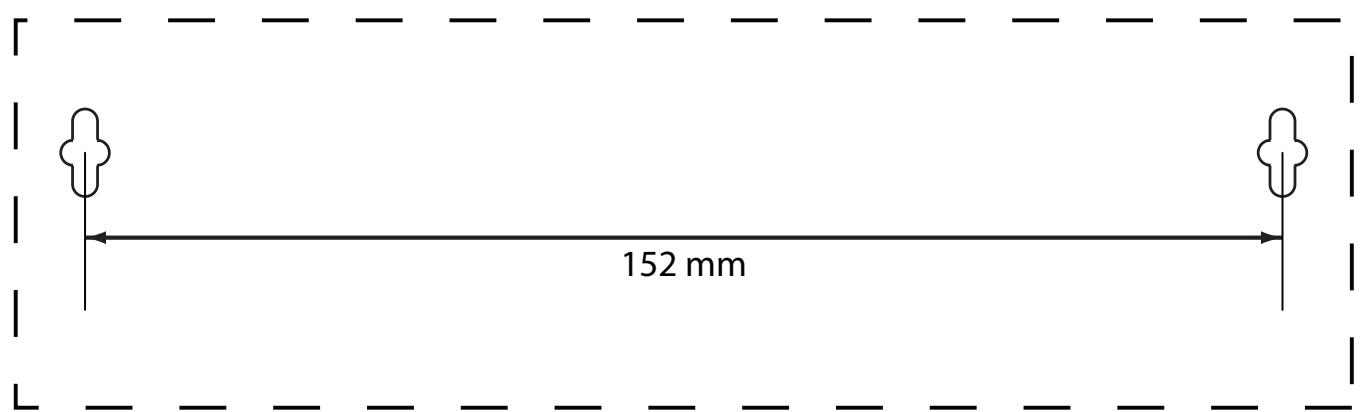

Print this page at 100% size.
Cut along the dotted line, and place on the wall to drill precise spacing.
Wall Mounting Template
Chapter 2: Wireless Security Checklist
Wireless networks are convenient and easy to install, so homes with high-speed Internet access are adopting them at a rapid pace. Because wireless networking operates by sending information over radio waves, it can be more vulnerable to intruders than a traditional wired network. Like signals from your mobile or cordless phones, signals from your wireless network can also be intercepted. Since you cannot physically prevent someone from connecting to your wireless network, you need to take some additional steps to keep your network secure.

1. Change the default wireless network name or SSID
Wireless devices have a default wireless network name or Service Set Identifier (SSID) set by the factory. This is the name of your wireless network, and can be up to 32 characters in length. Linksys wireless products use linksys as the default wireless network name. You should change the wireless network name to something unique to distinguish your wireless network from other wireless networks that may exist around you, but do not use personal information (such as your National Insurance Number) because this information may be available for anyone to see when browsing for wireless networks.

2. Change the default password
For wireless products such as access points and routers, you will be asked for a password when you want to change their settings. These devices have a default password set by the factory. The Linksys default password is admin. Hackers know these defaults and may try to use them to access your wireless device and change your network settings. To thwart any unauthorised changes, customise the device's password so it will be hard to guess.

3. Enable MAC address filtering
Linksys routers give you the ability to enable Media Access Control (MAC) address filtering. The MAC address is a unique series of numbers and letters assigned to every networking device. With MAC address filtering enabled, wireless network access is provided solely for wireless devices with specific MAC addresses. For example, you can specify the MAC address of each computer in your home so that only those computers can access your wireless network.

4. Enable encryption
Encryption protects data transmitted over a wireless network. Wi-Fi Protected Access (WPA/WPA2) and Wired Equivalency Privacy (WEP) offer different levels of security for wireless communication.
A network encrypted with WPA/WPA2 is more secure than a network encrypted with WEP, because WPA/WPA2 uses dynamic key encryption. To protect the information as it passes over the airwaves, you should enable the highest level of encryption supported by your network equipment.
WEP is an older encryption standard and may be the only option available on some older devices that do not support WPA.
General Network Security Guidelines
Wireless network security is useless if the underlying network is not secure.
- Password protect all computers on the network and individually password protect sensitive files.
- Change passwords on a regular basis.
- Install anti-virus software and personal firewall software.
- Disable file sharing (peer-to-peer). Some applications may open file sharing without your consent and/or knowledge.
Additional Security Tips
- Keep wireless routers, access points or gateways away from exterior walls and windows.
- Turn wireless routers, access points or gateways off when they are not being used (at night, during holidays).
- Use strong passphrases that are at least eight characters in length. Combine letters and numbers to avoid using standard words that can be found in the dictionary.

WEB: For more information on wireless security, visit wwwlinksys.com/security
Chapter 3: Advanced Configuration
After setting up the Router with the Setup Wizard (located on the CD-ROM), the Router will be ready for use. However, if you'd like to change its advanced settings, use the Router's web-based utility. This chapter describes each web page of the utility and each page's key functions. You can access the utility via a web browser on a computer connected to the Router.
The web-based utility has these main tabs: Setup, Wireless, Security, Access Restrictions, Applications & Gaming, Administration and Status. Additional tabs will be available after you click one of the main tabs.

NOTE: When first installing the Router, you should use the Setup Wizard on the Setup CD-ROM. If you want to configure advanced settings, use this chapter to learn about the web-based utility.
How to access the Web-Based Utility
To access the web-based utility, launch the web browser on your computer and enter the Router's default IP address, 192.168.1.1, in the Address field. Then, press Enter.
A login screen will appear. (Non-Windows XP users will see a similar screen). Leave the User name field blank. The first time you open the Web-based utility, use the default password admin. (You can set a new password from the Administration tab's Management screen). Click OK to continue.
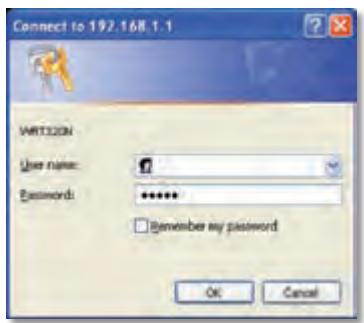
Login Screen
Setup > Basic Setup
The first screen that appears is the Basic Setup screen. This allows you to change the Router's general settings.
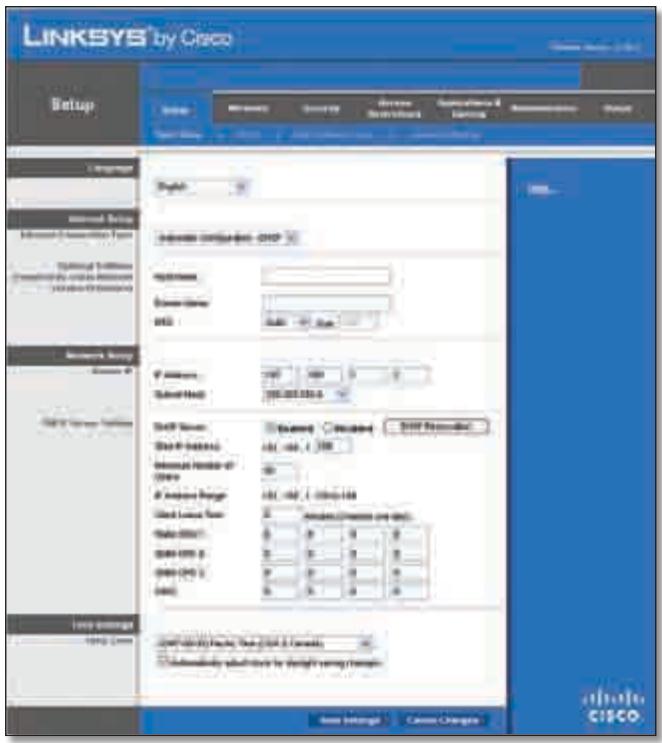
Setup > Basic Setup
Internet Setup
The Internet Setup section configures the Router to your Internet connection. Most of this information can be obtained through your ISP.
Internet Connection Type
Select the type of Internet connection your ISP provides from the drop-down menu. These are the available types:
Automatic Configuration - DHCP
Static IP
- PPPOE
PPTP
L2TP
- Telstra Cable
Automatic Configuration - DHCP
By default, the Router's Internet Connection Type is set to Automatic Configuration - DHCP, which should be kept only if your ISP supports DHCP or you are connecting through a dynamic IP address. (This option usually applies to cable connections).

Internet Connection Type > Automatic Configuration - DHCP
Static IP
If you are required to use a permanent IP address to connect to the Internet, select Static IP.
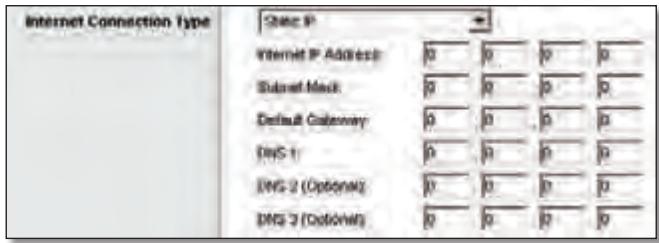
Internet Connection Type > Static IP
Internet IP Address This is the Router's IP address, when seen from the Internet. Your ISP will provide you with the IP Address you need to specify here.
Subnet Mask This is the Router's Subnet Mask, as seen by users on the Internet (including your ISP). Your ISP will provide you with the Subnet Mask.
Default Gateway Your ISP will provide you with the IP address of the ISP server.
DNS 1-3 Your ISP will provide you with at least one DNS (Domain Name System) server IP address.
PPPoE
Some DSL-based ISPs use PPPoE (Point-to-Point Protocol over Ethernet) to establish Internet connections. If you are connected to the Internet through a DSL line, check with your ISP to see if they use PPPoE. If they do, you will have to enable PPPoE.
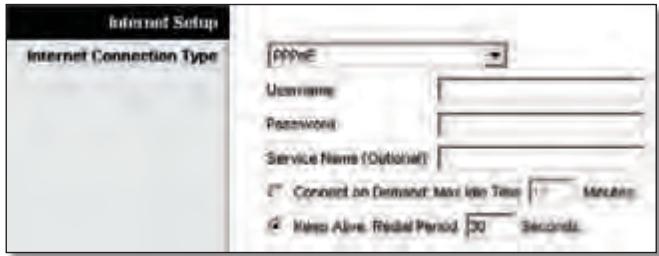
Internet Connection Type > PPPoE
Username and Password Enter theUsername and Password provided by your ISP.
Service Name If provided by your ISP, enter the Service Name.
Connect on Demand: Max Idle Time You can configure the Router to cut the Internet connection after it has been inactive for a specified period of time (Max Idle Time). If your Internet connection has been terminated due to inactivity, Connect on Demand enables the Router to automatically re-establish your connection as soon as you attempt to access the Internet again. To use this option, select Connect on Demand. In the Max Idle Time field, enter the number of minutes you want to elapse before
your Internet connection terminates. The default Max Idle Time is 15 minutes.
Keep Alive: Redial Period If you select this option, the Router will periodically check your Internet connection. If you are disconnected, then the Router will automatically re-establish your connection. To use this option, select Keep Alive. In the Redial Period field, you specify how often you want the Router to check the Internet connection. The default Redial Period is 30 seconds.
PPTP
Point-to-Point Tunneling Protocol (PPTP) is a service that applies to connections in Europe only.
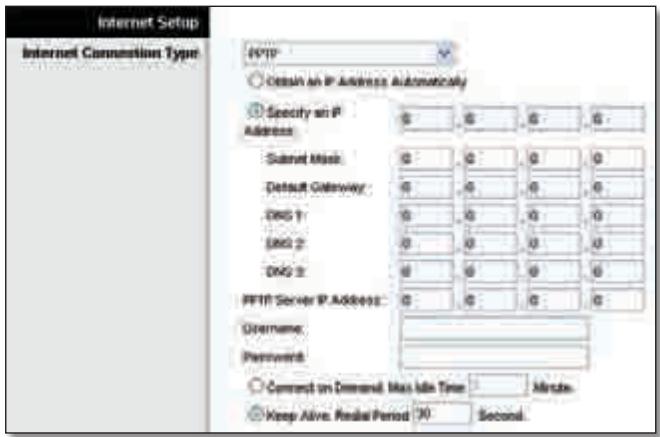
Internet Connection Type > PPTP
If your ISP supports DHCP or you are connecting through a dynamic IP address, then select Obtain an IP Address Automatically. If you are required to use a permanent IP address to connect to the Internet, then select Specify an IP Address. Then configure the following:
- Specify an IP Address This is the Router's IP address, as seen from the Internet. Your ISP will provide you with the IP Address you need to specify here.
- Subnet Mask This is the Router's Subnet Mask, as seen by users on the Internet (including your ISP). Your ISP will provide you with the Subnet Mask.
- Default Gateway Your ISP will provide you with the IP address of the ISP server.
DNS 1-3 Your ISP will provide you with at least one DNS (Domain Name System) server IP address.
PPTP Server IP Address Your ISP will provide you with the IP address of the PPTP server.
Username and Password Enter theUsername and Password provided by your ISP.
Connect on Demand: Max Idle Time You can configure the Router to cut the Internet connection after it has been inactive for a specified period of time (Max Idle Time). If your Internet connection has been terminated due to
inactivity, Connect on Demand enables the Router to automatically re-establish your connection as soon as you attempt to access the Internet again. To use this option, select Connect on Demand. In the Max Idle Time field, enter the number of minutes you want to elapse before your Internet connection terminates. The default Max Idle Time is 15 minutes.
Keep Alive: Redial Period If you select this option, the Router will periodically check your Internet connection. If you are disconnected, then the Router will automatically re-establish your connection. To use this option, select Keep Alive. In the Redial Period field, you specify how often you want the Router to check the Internet connection. The default value is 30 seconds.
L2TP
L2TP is a service that applies to connections in Israel only.
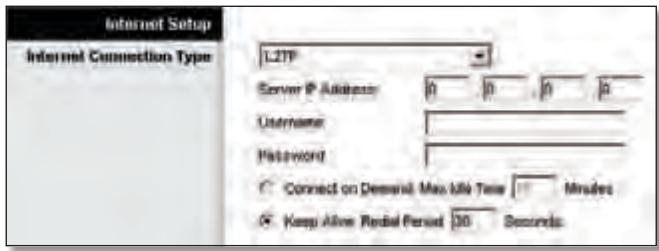
Internet Connection Type > L2TP
Server IP Address This is the IP address of the L2TP Server. Your ISP will provide you with the IP Address you need to specify here.
Username and Password Enter theUsername and Password provided by your ISP.
Connect on Demand: Max Idle Time You can configure the Router to cut the Internet connection after it has been inactive for a specified period of time (Max Idle Time). If your Internet connection has been terminated due to inactivity, Connect on Demand enables the Router to automatically re-establish your connection as soon as you attempt to access the Internet again. To use this option, select Connect on Demand. In the Max Idle Time field, enter the number of minutes you want to elapse before your Internet connection terminates. The default Max Idle Time is 15 minutes.
Keep Alive: Redial Period If you select this option, the Router will periodically check your Internet connection. If you are disconnected, then the Router will automatically re-establish your connection. To use this option, select Keep Alive. In the Redial Period field, you specify how often you want the Router to check the Internet connection. The default Redial Period is 30 seconds.
Telstra Cable
Telstra Cable is a service that applies to connections in Australia only.
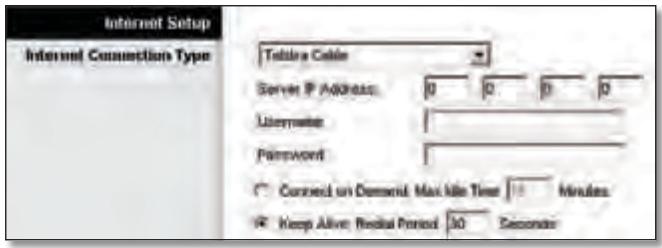
Internet Connection Type > Telstra Cable
Server IP Address This is the IP address of the Heartbeat Server. Your ISP will provide you with the IP Address you need to specify here.
Username and Password Enter theUsername and Password provided by your ISP.
Connect on Demand: Max Idle Time You can configure the Router to cut the Internet connection after it has been inactive for a specified period of time (Max Idle Time). If your Internet connection has been terminated due to inactivity, Connect on Demand enables the Router to automatically re-establish your connection as soon as you attempt to access the Internet again. To use this option, select Connect on Demand. In the Max Idle Time field, enter the number of minutes you want to elapse before your Internet connection terminates. The default Max Idle Time is 15 minutes.
Keep Alive: Redial Period If you select this option, the Router will periodically check your Internet connection. If you are disconnected, then the Router will automatically re-establish your connection. To use this option, select Keep Alive. In the Redial Period field, you specify how often you want the Router to check the Internet connection. The default Redial Period is 30 seconds.
Optional Settings
Some of these settings may be required by your ISP. Verify with your ISP before making any changes.
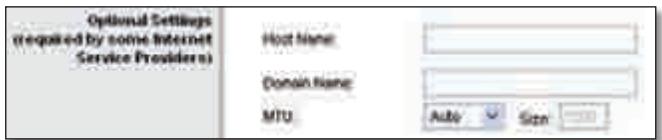
Optional Settings
Host Name and Domain Name These fields allow you to supply a host and domain name for the Router. Some ISPs, usually cable ISPs, require these names as identification. You may have to check with your ISP to see if your broadband Internet service has been configured with a host and domain name. In most cases, leaving these fields blank will work.
MTU MTU is the Maximum Transmission Unit. It specifies the largest packet size permitted for Internet transmission. Select Manual if you want to manually enter the largest packet size that is transmitted. To have the Router select the best MTU for your Internet connection, keep the default setting, Auto.
Size When Manual is selected in the MTU field, this option is enabled. Leave this value in the 1200 to 1500 range. The default size depends on the Internet Connection Type:
DHCP, Static IP or Telstra: 1500
- PPPoE: 1492
PPTP or L2TP: 1460
Network Setup
The Network Setup section changes the settings on the network connected to the Router's Ethernet ports. Wireless setup is performed through the Wireless tab.
Router IP
This presents both the Router's IP Address and Subnet Mask as seen by your network.

Router IP
DHCP Server Setting
The settings allow you to configure the Router's Dynamic Host Configuration Protocol (DHCP) server function. The Router can be used as a DHCP server for your network. A DHCP server automatically assigns an IP address to each computer on your network. If you choose to enable theRouter's DHCP server option, make sure there is no other DHCP server on your network.
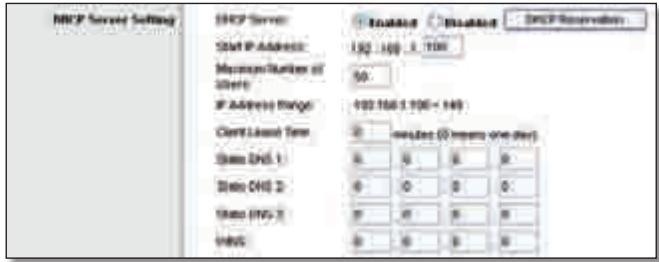
DHCP Server Setting
DHCP Server DHCP is enabled by factory default. If you already have a DHCP server on your network or you don't want a DHCP server, then select Disabled (no other DHCP features will be available).
DHCP Reservation Click this button if you want to assign a fixed local IP address to a MAC address.
DHCP Reservation
You will see a list of DHCP clients with the following information: Client Name, Interface, IP Address and MAC Address.
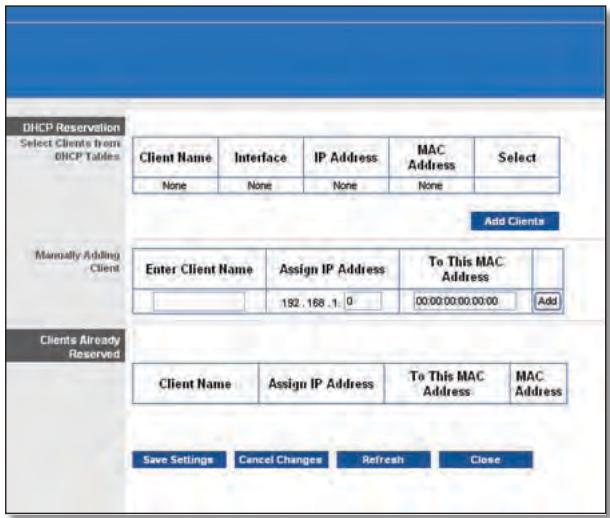
DHCP Reservation
- Select Clients from DHCP Table Click the Select tick box to reserve a client's IP address. Then click Add Clients.
- Manually Adding Client To manually assign an IP address, enter the client's name in the Enter Client Name field. Enter the IP address you want it to have in the Assign IP Address field. Enter its MAC address in the To This MAC Address field. Then click Add.
Clients Already Reserved
A list of DHCP clients and their fixed local IP addresses will be displayed at the bottom of the screen. If you want to remove a client from this list, click Remove.
Click Save Settings to apply your changes or click Cancel Changes to cancel your changes. To view the most up-to-date information, click Refresh. To exit this screen, click Close.
Start IP Address Enter a value for the DHCP server to start with when issuing IP addresses. Because the Router's default IP address is 192.168.1.1, the Start IP Address must be 192.168.1.2 or greater, but smaller than 192.168.1.253. The default Starting IP Address is 192.168.1.100.
Maximum Number of Users Enter the maximum number of PCs that you want the DHCP server to assign IP addresses to. This number cannot be greater than 253. The default is 50.
IP Address Range Displayed here is the range of available IP addresses.
Client Lease Time The Client Lease Time is the amount of time a network user will be allowed connection to the Router with their current dynamic IP address. Enter the amount of time, in minutes, that the user will be "leased" this dynamic IP address. After the time is up, the user will be automatically assigned a new dynamic IP address. The default is 0 minutes, which means one day.
Static DNS 1-3 The Domain Name System (DNS) is how the Internet translates domain or website names into Internet addresses or URLs. Your ISP will provide you with at least one DNS Server IP Address. If you wish to use another, enter that IP Address in one of these fields. You can enter up to three DNS Server IP Addresses here. The Router will use these for quicker access to functioning DNS servers.
WINS The Windows Internet Naming Service (WINS) manages each PC's interaction with the Internet. If you use a WINS server, enter that server's IP Address here. Otherwise, leave this blank.
Time Setting
Time Zone Select the time zone in which your network functions from this drop-down menu. (You can even automatically adjust for daylight saving time).

Time Setting
Click Save Settings to apply your changes or click Cancel Changes to cancel your changes.
Setup > DDNS
The Router offers a Dynamic Domain Name System (DDNS) feature. DDNS lets you assign a fixed host and domain name to a dynamic Internet IP address. It is useful when you are hosting your own website, FTP server or other server behind the Router.
Before you can use this feature, you need to sign up for DDNS service with a DDNS service provider, www.dyndns.org or www.TZO.com. If you do not want to use this feature, keep the default setting, Disabled.
DDNS
DDNS Service
If your DDNS service is provided by DynDNS.org, then select DynDNS.org from the drop-down menu. If your DDNS service is provided by TZO, then select TZO.com. The features available on the DDNS screen will vary, depending on which DDNS service provider you use.
DynDNS.org
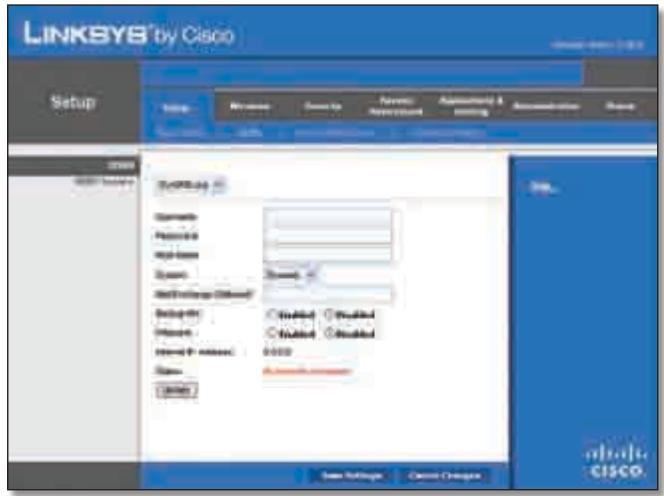
Setup > DDNS > DynDNS
Username Enter theUsername for your DDNS account.
Password Enter the Password for your DDNS account.
Host Name The is the DDNS URL assigned by the DDNS service.
System Select the DynDNS service you use: Dynamic, Static or Custom. The default selection is Dynamic.
Mail Exchange (Optional) Enter the address of your mail exchange server, so emails to your DynDNS address go to your mail server.
Backup MX This feature allows the mail exchange server to be a backup. To disable this feature, keep the default, Disabled. To enable the feature, select Enabled. If you are not sure which setting to select, keep the default, Disabled.
Wildcard This setting enables or disables wildcards for your host. For example, if your DDNS address is myplace.dyndns.org and you enable wildcards, then x.myplace.dyndns.org will work as well (x is the wildcard). To disable wildcards, keep the default, Disabled. To enable wildcards, select Enabled. If you are not sure which setting to select, keep the default, Disabled.
Internet IP Address The Router's Internet IP address is displayed here. Because it is dynamic, it will change.
Status The status of the DDNS service connection is displayed here.
Update To manually trigger an update, click this button. Click Save Settings to apply your changes or click Cancel Changes to cancel your changes.
TZ0.com
E-mail Address, TZO Key and Domain Name Enter the settings of the account you set up with TZO.
Internet IP Address The Router's Internet IP address is displayed here. Because it is dynamic, it will change.
Status The status of the DDNS service connection is displayed here.
Update To manually trigger an update, click this button.
Click Save Settings to apply your changes or click Cancel Changes to cancel your changes.
Setup > MAC Address Clone
A MAC address is a 12-digit code assigned to a unique piece of hardware for identification. Some ISPs will require you to register a MAC address in order to access the Internet. If you do not wish to re-register the MAC address with your ISP, you may assign the MAC address you have currently registered with your ISP to the Router with the MAC Address Clone feature.
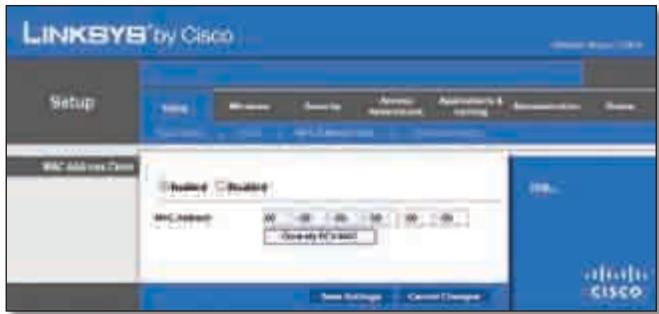
Setup > MAC Address Clone
MAC Address Clone
Enabled/Disabled To have the MAC Address cloned, select Enabled.
MAC Address Enter the MAC Address registered with your ISP here.
Clone My PC's MAC Click this button to clone the MAC address of the computer you are using.
Click Save Settings to apply your changes or click Cancel Changes to cancel your changes.
Setup > Advanced Routing
This screen is used to set up the Router's advanced functions. Operating Mode allows you to select the type(s) of advanced functions you use. Dynamic Routing automatically adjusts how packets travel on your network. Static Routing sets up a fixed route to another network destination.
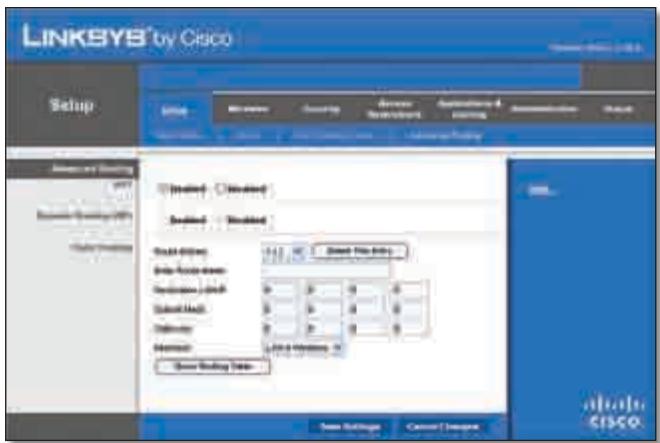
Setup > Advanced Routing
Advanced Routing
NAT
Enabled/Disabled If this Router is hosting your network's connection to the Internet, keep the default, Enabled. If another router exists on your network, select Disabled. When the NAT setting is disabled, dynamic routing will be enabled.
Dynamic Routing (RIP)
Enabled/Disabled This feature enables the Router to automatically adjust to physical changes in the network's layout and exchange routing tables with the other router(s). The Router determines the network packets' route based on the fewest number of hops between the source and the destination. When the NAT setting is enabled, the Dynamic Routing feature is automatically disabled. When the NAT setting is disabled, this feature is available. Select Enabled to use the Dynamic Routing feature.
Static Routing
A static route is a pre-determined pathway that network information must travel to reach a specific host or network. Enter the information described below to set up a new static route.
Route Entries To set up a static route between the Router and another network, select a number from the dropdown list. Click Delete This Entry to delete a static route.
Enter Route Name Enter a name for the Route here, using a maximum of 25 alphanumeric characters.
Destination LAN IP The Destination LAN IP is the address of the remote network or host to which you want to assign a static route.
SubnetMask The SubnetMask determines which portion of a Destination LAN IP address is the network portion and which portion is the host portion.
Gateway This is the IP address of the gateway device that allows for contact between the Router and the remote network or host.
Interface This interface tells you whether the Destination IP Address is on the LAN & Wireless (Ethernet and wireless networks) or the WAN (Internet).
Click Show Routing Table to view the static routes you have already set up.
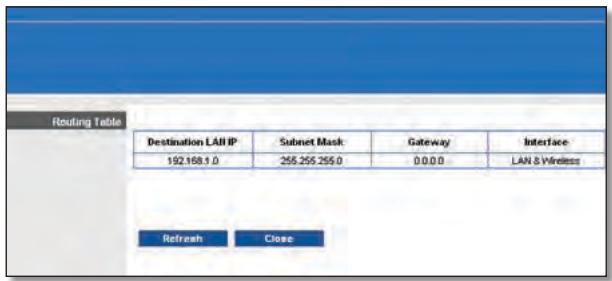
Advanced Routing > Routing Table
Routing Table
For each route, the Destination LAN IP address, Subnet Mask, Gateway and Interface are displayed. Click Refresh to update the information. Click Close to exit this screen.
Click Save Settings to apply your changes or click Cancel Changes to cancel your changes.
Wireless > Basic Wireless Settings
The basic settings for wireless networking are set on this screen.
There are two ways to configure the Router's wireless network(s), manual and Wi-Fi Protected Setup.
Wi-Fi Protected Setup is a feature that makes it easy to setup your wireless network. If you have client devices, such as wireless adapters, that support Wi-Fi Protected Setup, then you can use Wi-Fi Protected Setup.
Configuration View To manually configure your wireless network, select Manual. Proceed to the "Basic Wireless Settings" section. To use Wi-Fi Protected Setup, select
Wi-Fi Protected Setup. Proceed to the "Wi-Fi Protected Setup" section.
Basic Wireless Settings
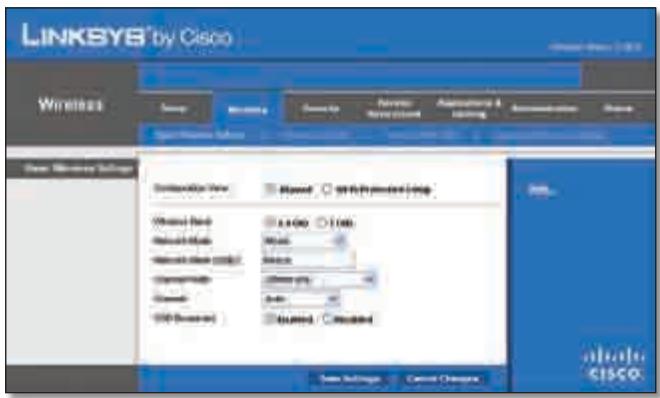
Wireless > Basic Wireless Settings (Manual Setup)
Wireless Band This is used to select the 2.4 GHz or 5.0 GHz band.
Network Mode From this drop-down menu, you can select the wireless standards running on your network. If you have Wireless-N, Wireless-G and Wireless-B devices in your network, keep the default setting, Mixed. If you have only Wireless-G and Wireless-B devices in your network, select BG-Mixed. If you have only Wireless-N devices, select Wireless-N Only. If you have only Wireless-G devices, select Wireless-G Only. If you have only Wireless-B devices, select Wireless-B Only. If you do not have any wireless devices in your network, select Disabled.
Network Name (SSID) TheSSID is the network name shared among all points in a wireless network. TheSSID must be identical for all devices in the wireless network. It is case-sensitive and must not exceed 32 characters (use any of the characters on the keyboard). Make sure this setting is the same for all points in your wireless network. For added security, you should change the defaultSSID (linksys) to a unique name.
Channel Width Select Auto if you want the Router to automatically determine the proper channel width (20 MHz or 40 MHz) to use or select 20 MHz only (default) if you want the Router to operate in Wireless-B and Wireless-G mode only. For best performance, Auto is recommended.
Wide Channel If you selected Wide - 40MHz Channel for the Radio Band setting, then this setting will be available for your primary Wireless-N channel. Select any channel from the drop-down menu. If you are not sure which channel to select, keep the default, Auto.
Channel Select a channel from 1 to 11 or Auto (default).
SSID Broadcast When wireless clients survey the local area for wireless networks to associate with, they will detect the SSID broadcast by the Router. To broadcast the
Router's SSID, keep the default setting, Enabled. If you do not want to broadcast the Router's SSID, then select Disabled.
Click Save Settings to apply your changes or click Cancel Changes to cancel your changes.
Wi-Fi Protected Setup
There are three methods available. Use the method that applies to the client device you are configuring.
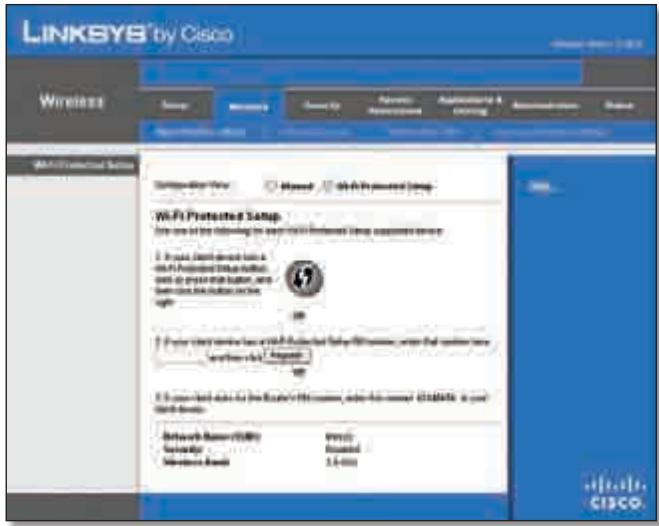
Wireless > Basic Wireless Settings (Wi-Fi Protected Setup)

NOTE: Wi-Fi Protected Setup configures one client device at a time. Repeat the instructions for each client device that supports Wi-Fi Protected Setup.
Method #1
Use this method if your client device has a Wi-Fi Protected Setup button.
- Click or press the Wi-Fi Protected Setup button on the client device.
- Click the Wi-Fi Protected Setup button on this screen.
- After the client device has been configured, click OK. Then refer back to your client device or its documentation for further instructions.
Method #2
Use this method if your client device has a Wi-Fi Protected Setup PIN number.
- Enter the PIN number in the field on this screen.
- Click Register.
- After the client device has been configured, click OK. Then refer back to your client device or its documentation for further instructions.
Method #3
Use this method if your client device asks for the Router's PIN number.
- Enter the PIN number listed on this screen. (It is also listed on the label on the bottom of the Router).
- After the client device has been configured, click OK. Then refer back to your client device or its documentation for further instructions.
The Wi-Fi Protected Setup Status, Network Name (SSID), Security, Encryption and Passphrase are displayed at the bottom of the screen.

NOTE: If you have client devices that do not support Wi-Fi Protected Setup, note the wireless settings and then manually configure those client devices.
Wireless > Wireless Security
The Wireless Security screen configures the security of your wireless network. There are six wireless security mode options supported by the Router: WPA Personal, WPA Enterprise, WPA2 Personal, WPA2 Enterprise, RADIUS and WEP. (WPA stands for Wi-Fi Protected Access, which is a security standard stronger than WEP encryption. WEP stands for Wired Equivalent Privacy, while RADIUS stands for Remote Authentication Dial-In User Service). These six are briefly discussed here. For detailed instructions on configuring wireless security for the Router, refer to "Chapter 2: Wireless Security."
Wireless Security
Security Mode
Select the security method for your wireless network. If you do not want to use wireless security, keep the default, Disabled.
WPA Personal

NOTE: If you are using WPA, always remember that each device in your wireless network MUST use the same WPA method and shared key or else the network will not function properly.
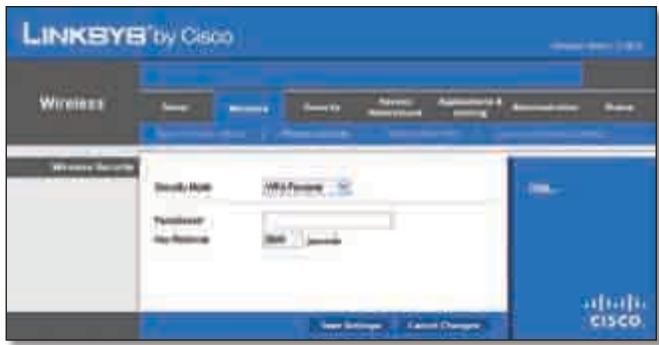
Security Mode > WPA Personal
Passphrase Enter a Passphrase of 8-63 characters.
Key Renewal Enter a Key Renewal period, which instructs the Router how often it should change the encryption keys. The default Group Key Renewal period is 3600 seconds.
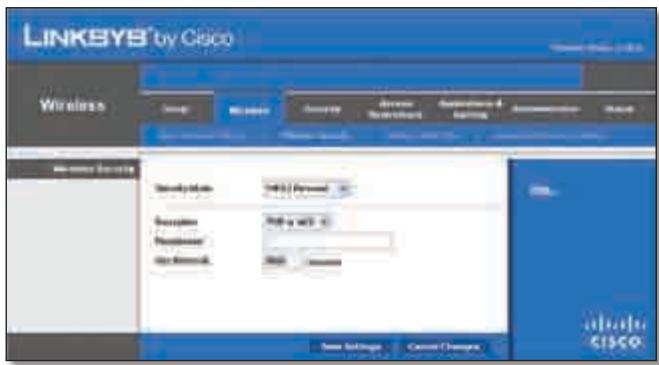
WPA2 Personal
Security Mode > WPA2 Personal
Encryption WPA2 supports two encryption methods, TKIP and AES, with dynamic encryption keys. Select the type of algorithm, AES or TKIP or AES. The default is TKIP or AES.
Passphrase Enter a Passphrase of 8-63 characters.
Key Renewal Enter a Key Renewal period, which instructs the Router how often it should change the encryption keys. The default Group Key Renewal period is 3600 seconds.
WPA Enterprise
This option features WPA used in co-ordination with a RADIUS server. (This should only be used when a RADIUS server is connected to the Router).
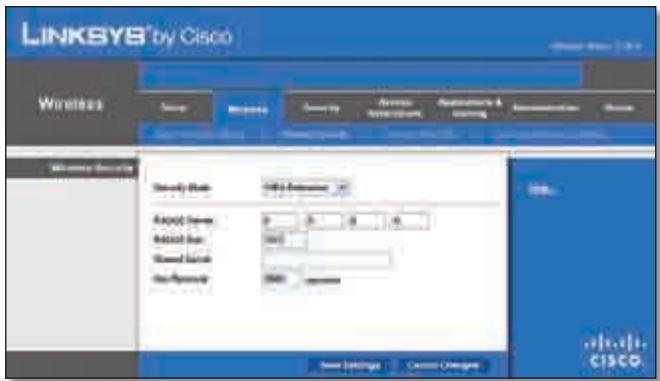
Security Mode > WPA Enterprise
RADIUS Server Enter the IP Address of the RADIUS server.
RADIUS Port Enter the port number of the RADIUS server. The default value is 1812.
Shared Secret Enter the key shared between the Router and the server.
Key Renewal Enter a Key Renewal period, which instructs the Router how often it should change the encryption keys. The default Key Renewal period is 3600 seconds.
WPA2 Enterprise
This option features WPA2 used in co-ordination with a RADIUS server. (This should only be used when a RADIUS server is connected to the Router).
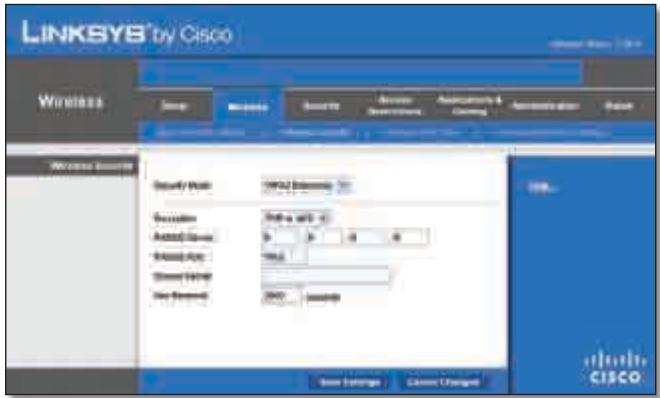
Security Mode >WPA2 Enterprise
Encryption WPA2 supports two encryption methods, TKIP and AES, with dynamic encryption keys. Select the type of algorithm, AES or TKIP or AES. The default is TKIP or AES.
RADIUS Server Enter the IP Address of the RADIUS server.
RADIUS Port Enter the port number of the RADIUS server. The default value is 1812.
Shared Secret Enter the key shared between the Router and the server.
Key Renewal Enter a Key Renewal period, which instructs the Router how often it should change the encryption keys. The default Key Renewal period is 3600 seconds.
RADIUS
This option features WEP used in co-ordination with a RADIUS server. (This should only be used when a RADIUS server is connected to the Router).
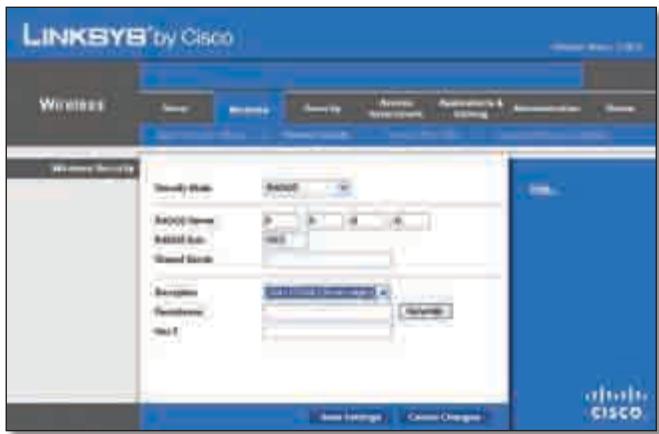
Security Mode > RADIUS

IMPORTANT: If you are using WEP encryption, always remember that each device in your wireless network MUST use the same WEP encryption method and encryption key or else your wireless network will not function properly.
RADIUS Server Enter the IP Address of the RADIUS server.
RADIUS Port Enter the port number of the RADIUS server. The default value is 1812.
Shared Secret Enter the key shared between the Router and the server.
Encryption Select a level of WEP encryption, 40/64 bits (10 hex digits) or 104/128 bits (26 hex digits). The default is 40/64 bits (10 hex digits).
Passphrase Enter a Passphrase to automatically generate WEP keys. Then click Generate.
Key 1 If you did not enter a Passphrase, enter the WEP key manually.
WEP
WEP is a basic encryption method, which is not as secure as WPA.
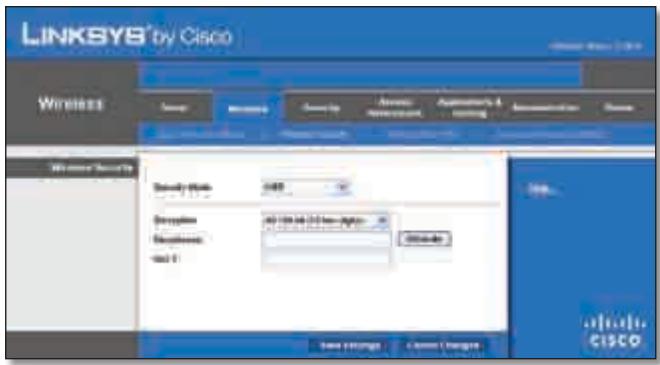
Security Mode > WEP
Encryption Select a level of WEP encryption, 40/64 bits (10 hex digits) or 104/128 bits (26 hex digits). The default is 40/64 bits (10 hex digits).
Passphrase Enter a Passphrase to automatically generate WEP keys. Then click Generate.
Key 1 If you did not enter a Passphrase, enter the WEP key manually.
Click Save Settings to apply your changes or click Cancel Changes to cancel your changes.
Wireless > Wireless MAC Filter
Wireless access can be filtered by using the MAC addresses of the wireless devices transmitting within your network's radius.
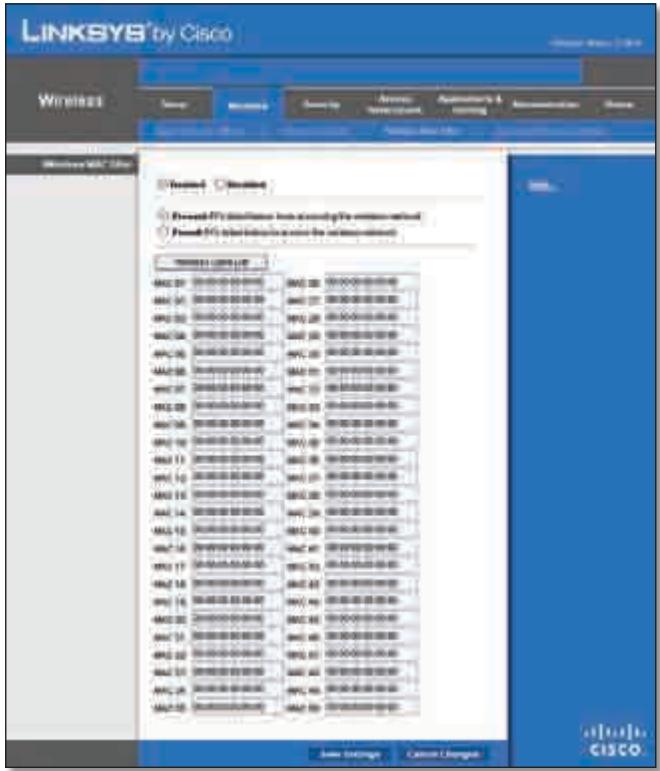
Wireless > Wireless MAC Filter
Wireless MAC Filter
Enabled/Disabled To filter wireless users by MAC Address, either permitting or blocking access, select Enabled. If you do not wish to filter users by MAC Address, keep the default setting, Disabled.
Access Restriction
Prevent Select this to block wireless access by MAC Address. This option is selected by default.
Permit Select this to allow wireless access by MAC Address. This option is not selected by default.
MAC Address Filter List
Wireless Client List Click this to open the Wireless Client List screen.
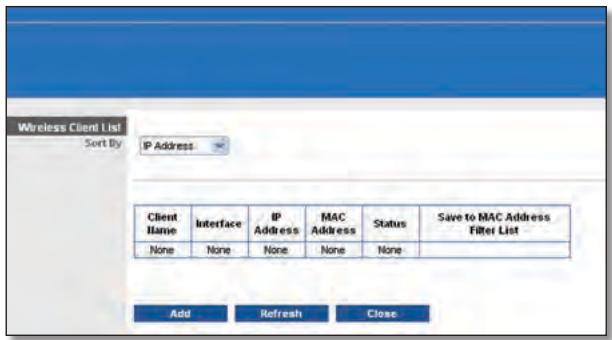
Wireless Client List
Wireless Client List
This screen shows computers and other devices on the wireless network. The list can be sorted by Client Name, Interface, IP Address, MAC Address and Status.
Select Save to MAC Address Filter List for any device you want to add to the MAC Address Filter List. Then click Add.
To retrieve the most up-to-date information, click Refresh. To exit this screen and return to the Wireless MAC Filter screen, click Close.
MAC 01-50 Enter the MAC addresses of the devices whose wireless access you want to block or allow.
Click Save Settings to apply your changes or click Cancel Changes to cancel your changes.
Wireless > Advanced Wireless Settings
This Advanced Wireless Settings screen is used to set up the Router's advanced wireless functions. These settings should only be adjusted by an expert administrator as incorrect settings can reduce wireless performance.
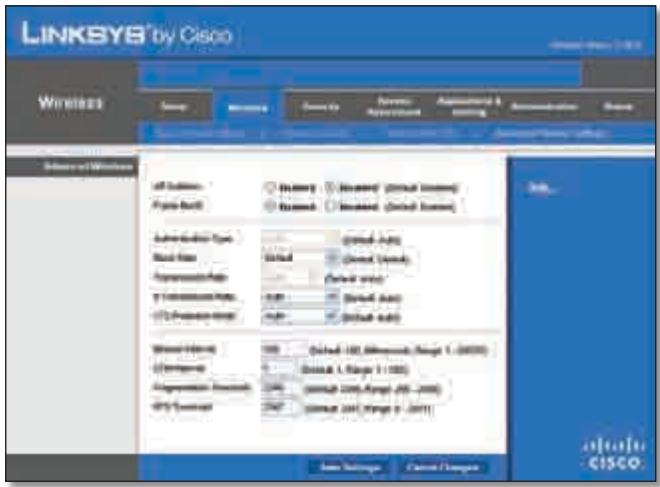
Wireless > Advanced Wireless Settings
Advanced Wireless
AP Isolation This isolates all wireless clients and wireless devices on your network from each other. Wireless devices will be able to communicate with the Router but not with each other. To use this function, select Enabled. AP Isolation is disabled by default.
Frame Burst Enabling this option should provide your network with greater performance, depending on the manufacturer of your wireless products. To use this option, keep the default Enabled. Otherwise, select Disabled.
Authentication Type The default is set to Auto, which allows either Open System or Shared Key authentication to be used. With Open System authentication, the sender and the recipient do NOT use a WEP key for authentication. With Shared Key authentication, the sender and recipient use a WEP key for authentication. Select Shared Key to only use Shared Key authentication.
Basic Rate The Basic Rate setting is not actually one rate of transmission but a series of rates at which the Router can transmit. The Router will advertise its Basic Rate to the other wireless devices in your network, so they know which rates will be used. The Router will also advertise that it will automatically select the best rate for transmission. The default setting is Default, when the Router can transmit at all standard wireless rates (1-2Mbps, 5.5Mbps, 11Mbps, 18Mbps and 24Mbps). Other options are 1-2Mbps, for use with older wireless technology and All, when the Router can transmit at all wireless rates. The Basic Rate is not the actual rate of data transmission. If you want to specify the Router's rate of data transmission, configure the Transmission Rate setting.
Transmission Rate The rate of data transmission should be set depending on the speed of your wireless network. You can select from a range of transmission speeds or you can select Auto to have the Router automatically use the fastest possible data rate and enable the Auto-Fallback feature. Auto-Fallback will negotiate the best possible
connection speed between the Router and a wireless client. The default is Auto.
N Transmission Rate The rate of data transmission should be set depending on the speed of your Wireless-N networking. You can select from a range of transmission speeds or you can select Auto to have the Router automatically use the fastest possible data rate and enable the Auto-Fallback feature. Auto-Fallback will negotiate the best possible connection speed between the Router and a wireless client. The default is Auto.
CTS Protection Mode The Router will automatically use CTS (Clear-To-Send) Protection Mode when your Wireless-N and Wireless-G products are experiencing severe problems and are not able to transmit to the Router in an environment with heavy 802.11b traffic. This function boosts the Router's ability to catch all Wireless-N and Wireless-G transmissions but will severely decrease performance. The default is Auto.
Beacon Interval Enter a value between 1 and 65,535 milliseconds. The Beacon Interval value indicates the frequency interval of the beacon. A beacon is a packet broadcast by the Router to synchronise the wireless network. The default value is 100.
DTIM Interval This value, between 1 and 255, indicates the interval of the Delivery Traffic Indication Message (DTIM). A DTIM field is a countdown field informing clients of the next window for listening to broadcast and multicast messages. When the Router has buffered broadcast or multicast messages for associated clients, it sends the next DTIM with a DTIM Interval value. Its clients hear the beacons and awaken to receive the broadcast and multicast messages. The default value is 1.
Fragmentation Threshold This value specifies the maximum size for a packet before data is fragmented into multiple packets. If you experience a high packet error rate, you may slightly increase the Fragmentation Threshold. Setting the Fragmentation Threshold too low may result in poor network performance. Only minor reduction of the default value is recommended. In most cases, it should remain at its default value of 2346.
RTS Threshold Should you encounter inconsistent data flow, only a minor reduction of the default value, 2347, is recommended. If a network packet is smaller than the preset RTS threshold size, the RTS/CTS mechanism will not be enabled. The Router sends Request to Send (RTS) frames to a particular receiving station and negotiates the sending of a data frame. After receiving an RTS, the wireless station responds with a Clear to Send (CTS) frame to acknowledge the right to begin transmission. The RTS Threshold value should remain at its default value of 2347.
Click Save Settings to apply your changes or click Cancel Changes to cancel your changes.
Security > Firewall
The Firewall screen is used to configure a firewall that can filter out various types of unwanted traffic on the Router's local network.
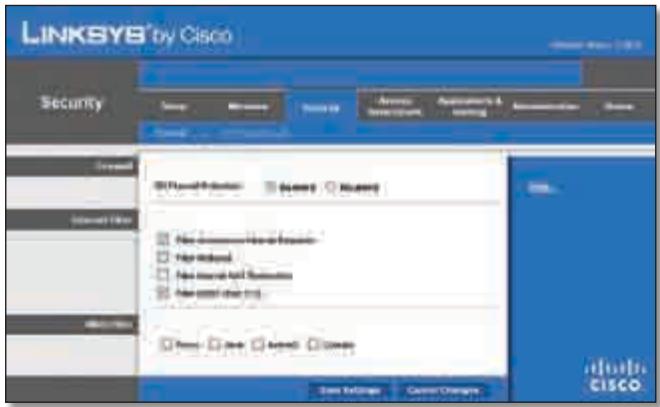
Security > Firewall
Firewall
SPI Firewall Protection To use firewall protection, keep the default selection, Enabled. To turn off firewall protection, select Disabled.
Internet Filter
Filter Anonymous Internet Requests This feature makes it more difficult for outside users to work their way into your network. This feature is selected by default. Deselect the feature to allow anonymous Internet requests.
Filter Multicast Multicasting allows for multiple transmissions to specific recipients at the same time. If multicast is permitted, then the Router will allow IP multicast packets to be forwarded to the appropriate computers. Select this feature to filter multicasting. This feature is not selected by default.
Filter Internet NAT Redirect This feature uses port forwarding to block access to local servers from local networked computers. Select this feature to filter Internet NAT redirection. It is not selected by default.
Filter IDENT (Port 113) This feature keeps port 113 from being scanned by devices outside of your local network. This feature is selected by default. Deselect this feature to disable it.
Web Filter
Proxy Use of WAN proxy servers may compromise the Gateway's security. Denying Proxy will disable access to any WAN proxy servers. Select this feature to enable proxy filtering. Deselect the feature to allow proxy access.
Java Java is a programming language for websites. If you deny Java, you run the risk of not having access to Internet
sites created using this programming language. Select this feature to enable Java filtering. Deselect the feature to allow Java usage.
ActiveX ActiveX is a programming language for websites. If you deny ActiveX, you run the risk of not having access to Internet sites created using this programming language. Select this feature to enable ActiveX filtering. Deselect the feature to allow ActiveX usage.
Cookies A cookie is data stored on your computer and used by Internet sites when you interact with them. Select this feature to filter cookies. Deselect the feature to allow cookie usage.
Click Save Settings to apply your changes or click Cancel Changes to cancel your changes.
Security > VPN Passthrough
The VPN Passthrough screen allows you to enable VPN tunnels using IPSec, PPTP or L2TP protocols to pass through the Router's firewall.
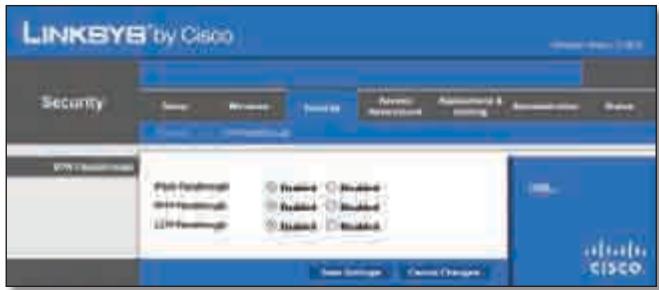
Security >VPN Passthrough
VPN Passthrough
IPSec Passthrough Internet Protocol Security (IPSec) is a suite of protocols used to implement secure exchange of packets at the IP layer. To allow IPSec tunnels to pass through the Router, keep the default, Enabled.
PPTP Passthrough Point-to-Point Tunneling Protocol (PPTP) allows the Point-to-Point Protocol (PPP) to be tunneled through an IP network. To allow PPTP tunnels to pass through the Router, keep the default, Enabled.
L2TP Passthrough Layer 2 Tunneling Protocol is the method used to enable Point-to-Point sessions via the Internet on the Layer 2 level. To allow L2TP tunnels to pass through the Router, keep the default, Enabled.
Click Save Settings to apply your changes or click Cancel Changes to cancel your changes.
Access Restrictions > Internet Access
The Internet Access screen allows you to block or allow specific kinds of Internet usage and traffic, such as Internet access, designated services and websites during specific days and times.
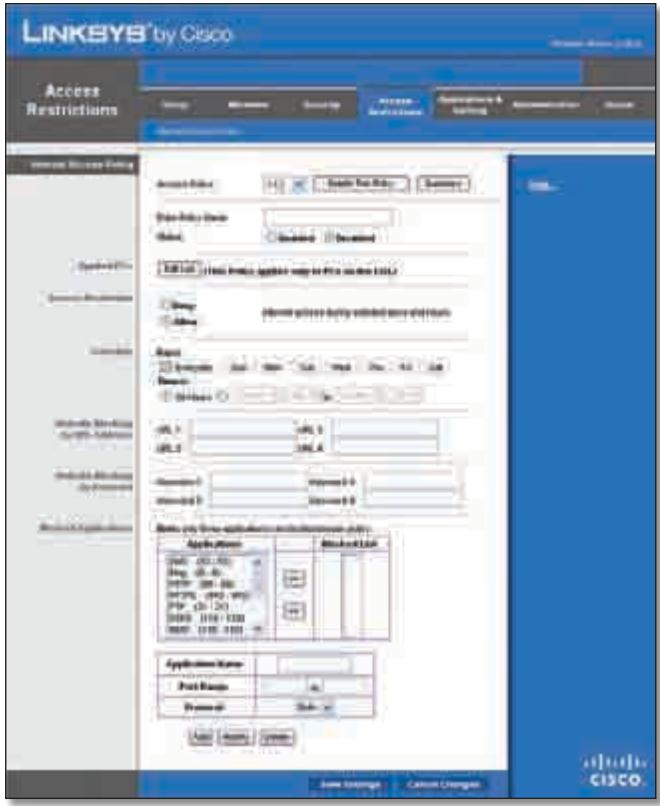
Access Restrictions > Internet Access
Internet Access Policy
Access Policy Access can be managed by a policy. Use the settings on this screen to establish an access policy (after Save Settings is clicked). Selecting a policy from the dropdown menu will display that policy's settings. To delete a policy, select that policy's number and click Delete This Policy. To view all the policies, click Summary.
Summary
The policies are listed with the following information: No., Policy Name, Access, Days, Time and status (Enabled). To enable a policy, select Enabled. To delete a policy, click Delete. Click Save Settings to save your changes or click Cancel Changes to cancel your changes. To return to the Internet Access Policy screen, click Close.
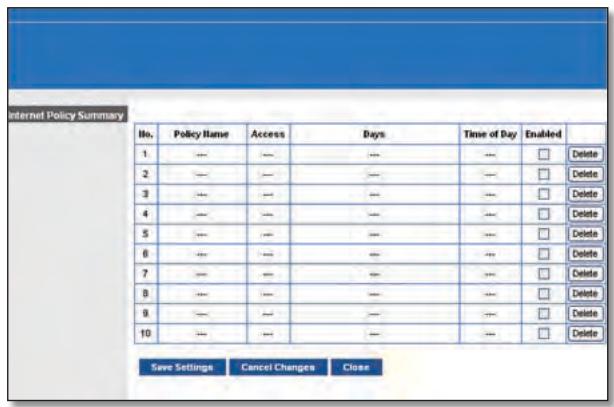
Summary
Status Policies are disabled by default. To enable a policy, select the policy number from the drop-down menu and select Enabled.
To create a policy, follow steps 1-11. Repeat these steps to create additional policies, one at a time.
- Select a number from the Access Policy drop-down menu.
- Enter a Policy Name in the field provided.
- To enable this policy, select Enabled.
- Click Edit List to select which PCs will be affected by the policy. The List of PCs screen appears. You can select a PC by MAC address or IP address. You can also enter a range of IP addresses if you want this policy to affect a group of PCs. After making your changes, click Save Settings to apply your changes or click Cancel Changes to cancel your changes. Then click Close.
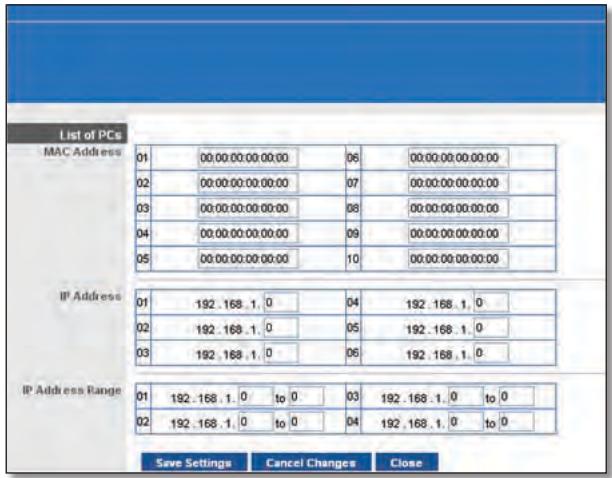
List of PCs
- Select the appropriate option, Deny or Allow, depending on whether you want to block or allow Internet access for the PCs you listed on the List of PCs screen.
- Decide which days and what times you want this policy to be enforced. Select the individual days during which the policy will be in effect or select Everyday. Then enter a range of hours and minutes during which the policy will be in effect or select 24 Hours.
- You can block websites with specific URL addresses. Enter each URL in a separate URL field.
- You can also block websites using specific keywords. Enter each keyword in a separate Keyword field.
- You can filter access to various services accessed over the Internet, such as FTP or telnet. (You can block up to three applications per policy).
From the Applications list, select the application you want to block. Then click the >> button to move it to the Restricted List. To remove an application from the Restricted List, select it and click the << button.
- If the application you want to block is not listed or you want to edit a service's settings, enter the application's name in the Application Name field. Enter its range in the Port Range fields. Select its protocol from the Protocol drop-down menu. Then click Add.
To modify a service, select it from the Application list. Change its name, port range and/or protocol setting. Then click Modify.
To delete a service, select it from the Application list. Then click Delete.
- Click Save Settings to save the policy's settings. To cancel the policy's settings, click Cancel Changes.
Applications and Gaming > Single Port Forwarding
The Single Port Forwarding screen allows you to customise port services for common applications on this screen.
When users send these types of requests to your network via the Internet, the Router will forward those requests to the appropriate servers (computers). Before using forwarding, you should assign static IP addresses to the designated servers (use the DHCP Reservation feature on the Basic Setup screen).
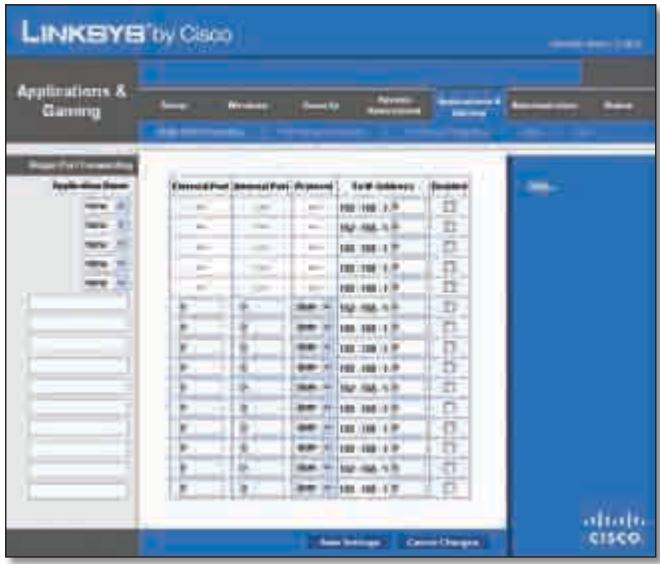
Applications and Gaming > Single Port Forwarding
Single Port Forwarding
Common applications are available for the first five entries. Select the appropriate application. Then enter the IP address of the server that should receive these requests. Select Enabled to activate this entry.
For additional applications, complete the following fields:
Application Name Enter the name you wish to give the application. Each name can be up to 12 characters.
External Port Enter the external port number used by the server or Internet application. Check with the Internet application documentation for more information.
Internal Port Enter the internal port number used by the server or Internet application. Check with the Internet application documentation for more information.
Protocol Select the protocol used for this application, either TCP or UDP or Both.
To IP Address For each application, enter the IP address of the PC that should receive the requests. If you assigned a static IP address to the PC, then you can click DHCP Reservation on the Basic Setup screen to look up its static IP address.
Enabled For each application, select Enabled to enable port forwarding.
Click Save Settings to apply your changes or click Cancel Changes to cancel your changes.
Applications and Gaming > Port Range Forwarding
The Port Range Forwarding screen allows you to set up public services on your network, such as web servers, ftp servers, email servers or other specialised Internet applications. (Specialised Internet applications are any applications that use Internet access to perform functions such as videoconferencing or online gaming. Some Internet applications may not require any forwarding).
When users send these types of requests to your network via the Internet, the Router will forward those requests to the appropriate servers (computers). Before using forwarding, you should assign static IP addresses to the designated servers (use the DHCP Reservation feature on the Basic Setup screen).
If you need to forward all ports to one computer, click the DMZ tab.
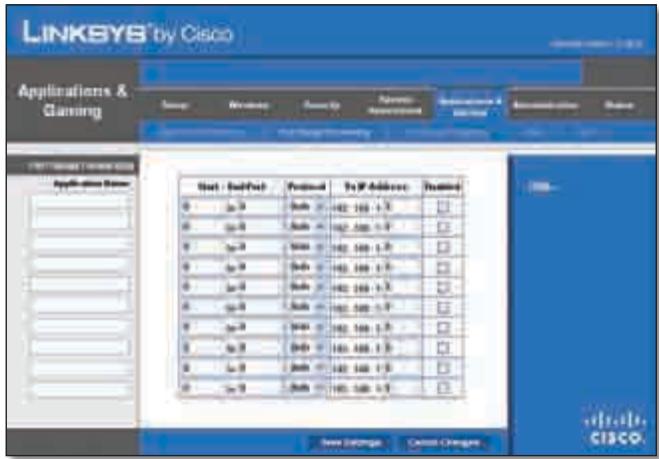
Applications and Gaming > Port Range Forwarding
Port Range Forwarding
To forward a port, enter the information on each line for the criteria required.
Application Name In this field, enter the name you wish to give the application. Each name can be up to 12 characters.
Start~End Port Enter the number or range of port(s) used by the server or Internet applications. Check with the Internet application documentation for more information.
Protocol Select the protocol used for this application, either TCP or UDP or Both.
To IP Address For each application, enter the IP address of the PC running the specific application. If you assigned a static IP address to the PC, then you can click DHCP Reservation on the Basic Setup screen to look up its static IP address.
Enabled Select Enabled to enable port forwarding for the applications you have defined.
Click Save Settings to apply your changes or click Cancel Changes to cancel your changes.
Applications & Gaming > Port Range Triggering
The Port Range Triggering screen allows the Router to watch outgoing data for specific port numbers. The IP address of the computer that sends the matching data is remembered by the Router, so that when the requested data returns through the Router, the data is pulled back to the proper computer by way of IP address and port mapping rules.
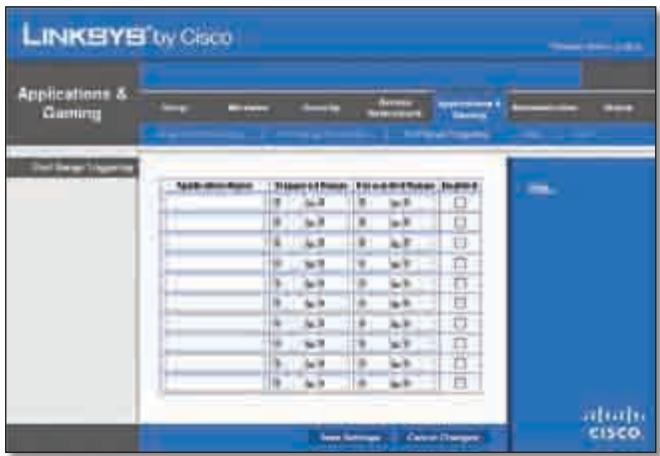
Applications and Gaming > Port Range Triggering
Port Range Triggering
Application Name Enter the application name of the trigger.
Triggered Range For each application, enter the starting and ending port numbers of the triggered port number range. Check with the Internet application documentation for the port number(s) needed.
ForwardedRange For each application, enter the starting and ending port numbers of the forwarded port number range. Check with the Internet application documentation for the port number(s) needed.
Enabled Select Enabled to enable port triggering for the applications you have defined.
Click Save Settings to apply your changes or click Cancel Changes to cancel your changes.
Applications and Gaming > DMZ
The DMZ feature allows one network computer to be exposed to the Internet for use of a special-purpose service such as Internet gaming or videoconferencing. DMZ hosting forwards all the ports at the same time to one PC. The Port Range Forwarding feature is more secure because it only opens the ports you want to have opened, while DMZ hosting opens all the ports of one computer, exposing the computer to the Internet.
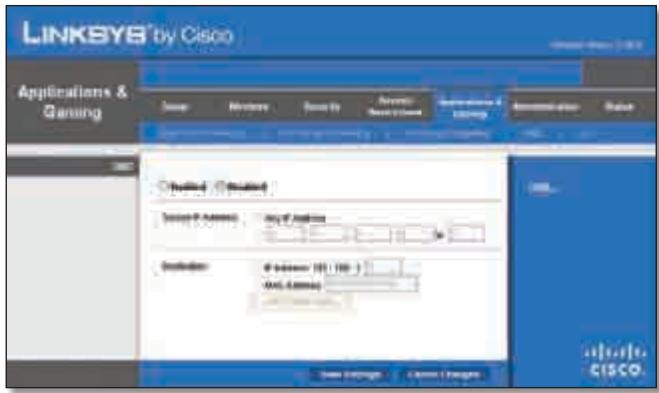
Applications and Gaming > DMZ
DMZ
Any PC whose port is being forwarded must have its DHCP client function disabled and should have a new static IP address assigned to it because its IP address may change when using the DHCP function.
Enabled/Disabled To disable DMZ hosting, select Disabled. To expose one PC, select Enabled. Then configure the following settings:
Source IP Address If you want any IP address to be the source, select Any IP Address. If you want to specify an IP address or range of IP addresses as the designated source, select and complete the IP address range fields.
Destination If you want to specify the DMZ host by IP address, select IP Address and enter the IP address in the field provided. If you want to specify the DMZ host by MAC address, select MAC Address and enter the MAC
address in the field provided. To retrieve this information, click DHCP Client Table.
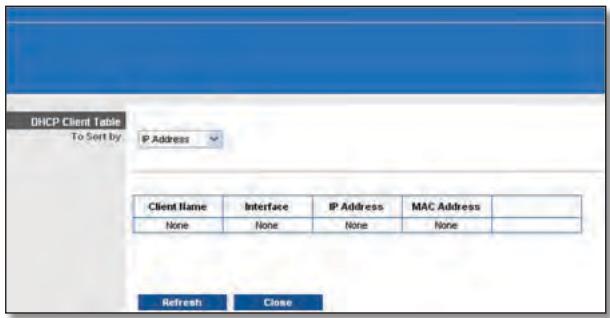
DMZ > DHCP Client Table
DHCP Client Table
The DHCP Client Table lists computers and other devices that have been assigned IP addresses by the Router. The list can be sorted by Client Name, Interface, IP Address, MAC Address and Expired Time (how much time is left for the current IP address). To select a DHCP client, click Select. To retrieve the most up-to-date information, click Refresh. To exit this screen and return to the DMZ screen, click Close.
Click Save Settings to apply your changes or click Cancel Changes to cancel your changes.
Applications and Gaming > QoS
Quality of Service (QoS) ensures better service to high-priority types of network traffic, which may involve demanding, real-time applications, such as videoconferencing.
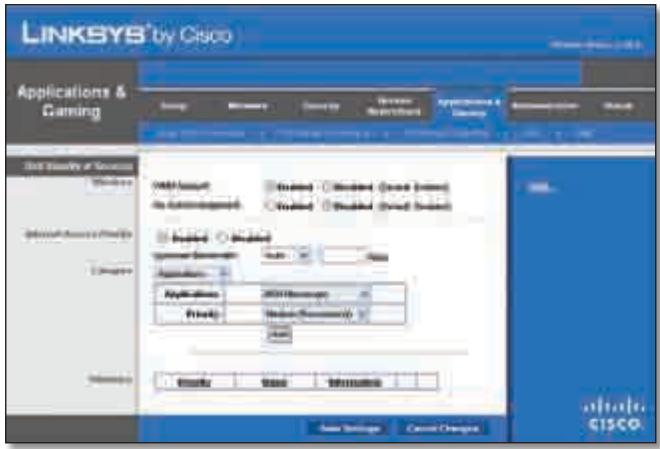
Applications and Gaming > QoS
QoS (Quality of Service)
Wireless
You can configure the support and No Acknowledgement settings in this section.
WMM Support If you have other devices that support Wi-Fi Multimedia (WMM) on your network, keep the default Enabled. Otherwise, select Disabled.
No Acknowledgement If you want to disable the Router's Acknowledgement feature, so the Router will not re-send data if an error occurs, then select Enabled. Otherwise, keep the default, Disabled.
Internet Access Priority
In this section, you can set the bandwidth priority for a variety of applications and devices. There are four levels of priority: High, Medium, Normal or Low. When you set the priority, do not set all applications to High, because this will defeat the purpose of allocating the available bandwidth. If you want to select below normal bandwidth, select Low. Depending on the application, a few attempts may be needed to set the appropriate bandwidth priority.
Enabled/Disabled To use the QoS policies you have set, keep the default, Enabled. Otherwise, select Disabled.
Category
There are four categories available. Select one of the following: Applications, Online Games, MAC Address, Ethernet Port or Voice Device. Proceed to the instructions for your selection.
Applications
Applications Select the appropriate application. If you select Add a New Application, follow the Add a New Application instructions.
Priority Select the appropriate priority: High, Medium, Normal or Low.
Click Add to save your changes. Your new entry will appear in the Summary list.
Add a New Application
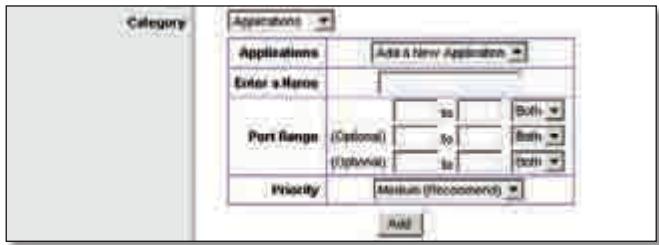
QoS > Add a New Application
Enter a Name Enter any name to indicate the name of the entry.
Port Range Enter the port range that the application will be using. For example, if you want to allocate bandwidth for FTP, you can enter 21-21. If you need services for an application that uses from 1000 to 1250, you enter 1000-1250 as your settings. You can have up to three ranges to define for this bandwidth allocation. Port numbers
can range from 1 to 65535. Check your application's documentation for details on the service ports used.
Select the protocol TCP or UDP or select Both.
Priority Select the appropriate priority: High, Medium (Recommend), Normal or Low.
Click Add to save your changes. Your new entry will appear in the Summary list.
Online Games
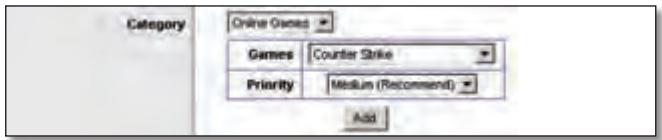
QoS > Online Games
Games Select the appropriate game.
Priority Select the appropriate priority: High, Medium (Recommend), Normal or Low.
Click Add to save your changes. Your new entry will appear in the Summary list.
MAC Address
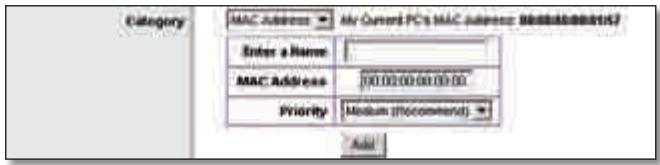
QoS > MAC Address
Enter a Name Enter a name for your device.
MAC Address Enter the MAC address of your device.
Priority Select the appropriate priority: High, Medium (Recommend), Normal or Low.
Click Add to save your changes. Your new entry will appear in the Summary list.
Ethernet Port
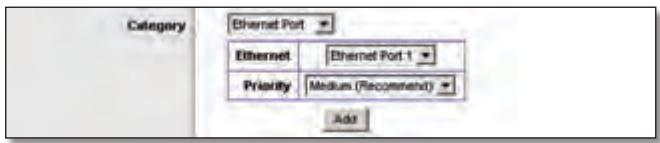
QoS > Ethernet Port
Ethernet Select the appropriate Ethernet port.
Priority Select the appropriate priority: High, Medium (Recommend), Normal or Low.
Click Add to save your changes. Your new entry will appear in the Summary list.
Voice Device
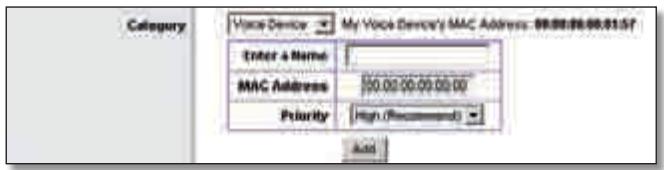
QoS > Voice Device
Enter a Name Enter a name for your voice device.
MAC Address Enter the MAC address of your voice device.
Priority Select the appropriate priority: High (Recommend), Medium, Normal or Low.
Click Add to save your changes. Your new entry will appear in the Summary list.
Summary
This lists the QoS entries you have created for your applications and devices.
Priority This column displays the bandwidth priority of High, Medium, Normal or Low.
Name This column displays the application, device or port name.
Information This column displays the port range or MAC address entered for your entry. If a pre-configured application or game was selected, there will be no valid entry shown in this section.
Remove Click this button to remove an entry.
Edit Click this button to make changes.
Click Save Settings to apply your changes or click Cancel Changes to cancel your changes.
Administration > Management
The Administration > Management screen allows the network's administrator to manage specific Router functions for access and security.
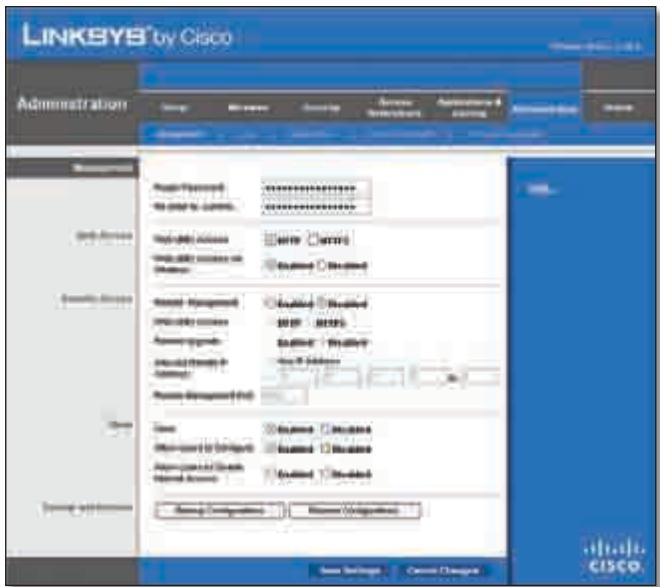
Administration > Management
Management
Router Access
To ensure the Router's security, you will be asked for your password when you access theRouter's web-based utility. The default is admin.
Router Password Enter a new password for the Router.
Re-enter to confirm Enter the password again to confirm.
Web Access
Web Utility Access HTTP (HyperText Transport Protocol) is the communications protocol used to connect to servers on the World Wide Web. HTTPS uses SSL (Secured Socket Layer) to encrypt data transmitted for higher security. Select HTTP or HTTPS. HTTP is the default.
Web Utility Access via Wireless If you are using the Router in a public domain where you are giving wireless access to your guests, you can disable wireless access to the Router's web-based utility. You will only be able to access the utility via a wired connection if you disable the setting. Keep the default, Enabled, to allow wireless access to the utility or select Disabled to block wireless access to the utility.
Remote Access
Remote Management To permit remote access of the Router, from outside the local network, select Enabled. Otherwise, keep the default, Disabled.
Web Utility Access HTTP (HyperText Transport Protocol) is the communications protocol used to connect to servers on the World Wide Web. HTTPS uses SSL (Secured Socket Layer) to encrypt data transmitted for higher security. Select HTTP or HTTPS. HTTP is the default.
Remote Upgrade If you want to be able to upgrade the Router remotely, from outside the local network, select Enabled. (You must have the Remote Management feature enabled as well). Otherwise, keep the default, Disabled.
Allowed Remote IP Address If you want to be able to access the Router from any external IP address, select Any IP Address. If you want to specify an external IP address or range of IP addresses, then select the second option and complete the fields provided.
Remote Management Port Enter the port number that will be open to outside access.

NOTE: When you are in a remote location and wish to manage the Router, enter http://
UPnP
Universal Plug and Play (UPnP) allows Windows Me and XP to automatically configure the Router for various Internet applications, such as gaming and videoconferencing.
UPnP If you want to use UPnP, keep the default setting, Enabled. Otherwise, select Disabled.
Allow Users to Configure Keep the default, Enabled, if you want to be able to make manual changes to the Router while using the UPnP feature. Otherwise, select Disabled.
Allow Users to Disable Internet Access Select Enabled, if you want to be able to prohibit any and all Internet connections. Otherwise, keep the default setting, Disabled.
Backup and Restore
Backup Configurations To back up the Router's configuration settings, click this button and follow the on-screen instructions.
Restore Configurations To restore the Router's configuration settings, click this button and follow the on-screen instructions. (You must have previously backed up theRouter's configuration settings).
Click Save Settings to apply your changes or click Cancel Changes to cancel your changes.
Administration > Log
The Router can keep logs of all traffic for your Internet connection.
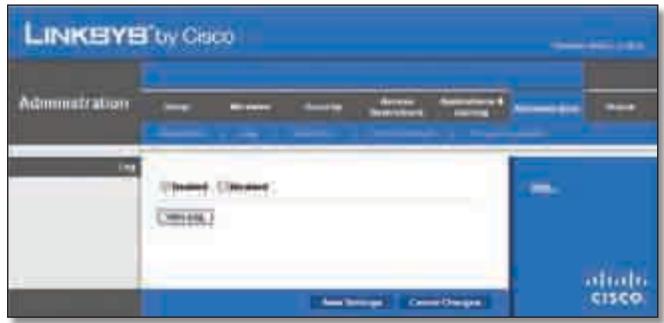
Administration > Log
Log
Log To disable the Log function, select Disabled. To monitor traffic between the network and the Internet, keep the default, Enabled. With logging enabled, you can choose to view temporary logs.
View Log To view the logs, click View Log.
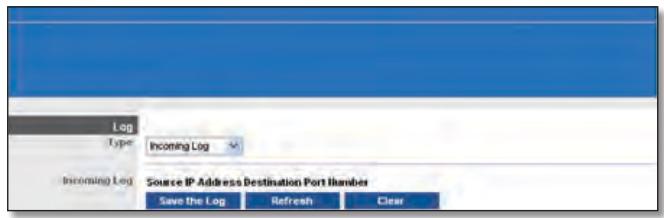
Administration > Log > View Log
Log
-
Type Select Incoming Log, Outgoing Log, Security Log or DHCP Client Log.
-
Log The Incoming Log will display a temporary log of the source IP addresses and destination port numbers for the incoming Internet traffic. The Outgoing Log will display a temporary log of the local IP addresses, destination URLs/IP addresses and service/port numbers for the outgoing Internet traffic. The Security log will display the login information for the web-based utility. The DHCP Client Log will display the LAN DHCP server status information.
Click Save the Log to save this information to a file on your PC's hard drive. Click Refresh to update the log. Click Clear to clear all the information that is displayed.
Click Save Settings to apply your changes or click Cancel Changes to cancel your changes.
Administration > Diagnostics
The diagnostic tests (Ping and Traceroute) allow you to check the connections of your network devices, including connection to the Internet. This screen also allows you to reset the router.
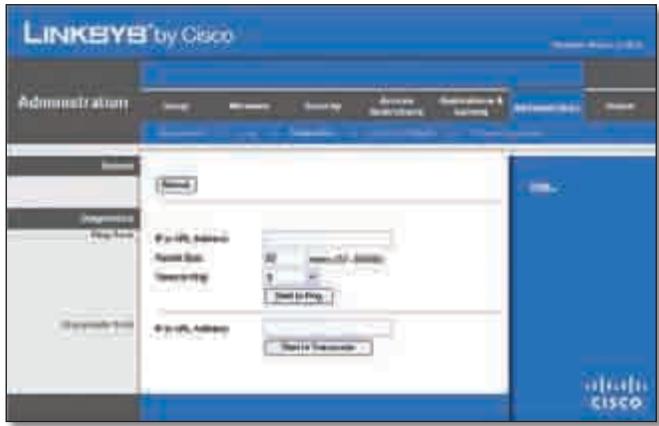
Administration > Diagnostics
Reboot
Reboot Click Reboot to reset the router.
Diagnostics
Ping Test
The Ping test checks the status of a connection.
IP or URL Address Enter the address of the PC whose connection you wish to test.
Packet Size Enter the packet size you want to use. The default is 32 bytes.
Times to Ping Enter many times you wish to test it.
Start to Ping To run the test, click this button. The Ping Test screen will show if the test was successful. Click Close to return to the Diagnostics screen.
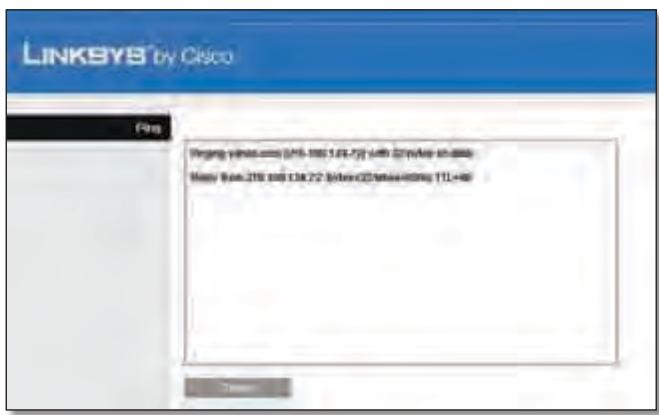
Diagnostics > Ping
Traceroute Test
The Traceroute test tests the performance of a connection.
IP or URL Address Enter the address of the PC whose connection you wish to test.
Start to Traceroute To run the test, click this button. The Traceroute Test screen will show if the test was successful. Click Close to return to the Diagnostics screen.
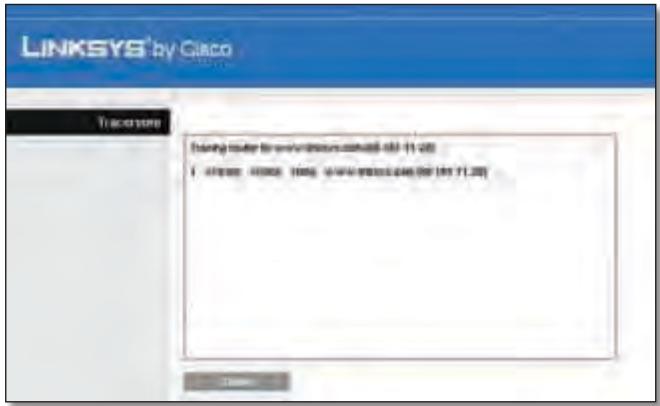
Diagnostics >Traceroute
Administration > Factory Defaults
The Administration > Factory Defaults screen allows you to restore the Router's configuration to its factory default settings.
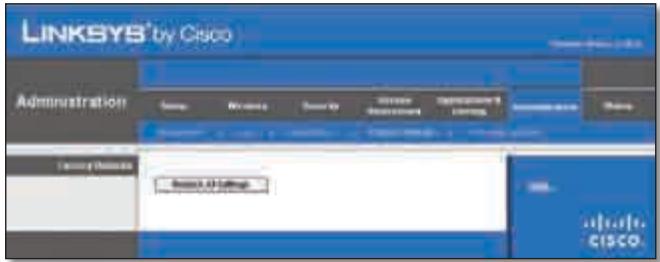
Administration >Factory Defaults

NOTE: Do not restore the factory defaults unless you are having difficulties with the Router and have exhausted all other troubleshooting measures. Once the Router is reset, you will have to re-enter all of your configuration settings.
Factory Defaults
Restore All Settings To reset the Router's settings to the default values, click this button and then follow the on-screen instructions. Any settings you have saved will be lost when the default settings are restored.
Administration > Firmware Upgrade
The Firmware Upgrade screen allows you to upgrade the Router's firmware. Do not upgrade the firmware unless you are experiencing problems with the Router or the new firmware has a feature you want to use.
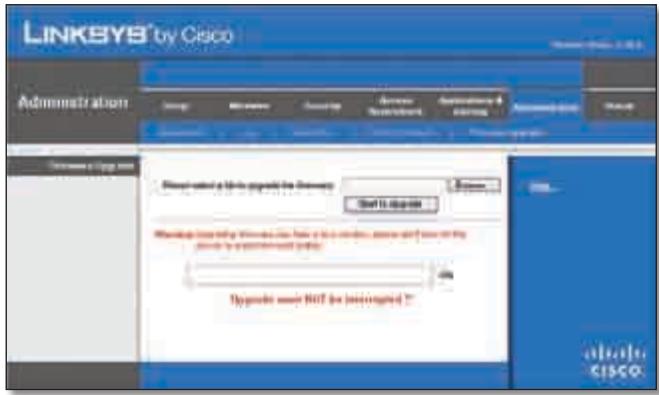
Administration > Firmware Upgrade

NOTE: The Router may lose the settings you have customised. Before you upgrade its firmware, write down all of your custom settings. After you upgrade its firmware, you will have to re-enter all of your configuration settings.
Firmware Upgrade
Before upgrading the firmware, download the Router's firmware upgrade file from the Linksys website, www.linksys.com. Then extract the file.
Please select a file to upgrade the firmware Click Browse and select the extracted firmware upgrade file.
Start to Upgrade After you have selected the appropriate file, click this button and follow the on-screen instructions.
Status > Router
The Router screen displays information about the Router and its current settings.
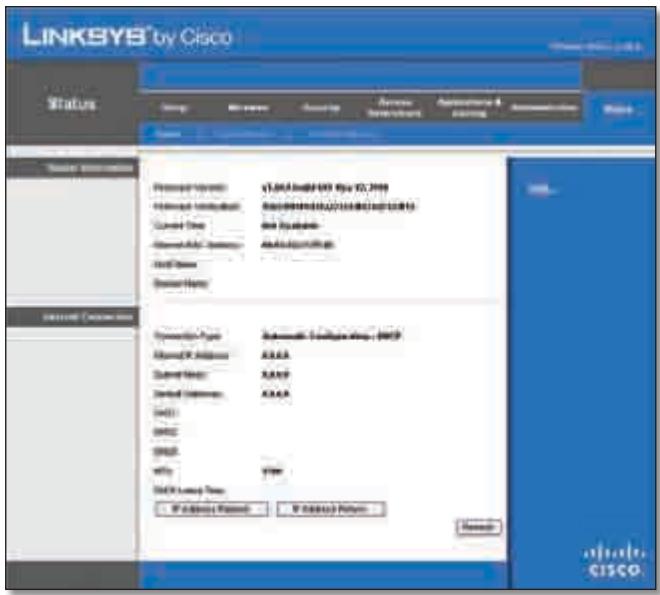
Status >Router
Router Information
Firmware Version This is the version number of the Router's current firmware.
Firmware Verification This shows the MD5 value generated during code compilation.
Current Time This shows the time set on the Router.
Internet MAC Address This is the Router's MAC Address, as seen by your ISP.
Host Name If required by your ISP, this was entered on the Basic Setup screen.
Domain Name If required by your ISP, this was entered on the Basic Setup screen.
Internet Connection
This section shows the current network information stored in the Router. The information varies depending on the Internet connection type selected on the Basic Setup screen.
Click Refresh to update the on-screen information.
Status > Local Network
The Local Network screen displays information about the local, wired network.
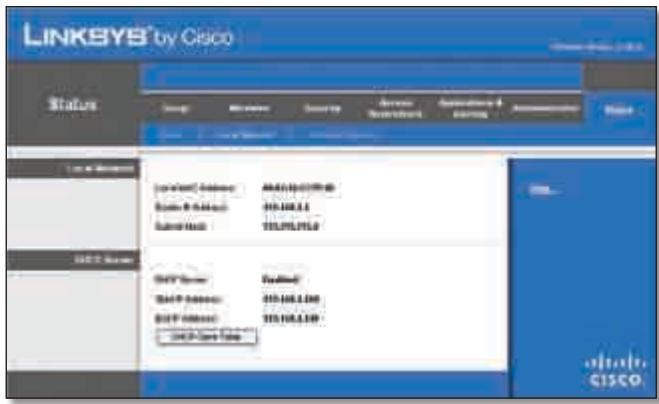
Status > Local Network
Local Network
Local MAC Address The MAC address of the Router's local, wired interface is displayed here.
Router IP Address This shows the Router's IP address, as it appears on your local network.
Subnet Mask This shows the Subnet Mask of the Router.
DHCP Server
DHCP Server The status of the Router's DHCP server function is displayed here.
Start IP Address For the range of IP addresses used by devices on your local network, the starting IP address is shown here.
End IP Address For the range of IP addresses used by devices on your local network, the ending IP address is shown here.
DHCP Clients Table Click this button to view a list of PCs that are using the Router as a DHCP server.
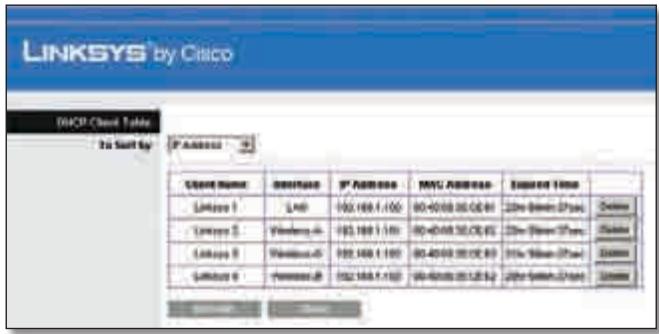
DHCP Clients Table
DHCP Client Table
The DHCP Client Table lists computers and other devices that have been assigned IP addresses by the Router. The list can be sorted by Client Name, Interface, IP Address, MAC Address and Expired Time (how much time is left for the current IP address). To remove a DHCP client, click Delete. To retrieve the most up-to-date information, click Refresh. To exit this screen and return to the Local Network screen, click Close.
Status > Wireless Network
The Wireless Network screen displays information about your wireless network.
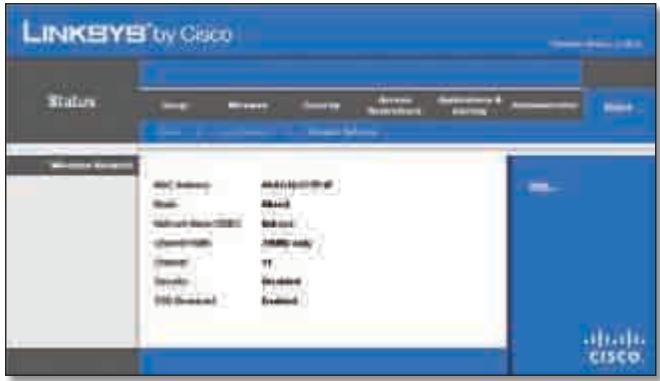
Status > Wireless
Wireless Network
MAC Address The MAC address of the Router's local, wireless interface is displayed here.
Mode Displayed here is the wireless mode used by the network.
Network Name (SSID) Displayed here is the name of the wireless network, which is also called theSSID.
Channel Width Shown here is the Radio Band setting selected on the Basic Wireless Settings screen.
Channel Shown here is the Channel setting selected on the Basic Wireless Settings screen.
Security Displayed here is the wireless security method used by the Router.
SSID Broadcast Displayed here is the status of the SSID Broadcast feature.
Appendix A: Troubleshooting
Your computer cannot connect to the Internet.
Follow these instructions until your computer can connect to the Internet:
- Make sure that the Router is powered on. The Power LED should be green and not flashing.
-
If the Power LED is flashing, then power-off all of your network devices, including the modem, Router and computers. Then power-on each device in the following order:
-
Cable or DSL modem
- Router
-
Computer
-
Check the cable connections. The computer should be connected to one of the ports numbered 1-4 on the Router, and the modem must be connected to the Internet port on the Router.
The modem does not have an Ethernet port.
The modem is a dial-up modem for traditional dial-up service. To use the Router, you need a cable/DSL modem and high-speed Internet connection.
You cannot use the DSL service to connect manually to the Internet.
After you have installed the Router, it will automatically connect to your Internet Service Provider (ISP), so you no longer need to connect manually.
The DSL telephone line does not fit into the Router's Internet port.
The Router does not replace your modem. You still need your DSL modem in order to use the Router. Connect the telephone line to the DSL modem, and then insert the setup CD into your computer. Click Setup and follow the on-screen instructions.
When you double-click the web browser, you are prompted for a username and password. If you want to get rid of the prompt, follow these instructions.
Launch the web browser and perform the following steps (these steps are specific to Internet Explorer but are similar for other browsers):
- Select Tools > Internet Options.
- Click the Connections tab.
- Select Never dial a connection.
- Click OK.
The Router does not have a coaxial port for the cable connection.
The Router does not replace your modem. You still need your cable modem in order to use the Router. Connect your cable connection to the cable modem, and then insert the setup CD into your computer. Click Setup and follow the on-screen instructions.
The computer cannot connect wirelessly to the network.
Make sure the wireless network name or SSID is the same on both the computer and the Router. If you have enabled wireless security, then make sure the same security method and key are used by both the computer and the Router.
You need to modify the settings on the Router.
Open the web browser (for example, Internet Explorer or Firefox), and enter the Router's IP address in the address field (the default IP address is 192.168.1.1). When prompted, enter the password to the Router (the default is admin). Click the appropriate tab to change the settings.

WEB: If your questions are not addressed here, refer to the Linksys website, www.linksys.com
Appendix B: Specifications
Model WRT320N
Standards Draft 802.11n, 802.11a, 802.11g, 802.11b, 802.3, 802.3u, 802.3ab
Ports Power, Internet, and Ethernet
Buttons Reset, Wi-Fi Protected Setup
LEDs Ethernet (1-4), Wi-Fi Protected Setup, Wireless, Internet, Power
Cabling Type CAT 5e
Number of Antennas 3
RF Pwr (EIRP) in dBm 17 dBm
Antenna Gain in dBi Main Antenna*: 1.5 dBi Third Antenna: 2.2 dBi
UPnP able/cert Able
Security Features WEP, WPA, WPA2
Security Key Bits 128-Bit
Environmental
Dimensions 202 × 160 × 34 ~mm (7.95" x 6.3" x 1.34")
Weight 10.58 oz (0.30 kg)
Power 12V
Certification FCC,CE,IC-03,Wi-Fi
Operating Temp. (0 to 40^ ) 32 to 104^
Storage Temp. (-20 to 60^) -4 to 140^
Operating Humidity 10 to 85% Non-condensing
Storage Humidity 5 to 90% Non-condensing
- The Router has two main antennas.
Specifications are subject to change without notice.
Appendix C: Warranty Information
Limited Warranty
Linksys warrants that this Linksys hardware product will be substantially free of defects in materials and workmanship arising under normal use during the Warranty Period, which begins on the date of purchase by the original end-user purchaser and lasts for the period specified below:
- Two (2) years for new product
- Ninety (90) days for refurbished product
This limited warranty is non-transferable and extends only to the original end-user purchaser. Your exclusive remedy and Linksys' entire liability under this limited warranty will be for Linksys, at its option, to (a) repair the product with new or refurbished parts, (b) replace the product with a reasonably available equivalent new or refurbished Linksys product or (c) refund the purchase price of the product less any rebates. Any repaired or replacement products will be warranted for the remainder of the original Warranty Period or thirty (30) days, whichever is longer. All products and/or parts that are replaced become the property of Linksys.
This limited warranty shall apply in addition to any statutory or other rights which you may have under a contract of sale.
Exclusions and Limitations
This limited warranty does not apply if: (a) the product assembly seal has been removed or damaged, (b) the product has been altered or modified, except by Linksys, (c) the product damage was caused by use with non-Linksys products, (d) the product has not been installed, operated, repaired or maintained in accordance with instructions supplied by Linksys, (e) the product has been subjected to abnormal physical or electrical stress, misuse, negligence or accident, (f) the serial number on the Product has been altered, defaced or removed or (g) the product is supplied or licensed for beta, evaluation, testing or demonstration purposes for which Linksys does not charge a purchase price or licence fee.
ALL SOFTWARE PROVIDED BY LINKSYSWITH THE PRODUCT, WHETHER FACTORY LOADED ON THE PRODUCT OR CONTAINED ON MEDIA ACCOMPANYING THE PRODUCT, IS PROVIDED "AS IS" WITHOUT ANY WARRANTY OF ANY KIND. Without limiting the foregoing, Linksys does not warrant that the operation of the product or software will be uninterrupted or error-free. Also, due to the continual development of new techniques for intruding upon and attacking networks, Linksys does not warrant that the product, service, software or any equipment, system or
network on which the product or software is used will be free of vulnerability to intrusion or attack. The product may include or be bundled with third party software or service offerings. This limited warranty shall not apply to such third party software or service offerings. This limited warranty does not guarantee any continued availability of a third party's service for which this product's use or operation may require.
TO THE EXTENT NOT PROHIBITED BY LAW, ALL IMPLIED WARRANTY AND CONDITIONS OF MERCHANTABILITY, SATISFACTORY QUALITY OR FITNESS FOR A PARTICULAR PURPOSE ARE LIMITED TO THE DURATION OF THE WARRANTY PERIOD. ALL OTHER EXPRESS OR IMPLIED CONDITIONS, REPRESENTATIONS AND WARRANTY, INCLUDING, BUT NOT LIMITED TO, ANY IMPLIED WARRANTY OF NON-INFRINGEMENT, ARE DISCLAIMED. Some jurisdictions do not allow limitations on how long an implied warranty lasts, so the above limitation may not apply to you. This limited warranty gives you specific legal rights and you may also have other rights which vary by jurisdiction.
TO THE EXTENT NOT PROHIBITED BY LAW, IN NO EVENT WILL LINKSYS BE LIABLE FOR ANY LOST DATA, TURNOVER OR PROFIT OR FOR SPECIAL, INDIRECT, CONSEQUENTIAL, INCIDENTAL OR PUNITIVE DAMAGES, REGARDLESS OF THE THEORY OF LIABILITY (INCLUDING NEGLIGENCE), ARISING OUT OF OR RELATED TO THE USE OF OR INABILITY TO USE THE PRODUCT (INCLUDING ANY SOFTWARE), EVEN IF LINKSYS HAS BEEN ADVISED OF THE POSSIBILITY OF SUCH DAMAGES. IN NO EVENT WILL LINKSYS' LIABILITY EXCEED THE AMOUNT PAID BY YOU FOR THE PRODUCT. The foregoing limitations will apply even if any warranty or remedy provided under this limited warranty fails of its essential purpose. Some jurisdictions do not allow the exclusion or limitation of incidental or consequential damages, so the above limitation or exclusion may not apply to you.
Obtaining Warranty Service
If you have a question about your product or experience a problem with it, please go to wwwlinksys.com/support where you will find a variety of online support tools and information to assist you with your product. If the product proves defective during the Warranty Period, contact Linksys Technical Support for instructions on how to obtain warranty service. The telephone number for Linksys Technical Support in your area can be found in the product User Guide and at wwwlinksys.com. Have your product serial number and proof of purchase on hand when calling. A DATED PROOF OF ORIGINAL PURCHASE IS REQUIRED TO PROCESS WARRANTY CLAIMS. If you are requested to return your product, you will be given a Return Materials Authorisation (RMA) number. You are responsible for properly packaging and shipping your product to Linksys at your cost and risk. You must include the RMA number
and a copy of your dated proof of original purchase when returning your product. Products received without a RMA number and dated proof of original purchase will be rejected. Do not include any other items with the product you are returning to Linksys. Defective product covered by this limited warranty will be repaired or replaced and returned to you without charge. Customers outside of the United States of America and Canada are responsible for all shipping and handling charges, custom duties, VAT and other associated taxes and charges. Repairs or replacements not covered under this limited warranty will be subject to charge at Linksys' then-current rates.
Technical Support
This limited warranty is neither a service nor a support contract. Information about Linksys' current technical support offerings and policies (including any fees for support services) can be found at www.linksys.com/support
General
This limited warranty is governed by the laws of the jurisdiction in which the Product was purchased by you.
If any portion of this limited warranty is found to be void or unenforceable, its remaining provisions shall remain in full force and effect.
Please direct all inquiries to: Linksys, P.O. Box 18558, Irvine, CA 92623.
For more information, please contact us
www.linksys.com
Select your country and then select SUPPORT/TECHNICAL
For product returns:
Select your Country and then select CUSTOMER SUPPORT
Appendix D: Regulatory Information
FCC Statement
This product has been tested and complies with the specifications for a Class B digital device, pursuant to Part 15 of the FCC Rules. These limits are designed to provide reasonable protection against harmful interference in a residential installation. This equipment generates, uses, and can radiate radio frequency energy and, if not installed and used according to the instructions, may cause harmful interference to radio communications. However, there is no guarantee that interference will not occur in a particular installation. If this equipment does cause harmful interference to radio or television reception, which is found by turning the equipment off and on, the user is encouraged to try to correct the interference by one or more of the following measures:
Reorient or relocate the receiving antenna
- Increase the separation between the equipment or devices
- Connect the equipment to an outlet other than the receiver's
- Consult a dealer or an experienced radio/TV technician for assistance
FCC Radiation Exposure Statement
This equipment complies with FCC radiation exposure limits set forth for an uncontrolled environment. This equipment should be installed and operated with minimum distance 20~cm between the radiator and your body.
Safety Notices
- Caution: To reduce the risk of fire, use only No.26 AWG or larger telecommunication line cord.
- Do not use this product near water, for example, in a wet basement or near a swimming pool.
- Avoid using this product during an electrical storm. There may be a remote risk of electric shock from lightning.
Industry Canada Statement
This Class B digital apparatus complies with Canadian ICES-003 and RSS210.
Operation is subject to the following two conditions:
- This device may not cause interference and
- This device must accept any interference, including interference that may cause undesired operation of the device.
To reduce potential radio interference to other users, the antenna type and its gain should be so chosen that the EIRP is not more than required for successful communication.
Industry Canada Radiation Exposure Statement
This equipment complies with IC radiation exposure limits set forth for an uncontrolled environment. This equipment should be installed and operated with minimum distance 20 cm between the radiator & your body.
This transmitter must not be co-located or operating in conjunction with any other antenna or transmitter.
The maximum performance for wireless is derived from IEEE Standard 802.11 specifications. Actual performance can vary, including lower wireless network capacity, data throughput rate, range and coverage. Performance depends on many factors, conditions and variables, including distance from the access point, volume of network traffic, building materials and construction, operating system used, mix of wireless products used, interference and other adverse conditions.
Declaration of Conformity with Regard to EU Directive 1999/5/EC (R&TTE Directive)
Compliance Information for 2.4-GHz and 5-GHz Wireless Products Relevant to the EU and Other Countries Following the EU Directive 1999/5/EC (R&TTE Directive)
| Бълга рски [Bulgarian] | Това оборudвае отоваря на сб自由贸易 и пленожима Калузни на Директува 1999/5/EC. |
| Česky [Czech]: | Toto zařízení je v souladu se základnímì požadavky a ostatními odpovídajćími ustanoveními Směrnice 1999/5/EC. |
| Dansk [Danish]: | Dette udstyr er i overensstemmelse med de væsentlige krav og andere relevante bestemmelsei direktiv 1999/5/EF. |
| Deutsch [German]: | Dieses Gerät entspricht den grundlegenden Anforderungen und den weiteren entsprechenden Vorgaben der Richtlinie 1999/5/EU. |
| Eesti [Estonian]: | See seade vastab direktiivi 1999/5/EÜ olulistele nõuetele ja teistele asjakohastele sätetele. |
| English: | This equipment is in compliance with the essential requirements and other relevant provisions of Directive 1999/5/EC. |
| Espanol [Spanish]: | Este equipo cumple con los requisitos esencias asi como conoras disposiciones de la Directiva 1999/5/CE. |
| Еληνική [Greek]: | Aútóc o εξοπλιομός είναι σε ουμύρωση μέ τις Μουσιώδεις απατήσεις και áλλες σχέτικές διατάξεις τηςΟδηγίας 1999/5/EC. |
| François [French]: | Cet apparéil est conforme aux exigences essentielles et aux autres dispositions pertinentes de la Directive 1999/5/EC. |
| ʃlenska [Icelandic]: | Petta tæki er samkvæmt grunnkröfum og öðrum viðeigandi ákvæðum Tilskipunar 1999/5/EC. |
| Italiano [Italian]: | Questo apparato é conforme ai requisiti essenziali edagli altri principi sanciti alla Direttiva 1999/5/CE. |
| Latviski [Latvian]: | Šī iekārta atbilst Direktīvas 1999/5/EK butiskajām prasibām un citiem ar to saistītajiem noteikumiem. |
| Lietuviç [Lithuanian]: | Šis jrenginys tenkina 1999/5/EB Direktyvos esminius reikalavimus irKitas šios direktyvos nuostatas. |
| Nederlands [Dutch]: | Dit apparaat voldoet aan de essentiele eisen en andere van toepassing+zijnde bepalingen van de Richtlijn 1999/5/EC. |
| Malti [Maltese]: | Dan l-apparat huwa konformi mal-htigiet essenzjali u l-provedimenti l-ohra rilevanti tad-Direttiva 1999/5/EC. |
| Magyar [Hungarian]: | Ez a keszülék teljesítii az alapvető követelményeket és más 1999/5/EK irányelven meghatározott vonatkoź rendelkezéket. |
| Norsk [Norwegian]: | Dette utstyret er i samsvar med de grunnleggende krav og andere relevante bestemmelsei EU-direktiv 1999/5/EF. |
| Polski [Polish]: | Uržadzenie jest zgodne z ogólnymi wymaganiami oraz szczególnymi warunkami okreslonymi Dyrektywą UE: 1999/5/EC. |
| Portuguès [Portuguese]: | Este equipamento está em conformidade com os requisitos essenciais e outras provisões relevantes da Direcita 1999/5/EC. |
| Română [Romanian] | Acest echipament este in conformitate cu cerintele esentiale si cu alte predereri relevante ale Directei 1999/5/EC. |
| Slovensko [Slovenian]: | Ta naprava je skladna z bistvenimi zahtevami in ostalimi relevantnimi pogoji Direktive 1999/5/EC. |
| Slovensky [Slovak]: | Toto zariadenie je v zhode so základnými požiadavkamiainýmiprislužnýminariadieniamidi direktív: 1999/5/EC. |
| Suomi [Finnish]: | Tämä laite tāyttää direktiivin 1999/5/EY olennaiset vaatimukset ja on siinä asetettujen muiden laitetta koskevien määäräysten mukainen. |
| Svenska [Swedish]: | Denna utrustning är i overensstammelse med de väsentiga kraven och andra relevanta bestämelsei i Direktiv 1999/5/EC. |
For all products, the Declaration of Conformity (DofC) is available through one or more of these options:
- A pdf file is included on the product's CD.
- A print copy is included with the product.
- A pdf file is available on the product's webpage. Visit www.linksys.com/international and select your country or region. Then select your product.
If you need any other technical documentation, see the "Technical Documents on www.linksys.com/international" section, as shown later in this appendix.
Wireless Equipment (Wireless-N/G/A/B Products)
The following standards were applied during the assessment of the product against the requirements of the Directive 1999/5/EC:
- Radio: EN 300 328 and/or EN 301 893 as applicable
EMC: EN 301 489-1, EN 301 489-17 - Safety: EN 60950 and either EN 50385 or EN 50371
Dynamic Frequency Selection (DFS) and Transmit Power Control (TPC) are required for operation in the 5 GHz band.
DFS: The equipment meets the DFS requirements as defined in ETSI EN 301 893. This feature is required by the regulations to avoid interference with Radio Location Services (radars).
TPC: For operation in the 5 GHz band, the maximum power level is 3 dB or more below the applicable limit. As such, TPC is not required.
CE Marking
For the Linksys Wireless-N, -G, -B, and/or -A products, the following CE mark, notified body number (where applicable), and class 2 identifier are added to the equipment.
C∈0560
or
C E 0678
or
C∈0336 ①
or
C∈①
Check the CE label on the product to find out which notified body was involved during the assessment.
National Restrictions
This product may be used in all EU countries (and other countries following the EU directive 1999/5/EC) without any limitation except for the countries mentioned below:
In the majority of the EU and other European countries, the 2.4- and 5-GHz bands have been made available for the use of wireless local area networks (LANs). The table labelled "Overview of Regulatory Requirements for Wireless LANs" provides an overview of the regulatory requirements applicable for the 2.4- and 5-GHz bands.
Later in this document you will find an overview of countries in which additional restrictions or requirements or both are applicable.
The requirements for any country may evolve. Linksys recommends that you check with the local authorities for the latest status of their national regulations for both the 2.4- and 5-GHz wireless LANs.
Overview of Regulatory Requirements for Wireless LANs
| Frequency Band (MHz) | Max Power Level (EIRP) (mW) | Indoor ONLY | Indoor & Outdoor |
| 2400-2483.5 | 100 | X | |
| 5150-5350† | 200 | X | |
| 5470-5725† | 1000 | X |
+Dynamic Frequency Selection and Transmit Power Control are required in the frequency ranges of 5250-5350 MHz and 5470-5725 MHz.
The following countries have restrictions and/or requirements in addition to those given in the table labelled "Overview of Regulatory Requirements for Wireless LANs":
Denmark
In Denmark, the band 5150 - 5350 MHz is also allowed for outdoor usage.
For 2,4 GHz, the product should not be used outdoors in the band 2454 - 2483,5 MHz. There are no restrictions when used in other parts of the 2,4 GHz band when used indoors. Check http://www.arcep.fr/ for more details.
Applicable Power Levels in France
| Location | Frequency Range (MHz) | Power (EIRP) |
| Indoor (No restrictions) | 2400-2483.5 | 100 mW (20 dBm) |
| Outdoor | 2400-2454 | 100 mW (20 dBm) |
| 2454-2483.5 | 10 mW (10 dBm) |
Italy
This product meets the National Radio Interface and the requirements specified in the National Frequency Allocation Table for Italy. Unless this 2,4-GHz wireless LAN product is operating within the boundaries of the owner's property, its use requires a "general authorization". Please check http://www.comunicazioni.it/it/ for more details.
The outdoor usage of the 2,4 GHz band requires an authorization from the Electronic Communications Office. Please check http://www.esd.lv for more details.
2,4 GHz frekveču joslas izmantošanai Črpus telpām nepieciesama atlauja no Elektronisko sakaru direkcijas. Vairak informacijas: http://www.esd.lv.
Notes:
-
Although Norway, Switzerland and Liechtenstein are not EU member states, the EU Directive 1999/5/EC has also been implemented in those countries.
-
The regulatory limits for maximum output power are specified in EIRP. The EIRP level of a device can be calculated by adding the gain of the antenna used (specified in dBi) to the output power available at the connector (specified in dBm).
Product Usage Restrictions
This product is designed for indoor usage only. Outdoor usage is not recommended, unless otherwise noted.
2.4 GHz Restrictions
This product is designed for use with the standard, integral or dedicated (external) antenna(s) that is/are shipped together with the equipment. However, some applications may require the antenna(s), if removable, to be separated from the product and installed remotely from the device by using extension cables. For these applications, Linksys offers an R-SMA extension cable (AC9SMA) and an R-TNC extension cable (AC9TNC). Both of these cables are 9 metres long and have a cable loss (attenuation) of 5 dB. To compensate for the attenuation, Linksys also offers higher gain antennas, the HGA7S (with R-SMA connector) and HGA7T (with R-TNC connector). These antennas have a gain of 7 dBi and may only be used with either the R-SMA or R-TNC extension cable.
Combinations of extension cables and antennas resulting in a radiated power level exceeding 100mW EIRP are illegal.
Third-Party Software or Firmware
The use of software or firmware not supported/provided by Linksys may result that the equipment is no longer compliant with the regulatory requirements.
Technical Documents on www.linksys.com/international
Follow these steps to access technical documents:
- Enter http://www.linksys.com/international in your web browser.
- Select the country or region in which you live.
- Click the Products tab.
- Select the appropriate product category.
- Select the product sub-category, if necessary.
- Select the product.
- Select the type of documentation you want from the More Information section. The document will open in PDF format if you have Adobe Acrobat installed on your computer.

NOTE: If you have questions regarding the compliance of this product or you cannot find the information you need, please contact your local sales office or visit www.linksys.com/international
User Information for Consumer Products Covered by EU Directive 2002/96/EC on Waste Electric and Electronic Equipment (WEEE)
This document contains important information for users with regards to the proper disposal and recycling of Linksys products. Consumers are required to comply with this notice for all electronic products bearing the following symbol:

English - Environmental Information for Customers in the European Union
European Directive 2002/96/EC requires that the equipment bearing this symbol on the product and/or its packaging must not be disposed of with unsorted municipal waste. The symbol indicates that this product should be disposed of separately from regular household waste streams. It is your responsibility to dispose of this and other electric and electronic equipment via designated collection facilities appointed by the government or local authorities. Correct disposal and recycling will help prevent potential negative consequences to the environment and human health. For more detailed information about the disposal of your old equipment, please contact your local authorities, waste disposal service, or the shop where you purchased the product.
Блгарский (Bulgarian) - Информаця OTHOCHO ona3BaHeto Na OkolHaTa cpeda 3a Notpe6nteN B Ebponecknca b103
Ebronecka dinpektbva 2002/96/EC n3nckbva ypeinte, Hocesi TOni CmBON Bbpxu n3denneto n/nnn onakobkata My, da He ce nXbBpIa T C HecoptnapHn 6ntOBn OTnadtu. CmBolbt O6o3naHaa, ye n3denneto Tp86Ba da ce n3xBbprr OTeJnHOOTcMeTOcb6npaHTo HA o6nKHOBeHnTe 6ntOBn OTnadTu. Ba7a e OTROBOPHOCTTa To3n I npyrte enektpnueckn n eektponHH ypeNi Da Ce n3XBpIaT B ppeBapNTeHNO ONpeJenHn OT dbbxabHnTE NNI O6unHsKn OprAHn CneuaNtnapHn NyKTOBE 3a Cb6npaHe. PpaBnHTo n3XBbpIaHne n pezKlnpHahe igeCNOMOrHat Da ce npedotbpaTet eBentyAINH BpeHN 3a OKoHaTcpeDa n 3dpabeto Ha HaceleHneto nocledctBna. 3a No-nOpO6Ha INΦOpMaZrO THOCHO n3XBbpIaHeTO Ha BaWnte CTapu ypei Ce 6bPHeTe KbM MeCTHnTE Blaactn, cnyKbnte 3a CMeTOcb6npaHe nn Mara3InHa, ot KOITo CTe 3aKynlnu ypeia.
WEB: For additional information, please visit www.linksys.com/international
Appendix E: Software Licence Agreement
Software in Linksys Products
This product from Cisco-Linksys LLC or from one of its affiliates Cisco Systems-Linksys (Asia) Pte Ltd. or Cisco-Linksys K.K. ("Linksys") contains software (including firmware) originating from Linksys and its suppliers and may also contain software from the open source community. Any software originating from Linksys and its suppliers is licensed under the Linksys Software Licence Agreement contained at Schedule 1 below. You may also be prompted to review and accept that Linksys Software Licence Agreement upon installation of the software
Any software from the open source community is licensed under the specific license terms applicable to that software made available by Linksys at www.linksys.com/gpl or as provided for in Schedules 2, 3 and 4 below.
Where such specific licence terms entitle you to the source code of such software, that source code is upon request available at cost from Linksys for at least three years from the purchase date of this product and may also be available for download from www.linksys.com/gpl. For detailed licence terms and additional information on open source software in Linksys products please look at the Linksys public web site at: www.linksys.com/gpl/ or Schedules 2, 3 or 4 below as applicable.
BY DOWNLOADING OR INSTALLING THE SOFTWARE, OR USING THE PRODUCT CONTAINING THE SOFTWARE, YOU ARE CONSENTING TO BE BOUND BY THE SOFTWARE LICENCE AGREEMENTS BELOW. IF YOU DO NOT AGREE TO ALL OF THESE TERMS, THEN YOU MAY NOT DOWNLOAD, INSTALL OR USE THE SOFTWARE. YOU MAY RETURN UNUSED SOFTWARE (OR, IF THE SOFTWARE IS SUPPLIED AS PART OF ANOTHER PRODUCT, THE UNUSED PRODUCT) FOR A FULL REFUND UP TO 30 DAYS AFTER ORIGINAL PURCHASE, SUBJECT TO THE RETURN PROCESS AND POLICIES OF THE PARTY FROM WHICH YOU PURCHASED SUCH PRODUCT OR SOFTWARE.
Software Licences
The software Licences applicable to software from Linksys are made available at the Linksys public web site at: www.linksys.com. For your convenience of reference, a copy of the Linksys Software Licence Agreement and the main open source code licences used by Linksys in its products are contained in the Schedules below.
Schedule 1 - Linksys Software Licence Agreement
THIS LICENCE AGREEMENT IS BETWEEN YOU AND CISCO-LINKSYS LLC OR ONE OF ITS AFFILIATES CISCO SYSTEMS-LINKSYS (ASIA) PTE LTD. OR CISCO-LINKSYS K.K. ("LINKSYS") LICENSING THE SOFTWARE INSTEAD OF CISCO-LINKSYS LLC. BY DOWNLOADING OR INSTALLING THE SOFTWARE, OR USING THE PRODUCT CONTAINING THE SOFTWARE, YOU ARE CONSENTING TO BE BOUND BY THIS AGREEMENT. IF YOU DO NOT AGREE TO ALL OF THESE TERMS, THEN YOU MAY NOT DOWNLOAD, INSTALL OR USE THE SOFTWARE. YOU MAY RETURN UNUSED SOFTWARE (OR, IF THE SOFTWARE IS SUPPLIED AS PART OF ANOTHER PRODUCT, THE UNUSED PRODUCT) FOR A FULL REFUND UP TO 30 DAYS AFTER ORIGINAL PURCHASE, SUBJECT TO THE RETURN PROCESS AND POLICIES OF THE PARTY FROM WHICH YOU PURCHASED SUCH PRODUCT OR SOFTWARE.
Licence. Subject to the terms and conditions of this Agreement, Linksys grants the original end user purchaser of the Linksys product containing the Software ("You") a non-exclusive licence to use the Software solely as embedded in or (where authorised in the applicable documentation) for communication with such product. This licence may not be sub-licensed and is not transferable except to a person or entity to which you transfer ownership of the complete Linksys product containing the Software, provided you permanently transfer all rights under this Agreement and do not retain any full or partial copies of the Software and the recipient agrees to the terms of this Agreement.
"Software" includes and this Agreement will apply to (a) the software of Linksys or its suppliers provided in or with the applicable Linksys product, excluding technology from the open source community and (b) any upgrades, updates, bug fixes or modified versions ("Upgrades") or backup copies of the Software supplied to You by Linksys or an authorised reseller, provided you already hold a valid licence to the original software and have paid any applicable fee for the Upgrade.
Protection of Information. The Software and documentation contain trade secrets and/or copyrighted materials of Linksys or its suppliers. You will not copy or modify the Software or decompile, decrypt, reverse engineer or disassemble the Software (except to the extent expressly permitted by law notwithstanding this provision) and You will not disclose or make available such trade secrets or copyrighted material in any form to any third party. Title to and ownership of the Software and documentation and any portion thereof, will remain solely with Linksys or its suppliers.
Collection and Processing of Information. You agree that Linksys and/or its affiliates may, from time to time, collect and process information about your Linksys product and/ or the Software and/or your use of either in order (i) to enable Linksys to offer you Upgrades; (ii) to ensure that
your Linksys product and/or the Software is being used in accordance with the terms of this Agreement; (iii) to provide improvements to the way Linksys delivers technology to you and to other Linksys customers; (iv) to enable Linksys to comply with the terms of any agreements it has with any third parties regarding your Linksys product and/or Software and/or (v) to enable Linksys to comply with all applicable laws and/or regulations or the requirements of any regulatory authority or government agency. Linksys and/ or its affiliates may collect and process this information provided that it does not identify you personally. Your use of your Linksys product and/or the Software constitutes this consent by you to Linksys and/ or its affiliates' collection and use of such information and, for EEA customers, to the transfer of such information to a location outside the EEA.
Software Upgrades etc. If the Software enables you to receive Upgrades, you may elect at any time to receive these Upgrades either automatically or manually. If you elect to receive Upgrades manually or you otherwise elect not to receive or be notified of any Upgrades, you may expose your Linksys product and/or the Software to serious security threats and/or some features within your Linksys product and/or Software may become inaccessible. There may be circumstances where we apply an Upgrade automatically in order to comply with changes in legislation, legal or regulatory requirements or as a result of requirements to comply with the terms of any agreements Linksys has with any third parties regarding your Linksys product and/or the Software. You will always be notified of any Upgrades being delivered to you. The terms of this licence will apply to any such Upgrade unless the Upgrade in question is accompanied by a separate licence, in which event the terms of that licence will apply.
Open Source Software. The GPL or other open source code incorporated into the Software and the open source licence for such source code are available for free download at http://wwwlinksys.com/gpl. If You would like a copy of the GPL or other open source code in this Software on a CD, Linksys will mail to You a CD with such code for $9.99 plus the cost of shipping, upon request.
Term and Termination. You may terminate this Licence at any time by destroying all copies of the Software and documentation. Your rights under this Licence will terminate immediately without notice from Linksys if You fail to comply with any provision of this Agreement.
Limited Warranty. The warranty terms and period specified in the applicable Linksys Product User Guide shall also apply to the Software.
Disclaimer of Liabilities. IN NO EVENT WILL LINKSYS OR ITS SUPPLIERS BE LIABLE FOR ANY LOST DATA, TURNOVER OR PROFIT, OR FOR SPECIAL, INDIRECT, CONSEQUENTIAL, INCIDENTAL OR PUNITIVE DAMAGES, REGARDLESS OF CAUSE (INCLUDING NEGLIGENCE), ARISING OUT OF
OR RELATED TO THE USE OF OR INABILITY TO USE THE SOFTWARE, EVEN IF LINKSYS HAS BEEN ADVISED OF THE POSSIBILITY OF SUCH DAMAGES. IN NO EVENT WILL LINKSYS' LIABILITY EXCEED THE AMOUNT PAID BY YOU FOR THE PRODUCT. The foregoing limitations will apply even if any warranty or remedy under this Agreement fails of its essential purpose. Some jurisdictions do not allow the exclusion or limitation of incidental or consequential damages, so the above limitation or exclusion may not apply to You.
Export. Software, including technical data, may be subject to U.S. export control laws and regulations and/or export or import regulations in other countries. You agree to comply strictly with all such laws and regulations.
U.S. Government Users. The Software and documentation qualify as "commercial items" as defined at 48 C.F.R. 2.101 and 48 C.F.R. 12.212. All Government users acquire the Software and documentation with only those rights herein that apply to non-governmental customers.
General Terms. This Agreement will be governed by and construed in accordance with the laws of the State of California, without reference to conflict of laws principles. The United Nations Convention on Contracts for the International Sale of Goods will not apply. If any portion of this Agreement is found to be void or unenforceable, the remaining provisions will remain in full force and effect. This Agreement constitutes the entire agreement between the parties with respect to the Software and supersedes any conflicting or additional terms contained in any purchase order or elsewhere.
END OF SCHEDULE 1
Schedule 2
If this Linksys product contains open source software licensed under Version 2 of the "GNU General Public Licence" then the licence terms below in this Schedule 2 will apply to that open source software. The licence terms below in this Schedule 2 are from the public web site at http://www.gnu.org/copyleft/gpl.html
GNU GENERAL PUBLIC LICENCE
This is an unofficial translation of the GNU General Public Licence into [language]. It was not published by the Free Software Foundation and does not legally state the distribution terms for software that uses the GNU GPL—only the original English text of the GNU GPL does that. However, we hope that this translation will help [language] speakers understand the GNU GPL better.
Version 2, June 1991
Copyright © 1989, 1991 Free Software Foundation, Inc.
51 Franklin Street, Fifth Floor, Boston, MA 02110-1301, USA
Everyone is permitted to copy and distribute verbatim copies of this licence document, but changing it is not allowed.
Preamble
The licences for most software are designed to take away your freedom to share and change it. By contrast, the GNU General Public Licence is intended to guarantee your freedom to share and change free software—to make sure the software is free for all its users. This General Public Licence applies to most of the Free Software Foundation's software and to any other program whose authors commit to using it. (Some other Free Software Foundation software is covered by the GNU Lesser General Public Licence instead). You can apply it to your programs, too.
When we speak of free software, we are referring to freedom, not price. Our General Public Licences are designed to make sure that you have the freedom to distribute copies of free software (and charge for this service if you wish), that you receive source code or can get it if you want it, that you can change the software or use pieces of it in new free programs; and that you know you can do these things.
To protect your rights, we need to make restrictions that forbid anyone to deny you these rights or to ask you to surrender the rights. These restrictions translate to certain responsibilities for you if you distribute copies of the software or if you modify it.
For example, if you distribute copies of such a program, whether gratis or for a fee, you must give the recipients all the rights that you have. You must make sure that they, too, receive or can get the source code. And you must show them these terms so they know their rights.
We protect your rights with two steps: (1) copyright the software and (2) offer you this licence which gives you legal permission to copy, distribute and/or modify the software.
Also, for each author's protection and ours, we want to make certain that everyone understands that there is no warranty for this free software. If the software is modified by someone else and passed on, we want its recipients to know that what they have is not the original, so that any problems introduced by others will not reflect on the original authors' reputations.
Finally, any free program is threatened constantly by software patents. We wish to avoid the danger that redistributors of a free program will individually obtain patent licences, in effect making the program proprietary. To prevent this, we have made it clear that any patent must be licensed for everyone's free use or not licensed at all.
The precise terms and conditions for copying, distribution and modification follow.
TERMS AND CONDITIONS FOR COOPYING, DISTRIBUTION AND MODIFICATION
- This Licence applies to any program or other work which contains a notice placed by the copyright holder saying it may be distributed under the terms of this General Public Licence. The "Program", below, refers to any such program or work and a "work based on the Program" means either the Program or any derivative work under copyright law: that is to say, a work containing the Program or a portion of it, either verbatim or with modifications and/or translated into another language. (Hereinafter, translation is included without limitation in the term "modification"). Each licensee is addressed as "you".
Activities other than copying, distribution and modification are not covered by this Licence; they are outside its scope. The act of running the Program is not restricted and the output from the Program is covered only if its contents constitute a work based on the Program (independent of having been made by running the Program). Whether that is true depends on what the Program does.
- You may copy and distribute verbatim copies of the Program's source code as you receive it, in any medium, provided that you conspicuously and appropriately publish on each copy an appropriate copyright notice and disclaimer of warranty; keep intact all the notices that refer to this Licence and to the absence of any warranty; and give any other recipients of the Program a copy of this Licence along with the Program.
You may charge a fee for the physical act of transferring a copy and you may at your option offer warranty protection in exchange for a fee.
- You may modify your copy or copies of the Program or any portion of it, thus forming a work based on the Program and copy and distribute such modifications or work under the terms of Section 1 above, provided that you also meet all of these conditions:
a. You must cause the modified files to carry prominent notices stating that you changed the files and the date of any change.
b. You must cause any work that you distribute or publish, that in whole or in part contains or is derived from the Program or any part thereof, to be licensed as a whole at no charge to all third parties under the terms of this Licence.
c. If the modified program normally reads commands interactively when run, you must cause it, when it has started running for such interactive use in the most ordinary way, to print or display an announcement including an appropriate copyright notice and a notice that there is no warranty (or else, saying that you provide a warranty) and that users may redistribute the program under these conditions and telling the user how to view a copy of this Licence. (Exception: if the Program itself is interactive but does not normally print such an announcement, your work based on the Program is not required to print an announcement).
These requirements apply to the modified work as a whole. If identifiable sections of that work are not derived from the Program and can be reasonably considered independent and separate works in themselves, then this Licence and its terms, do not apply to those sections when you distribute them as separate works. But when you distribute the same sections as part of a whole which is a work based on the Program, the distribution of the whole must be on the terms of this Licence, whose permissions for other licensees extend to the entire whole and thus to each and every part regardless of who wrote it.
Thus, it is not the intent of this section to claim rights or contest your rights to work written entirely by you; rather, the intent is to exercise the right to control the distribution of derivative or collective works based on the Program.
In addition, mere aggregation of another work not based on the Program with the Program (or with a work based on the Program) on a volume of a storage or distribution medium does not bring the other work under the scope of this Licence.
- You may copy and distribute the Program (or a work based on it, under Section 2) in object code or executable form under the terms of Sections 1 and 2 above provided that you also do one of the following:
a. Accompany it with the complete corresponding machine-readable source code, which must be distributed under the terms of Sections 1 and 2 above on a medium customarily used for software interchange; or,
b. Accompany it with a written offer, valid for at least three years, to give any third party, for a charge no more than your cost of physically performing source distribution, a complete machine-readable copy of the corresponding source code, to be distributed under the terms of Sections 1 and 2 above on a medium customarily used for software interchange; or,
c. Accompany it with the information you received as to the offer to distribute corresponding source code. (This alternative is allowed only for non-commercial distribution and only if you received the program in object code or executable form with such an offer, in accord with Subsection b above).
The source code for a work means the preferred form of the work for making modifications to it. For an executable work, complete source code means all the source code for all modules it contains, plus any associated interface definition files, plus the scripts used to control compilation and installation of the executable. However, as a special exception, the source code distributed need not include anything that is normally distributed (in either source or binary form) with the major components (compiler, kernel and so on) of the operating system on which the executable runs, unless that component itself accompanies the executable.
If distribution of executable or object code is made by offering access to copy from a designated place, then offering equivalent access to copy the source code from the same place counts as distribution of the source code, even though third parties are not compelled to copy the source along with the object code.
- You may not copy, modify, sublicense or distribute the Program except as expressly provided under this Licence. Any attempt otherwise to copy, modify, sublicense or distribute the Program is void and will automatically terminate your rights under this Licence. However, parties who have received copies or rights, from you under this Licence will not have their licenses terminated so long as such parties remain in full compliance.
- You are not required to accept this Licence, since you have not signed it. However, nothing else grants you permission to modify or distribute the Program or its derivative works. These actions are prohibited by law if you do not accept this Licence. Therefore, by modifying or distributing the Program (or any work based on the Program), you indicate your acceptance of this Licence to do so and all its terms and conditions for copying, distributing or modifying the Program or works based on it.
-
Each time you redistribute the Program (or any work based on the Program), the recipient automatically receives a license from the original licensor to copy, distribute or modify the Program subject to these terms and conditions. You may not impose any further restrictions on the recipients' exercise of the rights granted herein. You are not responsible for enforcing compliance by third parties to this Licence.
-
If, as a consequence of a court judgment or allegation of patent infringement or for any other reason (not limited to patent issues), conditions are imposed on you (whether by court order, agreement or otherwise) that contradict the conditions of this Licence, they do not excuse you from the conditions of this Licence. If you cannot distribute so as to satisfy simultaneously your obligations under this Licence and any other pertinent obligations, then as a consequence you may not distribute the Program at all. For example, if a patent licence would not permit royalty-free redistribution of the Program by all those who receive copies directly or indirectly through you, then the only way you could satisfy both it and this Licence would be to refrain entirely from distribution of the Program.
If any portion of this section is held invalid or unenforceable under any particular circumstance, the balance of the section is intended to apply and the section as a whole is intended to apply in other circumstances.
It is not the purpose of this section to induce you to infringe any patents or other property right claims or to contest validity of any such claims; this section has the sole purpose of protecting the integrity of the free software distribution system, which is implemented by public licence practices. Many people have made generous contributions to the wide range of software distributed through that system in reliance on consistent application of that system; it is up to the author/donor to decide if he or she is willing to distribute software through any other system and a licensee cannot impose that choice.
This section is intended to make thoroughly clear what is believed to be a consequence of the rest of this Licence.
-
If the distribution and/or use of the Program is restricted in certain countries either by patents or by copyrighted interfaces, the original copyright holder who places the Program under this Licence may add an explicit geographical distribution limitation excluding those countries, so that distribution is permitted only in or among countries not thus excluded. In such case, this Licence incorporates the limitation as if written in the body of this Licence.
-
The Free Software Foundation may publish revised and/or new versions of the General Public Licence from time to time. Such new versions will be similar in spirit to the present version, but may differ in detail to address new problems or concerns.
Each version is given a distinguishing version number. If the Program specifies a version number of this Licence which applies to it and "any later version", you have the option of following the terms and conditions either of that version or of any later version published
by the Free Software Foundation. If the Program does not specify a version number of this Licence, you may choose any version ever published by the Free Software Foundation.
- If you wish to incorporate parts of the Program into other free programs whose distribution conditions are different, write to the author to ask for permission. For software which is copyrighted by the Free Software Foundation, write to the Free Software Foundation; we sometimes make exceptions for this. Our decision will be guided by the two goals of preserving the free status of all derivatives of our free software and of promoting the sharing and reuse of software generally.
NO WARRANTY
-
BECAUSE THE PROGRAM IS LICENSED FREE OF CHARGE, THERE IS NO WARRANTY FOR THE PROGRAM, TO THE EXTENT PERMITTED BY APPLICABLE LAW. EXCEPT WHEN OTHERWISE STATED IN WRITING THE COPYRIGHT HOLDERS AND/OR OTHER PARTIES PROVIDE THE PROGRAM "AS IS" WITHOUT WARRANTY OF ANY KIND, EITHER EXPRESSED OR IMPLIED, INCLUDING, BUT NOT LIMITED TO, THE IMPLIED WARRANTYES OF MERCHANTABILITY AND FITNESS FOR A PARTICULAR PURPOSE. THE ENTIRE RISK AS TO THE QUALITY AND PERFORMANCE OF THE PROGRAM IS WITH YOU. SHOULD THE PROGRAM PROVE DEFECTIVE, YOU ASSUME THE COST OF ALL NECESSARY SERVICING, REPAIR OR CORRECTION.
-
INNOEVENT UNLESS REQUIRED BY APPLICABLE LAW OR AGREED TO IN WRITING WILL ANY COPYRIGHT HOLDER, OR ANY OTHER PARTY WHO MAY MODIFY AND/OR REDISTRIBUTE THE PROGRAM AS PERMITTED ABOVE, BE LIABLE TO YOU FOR DAMAGES, INCLUDING ANY GENERAL, SPECIAL, INCIDENTAL OR CONSEQUENTIAL DAMAGES ARISING OUT OF THE USE OR INABILITY TO USE THE PROGRAM (INCLUDING BUT NOT LIMITED TO LOSS OF DATA OR DATA BEING RENDERED IN ACCURATE OR LOSSES SUSTAINED BY YOU OR THIRD PARTIES OR A FAILURE OF THE PROGRAM TO OPERATE WITH ANY OTHER PROGRAMS), EVEN IF SUCH HOLDER OR OTHER PARTY HAS BEEN ADVISED OF THE POSSIBILITY OF SUCH DAMAGES.
END OF TERMS AND CONDITIONS
END OF SCHEDULE 2
Schedule 3
If this Linksys product contains open source software licensed underVersion2.1 of the "GNU Lesser General Public Licence" then the licence terms below in this Schedule 3 will apply to that open source software. The licence terms below in this Schedule 3 are from the public web site at http://www.gnu.org/licenses/old-licenses/lgpl-2.1.html.
GNU LESSER GENERAL PUBLIC LICENCE
This is an unofficial translation of the GNU General Public Licence into [language]. It was not published by the Free Software Foundation and does not legally state the distribution terms for software that uses the GNU GPL—only the original English text of the GNU GPL does that. However, we hope that this translation will help [language] speakers understand the GNU GPL better.
Version 2.1, February 1999
Copyright (C) 1991, 1999 Free Software Foundation, Inc.
51 Franklin Street, Fifth Floor, Boston, MA 02110-1301, USA
Everyone is permitted to copy and distribute verbatim copies of this licence document, but changing it is not allowed.
[This is the first released version of the Lesser GPL. It also counts as the successor of the GNU Library Public Licence, version 2, hence the version number 2.1.]
Preamble
The licences for most software are designed to take away your freedom to share and change it. By contrast, the GNU General Public Licences are intended to guarantee your freedom to share and change free software—to make sure the software is free for all its users.
This licence, the Lesser General Public Licence, applies to some specially designated software packages—typically libraries—of the Free Software Foundation and other authors who decide to use it. You can use it too, but we suggest you first think carefully about whether this licence or the ordinary General Public Licence is the better strategy to use in any particular case, based on the explanations below.
When we speak of free software, we are referring to freedom of use, not price. Our General Public Licences are designed to make sure that you have the freedom to distribute copies of free software (and charge for this service if you wish); that you receive source code or can get it if you want it; that you can change the software and use pieces of it in new free programs; and that you are informed that you can do these things.
To protect your rights, we need to make restrictions that forbid distributors to deny you these rights or to ask you to surrender these rights. These restrictions translate to certain responsibilities for you if you distribute copies of the library or if you modify it.
For example, if you distribute copies of the library, whether gratis or for a fee, you must give the recipients all the rights that we gave you. You must make sure that they, too, receive or can get the source code. If you link other code with the library, you must provide complete
object files to the recipients, so that they can relink them with the library after making changes to the library and recompiling it. And you must show them these terms so they know their rights.
We protect your rights with a two-step method: (1) we copyright the library and (2) we offer you this licence, which gives you legal permission to copy, distribute and/or modify the library.
To protect each distributor, we want to make it very clear that there is no warranty for the free library. Also, if the library is modified by someone else and passed on, the recipients should know that what they have is not the original version, so that the original author's reputation will not be affected by problems that might be introduced by others.
Finally, software patents pose a constant threat to the existence of any free program. We wish to make sure that a company cannot effectively restrict the users of a free program by obtaining a restrictive licence from a patent holder. Therefore, we insist that any patent licence obtained for a version of the library must be consistent with the full freedom of use specified in this licence.
Most GNU software, including some libraries, is covered by the ordinary GNU General Public Licence. This licence, the GNU Lesser General Public Licence, applies to certain designated libraries and is quite different from the ordinary General Public Licence. We use this licence for certain libraries in order to permit linking those libraries into non-free programs.
When a program is linked with a library, whether statically or using a shared library, the combination of the two is legally speaking a combined work, a derivative of the original library. The ordinary General Public Licence therefore permits such linking only if the entire combination fits its criteria of freedom. The Lesser General Public Licence permits more lax criteria for linking other code with the library.
We call this licence the "Lesser" General Public Licence because it does Less to protect the user's freedom than the ordinary General Public Licence. It also provides other free software developers Less of an advantage over competing non-free programs. These disadvantages are the reason we use the ordinary General Public Licence for many libraries. However, the Lesser licence provides advantages in certain special circumstances.
For example, on rare occasions, there may be a special need to encourage the widest possible use of a certain library, so that it becomes a de-facto standard. To achieve this, non-free programs must be allowed to use the library. A more frequent case is that a free library does the same job as widely used non-free libraries. In this case, there is little to gain by limiting the free library to free software only, so we use the Lesser General Public Licence.
In other cases, permission to use a particular library in non-free programs enables a greater number of people to use a large body of free software. For example, permission to use the GNU C Library in non-free programs enables many more people to use the whole GNU operating system, as well as its variant, the GNU/Linux operating system.
Although the Lesser General Public Licence is Less protective of the users' freedom, it does ensure that the user of a program that is linked with the Library has the freedom and the wherewithal to run that program using a modified version of the Library.
The precise terms and conditions for copying, distribution and modification follow. Pay close attention to the difference between a "work based on the library" and a "work that uses the library". The former contains code derived from the library, whereas the latter must be combined with the library in order to run.
GNU LESSER GENERAL PUBLIC LICENCE
TERMS AND CONDITIONS FOR COOPYING, DISTRIBUTION AND MODIFICATION
- This Licence Agreement applies to any software library or other program which contains a notice placed by the copyright holder or other authorised party saying it may be distributed under the terms of this Lesser General Public Licence (also called "this Licence"). Each licensee is addressed as "you".
A "library" means a collection of software functions and/or data prepared so as to be conveniently linked with application programs (which use some of those functions and data) to form executables.
The "Library", below, refers to any such software library or work which has been distributed under these terms. A "work based on the Library" means either the Library or any derivative work under copyright law: that is to say, a work containing the Library or a portion of it, either verbatim or with modifications and/or translated straightforwardly into another language. (Hereinafter, translation is included without limitation in the term "modification").
"Source code" for a work means the preferred form of the work for making modifications to it. For a library, complete source code means all the source code for all modules it contains, plus any associated interface definition files, plus the scripts used to control compilation and installation of the library.
Activities other than copying, distribution and modification are not covered by this Licence; they are outside its scope. The act of running a program using the Library is not restricted and output from such a program is covered only if its contents constitute a
work based on the Library (independent of the use of the Library in a tool for writing it). Whether that is true depends on what the Library does and what the program that uses the Library does.
- You may copy and distribute verbatim copies of the Library's complete source code as you receive it, in any medium, provided that you conspicuously and appropriately publish on each copy an appropriate copyright notice and disclaimer of warranty; keep intact all the notices that refer to this Licence and to the absence of any warranty; and distribute a copy of this Licence along with the Library.
You may charge a fee for the physical act of transferring a copy and you may at your option offer warranty protection in exchange for a fee.
- You may modify your copy or copies of the Library or any portion of it, thus forming a work based on the Library and copy and distribute such modifications or work under the terms of Section 1 above, provided that you also meet all of these conditions:
a) The modified work must itself be a software library.
b) You must cause the files modified to carry prominent notices stating that you changed the files and the date of any change.
c) You must cause the whole of the work to be licensed at no charge to all third parties under the terms of this Licence.
d) If a facility in the modified Library refers to a function or a table of data to be supplied by an application program that uses the facility, other than as an argument passed when the facility is invoked, then you must make a good faith effort to ensure that, in the event an application does not supply such function or table, the facility still operates and performs whatever part of its purpose remains meaningful.
(For example, a function in a library to compute square roots has a purpose that is entirely well-defined independent of the application. Therefore, Subsection 2d requires that any application-supplied function or table used by this function must be optional: if the application does not supply it, the square root function must still compute square roots).
These requirements apply to the modified work as a whole. If identifiable sections of that work are not derived from the Library and can be reasonably considered independent and separate works in themselves, then this Licence and its terms, do not apply to those sections when you distribute
them as separate works. But when you distribute the same sections as part of a whole which is a work based on the Library, the distribution of the whole must be on the terms of this Licence, whose permissions for other licensees extend to the entire whole and thus to each and every part regardless of who wrote it.
Thus, it is not the intent of this section to claim rights or contest your rights to work written entirely by you; rather, the intent is to exercise the right to control the distribution of derivative or collective works based on the Library.
In addition, mere aggregation of another work not based on the Library with the Library (or with a work based on the Library) on a volume of a storage or distribution medium does not bring the other work under the scope of this Licence.
- You may opt to apply the terms of the ordinary GNU General Public Licence instead of this Licence to a given copy of the Library. To do this, you must alter all the notices that refer to this Licence, so that they refer to the ordinary GNU General Public Licence, version 2, instead of to this Licence. (If a newer version than version 2 of the ordinary GNU General Public Licence has appeared, then you can specify that version instead if you wish). Do not make any other change in these notices.
Once this change is made in a given copy, it is irreversible for that copy, so the ordinary GNU General Public Licence applies to all subsequent copies and derivative works made from that copy.
This option is useful when you wish to copy part of the code of the Library into a program that is not a library.
- You may copy and distribute the Library (or a portion or derivative of it, under Section 2) in object code or executable form under the terms of Sections 1 and 2 above provided that you accompany it with the complete corresponding machine-readable source code, which must be distributed under the terms of Sections 1 and 2 above on a medium customarily used for software interchange.
If distribution of object code is made by offering access to copy from a designated place, then offering equivalent access to copy the source code from the same place satisfies the requirement to distribute the source code, even though third parties are not compelled to copy the source along with the object code.
- A program that contains no derivative of any portion of the Library, but is designed to work with the Library by being compiled or linked with it, is called a "work that uses the Library". Such a work, in isolation, is not a derivative work of the Library and therefore falls outside the scope of this Licence.
However, linking a "work that uses the Library" with the Library creates an executable that is a derivative of the Library (because it contains portions of the Library), rather than a "work that uses the library". The executable is therefore covered by this Licence. Section 6 states terms for distribution of such executables.
When a "work that uses the Library" uses material from a header file that is part of the Library, the object code for the work may be a derivative work of the Library even though the source code is not. Whether this is true is especially significant if the work can be linked without the Library or if the work is itself a library. The threshold for this to be true is not precisely defined by law.
If such an object file uses only numerical parameters, data structure layouts and accessors and small macros and small inline functions (ten lines or less in length), then the use of the object file is unrestricted, regardless of whether it is legally a derivative work. (Executables containing this object code plus portions of the Library will still fall under Section 6).
Otherwise, if the work is a derivative of the Library, you may distribute the object code for the work under the terms of Section 6. Any executables containing that work also fall under Section 6, whether or not they are linked directly with the Library itself.
- As an exception to the Sections above, you may also combine or link a "work that uses the Library" with the Library to produce a work containing portions of the Library and distribute that work under terms of your choice, provided that the terms permit modification of the work for the customer's own use and reverse engineering for debugging such modifications.
You must give prominent notice with each copy of the work that the Library is used in it and that the Library and its use are covered by this Licence. You must supply a copy of this Licence. If the work during execution displays copyright notices, you must include the copyright notice for the Library among them, as well as a reference directing the user to the copy of this Licence. Also, you must do one of these things:
a) Accompany the work with the complete corresponding machine-readable source code for the Library including whatever changes were used in the work (which must be distributed under Sections 1 and 2 above); and, if the work is an executable linked with the Library, with the complete machine-readable "work that uses the Library", as object code and/or source code, so that the user can modify the Library and then relink to produce a modified executable containing the modified Library. (It is understood that the user who changes the contents of definitions files in the Library will not necessarily be able to recompile the application to use the modified definitions).
b) Use a suitable shared library mechanism for linking with the Library. A suitable mechanism is one that (1) uses at run time a copy of the library already present on the user's computer system, rather than copying library functions into the executable and (2) will operate properly with a modified version of the library, if the user installs one, as long as the modified version is interface-compatible with the version that the work was made with.
c) Accompany the work with a written offer, valid for at least three years, to give the same user the materials specified in Subsection 6a, above, for a charge no more than the cost of performing this distribution.
d) If distribution of the work is made by offering access to copy from a designated place, offer equivalent access to copy the above specified materials from the same place.
e) Verify that the user has already received a copy of these materials or that you have already sent this user a copy.
For an executable, the required form of the "work that uses the Library" must include any data and utility programs needed for reproducing the executable from it. However, as a special exception, the materials to be distributed need not include anything that is normally distributed (in either source or binary form) with the major components (compiler, kernel and so on) of the operating system on which the executable runs, unless that component itself accompanies the executable.
It may happen that this requirement contradicts the licence restrictions of other proprietary libraries that do not normally accompany the operating system. Such a contradiction means you cannot use both them and the Library together in an executable that you distribute.
- You may place library facilities that are a work based on the Library side-by-side in a single library together with other library facilities not covered by this Licence and distribute such a combined library, provided that the separate distribution of the work based on the Library and of the other library facilities is otherwise permitted and provided that you do these two things:
a) Accompany the combined library with a copy of the same work based on the Library, not combined with any other library facilities. This must be distributed under the terms of the Sections above.
b) Give prominent notice with the combined library of the fact that part of it is a work based on the Library and explaining where to find the accompanying not combined form of the same work. - You may not copy, modify, sublicense, link with or distribute the Library except as expressly provided under this Licence. Any attempt otherwise to copy, modify, sublicense, link with or distribute the Library is void and will automatically terminate your rights under this Licence. However, parties who have received copies or rights, from you under this Licence will not have their licenses terminated so long as such parties remain in full compliance.
- You are not required to accept this Licence, since you have not signed it. However, nothing else grants you permission to modify or distribute the Library or its derivative works. These actions are prohibited by law if you do not accept this Licence. Therefore, by modifying or distributing the Library (or any work based on the Library), you indicate your acceptance of this Licence to do so and all its terms and conditions for copying, distributing or modifying the Library or works based on it.
-
Each time you redistribute the Library (or any work based on the Library), the recipient automatically receives a licence from the original licensor to copy, distribute, link with or modify the Library subject to these terms and conditions. You may not impose any further restrictions on the recipients' exercise of the rights granted herein. You are not responsible for enforcing compliance by third parties with this Licence.
-
If, as a consequence of a court judgment or allegation of patent infringement or for any other reason (not limited to patent issues), conditions are imposed on you (whether by court order, agreement or otherwise) that contradict the conditions of this Licence, they do not excuse you from the conditions of this Licence. If you cannot distribute so as to satisfy simultaneously your obligations under this Licence and any other pertinent obligations, then as a consequence you may not distribute the Library at all. For example, if a patent licence would not permit royalty-free redistribution of the Library by all those who receive copies directly or indirectly through you, then the only way you could satisfy both it and this Licence would be to refrain entirely from distribution of the Library.
If any portion of this section is held invalid or unenforceable under any particular circumstance, the balance of the section is intended to apply and the section as a whole is intended to apply in other circumstances.
It is not the purpose of this section to induce you to infringe any patents or other property right claims or to contest validity of any such claims; this section has the sole purpose of protecting the integrity of the free software distribution system which is implemented by public licence practices. Many people have made generous contributions to the wide range of software distributed through that system in reliance on consistent application of that system; it is up to the author/donor to decide if he or she is willing to distribute software through any other system and a licensee cannot impose that choice.
This section is intended to make thoroughly clear what is believed to be a consequence of the rest of this Licence.
- If the distribution and/or use of the Library is restricted in certain countries either by patents or by copyrighted interfaces, the original copyright holder who places the Library under this Licence may add an explicit geographical distribution limitation excluding those countries, so that distribution is permitted only in or among countries not thus excluded. In such case, this Licence incorporates the limitation as if written in the body of this Licence.
- The Free Software Foundation may publish revised and/or new versions of the Lesser General Public Licence from time to time. Such new versions will be similar in spirit to the present version, but may differ in detail to address new problems or concerns.
Each version is given a distinguishing version number. If the Library specifies a version number of this Licence which applies to it and "any later version", you have the option of following the terms and conditions either of that version or of any later version published by the Free Software Foundation. If the Library does not specify a licence version number, you may choose any version ever published by the Free Software Foundation.
- If you wish to incorporate parts of the Library into other free programs whose distribution conditions are incompatible with these, write to the author to ask for permission. For software which is copyrighted by the Free Software Foundation, write to the Free Software Foundation; we sometimes make exceptions for this. Our decision will be guided by the two goals of preserving the free status of all derivatives of our free software and of promoting the sharing and reuse of software generally.
NO WARRANTY
- BECAUSE THE LIBRARY IS LICENSED FREE OF CHARGE, THERE IS NO WARRANTY FOR THE LIBRARY, TO THE EXTENT PERMITTED BY APPLICABLE LAW. EXCEPT WHEN OTHERWISE STATED IN WRITING THE COPYRIGHT HOLDERS AND/OR OTHER PARTIES PROVIDE THE LIBRARY "AS IS" WITHOUT WARRANTY OF ANY KIND, EITHER EXPRESSED OR IMPLIED, INCLUDING, BUT NOT LIMITED TO, THE IMPLIED WARRANTYES OF MERCHANTABILITY AND FITNESS FOR A PARTICULAR PURPOSE. THE ENTIRE RISK AS TO THE QUALITY AND PERFORMANCE OF THE LIBRARY IS WITH YOU. SHOULD THE LIBRARY PROVE DEFECTIVE, YOU ASSUME THE COST OF ALL NECESSARY SERVICING, REPAIR OR CORRECTION.
- IN NO EVENT UNLESS REQUIRED BY APPLICABLE LAW OR AGREED TO IN WRITING WILL ANY COPYRIGHT HOLDER, OR ANY OTHER PARTY WHO MAY MODIFY AND/OR REDISTRIBUTE THE LIBRARY AS PERMITTED ABOVE, BE LIABLE TO YOU FOR DAMAGES, INCLUDING ANY GENERAL, SPECIAL, INCIDENTAL OR CONSEQUENTIAL DAMAGES ARISING OUT OF THE USE OR INABILITY TO USE THE LIBRARY (INCLUDING BUT NOT LIMITED TO LOSS OF DATA OR DATA BEING RENDERED INACCURATE OR LOSSES SUSTAINED BY YOU OR THIRD PARTIES OR A FAILURE OF THE LIBRARY TO OPERATE WITH ANY OTHER SOFTWARE), EVEN IF SUCH HOLDER OR OTHER PARTY HAS BEEN ADVISED OF THE POSSIBILITY OF SUCH DAMAGES.
END OF TERMS AND CONDITIONS
END OF SCHEDULE 3
Schedule 4
If this Linksys product contains open source software licensed under the OpenSSL licence:
This product includes software developed by the OpenSSL Project for use in the OpenSSL Toolkit. (http://www.openss1.org/).
This product includes cryptographic software written by Eric Young (eay@cryptsoft.com).
This product includes software written by Tim Hudson (tjh@cryptsoft.com).
In addition, if this Linksys product contains open source software licensed under the OpenSSL licence then the licence terms below in this Schedule 3 will apply to that open source software. The licence terms below in this Schedule 3 are from the public web site at http://www.openss.org/source/licenses.html.
The OpenssL toolkit stays under a dual licence, i.e. both the conditions of the OpenssL Licence and the original SLeay licence apply to the toolkit. See below for the actual licence texts. Actually both licences are BSD-style Open Source licences. In case of any licence issues related to OpenssL please contact openssll-core@openssll.org.
OpenSSL Licence
Copyright © 1998-2007 The OpenSSL Project. All rights reserved.
Redistribution and use in source and binary forms, with or without modification, are permitted provided that the following conditions are met:
- Redistributions of source code must retain the above copyright notice, this list of conditions and the following disclaimer.
- Redistributions in binary form must reproduce the above copyright notice, this list of conditions and the following disclaimer in the documentation and/or other materials provided with the distribution.
- All advertising materials mentioning features or use of this software must display the following acknowledgment: "This product includes software developed by the OpenSSL Project for use in the OpenSSL Toolkit. (http://www.openss1.org/)
- The names "OpenSSL Toolkit" and "OpenSSL Project" must not be used to endorse or promote products derived from this software without prior written permission. For written permission, please contact openssI-core@openssI.org.
-
Products derived from this software may not be called "OpenSSL" nor may "OpenSSL" appear in their names without prior written permission of the OpenSSL Project.
-
Redistributions of any form whatsoever must retain the following acknowledgment: "This product includes software developed by the OpenSSL Project for use in the OpenSSL Toolkit (http://www.openssI.org/)".
THIS SOFTWARE IS PROVIDED BY THE OpensSL PROJECT "AS IS" AND ANY EXPRESSED OR IMPLIED WARRANTYES, INCLUDING, BUT NOT LIMITED TO, THE IMPLIED WARRANTYES OF MERCHANTABILITY AND FITNESS FOR A PARTICULAR PURPOSE ARE DISCLAIMED. IN NO EVENT SHALL THE OpensSL PROJECT OR ITS CONTRIBUTORS BE LIABLE FOR ANY DIRECT, INDIRECT, INCIDENTAL, SPECIAL, EXEMPLARY, OR CONSEQUENTIAL DAMAGES (INCLUDING, BUT NOT LIMITED TO, PROCEDURE OF SUBSTITUTE GOODS OR SERVICES; LOSS OF USE, DATA, OR PROFITS; OR BUSINESS INTERRUPTION) HOWEVER CAUSED AND ON ANY THEORY OF LIABILITY, WHETHER IN CONTRACT, STRICT LIABILITY OR TORT (INCLUDING NEGLIGENCE OR OTHERWISE) ASING IN ANY WAY OUT OF THE USE OF THIS SOFTWARE, EVEN IF ADVISED OF THE POSSIBILITY OF SUCH DAMAGE.
This product includes cryptographic software written by Eric Young (eay@cryptsoft.com). This product includes software written by Tim Hudson (tjh@cryptsoft.com).
Original SSLeay Licence
Copyright © 1995-1998 Eric Young (eay@cryptsoft.com) All rights reserved.
This package is an SSL implementation written by Eric Young (eay@cryptsoft.com).
The implementation was written so as to conform to Netscape's SSL.
This library is free for commercial and non-commercial use as long as the following conditions are adhered to. The following conditions apply to all code found in this distribution, be it the RC4, RSA, Ihash, DES, etc., code; not just the SSL code. The SSL documentation included with this distribution is covered by the same copyright terms except that the holder is Tim Hudson (tjh@cryptsoft.com).
Copyright remains Eric Young's and as such any Copyright notices in the code are not to be removed.
If this package is used in a product, Eric Young should be given attribution as the author of the parts of the library used. This can be in the form of a textual message at program startup or in documentation (online or textual) provided with the package.
Redistribution and use in source and binary forms, with or without modification, are permitted provided that the following conditions are met:
-
Redistributions of source code must retain the copyright notice, this list of conditions and the following disclaimer.
-
Redistributions in binary form must reproduce the above copyright notice, this list of conditions and the following disclaimer in the documentation and/or other materials provided with the distribution.
- All advertising materials mentioning features or use of this software must display the following acknowledgement:
"This product includes cryptographic software written by Eric Young (eay@cryptsoft.com)"
The word 'cryptographic' can be left out if the routines from the library being used are not cryptographic related.
- If you include any Windows specific code (or a derivative thereof) from the apps directory (application code) you must include an acknowledgement: "This product includes software written by Tim Hudson (tjh@ cryptsoft.com)"
THIS SOFTWARE IS PROVIDED BY ERIC YOUNG "AS IS" AND ANY EXPRESS OR IMPLIED WARRANTYES, INCLUDING, BUT NOT LIMITED TO, THE IMPLIED WARRANTYES OF MERCHANTABILITY AND FITNESS FOR A PARTICULAR PURPOSE ARE DISCLAIMED. IN NO EVENT SHALL THE AUTHOR OR COLNTRIBUTORS BE LIABLE FOR ANY DIRECT, INDIRECT, INCIDENTAL, SPECIAL, EXEMPLARY OR CONSEQUENTIAL DAMAGES (INCLUDING, BUT NOT LIMITED TO, PROCEDURE OF SUBSTITUTE GOODS OR SERVICES; LOSS OF USE, DATA OR PROFITS, OR BUSINESS INTERRUPTION) HOWEVER CAUSED AND ON ANY THEORY OF LIABILITY, WHETHER IN CONTRACT, STRICT LIABILITY, OR TORT (INCLUDING NEGLIGENCE OR OTHERWISE) ARISING IN ANYWAY OUT OF THE USE OF THIS SOFTWARE, EVEN IF ADVISED OF THE POSSIBILITY OF SUCH DAMAGE.
The licence and distribution terms for any publicly available version or derivative of this code cannot be changed. i.e. this code cannot simply be copied and put under another distribution licence [including the GNU Public Licence.]
END OF SCHEDULE 4
GUIA DO USUÁRIO
Roteador Gigabit Wireless-N de banda dupla
Modelo:WRT320N
Sobre este guia
FCC Radiation Exposure Statement 33
Safety Notices. 33
Industry Canada Statement 33
Restrictions in the 5 GHz Band 33
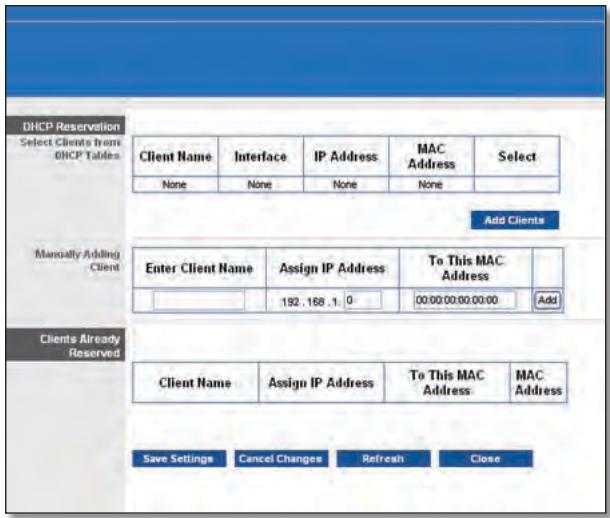
DHCP Reservation (Reserva DHCP)
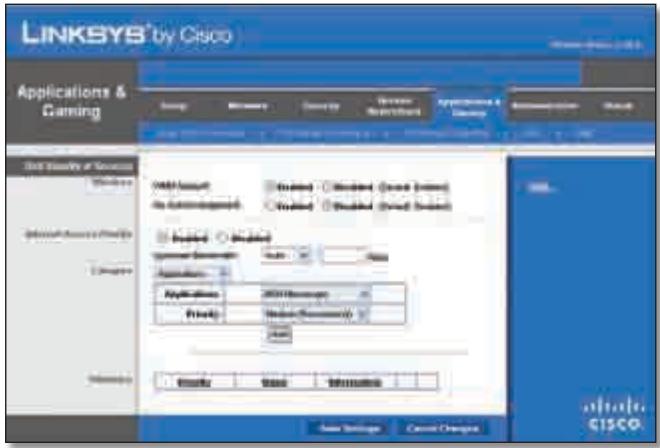
Applications and Gaming > QoS (Aplicativos e jogos > QoS)
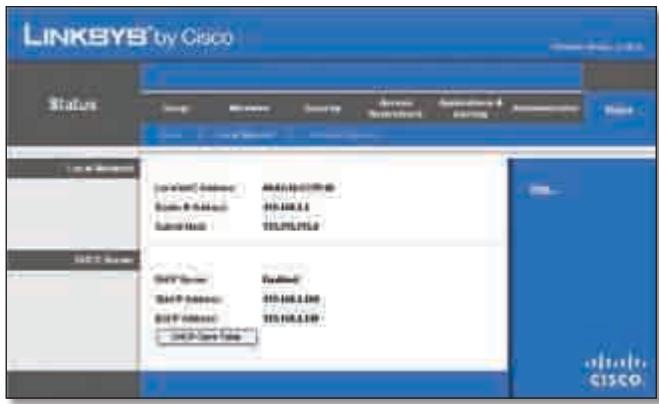
Status > Local Network (Status > Rede local)
Redelocal
This device complies with Part 15 of the FCC Rules. Operation is subject to the following two conditions: (1) This device may not cause harmful interference, and (2) this device must accept any interference received, including interference that may cause undesired operation.
This product has been tested and complies with the specifications for a Class B digital device, pursuant to Part 15 of the FCC Rules. These limits are designed to provide reasonable protection against harmful interference in a residential installation. This equipment generates, uses, and can radiate radio frequency energy and, if not installed and used according to the instructions, may cause harmful interference to radio communications. However, there is no guarantee that interference will not occur in a particular installation. If this equipment does cause harmful interference to radio or television reception, which is found by turning the equipment off and on, the user is encouraged to try to correct the interference by one or more of the following measures:
Reorient or relocate the receiving antenna
- Increase the separation between the equipment or devices
- Connect the equipment to an outlet other than the receiver's
- Consult a dealer or an experienced radio/TV technician for assistance
FCC Caution: Any changes or modifications not expressly approved by the party responsible for compliance could void the user's authority to operate this equipment.
IEEE 802.11b or 802.11g operation of this product in the USA is firmware-limited to channels 1 through 11.
The device for the band 5150-5250 MHz is only for indoor usage to reduce the potential for harmful interference to co-channel mobile satellite systems.
FCC Radiation Exposure Statement
This equipment complies with FCC radiation exposure limits set forth for an uncontrolled environment. This equipment should be installed and operated with minimum distance 20cm between the radiator and your body.
This transmitter must not be co-located or operating in conjunction with any other antenna or transmitter.
Safety Notices

WARNING:
- Do not use this product near water, for example, in a wet basement or near a swimming pool.
- Avoid using this product during an electrical storm. There may be a remote risk of electric shock from lightning.
- This product contains lead, known to the State of California to cause cancer, and birth defects or other reproductive harm. Wash hands after handling.
Caution: To reduce the risk of fire, use only No.26 AWG or larger telecommunication line cord.
Industry Canada Statement
This Class B digital apparatus complies with Canadian ICES-003 and RSS210.
Operation is subject to the following two conditions:
- This device may not cause interference and
- This device must accept any interference, including interference that may cause undesired operation of the device.
To reduce potential radio interference to other users, the antenna type and its gain should be so chosen that the EIRP is not more than required for successful communication.
Industry Canada Radiation Exposure Statement
This equipment complies with IC radiation exposure limits set forth for an uncontrolled environment. This equipment should be installed and operated with minimum distance 20 cm between the radiator & your body.
This transmitter must not be co-located or operating in conjunction with any other antenna or transmitter.
Restrictions in the 5 GHz Band
- The device for the band 5150-5250 MHz is only for indoor usage to reduce potential for harmful interference to co-channel mobile satellite systems.
-
This device has been designed to operate with an antenna having a maximum gain of 4.35 dBi and 4.68 dBi at 2.4 GHz and 5 GHz respectively. Antenna having a higher gain is strictly prohibited per regulations of Industry Canada. The required antenna impedance is 50 ohms.
-
The maximum antenna gain (please see the table below) permitted (for devices in the bands 5250-5350 MHz and 5470-5725 MHz) to comply with the E.I.R.P. limit:
| No. | Antenna Type | For 2.4 GHz Gain (dBi) | For 5 GHz Gain (dBi) | Antenna Connector |
| 1 | PIFA | < = 4.35 | < = 4.29 | NA |
| 2 | PIFA | < = 4.09 | < = 3.49 | NA |
| 3 | PIFA | < = 1.78 | < = 4.68 | NA |
Because high power radars are allocated as primary users (meaning they have priority) in 5250-5350 MHz and 5650-5850 MHz, these radars could cause interference and/or damage to licensed exempt LAN devices.
Additional requirements for the band 5600-5650 MHz: Until further notice, devices subject to this Section shall not be capable of transmitting in the band 5600-5650 MHz, so that Environment Canada weather radars operating in this band are protected.
The maximum performance for wireless is derived from IEEE Standard 802.11 specifications. Actual performance can vary, including lower wireless network capacity, data throughput rate, range and coverage. Performance depends on many factors, conditions and variables, including distance from the access point, volume of network traffic, building materials and construction, operating system used, mix of wireless products used, interference and other adverse conditions.
English - Environmental Information for Customers in the European Union
European Directive 2002/96/EC requires that the equipment bearing this symbol on the product and/or its packaging must not be disposed of with unsorted municipal waste. The symbol indicates that this product should be disposed of separately from regular household waste streams. It is your responsibility to dispose of this and other electric and electronic equipment via designated collection facilities appointed by the government or local authorities. Correct disposal and recycling will help prevent potential negative consequences to the environment and human health. For more detailed information about the disposal of your old equipment, please contact your local authorities, waste disposal service, or the shop where you purchased the product.
Былгарский (Bulgarian) - Информаця OTHOCHO ona3BaHeto Ha OKoJHaTa Cpea 3a Notpe6nteN B Ebponecknca b103
Ebponeecka dnpekTbva 2002/96/EC n3nckBa ypeDnte, HocuTo3n CmB0J Bbpxy n3denneto n/nInOnaKOBkata My, Da He ce n3xBpIra T c HecoptnpaHn 6bTOBn OTnabTu. CmB0Bt 06o3naaba, ye n3deneTo Tp86Ba da Ce n3XBpIra OTdeHNO ot CmToCb6nPaHTo Ha o6nKHOBeHnTe 6bTOBn OTnAbTu. Ba7a e OTROBOPHOCTTa TO3N i DpyrTe eNeKTPnueckn i NeEeKTPoHNu ypeDi Da Ce n3XbPJIaT B pIepDbapntEnHO ONpeDelenHn OT dBPxABHnTe nIn N6unHcKn OprAHn CneuaNaH3npaHn PnyKTOBe 3a cb6nPaHe. IpaBnHOTo n3XBpIraHe n pezkniparHe igeCNOMOrHaT da Ce npedotBpAraT EBEHTyaHn BpeHn 3a OKoHaTcpeDa n 3dpabeTo Ha HaceheneTo NocleDeTBn. 3a PO-nOpO6Ha INΦOpMaZn OTHcHo n3XBpIraHeTo Ha BAwHte CTapn ypeDi ce 6bPHeTe KbM MeCTHnTE BlaCTn, Cnyx6nTe 3a CMeTOcB6nPaHe nIn MaRa3InHa, OT KOITO CTe 3akyniYpeDa.
Dansk (Danish) - Miljoinformation for kunder i EU
Copyright © 1989, 1991 Free Software Foundation, Inc.
51 Franklin Street, Fifth Floor, Boston, MA 02110-1301, EUA
Copyright (C) 1991, 1999 Free Software Foundation, Inc.
51 Franklin Street, Fifth Floor, Boston, MA 02110-1301, EUA
Industry Canada Statement 33
National Restrictions 36
Wi-Fi Protected Setup
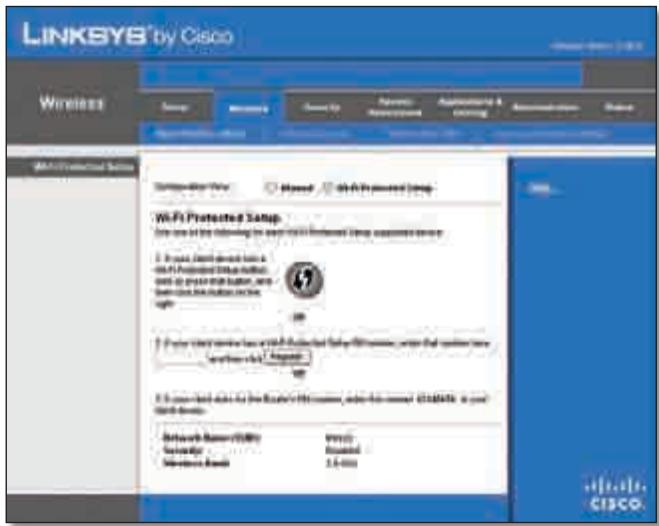
"Wireless" > "Basic Wireless Settings (Wi-Fi Protected Setup)" (Grundlegende Wireless-Einstellungen (Wi-Fi Protected Setup))
Wireless > Wireless-MAC-Filter
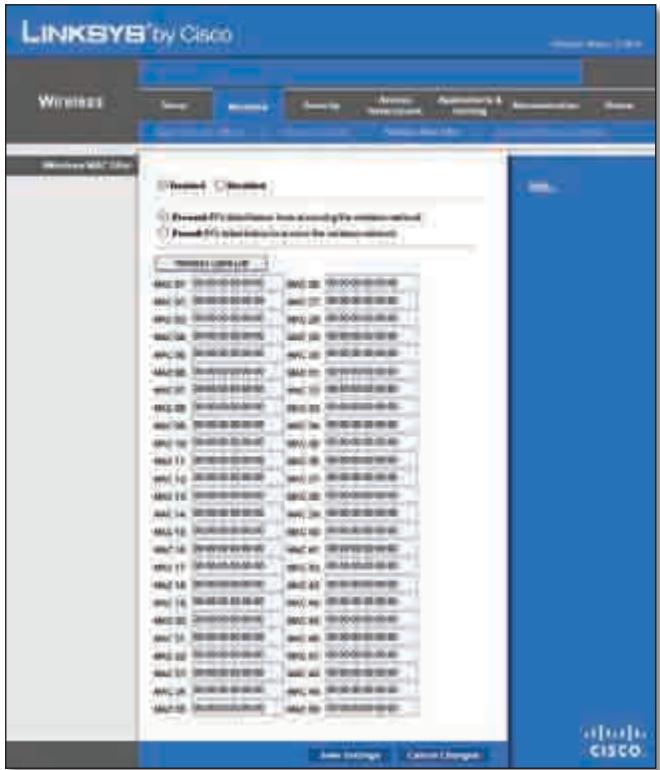
"Wireless" > "Wireless MAC Filter" (Wireless-MAC-Filter)
Wireless-MAC-Filter
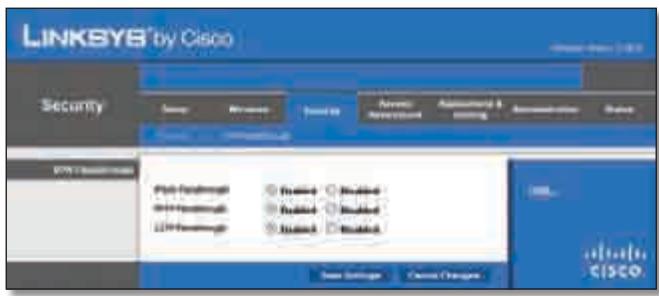
"Security" (Sicherheit) > "VPN Passthrough" (VPN-Passthrough)
VPN-Passthrough
QoS (Quality of Service)
Wireless
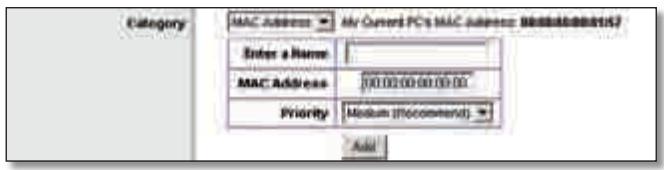
"QoS" > "MAC Address" (MAC-Adresse)
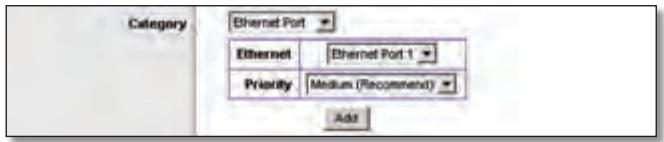
"QoS" > "Ethernet Port" (Ethernet Port)
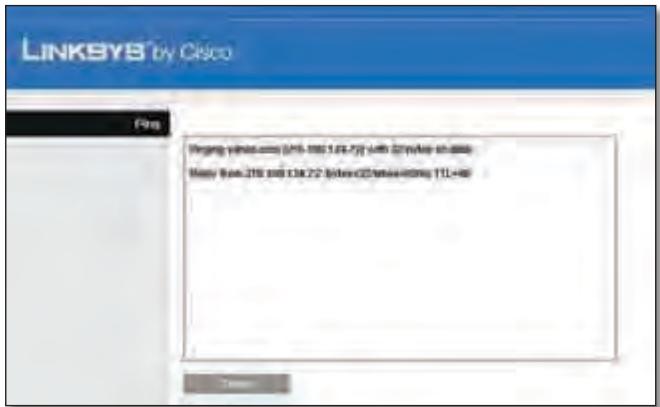
"Diagnostics" (Diagnose) > "Ping" (Ping-Test)
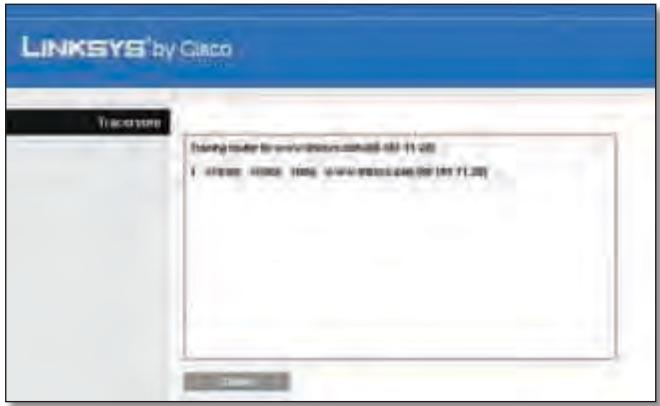
"Diagnostics" (Diagnose) > "Traceroute" (Traceroute-Test)
Linksys herself has been working on a new project. The project is based on Linksys's software, which is designed to be used in the industrial world. This software enables users to easily use their own computer and network infrastructure. Linksys has developed a new software that can be used in the industrial world. Linksys's software is designed to be used in the industrial world. Linksys's software is designed to be used in the industrial world. Linksys's software is designed to be used in the industrial world. Linksys's software is designed to be used in the industrial world. Linksys's software is designed to be used in the industrial world. Linksys's software is designed to be used in the industrial world. Linksys's software is designed to be used in the industrial world. Linksys's software is designed to be use in the industrial world. Linksys's software is designed to be used in the industrial world. Linksys's software is designed to be used in the industrial world. Linksys's software is designed to be used in the industrial world. Linksys's software is designed to be used in the industrial world. Linksys's software is designed to be used in the industrial world. Linksys's software is designed to be used in the industrial world. Linksys's software is designed to be used in all industries. Linksys's software is designed to be used in all industries. Linksys's software is designed to be used in all industries. Linksys's software is designed to be used in all industries. Linksys's software is designed to be used in all industries. Linksys's software is designed to be used in all industries. Linksys's software is designed to be used in all industries. Linksys's software is designed to be used in all industries. Linksys's software is designed to being used in all industries. Linksys's software is designed to be used in all industries. Linksys's software is designed to be used in all industries. Linksys's software is designed to be used in all industries. Linksys's software is designed to be used in all industries. Linksys's software is designed to be used in all industries. Linksys's software is designed to be used in all industries. Linksys's software is designed to be used in all industries. Linksys's Software is designed to be used in all industries. Linksys's Software is designed to be used in all industries. Linksys's Software is designed to be used in all industries. Linksys's Software is designed to be used in all industries. Linksys's Software is designed to be used in all industries. Linksys's Software is designed to be used in all industries. Linksys's Software is designed to be used in all industries. Linksys's Software is designed to be used in all industries
This product has been tested and complies with the specifications for a Class B digital device, pursuant to Part 15 of the FCC Rules. These limits are designed to provide reasonable protection against harmful interference in a residential installation. This equipment generates, uses, and can radiate radio frequency energy and, if not installed and used according to the instructions, may cause harmful interference to radio communications. However, there is no guarantee that interference will not occur in a particular installation. If this equipment does cause harmful interference to radio or television reception, which is found by turning the equipment off and on, the user is encouraged to try to correct the interference by one or more of the following measures:
Reorient or relocate the receiving antenna
- Increase the separation between the equipment or devices
- Connect the equipment to an outlet other than the receiver's
- Consult a dealer or an experienced radio/TV technician for assistance
FCC Radiation Exposure Statement
This equipment complies with FCC radiation exposure limits set forth for an uncontrolled environment. This equipment should be installed and operated with minimum distance 20~cm between the radiator and your body.
Safety Notices
- Caution: To reduce the risk of fire, use only No.26 AWG or larger telecommunication line cord.
- Do not use this product near water, for example, in a wet basement or near a swimming pool.
- Avoid using this product during an electrical storm. There may be a remote risk of electric shock from lightning.
Industry Canada Statement
This Class B digital apparatus complies with Canadian ICES-003 and RSS210.
Operation is subject to the following two conditions:
- This device may not cause interference and
- This device must accept any interference, including interference that may cause undesired operation of the device.
To reduce potential radio interference to other users, the antenna type and its gain should be so chosen that the EIRP is not more than required for successful communication.
Industry Canada Radiation Exposure Statement
This equipment complies with IC radiation exposure limits set forth for an uncontrolled environment. This equipment should be installed and operated with minimum distance 20 cm between the radiator & your body.
This transmitter must not be co-located or operating in conjunction with any other antenna or transmitter.
The maximum performance for wireless is derived from IEEE Standard 802.11 specifications. Actual performance can vary, including lower wireless network capacity, data throughput rate, range and coverage. Performance depends on many factors, conditions and variables, including distance from the access point, volume of network traffic, building materials and construction, operating system used, mix of wireless products used, interference and other adverse conditions.
National Restrictions
This product may be used in all EU countries (and other countries following the EU directive 1999/5/EC) without any limitation except for the countries mentioned below:
In Denmark, the band 5150 - 5350 MHz is also allowed for outdoor usage.
For 2,4 GHz, the product should not be used outdoors in the band 2454 - 2483,5 MHz. There are no restrictions when used in other parts of the 2,4 GHz band when used indoors. Check http://www.arcep.fr/ for more details.
Applicable Power Levels in France
| Location | Frequency Range (MHz) | Power (EIRP) |
| Indoor (No restrictions) | 2400-2483.5 | 100 mW (20 dBm) |
| Outdoor | 2400-2454 | 100 mW (20 dBm) |
| 2454-2483.5 | 10 mW (10 dBm) |
Italy
This product meets the National Radio Interface and the requirements specified in the National Frequency Allocation Table for Italy. Unless this 2,4-GHz wireless LAN product is operating within the boundaries of the owner's property, its use requires a "general authorization". Please check http://www.comunicazioni.it/it/ for more details.
The outdoor usage of the 2,4 GHz band requires an authorization from the Electronic Communications Office. Please check http://www.esd.lv for more details.
2,4 GHz frekveču joslas izmantošanai Črpus telpām nepieciesama atlauja no Elektronisko sakaru direkcijas. Vairak informacijas: http://www.esd.lv.
Notes:
- Although Norway, Switzerland and Liechtenstein are not EU member states, the EU Directive 1999/5/EC has also been implemented in those countries.
- The regulatory limits for maximum output power are specified in EIRP. The EIRP level of a device can be calculated by adding the gain of the antenna used (specified in dBi) to the output power available at the connector (specified in dBm).
English - Environmental Information for Customers in the European Union
European Directive 2002/96/EC requires that the equipment bearing this symbol on the product and/or its packaging must not be disposed of with unsorted municipal waste. The symbol indicates that this product should be disposed of separately from regular household waste streams. It is your responsibility to dispose of this and other electric and electronic equipment via designated collection facilities appointed by the government or local authorities. Correct disposal and recycling will help prevent potential negative consequences to the environment and human health. For more detailed information about the disposal of your old equipment, please contact your local authorities, waste disposal service, or the shop where you purchased the product.
Блгарский (Bulgarian) - Инфомаця OТносо наазовeto Ha okonhata cpeda 3a Notpe6nteи B Ebponeickra sbio3
Ebponeecka dnpekTbva 2002/96/EC n3nckBa ypeuTe, HoceuTo3n CmBOL Bbpyx n3denneto n/nnn ONAKOKBata My, da He ce n3xBpIra T c hecoptnpaHn 6bTOBn OTnabu. CmBolbT o6o3naaba, ye n3denneto Tpr6Ba da ce n3XBpIra OTdeHNO OTcMeTOcb6npaHTo Ha o6nKHOBeHnTe 6bTOBn OTnabu. Ba7a eOTROBOPHOCTTa To3n i npyrrte eJeKTPnueckn i neKTPoHNu ypeDu da Ce n3XbPJIaT B ppeBapntenHo ONpeDelenu OT dBpxABHnTe nIiN o6unHcKn OpraHn CneuaJN3npaHn PnykTOBE 3a cb6npaHe. IpaBnHTo n3XBpIraHe n peuKnIpaHe igeCNOMOrHaT da ce npedotbPaTat EbeHTyaJHn BpeHn 3a OKoJHaTcpeDa n 3dpabeto Ha HaceleHneTo NocLeDCTBn. 3a PO-nOpRo6Ha INΦOpMaZn OTHCOHO n3XBpJIraHeTo Ha BAwInTe CTapr upeDu ce 6bPHeTe KbM MeCTHnTE Blaactn, cnYk6nTe 3a CMeTOcb6npaHe nIiMaarzHa, ot KOITcTe 3akynlnu ypeDa.
Dansk (Danish) - Miljoinformation for kunder i EU
Copyright © 1989, 1991 Free Software Foundation, Inc.
51 Franklin Street, Fifth Floor, Boston, MA 02110-1301, USA
Version 2.1, February 1999
Copyright (C) 1991, 1999 Free Software Foundation, Inc.
51 Franklin Street, Fifth Floor, Boston, MA 02110-1301, USA
Industry Canada Statement 33
DHCP Reservation (Reserva DHCP)
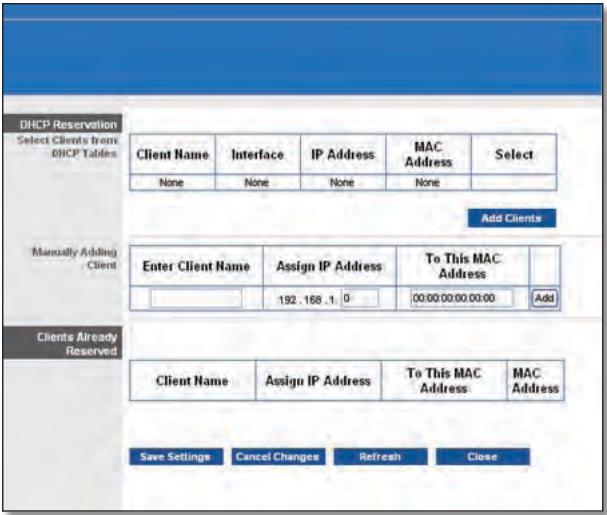
DHCP Reservation (Reserva DHCP)
Ethernet Port (Puerto Ethernet)
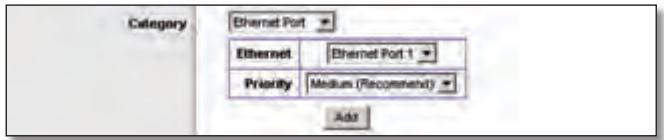
QoS > Ethernet Port (Puerto Ethernet)
Local Network (Red local)
This product has been tested and complies with the specifications for a Class B digital device, pursuant to Part 15 of the FCC Rules. These limits are designed to provide reasonable protection against harmful interference in a residential installation. This equipment generates, uses, and can radiate radio frequency energy and, if not installed and used according to the instructions, may cause harmful interference to radio communications. However, there is no guarantee that interference will not occur in a particular installation. If this equipment does cause harmful interference to radio or television reception, which is found by turning the equipment off and on, the user is encouraged to try to correct the interference by one or more of the following measures:
Reorient or relocate the receiving antenna
- Increase the separation between the equipment or devices
- Connect the equipment to an outlet other than the receiver's
- Consult a dealer or an experienced radio/TV technician for assistance
FCC Radiation Exposure Statement
This equipment complies with FCC radiation exposure limits set forth for an uncontrolled environment. This equipment should be installed and operated with minimum distance 20cm between the radiator and your body.
Safety Notices
- Caution: To reduce the risk of fire, use only No.26 AWG or larger telecommunication line cord.
- Do not use this product near water, for example, in a wet basement or near a swimming pool.
- Avoid using this product during an electrical storm. There may be a remote risk of electric shock from lightning.
Industry Canada Statement
This Class B digital apparatus complies with Canadian ICES-003 and RSS210.
Operation is subject to the following two conditions:
- This device may not cause interference and
- This device must accept any interference, including interference that may cause undesired operation of the device.
To reduce potential radio interference to other users, the antenna type and its gain should be so chosen that the EIRP is not more than required for successful communication.
Industry Canada Radiation Exposure Statement
This equipment complies with IC radiation exposure limits set forth for an uncontrolled environment. This equipment should be installed and operated with minimum distance 20 cm between the radiator & your body.
This transmitter must not be co-located or operating in conjunction with any other antenna or transmitter.
The maximum performance for wireless is derived from IEEE Standard 802.11 specifications. Actual performance can vary, including lower wireless network capacity, data throughput rate, range and coverage. Performance depends on many factors, conditions and variables, including distance from the access point, volume of network traffic, building materials and construction, operating system used, mix of wireless products used, interference and other adverse conditions.
In Denmark, the band 5150 - 5350 MHz is also allowed for outdoor usage.
For 2,4 GHz, the product should not be used outdoors in the band 2454 - 2483,5 MHz. There are no restrictions when used in other parts of the 2,4 GHz band when used indoors. Check http://www.arcep.fr/ for more details.
Applicable Power Levels in France
| Location | Frequency Range (MHz) | Power (EIRP) |
| Indoor (No restrictions) | 2400-2483.5 | 100 mW (20 dBm) |
| Outdoor | 2400-2454 | 100 mW (20 dBm) |
| 2454-2483.5 | 10 mW (10 dBm) |
Italy
This product meets the National Radio Interface and the requirements specified in the National Frequency Allocation Table for Italy. Unless this 2,4-GHz wireless LAN product is operating within the boundaries of the owner's property, its use requires a "general authorization". Please check http://www.comunicazioni.it/it/ for more details.
The outdoor usage of the 2,4 GHz band requires an authorization from the Electronic Communications Office. Please check http://www.esd.lv for more details.
-
Although Norway, Switzerland and Liechtenstein are not EU member states, the EU Directive 1999/5/EC has also been implemented in those countries.
-
The regulatory limits for maximum output power are specified in EIRP. The EIRP level of a device can be calculated by adding the gain of the antenna used (specified in dBi) to the output power available at the connector (specified in dBm).
English - Environmental Information for Customers in the European Union
European Directive 2002/96/EC requires that the equipment bearing this symbol on the product and/or its packaging must not be disposed of with unsorted municipal waste. The symbol indicates that this product should be disposed of separately from regular household waste streams. It is your responsibility to dispose of this and other electric and electronic equipment via designated collection facilities appointed by the government or local authorities. Correct disposal and recycling will help prevent potential negative consequences to the environment and human health. For more detailed information about the disposal of your old equipment, please contact your local authorities, waste disposal service, or the shop where you purchased the product.
Былгарский (Bulgarian) - Информаця OTHOCHO ona3BaHeto Ha OKoJHaTa Cpea 3a Notpe6nteN B EbponecknCb03
Ebponeecka dnpekTbva 2002/96/EC n3nckBa ypeDnte, HocuTo3n CmB0J Bbpxy n3denneto n/nInOnaKOBkata My, Da He ce n3xBpIra T c HecoptnpaHn 6bTOBn OTnabTu. CmB0Bt 06o3naaba, ye n3deneTo Tp86Ba da Ce n3XBpIra OTdeHNO OT CMeTOcB6nPaHTo Ha o6nKHOBeHnTe 6bTOBn OTnAbTu. Ba7a e OTROBOPHOCTTa TO3N i DpyrTe eNEKTPnueckn i neEKTPOHNu YpeDi Da Ce n3XbPJIaT B pIepBaPntEnHO ONpeDelenHn OT DpbXABHnTE nIn NObunHcKn OprAHn CneuaNaH3nPaHn PnyKTOBe 3a Cb6nPaHe. IpaBnHOTo n3XBpIraHe n pezkniparHe igeCNOMOrHaT da Ce npedOTbPaTJe EBEHTyaHn BpeHn 3a OKoHaTcpeDa n 3dpabeTo Ha HaceheneTo NocleDeTBn. 3a PO-nOpO6Ha INΦOpMaZn OTHOCHO n3XBpIraHeTo Ha BAwITe CTapn UpeDi ce 6bPHeTe KbM MeCTHnTe BlaCTn, Cnyx6NeTe 3a CMeTOcB6nPaHe nIn MaRa3InHa, OT KOITO CTe 3akyniN ypeDa.
Dansk (Danish) - Miljoinformation for kunder i EU
Copyright © 1989, 1991 Free Software Foundation, Inc.
51 Franklin Street, Fifth Floor, Boston, MA 02110-1301, EE.
UU.
Copyright (C) 1991, 1999 Free Software Foundation, Inc.
51 Franklin Street, Fifth Floor, Boston, MA 02110-1301, EE.
UU.
Industry Canada Statement 33
National Restrictions 36
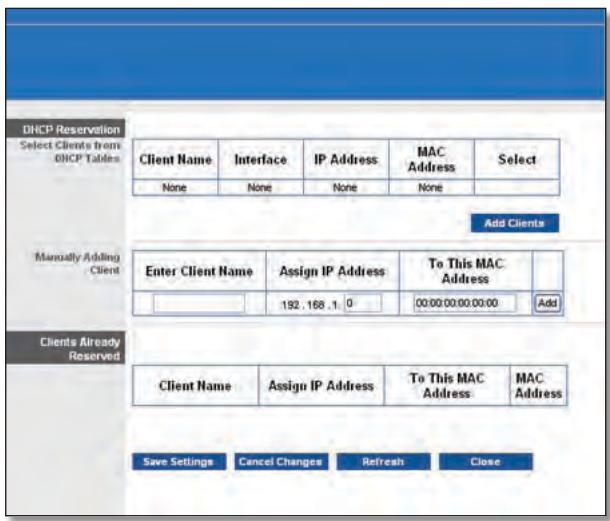
DHCP Reservation (Reservation DHCP)
Wi-Fi Protected Setup
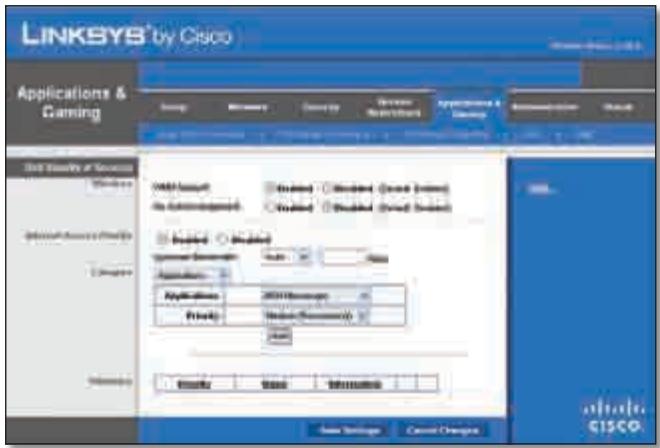
Applications and Gaming > QoS (Quality of Service)
(Applications etieux >QS (Qualité de service))
Administration >Gestion
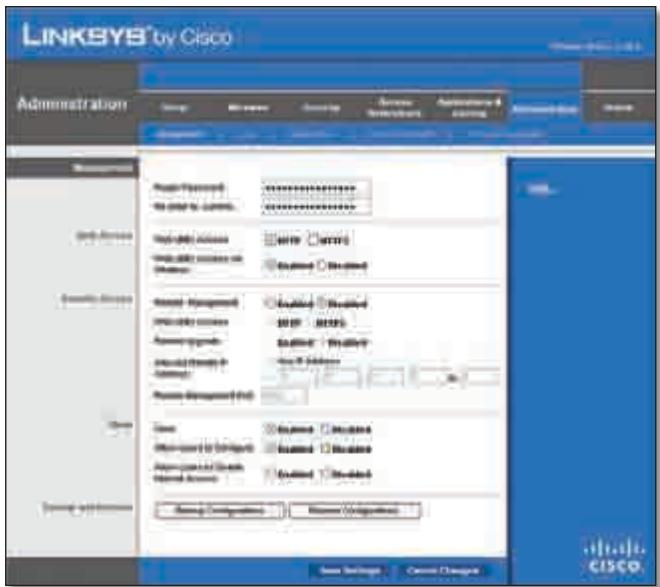
Administration > Management (Administration > Gestion)
Gestion
Backup and Restore (Sauvegarde et restauration)
Administration > Diagnostics
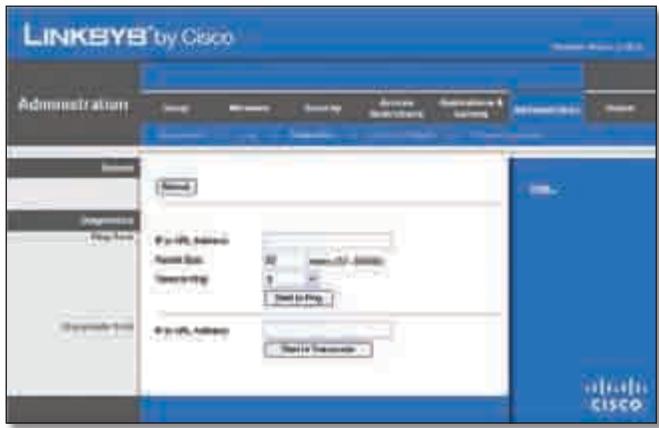
Administration > Diagnostics
Ping Test (Test Ping)
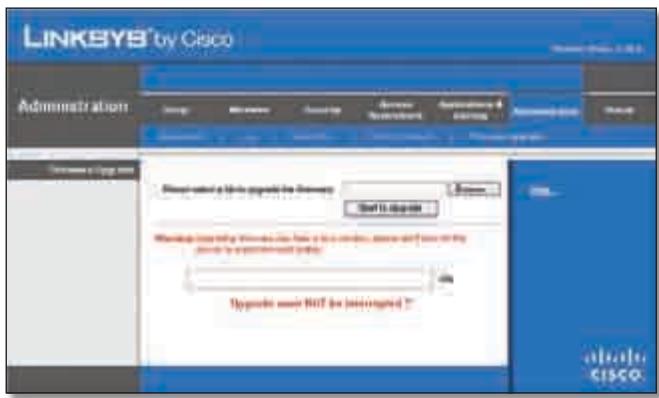
Administration > Firmware Upgrade
This product has been tested and complies with the specifications for a Class B digital device, pursuant to Part 15 of the FCC Rules. These limits are designed to provide reasonable protection against harmful interference in a residential installation. This equipment generates, uses, and can radiate radio frequency energy and, if not installed and used according to the instructions, may cause harmful interference to radio communications. However, there is no guarantee that interference will not occur in a particular installation. If this equipment does cause harmful interference to radio or television reception, which is found by turning the equipment off and on, the user is encouraged to try to correct the interference by one or more of the following measures:
Reorient or relocate the receiving antenna
- Increase the separation between the equipment or devices
- Connect the equipment to an outlet other than the receiver's
- Consult a dealer or an experienced radio/TV technician for assistance
FCC Radiation Exposure Statement
This equipment complies with FCC radiation exposure limits set forth for an uncontrolled environment. This equipment should be installed and operated with minimum distance 20~cm between the radiator and your body.
Safety Notices
- Caution: To reduce the risk of fire, use only No.26 AWG or larger telecommunication line cord.
- Do not use this product near water, for example, in a wet basement or near a swimming pool.
- Avoid using this product during an electrical storm. There may be a remote risk of electric shock from lightning.
Industry Canada Statement
This Class B digital apparatus complies with Canadian ICES-003 and RSS210.
Operation is subject to the following two conditions:
- This device may not cause interference and
- This device must accept any interference, including interference that may cause undesired operation of the device.
To reduce potential radio interference to other users, the antenna type and its gain should be so chosen that the EIRP is not more than required for successful communication.
Industry Canada Radiation Exposure Statement
This equipment complies with IC radiation exposure limits set forth for an uncontrolled environment. This equipment should be installed and operated with minimum distance 20 cm between the radiator & your body.
This transmitter must not be co-located or operating in conjunction with any other antenna or transmitter.
The maximum performance for wireless is derived from IEEE Standard 802.11 specifications. Actual performance can vary, including lower wireless network capacity, data throughput rate, range and coverage. Performance depends on many factors, conditions and variables, including distance from the access point, volume of network traffic, building materials and construction, operating system used, mix of wireless products used, interference and other adverse conditions.
National Restrictions
This product may be used in all EU countries (and other countries following the EU directive 1999/5/EC) without any limitation except for the countries mentioned below:
In Denmark, the band 5150 - 5350 MHz is also allowed for outdoor usage.
For 2,4 GHz, the product should not be used outdoors in the band 2454 - 2483,5 MHz. There are no restrictions when used in other parts of the 2,4 GHz band when used indoors. Check http://www.arcep.fr/ for more details.
This product meets the National Radio Interface and the requirements specified in the National Frequency Allocation Table for Italy. Unless this 2,4-GHz wireless LAN product is operating within the boundaries of the owner's property, its use requires a "general authorization". Please check http://www.comunicazioni.it/it/ for more details.
The outdoor usage of the 2,4 GHz band requires an authorization from the Electronic Communications Office. Please check http://www.esd.lv for more details.
- Although Norway, Switzerland and Liechtenstein are not EU member states, the EU Directive 1999/5/EC has also been implemented in those countries.
- The regulatory limits for maximum output power are specified in EIRP. The EIRP level of a device can be calculated by adding the gain of the antenna used (specified in dBi) to the output power available at the connector (specified in dBm).
English - Environmental Information for Customers in the European Union
European Directive 2002/96/EC requires that the equipment bearing this symbol on the product and/or its packaging must not be disposed of with unsorted municipal waste. The symbol indicates that this product should be disposed of separately from regular household waste streams. It is your responsibility to dispose of this and other electric and electronic equipment via designated collection facilities appointed by the government or local authorities. Correct disposal and recycling will help prevent potential negative consequences to the environment and human health. For more detailed information about the disposal of your old equipment, please contact your local authorities, waste disposal service, or the shop where you purchased the product.
Copyright (C) 1989, 1991 Free Software Foundation, Inc.
51 Franklin Street, Fifth Floor, Boston, MA 02110-1301, Etats-Unis
Copyright (C) 1991, 1999 Free Software Foundation, Inc.
51 Franklin Street, Fifth Floor, Boston, MA 02110-1301, Etats-Unis
Router dual-band Gigabit Wireless-N
Modello: WRT320N
Industry Canada Statement 33
National Restrictions 36
(Waste Electric and Electronic Equipment) 38
Static IP (IP statico)
Telstra Cable (Cavo Telstra)
Router IP (IP router)

Router IP (IP router)
Dynamic Routing (RIP) (Routing dinamico - RIP)
Static Routing (Routing statico)
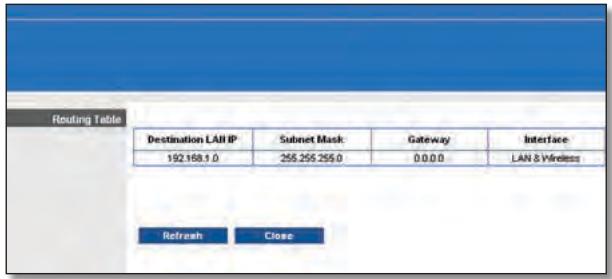
Advanced Routing > Routing Table (Routing avanzato > Tabella di routing)
Routing Table (Tabella di routing)
Wi-Fi Protected Setup
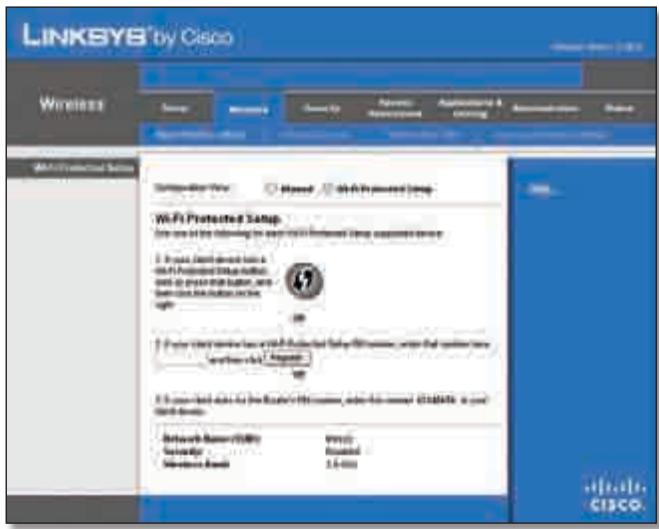
Wireless > Basic Wireless Settings (Wi-Fi Protected Setup)
(Wireless > Impostazioni wireless di base - Wi-Fi Protected Setup)

Wireless > Wireless Security (Wireless > Protezione Wireless)
Wireless > Wireless MAC Filter (Wireless > Filtro MAC wireless)
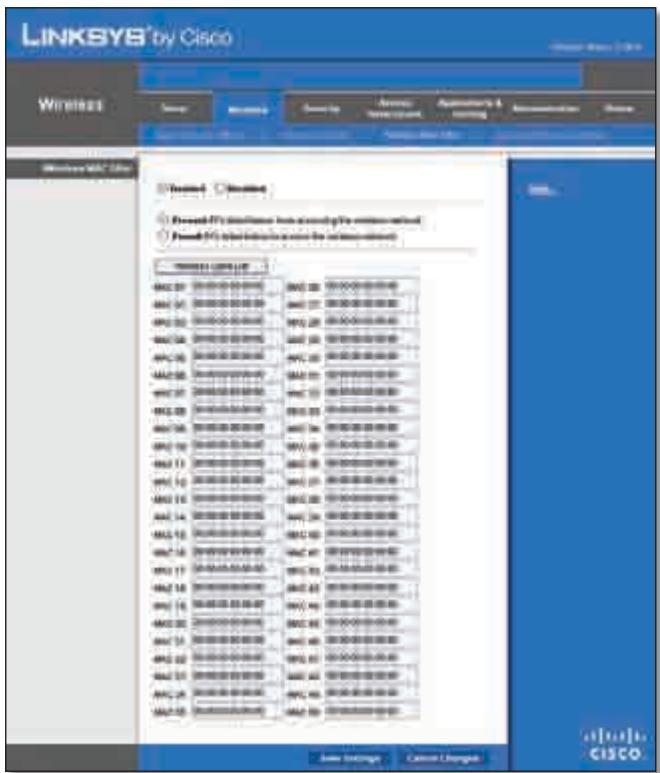
Wireless > Wireless MAC Filter (Wireless > Filtro MAC wireless)
Wireless MAC Filter (Filtro MAC wireless)
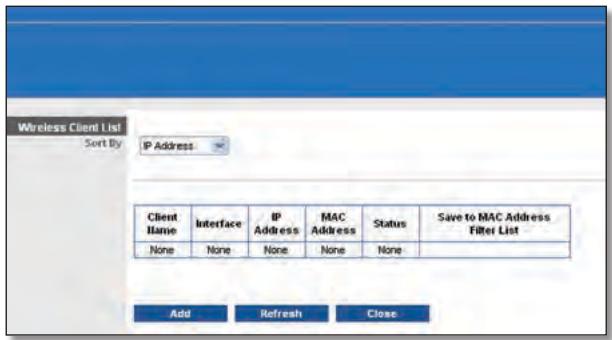
Wireless Client List (Elenco client wireless)
Wireless Client List (Elenco client wireless)
VPN Passthrough (Passthrough VPN)
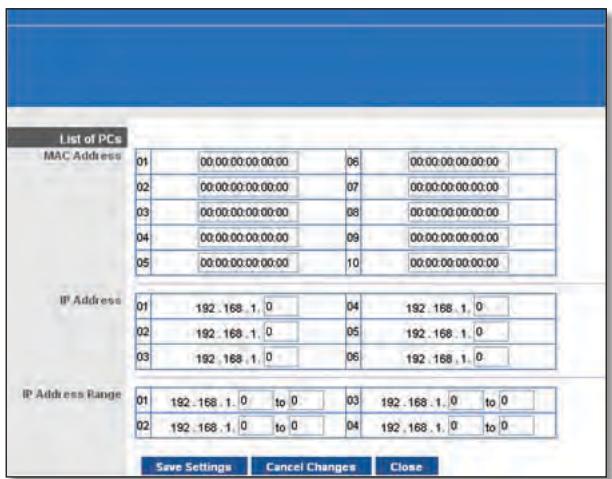
List of PCs (Elenco PC)
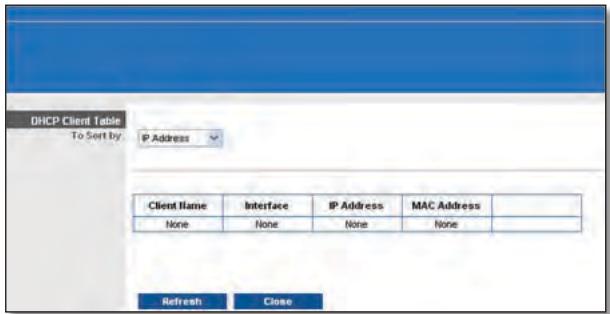
DMZ > DHCP Client Table (DMZ > Tabella client DHCP)
DHCP Client Table (Tabella client DHCP)
QoS (Quality of Service)
Wireless
Management (Gestione)
Router Access (Accesso al router)
Ping Test (Test Ping)
Firmware Upgrade (Aggiornamento firmware)
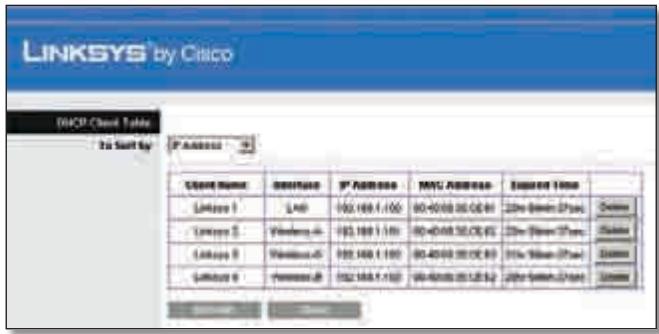
DHCP Clients Table (Tabella client DHCP)
DHCP Client Table (Tabella client DHCP)
Status > Wireless Network (Stato > Rete wireless)
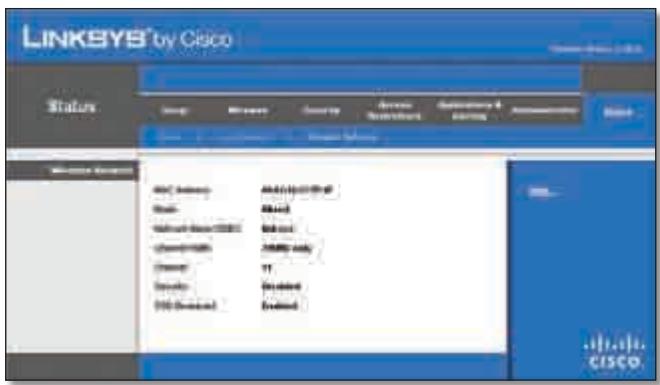
Status > Wireless (Stato > Wireless)
Wireless Network (Rete wireless)
This product has been tested and complies with the specifications for a Class B digital device, pursuant to Part 15 of the FCC Rules. These limits are designed to provide reasonable protection against harmful interference in a residential installation. This equipment generates, uses, and can radiate radio frequency energy and, if not installed and used according to the instructions, may cause harmful interference to radio communications. However, there is no guarantee that interference will not occur in a particular installation. If this equipment does cause harmful interference to radio or television reception, which is found by turning the equipment off and on, the user is encouraged to try to correct the interference by one or more of the following measures:
Reorient or relocate the receiving antenna
- Increase the separation between the equipment or devices
- Connect the equipment to an outlet other than the receiver's
- Consult a dealer or an experienced radio/TV technician for assistance
FCC Radiation Exposure Statement
This equipment complies with FCC radiation exposure limits set forth for an uncontrolled environment. This equipment should be installed and operated with minimum distance 20~cm between the radiator and your body.
Safety Notices
- Caution: To reduce the risk of fire, use only No.26 AWG or larger telecommunication line cord.
- Do not use this product near water, for example, in a wet basement or near a swimming pool.
- Avoid using this product during an electrical storm. There may be a remote risk of electric shock from lightning.
Industry Canada Statement
This Class B digital apparatus complies with Canadian ICES-003 and RSS210.
Operation is subject to the following two conditions:
- This device may not cause interference and
- This device must accept any interference, including interference that may cause undesired operation of the device.
To reduce potential radio interference to other users, the antenna type and its gain should be so chosen that the EIRP is not more than required for successful communication.
Industry Canada Radiation Exposure Statement
This equipment complies with IC radiation exposure limits set forth for an uncontrolled environment. This equipment should be installed and operated with minimum distance 20 cm between the radiator & your body.
This transmitter must not be co-located or operating in conjunction with any other antenna or transmitter.
The maximum performance for wireless is derived from IEEE Standard 802.11 specifications. Actual performance can vary, including lower wireless network capacity, data throughput rate, range and coverage. Performance depends on many factors, conditions and variables, including distance from the access point, volume of network traffic, building materials and construction, operating system used, mix of wireless products used, interference and other adverse conditions.
National Restrictions
This product may be used in all EU countries (and other countries following the EU directive 1999/5/EC) without any limitation except for the countries mentioned below:
In Denmark, the band 5150 - 5350 MHz is also allowed for outdoor usage.
I Danmark mä frekvensbandet 5150 - 5350 och anvendes udendörs.
France
For 2,4 GHz, the product should not be used outdoors in the band 2454 - 2483,5 MHz. There are no restrictions when used in other parts of the 2,4 GHz band when used indoors. Check http://www.arcep.fr/ for more details.
Applicable Power Levels in France
| Location | Frequency Range (MHz) | Power (EIRP) |
| Indoor (No restrictions) | 2400-2483.5 | 100 mW (20 dBm) |
| Outdoor | 2400-2454 | 100 mW (20 dBm) |
| 2454-2483.5 | 10 mW (10 dBm) |
Italy
This product meets the National Radio Interface and the requirements specified in the National Frequency Allocation Table for Italy. Unless this 2,4-GHz wireless LAN product is operating within the boundaries of the owner's property, its use requires a "general authorization". Please check http://www.comunicazioni.it/it/ for more details.
The outdoor usage of the 2,4 GHz band requires an authorization from the Electronic Communications Office. Please check http://www.esd.lv for more details.
-
Although Norway, Switzerland and Liechtenstein are not EU member states, the EU Directive 1999/5/EC has also been implemented in those countries.
-
The regulatory limits for maximum output power are specified in EIRP. The EIRP level of a device can be calculated by adding the gain of the antenna used (specified in dBi) to the output power available at the connector (specified in dBm).
English - Environmental Information for Customers in the European Union
European Directive 2002/96/EC requires that the equipment bearing this symbol on the product and/or its packaging must not be disposed of with unsorted municipal waste. The symbol indicates that this product should be disposed of separately from regular household waste streams. It is your responsibility to dispose of this and other electric and electronic equipment via designated collection facilities appointed by the government or local authorities. Correct disposal and recycling will help prevent potential negative consequences to the environment and human health. For more detailed information about the disposal of your old equipment, please contact your local authorities, waste disposal service, or the shop where you purchased the product.
Copyright © 1989, 1991 Free Software Foundation, Inc.
51 Franklin Street, Fifth Floor, Boston, MA 02110-1301, USA
Copyright (C) 1991, 1999 Free Software Foundation, Inc.
51 Franklin Street, Fifth Floor, Boston, MA 02110-1301, USA
Industry Canada Statement 33
Softwarelicenties. 42
DHCP Reservation (DHCP-reservering)
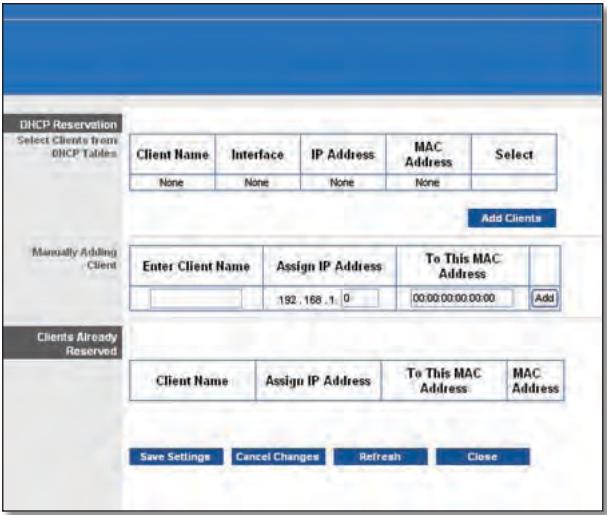
DHCP Reservation (DHCP-reservering)
Routing Table (Routinglabel)
Wi-Fi Protected Setup
Wireless (WLAN) > Wireless Security (WLAN-beveiling)
Wireless Security (WLAN-beveiliging)
Security Mode (Beveiligingsmodus)
Wireless (WLAN) > Wireless MAC Filter (MAC-filter WLAN)
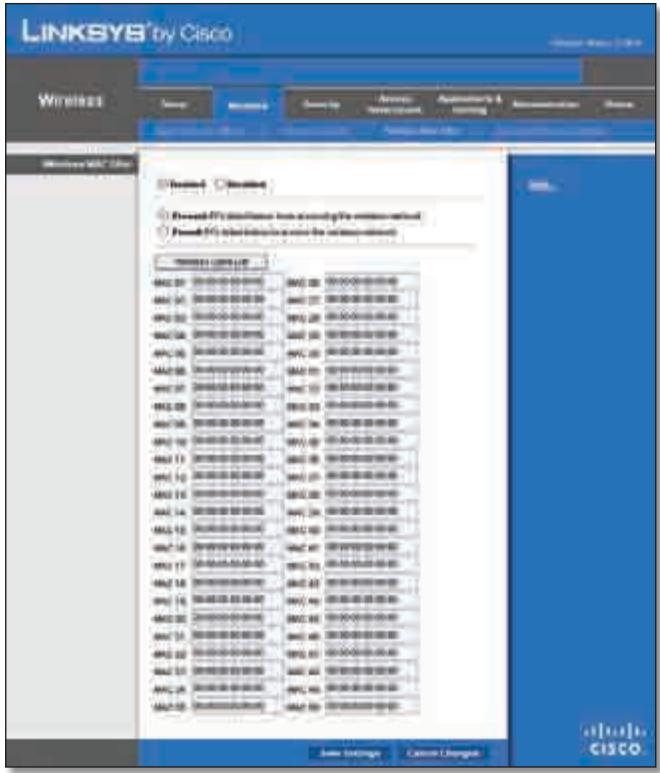
Wireless (WLAN) > Wireless MAC Filter (MAC-filter WLAN)
Wireless MAC Filter (MAC-filter WLAN)
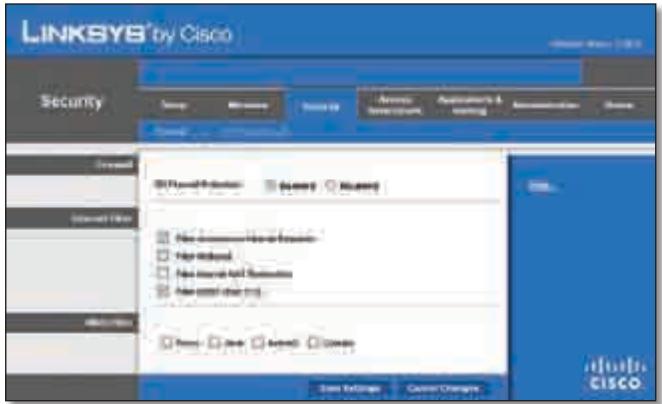
Security (Bveiliging) > Firewall
Firewall
QoS (Quality of Service)
Wireless (WLAN)
Online Games (Online-games)
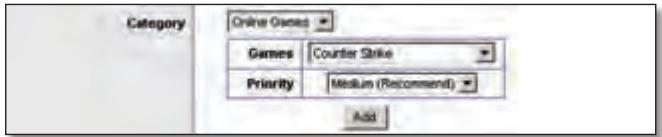
QoS > Online Games (Online-games)
Games Selecteer de juiste game.
Traceroute Test (Traceroute-test)
Administration (Administratie) > Firmware Upgrade (Firmware-upgrade)
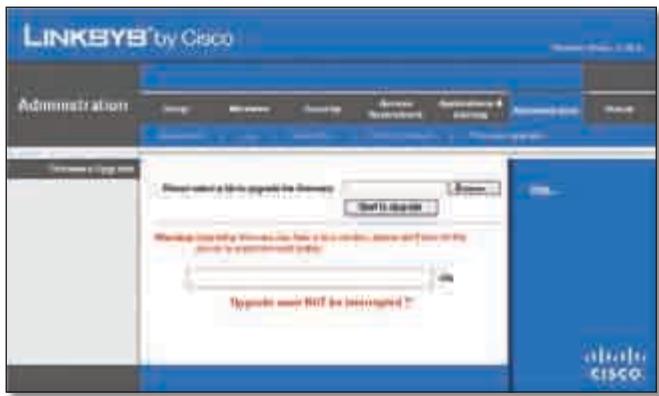
Administration (Administratie) > Firmware Upgrade (Firmware-upgrade)

Firmware Upgrade (Firmware-upgrade)
Status > Local Network (Lokaal network)
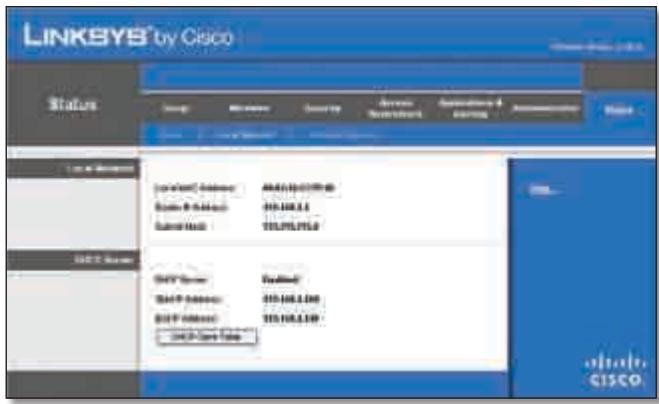
Status > Local Network (Lokaal network)
Local Network (Lokaal network)
Status > Wireless Network (WLAN)
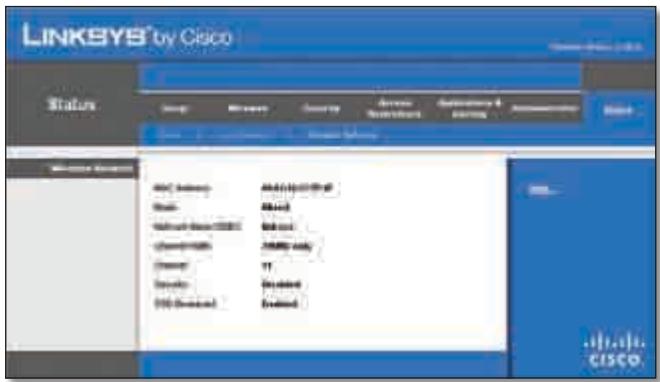
Status > Wireless (WLAN)
Wireless Network (Draadloos network)
This product has been tested and complies with the specifications for a Class B digital device, pursuant to Part 15 of the FCC Rules. These limits are designed to provide reasonable protection against harmful interference in a residential installation. This equipment generates, uses, and can radiate radio frequency energy and, if not installed and used according to the instructions, may cause harmful interference to radio communications. However, there is no guarantee that interference will not occur in a particular installation. If this equipment does cause harmful interference to radio or television reception, which is found by turning the equipment off and on, the user is encouraged to try to correct the interference by one or more of the following measures:
Reorient or relocate the receiving antenna
- Increase the separation between the equipment or devices
- Connect the equipment to an outlet other than the receiver's
- Consult a dealer or an experienced radio/TV technician for assistance
FCC Radiation Exposure Statement
This equipment complies with FCC radiation exposure limits set forth for an uncontrolled environment. This equipment should be installed and operated with minimum distance 20 cm between the radiator and your body.
Safety Notices
- Caution: To reduce the risk of fire, use only No.26 AWG or larger telecommunication line cord.
- Do not use this product near water, for example, in a wet basement or near a swimming pool.
- Avoid using this product during an electrical storm. There may be a remote risk of electric shock from lightning.
Industry Canada Statement
This Class B digital apparatus complies with Canadian ICES-003 and RSS210.
Operation is subject to the following two conditions:
- This device may not cause interference and
- This device must accept any interference, including interference that may cause undesired operation of the device.
To reduce potential radio interference to other users, the antenna type and its gain should be so chosen that the EIRP is not more than required for successful communication.
Industry Canada Radiation Exposure Statement
This equipment complies with IC radiation exposure limits set forth for an uncontrolled environment. This equipment should be installed and operated with minimum distance 20cm between the radiator & your body.
This transmitter must not be co-located or operating in conjunction with any other antenna or transmitter.
The maximum performance for wireless is derived from IEEE Standard 802.11 specifications. Actual performance can vary, including lower wireless network capacity, data throughput rate, range and coverage. Performance depends on many factors, conditions and variables, including distance from the access point, volume of network traffic, building materials and construction, operating system used, mix of wireless products used, interference and other adverse conditions.
In Denmark, the band 5150 - 5350 MHz is also allowed for outdoor usage.
For 2,4 GHz, the product should not be used outdoors in the band 2454 - 2483,5 MHz. There are no restrictions when used in other parts of the 2,4 GHz band when used indoors. Check http://www.arcep.fr/ for more details.
Applicable Power Levels in France
| Location | Frequency Range (MHz) | Power (EIRP) |
| Indoor (No restrictions) | 2400-2483.5 | 100 mW (20 dBm) |
| Outdoor | 2400-2454 | 100 mW (20 dBm) |
| 2454-2483.5 | 10 mW (10 dBm) |
Italy
This product meets the National Radio Interface and the requirements specified in the National Frequency Allocation Table for Italy. Unless this 2,4-GHz wireless LAN product is operating within the boundaries of the owner's property, its use requires a "general authorization". Please check http://www.comunicazioni.it/it/ for more details.
The outdoor usage of the 2,4 GHz band requires an authorization from the Electronic Communications Office. Please check http://www.esd.lv for more details.
2,4 GHz frekveču joslas izmantošanai Črpus telpām nepieciesama atlauja no Elektronisko sakaru direkcijas. Vairak informacijas: http://www.esd.lv.
Notes:
- Although Norway, Switzerland and Liechtenstein are not EU member states, the EU Directive 1999/5/EC has also been implemented in those countries.
- The regulatory limits for maximum output power are specified in EIRP. The EIRP level of a device can be calculated by adding the gain of the antenna used (specified in dBi) to the output power available at the connector (specified in dBm).
English - Environmental Information for Customers in the European Union
European Directive 2002/96/EC requires that the equipment bearing this symbol on the product and/or its packaging must not be disposed of with unsorted municipal waste. The symbol indicates that this product should be disposed of separately from regular household waste streams. It is your responsibility to dispose of this and other electric and electronic equipment via designated collection facilities appointed by the government or local authorities. Correct disposal and recycling will help prevent potential negative consequences to the environment and human health. For more detailed information about the disposal of your old equipment, please contact your local authorities, waste disposal service, or the shop where you purchased the product.
Былгарский (Bulgarian) - Информаця OTHOCHO ona3BaHeto Ha OKoJHaTa Cpea 3a Notpe6nteN B Ebponecknca b103
Ebponeecka dInpeKTHBa 2002/96/EC n3nCKBa ypeHnte, HoceeuTo3n CmBBoJ Bbpxy n3dJeHneTo n/nnn ONaKOBkata My, Da He ce n3xBbPnla T c HecOpTnpaHn 6bTOBn OTpaDbu. CmBOnbTob6o3NaHauBa, ye n3dJeHneTo Tp86Ba da Ce n3XbBpIa OTdeHNO OTcMeTOcb6HpAHeTo Ha o6ukHOBeHnTe 6bTOBn OTpaDbu. BaSha e OTROBOPHOCTTa To3n i npyIte eJeKTPnuYeckn i neEeKTPoHNu ypeDu Da Ce n3XbBpIaT B ppeDbAPntEnHo ONpeDeHEno T DpbKaBHnTe NnN ObunHcN OrpAHn CpeUaN3PapHn NyKTOBe 3a cb6HpAne. IpaBUNHOTo n3XbBpIaNe H peUKNiPaHe ige CNOMOrHaT Da Ce ppeDtBpTaT EBEHTyAnHn BpeHn 3a OKOJHaTa CpeDa N 3dpABeTo Ha HaceJIeHHeTO NocJeCTBna. 3a No-NoDpO6Ha INΦOpMaZn OTHOCHO n3XBbPnHaTo Ha BAwHte CTapn UpeDi Ce 6bPHeTe KbM MeCTHnTe Bnactn, CnyKbte 3a CMeTOcb6HpAne Nn MaRa3nHa, OT KoITo CTe 3akynlly ypeDa.
Dansk (Danish) - Miljoinformation for kunder i EU
Copyright © 1989, 1991 Free Software Foundation, Inc.
51 Franklin Street, Fifth Floor, Boston, MA 02110-1301, VS
Copyright (C) 1991, 1999 Free Software Foundation, Inc.
51 Franklin Street, Fifth Floor, Boston, MA 02110-1301, VS
Industry Canada Statement 33
Internet Connection Type (Tin coeHHeNc nHTepHcTOM)
Bb6epnte TnI COeINHeHnC INHTepHeTOM, IpeIOCTaBJIeMOro Baunm NocTaBUNKOM INHTepHEr-ycny, B BbInaJauOeM MeHIO. IpeJaRaETc Bb6paTb CoeINHeHne OndHO r3 CneDuOuNX TtNOB:
Automatic Configuration - DHCP (AbTomatuecka NaCTpoiKa - DHCP)
Static IP (Ctataueckn IP-apec)
- PPPoE
PPTP
L2TP
- Telstra Cable (Ka6eIb Telstra)
Automatic Configuration - DHCP (ABTOMATUeCKaJaHacTpoiKa - DHCP)
Internet Connection Type (Tin coeHHeNc cHTepHeToM) > Automatic Configuration - DHCP (AByTomaTuCeKa HaCTpoiKa - DHCP)
Static IP (Ctattueckn IP-aipec)
EcnI nIa IIOKIIuOeHnK INHTepHeT Tpe6yeTcN CnONb3oBaTb NoCTOaHHbI IP-aDpc,TO cIeJeT Bbl6paTb npaMeTp Static IP (CtaTnueckn IP-aDpec).
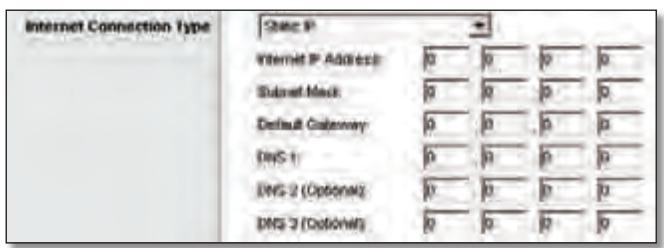
Internet Connection Type (TIN coeHHeNc INHTepHETOM) > Static IP (CtAnueckn IP-aDpec)
Internet IP Address (IP-ápèc B INHTepHete) B 3TOM noIe yka3bIbAeTcR IP-ápèc MapwpyTu3aTopa, BuINMbIy noIb3OBeTJIaMn INHTepHeta. IP-ápèc, KOtOpBiy BBOIDTCB B 3TOM noIe, DOnJKeH 6bITb PpeIOCTaBJIe H OCTaBUSKOM INHTepHET-YcNyr.
Subnet Mask (Macka noCDetn) B 3TOM noJe yka3bIbaETcMAcka noDceTn MapwpyTu3aTopa, KOTOPYU BnIaR T BHeuHneNoJIb3OBeTeINHTepHeTa(B TOM uCNe IocTaBUnK INHTepHETycnyr). 3HaueHne Mackn noDceTn DOnJxH npedOCTaBtBnoCTabUnk INHTepHET-cyIyr.
Default Gateway (OCHOBHON shn03) NocTabuNK nHTepHeTycnyr doljken npedocTabuTB IP-aDpec cBoero cepBepa (ISP-cepBepa).
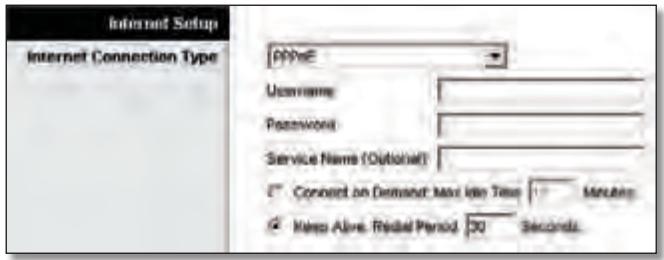
Internet Connection Type (TIN coeHHeNc INHTepHeTOM) > PPPOE
Clients Already Reserved (Yxhe 3ape3epBupoBaHhbie KIneHTbI)
BnHexne yactno OKha oTo6paKaaeTc cncoc DKCP-KJneHTOB C3ape3epBupoBaHHbIMn DnI HNX JOKaJIbHbIMn IP-aDpeCaMn. YTO6bl ydaJIntb KJIneHTa N3 3TOrO cNCKa,HaXmnte KHOIpKy Remove (YdaJIntb).
YTo6bI npIMeHnTb BHeceHHbIe N3MeHeHnIa, HaxMnte KHOkny Save Settings (CoXpaHnTb HaCTpoiKn), IIn6o HaxMnte KHOkny Cancel Changes (OTMeHnTb N3MeHeHnIa) nIX OTMeHbI.ДЯ npocMoTpa cAmoi nocJeHneN HOpMaunu HaxMnte KHOkny Refresh (O6HOBnTb).YTo6bI 3aKpbITb OkHo, HaxMnte KHOkny Close (3aKpbITb).
Start IP Address (HaayabHbI IP-aDpe) BBeDITE 3NaueHne, Haunha C KOTOPoD DHCP-cepBep NaHT pncBaunBaHne IP-aDpecOB. TAK KaK no ymoJuaHnIO IP-aDpec Mapwpytn3aTopa —192.168.1.1, HauaJIbHbI IP-aDpec DOnJxeh ImMeTb 3NaueHne 192.168.1.2nnnBbIe, HoHeBbIe, Yem 192.168.1.253.HaayabHbI IP-aDpec no ymoJuaHnIO —192.168.1.100.
Maximum Number of Users (MaKcImaJIbHoe KOJInueCTBO nOJIb3OBAteJIe) BBeIte MaKcImaJIbHoe YIcIIO KOMTbIoTePOB dIЯ npICBoEHnI mIP-aIpecoB DHCP-cepBepom. 3To YIcIIO He MoJxET 6bITb 6OJIbIe 253. Ito yMOJIuHaHIO yCTaHOBNeHo 3NaueHne 50.
YTo6bI npIMeHnTb BHeceHHbIe N3MeHeHnA, HaxMnTe KONKy Save Settings (CoXpaHnTb NaCTpoKn), IIn6o HaxMnTe KONKy Cancel Changes (OTMeHnTb N3MeHeHnA) dIa INx OTMeHbI.
Setup (Hactpoika) > DDNS
UcTpoIeCTBOMOJxETBbIINJIHrTbFyHKUININHaMnueCKoCnCTeMbI DomeHHbIX IMeH DDNS (Dynamic Domain Name System). CnCTema DDNS n03BOJnEeT npICBaNBAtB dInHaMnueckm IPaIpeCaM fIKCNpOBaHHbIe IMeHa XOCTa I DOMEHHbIe IMeHa. 3To yDo6Ho npi nCNoJIb3OBAHm B KaueCTBe XOCTa Co6CTBeHNHO Be6-caIta, FTP-ceBepa IIn dpyrOrO cepBepa 3a npedeJaMaM MapuTytn3atopa.
Ppejde yem nCNoIb3ObaTb 3Ty fynKcHIO, Heo6xOdmo noDnncatbcaHa ycnyr DDNS y noctabuika ycnyr DDNS Ha caiTte www.dyndns.org nnww.TZO.com. Ecn 3Ty fynKcHIO nCNoIb3ObaTb He Tpe6yeTc, ocTabbTe 3NaueHne no yMOJIuaHIO: Disabled (OTKJIUOeHo).
DDNS
DDNS Service (Ycnyra DDNS)
Ecn ycnyra DDNS npedoctabnreT noptanom DynDNS.org, Bb6epnte B Bbinaaouem MeHIO DynDNS.org. Ecn ycnyra DDNS npedoctabnreT zTO, Bb6epnte TZO.com. Ha6op fynkui,doCTynhBx BVOKHe DDNS, BapbnpyETcB 3abncmoCTn OT noctabuika ycnyr DDNS.
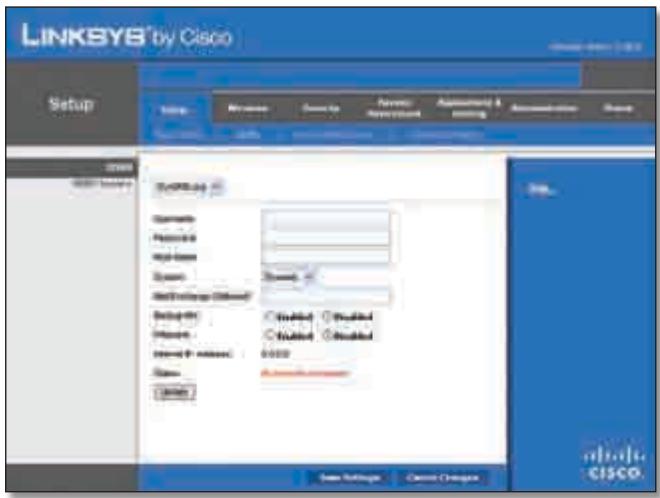
DynDNS.org
Setup (Hactpoik) > DDNS > DynDNS
Enabled (BkJIIOUeHO)/Disabled (OTKJIIOUeHO) YTo6bI KJIOHINPOBaTb MAC-aDpeC, Bbl6epnte Enabled (BkJIIOUeHO).
MAC Address (MAC-aDpec) YukaKeTe 3decb MAC-aDpec, 3apernctpnpoBaHHb y NoCTabUKNa INHTepHET-ycnyr.
Clone My PC's MAC (KNoHnPoBaTb MAC-aDpec KOMNbIoTepa) HaxMnte 3Ty KNoNkY, 3To6bl KNoHnPoBaTb MAC-aDpeca NcNOJb3yEmoTO B daHHbI MOMEHT KOMNbIoTepa.
YTo6bI npIMeHnTb BHeceHHbIe N3MeHeHnA, HaxMnte KHOInKy Save Settings (CoXpaHnTb NaCTpoKn), IINo HaxMnte KHOInKy Cancel Changes (OTMeHnTb N3MeHeHnA) dIy INx OTMeHbI.
Routing Table (Ta6nua MappyTu3aun)
B Ta6nue OTo6paXaeTcI IP-aDpec IokalbHOn cTeN Ha3NaueHnna (Destination LAN IP), macka nOcTeH (Subnet Mask), 01o3 (Gateway) n NcNoIb3yEmbInHTepFeicn (Interface) dJa KaKdOrO MapuPyTa. DJa o6HOBHeHn INΦOpMaunn HaxMnTe KhoNkY Refresh (O6HOBt).UTo6bI 3aKpbIt DaHHoe OKHO, UeJIKNHTe Close (3aKpbItb).
YTO6bI npIMeHnTb BHeceHHbIe N3MeHeHnA, HaxMnTe KHOnKy Save Settings (CoXpaHnTb NaCTpoKn), IIn6o HaxMnTe KHOnKy Cancel Changes (OTMeHnTb N3MeHeHnA) dIa INx OTMeHbI.
Basic Wireless Settings (OchOBhble HacTpoiKn 6ecnpoBODHO CETN)
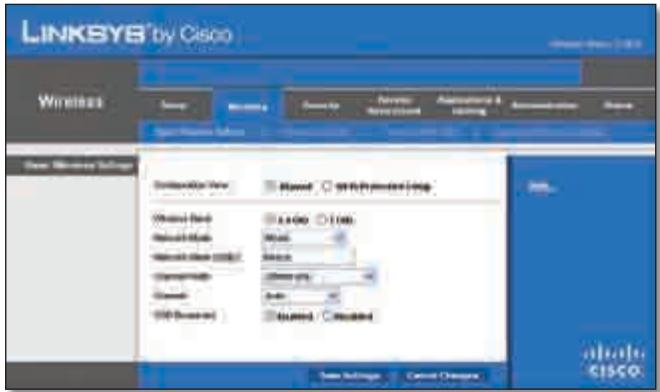
Wireless (Бесправоча сөт b) > Basic Wireless Settings (Основные Hab相对较 Кь бсравочи сөт n) — рүнэх насторika
Encryption (UHΦpOBAHnE)IpoTOKoWPA2noDpeKxNBaeTbMeToDa UHΦpOBAHnE: TKIP n AES, cДиHAmuYeCKmN KJIouaMnUHΦpOBAHnE..BbIePeTe TnI aIropNTMa: AES INo TKIP or AES (TKIP nAES).Ito yMOnuAnHIO yctaHOBJIeHO 3NaueHne TKIP or AES (TKIP nAES).
Passphrase (IdentnfokaunHna pa3a) Bveinte IndentnfokaunOHylo p43y dInHOJ 8do63 cIMBOJOB.
Key Renewal (O6HOBLeHne KJIoua) YkaKnte dIra MapuTn3aTopa nepIOd 6OBHeHnKJIoua, onpeJeJIoIyI qAChToTy n3MeHEnN KJIoue IuΦpOBAHn. PoymOnuaHIO nepIOd O6HOBLeHn rpyPiNoboro KJIoua coCTabIeT 3600 cekyHd.
WPA Enterprise
B этOM ржИмE WPA coflacOBaHNO nCNoIb3yeTc r RADIUS-cepBepom. (эТOT спocб моЖно прIMeHЯrToTьКо пиПОДсоeINHeHnRADIUS-ceBepa K mApшpyTu3atopy.)
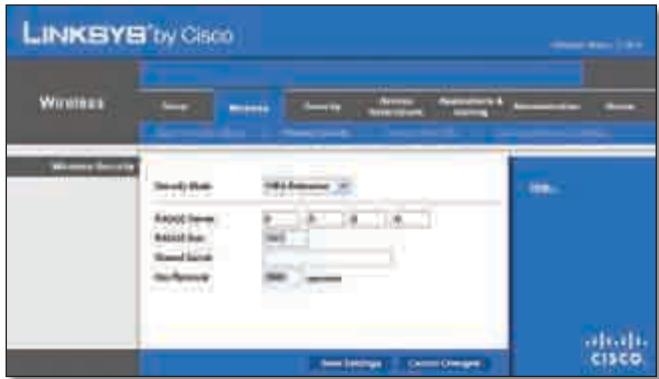
Security Mode (Pexim 6e0nacnoctn) > WPA Enterprise
RADIUS Server (RADIUS-cepBep) BBeIte IP-aIpec RADIUS-cepBepa.
WEP npedctablaet c6oB 6a3OBbI cnoc6 uHpObaHnA, KOtOpB He cTolb HaJExeH, KaK WPA.
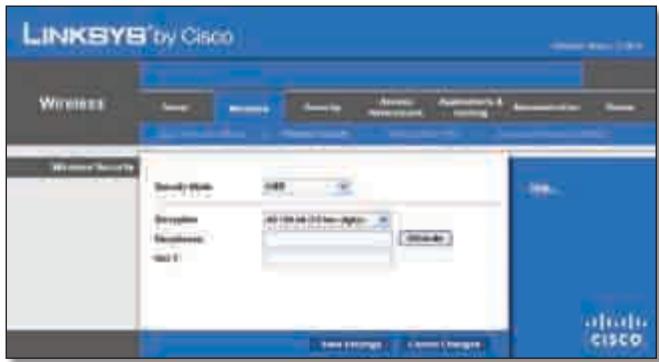
Security Mode (Pexmm 6e30nacnoctn) > WEP
Encryption (山nφpoBaHne) BbI6epnte ypOBeHb IuΦpoBaHnWEP: 40/64 6nTa (10 weCTHaDuaTepeNHybIX uΦp) nnn104/128 6nTOB (26 weCTHaDuaTepeNHybIX uΦp). PoyMOJIaHnIO yCTaHaBInBaETCpeXIM 40/64 6nTa (10weCTHaDuaTepeNHybIX uΦp).
YTo6bI npIMeHnTb BHeceHHbIe N3MeHeHnA, HaxMnTe KONKy Save Settings (CoXpaHnTb NaCTpoKn), IIn6o HaxMnTe KONKy Cancel Changes (OTMeHnTb N3MeHeHnA) dIy INx OTMeHbI.
Wireless (БесnépoВODнай сеть) > Wireless MAC Filter (MAC-фильтубесnépoВODнй сети)
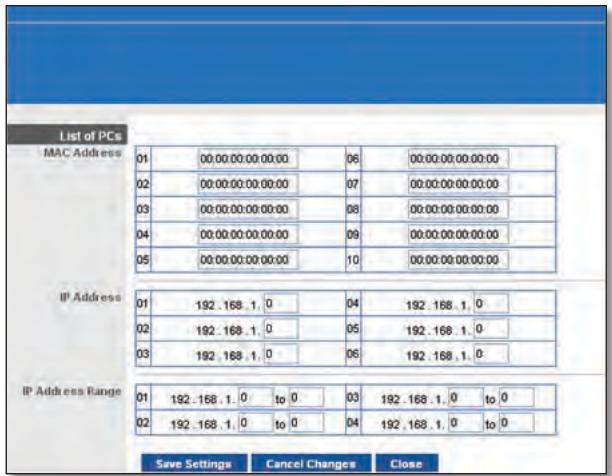
List of PCs (Cnncok KomnbTepoB)
- Bb6epnte HxHnyo OIcuHIO, Deny (OTka3aTb) IJIN Allow (Pa3peuTb),B3aBNCIMOCTnOTHeo6OJIMOCtN3a6JOKIpOBaTb IJIN pa3peuNTb DoCTyn K INHTepHer y nIJI KOMNbIoTePob, Bb6paHHbIX B OKHe List of PCs (CIncok KomNbIoTePob).
- BbIbepnte DnH n uacbl, B KOtOpbIe cIeJyET npImHeTb noJIITNkU. YkaXnTe KOHKpeTHbIe DnH, KOrDa noJIITNka DOJxHa DeIcTBoBaTb, INI BbIbepnte OIeNIO Everyday (EkeIHeBHO). 3aTeM yKaXnTe nepiOnD BpemeH N b Vacax n MInHyTaX, B TeueHne KOTOpOTo PONITNka DoJxHa DeIcTBoBaTb, INI BbIbepnte OIeNIO 24 Hours (24 Yaca).
-
MoXHo 3a6IoknipoBaTb Be6-caITb C OnPpeJeHHeIMu aDpeCamN URL.BVeDnte KaKdbI URBOTDeJbHOM NOJEURL.
-
Kpome TORO, MOxHNO 3a6IOKnPOBaTb Be6-caNTb C ONpeJeHHeIMN KJIouYeBbIMN cNoBAMN. BBeDInTe KaJdoe TAKoe KJIouYeBbIMN cNoBO B OtJeIbHOM nOne Keyword (KJIouYeBOcNoBO).
- TaKxpe MoXHOb OToHbTpoBaTb DoCTyN K pa3nUHbIM ycnyrAm, IpeOcTabIeMbI Mcepe3 INHTepNet, HApPImEpK FTP-caITam nIin telnet. (Дя OJHOI POJIITIKI MoXHOb 3a6JOKIpOBaTb Do Tpex npInloKeHH.)
Bcnpcke Applications (PpInoJxehn) Bbl6epnte npInoJxehne, KOtopoe Tpe6yeTc 3a6IoknpoBaTb. 3aTeM Haxmnte KhoNkY >> dIy nepemeueH enero B cncoc Blocked List (3a6loKnpOBaHbIe npInoJxehne). YTo6bl ydaJIbTb npInoJxehne n3 cnpcka Blocked List (3a6loKnpOBaHHbIe npInoJxehne), Bbl6epnte erO n Haxmnte KHOJky <<
- Ecnn npinloxehne, kotope Tpe6yetc ydaunltb, He OTO6paXaETcB CnNcke Nn HEO6XoIMO N3MeHntb HaCTPOiKn Cnyk6bl, BVEIte Nmnpinloxehn B nOle Application Name (Imn npinloxehn). BBeIte COOTBcTByUoIe Emy Dnana3OH nopTOB B noIe Port Range (Dnana3OH nopTOB). B BbInaJauOJeM MeHIO Protocol (PpToKoJ) Bb6epNTe npOTOKo, NcNoJIb3yeMbIe 3TN npinloxehnem. 3aTe mHaXMITE KHOINky Add (Do6abuHTb).
UTo6bI n3MeHnTb Cnyj6y, Bbl6epnte ee B cnpcke Application (PpInJIOxHeHne). N3MeHnTe ee nMra, dnaPn3OH nopTOB n/nnn HacTpOKn npotoKoJa. 3aTe mHaXmTe KhoNky Modify (N3MeHnTb).
YTo6bI ydaJIntb cnyk6y, BbIbepnTe ee B cIncKe Application (PpuiJoxKeHne). 3aTEM haxMnTE KhoNkY Delete (YdaJIntb).
- Haxmite KhoNky Save Settings (CoxpaHntb HaCTpoKn), YTO6bl COxpaHNTb HaCTPOKn IOnlTIKN,ДЯOTMeHbHaCTpoE KOnlTIKN Haxmite Cancel Changes (OTMeHNTb N3MeHeHn).
QoS (Quality of Service - KauchTBo 06cIyKbAHHa)
Wireless (Becnpobodna ceTb)
B3OMpa3deneMoXHOcKOHΦHpynpoBaTbΦyHKcNINPOJdePckN IOTCYCTBnI NOITBePjKeDeHn.
PnpOpuTeTdoctynaB INHTepHET
B 3TOM pa3dene MOxH0 yCTaHOBnTB npOpNTet nOLOcbI npOnyckaHnI daI pa3NHybIX npInloXeHn I uCTpoiCTB.CuSeCTByUOT yeTbIpe yPoBnI npOpNTetOB: High (BbICOKn), Medium (CpeHnI), Normal (ObbUHbI) nn Low (Hn3Kn).PpI 3TOM HeJIb3Y UcTaHaBnBaTb npOpNTet High (BbICOKn) dJaBCE npInloXeHn, TaKak 3To NOMEaET DoCTNuB Tpe6yEmoJ ceJI, t.e. ONTMaNbHorO pacnPedeHnIOncsbl npOnyckaHnE. EcnI dJa NOncBIpOnyckaHnI Tpe6yTe Bb6paTb npOpNTet HmKe O6bHuO, Ykaxnte Low (Hn3Kn).B 3abNCIMoCTOn OT npInloXeHn MoXeT Notpe6oBaTb cReckOJbKO nONbITOK dJa Ha3NaueHn ONTMaNbHorO npOpNTeTA NOLOCbI npOnyckaHnI.
Remote Access (YdaJIeHbIy IocTyI)
Remote Management (UnpaBHeHne ydaJIeHHbIM IOCTyPOM) UTo6bI pa3peuNTb ydaJIeHHbI BHeuHNI DOCTyN K MapuTyn3atOpY (He n3 loKaJIbHOi ceTn), BbI6epnte EnaIed (BkIoueHo). B npOTNBHom clyuae ocTaBbTe HacTpOky no yMOJUaHNo Disabled (OTKIOUcHo).
Docyn K Be6-ytunite HTTP (HyperText Transport Protocol; IpotoKoI TpaHcnpTnpOBKn rInepTeKCTa) npedctabnaretco60i npotoKoI CBA3N, nCnoJIb3yEmbl dIy IIOkLIOneHnK C cepBepAM BO BCemnPHo CETn. Dnla uNΦpObaHnI nepeDaBaembIX daHHbx C cJeIbIO NObIuHEnIyPOBnI 6e3OnacNoCTn HTTPS nCnoJIb3yET SSL (UpoBeHb 3aunuEHNbIX COkeTOB). BbIbepnTE HTTP nIIT HTTPS. N O yMOnuHaHIO UcTaHaabINBaETc npotoKoI HTTP.
Ping Test (Ipo3BOH Ping)
Празьон-coeДиЕня Ping cIyЖNT ДЯ поверкn COCTOHH nMeUxxCa coeДиЕн.
Times to Ping (KoJIueCTBO npO3BOHOB Ping) BVeIte KOIueCTBO NocblOK dJa npOBePKu yCTpoiCTBa MeToIOM Ping.
Start to Ping (3aNyctntb np03BOH Ping) YTo6bl BbIIOJIHNtB TcTnPOBaHHe, HaxMITE 3Ty KHOJky. Pe3yIbTaT TcTnPOBaHnO OTo6pa3NTcB OkHe Ping Test (PpO3BOH Ping). HaxMITE Close (3aKpbTb), YTo6bl BepHyTBcB B OKHO Diagnostics (DnaarHocTnka).
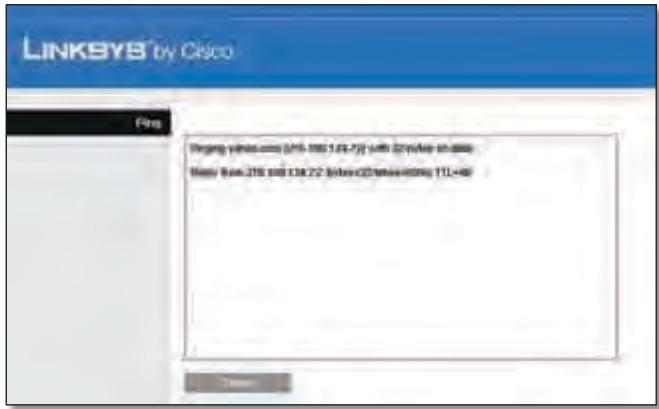
Diagnostics (Диагнoctиka) > Ping
Traceroute Test (Tpaccnpobka)
C nOmoIbIo TpaCCnPoBKn MoXHo IpoBepuTb XapaKTepeNCTnKn coeINHeHn.
Iocne yctahOBKn MapuPyTu3aTOp aBTOMaTuYeCKn CoeDInHReTcN C NoCTaBunKOM INHTepHET-ycnyr (ISP), NOrTomy NpDKlIOUaTbCn BpyHyio 6oJee He Tpe6yeTcN.
Teneonha Lunua DSL He nodxodum K uHmephem-nopmy mapupymuzamopa.
Mapwpytn3atop He 3aMeHReT MoEm. YTo6bI nCnObl3oBaTb Mapwpytn3atop, Heo6xOdIm DSL-moDem. IOpKnIOuHTe TelefoHHyIO LInHIO K DSL-MoDemy, a 3aTeM BCTaBbTe B COOTBeTCTByUOuN DnCKOBOD KOMNbIoTepa yCTaHOBOuHbI CD-DnCK. HaxmTe KhONky Setup (YctaHOBtB) n CneDyIte IOABJIIOUIMcHa 3KpaHe INHCTpykUINM.
Ppu dbouHOM uenueKe no 3NaCy be6-6pay3epa nOraBnaemcnpu2nauweHue66ecmuumnolb3obamena u napoIb. Ecnu bI He xomume, ymo6bl mO OKHO nOraBnaLoCb, bInonlHume cneDyioue deUcmbua.
3anycntte Be6-6pay3ep n BbIOnHnTe cIeIyOuIne 7aun (HnKe npBVeDeHbI DeIcTBnI DnI rInternet Explorer; InI dpynx Be6-6pay3epOB HacTpoKa BbIOnHnEeTcA hAnolOrnHbIM o6pa3OM):
- BbI6epnTe CepBnC > CBoiCTBa 06o3peBaTeJra.
- IpeeienTe Ha BknaKky PnokkIoueHna.
- Bb6epnte onuHnKOrDa He nCNoB3OBAtB.
- HaxmTe KhoNkOK
Mapupymuzamop He ochuen KoakcuanbHbim nomom dny Ka6ebhzo coeduheHu.
Mapwpytn3atop He 3aMeHReT MoEm. YTo6bI nCnOJIb3OBAtB Mapwpytn3atop, Heo6XoDIm Ka6eJbHbI MoEm. IOnKJIouHte JInHIO K Ka6eJbHOMy MoEmy, a 3aTeM BCTaBBte B COOTBeTCTByUOuI nn DnCKOBOD KOMNbIoTEpa yCTaHOBOUHbI CD-DnCK. HaxmTe KHOIpKy Setup (YcTaHOBntb) n CneDuIte NOABJIIOUIMCMs Ha 3kPaHe INHCTpyKUINM.
KomnbIomepy He ydaemcnaodKnIOUcMbcs K 6ecnpoBODHO cemu.
y6eintecb,yTO Ha KOMpbItepe nHa MapspTy3aTope 3aHaO OINHakOBoe IMR 6ecnpoBOHOH cTeN (nJeHTnΦHKaTcP SSID). EcIn BkLIOUeHa FyHKCnR 6e3ONaCHOCTn 6ecnpoBOHOH cTeN, y6eINTecb,yTO Ha KOMpbItepe nHa MapspTy3aTope NCNOJB3yETcR OINHakOBbl KJIou N MeTOD 6e3ONaCHOCTn.
Heo6xodumo u3MeHumb Hacmpouku Mapupymu3amopa.
OTkpOte Be6-6pay3ep (HanpImep Internet Explorer nnn Firefox) IN BBeNTe B aDpeChyIO cTPOky IP-aDpec MapwpyTu3aTopa (IP- aDpec no yMOJIuaHNIO — 192.168.1.1). IIO 3aIpcocy BVeNTe napoIb dIra DoCTyna K MapwpyTu3aTopy (no yMOJIuaHNIO — admin). IV3MeHnTe HaCTPOwn HA COOTBeTCTByUOxN XBklaIqKax.

WEB: Ecn y Bac BO3HKnI HeNoJaKn, He OIncaHHbIe B DaHHOM pyKOBoDCTBe, Nocetnte Be6-caT Linksys no aDpecy www.linksys.com
This product has been tested and complies with the specifications for a Class B digital device, pursuant to Part 15 of the FCC Rules. These limits are designed to provide reasonable protection against harmful interference in a residential installation. This equipment generates, uses, and can radiate radio frequency energy and, if not installed and used according to the instructions, may cause harmful interference to radio communications. However, there is no guarantee that interference will not occur in a particular installation. If this equipment does cause harmful interference to radio or television reception, which is found by turning the equipment off and on, the user is encouraged to try to correct the interference by one or more of the following measures:
Reorient or relocate the receiving antenna
- Increase the separation between the equipment or devices
- Connect the equipment to an outlet other than the receiver's
- Consult a dealer or an experienced radio/TV technician for assistance
FCC Radiation Exposure Statement
This equipment complies with FCC radiation exposure limits set forth for an uncontrolled environment. This equipment should be installed and operated with minimum distance 20cm between the radiator and your body.
Safety Notices
- Caution: To reduce the risk of fire, use only No.26 AWG or larger telecommunication line cord.
- Do not use this product near water, for example, in a wet basement or near a swimming pool.
- Avoid using this product during an electrical storm. There may be a remote risk of electric shock from lightning.
Industry Canada Statement
This Class B digital apparatus complies with Canadian ICES-003 and RSS210.
Operation is subject to the following two conditions:
- This device may not cause interference and
- This device must accept any interference, including interference that may cause undesired operation of the device.
To reduce potential radio interference to other users, the antenna type and its gain should be so chosen that the EIRP is not more than required for successful communication.
Industry Canada Radiation Exposure Statement
This equipment complies with IC radiation exposure limits set forth for an uncontrolled environment. This equipment should be installed and operated with minimum distance 20 cm between the radiator & your body.
This transmitter must not be co-located or operating in conjunction with any other antenna or transmitter.
The maximum performance for wireless is derived from IEEE Standard 802.11 specifications. Actual performance can vary, including lower wireless network capacity, data throughput rate, range and coverage. Performance depends on many factors, conditions and variables, including distance from the access point, volume of network traffic, building materials and construction, operating system used, mix of wireless products used, interference and other adverse conditions.
In Denmark, the band 5150 - 5350 MHz is also allowed for outdoor usage.
For 2,4 GHz, the product should not be used outdoors in the band 2454 - 2483,5 MHz. There are no restrictions when used in other parts of the 2,4 GHz band when used indoors. Check http://www.arcep.fr/ for more details.
Applicable Power Levels in France
| Location | Frequency Range (MHz) | Power (EIRP) |
| Indoor (No restrictions) | 2400-2483.5 | 100 mW (20 dBm) |
| Outdoor | 2400-2454 | 100 mW (20 dBm) |
| 2454-2483.5 | 10 mW (10 dBm) |
Italy
This product meets the National Radio Interface and the requirements specified in the National Frequency Allocation Table for Italy. Unless this 2,4-GHz wireless LAN product is operating within the boundaries of the owner's property, its use requires a "general authorization". Please check http://www.comunicazioni.it/it/ for more details.
The outdoor usage of the 2,4 GHz band requires an authorization from the Electronic Communications Office. Please check http://www.esd.lv for more details.
2,4 GHz frekveču joslas izmantošanai Črpus telpām nepieciesama atlauja no Elektronisko sakaru direkcijas. Vairak informacijas: http://www.esd.lv.
Notes:
- Although Norway, Switzerland and Liechtenstein are not EU member states, the EU Directive 1999/5/EC has also been implemented in those countries.
- The regulatory limits for maximum output power are specified in EIRP. The EIRP level of a device can be calculated by adding the gain of the antenna used (specified in dBi) to the output power available at the connector (specified in dBm).
OrpaHnueHna HcNoIb30BaHne npOdyKTa
ТOT Рождпредна3нayeh TOLьКДЯ ИСПОЛБ3OBAHIN Bnomeши.Испльб3OBAHne BHe nOMeши He peKOMeHdyeTc,ecnЯВHo He yKa3aHo nHOe.
OrpaHnueHne yacToTbI 2,4 TgU
Даньи рpoукт прднэчань дя Испьзовая с co CTahdapTHbIMN KOMHaTHbIMN UIN CpeцmaIIN3nPoBaHHbIMN (BheuHmN) aHTeHnAMN, NOCTabJIeMbIMN BMeCTe c obOpydoBaHnem.TemHeMeHeeJЯн HeKOTOpbIXpInIoXeHn Tpe6yeTcR (BCnyaecbEmhbxaHTEH)OTdeJeHneAHTeHbI OT yCTpoiCTBa n ee ydaJIeHHa YcTaHOBka c NOMOuBJU ydInHnteJe.ДЯ takx npInoXeHn KOMpaHnja Linksys npednaer ydInHnteR SMA (AC9SMA) n R-TNC (AC9TNC). O6a TnJa ydInHnteJe ImeIoT dInHy 9 MeTPOB; notepn B ka6ene coCTabJYOT 5 db. Дя KOMpeHcaunocna6leHncaRHaJaKOMpaHnja Linksys taKxe npednaera HanpaBLeHnbie aHTeHbI c BbICOKIM ycIneHm: HGA7S (c R-SMA pa3bemom) n HGA7T (c R-TNC pa3bemom). 3tna aHTeHbI nMeIOT Ko3ΦfUncIeHT ycIneHn 7 db n Moryt INCNoJIb3OBaTBcЯ Ni6o c ydInHnteJeM R-SMA, Ni6o c ydInHnteJeM R-TNC.
CoéiHHeNy yIINHITeIe C aHTeHHaMn, npuBoJaIne K yPoBnIO n3JIyuaeMoI MoIHOCTn, ppeBbIshaOJcEmy 100 mBT, HeDOnyCTmbl.
IporpamMHOe o6ecneueHne n 06OpyObaHne dpynx npOn3BODnteJe
IcnoJIb3OBAHnE npOrpaMMHOro o6ecneHnI n 6obOpyOBaHnI, KOtOpoe He noDpeKnBaETcra / He nocTabJAreTc KOMNaHnei Linksys, MoKeT npNBecTn K TOMy UTO 6obOpyOBaHnE He 6yDet COOTBeTCTBOBaTb HOpMaTINBhIM Tpe6OBaHnM.
Texhnuecka JokymeHTaunpaCnoJoxKeHa ha caIte www.linksys.com/international
ДляdoctynaКТexнчecкоДOKуMeHTaциВыINOLHInTe CneyuOuIe warn:
- B Be6-6pay3epe BVeDnTe http://www.linksys.com/international.
- BbI6epnte BaUy cTpaH uy nn perNoH.
- Перейдente на Вкладу Products (Прodyктbl).
- BbI6epnTe COOTBeTCTByIOuYO KaTEROpnIO.
- Прн Heобховимости Вьберпту подкateropию.
- BbI6epnte npOdyKT.
- Bb6epnte TnH Heo6xOIMoB Bam DoKymeHTaCmN B pa3dene "More Information" (DOnOpHInTeIbHaN HΦopMaζη). Ecni Ha BaIeM KOMNbItepe yCTaHOblena nporpamMa Adobe Acrobat, DoKymeNT oTKpoETcB φOpMaTe PDF.

ПРМЕЧАHЕ: Ecni y Bac BOЗнКЛN
BONpocbl NO COOTBeTCTBnIO DaHHoro NpOdyKta CTaHdapTaM INI BbI He MoJKeTe NaHTN Heo6XoDmYU INHOFOpMaCnIO, O6paTntEcB MeCTHOe TOPROBO INpeiCTaBtTeNbCTBO KOMPAnHIN INI POCeTNTe caNT www.linksys.com/international
English - Environmental Information for Customers in the European Union
European Directive 2002/96/EC requires that the equipment bearing this symbol on the product and/or its packaging must not be disposed of with unsorted municipal waste. The symbol indicates that this product should be disposed of separately from regular household waste streams. It is your responsibility to dispose of this and other electric and electronic equipment via designated collection facilities appointed by the government or local authorities. Correct disposal and recycling will help prevent potential negative consequences to the environment and human health. For more detailed information about the disposal of your old equipment, please contact your local authorities, waste disposal service, or the shop where you purchased the product.
Dansk (Danish) - Miljoinformation for kunder i EU
Copyright © 1989, 1991 Free Software Foundation, Inc.
51 Franklin Street, Fifth Floor, Boston, MA 02110-1301, USA
Bcem pa3pewaetc daeta b npacnpoctpaehb tohble konnna hactoeta dokymehta, coedejkaetao liuehen3uO, oHaKOn3meHbT erho he pa3pewaeTc.
Ipeam6yna
JIiueH3nHa 6oIbIyU yacTb nporpamMHorO oecneueHnnapeHa3NaueHbI dIaI OraHanueHnBaWei Cbo6oDbI no eropacnpoctpaHeHIO nI3MeHEnIO. HanpoTnB, O6eJeOCTynHaaJIiueH3nGNU HApabLeHa Ha To, UTo6bl rapaHTnpoBaTb Bam Cbo6OBy B paCnpocTpAHeHHn I3MeHEnHN CBO6OHDOrnporpamMHO oecneueHn — rapaHTnpoBaTb, UTo6bl nporpamMHO e oecneueHne 6bIIO DoCTynHO dIra BCEnoIb3OBatene.HactoJuaR O6eJeOCTynHaaJIiueH3npaCnpocTaHaeTcHa6oBbIyU qAc7b nporpamMHorO oecneueHn FOHda CBO6OHDoro nporpamMHorO oecneueHn Ha IIO6yUdpTyU nporpamMy, ABTOpbI KOtOpoi CTpeMraTce ee NcNoB3oBaTb. (BMecTo 3toN liueH3nHa HeKOTOpbe dpYrme nporpamMbI FOHda CBO6OHDoro nporpamMHorO oecneueHn pacnpocTpahReTC CoKpaSeHHa o6eJeOCTynHaa LIeEH3nGNU). Bbl TaXke moXeTe npimHeHTb ee K Co6CTBeHHbIM nporpamMaM.
Korda mbI roBOpIM O CBO6OJHOM npOrpAMMOM o6ecneueHN, Mbl nmeem B vNDy CBO6Oy, a He ueHy. HauN ObSeIOCTynHbIe IInuEHNn PpeHa3NaueHbI dIa TORo, yTO6bl rapaHTnpOBaTb Bam CBO6Oy BpacnPoCTpaHeHN KOni CBO6OJHO npOrpAMMHO O6ecneueHn (n B3ImAmHra 3a 3To pNaTb, ecNI TakOBo BaWe JxenaHne), yTO6bl Bbl NOnyuINn INCxOHDhBI KOd INn MORJI NOnyUHTb erO npn JxenaHn, yTO6bl Bbl MoRINI IN3MeHrTB npOrpAMMHO eO6ecneueHne INn INCNoJB3OBaTb erO qactn B HOBbIX CBO6OJHbIX npOrpAMMax; a TaKxe IJRA TORo, yTO6bl Bbl 3HaJIINo BCEx 3TNX BO3MOXHOCTaX.
Длзашить Baших прав ham Heo6xOДМО BВСТИ ORpaHчЕнЯ, 3лпресцошпеся komу-лб6о OTka3bIbAыт Bam B 3tIX npabax Илnpocntь Bac OTka3aTbсг OT CBONx пав. 3TN orpaHчЕня Пpeo6pa3yOTcB ONpeDeJIeHHy O TBetCTBeHHOCTb, KOTopyU Bbl HeceTe рп рacnpoctpaHEnKOnП nporpamMHorO obecneueHnII INI IN3MeHEnI erO.
Haipmep,ecn Bb paacnpoctpaeheTe konHn taKo nporpaMMbl, 6ecnnatno nJn 3a onpeJeHnyI pNAty, Bb doJnxHb npedoctabTb nOlyataIem BCE Te Jx npaba,KOTopbIMn o6JaadaTe camn. Bbl 683ahbl o6ceuHTb, yTO6bI OHN, B CBOU OuepeDb, noJyHn IIN moJIn nOlyuHTb NcXoHbI KOD. IN Bbl 683ahbl noka3aTb IM 3TN yCIOBn, YTO6bI OHN 3HaJI CBOI npaba.
Mbl ocuyecTBnem 3aunTy Baunx npabB Dba 3tana: (1) o6ecneuBaB oxpany nporpaMMHoro o6ecneueHnA bTOpCKm npabom, n (2) npednarB Bam 3ty Lnueh3nU, daojuu Bam ophiuaJIbHoe pa3peSeHne KOnIpOBAtB, pacnpocTpHaTb n/ nnMoDnOuNipOBAt nporpaMMHoe o6ecneueHne.
TakxeI JIa3aunTbI npab KaJdoRo ABToPA Na HauXn Co6CTBeHHbIX npabMbI CTpeMMcR DOHeCTN Do KaJdoRO NOLb3OBaTeJIaMbICNb O TOM, UTO Ha DaHHOe CBO6oHNOE pOgrpAMMHOE o6ecneueHene He pacnpoctpaHryOTc HNKaKNe rapaHTm. Ecn KTO-1n6o MoOnfoupye TpoPamMHOe o6ecneueHene n nepedaet erO B TakOM I3MeHenHOM BVJe, Mbl XOTm, UTO6bl erO NOnyataJI 3HaJI: TO, UTO OHNI NOnyUINI, He AByIaETCPOrHnALOM, IN, TaKIM 6bpa3OM,IIO6bIe BO3HKnKaUoiNE BOTHOseHnX CDPyUmNlNiuaMn Ipo6Jembl He OTPaTcHa penyTaUNi ABTOPOB OPurHnHaJa.
N,HaKoHeU, DnI JIO60B CBO6OHD NporpamMb cyueCTbyET NOCTOHHa Yrpo3a CO CTOPohb NaTeHTOB Ha NporpamMHoe oEcecneueHne. Mbl CTpeMMcNCKLIOuHTB BO3MOXHOCTb TORO, yTO6bT OTOROBbIe NocpeHNK,OCyueCTBIAUOUIne nepenpodaJx
CBO6OJHOn npOrpaMMbI, B INHNBNUyAJIbHOM noprJKe npno6peTaNn pateHThie IInueH3N, TEM cMbIM fakTuceckn npncBaunBae 6e6 nporpamMy. JnnpedOBpauEHHIOIO6hBIX Cnyuaeb MblrCHo Daem POHtB, YTO IIO6oN aTeHT DOJXeH Nl6o npedeocTabraTbcnOJIuCEH3NIN DnCBO6OJHOICNOLb3OBAHnB CEM XeJaUoSIm, Nl6o BOo6Ie He npedocTabraTcBn OIIuEHHN.
IanaeeCneJeYIOITouHbIeUCNoBnaKoNipOBAHnja,pacnpocTpaHeHHaMOnDnΦnkaun.
UCIOBNA KONIPOBAHNA, PACIPOCTPAHEHNA MODINKALINI
0.ДeICTBHe HactoIeJIuIeH3nPiacnpocTpAraTcHaJIIO6yI npOrpamMy IINu INHyU pa6Otu, KOtOpa CoepKHTyBeDMLeHnBlaJeIbIa aBTOpCKoro npaba O TOM, YTO eepacnpoctpaHenepeRynpyTeC yCLOBmMn HAcToaSeO6teOCTynHO JInuEh3nn."PpOrpAmMa" Hnke O3NaCyAEJIIO6yIO NO6HyU npOrpamMy IINu pa6Otu, a"IpOn3BeDeHneHa OCHOB IpOrpamMbI" O3NaCyAE NINOpaPAMMy, IIN6O IIIO6yIO npOn3BODHyU pa6Otu B 3NaCyEHn 3aKoHaO6 ABTOPCKom IpaBe, a ImeHNO: pa6Otu, coDEpKaUyIO pPOrpamMy IINu KaKyIo-Ni6o ee Uactb, 6e KaKnx-1N6OImeHEni IINu C MoDiNfNkauqmaN /IIIN nepeBedeHNyUHa dpyroJ A3bIK (daJeE no TKeCTy POnHrTne "PepeBOD" BkJIIOuaEtc4 6e3 KaKx-Ni6o OrpaHUnYeHn B POnHrTne "ModiNfNkaCuaN". KajDbI JInuEh3nAT mHeHyETc" Bbl".
Bce npoue BnDbI DeTeBHOCTN, NOMMO KONIPOBAHNA, pacnpoctpaHENNA MOniOuKauUN, He peryunpyOTCA HactoJe NlueeH3ne; OHN BbIXOaT 3a pamKn ee DeJcTBn. BblonHeHNE Pporpammbl HnueM He orpaHnueHo, a IIObIe pe3yIbTaTbI pa60TbI Pporpammbl nonaAot B cfepy DeIcTBn, TOLbKO eCIn ppeCTabIAOT c6oB pa60Ty Ha OCHOBE Pporpammbl (BHe 3aBncmocn OT fakTa IN NOnyuHnN NOpeCDtBOM BblonHeHNA Pporpammbl). TaK IIN 3TO 3aBNCNT OT TORO, yTO ImEHNO DeJaET Pporpamma.
- Bby MojkeTe DeJaTb n pacnpoctpaHrTb ToHbIe KOJIIN IcxOJHO r KoJa PporpAMMb I TOM BIne, B KOTOpom BBy erO NOLyUHIN, Ha JIO6OM HOCHTe, npu ycIobN, YTO Bby 3aMeTHbIM n HADJIexKaUHM O6pa3OM HaneuataeTe Ha KaJDoN KOJIIN HADJIexKAUHM oBpa3OM HaneuataeTe Ha KaJDoN KOJIIN HADJIexKAUHM oBpa3OM HADJIexKAUHM oBpa3OM HADJIexKAUHM oBpa3OM HADJIexKAUHM oBpa3OM HADJIxKAUHM oBpa3OM HADJIxKAUHM oBpa3OM HADJIxKAUHM oBpa3OM HADJIxKAUHM oBpa3OM HADJIxKAUHM oBpa3OM HADJIxKAUHM oBpa3OM HADJIxKAUHM oBpa3OM HADJIxKAUHM oBpa3OM HADJIxKAUHM OTCYCTBNU KACNX-JIN60 rapaHTN; a TaKJHe JpeOCTaBtE JIO6bIM dpyrIm NOLyUaTeJm PporpAMMb I KOJIIO HAcToASeJn LICIEN BmecTe C PporpAMMoN.
BbBnpaBe B3mMaTb PnAly 3a Fn3nueckyU nepedaU kOnn, a TAKKe MoXeTe No CBOeMy yCMOTpeHIO npEINOxNtB rapaHTnHbIe O6ra3aTeJIbCTBa B O6MeH Ha PnAly.
- BbI BnpaBe MoiNphiuPObaT CBOIO KOnHIO JIN CBOI KOJIIN IporpAmMbI JIN KAKOI-JIN6o ee yactn, TEM CaMbIM CO3dABaB pa60Ty Ha OCHOBe IporpAmMbI, a TAKKe KOJInPOBaTb IN paCnPoCTpaHraTb TaKHe MOiNphiKaUIN JIN pa60Ty B COOTBeTCTBmICNOLOxHEnA MNI pRNBedeHHO BbIsePa3dena 1 npu ycNoBm NblONHeHn BA m BCex n3ILOXeHHbIX HnHex ycNoBm:
a. Bby DoJIxKbI o6ecneuHTb, yTO6bl MoINHnCIPoBaHHbI aJbI coedePkAn nOCToHHbIE yBeOMLeHnA, coo6zauOuIe O TOM, yTO Bby I3MeHnIu aJbI, n O daTe IIO6Oro I3MeHeHNIA.
b. Bby TaKxpe DOnJXHbI o6ecneuTb, yTo6bl IIO6aPa60ta, KOTopyBbI paCnpocTpaHareTe nnI py6nkyete n KOTopA, ceJIKOM nnI qactNuHO, codepxnt PporpamMy nnI kaKyIO-lN6o ee qactb nnI OCHOBbIAeTCa H Pporpamme nnI kaKoJ-lN6o ee qactn, npedocTabJIacb no NlueH3nn CEJIKOM n 6ecnJaTHO BcEM TpeTBm LIncaM B COOTBETCBn C NOLOKeHNMAH hactOJe nnIeH3nn.
c. Ecnm MoiHnHnOpOBaHNHa nporpamma np pa6ote o6bIuHO BOCnPunHMaet KOMaHdbI B INHTepaKTNBHom pexime, Bbl DOnJXhbl ObecneuTb, yTo6bl OHa, nocle 3anycka Iyra TaKOrO INHTepaKTNBHO NcNoJIb3OBaHNr cambIM o6bUHbIM o6pa3OM, neyataJa UIN OTO6paXkaJa Ha 3KpaHe 06BjaBLeHne, BKlIOuaOoee HAdIeXaUee yBeDMJIeHne 06 ABTopCKnx PpaBax uYbeDMJIeHne 06 OTCytCTBn rapaHTn (In6o O TOM, qTo Bbl DaTe rapaHTnIO) n O TOM, qTo NOLbObATEM MOrTy, B CBOIO oupeDb, pacnpoctpaHrtb nporpAMMy Ha 3TNx JyeCNOBIAx, n COo6zauOoee NOnb3OBAteLAm O TOM, rJe MOxHO O3HaKOMITbcr C KOIIe HactOaSej LnueH3Nn. NckLIoueHne: eCNI Pporpamma cama No ce6e AIBIaTcN INHTepaKTNBHO, Ho 6bIuHO He Neayatae TAKNX 06bIaBLeHn, Ba7a pa6ota Ha OCHOBE Pporpammbl Heo63ateJbHO DoJXHa neyataTb 06bIaBLeHne.
3TN Tpe6oBaHnna npimHeJOTcK MOiNphiUPOBaHHo pa6Ote, paccMaTpNaBaEMOn KaK eINHOe cIeNoe. Ecln uDeHTnphiUpyEmbIe COCTaBnIOuOJe TAKo PA60tBu He 6bln co3DaHbHaOCHOBeporpaMMbIcAmNUOCe6o6OChOBaHHo MOryT CHTaTbcra He3aBNCMbIMn OTdJIbHbIMn pa6OtaMn, To HactoJaa JInceH3Nn Ie ee NonoXeHnne H deIcTBHyOT B OTHoSeHnn TaKx COCTaBnIOuOx, KOrda Bbl paCnpocTpaHaeTe IX KAc OTdeJIbHbIe pa6OtBu. Ho KOrda Bbl paCnpocTpaHaeTe Te Xe camBe CoCTaBnIOuOJe Kac Yactb eINHOrO cEINOro, PpeCDtABnIOuOero co6oBpa6Oty Ha OCHOBe PporpAMMbI, paCnpocTpaHene BCero naketa DOLXHO OcyuSctBnTbCS B COOTBeTCTBm C NonoXeHnmaH NaCToJeu JInceH3Nn, Pa3peSeHnN KOtopoB B OTHoSeHnn PpOuNX LInCeH3NaTOB paCnpocTpaHaeTc Ha BeCb nakET n, TAKIM o6pa3OM, Ha KaJdyIO tDeJIbHyIO COCTaBnIOuOJO BHE 3aBncMocTn OT TO, KTO 6bln ee aBtOpom.
Takim 6bpa30m, cIb DaHHoro pa3dena - He B TOM, yTo6bl npTeHDoBaTb Ha KaKne-JI6o npaba nnOcnapnBaTb Baun npaba Ha pa60Ty, KOtOpaa 6bla Co3daHa NCKJIQUHTeBHO Bam; ckopee, cIb 3aKJIUcyaETcB TOM, yTo6bl peaJIN3OBaTb npabo KOnTpOJIA 3a paCnPoCTpaHeHem PpON3BOJNbIX nn COCTaBNTeJbcknx pa60T Ha OCHOBE Pporpambl.
Kpome toro, npoctoe o6beHHeHne dpyroJ pa60tbl, He ochobanHno Ha Pporpamme, c Pporpammo (nnpa60toJ ha ochoBe Pporpammb) B KAKOM-Im6o 6beme namrTn nnHa paacnpoctpaHREMOM HOCHTeJe He BKInOuaet 3Ty dpyryo pa60ty B cfepey DeIcTBnHa cTOnueJ Lnueh3nn.
- BbBnpaBe KOIpnoBaTb N paCnpocTaPnAHTb PporpAmMy (nnO ochOBaHHyHO Ha Hei pa60Ty cornacho Pa3deny 2) BΦOpMe o6BeKTHOrO KoDa nnB B bblOnHReMoNΦOpMe B COOTBeTCTBnN C NOJKeHNrMn PnIBeDEHHbIX BbiWe Pa3dEnob 1 n 2 npu ycIOBn, yTo Bb TaKxpe CoBepShaete OndHo n3 CneDyUoXn DeICTBn:
a. CoNpOBoXkaTe ee NOLHbIM COOTBeCTBHyUSSIM MaUNHOHTaEmbIM NCXODHbIM KOJOM, KOTOpBI NODJIeKNT paCnPoCtpaHEHIO B COOTBeCTBUN C NOJIOKeHNMAI npNBedeHbIX BbIe Pa3DeJOB 1 n 2 Ha HOCInTeNe, KOTOpBI O6bUHO INCNoJIb3YeTcR dIy O6MeHa npOrpaMMhBIM ObecneueHem; IIN60
b. Co npobokdaeTe ee nncbMeHbIM npedloxeHnem co cpoKOM DeiCTBn, PO Mehwe Mepe, Tpu rOa O npedocTabHeHHn IIO6omy TpeTbemy LNcy 3a PnAty, He npebblauoy Baunx 3atpat Ha fN3uueckoe paCnpoctpaHene HxCoHDoro KOA, NOHOn MaunHOHTaEMo KOIN COOTBeTCTBYUeRO INCXoHDoro KODa, NpDLeJXaIero paCnpoctpaHene H B COOTBeTCTBm C pNOJoxHnMn pInBedeHHbx BIIe Pea3deNoB 1 n 2 Ha HOCNTeNe, KOtbpI o6bUHO NCPOJIb3yETcra DnA O6MeHa nporpaMMhbIM ObecneHnem; Lio60
c. ConpoBoXdaeTe ee noJyueHNoBamnHfOpMaueNeo npedloKeHHn npedocTabNTb COOTBeCTByUOuNm CXxOHDhI KOd.(3TOTBapnaHTpa3peWaeTcNcNOlb3OBA TbToIbKO dJa HeKOMMepueckoro pacnpocTpahEnn HToIbKO eCn BblnoJynPi nporpamMy BΦopme 06beKTHorO KoDa nJIN BblINOJIHReMoN nporpammb C noDobHbIM npedloKeHem corlacho NOdnyHKTy b BblSe).
IcxOndbIKoJ pa60TbO3Haaye npednoHTenbHyoo fOpMy pa60TbI DnBHeceHnB Hee MoDnOksaun. IJy BblONHReMoI pa60TbI NOLHbN CXODhBIKoD O3Haayet BCE nCXODhble TEKCTbI DnBCEX MOdyne, BXOJaUNx B ee COCTAB, PIIOC IIO6bIe COOTBetCTByUOune oAuncaHn INTEppeicOB, PIIUC CKPNTbI, IcNOJIb3OBAHHbIe IJRA KOHTPOJ 3a TpaHCJIaueNe I yCTaHOBKO BblONHReMOI npOrpaMMbl. Tem He MeHee, B KaueCTBe CneuaJIbHorO INCKLIQUeHn, PaCNPocTpaHReMbI NCxOHDbl KOD Heo6a3aTeNbHO DoJnxEe CoDEPxKaTb QTO-JIo60, QTO 06bIuHO paCnpocTpaHReTCa (In6oB INCXODHOb, In6oB B 6bnapHO fOpMe) BmecTe C OCHOBbIMN KOMNoHEHTAMN (TpaHCJIaTOpOM, Jdpom n T.d.) OepauOnHO CNCTeMbI, B KOTopoJ pa60TaET npOrpMaMa, eCN ToLbKO cam KOMNoHEHT He cOpBOXdaET BblONHReMyo npOrpAmMy.
Ecni paacnpoctpaehne BbInonHreMo nporpaMMbln nO6bekTHoro KOA ocuueCTBlaeTcnytem npedlonkeHHNDOctyNAKKONNNI3yka3aHHORIOCTOCHNKA,TO npedlonkeHHpeBAHO3NaHORIOCTyNA DJIa KONIPOBAHNIGXODHOROKoDAn3TOJxCe CAMORIO NCTOCHNKA CHTAetcpaNCpOcTpaHEHMNCXODHOROKoDA DaJKe HecMOTpy Ha To, YTO TpeTbN LIua He O6BaHbI KOINPOBaTB NCXODHbIKoDBMectc o6BeKTHbIM.
- Bbl He Bnpabe KOINPOBaT, MOINΦIuPObaTb, PpeOCTabJIaTb NO cy6bnueH3nn IInI paCnpoCTpaHЯTb PporpamMy, Kpome KaK npN co6JIIODeHN yCNOBn, PpAmO orOBOpEHbIX B HactoJeu JIneH3nn. JIO6aI NOnbITka KOINPOBaTb, MOINΦIuPObaTb, PpeOCTabNTb NO cy6bnueH3nn IInI paCnpoCTpaHЯTb PporpamMy INbIM 6pbazOM YBJIaETcR HNUTOXHOI ABTomATUeCKN pInBOIDNT K PpeKpaUeHnIO Baunx IpaB No HACTOJeu JIneH3nn. Tem He MeHee, CTOpOHbI, IOnyUHbIne O T Bac KOINu IInI pPaBA B COOTBeTCTBN C HactoJeu JIneH3neI, COxpaHJOT CBOI IIneH3NN B CIne npu ycNoBn CO6JIIODeHnI Mm BCex IIOJOKeHn.
- BbHe 63aHbI pInHMMaTb ycNobnHaCToJeuJIuH3nn, NockoJbKy Bb Ieue ee He NoDncaJi. Tem He Mehee, He cyueCTByeT HnKaKnx DpyrNx OCHOBaHn IJr TORO, UTo6bI Bb MoJIN moNphiUnpoBaT bJIn paCnpocTaPnBt TpOprpAMMy nJ IN npOn3BOdHbIe pa60tbl. 3TN DejCTBnA 3AppeJeHbI 3akOHm, ecJIN BbI He npINHMaTe ycNobn HaCToJseJ LIneH3nn. TakIM o6pa3OM, moNphiUnpyra nn paCnpocTpanJa TpOprpAMMy (nJn JIO6yU pa6Oty Ha OCHOB PpOrpAmMb), BbI demOHcTpnpye CBoE corlacne C HactoJeuJ LIneH3neI IN BCEMN codepXaUMn B HeY ycNobnMn dJr KOIpOBaHn, paCnpocTaPahEnn nJIn MOInphiKaQnn PpOrpAmMbI nJIn OCHOBaHHbx HA HeJ pa6OT.
-
KaJdbi pa3, kOrda Bbl pacnpoctpaHare Te IporpamMy (nnn JIO6yU p6Otu Ha OCHOBe Iporpammbl), nOlyaTeIb aBTOMaTNUeCKN NOUYaET OT NcXoHORO LInueH3napa LInueH3NHO Ha KOnnpoBaHne, pacnpoCTpaHene nn moDnphiKaunio Iporpammbl Ha yka3aHHbIX BHe yCNOBIAx. BBy He BnpaBe YcTaHaBnBaTb HnKaKnx DOnOpHNITeNbHbIX orPAnuHEnn Ha ocUeCTBLeHne NOUYaTeYMa CBOUX npab No HactOaSei LnueH3NN. BBy He Hecete OTBETCTBEHHOCtB 3a o6ecneHene Co6IIODeHnA ycNoBn HactoJei LnueH3N TpeTbIMn LnCaAMn.
-
EcnBpe3yIbTaTe peSeHnna, nnn O6BnHeHn B hapuHnPiTeHTbIX npab, nnn No KAKo-Ni6o NHOI npuHnne (He CBOJaueCk K NaTeHTbIM BOpocam) Bbl 063aHbIpoUnHHbCyaCNOBnM (6ydTo B cnly peSeHn cyda, DOROBpaunNnHbIMO6pa3OM), KOtOpBie npOTNBopeyat yCIOBnM HAcTOAeJLIneH3NN, 3TO He OCBO6xJaet Bac OT BbINOHnYUCOBn HAcTOneJLIneH3NN. EcnBbHE MoXeTe OcUeCTBnTB paCnpOCTpAHene TaKIM O6pa3OM, 4TObI ONDOBpemEHNO BbINOLHrTB CBOI O63aTeJIbCTBA NO HAcTOneJLIneH3NN IIO6Be IpyTne CyueCTByUOune 063aTeJIbCTBa, TO BCJeDCTBne 3TORBOHe BnpeBaPacnpOCTpAHrTB PporpAMMy BOo6he. HanpImep, ecn nataHTNaJIneH3NHeNo3BOJAEdJIbHeJNeIe6ecnPaTHoe pacnpOCTpAHene IporpAMMbI BCEm TemN, KTO NOLyUe ee KONn HenOpceDCTBeHNo IIN OnOpceDobAHNO uepe3 Bac, eINHCTBEHNb PyTB BbINOLHrTB uCNOBn NATEHTHOJ LIneH3NN, UcNOBn HAcTOAeJLIneH3NN-3TO NOLHOCTbIO OTKa3aTbcrOT pacnpOCTpAHenry PporpAMMbI.
Ecn kacne-1n6o n3 noJoxeHn hactoIeO pa3deJa 6ydt npn3HaBHeJeCTBnTbHbIMn JIn yTpATrt NCKOBYIO Cnly npn KaNX-1n6o Oc06bIX o6ctOaTeNbCTBax, OCTaJIbHbIe noJoxeHn pa3dena npoJolXaHOT JeNCTBOBaTb, IN Becb pa3dJeIeNKOM npoJolXaET DeNCTBOBaTb npImeHntBHO K dpyrnm o6ctOaTeNbCTBaM.
LcIb hacToaero pa3dena 3akIouaeTc H Be TOM, tTO6bl nObyntB Bac K hapuweHIO IIO6bIX nATEHTOB nn INhbx Tpe6oBaHn NO IMyueCTBeHHbIM npabam nn Ocnopntb DeiCTBnTeJIbHOCTb TaKx Tpe6oBaHn; eINHCTBeHHa Yenb, KOtopy IO pceJeDyET hAcToaun Pa3dE - 3TO 3aUnTa cNoCTHO CTeMbI paccpoctpaHeHn CBO6oHDoro nporpaMMHOrO oecneeyHn, KOtopa peaIn3yETc 3a Cuet NcnoJb3oBaHn OBseOCTynbIX nnEHN. MHorne IIOi CdeJaNN UeepbIE B3HOCBI Wipokn accOpTmEHT nporpaMMHOrO oecneeyHn, pacnpoctpaHaemO rpe3 3Ty CNCTemy, noLaarcb Ha NocleOBAteJIbHOe npimHeHne CNCTeMbI; ABTO/daPntB Bnpabe cam peWAtb, uee3 KakyIO CNCTemy emy paocpocTpahrTb nporpaMMHoE oecneeyHne, INIeH3NaT He MoKeT NOBInraTb Ha 3OT Bb6Op.
Hactoans pa3den npedHa3Haueh dIy nolhor o3byscheHHaTexnoceCTBn, KOtOpbe, KaCCHTaecT, Hecyt B ce6e octalbHbIe noJIOxHeHnaHactoJeN IuieH3nn.
- Ecnn paocpocpahe Hn/niln nCNoIb3ObaHne PporpammB B ONpeJenHHb CTpaHax OpranHueHO nATEHTAMn ININHTepfeyCaMn, OxpanHembIMn ABTOPCKmN npaBOM, INXoHNbB bIaJeeneA ABTOPCKnx npaB, KOtOpbl paocpocpaHaeT PporpamMy C daHnoi LnueH3nei, MOxET BBeCTn PrpMO BblpaKeHHbE OprAnuHeHn NO reOrpaoHueckomy pInHcunny, NCKLIouhN 3 cfepbipacnpocpTaHeHn TaKHe CTpaHb, TEM CaMbIM pa3peuNB paocpocpTaHeHne ToIbKO B Tex CTpaHax INI MExdY Temn CTpaHAMn, KOTOpbIe He IOnaII B nepeueHb NCKLIoueHHbIX. B 3Tom clyuae HactoJaa JIuceH3n BkJIouaET B c66r 3To OrpaHueHne TaK, KaK eCIn 6bl OHO 6blIO n3IoKeHo B KopNyce TeKCTa HactoJueJnLueH3nn.
9.ФОнсвобODHOrO nporpaMMHOrO obecneueHnma MoKet BpemOTBpeMeHN BbInyCKaTb nepeCMOTpeHHbIe n/INn HOBbie BepCN N O6eIOCTynHOJ INeH3nn.Takne HOBbie BepCN NO dUxy 6dyT aHaNoRnHyc yuceCTByIOSei BepCN, HO MOrTy OTInuAcbrB D DeTaJIax C cJeIbU ypeYlnpOBAHnN BO3HnKaHOxHOBbIX pO6bEm nIN BONpOCOB.
KakdoBercnn npucBaetc CBOI OTnunTehHbHn Homep.Ecn B Pporpamme yka3aH Homep Bercnn HactoaeJInceH3nn, KOTOpBk K Hei OTHocTcN, n"JIO60I NocJeUOeBercnn", Bbl MoKeTe NO CBOemy YCMOTpeHIO cIeOBAt yCNOBnAM IIN6O 3ToN Bercnn, IIN6O JIO60I NocJeUOeBercnn, BbInyueHHo FOnHOM CBO6oDHorO
nporpammHoro o6ecneueHn. EcnB Pnporpamme He yka3an Homep Bercnna hactoane JIuceH3nn, Bby Moxete Bb6paTb IIO6yU Bercnno n3Tex, KOtOpbie KOrda-ll6o 6bln BbInyueHbI OOHOM CBO6OHDoro nporpammmHoro o6ecneueHn.
- EcnBbJxenaTe BkIIOHtB COCTABJIIOUne IporpAMMbI B DpyrHe CBO6OHNbIe IporpAMMbI C INhBMn ycNObNAmI paCnpocTpaHENH, 6oPaNTecb K ABTOpy 3a pa3peSeHneM. B OTHoWeHn IporpAMMHO OBeCneueHn, Yb OxpHa aBTOPCKIM npabOM oEcbneuBaetc FOHDom CBO6OHDoro IporpAMMHorOo6ecneueHn, 6oPaNTecbC3anPoCoMB DOHc BO6OHDoropAMMHorOo6ecneueHn;INOHdAmbldeJaem NCKIOUeHn I3 3TOr OpaBnla. PpiHmMaPeSeHne, Mbl 6yDempyKOBODCTBOBaTcDyBm npNHUnamn-CoxpaHenne cTaTyCa CBO6OHDoro IporpAMMHO OBeCneueHn BCEM nPON3BOHDbIMn pa6OTaMn, Co3daHHbIMn Ha OCHOBe HaXnx CBO6OHDbIX IporpAMM, n IpoDbNKeHne pAcnpocTpaHENH nICNoJIb3OBaHn IporpAMMHO OBeCneueHn B CEJOM.
OTCYTCTBME IAPAHNTM
- NOCKOJIbKU IPOIPOPAMMA IPEIOCTABJRETCIIOIINUEH3N INECNIATHO, HA HEE HE PACNPOCTPAHJOTCNRHKAKNE IAPAHNTIN B TOI MEPE, B KOTOPON 3TO PA3PEUHEO IPRIMEHIMMbIM 3AKOHODATEJBCTBOM.ECN INHOE HE YKA3AHO B INCSbMEHHOM BNDE,BIAJEJIbCuI ABTOPCKNX IPAR N/ININ INHbIE CTOPOHBI IPEIOCTABJRIOT IPOIPOPAMMY "KAK ECTB",BE3 KAKNX-JINBO IAPAHNTI, IPRMO BbIPAXEHHBIX ININIPODRA3UMEBAEMbIX, BKJIIOUAR, IOMMIMO IPOUERO, IPOIPA3UMEBAEMbIE IAPAHNTIN TOBAPHOROKAJECTBA IN IPIRODHOCIN DIA KAKOI-INSO ONPEIDENEHHOUIEN.IBCPBNCB,CB3AHHbIC KAUCHETBOM IN PABOTOI IPOIPOPAMMbI, HECETEBi. ECNI IPOIPOPAMMA OKAKJETCNR DEΦEKTOM, Bbl BYDET E HECTIN BCE PACXODbl, CB3AHHbIE C O6CLNYKIBAHNEM, PEMOHTM NIN NCIPBABJEHNEM.
- HN IPIK KAKNX OBCCTOARETJIbCTBAX, ECJIN TOJbKO 3TO HE TPE6yET IPIPMEHIMOE 3AKOHODATEJIbCTBO JIIN HE BblIO COflACOBAHOB B NICbMEHHOJ FOPME, HNKAKOIBAIDEJEUC ABTOPCKIX PPAB JIIN JIIOBOE IpyTOE JINLIO, KOTOPOE BNPABE MOINΦUCLIPOBATb I/ JIIN PACPPOCTPAHRTb IPOPGAMMY HA N3JIOXEHhbIX BblIE YCJIOBnIX, HE HECYT OTBETCTBEHHOCTHI INPEED BAMN 3A YbBITKN, BKJIOUOAR OBSSNE YbBITKN, YbBITKN, ONPEDEJREMBIE OCOBbIMN OBCTOARETJIbCTBAMN DEJIA, KOCBEHNbIE JIIN CJUYAHHBIE YbBITKN, BO3HNIKUINE B CBJ3N C NCIOJIb3OBAHNIEM IPOPGAMMbI (BKJIOUAY, IOMIMO IPOUERO, YTPATY JIIN ICKAXEHNE DAHHbIX, YbBITKN, IOHECEHHbIE BAMN JIIN TPETbIMN JIULAMN, JIIN HECIOCO5HOCTb IPOPGAMMbI PA5OTATb BMECTE C JIObIMN DpyIMN IPOPGAMMAM), DAXJE ECJIN TAKOMY BIAIDJIbCU YIIN DPYOMY JINLcY COOISIJN O BO3MOXHOCTTN TAKNX YbBITKOB.
KOHEU YCIOBNI
KOHELCI PNIJIOXJEHNA 2
PpIIOxKeHne 3
Ecni daHbI npOdyKT Linksys codepKnt nporpaMMHoe o6ecneueHnncOTKpbItbIMNCXoHbIMKOdom,pacnpocTpaHnemoe no liueh3nn corlacho Bercns 2.1 "06eJeocTynho liueh3nn GNU", to Ha takoe nporpaMMHoe o6ecneueHnnc c 0TKpbItbIM nCxOdbHM KOdom 6ydyT pacnpocTpaHnTbcra YcIOBnA liueh3nn, npivBeHnble Hnke B PpiNoJxhen 3. YcIOBnA liueh3nn, npivBeHnble Hnke B NaCToJaem PpiNoJxhen 3, coepkataHa h CTpaHnue 06eJoocTynHoro Be6-caTa http://www.gnu.org/licenses/old-licenses/lgpl-2.1.html
OBUEOCTYHARJIUEH3NGNU
Даньдokументялгетса HeoицальньимpebeBOOMO6eDCTynHOnIицeh3nN GNU ha [pycckn]Я3bIK.Он Heu3dabalcФОнDOM CBO6ODHOrO nporpaMMHOrO obecneueHnIHe coDEpKNT npaBoBOrO n3IOJKeHnY uCNoBn paCnpocTpahEnHnporpaMMHOrO obecneueHnI,ncnoJIb3yUoZero GNU GPL—3TO obecneuBaETcraToIbKO nCXoDnBm TeKCTOM GNU GPLHa anfniNKomЯ3bike.ODnakoMbI NaHeeMca,HTo nepeBoD 3toroTeKCTaNo3BOJNT Lyuwe DoHecTn Cmbln IizceHn GNU GPLdoNoIb3OBaTeJeK, KOToPbIM Boonee NOnHTeH [pycckn]Я3bIK.
Bercn2.1,IOHb 1999 roa
Copyright © 1991, 1999 Free Software Foundation, Inc.
51 Franklin Street, Fifth Floor, Boston, MA 02110-1301, USA
Bcem pa3pewaetc daeta b npacnpoctpaehb tohble konnna hactoeta dokymehta, codepkaetao IuueH3nO, Ondako n3meHb erho he pa3pewaeTc.
[3to nepbary Bbinyuennha Bercn KpataKo 6eocTyHNOI liueh3nn GPL.Cuntaetc TaKke,TO OHa 3ameuaET O6eocTynHyIO liueh3nIO GNU Ha Bn6nOteky Bercn 2,OTcIoda Homep Bercn -2.1.]
Ipeam6yna
JIiueH3nHa 6oIbIyUo YacTb npOrpamMHorO o6ecneueHnIpeHa3NaueHbI DnI OrpaHNeHnBaWe C6o6Obl no eropacnpoctpaHeHIO nI3MeHeHIO.HanpoTnB,ObSeIOCTynHbIeJIiueH3nGNU HApRaBLeHbI Ha To, yTo6bl rapaHTnpoBaTb Bam C6o6Oy B paCnpocTpaeHnN I3MeHeHn C6o6OHDoro nporpamMHorO o6ecneueHn — rapaHTnpoBaTb, yTo6bl nporpamMHOe o6ecneueHne 6blNo DoCTynHO dIra BCEX pOlb3OBaTeJeI.
DeiCTBne HactoJe liuEHN (KpaKaI O6eOctynHna IIneHn) paCnpocTpaHareTc H nporpAMMbIe NaKeTbI cTeuaIbHO rHa3NaueHn — o6bUHO 6bJIoNToEKN — OOnDa CBO6OJHO npOrpAMMHO o6ecNeueHn n DpyrX ABTOB, IcNoJIb3yUOxH ee. Bb TaKxe MoKeTe ee IcNoJIb3OBAtB, IpeDbapnteHb PeuINB, YBJIeTcN Ia TAn O6bUHaN O6eOCTynHna liuEHN HaJIyUWM BapNAHTOM B KaJDom OTdIbHOM Cnyae, INCXODN I3 N3IOKeHHOR DaJe.
Korda mbI rOBOpIM O CBO6OJHOM npOrpAMMOM o6ecneHIn, Mbl nmeem B vNDy CBO6Oy, a He ueHy. HauN Obueoctynhble IINeH3nn ppeHa3NaueHbI DnToro, yTO6bl rapaHTnpoBaTb Bam CBO6OyBpacnPoCTpaHeHHN KOiN CBO6OJHORO npOrpAMMHOO bc6neueHn (u B3ImaHn 3a 3TO pNaTb, ecNI TAKOBO BaWe JxenaHne); yTO6bl Bbl NOnyuHIn NCxOHDhBI KOD INMI MORJI NOnyuHTb erO npn JxenaHn; yTO6bl Bbl MORJI N3MeHrTB npOrpAMMHOe bc6neueHne n ICNoJIb3OBA Tb erO qACTn B HOBX CBO6OJHbIX npOrpAMMax; a TaKke dIg TORO, yTO6bl Bbl 3HaII N OBO BCEX 3TNX BO3MOKHOCTAX.
Дя 3aunTb Baux npab HAM Heo6xOJIMO BBeCTn orpaHueHn, 3appeauouneC nIcTpnbIOTopam OTka3bIBaTb BamB 3tix npabax nII npocntb Bac OTka3aTbcr OT cBOX npab. 3TN orpaHueHn pneo6pa3yOTCB ONpeJeHHyIO OTBetCTBHeHHOCtB, KOtopy BO HeceTe npn paCnpoctpaHEnn KOniN 6n6JINoTEKn nII ee N3MeHEnn.
Haipmep, ecn Bb paocpctpaHareTe KOJIIN 6I6JInOTekn 6ecnlaTHO nnn 3a onpeJeHHyIO pnaTy, Bbl OJIxHbI npedoctabTb NOUYateJIam BCE Te Jxpe PABA, KOTOpBle Mbl npedoctabJem Bam. Bbl 063aHbI o6cneuNTb, TTO6bl OHN, BCBOU OuepeB, NOUYUIN NIN MOrIN NOUYtB NCXoHNbKOJ. EcIn Bbl KOMnoHyete DpyroIN pORpAMMbHbKOc C6I6JInOTeKOB, Bbl DOJIKNbl npedoctabTb NOUYaTeJAM NOLHbE O6BeKTHBie aJbI, YTO6bl OHN MOrIN NEPEKOMNoHOBaTb IN C 6I6JInOTeKONocLe BHeCEHn I3MeHEnB 6I6JInOTeKYNOBTopHOKOMnJIaCIN. N Bbl 063aHbI NOKa3aTb NM 3TN yCIOBn, TTO6bl OHN 3HaJIIN CBOIN ppaBA.
Mbl ocuueCTbnaem 3aunTy Baunx npab B dBa 3tana: (1) o6ecneuBaa OxaHny 6n6bnoteKn ABTOPcKm npabOM, n (2) npednarag Bam 3Tu IInceH3nO, daIOuyo Bam oOtuuaNbHOe pa3peweHne KOnnpoBaTb, pacnpocTpaHrTb n/nn MoDnΦnCupoBaTb 6n6bnoteKy.
Длязашпьдисчбьоторов,заявлием CO BСЕТВер dioctью,чTo rapaHTин He paacnpoctpaHRЯETcHа CBO6OJHOpacnpoctpaHRЯEMyU 6n6nIOteky.А takke,еси 6n6nIOtekaMOdINuIUPyETcKem-TO n pacnpoctpaHRЯETcДальшe,ПONуЧATENi DoJIXKbI 3HaTb,yTO y Hnx He nepBOHaJaBHaB 萏ся,чTOБы penyTaцma ABTopa nepBOHaJaBHoBерсиНecтадаИЗ-3a BO3MOxHbIx pRNBHeCEHHbIx npo6nEM.
I HaKoHeU, NaTeHTbI Ha IporpamMHOe 6ocneueHne npedctabJIaOT NOCTOARHHyUgPo3y CyuSceCTBOBaHNIO CBO6OJHO paCnPOcTpaHReMbIX IporpAMM. Mbl XOTIM rapaHTnpOBaTB, UTo6bl KOMNaHIn He MOrIN ORpaHUnBAtb NCNoJIb3OBaHne CBO6OJHO paCnPOcTpaHReMbIX IporpAMM, NOnyua JInCeH3mN OT NaTeHToo6Lnadatena. IOnToMy Mbl HacTaINBaEM Ha Tom, UTo6bl JIO6aJ NaTeHTHa JInCeH3nJ, NOnyueHHa Jnla JIO6oB BercnN 6In6JInoTeKIn, He IpnTOBpeUHJa POJHO CBO6OJe NCNoJIb3OBaHnA, KaK IN3INOKeHO B HAcTOrSeJInCeH3nn.
BolbHnCTBO I0 C GNU, BkIyuaa HeKOTOpbIe 6n6nIOTeKn, NpndaJIoT NOD o6bIHyU O6uEOcTyNHyU LInceH3Nu GNU. DeIcTBne HAcToaSei JInCeH3N (KpaTKa8 O6uEOcTyNHa8 LInceH3N4 GNU) paCnpocTpAnreTcra Ha onpeJeHbIe 6n6nIOTeKn cNeuaJIbHOrO Ha3NaueHnra n CyueCTBeHNO OTInuayaeTcra OT obkHOBeHHo O6uEOcTyNHO LInceH3Nu. Mbl NcNoJIb3yem HAcToaSyUo LInceH3NIO DnA onpeJeHbIX 6n6nIOTeK, YTO6bI pa3PeWntb KOMnOHOBky 3tNx 6n6nIOTeK B KOMMepueckne nporpaMMbl.
Pn KOMNOHOBKe npoRpaMMbI c 6n6JInOTEKo (cTaNTHO nIN C NcNoJIb3OBAHHeM 6n6JInOTEKu COBMeCTHO rCNoJIb3OBAHnra), KOM6nHaZnRA DByX npoRpaMM IOpNiUeCKn YBnAETcK KOM6nHnPOBaHnHO pa6OTOn, npOn3BOHDHO TnepeBOHaCuAJIbHO 6n6JInOTEKn. POnTOMy 06bIKHOBeHNa O6JeOCTynHna NlueH3Nr DOnyckaet NDoO6HyIO KOMNOHOBky, ToJIbKO eCN BcKOM6nHaZnRA COOTBetCTByET KpNTepNI CBO6OHDoro NcNoJIb3OBAHnra. KpaTKaR O6UeOCTynHna LInCeH3Nr DOnyckaet 6OJee CBO6OHDoe TOJIKOBaHne KOMNOHOBKn dpyrOro npoRpaMMHO KOJa c 6n6JInOTEKo.
Mbl Ha3bIbaem 3Ty IInueH3nIO "KpaTko" o6ujoocTynHOI nIeH3nei,notomy tTO OHa B Mehbswe CTepeHn 3aunlaeet CBO6Oy UcnoJb3OBaHN, yem ObkHOBeHHa8 O6ujoocTynHnA IInueH3n. OHa TaKxte npedocTabnEET dpyrIM pa3pa6oTuNKam CBO6OHorOporpAMMHOrOooBecneEHHMeHbWePpenMyuectB HAD KOHKypeHTbIMN KOMMepueckmIM nporpammam. 3TN HeBbIOrdHbe YCLOBNA JBAJIOTc PnUHNO TOrO, tTO Mbl NcNoJb3yEm ObkHOBeHHyO O6ujoocTynHyo IInueH3nIO DnA BoJbUnHCTBa 6n6lnoteK. Ondako, Kpatka IInueH3n Daet npenmyuocTba pnponpeJeHHbIX yCLOBHX.
Haepnmp, B peKnx Cnyaax, pni o6oB Heo6xOuMocTn CTmUyInpOBAHnIOBcMeCTHOrO IcNoIb3OBAHn KOnKpeTHO 6N6JIoTeKn, YTO6bI CEnaTb ee HeoPhiuNaIbHbIM CTaHApTOM. DlanIOCTINKeHNr ETO HOe6XoDmO pa3peWHTb KOMMepuecknM nporpaMMam IcNoIb3OBAHne EToi 6N6JIoTeKn. BoJeepacnpocstpaHenhbl Cnyaay, KOrDa CBO6OJaHg 6N6JIoTeKa BbIOnHReT Te Je 3aDaun, UTo N IOBcEmeCTHO IcNoIb3yEmble KOMMepueckne 6N6JIoTeKn. B 3ToM CNYaae BbInrpBbIOT OrpaHUneyHn IcNoIb3OBAHn CBO6OHDn 6N6JIoTeKn TOnbKO DnA CBO6OHDoro nporpAMMHoro 0EcecpeHnMaJIeH, PO3tOMyMbI cNoIb3yEm KpaTkyU O6IeDocTyHyU LInceH3NIU.
B Dpynix Cnyaix pa3peeHne NcNoIb3OBAt b KOHKpeTHyIO 6N6JIIOTeKy B KOMMepueckom nporpaMMHom o6ecneeyHm IO3BOJlReT 6OJIbIeMy KOnIueCTBy IIOJe NcNoIb3OBAt b 6OJIbIoI O6bem CBo6oJHO rnporpaMMHO O6ecneeyHn. Hanpimep, pa3peHne NcNoIb3OBAt b GNU C Library B KOMMepuecknx nporpaMMax NcBOJlReT MHOrIM NcNoIb3OBAt b
ZeJyO onepaOnHnyCnTeMy GNU,aTaKxe eeBapnaIIO-OC GNU/Linux.
Xot KpaTka 6oceOCTyHnA JInuEHN3nB MeNbSei CTeNeHn 3aunuaet Cbo6Ody NcNoJb3OBaHnO, OHa rapaHTnpuyet nOlb3OBaTEJIPOprpAMMbI, CKOMHOHOBAHNO C Bn6blnoTEKO, Cbo6Ody HauNue Heo6xOdMbx CpeDCTB DnA 3aynCk nporpaMMbl, INcNoJb3yUoSei MoOnΦuNPoBaHHyIO BepCnIO Bn6blnoTEKn.
Далee cneуюTochbIe yCNoBnKoHIpOBaHnpaCnpoctpaHEnnIMoDInΦNkaUIN.Obpatnte oc6oBeBHNMaHHe Ha pa3InuHmeMekdy"pa6OToi,OCHOBaHHoHa 6n6JIoTeKe" n"pa6OToi,ncPOnb3yUoSe 6n6JIoTeKy".IpeBoe npOpa3yMeBaET HAnuHne npOn3BOJHOrO ot 6n6JIoTeKnIporpamMHorO KoDa,BTOpe-06beJinHeHne C 6n6JIoTeKo,Heo6XoDMoe Dlra 3aynCa.
ObIeIOCTUHARJIuCEH3nGNU
UCIOBIA KONIPOBAHNA, PACIPOCTPAHEHNA MODNOKAUIN
- HactoIeJIinH3IOHHeO corlaJeHne pacnpoCTpaHaeTcHa IIO6yI nporpamMHyO 6n6nIoTeKU ININ dpyroE nporpamMHO oecneueHne, KOtOpoe coepxNt yBeOMJIeHne BnaIeJIbua aBTOPCKNX npab ININ dpyrOTo aBTOPI3OBaHHOrO IInca, yKa3bIBaIOUeE, uTo erO MoJHo paCnpocTpaHraTb Ha ycIOBnx HactoIe KpaTKoI O6uJeOCTynHO IInceH3NN (daJee TaKke "HactoIaJ AInceH3NIA). ObpaIeHne K KaJDoMy IInceH3NaTu - "Bbl".
"Библnoteka" O3haaet Na6op nporpaMMbIX ΦyHKnI n/ nII DaHHbIX, NOrTOBLeHHbIX dJIg yO6HOJ KOMNoHOBK n C npIoXeHNMI (KOTOpbIE NcNoJIb3yIOT HeKOTOpbIE n3 3Tnx ΦyHKnI n DaHHbIX) dJIg φOpMnPoBaHN IcNoJIHReMoI nporpaMMbl.
Далee"БиблnoteKa"O3naчaelIIO6yToTakyU npOrpamMHyU 6n6bnoteKu nIn pa60Ty, KOtopa PaCnpocTpahJeTcHa Ha 3tNx yCNoBnJx."Pa6ota, OCHOBaHHa Ha 6n6bnoteKe" Nopda3yMeBaet BcIo Bn6bnoteKu nIn npOn3BODhyo pa60Ty, 3aunueHHyo 3aOKHom o 3aunite ABTopcknx npab: pa6ota, copejkaaJaBn6bnoteKu nIn ee qactb B Heu3MeHHOM BnDE nIN MoDnΦnucPobAHHom n/Inn TpaHcnpobAHHOH HENOCpeIeCTBeHHo Ha dpytne J3bIKi. (Далee, TpaHcJIaCnY, 6e3 OrpaHnueHn, BKIIouaTe C B PONHTne "MoDnΦnKaCnY.).
"UcxOHybKoD"pa60tblO3HaayeTnpednoHTtehHyo φOpMy pa60tblIyBHeceHnB Hee MoOnΦnKaun.Длг 6N6NtOeKnIOJIbHbI NCxOHybKoD O3HaayeT BCE NcXOHybTeKCTblIyBCEX MOyJe, BXOJaux B ee COCTab,ПИOC IIObIe COOTBeTCTByOuune ΦaIbIb ONICAHn INTEpΦeICOB, PIIOC CkPnITbl, INCNoIb3OBAHHbIe IyI KOHTPOJIA 3a TpaHCJIzneI yCTaHOBKo 6N6NtOeKn.
Bce npoue BnDbI DeTeBHOCTN, NOMMO KOnnpOBaHna, pacnpoctpaHeHn N MoDInOkaCun, He perylnpyIOcTc HactoJeu JIuCeH3NeE; OH N BixOJaT 3a pamKn ee JeiCTBnA. 3aynck nporpaMmbi, nCNoJIb3yUoSe B6bnoteKy, HnYeMe OgrpauHnBaETcA, a pe3yIbTaT pa60TbI nporpaMMbl NOndaet noy CNOBn JIuCeH3m ToJbKO ecn OH npedctabJraet co6oB pa6Oy, ochOBaHHyo Ha B6bnoteKe (He3aBNCmMyO T nCNoJIb3OBAHnBn B6bnoteKn B yTuInTe dJe ee HAnscAHn). OueBnHOCtB eTOr 3aBncIT OT 3aDaU, BblONHReMbIX Bn6bnoteKo n nporpaMMo, nCNoJIb3yUoSe Bn6bnoteKy.
- Bby MojkeTe DeJaTb n pacnpoctpaHrTa ToHbIe KOnnn PONHoro NcXoJHO rKOda Bn6bnoteKu B TOM BnDe, B KOTOPOM Bby erO nOlyuNnHa IIObOM HocnteJe, npn ycNoBn, yTO Bby 3aMeTHbIM n HndLeKaUmm O6pa3OM HaneuataeTe Ha KaJdoi KOnnn HndLeKaUee yBeDommeHne o6 abTopcknx npabax n OTka3 OT rapaHTn; coxpaHnte B cenoCTn BCE yBeDomLeHnA, KOtOpBle OTHocATcR K HactoJe LInceH3nn n OTCyTCTBnIO KaKnx-Jn6o rapaHTn; a TaKxe npedeOCTaBnTe KOnnIO HactoJeLInCeH3nn Bmecte C Bn6bnoteKoN.
BbBnpaBe B3ImaTb PnAty 3a Φn3nueckyio nepedauy konin, a TAKKe MoKTe NO CBOeMy yCMoTpEHHIO npedloXnTB rapaHTnHbIe O6ra3aTeJIbCTBa B O6MeH NaPnAty.
- BbI Bnpabe MoiNphiNtropoBaT CBOIO KOnHIO JIN CBOI KOJIIN Bn6JIoNEKe NII KAKOI-JIbOe eAchTI, TEM CaMbIM CO3dABaIpa60Ty Ha OCHOBe Bn6JIoNEKe, a TAKKE KOJIINPOBaTbN paCnPoCTpaHraTb TaKHe MOiNphiKAqUN IIN pa60Ty BCOTBcETCBmCNoLOXeHNMaMn PnIBVeDEHHO BbIsePa3Je1 1 npu ycNoBmN BblONHeHnB BamN cExn3ILOXeHHbIX HnHex yCNOBm:
a) MoiΦuIpOBaHHa pa6oTa dOJxHa cama 6bITb npoIpaMMHO 6n6nOTeKo.
b) Bby DoJIxKHbI o6cpeuHTb, yTO6bl MoINΦuNpOBAHHbI ΦaJIbI COePxAJI INoCTOAHHbIE YBeOMLeHnA, coo6uaIOUne O TOM, yTO BBy I3MeHnIn ΦaJIbI, n O daTe JIO6OrO I3MeHeHnA.
c) BbI DoJIxHbI OBeCneuHTb, YTO6bI BCE TpeTbN CTOpOHbI NOJyUHn 6eCnPaTHbIe IInueH3nn Ha BCIO pa6Otu Ha ycNoBnX HAcToaJeIInueH3nn.
d) EcIn cpeCTBa MoHnHnIupOBaHHoB Bn6JIIOTeKn 6bpaauTcK K yHKunu NIN Ta6Nue DaHHbIX, KOtOpBie o6ecneuBAOTcprNKlaADHO npOrpAMMO, INCNoIb3yUOe TAKNe CpeCTBa, OTNNUHbIE O aprymenta, NepeDaHHoro pRn HnUaCUN 3TNX cpeCTB, Bbl DOnJHbI Do6pOCOBectHO rapaHTnpOBaTB, 7TO B Cnyuae HePpeDooTabLeHnra PnIOJKeHNem BblweyKa3aHHbIX FyHKunu NIN Ta6Nue, 3TN CpeCTBa MoHnHnIupOBaHHo6nIoNEKu BCEpaBHO npOdoJXat pa60Tu N BblONJIHrTb CBOI 3aDaun, BHe 3ABNCUMOCTN OT TORO, KaKaJnx UaCTb OCTaHETC3HaUMOi.
(Hanpimep, 3aada6n6nnoTeuHoi yHKcnn BbUncJIeHn KBAIpaTHOro KOPH nONHOCTbO CTporo OnpedJIeHa He3aBNCmIO OT npJIoXeHn. IOnTOMy B noPa3dene 2d orOBopeHo, YTO JIO6aOBecneuBaemar npJIoXeHnEM yHKcNn NIN NCNoB3yEmaY ToI OFHKcNe Ta6LIuCa, DOJIXHa 6bITb ONUHOHaBHO: npn HnpeDocTabLeHn npJIoXeHnEM yHKcNn NIn Ta6LIuCb, yHKcNn BbUncJIeHn KBAIpaTHOrO KOPHn DOJIXHa BCE paBHO BbUncJIaTb KBAIpaTHbIKopeHb.)
3TN Tpe6oBaanHn PnpmehaOTcK MoDnHnCupOBaHHo pa60te, paccmatpnaBaemOn KAK eDInHOe cenoE. Ecn nIeHTnHnOuNpyEmbIe COCTABJIOUe TaKoI pa60tbI He 6bln Co3daHbHa OCHObE Bn6JIoNTekn i Camn IIO ce6e OBOCHOBaHNO MOrTy CUnTAtbCnHe3aBNCmbIMn OTdJIbHbIMPa60tAmn, To HactoJzAa JInueh3nN I ee NIOJOxEHn He DeNCTByOT B OTHoSeHNm TAKNX COCTABJIOUxN, KOrDa Bbl PaCNPocCTpaHaeTe IN KAK OTdJIbHbIE pa60tB. Ho KOrDa Bbl PaCNPocCTpaHaeTe Te Xe camble CoCTABJIOUe KaK YAcTb EINHOrO cEnoro, PpeDCTABJIOUeco6o Pa60Ty Ha OCHObE PporpAMMb, PaCNPocCTpaHene BCero NaKeTa DOnJXHO OcyueeCTBnTbcR B COOTBeTCTBnN C NIOJOxEHnMn HactoJe LInceH3nn, Pa3peSeHnN KOtopoB B OTHoSeHNn IpOvNx LInceH3NaTOB PaCNPocCTpaHaeTcN Ha BeCb NaKet N, TAKIM Obpa3OM, Ha KaKdyU O TdJIbHyU OCoCTABJIOUyU BHe 3aBNCUMOCTN OT TOR, KTO 6blI ee ABTOPOM.
Takim 6bpa30m, celb daHHoro pa3dela - He B TOM, yTo6bl npTeHDoBaTb Ha KaKne-1n6o npaba nnOcnapnbTaB Baun npaba Ha pa60ty, KOTOPa 6blya co3daHa NcKJIouHTeNbHO Bam; Ckopee, cIb 3aKJIouaetcB TOM, yTo6bl peAIn3OBaTb npBO KOHTpOJra 3a pacnpocTpahEnHem npOn3BOhBix nnIO COCTaBnteBcknx pa60t Ha oCHOBe b6bnoteKn.
Kpome toro, npoctoe obbeinHeHne dpyroI pa60tbl He ochOBaHHoHa Bn6JInoteke, c Bn6JInotekoi (nn pa6otoH Ha oChObe Bn6JInoteKe) B KaKom-1n6o 6beme namrtn nn Ha pacnpoctpaHReMOM HocuTeNe He BkInouaet 3Tu dpuyruipo 6paOby B cfepy DeiCTBna HActoJe JInueh3nn.
- Y Bac ecTb npaBO Bb6Opa nCnOlb3OBaTb yCIOBnna 06bIKHOBEHNO O6UeDOCTyHNO IuIeH3Nn GNU BmecTo HAcTOJSei JInueH3Nn DnIg OTJeBHO KOnnn Bn6JIIOTeKn. DnIg 3TOrO Bam Heo6xOdmo N3MeHntB BCE yBeDOMLeHnra, CcblAIOUneCe Ha HAcTOJyU JInueH3NIO, UTO6bl OHn CcblAINCB Ha o6bIKHOBeHHyO O6UeDOCTyHnyo JInueH3NIO GNU BepCn2. (Pp nO8BHeHNn HOBoBepCn 06UeDOCTyHNO JInueH3Nn GNU MoXHo yKa3bIBaTb no BaWemy ycMOTpeHnIO.) He denaiTe HnKaKnx dpyrnx N3MeHenn B yBeDOMLeHnax.
BheceHHbIe BOTdJIbHyIO KOINIO I3MeHeHnE Heo6paTnMbI, PO3OMy 06bIKHOBeHHaO6IeDOCTynHaa IInueH3NIGNU paCnpocTpHaerTcna HBaCe IocJeDuOuJe KOININ pOn3BOHDhIE OT 3ToJ KOINn pa6Otbl.
3Ta onuia none3Ha, ecn Bbl xotnte cKoNupoBaTb yactb Koda bI6JIoTeKn B nporpaMMy, KOtopa He YBnaetc 6I6JIoTeKo.
- Bb mojkeTe KOJInpoBaTb n paCnpoCTpaHЯTb Bn6JIoTEky (IINu cAcb, npON3BODHyO OT Hee, CM. pa3Je 2) B BVne O6BJeKTHOrO KoDa IINN BbIOJNHReMoI npORpAMMb, C CO6JIIODeHNHeM yCNOBn pInBeDEHHbIX Bblse pa3dJeOB 1 n 2 O TOM, qTO Bb DOJXHbI cOnPoBOXdaTb IN NOJIHOCTbIO COOTBcETCTByUOzIM MaUNHOHTaEMbIM ICXODHbIM KOJOM, KOTOpBn DoJxKeH paCnpoCTpaHЯTbCS no yCLOBnM BblIePnBEDeEHhIX pa3dJeOB 1 n 2 O B3aImOMeICTBnI aIInapaTHbIX n pOgPAMMbHbIX cpeCDTB.
EcnI paccnpoctpaHene 06bekTHoro KOA ocuyeCTBnaETcnytem npednojEHHIOCTyNA K KOHN n3 yKa3aHnHO rNCTOCHNka, TO npednojEHHne paBHO3NaHORIO DCSTyNA dJIa KONINPOBaHHNrcxODHORO KOA n3 TORO JKe CaMORIO NCTOCHNka NODnadaet NOd ONpeDeJIeHne pacnpocTpaHEnH NxCoHDHO KOA daJxe HecMOtpr Ha To, YTO TpeTbN IInuHa He 063aHbIKONINPOBaTb NcXODHbIKoD Bmecte C O6bekTHbIM.
- Пограмma, В КOTОР НET РОИЗБДХОТ ЛЮбоу чASTN БИБЛNOTEКИ, HO KOTOPA CO3ДАHA ДЯ рабOTы C БИБЛNOTEКО NOCPEДСВOM KOMПИΝΥВОВАнУ ИИ N KomПОНовКи C Hei, HAZIBAeTCA "p6OToI, ИСПОЛБ3УЮSeI E6HJNOTEKY". Takaя ра6Ota OТДeЛьно HeЯВЯETСЕпОИЗВODнОI OT BИБЛNOTEKИ, И NOЗTomу He NOДпадaET NOД DeIeCTBVE HACTOЯшЕДицEH3IN.
Ondako, Komnohya "pa60ty, nCnOJb3yUo7yUo Bn6NIOTeky" C Bn6NIOTeKO co3daet BbIOnHReMyIO npOrpAmMy, KOtopa YBJIeTcra pOn3BOJHOI OT Bn6NIOTeKn (T.K. OHa cOdepXHT qactn Bn6NIOTeKn) B 6OJIbSeI CTeneH, yem "pa60toI, nCnOJb3yUo7eBn6NIOTeKy".PToTOMy DeICTBHe HAcToIe JInCeH3NI paNpOcTpaHReTcRA Ha BbIOnHReMyIO npOrpAmMy. YCLOBNA paCnpocTpaHEnr TaKHX BbIOnHReMbIX npOrpAmM npIBODATcR BA3dene 6.
Ecn "pa60ta, nCnOlb3yUo7a Bn6NInoteKy" nCnOlb3yET nHOpMaunio 0aJna 3aROnOBka, YBnIooeroC yAcTbIO Bn6NInoteKn, oBeKTHbIK KOd pa60TbIMoKet YBnIaTbCn npOn3BODHO pa60ToOT Bn6NInoteKn, daKe eCnn nCxOHDII KOd He ABnIeTCaTkoBbIM. PpImeHmO JI
BbIeH3NoJxEHooCTaHOBnTcO Oc6eHHo BaxKbHM B Cnyae, ecIn pa60Ta MoKeT 6bItb CKOMnoHOBaHa 6e3 Bn6NIOTeKn, nn ecIn pa60Ta cama YBnEeTc6n6NIOTeKn. Kpntepn npImHeMnOCTn 3TOrO NINOxEHn He ONpeJeH ne TcKO 3aKOHODaTeJIbCTBOM.
EcnTakOObekThbI aIn nCnObl3yET TOnBKO uCnOBoIe npaMeTpbl, fOpMaT cTpykTyp daHbIX n CpeDCTBa DocTyna, He60JIbUne MaKpOKOMaHdbI n POnCTabLЯEmbIe FyHKUIN (pa3Mepom He 6oJee DecaTn cTPOK), To nCnOJIb3OBAHnE tAKoro ObekTHoro aJaHe OrpaHUnBaETcR, HecMOTprHa To, YBnAETcR Ln OH npOn3BOHNO pa6OToN. (BbInONHЯEmble nporpaMMbl, CodepJkaune TaKo ObekTHbI KOD n UacTb Bn6JInoTeKn ToKe NpOnaJaIoT NOD yCNoBnPa3dena 6).
B npotNBOM clyuae, ecn pa6oTa YBJIeTcN ppon3BOHOH OT Bn6nIOTeKn, Bbl moKeTe paNPocTpaHЯTb 06beKTHbI KOd pa6Otbl Ha ycNOBIAx, OROBOpEHNbIX B pa3DeJe 6. JIO6bIE BblONHREMble nporpaMMbl, KOTOpBle BKJIOUaIOT B ce6a 3Ty pa6Oty, NOpnaAHT noD ycNoBnPa3deJa 6, He3aBNCmO OT TORO, CKOMnoHOBaHbI OHn HnHet HENOpceICTBeHHO C camO Bn6nIOTeKoN.
- B KaueCTBe NCKIIOUeHnN 3 yCNOBn IpebIyUeTo pa3deLa, Bbl MoKeTe TaKke O6beDInHrTb NIN KOMNoHOBaTb "pa6Ory, INcONb3yUoUy IO6bnIoTeKy" C B6bnIoTeKoJ, UTO6bl NpUynTb pa6Oty, CoepXaUyO uactn B6bnIoTeKn I paCnpocTpaHrTaKyo pa6Oty Ha ycNoBnx PO CBOemy Bbl6OpY, C pA3peSeHnEM BHeceHn MOiΦnKaun B pa6Oty Dnra CO6CTBeHHbIX Zenei NOnb3OBaTeLn I o6paTHoro DeKoDnPOBaHnN B cIeNx OTnaKn TAKNX MOiΦnKaun.
B KaKdoi KOnHn DoJnxHo CoepxatbCz 3aMeTHoe yBeDomJeHne, UTO B He NcNoIb3yETcBn6NIOTeKa, nUTo Ha camy Bn6NIOTeKy u ee NcNoIb3OBAHne pacnpocTpaHraIOTc ycIOBna HactoIeJ NlueH3nn. Bbl DOnJXhbl npDeOCTaBtB TeKT HACTOJIeJ NlueH3nn. Ecln pa6Ota BO BpEmBa BbIOnHEnr OTo6paXaet yBeDomJeHne o6 ABTopCKNX npabax, Bbl DOnJXhbl NOpEChITb TaM Xe yBeDomJeHne 06 ABTopCKNX npabax Ha Bn6NIOTeKy, a TAKXe CcbIKNy, PONBOJIAUry IONb3OBaTeIIO OTKpbITb TEKT HAcTOrAeJ NlueH3nn. Bbl TaKXe DoJnxHbl BbIOJIHNb OdHO n3 cJeDyUoJero:
a) PpeIOCTaBnTb Bmecte c pa60ToI noHbI COOTBETCTBYUOuI MauHNOHTaEMbl NCXODHbI KOd IJIy Bn6NtoteKIN, BkIIouaYIIO6bIe N3MeHeHHa, BHeceHHbIe B pa60Ty (KOtopbl DOnJxeh PaCNPocTpaHATBCB C COOTBeTCTBUN C NOLOXKeHHaMn npIBeDEHNbIX BvIe PeA3JeIOB 1 n 2); n, ecIn pa6oTa YBLaETcB bIIOHMMo IporpAMMO cKOMHOBOAHHO C Bn6NtoteKoi, IONHyU MaINHOHTaEMyU "pa60Ty, INCNoB3yUOuyo Bn6NtoteKUY, B BVNe O6BeKTHorO KOA n/INn INCXODHORO KOda, yTO6bI NOlb3OBaTeNb IMeJI BO3MOXHOCTb MoINΦuNPOBaTB Bn6NtoteKUY, IN 3aTEM NOBOTHO CKOMHOBOaTB dJIy NOnyuEHN MoINΦuNPOBAHHO BBIOJNHReMOI IporpAMMbI, CoepKaaSeMoINΦuNPOBaHHyU Bn6NtoteKUY (3TO CNeDeyET IOHIMaTb, yTO NOlb3OBaTeNb, IN3MeHJOUIN CoepXHMoe faiIOB ONICAHNA INTEPfEicOB B Bn6NtoteK, BO3MOXHO He CMOXET DEKOMNIIPoBaTB npIIOJxHHe IJIy INCNOBJ3OBaHHa N3MeHEHHbIX faiIOB ONICAHNA INTEPfEicOB).
b) IcnoJb3OBA Tb IOxOJaM MexaHn3M 6n6JIoNToK COBmecTHOro IcnoJb3OBAHN JIa KOMNoHOBKn C Bn6JIoNToKo. IooXoJaUM MoXeT 6bITb MexaHn3M, KOtOpb: (1) IcnoJb3yET BO BpEma BblIOJIHeHnI nporpaMMbI KOJIHO 6n6JIoNToKu, yJe pncSyTcByUOuyo B KOMMbIOTepHO NCTeMe IOnJb3OBATeJ, a He KOInpyUoIi FOHKUIN 6n6JIoNToKu B BblIOJIHeMBe nporpaMMbI, n (2) 6yDeT pa60TaTb HndJeKaIIM M 6pa3OM C MOInΦuNPoBaHHoB Bercnei 6n6JIoNToKu, eCIn NOJb3OBAteJB ee UcTaHaBnBaE, npu YcNOBn, qTO MOInΦuNPoBaHHaB Epcna COBmecTMa C Bercnei, c KOTopoR pa60Ta 6blA BblONHeHa.
c) PpeIOCTaBnTb BMeCTe C pa60ToI NncbMeHHoe npEIOJKeHHe, DeIcTBnTeHbHOe MNHMMy TpN rOda, npEIOCTaBnTb 3TOMy IOnJIb3OBaTeJIo MaTePnaJIbl, yKa3aHHbIe B nOpJa3dene 6a 3a IIpaTy, He npEByIshaIoUyu HaKlaIaNHbIe paCXObl.
d) Ecnn paacnpoctpaHene pa60tbO cOyueCTBnE Tc npTe mpeIOCTabIeHnI IOCTyna K KOIN N3 yKa3aHHORo nCTOUYHKa, Heo6xOIMo TaKxe IpeIOCTabJIbTb paBHO3HaYbI IOCTynI DnI K OONIPOBAHN yKa3aHHbIX BblSe MaTePnaJIoB IN3 TOI Xe CaMOrO ICTOUYHKa.
e) Y6eIbTbcra, yTO nOJIb3OBaTeJIb yJKe nOJIyUJIn KOnIIIO 3TINX MaTePuaIIO uNl yTO Bbl yJKe OTnpaBUNI IN TOMY NOJIb3OBaTEJIIO KOnIIIO.
ДяВылнгЯьх nporpamm Tpe6yemaj φopma"pa6oTbI, nCNoJb3yUошeи Bn6JnoTeky"doJxHa BkJIuOaTb B c68a BCE daHHbIe n CnyKe6HbIe nporpamMbI, Heo6XoDnMbIe DЯpenpoYkuIN BbylONHЯEmoN nporpaMMbI n3 Hee. Tem He MeHee, B KaueCTBe CneuaJIbHoro NCKJIuOyeHna, pacnpocTpahЯьмle MaTePnaJIbI Heo63aTeJIbHO doJxKbI coDEprKaTb yTO-JIn60, yTO obuHPO paCnpocTpahJeTcR (nIOBOBNCxOHDOn, nIOBO B 6nHapHO fOpMe) Bmecte C OCHOBhIMN KOMNoHEHTAMN (TpaHcIaTOpOM, JApOMnT.D.) ONEpaCIOHOHON CNTeMbl, B KOTopoR pa6OtaeT nporpamMa, ecNI TOJIbKO cam KOMNoHEHT He COnPBoQJaet BBylONHЯMyO nporpaMMy.
Mojket clyuhtbc, yTO daHHoe Tpe6ObaHne npOTnBOpeuynt ORpaHnueHnIeH3nnDpyrnx npOpnpEtapbIx6n6nnotek, KOtOpbIe 0bUHNO He BXoJAT B COCTAB ONEpaCIOHOHcNCTembl. TaKoe npOTnBOpeye O3NaHaayet, yTO Bbl He MoXeTe NcPONb3OBAt bNx I Bn6nnoteky BMeCTe B ONDH BblONHReMo n pOrpamme, KOTopyBbl paCnpocTpaHreTe.
- BbMOKeTe pa3MeMaTb CpeCTBa 6n6NIOTeKn, YBnIouIuece pa60Toi, OCHOBaHHo Ha 6n6NIOTeKe, B OJHO 6n6NIOTeKe BMeCe T dpyrMM CpeCTBaMn 6n6NIOTeKn, Ha KOTOpBie He paacnpocTpAraHOTc yCNOBna HactOJei LnIeH3nn, n paacnpocTaPahTb TaKyIO o6BeHNHeHHyO 6n6NIOTeKy, npu ycNOBn, YTO OTdJIbHOe paCnpocTpaHene pa60TbI, OCHOBaHHo Ha 6n6NIOTeKe n dpyrNX CpeCTB 6n6NIOTeKn pa3PeSeHo, n npu ycNoBn BblOnHeHn Bamn cIeDyUoIux DByx nyHKTOB:
a) Празoctablaerte BmecTe COBeHHeHHo6n6JnoTeKoI KOJIIO TOI Jxpe pa6Obl, OCHOBaHHoHa 6n6JnoTeKe, HcB8a3aHHo Hn C KaKIMn DpyrIMn FyHKUmaMn 6n6JnoTeKn. POnJExNt pacnpoctpaHeHIO B COOTBeTCTBnC NOLOXKeHnA Mn PrpBeDeHHbIMn BbIe Pa3dJeMaMn.
b) 06ecneuBaete 3aMeTHoe yBeOMIeHne BMeCTe C o6beUHeHHo 6n6JIIOTeKo O TOM, YTO ee Yactb YBJIeTc pa6OToi, OCHOBaHHo Ha Bn6JIIOTeKe, C yKa3aHHem, rDe MOxHO B3rTb PpNJraEmbl HeCB83aHHb BapNaHT ToJ xe pa6Otbl.
-
BbIHeBnPaBeKoNIpOBoA Tb,MoDInΦuNIpOBoA Tb,IppeOCTaBJIb Tb no cy6JIneH3Nn, KOMNoHOBa Tb nnn paCnpocTpaHrTa Bn6JInoteKy, Kpome KaK npn co6JIouDeHn yCNOBn, npraMo orOBopeHHbIX B HactoJe JIneH3Nn. JIO6aJ NOnbItKa KOINpOBA Tb, MOINΦuNIpOBoA Tb, IppeOCTaBtB Tb no cy6JIneH3Nn, KOMNoHOBa Tb nnn paCnpocTpaHrTa Bn6JInoteKu INhBM O6pa3OM YBlaTeC HnTuXHoN i ABToMaTHueCKn pnpBOuNT K IpeKpaUeHNIO BaWx nPab NO HactoJeJIneH3Nn.Tem He MeHee, CTOpONbI, NOnyUnBwne ot Bac KOnHn nnn npaba B COOTBetCTBn C HactoJe JIneH3Ne, CoXpAHJhot CBOI JIneH3Nm B CnIe npu ycNobn CO6JIouDeHnna IMN BCEX NpIoXKeHn.
-
BbHe 683aHbI pInnHMaTb ycNobna HactoIeJIiueH3nn, nockoJIbKy BbI eue ee He IODncaJIN. Tem He Mehee, He cyuiceCTBye THKaKnx DpyrNX OCHOBaHNI dJr TORO, UTObI Bbl MOJIM MoDnphiUnpoBaT bJIN paCnpocTaPaHrB Bb6nnoteky JIN npOn3BoNDhBe pa60tJI. 3TN DejCTBNA 3aPpeJeHbI 3akOHm, ecJIN Bbl He npInHmaTe yCNOBna HactoIeJIiueH3nn. TakIM o6pa3OM, moDnphiUnpyra NII paCnpocTpanHa Bb6nnoteky (IIN JIO6yU pa6Ot Ha OCHOBe Bb6nnotek), Bbl DEMOHcTpnpyete CBOE corlacne C HactoIeJIiueH3nei IN BCEMN CODepXaUMn B HeYycNobnMn dJIa KOnIpOBaHn, paCnpocTaPaHenry IINI MoDnphiKaUnc Bb6nnotekn IINI OCHOBaHHbIX Ha Hei pa6OT.
-
KaJdbi pa3, KOrda BbI paCnpocTpahReTe Bn6NIOteKy (nIn IIO6yio pa6Ory Ha OCHOBE Bn6NIOteKn), NOnyataTeB abTOMaTHueCKn POnyaaet OT nCXoHORO LInceH3napa nnCeH3nIO Ha KOnnpOBaHne, paCnpocTpaHeHne, KOMHOHBky nIn MoDnOfHKaUIO Bn6NIOteKn Ha yKa3aHHbIX B He YcNOBIAx. BbI He BnPaBe YcTaHaBUNBaT HnKaKnx DOONHtEJIbHbIX OrpAnuHEnn Ha OcyuCTBLeHne NOnyuaTeJIaMn CBOINx npAB NO HactOrae JInceH3nn. Bbl He Hecete OTBetCTBeHHOCt 3a ObecpeHene Co6IOJeHNy ycNoBn HactOaIe JInceH3nn TpeTbIMn LiCaAMn.
-
EcnB pe3yIbTaTe peSeHnna Cyda, nInn o6BnHeHn B hapuHenn nataHTnbix npab, nnn no KaKo-Imbo nHOi npuHHe (He CBOJaueCk K nateHTbIM BOpocam) Bbl 063aHbIOuHNHTbcra YcNOBnM (6ydTo B CNlypeSeHn cyda,doROBpa uINnHbIM O6pa3OM),KOTOpbIE npOTNBopeay UcNoBnM hactOaee JIuEHN3N,3TO He OCBO6oxJaet Bac OT BbIOnHEny ycNoBn HactOaee JIuEHN3N. EcnB bI He MoXeTe OcyUeCTBnTb pacpOcTpaHEne TaKIM O6pa3OM, 706bI ONDOBpeMeHHo BblONHtB CBOI O63aTeJIbCTBa IIO HACTOaee JIuEHN3N IIO6bIe DpyIe CyUeCTByIOUe N O63aTeJIbCTBa, TO BCLeDCTBne 3TOrO Bbl He BnPaBe pacnpocTpanrMb6bnoteKyoOooJe. HanPmep, eCIn npatENTHaJnueHnne Hne NO3BOJAE DaNbHeJWee6ecnIaTHoe pacnpocTpanHne B6bnoteKn BcEMn TemN, KTO nOynuII ee KOINn HENOCpeDCTBeHHo INn ONOCpeOBAHNO uee3 Bac, eINHCTBeHHb nyTB BblONHtB n yCLOBn nATEHTHOJ IuCeHN, nUCOBn HactOaee JIuEHN3N-3TO NOnHOCTbIO OTKa3aTbcra OT pacpOcTpanEHnna B6bnoteKn.
Ecni KaKne-JI6o n3 pIoJKeHn HAcTOrJeO pa3JeJa 6yDy T npIn3HaNbI HeJeIcTBnTeBhBIMn INJy UTpAraT NCKOBYIO CnJIpy KacNX-JI6o OcO6bIX O6CTOaTeJBCTBAX, OCTaJIbHbIe PIoJKeHn pa3JeLa IpoDoJXaHT DeiCTBOBaTb, IN Becb pa3JeIeLcENKOM IpoDoJXaET DeiCTBOBaTb IprImEHtTeBHO K dpyrIM MObCToRteJBCTBaM.
LcIb hacToaero pa3deena 3akIouaetc H e B TOM, tTO6bl nObyntB Bac K hapuweHnIO IIO6bIX nATEHTOB nIN INhBX Tpe6oBaHn NO IMyueCTBeHHbIM npabam nIN OcnOpNTb DeiCTBnTeJIbHOCTb TaKx Tpe6oBaHn; eINHCTBeHHa NcEJb, KOtopyIO npceJeDyET HacToaun pa3dcl - 3TO 3aunTa cNoctHOCTn CnCTeMbI pAcnpocTpaHEnr CBO6oHDoro nporpaMMHOrO o6ecneUeHn, KOTOPa peaIn3yeTc3 aCtncPob3oBaHn OBseOCTynbIX nIuceH3n. MHorne IIOJN CDeJIaII NcEpdIe B3HOcbI B wIpOKn accOPTImENT
nporpammmoro obecneuehenia, pacnpocstpaHemoro uepe3 3Ty cnCTemy, noIaragcb Ha nOcIeIOBaTeIbHOe npimeHHeNe CnCTEmby; ABTOP/daNPteJIb BnPaBe cAm peWAtb, uepe3 Kakyu cnCTemy emy paocpoctpaHrTb nporpamMHOe oecneueHne, I liueH3naT He moKet IOBNIaRb Ha 3TOT Bbl6Op.
HaTcTaHn pa3dI npEHa3HaueH dJI NOJHO ra3bAcHeHnTex nOcIeDCTBn, KOtOpIe, KaK CHTaETcA, Hecyt B ce6octaIbHbIe noIOJKeHnHaCToHsIe IuIeH3n.
- Ecnn paccnpoctpaehne n/nnn nCNoIb3OBAHne Bn6bnoteKn B onpeJeHHbl cTpaHax orpaHnueHo nateHTamn nn INhtepfeycAmn, oxpaHreMbIMn ABTOpcKmN npabOM, nCXoHbH BnaDeJIeU aBTOpCKnx npab, KOtOpbI paCnpoctpaHReT Bn6bnoteKy C daHHO nnEHNeM, MoKeT BBecTI pRMA OByPaJeeHHbIe ORPAHnueHnno ReorpaPhiueckomy PnINuNy, NCKLIouvNB n3 cΦepbl paCnpoctpaHHeN TaKne CTpaHbI, Tem CaMbIM pa3peuINB paCnpoctpaHHe NToB KTex cTpaHax nnMI mExkDy Temn cTpaHAMn, KOtOpbIe He IOnaII B nepeYe h NCKLIoueHHbIX. B 3tOM cnYuae HactoJsaar LnueH3Nn BkLIOuaET B ce68 3TO orpaHnueHne TaK, kak eCIn 6bl OHO 6blIO n3IOxKeHO B Kopnyce TeKCTa HactoJeuJ nnEHNm.
13.ФOnH cBo6oJHOrO npOrpaMMHOrO oBeCneueHnma MoKet Bpemr OT BpeMeHN BbInyckaTb NpecMOTpeHHbIe n/nn HOBbIe BepCN KpaTKo O6UeOCTuHNo IInCeH3n. TaKne HOBbIe BepCN IO duXy 6dyT aHaIOrnHbI cyUeCTByUoJeBepCN, HO MOrTy OTInuHaTbcra B DeTaJIaX C cIeJIbIO ypeRyIupoBaHn BO3NkuAounx HObIX pno6Jem nn BOpocOB.
KakdoBercnnpucbauBaetc CBOIOTINHTbHbH Homep.EcnB B6lnoteke yka3aH Homep Bercn HactoaeJInceh3nn, KOtbpk K Hei OTHocTcN, n"LIO60I NocJeUooe Bercn", Bbl MoKeTe PO CBOEmy UCMOTpeHIO cJeOBAbYcJIOBm JIn6o 3ToB Bercn, IIO6 LO60I NocJeUooe Bercn, BblNyueHHo FOnHDM CBO6OJHO rpoRpaMMHOrO oEcoNeuen. EcnB B6lnoteke He yka3aH Homep Bercn HactoaeJInceh3nn, Bbl MoKeTe Bbl6paTb IIO6yUo BercnIO IN3Tex, KOTObie KOrda-1IO6 bblNBbIpyeHbI FOHNOM CBO6OJHO rpoRpaMMHOrO oEcoNeuen.
- EcnBbJxenaeT BkIIOHtB CoCTabJIIOUeNE B6NIOTeKn B dpyrHe CBO6OHNbIe npOrpAMMbI c HbIMN yCNOBnAIM paCnpocTaPAnEHn, o6paTntEcB K ABTOpy 3a pa3peSeHnEM. B OTHoWeHn npOrpAMMHO OecneueHn, YbOxpaHa abTOPcKIM npABOM oEcxneuBaETc DOHDM CBO6OHDoro npOrpAMMHO OecneueHn, o6paTntEcB c 3aPocOM B FOHd CBO6OHDoro npOrpAMMHO OecneueHn; INORda Mbl DeLaemckLIoueHn3TOrOpBnla.PpinHMmaPeSeHne,Mbl 6yDem pyKOBODCTBOBaTbCS dBym PpinHCUNaMn -COxPAHeHne cTAtyca CBO6OHDoro npOrpAMMHO OecneueHn BCEmN pOni3BOHbIMN pa60Tam, COzDAHHbIMN Ha OCHOBe NaixxCBO6OHDbIX npOrpAMM, n npOdBnXeHne pacNPocTaPAnEHn I NcONlb3OBAHn npOrpAMMHO OecneueHn B CElOM.
OTCYTCTBVE IAPAHNI
- NOCKOJIbKU BnBJIIOTEKA IPEIOCTABJIYETCRAIJIUEH3NI BEcNJIATHO, HA HEE HE PACNPOCTPAHJOTCNRHKAKNE TAPAHTIN B TOI MEPE, B KOTOPOJ 3TO PA3PEUHEO IPIPMEHIMMbIM 3AKOHODATEJIbCTBOM.ECLNI INHOE HE YKA3AHO B NCSbMEHHOM BIVDE, BVAJEbLbIb ABTOPCKNX PPAB N/ININ INHbIE CTOPOHBI PPEIOCTABJIYIOT BnBJIIOTEKY "KAK ECTb", B3KAKNX-JINBO TAPAHTIN, IPRMO BbIPAXEHHBIX ININIPOJRA3UMEBAEMbIX, BKJIQUAY, IOMIMO IPOUERO, POJRA3UMEBAEMbIE TAPAHTIN TOBAPHOTO KAUCHETBA IN IPIPINOHOCTN DIA KAKOI-JINBO ONPeJENHHOI CEJI.N BECb PNCK,CB3AHHbIK C KAYECTBOM IN PA6OTOM BnBJIIOTEKN, HECETEBbl.ECLNI BnBJIIOOTEKA OKAKJETCRC DEΦEKTM, Bbl BYDET E HECTN BCE PACXoDbI, CB3AHHbIE CO6CJNUBXAHHEM, PEMOHTM INI INCIPBABJHENEM.
- HN IPIK KAKNX OBCCTOAREJBCTBAX, ECJIN TOJbKO 3TO HE TPEBSYET IPIPMEHIMOE 3AKOHODATEJBCTBO INIHNHE BblIO COfJIACOBAHOB B NICbMEHHOH FOPME, HNKAKOIBAIDEJIELC ABTOPCKIX PPAB INIIN JIOBOE DpyOe JINLIO, KOTOPOE BNPABE MOINΦINUPOBATN/ INIIN PACNPOCTPAHRTb BbJInOTEKY HA IN3JNOXEHHBIX BblIE YCJIOBNIAx, HE HECYT OTBETCTBEHHOCHTI NEPED BAMN 3A YbBITKN, BKJIIOUAA OBIIUE YbBITKN, YbBITKN, ONPEDEJIREMbie OCObbIMN OBCTOAREJBCTBAMN DEJIA, KOCBEHHbIE INIIN CUYAHNBIE YbBITKN, BO3HNIKUINE BCBA3N C NcIIOJIb3OBAHNIEM BnBJIIOTEKIN (BKJIIOUAA, IOMIMO IPOUERO, YTPATY INIIN NCKAXEHNE DAHHbIX, YbBITKN, IOHECEHHbIE BAMN INIIN TPETbIMN LINZAMN, INIIN HECNOCOBHOCTb BnBJIIOTEKIN PABOTATB BMECTEC JIOBbIM IPyTmIPOTPAMMHbIM OBCCTEHEHEM), DAXE ECJIN TAKOMY BlaADEJIbCU INIIN DPYROMY JINLICY COOBUNIO BO3MOXHOCTN TAKNX ybbITKOB.
KOHEU YCIOBNI
KOHEU PIPNILOXEHN3
PpIIOxKeHne 4
Ecni daHbI npOyKT Linksys codepxnt porpamMHOe oBecneueHnecOTKpbITbIMxCoHbIMKOdom,pacnpocTpaHreMo e no liuenceHm OpenSSL:
ТOT РожукВКлочапограмнhoe обесенье, pa3pa6otahnoe OpensSLдгИСпользовая В пakete OpensSL Toolkit. (http://www.openssI.org/)
ТOT npodukt BkIIOaET nporpaMMy uHpOBAHnA, pa3pa6oTaHHyo Eric Young (eay@cryptsoft.com).
3TOT pnojkyt BKJIIOUaET npoRpaMMHoe o6ecneueHne, pa3pa6oTaHHoe Tim Hudson (tjh@cryptsoft.com).
Pn n 3TOM, eCn nn daHHbI npOdyKT Linksys coDEpKNT npOrpaMMHoe o6ecneueHem C OTKpbItbIM NCxODhbIM KOdOM, paCnpocstpaHaeMoe no LInceH3nn OpenSSL, To Ha Takoe npOrpaMMHoe o6ecneueHene C OTKpbItbIM NcXoDhbIM KOdOM 6ydyT paCnpocstpaHarTBcY cLIOBnJ liuEHNn, npINBeENHbIe HNke B PpiNoJKeHNn 3. YcIOBnJI liuEHNn, npINBeENHbIe HNke B HactoJeM PpiNoJKeHNn 3, coDEpKaTcHa CTpaHnce o6ueOocTyuHoro Be6-caHTa http://www.openssI.org/source/licensesssue.html.
Copyright © 1998-2007 The OpenSSL Project. BCE npaba coxpaHeHbl.
Copyright © 1995-1998 Eric Young (eay@cryptsoft.com) BCE npaba coxpahehbl.
Данньий пakет праздраваят собов peаллзашу SSL, pa3pa60taHHyo Eric Young (eay@cryptsoft.com).
Peaun3aunpa3pa6oTaHa B COOTBeTcTBne c SSL Netscape.
"3TOT npoNyKT BKNHuae TnporpaMMy 1nHpObaHna, pa3pa60TaHHyIO Eric Young (eay@cryptsoft.com)"
CnoBO "sHpOBAHnE" MoKet 6bItb onuSeHo, ecn nCnoIb3yEmble npOeDpybI n3 6n6JIInOTekn He OTHOcTcK npOceccy sHpOBAHnI.
- Dual-Band Wireless-N Gigabit Router
- About This Guide
- Icon Descriptions
- Online Resources
- Copyright and Trademarks
- Chapter 1: Product Overview 4
- Chapter 2: Wireless Security Checklist 6
- Chapter 3: Advanced Configuration 7
- Appendix A: Troubleshooting 29
- Appendix B: Specifications 30
- Appendix C: Warranty Information 31
- Appendix D: Regulatory Information 33
- Appendix E: Software Licence Agreement 42
- Chapter 1: Product Overview
- Front Panel
- Back Panel
- Placement Positions
- Horizontal Placement
- Wall-Mounting Placement
- Chapter 2: Wireless Security Checklist
- Change the default wireless network name or SSID
- Change the default password
- Enable MAC address filtering
- Enable encryption
- General Network Security Guidelines
- Additional Security Tips
- Chapter 3: Advanced Configuration
- How to access the Web-Based Utility
- Setup > Basic Setup
- Internet Setup
- Internet Connection Type
- Automatic Configuration - DHCP
- Static IP
- PPPoE
- PPTP
- L2TP
- Telstra Cable
- Optional Settings
- Network Setup
- Router IP
- DHCP Server Setting
- DHCP Reservation
- Clients Already Reserved
- Time Setting
- Setup > DDNS
- DDNS
- DDNS Service
- DynDNS.org
- Setup > MAC Address Clone
- MAC Address Clone
- Setup > Advanced Routing
- Advanced Routing
- NAT
- Dynamic Routing (RIP)
- Static Routing
- Routing Table
- Wireless > Basic Wireless Settings
- Basic Wireless Settings
- Wi-Fi Protected Setup
- Method #1
- Method #2
- Method #3
- Wireless > Wireless Security
- Wireless Security
- Security Mode
- WPA Personal
- WPA Enterprise
- WPA2 Enterprise
- RADIUS
- WEP
- Wireless > Wireless MAC Filter
- Wireless MAC Filter
- Access Restriction
- MAC Address Filter List
- Wireless Client List
- Wireless > Advanced Wireless Settings
- Advanced Wireless
- Security > Firewall
- Firewall
- Internet Filter
- Web Filter
- Security > VPN Passthrough
- VPN Passthrough
- Access Restrictions > Internet Access
- Internet Access Policy
- Summary
- Applications and Gaming > Single Port Forwarding
- Single Port Forwarding
- Applications and Gaming > Port Range Forwarding
- Port Range Forwarding
- Applications & Gaming > Port Range Triggering
- Port Range Triggering
- Applications and Gaming > DMZ
- DMZ
- DHCP Client Table
- Applications and Gaming > QoS
- QoS (Quality of Service)
- Wireless
- Internet Access Priority
- Category
- Applications
- Online Games
- MAC Address
- Ethernet Port
- Voice Device
- Administration > Management
- Management
- Router Access
- Web Access
- Remote Access
- UPnP
- Backup and Restore
- Administration > Log
- Log
- Administration > Diagnostics
- Reboot
- Diagnostics
- Ping Test
- Traceroute Test
- Administration > Factory Defaults
- Factory Defaults
- Administration > Firmware Upgrade
- Firmware Upgrade
- Status > Router
- Router Information
- Internet Connection
- Status > Local Network
- Local Network
- DHCP Server
- Status > Wireless Network
- Wireless Network
- Appendix A: Troubleshooting
- Your computer cannot connect to the Internet.
- The modem does not have an Ethernet port.
- You cannot use the DSL service to connect manually to the Internet.
- The DSL telephone line does not fit into the Router's Internet port.
- The Router does not have a coaxial port for the cable connection.
- The computer cannot connect wirelessly to the network.
- You need to modify the settings on the Router.
- Appendix B: Specifications
- Environmental
- Appendix C: Warranty Information
- Limited Warranty
- Exclusions and Limitations
- Obtaining Warranty Service
- Technical Support
- General
- Appendix D: Regulatory Information
- FCC Statement
- FCC Radiation Exposure Statement
- Safety Notices
- Industry Canada Statement
- Industry Canada Radiation Exposure Statement
- Declaration of Conformity with Regard to EU Directive 1999/5/EC (R&TTE Directive)
- Wireless Equipment (Wireless-N/G/A/B Products)
- CE Marking
- National Restrictions
- Denmark
- Italy
- Product Usage Restrictions
- GHz Restrictions
- Third-Party Software or Firmware
- Technical Documents on www.linksys.com/international
- User Information for Consumer Products Covered by EU Directive 2002/96/EC on Waste Electric and Electronic Equipment (WEEE)
- English - Environmental Information for Customers in the European Union
- Блгарский (Bulgarian) - Информаця OTHOCHO ona3BaHeto Na OkolHaTa cpeda 3a Notpe6nteN B Ebponecknca b103
- Appendix E: Software Licence Agreement
- Software in Linksys Products
- Software Licences
- Schedule 1 - Linksys Software Licence Agreement
- END OF SCHEDULE 1
- Schedule 2
- GNU GENERAL PUBLIC LICENCE
- Preamble
- TERMS AND CONDITIONS FOR COOPYING, DISTRIBUTION AND MODIFICATION
- NO WARRANTY
- END OF SCHEDULE 2
- Schedule 3
- GNU LESSER GENERAL PUBLIC LICENCE
- Schedule 4
- OpenSSL Licence
- Original SSLeay Licence
- END OF SCHEDULE 4
- Roteador Gigabit Wireless-N de banda dupla
- Sobre este guia
- Redelocal
- WARNING:
- Restrictions in the 5 GHz Band
- Былгарский (Bulgarian) - Информаця OTHOCHO ona3BaHeto Ha OKoJHaTa Cpea 3a Notpe6nteN B Ebponecknca b103
- Dansk (Danish) - Miljoinformation for kunder i EU
- Wireless > Wireless-MAC-Filter
- Wireless-MAC-Filter
- VPN-Passthrough
- Notes:
- Блгарский (Bulgarian) - Инфомаця OТносо наазовeto Ha okonhata cpeda 3a Notpe6nteи B Ebponeickra sbio3
- DHCP Reservation (Reserva DHCP)
- Ethernet Port (Puerto Ethernet)
- Local Network (Red local)
- Былгарский (Bulgarian) - Информаця OTHOCHO ona3BaHeto Ha OKoJHaTa Cpea 3a Notpe6nteN B EbponecknCb03
- Administration >Gestion
- Gestion
- Backup and Restore (Sauvegarde et restauration)
- Ping Test (Test Ping)
- Router dual-band Gigabit Wireless-N
- Static IP (IP statico)
- Telstra Cable (Cavo Telstra)
- Router IP (IP router)
- Dynamic Routing (RIP) (Routing dinamico - RIP)
- Static Routing (Routing statico)
- Routing Table (Tabella di routing)
- Wireless > Wireless Security (Wireless > Protezione Wireless)
- Wireless > Wireless MAC Filter (Wireless > Filtro MAC wireless)
- Wireless MAC Filter (Filtro MAC wireless)
- Wireless Client List (Elenco client wireless)
- VPN Passthrough (Passthrough VPN)
- DHCP Client Table (Tabella client DHCP)
- Management (Gestione)
- Router Access (Accesso al router)
- Firmware Upgrade (Aggiornamento firmware)
- Status > Wireless Network (Stato > Rete wireless)
- Wireless Network (Rete wireless)
- France
- DHCP Reservation (DHCP-reservering)
- Routing Table (Routinglabel)
- Wireless (WLAN) > Wireless Security (WLAN-beveiling)
- Wireless Security (WLAN-beveiliging)
- Security Mode (Beveiligingsmodus)
- Wireless (WLAN) > Wireless MAC Filter (MAC-filter WLAN)
- Wireless MAC Filter (MAC-filter WLAN)
- Wireless (WLAN)
- Online Games (Online-games)
- Traceroute Test (Traceroute-test)
- Administration (Administratie) > Firmware Upgrade (Firmware-upgrade)
- Firmware Upgrade (Firmware-upgrade)
- Status > Local Network (Lokaal network)
- Local Network (Lokaal network)
- Status > Wireless Network (WLAN)
- Wireless Network (Draadloos network)
- Internet Connection Type (Tin coeHHeNc nHTepHcTOM)
- Automatic Configuration - DHCP (ABTOMATUeCKaJaHacTpoiKa - DHCP)
- Static IP (Ctattueckn IP-aipec)
- Clients Already Reserved (Yxhe 3ape3epBupoBaHhbie KIneHTbI)
- Setup (Hactpoika) > DDNS
- DDNS Service (Ycnyra DDNS)
- Routing Table (Ta6nua MappyTu3aun)
- Basic Wireless Settings (OchOBhble HacTpoiKn 6ecnpoBODHO CETN)
- Wireless (БесnépoВODнай сеть) > Wireless MAC Filter (MAC-фильтубесnépoВODнй сети)
- QoS (Quality of Service - KauchTBo 06cIyKbAHHa)
- Wireless (Becnpobodna ceTb)
- PnpOpuTeTdoctynaB INHTepHET
- Remote Access (YdaJIeHbIy IocTyI)
- Ping Test (Ipo3BOH Ping)
- Traceroute Test (Tpaccnpobka)
- Teneonha Lunua DSL He nodxodum K uHmephem-nopmy mapupymuzamopa.
- Mapupymuzamop He ochuen KoakcuanbHbim nomom dny Ka6ebhzo coeduheHu.
- KomnbIomepy He ydaemcnaodKnIOUcMbcs K 6ecnpoBODHO cemu.
- Heo6xodumo u3MeHumb Hacmpouku Mapupymu3amopa.
- OrpaHnueHna HcNoIb30BaHne npOdyKTa
- OrpaHnueHne yacToTbI 2,4 TgU
- IporpamMHOe o6ecneueHne n 06OpyObaHne dpynx npOn3BODnteJe
- Texhnuecka JokymeHTaunpaCnoJoxKeHa ha caIte www.linksys.com/international
- Ipeam6yna
- UCIOBNA KONIPOBAHNA, PACIPOCTPAHEHNA MODINKALINI
- OTCYTCTBME IAPAHNTM
- PpIIOxKeHne 3
- OBUEOCTYHARJIUEH3NGNU
- ObIeIOCTUHARJIuCEH3nGNU
- UCIOBIA KONIPOBAHNA, PACIPOCTPAHEHNA MODNOKAUIN
- OTCYTCTBVE IAPAHNI
- PpIIOxKeHne 4
Brand : LINKSYS
Model : WRT320N
Category : Wireless Router