
HC5780 - Hair clippers REMINGTON - Free user manual and instructions
Find the device manual for free HC5780 REMINGTON in PDF.



| Product type | Hair clipper |
| Brand | REMINGTON |
| Model | HC5780 |
| Power supply | Rechargeable Li-ion battery, charges via mains (100-240V adapter) or USB |
| Battery life | 150 minutes (cordless) |
| Full charge time | 4 h 30 |
| Quick charge | 10 min, 30 min, 1 h or 2 h for short use |
| Cutting guides | 3 guides included (2 cutting guides + 3-day beard guide) with continuous adjustment from 3 to 42 mm (7 positions) |
| Blade material | Titanium |
| Dual Boost system | 3 modes: Off, On, Boost (maximum power) |
| Taper function | Yes, adjustable by sliding a button |
| Water cleaning | Yes, removable blade (Quick Wash) for rinsing under tap |
| Corded use | Yes, via mains adapter or USB cable |
| Cordless use | Yes |
| Weight | Approximately 250 g |
| Dimensions (L x W x H) | Approximately 18 x 5 x 5 cm |
| Warranty | 3 years |
| Included accessories | Micro USB cable, mains adapter, charging stand, cleaning brush |
| Safety | Do not immerse, use on heat-resistant surface, do not use if damaged |
Frequently Asked Questions - HC5780 REMINGTON
User questions about HC5780 REMINGTON
0 question about this device. Answer the ones you know or ask your own.
Ask a new question about this device
Download the instructions for your Hair clippers in PDF format for free! Find your manual HC5780 - REMINGTON and take your electronic device back in hand. On this page are published all the documents necessary for the use of your device. HC5780 by REMINGTON.
USER MANUAL HC5780 REMINGTON
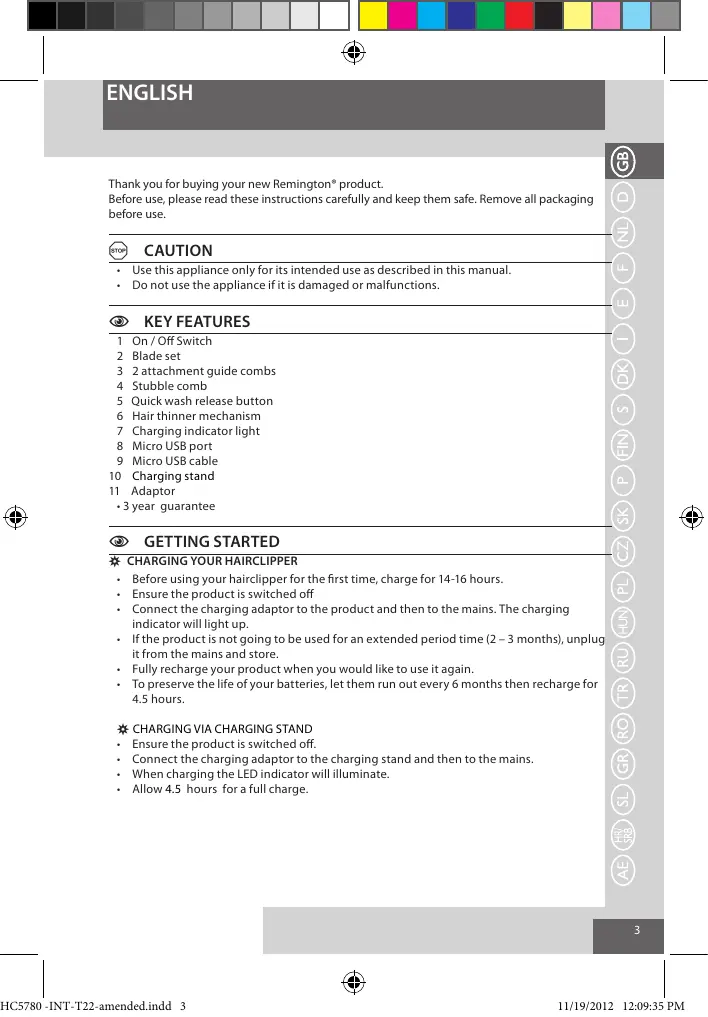
Thank you for buying your new Remington® product.
Before use, please read these instructions carefully and keep them safe. Remove all packaging before use.

CAUTION
- Use this appliance only for its intended use as described in this manual.
- Do not use the appliance if it is damaged or malfunctions.

KEY FEATURES
1 On/Off Switch
2 Bladeset
3 2 attachment guide combs
4 Stubble comb
5 Quick wash release button
6 Hair thinner mechanism
7 Charging indicator light
8 Micro USB port
9 Micro USB cable
10 Charging stand
11 Adaptor
3 year guarantee

GETTING STARTED
CHARGING YOUR HAIRCLIPPER
- Before using your hairclipper for the first time, charge for 14-16 hours.
- Ensure the product is switched off
- Connect the charging adaptor to the product and then to the mains. The charging indicator will light up.
- If the product is not going to be used for an extended period time (2 - 3 months), unplug it from the mains and store.
- Fully recharge your product when you would like to use it again.
- To preserve the life of your batteries, let them run out every 6 months then recharge for 4.5 hours.
CHARGING VIA CHARGING STAND
- Ensure the product is switched off.
- Connect the charging adaptor to the charging stand and then to the mains.
- When charging the LED indicator will illuminate.
- Allow 4.5 hours for a full charge.
ENGLISH
CHARGING VIA STANDARD ELECTRICAL SOCKET
- Ensure the product is switched off.
- Connect the charging adaptor to the product and then to the mains.
- When charging the LED indicator will illuminate.
- Allow 4.5 hours for a complete charge.
\*USB
- Connect your USB cable to the USB port on your power source.
- Connect the USB cable to your appliance.
| Quick Charge Time | 10 minutes | 30 minutes | 1 hour | 2 hours |
| Run Time | 5 | 15 | 30 | 45 |
CORDEDUSE
- Connect the charging adaptor to the product then to the mains.
- When the cord is connected to the mains, a digital display will be displayed on the appliance.

CAUTION
Extended mains only use will result in the reduction of the battery life.
WARNING
The appliance can not be operated in corded mode while connected to a PC via the USB port.
CORDLESSUSE
When the unit is switched on and fully charged, the product can be used in cordless mode for up to 150 minutes.

HOW TO USE
BEFORE STARTING THE CUT
- Inspect the clipper making sure that it is free from hair and dirt.
- Seat the person so that their head is approximately at your eye level.
- Before cutting, always comb the hair so it is tangle free and dry.
ENGLISH
| Comb Position | Short Comb | Long Comb |
| 1 | 3mm | 24mm |
| 2 | 6mm | 27mm |
| 3 | 9mm | 30mm |
| 4 | 12mm | 33mm |
| 5 | 15mm | 36mm |
| 6 | 18mm | 39mm |
| 7 | 21mm | 42mm |
TO ATTACH A COMB
- Hold the comb with its teeth upward
- Slide it onto and along the clipper blade until the front of the comb firmly sits against the clipper blade.
TO REMOVE THE COMB
- Holding the clipper with the blades facing away from you, firmly push the comb upward and away from the blades.
INSTRUCTIONS FOR HAIR CUTTING
Note: For even cutting, allow the comb attachment/blade to cut its way through the hair. Do not force it through quickly. If you are cutting for the first time, start with the maximum comb attachment
STEP 1 - Nape of the neck
- Set the comb to 3mm or 6mm.
- Hold the clipper with the blade teeth pointing upwards. Begin starting at the centre of the head at the base of the neck.
- Slowly lift the clipper, working upwards and outwards through the hair, trimming just a little at a time
STEP2-Back of the head
- With the comb set at 12 mm or 18 mm ,cut the hair at the back of the head.
STEP 3 - Side of the head
- Set the comb to 3mm or 6mm , trim sideburns. Then change the setting to 9mm and continue to cut the top of the head.
ENGLISH
STEP 4 - Top of the head
- Use the longer length comb attachment and set it to 24mm or 27mm then cut hair on top of the head against the direction in which the hair normally grows.
- For longer hair on top, use the longer length comb attachment (24 - 42mm) to achieve the desired style.
Always work from the back of the head.
STEP 5 – The finishing touches
- Use the clipper without an attachment comb for close trimming around the base and sides of the neck.
- To produce a clean straight line at the sideburns, reverse the hair clipper. Place the reversed clipper at right angles to the head, tips of the blades lightly touching the skin and then work downwards.
SHORT TAPERED STYLES - "FLAT TOPS" & SHORT CUTS
- Starting with the longest guide comb attached (24 - 42mm), cut from the back of the neck to the crown. Hold the guide comb flat against the head and slowly move the clipper through the hair.
- Use the same procedure from the lower side to the upper side of the head. Then cut the hair against the direction in which it grows and level with the sides.
- To give a "flat top" look, the hair on top of the head must be cut over the top of a flat comb.
- Use a closer guide comb to taper the hair down to the neckline as desired.
HAIR TEXTURE MECHANISM
- Simply adjust the hair texture mechanism by sliding the button at the top of the hair clipper.
- Blending different length areas - Select the proper length guard to blend. Slide out the hair texture mechanism (guard) which allows you to blend / thin out the area.
- Textured cut - Slide out the hair texture mechanism (guard) to give an all over textured cut.
DUAL BOOST SYSTEM
There are 3 settings for the Dual Boost system: Off, On, Boost.
If the clipper is set to on, it will run at regular power.
- If the clipper is set to boost, it will provide maximum power.
CARE FOR YOUR APPLIANCE
Your clipper is fitted with high quality blades.
To ensure long lasting performance of your clipper, clean the blades and unit regularly.
Always keep the attachment guide comb on the trimmer blade.
ENGLISH

After Each Use
- Ensure the clipper is switched off and disconnected from the mains.
- Brush the accumulated hair from the blades. Do not submerge the clipper in water.
To clean unit, wipe with damp cloth and dry immediately.

WASHABLE CLEANING
The QUICK WASH SYSTEM is designed to maximise the efficiency of washable cleaning.
- Click the buttons that are located on the sides of the hair clipper head. The blades will slide out and the blade set can be easily cleaned under the tap.
- Once the blades are cleaned the blades are locked into place by pushing the blade set towards the hair clipper head and will snap into place.
- Do not run the entire unit under the tap, only the blade set is meant to be submerged in water.
Note: Ensure the clipper is turned off when cleaning.
EVERY SIX MONTHS
- At regular intervals the blade set should be removed and cleaned.
- Remove the 2 screws retaining the fixed blade with a screwdriver. Do not remove blade set.
- Brush out hairs from between the blades with soft cleaning brush. Do not remove the lubricating grease from the blades. It is not necessary to remove the small moving blade from the unit.
- If the moving blade has been removed this can be re-fitted by slotting the coated blade holder over the pin in the centre of the interior product head. The groove on the coated blade, just below the teeth, rests on a metal plate at the opposite side to the screw holes. The fixed blade is fitted with the raised profile pointing outwards and fixed with the 2 screws.
Note that if the blades are not correctly aligned then cutting efficiency will be impaired. - Place a few drops of cutter or sewing machine oil onto the blades. Wipe off excess oil.

CLEANING CAUTIONS
- Only the attachment guide combs and trimmer blade may be removed from the product for cleaning.
- Cleaning should be done with a soft brush, such as the brush supplied with the product.
- Do not use harsh or corrosive cleaners on the units or their blades.
ENGLISH

IMPORTANT SAFETY INSTRUCTIONS
Warning - To reduce the risk of burns, electrocution, fire, or injury to persons:
- Do not leave the appliance unattended while plugged in.
- Only set the appliance down on a heat-proof surface.
- Make sure the power plug and cord do not get wet.
- Do not plug or unplug the appliance with wet hands.
- Do not use the appliance if it is damaged or malfunctions. If the cable is damaged, it must be replaced by the manufacturer, its service agent, or someone similarly qualified, in order to avoid hazard.
- Do not twist or kink the cable, and don't wrap it around the appliance.
- Store the product at a temperature between 15^ and 35^ .
- Do not use accessories or attachments other than those we supply.
- The appliance, including its cord, must not be used, played with, cleaned or maintained by persons under eight years old and should at all times be kept out of their reach. Use, cleaning or maintenance of the appliance by children over eight or by anyone with a lack of knowledge, experience or with reduced physical, sensory or mental capabilities should only be undertaken after receiving appropriate instruction and under the adequate supervision of a responsible adult to ensure that they do so safely and that the hazards involved are understood and avoided.
- Don't put the appliance in liquid, don't use it near water in a bath-tub, basin or any other vessel, and don't use it outdoors.


ENVIRONMENTAL PROTECTION
To avoid environmental and health problems due to hazardous substances in electrical and electronic goods, appliances marked with this symbol must not be disposed of with an assorted municipal waste, but recovered, reused or recycled.


BATTERY REMOVAL
- The battery must be removed from the appliance before it is scrapped.
- The appliance must be disconnected from the supply mains when removing the battery.
- Ensure the clipper is discharged of all power and disconnected from the mains.
- Lift or pry the USB port cover plate on the bottom of the clipper.
- Lift or pry the deco plate on the lower portion of the clipper and unscrew 1 screw located on the back housing of the clipper.
- Lift or pry the clipper halves apart, exposing the battery chamber.
- Lift or pry the USB connector and lift or pry the cover plate on the bottom of the battery chamber.
Take out the battery and printed circuit board assembly from the battery chamber. - Cut the tabs on both ends of the battery and remove it from the printed circuit board
The battery is to be disposed of safely.
ENGLISH

SERVICE AND GUARANTEE
This product has been checked and is free of defects.
We guarantee this product against any defects that are due to faulty material or
workmanship for the guarantee period from the original date of consumer purchase.
If the product should become defective within the guarantee period, we will repair any such defect or elect to replace the product or any part of it without charge, provided there is proof of purchase.
This does not mean an extension of the guarantee period.
In the case of a guarantee simply call the Service Centre in your region.
This guarantee is offered over and above your normal statutory rights.
The guarantee shall apply in all countries in which our product was sold via an authorised dealer.
This guarantee does not include damage to the product by accident or misuse, abuse, alteration to the product or use inconsistent with the technical and/or safety instructions required.
This guarantee shall not apply if the product has been dismantled or repaired by a person not authorised by us.
If you call the Service Centre, please have the Model No. to hand, as we won't be able to help you without it.
It's on the rating plate which can be found on the appliance.
DEUTSCH
UW APPARAAT VERZORGEN
| Kamposition | Kort kam | Lång kam |
| 1 | 3mm | 24mm |
| 2 | 6mm | 27mm |
| 3 | 9mm | 30mm |
| 4 | 12mm | 33mm |
| 5 | 15mm | 36mm |
| 6 | 18mm | 39mm |
| 7 | 21mm | 42mm |
Montering av kam
SKOTSELAVKLIPPDELARNA
ASSISTÊNCIA E GARANTIA
NABJANIE CEZ NABJACI PODSTAVEC
- Skontrlujte, Či je vyrobok vypnuty
- Pripoje nabijaci adaptor k stojanu a potom do elektricnej siete
- Prinabijani bude svietit LED indicator.
- Prístroj nechajte nabíjat 4,5 hodin y do upného nabitia.
SLOVENCINA
NABIJANIE CEZ STANDARDNU ELEKTRICKU ZASTRCU
KAZDYCH SEST MESIACOV
- Sada Čepelí by sa mala demontovat a Čistīv pravidelných intervaloch.
- Odskrutkute skrukovacom 2 skrutky pridrižiavájúce pripvenú Čepef. Neodnimajte sadu s Čepelami.
Vlaspomydne zepeli odsträfte pomocou kamejci stiacej kefky. Lubriaknaym z cepeli neodstrajute. Malu pohyblvú cepie nje je potrebné z pristroja odstrańovat. - Ak bola vybrataPHYbliva Čepeł,MZe s znovuzu založit tak,Že drziak potiahnutej Čepele na navilecţion pamčapik v strede vnuțornej hlavy výroku b. Družka na potiahnutej Čepeli, hned pod zubami, je položaná kovovej dostišće oproti otvorom na skrutky.
Pred uplym zatahnutim 2 skruteik nestavte zuovaciu pačku do nizšej pozică e cepele zarovnajte taj, ab boli strilhaci hava nrayzamal paralense. Obe skrutky zatahinite.
Ak sa cepele nezarovnaju spravne, bude narusena efektivnost strihania.
A FESUTOLDAT ELTAVOLITASA
OCHOBHbIEXAPAKTEPNCTUKI
1 BviknouaTeIb
2 Ha6op ne3Bn
3 2 HappaBlyioune HaCaKn
4 HacaikdnyeTnHbI
5 Φικατορ Κθηρκη ΚιστέΜβι Quick wash
6 MexaHn3m npopexKuBaHnBBOLOC
7 INdikatop 3apya
8 Flopt micro USB
9 Ka6enb micro USB
10 Nop3aepKaHa noctabke
11 NepexoDnK
-「Iapantn3ro

HAUJIOPAOBtI

3APRAKA YCTPOICTBA
- Пеледпелим И соллбованем Машинки对于我们 CTрижки се лудоть в т ec�ени 14-16淘汰客。
- y6eIntecb, yTO yCTPOINCTBO BbIKIOUeHO.
ПОДКИЧТЕ ДАЛТЕРДАДКИЗ ЗAPДНОДСТСВЕ,а 3ATEM K сети. 3acbetNTC INHINKATOP ZAPDA.
EcnblbHe C6oBpaTeecBcNcoNtBObatIz3deneHteUeHneIaNTbHOrO nepnOda (2-3 MecuA), ERO cNeDyET OKNIOUHT ot CETn iPnBECTU BcoTOnHOXpAHEna.
-пеничебим Испльбоваим полесью зашинку зашижkn.
Даглолговочстбатуарета кады полдю погостью ectоцайтохи и сюва nepesaparkaite в түүэнд.4 5 nacob.

3APRAKA IIOCPEDCTBOM 3APRHOYCTPOICTBA
- y6eIntecb, tO yCTPOiCTBO BBkIIuOHeo.
- Поdkлioчnte aadantep Дд зардки Кзарднй подtabke,аЗatemКсети.
- Ppi 3apAKe CBeNTcB CBeToNDnHbNnDnKaTOp.
Длг поного зарда дожкно рочи 4.5 уа ca.

PYCKN
3APJDAKUHEPE3CTAHJAPTHYIOJIENKTPNUECKYIOPO3ETKY
- y6eIITecb, yTO yCTpOJICTBO BblKIIIOyeHO.
- Pódklouchte aadantep dla 3apdkn K 3apdno nOCTabKe, a 3aTeK cTeN.
-ПизардксCBETNTСCBETODNOHbINHДNKATOP.
-Длг поного зарая дожьно рочи 4.5 уас.
USB
Пдклочитka6ebl USBК npoty USB mctouchna nitaunna (kombltepe na 3apdnoho ycstpoctba)
- Pódkloute Ka6eNB USB K yctpoiCTBy.
I3dene npoBepeNo. PpeTeH3n He nMeIO.
CyclobamnnpahtnnO3nakomlenHcorgnaceh. nokynatelb M.II.

TÜRKÇE
BRIGA O VAŠEM ŠIŠACU
- Vas šišač ima visoko kvalitetne oštrice.
- Da biste osigurali dugotrajnu učinkovitost Vašeg šišača, Čistite oštrice i jedinici redovito.
- Uvjek držite Češalj na oštrici trimera.
NAKON SVAKE UPORABE
- Osigurajte da je brijac iskliguen i iskopcan iz uticnice elektricne mreze.
- Iscaketjte ilisiperite nakupljenu kosu ostrica. Ne uranjte siac u vodu.
- Kako bi očistili Jedinicu, obrište uredaj vlaznom krpom, i odmah je osušite.
HRVATSKI JEZIK/SRPSKI JEZIK

MOKRO CIscENJE
SUSTAV BRZOG PRANJA osmiłjen je za postizanje najveće moguce učinkovitosti mokrog pranjra.
Pritsinite tipke sa strane glave šišača. Štrice Če kliznuti van, tako da cijeli komplet možete jednostavno oprpat od tekucov domov.
- Nakton sto sute prolni strok blokirajte ih na nijhovo mesto gurajuci komplet prema glavi šišača dok ne sjedne.
Nemojte cijeli uredaj prati pod vodom; samo se olstoscu muge oruanjati u vodu. Napomana: uvjerite de sa je išac iskjučen prije nego sto počnete s cisčenjem.

SVAKIH SEST MJESECI
- U redovitim intervalima komplet ostrica treba ukloniti i ocistiti.
Pomoc ovdivija ocklonite 2 vijka koja pridržavaju fiksnu ostricu. Ne uklanjte komplet ostrica. - Mekom Čětom za Čišćenje iśčekajte kosu izmedu ostrica. Ne kujanljate ulje za podmazivanje s ostrica. Iz uredaja nä neophodno knolíntu malu pomicné ostrico.
- Ako je ostrica ortpala, möze se propravit posstavljanjem držača obložene ostrice u unutarnji utor glave uredaja. Utor oblozenih ostrica, odmah ispod Zubaca, sjeda u metalnu plocicu na suprotnoj strani od ropica za vijke.
- Fiksirana ostrica imapoviseni profil koji izviruju te koji je osiguran s 2 uvijača.
Ucinak sisanja ce biti smjen ako ostrice nisu pravilno poravnate. - Stavite par kapi ulja za šišače ili šivače strojeve na oštrice. Obrišite visk ulja.

UPOZORENJE TIJEKOM CIscENJA
- Samo nastavak Češlja i ostrica šišača se smiju ukloniti s proizvoda zbog Čišćenja.
Tijekom ciścenja treba se koristiti samo meka czetakica, poput prilożene czetakice. - Nemojte koristiti gruba ili korozivna sredstva za cziscenje po uredaju i ostricama.

VAZNE SIGURNOSNE UPUTE
UPOZORENJE - KAKO BISTE SMANJILI RIZIK OD OPEKLINA, UDARA STRUJE, POŽARA ILI OZLJEDA OSOBA:
- Ne ostavljaje uredaj bez nadzora dok je ukopčan.
- Ure'daj postaviti samo na povrsinu otpornu na toplinu.
- Nemojte koristiti uredaj ako je ostecen ilneispravan.
-Ako je kabel ostecen, radi zibjegavanja opasnosti, mora ga zamijeni proizvodac, ovlasteni servisi il osoba sliche strucnosti.
Kabel se ne smije rotirati, presavijati i namotavati okay uredaja - Ovaj proizvod koristite i cuvajte na temperaturi izmedu 15^ i 35^
- Utikač i kabel se ne smiju smočiti. Ne dirajte kabel niti ga ukopčavajte ili iskopčavajte mokrim rukama.
Nemojte koristiti uredaj ako je ostecen ili neispravan.
Nemojte koristiti djelove ili dodatke drugih proizvodača. - Uredaj, alkujcujić i kabel, ne smije biti koristeni, cisčen iljegovan od strane osoba mladih od asom godina, niti se njime smijtu igrati, i treba ibit držan svr简易 van
HRVATSKI JEZIK/SRPSKI JEZIK
njihovog domasaja. Uporaba, ciscenje i nega uredaja od strane djece starije od 8 godina ili osoba bez znanja, iskustva ili smanjenih fizickih, perceptivevih ili mentalnih sposobnosti bi se trebalo sprovoditi soma nakon odgovarajucih uputa i adekvatnim nagledanjenm odgovarajuce odrasle osobe koja ce sobrinitu da oni to cine sigurno i da se moguce opasnosti razumju i izbjegnu.
- Ne uranjate uredaj u tekučinju, ne rabite ga blizu vode u kadi, umivaonikiu ili kraj drugihj posuda i ne rabite uredaj vani.


ZASTITA OKOLISA
Da bi se izbjegle štete posljedice na okolíš i zdravljé zbog opasnih supastunci u elektrícním i elektronskim provozdima, svi uredaji obilježeni ovim simbolom ne smiu se zbrjinavati kao neražvrstani komunalni optd, već se moraju prikupiti, poinovno koristiti ili recikirlati.


UKLANJANE BATERIJE
- Prijje odlaganja uredaja baterija se mora ukloniti.
- Urej mora biti iskopcan iz struje prije no sto se baterija izvadi.
- Šišač se mora isprazniti i iskopćati iz struje.
- Podignite ili skinitePoklopac USB ulaza na dnu šišača.
- Podigire imi skinite dekorativnu plociu na donjem dijelu šiša i odvjte 1 vijak koji se nalazi na stržnem dijelu kuciša šiša.
- Podignite ili skinite polovice šišača, kako biste vidjeli pretinac baterije.
- Podignite ili skinite USB priključak tePoklopac na dnu pretinca baterije.
- Izvadite bateriju i sklop tiskane pločice iz pretinca baterije.
Odsijecite jezicke s oba kraja baterije, te je uklonite s tiskane ploice.
Baterija se mora ukloniti zbog sigurnosti.
HRVATSKI JEZIK/SRPSKI JEZIK

SERVIS I JAMSTVO
Ae 4.5 2d 100000000000000000000000000000
a 1
.
.
.
.
.
.
.
.
.
.
.
.
.
.
.
.
.
.
.
.
gaiy 111111111111111111111111111111111111111
J 4.5
3
USB
ailll jssssssssssssssssssssssssssssssssssssssssssssssssssssssss
gai gai plaoai jia jia jia jia jia jia jia jia
150 1 Juao jai S

3
1
aaiy
Aajg jai jai jai jai jai jai jai jai
1
- aaiia aaii oai jai iaiydu yai jaiyaiyaiyaiyaiyaiyaiyaiyaiyaiyaiyaiyaiyaiyaiyaiyaiyaiyaiyaiyaiyaiyaiyaiyaiyaiyaiyaiyaiyaiyaiyaiyaiyaiyaiyaiyaiyaiyaiyai
a a a a a a a a a a a a a a a a a a
aalalal aalal alalal alal
i 1
Jol
a 1
a b
aill 1
o jgiil sljill jia, jiaocui jai jai iiyu, jaiiil aao
gall jie yu will j 10. all
Cuaaall 12ygl aal yaaia
Juaa 1
i j
J
y jlll l l 1000000000000000000000000000000
aiaiil 1
J 1
aIydydydydydydydy dy dy dy dy dy dy dy dy dy dy dy dy dy dy dy dy dy dy dy dy dy dy dy dy dy dy dy dy dy dy dy dy dy dy dy dy dy dy dy dy dy dy dy dy dy dy dy dy dy dy dy dy dy dy dy dy dy dy dy dy dy dy dy dy dy dy dy dy dy dy dy dy dy dy dy dy dy dy dy dy dy dy dy dy dy dy dy dy dy dy dy dy dy dy dy dy dy dy dy dy
jss sdd dddgge gusssd jssd dssd dds
Remington
iia jai iia kai jai kai jai kai jai kai
40
jil jilu jolal jai jilai
aaii 14 aai i 14 aai ai dai i 14 aai i jai i
8 8
j 1
j 8 j 8 j 8 j 8 j 8 j 8 j 8 j 8 j 8 j 8 j 8 j 8 j 8 j 8 j 8 j 8 j 8 j 8 j 8 j 8 j 8 j 8 j 8 j 8 j 8 j 8 j 8 j 8 j 8 j 8 j 8 j 8 j 8 j 8 j
calal (gds aiaiaio gajgaiiaiai jaiy
aall lal jn jnnn nnnn nn nnnn nnnn nnnn nnnn nnnn nnnn nnnn
i 1
aiaaii aiaaae iieae

jdi jia aaiy jy jle y jya
jll j 4d 4d 4d 4d 4d
a a a a a a a a a a a a a a a a a a a a a a a a
jai
J 1 J 1 J 1 J 1 J 1 J 1 J 1 J 1 J 1 J 1 J 1 J 1 J 1 J 1 J 1 J 1 J 1 J 1 J 1 J 1 J 1 J 1 J 1 J 1
jglg jglg jglg jglg jglg jglg jglg jglg jglg jglg jglg jglg jglg jglg jglg jglg jglg jglg jglg jglg jglg jglg jglg jglg jglg jglg jglg jglg jglg jglg jglg jglg jglg jglg
INTERNATIONAL SERVICE CENTRE
GERMANY
BENELUX
FRANCE
ITALY
SCANDINAVIA
AUSTRIA
SWITZERLAND
Central Europe
00800/821700821
Mo.-Fr. 9 a.m.-5 p.m. Central European Time (free call)
E-Mail: service@remington-europe.com
www.remington-europe.com
+34 902 104 517 (8.00-13.00 h | 14.00-17.00 h de lunes a viernes)
presat@presat.net
+800 100 058 (8.30-12.30 h | 14.00-18.00 h 2.a a 6.a feira)
remington@asgaard.pt
Tel.+35621664488
Miller Distributors Ltd, Miller House - Airport Way, Tarxien Road, Luqa LQA 1814, www.millermatca.com
6 Tel. +44 0800 212 438 (free call)
Spectrum Brands (UK) Limited, Fir Street, Failsworth, Manchester, M35 0HS, UNITED KINGDOM, www.rentonington.co.uk
Tel. +420 487 754 605
VARTA Baterie spel. s r.o., Jindricha z Lipé 108, 470 0l Ceska Lipa,
CESKA REPUBLIKA, www.cz.remington-europe.com
6 Tel. +353 (0) 1460 4711
Remington Consumer Products, Unit 7C, Riverview Business Park, New Nangor Road, Dublin 22, IRELAND, www.remington.co.uk
6 Tel.+361 3300 404
Remington Szervizkozpoint, I138 Budapest, Vaci ut 136/a, www.remington.hu
Tel.+22598.07.00
Spectrum Brands Poland Sp. zo o. ul.Blitwy Warszawskiej 1920r.7a, 02-366 Warszawa Fax+22 598 07 01 p.remington-europe.com
6 Ten.8 800 100 8011
V.R. Trading (LLC), Khalid Bin Waleed Street, Al Jawhara Bldg 504, Dubai, U.A.E., www.remington-europe.com
Tel. +385 13772 644
Singuli d.o.o., Primorska 3, 10000 Zagreb, hr.remington-europe.com
Tel. +357 24-532220
Thechatos Traders Ltd, Eletherias Ave 75, 7100 Aradippou, Cyprus. www.remington-europe.com
6 Tel. +40 0788 030 359
Best Expert Service Jak SRKL, 4th, Drumul Taberei St., sector 6, Bucharest, Romania, www.renton-europe.com
Tel.+386(0)15616630
Jefek Trgovina Svis d.o.o., Cesta 24 Junja 21, 1231 LJUBLJANA - Crnucce
Republica Slovenia, si. remington-europe.com
6 Tel.+30 210 94 10 699
D.&J.DAMKALIDIS S.A.,Import Agencies,44 Zefyrou str.
www.remington-europe.com


Model No. HC5780
Remington* is a Registered Trade Mark of Spectrum Brands, Inc., or one of its subsidiaries
VARTA Consumer Batteries GmbH & Co. KGaA, Alfred-Krupp-Str. 9, 73479 Ellwangen, Germany
www.remington-europe.com
© 2012 SBI