Cecofry Duolevel 12000 Window - Deep fryer CECOTEC - Free user manual and instructions
Find the device manual for free Cecofry Duolevel 12000 Window CECOTEC in PDF.


| Product type | Air fryer |
| Brand | Cecotec |
| Model | Cecofry Duolevel 12000 Window |
| Capacity | 12 L (two levels) |
| Power | 2000 W |
| Power supply voltage | 220-240 V ~ 50/60 Hz |
| Dimensions (L x W x H) | 36 x 34 x 39 cm |
| Weight | 7.5 kg |
| Material | Stainless steel and heat-resistant plastic |
| Color | Black silver |
| Viewing window | Yes, with LED lighting |
| Number of baskets | 2 (simultaneous cooking) |
| Cooking programs | 8 presets: fries, chicken, meat, fish, vegetables, etc. |
| Temperature adjustment | 80 °C to 200 °C |
| Timer | 0 to 60 minutes |
| Keep warm function | Yes |
| Preheat function | Yes |
| Automatic shut-off | Yes, overheat protection |
| Cool-touch handle | Yes, for safe handling |
| Cleaning | Baskets and racks dishwasher safe |
| Included accessories | 2 removable racks, 1 drip tray |
| Warranty | 2 years |
Frequently Asked Questions - Cecofry Duolevel 12000 Window CECOTEC
User questions about Cecofry Duolevel 12000 Window CECOTEC
0 question about this device. Answer the ones you know or ask your own.
Ask a new question about this device
Download the instructions for your Deep fryer in PDF format for free! Find your manual Cecofry Duolevel 12000 Window - CECOTEC and take your electronic device back in hand. On this page are published all the documents necessary for the use of your device. Cecofry Duolevel 12000 Window by CECOTEC.
USER MANUAL Cecofry Duolevel 12000 Window CECOTEC
- Parts and components 12
- Before use 12
- Operation 13
- Cleaning and maintenance 17
- Copyright 17
- Simplified EU Declaration of Conformity 18
SOMMAIRE
EN • The coding in this manual is generic and applies to all code variants of the appliance.
- Control panel
- Air outlet
- Basket handle
- Upper housing
- Rear housing
- Power cord
- Basket
- Rack
- Cooking viewing window
Control panel
Fig. 2
- Basket 1 touch selection icon
- Basket 2 touch selection icon
- Sync Cook touch icon
- Sync Finish touch icon
- Time/Temperature increase touch icon
- Time/Temperature decrease touch icon
- Start/Pause/Stop touch icon
- Temperature/Time change touch icon
- Basket 1 light touch icon
- Basket 2 light touch icon
- Timer touch icon
- Mode selection touch icon
Note:
The graphics in this manual are schematic representations and may not exactly match the appliance.
2. BEFORE USE
- This appliance comes in a packaging designed to protect it during transport. Take the appliance out of its box and remove all packaging materials. You can keep the original box and other packaging materials in a safe place to prevent damage to the appliance if you need to transport it in the future. If you wish to dispose of the original packaging, make sure all items are recycled properly.
- Check that all parts and components are included and in good condition. If any of them
are missing or damaged, please contact Cecotec's Official Technical Support Service immediately.
Box content:
- Air fryer
- Instruction manual
- Do not remove the product's serial number in order to keep proper traceability if technical assistance is required.
- Use a soft sponge dampened with detergent to clean the baskets and racks. Do not use abrasive materials for cleaning, as this may damage the non-stick coating of the baskets.
NOTE: You can also wash these components in the dishwasher.
- DO NOT IMMERSE THE BODY OF THE AIR FRYER IN WATER.
- Clean the inside and outside of the appliance with a soft damp cloth and dry thoroughly.
NOTE: Do not fill the baskets with oil or frying fat, as this appliance operates with hot air.
3. OPERATION
3.1. Preparing for use
- Positioning: Place the air fryer on a stable, level, heat-resistant surface.
- Handle installation: Securely attach the handle to the basket panel. Shake the basket to make sure it is correctly installed. Fig. 3
- Placing the rack: Insert the rack into the basket, then insert the outer basket into the air fryer.
- Feeding and Air Flow: Make sure that the power cord can reach the socket and that there is sufficient air circulation around the appliance.
WARNINGS:
- Do not place the air fryer on surfaces that are not heat-resistant.
- Keep at least 35 cm of free space around the air fryer.
- Do not fill the baskets with oil or any other liquid.
- Do not place anything on top of the air fryer.
- Do not cover the air inlets as this may adversely affect their operation.
ENGLISH
3.2. Operation instructions
- Connect the power cord to a suitable power socket.
- Food preparation: Remove the basket using the handle. Place the food on the rack.
Note: Do not exceed the MAX fill line on the basket.
- Inserting the basket: Then slide the basket back into the air fryer.
CAUTION: the basket heats up quickly. Avoid direct contact with the basket during use to prevent burns. Touch only the handle when removing the basket.
- Press the touch icon «∪▷||». The display will show «HE110».
-
Cooking in a single basket:
-
Press the touch icon «1» or «2» to select the desired basket.
- Set the time/temperature using the «♪ Ⓛ» touch icon or select a preset menu.
- Press the « ⏻ ▷ ||» touch icon to start cooking.
-
Use the corresponding light touch icon (basket 1 «» or basket 2 «») to check the food during cooking.
-
Independent cooking of the baskets:
-
Set different time/temperature settings for each basket.
- Press the «1» touch icon, select a preset or adjust the settings, then press the «○» touch icon.
- Repeat for basket 2.
-
Set the time/temperature during cooking by pressing the touch icon « 1» or « 2» (flashing status).
-
Sync Finish function:
-
Set different cooking times/temperatures for each basket.
- Press the touch icon SYNC. The basket with the shortest cooking time will display «Hold».
- The basket with the longest cooking time will start the operation.
-
When the remaining cooking time of the longer time basket is equal to that of the shorter time basket, both baskets cook together. Ho L will change to a countdown.
-
Synchronised cooking function (Sync Cook):
-
For identical cooking settings in both baskets, press the «MATCH» touch icon.
- Select the desired settings and press the « ⚙ ||» touch icon.
- Alternatively, set the other basket, press the «MATCH» touch icon to copy the settings
and then press the «⏻ ➔‖» touch icon.
9. Pause
Press the touch icon «⏻ ▷||» to pause both baskets simultaneously.
Or, press the «1» or «2» touch icon, then press the «○»|» touch icon, to pause a specific basket (the time will flash).
10. Preset menus:
Press the touch icon «≡» to access the default programmes.
| Function | Symbol | Temperature | Time |
| Chips | 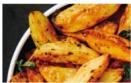 | 200 °C | 25 min |
| Desserts | 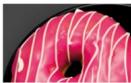 | 160 °C | 20 min |
| Chicken drumsticks |  | 200 °C | 23 min |
| Steaks | 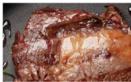 | 200 °C | 13 min |
| Fish |  | 180 °C | 20 min |
| Ferment | 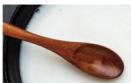 | 40 °C | 60 min |
| Pizza |  | 180 °C | 17 min |
| Dehydrate |  | 55 °C | 6 h |
ENGLISH
| Vegetables |  | 200 °C | 20 min |
| Manual |  | 200 °C | 20 min |
Note: These are guidelines; adjust the times according to the size and shape of the food.
- Check in the middle of cooking:
Halfway through the set time, «turn» will appear, the basket light will activate and a 30-second warning sound will be emitted.
Remove the basket and shake or turn the food for even cooking.
Replace the basket to continue cooking.
- Cooling mode:
After cooking, the air fryer enters cooling mode («COOL» is displayed).
After 30 seconds, remove the basket from the appliance and place it on a heat-resistant surface.
- Delay function:
Set the desired temperature and time.
Press the touch icon «√», set the standby time using the touch icons «—» and «+» and press the touch icon «() ▷||».
The appliance will start automatically after the set delay (0.5-12 hours, 15-minute intervals).
- Checking food preparation:
If the food is not ready, slide the basket back in and set the timer for a few more minutes.
- Food removal: use tongs.
Note:
Do not turn the outer basket upside down to remove food, as excess oil may spill out.
ATTENTION:
At the end of cooking, leave the basket half open to avoid condensation inside the air fryer.
Food comes out of the air fryer very hot, be careful when handling it.
Recommendations:
- Cooking time for small foods is usually shorter than for large foods.
- To avoid uneven heating or burning, small volume foods such as French fries, onion rings
and chicken should be shaken or turned during cooking.
- Rotate the rack 180 °C to place it on the second layer, allowing the food to heat up faster.
- Add some oil to the fresh potatoes for a crispier result. Cook the food in the air fryer for a few minutes after adding the oil.
- Do not cook foods rich in oil as much as possible.
- This air fryer is also suitable for reheating food.
4. CLEANING AND MAINTENANCE
- Regular cleaning is essential for optimal performance and extended service life.
- Frequency: Clean the appliance after every use and before storing it.
- Non-stick coating: the basket and rack have a non-stick coating. Avoid metal utensils and abrasive cleaners.
- Dishwasher safe: the basket and rack are dishwasher safe.
Cleaning steps:
- Unplug the air fryer and allow it to cool down completely. You can remove the basket to accelerate cooling.
- Cleaning the housing: Clean the exterior with a damp cloth. Do not immerse the air fryer housing in water or rinse it under running water.
- Basket and rack: Clean with hot water, dish soap and a non-abrasive sponge.
- Heating element: Clean the heating element with a damp cloth or cleaning brush to remove food residues.
- Drying: Make sure all parts are clean and completely dry before storing.
Tip: For stubborn dirt, soak the basket with hot water and detergent for about 10 minutes.
Storage:
- Never store the air fryer when it is hot or wet.
- Store the air fryer in its original box or in a clean, dry place.
5. COPYRIGHT
The intellectual property rights over the texts in this manual belong to CECOTEC INNOVACIONES, S.L. All rights reserved. The content of this publication may not, either in part or in its entirety, be reproduced, stored in a retrieval system, transmitted or distributed by any means (electronic, mechanical, photocopying, recording or similar) without prior authorisation from CECOTEC
ENGLISH
INNOVACIONES, S.L.
6. SIMPLIFIED EU DECLARATION OF CONFORMITY

Cecotec Innovaciones hereby declares that this product complies with the essential requirements and other relevant provisions of the regulations applicable in the European Union. This appliance has been designed, manufactured and tested in compliance with required safety and quality standards. The full text of the EU Declaration of Conformity can be found on the following website: https://cecotec.es/es/information/declaration-of-conformity
1. PIÈCES ET COMPOSANTS
Img. 1
10. Menús preestablerts:
Brand : CECOTEC
Model : Cecofry Duolevel 12000 Window
Category : Deep fryer