
WHMXC12H9E8 - Air-conditioner PANASONIC - Free user manual and instructions
Find the device manual for free WHMXC12H9E8 PANASONIC in PDF.


| Product Type | Reversible air-to-water monobloc heat pump |
| Brand | PANASONIC |
| Model | WHMXC12H9E8 |
| Heating power | 12 kW |
| Cooling power | 12 kW |
| Power supply | 230 V ~ 50 Hz |
| Dimensions (H x W x D) | 800 x 1100 x 400 mm |
| Net weight | 100 kg |
| Refrigerant | R32 |
| Main functions | Heating, Cooling, DHW (domestic hot water), Silent mode, Turbo heating, Weekly programming, Forced defrost, Remote control lock |
| Remote control type | With display and PIN code lock |
| DHW tank connection | Yes (gallon connection) |
| Maintenance | Regular filter cleaning |
| Safety | Automatic stop in case of error, automatic defrost |
| Installation type | Outdoor monobloc |
| Outdoor temperature range | -15°C to 35°C (estimate) |
Frequently Asked Questions - WHMXC12H9E8 PANASONIC
User questions about WHMXC12H9E8 PANASONIC
0 question about this device. Answer the ones you know or ask your own.
Ask a new question about this device
Download the instructions for your Air-conditioner in PDF format for free! Find your manual WHMXC12H9E8 - PANASONIC and take your electronic device back in hand. On this page are published all the documents necessary for the use of your device. WHMXC12H9E8 by PANASONIC.
USER MANUAL WHMXC12H9E8 PANASONIC
Air-to-Water Heatpump
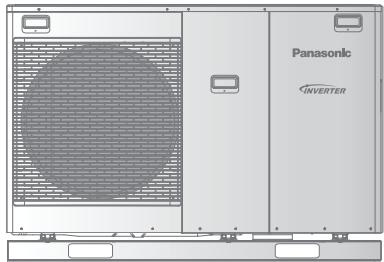
Model No.
WH-MDC05H3E5
WH-MDC07H3E5
WH-MDC09H3E5
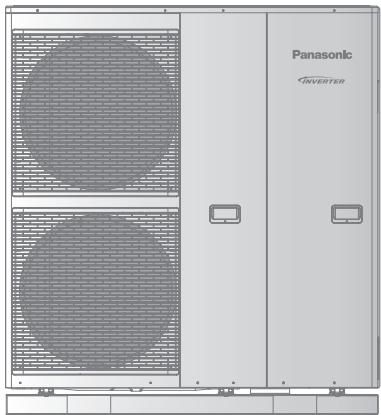
Model No.
WH-MDC12H6E5
WH-MDC16H6E5
WH-MXC09H3E5
WH-MXC12H6E5
WH-MXC09H3E8
WH-MXC12H9E8
WH-MXC16H9E8
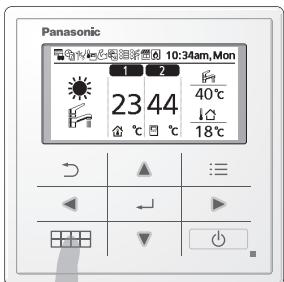


Quick Menu Guide
(Mono bloc) Air-to-Water Heatpump
2-7
English
Please read the Operating Instructions thoroughly before using the Quick Menu.
How to use the Quick Menu
After the initial settings have been completed, you can select a quick menu from the following options and edit the setting.
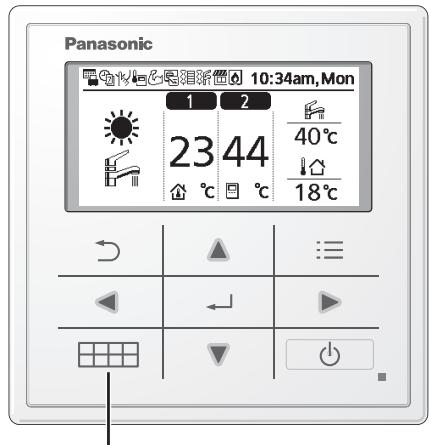
① Press .
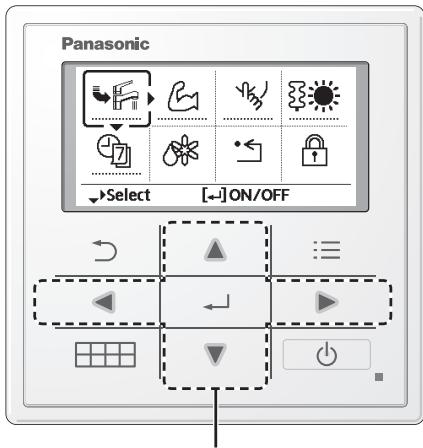
② Use ▲ ▼ ▶ ▷ to select menu.
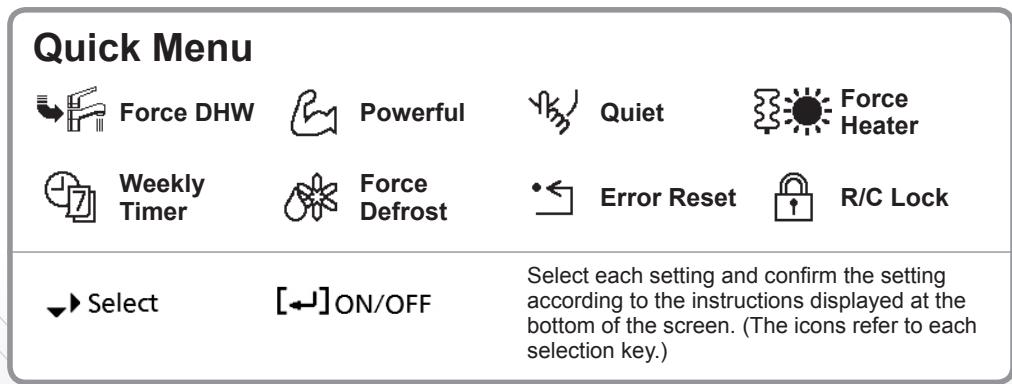
③ Press ← to turn on/off the select menu.
To return to the Main Screen, Note:
Press or
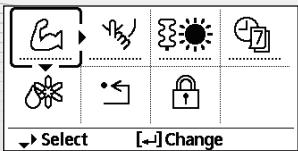
- If the system is not connected to the tank (Tank Connection is OFF), the Quick Menu screen will be displayed as right. Make sure the Tank Connection is ON.
Notes on operation icon
Example:

Operation icon indicate with "……" = OFF

Operation icon indicate with "——" = ON
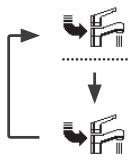
Force DHW
Select this icon to turn the Tank DHW on or off.
Press to confirm your selection.
-
Force DHW is turned off.
-
Force DHW is turned on.
Note:
- Force DHW is disabled when Force Heater is turned on.
- When Force DHW is turned off, operation & mode should change back to the previous memorized status.

Powerful
Select this icon to operate the heating/cooling system powerfully.
Press to confirm your selection.
(The powerful operation starts approximately 1 minute after is pressed.)
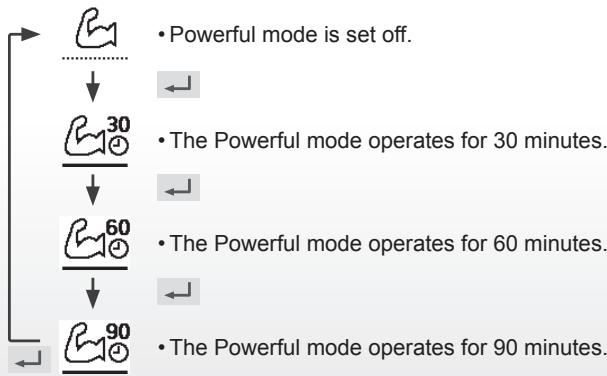
Note:
- Powerful is disabled when operation is turned OFF.

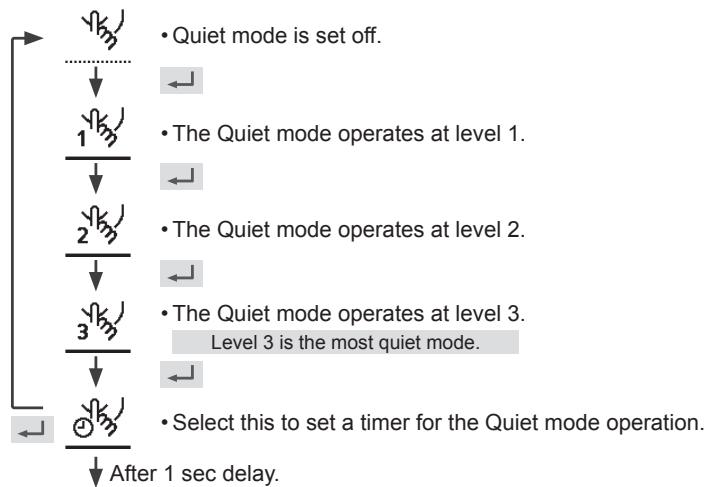
Quiet
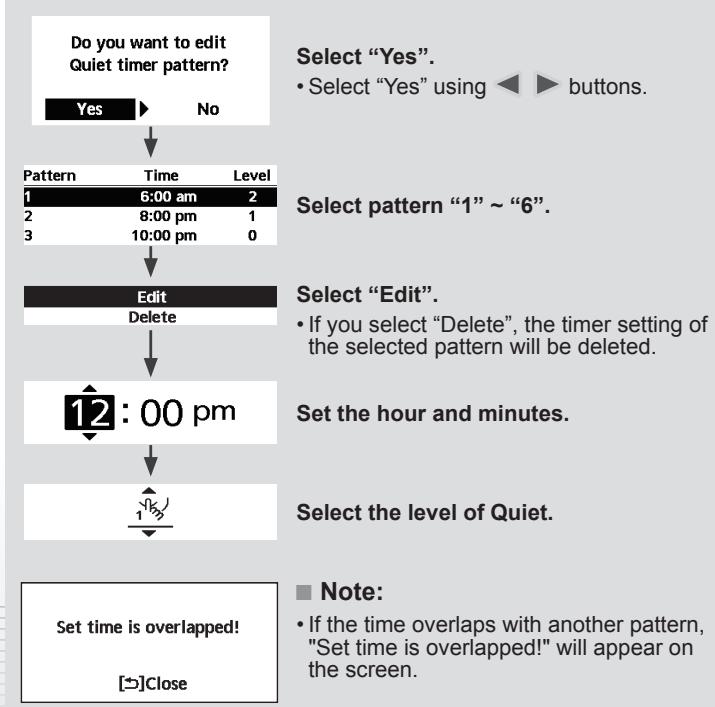
Select this icon to operate quietly.
Press to confirm your selection.
(The quiet operation starts approximately 1 minute after is pressed.)

Force Heater
Select to force the Heater on.
Press to confirm your selection.
(The Force Heater mode starts approximately 1 minute after is pressed.)
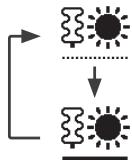
- Force Heater is turned off.
- Force Heater is turned on.
Note:
- Force Heater is disabled whenever operation is already on and 'Disabled due to operation ON!' will be displayed.
Disabled due to operation ON!
[Close

Weekly Timer
Select this icon to delete (cancel) or change the pre-set Weekly Timer.
Press to confirm your selection.
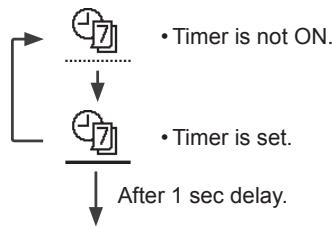
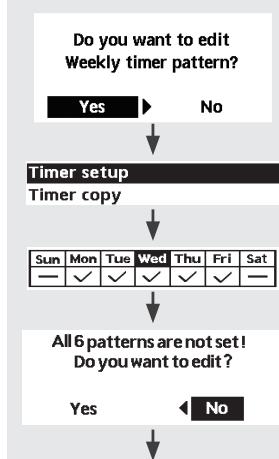
Select "Yes".
-
If you select "No", the screen will return to the Main Screen.
-
Timer setup: Select Timer setup to edit the Weekly Timer.
- Timer copy: Select to copy a timer setting.
[Example of a Timer setup]
Select the day(s) which you wish to edit using buttons.
If all 6 patterns are not preset, this screen will be displayed.
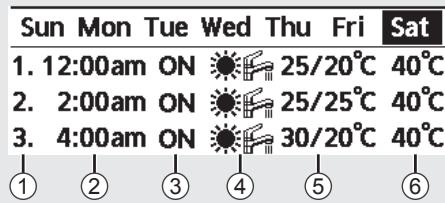
① Select pattern “1” ~ “6”.
② Set the hour and minutes of the Timer.
③ Select ON/OFF of the Timer.
④ Select the operation mode.

⑤ Set the temperature for both Zone 1 and 2 (if your system has the 2-Zone setting).
| Saturday: Pattern 1: Set Temp | |||
| Zone1 | Zone2 | ||
| ON | 25°C | ON | 25°C |
⑥ Set the Tank temperature.
Note:
- Timer is disabled when Force Heater is turned on or Heat-Cool SW is enabled.
- If you have preset the Weekly Timer on 2 zones, you must repeat the same procedure with Zone 2.

Select to defrost the frozen pipes.
Press to confirm your selection.
(When the mode is accepted, below screen will be displayed.)
Request accepted!
[Close
Force Defrost

Select to restore the previous settings when error has occurred.
Press to confirm your selection.
(When the mode has been accepted, below screen will be displayed.)
Request accepted!
[Close
- Make sure all units are turned off before selecting this mode which restores the whole system to the previous settings.
Error Reset
Select to lock the Remote Controller.
Press to confirm your selection.
(When the mode has been accepted, below screen will be displayed.)
Do you want to lock remote control?


R/C Lock
Select "Yes".
(The Main Screen will be locked.)
- If "No" is selected, the screen will return to the Main Screen.
To unlock the Remote Controller
Press any key.
(When the mode has been accepted, below screen will be displayed.)
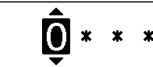
Enter any 4 digits of number (if the number is correct, the screen will be unlocked).
To reset forgotten password (under operation OFF screen)
Press , and continuously for 5 seconds.
(When the mode has been accepted, below screen will be displayed.)

Select "Reset".
1 PASSWORD is reset to 0000
2.Remote control is unlocked
(The screen will be off after 3 seconds.)
- 12:00am ON 25/20°C 40°C
- 2:00am ON 25/25°C 40°C
- 4:00am ON 30/20°C 40°C

- 12:00am Aan 25/20°C 40°C
- 2:00amAan 25/25°C 40°C
- 4:00amAan 30/20°C 40°C


① Selecteer schema "1" ~ "6".
② Stel de uren en Minutes van de timer in.
③ Selecteer AAN/UIT van de timer.
④ Selecteer de gewenste stand.

Disabled due to operation ON!
[Close
| Saturday: Pattern 1: Set Temp | |||
| Zone1 | Zone2 | ||
| ON | 25°C | ON | 25°C |
1.Password is reset to 0000
2.Remote control is unlocked
Kraftfull inaktiveras nar driften stangs AV.

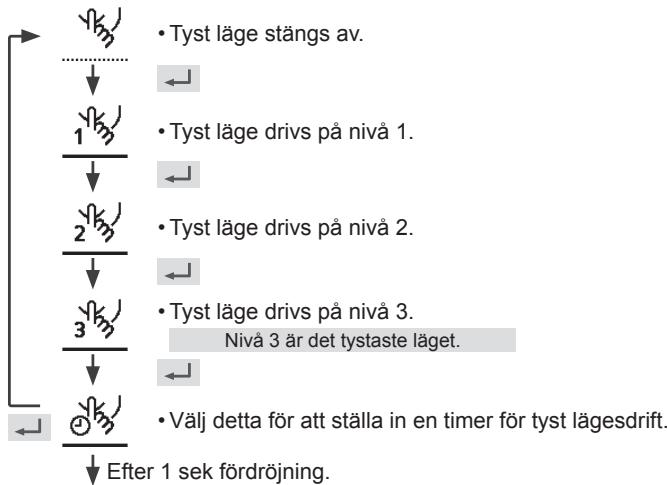
Tystläge
Väljennaikonforattdrivatyst.
Tryck pa for att bekräfta ditt val.
(Den tysta driften,startar ungefjar 1 minut after att trycks ner.)
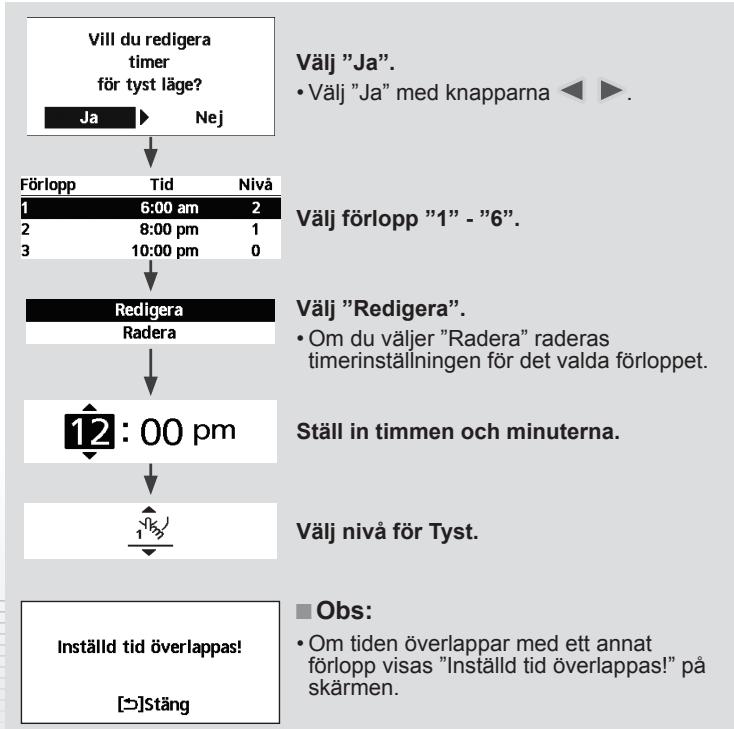

Tvinga värm.
| Zon1 | Zon2 | P |
| PÁ | 25°C | PÁ |
(6) Ställ in tanktemperatures.
Obs:
- 12:00am TIL 25/20°C 40°C
- 2:00am TIL 25/25°C 40°C
- 4:00am TIL 30/20°C 40°C
1 ② ③ ④ ⑤ ⑥
Odaberite Da..
-Ako odaberete Re ,zaslon se vraca na Glavnizaslon.
- Postavke vrem. Prog.: Odaberite Postavku tajmera kako biste uredili Tjedni tajmer.
- Kopiranje vrem. Prog.: Odaberite za kopiranje postavke tajmera.
1006 Kadoma, Kadoma City,
Osaka, Japan
Website: http://www.panasonic.com
© Panasonic Corporation 2017
Printed in Malaysia
| Country | Hotline Phone Number |
| Hungary | +36 1 382 60 60 |
| Netherlands | +31(0)736402538 |
| Norway | +47 210 339 99 |
| Poland | +48 22 338 11 57 |
| Spain | +34 (0) 902 153 060 |
| Sweden | +46 (0)8 566 426 88 |
| Switzerland | 0800 - 001074 |
| UK/Ireland | +44 (0) 1344 853 393 |
Authorised representative in EU
Panasonic Testing Centre
Panasonic Marketing Europe GmbH
Winsberging 15, 22525 Hamburg, Germany
AEEE Compliance with Turkey Regulations