EasyManual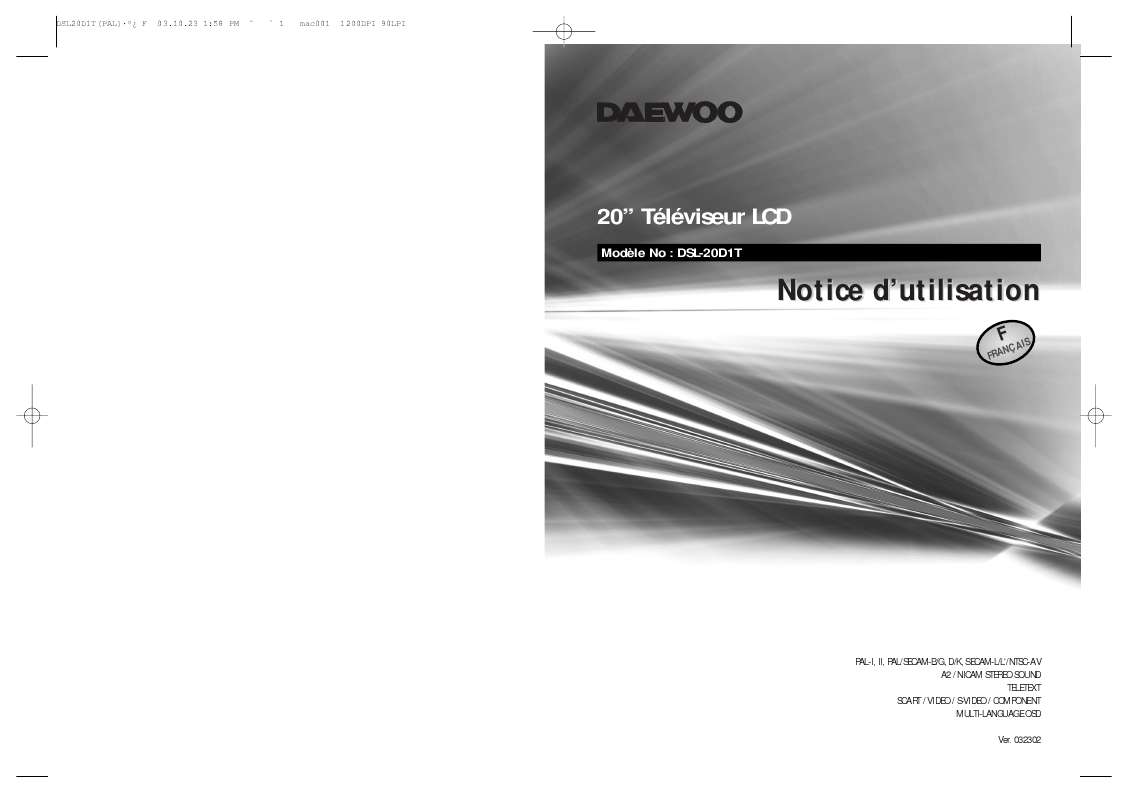
DSL-20D1T - TV DAEWOO - Free user manual and instructions
Find the device manual for free DSL-20D1T DAEWOO in PDF.


User questions about DSL-20D1T DAEWOO
0 question about this device. Answer the ones you know or ask your own.
Ask a new question about this device
Download the instructions for your TV in PDF format for free! Find your manual DSL-20D1T - DAEWOO and take your electronic device back in hand. On this page are published all the documents necessary for the use of your device. DSL-20D1T by DAEWOO.
USER MANUAL DSL-20D1T DAEWOO
PAL-I, II, PAL/SECAM-B/G, D/K, SECAM-L/L'NTSC-AV
A2 / NICAM STEREO SOUND
TELETEXT
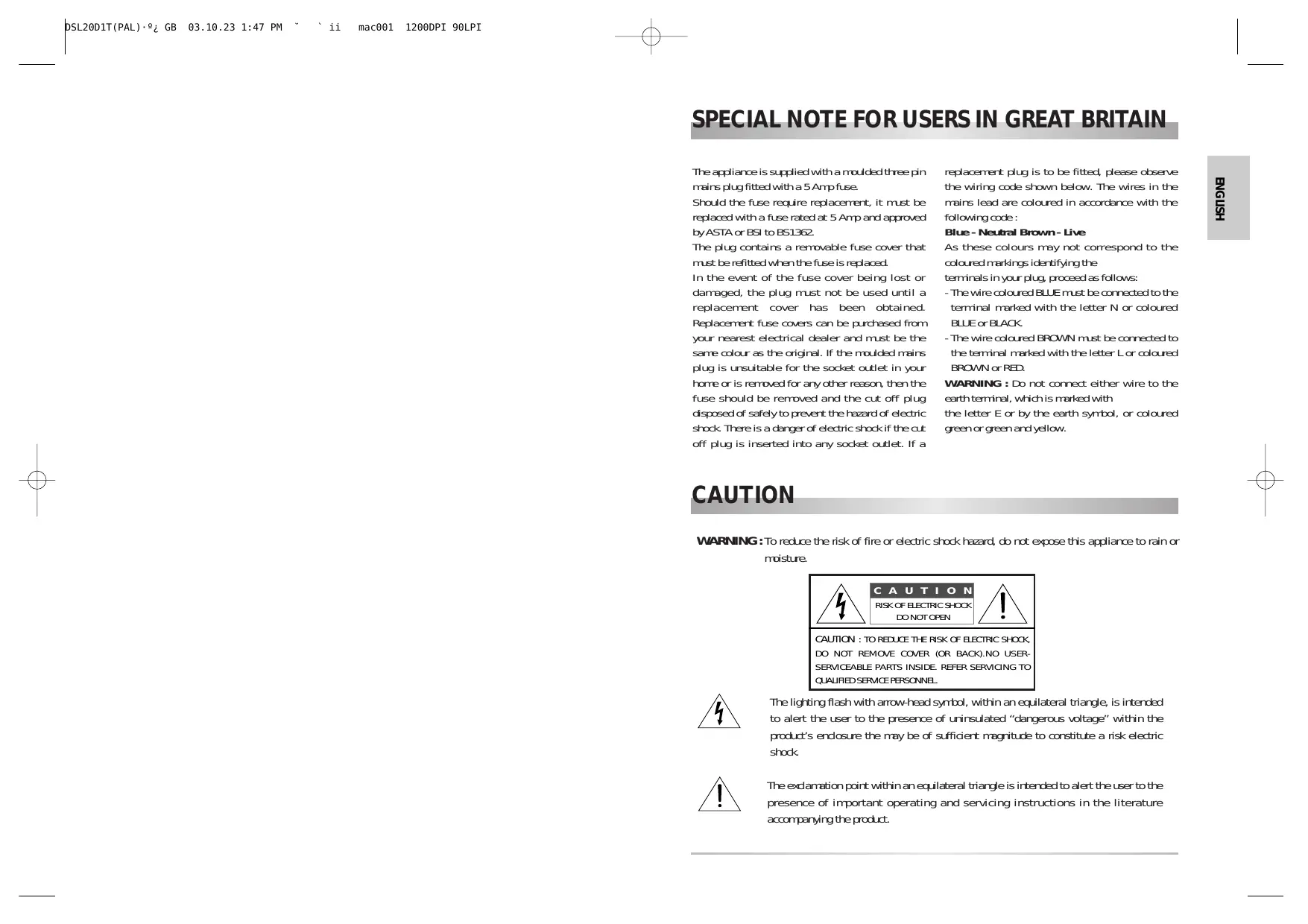
The appliance is supplied with a moulded three pin mains plug fitted with a 5 Amp fuse.
Should the fuse require replacement, it must be replaced with a fuse rated at 5 Amp and approved by ASTA or BSI to BS1362.
The plug contains a removable fuse cover that must be refitted when the fuse is replaced.
In the event of the fuse cover being lost or damaged, the plug must not be used until a replacement cover has been obtained. Replacement fuse covers can be purchased from your nearest electrical dealer and must be the same colour as the original. If the moulded mains plug is unsuitable for the socket outlet in your home or is removed for any other reason, then the fuse should be removed and the cut off plug disposed of safely to prevent the hazard of electric shock. There is a danger of electric shock if the cut off plug is inserted into any socket outlet. If a
replacement plug is to be fitted, please observe the wiring code shown below. The wires in the mains lead are coloured in accordance with the following code :
Blue - Neutral Brown - Live
As these colours may not correspond to the coloured markings identifying the terminals in your plug, proceed as follows:
- The wire coloured BLUE must be connected to the terminal marked with the letter N or coloured BLUE or BLACK.
- The wire coloured BROWN must be connected to the terminal marked with the letter L or coloured BROWN or RED.
WARNING : Do not connect either wire to the earth terminal, which is marked with
the letter E or by the earth symbol, or coloured green or green and yellow.
CAUTION
WARNING : To reduce the risk of fire or electric shock hazard, do not expose this appliance to rain or moisture.
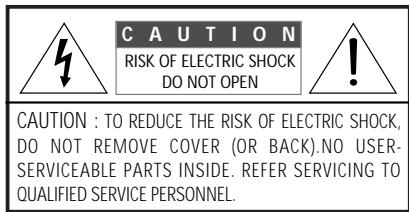

The lighting flash with arrow-head symbol, within an equilateral triangle, is intended to alert the user to the presence of uninsulated "dangerous voltage" within the product's enclosure the may be of sufficient magnitude to constitute a risk electric shock.

The exclamation point within an equilateral triangle is intended to alert the user to the presence of important operating and servicing instructions in the literature accompanying the product.
SAFETY PRECAUTIONS
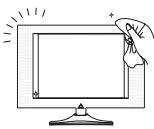
1. CLEANING
Unplug this TV equipment from the AC power outlet before cleaning. Do not use liquid cleaner or aerosol cleaners. Use a soft and damp cloth for cleaning.
2. ATTACHMENTS
Do not use attachments not recommended by the TV equipment manufacturer as they may result in the risk of fire, electric shock or other injury.

3. WATER AND MOISTURE
Do not place this TV equipment near water, for example, near bathtub, kitchen sink, laundry tub, in a wet basement, or near a swimming pool, or the like.
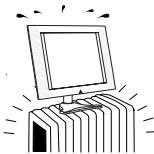
4. HEAT
Keep the TV equipment away from the heat sources such as radiator, heater, stoves and other heat-generating products

5. SETTING
Do not place this TV on unstable cart, stand, or table. Placing the TV on an unstable base can cause the TV to fall, resulting in serious personal injuries as well as damage to the TV. Use only a cart, stand, bracket or table recommended by the manufacturer or salesperson.
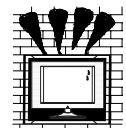
6.WALL OR CEILING MOUNTING
When mounting the product on a wall or ceiling, be sure to install the product using the designated mounting tool according to the method recommended by the manufacturer.
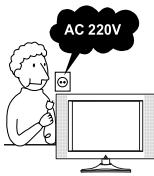
7. POWER SOURCES
This TV equipment should be operated only from the type of power source indicated on the marking label. If you are not sure of the type of power supplied to your home, consult your TV dealer or local power company.
Warning: This TV equipment MUST BE earthed.
8.PICKEL
The LCD panel is a very high technology product with 921,600 thin film transistors give you fine picture details.
Occasionally, a few non-active pixels may appear on the screen as a fixed point of blue, green or red please note that this does not affect the performance of your product.
CONTENTS
IMPORTANT SAFEGUARDS 2
SUPPLIED ACCESSORIES 2
FUNCTIONAL OVERVIEW 3
PREPARATION
Inserting Batteries into the Remote Control Unit. 5
Aerial connection
Mains connection
Connecting external equipment
INSTALLATION
Language selection. 8
Automatic Tuning of TV Channels
Programme Editing
Manual Setup
DAILY USE
Switching On and off 12
Status (Recall)
Programme Selection
Picture Control
Sound Control
Special Features
Sleep
Still
Hotel mode
Teletext
WALL/ARM MOUNTING. 19
TROUBLESHOOTING 20
PRODUCT SPECIFICATIONS 21
IMPORTANT SAFEGUARDS
Location
Heat, Moisture, Dust, Vibration
Position your set so that bright light or sunlight doesn't falls directly onto the screen.
Care should be taken not to expose the set to any unnecessary vibration, moisture, dust or heat.
Do not expose the set to dripping or splashing.
Ventilation
Also ensure that the set is placed in a position to allow a free flow of air.
Do not cover the ventilation openings on the back cover.
Mounting
This set can be positioned by using the table top stand or wall mounting bracket.
When you install the set using the wall mounting bracket, fix it carefully so it is secure.
Object Entry:
Do not insert foreign objects, such as needles and coins, into the ventilation openings.
SUPPLIED ACCESSORIES
Make sure the following accessories are provided with the product.
Remote controller / AC Power cord / Instruction manual
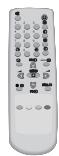
Remote controller
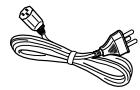
AC Power cord

Instruction manual
NOTE : Batteries are not included.
FUNCTIONAL OVERVIEW
Front
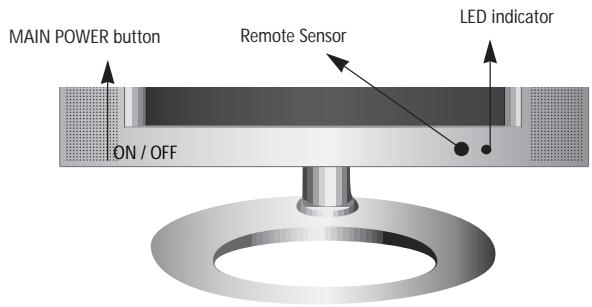
Side
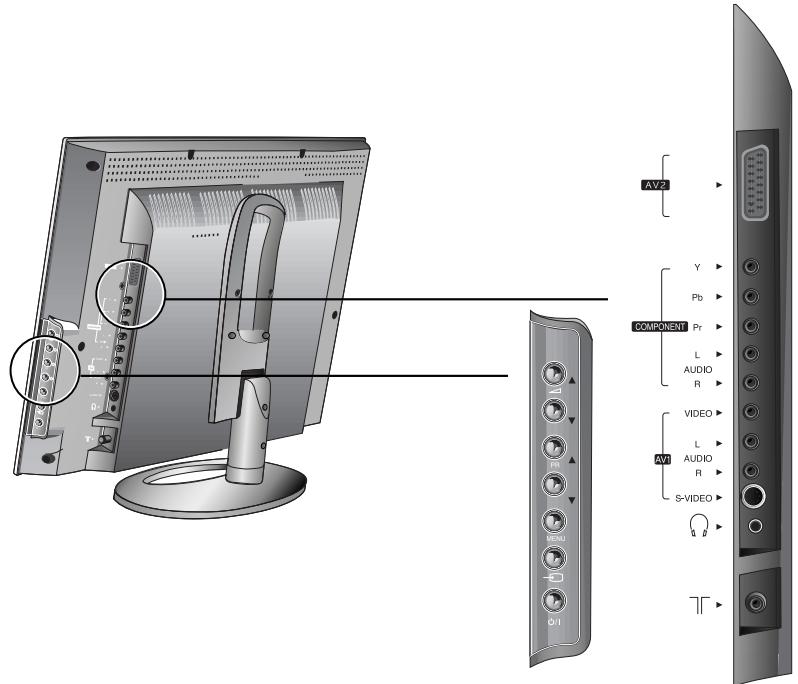
FUNCTIONAL OVERVIEW
Remote Control
[]:Teletext function
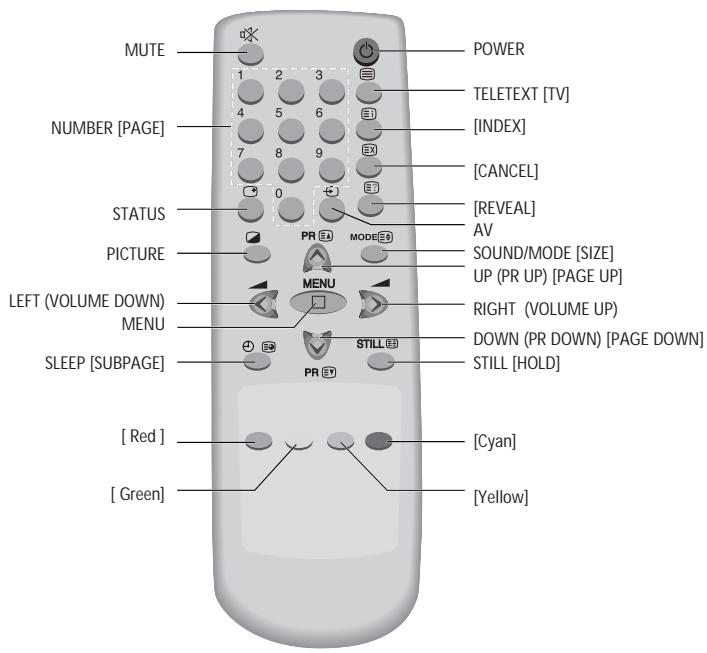
PREPARATION
Inserting Batteries into the Remote Control Unit
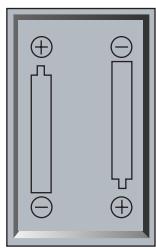
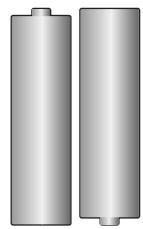
To load the batteries, turn the remote control handset over and open the battery compartment. Insert the batteries (two 1.5V, R03 or type AAA). Make sure that the polarity matches with the (+) and (-) marks inside of the battery compartment.
Note :
To avoid damage from possible battery leakage, remove the batteries if you do not plan to use the remote control handset for an extended period of time.
Mains Connection
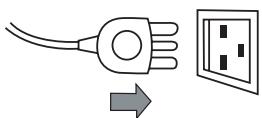
Plug the mains cable into the power socket with 100V-240V AC, 50/60 Hz.
Aerial Connection
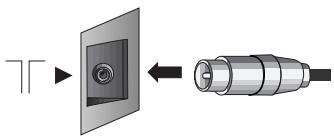
For better picture and sound quality, an effective aerial installation is most important.
When using an outdoor aerial, it is usually connected to the set by means of 75 ohm coaxial cable.
PREPARATION
Connecting external equipment
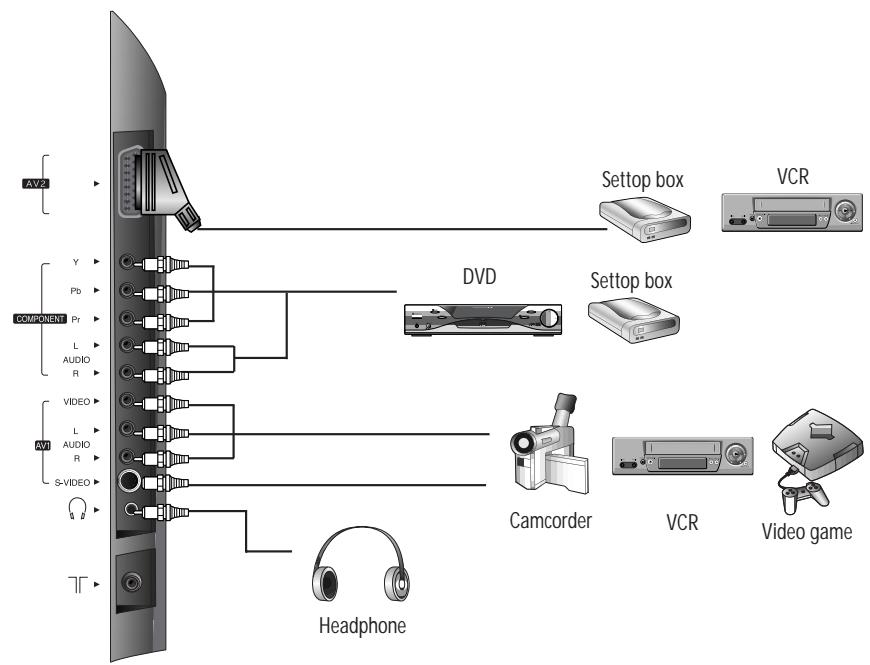
PREPARATION

TV

AV1

AV1/S-video
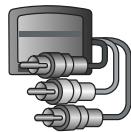
Component

AV2

AV2/RGB
TV/AV Mode Selection
Whenever the AV button is pressed, the on-screen display will be changed as shown:
TV AV1(or AV1/S-video) Component AV2(or AV2/RGB) TV
Note :
If you wish to use only the aerial (RF) connection, then you should make use of PR 00 on the TV set for best performance to tune in and record from a set top box or VCR.
When the TV SET is no signal, OSD(On Screen Display) appears on the screen.
AV Input Jack (AV1)
This jack has video / audio inputs.
The jack is used to connect a Camcorder, VCR, Video game.
S-video Input Jack (AV1/S-video)
It has Y/C inputs.
This jack is used to connect an S-Video Camcorder, S-video VCR.
Note :
The AV input Jack and S-video input Jack are shared connections with priority given to the S-video input Jack. When the S- video Jack is connected, the TV set switches automatically to AV1/S-video mode.
Do not connect both the AV Input Jack and S-video Input Jack.
Component Input Jack (Component)
It has Y/Pb(Cb)/Pr(Cr) inputs and audio inputs.
It is used to connect a DVD player.
SCART Jack (AV2, AV2/RGB)
This jack has video / audio inputs and outputs, RGB inputs. It is used to connect a STB, VCR.
In most cases, the TV set switches automatically to AV2 mode, when the external equipment connected is in playback mode. If not, then use the AV button to select AV2.
In AV mode, you can change the TV programme number with the UP/DOWN button or the NUMBER button.
Headphone Jack
Insert the headphone plug(3.5 mm ) into this jack.
The sound from the speaker will be automatically cut off.
You can control the headphone sound with the / button.
INSTALLATION
Language Selection
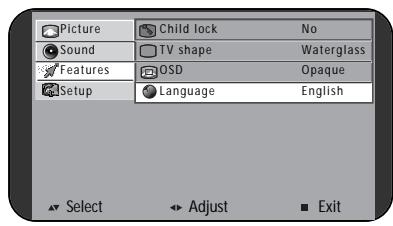
-
Press the MAIN POWER switch.
-
Press the POWER button, / button or NUMBER button. When you turn on the TV set for the first time, the Language menu for the on-screen display appears.
If not,
(1) Press the MENU button to call up the menu.
(2) Move the selection bar to the Feature menu with
/ button.
(3) Press the button.
(4) Move the selection bar to the Language with
/ button.
- Press the / button to choose the language you want.
- Press the MENU button to escape from menu.
Automatic Tuning of TV Channels
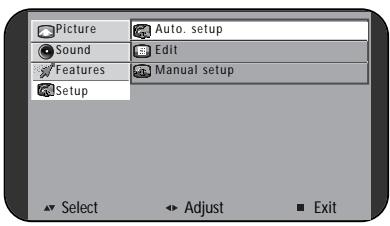
- Press the MENU button to call up the menu.
- Move the selection bar to the Setup menu with / button.
- Press the button.
- Place the selection bar on Auto setup and press the
button.
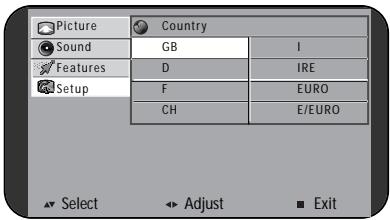
- Place the selection bar on the country you require with / button.
| GB: Great Britain | I: Italy |
| D: Germany | IRE: Ireland, Hong Kong, S/Africa |
| F: France | EURO: West and North Europe, N/Zealand, Middle-East, Asia, Africa |
| CH: China | E/EURO: East Europe, CIS, Vietnam |
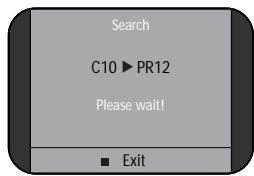
- Press the / button.
Auto setup will begin, your stations will be located and stored. - Please wait until the tuning screen disappears.
Programme Editing
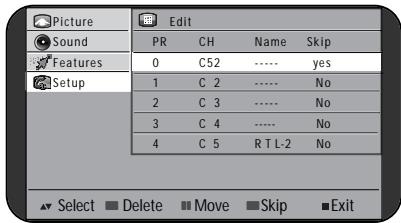
Call up the Edit menu from the Setup menu.
DELETING THE PROGRAMME
- Position the selection bar to the programme to delete with the / buttons.
- Press the RED button.
MOVING THE PROGRAMME
- Select the programme to move with / button.
- Press GREEN or YELLOW button to move the selected programme up or down to the desired programme number.
SKIPPING THE PROGRAMMES
- Select SKIP "Yes" or "No" with the CYAN button.
- The programme marked with SKIP "Yes" doesn't appear on screen when selecting a programme using the / button.
INSTALLATION
INSTALLATION
Manual setup
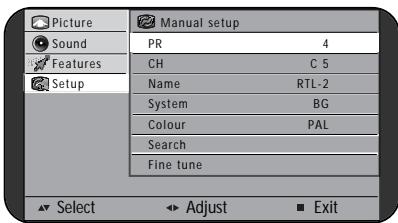
Call up Manual Setup from the Setup menu.
PROGRAMME NUMBER SELECTION
- Position a selection bar to PR.
- Press the / buttons to select a programme number you want.
TV SYSTEM SELECTION
If necessary, you can change the TV System.
- Position a selection bar to System.
- Select the TV system with / button.
BG for Europe
DK for East Europe, CIS
for Great Britain, Ireland
L for France
CHANNEL SEARCH
/ Search
- Position the selection bar to Search.
- Press the / button to search up or down. Searching will stop at the next channel found and then the channel will be stored automatically.
Direct Search
You can directly locate a program by entering the channel number.
- Position the selection bar to CH.
- Select a channel with / button. The selected channel will be stored automatically.
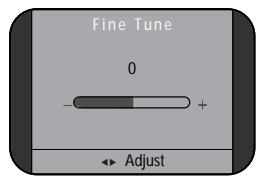
FINE TUNING
If you are unable to get a good picture or sound because of a poor broadcast signal, it is possible to adjust the fine tuning.
- Move the selection bar to Fine tune.
- Press the / button to activate fine tuning up or down. It operates while the / button is being pressed. The change is stored automatically.
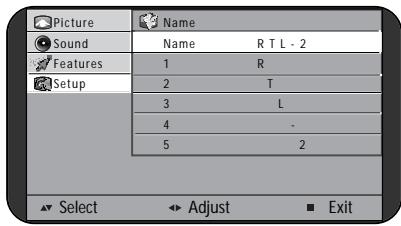
ENTER A STATION NAME
You can change an existing name, or enter a name where none exists.
- Move the selection bar to Name.
- Press the buttons to call up the Name menu.
- Select the position with / button.
4.Use the / buttons to select the desired character: ABC...Z ^+ .blank12...9
COLOUR STANDARD SELECTION
If necessary, you can change the Colour standard.
- Position a selection bar to Colour.
- Use the / buttons to select the desired Colour standard: PAL SECAM
NOTE: In the AV mode
PAL SECAM AUTOM
DAILY USE
Switching On and Off
SWITCHING ON
- If the Indicator is not lit, then the TV set is powered off. You must press the MAIN POWER switch on the TV set.
The set will switch to stand-by mode and then the Indicator will illuminate in Red.
- Press the POWER button, / button or NUMBER button.
The TV set will be switched on and then the Indicator change to Green.
SWITCHING OFF
- Press the POWER button to return the set to its stand-by mode.
The Indicator will illuminate in Red.
- Press the MAIN POWER switch to turn the TV set off completely.
Note :
If you don't use the set for extended periods of time, turn it off with MAIN POWER switch.
Status
PR 12
NICAM
Stereo

TV
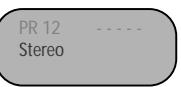
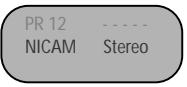
The STATUS button is used to display the current status; TV/AV mode, Programme number, Channel Name, Sound mode.
Programme Selection
The set has 100 programme numbers, PR00...PR99.
DIRECT SELECTION
The NUMBER buttons are used for direct programme selection.
To select a two-digit programme, press the second numbered button within 2 seconds.
/ SELECTION
You can also select a programme by pressing step by step the
/ buttons.
Picture Control
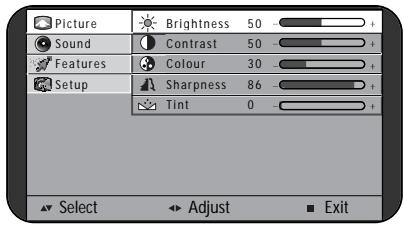
BRIGHTNESS, CONTRAST, COLOUR, SHARPNESS, TINT CONTROL
- Call up the Picture menu.
- Select and adjust the level of each function: "Brightness", "Contrast", "Colour", "Sharpness".
"Tint" is displayed only when receiving a NTSC signal. The adjusted levels are stored automatically in Favourite mode.
SMART PICTURE SELECTION
When you press the PICTURE( ) button repeatedly, you can call up four pictures settings:
Normal Bright Dark Favourite Normal
DAILY USE
DAILY USE
Sound Control
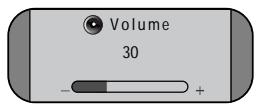
VOLUME CONTROL
Adjust the volume with the / buttons.
MUTE
Pressing the MUTE button turns the sound off.
The MUTE symbol will be displayed.
The sound returns if the button is pressed once more.
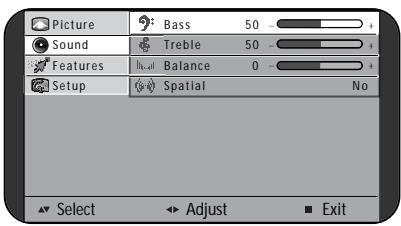
SOUND CONTROL
Call up the Sound menu.
Bass - Use this to adjust the low tone.
Treble - Use this to adjust the high tone.
Balance - Use this to adjust sound balance between the left and right speakers.
Spatial - If you select "Yes", the Spatial sound effect is available.
SOUND MODE
Stereo/Mono sound selection
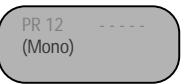
When receiving a Stereo programme, Stereo mode is automatically selected. In Stereo reception if you are unable to get good sound quality due to poor reception, you can force a change from Stereo to Mono transmission by pressing the MODE button.
Then the program status display indicates (Mono). To return back to Stereo, press the MODE button again. The setting can be individually selected for each PR number.
Language Selection
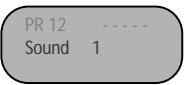
When receiving a bilingual programme, Sound 1 mode is automatically selected. The MODE button allows you to toggle between the first and second language. The program status display will indicate "Sound 1", "Sound 2" or (Mono).
Note :
When receiving a NICAM signal, "NICAM" will be displayed.
Special Features
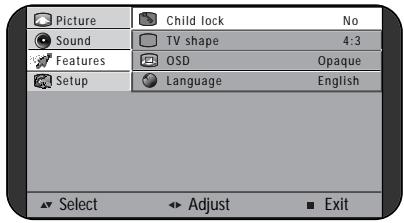
Call up the Feature menu.
CHILD LOCK
The set is child-locked by selecting "Yes".
You can prevent the use of the TV set without the remote control.
NOTE: When a Child lock is activated, the LED will be blanking the red and green in Stand-By mode in every second.
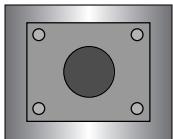
4:3
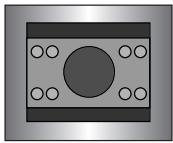
16:9
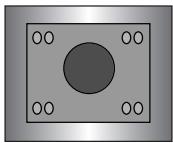
Waterglass
TV Shape (Aspect ratio) Control
The preferred mode can be forced by selecting.
The following picture formats are available:
4:3 16:9 Waterglass 4:3
Note :
Waterglass is used to fit a picture with 16:9 format on a 4:3 screen.
OSD(On-screen Display) Background
If you select Translucent, the OSD background appears translucent.
If you select Opaque, the OSD back-ground appears opaque.
DAILY USE
Sleep
By pressing the SLEEP button repeatedly, you can select one of the following setting: Sleep 0 Sleep 30 Sleep 60 Sleep 90 Sleep 120 Sleep 0
The set will turn off after the time you select.
Note :
If a broadcast signal is not present for about 10 minutes, the set will be automatically turned to stand-by mode.
Still
The STILL button allows you to freeze the picture at anytime. To return to normal viewing, press the STILL button again.
Hotel mode
In the HOTEL mode, the Setup menu is not displayed and the Volume control is limited by half.
- Press the RED, GREEN, YELLOW, CYAN, POWER button in sequence within 3 second.
- Press the POWER button.
- Repeat the above procedure 1 and 2 to exit from the HOTEL mode.
DAILY USE
Teletext
SWITCHING TELEXT ON/OFF
Press the TELETEXT button.
The index page or the page viewed last will appear. Press the TELETEXT button again to return to the TV mode.
COLOUR BUTTONS IN TOP/FLOF TELEXT
A red, green, yellow and Cyan field is shown at the bottom of the screen.
If TOP or FLOF Teletext is transmitted by the station, pressing the corresponding colour button R/G/Y/C on the remote controller, you can select the desired page easily.
SELECTING PAGES
The NUMBER buttons are used to enter a page number. The selected page number appears at the top of the screen and the page appears after a short time. The / buttons increase or decrease the current page number by 1.
INDEX PAGE
You can switch directly to the programme preview (with TOP text) or the overview page of the station you are currently viewing by pressing the INDEX button.
PAGE HOLD
Several sub pages can be combined under a page number and are scrolled at an interval determined by the television station. The presence of sub pages is indicated by, for example, 3/6 beneath the time, which means that you are looking at the 3rd page of a total of 6 pages. If you want to look at a subpage for a longer period of time, press the HOLD button.
The HOLD symbol appears and the contents of the subpage shown are kept on the screen and no longer updated or switched to other subpages.
Pressing the HOLD button again, the current subpage appears.
DAILY USE
CALLING UP SUBPAGE DIRECTLY
Pressing the SUBPAGE button, "S----" appears.
Enter the subpage number that you want to call up with the NUMBER button, for example, the 2nd page, sequence 0002.
The desired subpage will eventually be displayed on the screen and holds it there.
Meanwhile whilst you are waiting, it is possible to go back to the TV picture by pressing the CANCEL button on the remote and after a while, press the CANCEL button again to revert back to the saved Teletext sub page.
WATCHING TV DURING TELETEXT MODE
Some pages are continually updated, for example, stock market reports, sports announcements, and the latest news.
If you want to watch television and stay informed at the same time, press CANCEL button.
The regular programme is still visible and the Teletext page number appears at the top of the screen.
Pressing the CANCEL button, the Teletext page appears with the updated information.
REVEAL ANSWER
This function can be used on certain pages to reveal the solution of riddles.
Press the REVEAL button to reveal a hidden answer and press again to hide it.
DOUBLING CHARACTER SIZE
Repeatedly pressing the SIZE button doubles the character size in the following order:
Upper half of the page Lower half of the page Normal size
WALL/ARM MOUNTING
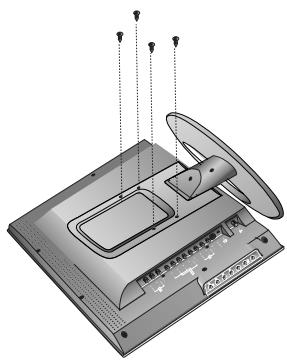
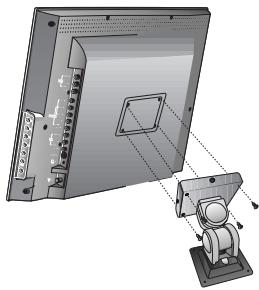
Attaching a Wall or Arm mounting device
This TV supports the VESA mounting standard and will accommodate various VESA mounting devices.
To install any VESA mounting device, please follow the manufacturer's instructions.
- Remove all cables connected to the TV.
- Lay the LCD TV face-down on a flat surface with a blanket or other soft materials to protect the screen.
- Remove the four screws attaching the stand. Remove stand from LCD TV.
- Now you are ready to install the VESA mounting device suited to your applications (see instructions below).
- Connect all cables removed at step 1.
Installing VESA compliant mounting devices
- Align the mounting interface pad (100mm x 100mm hole spacing) with the holes in the televisions rear cover mounting pad.
- Secure bracket with the four screws (4mmØ) that came with the VESA mounting device.
TROUBLESHOOTING
Please check the following items before calling for the repair services.
| Problem | Check item | Reference page |
| TV set | ||
| Control/System lock up | ·The TV may have malfunctioned. ·Switch your TV off and on again with the main ON/OFF button on the TV Set. | - 12 |
| Remote control does not work. | ·Perform control/system lock up reset (as above) ·Replace the batteries in the remote controller. ·Make sure the Remote sensor window is not under strong light e.g. a fluorescent lamps. | 5 - |
| Local buttons do not work. | ·Has the Child lock been switched on? | 15 |
| No picture and no sound. | ·Check that the TV set is switched on at the main ON/OFF switch. | 12 |
| No picture. | ·Make sure the brightness and contrast are not set to minimum. | 13 |
| No colour | ·Make sure the Colour is not set to minimum. ·Check the Colour standard settings. | 13 11 |
| Picture is too light or too dark. | ·Adjust the Brightness, Contrast. | 13 |
| The picture is improperly tinted. | ·Check the Tint adjustment (NTSC signal) | 13 |
| No sound. | ·Check that the volume is not set to minimum. ·Check sound is not muted. ·Make sure headphones are not connected. | 14 14 6 |
| Aerial | ||
| The picture is not sharp. The picture shakes. | ·Reception may be weak. ·The quality of the broadcast may also be poor. ·Make sure the aerial is facing the correct direction. ·Chek that the outside aerial is not disconnected. | |
| The picture is ghosted. | ·Mountains or high buildings can cause double pictures. ·Try changing the direction of the aerial. | |
| The picture is spotted(snow). | ·There may be interference from automobiles, trains, high voltage lines, neon lights, etc. ·There may be interference between the aerial cable and power cable ·Try positioning cables further apart. | |
| Picture has lines and faded colours. | ·Transmission aerial of amateur radios and cellular phones may cause interference. ·Position the TV set as far away as possible from devices that may cause interference. | |
PRODUCT SPECIFICATIONS
| Display | |
| Lamp type | CCFL |
| Panel type | 20.1"(50.9 Cm), 4:3 aspect ratio TFT LCD (LG-Philips LCD) |
| Pixel resolution | 921,600 dots (640x480,VGA) |
| Brightness | 400cd/m², 450cd/m²(Only for IPS model) |
| Viewing angle | 120V/140H |
| 170V/170H(Only for IPS model) | |
| TV standards | |
| TV standards | PAL-BG/DK/I SECAM-BG/DK/L NTSC (AV) |
| Sound system | A2-BG/DK NICAM-BG/DK/I/L |
| • VHF: E2(48.25)-E4(62.25), E5(175.25)-E12(224.25) | |
| Reception channel | • UHF: E21(471.25)-E69(855.25) |
| • Cable: S1'(69.25)-S3'(83.25), S1(105.25)-S41(463.25) | |
| Mains | |
| Mains voltage | 100-240V AC, 50/60Hz |
| Power consumption | • Stand-by: 3W max. |
| • Operating: 65W | |
| Sound | |
| Sound output | 2.0 W x 2 |
| Loudspeaker | 3 W norm. 72x48mm x 2 |
| Teletext (Option) | |
| Fasttext | 10 pages memory TOP/FLOF |
| Teletext language | Pan-European, Cyrillic, Greek/Turkish, Arabic /French (Option) |
| Connections | |
| Terminals | • Antenna (RF): DIN type |
| • RCA (Video/Audio in) | |
| S-Video (Y/C in) | |
| • RCA (Y/Pb/Pr in) | |
| • SCART (R/G/B in, Video/Audio in/out) | |
| • Headphone: 3.5mm Ø | |
| Mechanical spec. | |
| Dimension | • With Box: 695x550x258 (W x H x D) |
| (mm) | • Set - With stand: 608x475x185 (W x H x D) |
| - Without stand: 608x396x65 (W x H x D) | |
| Weight | • With Box: 12.5 |
| (Kg) | • Set - With stand: 9.2 |
| - Without stand: 7.9 | |
| Table stand | • Tilt: 5° forward, 15° backward |
| • Swivel: 45° | |
| Wall mounting | VESA compatible |
* Specifications are subject to change without notice.
HELPLINE NUMBER 0870 100 2525