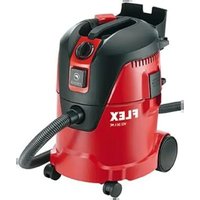
VCE 50 WET - Vacuum Cleaner Flex - Free user manual and instructions
Find the device manual for free VCE 50 WET Flex in PDF.


Pick your language and provide your email: we'll send you a specifically translated version.
| Product type | Wet and dry vacuum cleaner |
| Brand | Flex |
| Model | VCE 50 WET |
| Tank capacity | 50 L |
| Power | 1200 W |
| Supply voltage | 230 V ~ 50 Hz |
| Weight | 7.5 kg |
| Dimensions (L x W x H) | 44 x 40 x 62 cm |
| Filter type | Washable cartridge filter |
| Noise level | 74 dB(A) |
| Cable length | 5 m |
| Functions | Dry/wet suction, blower function |
| Tool connection | Yes, 35 mm diameter |
| Automatic shut-off | Yes, when maximum liquid level reached |
| Filter cleaning | Wash with water, dry before reuse |
| Tank draining | Via drain plug |
| Spare parts available | Filter, dust bag, hose, nozzles |
| Repairability | Repairability index of 8.3/10 |
| Warranty | 2 years |
Frequently Asked Questions - VCE 50 WET Flex
How to use the VCE 50 WET vacuum cleaner for liquid suction?
Remove the dust bag and ensure the cartridge filter is in place. The tank can hold up to 50 L of liquid. The automatic shut-off turns off the vacuum when the maximum level is reached.
How to clean the vacuum filter?
The cartridge filter is washable with water. Unclip it, rinse it under running water, then let it dry completely before reinstalling. Never use the filter wet.
Can I use dust bags with the VCE 50 WET?
Yes, for dry vacuuming, you can use a suitable dust bag (ref. Flex 12345). For liquids, remove the bag.
What to do if the vacuum does not turn on?
Check the power outlet, power cord, and switch. If the tank is full of liquid, the automatic shut-off may have turned off the appliance. Empty the tank and restart.
How to empty the tank after liquid suction?
Unplug the appliance, remove the hose and tilt the tank to empty through the front outlet. Use the drain plug located at the bottom of the tank for easy draining.
What accessories are included with the vacuum?
The vacuum comes with a 2.5 m hose, two extension tubes, a floor nozzle, a liquid nozzle, a crevice tool, and a tool adapter.
Can I connect a power tool to the vacuum?
Yes, the integrated tool outlet allows connecting a saw or sander. The vacuum starts automatically when the tool is used.
How to replace the filter of the VCE 50 WET?
Open the vacuum head, remove the used filter and insert the new filter (ref. Flex 12346). Close the head. Regular maintenance extends its service life.
The vacuum makes an abnormal noise, what to do?
Check that the filter is not clogged or the tank is not too full. Inspect the hose and nozzles for blockages. If the noise persists, contact after-sales service.
Where to find the original manual for the Flex VCE 50 WET vacuum?
The manual is available for free download on notice-facile.com in PDF format. You can also request a translation in your language.
User questions about VCE 50 WET Flex
0 question about this device. Answer the ones you know or ask your own.
Ask a new question about this device
No questions yet. Be the first to ask one.
Download the instructions for your Vacuum Cleaner in PDF format for free! Find your manual VCE 50 WET - Flex and take your electronic device back in hand. On this page are published all the documents necessary for the use of your device. VCE 50 WET by Flex.
USER MANUAL VCE 50 WET Flex
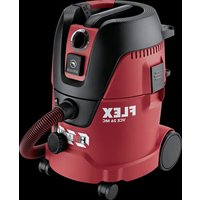
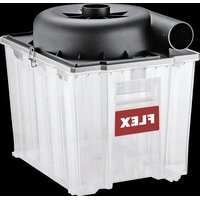
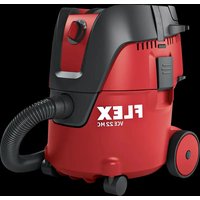
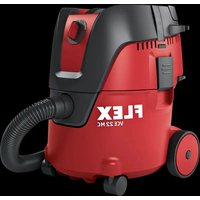
Manual assistant
Powered by Anthropic
Waiting for your message
Product information
Brand : Flex
Model : VCE 50 WET
Category : Vacuum Cleaner