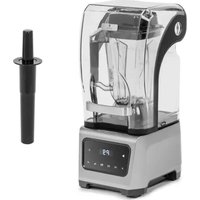
RCPM-40 1BS - Food Processor Royal Catering - Free user manual and instructions
Find the device manual for free RCPM-40 1BS Royal Catering in PDF.


| Product type | Professional food processor |
| Brand | Royal Catering |
| Model | RCPM-40 1BS |
| Bowl capacity | 40 liters |
| Bowl material | Stainless steel |
| Power | 1500 W |
| Power supply voltage | 220-240 V / 50-60 Hz |
| Speeds | 3 speeds + pulse |
| Functions | Mix, knead, whisk, chop, emulsify |
| Included accessories | Whisk, dough hook, flat beater, chopping blade |
| Dimensions (W × D × H) | 450 × 550 × 780 mm |
| Net weight | 38 kg |
| Housing material | Brushed stainless steel |
| Protection | Overload thermostat, emergency stop |
| Noise level | < 75 dB(A) |
| Maintenance | Bowl and accessories dishwasher safe |
| Repairability | Spare parts available, repairability score 8.5/10 |
| Warranty | 2 years |
| Certifications | CE, UKCA |
| Usage | Professional (catering, bakery) |
Frequently Asked Questions - RCPM-40 1BS Royal Catering
User questions about RCPM-40 1BS Royal Catering
0 question about this device. Answer the ones you know or ask your own.
Ask a new question about this device
Download the instructions for your Food Processor in PDF format for free! Find your manual RCPM-40 1BS - Royal Catering and take your electronic device back in hand. On this page are published all the documents necessary for the use of your device. RCPM-40 1BS by Royal Catering.
USER MANUAL RCPM-40 1BS Royal Catering
Expondo GmbH
Köpenicker Str. 54
10179 Berlin
Germany
Expondo GmbH
Köpenicker Str. 54
10179 Berlin
Germany
EN – Original language
00_03-03/2022
Table of contents
1. Introduction 4
1.1. About this document....4
2. Product....4
2.1. Intended use....4 2.2. Foreseeable misuse....4 2.3. Disclaimer....4 2.4. General specifications .... 4 2.5. Type plate....5
3. Description and operation 6
3.1. Main parts 6 3.2. Control panel 7
4. Safety 8
4.1. Personal protective equipment 8 4.2. Safety features 8
4.2.1. Emergency stop button 8 4.2.2. Safety guard 8
4.3. Safety symbols and labels on the product 8 4.4. Symbols on the product or packaging 8 4.5. Safety instructions 8
4.5.1. General safety instructions 9 4.5.2. Transport and storage 9 4.5.3. Installation 9 4.5.4. Use 9 4.5.5. Maintenance 10 4.5.6. Children and disabled 10
5. Transport and storage 11
5.1. Transport 11 5.2. Storage 11
6. Installation 12
6.1. Removing the packaging 12
6.1.1. Package contents 12 6.2. Requirements for the location of installation 12 6.3. Placing the machine 12
7. Use 13
7.1. Before use 13 7.2. Switching on and starting up 13 7.3. Using the product 13
7.3.1. Placing the dough in the bowl 13 7.3.2. Adjusting the mixing settings 13
7.3.3. Kneading the dough....13 7.3.4. Removing the dough from the dough bowl....14
7.4. Switching off....14 7.5. Acting in case of an emergency....14
- Maintenance....14
8.1. Cleaning the product 14 8.2. Ordering spare parts....15
- Troubleshooting....15
9.1. Error codes on the product 15
- Disposal.... 15
- Warranty 15
1. Introduction
1.1. About this document
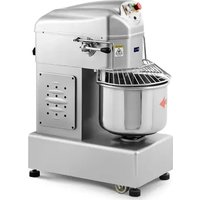
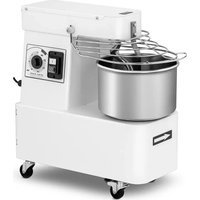
This manual contains instructions and safety information for installation, operation and maintenance of the Royal® CateringSpiral Mixer.
This manual is intended for:
• The end user of the product.
1.2. Languages
This manual was originally written in the English language. All other languages are translations from the English document.
2. Product
2.1. Intended use
• This product is intended to knead dough. - Only use the product as described in this manual. • This product is intended for indoor use only. - This product can be used by end users from 18 years old and above. • This product is intended for professional use.
- This product is intended to be used for commercial applications, for example in kitchens of restaurants, canteens, hospitals and in commercial enterprises such as bakeries, butcheries, etc.,
2.2. Foreseeable misuse
• This product is not intended for continuous mass production of food. • This product is not intended for outdoor use. - This product is not intended to stand on top of or placing objects against it. - This product is not intended to transport while the power cable is plugged in.
2.3. Disclaimer
Any use of the product other than described in this manual is regarded as misuse and may cause injury, damage to the product and void the warranty.
2.4. General specifications
| Product name | Spiral Mixer | |
| Product number | 10012181 | 10012180 |
| Dimensions (l x w x h) | 850 x 500 x 990 mm | 930 x 510 x 1150 mm |
| Weight | 151 kg | 216 kg |
| Rated voltage and frequency | 230V ~ 50 Hz | 230V ~ 50 Hz |
| Rated power | 2100 W | 2100 W |
| Bowlcapacity | 28 L | 45 L |
| Maximum spiral quantity | 1 – 12.5 kg | 1 – 20 kg |
| Dough hook speed | 139 / 200 r/min | 139 / 200 r/min |
| Dough bowl speed | 13 / 18 r/min | 13 / 18 r/min |
| Power cable specifications | 1.5 mm2 | 1.5 mm2 |
| Protection class | Class I | Class I |
| Protection rating IP | IPX1 | IPX1 |
2.5. Type plate
The type plate can be found on the left side of the product.
2.5.1. 10012181
| Importer: expondo Polska sp. z o.o. sp. k. ul. Nowy Kisielin-Innowacyjna 7, 66-002 Zielona Góra | Poland, EU | |
| Product Name: Spiral Mixer Model: RCPM-30,1BS Power: 2100W Voltage/Frequency: 230V/50Hz Capacity: 28L Production Year: Serial No.: | ROYAL® catering |
| expondo.de | CE IPX1 |
2.5.2. 10012180
| Importer: expondo Polska sp. z o.o. sp. k. ul. Nowy Kisielin-Innowacyjna 7, 66-002 Zielona Góra | Poland, EU | |
| Product Name: Spiral Mixer Model: RCPM-40,1BS Power: 2100W Voltage/Frequency: 230V/50Hz Capacity: 45L Production Year: Serial No.: | ROYAL catering |
| expondo.de | CE IPX1 |
3. Description and operation
3.1. Main parts

- Control panel
- Safety guard
- Dividing rod
- Dough hook
- Dough bowl
- Wheel (3x)
- Support foot (4x)
- Speed lever
- Power cable
3.2. Control panel

- Emergency stop button
- START button
- TIMER
- OVERLOAD SWITCH
4. Safety
4.1. Safety features
4.1.1. Emergency stop button
The product is equipped with an emergency stop button. The emergency stop button is the red/yellow button next to the control panel. Press the emergency stop button to stop the product from working in case of an emergency.
4.1.2. Safety guard
The product is equipped with a safety guard. The safety guard is located above the dough bowl. Make sure the safety guard is rotated downwards when the product is in use.
4.2. Safety symbols and labels on the product
| Icon | Description |
 | This symbol identifies the parts of a product or system that are connected to each other. This to make sure that they are in phase terminals of the same potential, which are not necessarily ground potential, such as local interconnections. |
 | This symbol indicates that moving parts can crush and cut. Keep guards in place and lock out power before servicing. |
4.3. Symbols on the product or packaging
| Icon | Description |
 | This symbol indicates that this product may not be disposed with household waste. Recycle this product in an environmentally friendly manner according to local regulations. |
 | This symbol indicates that the product is CE certified. |
4.4. Safety instructions
| Signal word | Description |
| ⚠WARNING | Signal word used to indicate a potentially hazardous situation which, if not avoided, could result in death or serious injury. |
| ⚠CAUTION | Signal word used to indicate a potentially hazardous situation which, if not avoided, could result in minor or moderate injury. |
| NOTICE | Indicates important information that is not directly related to safety. |
| i | Indicates useful information. |
4.4.1. General safety instructions
WARNING
- Safety hazard. Always fully read and understand the instructions in this manual before you install, use, or maintain the product. When the manual is not fully read, understood, or followed, this can cause serious injury.
CAUTION
- Safety hazard. Never use the product if a part is damaged or defective. Replace a damaged or defective product immediately. Using a defective product can cause moderate injury.
4.4.2. Transport and storage
▲CAUTION
- Crushing hazard caused by incorrect transportation. Never lift the product when moving it. Always use the wheels when moving the product. Incorrect transportation of the product may cause crushing of limbs.
- Risk of damaging the product. Always store the product in a clean, dry, and enclosed place when the product is not used for a longer period of time. Incorrect storage of the product may cause defects.
4.4.3. Installation
- Risk of damaging the product. Always place the product on a stable, flat, heat, and moisture resistant surface. Incorrect placement of the product may cause defects.
- Risk of physical shock to the product. Never drop the product. Always avoid bumping. Dropping the product may cause damage to the product or the internal electrical parts.
4.4.4. Use
▲WARNING
- Fire hazard caused by short-circuiting. Always check if the voltage stated on the type plate of the product matches the power outlet voltage.
- Electrical shock hazard caused by short-circuiting. Always connect the power cable to a grounded power outlet.
- Electrical shock hazard. Never use the product when the power cable is damaged. Always replace a damaged power cable with an original power cable available from the manufacturer or the supplier.
- Electrical shock hazard. Always press the emergency stop button before unplugging the power cable.
- Electrical shock hazard. Never reset the product in case of product malfunctioning. Always have a qualified service engineer check the product before resetting a malfunctioning product.
- Entrapment hazard caused by rotating parts. Never wear loose clothing or jewelry. Keep your hair, clothing, and hands away from moving parts. Loose clothes, jewelry, or long hair can be caught in moving parts. Entrapment of clothing or body parts may cause serious injury.
CAUTION
- Tripping hazard. Never place the power cable in a walkway. Always place the power cable out of the way from walkways. Leaving the power cable in a walkway can cause moderate injury.
4.4.5. Maintenance
WARNING
- Electrical shock hazard. Never immerse the product in water or other liquids. Follow the cleaning instructions in this manual for the correct performance of maintenance. • Electrical shock hazard. Never handle the product with wet hands.
- Electrical shock hazard. Never perform any maintenance with the power cable connected to a power outlet. Always disconnect the power cable from the power outlet before cleaning the product.
- Electrical shock hazard. Never replace the power cable yourself. Always have the power cable replaced by the manufacturer, a service agent or similar qualified persons.
NOTICE
- Risk of damaging the product. Never use cleaning solvents or abrasives to clean the product. Always use the correct cleaning method specified in this manual. Using incorrect cleaning solvents or abrasives may cause damage to the product.
- Risk of damaging the product. Never use a jet of water or a steam cleaner to clean the appliance. Always use the correct cleaning method specified in this manual. Using a jet of water or a steam cleaner may cause damage to the product.
4.4.6. Children and disabled
▲WARNING
- Choking hazard. Never let children play with the packaging material. Always keep the packaging material out of reach of children. Playing with packaging material may cause serious injury or death.
- Entrapment hazard caused by rotating parts. Never let children alone unattended when the product is in use. Always supervise children when the product is in use. Entrapment of body parts may cause serious injury.
5. Transport and storage
5.1. Transport
CAUTION
- Crushing hazard caused by incorrect transportation. Never lift the product when moving the product. Always use the wheels when moving the product. Incorrect transportation of the product may cause crushing of limbs.
To transport the product:
- Rotate the support feet [#] counter clockwise to lift the support feet.
- Roll the product to the desired place by using the wheels [#].
- Rotate the support feet [#] clockwise to lower the support feet.
5.2. Storage
Store the product in a clean, dry and enclosed place with a temperature between -10 - 70°C and a maximum humidity of 70%, when the product is not used for a longer period of time.
6. Installation
6.1. Removing the packaging
Tools needed:
• Pair of scissors or cutter
To remove the product from the packaging:
- Remove the fastening straps from the box and the wooden pallet. Use a pair of scissors or a cutter.
- Remove the wooden packaging.
- Remove all plastic packaging from the product.
- Check the contents.
6.1.1. Package contents
1x Royal® Catering Spiral Mixer
6.2. Requirements for the location of installation
Install the product in a location that meets the following requirements:
• Flat, stable, and heat resistant surface. - Dry environment. - Away from heat sources and highly inflammable liquids. - Near a power outlet. - Easily accessible by the end user.
6.3. Placing the machine
To place the product:
- Roll the product to the desired place by using the wheels [#].
- Rotate the support feet [#] clockwise to lower the support feet.
7. Use
7.1. Before use
- Clean the following parts with warm water and a cloth:
a. Dough bowl [#] b. Dough hook [#] c. Dividing rod [#]
- Dry the parts thoroughly.
7.2. Switching on and starting up
▲WARNING
- Fire hazard caused by short-circuiting. Always check if the voltage stated on the type plate of the product matches with the power outlet voltage.
- Electrical shock hazard caused by short-circuiting. Always connect the power cable to a grounded power outlet.
CAUTION
- Tripping hazard. Never place the power cable in a walkway. Always place the power cable out of the way from walkways. Leaving the power cable in a walkway can cause moderate injury.
To switch on the product:
- Plug the power cable[#] into a power outlet.
7.3. Using the product
7.3.1. Placing the dough in the bowl
To place the dough in the bowl:
- Rotate the safety guard [#] upwards.
- Place the dough into the bowl [#].
- Rotate the safety guard [#] downwards.
7.3.2. Kneading the dough
To knead the dough:
- Press the START button [#].
- Rotate the speed lever [#] downwards to 1 to knead the dough slowly.
- Rotate the speed lever [#] upwards to 2 to knead the dough quickly.
- Press the emergency button [#] to stop the dough kneading.
- Rotate the emergency stop button [#] clockwise to reset.
7.3.3. Adjusting the timer
To use the timer:
- Rotate the timer [#] to set the preferred time. The maximum timer setting is 30 minutes. The timer automatically counts down during the dough kneading. The product automatically stops when the timer expires.
7.3.4. Removing the dough from the dough bowl
To remove the dough out of the dough bowl:
- Rotate the safety guard [#] upwards.
- Carefully take the dough out of the dough bowl [#].
- Rotate the safety guard[#] downwards.
7.4. Switching off
▲WARNING
- Electrical shock hazard. Always press the emergency stop button before unplugging the power cable.
To switch off the product:
- Press the emergency stop button [#].
- Unplug the power cable[#] from the power outlet.
7.5. Overload switch
The overload switch activates when a currency overload is detected. The product stops.
To deactivate the overload switch:
- Allow the product to cool down.
- Press the overload switch [#].
7.6. Acting in case of an emergency
▲WARNING
- Electrical shock hazard. Never reset the product in case of product malfunctioning. Always have a qualified service engineer check the product before resetting a malfunctioning product.
In case of an emergency:
- Press the emergency stop button[#].
The emergency stop button must be reset after the button has been pressed. To reset the emergency button:
- Rotate the emergency stop button [#] clockwise.
The emergency stop button is now reset.
8. Maintenance
▲WARNING
- Electrical shock hazard. Never perform any maintenance with the power cable connected to a power outlet. Always disconnect the power cable from the power outlet before cleaning the product.
8.1. Cleaning the product
It is recommended to clean the product after each use.
To clean the product:
- Unplug the power cable [#] from the power outlet.
- Rotate the safety guard[#] upwards.
- Clean the following parts with warm water and a cloth:
a. Dough bowl [#] b. Dough hook [#] c. Dividing rod [#]
- Dry the parts thoroughly.
- Rotate the safety guard[#] downwards.
8.2. Ordering spare parts
For spare parts or replacements, please contact the Expondo service desk.
9. Troubleshooting
| Problem | Possible cause | Possible solution |
| The product does not work. | The power cable[#] is not plugged in. | Plug the power cable[#] into a power outlet. |
| The emergency stop button [#] is activated. | Reset the emergency stop button [#]. |
10. Disposal

If the product is defective, please contact the Expondo service desk. It may still be possible to repair the product. If you still need to dispose of the product, please follow the local regulations.
11. Warranty
This product comes with a warranty period of 36 months from the moment of purchase.
Any changes and/or modifications to the product will void the warranty. Expondo accepts no liability for damage caused by improper use of the product.
For more information, consult: https://www.expondo.co.uk/warranty-conditions/
Royal® Catering
Food processor
10012180 | 10012181
Operating instructions

Expondo GmbH
Köpenicker Str. 54
10179 Berlin
Germany
Expondo GmbH
Köpenicker Str. 54
10179 Berlin
Czech Republic
Expondo GmbH
Köpenicker Str. 54
10179 Berlin
France
Expondo GmbH
Köpenicker Str. 54
10179 Berlin
Germany
Expondo GmbH
Köpenicker Str. 54
10179 Berlin
Germany
EN – Original language
00_03-03/2022
Table of contents
Expondo GmbH
Köpenicker Str. 54
10179 Berlin
Germany
EN – Original language
Table of contents
1. Preface 4
Expondo GmbH
Köpenicker Str. 54
10179 Berlin
Germany
ENG - Original language
Table of contents
1. Introduction 4
1.1. About this document....4 1.2. Language 4
2. Product......4
- TABLE OF CONTENTS
- INTRODUCTION
- PRODUCT
- DESCRIPTION AND OPERATION
- SAFETY
- TRANSPORT AND STORAGE
- INSTALLATION
- USE
- ABOUT THIS DOCUMENT
- LANGUAGES
- INTENDED USE
- FORESEEABLE MISUSE
- DISCLAIMER
- TYPE PLATE
- MAIN PARTS
- CONTROL PANEL
- SAFETY FEATURES
- EMERGENCY STOP BUTTON
- SAFETY GUARD
- SAFETY SYMBOLS AND LABELS ON THE PRODUCT
- SYMBOLS ON THE PRODUCT OR PACKAGING
- SAFETY INSTRUCTIONS
- GENERAL SAFETY INSTRUCTIONS
- WARNING
- CAUTION
- ▲CAUTION
- ▲WARNING
- MAINTENANCE
- NOTICE
- CHILDREN AND DISABLED
- TRANSPORT
- TO TRANSPORT THE PRODUCT
- STORAGE
- REMOVING THE PACKAGING
- TOOLS NEEDED
- PACKAGE CONTENTS
- REQUIREMENTS FOR THE LOCATION OF INSTALLATION
- PLACING THE MACHINE
- BEFORE USE
- SWITCHING ON AND STARTING UP
- USING THE PRODUCT
- PLACING THE DOUGH IN THE BOWL
- KNEADING THE DOUGH
- ADJUSTING THE TIMER
- REMOVING THE DOUGH FROM THE DOUGH BOWL
- SWITCHING OFF
- OVERLOAD SWITCH
- ACTING IN CASE OF AN EMERGENCY
- CLEANING THE PRODUCT
- ORDERING SPARE PARTS
- TROUBLESHOOTING
- DISPOSAL
- WARRANTY
- ROYAL® CATERING
- PREFACE
Brand : Royal Catering
Model : RCPM-40 1BS
Category : Food Processor